Software Architecture Fundamentals
Begin
13 pages · ~26 min
Software Architecture Fundamentals
An introductory training for software developers on the principles and key concepts of software architecture.
My workspace26 minFree to watch
What you’ll learn
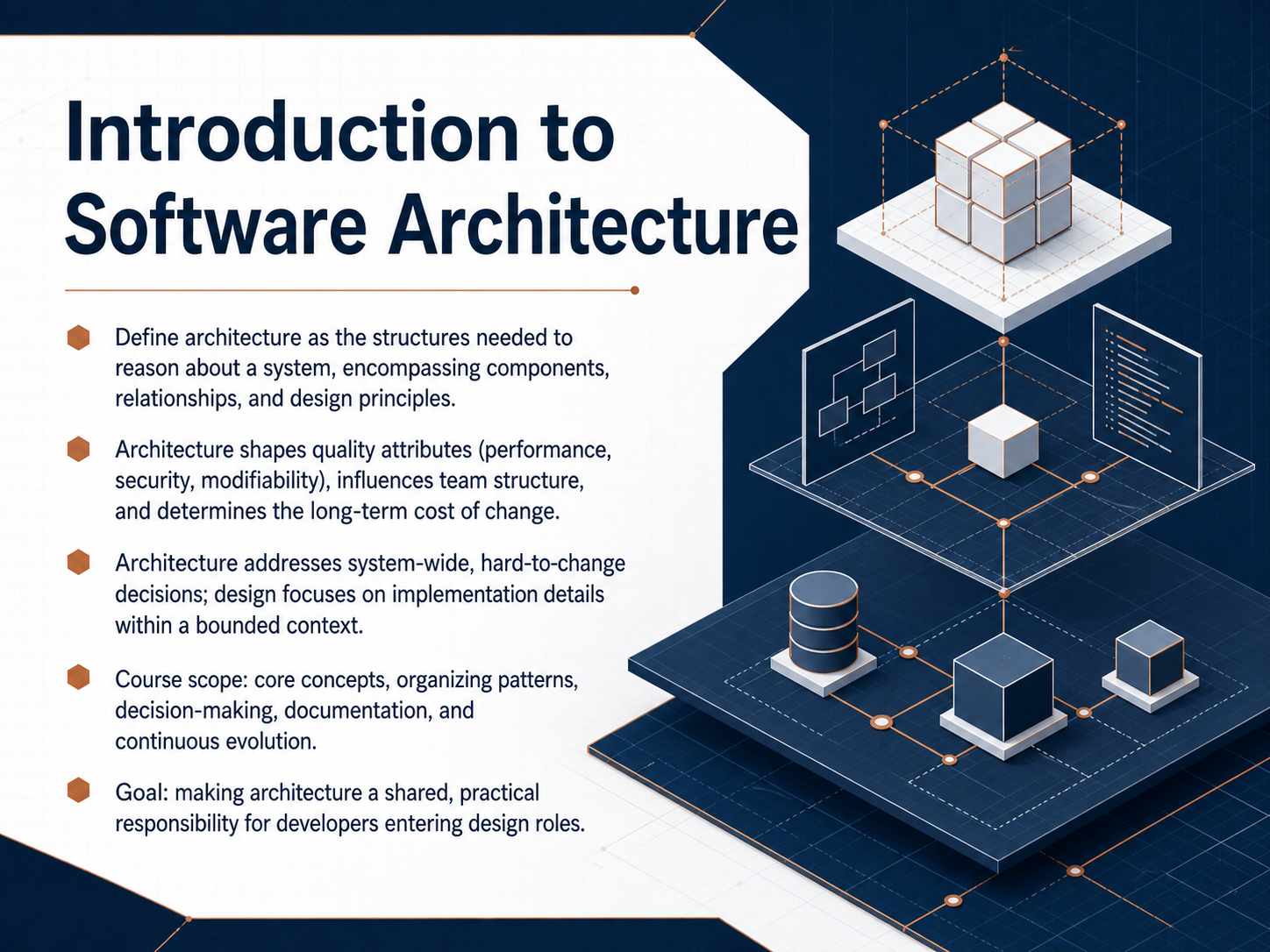
- 01Introduction to Software ArchitectureWelcome to the Introduction to Software Architecture course. I'm glad you're here. Over the next few lessons, we're going to build a practical understanding of what software architecture really is. You might hear the word 'architecture' tossed around, often paired with complex diagrams or heavyweight processes. But at its core, architecture is simply the set of structures we need to reason about a system. It's about the components, their relationships, and the design principles that shape them. Think of it as the blueprint that guides everything else. Architecture directly shapes the qualities your users care about, like performance, security, and modifiability. It also influences how your teams organize their work, and it largely determines the long-term cost of making changes to the system. We'll also clarify a common point of confusion: the difference between architecture and design. Architecture addresses the system-wide decisions that are hard to change later. Design, on the other hand, focuses on how you implement things within a smaller, bounded part of that structure. Throughout this course, we'll cover core concepts, organizing patterns, how to make and document decisions, and how to help your architecture evolve continuously. My goal is to make architecture a shared, practical skill for developers like you, especially as you step into design and leadership roles. Let's get started. Up next, we'll explore a fundamental question: What makes a decision architectural?c4model.comc4model.comuxxu.io+23 min
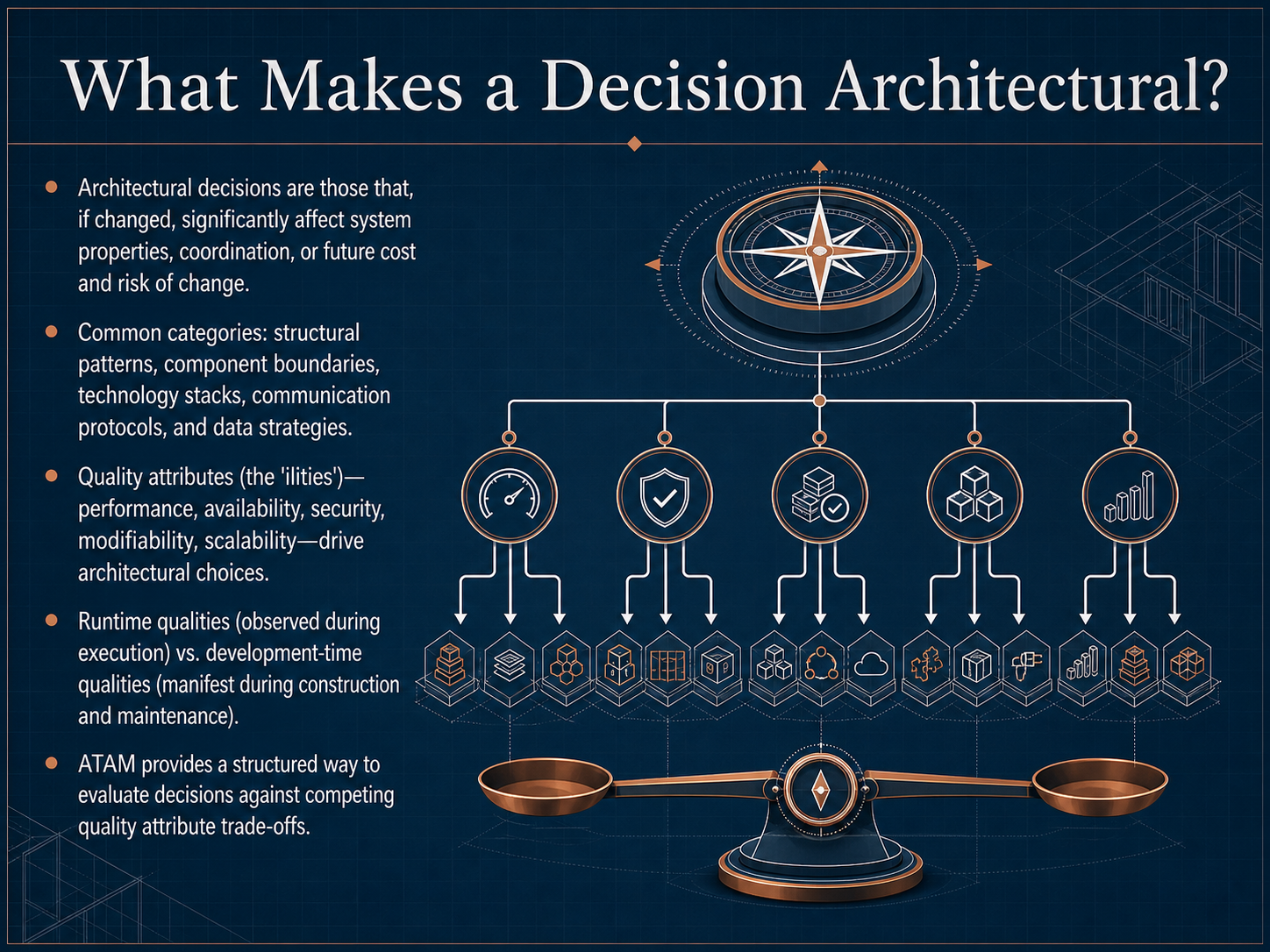
- 02What Makes a Decision Architectural?Now, let's get to the core of what we mean by architecture. Not every decision you make is architectural. An architectural decision is one that, if you change it later, significantly impacts the system's properties, its coordination costs, or the future expense and risk of change. Think of it as the load-bearing walls of your house—you can repaint a room easily, but moving a main support beam is a major project. These decisions typically fall into a few common categories: the overall structural patterns, where you draw component boundaries, your core technology choices, communication protocols, and your central data strategies. What drives these choices? We call them the 'ilities'—the quality attributes. Things like performance, availability, security, modifiability, and scalability. It's useful to separate these into two groups. Runtime qualities are what you observe while the system is executing, like speed and uptime. Development-time qualities are what you experience while building and maintaining the software, like how easy it is to test or modify. These attributes are always in tension; making a system ultra-secure might slow down performance. To navigate these trade-offs in a structured way, architects often use a method like ATAM, the Architecture Tradeoff Analysis Method, which helps evaluate your decisions against competing quality goals. Next, we'll zoom in on the basic building blocks: architectural components and their responsibilities.
 c4model.comc4model.comuxxu.io+22 min
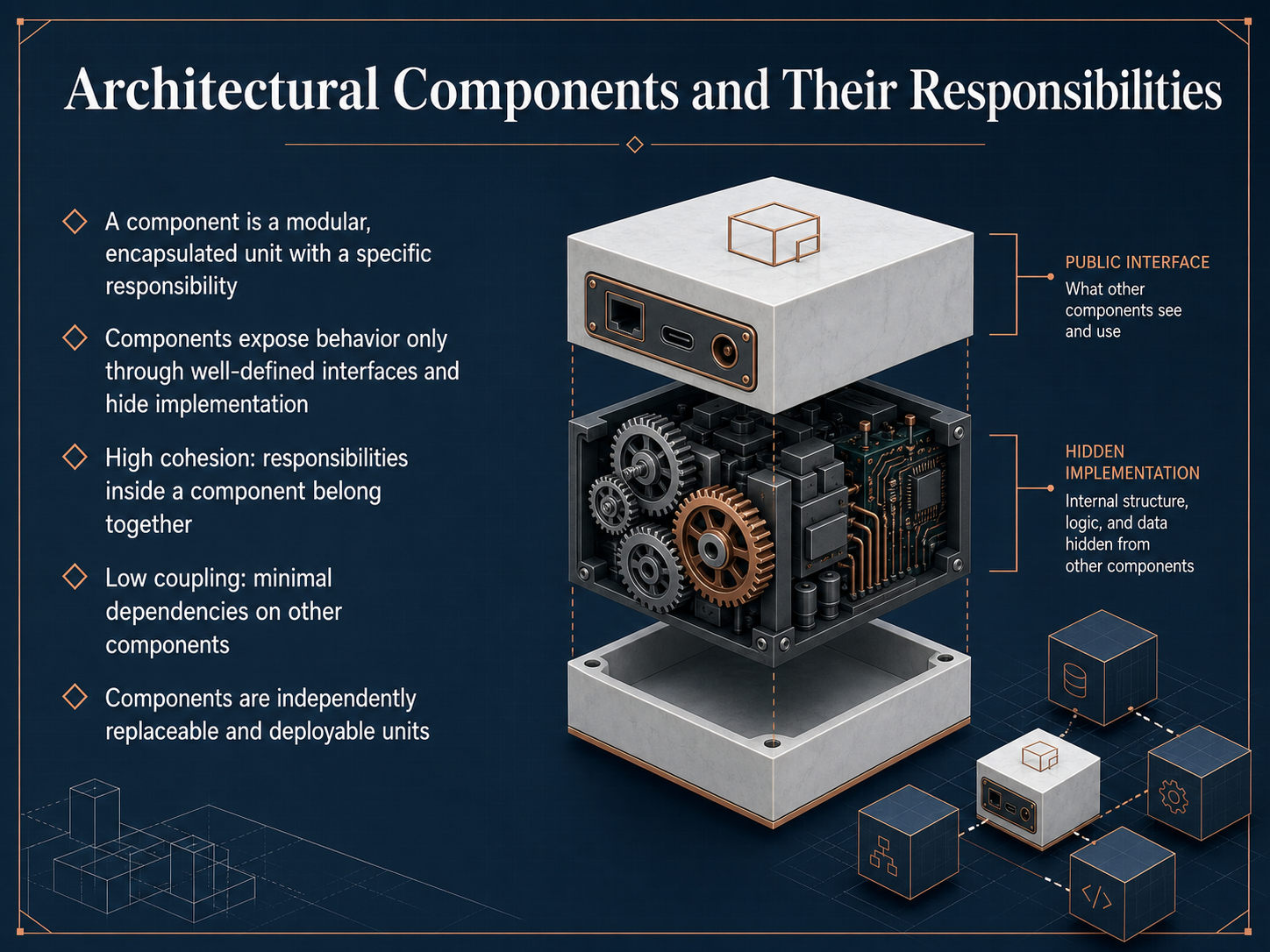
 - 03Architectural Components and Their ResponsibilitiesNow let's focus on the heart of the architecture: components and their responsibilities. A software component is a self-contained, modular unit that owns a specific job in the system. Think of it as a replaceable building block, like the payment module or the search engine in an application. Components have clear boundaries. They hide their internal complexity and expose their behavior only through well-defined interfaces. This is what makes them independently replaceable and deployable. Two key principles govern good component design. First, high cohesion. This means all the responsibilities inside a component naturally belong together and change for the same reasons. Second, low coupling. The component minimizes its dependencies on other parts of the system, so changes don't create a domino effect. When you respect these boundaries, the system becomes more resilient and much easier to evolve. Next, let's explore exactly how these components communicate using interfaces and contracts, which act as the architectural glue.
 c4model.comc4model.comuxxu.io+22 min
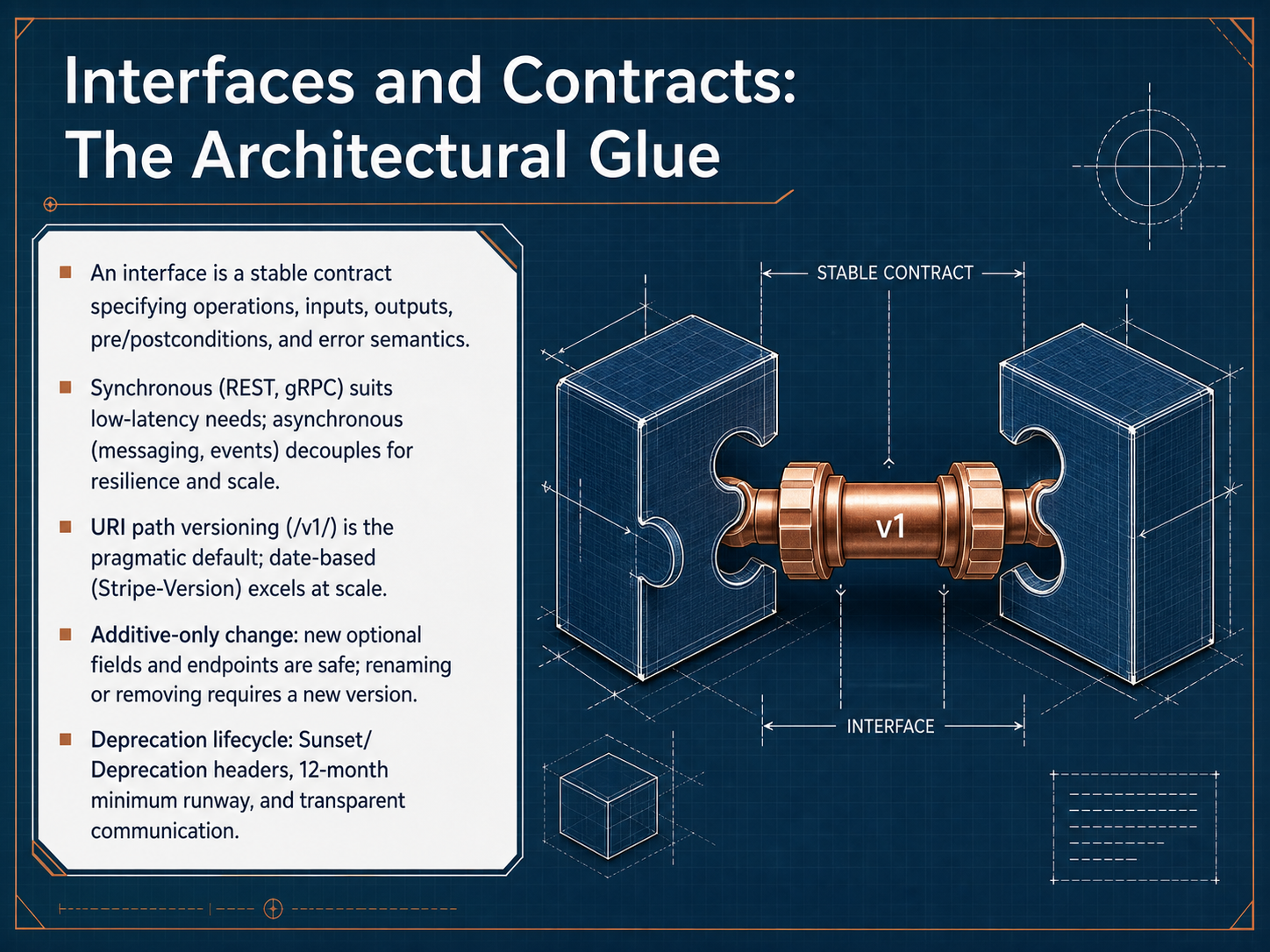
 - 04Interfaces and Contracts: The Architectural GlueNow, let's talk about what actually holds all those components together: interfaces and contracts. Think of an interface as a stable contract. It spells out the available operations, the required inputs, the expected outputs, any preconditions and postconditions, and what error conditions look like. It's a promise from one part of the system to another. When we need a fast, direct response—like checking an account balance—we reach for synchronous interaction, which is typical of REST or gRPC. But when we need to build for resilience and scale, we decouple with asynchronous patterns like messaging or events. No matter the style, the big question is how to evolve this contract safely. A great rule of thumb is to make only additive changes. That means adding new optional fields or new endpoints is safe. Renaming or removing a field is a breaking change and requires a new version. When it's time to retire an old version, follow a clear deprecation lifecycle. Use sunset and deprecation headers, give a minimum twelve-month runway, and communicate transparently with your consumers. Next, we'll pull back and look at where these contracts live by exploring system boundaries and context.
 c4model.comc4model.comuxxu.io+22 min
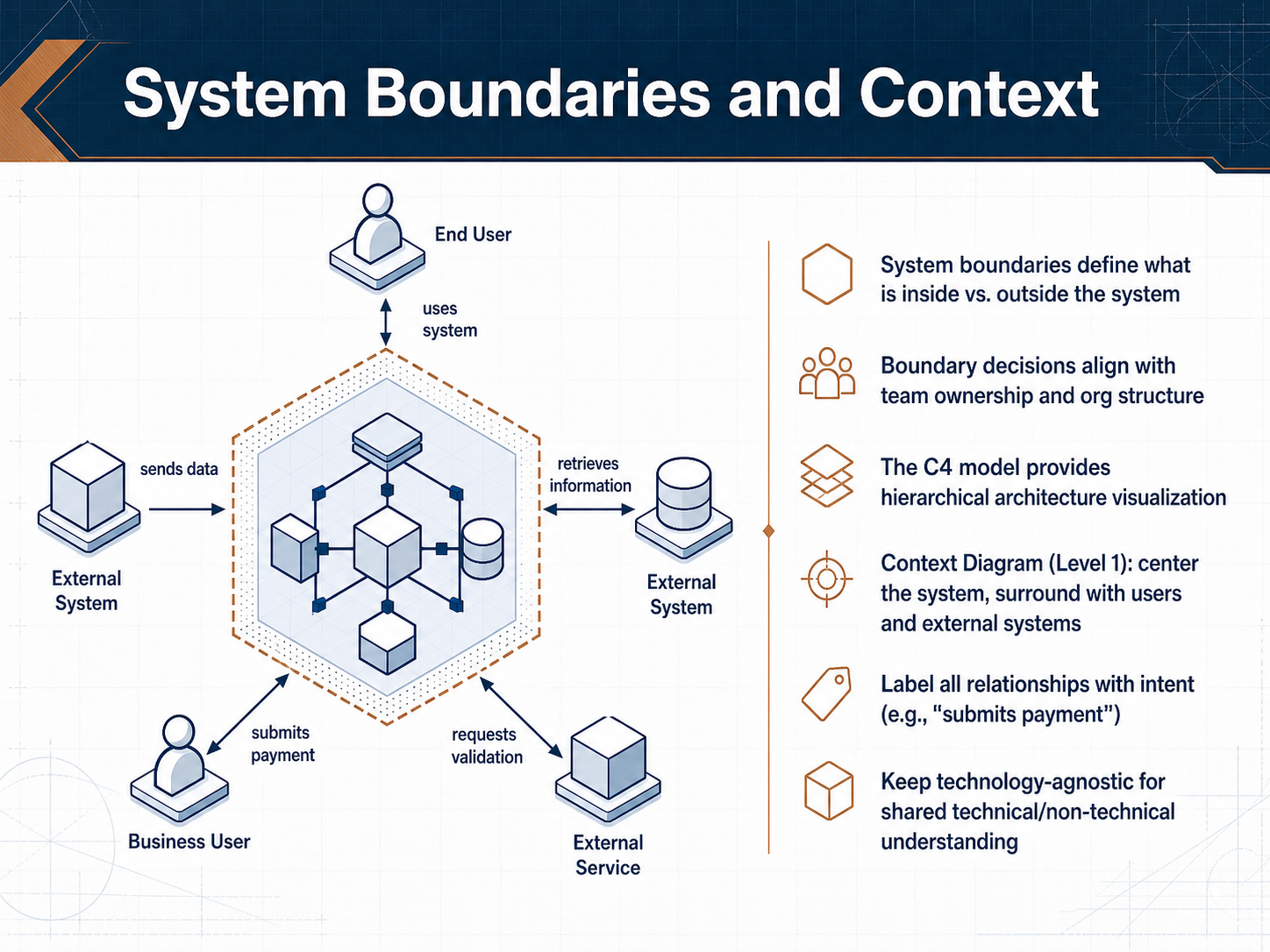
 - 05System Boundaries and ContextNow let's talk about system boundaries and how we visualize them. A boundary is simply the line that separates what is inside your system from what is outside. These decisions are rarely just technical; they often align with team ownership and your organization's structure. To make these boundaries clear for everyone, we use the C4 model, a hierarchical way to visualize architecture. At the top is the Context Diagram, which is Level 1. Here, you put your system as a single box in the center. You surround it with the people who use it and the external systems it talks to. The key rule is to label every connection with intent, using active voice like "submits payment" or "retrieves account data." We deliberately keep this diagram technology-agnostic. There are no servers, databases, or protocols here. This allows both business stakeholders and technical staff to share a common understanding of the big picture. Next, we'll start zooming in to look at the internal building blocks, so let's move on to containers and components in the C4 model.
 c4model.comc4model.comuxxu.io+22 min
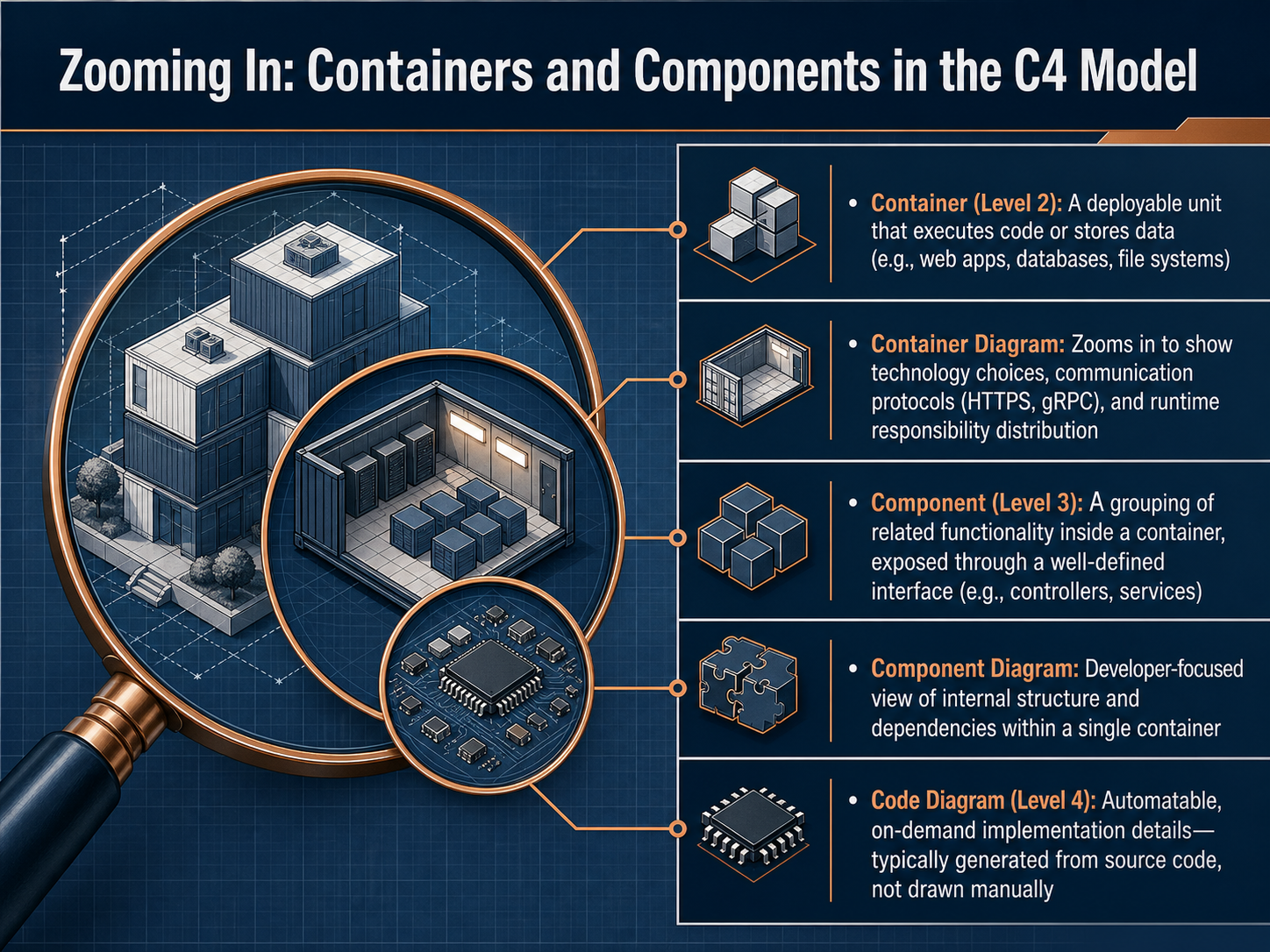
 - 06Zooming In: Containers and Components in the C4 ModelNow let's zoom in from the big picture view. This slide moves us into the C4 model's Container and Component levels. Think of a Container not as Docker, but as any deployable unit that runs code or stores data. Examples include a web application, a mobile app, or a database. A Container diagram shows your technology choices and how these units talk to each other, using protocols like HTTPS or gRPC. It illustrates who is responsible for what at runtime. Zooming in further, we reach the Component level. A component is a logical grouping of related functionality inside a single container. For example, inside a web app container, you might have a user controller and a payment service. Each component hides its internal complexity behind a well-defined interface. The final code level shows class-level implementation details, which are usually generated automatically from source code rather than drawn by hand. Let's continue and explore how we might organize these components in the next slide, Organizing Components: Key Architectural Patterns.
 c4model.comc4model.comuxxu.io+22 min
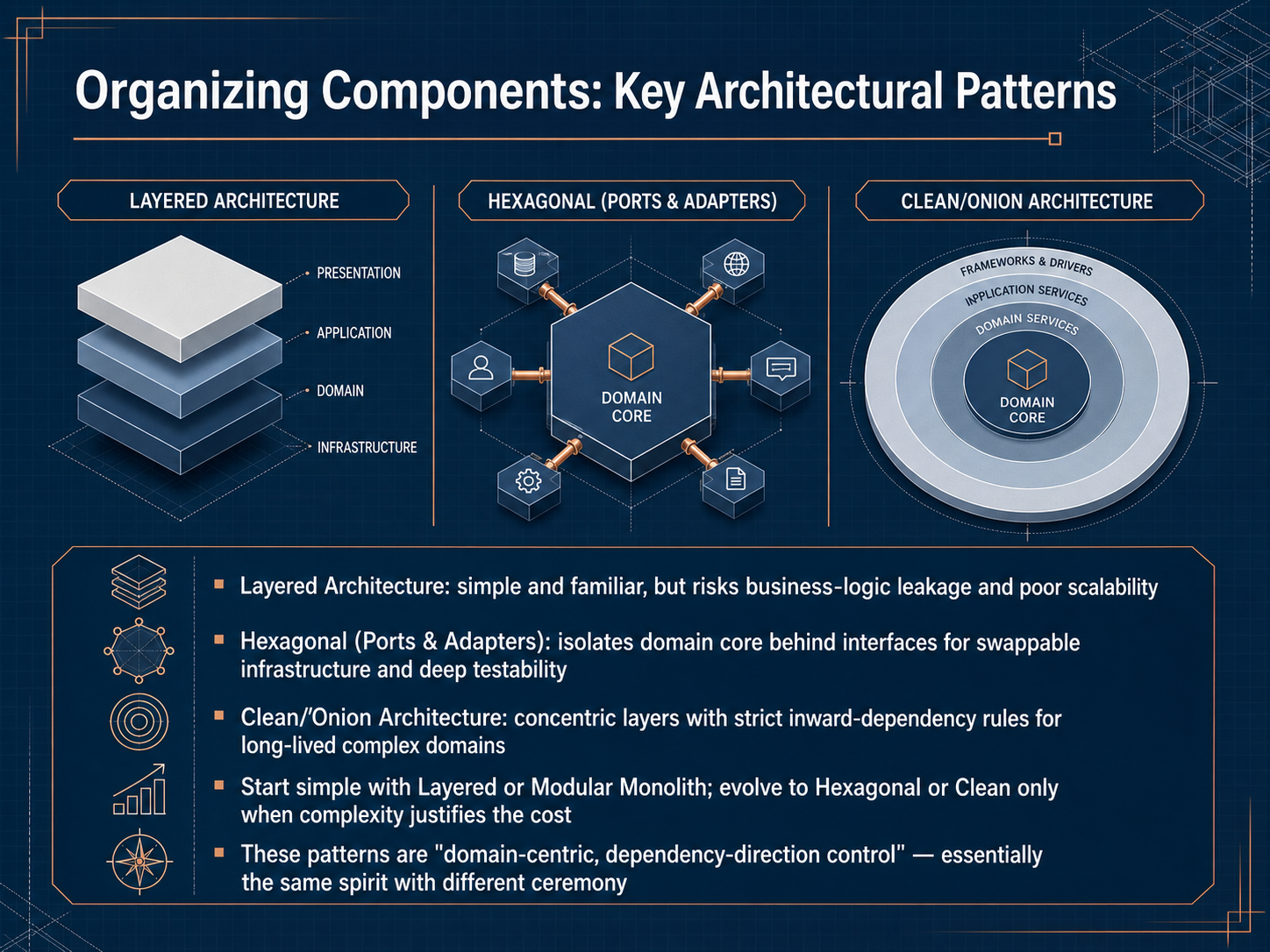
 - 07Organizing Components: Key Architectural PatternsNow let's look at how we can organize our components with some key architectural patterns. The most common one you'll encounter is the Layered Architecture. It's simple, familiar, and every developer knows where to put their code. The downside is that business logic can easily leak into the database or the user interface, and scaling can become a real challenge as the system grows. Next is the Hexagonal Architecture, also called Ports and Adapters. Here, we place the domain core in the center and protect it behind interfaces called ports. This lets you swap out infrastructure pieces like databases or message queues without ever touching your business rules. It also makes deep testability natural, because you can test the core logic in complete isolation. Clean Architecture and Onion Architecture follow a similar philosophy. They use concentric layers with a strict rule that dependencies must always point inward toward the domain. These patterns are powerful for long-lived, complex systems where the domain rules keep evolving. Here's some practical advice: start simple. A well-structured Layered or Modular Monolith gets you moving fast. Only evolve toward Hexagonal or Clean Architecture when the complexity truly justifies the extra ceremony. At their heart, all of these patterns share the same spirit: they keep the domain at the center and control the direction of dependencies. Next, we'll explore Modern Architectural Styles, including Monoliths, Microservices, and Event-Driven Systems.
 c4model.comc4model.comuxxu.io+22 min
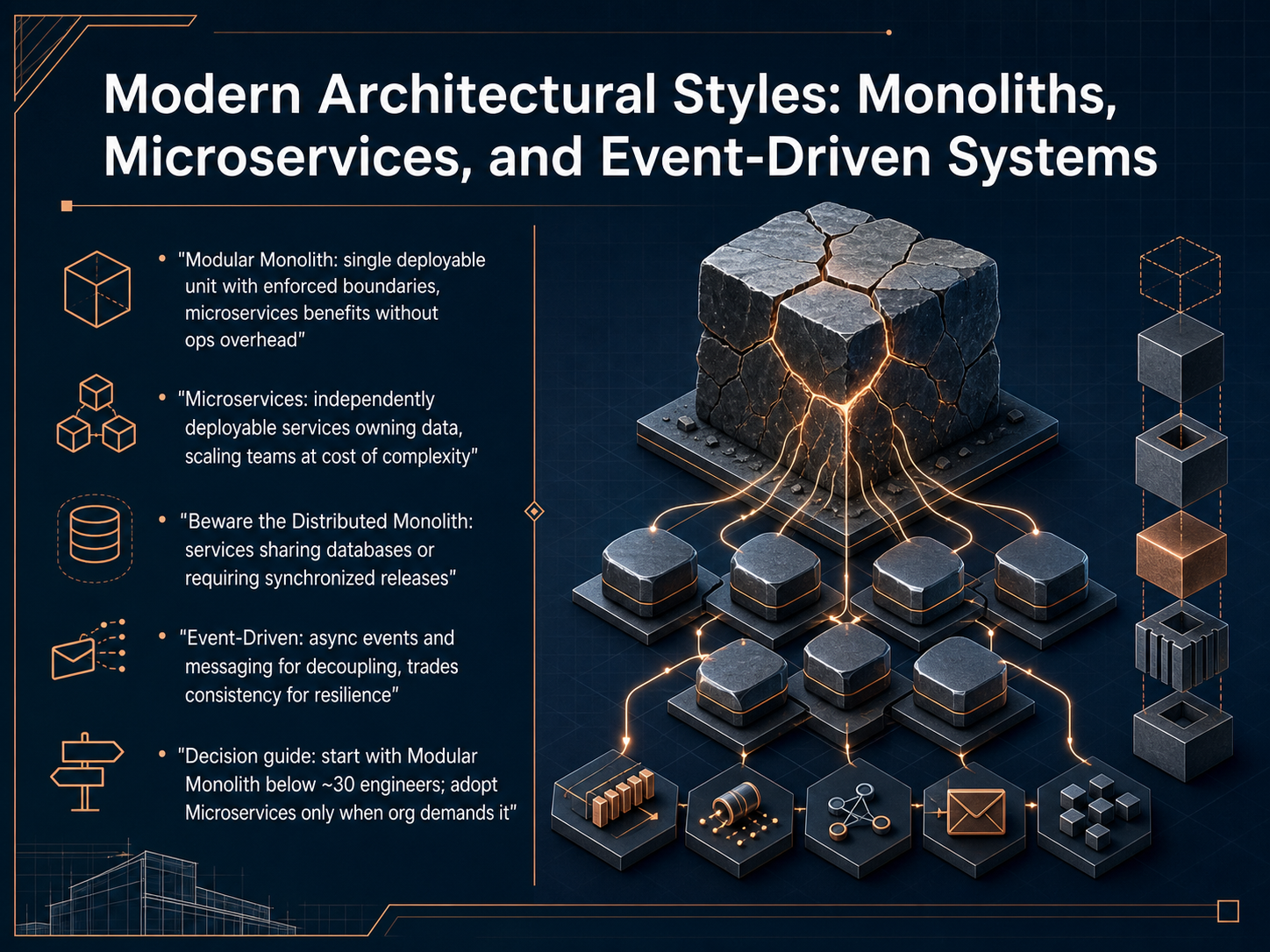
 - 08Modern Architectural Styles: Monoliths, Microservices, and Event-Driven SystemsLet’s compare the three modern styles you’ll hear most often: monoliths, microservices, and event-driven systems. First, the modular monolith. It’s a single deployable unit but with strictly enforced internal boundaries. You get many of the design benefits of microservices—clean separation, independent reasoning—without the operational overhead. It’s the recommended default for teams under about thirty engineers. Next, microservices. Each service is independently deployable and owns its own data. This lets teams scale and release on their own cadence, but you pay for it with network complexity and distributed-systems headaches. The most common failure mode is the distributed monolith—services that share a database or require synchronized releases, giving you all the cost of distribution with none of the independence. Finally, event-driven architecture. Services communicate through asynchronous events and messages instead of direct calls. This decouples them nicely and improves resilience, but you trade away immediate consistency. A practical decision guide: start with a modular monolith and adopt microservices only when organizational demands—like team size and deployment conflicts—really justify it. Next we’ll look at connecting those components with communication and integration.
 c4model.comc4model.comuxxu.io+22 min
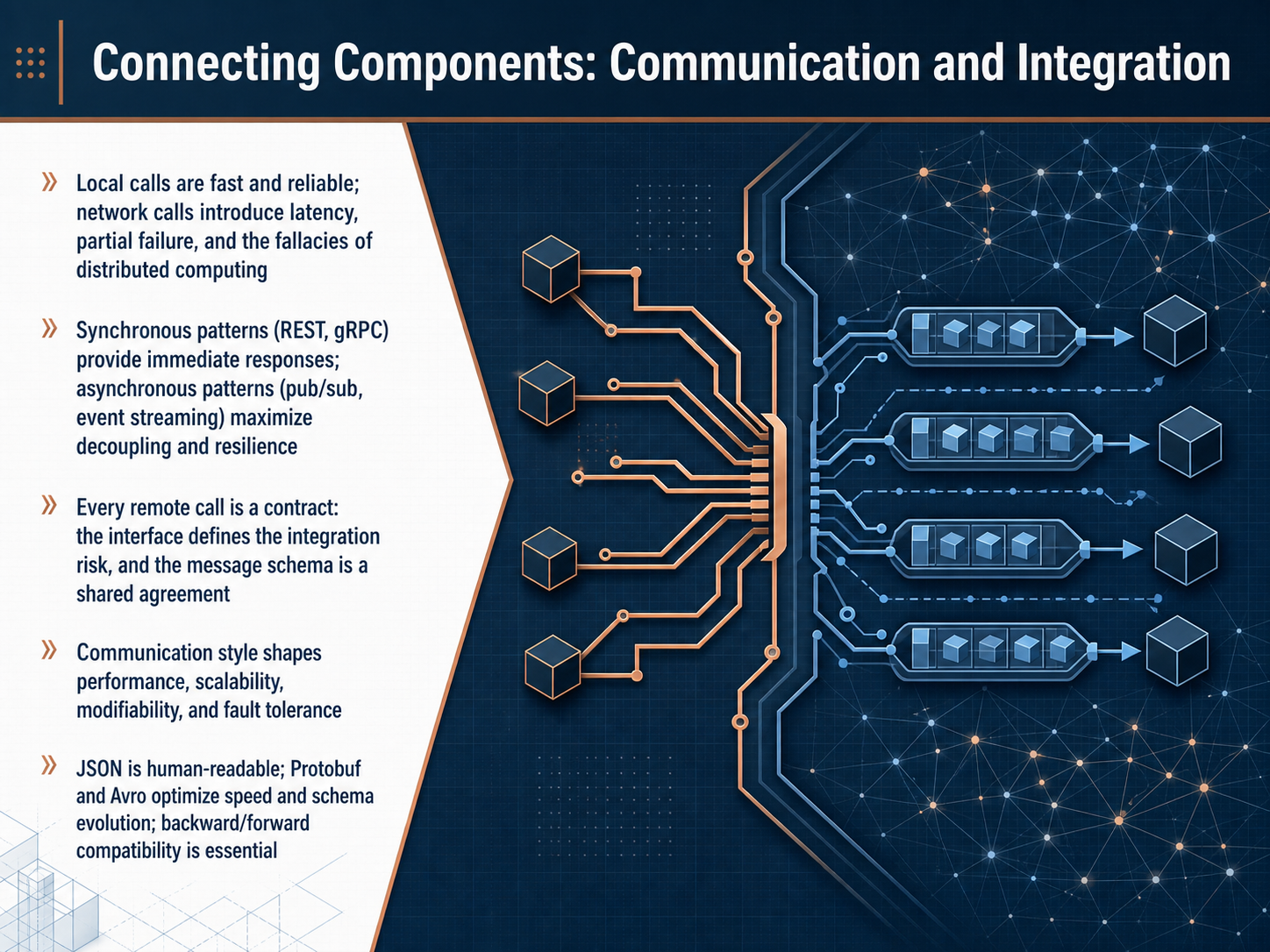
 - 09Connecting Components: Communication and IntegrationNow, let's connect our components by exploring communication and integration. The way components talk to each other directly shapes your system's performance and resilience. A local function call is fast and reliable, but once you introduce a network call, you face latency, partial failures, and what we call the fallacies of distributed computing. When choosing a style, you have two broad paths. Synchronous patterns like REST or gRPC give you an immediate response, while asynchronous patterns like pub-sub or event streaming maximize decoupling and resilience. Remember, every remote call is a contract. The interface defines your integration risk, and the message schema becomes a shared agreement between teams. Your choice of format matters here. JSON is human-readable and easy to debug, but formats like Protobuf and Avro optimize for speed and schema evolution. Maintaining backward and forward compatibility is essential to avoid breaking consumers. Ultimately, your communication style directly shapes performance, scalability, and how easily you can modify the system later. Next, we will put these patterns into practice as we discuss design decisions and trade-offs.
 cadence.withremote.aidocsio.copandev-metrics.com+22 min
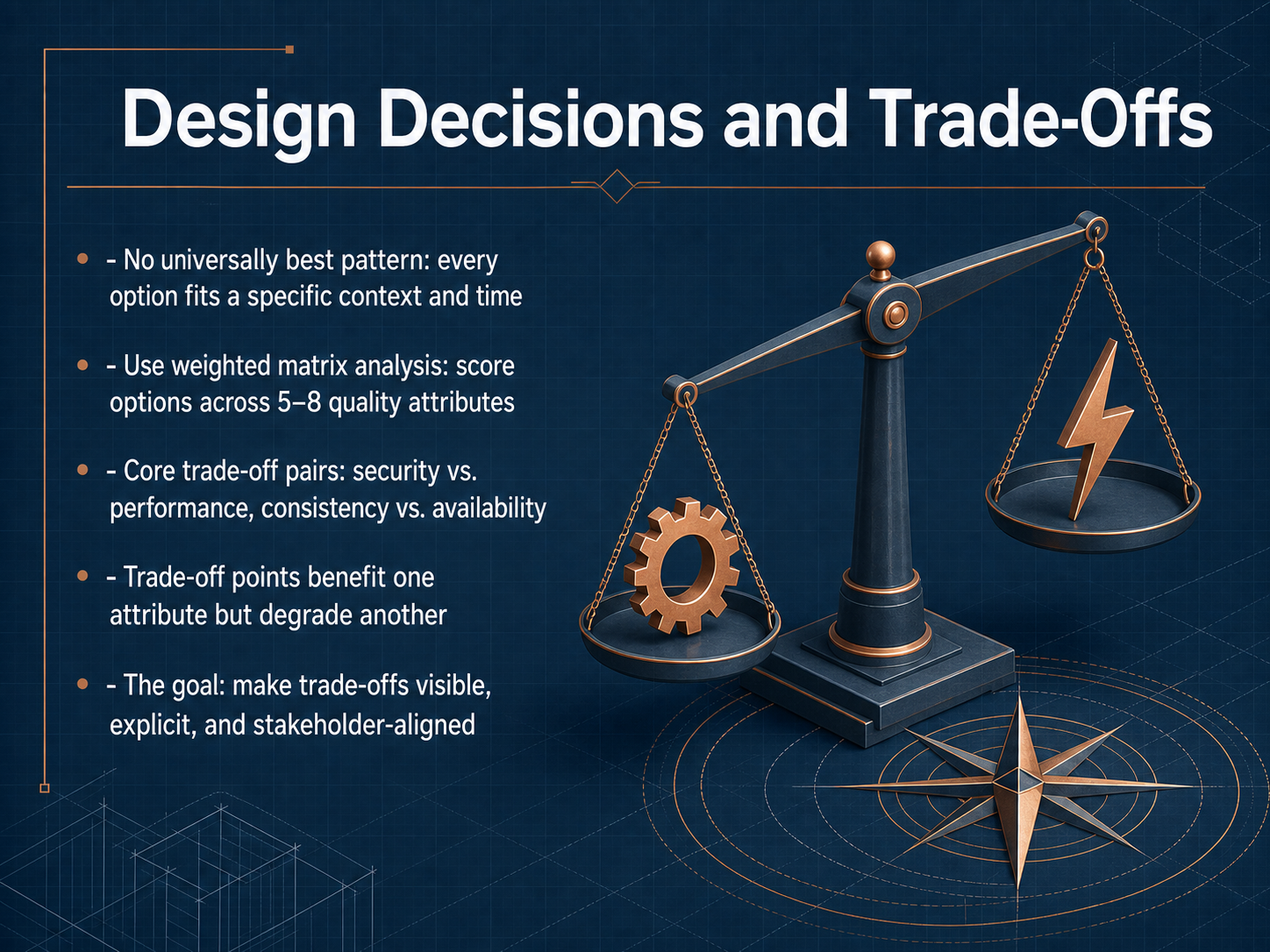
 - 10Design Decisions and Trade-OffsLet's turn now to one of the most honest truths in architecture: there is no universally best pattern. Every choice fits a specific context and a specific moment in time. So, our job is not to find the perfect answer; it's to make the best possible decision given what we know right now. One practical tool for this is a weighted matrix analysis. We pick the five to eight quality attributes that matter most for our system and score each design option against them. The scores are relative to our own context, not some absolute ideal. This exercise makes the core trade-off pairs very clear. For instance, security and performance often pull in opposite directions, just like consistency and availability. These trade-off points are decisions that deliberately improve one quality while knowingly degrading another. The goal is not to avoid these tensions completely. The goal is to make them visible, to state them explicitly, and to ensure the trade-off squares with what our stakeholders actually need. Coming up next, we will look at how to document these critical moments using Architecture Decision Records, or ADRs.
 sei.cmu.edudmccreary.github.ioinformit.com+22 min
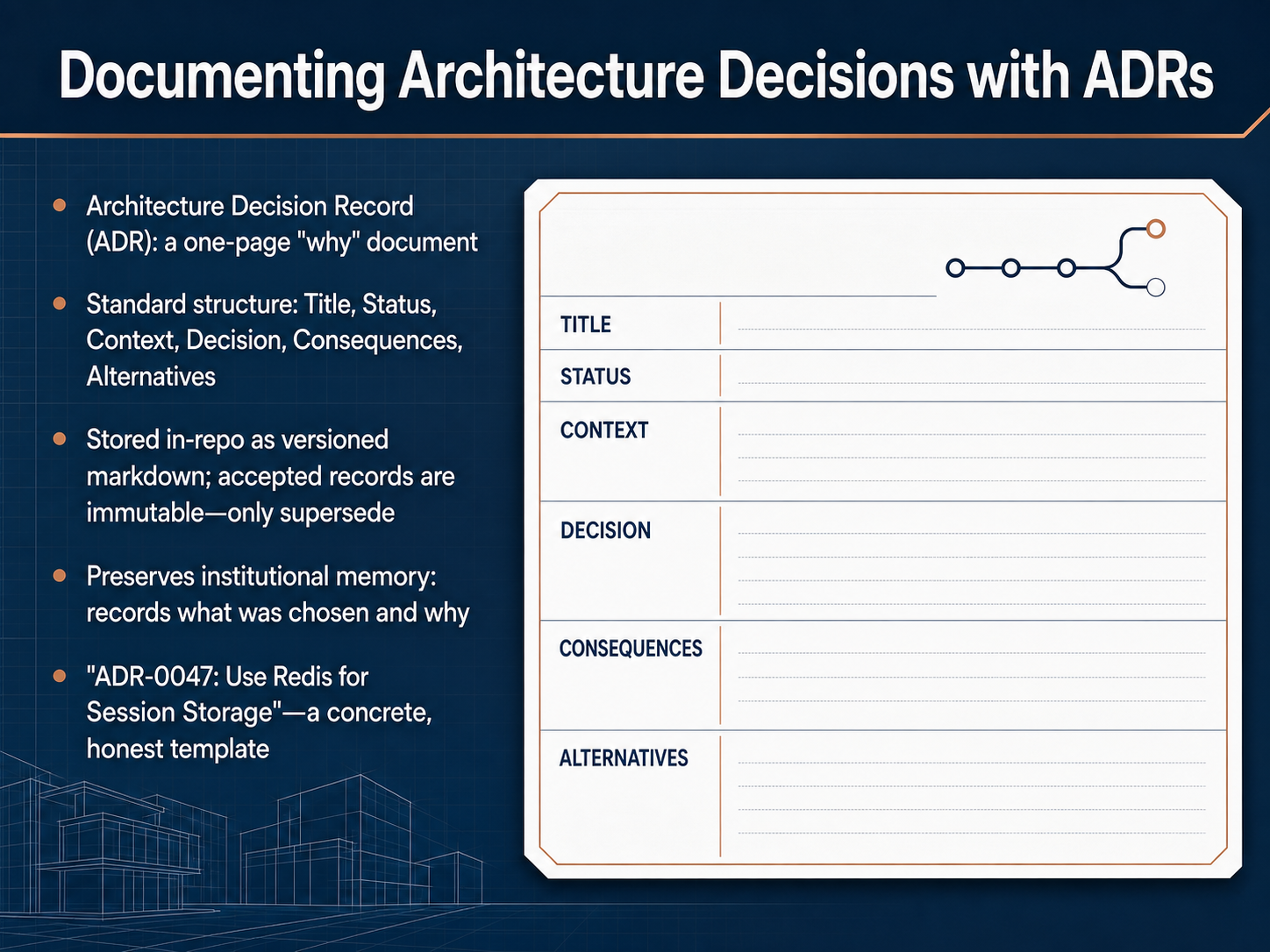
 - 11Documenting Architecture Decisions with ADRsLet's talk about how we actually record these decisions so they don't get lost. We use a document called an Architecture Decision Record, or ADR. Think of an ADR as a one-page story that answers the single question: why did we choose this path? It's not a full design document; it focuses on the context, the choice, and the trade-offs. A standard ADR has a clear title, a status like proposed or accepted, and sections explaining the problem we faced, what we decided, the consequences we accepted, and the alternatives we rejected. We store these as versioned markdown files right inside the source repository. And here's a key rule: once accepted, an ADR is immutable. You never edit it. If a decision changes, you write a new ADR that supersedes the old one. This preserves our institutional memory. A new team member can read the log and understand not just what we built, but the full reasoning behind it. A great example template is 'ADR-0047: Use Redis for Session Storage.' It honestly captures the context of needing stateless services, explains why Redis was chosen, lists the consequences like added operational complexity, and details why sticky sessions and other alternatives were rejected. This honest, lightweight discipline prevents endless rehashing of old debates. Now that we have a way to record decisions, let's look at how we can ensure those decisions continue to serve us well. Our next topic is about evolving architecture over time with fitness functions.
 github.comgithub.comm7y.me+22 min
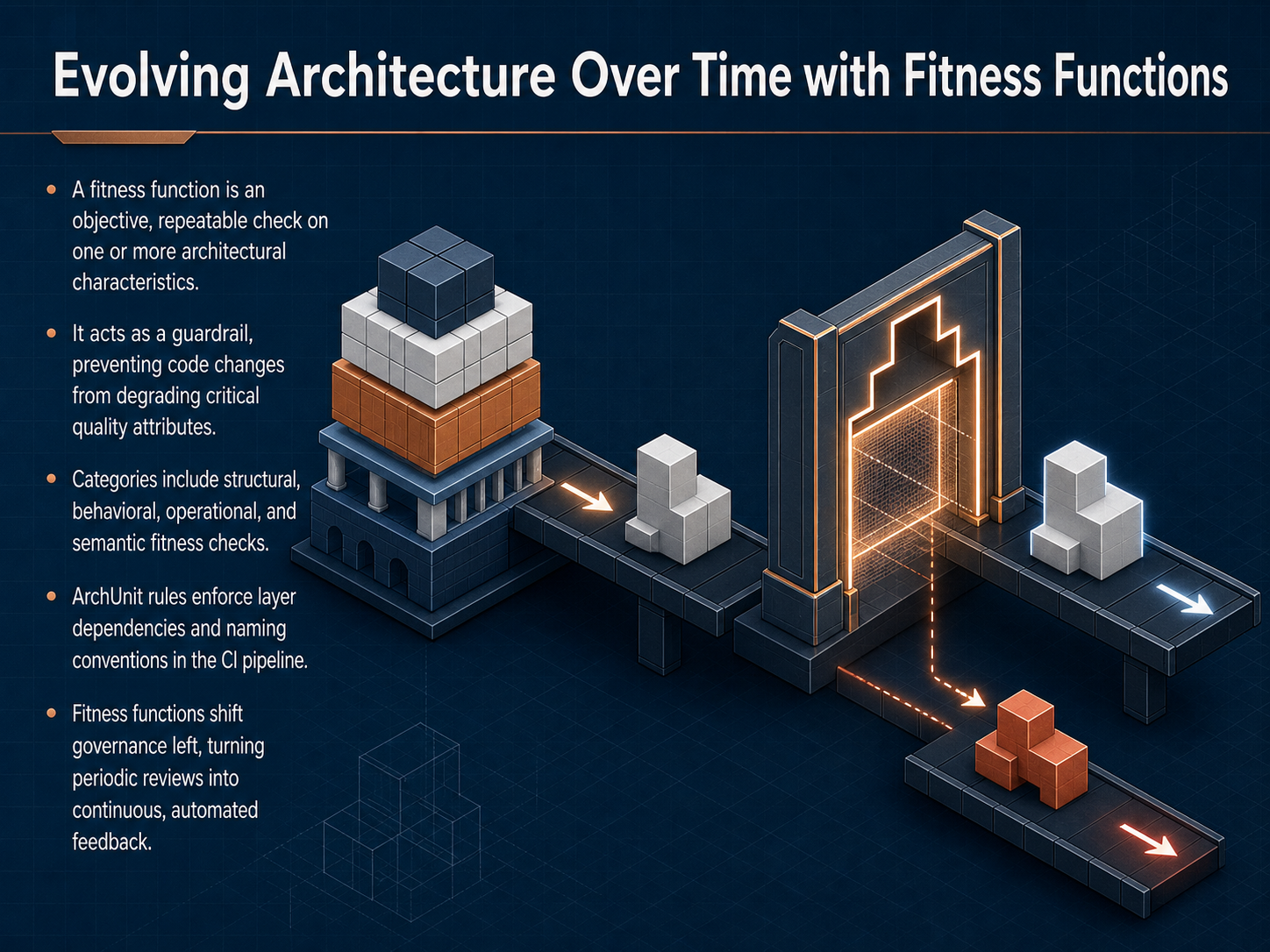
 - 12Evolving Architecture Over Time with Fitness FunctionsLet’s talk about how architecture really evolves over time, and how we keep it on track. The mechanism for that is something called a fitness function. Think of a fitness function as an objective, repeatable check on a specific architectural characteristic. It’s not a human review or a dashboard; it’s more like a guardrail. It prevents code changes from accidentally degrading something critical, like performance or security. We group these checks into layers: structural rules that catch broken dependencies, behavioral checks for latency and resilience, operational checks that verify deployment independence, and semantic checks that make sure our domain language stays precise and meaningful. A great example of structural fitness is using ArchUnit rules in your CI pipeline. They automatically enforce layer dependencies and naming conventions, shifting governance left. That means instead of periodic big review meetings, you get continuous, automated feedback on every build. Coming up next: Putting It All Together: A Practical Blueprint.
 sei.cmu.edudmccreary.github.ioinformit.com+22 min
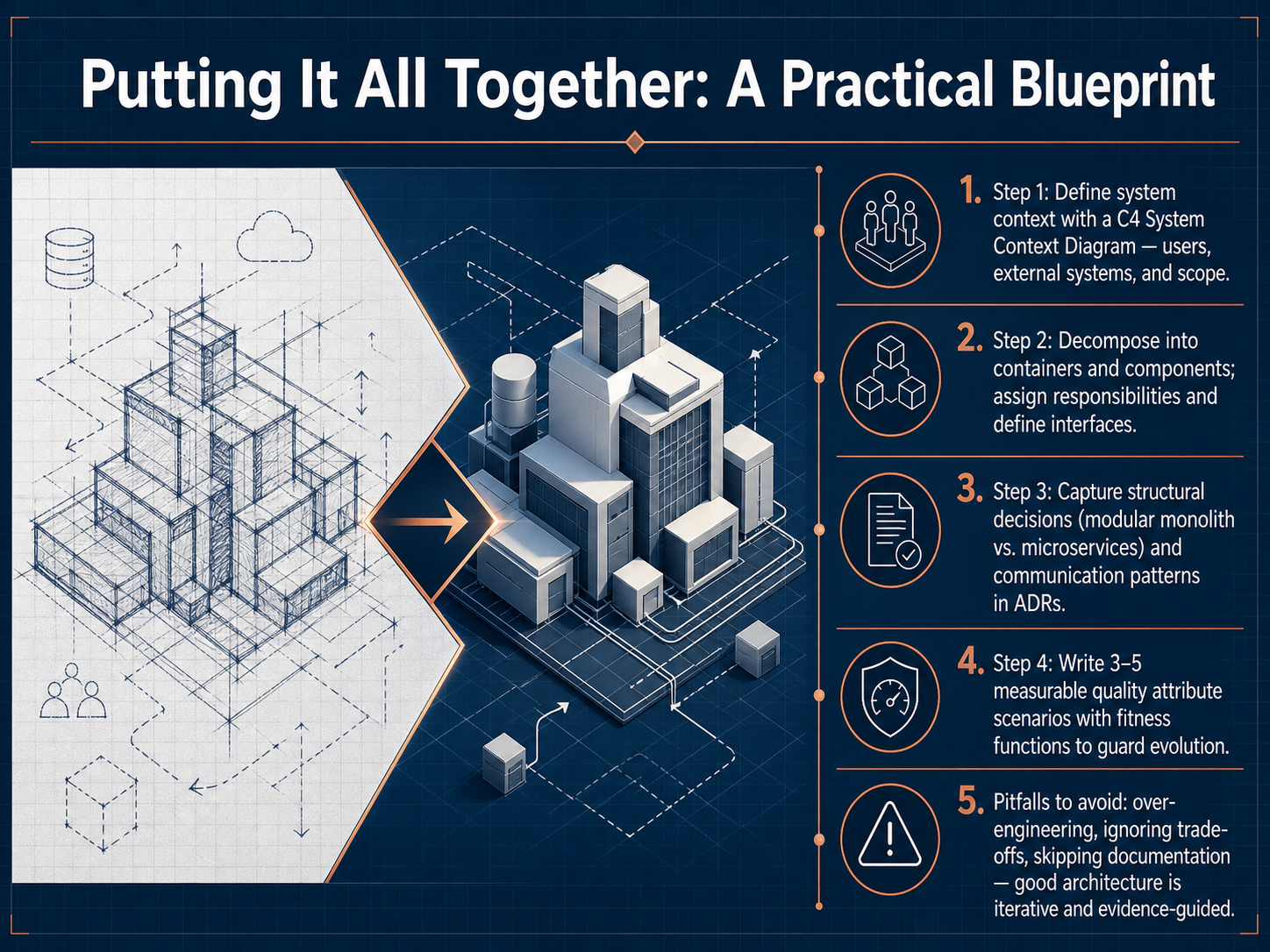
 - 13Putting It All Together: A Practical BlueprintLet's bring everything together into a practical blueprint you can use right away. Step one: always start by defining your system context with a C4 System Context Diagram. This shows your system as a single box in the center, surrounded by the users and external systems it interacts with, establishing clear scope and boundaries. Step two: decompose your system into containers and components, assign responsibilities, and define stable interfaces between them. Step three: capture your key structural decisions in Architecture Decision Records, or ADRs. This is where you document choices like using a modular monolith versus microservices, along with the communication patterns you select and, most importantly, the reasoning and trade-offs behind each choice. Step four: write three to five measurable quality attribute scenarios and protect them with fitness functions. These automated checks act as guardrails, verifying that your architecture continues to satisfy critical performance, security, or modifiability requirements as it evolves. Finally, watch out for common pitfalls: don't over-engineer for scale you don't have, don't ignore the inevitable trade-offs between qualities, and never skip documentation. Good architecture is iterative and evidence-guided. Thank you for joining me on this introduction to software architecture. I hope you now feel equipped with a clearer framework and the vocabulary to start designing and communicating your own architectural decisions. Keep learning, keep building, and remember that every great system starts with clear thinking.
 c4model.comc4model.comuxxu.io+22 min
Sources consulted
Web sources consulted while building this course.
- System context diagram — c4model.com
- C4 model: Home — c4model.com
- C4 Context Diagrams Explained for Teams | Uxxu — uxxu.io
- The C4 System Context Diagram: Mastering the Big Picture – What, Why, When, and How to Create It - Cybermedian — cybermedian.com
- C4 Model Diagrams: Practical Tips for Every Level (With Examples) | Revision — revision.app
- How to do API versioning correctly in 2026 | Cadence blog — cadence.withremote.ai
- API Versioning: The Complete 2026 Guide With Examples | Docsio — docsio.co
- API Versioning Best Practices: Real Team Examples | PanDev Metrics — pandev-metrics.com
- The API Versioning Playbook: Best Practices, Patterns, and Pitfalls | ASOasis - All about Tech — asoasis.tech
- API Versioning & Evolution Strategy Complete Guide 2025: Breaking-Change-Free API Evolution, Deprecation, Sunset | Chaos and Order — youngju.dev
- Reasoning About Software Quality Attributes — sei.cmu.edu
- Quality Attributes - Architecture Tradeoff Analysis Method — dmccreary.github.io
- Quality Attributes | Why Software Architecture is Important and Essential Activities | InformIT — informit.com
- Chapter 4. Understanding QualityAttributes — wstomv.win.tue.nl
- Software Architecture in Practice — people.computing.clemson.edu
- docs/documentation-and-modeling/architecture-decision-records-adr/template-and-rationale.mdx — github.com
- skills/ariegoldkin/architecture-decision-record/examples/adr-0001-adopt-microservices.md — github.com
- Architecture Decision Records: Actually Using Them | m7y.me — m7y.me
- Architecture Decision Record — martinfowler.com
- Architecture Decision Records: A Tool for Experienced Engineers | Alexander Holbreich — alexander.holbreich.org