Begin
14 pages · ~28 min
Cybersecurity Visual Glossary
A visual glossary that teaches essential cybersecurity terminology to employees and non-technical learners, building the vocabulary needed to recognize and discuss common security concepts.
A digital instructor presents all 14 pages. Hold “Ask” at any point and ask out loud — the answer comes from this course. No sign-up needed.
What you’ll learn
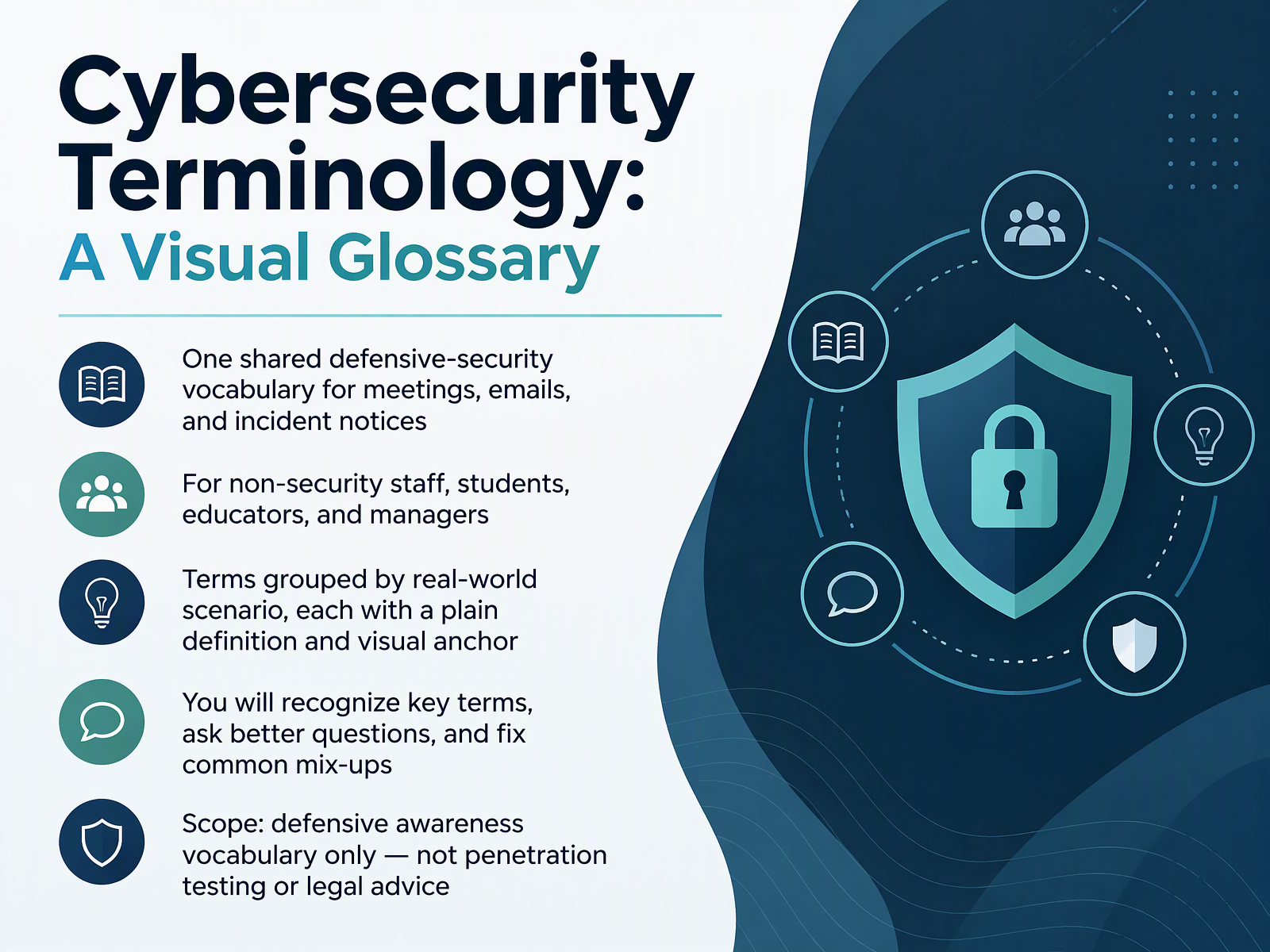
- 01Cybersecurity Terminology: A Visual GlossaryWelcome. I'm glad you're here. This is Cybersecurity Terminology, a visual glossary for everyone who needs a shared defensive-security vocabulary. That includes non-security staff, students, educators, and managers. And it's okay if security words feel unfamiliar. Many people find them hard to follow, so we'll take it slowly. Our goal is simple. You will see terms grouped by real-world scenarios, each with one plain definition and a visual anchor. You'll learn what each term does and does not mean. By the end, you'll recognize key terms, ask better questions, and fix common mix-ups, like mixing up a threat and a vulnerability. One note on scope. We cover defensive awareness vocabulary only. This is not penetration testing guidance, and it is not legal advice. Here's a quick takeaway you can share. We're building one shared language for meetings, emails, and incident notices. Next, we'll look at why shared words matter.csrc.nist.govcsrc.nist.govdoi.org+22 min
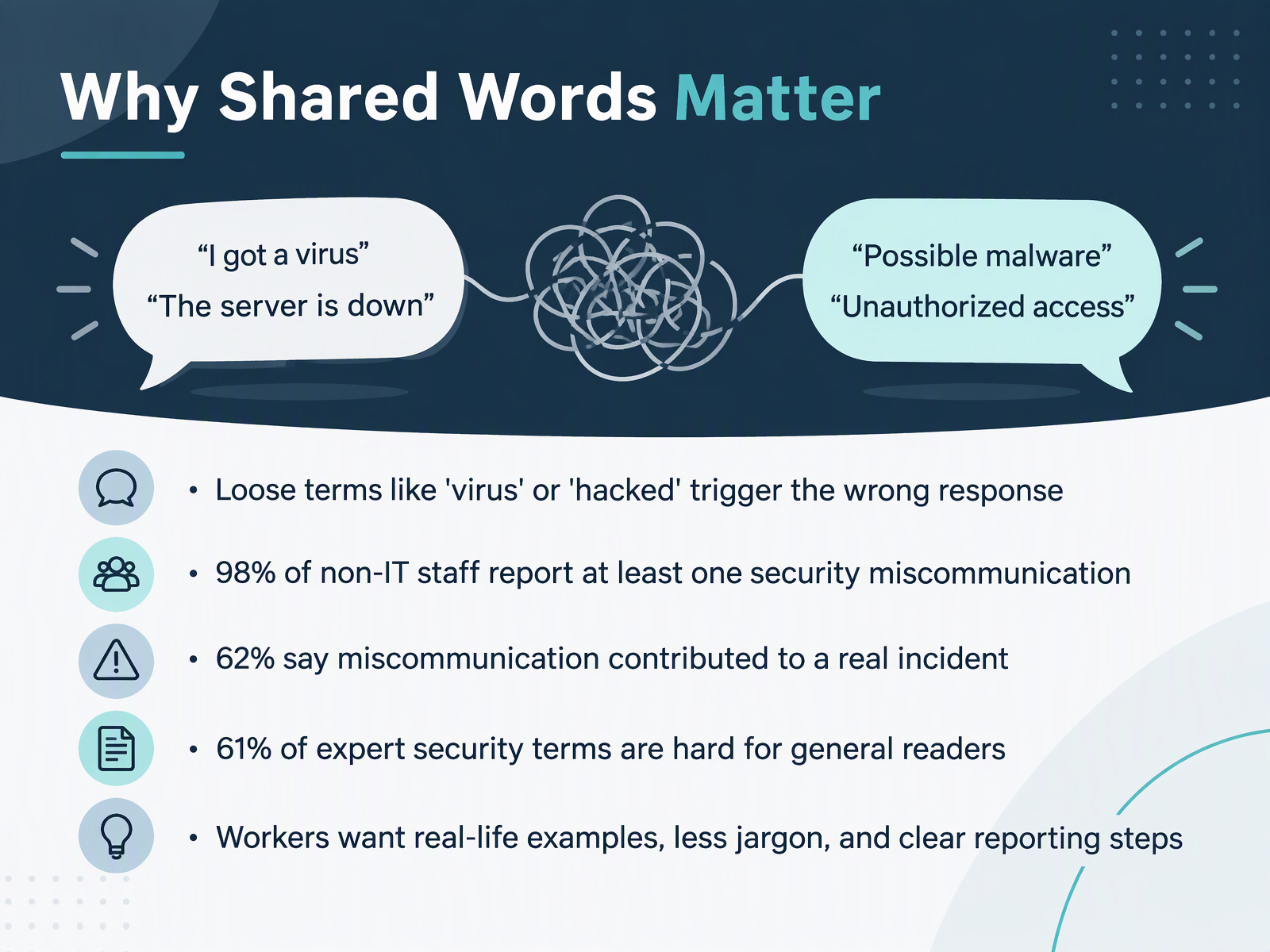
- 02Why Shared Words MatterLet's start with why shared words matter. Security vocabulary can feel unfamiliar, and that is normal. But loose terms cause problems. If you say virus or hacked, people may picture the wrong threat, and they respond the wrong way. You are not alone in this. In one survey, ninety-eight percent of non-IT staff said they had faced at least one security miscommunication. And sixty-two percent of managers said that miscommunication contributed to a real incident. The jargon gap is real too. Research found that sixty-one percent of the terms security experts use are hard for general readers to understand. What do workers ask for? Real-life examples, less jargon, and clear reporting steps. Here is your takeaway. Plain, shared words help your team report the right thing to the right place. Next, let's look at how to read a glossary entry, and the four words behind everything.
 cybsafe.comkaspersky.comdoi.org+21 min
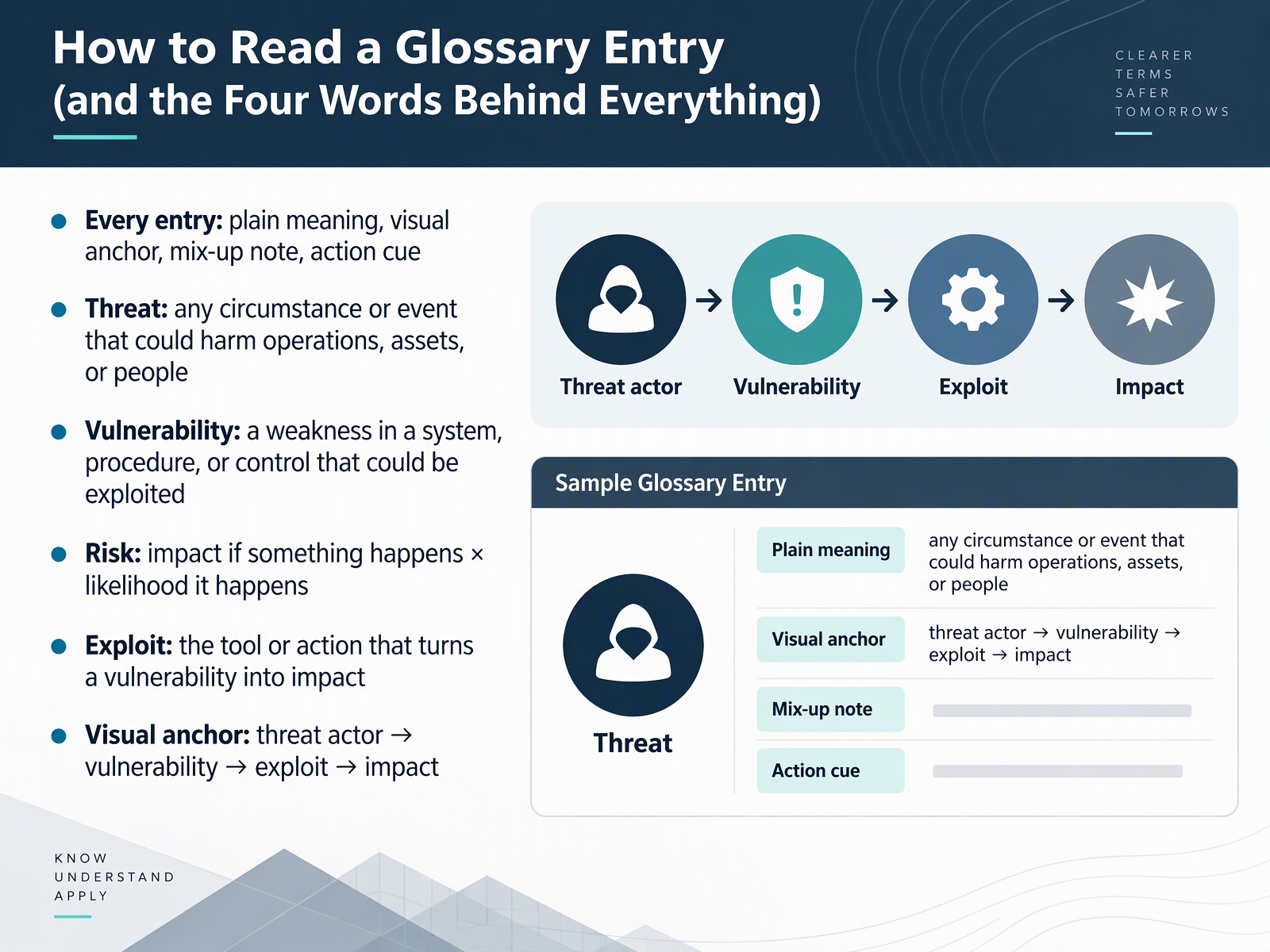
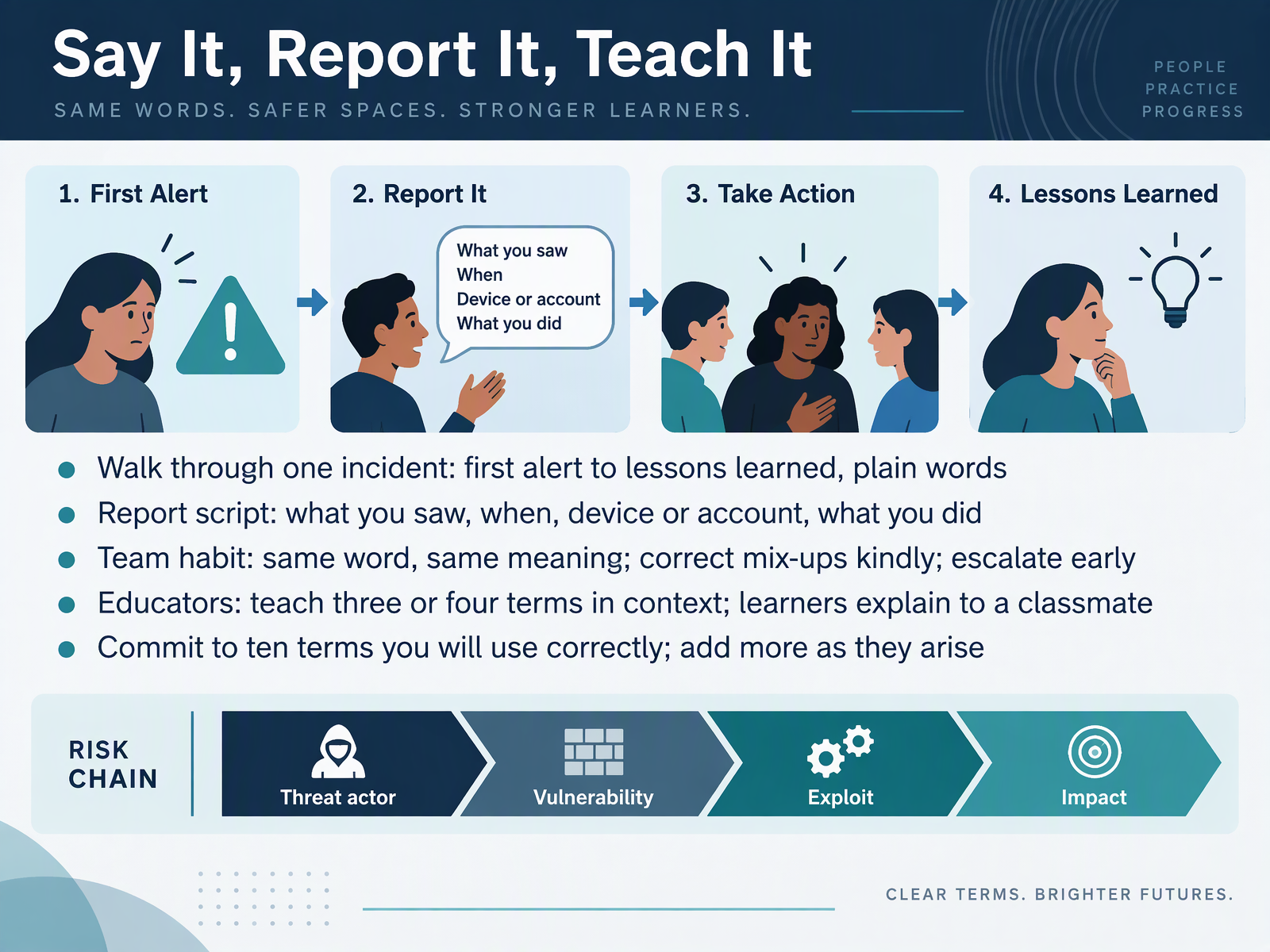
 - 03How to Read a Glossary Entry (and the Four Words Behind Everything)Let's look at how to read a glossary entry, because four words sit behind almost everything else. Security vocabulary can feel unfamiliar at first, so keep it simple. Every entry in this glossary gives you four things: a plain meaning, a visual anchor, a mix-up note, and an action cue. Now the four core words. A threat is any circumstance or event that could harm your operations, assets, or people. A vulnerability is a weakness in a system, procedure, or control that could be exploited. Risk is impact if something happens, times the likelihood it happens. And an exploit is the tool or action that turns a vulnerability into impact. Picture the visual anchor as a chain: threat actor, then vulnerability, then exploit, then impact. One defensive action: when you read an entry, ask which link in that chain your team can strengthen. Quick recap you can repeat to a colleague: threat is what could happen, vulnerability is the weakness, risk is impact times likelihood, and exploit is how it happens. Next, we'll cover assets, C I A, and the everyday words of security.
 csrc.nist.govcsrc.nist.govdoi.org+22 min
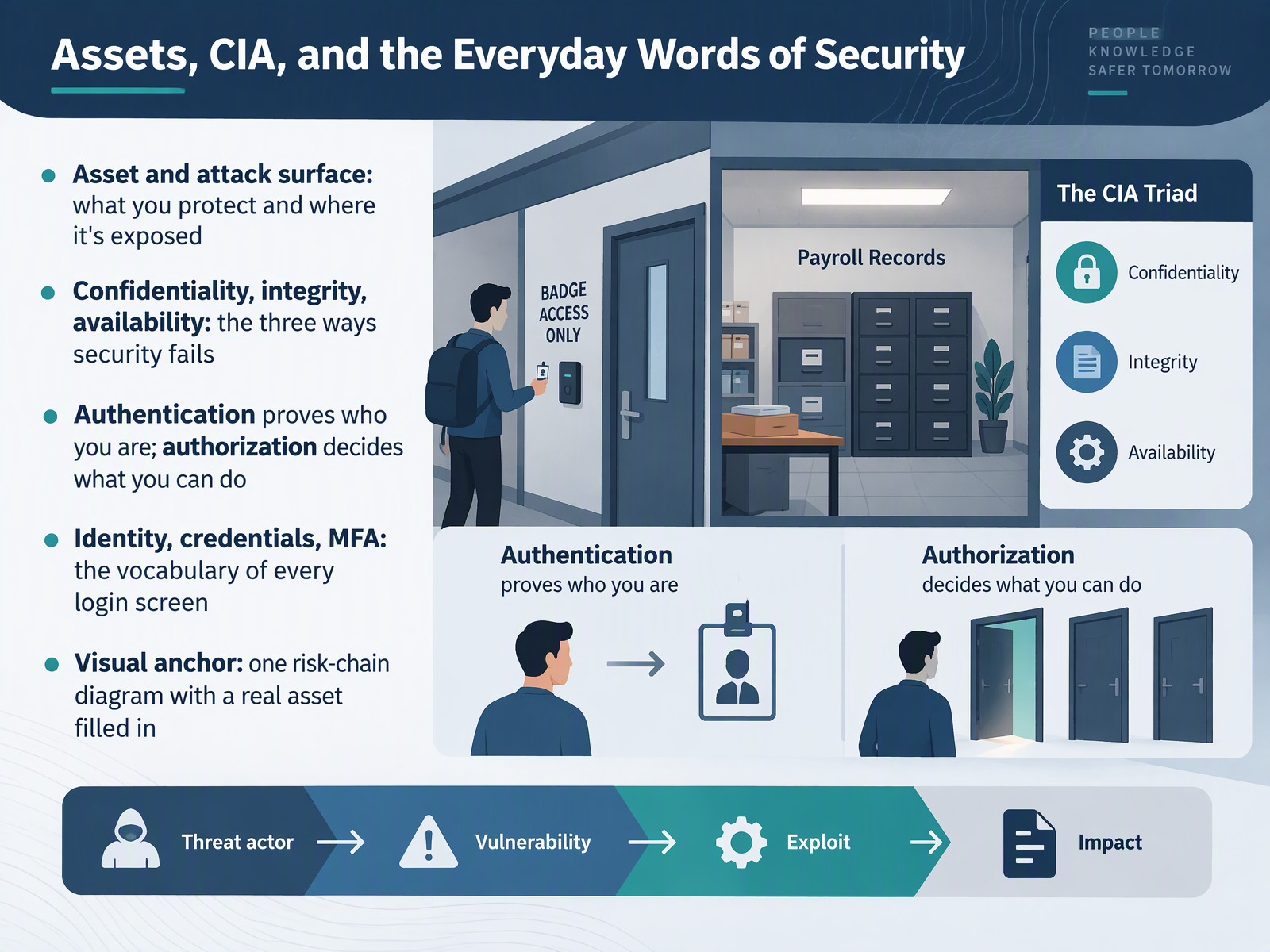
 - 04Assets, CIA, and the Everyday Words of SecurityLet's build a shared vocabulary for what we protect and how it fails. An asset is anything valuable you protect, like a customer database. Your attack surface is where that asset is exposed, such as logins, shared folders, or email. Remember, an asset is not just a server. It can be a spreadsheet your team relies on. Security fails in three ways. Confidentiality means only the right people can see information. Integrity means it stays accurate and unchanged. Availability means it is there when you need it. These three are often called the C I A triad. Authentication proves who you are. Authorization decides what you can do. Identity is your account. Credentials are what you use to sign in, like a password. Multi factor authentication, or M F A, adds a second proof, such as a code on your phone. A good defensive action is to turn on M F A for every work login. The visual anchor on this slide shows one risk chain with a real asset filled in. Quick recap for a colleague: an asset is what you protect, the attack surface is where it is exposed, and security fails through confidentiality, integrity, or availability. Next, let's look at who attacks, and what malware actually means.
 csrc.nist.govcsrc.nist.govdoi.org+22 min
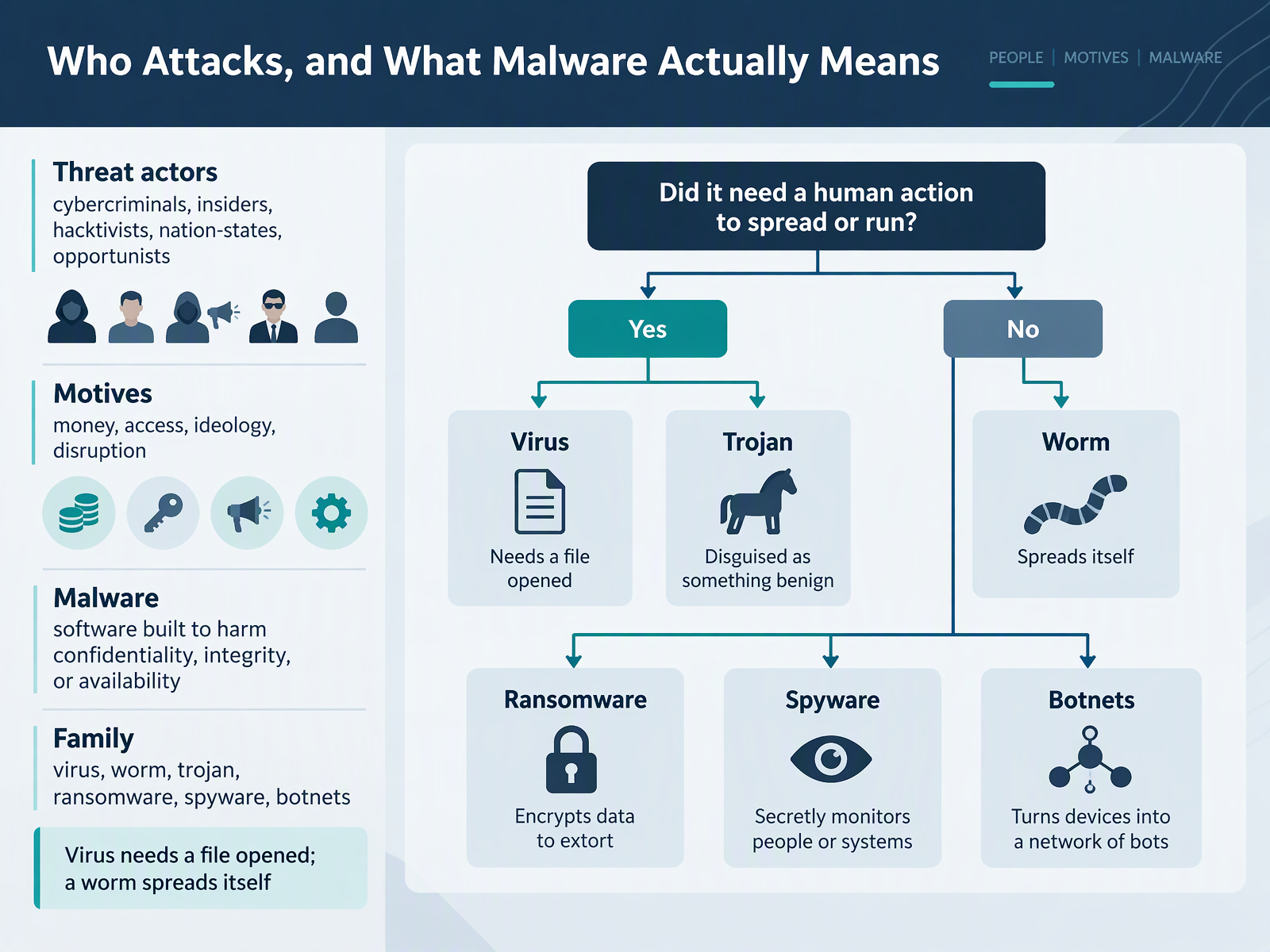
 - 05Who Attacks, and What Malware Actually MeansLet's look at who attacks, and what malware actually means. Security vocabulary can feel unfamiliar at first, so we will keep this plain. A threat actor is a person or group that carries out harmful cyber activity. Common types include cybercriminals, insiders, hacktivists, nation-states, and opportunists. Their motives often include money, access, ideology, or disruption. Malware is short for malicious software. It is software built to harm confidentiality, integrity, or availability. It does not mean a device is broken. It means data may be exposed, altered, or unavailable. Common families include viruses, worms, trojans, ransomware, spyware, and botnets. Here is the key difference. A virus needs a file to be opened before it can run. A worm spreads itself across networks without you opening a file. So, a virus waits for you. A worm moves on its own. One concrete action: keep automatic updates on, and avoid opening unexpected attachments. To recap, threat actors are the who, motives are the why, and malware is the tool. Next, we look at attacks on people: phishing, vishing, smishing, and Business Email Compromise.
 cisa.govcisa.govcisa.gov+22 min
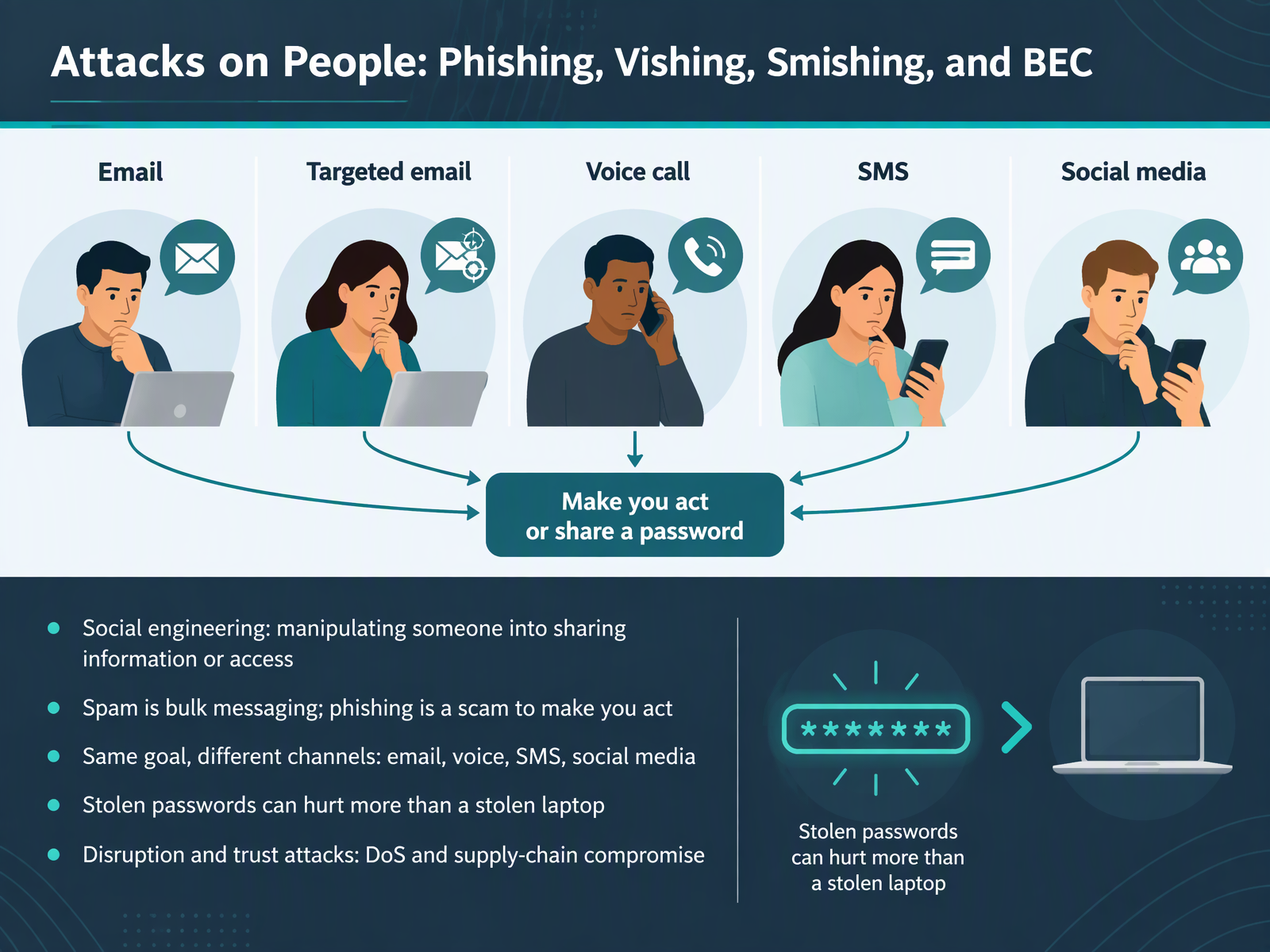
 - 06Attacks on People: Phishing, Vishing, Smishing, and BECNext, let's look at attacks that target people, not machines. Cybersecurity vocabulary can feel unfamiliar at first, so we will keep this plain. Social engineering means manipulating someone into sharing information or access. Spam is bulk messaging. Phishing is a scam that tries to make you act, often by opening a link or sharing a password. Vishing is voice phishing, by phone call. Smishing is phishing by text message, or S M S. The goal is the same across channels: email, voice, text, and social media. If one channel is blocked, attackers simply try another. Here is a useful distinction. A stolen laptop is a device loss. A stolen password can reach your accounts from anywhere, so it can hurt more. Business email compromise, or B E C, is a scam that impersonates a colleague or leader to push a payment or a change. There are also disruption and trust attacks, like denial of service, which overwhelms a service, and supply-chain compromise, which reaches you through a trusted vendor. One concrete action: verify unusual requests through a second channel before you act. Recap for your team: phishing and its cousins target people through many channels. When a message creates urgency, pause and verify. That leads us into Defenses in Plain Language.
 cisa.govcisa.govcisa.gov+22 min
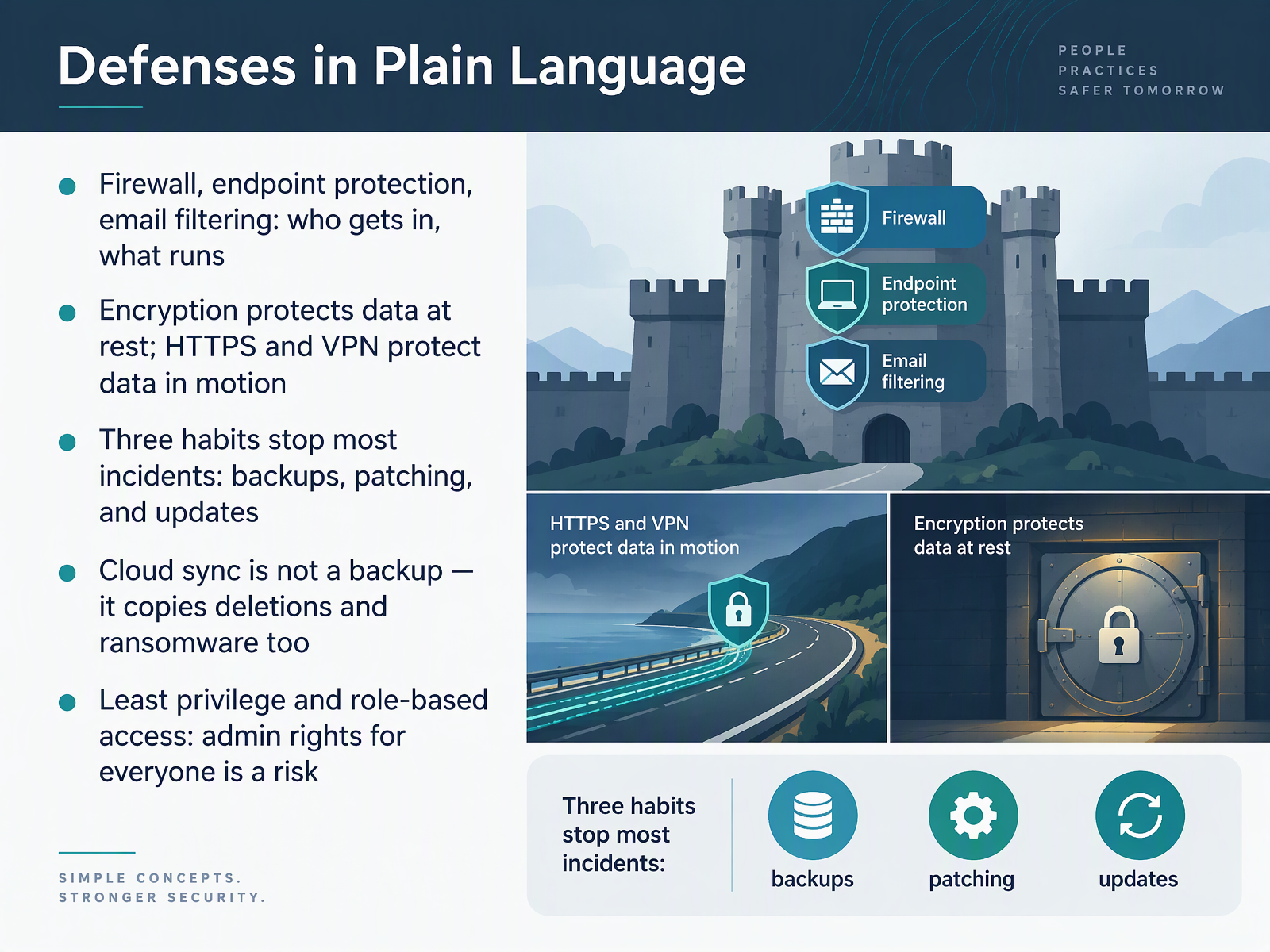
 - 07Defenses in Plain LanguageLet's put the defenses into plain language. A firewall controls who gets in. Endpoint protection controls what runs on your device. And email filtering checks messages before they reach you. Encryption protects stored data, while secure websites and virtual private networks protect data while it moves. Three habits stop most incidents: keeping backups, patching, and updating your software. One caution: cloud sync is not a backup, because it copies deletions and ransomware too. And least privilege means giving admin rights only where they're truly needed. Put simply, layered defenses plus routine updates protect your team.
 cisa.govcisa.govcisa.gov+21 min
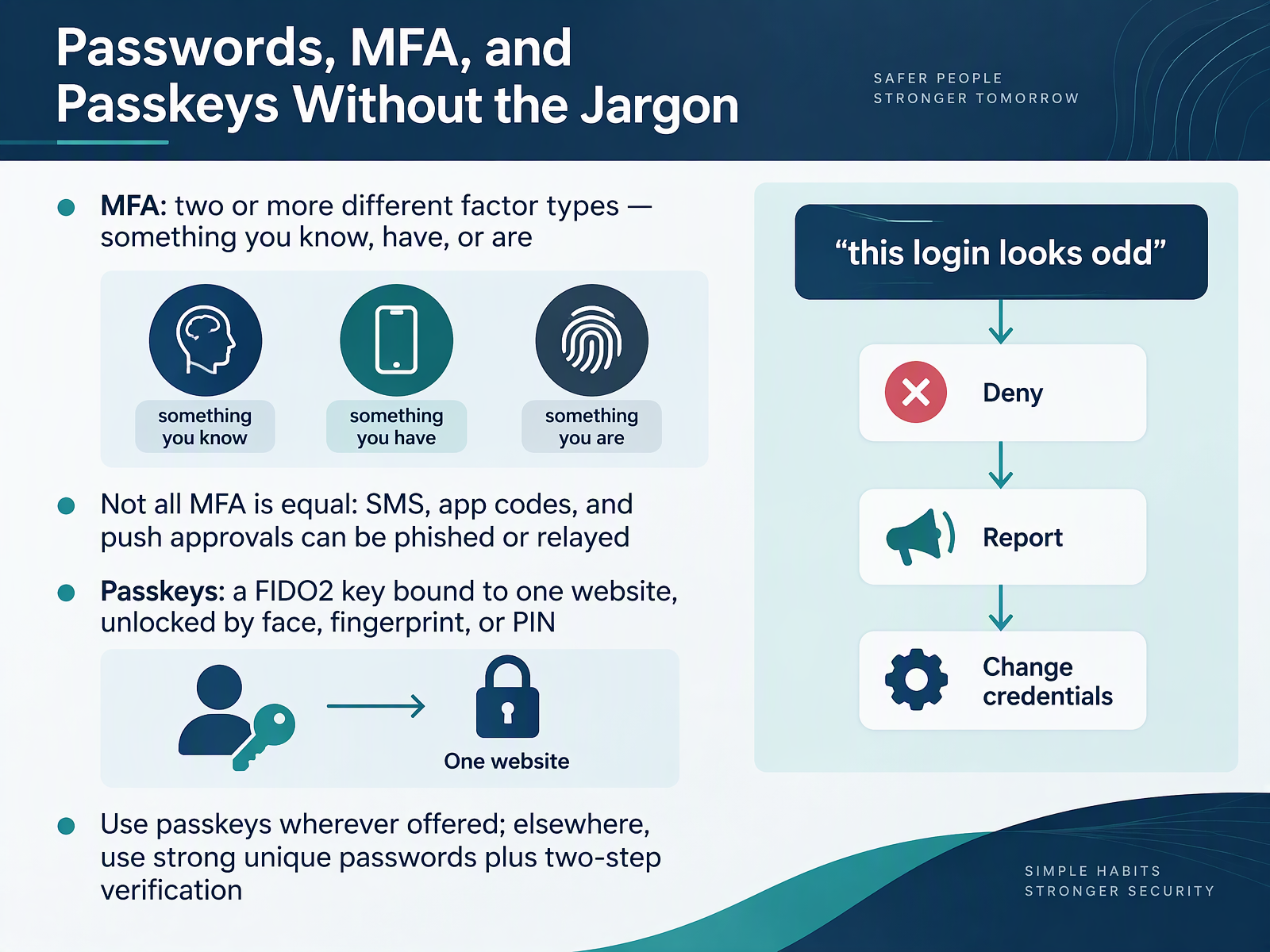
 - 08Passwords, MFA, and Passkeys Without the JargonLet's talk about passwords, multi-factor authentication, and passkeys, without the jargon. Multi-factor authentication, or MFA, means using two or more different kinds of proof at login. Something you know, like a password. Something you have, like your phone. Or something you are, like a fingerprint. But not all MFA is equal. Text codes, app codes, and simple push approvals can be phished or relayed to an attacker. Passkeys work differently. A passkey is a FIDO2 credential, a key bound to one specific website. You unlock it with your face, your fingerprint, or your device PIN, and it simply won't respond to a look-alike site. So use passkeys wherever they're offered. Where they aren't, use a strong, unique password plus two-step verification. And when a login looks odd, remember the simple flow. Deny the request, report it, then change your credentials. If you can repeat that from memory, you can help your team. Next, we move on to From Event to Incident: Detection and Response Words.
 ncsc.gov.ukncsc.gov.ukdeveloper.mozilla.org+21 min
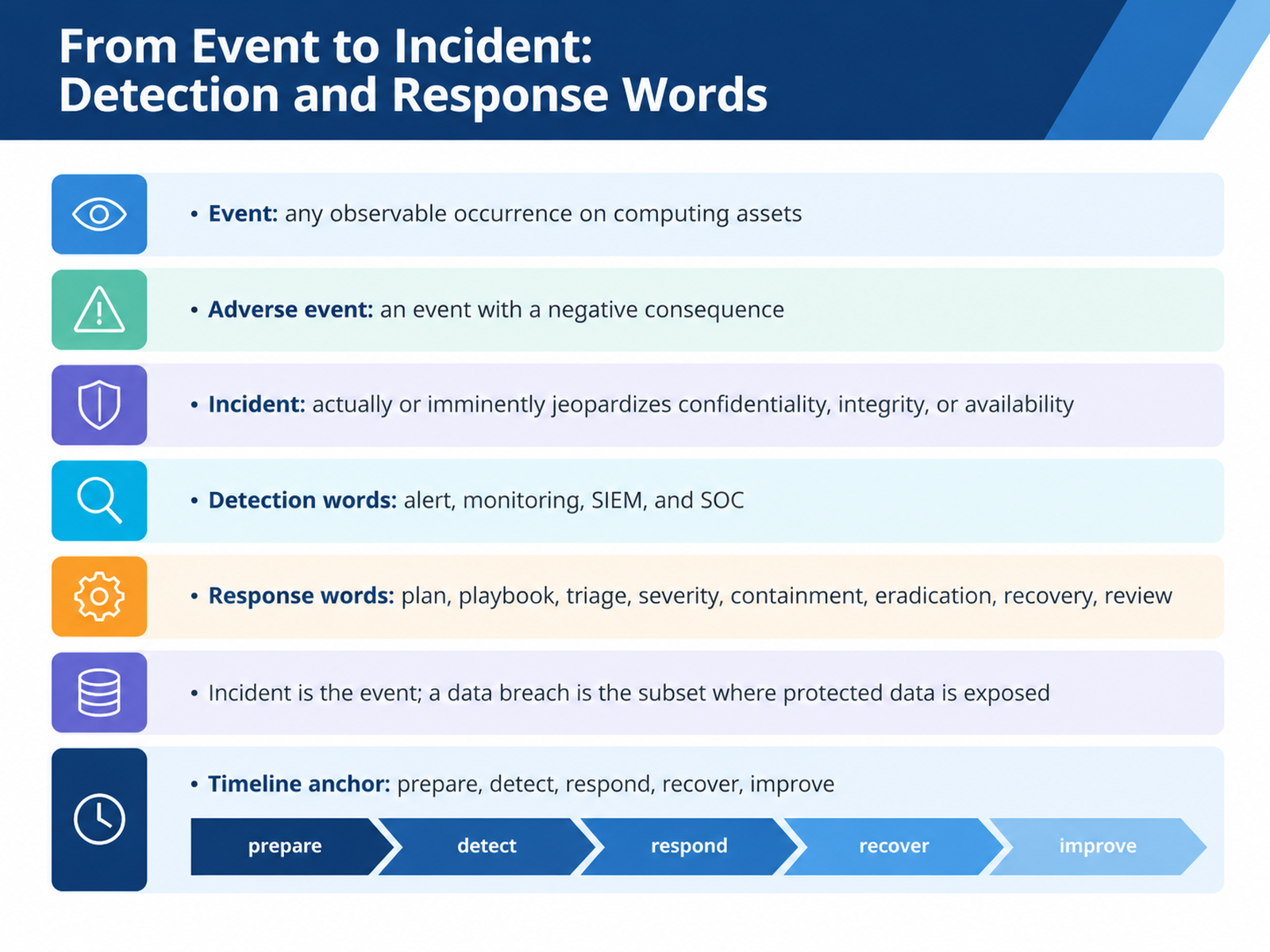
 - 09From Event to Incident: Detection and Response WordsLet's move on to detection and response words. Security vocabulary can feel unfamiliar, so we'll keep it plain. An event is any observable occurrence on computing assets, like a login attempt or a software update. An adverse event is an event with a negative consequence. An incident actually or imminently jeopardizes confidentiality, integrity, or availability. That means harm to secrecy, accuracy, or access. On the detection side, you'll hear alert, monitoring, SIEM, which means security information and event management, and SOC, the security operations center. Response words include plan, playbook, triage, severity, containment, eradication, recovery, and review. One important distinction: the incident is the event, while a data breach is the subset where protected data is exposed. So not every incident is a breach. A timeline anchor to remember is prepare, detect, respond, recover, improve. A concrete defensive action for your team is to report unusual activity right away through your normal channel. Quick recap you can share with a colleague: event, adverse event, incident, detection tools, and response steps, with breach as a subset of incident. Next, we'll look at Identity, Access, and Data-Handling Terms You Will Hear.
 2 min
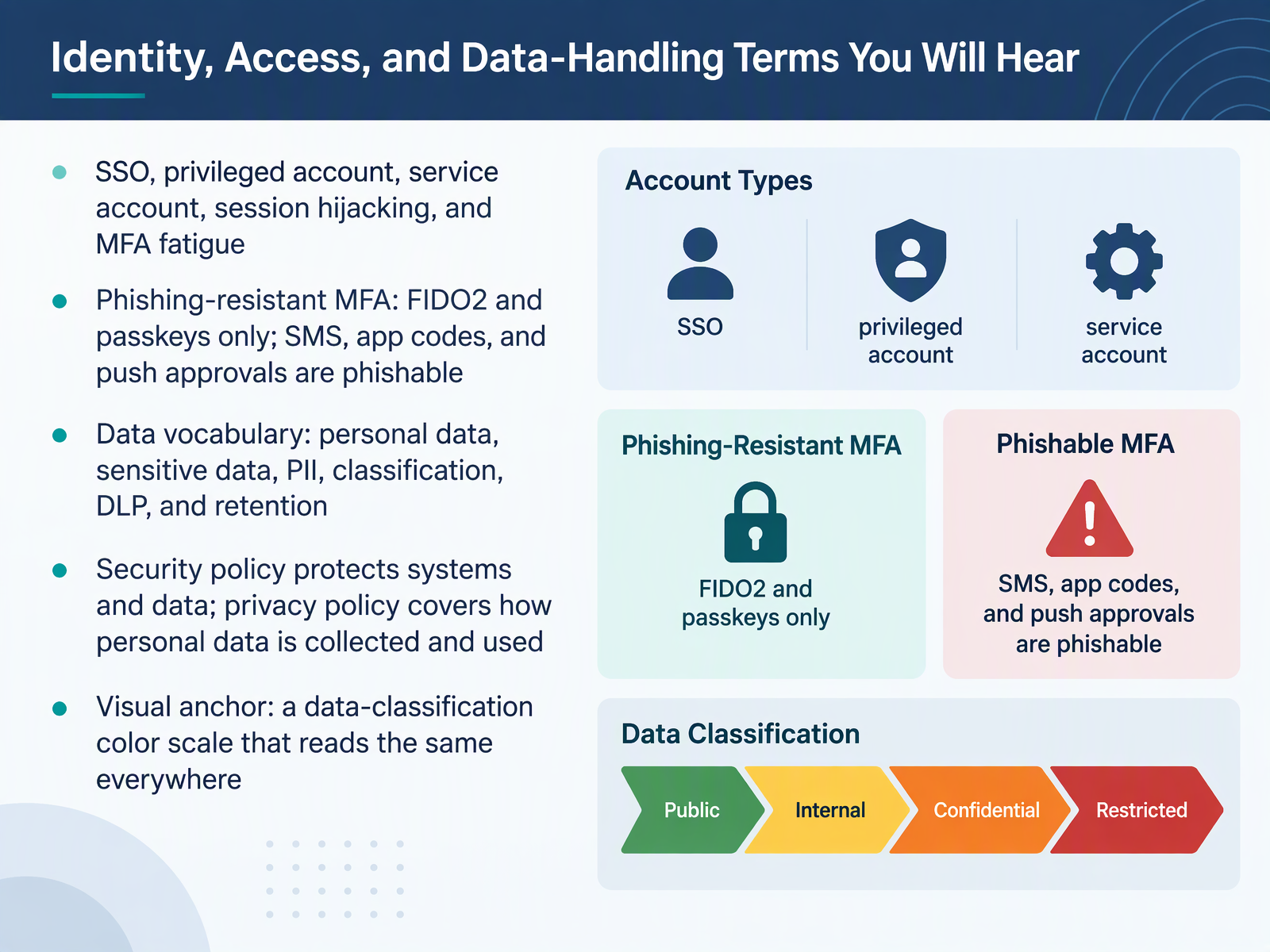
2 min - 10Identity, Access, and Data-Handling Terms You Will HearNow let's cover the identity, access, and data-handling terms you will hear. Single sign-on, or SSO, lets one login reach many tools. A privileged account has extra power, and a service account runs software rather than a person. These are vocabulary words, not reasons to worry. Session hijacking means someone takes over an active login. MFA fatigue, or multi-factor authentication fatigue, is when repeated approval prompts wear you down until you accept one by mistake. So, why does the method matter? Phishing-resistant MFA means FIDO2 and passkeys only. SMS codes, app codes, and push approvals are phishable, and your concrete action is simple: report any unexpected approval prompt, and never approve a sign-in you did not start. On the data side, personal data relates to an identified person. Sensitive data needs extra care, PII means personally identifiable information, classification labels data by sensitivity, DLP, or data loss prevention, watches for data leaving where it should not, and retention sets how long you keep it. Keep security policy and privacy policy separate. Security policy protects systems and data. Privacy policy covers how personal data is collected and used. Our visual anchor is a data-classification color scale that reads the same everywhere. To recap, say this to a colleague: passkeys beat codes, and never approve a prompt you did not start. Next, we move on to compliance and governance terms managers should know.
 developer.mozilla.orgncsc.gov.uklearn.microsoft.com+22 min
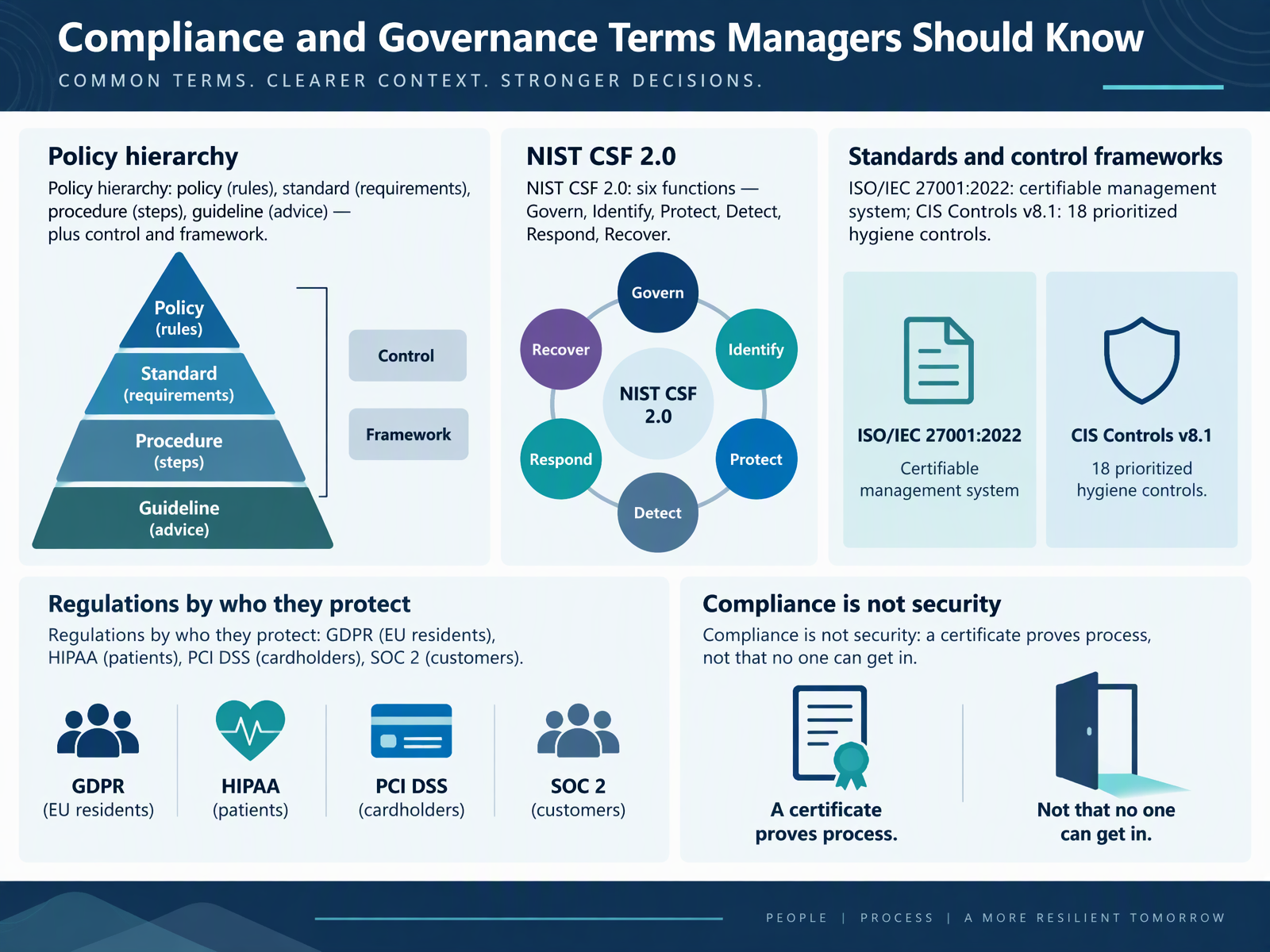
 - 11Compliance and Governance Terms Managers Should KnowLet's move on to compliance and governance terms you will likely hear as a manager. First, the policy hierarchy. A policy states the rules. A standard states the requirements. A procedure gives the steps. And a guideline offers advice. Alongside these sit two more terms. A control is a safeguard you put in place, and a framework is the structure that organizes your controls.
The NIST Cybersecurity Framework, version two point zero, is a free, voluntary framework with six functions. Govern, Identify, Protect, Detect, Respond, and Recover. It helps you describe your program, but it does not certify you.
ISO/IEC twenty seven thousand one, the twenty twenty two edition, is a certifiable management system. CIS Controls version eight point one is a prioritized list of eighteen hygiene controls. Note that acronyms like NIST, ISO, and CIS are often read letter by letter in meetings.
Regulations differ by who they protect. GDPR protects EU residents. HIPAA protects patients. PCI DSS protects cardholders. And SOC two reports protect customers.
Here is the key point. Compliance is not security. A certificate proves your process, not that no one can get in. A concrete defensive action is to check one required control and confirm you have evidence it actually runs.
Quick recap for your team. Policy sets rules, standards set requirements, procedures give steps, and guidelines give advice. Frameworks and regulations structure the work, but a certificate is not a guarantee.
Next, let's practice. Practice: Match the Term to the Plain Meaning.
 2 min
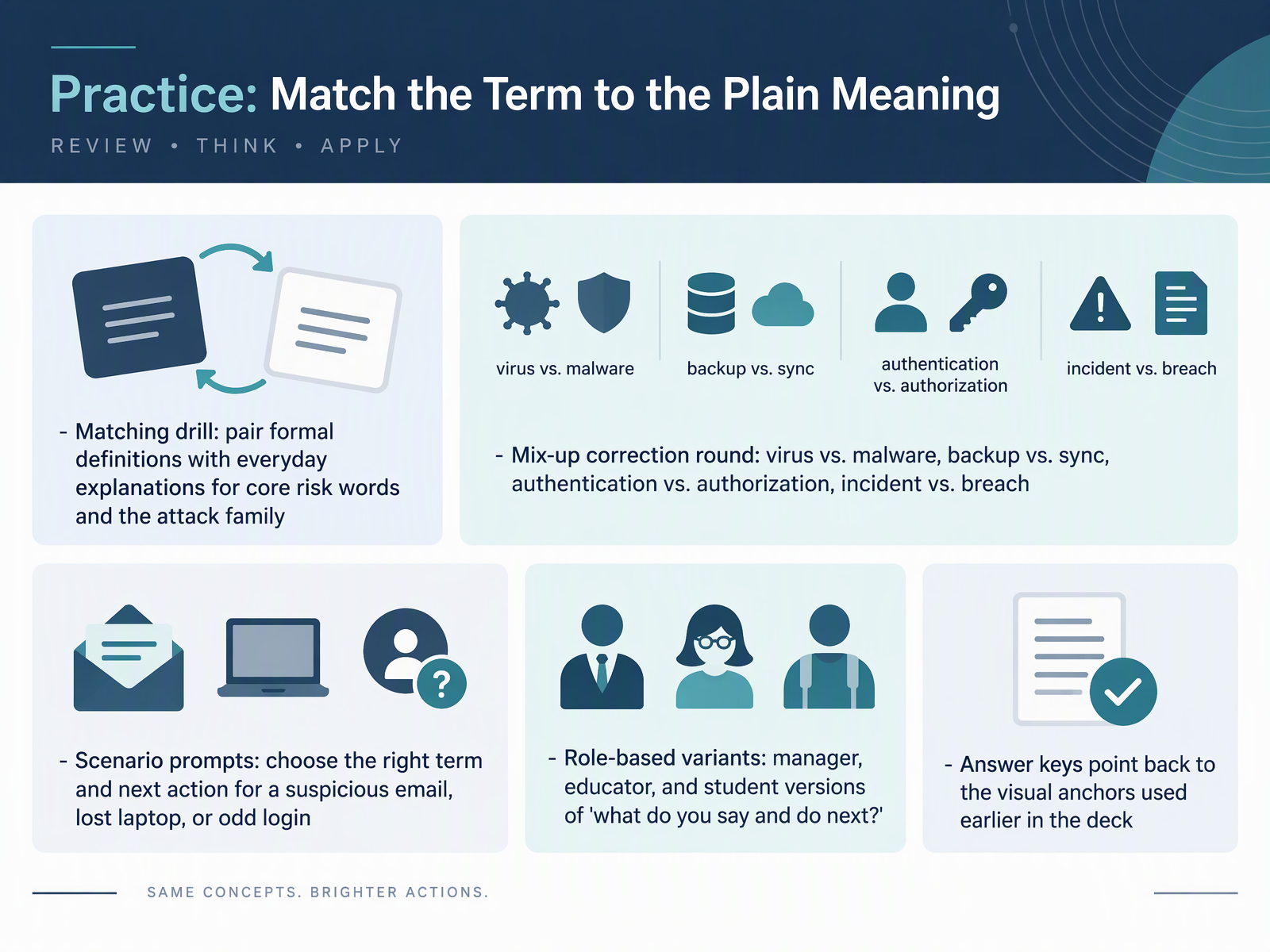
2 min - 12Practice: Match the Term to the Plain MeaningNow let's put the vocabulary into practice. This drill pairs formal definitions with plain-language meanings for core risk words and the attack family. Next comes a mix-up correction round. A virus is one kind of malware, not the whole category. Backup is a saved copy, while sync just keeps devices matching. Authentication confirms who you are. Authorization decides what you may access. An incident is a suspicious event your team reviews. A breach is confirmed unauthorized access. Here is the key difference. Every breach is an incident, but not every incident becomes a breach. Then you will get scenario prompts. Choose the right term and next action for a suspicious email, a lost laptop, or an odd login. The answer keys point back to the visual anchors used earlier in this deck. For your part, if you see something suspicious, stop, don't forward it, and report it through your normal channel. Here is your recap for a colleague: a virus is one type of malware, backup is a copy, sync keeps devices aligned, authentication proves identity, authorization grants access, and an incident is not automatically a breach. Next, we move from practice to communication, in Say It, Report It, Teach It.
 cybsafe.comkaspersky.comdoi.org+22 min
 - 13Say It, Report It, Teach ItNow let's put all of this into everyday practice. Picture one incident, told in plain words, from the first alert to the lessons learned. When you report it, say four things: what you saw, when it happened, which device or account was involved, and what you did next. That gives your team a clear picture without jargon. Make it a team habit: same word, same meaning. If someone mixes up terms, correct it kindly, and escalate early rather than late. Educators, teach three or four terms in context, then have each learner explain them to a classmate. Finally, commit to using ten terms correctly, and add more as they arise. To wrap up, you now have a one-page glossary you can share, review, and keep growing. Your One-Page Glossary and Next Steps is coming up next.
 doi.orgtsapps.nist.govcybsafe.com+22 min
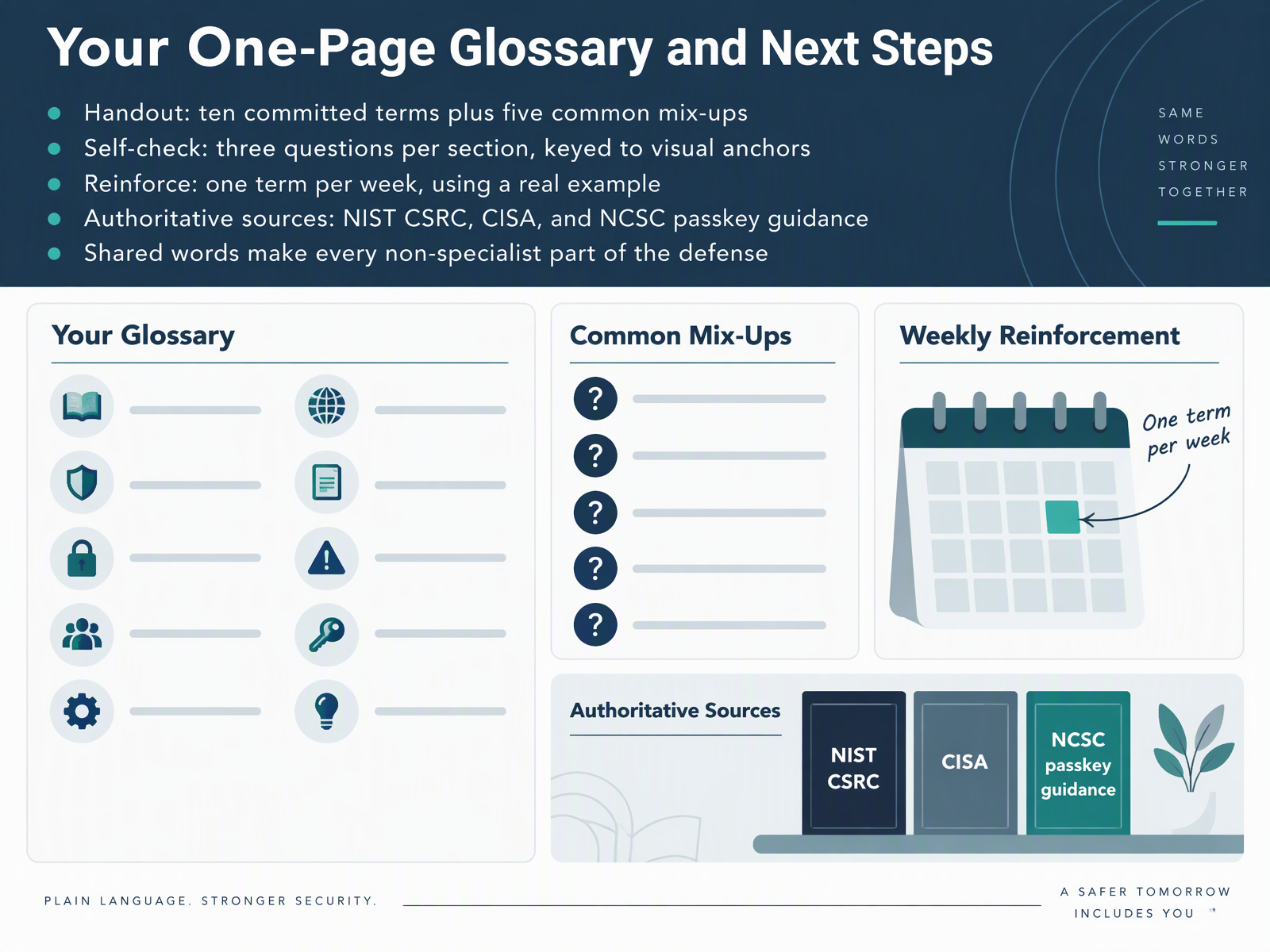
 - 14Your One-Page Glossary and Next StepsLet's bring it all together. Your handout has ten committed terms, plus five common mix-ups, so you can check yourself against real words rather than guesses. Each section has three self-check questions tied to the visual anchors, so you can test your understanding at your own pace. Then reinforce it: pick one term per week, and use a real example from your own work, like a suspicious email, or a passkey prompt on your phone. For authoritative sources, go to the NIST Computer Security Resource Center, CISA, and the NCSC passkey guidance. Remember, these shared words make every non-specialist part of the defense. You don't need to be a security expert. You just need a common vocabulary, and you have it now. Thank you for your attention, and keep using these terms with your team. That is how a glossary turns into a habit.
 csrc.nist.govcsrc.nist.govdoi.org+21 min
Take the deck with you
Download this course as a file — free, no sign-up needed.
- PDF handoutEvery slide page, ready to print or share.15 pages · 3.3 MBDownload
- Narrated PowerPointThe deck that presents itself — every slide carries the digital human's narration video.15 pages · 14.2 MBDownload
- PowerPoint slidesThe full deck as a .pptx — open it in PowerPoint, Keynote, or Google Slides.15 pages · 3.2 MBDownload
Free to use in your own training — please keep the PersonWise credit page at the end.
Have your own deck? Turn it into a course
Sources consulted
Web sources consulted while building this course.
- risk - Glossary | CSRC — csrc.nist.gov
- threat - Glossary | CSRC — csrc.nist.gov
- Risk management guide for information technology systems : — doi.org
- vulnerability - Glossary | CSRC — csrc.nist.gov
- Glossary | NIST — nist.gov
- What your workforce wishes the cyber team knew – CybSafe whitepaper — cybsafe.com
- Fluent in Infosec: Are c-level executives and IT security managers on the same page? | Kaspersky official blog — kaspersky.com
- "A five-year-old could understand it" versus "This is way too confusing": Exploring Non-expert Understandings and Perceptions of Cybersecurity Definitions — doi.org
- What risk? I don't understand. An Empirical Study on Users' Understanding of the Terms Used in Security Texts — doi.org
- https://tsapps.nist.gov/publication/get_pdf.cfm?pub_id=958789 — tsapps.nist.gov
- Project Upskill Glossary | CISA — cisa.gov
- Malware, Phishing, and Ransomware | Cybersecurity and Infrastructure Security Agency CISA — cisa.gov
- What is Cybersecurity? | CISA — cisa.gov
- Glossary | NICCS — niccs.cisa.gov
- Malware Tip Card — cisa.gov
- Passkeys: what you need to know — ncsc.gov.uk
- Passkeys are more secure than traditional ways to log in — ncsc.gov.uk
- Passkeys - Security | MDN — developer.mozilla.org
- Passkeys | Cyber.gov.au — cyber.gov.au
- Passkeys (FIDO2) authentication method in Microsoft Entra ID - Microsoft Entra ID | Microsoft Learn — learn.microsoft.com