Begin
14 pages · ~28 min
Knowledge Base Management Fundamentals
Learn the core concepts, purpose, and practical examples of knowledge base management to organize, maintain, and leverage organizational knowledge effectively.
A digital instructor presents all 14 pages. Hold “Ask” at any point and ask out loud — the answer comes from this course. No sign-up needed.
What you’ll learn
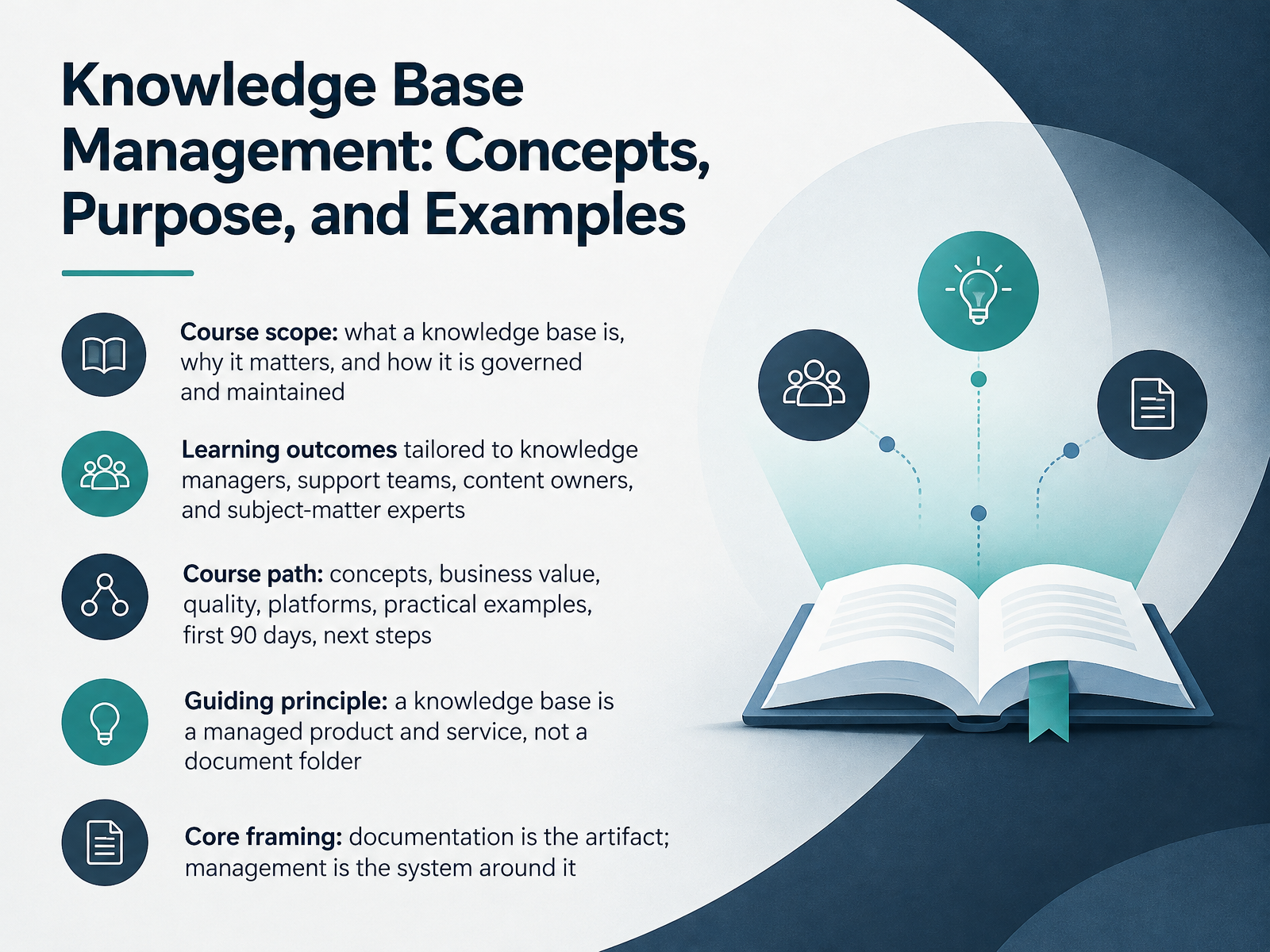
- 01Knowledge Base Management: Concepts, Purpose, and ExamplesWelcome. This course is about knowledge base management: what a knowledge base is, why it matters, and how you govern and maintain it. The outcomes are built for you, whether you manage knowledge, run support and operations, own content, or serve as a subject-matter expert. We will move through concepts, business value, quality, platforms, practical examples, your first ninety days, and next steps. Here is the guiding principle. A knowledge base is a managed product and service, not a document folder. Documentation is the artifact. Management is the system around it. That system covers what gets captured, how it is written, where it lives, how people find it, and what happens when it becomes wrong. A quick example. When a recurring ticket, an FAQ, or a troubleshooting article is created, that is documentation. When you assign an owner, set a review cycle, and add consistent tags, that is management. The articles are only the visible layer. Next, we will look at why knowledge base management matters now.dokly.coblog.hubspot.comdokly.co+22 min
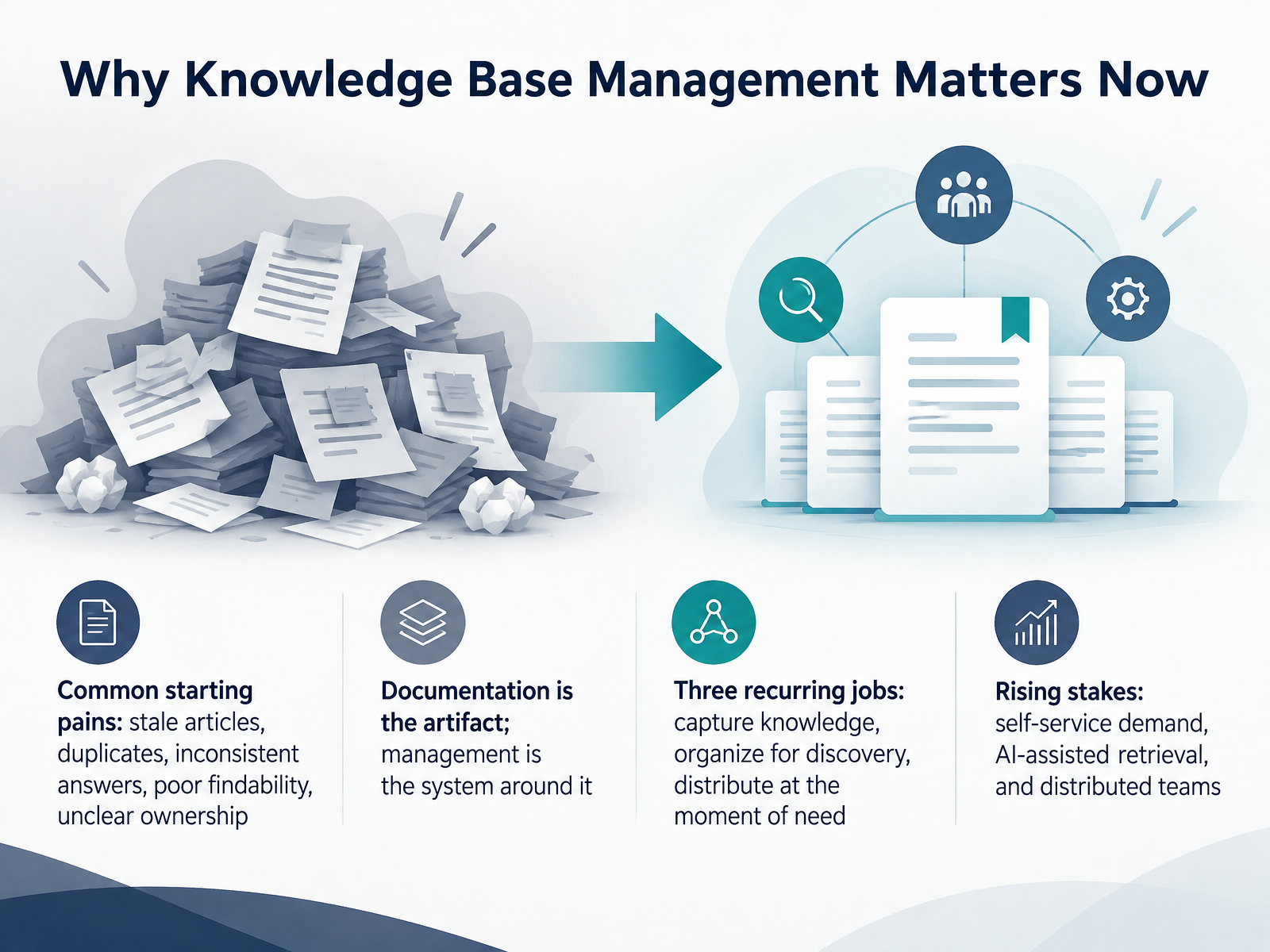
- 02Why Knowledge Base Management Matters NowLet's look at why knowledge base management matters right now. Most teams start with the same pains: stale articles, duplicates, inconsistent answers, poor findability, and unclear ownership. Here is the key distinction. Documentation is the artifact. Management is the system around it, covering what gets captured, how it is written, where it lives, and what happens when it goes wrong. A healthy knowledge base does three recurring jobs. First, it captures knowledge from real activity, such as recurring support tickets or onboarding questions. Second, it organizes knowledge for discovery, so search returns one clear answer instead of six near-duplicates. Third, it distributes knowledge at the moment of need, inside support workflows and help centers. The stakes are rising. Customers expect self-service, AI retrieval depends on clean and consistent content, and distributed teams need one source of truth. So before your next meeting, pick one high-traffic article and confirm it has a named owner and a review date. Next, we will cover core concepts and terminology.
 dokly.coblog.hubspot.comdokly.co+22 min
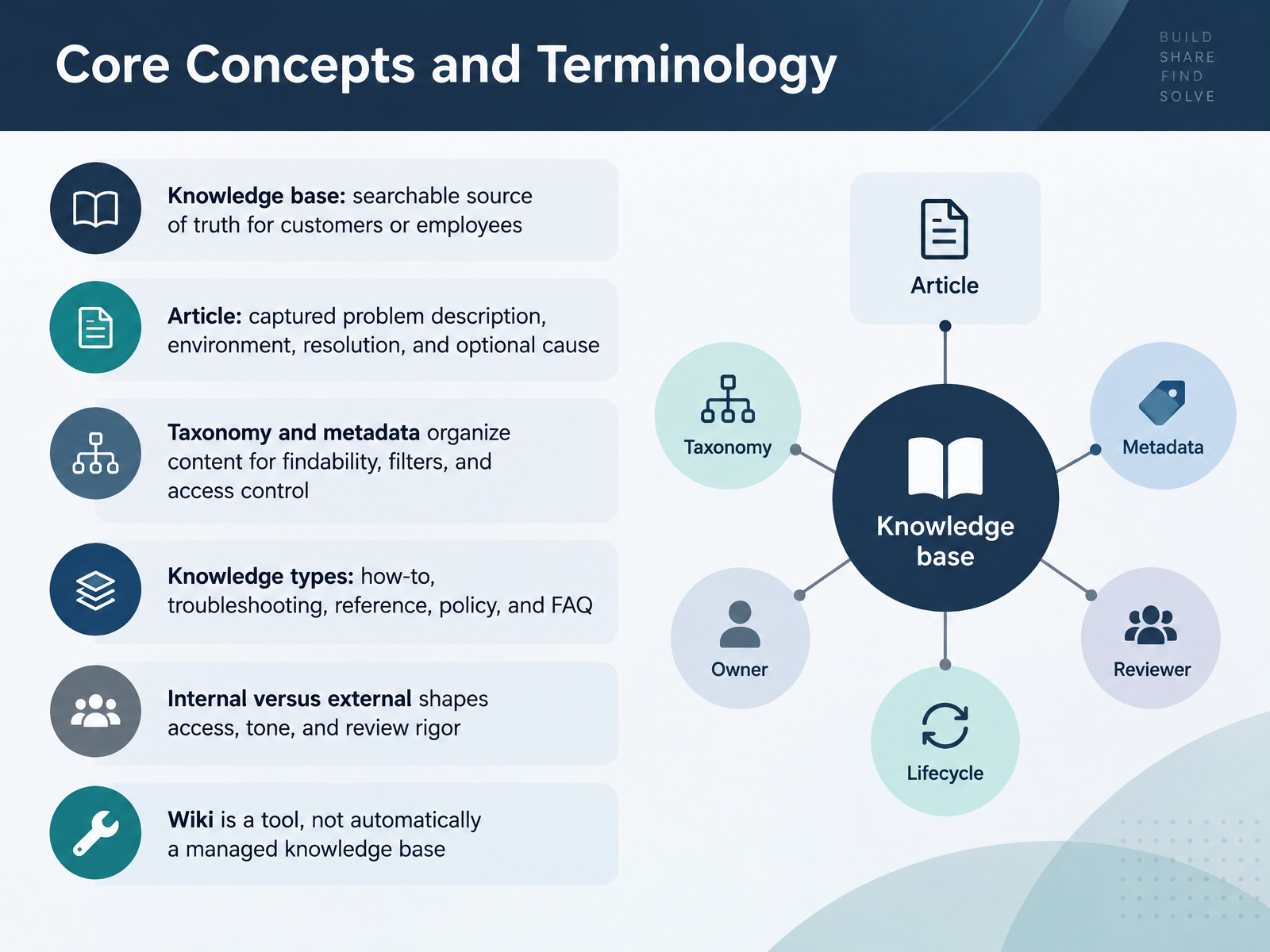
- 03Core Concepts and TerminologyLet's define the vocabulary you'll use every day. A knowledge base is a searchable source of truth for customers or employees. And an article captures the problem description, environment, resolution, and an optional cause. Taxonomy and metadata organize content for findability, filters, and access control. For example, tagging a billing article by product and region helps people find it fast. Knowledge types include how-to, troubleshooting, reference, policy, and FAQ. Internal versus external shapes access, tone, and review rigor, so a customer-facing article needs stricter approval than an internal tip. Remember, a wiki is a tool, not automatically a managed knowledge base. Next, we'll look at knowledge types, boundaries, and roles.
 dokly.coblog.hubspot.comdokly.co+21 min
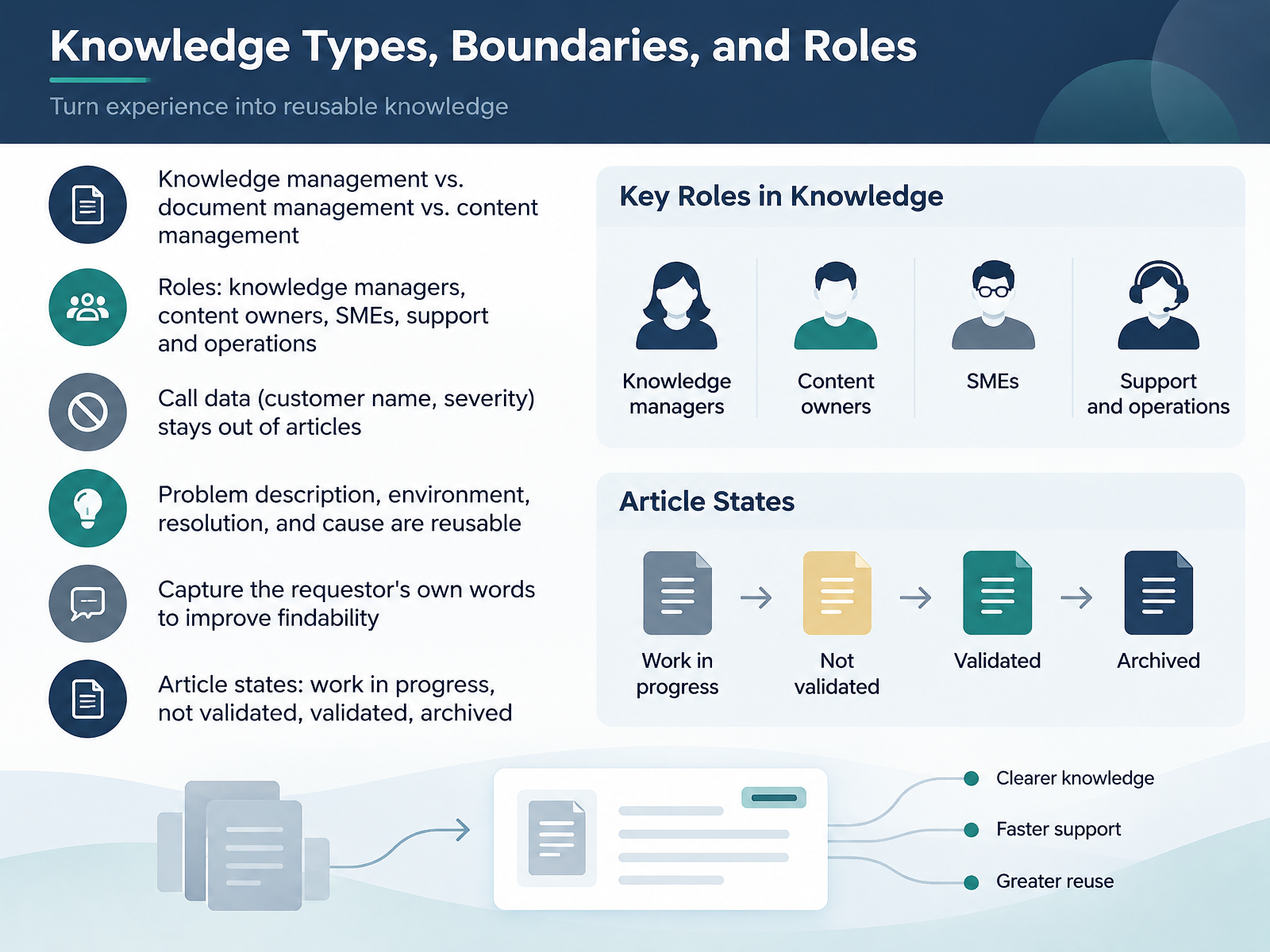
- 04Knowledge Types, Boundaries, and RolesLet's look at knowledge types, boundaries, and roles. Knowledge management focuses on reusable problem solving experience, while document management controls files and versions, and content management governs published material. Your roles divide the work. Knowledge managers own the process and review cycles. Content owners keep articles accurate. Subject matter experts validate technical detail. Support and operations teams capture knowledge in the workflow. Keep call data out of articles. Customer names and severity levels belong in the ticket, not the knowledge base. But problem descriptions, environment details, resolutions, and causes are reusable. Capture the requestor's own words in the problem description to improve findability. Articles move through states: work in progress, not validated, validated, and archived. Here is your next action. Check one article in your tool, confirm its state is correct, and move call-only details out. That brings us to purpose and business value.
 library.serviceinnovation.orglibrary.serviceinnovation.orglibrary.serviceinnovation.org+22 min
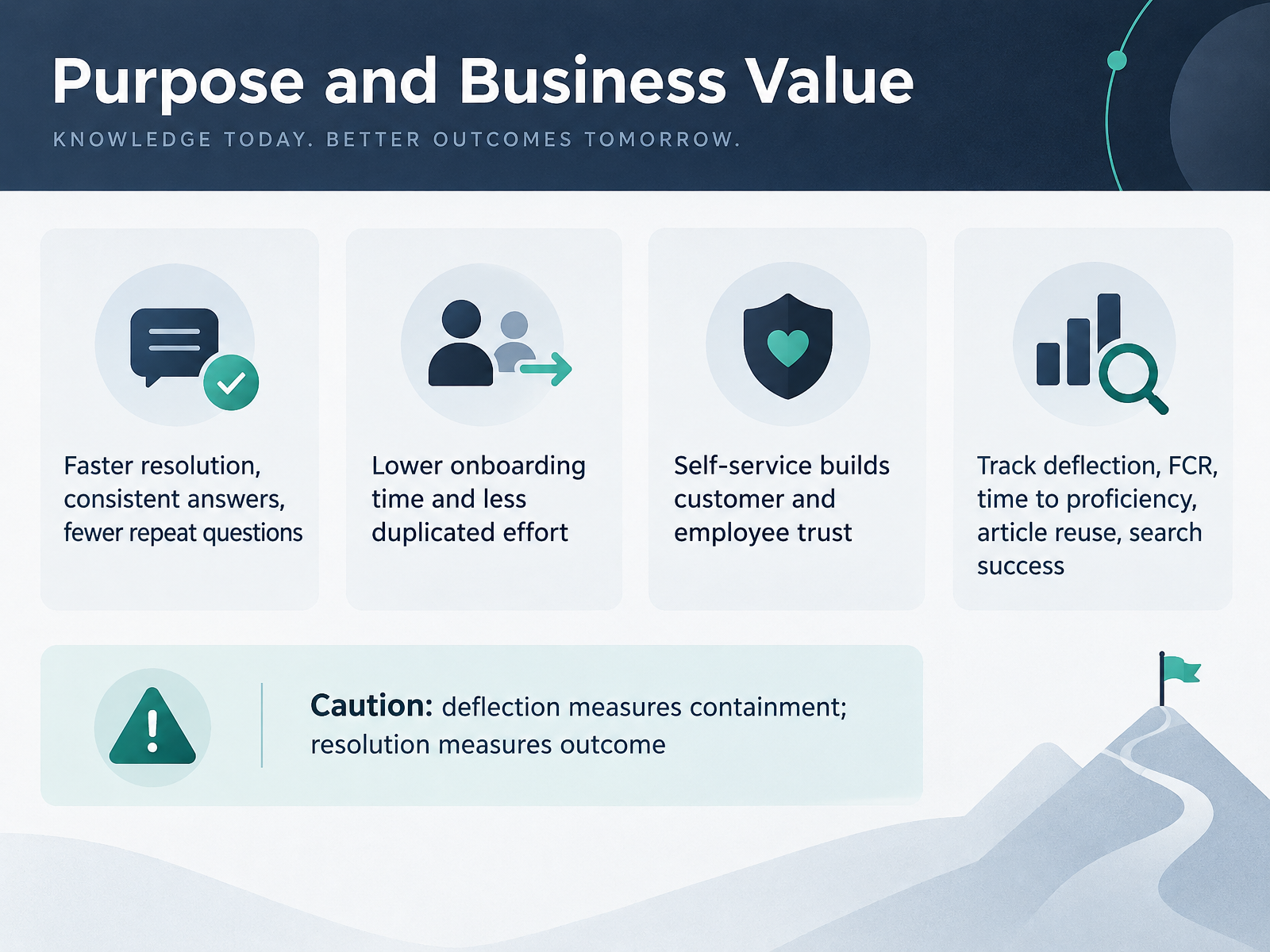
- 05Purpose and Business ValueLet's look at why a knowledge base earns its place in the budget. A working knowledge base delivers faster resolution and consistent answers, and it reduces repeat questions. For example, your agents stop rewriting the same reply about a password reset. It also shortens onboarding, because new hires read the same articles customers do. Self-service builds trust when the answers are accurate, so keep a small scorecard: deflection, first contact resolution, time to proficiency, article reuse, and search success. One caution here. Deflection measures containment, while resolution measures the outcome. A ticket that closes without an answer still counts as deflected. If you track just one thing this month, tag articles by the questions they answer, and review the top ten each cycle. Next, we'll explore making the case with numbers.
 happysupport.aiblog.hubspot.comariglad.com+22 min
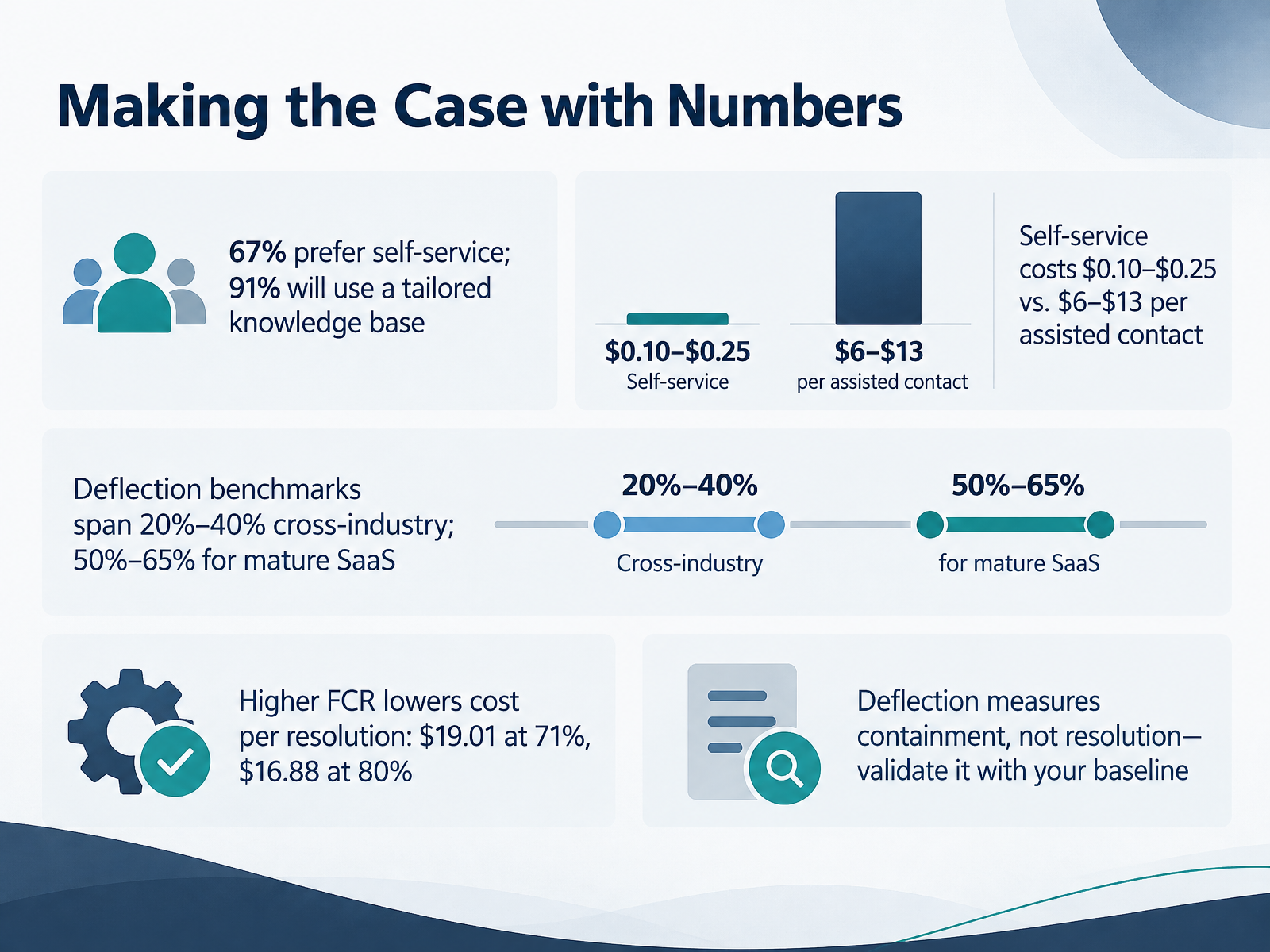
- 06Making the Case with NumbersLet's make the case with numbers. Start with demand. Sixty-seven percent of customers prefer self-service, and ninety-one percent will use a knowledge base if it is tailored to their needs. Then show the cost gap. A self-service interaction costs between ten cents and twenty-five cents. An assisted contact costs six to thirteen dollars. Deflection benchmarks span twenty to forty percent across industries. Mature SaaS teams reach fifty to sixty-five percent. First contact resolution also moves cost per resolution. It is nineteen dollars and one cent at seventy-one percent, and sixteen dollars and eighty-eight cents at eighty percent. One caution. Deflection measures containment, not resolution. Validate it against your baseline. Your next step is to build that baseline for your own help center, using your ticket volume, contact cost, and current resolution rate. Next, we look at the knowledge lifecycle and governance model.
 happysupport.aiblog.hubspot.comariglad.com+21 min
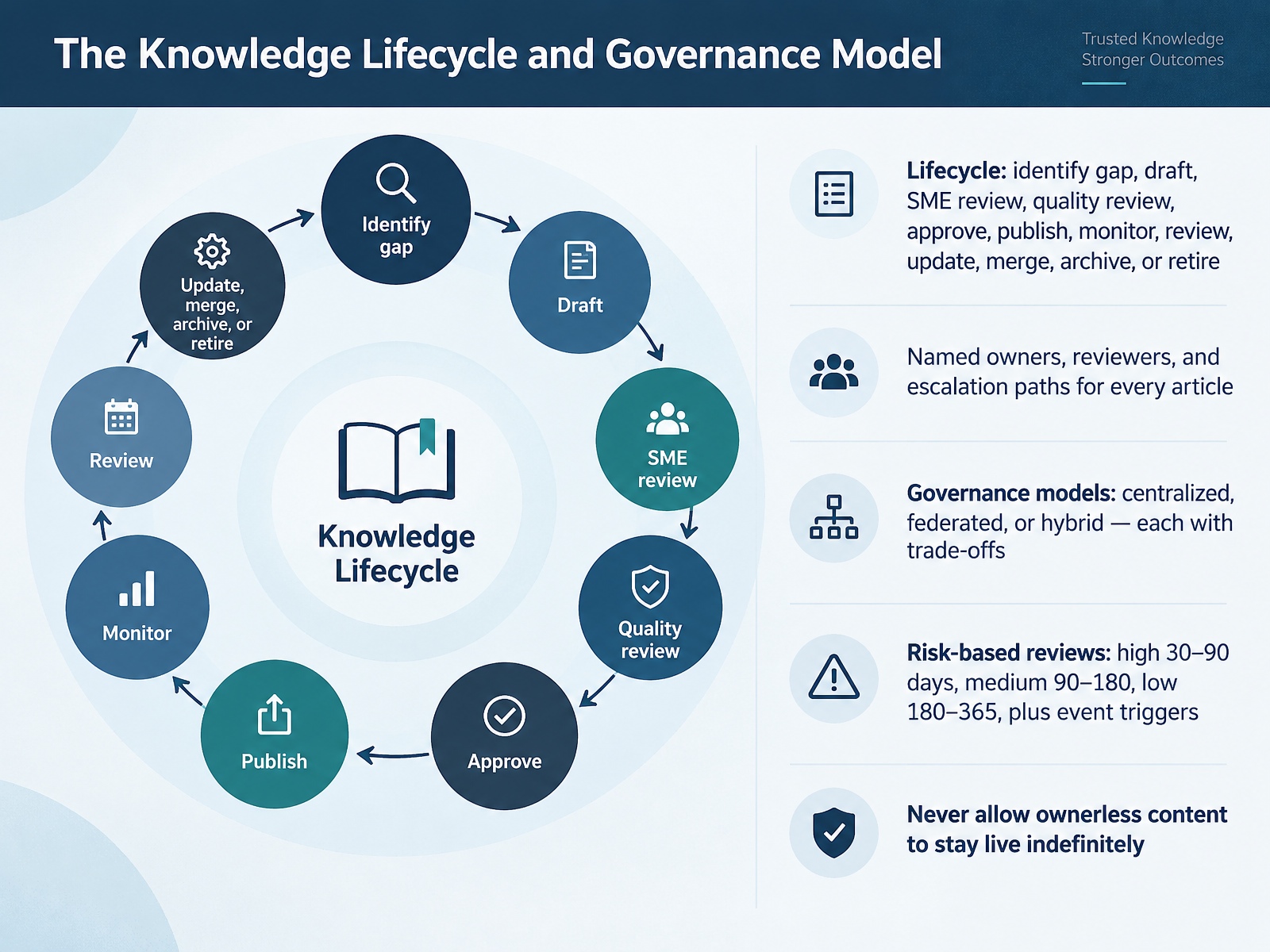
- 07The Knowledge Lifecycle and Governance ModelLet's walk through the knowledge lifecycle and the governance that keeps it running. The lifecycle runs from identifying a gap through drafting, subject matter expert review, quality review, approval, publishing, monitoring, and scheduled review, then update, merge, archive, or retire. Every article needs a named owner, named reviewers, and an escalation path. Governance usually takes one of three shapes: centralized, federated, or hybrid, and each trades speed against consistency. Set review cycles by risk. High-risk content every thirty to ninety days, medium every ninety to one hundred eighty, low every one hundred eighty to three hundred sixty five, plus event triggers such as a product release. And one firm rule: never let ownerless content stay live. For your next step, take five articles and confirm each has an owner and a next review date.
 it.ucf.eduknowledge-base.softwarecontent.terabox.com+22 min
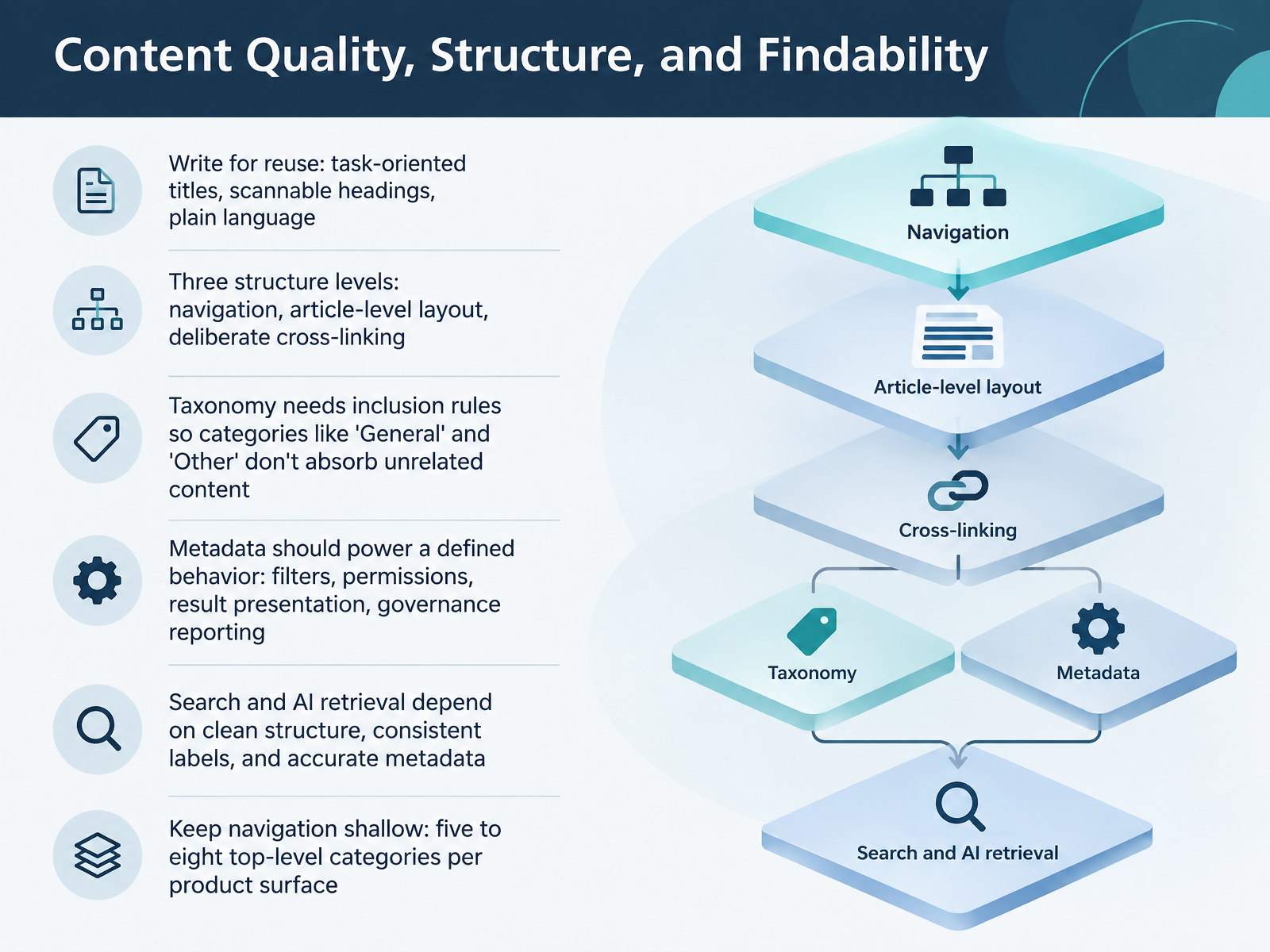
- 08Content Quality, Structure, and FindabilityLet's look at content quality, structure, and findability. Write for reuse. Use task-oriented titles, scannable headings, and plain language. For example, retitle a vague article as How to Reset Your Password. Structure works at three levels: navigation, article-level layout, and deliberate cross-linking. Give your taxonomy inclusion rules, so categories like General and Other don't absorb unrelated content. That matters because search and AI retrieval depend on clean structure, consistent labels, and accurate metadata. So connect every metadata field to a defined behavior, such as filters, permissions, result presentation, or governance reporting. Keep navigation shallow, with five to eight top-level categories per product surface. Your next step: pick one bloated category and write its inclusion rule today. Next, we'll explore tools, platforms, and AI-assisted knowledge management.
 2 min
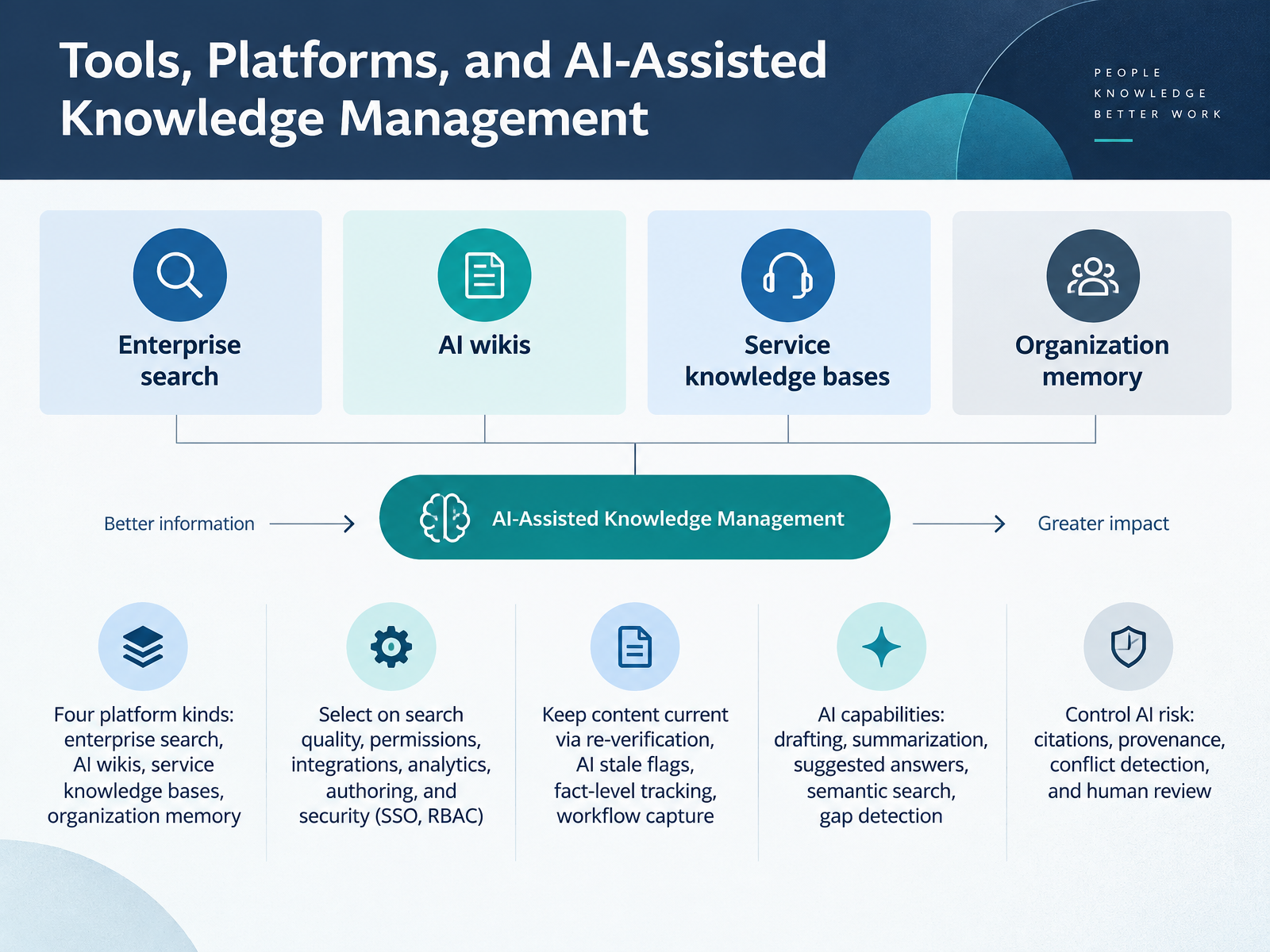
- 09Tools, Platforms, and AI-Assisted Knowledge ManagementNow let's look at tools, platforms, and AI-assisted knowledge management. Platforms fall into four kinds: enterprise search, AI wikis, service knowledge bases, and organization memory. Match the kind to your hardest questions first. When you compare vendors, score search quality, permissions, integrations, analytics, authoring, and security, including single sign-on and role-based access. Keeping content current is the bigger challenge. Re-verification keeps content current. AI stale flags surface aging articles. Fact-level tracking records when a fact stopped being true. Workflow capture turns real tickets into draft articles. AI can also draft, summarize, suggest answers, run semantic search, and detect gaps. Control the risk with citations, provenance, conflict detection, and human review. Here's your next step: open one stale article in your tool, confirm its owner, and schedule a review date. Next, we'll see how a support team put this into practice in Practical Example: Support Team Reduces Repeat Tickets.
 2 min
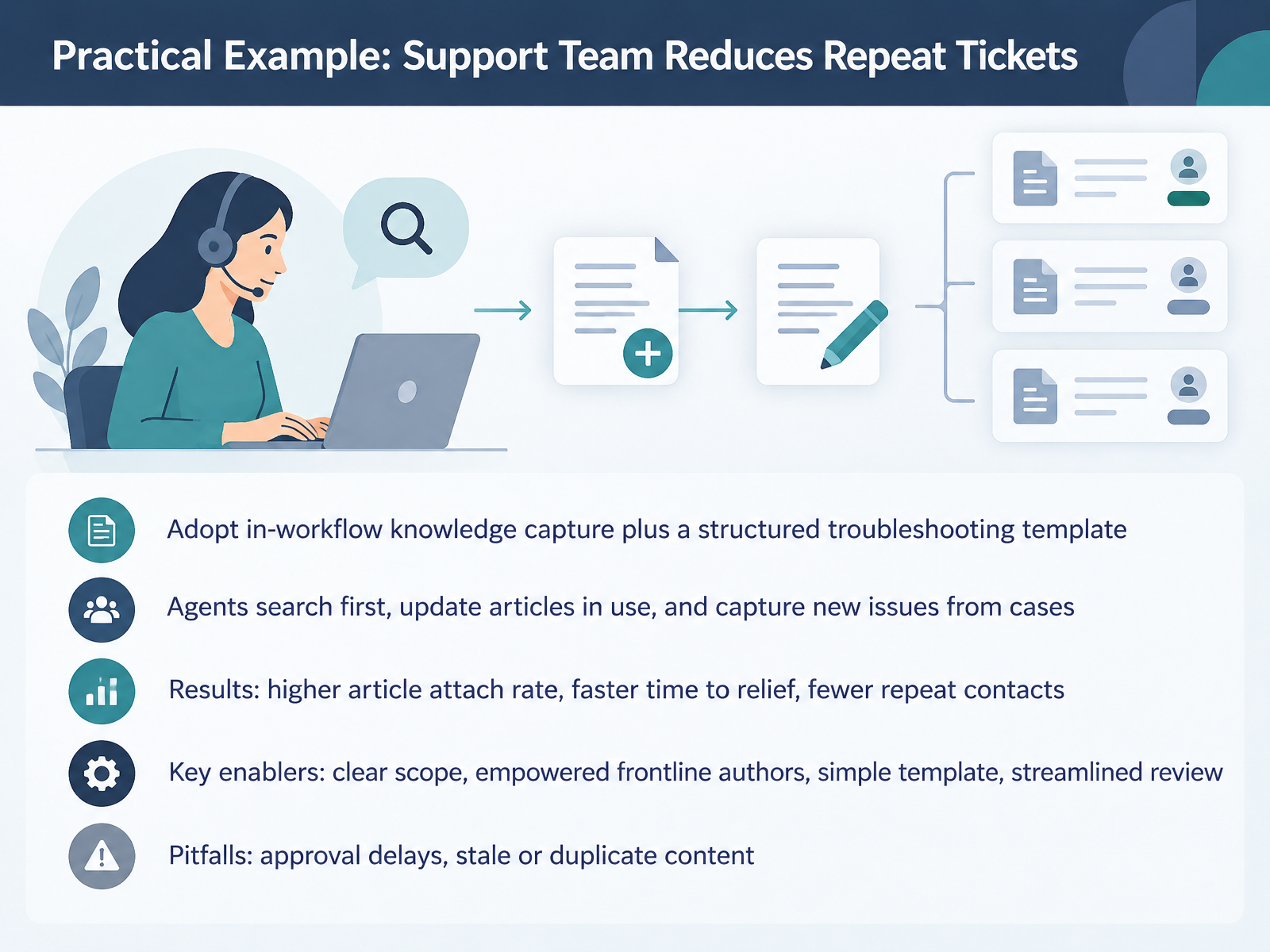
- 10Practical Example: Support Team Reduces Repeat TicketsHere is a practical example from a support team. They adopted in-workflow knowledge capture, plus a structured troubleshooting template. Agents search first, update the articles they use, and capture new issues directly from cases. The results were clear: a higher article attach rate, faster time to relief, and fewer repeat contacts. The key enablers were simple. Clear scope, empowered frontline authors, a simple template, and streamlined review. Watch for the common pitfalls: approval delays, and stale or duplicate content. Your next step? Pick one recurring issue this week. Have one agent update or create the article directly from the case, and publish it without a long approval chain. Next, we will look at practical examples for operations and onboarding.
 library.serviceinnovation.orglibrary.serviceinnovation.orglibrary.serviceinnovation.org+21 min
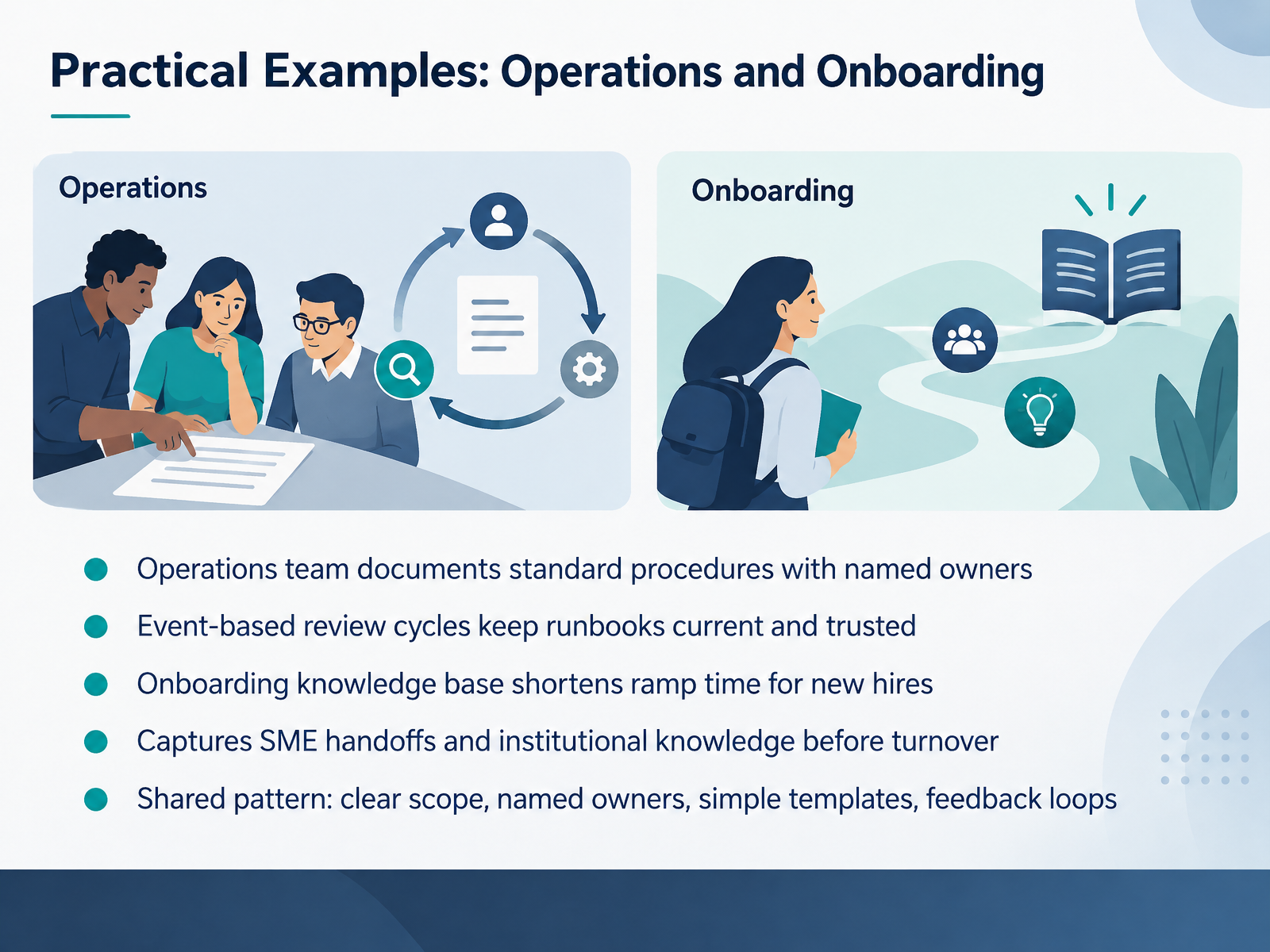
- 11Practical Examples: Operations and OnboardingLet's look at two teams putting these ideas to work: operations and onboarding. Your operations team documents standard procedures with named owners, so everyone knows who maintains each runbook. Event based review cycles keep those runbooks current and trusted, triggered by a release or an incident rather than a calendar date. Your onboarding knowledge base shortens ramp time for new hires, because they find answers without interrupting a colleague. And when a subject matter expert leaves, the base captures SME handoffs and institutional knowledge before turnover. The shared pattern is simple: clear scope, named owners, simple templates, and feedback loops. Here is your action: open your procedure library and add an owner name to the three most used runbooks.
 dokly.coblog.hubspot.comdokly.co+21 min
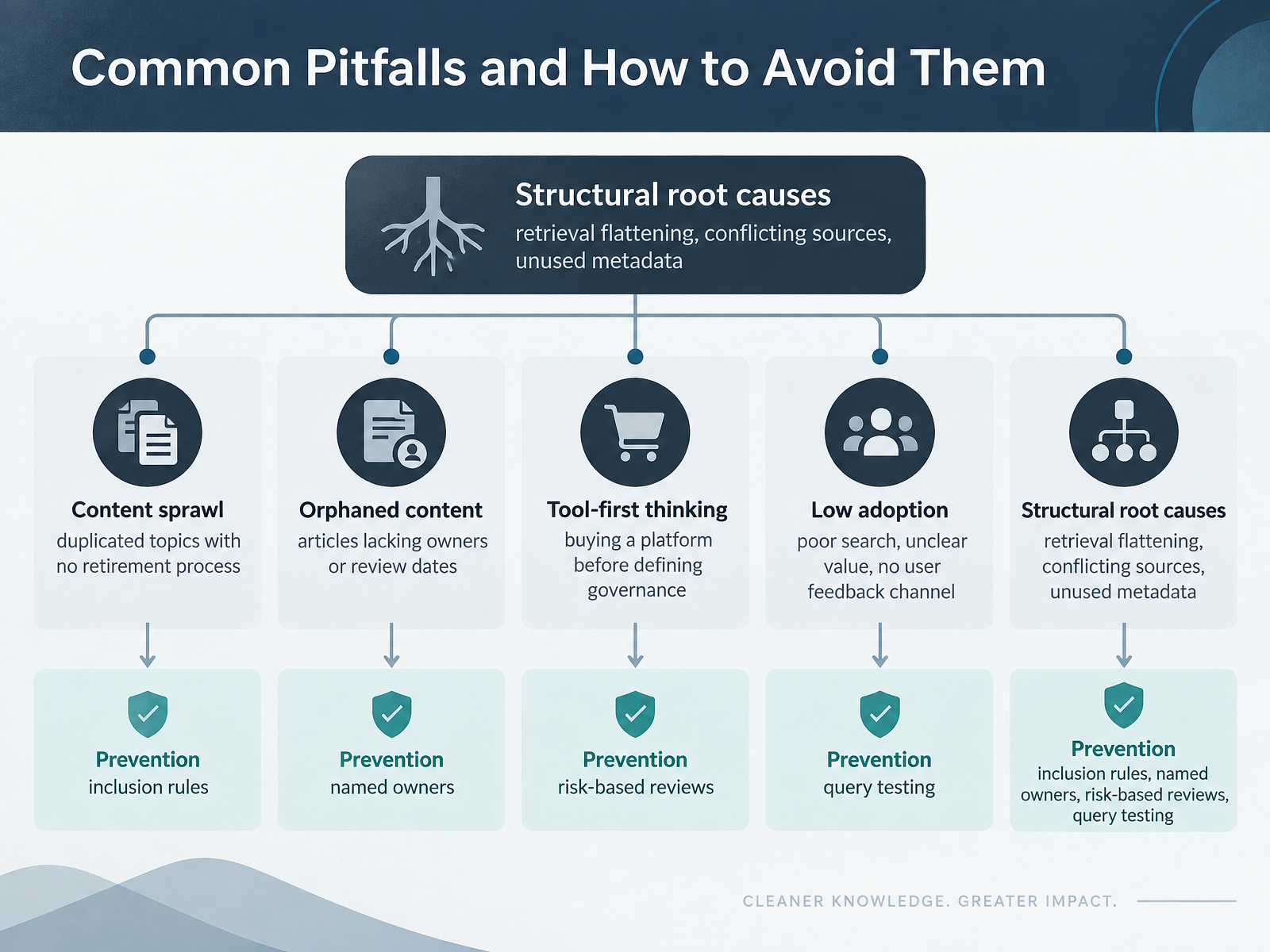
- 12Common Pitfalls and How to Avoid ThemLet's turn to the pitfalls you'll likely meet, and how to avoid them. Content sprawl means duplicated topics with no retirement process. Orphaned content means articles lacking owners or review dates. Tool-first thinking means buying a platform before defining governance. Low adoption usually comes from poor search, unclear value, and no feedback channel. Underneath these sit structural root causes: retrieval flattening, conflicting sources, and unused metadata. Prevention is practical. Set inclusion rules for every category. Name an owner for each article. Run reviews based on risk, not just the calendar. And test real queries, watching for zero results and stale answers. Pick one: list your five most-searched queries and check which articles answer them. Next, we'll look at getting started: your first ninety days.
 2 min
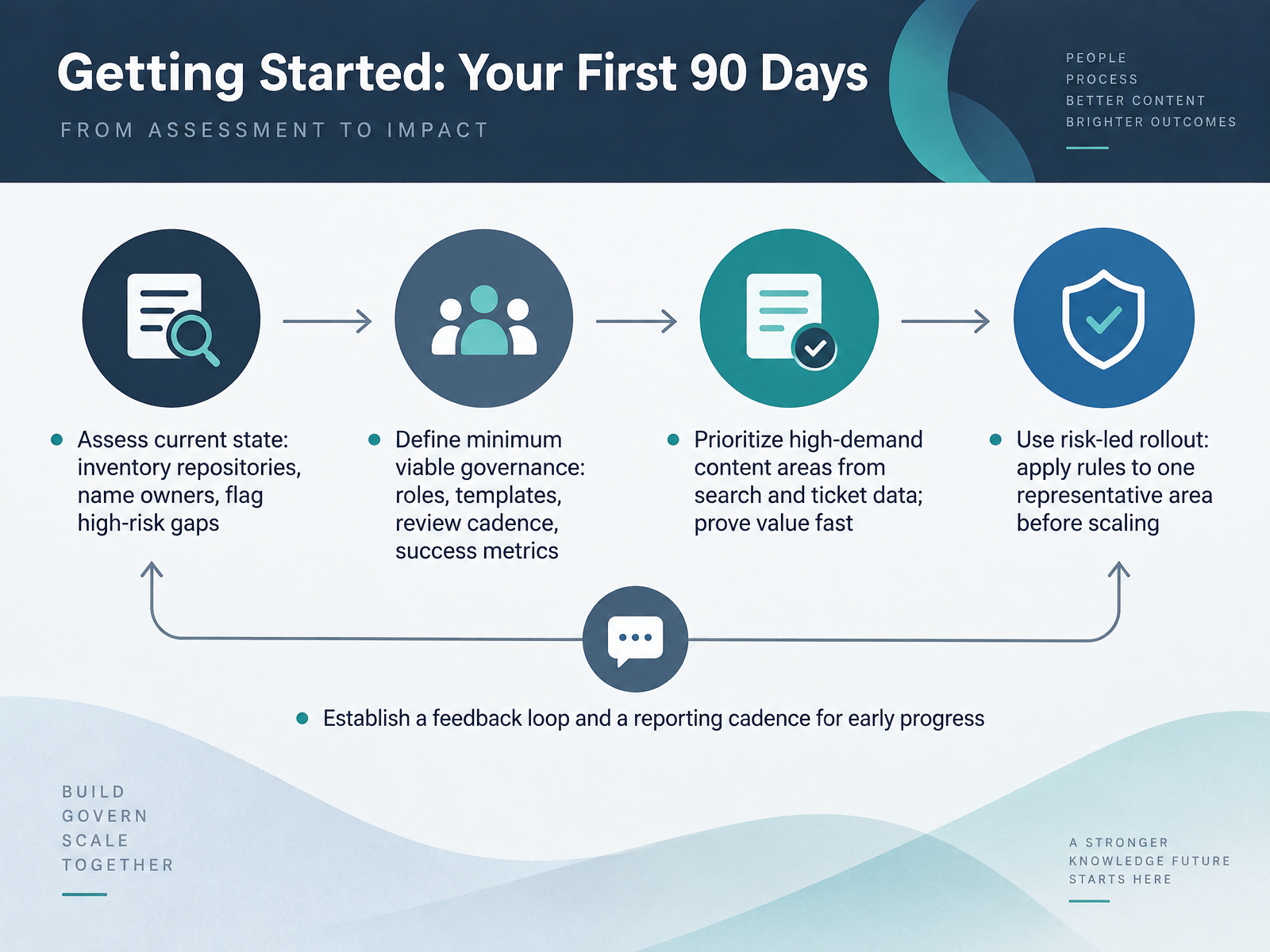
- 13Getting Started: Your First 90 DaysNow let's turn the plan into your first ninety days. Start with an assessment. Inventory your repositories, name an owner for each content area, and flag high-risk gaps, such as outdated pricing or access procedures. Why it matters: you cannot govern what you cannot see. Next, define minimum viable governance. That means roles, templates, a review cadence, and one or two success metrics. Keep it small and testable. Then prioritize high-demand areas using search and ticket data, so you prove value quickly. Roll out risk-led: apply the rules to one representative area first, then scale. Finally, set up a feedback loop and a reporting cadence, for example a monthly review of progress. Your action now: pick one area and run this assessment this week. Next, we'll cover key takeaways and next steps.
 dokly.coblog.hubspot.comdokly.co+21 min
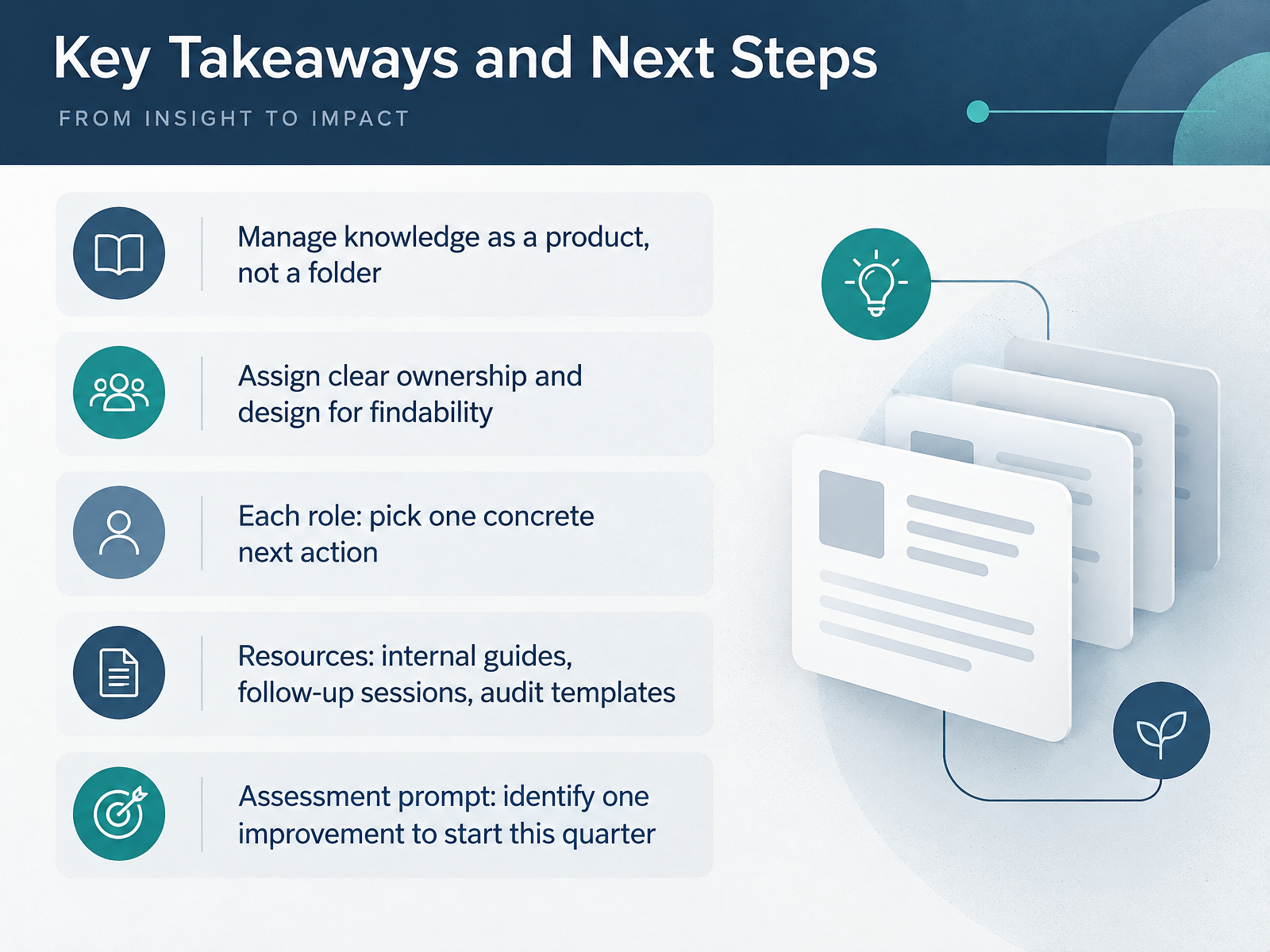
- 14Key Takeaways and Next StepsLet's pull this together. Manage knowledge as a product, not a folder. That means treating articles, FAQs, and tags like something you ship and maintain, rather than files you store and forget. Next, assign clear ownership, and design for findability, because an article nobody can find helps no one. Now pick your next step. Knowledge managers, run a quick audit of your top twenty articles. Support and operations teams, flag the five articles that generate the most follow-up tickets. Content owners, set one review cycle and name an owner for every page. Subject-matter experts, review one high-traffic article this week. For support, we have internal guides, follow-up sessions, and audit templates. Your assessment prompt is simple. Identify one improvement you will start this quarter, write it down, and share it with your team. Thank you for your time and attention today. You already have the knowledge. Start small, stay consistent, and you will make it easier for everyone to find the right answer.
 dokly.coblog.hubspot.comdokly.co+22 min
Take the deck with you
Download this course as a file — free, no sign-up needed.
- PDF handoutEvery slide page, ready to print or share.15 pages · 3.1 MBDownload
- Narrated PowerPointThe deck that presents itself — every slide carries the digital human's narration video.15 pages · 12.8 MBDownload
- PowerPoint slidesThe full deck as a .pptx — open it in PowerPoint, Keynote, or Google Slides.15 pages · 3.1 MBDownload
Free to use in your own training — please keep the PersonWise credit page at the end.
Have your own deck? Turn it into a course
Sources consulted
Web sources consulted while building this course.
- Knowledge Base Management: The Definitive 2026 Guide — dokly.co
- What is a knowledge base, and why do you need one? [definition] — blog.hubspot.com
- Build a Successful Knowledge Base Program for 2026 — dokly.co
- What is a knowledge base: a comprehensive guide and best practices — slite.com
- 7 knowledge base management best practices for B2B teams | Mosaic AI — getmosaic.ai
- KCS v6 Practices Guide - Consortium for Service Innovation — library.serviceinnovation.org
- Section 1 Knowledge-Centered Service — library.serviceinnovation.org
- Appendix D: KCS Roles and Competencies - Consortium for Service Innovation — library.serviceinnovation.org
- The Purpose Behind the Practices - Consortium for Service Innovation — library.serviceinnovation.org
- KCS Glossary - Consortium for Service Innovation — library.serviceinnovation.org
- Knowledge Base ROI: 25 Stats With Dollar Math (2026) — happysupport.ai
- 13 customer self-service stats that leaders need to know — blog.hubspot.com
- Measuring the ROI of Self-Service Support Tools - Ariglad — ariglad.com
- Customer Service Cost-to-Serve Benchmark 2026 — newmindpartners.com
- Knowledge Base Stats 2026: 40% Deflection | Stealth Agents — stealthagents.com
- UCF IT Knowledge Management Policy and Procedure — it.ucf.edu
- Knowledge Base Governance Framework: Owners, Review Cycles, Approval Workflows, and Quality Control - Knowledge Base Software — knowledge-base.software
- KB Content Audit: Best Practices — content.terabox.com
- How to Create a Content Governance Process for an Internal Knowledge Base — ones.com
- Knowledge Base Best Practices That Reduce Support Tickets — document360.com