Begin
14 pages · ~28 min
Python Programming Practice
A hands-on training course with Python programming practice problems, designed to help learners build and reinforce essential coding skills through practical exercises.
A digital instructor presents all 14 pages. Hold “Ask” at any point and ask out loud — the answer comes from this course. No sign-up needed.
What you’ll learn
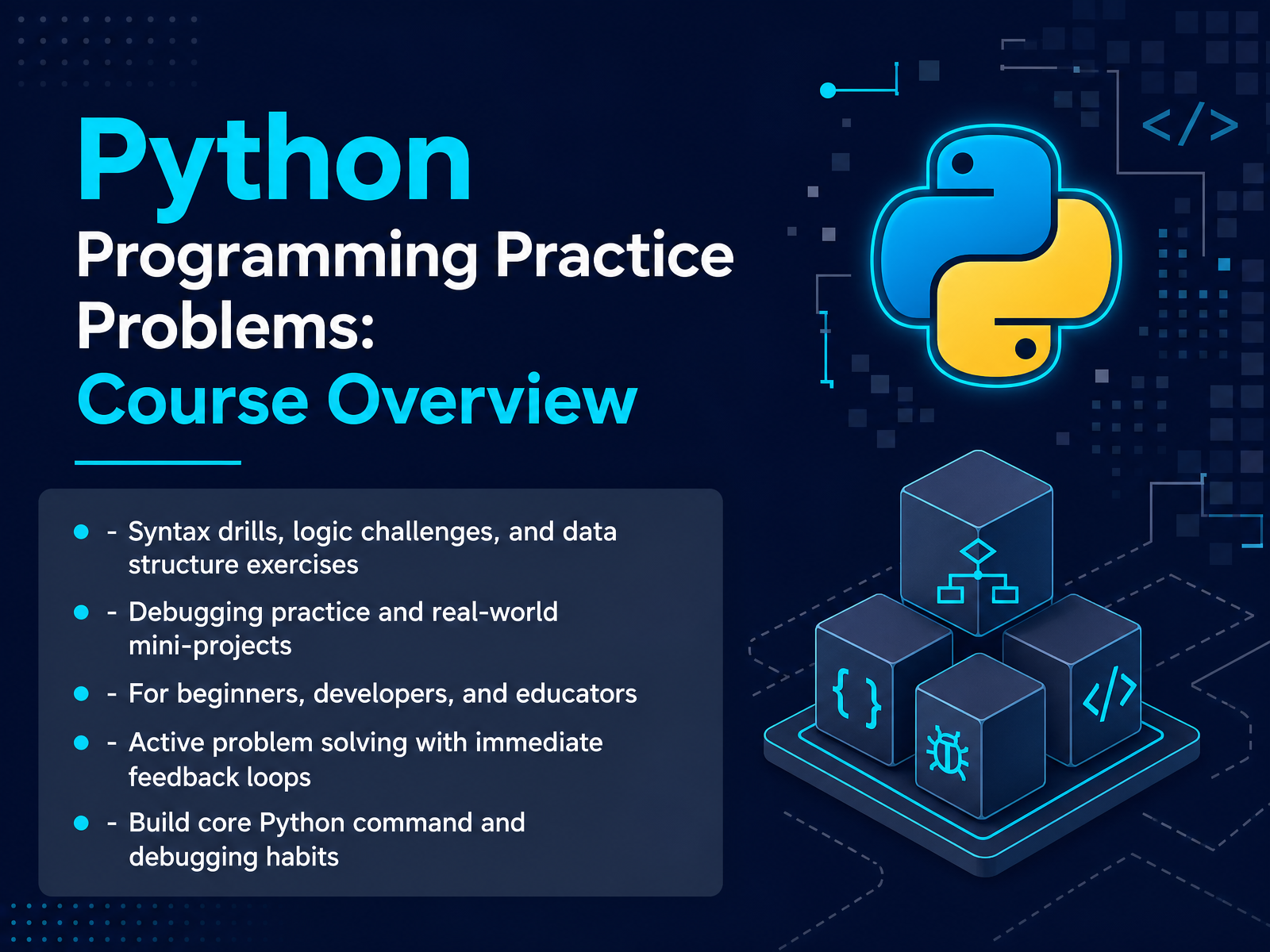
- 01Python Programming Practice Problems: Course OverviewWelcome. I'm glad you're here. This course is all about Python programming practice. We're going to move beyond just watching tutorials. You'll get hands-on with syntax drills, logic challenges, and data structure exercises. We'll work through debugging practice and build real-world mini-projects, like a number guessing game or a password generator. Whether you're a beginner, a developer, or an educator, there's something here for you. The key is active problem solving. You'll get immediate feedback loops, so you can see what works and what doesn't. And by the end, you'll build core Python command and debugging habits that stick with you. Mistakes are part of the process. Every error is a chance to learn. So, let's get started. In our next section, we'll look at why structured practice beats passive watching.w3resource.comgithub.cominventwithpython.com+21 min
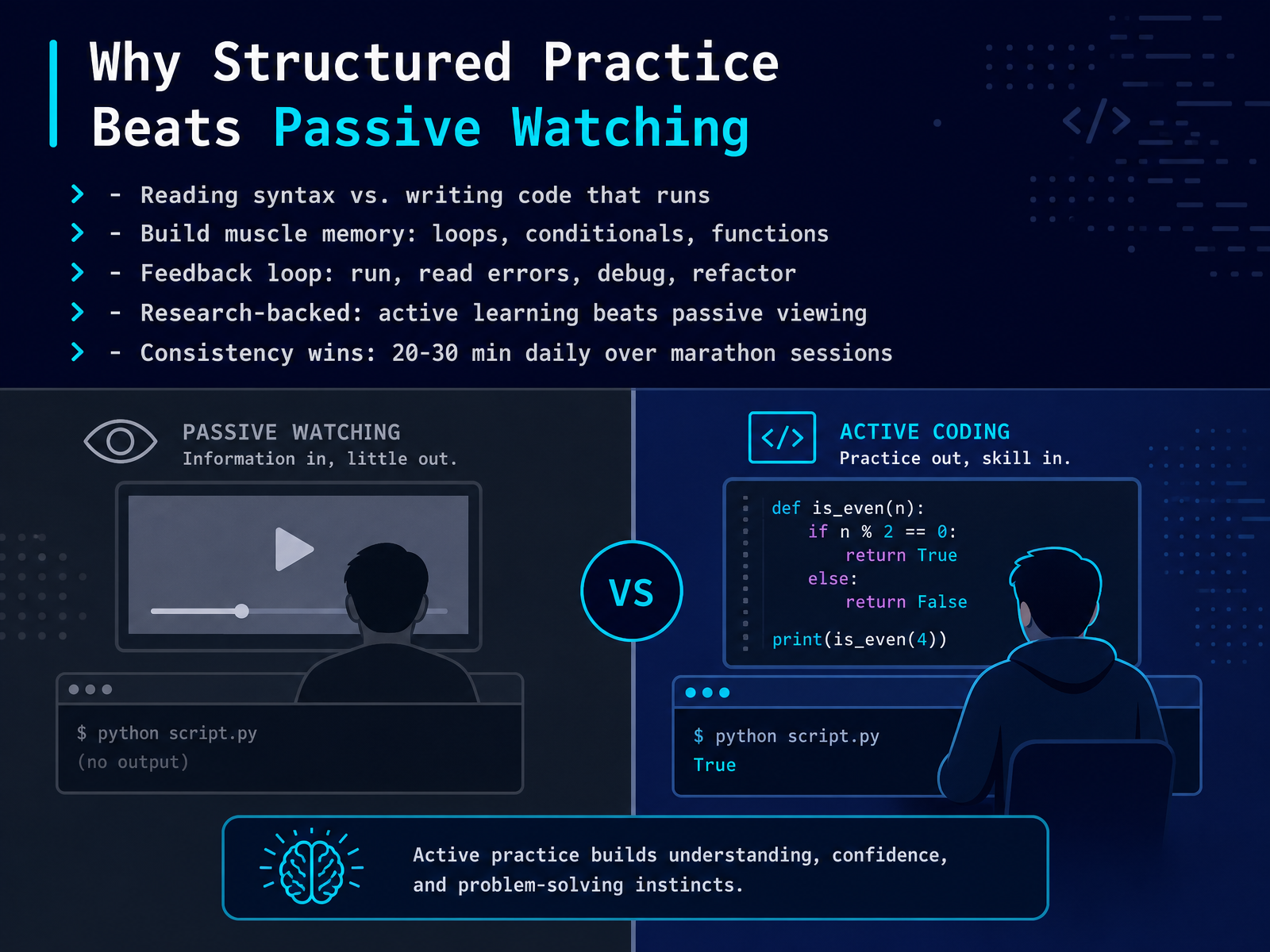
- 02Why Structured Practice Beats Passive WatchingLet's talk about why structured practice beats passive watching. Reading syntax is like reading about how to ride a bicycle. Writing code that runs is actually getting on and pedaling. When you write loops, conditionals, and functions yourself, you build muscle memory. Your fingers start to know the pattern before your brain has to think about it. The real magic happens in the feedback loop. You run your code, you see the errors, you fix them, and you refactor. That cycle of trying and failing and trying again is where the learning sticks. Research backs this up. Active learning is far more effective than passive viewing. And here is the golden rule: consistency wins. Twenty to thirty minutes of daily practice beats a ten-hour marathon session every single time. Short and steady builds skill. Long sprints just burn you out. So keep your sessions short, keep them regular, and you'll see real progress. Next, let's look at the core problem types and a realistic difficulty ramp to guide your practice.
 practicepython.orgdataquest.ioboot.dev+22 min
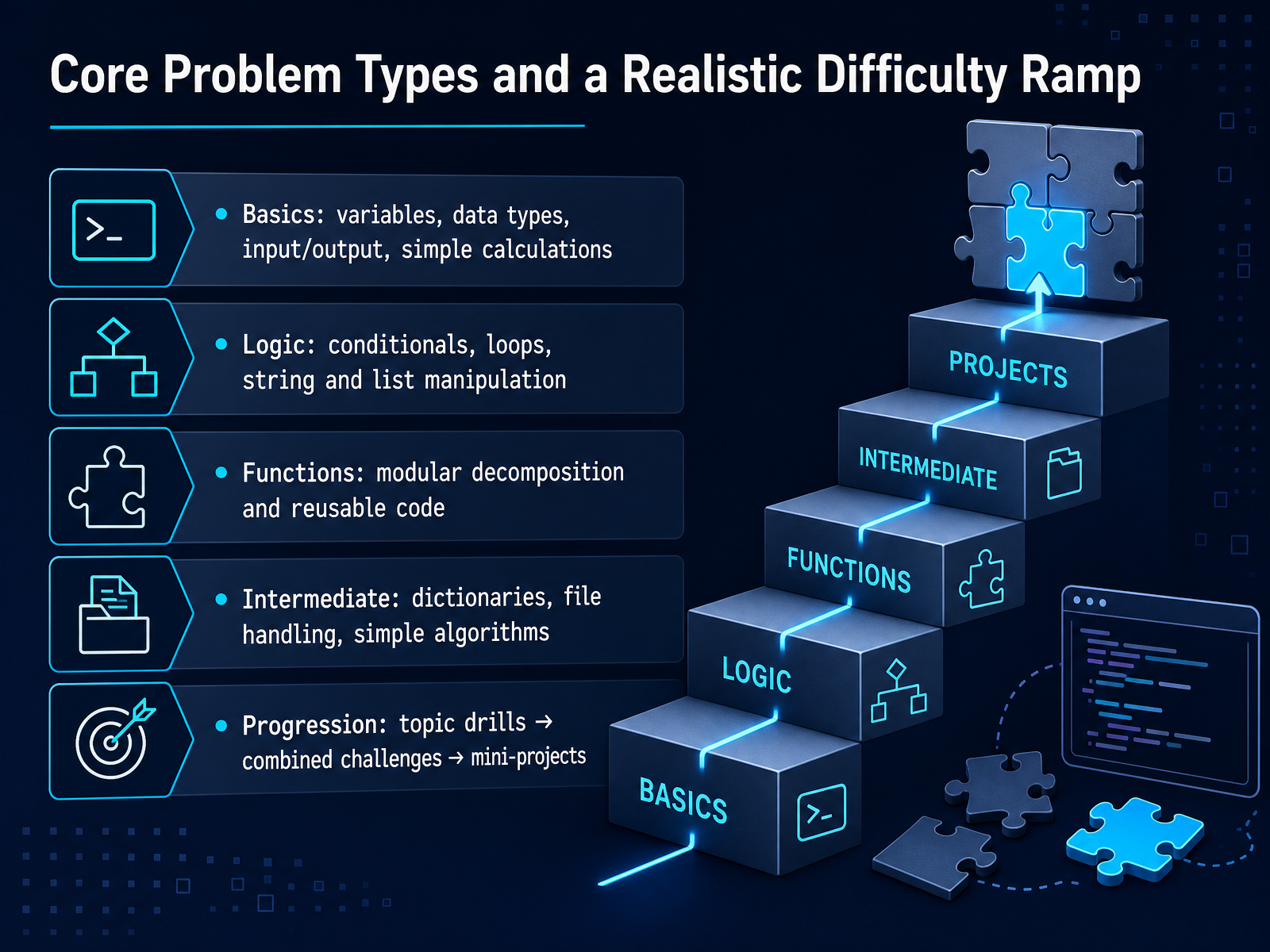
 - 03Core Problem Types and a Realistic Difficulty RampLet’s map out the road ahead. Think of Python practice like building a house. You wouldn’t start with the roof, right? You’d lay the foundation first. So, we begin with the basics: variables, data types, and simple calculations. These are your bricks. Once that feels solid, we move to logic. Here, you’ll use conditionals, loops, and work with strings and lists. This is where you start shaping those bricks into walls. Next, we introduce functions, which is all about breaking your code into reusable, modular pieces. Think of them as pre-fabricated rooms. Then, we step into intermediate territory. This means dictionaries, file handling, and simple algorithms. This is where you add plumbing and electricity. Finally, here’s the key progression: we start with topic drills to lock in one skill, then move to combined challenges that mix several skills, and cap it off with mini-projects that tie everything together. It’s a realistic ramp. One step at a time. Now, let’s head to our first set of warm-up drills to get our hands on the basics.
 practicepython.orgdataquest.ioboot.dev+22 min
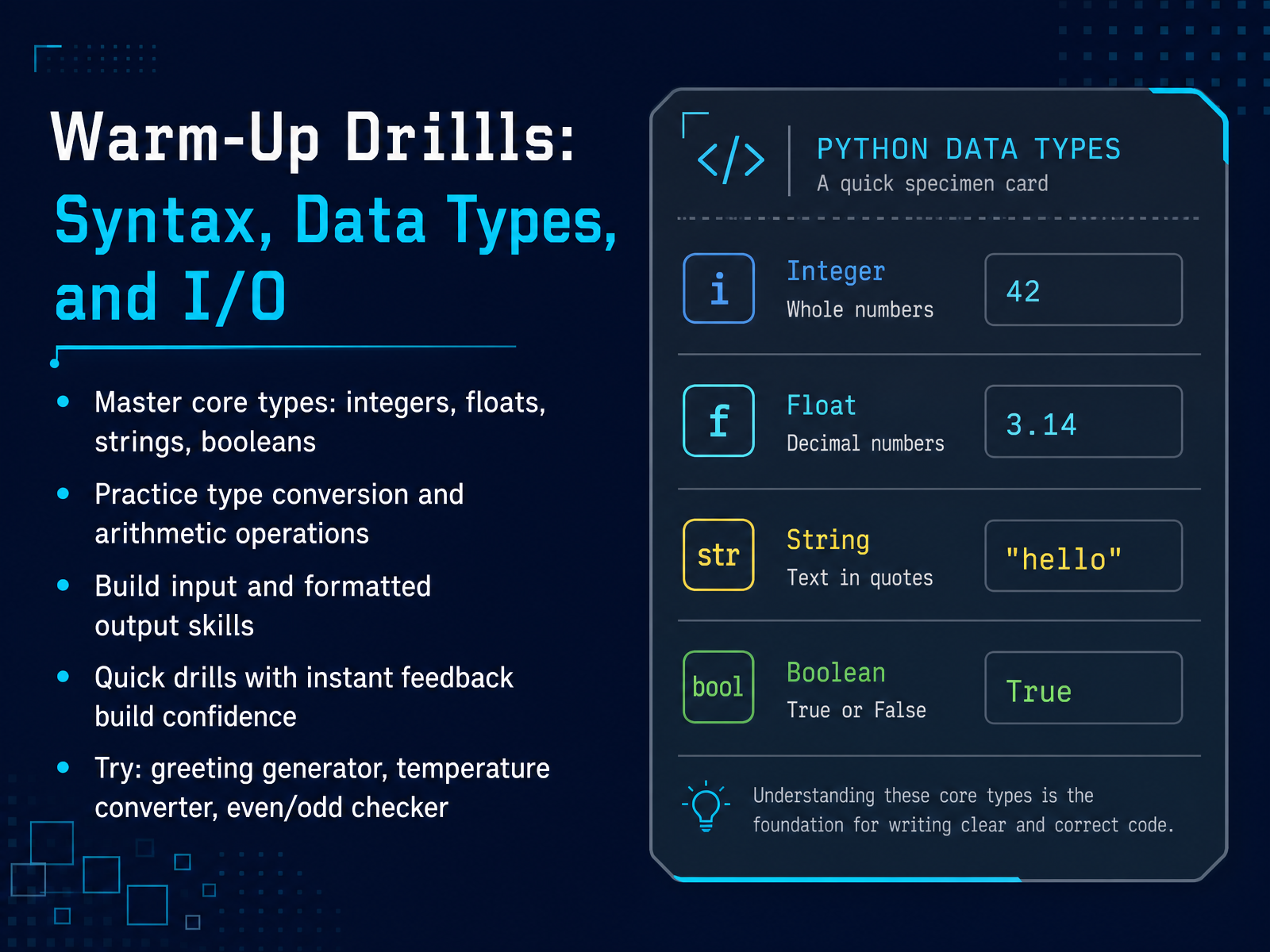
 - 04Warm-Up Drills: Syntax, Data Types, and I/OLet's warm up with the building blocks. We'll work with integers, floats, strings, and booleans. These are the core types you'll use every day. You might see a number like 42, a decimal like 3.14, text like hello, or a true or false value. Now, let's practice moving between them. Try converting a string to an integer, or adding a float to an integer. It's like changing currency or units. We'll also build skills for taking input from the user and formatting the output. Think of it as asking someone their name and then greeting them properly. These quick drills give you instant feedback, so you can build confidence fast. Let's try three classic ones. A greeting generator, a temperature converter, and an even or odd checker. Start simple. Write the code, run it, and see what happens. Mistakes are fine. That is how we learn. And once these feel comfortable, we will step into control flow challenges.
 practicepython.orgdataquest.ioboot.dev+21 min
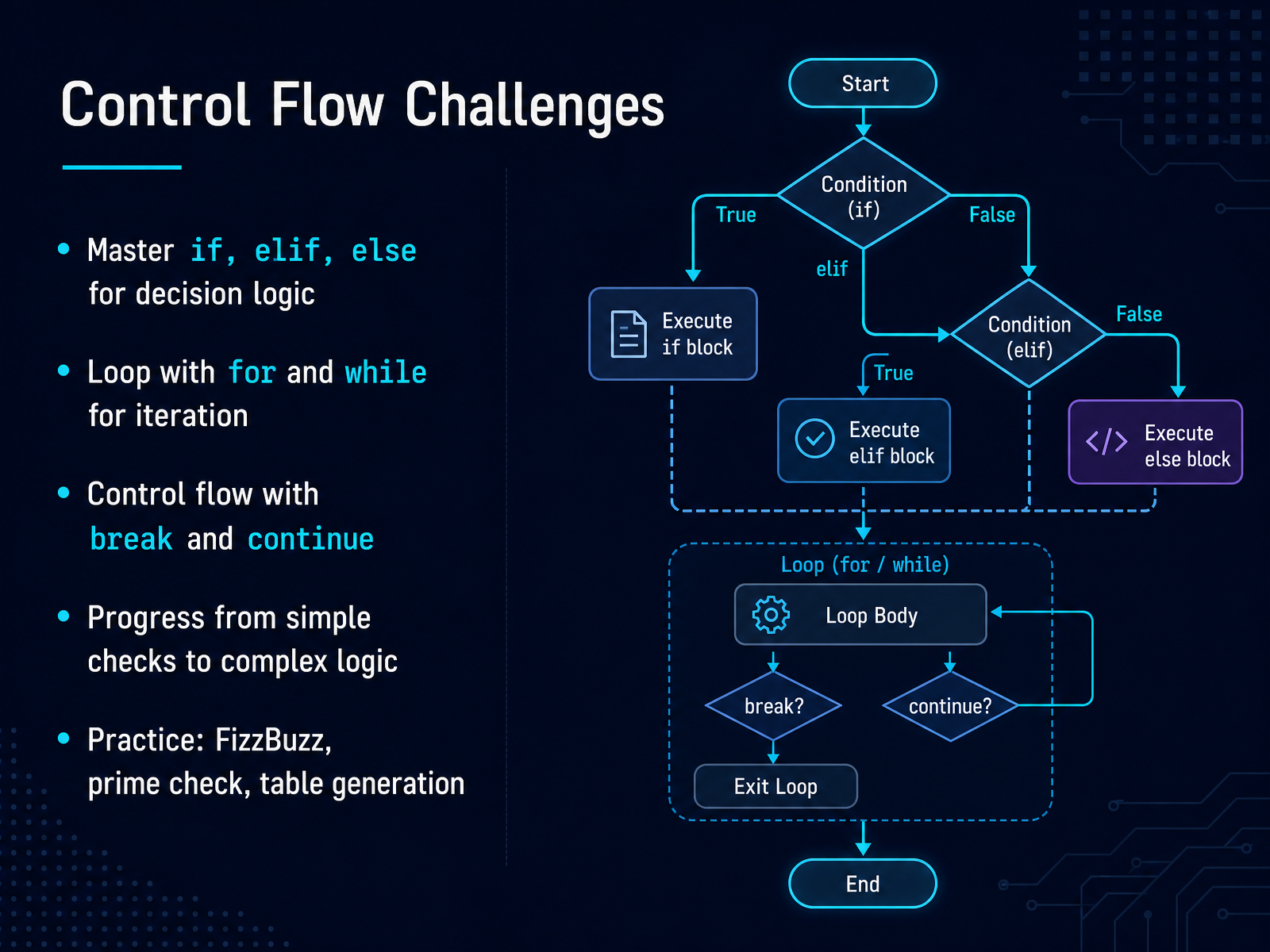
 - 05Control Flow ChallengesNow let's put control flow to work. This is where your programs start making decisions and repeating tasks. You'll master if, elif, and else to choose between paths, like picking the right checkout line at a store. Then you'll loop with for and while to repeat actions, perhaps printing a table or checking many numbers. And don't forget break and continue — those let you exit a loop early or skip one step, like pressing pause on a conveyor belt. We'll progress from simple checks to more complex logic. Try FizzBuzz: print 'Fizz' for multiples of three, 'Buzz' for five, and 'FizzBuzz' for both. Or write a prime number checker. Or generate a multiplication table. Each one builds your decision-making muscles. Let's code one together. Suppose you want to print numbers one to fifteen with FizzBuzz rules. You'd use a for loop, an if inside, and maybe a continue or break later. Remember, mistakes are normal — every error teaches you something. Practice these three, and you'll feel the logic click. Next, we'll see data structures in action and how they hold all this information.
 practicepython.orgdataquest.ioboot.dev+21 min
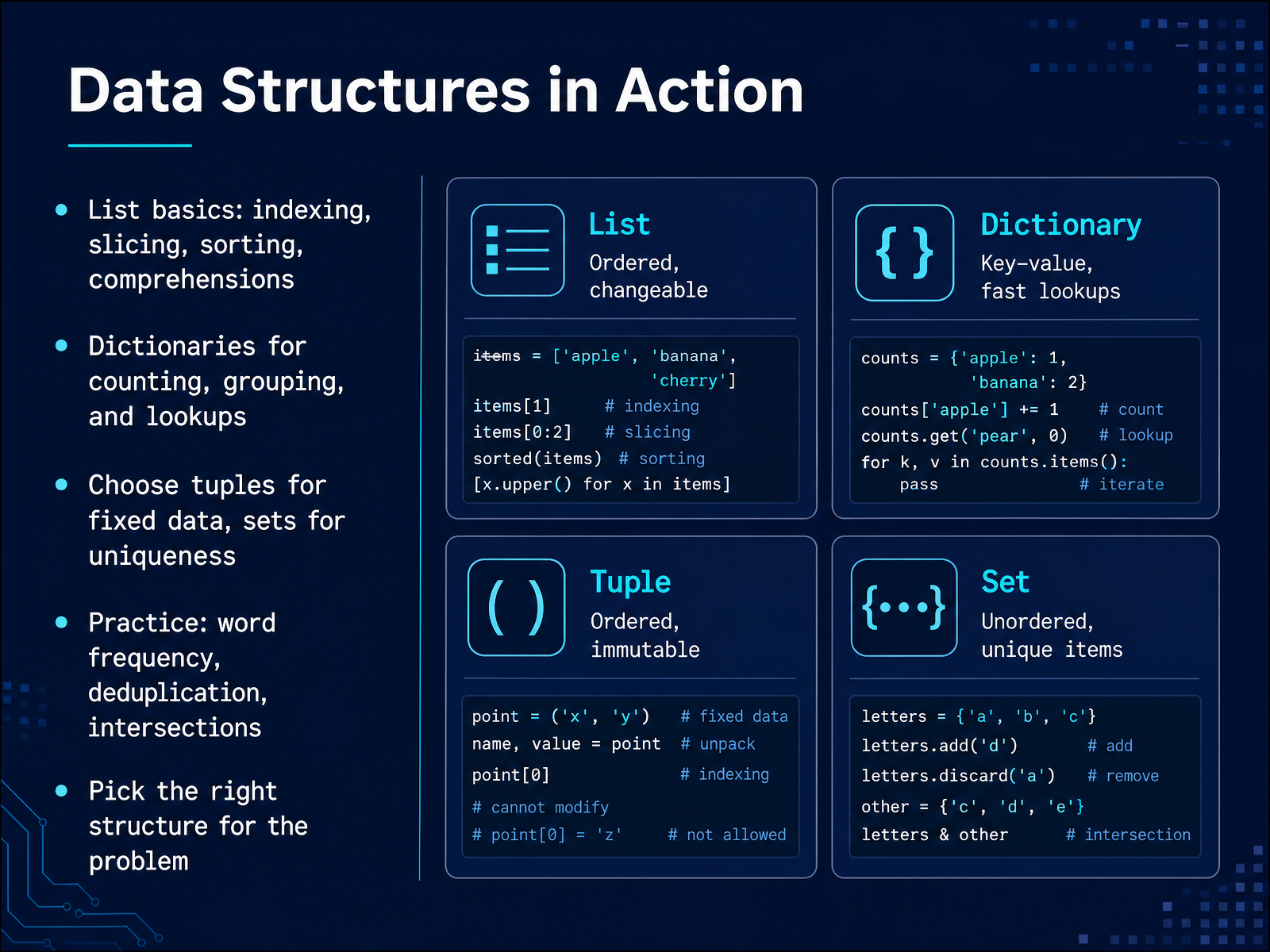
 - 06Data Structures in ActionNow let's put data structures to work in real scenarios. You've likely used lists for ordered collections, but consider their full power: indexing, slicing, sorting, and comprehensions. A comprehension is just a compact way to build a list, like pulling out every even number from a range in a single line. Dictionaries shine for counting and grouping. Imagine tallying word frequency in a sentence; that's a classic task. Sorting and deduplication are also core operations. Remember the rule of thumb: use tuples for fixed data that shouldn't change, and sets when you only care about uniqueness, like getting the distinct items from a list. Your practice here will focus on three key problems: counting word frequency, removing duplicates, and finding intersections between collections. Picking the right structure is half the solution. Don't worry if you mix them up at first; that's a normal part of learning. Now, let's move on to how we bundle logic into reusable pieces with functions, scope, and reusability.
 practicepython.orgdataquest.ioboot.dev+22 min
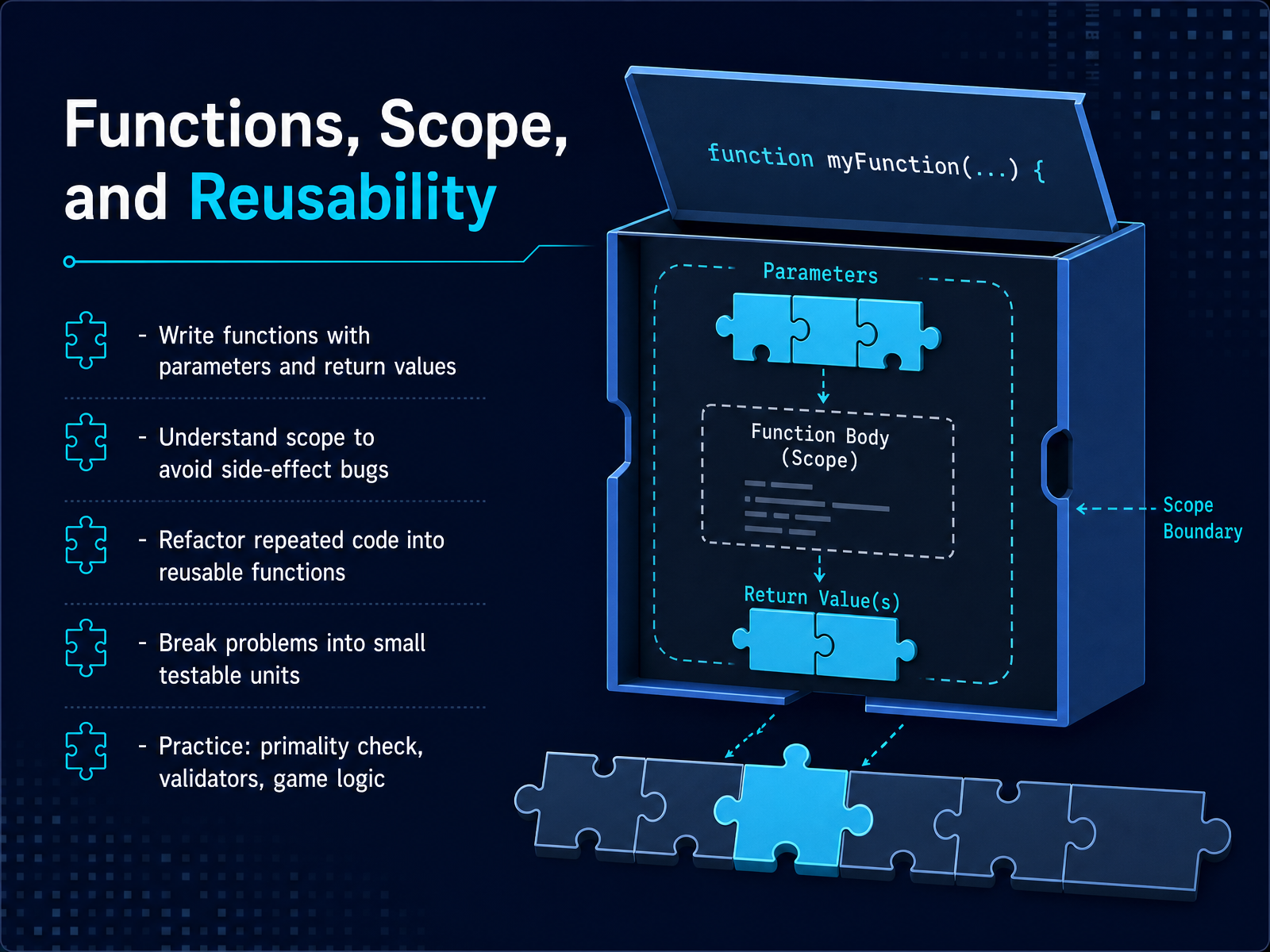
 - 07Functions, Scope, and ReusabilityNow let's talk about functions, scope, and reusability. Think of a function as a recipe. You give it ingredients, it follows steps, and it returns a finished dish. In Python, you define a function with parameters, do the work inside, and use return to send back the result. When you call that function, the code inside runs, and the value comes back to you.
But here's where many beginners trip up—scope. A variable created inside a function stays there. It's local. It doesn't leak out into the rest of your program. This is good, because it prevents accidental side-effect bugs where one part of your code changes something another part depends on.
The real power of functions comes from reusability. When you notice the same logic repeated in your program, that's a signal to refactor. Pull that repeated code into a function, give it a clear name, and call it wherever you need it. This makes your code smaller, easier to test, and easier to fix.
So let's practice. Start with a primality check—write a function that takes a number and returns True if it's prime. Then build validators, like checking if a username has the right length or if a password has both letters and numbers. Finally, try some simple game logic, like deciding who wins a round of rock, paper, scissors.
The goal here is to break problems into small, testable units. Each function should do one thing well. And that makes debugging much easier, which is exactly where we're heading next. Let's move on to debugging and testing practice.
 practicepython.orgdataquest.ioboot.dev+21 min
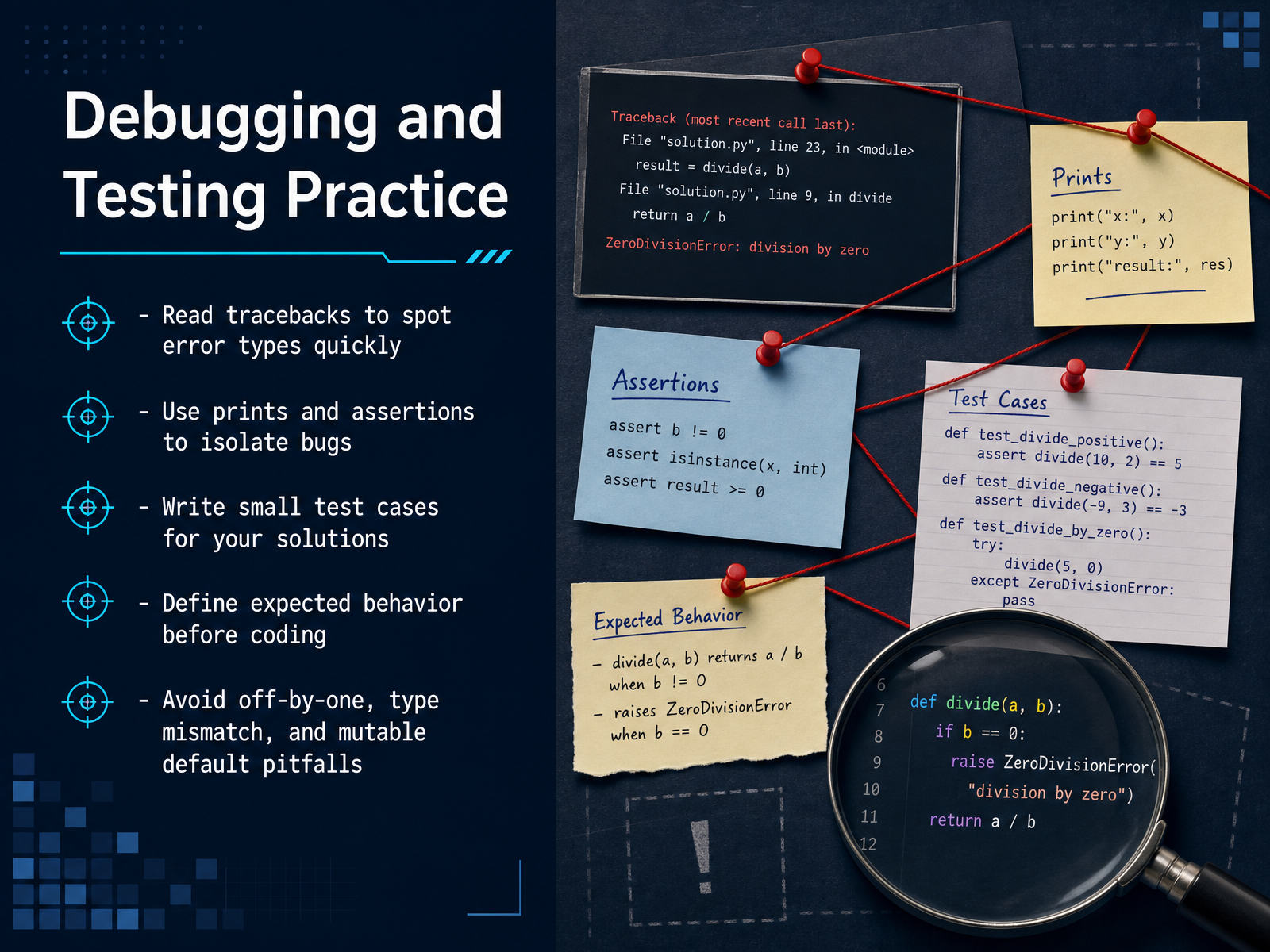
 - 08Debugging and Testing PracticeNow let's talk about debugging and testing. When your code breaks, don't panic. Read the traceback first. It tells you the error type and the exact line. That saves you time. Next, use print statements or assertions to isolate where things go wrong. Think of them as tiny spotlights. Write small test cases for your solutions. Even one simple example can catch a bug. Before you code, define what the expected behavior should be. That way you know what 'working' looks like. Watch out for three common pitfalls: off-by-one errors, type mismatches, and mutable default arguments. These sneak up on everyone. But with practice, you'll spot them faster. And remember, testing isn't extra work—it's part of coding. Coming up next, we'll put these skills to work in real-world mini-projects, turning your scripts into complete solutions.
 1 min
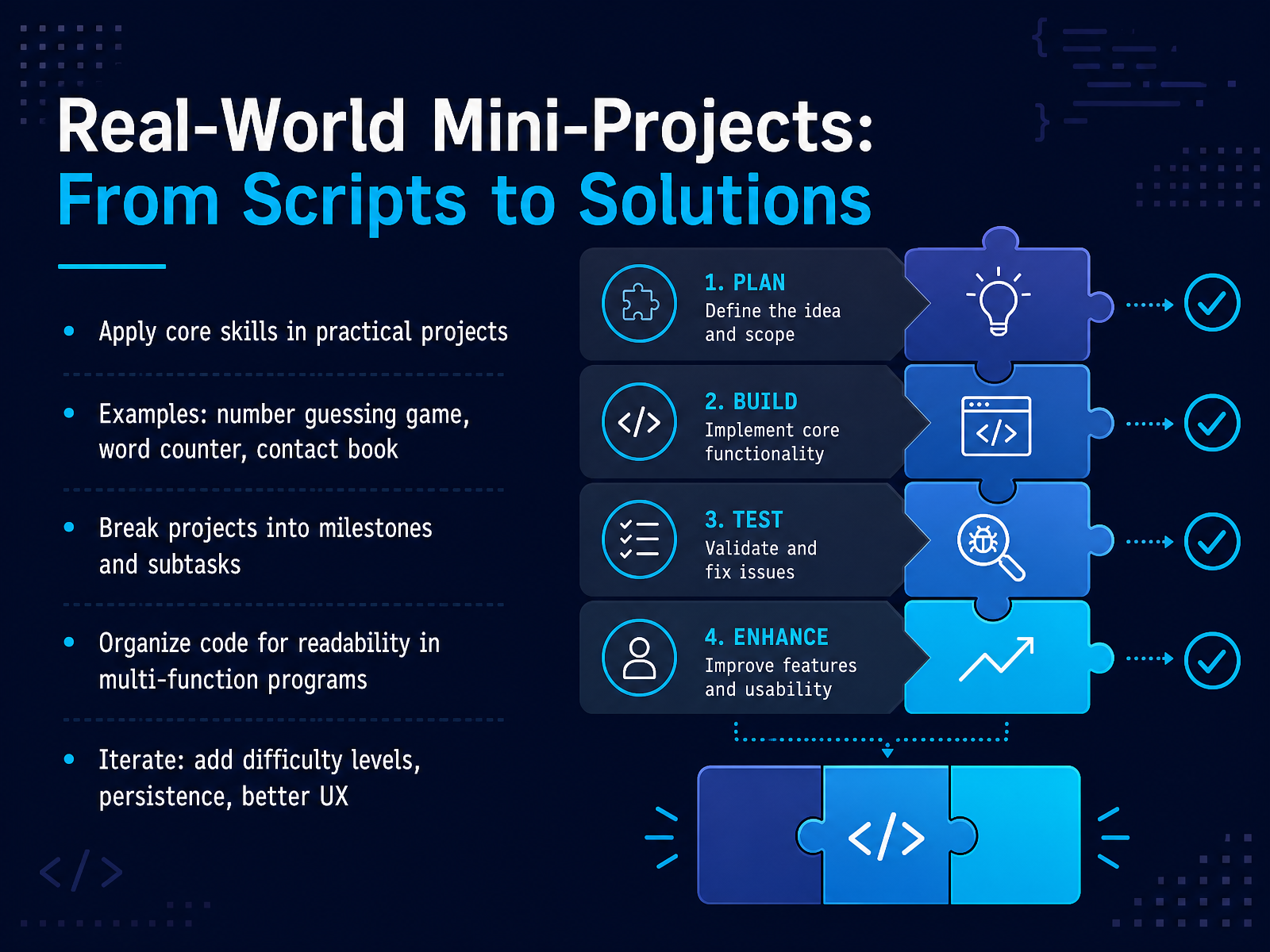
1 min - 09Real-World Mini-Projects: From Scripts to SolutionsNow let's see how the skills you've practiced come together in real projects. Instead of isolated snippets, you build complete programs. For example, a number guessing game, a word counter, or a contact book. These projects let you apply loops, conditionals, functions, and data structures in a meaningful way. The key is to break the project into small milestones. Start with one feature, like generating a random number. Then add user input and feedback. Then think about how to organize your code. When you have multiple functions, keep each one focused and name them clearly. This makes your program easier to read and debug. Once your basic version works, iterate. Add difficulty levels, save data to a file, or improve the user experience. Each small improvement teaches you something new. Remember, real projects grow step by step. You don't build a contact book in one go. You start with adding a contact, then listing, then editing and deleting. And with each iteration, your code gets better and you get more confident. Next, we'll walk through a complete case study: building a number guessing game.
 w3resource.comgithub.cominventwithpython.com+21 min
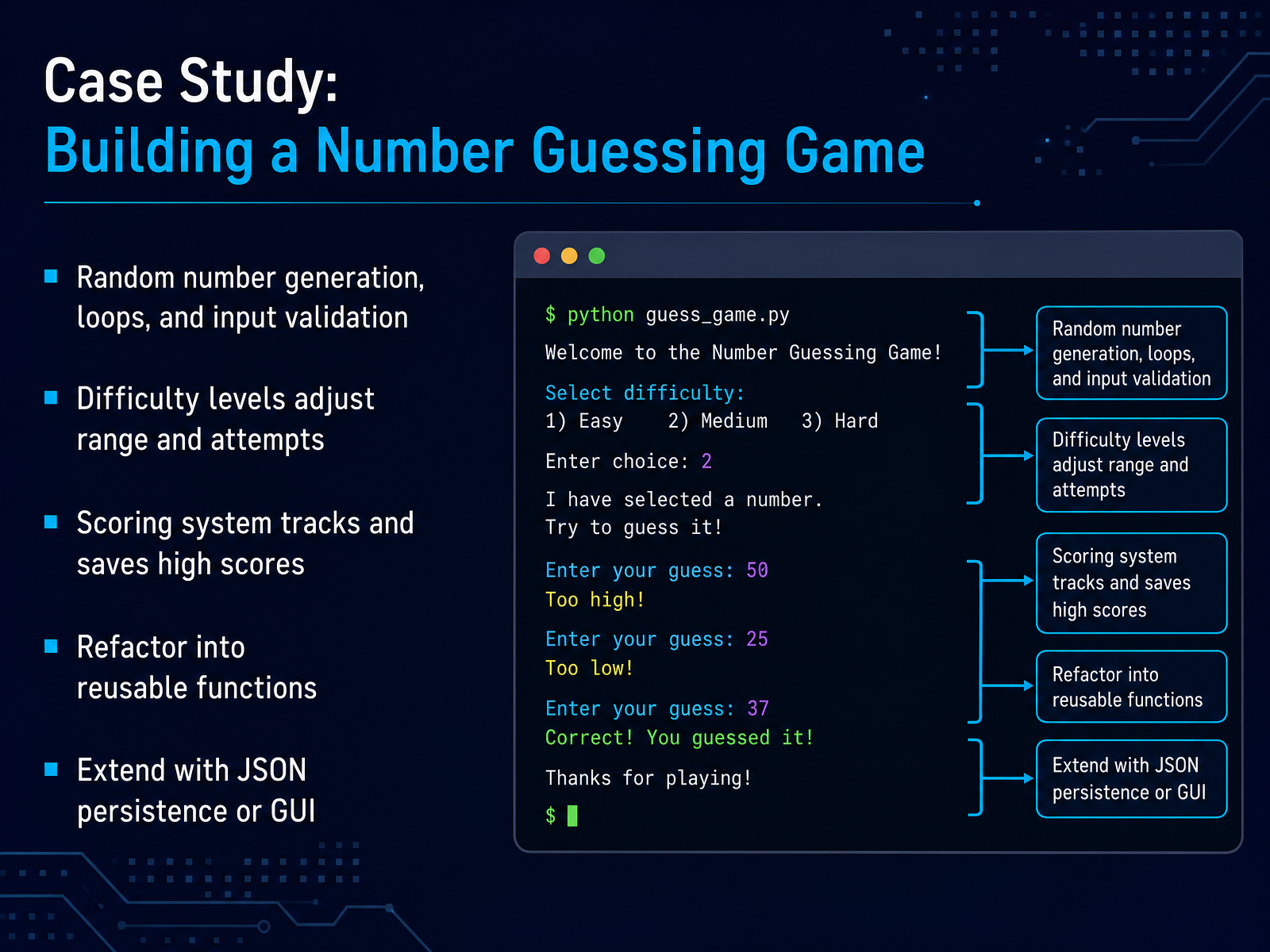
 - 10Case Study: Building a Number Guessing GameNow let's put those concepts together with a classic project: a number guessing game. The computer picks a random number, and the player tries to guess it. First, you'll generate a random number using Python's random module. Then you'll build a loop that keeps asking for input until the guess is correct. But you can't forget input validation. You should check that the player enters a number, and that it falls within the allowed range. To make it more interesting, add difficulty levels. An easy level might use numbers from one to ten with unlimited tries. A hard level uses one to a hundred with only five attempts. This naturally leads to a scoring system. Fewer guesses mean a higher score, and you can store the best score in a simple file. As your code grows, refactor it into reusable functions. Something like get_player_guess, check_guess, and play_round. This keeps your logic clean and testable. From there, you can extend it. Save scores as JSON, or even build a simple GUI using tkinter. The key takeaway is that this small game ties together randomness, loops, conditionals, and user input. And each piece is a skill you will reuse constantly. Up next, we have curated problem sets to keep your practice going. Let's dive in.
 2 min
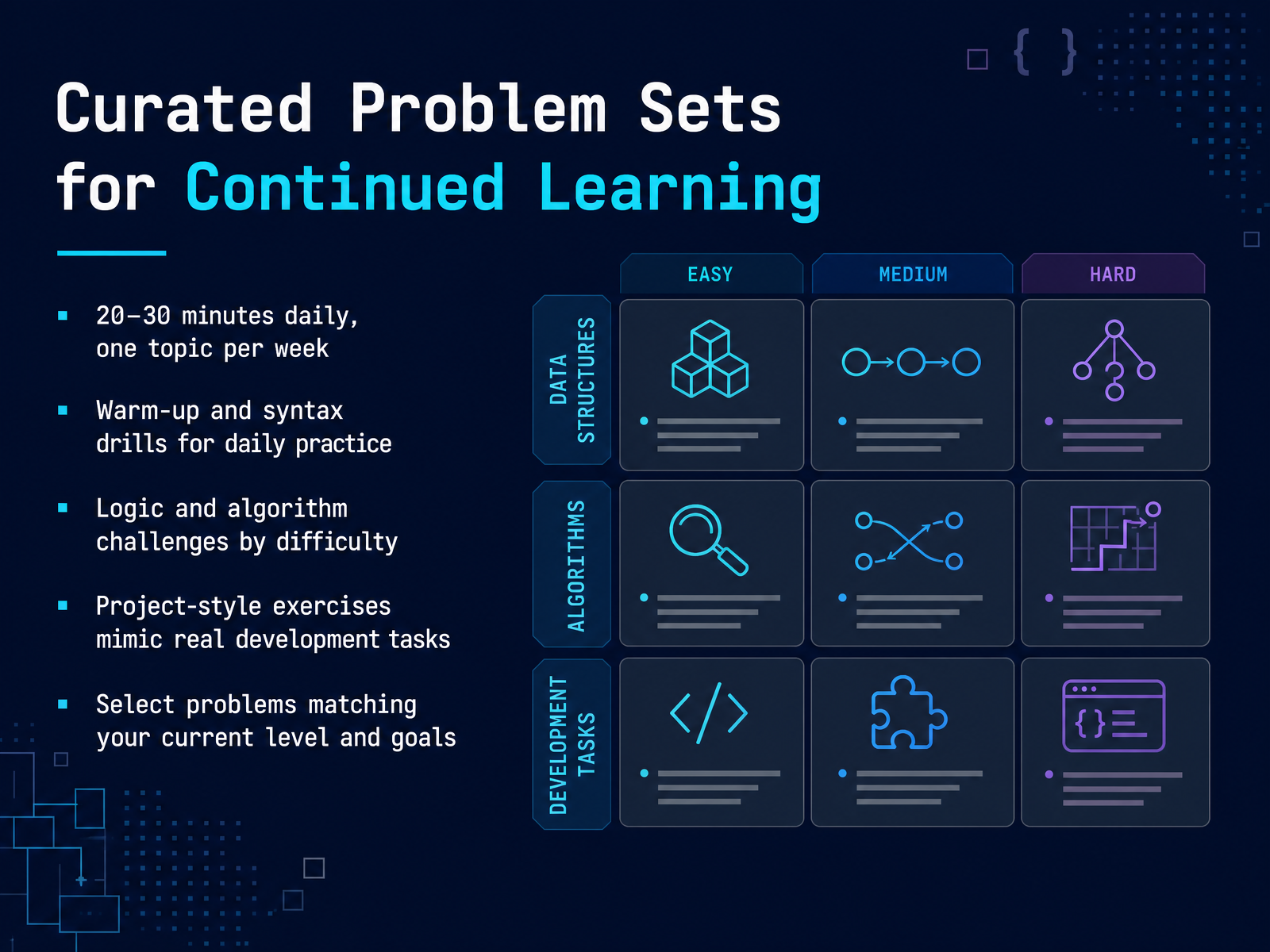
2 min - 11Curated Problem Sets for Continued LearningNow, let’s talk about building a consistent, realistic practice routine. The best approach isn’t marathon sessions. It’s short, daily effort. Aim for twenty to thirty minutes a day, and focus on just one topic each week. This keeps things manageable and lets concepts really stick. Start with warm-up and syntax drills. These are quick exercises that reinforce the basics, like writing loops or working with strings. As you get comfortable, move to logic and algorithm challenges. They’re usually grouped by difficulty, so you can start easy and work your way up. Then, try project-style exercises. These mimic real development tasks and teach you to combine multiple skills. You’ll read documentation, structure code, and solve problems that feel like actual work. The key is to choose problems that match your current level and goals. Force yourself into the sweet spot—not too easy, but not impossibly hard. Three to five focused exercises beat twenty rushed ones. If one takes over twenty minutes, review the concept and try again. Consistency wins, so pick a plan you can actually keep. In the next part, we’ll look at the best platforms for practice and how they differ.
 practicepython.orgdataquest.ioboot.dev+22 min
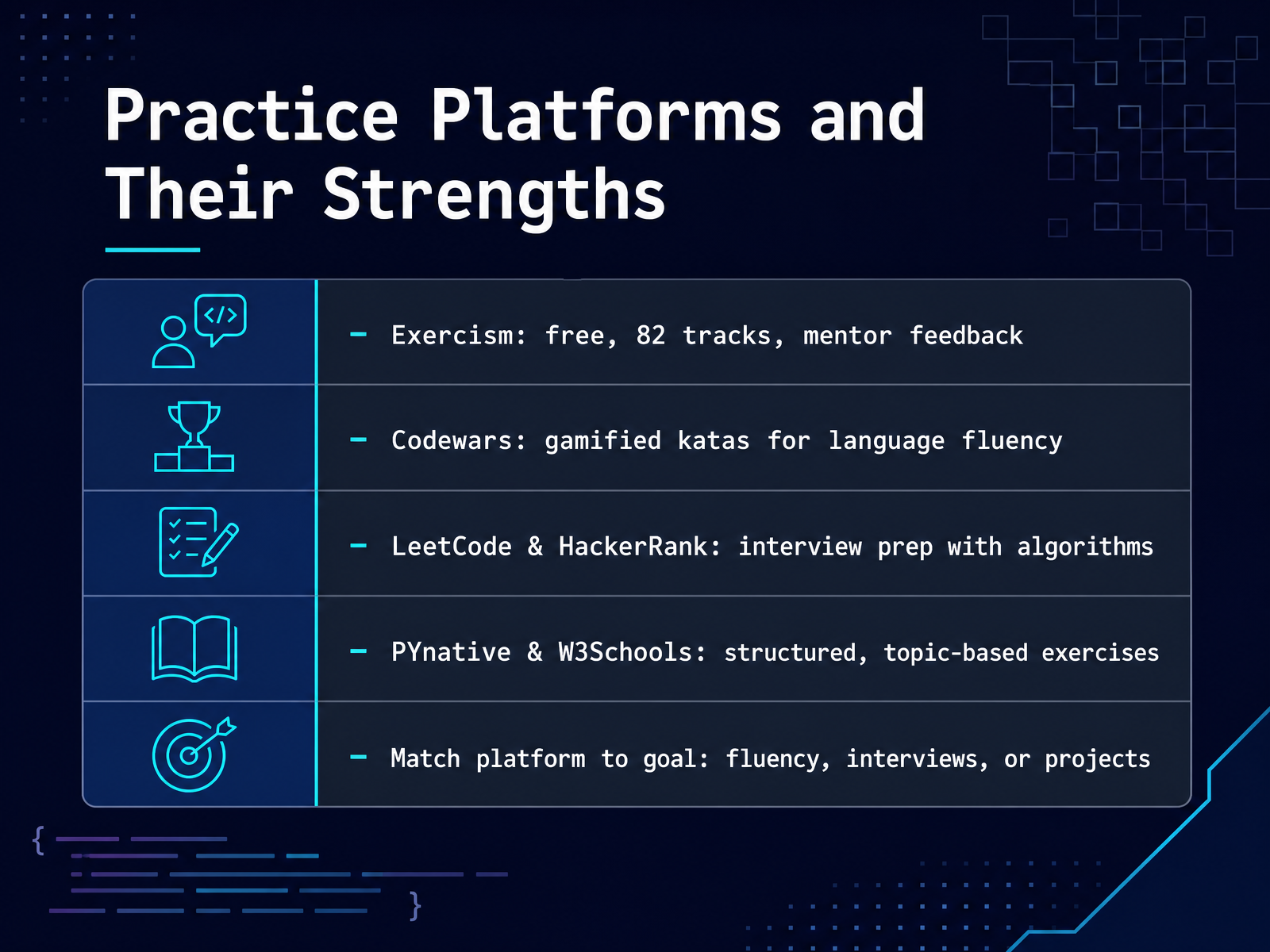
 - 12Practice Platforms and Their StrengthsNow let's talk about where to practice. Matching the platform to your goal makes a huge difference. If you're aiming for interview prep, LeetCode and HackerRank are your best bets. They focus on algorithms and timed challenges that mirror technical screens. For building language fluency, check out Codewars or Exercism. Codewars turns practice into a game with kata challenges, and Exercism stands out because it offers human mentor feedback, which is rare and completely free. If you prefer structured, topic-by-topic exercises, W3Schools and PYnative give you that organized path, often with hints and solutions for every question. Finally, if you want project-based learning or integrated practice, Scrimba lets you solve challenges right inside lessons. The key takeaway? Decide your primary goal first. Are you practicing for fluency, interviews, or portfolio projects? Your goal tells you which platform to use. Remember, six of the top ten platforms are entirely free, so start exploring without spending a cent. Next, let's look at building a personal practice routine to keep you on track.
 scrimba.compycodeit.compybitesplatform.com+22 min
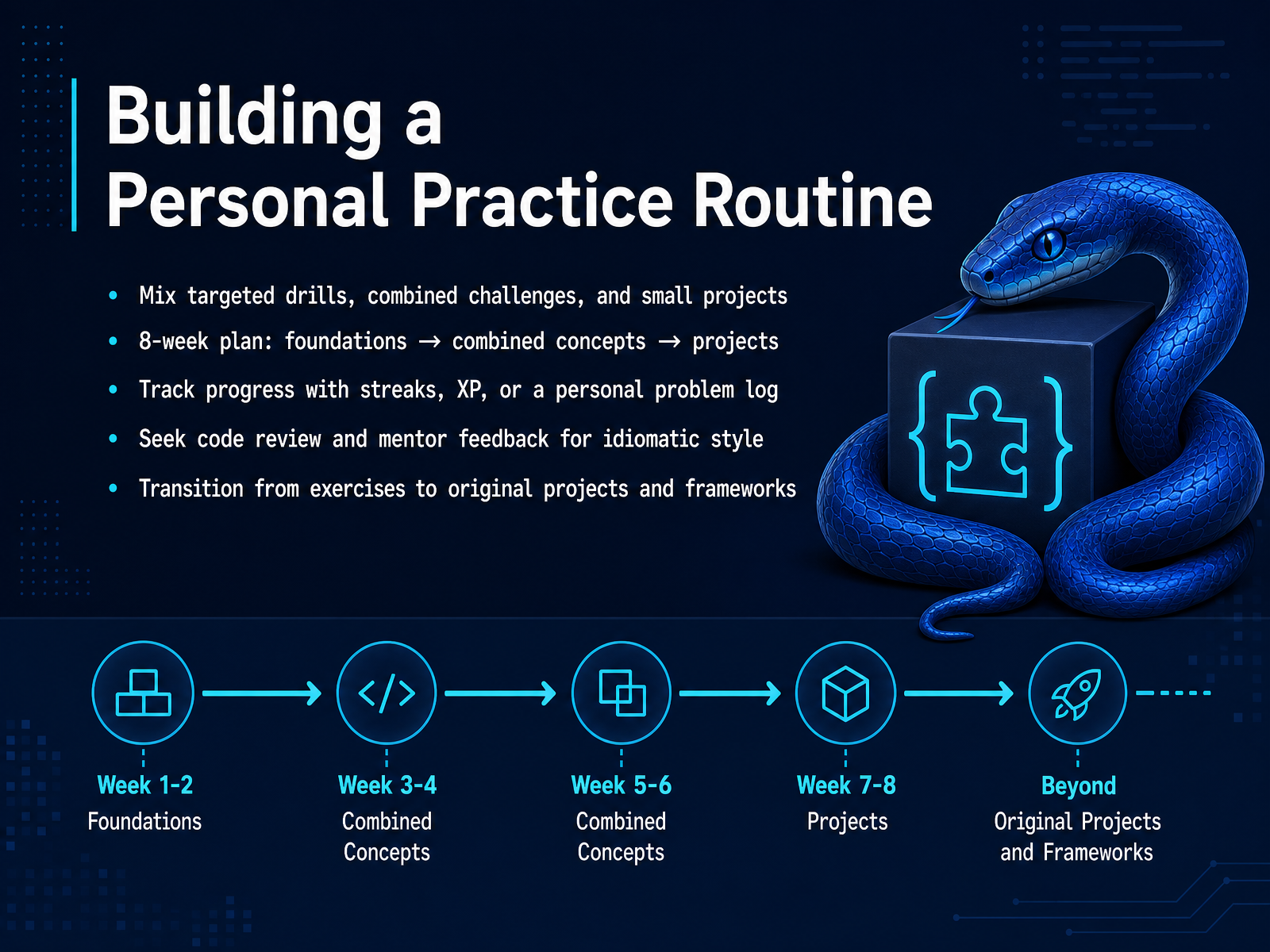
 - 13Building a Personal Practice RoutineLet's turn all that practice into a routine that actually sticks. Think of your learning like a workout plan. You need targeted drills, combined challenges, and small projects. A simple eight-week plan works well. Spend the first month on foundations, one topic each week. Then, for the next month, mix those concepts together. After that, start building small projects. Track your progress. Streaks, experience points, or just a log of problems you've solved. Seeing a chain of wins keeps you motivated. Don't code in a bubble. Share your work for code review. A mentor can show you more idiomatic, Pythonic ways to write. Finally, make the jump. Move from guided exercises to your own original projects. Build something you care about. That is where the real learning happens. Next, we will look at the next steps for moving from practice problems to real projects.
 practicepython.orgdataquest.ioboot.dev+21 min
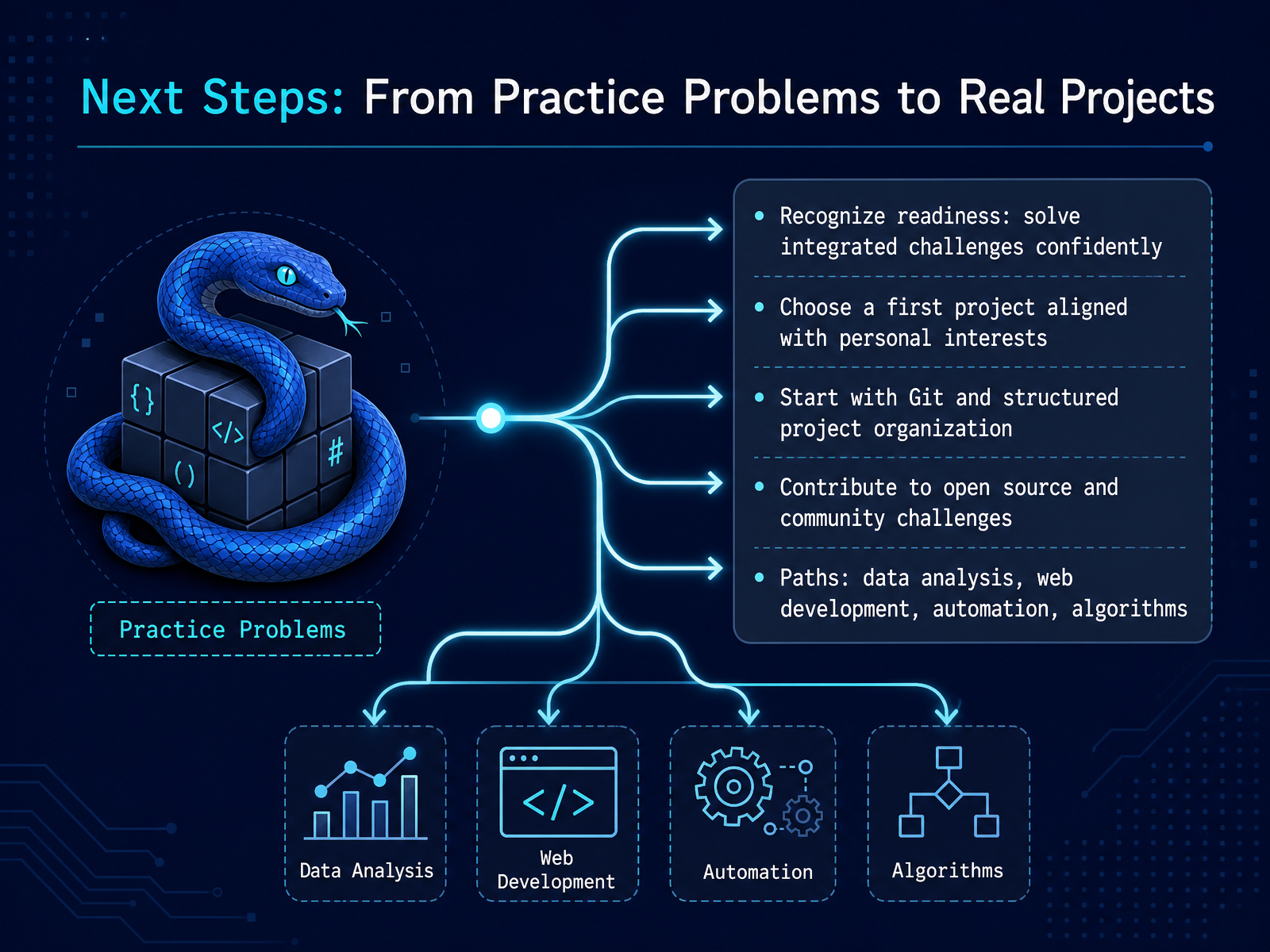
 - 14Next Steps: From Practice Problems to Real ProjectsYou have reached the final step. You have solved problem after problem. Now it is time to turn that practice into real projects. How do you know you are ready? When you can combine multiple skills at once. You might create a game that uses loops, functions, and user input all together. That confidence is your green light. Next, pick a first project that genuinely excites you. It could be a weather app, a to-do list, or a number guessing game with difficulty levels. Choose something you would actually use. As you start building, get comfortable with Git. It tracks your changes and makes it safe to experiment. A clear folder structure helps too. Keep your code organized from day one. After that, consider contributing to open source. Many repositories label beginner-friendly issues. It is a great way to learn from real codebases and connect with others. From here, the paths branch out. You might go into data analysis, web development, or automation. Each one uses the same core skills you have practiced. Thank you for your dedication. You have built a solid foundation. Now, go build something amazing. The journey truly starts now.
 w3resource.comgithub.cominventwithpython.com+22 min
Take the deck with you
Download this course as a file — free, no sign-up needed.
- PDF handoutEvery slide page, ready to print or share.15 pages · 3.3 MBDownload
- Narrated PowerPointThe deck that presents itself — every slide carries the digital human's narration video.15 pages · 14.4 MBDownload
- PowerPoint slidesThe full deck as a .pptx — open it in PowerPoint, Keynote, or Google Slides.15 pages · 3.2 MBDownload
Free to use in your own training — please keep the PersonWise credit page at the end.
Have your own deck? Turn it into a course
Sources consulted
Web sources consulted while building this course.
- 100 Python Projects for Beginners with solutions — w3resource.com
- GitHub - kwnglab/tiny_python_projects: Code for Tiny Python Projects (Manning, 2020, ISBN 1617297518). Learning Python through test-driven development of games and puzzles. · GitHub — github.com
- The Big Book of Small Python Projects — inventwithpython.com
- droidevs/python-projects-beginner — github.com
- Guess the Number — inventwithpython.com
- Practice Python — practicepython.org
- 400+ Python Practice Exercises by Topic (2026) — dataquest.io
- 12 Python Practice Problems for Beginners (With Solutions) | Boot.dev — boot.dev
- 40 Python Basic Exercise for Beginners with Solutions — pynative.com
- The 50 Best Python Practice Problems (Beginner to Advanced) — Runnable in Your Browser | ThePythonBook — pythoncompiler.io
- 10 Best Coding Practice Platforms & Challenge Sites (2026) — scrimba.com
- Free Python Coding Practice & Interview Prep | PyCodeIt — pycodeit.com
- Learn Python Through Practice | Pybites Platform — pybitesplatform.com
- Pybites Code Platform – Pybites — pybit.es
- Python Exercises, Practice, Challenges [800+ Exercises] — pynative.com