Begin
14 pages · ~28 min
UX Design Roles & Handoffs
This training clarifies UX design roles, responsibilities, and handoffs, helping cross-functional teams understand who owns what and collaborate more effectively across the design process.
A digital instructor presents all 14 pages. Hold “Ask” at any point and ask out loud — the answer comes from this course. No sign-up needed.
What you’ll learn
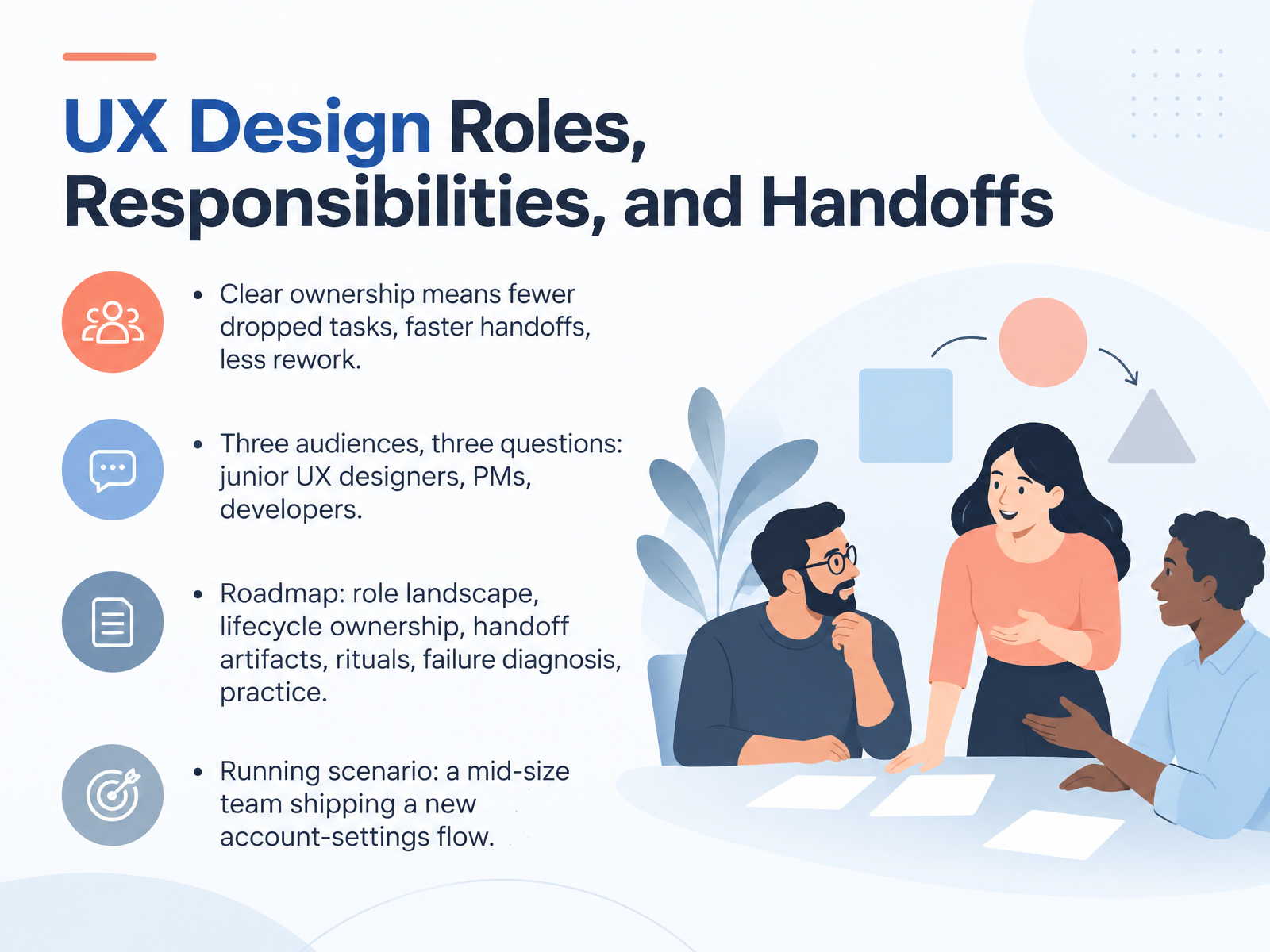
- 01UX Design Roles, Responsibilities, and HandoffsWelcome to this course on UX design roles, responsibilities, and handoffs. The goal is simple. By the end, you and your team will know who owns what, and how work moves cleanly from design to delivery. Clear ownership means fewer dropped tasks, faster handoffs, and less rework. Here's what that looks like in practice. Three audiences, three questions. Junior UX designers ask what am I responsible for. Product managers ask who do I coordinate with, and when. Developers ask what exactly am I receiving, and is it ready. We'll cover the role landscape, lifecycle ownership, handoff artifacts, and team rituals. Then we'll diagnose common failures and practice. Our running scenario is a mid-size team shipping a new account-settings flow, so every example ties back to real decisions you can picture. Next, we'll look at why unclear roles cost teams time.wandr.studioassets.interaction-design.orgsupercharge.design+22 min
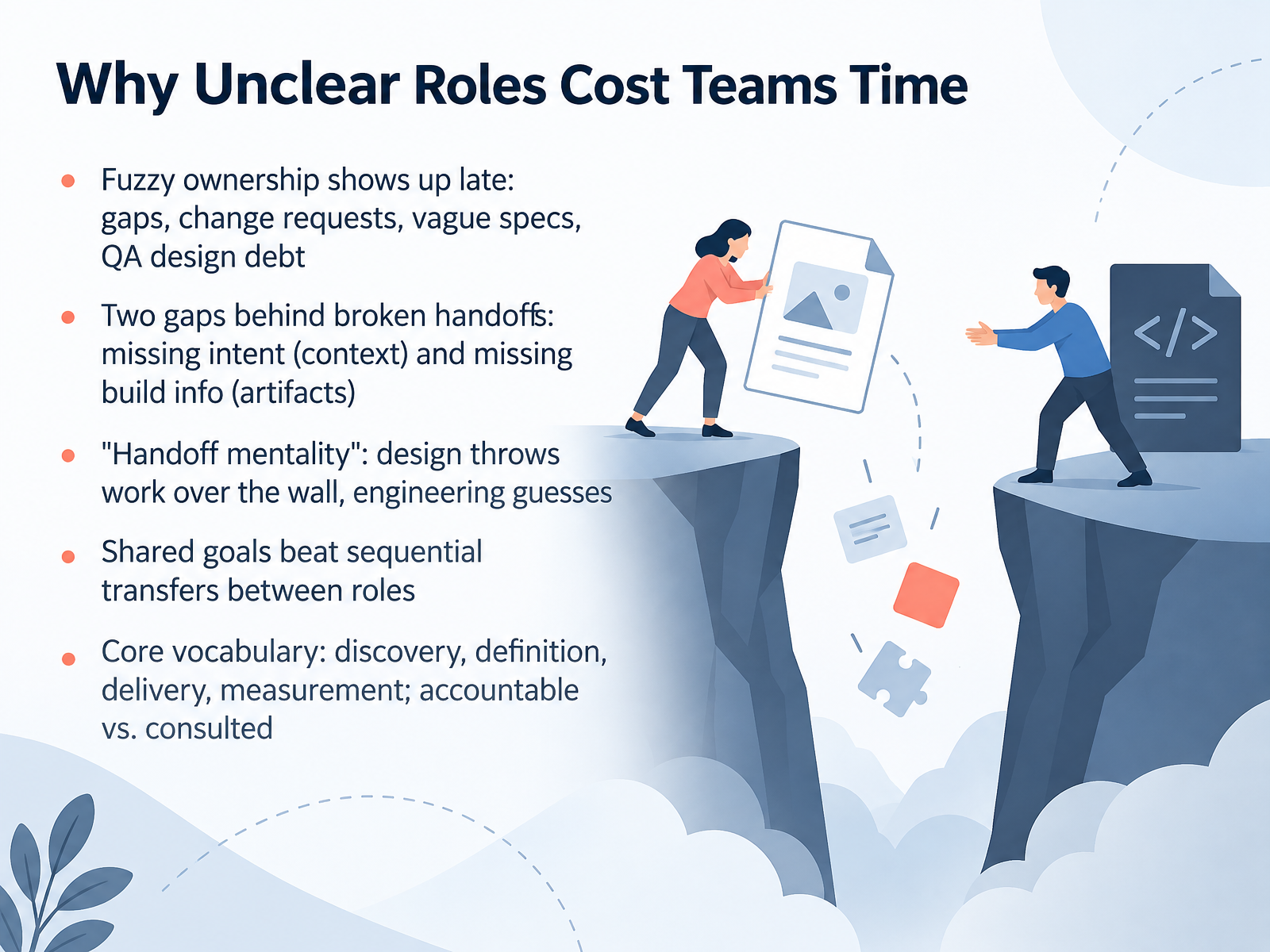
- 02Why Unclear Roles Cost Teams TimeLet's look at where unclear roles actually cost your team time. Fuzzy ownership tends to show up late. You see it as gaps nobody filled, change requests, vague specs, or design debt piling up in QA. Almost every broken handoff traces back to two gaps. The first is missing intent. That's the context behind a decision. The second is missing build information, the actual artifacts a developer needs. When those are missing, we fall into handoff mentality. Design throws work over the wall, and engineering guesses. Instead, aim for shared goals. Discovery, definition, delivery, and measurement are the core vocabulary here. And remember the difference between accountable, the one person who owns the outcome, and consulted, the people who give input. Coming up next, The UX Role Landscape.
 nextretro.iovantageos.techharrisonjonesdesign.com+21 min
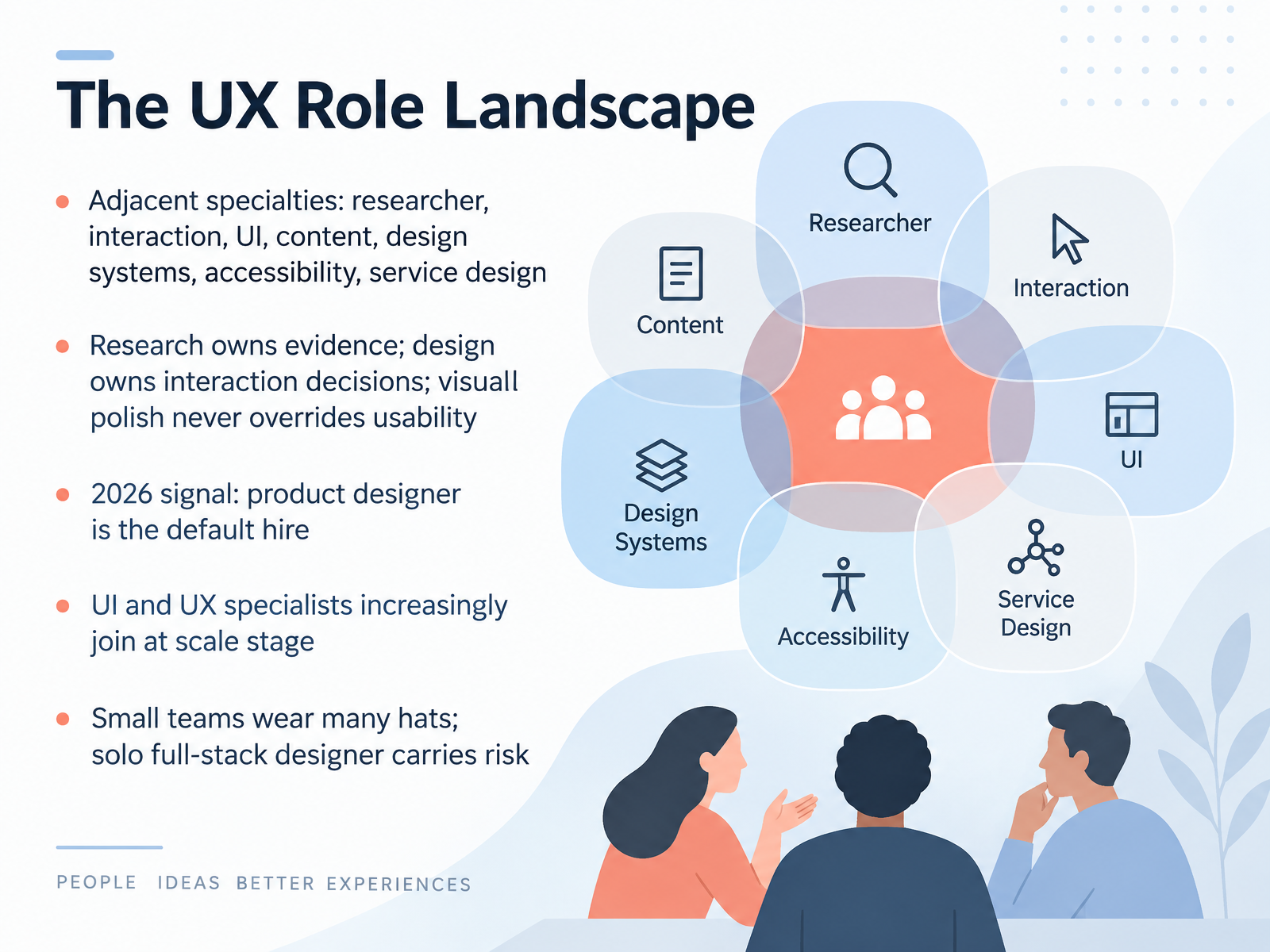
- 03The UX Role LandscapeLet's map the roles around you. UX work has adjacent specialties: researchers, interaction designers, UI designers, content designers, design systems leads, accessibility specialists, and service designers. You don't need all of them on day one, but each function eventually needs an owner. On your team, research owns the evidence: interviews, usability tests, and synthesis. Design owns interaction decisions: flows, states, and what happens when something fails. Visual polish never overrides usability. If a screen looks great but users can't finish a task, the design isn't done. Here's the 2026 signal. The product designer is the default hire, covering both UX and UI. At scale, UI and UX specialists join to deepen craft. Small teams wear many hats, which builds range but carries risk: one person's blind spots become the whole team's blind spots. Next, we'll look at hybrid and emerging roles in 2026.
 wandr.studioassets.interaction-design.orgsupercharge.design+22 min
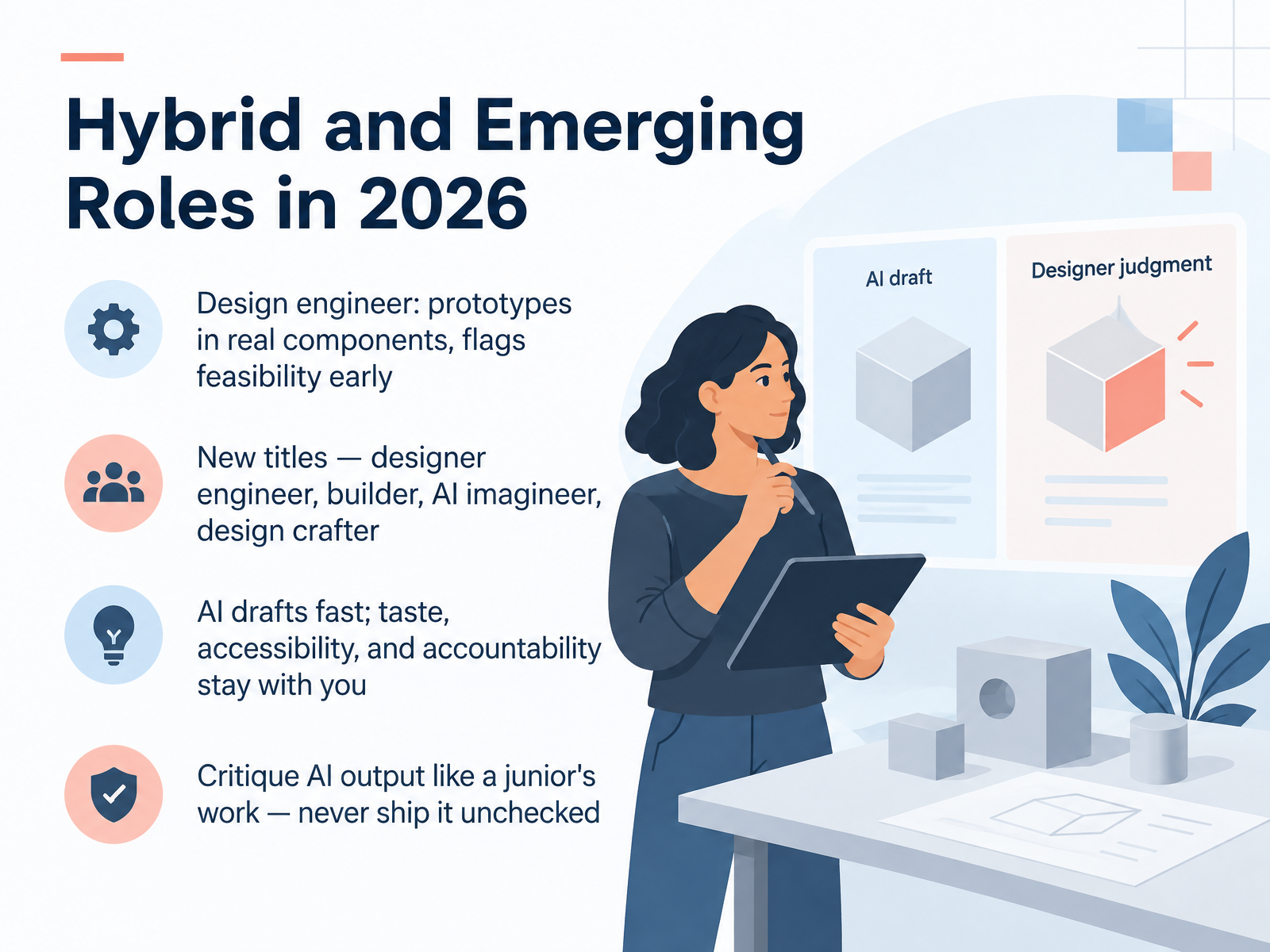
- 04Hybrid and Emerging Roles in 2026Now let's look at hybrid and emerging roles. A design engineer combines product design thinking with front-end engineering skill. They prototype in real components and flag feasibility early, before your team commits to a direction. You will also see new titles like designer engineer, builder, AI imagineer, and design crafter. The names are not standardized, but the pattern is: people who can move from concept to working interface without a long handoff chain. Here is the part that stays with you. AI drafts fast. Taste, accessibility, and accountability remain yours. Critique AI output the way you would a junior's work. Ask what is wrong with it, check the edge states, and never ship it unchecked. So on your next project, agree on who owns that review before the draft arrives. Next, we will trace responsibilities across the product lifecycle.
 mondo.compivotnews.aivibeengines.com+22 min
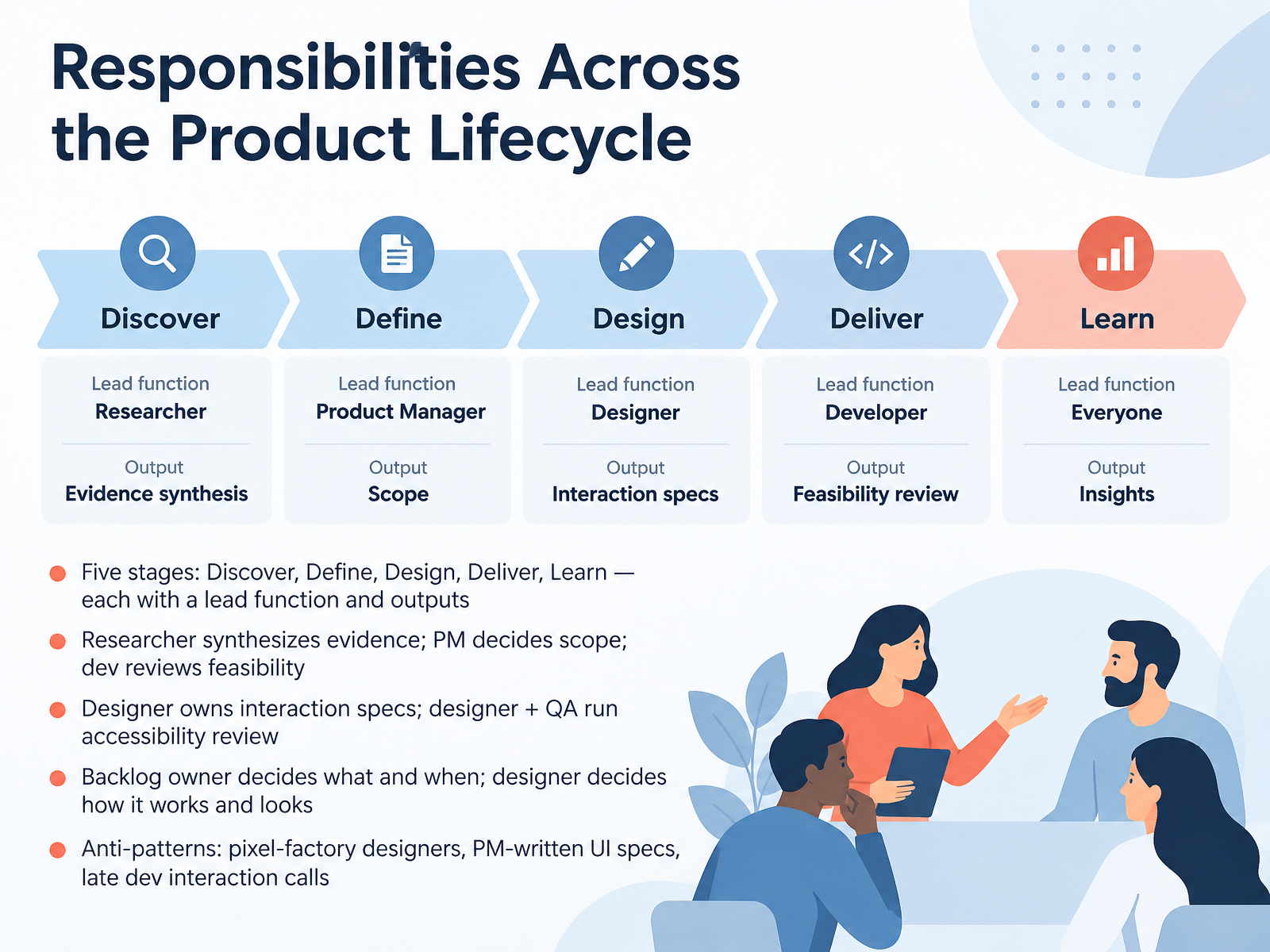
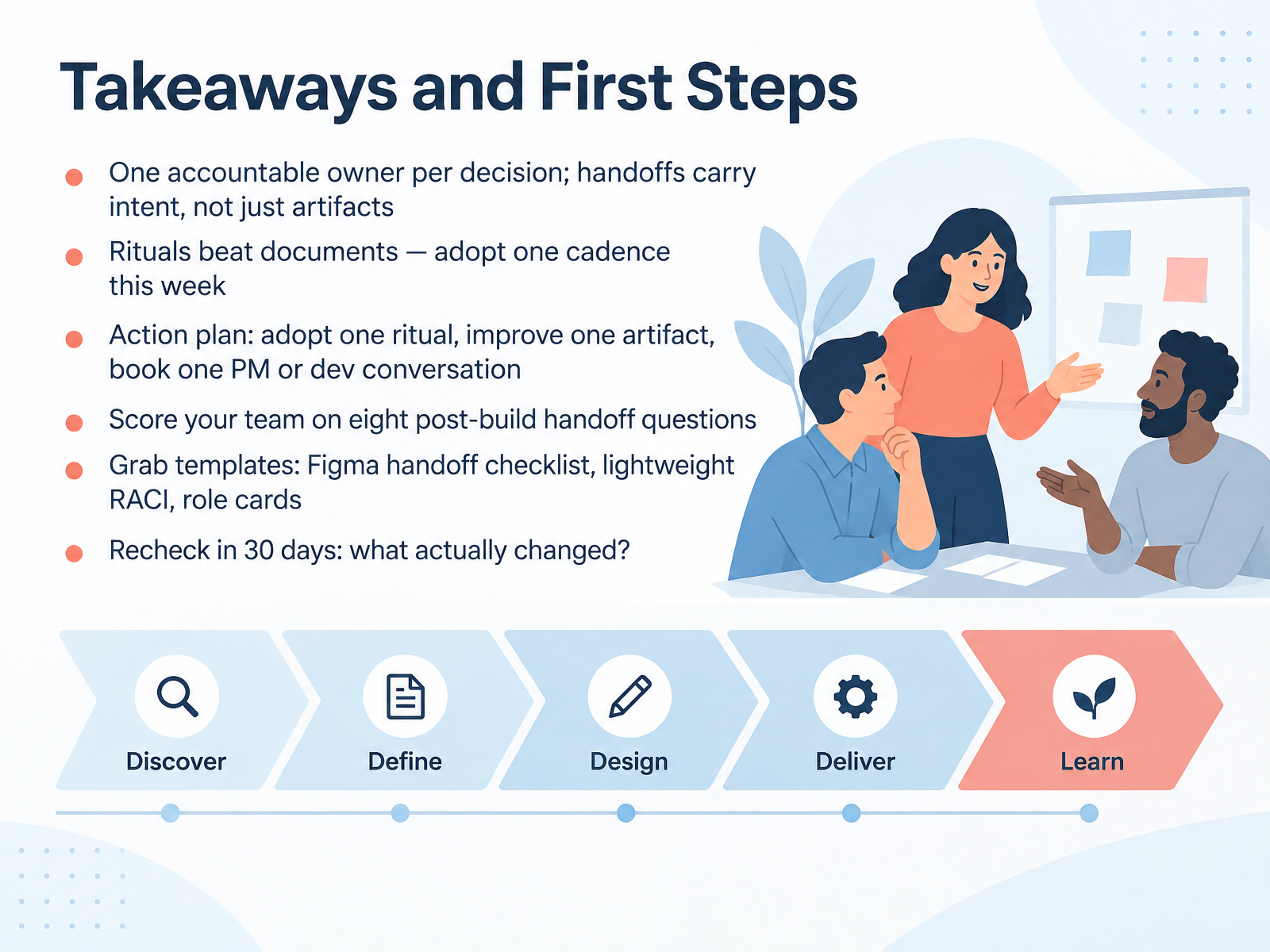
- 05Responsibilities Across the Product LifecycleLet's look at responsibilities across the product lifecycle. There are five stages: Discover, Define, Design, Deliver, and Learn. Each stage has a lead function and clear outputs. In Discover, the researcher synthesizes evidence. In Define, the product manager decides scope, and a developer reviews feasibility. During Design, the designer owns interaction specs, and then the designer and QA together run the accessibility review. So the backlog owner decides what and when, while the designer decides how it works and how it looks. Watch for three anti-patterns: designers turned into pixel factories, PMs writing UI specs, and developers making interaction calls late in the build. When you own a handoff, name the decision, the owner, and the next step out loud. Next, we'll look at role cards and the RACI: Who Does What: Role Cards and RACI.
 nngroup.comblueprints.forgesdlc.comguide.techfleet.org+21 min
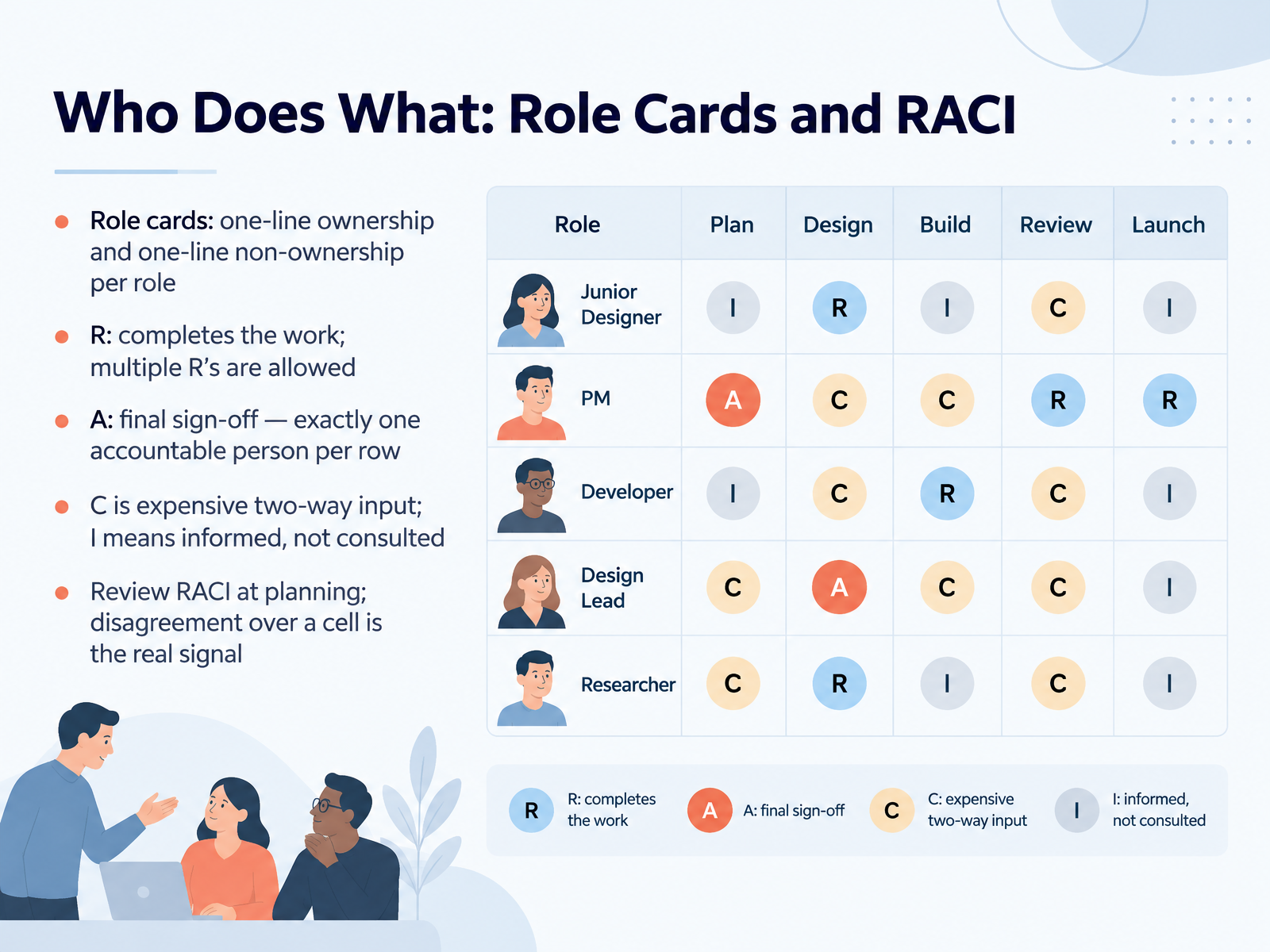
- 06Who Does What: Role Cards and RACINow let's put names on the work. Role cards give each role one line of ownership and one line of non-ownership, so a UX researcher might own study design but not final release sign-off. The RACI matrix builds on that. R means the role completes the work, and you can have multiple R's on a row. A means final sign-off, and there is exactly one accountable person per row. C means consulted, which is two-way input and expensive, so use it on purpose. I means informed, one-way only. They hear the outcome, but they are not asked to weigh in. So review the RACI together at planning. If your team argues about a cell, treat that as the real signal. Something was unclear, and now is the time to fix it. Next, we'll look at what a good handoff actually contains.
 nngroup.com1 min
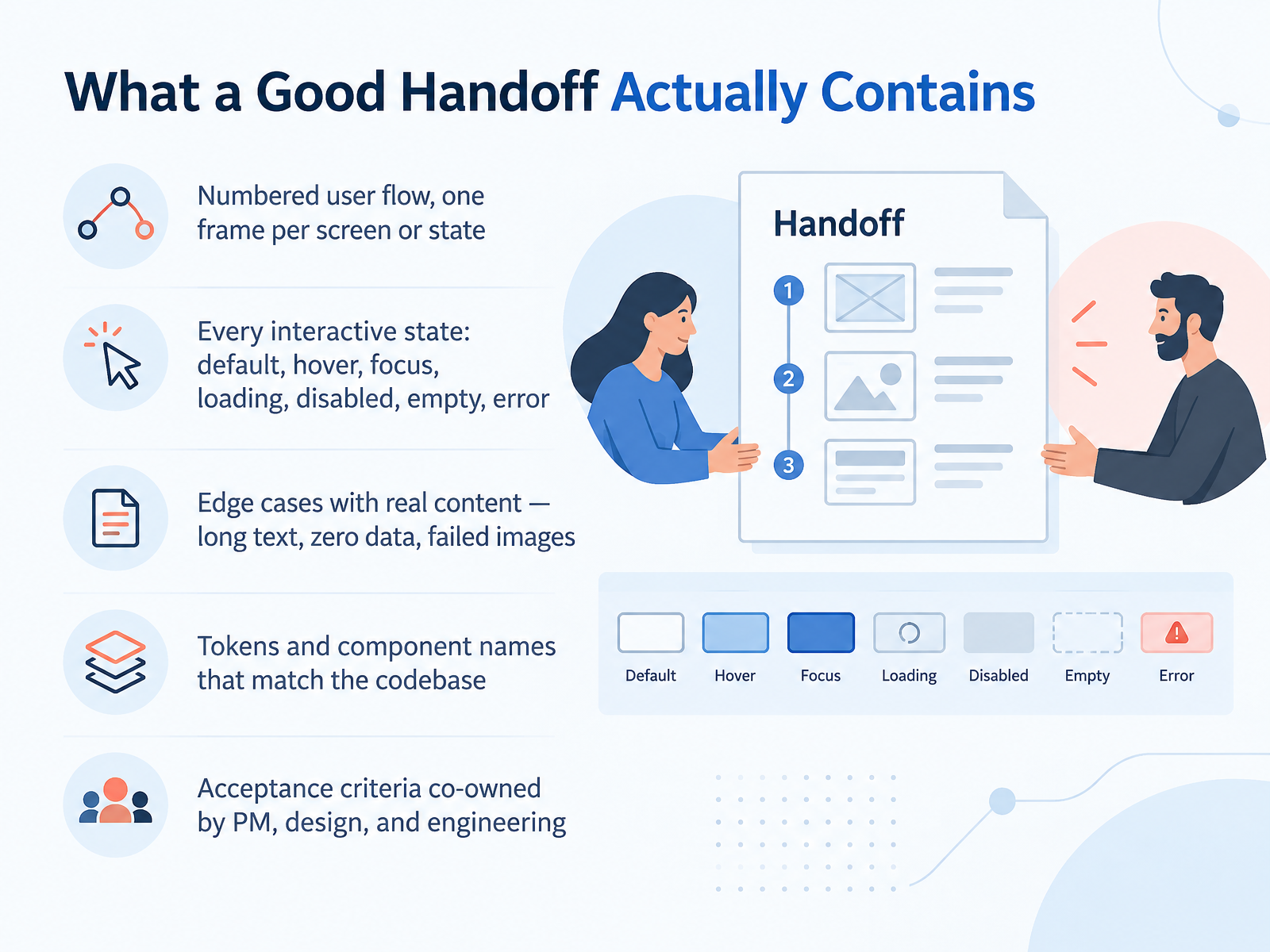
- 07What a Good Handoff Actually ContainsSo how do you know a handoff is actually complete? Let's break down what a good one contains. Start with a numbered user flow. One frame per screen or state, numbered in order, like one point zero, one point one, so nobody has to guess the sequence. Next, design every interactive state: default, hover, focus, loading, disabled, empty, and error. These states are most of the real UI work. Skipping them means a developer invents them, or you get a Slack thread. Then add edge cases with real content: long text, zero data, failed images. Real copy shows layout problems that placeholder text hides. Also, use tokens and component names that match the codebase, so a developer sees the same names in Figma and in code, with no translation meeting. Finally, acceptance criteria co-owned by the product manager, design, and engineering, so everyone agrees what done means before the build starts. Access every handoff against those five items and most questions disappear. Next, we'll look at where accessibility fits into this picture, in Accessibility Belongs in the Handoff.
 2 min
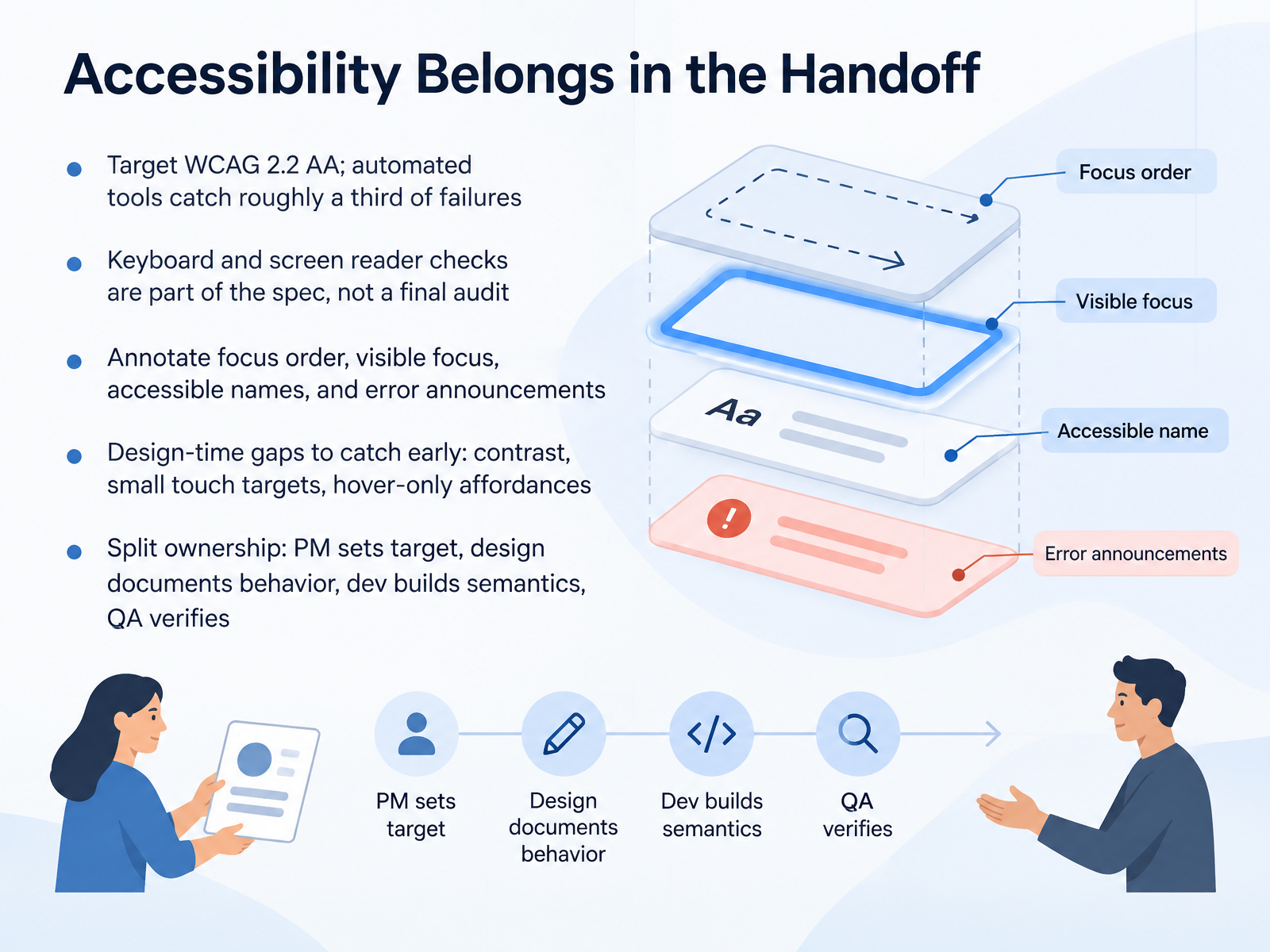
- 08Accessibility Belongs in the HandoffNext, let's talk about accessibility at the handoff. Your team targets WCAG 2.2 level double A. Keep in mind that automated tools catch roughly a third of failures. The rest needs a person with a keyboard and a screen reader. So keyboard checks and screen reader checks belong in the spec, not saved for a final audit. Your design annotations should spell out focus order, visible focus, accessible names, and how errors get announced. Catch the design-time gaps early: low contrast, small touch targets, and hover-only affordances. Ownership is shared. The product manager sets the target. Design documents the intended behavior. Developers build the semantics. And QA verifies it all before release. That split keeps nobody guessing. Now, let's look at how to make this repeatable. From Design to Development: A Repeatable Handoff Process.
 2 min
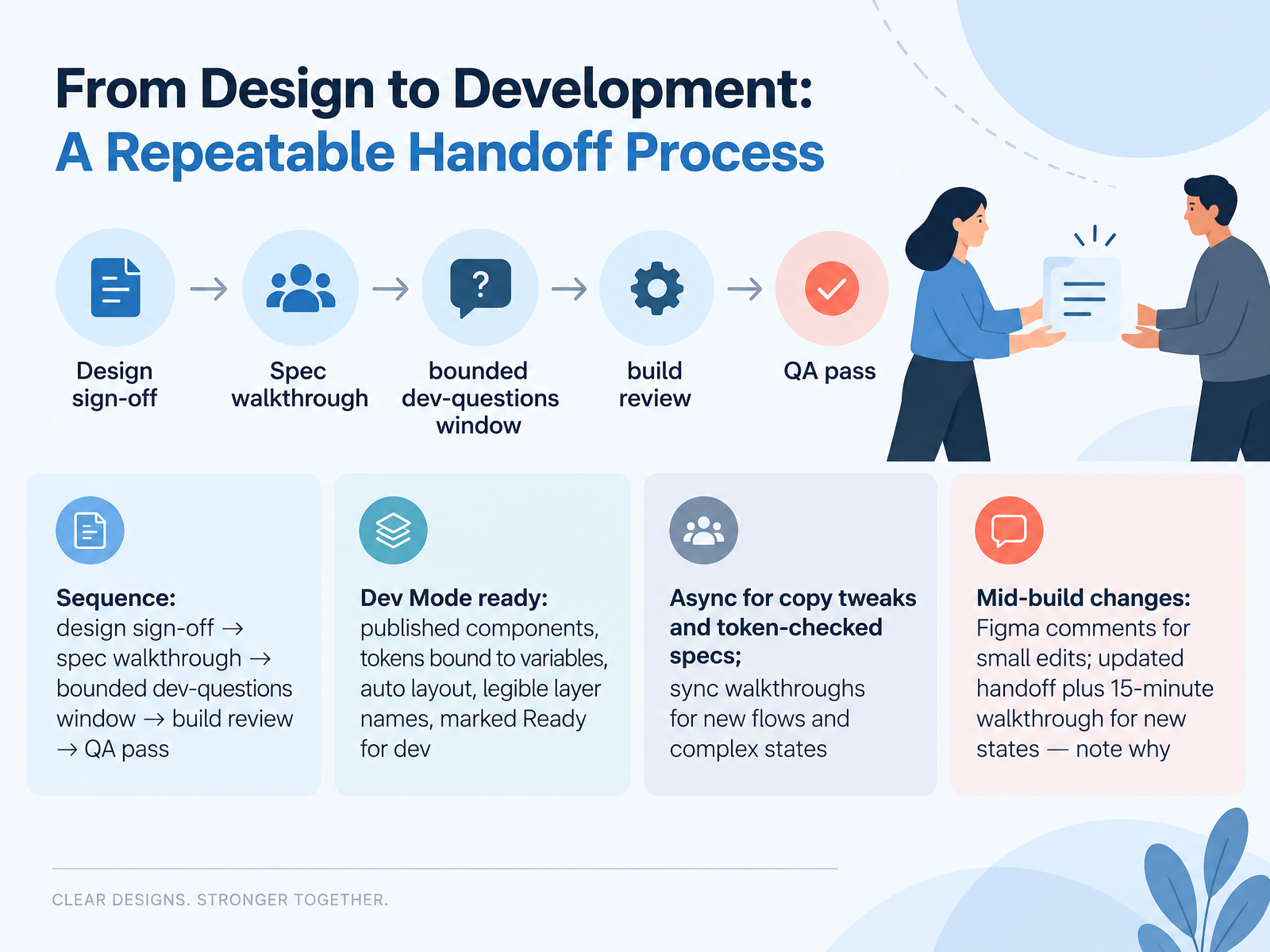
- 09From Design to Development: A Repeatable Handoff ProcessLet's turn handoff into a repeatable process. The sequence is simple. Design sign-off comes first, then a spec walkthrough, then a bounded window for developer questions, then a build review, and finally a QA pass. Before sign-off, make sure the file is Dev Mode ready. That means published components, tokens bound to variables, auto layout, legible layer names, and frames marked Ready for dev. For copy tweaks and token-checked specs, stay async. For new flows and complex states, book a short sync walkthrough. And what about changes mid-build? Small edits go in Figma comments. New states need an updated handoff plus a fifteen-minute walkthrough, and always note why the change happened. Next, we'll look at the rituals that keep roles aligned.
 1 min
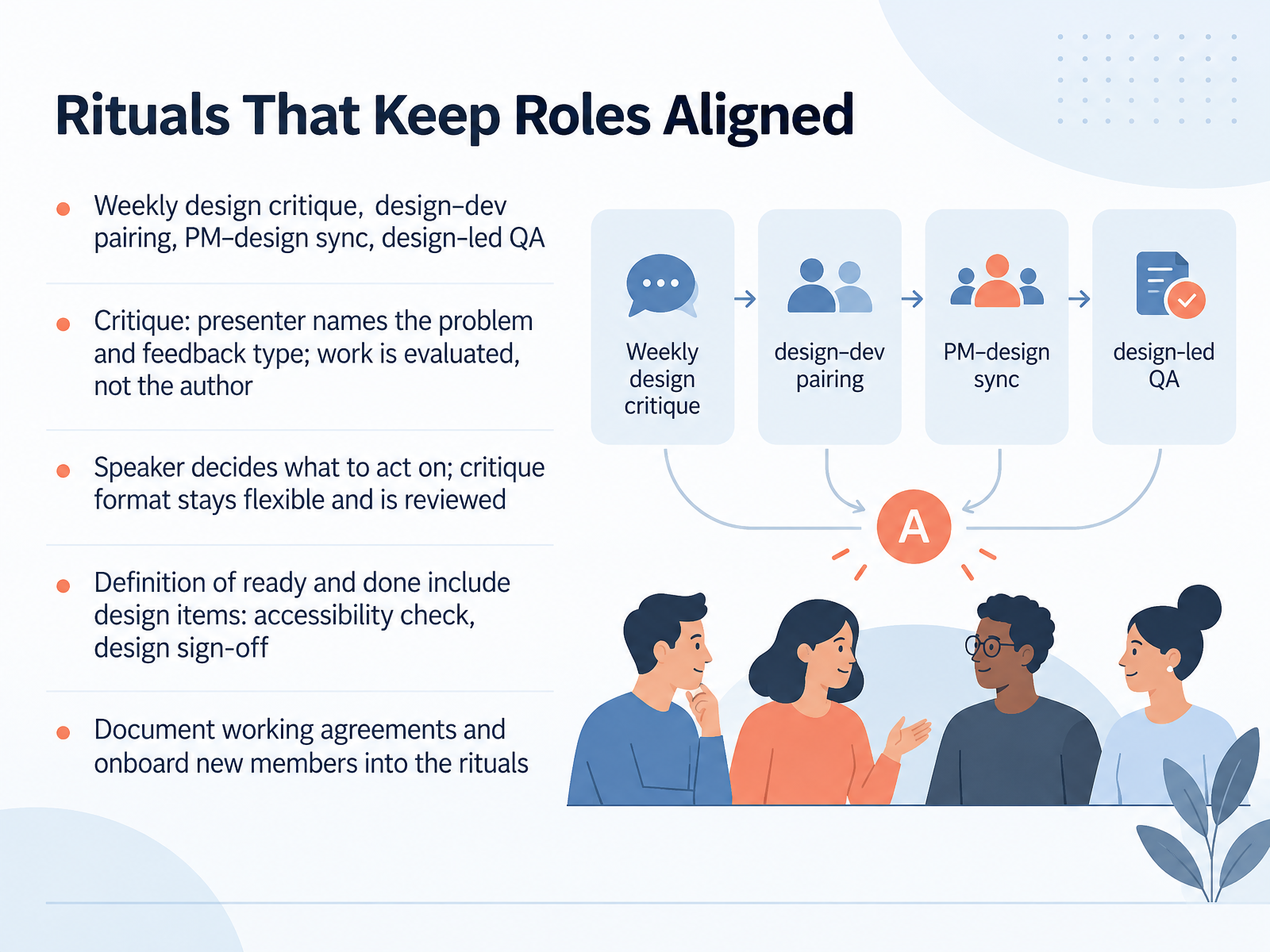
- 10Rituals That Keep Roles AlignedLet's talk about the rituals that keep roles aligned. Four recurring habits do most of the work. Weekly design critique. Design and dev pairing. A regular product manager and design sync. And design-led quality assurance, where a designer reviews the build before release.
For critique, set a simple rule. The presenter names the problem and the kind of feedback they want, whether visual or interaction. Evaluate the work, not the author. And the speaker decides what to act on. Keep the format flexible, and review it with the team every few months.
Then build design into your definitions. Your definition of ready can require mockups and flows. Your definition of done can include an accessibility check and design sign-off.
Finally, write your working agreements down, and onboard new members into these rituals. Now let's look at what happens when handoffs go wrong.
 2 min
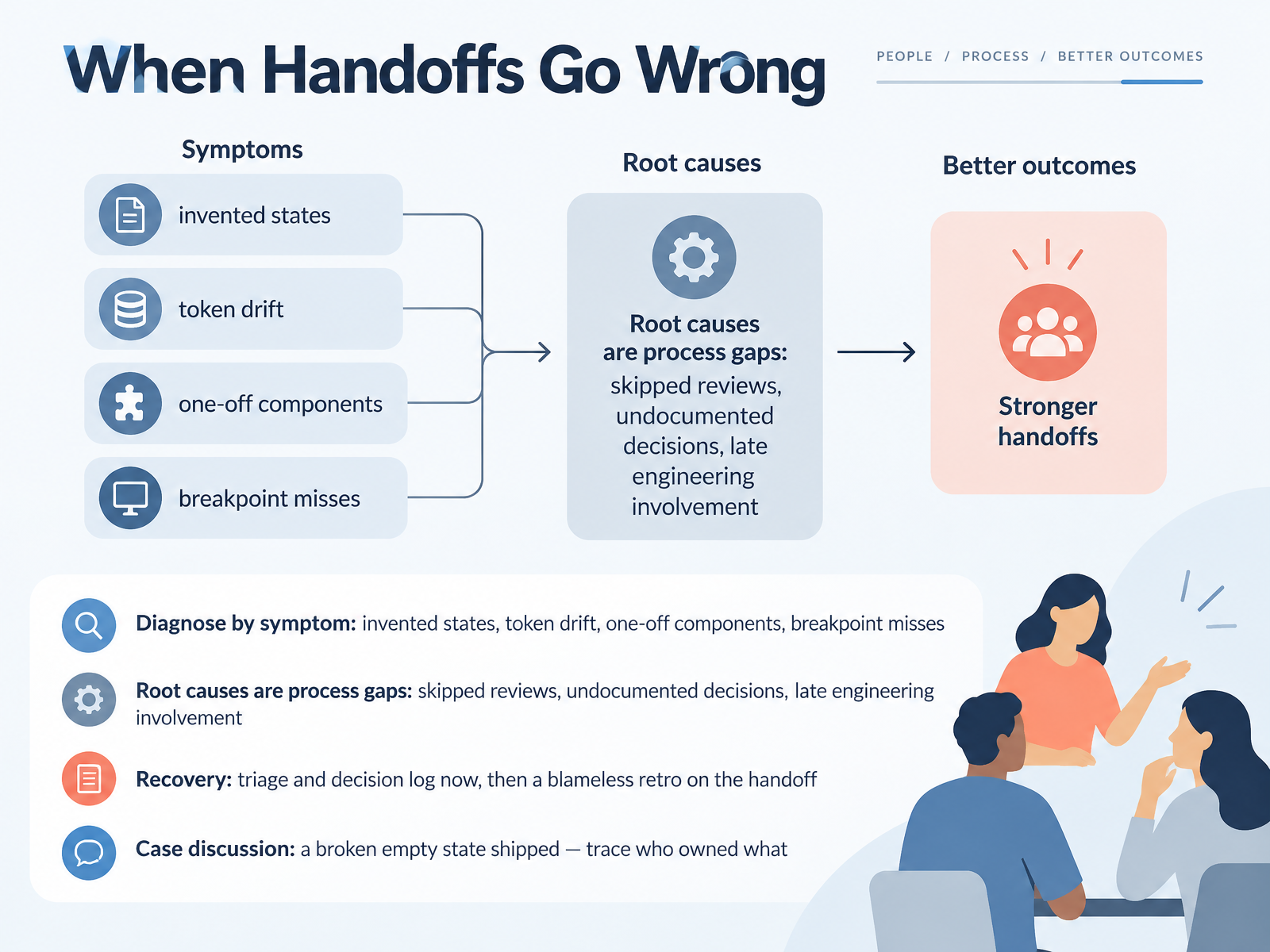
- 11When Handoffs Go WrongLet's talk about what happens when handoffs go wrong. The trick is to diagnose by symptom first. You might see invented states, where a developer had to design the empty or error screen themselves. You might see token drift, one-off components, or breakpoint misses. Those are symptoms, not the disease. The root causes are almost always process gaps. A skipped review. An undocumented decision. Engineering brought in too late. So for recovery, do two things. Triage right now and start a decision log, so the fixes and who owns them are written down. Then hold a blameless retro on the handoff itself, focused on process, not people. Here's a quick case to try. A broken empty state shipped. Trace who owned what, and where the information dropped. Next, we'll look at building a handoff the team will still use.
 nextretro.iovantageos.techharrisonjonesdesign.com+21 min
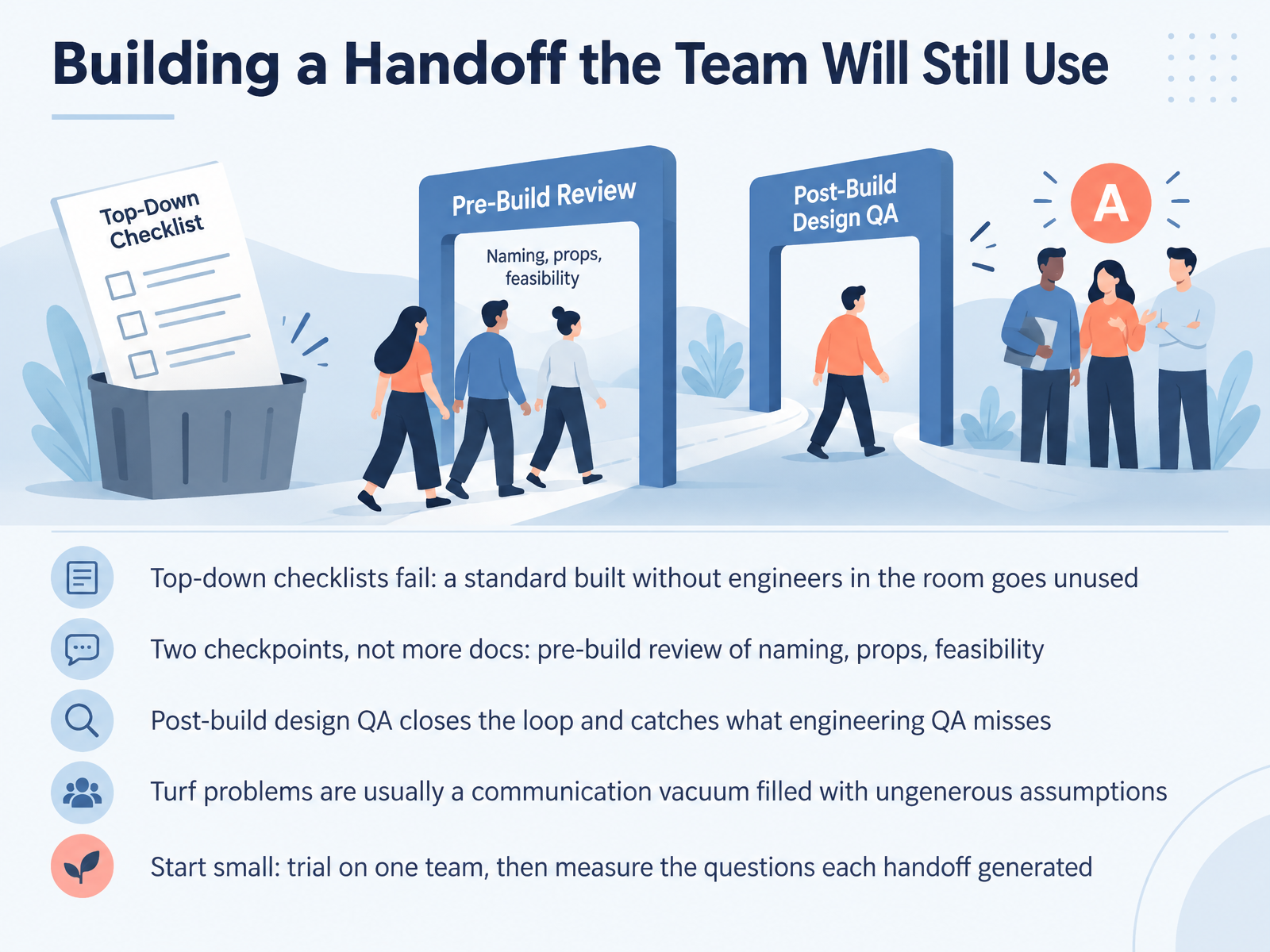
- 12Building a Handoff the Team Will Still UseNow let's talk about building a handoff the team will actually keep using. A top-down checklist usually fails. If you write a handoff standard without engineers in the room, it tends to go unused, because the people receiving the document never shaped what's useful to them. Instead, try two checkpoints, not more documents. Before the build, hold a quick review of naming, props, and technical feasibility with an engineer present. After the build, run a design QA pass. That closes the loop and catches visual and structural details that engineering QA isn't looking for. And if turf problems come up, remember they're usually a communication vacuum. People fill that silence with ungenerous assumptions about each other. Start small. Trial the process on one team, then measure how many questions each handoff generated. Fewer questions is your signal that it's working. Next, let's put this into practice with a hands-on exercise called Practice: Run a Handoff.
 nextretro.iovantageos.techharrisonjonesdesign.com+22 min
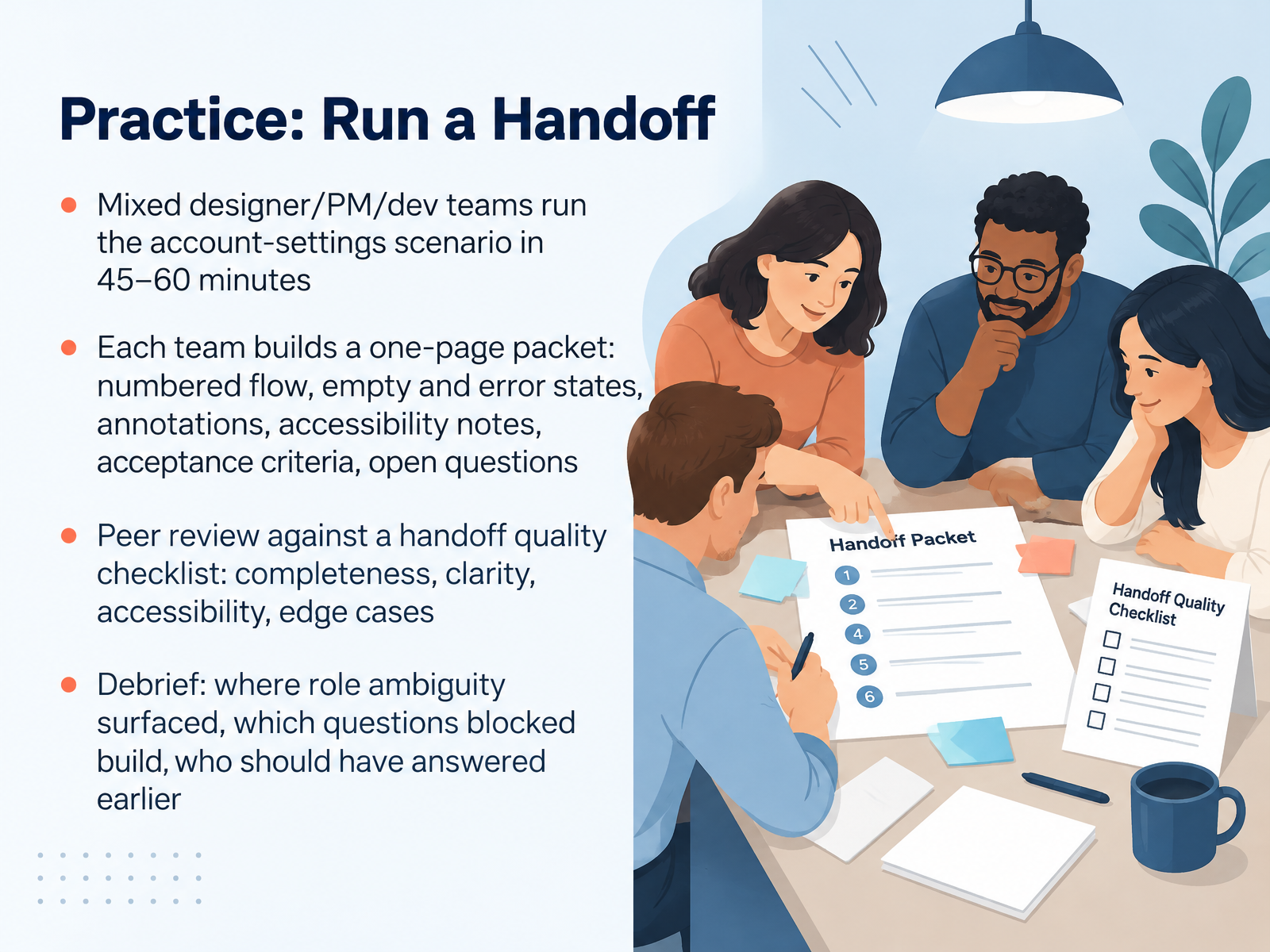
- 13Practice: Run a HandoffNow let's put handoff skills into practice. Mixed teams of designers, product managers, and developers run the account-settings scenario in forty-five to sixty minutes. Each team builds a one-page packet. It includes a numbered flow, empty and error states, annotations, accessibility notes, acceptance criteria, and open questions. A good packet states who owns each decision, and every open question gets tagged as blocking or not blocking. Then teams swap and peer review against a handoff quality checklist covering completeness, clarity, accessibility, and edge cases. In the debrief, name where role ambiguity surfaced, which questions blocked the build, and who should have answered earlier. That last part matters most. It turns a practice run into a clearer ownership map for your next real handoff. Next, we'll close with takeaways and first steps.
 nngroup.com2 min
- 14Takeaways and First StepsLet's bring it together. One person owns each decision, and every handoff carries intent, not just artifacts. Rituals beat documents, so pick one cadence and start it this week. Here's a simple action plan. Adopt one ritual, improve one artifact, and book one conversation with a product manager or developer. Then score your team on the eight post-build handoff questions we covered. You can grab our templates too: the Figma handoff checklist, a lightweight RACI, and the role cards. Finally, put a reminder in your calendar for thirty days out and ask, what actually changed? That closes our course. Thank you for learning with me. Start small, keep it consistent, and you'll see the difference in your next build. You've got this.
 nngroup.com1 min
Take the deck with you
Download this course as a file — free, no sign-up needed.
- PDF handoutEvery slide page, ready to print or share.15 pages · 3.1 MBDownload
- Narrated PowerPointThe deck that presents itself — every slide carries the digital human's narration video.15 pages · 13.0 MBDownload
- PowerPoint slidesThe full deck as a .pptx — open it in PowerPoint, Keynote, or Google Slides.15 pages · 3.0 MBDownload
Free to use in your own training — please keep the PersonWise credit page at the end.
Have your own deck? Turn it into a course
Sources consulted
Web sources consulted while building this course.
- UX Design Team Structure in High-Growth Companies | WANDR | WANDR — wandr.studio
- UX Roles — assets.interaction-design.org
- https://supercharge.design/blog/product-design-team-roles-explained — supercharge.design
- UX team structure guide with roles, models, and scaling tips — eleken.co
- Common UX Team Roles and What They Focus On | Clay — clay.global
- Cross-Functional Product Team Retrospectives: Aligning PM, Eng, Design & GTM | Nextretro — nextretro.io
- Retrospective Template for Cross-Functional Teams | Vantage — vantageos.tech
- From handoff to shared ownership — Harrison Jones — harrisonjonesdesign.com
- The Design Handoff Process: A 6-Step Guide That Cuts Rework — letsgroto.com
- Curing Handoff-itis - Tanzu — blogs.vmware.com
- The Design Engineer Is Rewriting the Rules of Product Development — mondo.com
- ‘AI Imagineer’ and ‘Design Crafter’: The Rise of… | Pivot News — pivotnews.ai
- Design Engineer Roadmap 2026 | Vibe Engines — vibeengines.com
- The State of AI in UX & Product Design: 2026 — designlab.com
- The UX Designer’s Nightmare: When “Production-Ready” Becomes A Design Deliverable — Smashing Magazine — smashingmagazine.com
- Setting UX Roles and Responsibilities in Product Development: The RACI Template - NN/G — nngroup.com
- UX / UI Design — UX / UI Design ↔ SDLC ↔ PDLC bridge — blueprints.forgesdlc.com
- UX Design Function | Tech Fleet User Guide — guide.techfleet.org
- project-management/skills/senior-pm/assets/raci_matrix_template.md — github.com
- Product Manager & UX Designer Collaboration Guide — pencilandpaper.io