Begin
14 pages · ~28 min
Shopify Email Marketing Setup Workflow
Learn a practical workflow to set up effective email marketing on Shopify, designed for store owners seeking to build customer engagement and drive sales.
A digital instructor presents all 14 pages. Hold “Ask” at any point and ask out loud — the answer comes from this course. No sign-up needed.
What you’ll learn
- 01How to Set Up Email Marketing on Shopify: A Practical WorkflowWelcome. If you run a Shopify store, you already know that email is the one channel you fully own, no algorithm deciding who sees you. This course is a practical workflow for building a revenue-driving email system from the ground up. We’ll move step by step, starting with how to choose the right platform, weighing native Shopify Messaging against third-party tools like Klaviyo. From there, we’ll configure your sending domain so your mail actually lands in the inbox, then build precise audience segments. You’ll set up automated flows that work while you sleep, and craft campaigns that convert. We’ll also cover compliance and optimization, ensuring your list stays healthy. By the end, you’ll have a complete, measurable email engine tied directly to revenue. Let’s begin with the first strategic decision: Choosing Your Email Platform: Native vs. Third-Party ESP.help.shopify.comshopify.comhelp.shopify.com+22 min
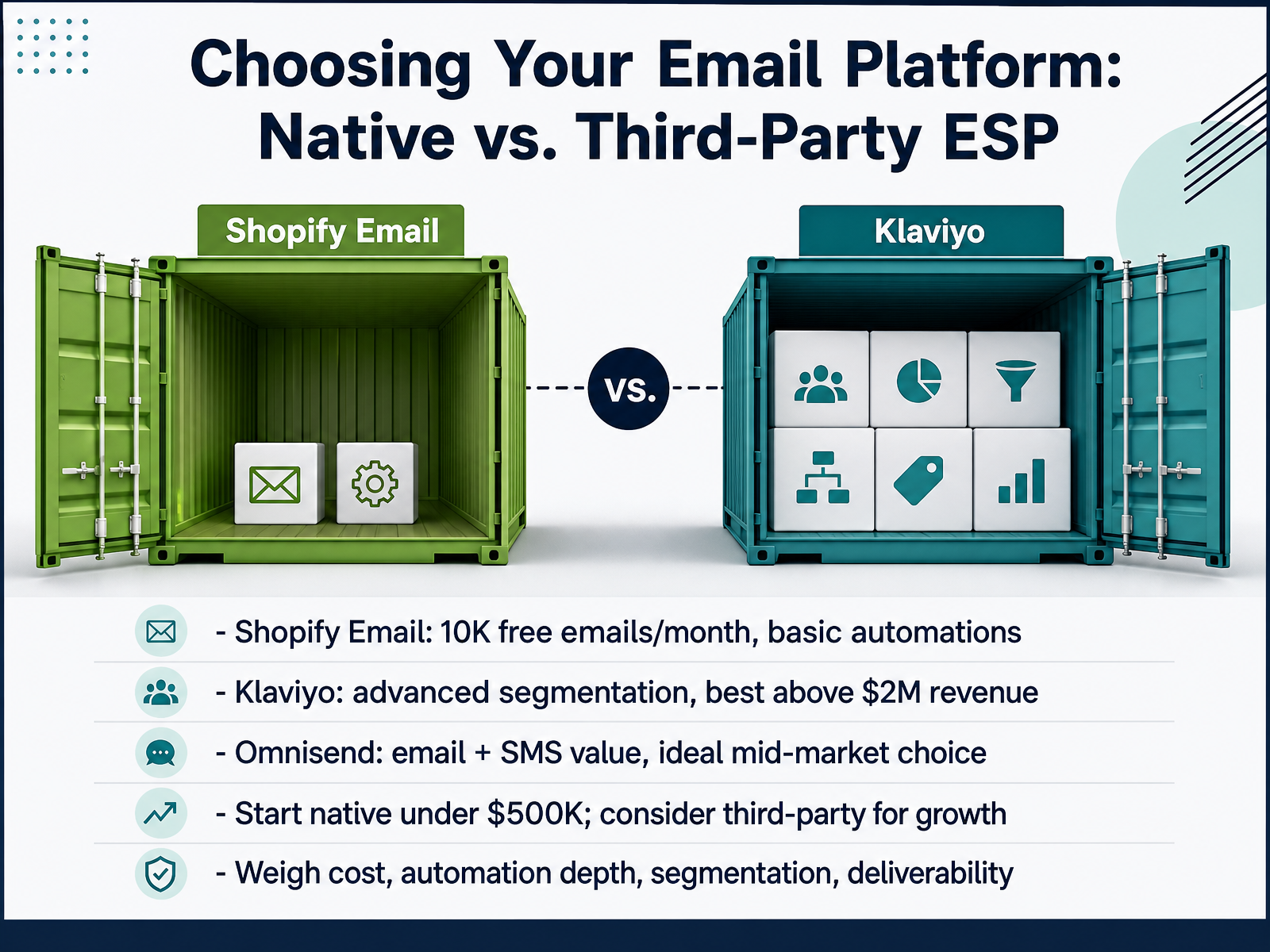
- 02Choosing Your Email Platform: Native vs. Third-Party ESPNext, let's settle the platform question. Your choice comes down to three real options, and revenue is your clearest guide. If you're under half a million in sales, start with Shopify Email. Ten thousand free emails a month, native automations, zero setup cost. The catch? Its abandoned checkout flow misses full cart abandonment, which captures three to five times more customers. That gap alone pushes most stores to upgrade. Between half a million and two million, Omnisend is your value pick. It bundles email, SMS, and push into one base plan at roughly forty percent less than Klaviyo at comparable list sizes. The segmentation covers about eighty percent of what mid-market stores actually need. Above two million, move to Klaviyo. The RFM analysis, predictive churn scoring, and revenue attribution become measurable revenue drivers, not nice-to-haves. One more thing to weigh: deliverability. Klaviyo hits ninety-eight percent inbox placement versus Shopify Email's ninety-five. Across a hundred thousand sends annually, that's thousands of emails reaching the inbox instead of spam. Bottom line: match the platform to your revenue stage, not to brand buzz. Now, before connecting anything, we need your sender domain authenticated. Let's walk through that technical foundation.
 remery.aigoshdigital.cooxify.app+22 min
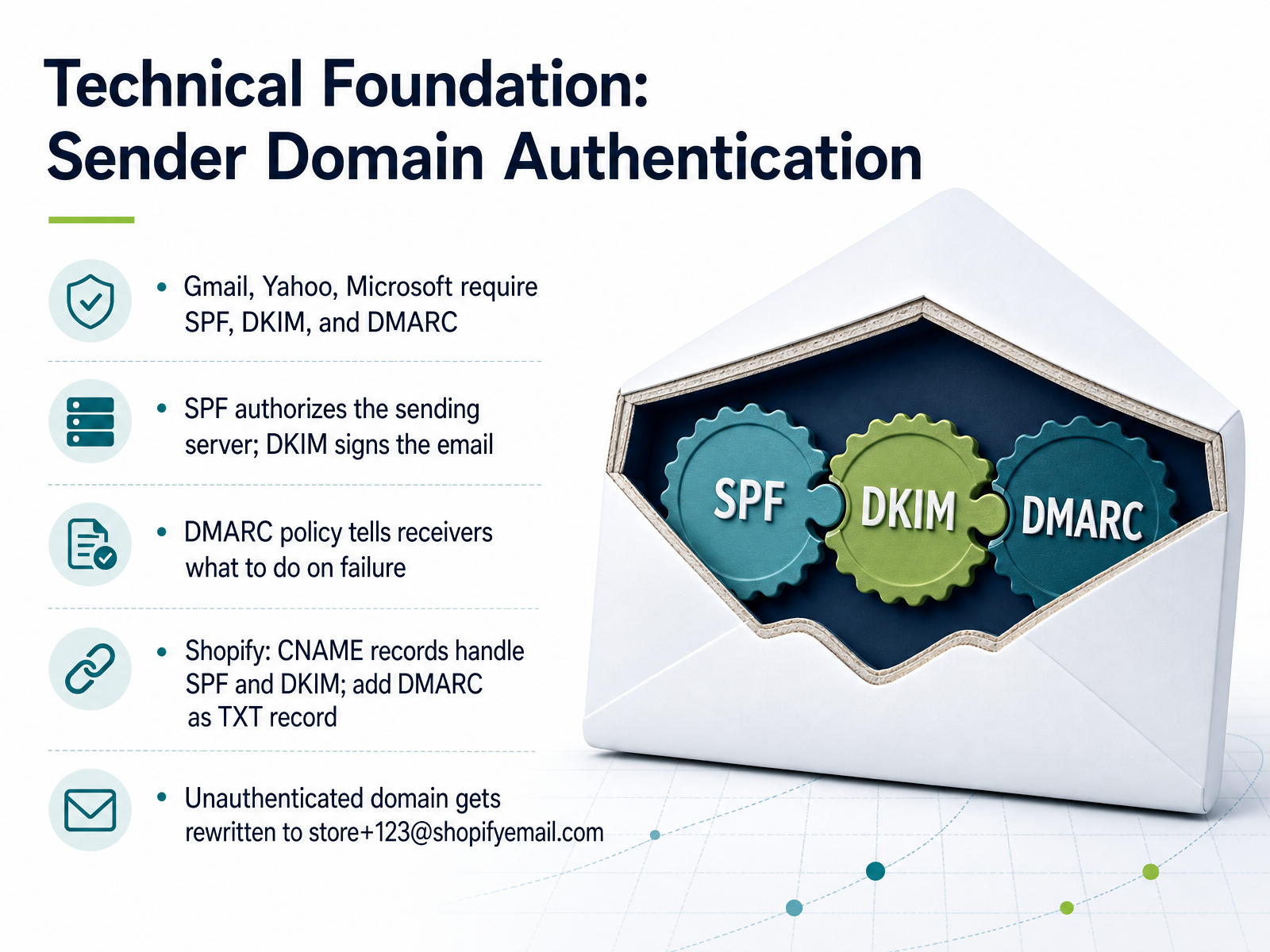
 - 03Technical Foundation: Sender Domain AuthenticationBefore you send a single campaign, lock down your sender domain authentication. Gmail, Yahoo, and Microsoft now require SPF, DKIM, and DMARC. Think of SPF as the list that authorizes Shopify’s servers to send for you. DKIM is the cryptographic signature proving the email wasn’t tampered with. DMARC tells receivers what to do when those checks fail. Here’s the Shopify shortcut: you don’t manage SPF and DKIM directly. In Settings, go to Notifications, find the Sender email section, and click Authenticate your domain. Shopify will display CNAME records that handle both SPF and DKIM. Copy every single record into your DNS provider exactly as shown. Then, add one separate TXT record for DMARC. Set the host to _dmarc, and use the value v=DMARC1; p=none. Start with p=none to monitor, then tighten the policy after you’ve reviewed the reports. If you skip this, Shopify silently rewrites your from address to something like store plus numbers at shopifyemail.com. Your customers will see that instead of your brand, and your deliverability takes a hit. Verify the status in Shopify until it shows Domain successfully authenticated. Now, with your technical foundation set, let’s move on to building your list and core segments.
 help.shopify.comdmarcbusta.comdkimtest.com+22 min
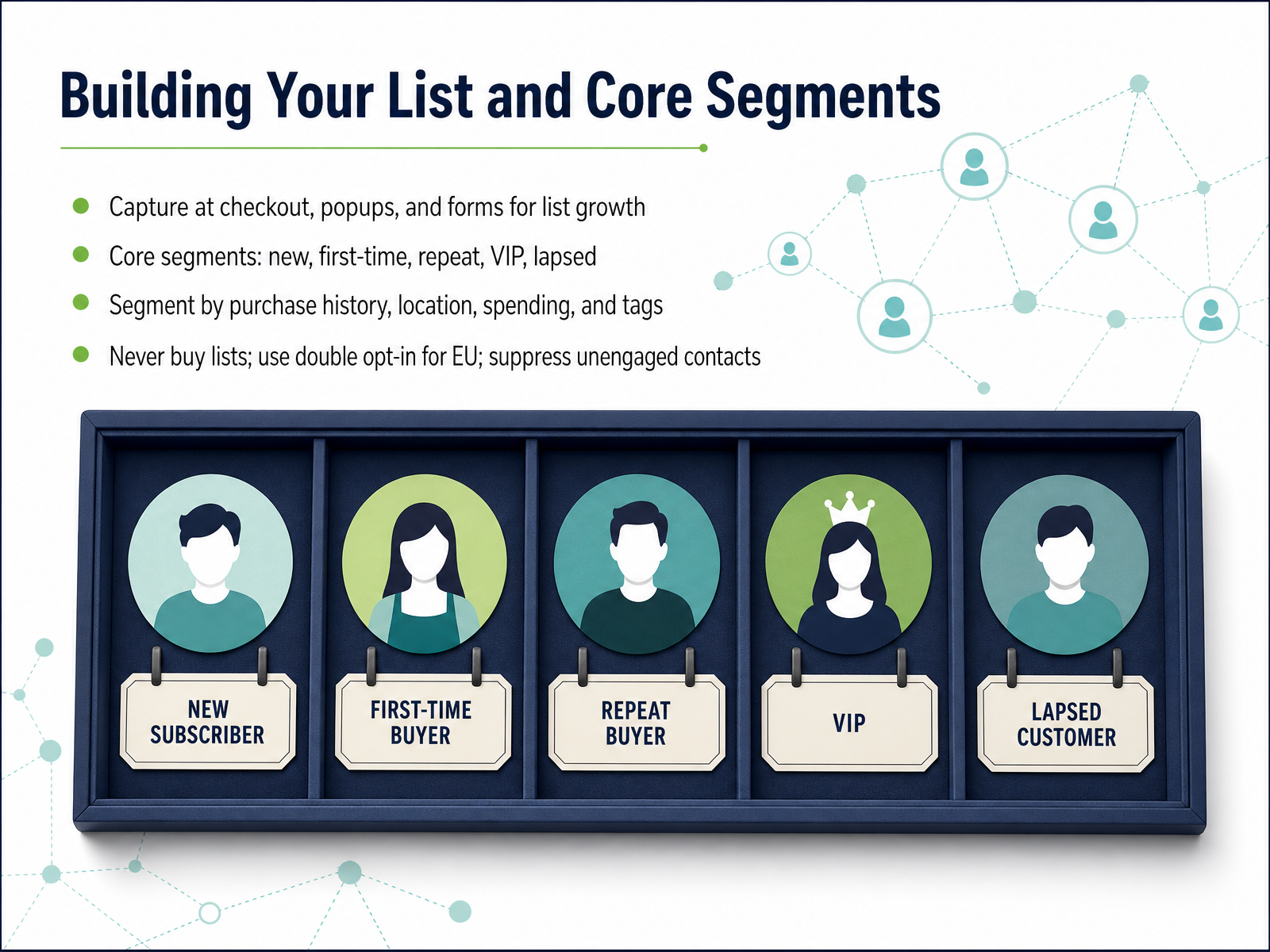
 - 04Building Your List and Core SegmentsNow let’s talk about the foundation: building your list and core segments. You’ll want to capture emails at every high-intent touchpoint. Enable the marketing consent checkbox at checkout, add a popup for new visitors, and embed a form in your footer. These three sources alone will compound quickly. Once you have a steady flow of subscribers, structure them into core segments: new subscribers, first-time buyers, repeat customers, VIPs, and lapsed buyers. This is where Shopify’s native segmentation shines. Build segments based on purchase history, location, total spending, and customer tags. For example, a segment of VIPs who haven't ordered in sixty days, and you have an instant win-back audience. Now, two compliance cautions. Never buy a list. Purchased lists violate GDPR and CASL, and they will destroy your sender reputation. For European subscribers, enable double opt-in. That confirmation click is your proof of consent if you're ever audited. Finally, suppress unengaged contacts. Mute anyone who hasn't opened in six months before your next big send. A clean, segmented list will drive higher revenue than a bloated one. Up next, we cover the welcome series, your highest-value automation.
 help.shopify.comopenhelm.aiemailmarketingforbusiness.com+22 min
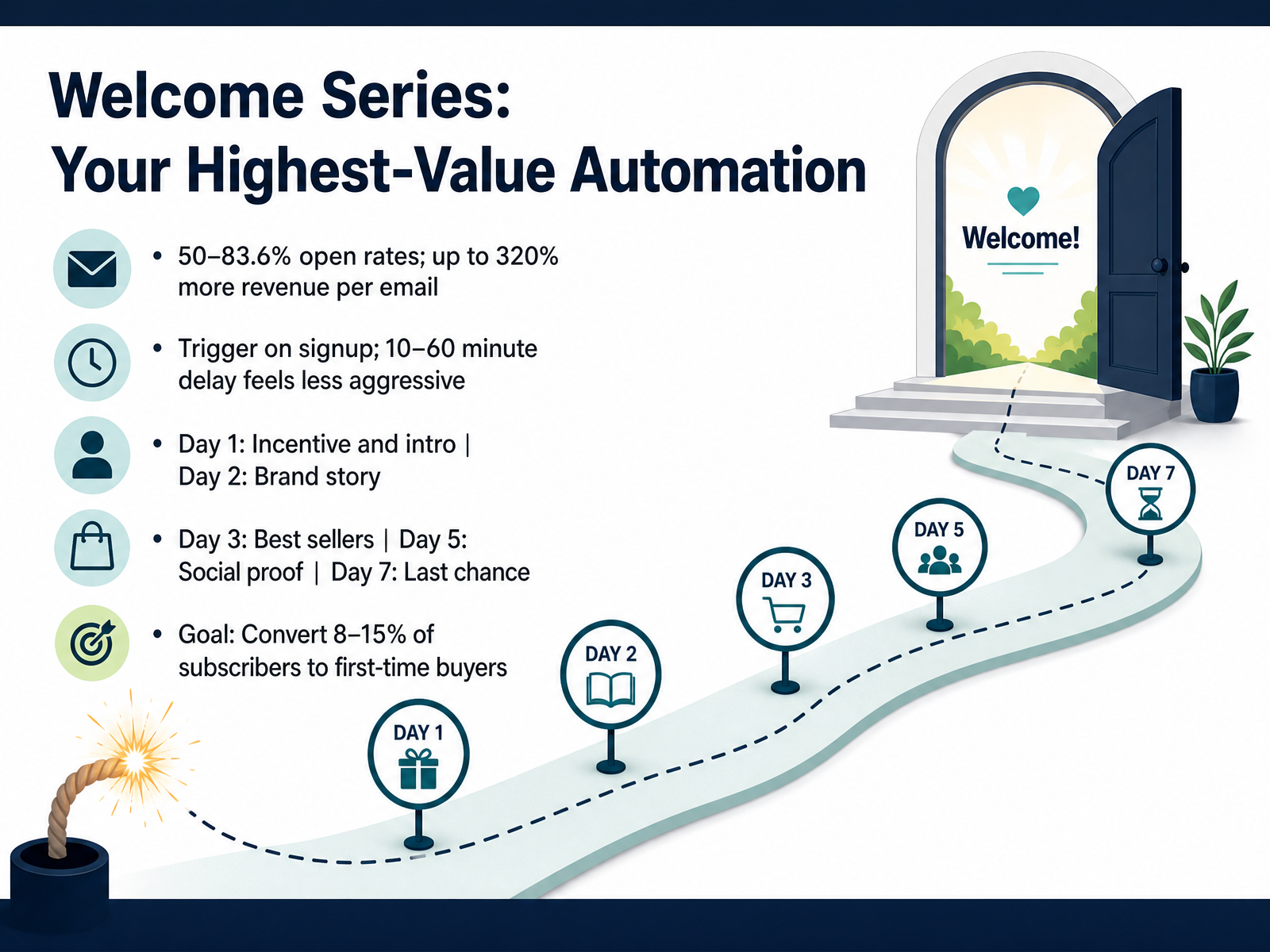
 - 05Welcome Series: Your Highest-Value AutomationNow let’s talk about the welcome series. This is your highest-value automation, and the numbers back that up. Welcome emails see open rates between fifty and eighty-four percent, and they generate up to three hundred twenty percent more revenue per email than your standard promotional sends. The trigger is simple: fire on signup. But don’t send instantly—a ten to sixty minute delay feels intentional, not aggressive. From there, structure the sequence. Day one, deliver your incentive and introduce the brand. Day two, tell your story. Day three, showcase best sellers. Day five, layer in social proof. And on day seven, close with a last-chance nudge. Your goal here is to convert eight to fifteen percent of new subscribers into first-time buyers. If you’re below eight percent, scrutinize the offer or the landing page. Watch that conversion rate as the primary signal, and remember that a well-built welcome series consistently outperforms a single email by three to five times. That’s the foundation. Next, we’ll cover abandoned cart recovery, and how timing makes or breaks that sequence.
 help.shopify.comopenhelm.aiemailmarketingforbusiness.com+22 min
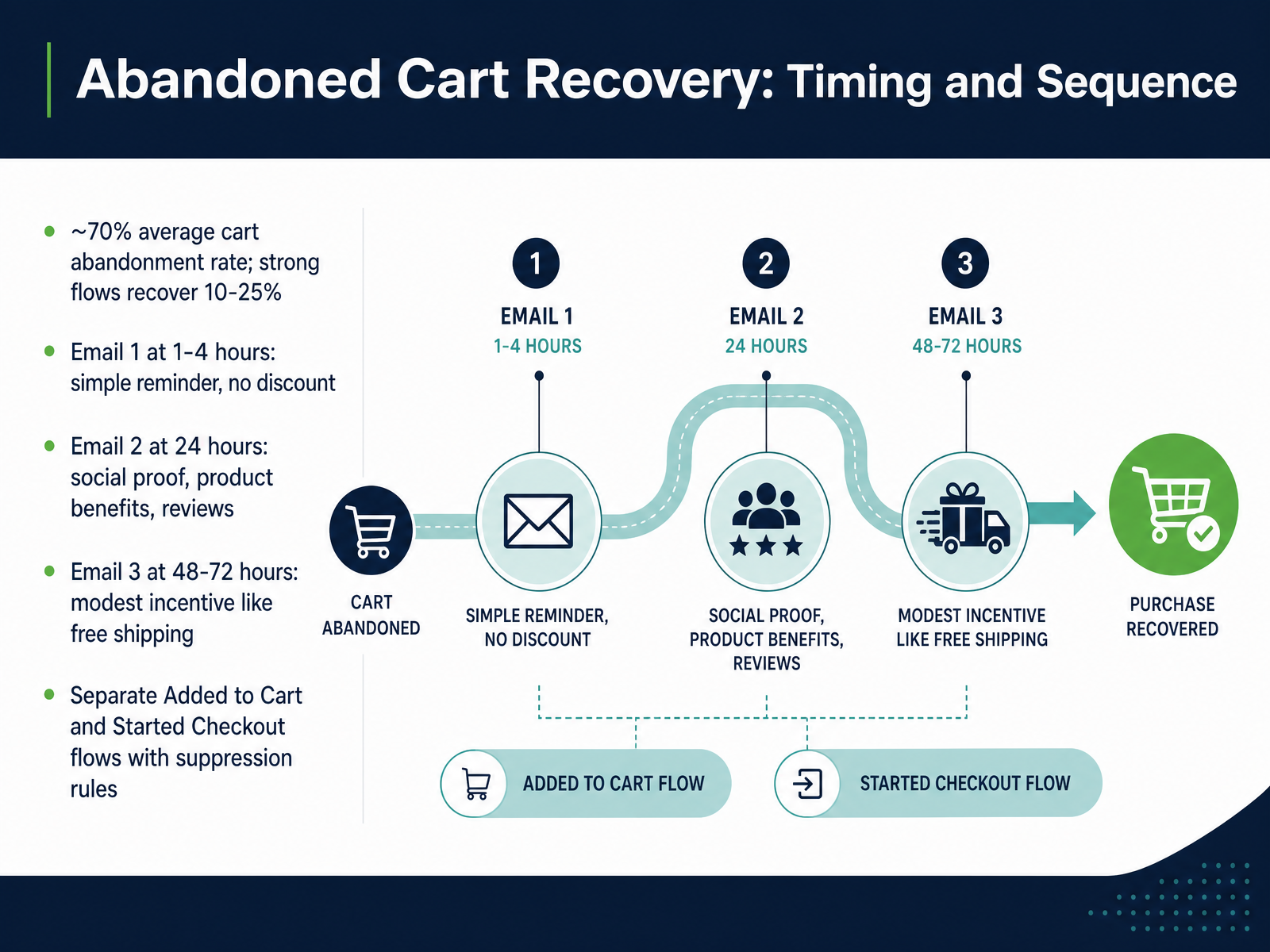
 - 06Abandoned Cart Recovery: Timing and SequenceNow let's talk about abandoned cart recovery. Roughly seventy percent of carts get abandoned, but a well-timed sequence can recover ten to twenty-five percent of those lost sales. Here's the cadence that works: Email one goes out one to four hours after abandonment. Keep it a simple reminder, no discount. This first email does the heavy lifting, so show the product image and make it easy to return to the cart. Email two lands at twenty-four hours. This one should address hesitation with social proof, product benefits, and customer reviews. Still no discount unless you absolutely need it. Email three comes at forty-eight to seventy-two hours. If they haven't converted by now, offer a modest incentive like free shipping. It often outperforms a percentage discount because shipping cost is a top reason for abandonment. Now, here's the key: separate your Added to Cart and Started Checkout flows. Checkout abandoners have higher intent, so they need a faster first email, around thirty to sixty minutes. Run both flows but add suppression rules so a single shopper never gets hit by both sequences and it stops immediately if they complete a purchase. Up next, we'll look at post-purchase and win-back flows to keep customers coming back.
 shopify.com1 min
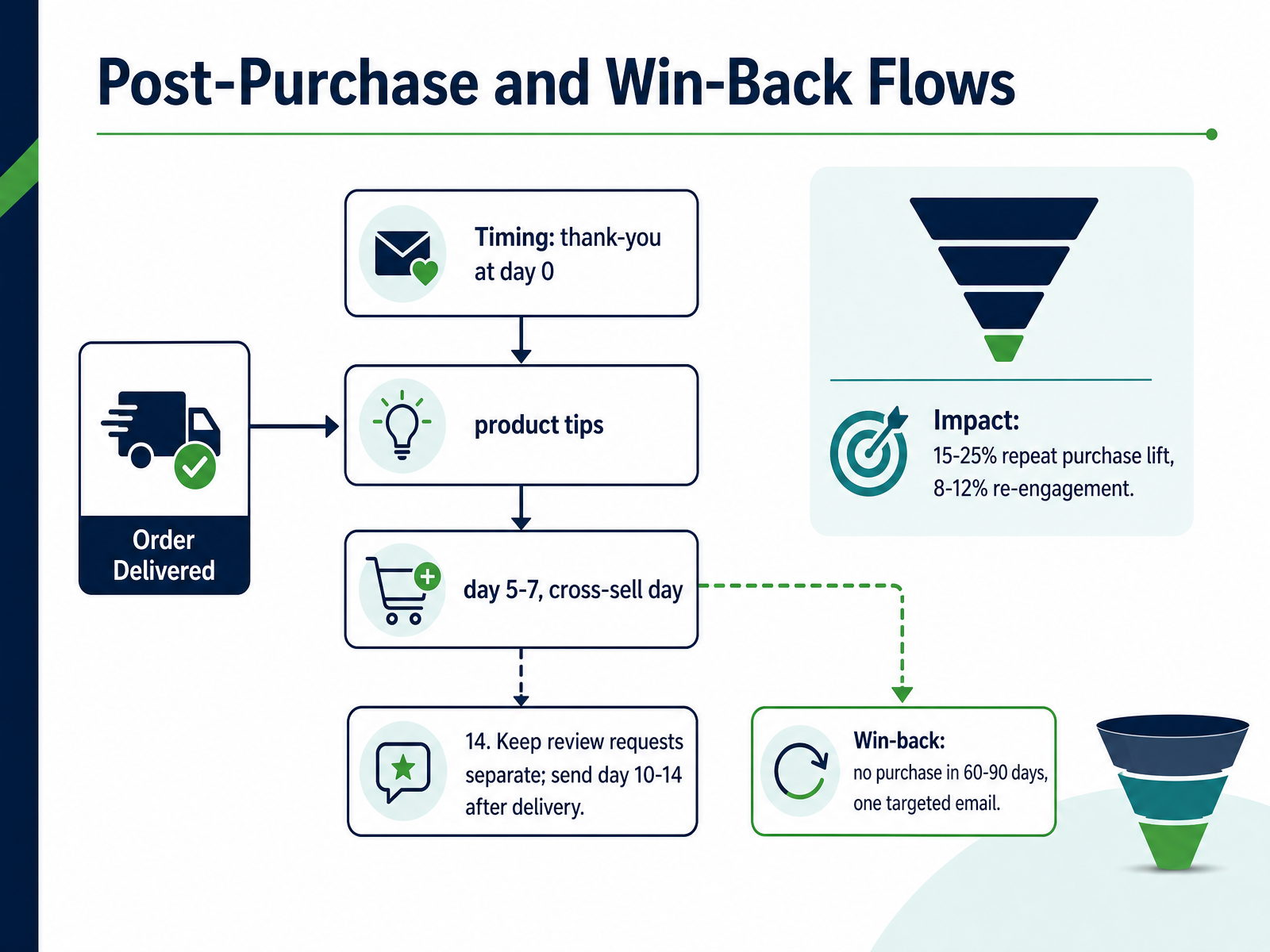
 - 07Post-Purchase and Win-Back FlowsNow let's talk about the flows that drive repeat revenue. The post-purchase sequence starts with the thank-you at day zero. That's your confirmation moment. Then, around day five to seven, fire a product tips email. Show them how to get real value from what they bought. At day fourteen, send the cross-sell. Recommend a complementary product based on their actual purchase. One caveat: keep review requests completely separate. Send those ten to fourteen days after delivery, when they've had time to form an opinion. Mixing a review ask into your thank-you dilutes both messages. Now, for your lapsed customers. Set a win-back trigger for no purchase in sixty to ninety days. Keep it to one targeted email, not a series. Acknowledge they've been away, then give them a clear reason to return, like a new launch or a restocked bestseller. The impact here is measurable. These flows typically drive a fifteen to twenty-five percent lift in repeat purchase rate, and the win-back alone can re-engage eight to twelve percent of dormant buyers. Set these once in Marketing, under Automations, and they run in the background continuously. Next, we'll look at how to design on-brand emails that actually convert.
 help.shopify.comopenhelm.aiemailmarketingforbusiness.com+22 min
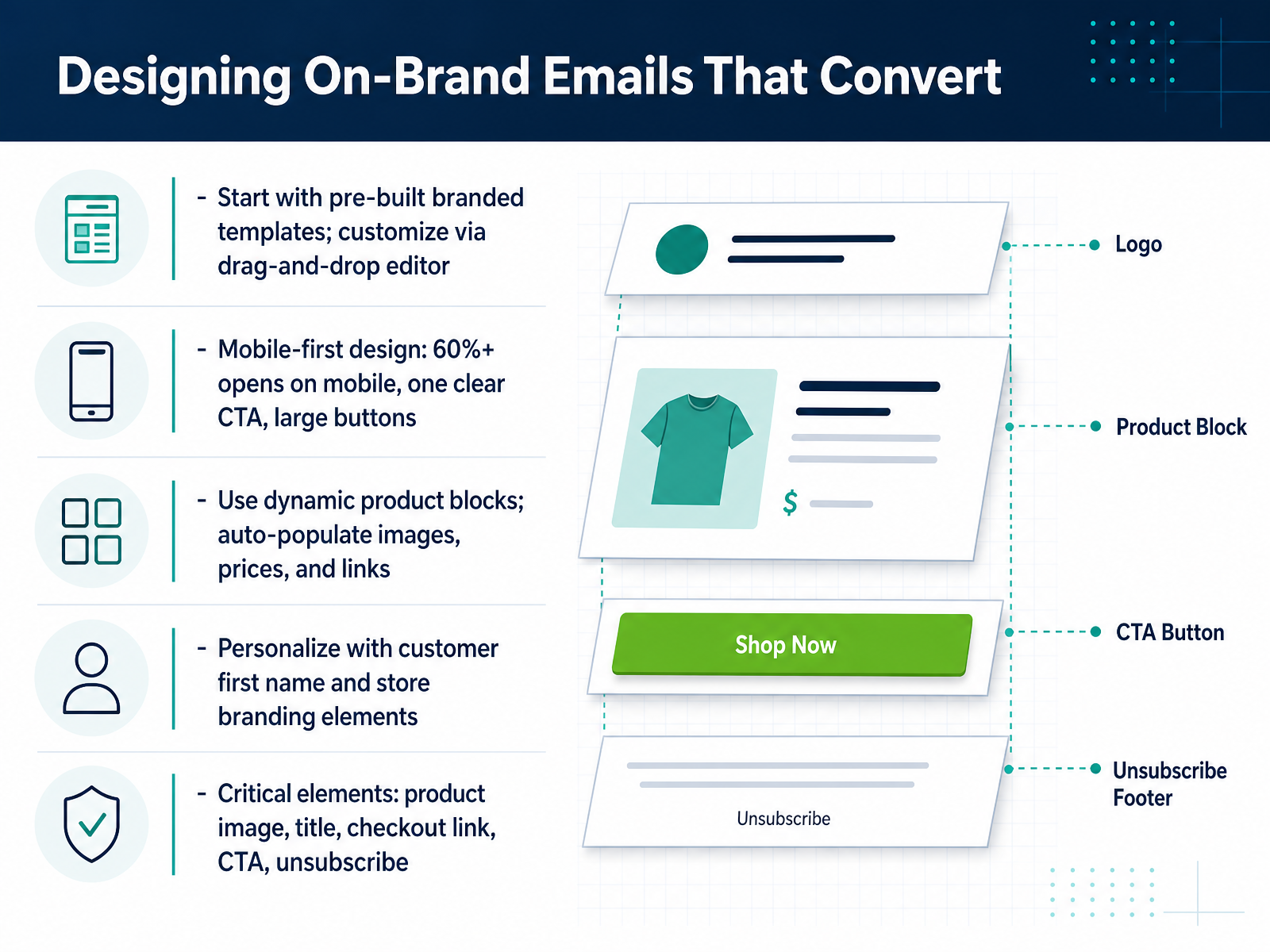
 - 08Designing On-Brand Emails That ConvertNow let’s talk about design, because this is where you either earn the click or lose it. Start with Shopify’s pre-built branded templates. They pull in your logo, colors, and products automatically, so you’re not starting from a blank canvas. Use the drag-and-drop editor to tweak sections, but don’t overcomplicate it. Over sixty percent of your opens will happen on mobile, so design for the thumb, not the cursor. One clear CTA, large buttons, and a single message per email. The most powerful tool here is the dynamic product block. Drop one in, and Shopify auto-populates the image, price, and purchase link from your catalog. No manual updates when inventory shifts. Personalize with the customer’s first name and stick to your store branding. Before you hit send, run the checklist: product image, title, checkout link, one CTA, and a working unsubscribe link. That last one isn’t optional; it’s the law. Keep the layout clean, and the conversion will follow. Next up, we’ll walk through creating and scheduling the actual campaigns.
 help.shopify.comopenhelm.aiemailmarketingforbusiness.com+22 min
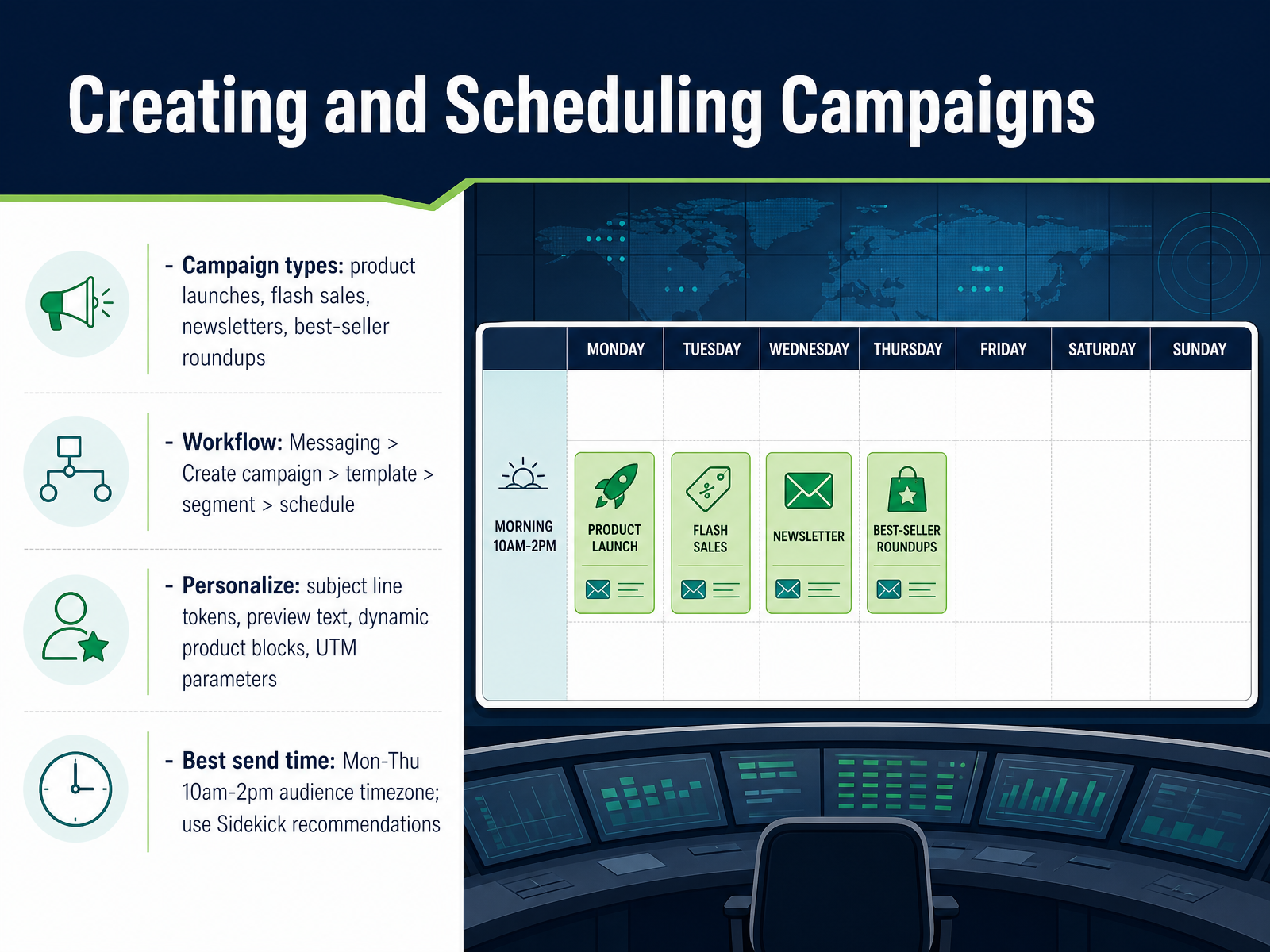
 - 09Creating and Scheduling CampaignsNow let’s walk through creating and scheduling campaigns. In Shopify Messaging, go to Marketing, then Campaigns, and hit Create campaign. You’ll pick a template that matches your goal: product launch, flash sale, newsletter, or a best-seller roundup. After that, choose your segment—this is where targeting pays off. Don’t send to everyone if you’re promoting a niche product; use a segment based on past purchases or engagement. Next, write your subject line. Use personalization tokens like customer first name, and add preview text to boost opens. Inside the editor, drop in dynamic product blocks so the email pulls current prices and images automatically. And don’t forget to edit the UTM parameters—you want clean tracking in your analytics. When scheduling, aim for Tuesday through Thursday, between ten in the morning and two in the afternoon, in your audience’s time zone. Shopify Messaging will also suggest an optimal send time based on your buyers’ behaviour—use that when you can. Set the schedule, send a test to yourself, review on mobile, and launch. You’re not just sending an email; you’re putting a targeted message in front of the right person at the right moment. Up next, we’ll cover deliverability and compliance requirements so your campaigns actually land in the inbox.
 help.shopify.comopenhelm.aiemailmarketingforbusiness.com+22 min
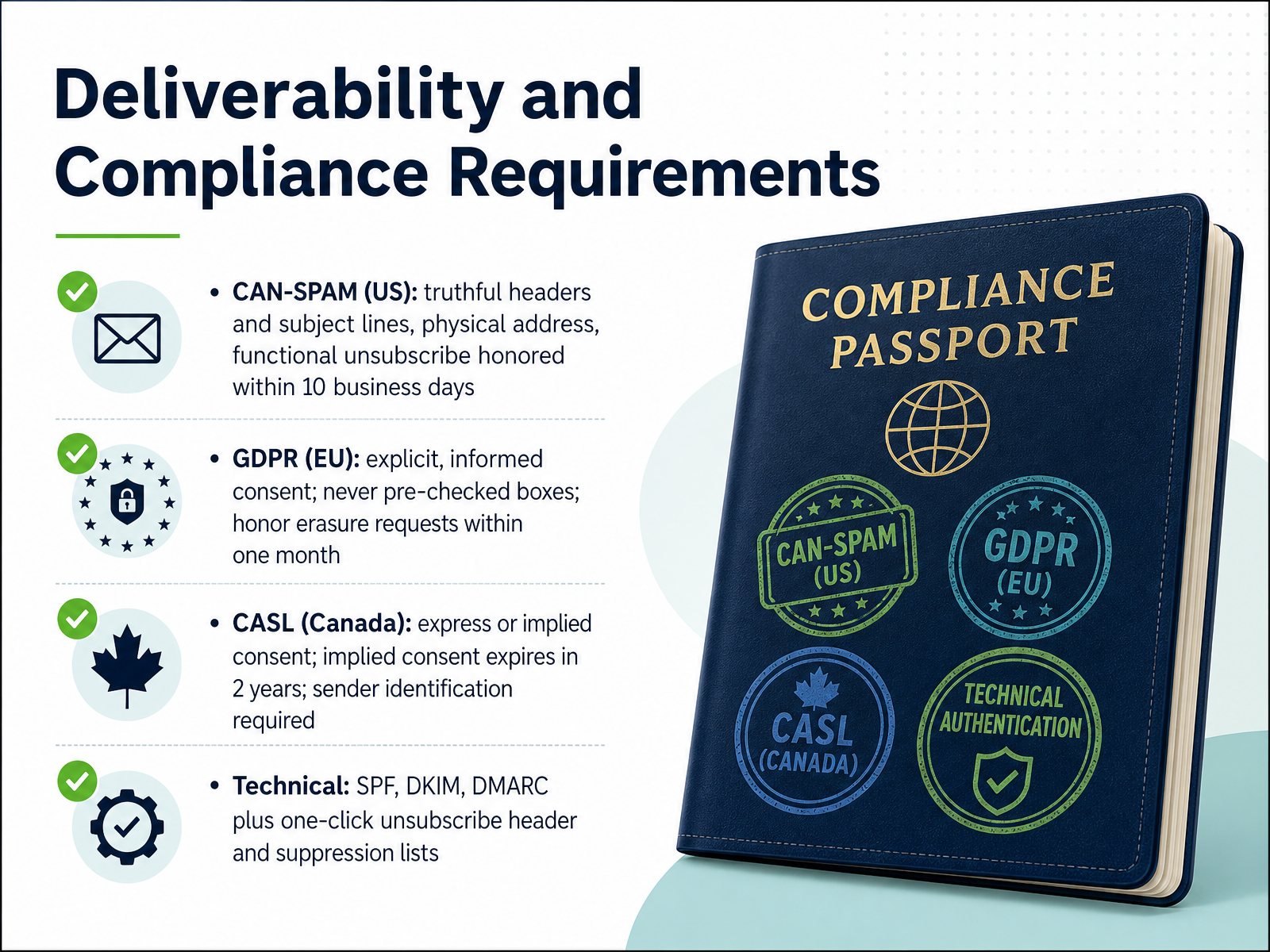
 - 10Deliverability and Compliance RequirementsLet’s talk about the side of email marketing that doesn’t get enough attention until something goes wrong: deliverability and compliance. First, the technical layer. Set up SPF, DKIM, and DMARC records for your sending domain. These authenticate your emails and keep you out of spam. Most Shopify email apps walk you through this during onboarding — if yours doesn’t, it’s worth running the setup wizard twice. You also want the one-click unsubscribe header enabled in your email platform. Inbox providers now look for it as a trust signal. Now the legal side. In the US, CAN-SPAM is an opt-out law. Truthful headers and subject lines, a physical address in the footer, and a visible unsubscribe link. Honor opt-outs within ten business days. A PO box counts. In the EU, GDPR requires explicit, informed consent. Never use pre-checked boxes. Keep timestamps proving when and how each subscriber opted in, and honor erasure requests within one month. If you sell to Canada, CASL requires express consent with implied consent expiring after two years of inactivity. Every message must identify the sender with contact details. Here’s the practical shortcut: when in doubt, apply the strictest standard to everyone. GDPR-grade consent and documented opt-ins cover you across all three. Next up, we’ll move from compliance to what matters just as much in the long run — measuring performance and setting targets.
 2 min
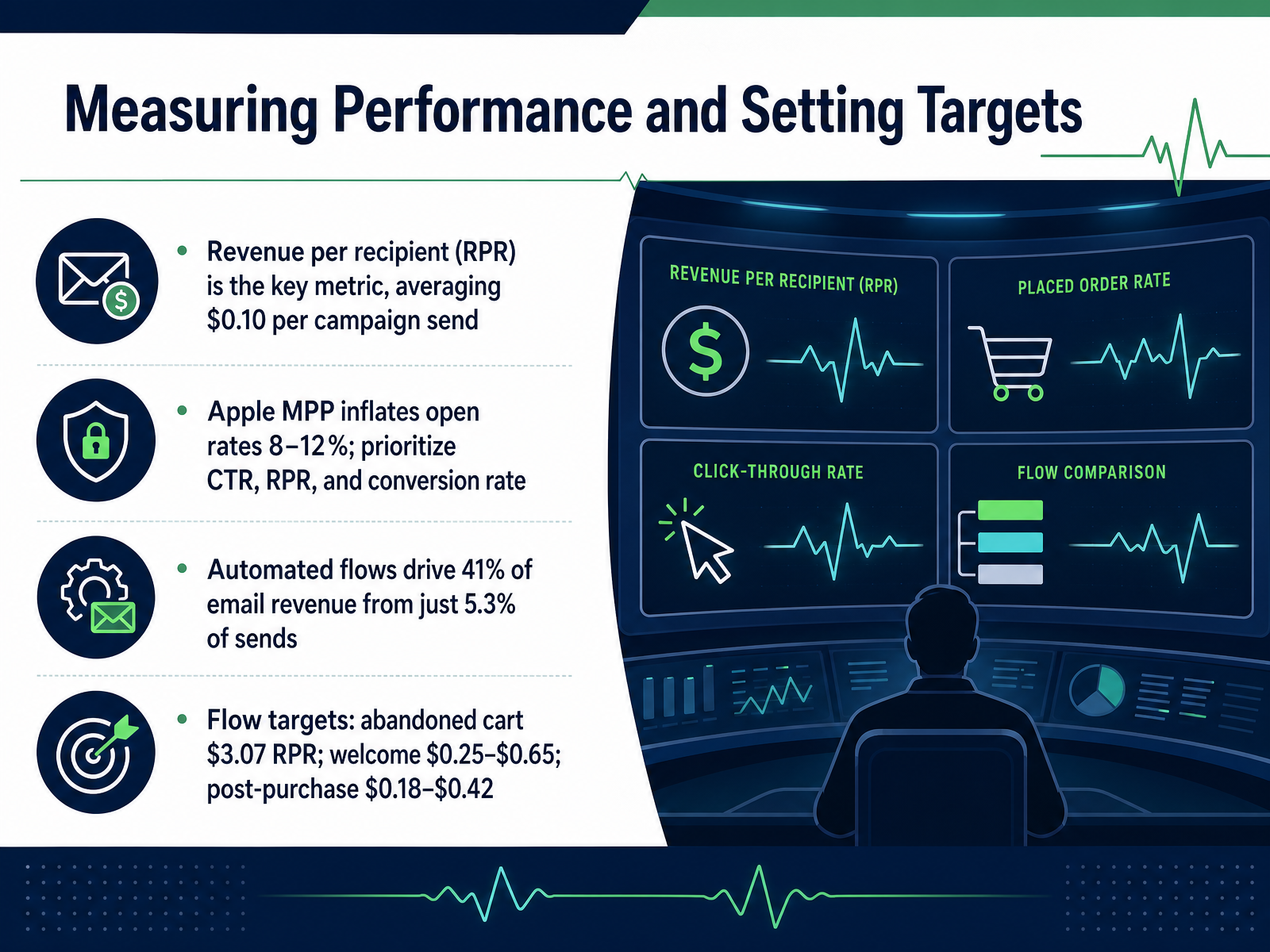
2 min - 11Measuring Performance and Setting TargetsNow let's talk about measuring performance and setting targets. Revenue per recipient is the metric that matters most. It ties every send directly to revenue, and it averages around ten cents per campaign send. Open rates? Treat them as directional at best. Apple Mail Privacy Protection inflates them by eight to twelve percent. So lean on click-through rate, revenue per recipient, and conversion rate instead. Here's where your focus should pay off. Automated flows drive about forty-one percent of email revenue from just over five percent of sends. That's your highest-return work. Set your benchmarks accordingly. Abandoned cart flows should hit around three dollars and seven cents per recipient. Welcome flows? Twenty-five to sixty-five cents. Post-purchase flows run eighteen to forty-two cents. Build a dashboard around these numbers, and you'll know exactly where to invest your next optimization effort. Up next, we'll look at A/B testing and optimization.
 1 min
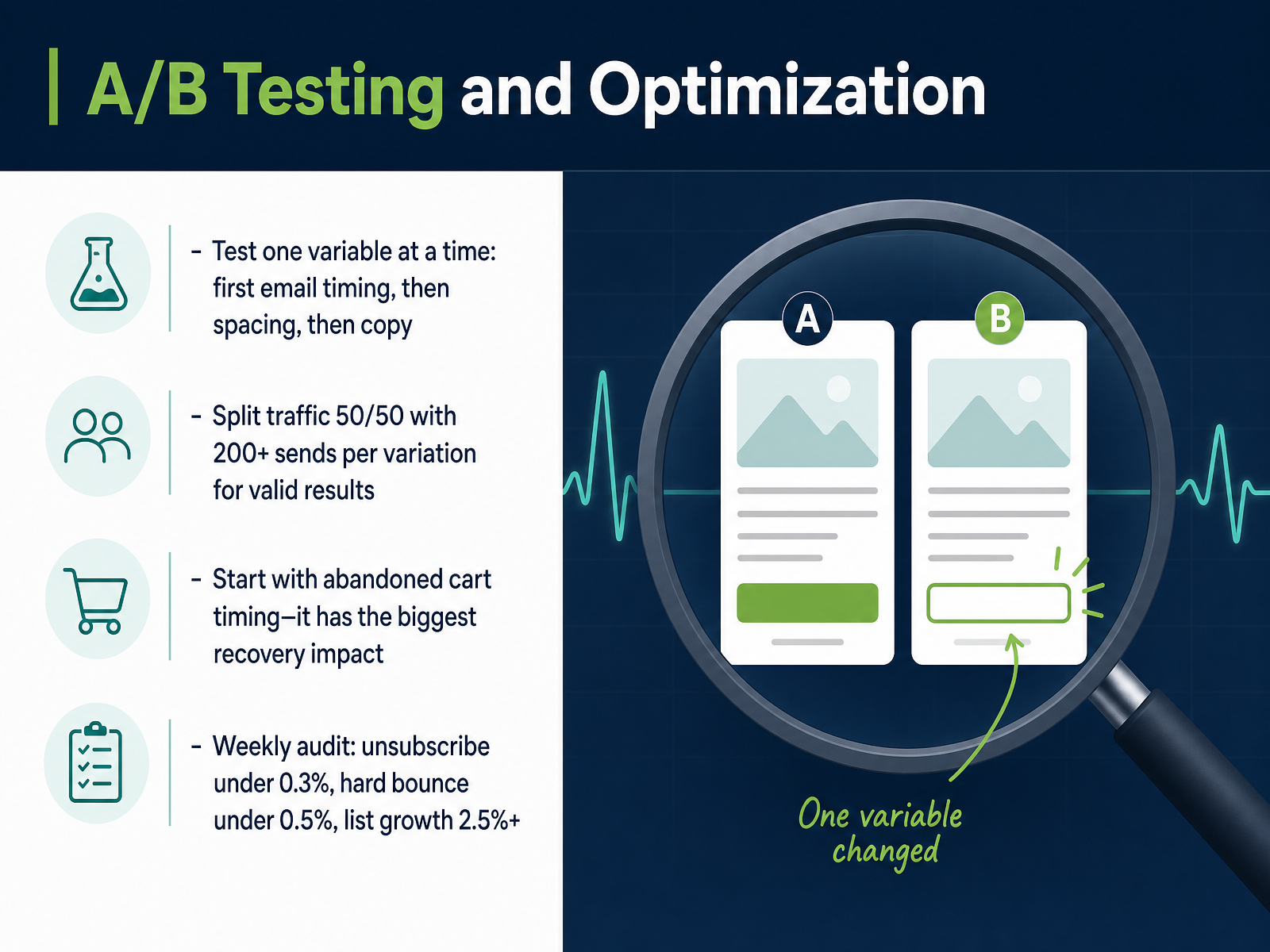
1 min - 12A/B Testing and OptimizationNow let's talk about testing and optimization. The rule here is discipline. Test one variable at a time, starting with your abandoned cart timing, because that has the biggest impact on recovery. Split your traffic fifty-fifty, and wait until you have at least two hundred sends per variation before you call it. Once you have clean data, move on to the spacing between emails, then refine your copy. Run a weekly audit against these benchmarks. Keep unsubscribes below zero point three percent, hard bounces below zero point five percent, and push for list growth above two point five percent monthly. If you fall short on list growth, your capture mechanisms need attention before anything else. This testing cycle is not a one-time exercise. It is a continuous loop. Your subscribers change, their behavior changes, and your flows need to keep pace. Next, let's look at the common mistakes that quietly undermine all this work, and how to avoid them.
 shopify.com1 min
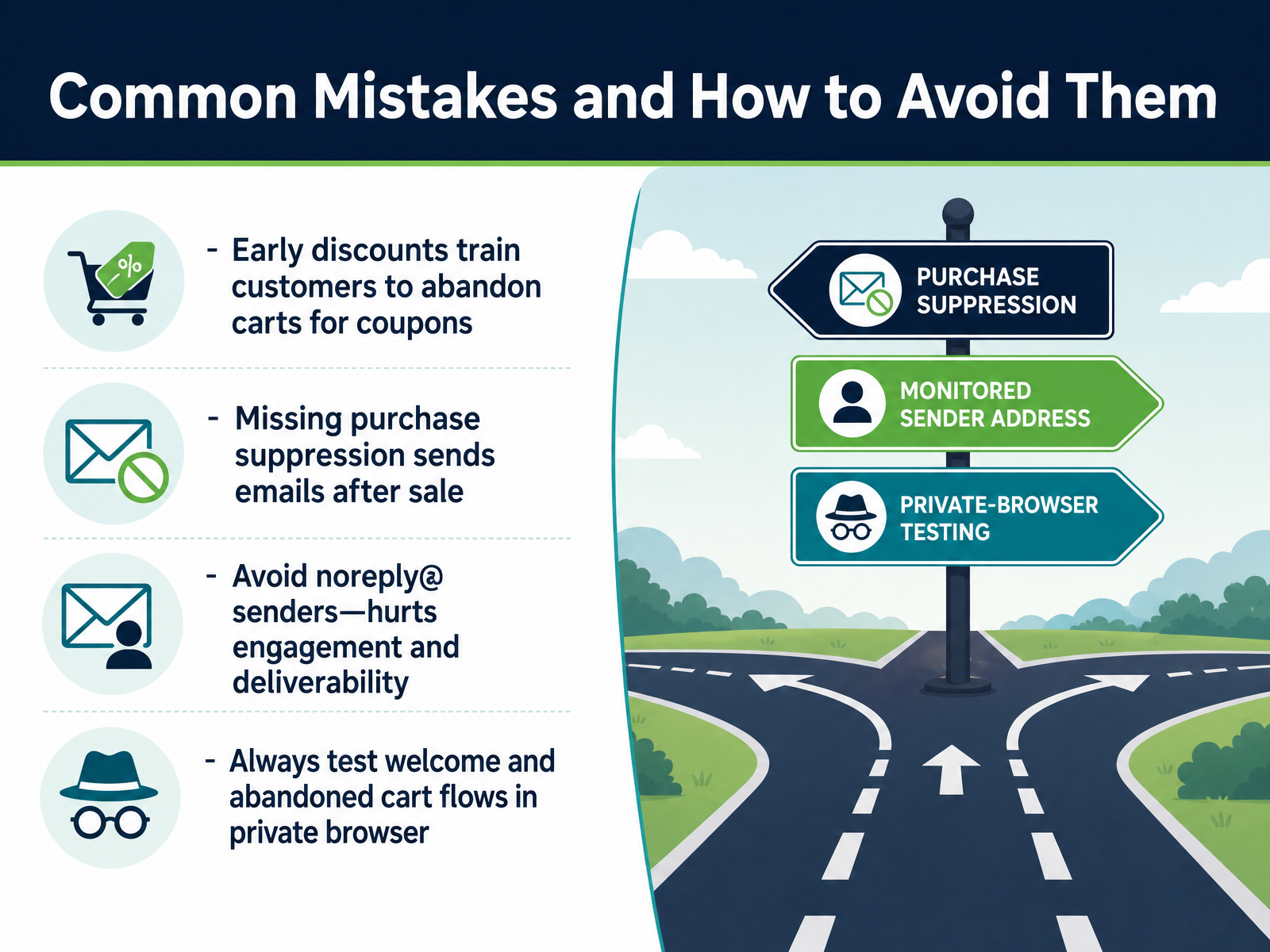
 - 13Common Mistakes and How to Avoid ThemLet’s walk through the mistakes that quietly drain email revenue. The first one is leading with discounts. If you offer a coupon in your first abandoned cart email, you train customers to abandon carts deliberately. Save incentives for the final email, after the reminder and social proof have already done the work. Your first email should recover fifty to sixty percent of sales all by itself. No code needed. Second, purchase suppression. If someone buys after your first email, but your second one fires three hours later, you’ve just asked a paying customer to come back and buy again. That erodes trust fast. Add a suppression filter that checks if an order was placed since the flow started. Third, sender reputation. A noreply@ address is a deliverability killer. Replies signal engagement to inbox providers, so use a monitored address like hello@ or support@. Finally, test your flows in a private browser using a real email you control. Confirm the recovery link pulls up the exact cart, and the welcome email lands in the main inbox, not spam. Test each one before you turn it live. Now let’s put it all together into a thirty-day action plan.
 shopify.comhelp.shopify.comopenhelm.ai+22 min
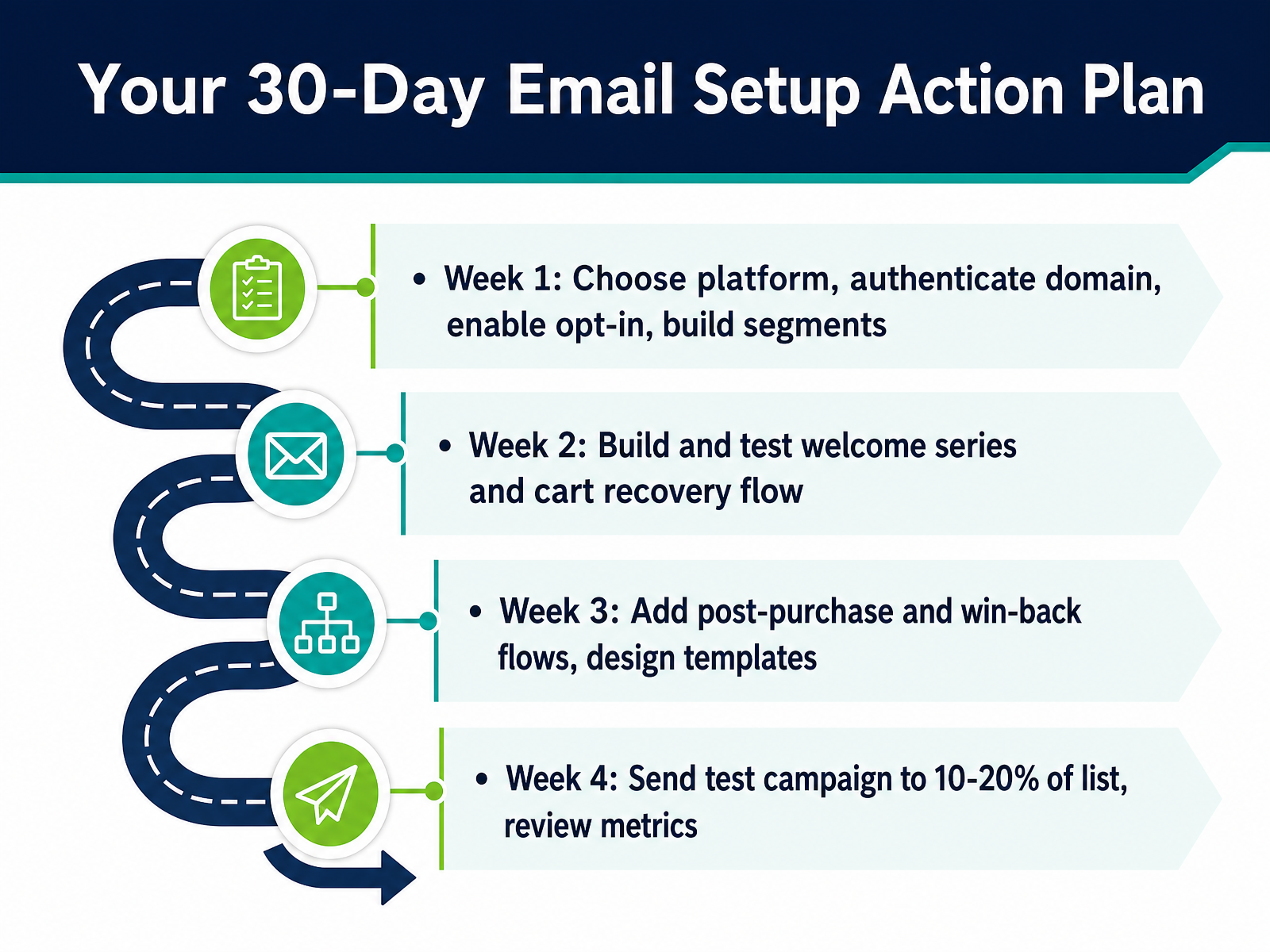
 - 14Your 30-Day Email Setup Action PlanHere is your thirty-day action plan. Week one, choose your platform, authenticate your sending domain, enable the opt-in at checkout, and build your core segments. Week two, build and test your welcome series and your cart recovery flow. Remember the first email should go out within one to four hours. Week three, add post-purchase and win-back flows, and design your email templates to match your brand. Week four, it is time to validate your work. Send a test campaign to just ten to twenty percent of your list. Review the open and click rates, check for any issues, and then send to the full audience. Thirty days from now, you will have a complete, revenue-generating email system running. Thanks for sticking with this — now go build it. Good luck.
 help.shopify.comopenhelm.aiemailmarketingforbusiness.com+22 min
Take the deck with you
Download this course as a file — free, no sign-up needed.
- PDF handoutEvery slide page, ready to print or share.15 pages · 3.4 MBDownload
- Narrated PowerPointThe deck that presents itself — every slide carries the digital human's narration video.15 pages · 27.5 MBDownload
- PowerPoint slidesThe full deck as a .pptx — open it in PowerPoint, Keynote, or Google Slides.15 pages · 3.3 MBDownload
Free to use in your own training — please keep the PersonWise credit page at the end.
Have your own deck? Turn it into a course
Sources consulted
Web sources consulted while building this course.
- Set up Shopify Email — help.shopify.com
- Shopify Messaging | Build email and SMS marketing campaigns - Shopify — shopify.com
- Shopify Messaging email pricing — help.shopify.com
- Using Shopify Email for email marketing — help.shopify.com
- Shopify Email Marketing Setup Guide | Email — emailmarketingforbusiness.com
- Klaviyo vs Shopify Email vs Omnisend 2026: Complete Comparison – Remery Blog — remery.ai
- Shopify Email Marketing: Klaviyo vs Shopify Email vs Omnisend (Honest Comparison) | GOSH Digital — goshdigital.co
- Best Email Marketing Apps for Shopify in 2026 (16 Tested) - Oxify App — oxify.app
- Best Email Marketing for Shopify in 2026 (7 Tools Compared) | SaaS Pick — saaspick.io
- Best Shopify Email Marketing Apps (2026): Complete Comparison, Rankings, Features, Pricing & Expert Recommendations — skalum.agency
- Setting up your email — help.shopify.com
- How to Set Up SPF, DKIM and DMARC for Shopify (2026) — dmarcbusta.com
- DKIM for Shopify | DKIM Test — dkimtest.com
- Shopify SPF and DKIM setup · trustyourinbox — trustyourinbox.com
- Shopify DMARC, DKIM & SPF - DNS Records Setup — dmarcdkim.com
- Create email marketing campaigns using Shopify Messaging — help.shopify.com
- Shopify Email Marketing: Complete Setup Guide for 2026 | OpenHelm Blog | OpenHelm — openhelm.ai
- How to Create Email Marketing on Shopify | Email — emailmarketingforbusiness.com
- Shopify Email Guide 2026: Templates, Automation &... — easyappsecom.com
- Abandoned Cart Emails: Best Practices & Examples (2026) - Shopify — shopify.com