Begin
14 pages · ~28 min
Computer Networking Design Patterns
Explore common computer networking patterns, their strengths, and pitfalls to identify best practices and avoid design flaws. Ideal for network engineers and IT professionals enhancing their architecture skills.
A digital instructor presents all 14 pages. Hold “Ask” at any point and ask out loud — the answer comes from this course. No sign-up needed.
What you’ll learn
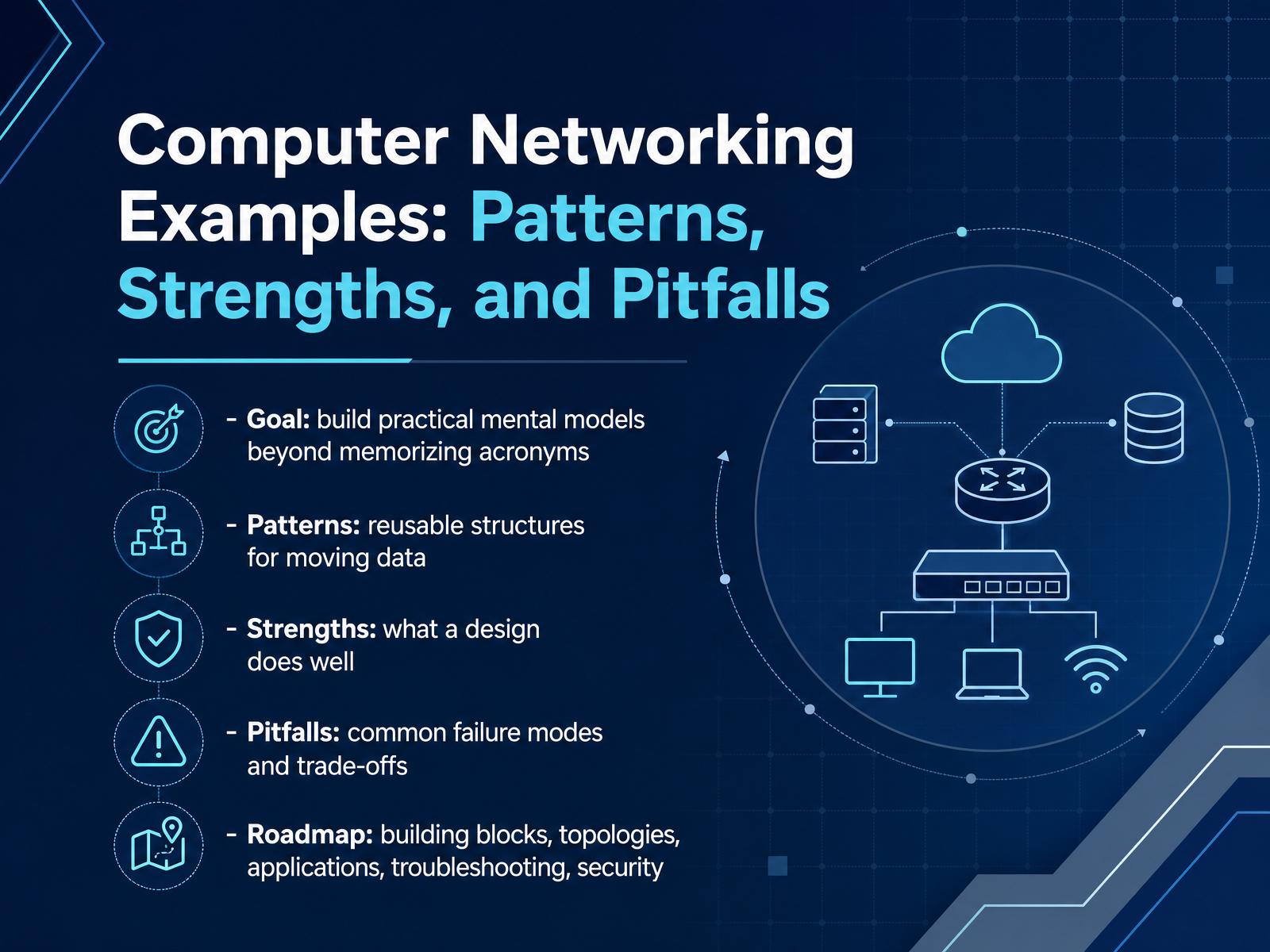
- 01Computer Networking Examples: Patterns, Strengths, and PitfallsWelcome to Computer Networking Examples: Patterns, Strengths, and Pitfalls. This course is built around one simple idea: networking is easier to learn when you stop memorizing acronyms and start building practical mental models. We will look at patterns, which are reusable structures for moving data from one place to another. Notice how these patterns keep showing up in different technologies. Next, we will talk about strengths, what a design actually does well in a real network. Then we will explore pitfalls, because every good design involves trade-offs. Here is the trap: a solution that works perfectly in one setting can fail badly in another. Over the next few lessons, we will move through building blocks, topologies, applications, troubleshooting, and security. Think of each example as a decision you might face when setting up or fixing a network. Next, let's start with a simple but important question: What Counts as a Networking Pattern.do1.dr-chuck.netlearn.microsoft.comcisco.com+22 min
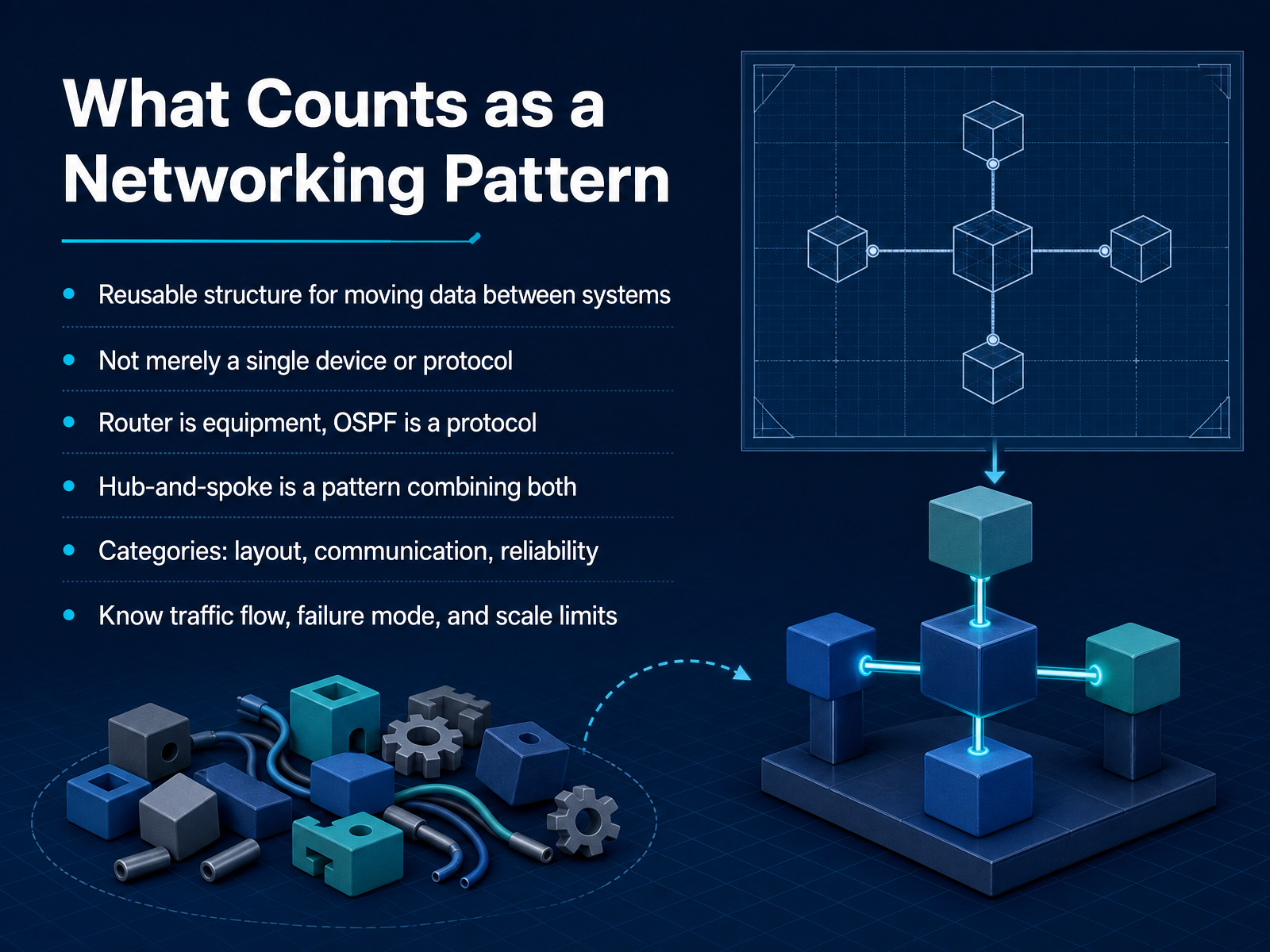
- 02What Counts as a Networking PatternLet's get clear on what actually counts as a networking pattern. A pattern is a reusable structure for moving data between systems. It is not just a single device or a single protocol. For example, a router is equipment. OSPF is a protocol. Neither one by itself is the pattern. But hub-and-spoke is a pattern because it combines devices, links, and routing into a repeatable shape. In this course we will think about patterns in three categories: layout, communication, and reliability. Layout is the physical or logical arrangement of devices. Communication is how traffic flows through that arrangement. Reliability is what happens when a link or device fails. Whenever you meet a pattern, ask three practical questions. How does traffic flow? What is the failure mode? And how far can it scale before it breaks? That mindset will help you choose the right design instead of memorizing names. Next, we will look at the underlying design logic that makes these patterns work.
 thinkcloudly.comcisco.comtechsystemlab.com+21 min
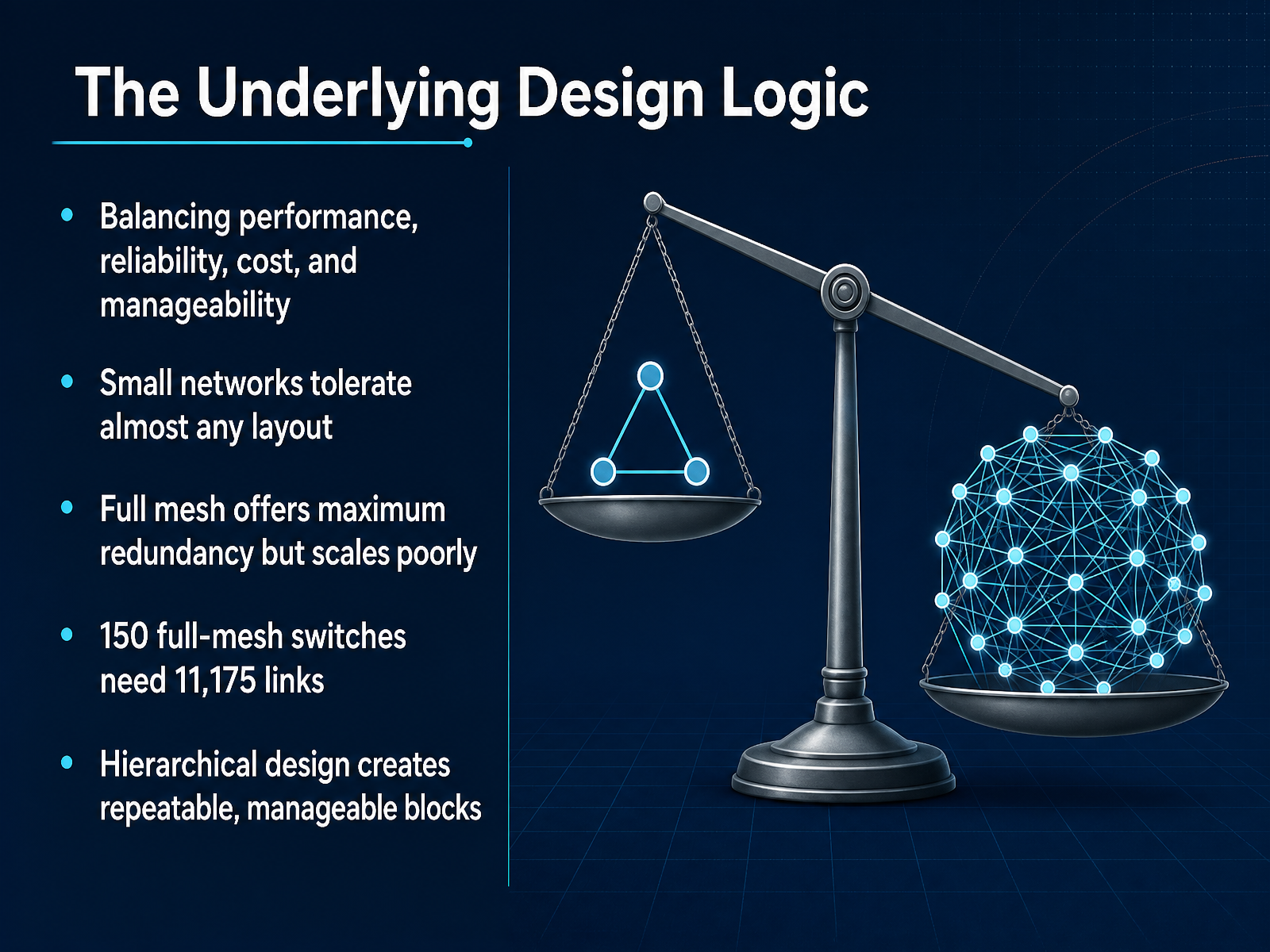
 - 03The Underlying Design LogicNow let's step back and look at the design logic underneath all these choices. At its core, network design is a balancing act between four things: performance, reliability, cost, and manageability. Notice how these pull in different directions. Full redundancy often raises the price, while cutting cost can hurt speed and make the network harder to run. Here's the trap: a small network tolerates almost any layout. With three switches and a router, you can connect things almost any way and it works. But that same design falls apart at fifty or a hundred switches. Full mesh is the clearest example. It gives every switch a direct path to every other switch, which sounds ideal. But the math gets out of hand fast. If you try to fully mesh one hundred fifty switches, you end up with eleven thousand one hundred seventy-five links. That is not a typo. The cost, the cabling, and the number of ports make it impossible. So what actually scales? Hierarchical design. Instead of one giant mesh, you break the network into a few layers. Each access switch only needs a couple of uplinks, no matter how many you add. That creates repeatable blocks that are far easier to build, troubleshoot, and grow. The trade-off is clear: less direct redundancy, but far better manageability and cost. Keep that pattern in mind as we move into the actual building blocks: devices, protocols, and links.
 thinkcloudly.comcisco.comtechsystemlab.com+22 min
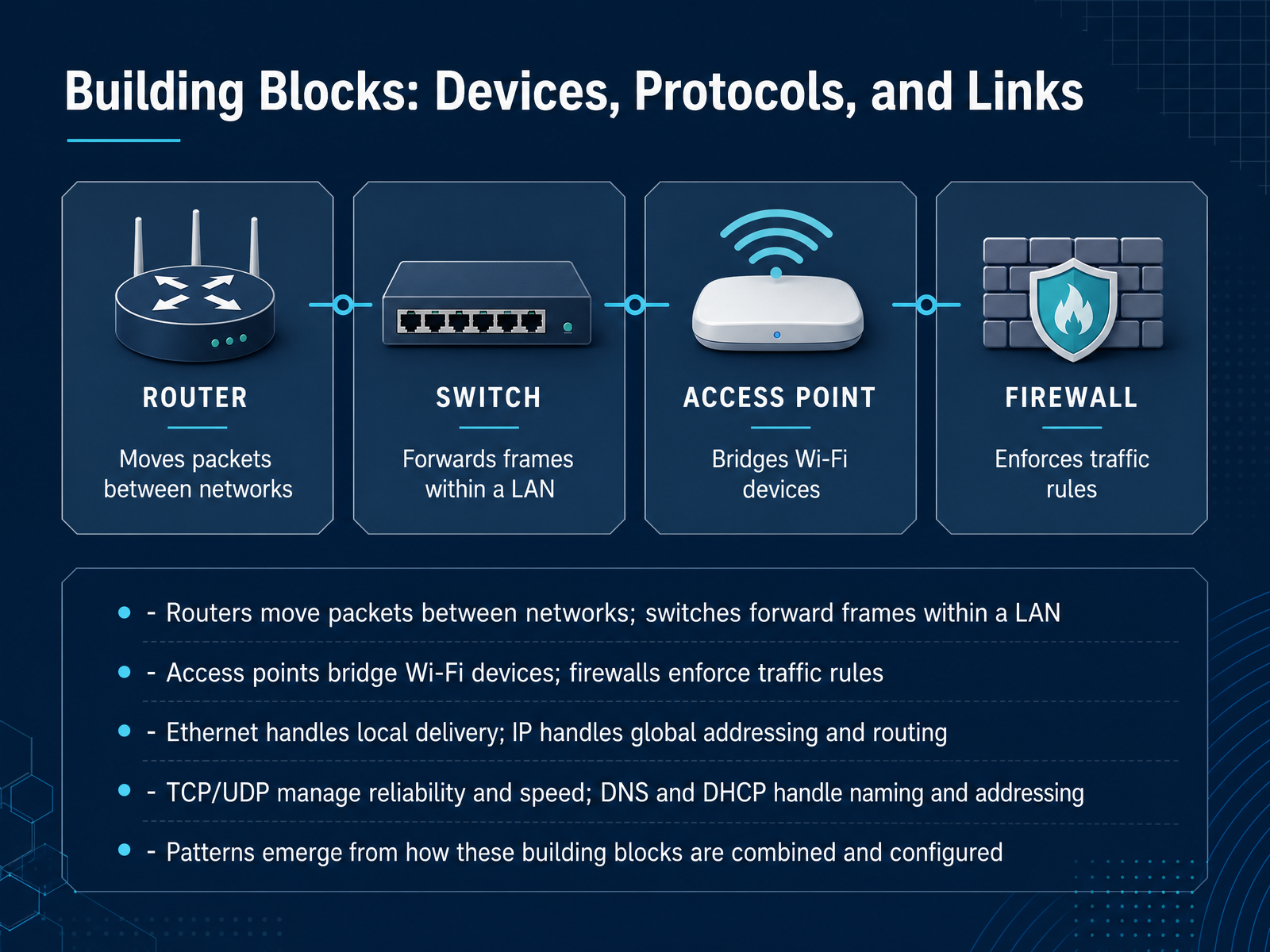
 - 04Building Blocks: Devices, Protocols, and LinksNow let's look at the actual building blocks you'll combine in almost every network. Think of routers and switches as two kinds of traffic handlers. A router moves packets between networks, like connecting an office to the internet. A switch forwards frames inside a local network, sending data only to the specific device that needs it. Access points bridge wireless devices onto the wired network, while firewalls enforce rules about what traffic is allowed. Notice how each device solves a different problem. The protocols matter too. Ethernet handles delivery on the local link, and IP provides global addressing and routing. TCP and UDP manage reliability and speed, giving you a trade-off. DNS and DHCP handle naming and automatic addressing. Here's the trap: beginners often memorize these definitions separately, but real patterns come from how you combine and configure them. A small office firewall, router, switch, and access point all working together is a pattern. One misconfigured rule can break that pattern. Next, we'll see these patterns play out in LAN, WAN, and cloud environments.
 stationx.netlearn.microsoft.comcisco.com+22 min
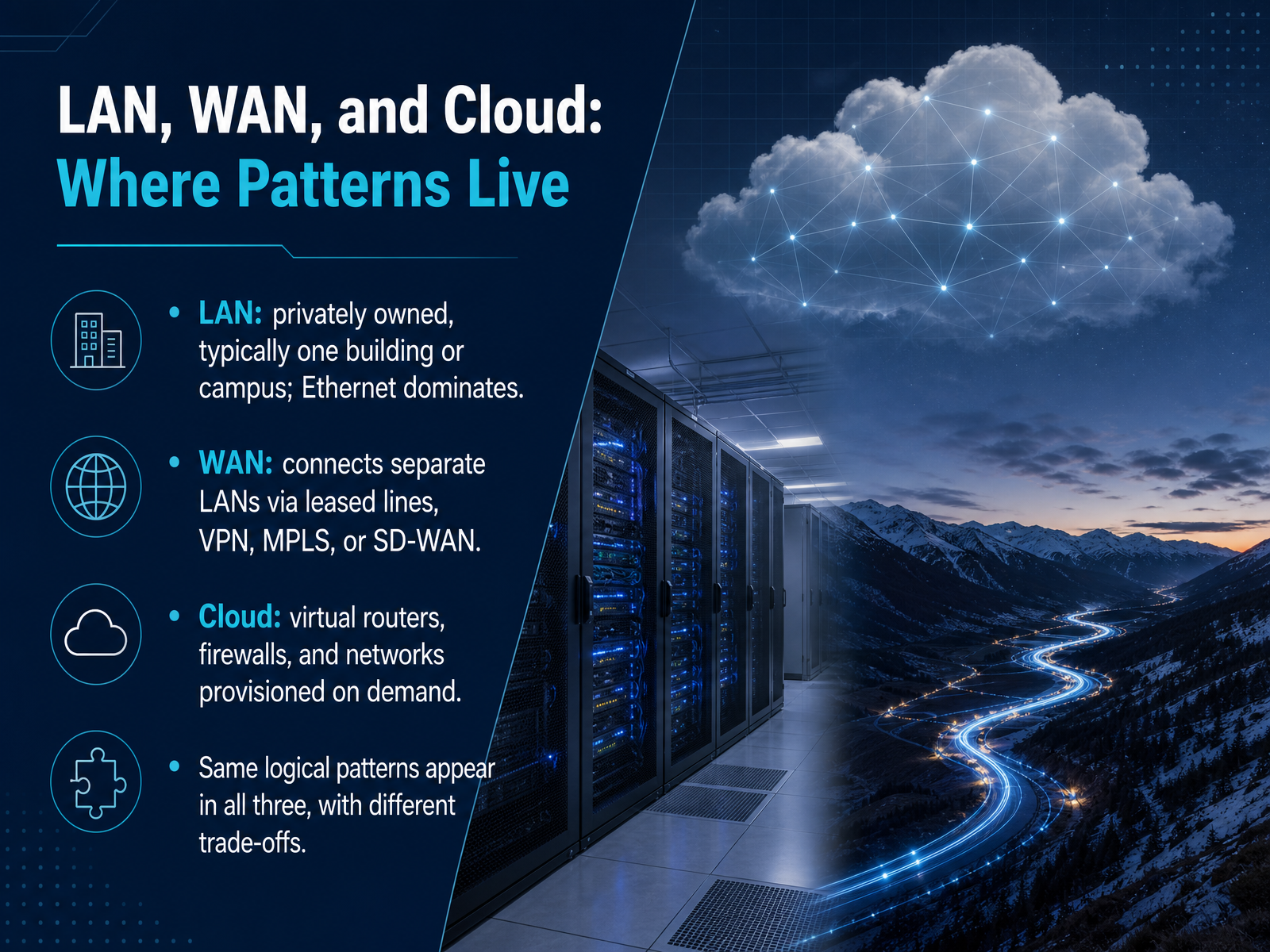
 - 05LAN, WAN, and Cloud: Where Patterns LiveNow let’s look at where these patterns actually live. A LAN, or local area network, is usually privately owned. Think of one building or one campus, and at the physical layer, Ethernet dominates. It is fast, well understood, and built for short distances. A WAN, or wide area network, connects separate LANs. Here you trade speed for reach. You might use leased lines, VPN, MPLS, or SD-WAN, and each choice changes cost, reliability, and control. Then there is the cloud. In the cloud, routers, firewalls, and whole networks are virtual resources provisioned on demand. Notice how the logical patterns stay familiar, but the trade-offs shift. You are no longer managing a switch in a closet; you are configuring a service. That tension between control and convenience is the underlying theme across all three. Next, we will look at three common topology patterns: star, hub-and-spoke, and ring.
 stationx.netlearn.microsoft.comcisco.com+21 min
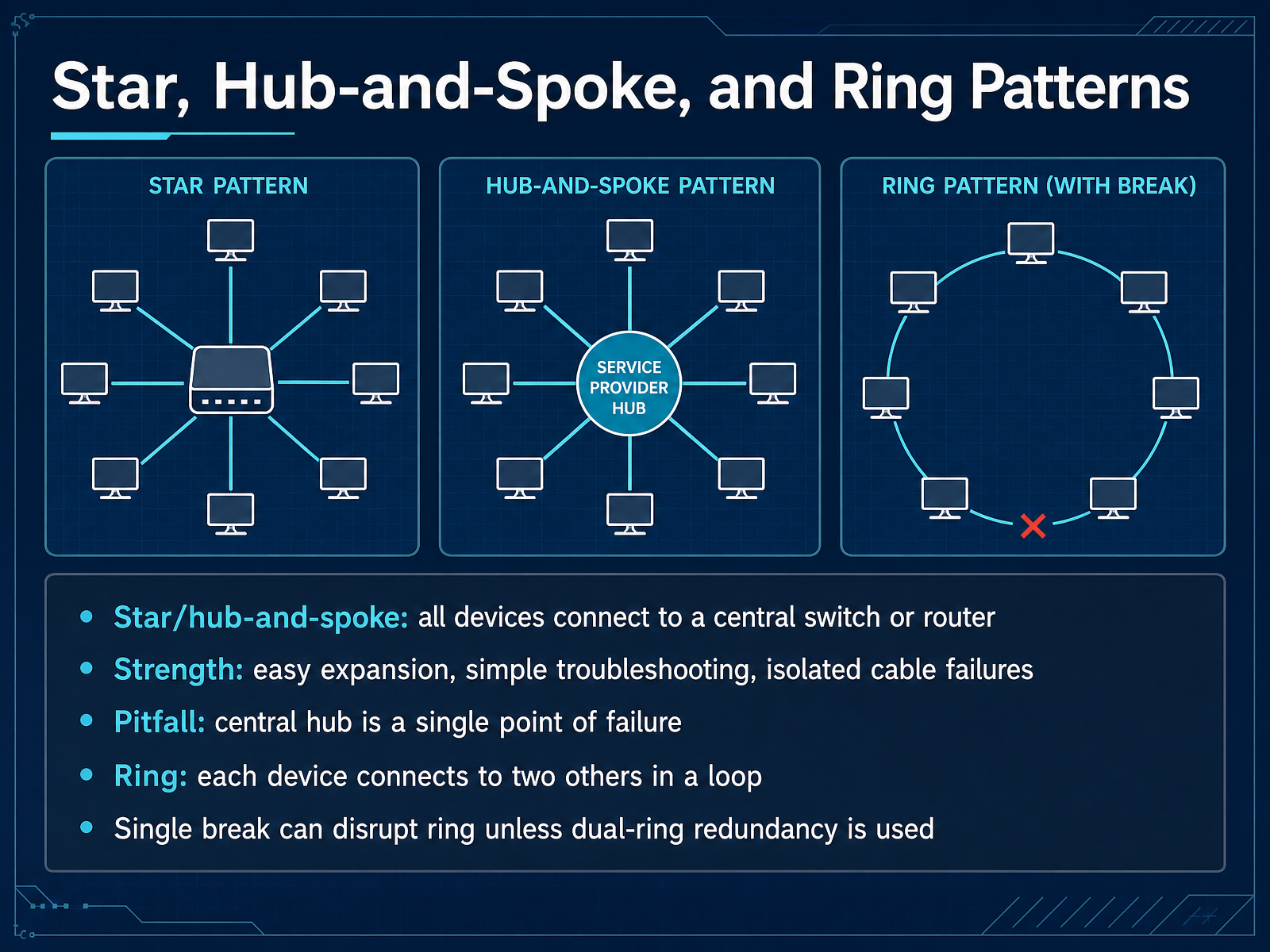
 - 06Star, Hub-and-Spoke, and Ring PatternsNow let's compare three connection patterns you will see again and again: star, hub-and-spoke, and ring. A star, also called hub-and-spoke, means every device has its own cable running back to one central switch or router. That is why it is the most common design in modern offices. The benefits are practical. If one cable breaks, only that one device loses access. Adding new devices is simple, and troubleshooting is easier because you can check the central device first. But here is the trap. That central hub is a single point of failure. If the switch or router goes down, the entire network stops. A ring pattern is different. Each device connects to exactly two neighbors, forming a closed loop. Data moves from device to device until it reaches the destination. Ring designs can offer controlled, predictable flow, but one break in the loop can disrupt the whole network unless you build a second ring for redundancy. Notice how each choice is a trade-off between simplicity, cost, and fault tolerance. Next, we will move from these basic shapes to larger structured designs called hierarchical and leaf-spine architectures.
 pearsonitcertification.comcreately.cominfo.bannerengineering.com+21 min
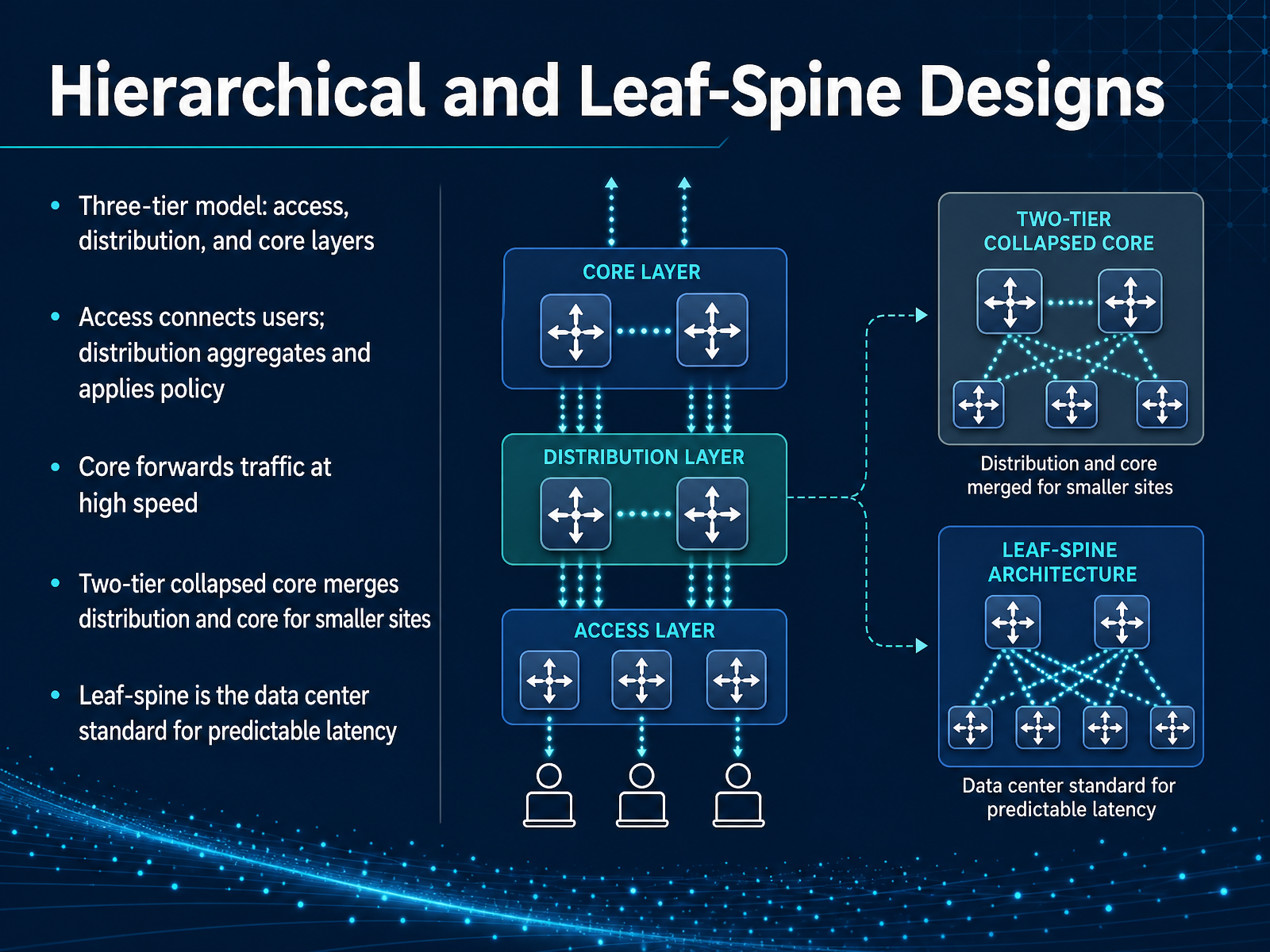
 - 07Hierarchical and Leaf-Spine DesignsNow let's look at two ways to organize a network so it can grow without turning into a mess. The classic approach is the three-tier model. Think of it like a company with three levels of responsibility. The access layer is where users plug in, so computers, phones, and printers all connect here. The distribution layer sits above that. It gathers traffic from multiple access switches and applies the rules, like security policies and routing between departments. At the top, the core layer has one job, to move traffic between distribution blocks as fast as possible. Notice how each layer has a clear role. That separation is what makes troubleshooting easier. For smaller sites, there is a simpler option called the two-tier collapsed core. Here, the distribution and core layers merge into one. It is a smart trade off when you do not have thousands of users and want to save on equipment costs. In the data center, a different pattern dominates, leaf-spine. Every leaf switch connects to every spine switch. This creates a short, predictable path for traffic, which is exactly what modern applications need to avoid latency spikes. The key takeaway is that there is no single best design. The pattern you choose depends on the size of the site and the type of traffic it carries. Next, we will shift from physical layouts to how devices share work in client-server, peer-to-peer, and hybrid patterns.
 thinkcloudly.comcisco.comtechsystemlab.com+22 min
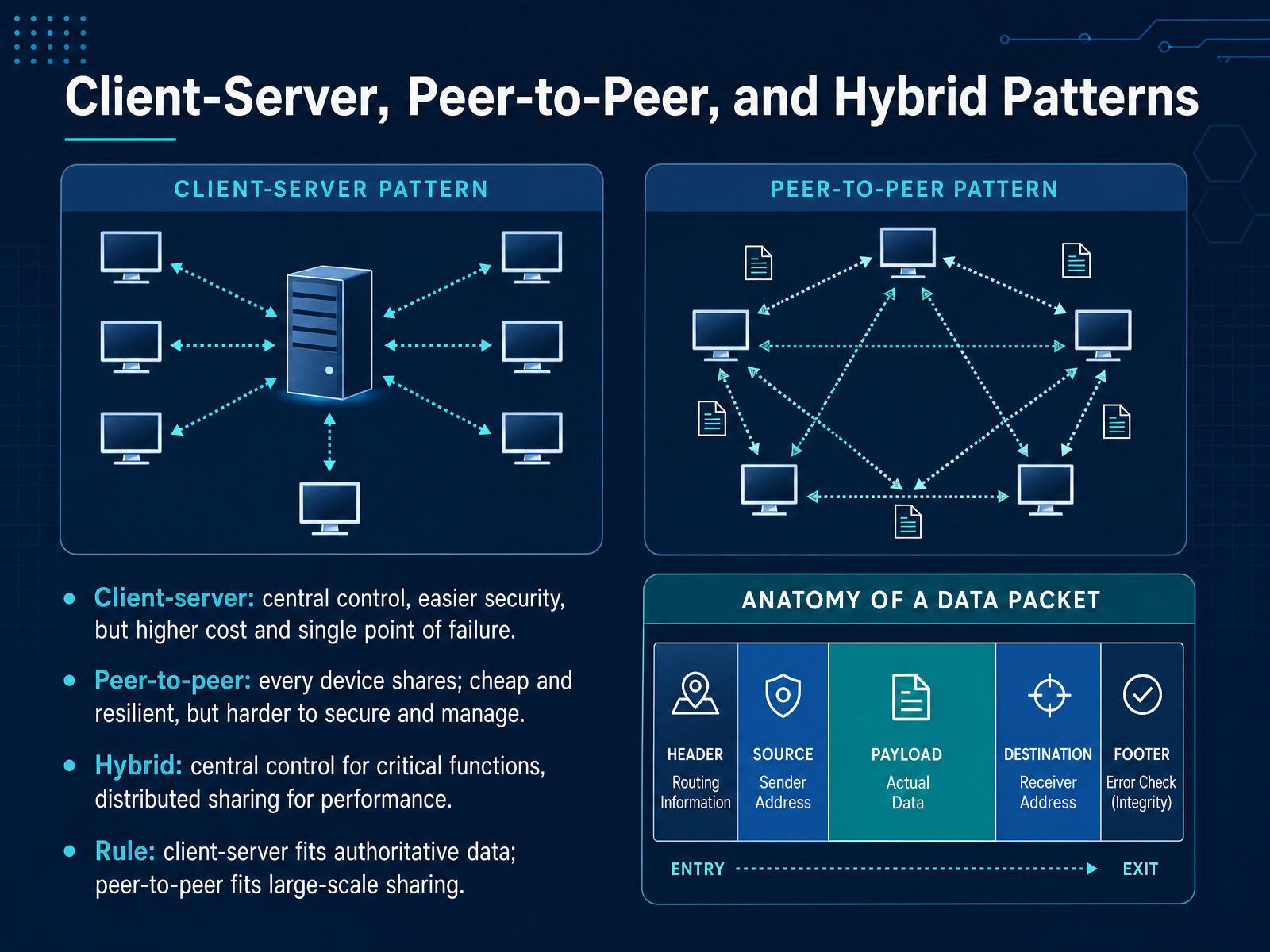
 - 08Client-Server, Peer-to-Peer, and Hybrid PatternsNow let’s place the three main network patterns side by side, because the choice is rarely about which one is better, it’s about which trade-off fits the job. In a client-server setup, a central server holds the authoritative data and controls access. That gives you easier security and simpler backups, but it costs more, and notice the trap: that server becomes a single point of failure. In a peer-to-peer model, every device shares. It is cheap and resilient because there is no central box to fail, but securing and managing it is far harder, especially as the network grows. A hybrid pattern blends both. Keep central control for critical functions, like user accounts or company records, but allow direct device-to-device sharing for large files or performance-heavy tasks. Here is the rule to carry with you: choose client-server when consistency and authority matter most, and peer-to-peer when you need large-scale sharing with lower cost. In real jobs, many sane designs end up hybrid. Next, we’ll look at how networks stay available under pressure, through load balancing, redundancy, and failover.
 techrepublic.com1 min
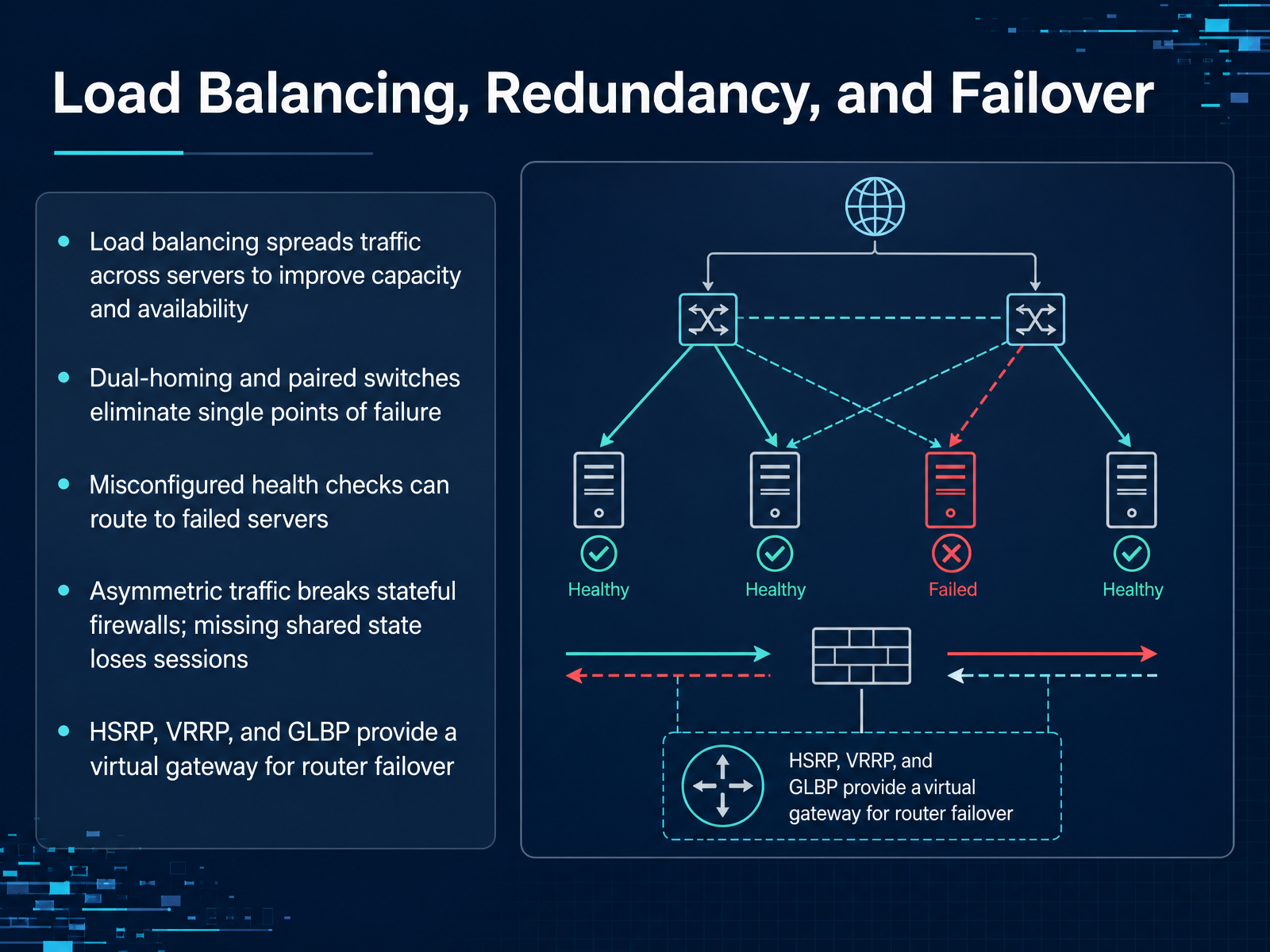
 - 09Load Balancing, Redundancy, and FailoverNotice how many of our design problems come back to one question: what happens when something fails? Load balancing is the first part of the answer. Instead of pointing all your users at one server, you spread the traffic across several. That gives you more capacity, and if one server goes down, the others keep working. Dual-homing and paired switches work the same way at the network layer. You connect each access switch to two upstream switches, so one broken link or one failed box does not isolate a whole floor. But here is the trap. Redundancy is only as good as the health checks. If a load balancer keeps checking the wrong thing, it will happily send traffic to a server that is actually dead. And if an active firewall does not share session state with its standby partner, the failover drops all the open connections. That is why protocols like HSRP, VRRP, and GLBP matter. They give your devices a shared virtual gateway address, so when one router fails, the other can take over the same address almost instantly. Think of it as giving your network a spare driver who already knows the route. Next, we shift from keeping servers reachable to making them easy to find. Let's look at DNS and DHCP in action.
 thinkcloudly.comcisco.comtechsystemlab.com+22 min
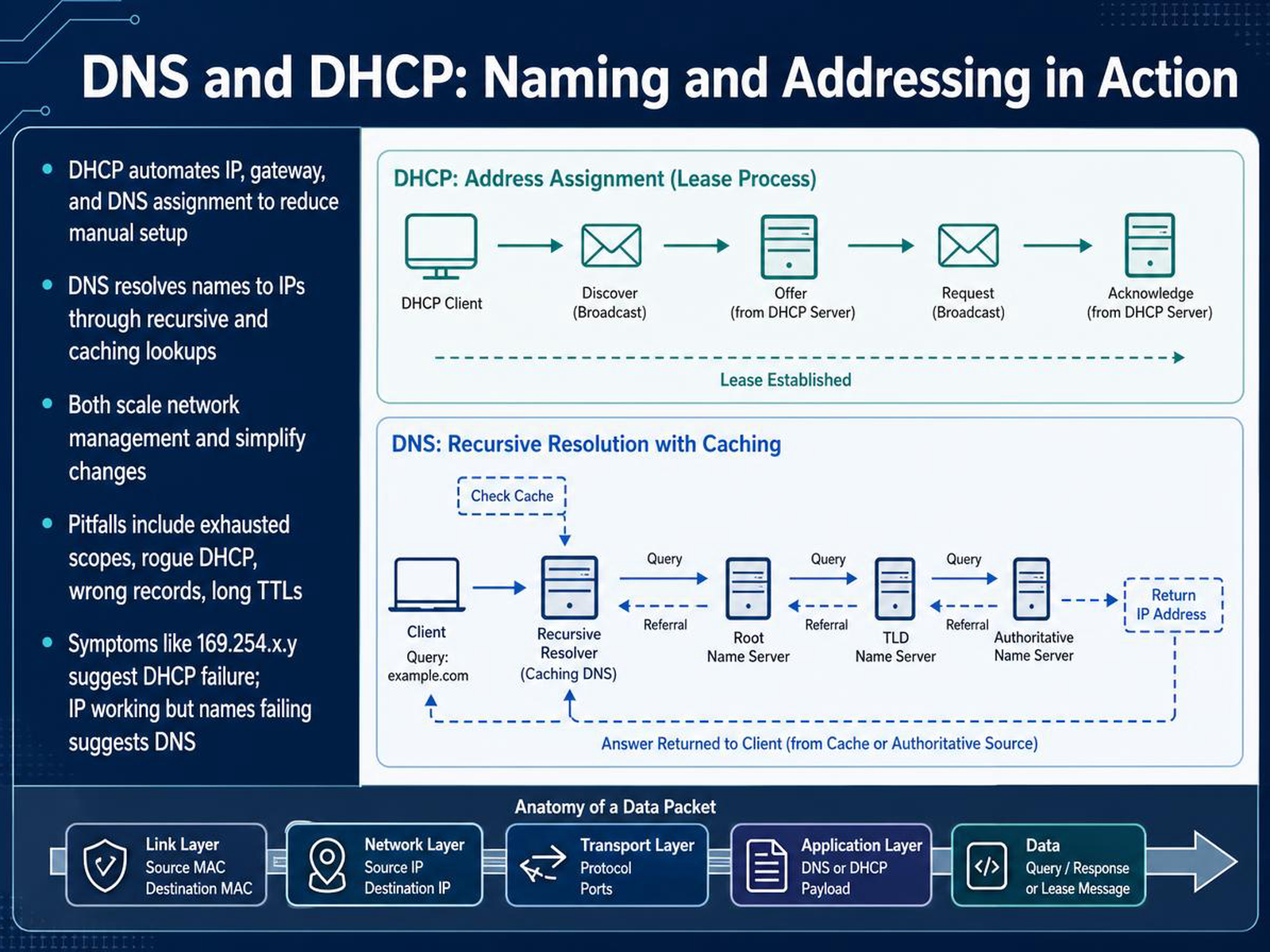
 - 10DNS and DHCP: Naming and Addressing in ActionNow let's look at two services that make a network feel manageable: DNS and DHCP. Think of DHCP as the front desk that hands out room keys. It automatically gives each device an IP address, the default gateway, and the DNS server address. Without it, you would be manually configuring every laptop, phone, and access point. DNS is more like the company directory. When you type a name like intranet dot company dot local, DNS resolves that name to the actual IP address behind the scenes, often through recursive lookups and cached results. The payoff here is scale. You can change a server or a subnet from one place, instead of visiting every device. But there are a few traps to watch for. If a DHCP scope runs out of addresses, new devices cannot get a lease. A rogue DHCP server can hand out wrong or conflicting addresses. On the DNS side, a wrong record or a very high TTL can keep old addresses alive for hours or days. And finally, notice the symptom pattern when something breaks. If a device shows a one sixty-nine dot two fifty-four address, that usually points to DHCP failure. But if an IP address looks valid and only name resolution fails, suspect DNS. Keep those two signals separate, and troubleshooting gets much faster. Next, we will apply this kind of thinking to troubleshooting with pattern recognition.
 2 min
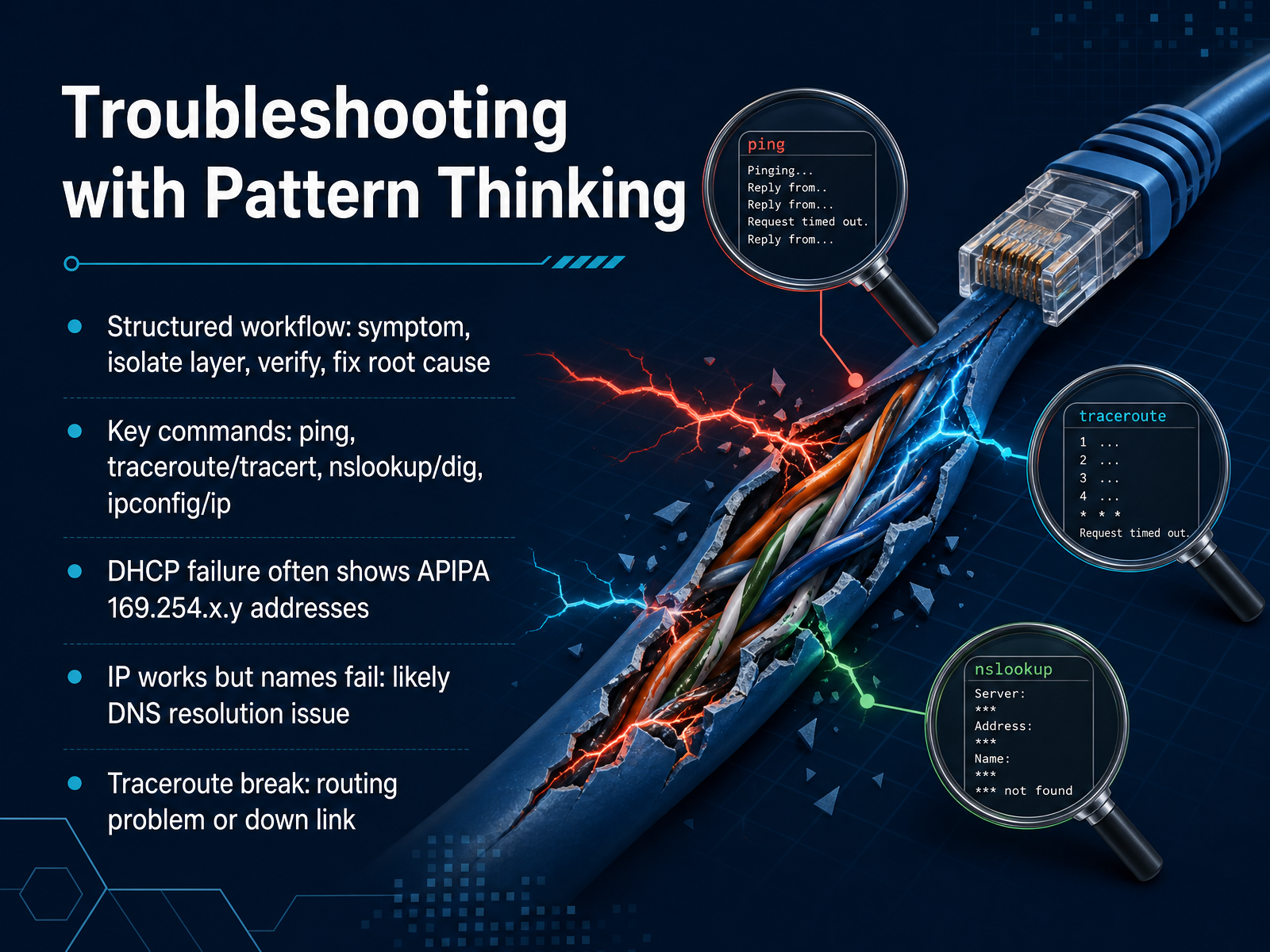
2 min - 11Troubleshooting with Pattern ThinkingLet's put all of this into a disciplined troubleshooting flow. Instead of guessing, think about the network in layers and use a consistent pattern. Start with the symptom. Then isolate which layer is failing. Verify your theory with a command, and only then fix the root cause. Your core tools are simple. Ping checks if a host is reachable. Traceroute, or tracert on Windows, shows the path and where it breaks. Nslookup or dig checks if DNS is resolving names correctly. And ipconfig or ip gives you the local address details. Now, notice how the symptoms point to the layer. If a machine has a 169.254 address, DHCP has failed. The client couldn't get a lease, so the network is not the first place to look. If you can ping an IP address but a name fails, you have a DNS resolution problem. And if traceroute shows stars or stops at a specific hop, you've found a routing issue or a down link. The trap is jumping straight to a complex fix. Run the simple check first. It usually tells you exactly where to look next. Up next, we'll explore how these decisions become security patterns and their trade-offs.
 2 min
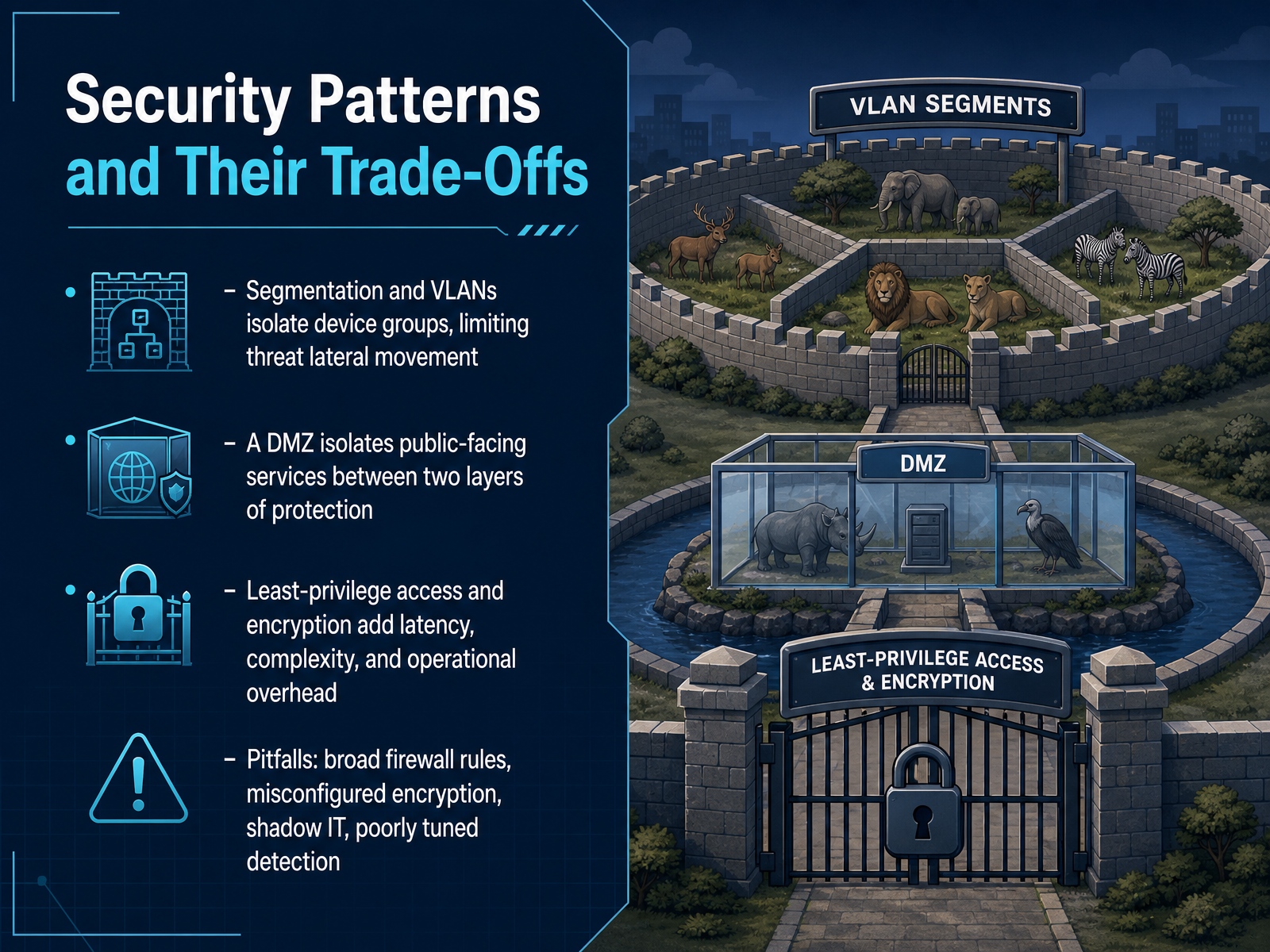
2 min - 12Security Patterns and Their Trade-OffsNow let's look at how security patterns work as real trade-offs. Segmentation and VLANs isolate groups of devices. So if one part of your network is compromised, an attacker can't easily move sideways into another part. A DMZ takes a similar idea and applies it to public-facing services like web servers. Those servers sit between two layers of protection, so if they get hit, your internal network stays safer. Notice the trade-off though. Least-privilege access and encryption both add protection, but they also add latency and operational overhead. More checks mean more complexity for your team to manage. Here's the trap. Broad firewall rules feel convenient, but they quietly open paths you forgot about. Misconfigured encryption can give you a false sense of safety. Shadow IT, meaning services running outside your visibility, can bypass all of this. And poorly tuned detection will either miss real threats or drown you in noise. So treat each pattern as a decision, not just a checkbox. Next, we'll put the patterns together.
 stationx.netlearn.microsoft.comcisco.com+22 min
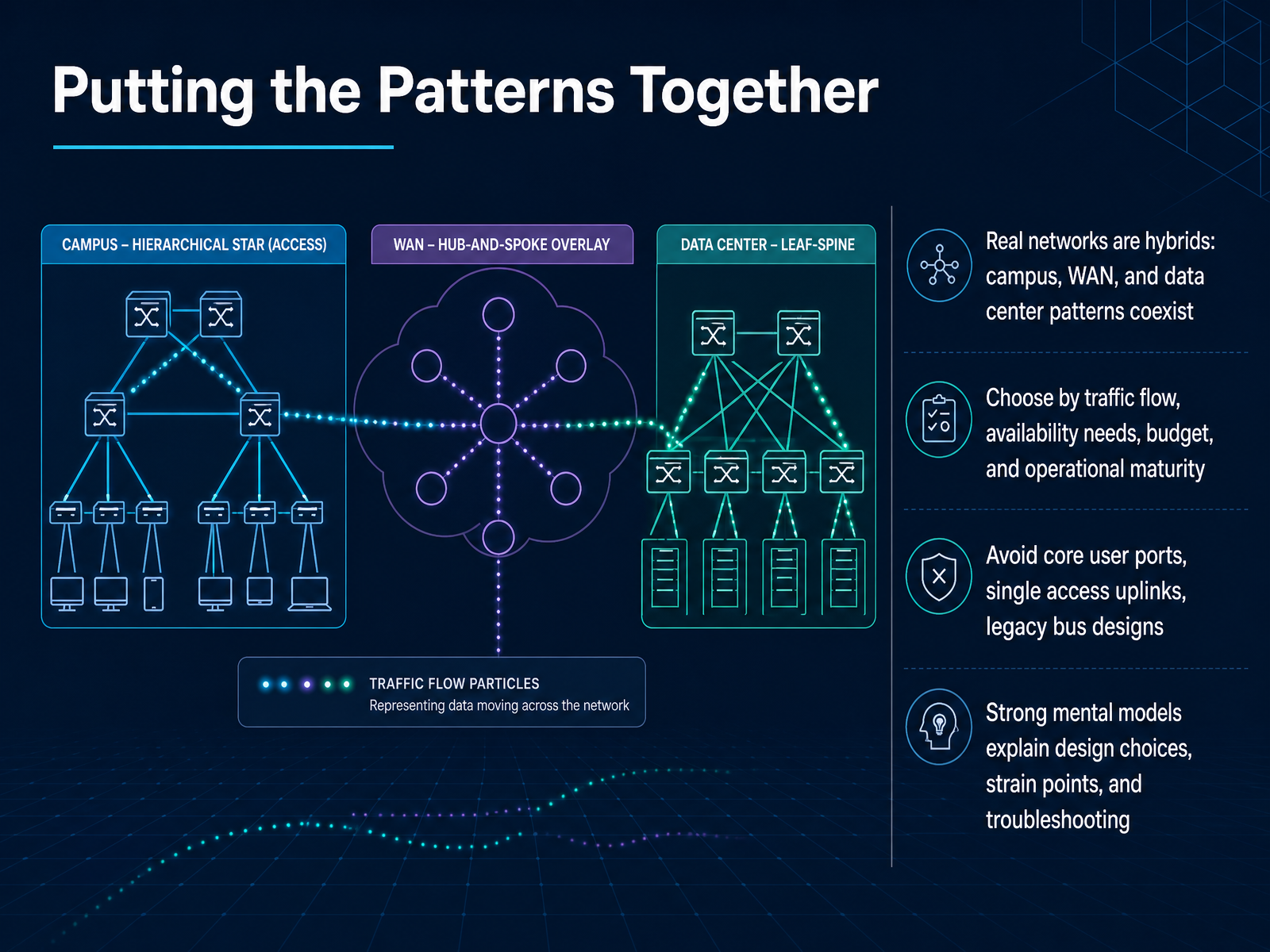
 - 13Putting the Patterns TogetherNow let's bring all of this together. The most important thing to remember is that real networks are almost never built from a single pattern. A campus might use a hierarchical model, the wide area network might be hub-and-spoke, and the data center might be spine-leaf. These are not competing choices so much as parts of one bigger system. So when you look at a design, start by asking a few practical questions. Where does most of the traffic actually flow? How much downtime can the business tolerate? What budget and operational experience are available? Those answers usually point to the right mix. Notice how several pitfalls show up consistently. User ports should never hang directly off a core switch. Access switches should never rely on a single uplink. And legacy bus or daisy-chain designs should generally be replaced rather than extended. A strong mental model lets you explain why a design looks the way it does, where it will strain under growth, and where to look first when something breaks. In the final slide, we will pull this together into a summary and practical next steps.
 thinkcloudly.comcisco.comtechsystemlab.com+22 min
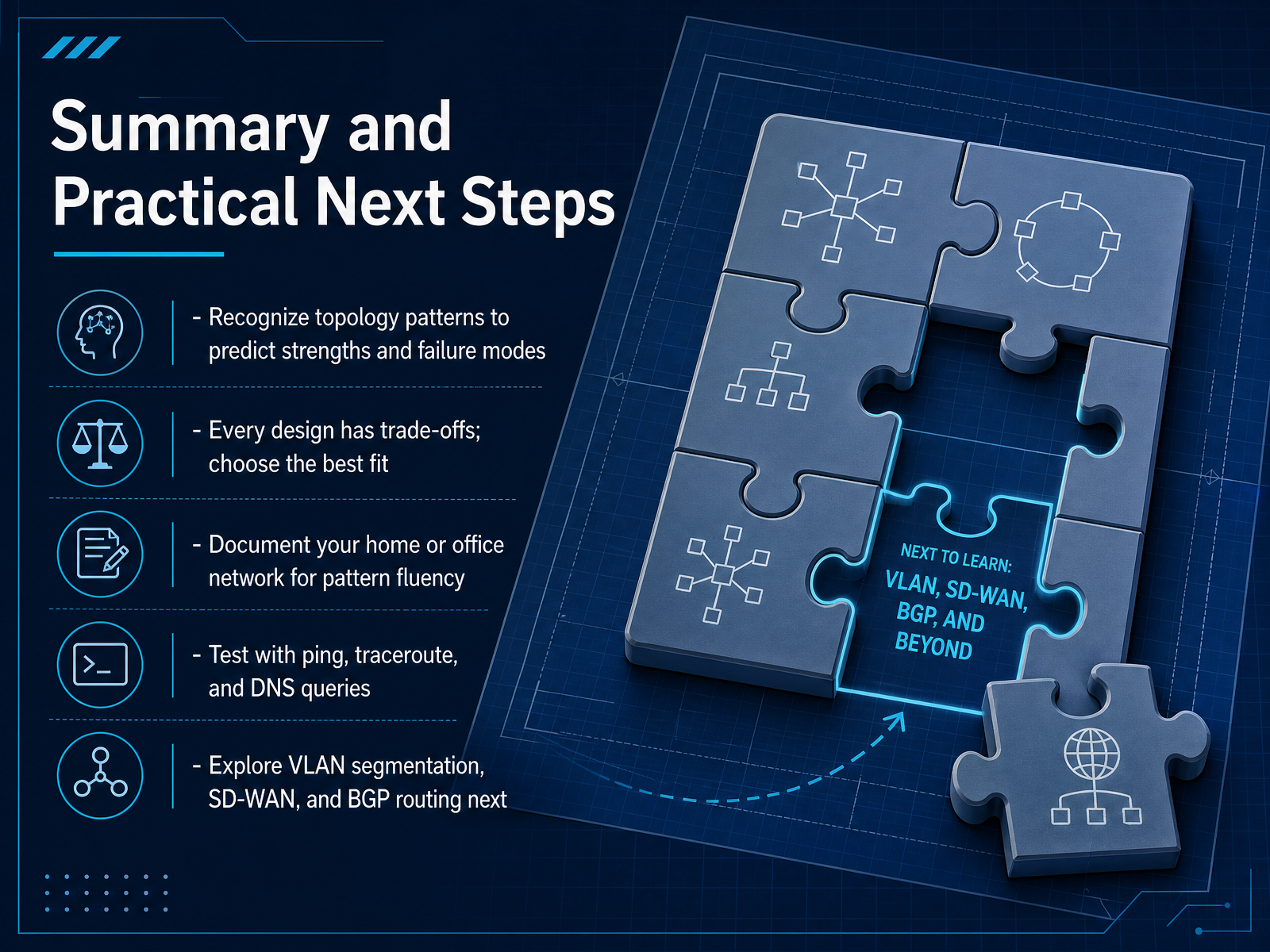
 - 14Summary and Practical Next StepsLet's bring it all together. We've covered a lot of ground, and the goal now is to turn that knowledge into a practical skill. First, when you look at a network, try to recognize its pattern. Is it a star, a mesh, or one of the layered enterprise designs? Being able to see the shape helps you predict how it might fail and where the bottlenecks are. Second, remember there is no perfect design. Every choice is a trade-off. A full mesh gives you great redundancy but costs a lot in cabling and ports. A hub and spoke design is simple to manage, but the hub is a single point of failure. Your job is to choose the best fit for the problem in front of you. So, what should you do next? Start by documenting your own home or office network. Draw a simple diagram of what connects to what. This practice builds your fluency with patterns. Then, test your network with simple tools like ping to check a connection, traceroute to see the path a packet takes, and DNS queries to see how names are resolved to addresses. These commands are your first diagnostic toolkit. Finally, when you are ready to go deeper, explore three big ideas: VLAN segmentation to logically separate networks, SD-WAN for managing wide area connections, and BGP routing to see how the global internet exchanges routes. You now have a foundation. Go build on it. Thank you for joining, and good luck with your networking journey.
 thinkcloudly.comcisco.comtechsystemlab.com+22 min
Take the deck with you
Download this course as a file — free, no sign-up needed.
- PDF handoutEvery slide page, ready to print or share.15 pages · 3.9 MBDownload
- Narrated PowerPointThe deck that presents itself — every slide carries the digital human's narration video.15 pages · 17.9 MBDownload
- PowerPoint slidesThe full deck as a .pptx — open it in PowerPoint, Keynote, or Google Slides.15 pages · 3.8 MBDownload
Free to use in your own training — please keep the PersonWise credit page at the end.
Have your own deck? Turn it into a course
Sources consulted
Web sources consulted while building this course.
- Introduction to Networking — do1.dr-chuck.net
- Fundamentals of computer networking - Training — learn.microsoft.com
- Networking Basics: What You Need To Know — cisco.com
- Computer network — en.wikipedia.org
- What is Networking — networklessons.com
- Common Enterprise Network Design Patterns Explained - ThinkCloudly — thinkcloudly.com
- What Is Network Design? — cisco.com
- Network Topology Design — Star, Ring, Mesh, and Hybrid for Enterprise Networks | TechSystem Lab — techsystemlab.com
- Common Network Design Patterns and How to Apply Them — linkedin.com
- Hierarchical Network Design — PacketMentor — packetmentor.com
- Introduction to Networking: A Beginner’s Guide — stationx.net
- Network protocols to use when you implement a network — learn.microsoft.com
- What Is Computer Networking? | IBM — ibm.com
- Types of network devices to use when you build a network — learn.microsoft.com
- Network Topologies, Architectures, and Types | Network Topologies | Pearson IT Certification — pearsonitcertification.com
- The Difference Between Bus, Star and Ring Topology | Compare, Choose & Visualize Networks | Creately — creately.com
- Theory and Terminology - Network Topologies — info.bannerengineering.com
- Generic topologies - Ring, Star, Bus | NetworkAcademy.IO — networkacademy.io
- Bus, ring, star or mesh: Which topology is right for you? — controldesign.com
- Understanding the differences between client/server and peer-to-peer networks - TechRepublic — techrepublic.com