Begin
14 pages · ~28 min
Computer Networking Core Skills
This training builds foundational computer networking knowledge and practical skills for IT professionals, covering core concepts and hands-on practice to equip learners with essential networking competencies.
A digital instructor presents all 14 pages. Hold “Ask” at any point and ask out loud — the answer comes from this course. No sign-up needed.
What you’ll learn
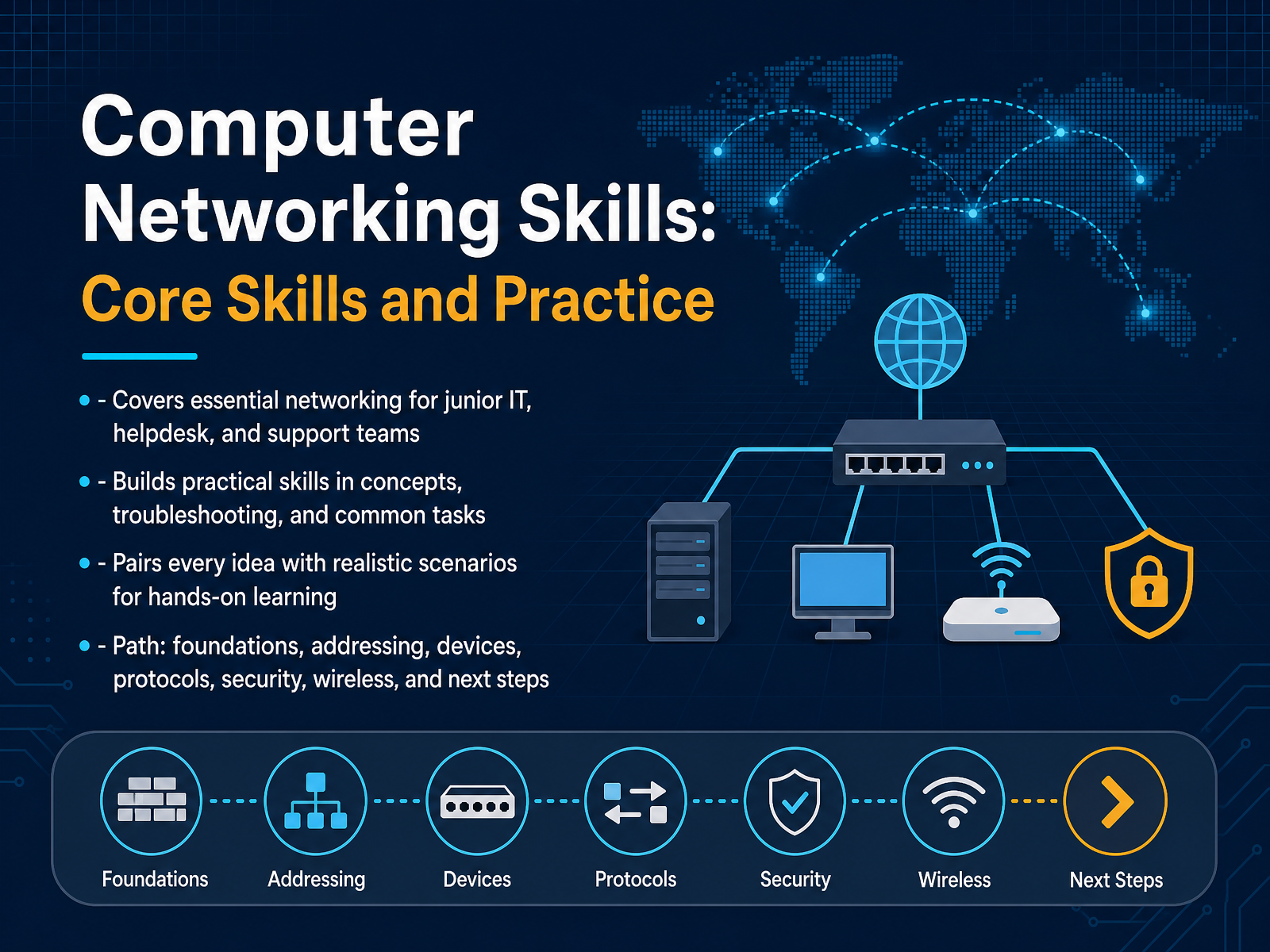
- 01Computer Networking Skills: Core Skills and PracticeWelcome to Computer Networking Skills: Core Skills and Practice. If you are on a helpdesk, in a support role, or starting your IT career, this course is built for the work you do every day. Networking is rarely background noise. A slow application, a failed connection, or a strange security alert usually has a network story underneath it. Our goal is simple. We will build practical skills through realistic troubleshooting, configuration, and performance scenarios. We will not stop at definitions. We will map every idea to a task you can actually perform. The path starts with foundations and reference models. Then we move through addressing, devices, protocols, security, wireless, and finally your next steps for deeper practice. Expect common mistakes and real frustrations to come up along the way, because that is how learning sticks. By the end, you should be able to diagnose problems faster and speak about network issues with confidence. Let’s begin with Networking Foundations and Reference Models.thinkcloudly.comvisiontrainingsystems.comcodionixittraining.co.uk+22 min
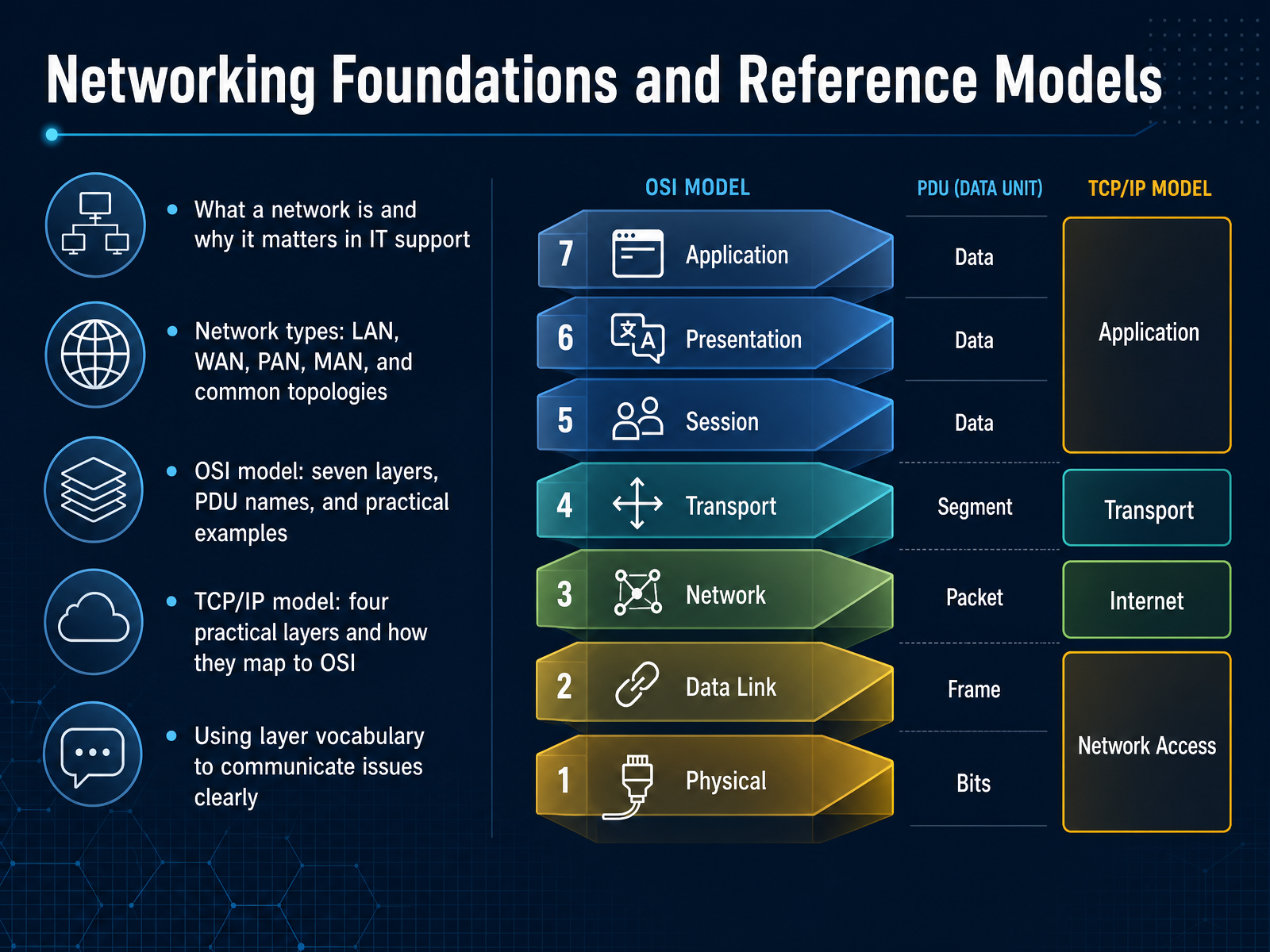
- 02Networking Foundations and Reference ModelsLet's build a shared way to talk about networks, so a vague ticket becomes a clear diagnosis. A network is simply connected devices exchanging data. Understanding network types like a LAN in one office, or a WAN across cities, helps you see where a problem might live. Now, the OSI model gives us a precise troubleshooting vocabulary. It has seven layers, from physical cables up to applications, with names like frames, packets, and segments at each step. In practice, most production traffic runs on the four-layer TCP/IP model. The top three OSI layers collapse into its Application layer, and the bottom two into Network Access. But we still say things like, that is a layer two issue, because the vocabulary is incredibly useful. For example, if ping works, basic IP connectivity is fine, so you should look at ports, DNS, or the application itself. Using this layer language turns guesswork into a repeatable process. Next, let's apply that language to LANs, WANs, and common network topologies.
 visiontrainingsystems.comituonline.comcisnet.ca+22 min
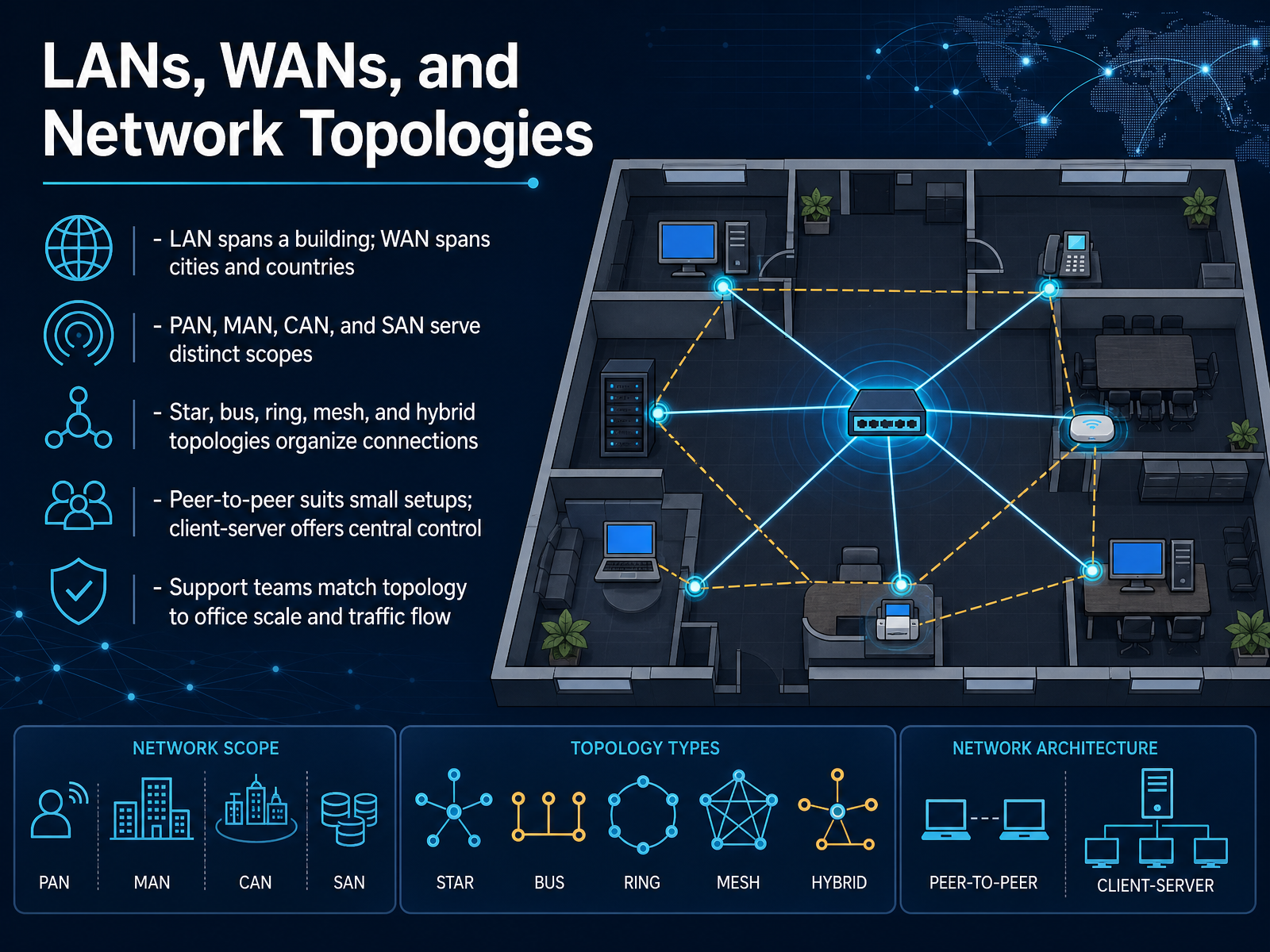
 - 03LANs, WANs, and Network TopologiesNow let’s zoom out and look at how networks actually fit into buildings, cities, and beyond. A LAN, or local area network, usually spans a single office or building. A WAN, or wide area network, connects sites across cities or even countries. The internet itself is really just a massive WAN. Between those, you’ll also hear terms like PAN for personal devices, MAN for a city, CAN for a campus, and SAN for dedicated storage. Each scope helps you choose the right design. Topologies describe how those devices connect. Star is the most common, because every device links back to a central switch. Bus, ring, and mesh each have their place, but real offices often use a hybrid. For small setups, peer-to-peer can work fine. But when you need central control, security, and easier backups, client-server is the smarter choice. As support teams, your job is matching the topology to the office size and the way traffic actually flows. A tiny office does not need an enterprise mesh design, and a growing team should not stay on peer-to-peer forever. Up next, we’ll build the foundation of all these networks with IP addressing and subnetting essentials.
 thinkcloudly.comvisiontrainingsystems.comcodionixittraining.co.uk+22 min
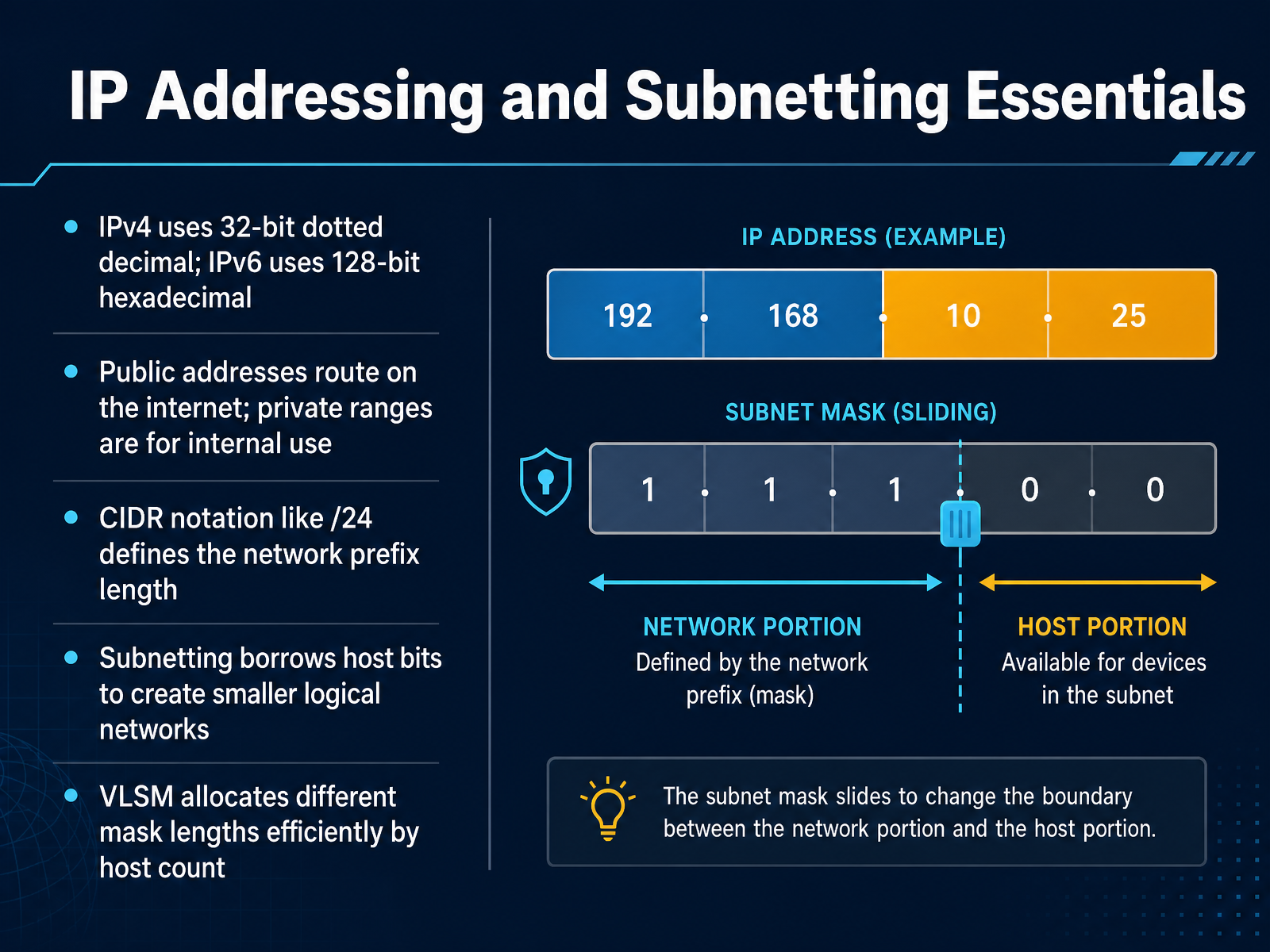
 - 04IP Addressing and Subnetting EssentialsNow let's talk about IP addressing and subnetting. Think of an IP address as the unique identifier for every device on your network. IPv4 is the older standard, written in dotted decimal, like one ninety two dot one sixty eight dot one dot one. IPv6 is the newer standard, using much longer hexadecimal addresses to solve address exhaustion. Now, public addresses route on the internet. Private ranges are only for internal use. That's why your home router has one public IP, while your devices share private IPs behind it. You'll often see CIDR notation like slash twenty four. That slash number simply tells you the network prefix length. Subnetting is when you borrow host bits to create smaller, logical networks. This improves performance and security. And when you need different sized networks, VLSM lets you allocate different mask lengths efficiently based on host count. The key takeaway is this: subnetting is how you design a network that scales. Next, we'll see the hardware that moves traffic within these designs: core network devices and their roles.
 ipcisco.compacketmentor.comthelineman.ca+22 min
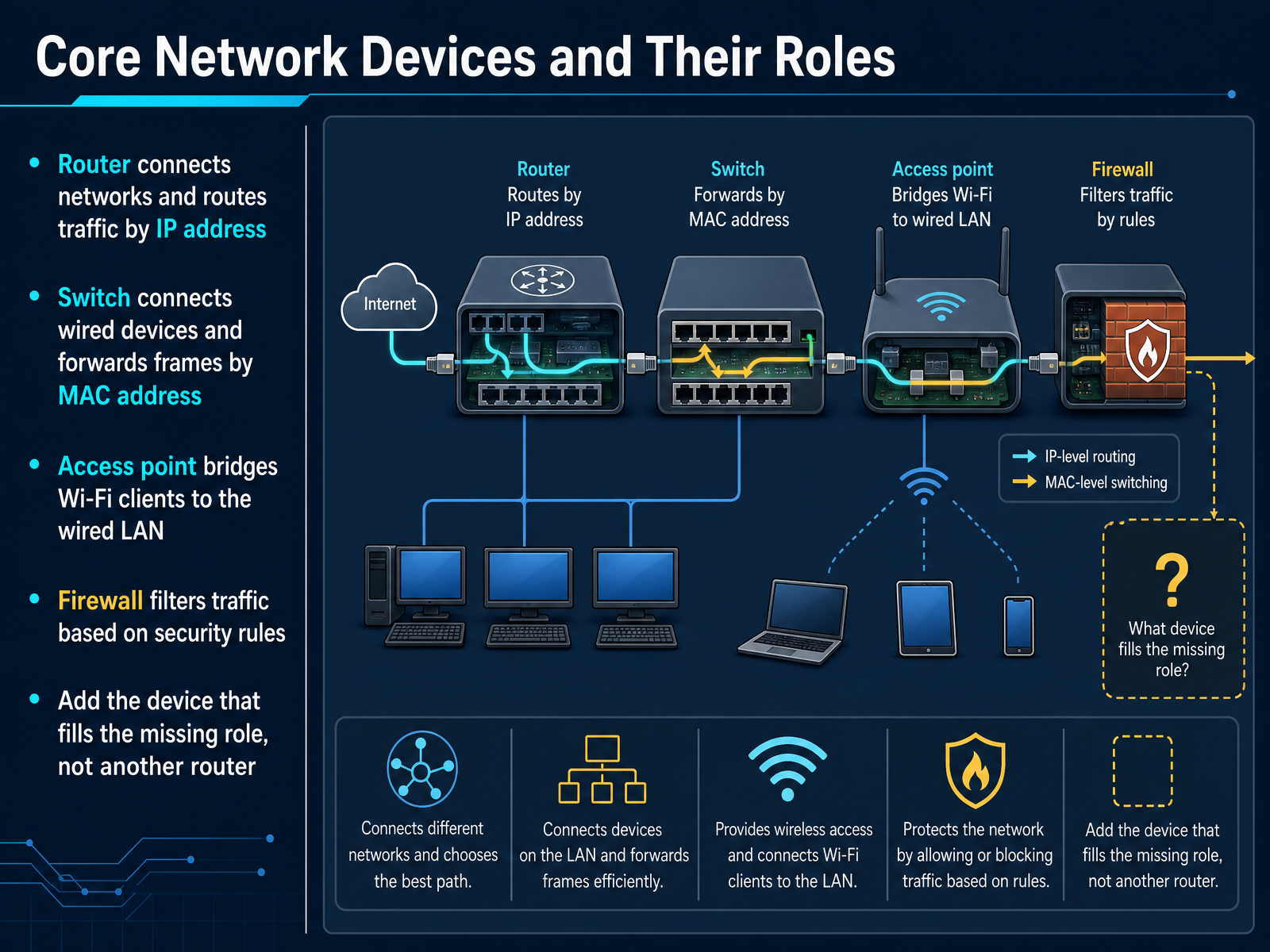
 - 05Core Network Devices and Their RolesNow let's get clear on the core network devices and what they actually do. A router connects different networks and routes traffic by IP address. It is your traffic director between the LAN and the internet. A switch connects wired devices inside the same network and forwards frames by MAC address. Think of it as the internal meeting point for desktops, printers, and phones. An access point bridges Wi-Fi clients onto the wired LAN. It solves coverage problems, not routing problems. And a firewall filters traffic based on security rules. It is your checkpoint for what enters or leaves the network. When you troubleshoot, identify the missing role first. Need more Ethernet ports, add a switch. Need better wireless coverage, add an access point. Adding another router just for ports often creates a second DHCP or NAT layer and makes things worse. Classify each box by its function in the traffic path, not by its label. Next, we will move into the essential protocols and network services that keep these devices working together.
 techgeeks.orgdocumentation.meraki.comcisco.com+21 min
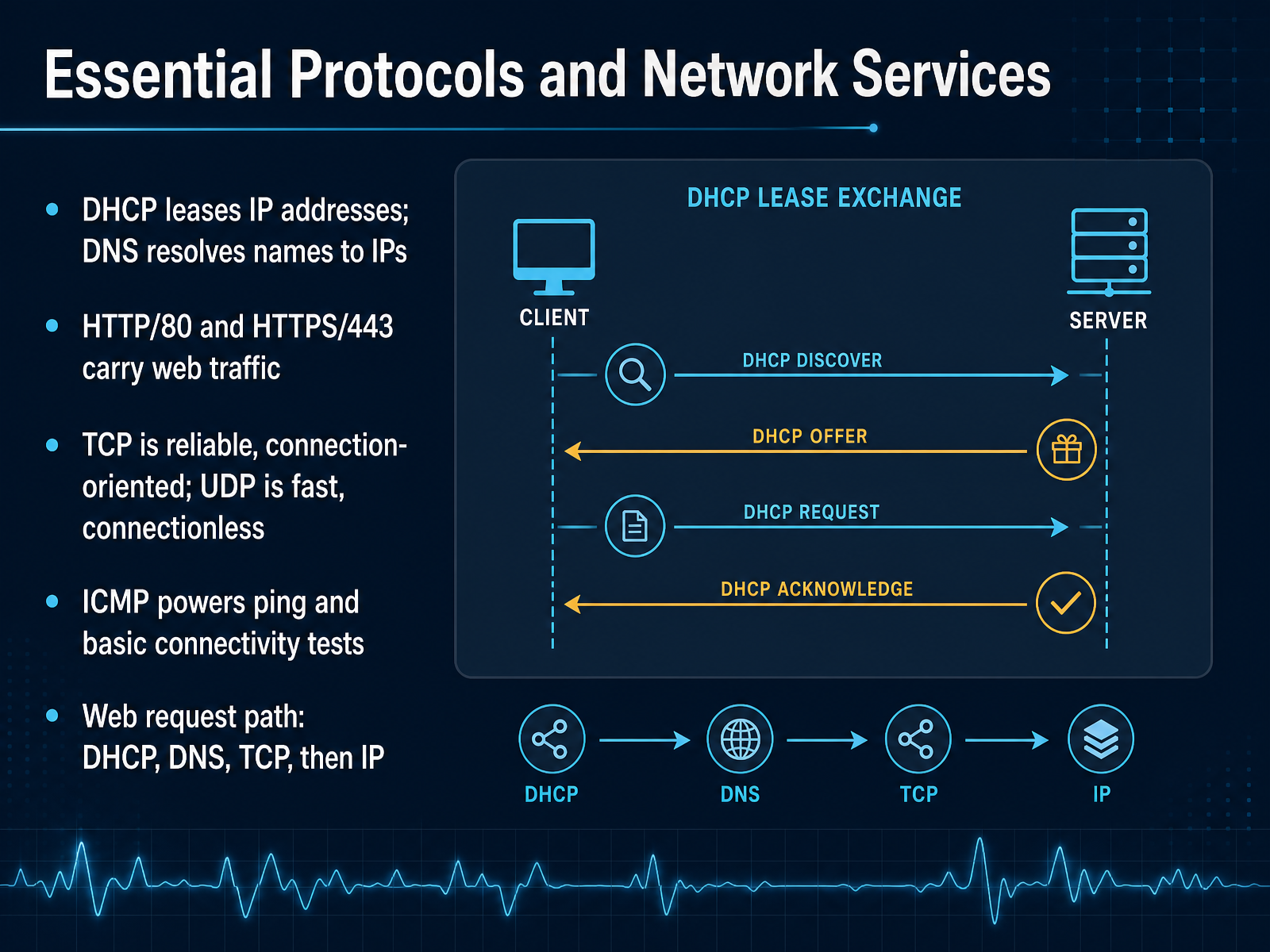
 - 06Essential Protocols and Network ServicesNow let's focus on the protocols and services you will touch every day. DHCP is the service that leases IP addresses to devices automatically. When a user says they have no network access, a failed DHCP lease is often the first thing to check. DNS is the other half of that conversation. It resolves human friendly names like server one dot local into the IP addresses devices actually use to route traffic. If DNS breaks, users will say the internet is down, even when the connection is fine. Web traffic runs on HTTP over port eighty and HTTPS over port four forty three. Port eighty is plaintext, while four forty three encrypts the session. You should expect most modern sites to redirect to four forty three. TCP gives you reliable, connection oriented delivery, which is why file transfers and web pages depend on it. UDP skips that handshake and favors speed, so it shows up in DNS queries, voice traffic, and streaming. ICMP is the protocol behind ping. It is not about moving application data, it is your quickest connectivity test. Map the path mentally: DHCP gets the address, DNS resolves the name, TCP opens the session, and then IP carries the packet. That sequence will help you isolate failures faster. Next, we will apply this with hands on connectivity and command line skills.
 thinkcloudly.comvisiontrainingsystems.comcodionixittraining.co.uk+22 min
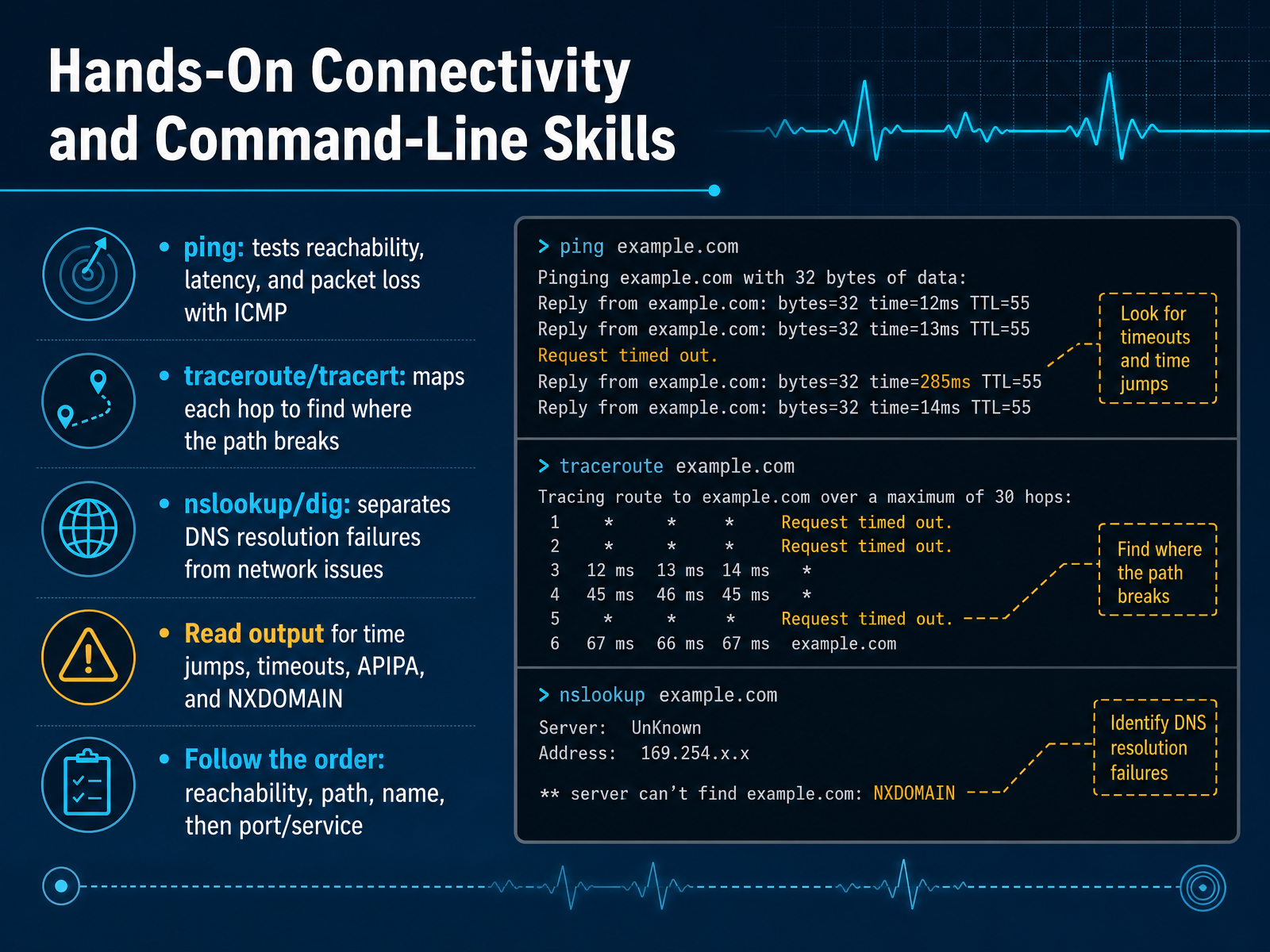
 - 07Hands-On Connectivity and Command-Line SkillsLet's put these tools to work in the right order. Start with ping. It sends ICMP echo requests and tells you if a host is alive, plus the latency and packet loss. A failed ping is suggestive, not proof, because some firewalls drop ICMP while still passing real traffic. Next, run traceroute, or tracert on Windows. It maps each router hop and shows where the path breaks or slows down. Read traceroute from the last hop that answers normally to the first one that doesn't. Then check DNS with nslookup or dig. If a site loads by IP but not by name, this is your tool. Watch for NXDOMAIN, timeouts, or the wrong server answering. Also, a workstation address starting with one sixty nine dot two fifty four means APIPA, which points to DHCP, not DNS. Finally, test the actual service port with telnet or netcat. Follow this order: reachability, path, name, then port. Next, we'll pull this together into a full network troubleshooting method.
 1 min
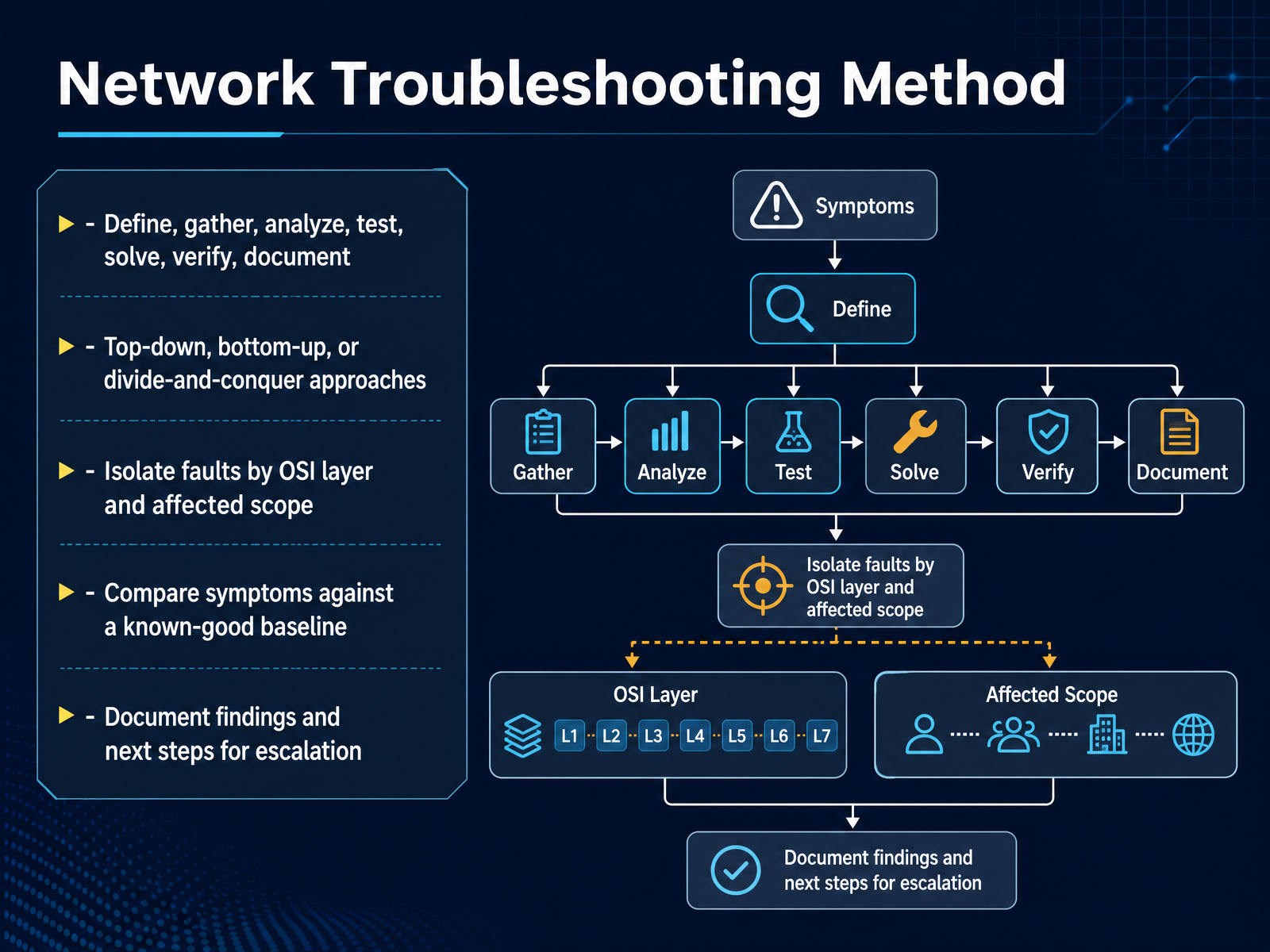
1 min - 08Network Troubleshooting MethodAt the heart of solving any network issue is a repeatable method. Rather than trying things at random, use a clear sequence. Define the problem, gather information, analyze what you find, test a theory, apply the fix, verify it worked, and then document the result. This keeps you consistent under pressure. You also need a strategy for where to start looking. Bottom-up means you start at the physical layer with cables and ports. Top-down begins at the application and user experience. Divide-and-conquer splits the path in the middle and tests from there. Each approach fits different symptoms. A key habit is to isolate the fault by OSI layer. Ask whether the failure is physical, at Layer 2, at Layer 3, or higher. Also compare current behavior against a known-good baseline. If this port usually shows zero errors and now shows hundreds, that tells you something changed. Finally, document your findings and the next steps. Good documentation turns a long fix into a short one for the next person. Up next, we will look at network security fundamentals.
 visiontrainingsystems.comituonline.comcisnet.ca+21 min
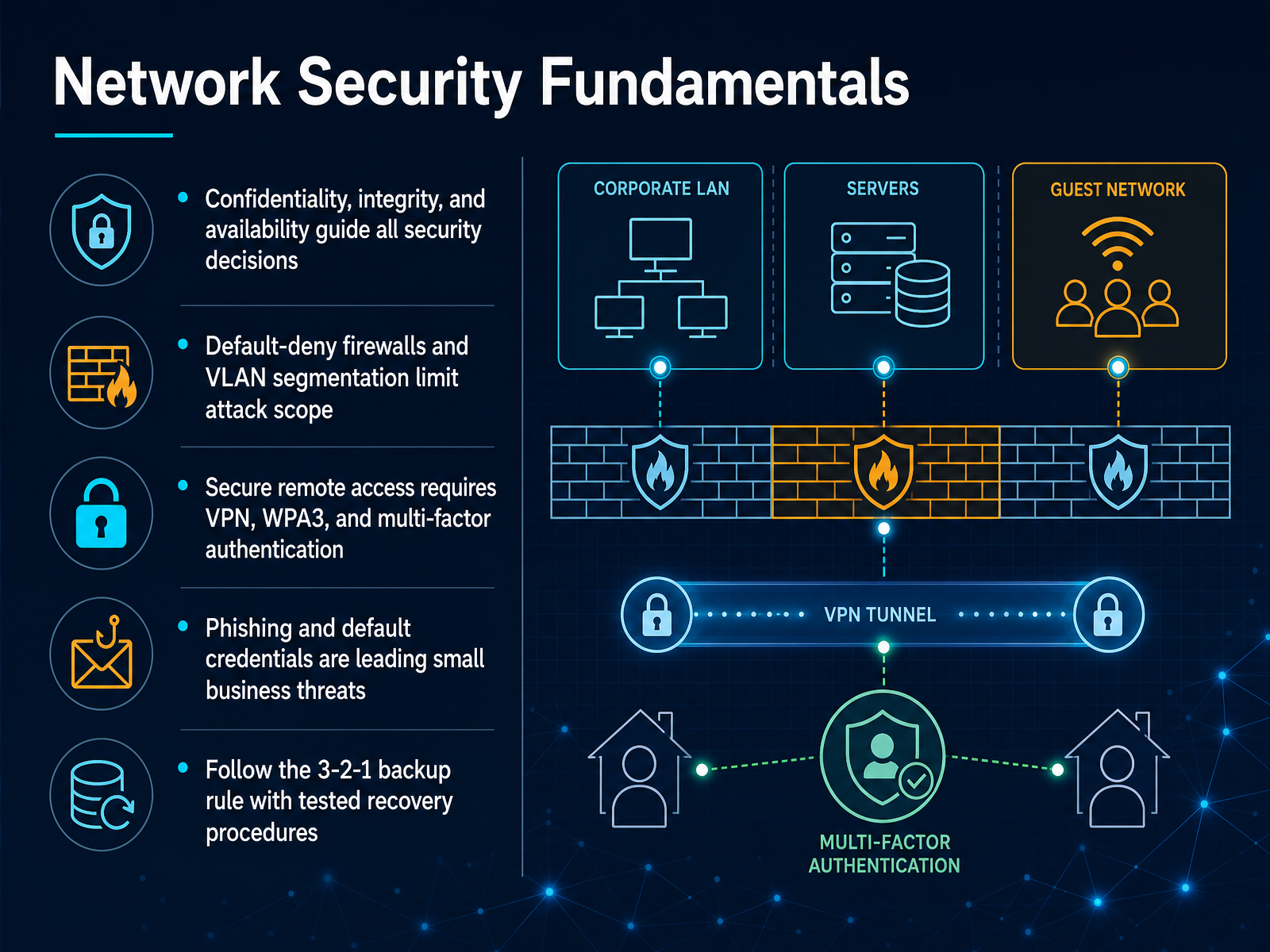
 - 09Network Security FundamentalsNow let’s get practical about security. Every decision you make should support three goals: confidentiality, integrity, and availability. Confidentiality means only the right people can see data. Integrity means the data has not been changed. Availability means the systems stay up when you need them. Use a default deny firewall so that anything you did not explicitly allow is blocked. Then segment with VLANs to limit how far an attack can spread. For remote access, require a VPN, use WPA3 wireless encryption, and turn on multi factor authentication everywhere. Many breaches start with phishing or default credentials, so those are your highest impact fixes. And do not let backup be an afterthought. Follow the three two one rule: three copies of data, on two types of media, with one copy offsite. Test your restores so you know recovery actually works. Next, we will build on this with wireless networking skills.
 thinkcloudly.comvisiontrainingsystems.comcodionixittraining.co.uk+21 min
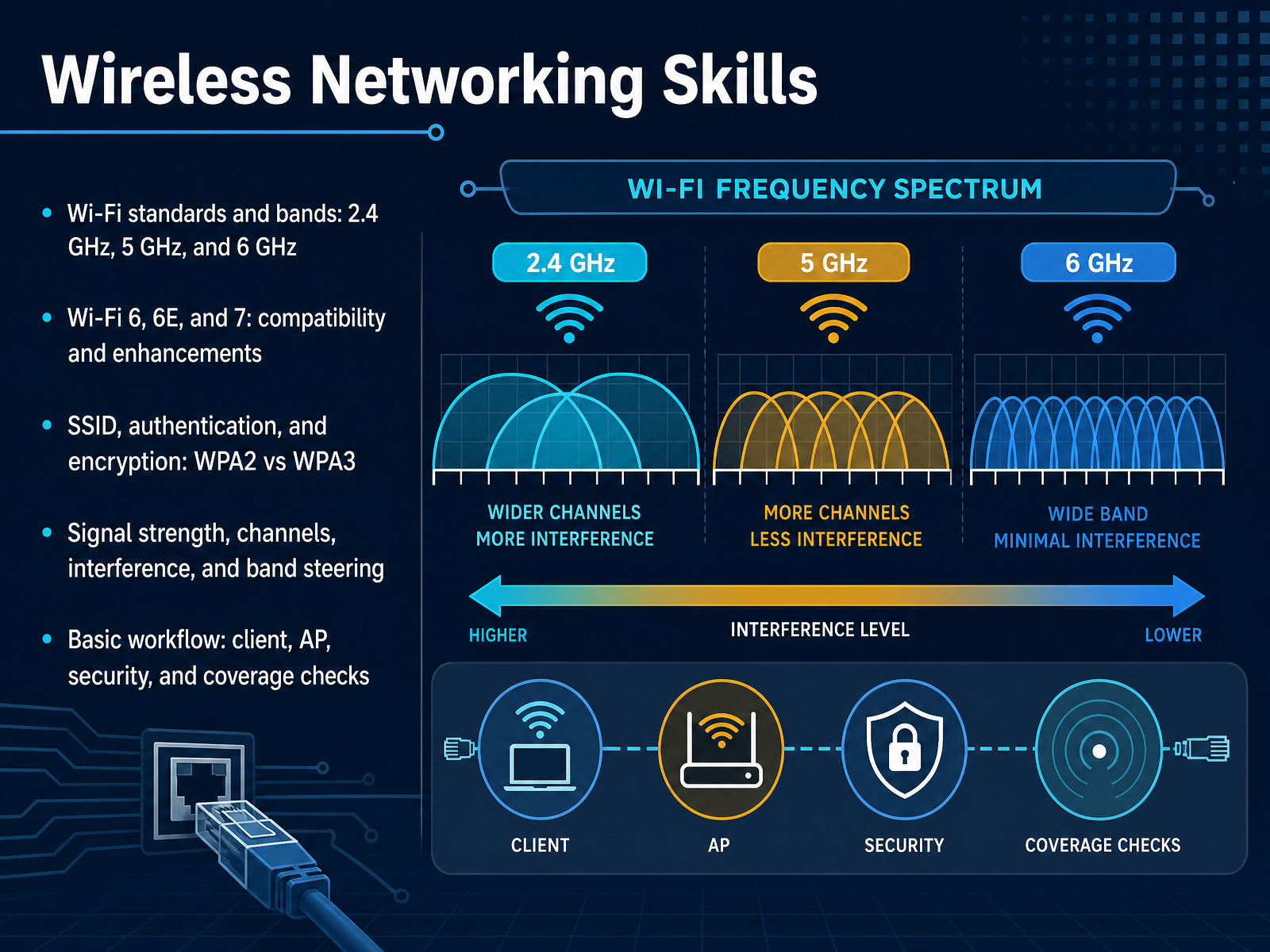
 - 10Wireless Networking SkillsNow let’s bring wireless networking into focus, because this is where most users feel network issues first. You’re likely working with three bands: two point four gigahertz, five gigahertz, and six gigahertz. Think of two point four as long range but slower and crowded. Five gigahertz is faster with less range. Six gigahertz is the newest, fastest, and cleanest, but it has the shortest reach and requires WPA3 security. Wi-Fi 6 works on two point four and five gigahertz. Wi-Fi 6E adds six gigahertz. Wi-Fi 7 uses all three bands and introduces Multi-Link Operation, so devices can connect across bands at once. When troubleshooting, start with the client, access point, security, and coverage checks. Confirm the client supports the band, verify WPA3 is enabled for six gigahertz, and check signal strength. Also watch for channel interference and whether band steering is pushing clients to the right band. This structured approach turns vague Wi-Fi complaints into clear fixes. Next, we’ll apply these skills in practical network support scenarios.
 thinkcloudly.comvisiontrainingsystems.comcodionixittraining.co.uk+22 min
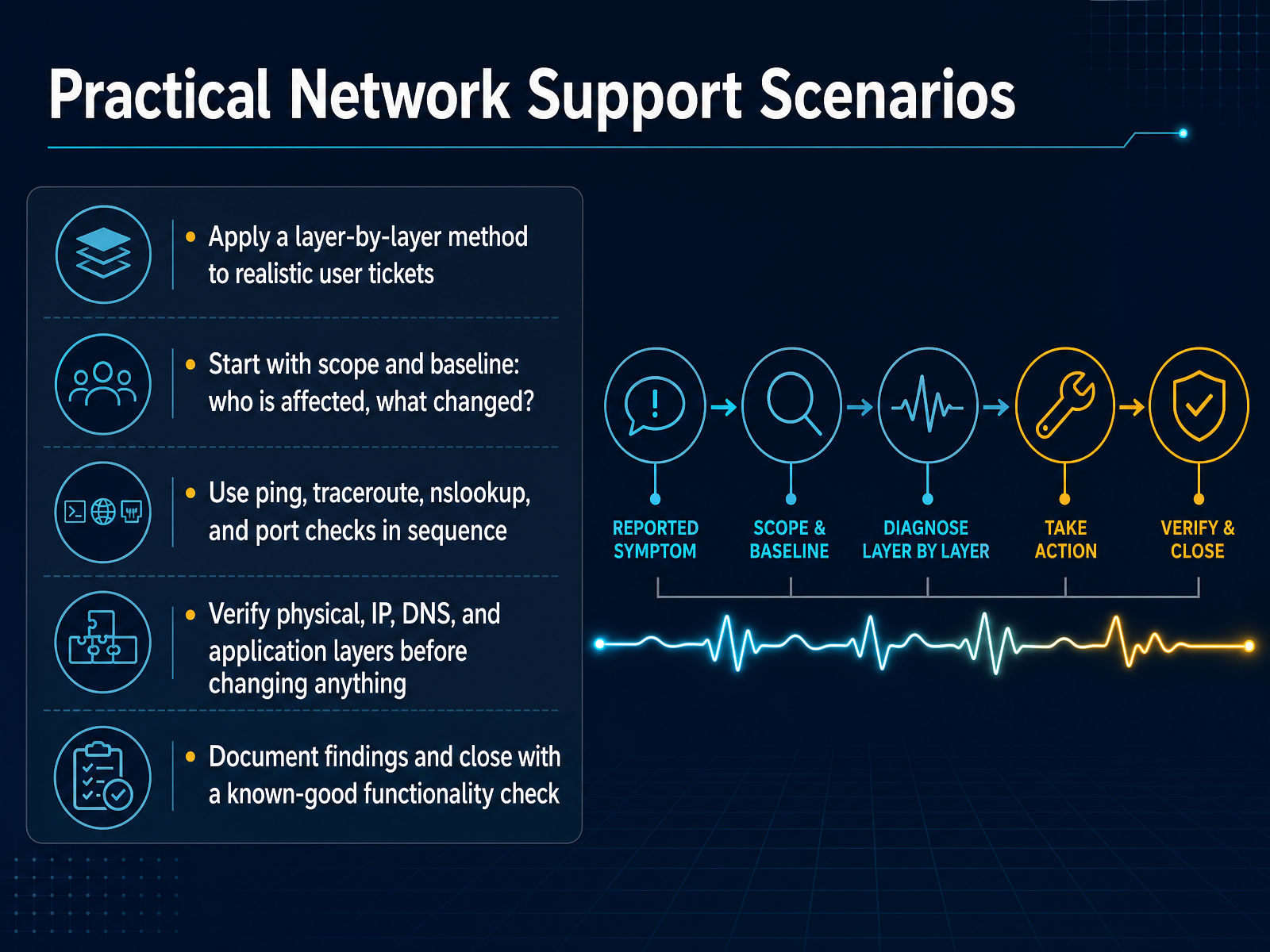
 - 11Practical Network Support ScenariosSo let's put this method to work on a realistic ticket. You start with scope and baseline. Who is affected, and what changed? A single user is different from a whole branch. Then run your tools in sequence. Ping tests reachability. Traceroute shows where the path breaks. Nslookup checks name resolution. Port checks confirm the service is listening. Verify physical, IP, DNS, and application layers before you change anything. The most common mistake is changing settings before proving the root cause. Instead, gather evidence first. Capture the output, note the time, and compare it to a known-good baseline. When the fix works, document your findings. Then close with a known-good functionality check. Confirm the user can actually do the task they reported as broken. That verification step is what separates a real fix from a lucky guess. Next, we will look at practice labs and certification paths.
 visiontrainingsystems.comituonline.comcisnet.ca+21 min
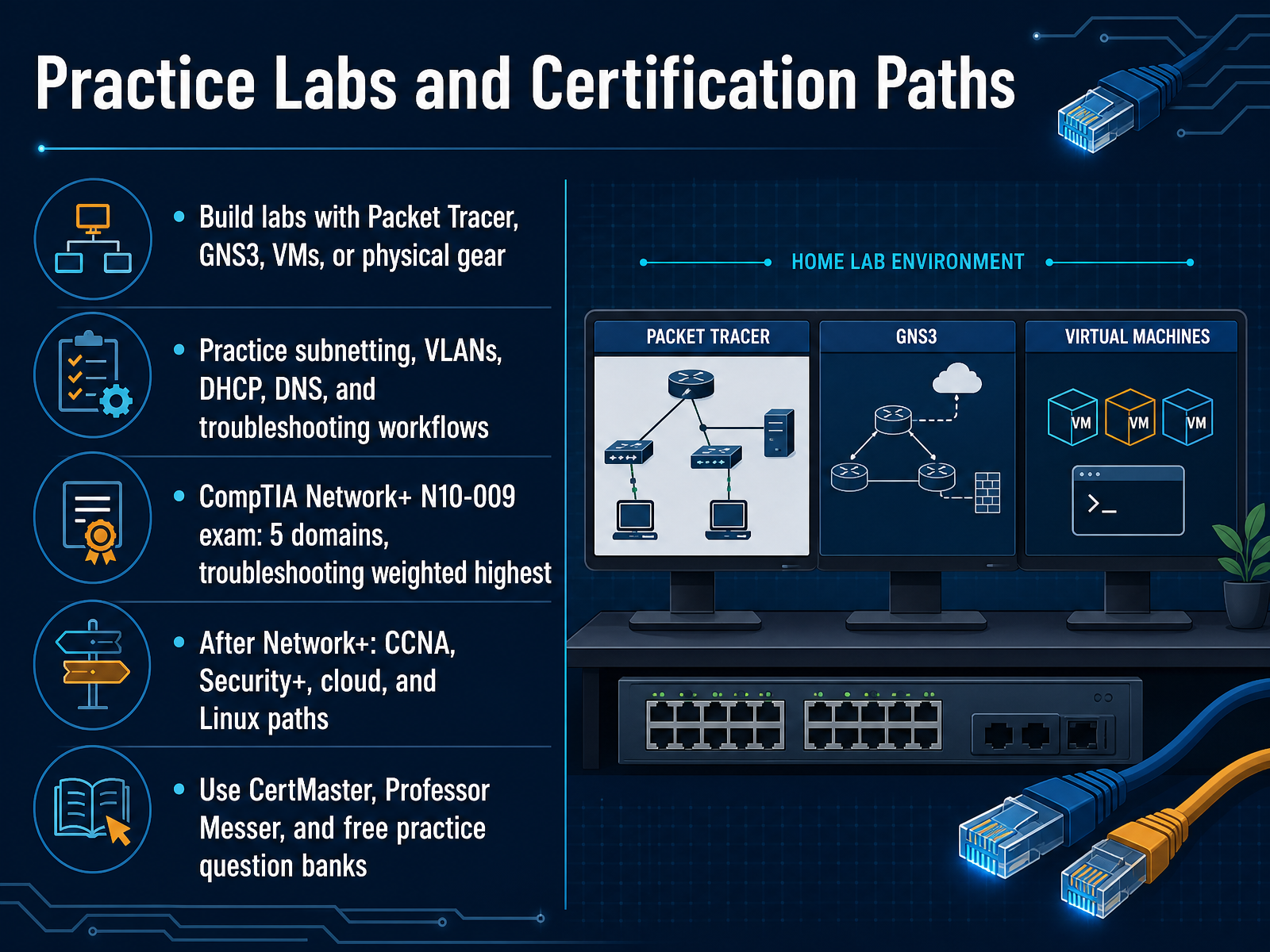
 - 12Practice Labs and Certification PathsNow let's talk about how to get hands-on practice and where to go next with certification. To build real skills, you need a lab. You can use free tools like Cisco Packet Tracer or GNS3, or spin up virtual machines. If you have access to physical switches and routers, even better. Use your lab to practice subnetting until it becomes automatic. Set up VLANs, build a DHCP server, and configure DNS. Most importantly, break things on purpose and then troubleshoot them back to a working state. That cycle is what the exam really tests. The current exam is N ten dash zero zero nine. It has five domains, and troubleshooting is weighted the highest at about twenty four percent. That tells you exactly where to focus your lab time. When you're ready, CompTIA CertMaster and free resources like Professor Messer are excellent study companions. And remember, Network+ is a foundation. After you pass, you can branch into the CCNA, Security+, cloud, or Linux paths. The point is simple. Certification plus hands-on labs equals real, usable job skills. Next, let's move into a checklist review and some common pitfalls to avoid.
 ipcisco.compacketmentor.comthelineman.ca+22 min
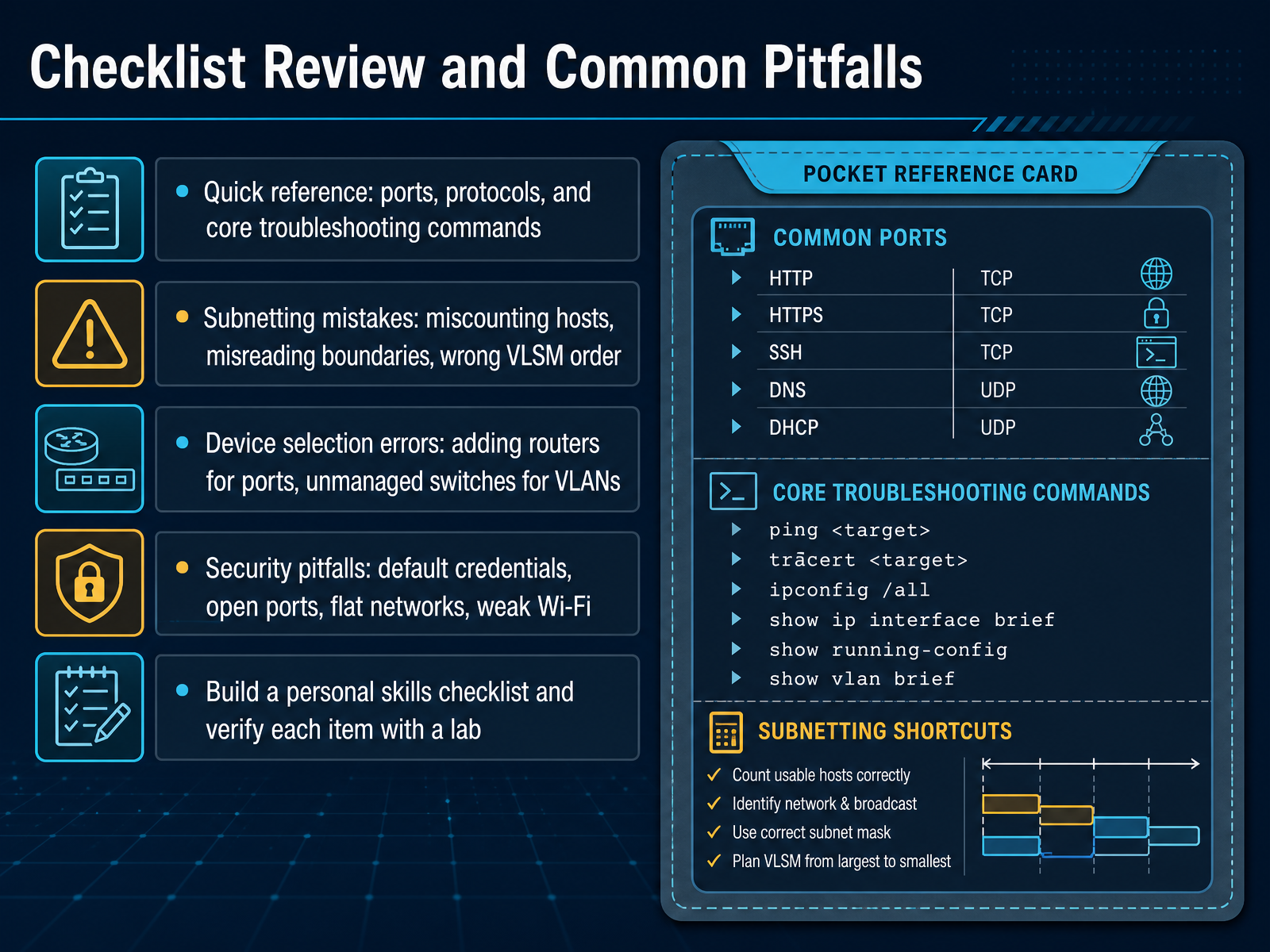
 - 13Checklist Review and Common PitfallsLet's pull the core skills together into one practical checklist. Keep a quick reference nearby for common ports, protocols, and the three troubleshooting commands you reach for first: ping, traceroute, and nslookup. These resolve most connectivity questions fast. Watch for subnetting mistakes, which usually show up as miscounted hosts, misread boundaries, or wrong VLSM order. Always allocate from the largest subnet down to the smallest. Device selection errors are just as costly. You don't need another router when you only need more Ethernet ports, and an unmanaged switch cannot give you VLANs. On the security side, never leave default credentials in place. Close unused ports, segment flat networks with VLANs, and enforce strong Wi-Fi encryption. Build a personal skills checklist after this course, and verify each item in a lab before you claim it. Now let's look at your next steps and continuing practice.
 ipcisco.compacketmentor.comthelineman.ca+22 min
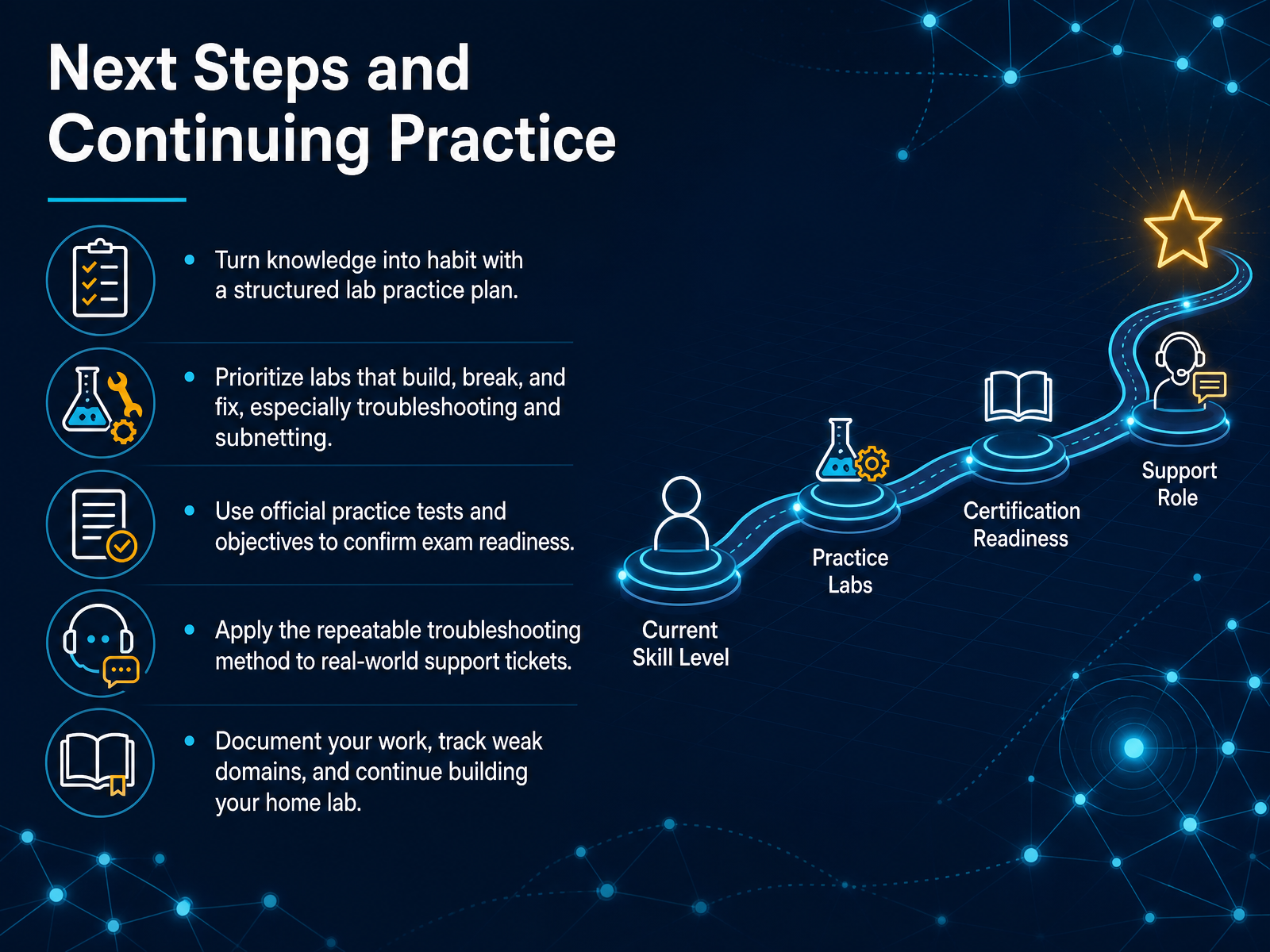
 - 14Next Steps and Continuing PracticeLet’s turn what you have learned into lasting skill. Knowledge only becomes useful when it becomes habit. So start with a structured lab practice plan. Prioritize labs where you build something, break it on purpose, then fix it. That is especially important for troubleshooting and subnetting. Use official practice tests and the published exam objectives. They tell you exactly where you stand. Apply the same repeatable troubleshooting method to real support tickets. It keeps you calm and consistent under pressure. Document your work and track weak domains. Then keep growing your home lab, one scenario at a time. Networking is not a course you finish. It is a practice you build. You now have the core method. Use it, revisit it, and let repetition carry you forward. Thank you for learning with me today. Go build, break, and fix with confidence.
 visiontrainingsystems.comthinkcloudly.comvisiontrainingsystems.com+21 min
Take the deck with you
Download this course as a file — free, no sign-up needed.
- PDF handoutEvery slide page, ready to print or share.15 pages · 3.9 MBDownload
- Narrated PowerPointThe deck that presents itself — every slide carries the digital human's narration video.15 pages · 26.6 MBDownload
- PowerPoint slidesThe full deck as a .pptx — open it in PowerPoint, Keynote, or Google Slides.15 pages · 3.8 MBDownload
Free to use in your own training — please keep the PersonWise credit page at the end.
Have your own deck? Turn it into a course
Sources consulted
Web sources consulted while building this course.
- Networking Skills That Get You Hired in IT in 2026 - ThinkCloudly — thinkcloudly.com
- Networking Fundamentals: Essential Skills for IT Success — visiontrainingsystems.com
- Entry-Level IT Skills UK 2026: What Hiring Managers Expect | Codionix IT Training UK — codionixittraining.co.uk
- Network Fundamentals for Information Technology Support — aaps.ca
- Networking Fundamentals Every IT Professional Must Know - NETWORKYY — networkyy.com
- TCP/IP Model Layers in Network Troubleshooting: A Practical Guide — visiontrainingsystems.com
- Understanding TCP/IP and OSI Models for Modern Network Design – ITU Online IT Training — ituonline.com
- OSI Model vs TCP/IP Model: A CCNA Layer-by-Layer Guide | CISNET — cisnet.ca
- Where OSI and TCP/IP Agree: Shared Layering Concepts That Still Matter in 2026 – TheLinuxCode — thelinuxcode.com
- OSI vs TCP/IP Model: The Architecture of the Internet | Pingdo — pingdo.net
- Subnetting Examples Made Easy – Practice Questions & Guide - IPCisco — ipcisco.com
- Subnetting — PacketMentor — packetmentor.com
- IPv6 Subnetting Practice — Free CCNA IPv6 Drill | TheLineman.ca — thelineman.ca
- Subnetting Made Simple: A CCNA-Ready Practical Guide | CISNET — cisnet.ca
- IPv6 Subnet Trainer: Learn and Practice IPv6 Subnetting — routerjockey.com
- Router vs Switch vs Access Point: What Each Box Actually Does - TechGeeks — techgeeks.org
- Meraki Reference Architecture - Small Office Business - Cisco Meraki Documentation — documentation.meraki.com
- Design Zone - Cisco Unified Branch Small Branch Deployment Guide - Cisco — cisco.com
- Small Business Network Setup in Canada: Routers, Switches & Firewalls Tips - The DailyMoss — dailymoss.com
- Small Business Network Setup: Understanding a Network & Its ... — omnistech.com