Begin
14 pages · ~28 min
Instructional Design Core Skills Practice
This training builds core instructional design skills for educators and trainers, covering key principles and practical application to create effective learning experiences.
A digital instructor presents all 14 pages. Hold “Ask” at any point and ask out loud — the answer comes from this course. No sign-up needed.
What you’ll learn
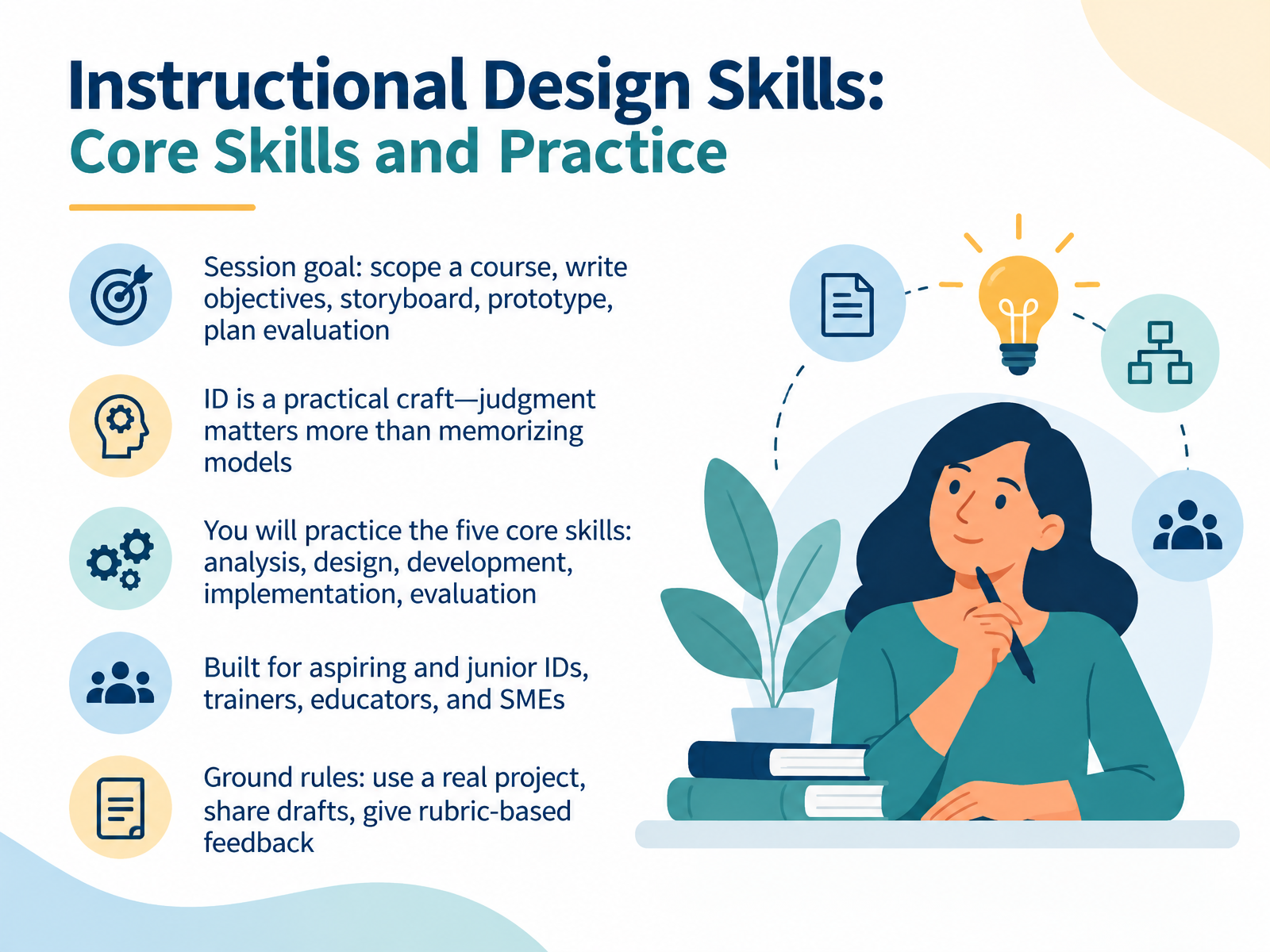
- 01Instructional Design Skills: Core Skills and PracticeWelcome. I am glad you are here. This session is called Instructional Design Skills: Core Skills and Practice. Our goal is practical. By the end, you will scope a course, write objectives, storyboard, prototype, and plan an evaluation. Here is the mindset for today. Instructional design is a craft, and judgment matters more than memorizing models. You will practice five core skills: analysis, design, development, implementation, and evaluation. These skills come from the ADDIE framework, and you will use them across real projects. This session is built for aspiring and junior instructional designers, trainers, educators, and subject matter experts. A few ground rules. Use a real project, share drafts, and give rubric-based feedback. For example, bring a course you are actually building, even an early version. That way, feedback lands on your constraints, your stakeholders, and your review cycle. So keep one project in mind as we move through the five skills. Next, we look at the ID Landscape: Roles, Contexts, and 2026 Trends.elearningindustry.comdevlinpeck.comexa.ai+21 min
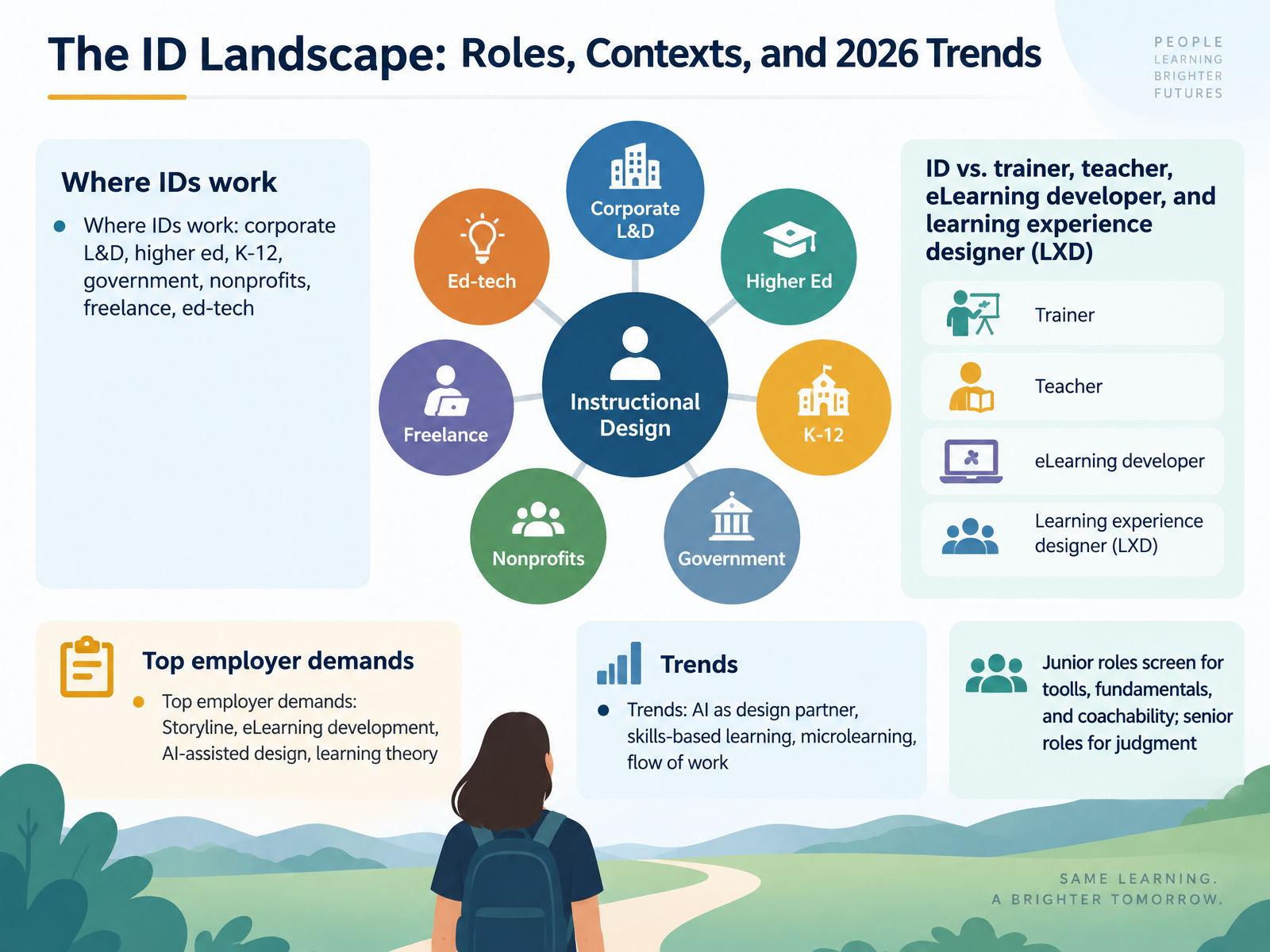
- 02The ID Landscape: Roles, Contexts, and 2026 TrendsLet's map the field you're stepping into. Instructional designers work almost everywhere: corporate learning and development, higher ed, K through twelve, government, nonprofits, freelance, and ed tech. The title also shifts. Trainers deliver. Teachers manage a classroom. eLearning developers build. Learning experience designers focus on the journey. Most roles blend several of these. Now, what do employers actually ask for? Storyline leads the list, followed by eLearning development, AI assisted design, and applied learning theory. Four trends are shaping the work right now: AI as a design partner, skills based learning, microlearning, and learning in the flow of work. Here's a distinction worth pausing on. Junior roles screen for tools, fundamentals, and coachability. Senior roles screen for judgment, like deciding what not to build. So if you're early in your career, lead with your tool skills and your willingness to learn. Next, we'll ground all of this in the learning theory that makes design decisions defensible. Coming up: Learning Theory Foundations for Practice.
 elearningindustry.comdevlinpeck.comexa.ai+22 min
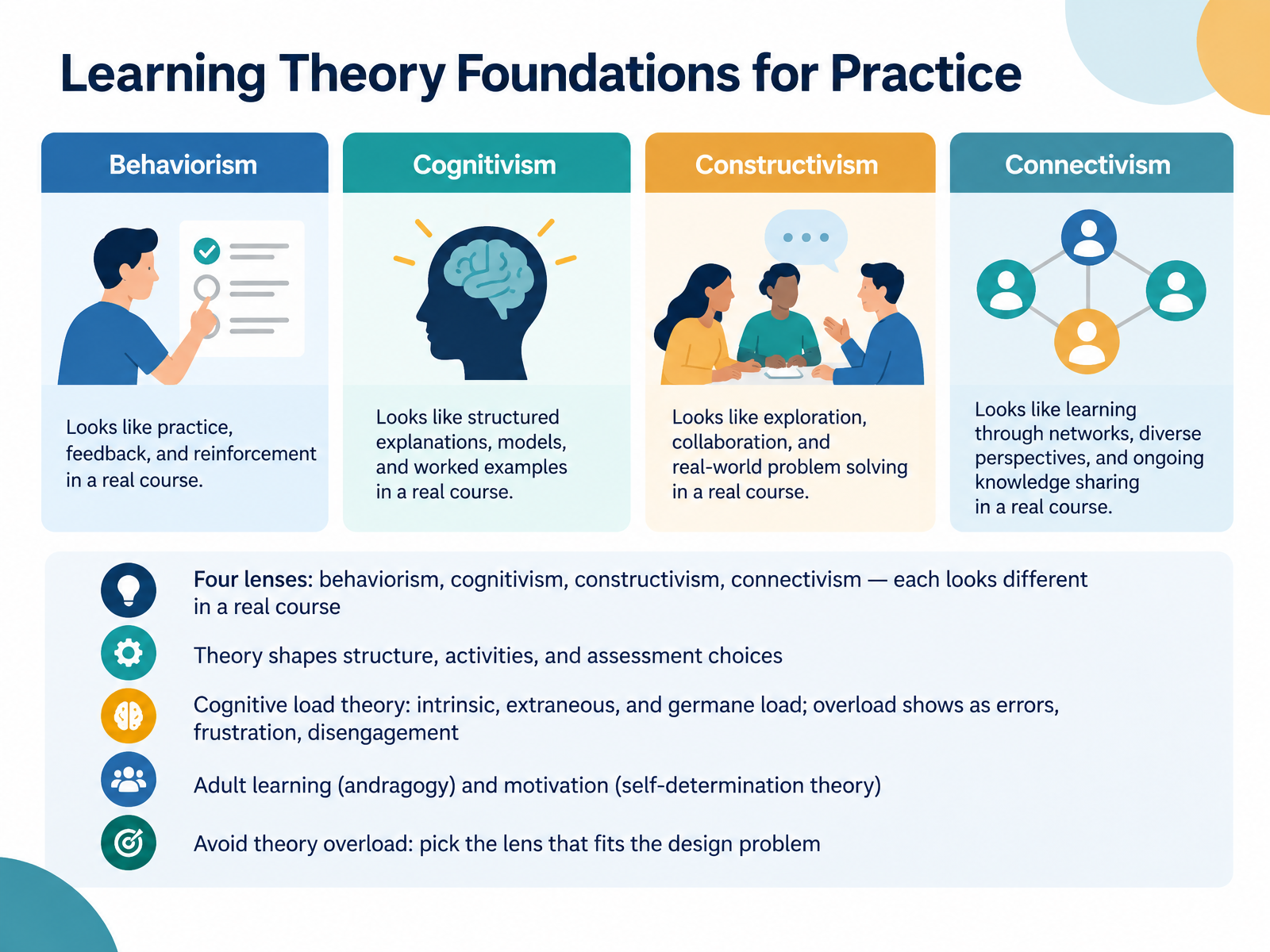
 - 03Learning Theory Foundations for PracticeLet's ground your design decisions in learning theory, without drowning in it. Think of four lenses: behaviorism, cognitivism, constructivism, and connectivism. Each one looks different in a real course. Behaviorism shows up in practice and feedback. Cognitivism shapes how you chunk content. Constructivism drives projects and reflection. Connectivism builds networks and peer exchange. Theory shapes your structure, activities, and assessment choices, so match the lens to the design problem. Then watch cognitive load. Intrinsic load comes from the task itself. Extraneous load comes from poor design. Germane load is the effort that builds understanding. When learners hit overload, you'll see errors, frustration, and disengagement. So cut inessential information. Present essential content together. Use worked examples before independent practice. Adult learners also need relevance, autonomy, and a sense of competence, so explain the why and offer meaningful choices. Next, we move from theory to application: Cognitive Load in Practice: Designing for Working Memory.
 education.nsw.gov.aueducation.nsw.gov.aueducation.ohio.gov+22 min
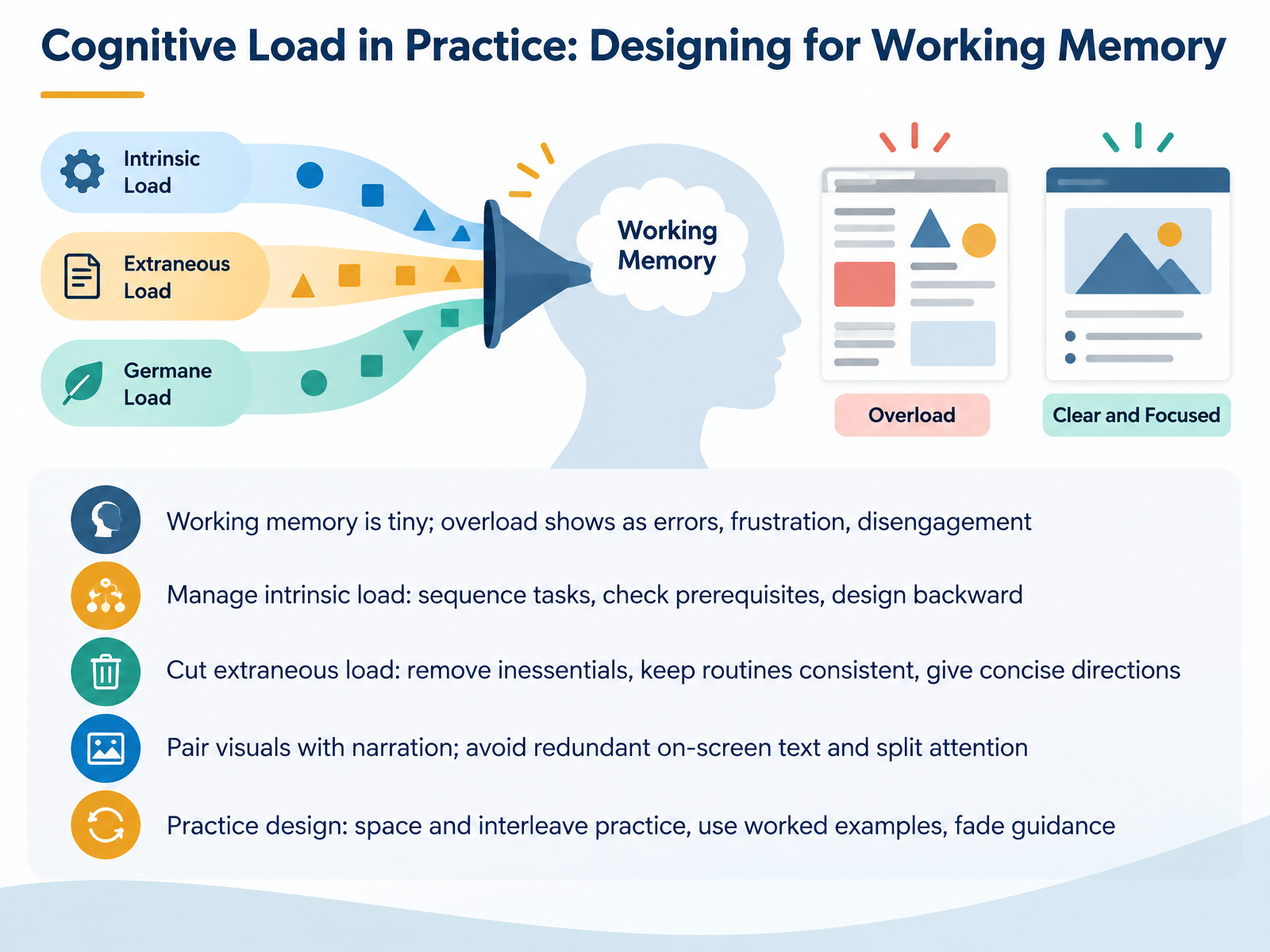
 - 04Cognitive Load in Practice: Designing for Working MemoryLet's translate cognitive load theory into design moves you can use right away. Start with the reality: working memory is tiny. When you overload it, you see errors, frustration, and learners quietly disengaging. That's your early warning system. Now, three levers. First, manage intrinsic load. Sequence tasks from simple to complex, check prerequisites before they're needed, and plan backward from the performance you want. Second, cut extraneous load. Remove inessential content, keep routines consistent, and give directions in concise language. Third, pair visuals with narration, and avoid putting the same words on screen that you're saying aloud. Split attention happens when learners must hold two places at once, so integrate text and visuals together. For practice, space it out, interleave related skills, use worked examples early, then fade guidance as proficiency grows. Quick takeaway: reduce what learners must juggle, and they'll have room to actually learn. Next, Merrill's First Principles: A Practical Design Checklist.
 education.nsw.gov.aueducation.nsw.gov.aueducation.ohio.gov+22 min
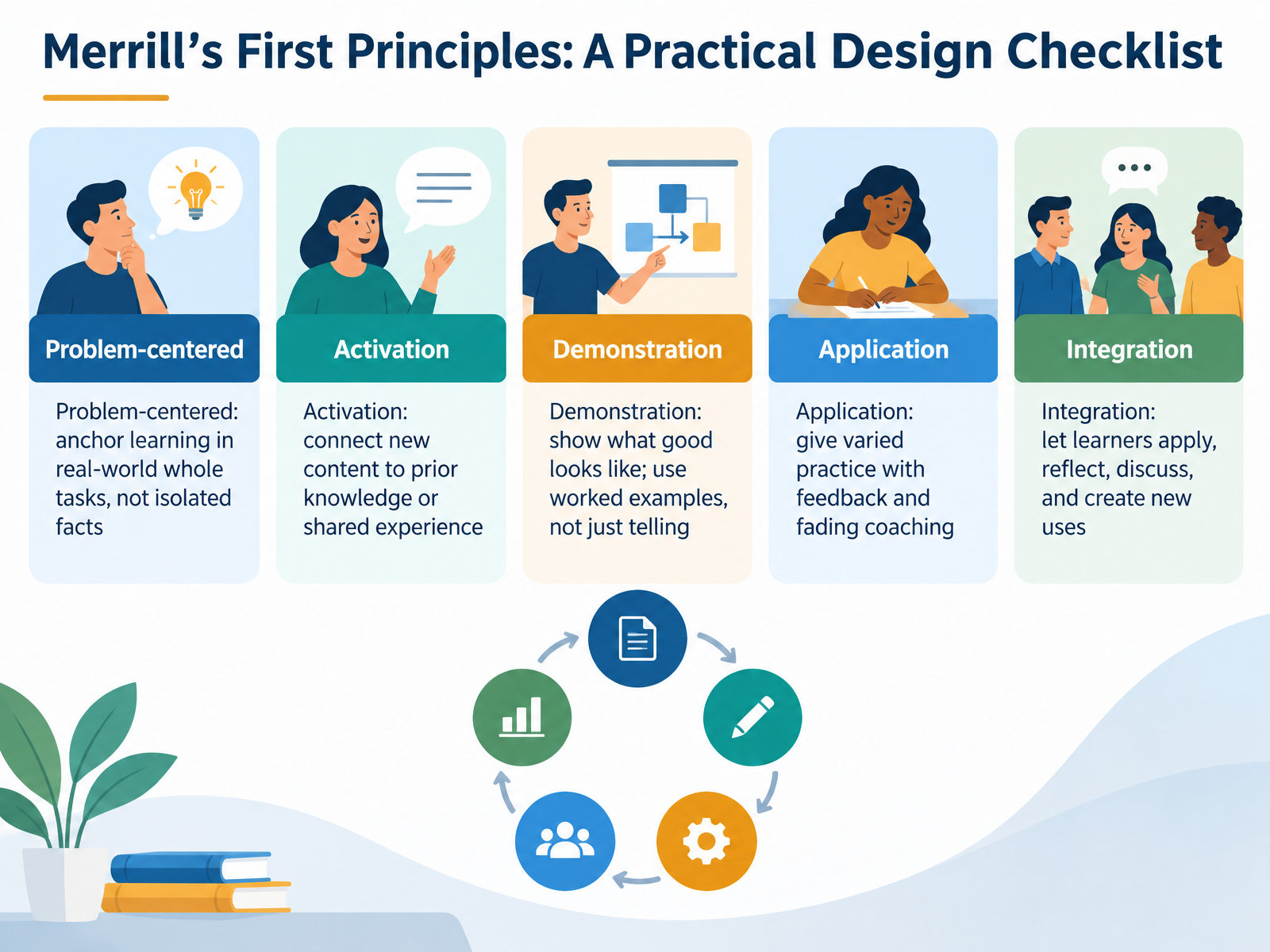
 - 05Merrill's First Principles: A Practical Design ChecklistLet's walk through Merrill's First Principles as a practical design checklist. Think of it as five questions you can ask about any course you build. First, is it problem-centered? Anchor learning in real-world whole tasks, not isolated facts. Remember, components stick better when taught inside a real problem. Second, activation. Connect new content to what learners already know or have experienced. If they lack that experience, provide it briefly so the new material has something to attach to. Third, demonstration. Show what good looks like. Use worked examples instead of only telling, because learners need to see the full task performed. Fourth, application. Give varied practice with feedback and gradually faded coaching, so learners build independence without being dropped too soon. Fifth, integration. Let learners apply, reflect, discuss, and create new uses for what they learned. That is transfer. Keep this checklist visible during design reviews, and you will catch gaps early, when fixes are cheap. Next, we turn to analysis. Analysis: Asking the Right Questions First.
 wiley.comyorku.calearningeverest.com+22 min
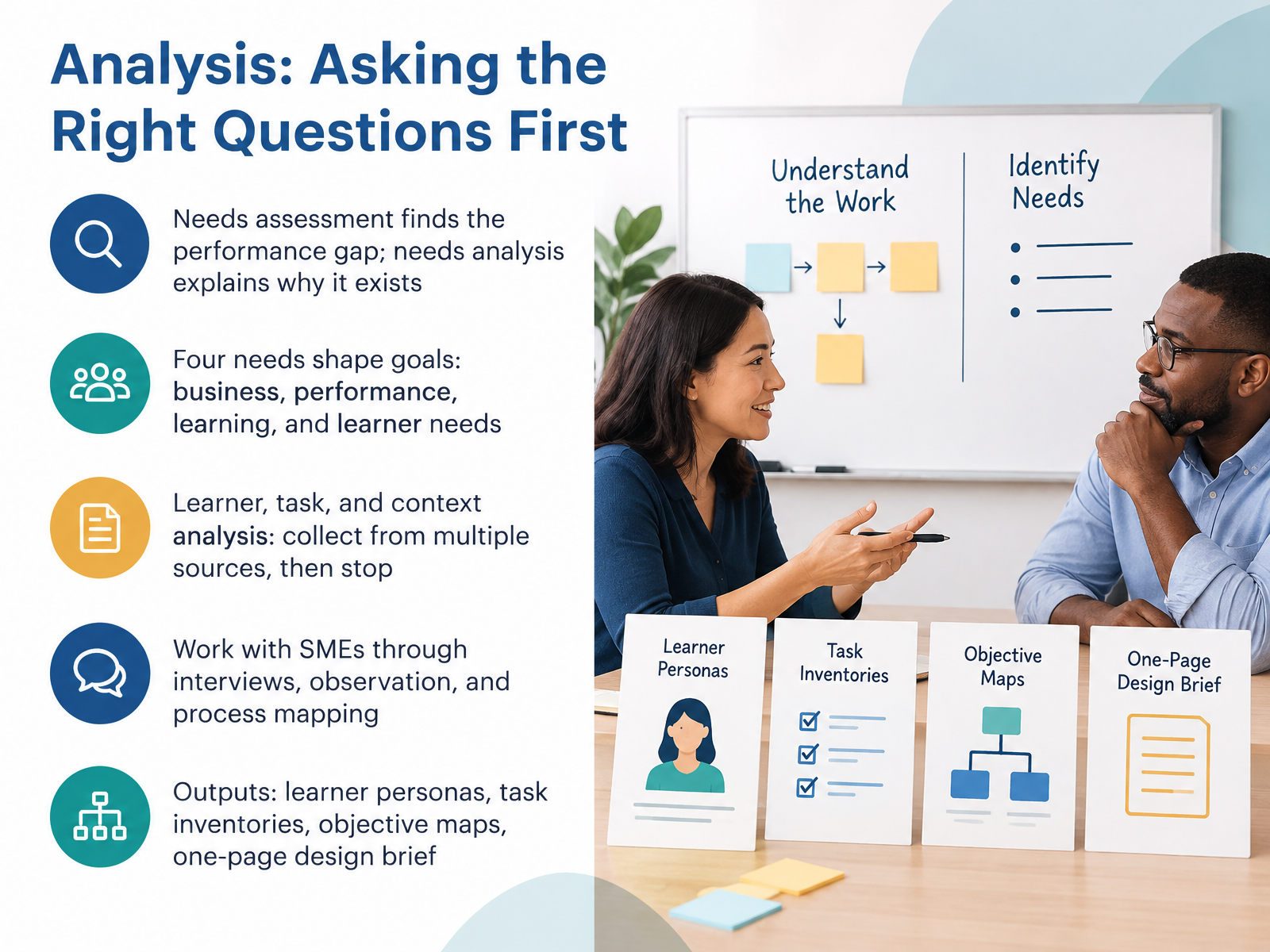
 - 06Analysis: Asking the Right Questions FirstLet's move into analysis, and the questions you ask before any design work begins. Start with a key distinction. A needs assessment finds the performance gap. A needs analysis explains why that gap exists. So before you build anything, pause and ask: what are people doing, what should they be doing, and why aren't they doing it? Then examine four needs that shape your goals. Business needs, performance needs, learning needs, and learner needs. Together, they keep your design tied to real results. From there, look at the learner, the task, and the context. Collect data from multiple sources, such as interviews, observation, surveys, and existing documents. Then stop. Analysis can expand forever, and you still have a deadline. So work with your subject matter experts to confirm what you found. Interview them, observe the work, and map the process step by step. Finally, turn all of that into tangible outputs. Learner personas, task inventories, objective maps, and a one-page design brief. That brief keeps stakeholders aligned when review cycles get tight. The takeaway is simple. Ask the right questions first, and your design decisions get much easier. Next, we'll look at writing outcomes and objectives that drive design.
 pressbooks.pubshrm.orgassets.td.org+22 min
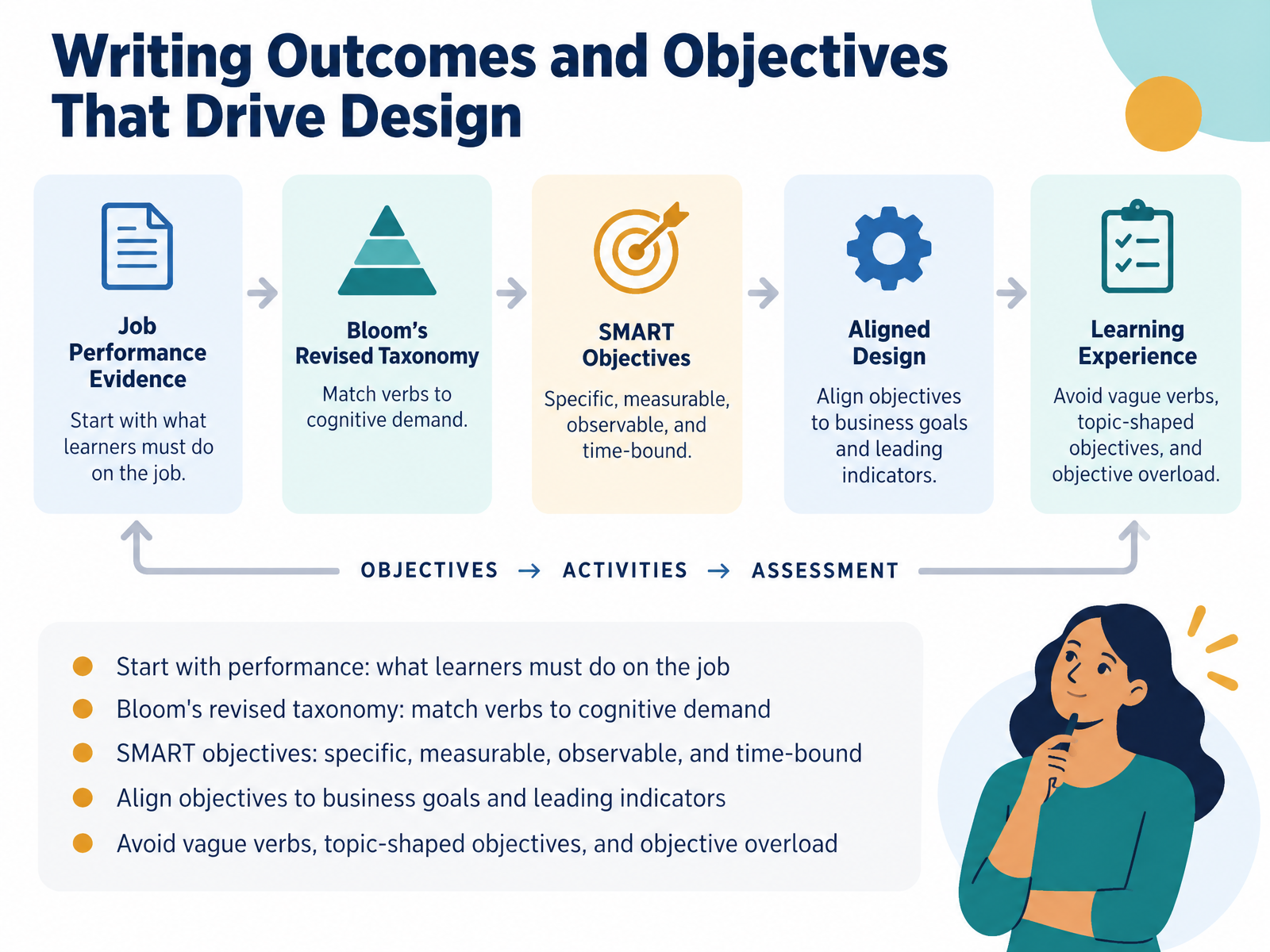
 - 07Writing Outcomes and Objectives That Drive DesignNow let's talk about outcomes and objectives, because they drive every design decision you make. Start with performance. Ask what learners must actually do on the job, not what they should know. Then use Bloom's revised taxonomy to match your verbs to the right cognitive demand. For instance, a first-week employee might need to identify a policy, while a team lead needs to evaluate a case. Next, make each objective SMART: specific, measurable, observable, and time-bound. You can also align objectives to business goals and leading indicators your stakeholders track. Just avoid vague verbs like understand, topic-shaped objectives, and objective overload. Keep it tight. Next, we'll move into Design: Blueprinting the Learning Experience.
 education.nsw.gov.aueducation.nsw.gov.aueducation.ohio.gov+21 min
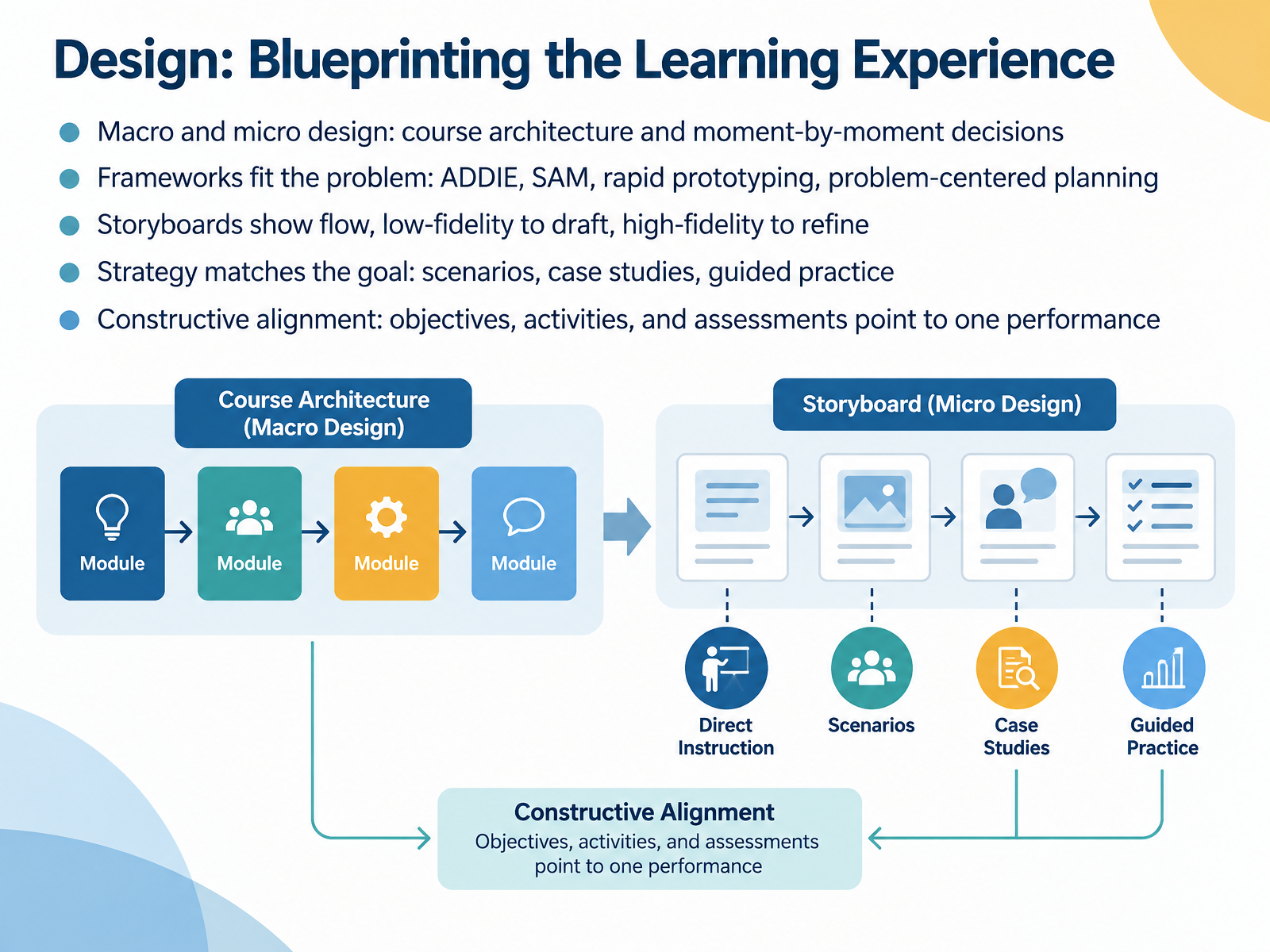
 - 08Design: Blueprinting the Learning ExperienceNow let's talk about design. Design is where your analysis becomes a blueprint. And that blueprint works at two levels. Macro design shapes the course architecture. Micro design handles the moment-by-moment decisions learners actually feel. Frameworks should fit your problem, not the other way around. ADDIE suits structured builds. SAM and rapid prototyping suit fast, uncertain projects. Problem-centered planning, drawn from Merrill's first principles, works when learners must solve real-world tasks. Storyboards show the flow before you build. Start low-fidelity to draft the sequence. Go high-fidelity only to refine detail. Then match your strategy to the goal. Use scenarios for decisions, case studies for analysis, and guided practice for skills. Finally, check constructive alignment. Objectives, activities, and assessments should all point to one performance. If they don't line up, learners feel it fast. Pause here and check your own project. Does every activity earn its place against your objective? That single check saves you heavy rework later. Next, we move into development, building materials that teach.
 wiley.comyorku.calearningeverest.com+22 min
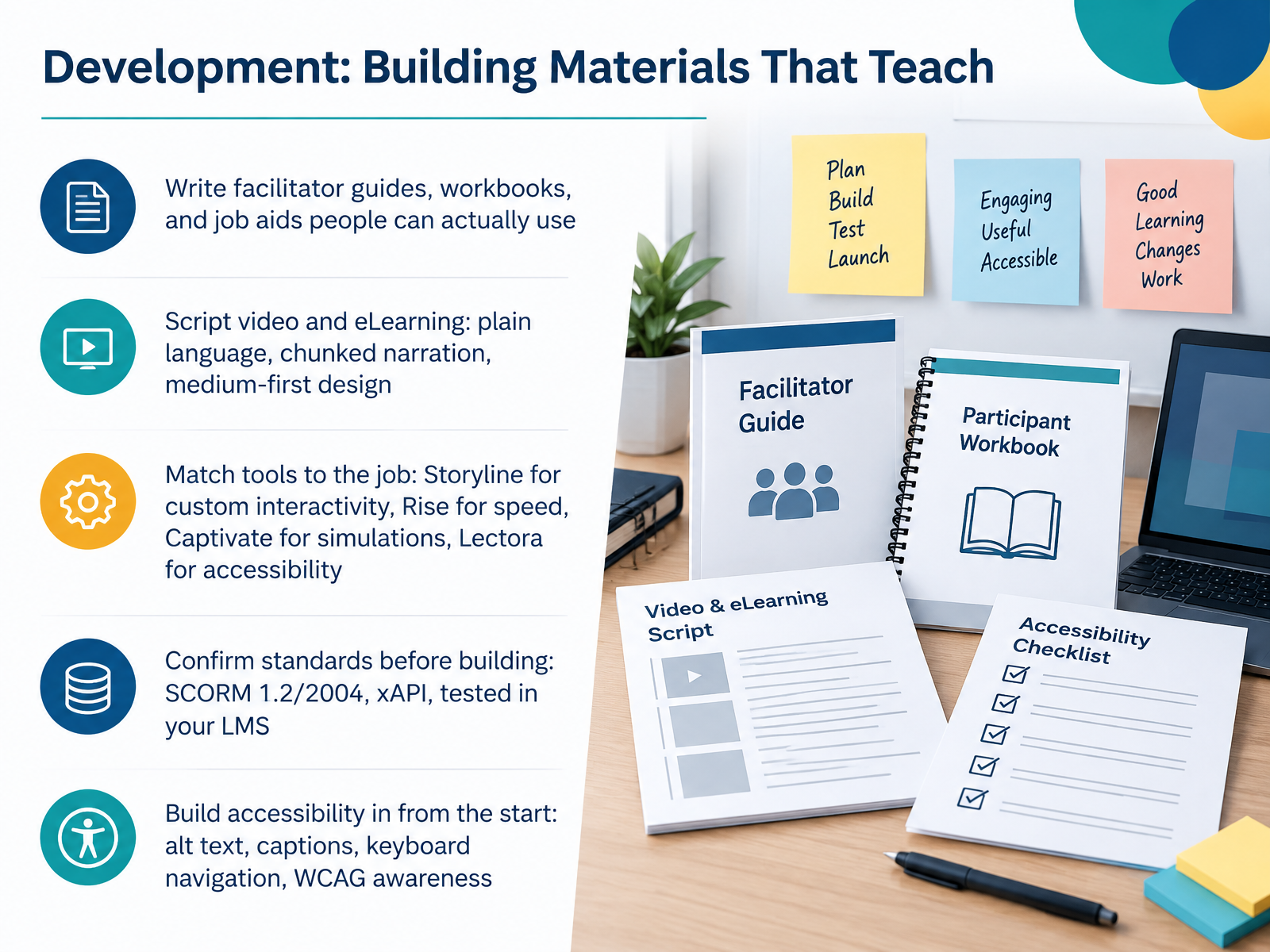
 - 09Development: Building Materials That TeachNow let's move into development, where your design becomes materials people can actually use. Start with the written assets: facilitator guides, workbooks, and job aids. Keep them scannable, because learners reach for them mid-task.
When you script video or eLearning, write in plain language and chunk your narration. Think medium first: a quick job aid beats a ten-minute module when someone needs an answer now.
Then match your tool to the job, not your comfort zone. Storyline for custom interactivity, Rise when speed matters, Captivate for software simulations, and Lectora when accessibility is a hard requirement.
Before you build anything, confirm your SCORM or xAPI standard and test it in your actual LMS. Every change means a re-export and re-upload, so catching this early saves rework.
Finally, build accessibility in from the start: alt text, captions, and keyboard navigation, with WCAG awareness. Retrofitting later costs far more time than doing it as you go.
Next, we will look at quality checks and working with subject matter experts.
 devlinpeck.comelearningindustry.comexa.ai+22 min
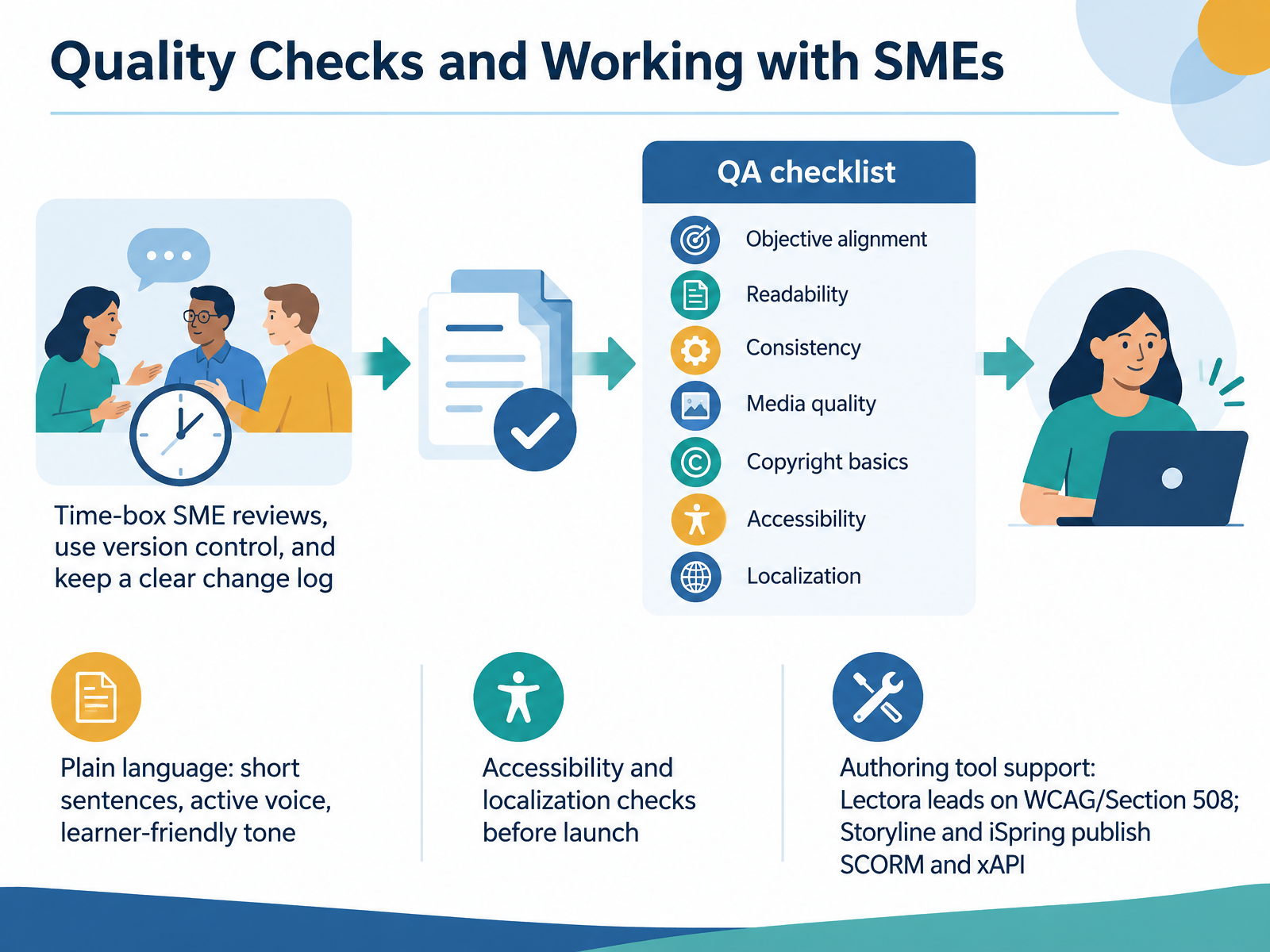
 - 10Quality Checks and Working with SMEsNow let's talk about quality checks and working with subject matter experts. This is where good courses get protected, or quietly fall apart. Start with your SME reviews and time-box them. You will rarely get unlimited expert attention, so book a short, focused review window and send questions in advance. That protects your timeline and respects theirs. Pair that with version control and a clear change log, so you always know what changed, who approved it, and when. Then run a quality assurance checklist: objective alignment, readability, consistency, media quality, and LMS testing. Plain language matters here too. Keep sentences short, use active voice, and write in a learner-friendly tone. On copyright, know what you can safely reuse, and ask permission when you are unsure. Before launch, check accessibility and localization, and confirm media has captions or transcripts. Your authoring tool shapes this work, so choose deliberately. Lectora leads on WCAG and Section 508 compliance. Storyline and iSpring both publish SCORM and xAPI packages for your LMS. Match the tool to your compliance needs, not the other way around. Next, we look at evaluation and continuous improvement.
 devlinpeck.com2 min
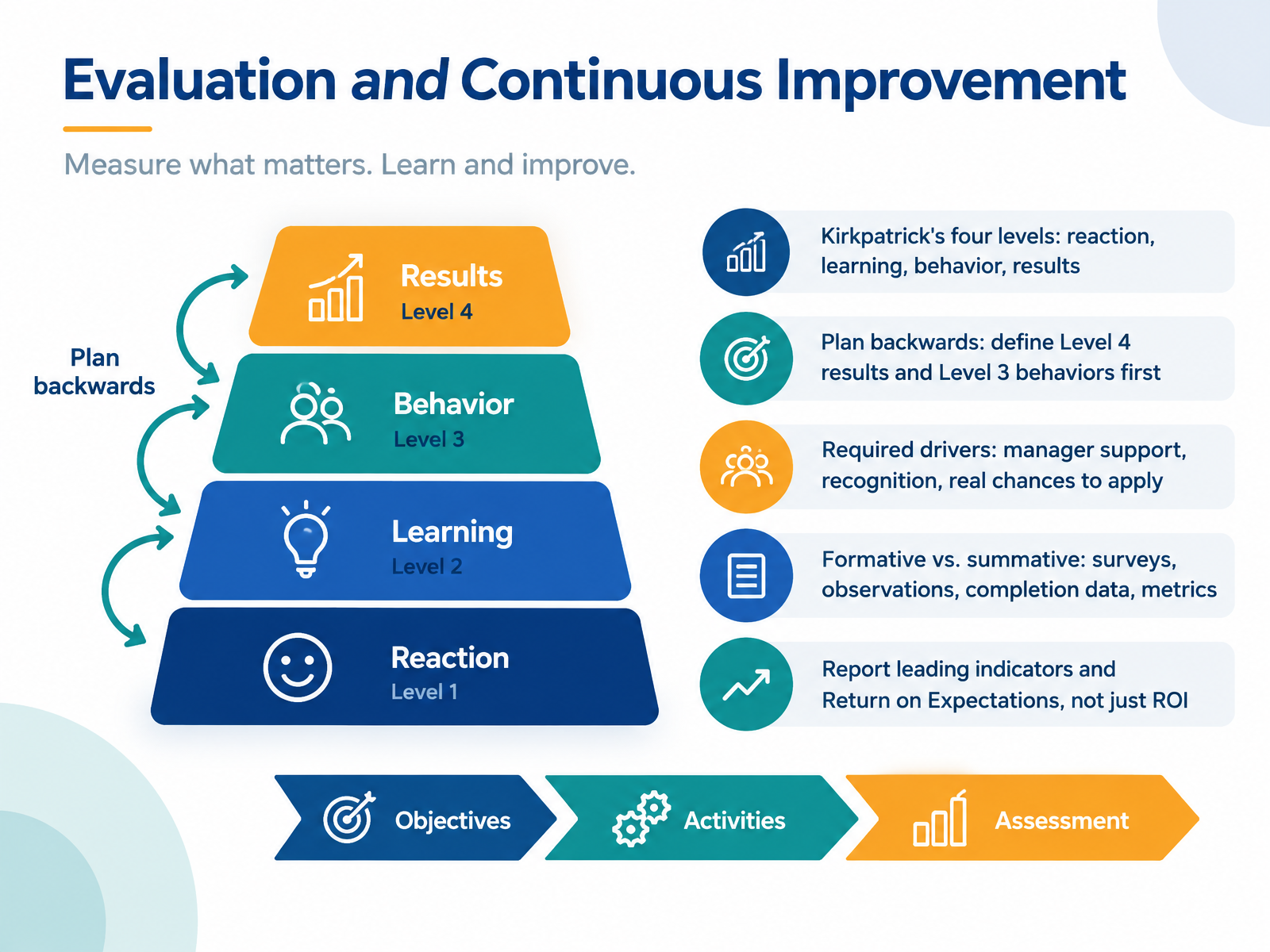
 - 11Evaluation and Continuous ImprovementLet's look at evaluation and continuous improvement. Kirkpatrick gives you four levels: reaction, learning, behavior, and results. Levels one and two tell you about training quality. Levels three and four tell you about training effectiveness. So plan backwards. Define your Level four results first, then the Level three behaviors that produce them. If you skip straight to surveys, you may never reach results. Behavior change also needs drivers: manager support, recognition, and real chances to apply the skills. Do people have the support and psychological safety to perform? Without those, transfer fails, and it isn't a training problem. Then distinguish formative from summative data. Use surveys, observations, completion data, and metrics to improve as you go. Finally, report leading indicators and Return on Expectations, not just ROI. Leading indicators, like fewer complaints or faster service, show you're on track before annual numbers arrive. Return on Expectations asks whether you delivered what stakeholders said success would look like. Next, we move into Learning Analytics: Measuring What Matters.
 2 min
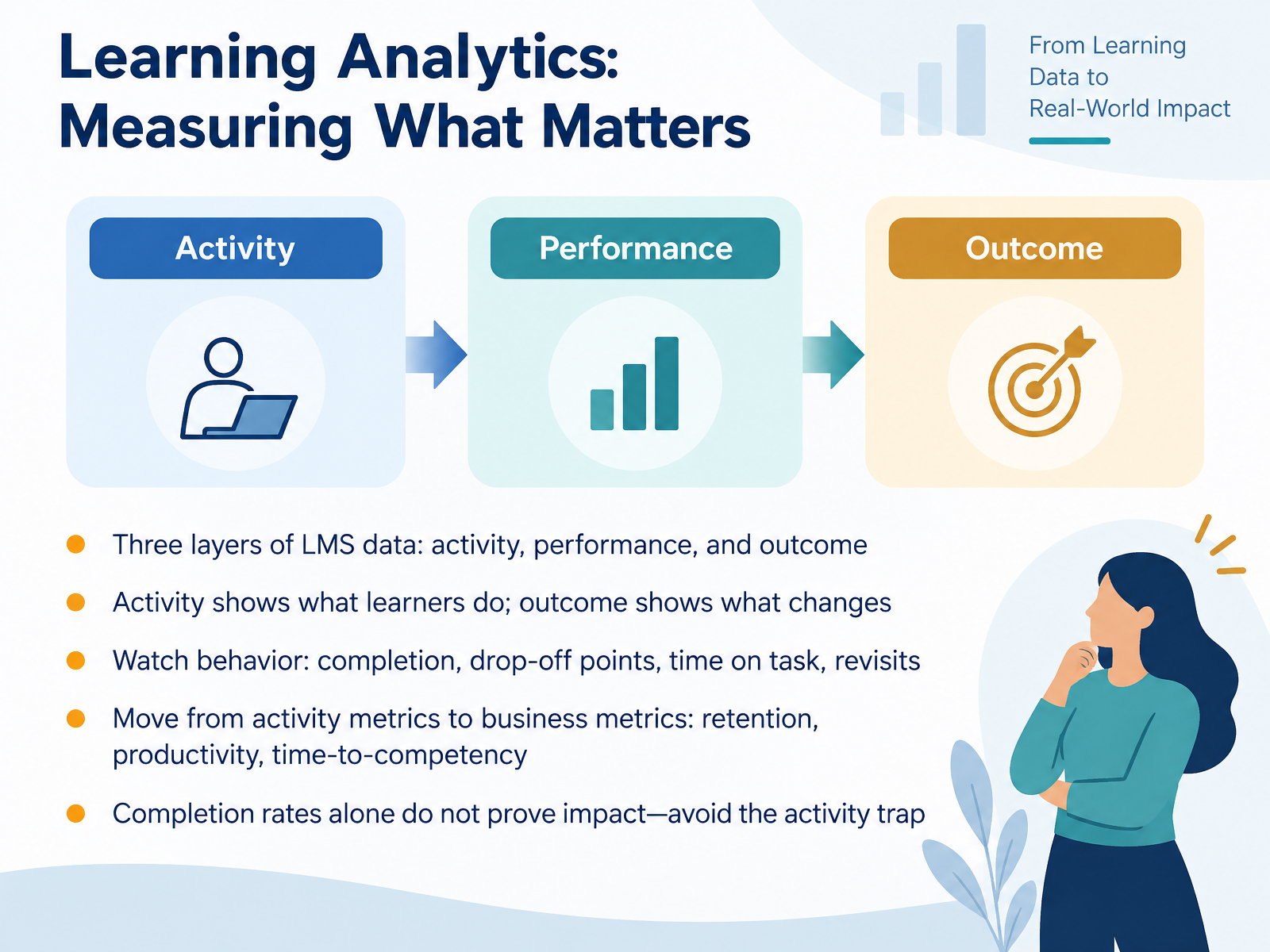
2 min - 12Learning Analytics: Measuring What MattersLet's talk about learning analytics, specifically measuring what actually matters. Your learning management system gives you three layers of data. Activity data shows what learners do, like logins and completion. Performance data shows how well they do it, like quiz scores and time on task. Outcome data shows what changes as a result, like behavior shifts or business impact.
Start by watching behavior. Track completion, drop-off points, time on task, and revisits. A high drop-off on one module might mean the content is too dense. High revisit rates could mean learners find it useful, or that they're confused.
Here's the key move. Shift from activity metrics to business metrics. That means retention, productivity, and time-to-competency. Completion rates alone do not prove impact. That's the activity trap. Your completion dashboard feels safe, but it won't get you a seat at the table.
Pick one business metric your stakeholders already track. Connect your learning data to it. That's how you show real value. Now let's put this into practice in the practice lab, Designing a Mini Course.
 2 min
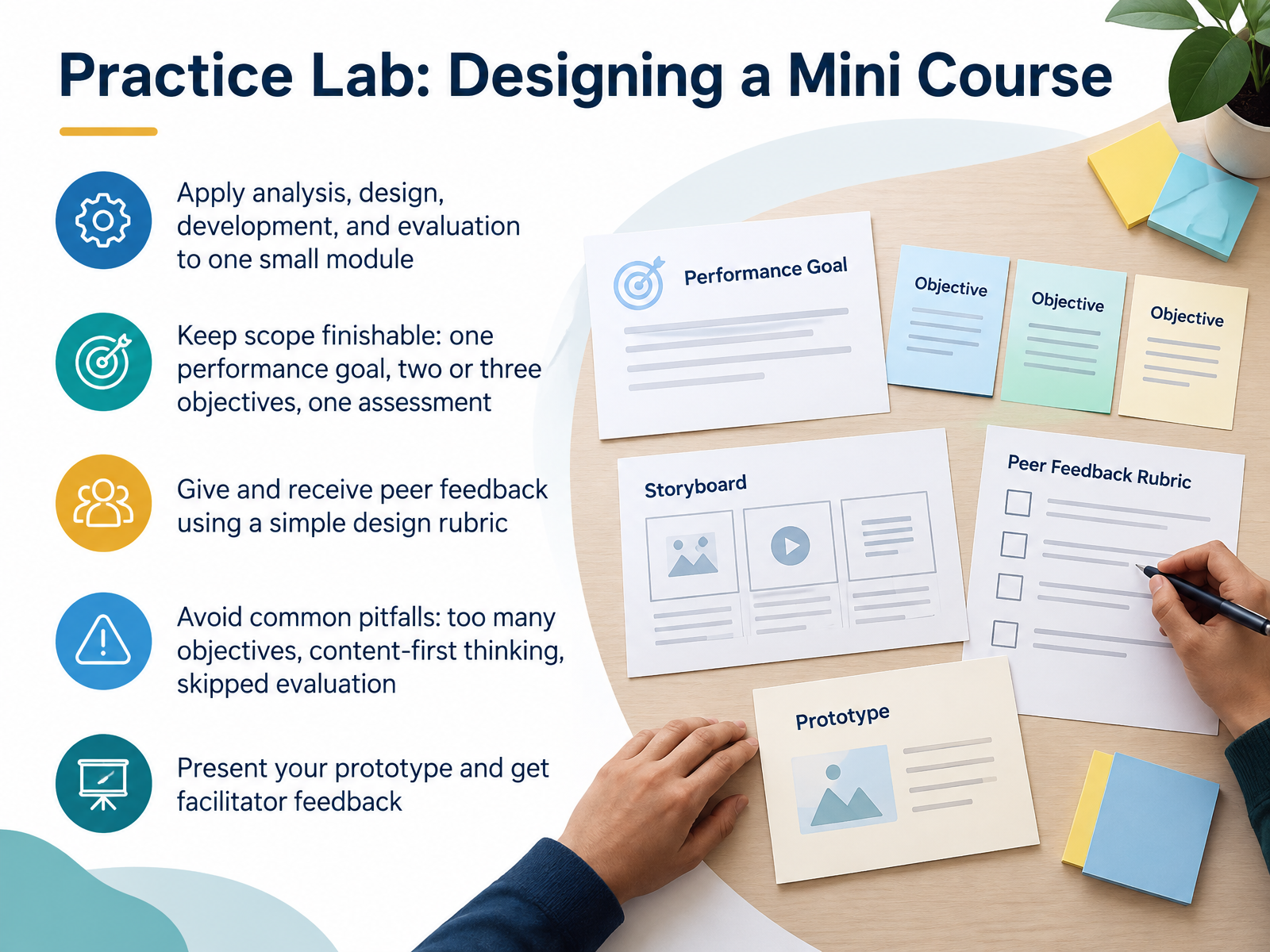
2 min - 13Practice Lab: Designing a Mini CourseNow let's put all four phases to work in a practice lab. Your task is to design one small module, applying analysis, design, development, and evaluation in a single pass. Keep the scope finishable: one performance goal, two or three objectives, and one assessment. That constraint matters because tight review cycles reward small, complete prototypes over ambitious drafts. Remember the three common pitfalls: too many objectives, content-first thinking, and skipped evaluation. You will give and receive peer feedback using a simple design rubric, then present your prototype for facilitator feedback. So pick a real performance goal from your own context, draft lean, and bring something imperfect that we can improve together. Next, we look at portfolio, tools, and your next thirty, sixty, ninety days.
 elearningindustry.comdevlinpeck.comexa.ai+21 min
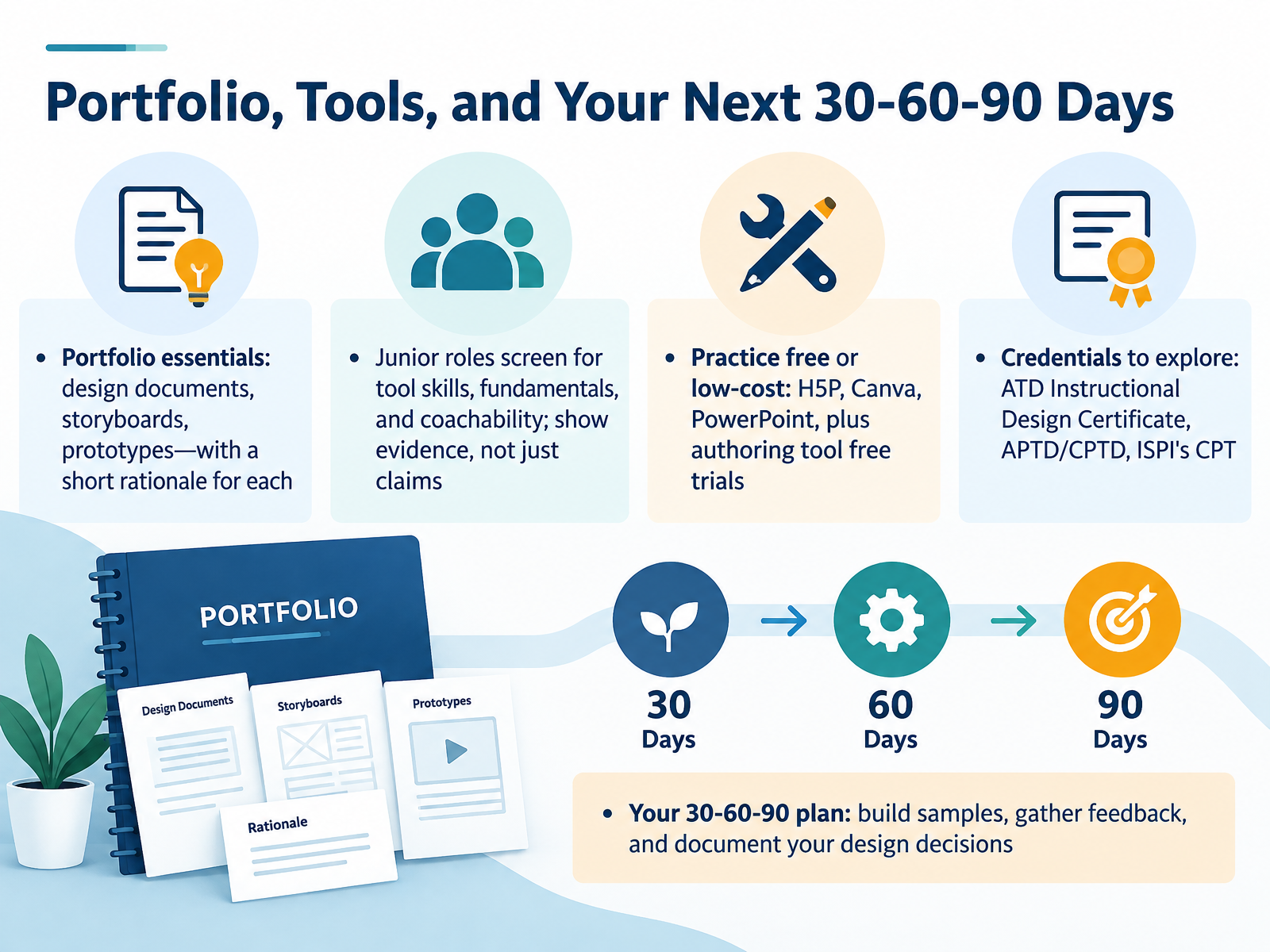
 - 14Portfolio, Tools, and Your Next 30-60-90 DaysLet's bring everything together, starting with your portfolio. Include a design document, a storyboard, and a prototype, each with a short rationale explaining your decisions. Hiring managers for junior roles screen for tool skills, fundamentals, and coachability, so show evidence instead of just claims. If budget is tight, practice with free or low-cost tools like H5P, Canva, and PowerPoint, and use free trials of authoring tools to build a sample or two. For credentials, look into the ATD Instructional Design Certificate, the APTD or CPTD, and ISPI's Certified Performance Technologist. Then map your next thirty, sixty, and ninety days. In the first month, build one or two samples. By day sixty, gather feedback from peers or a mentor. By day ninety, document your design decisions and refine your portfolio. Start this week with one small deliverable, because momentum beats perfection. Thank you for your time and attention throughout this course. You now have a practical path forward, so keep building, keep reflecting, and keep growing. You've got this.
 devlinpeck.com2 min
Take the deck with you
Download this course as a file — free, no sign-up needed.
- PDF handoutEvery slide page, ready to print or share.15 pages · 3.4 MBDownload
- Narrated PowerPointThe deck that presents itself — every slide carries the digital human's narration video.15 pages · 16.4 MBDownload
- PowerPoint slidesThe full deck as a .pptx — open it in PowerPoint, Keynote, or Google Slides.15 pages · 3.4 MBDownload
Free to use in your own training — please keep the PersonWise credit page at the end.
Have your own deck? Turn it into a course
Sources consulted
Web sources consulted while building this course.
- Instructional Design In 2026: What To Master Beyond The Hype - eLearning Industry — elearningindustry.com
- The Top 15 Instructional Design Skills You Need in 2026 | Devlin Peck — devlinpeck.com
- Essential competencies for instructional design practitioners and researchers — exa.ai
- [PDF] Instructional Designer Competencies by Tiffany A. Koszalka, 4th edition | 9781623964030, 9781623964054 — perlego.com
- Instructional Designer Skills, Role, and Key Capabilities — commlabindia.com
- Cognitive load theory in practice — education.nsw.gov.au
- [PDF] Cognitive load theory in practice - Examples for the classroom — education.nsw.gov.au
- [PDF] Managing Cognitive Load Through Instructional Design — education.ohio.gov
- Enhancing Teaching Strategies through Cognitive Load Theory: Process vs. Product Worked Examples — mdpi.com
- Instructional control of cognitive load in the design of complex learning environments — research.ou.nl
- First Principles of Instruction | Wiley — wiley.com
- IMPLEMENTING MERRILL'S FIRST PRINCIPLES OF INSTRUCTION: PRACTICE — yorku.ca
- Merrill's Principles of Instruction - A Practical Guide — learningeverest.com
- August 2002 PI — itgs.ict.usc.edu
- [PDF] First Principles of Instruction: A synthesis - York University — yorku.ca
- Needs Assessment Models – Everyday Instructional Design — pressbooks.pub
- Needs Assessment — shrm.org
- Instructions: Training Needs Analysis Questions (An Infoline Job Aid) — assets.td.org
- Analysis: Context – Introduction to Instructional Design — pressbooks.pub
- Learning and Training Needs Assessments in Instructional Design — nwlink.com