Begin
14 pages · ~28 min
Instructional Design Models and Patterns
This training introduces instructional design models, patterns, and examples, equipping learners to select and apply appropriate frameworks for effective course development.
A digital instructor presents all 14 pages. Hold “Ask” at any point and ask out loud — the answer comes from this course. No sign-up needed.
What you’ll learn
- 01Instructional Design Models: Types, Patterns, and ExamplesWelcome. Whether you are an educator, a learning designer, or a course creator, you know the challenge of building something that truly teaches. This session is about the tools that make that possible: instructional design models. Think of them as blueprints. They turn learning theory into a structured process, guiding you from identifying a need to evaluating the outcome. In the coming minutes, we'll examine models through three lenses: their types, their common patterns, and concrete examples. Our goal is practical, not theoretical. We will compare these frameworks, weighing trade-offs between structure and flexibility, and learning how to select a fit-for-purpose approach for your specific context. Let's begin with the foundational concepts, starting with core terminology and shared principles.gsdcouncil.orgresearch.cominstructionaldesigncentral.com+21 min
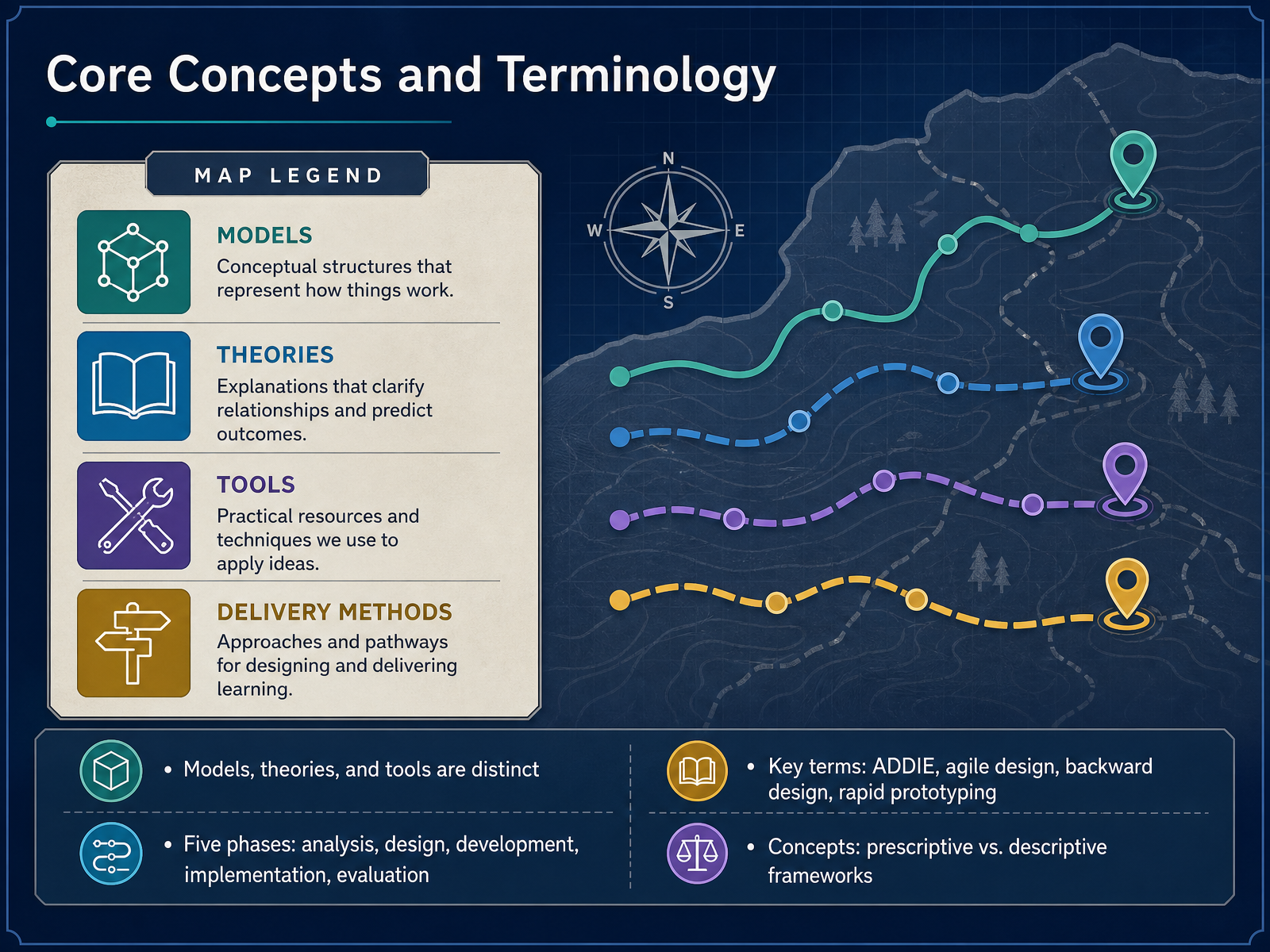
- 02Core Concepts and TerminologyBefore we compare specific models, let's establish a shared vocabulary. First, distinguish between models, theories, and tools. A model is a procedural framework—it tells you the sequence of steps. A theory explains how people learn, providing the rationale behind those steps. Tools are the software and templates you use to execute them. Second, the most common backbone is the five-phase cycle: analysis, design, development, implementation, and evaluation. You will recognize this as ADDIE, but nearly every model maps to it. Third, you will encounter key terms. Agile design and rapid prototyping compress these phases into iterative cycles. Backward design starts with desired outcomes and plans assessment first. Finally, understand the distinction between frameworks. Prescriptive models dictate a step-by-step process. Descriptive models describe common patterns without mandating a sequence. Knowing which type you are using determines how much flexibility you have. With this foundation, let's examine what a model actually does.
 gsdcouncil.orgresearch.cominstructionaldesigncentral.com+22 min
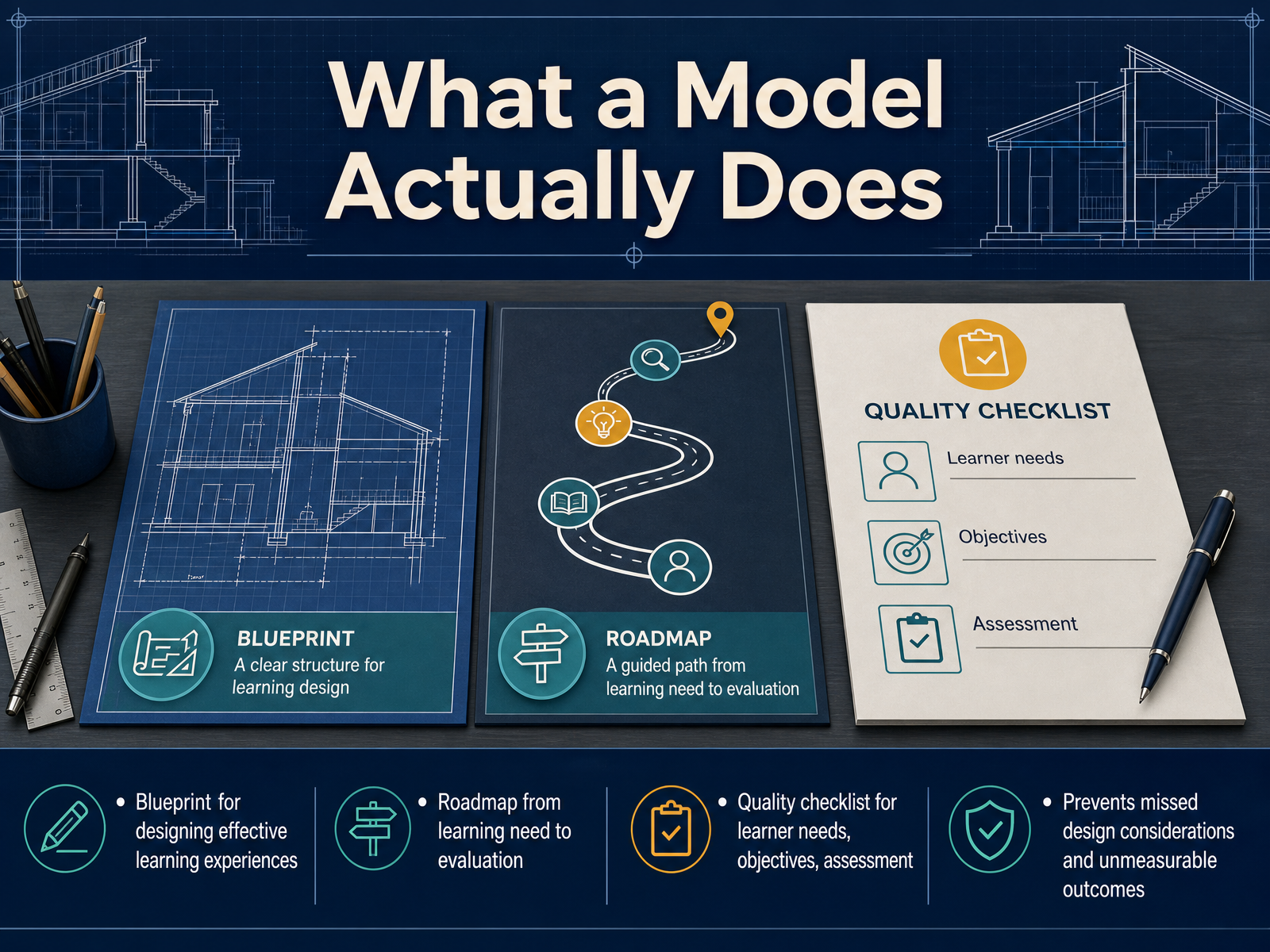
 - 03What a Model Actually DoesSo what does a model actually do in practice? Think of it as a structured blueprint for building effective learning experiences. It isn't just abstract theory—it's a working roadmap that guides you from the initial learning need all the way through to evaluation. A good model functions as a quality checklist. It forces you to be explicit about learner needs, define precise objectives, and align your assessments from the very start. This discipline prevents two common failures: missing critical design considerations and creating outcomes you can't actually measure. Without that structure, it's easy to design content that feels engaging but fails to deliver measurable performance change. The model makes those gaps visible before they cost you time and resources. Now, with that foundation in mind, let's look at how we can classify these models by their core type.
 gsdcouncil.orgresearch.cominstructionaldesigncentral.com+21 min
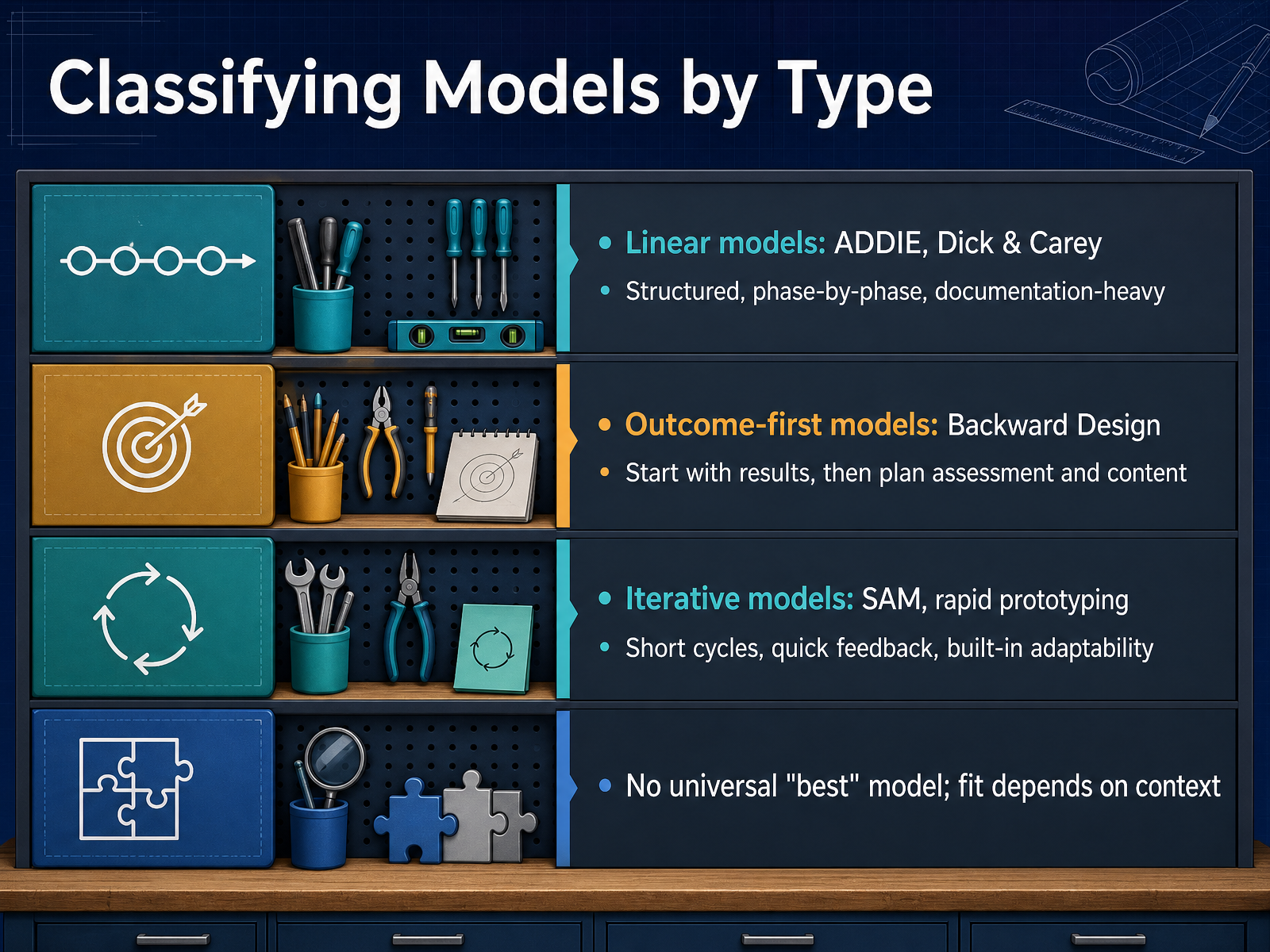
 - 04Classifying Models by TypeLet's now classify models by their underlying logic—this will help you match an approach to your project's reality. First, linear models like ADDIE and Dick and Carey. These are structured, phase-by-phase, and documentation-heavy. They fit stable content, large-scale programs, or compliance work where audit trails matter. The trade-off is clear: low flexibility and slower updates when requirements shift. Second, outcome-first models, like Backward Design. You start with the desired results, then plan assessments and content to support those results. This is ideal when alignment between goals and evidence is non-negotiable. Third, iterative models, such as SAM and rapid prototyping. These run short cycles with quick feedback and built-in adaptability. They work well for fast-changing content, but they demand stakeholder availability and can struggle with scope control. Remember, there is no universal best model. Fit depends on context—timeline, stakes, team expertise, and learner diversity all weigh in. Your job is to choose the logic that matches your constraints. Next, let's look at common patterns across these models.
 elearningindustry.comrlmlearningdesign.comlekb.org+22 min
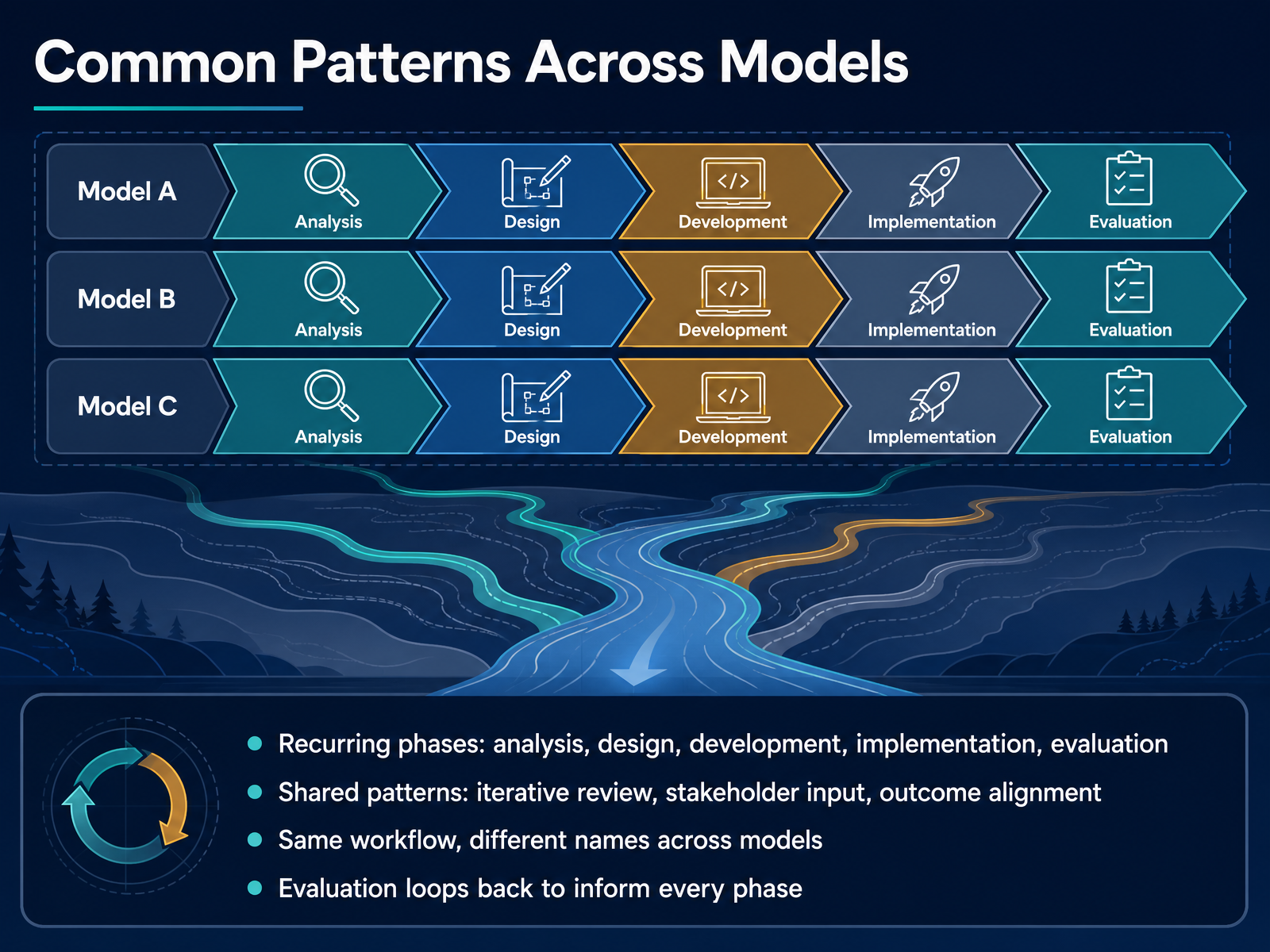
 - 05Common Patterns Across ModelsNow that we have surveyed the major models, let us step back and examine what they share. You will notice recurring phases across nearly every framework: analysis, design, development, implementation, and evaluation. These are not proprietary steps; they are the fundamental workflow of instructional design. What differs is the naming and the emphasis. Some models compress these phases, others expand them, but the underlying sequence remains consistent. Just as important are the shared patterns. Iterative review appears everywhere, whether you call it formative evaluation, rapid prototyping, or a savvy start. Stakeholder input drives quality in every framework, and outcome alignment keeps the entire process anchored to measurable results. This means you are not learning five different jobs when you study multiple models. You are learning one workflow with different rhythms. Finally, note that evaluation does not sit at the end of the line. In practice, it loops back to inform every phase. The findings from a pilot test can send you straight back to design, and post-launch data should feed the next analysis. Keep this shared backbone in mind. With it, you can switch between models without losing your bearings. Now, let us look at how this plays out in a real project with ADDIE in practice.
 instructionaldesigncentral.comen.wikipedia.orgdocs.openedx.org+22 min
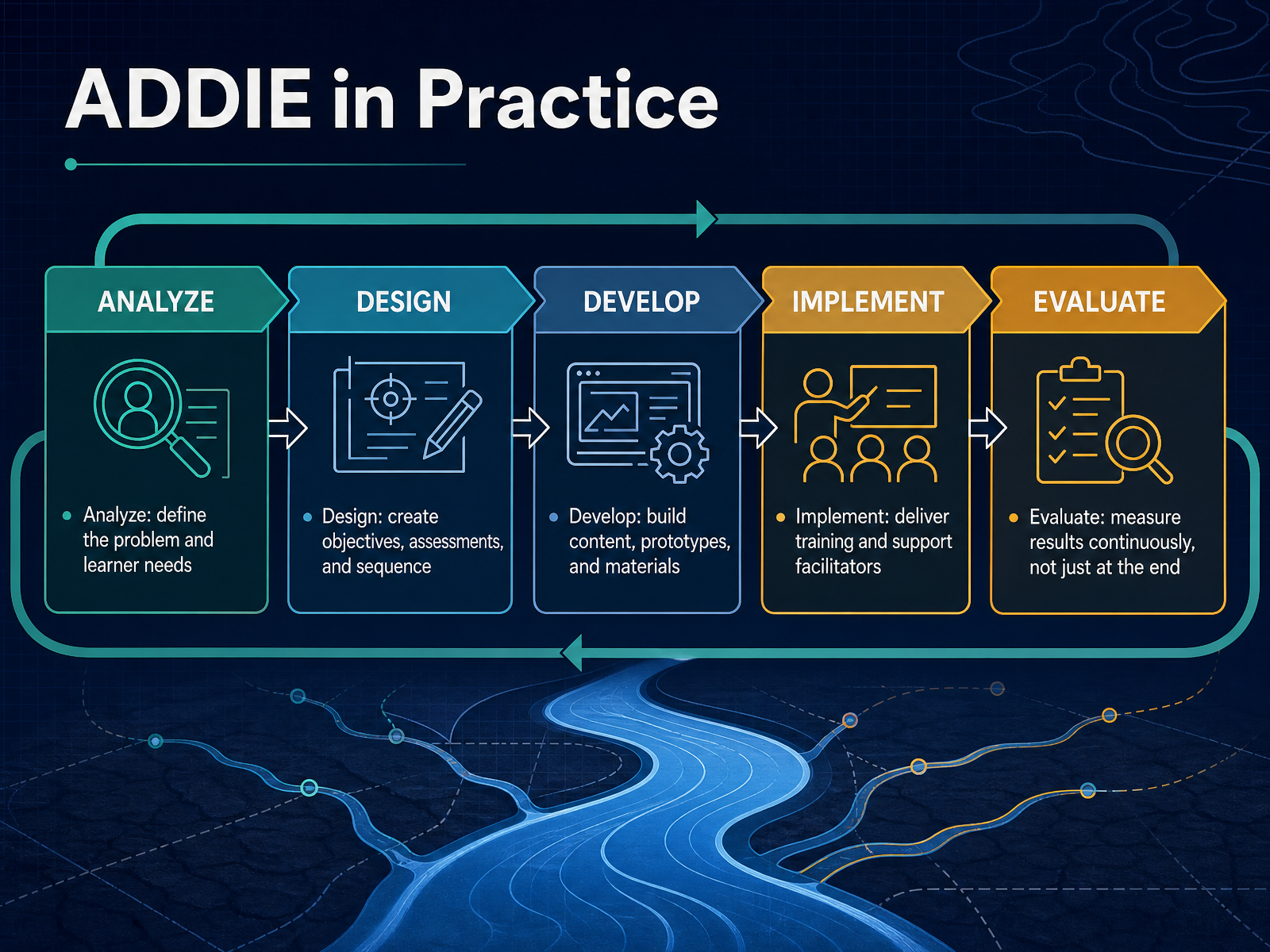
 - 06ADDIE in PracticeLet’s look at how ADDIE actually plays out in practice. The Analysis phase is where you define the problem and the learner needs. This is your diagnostic step. For example, if sales numbers are dropping, you ask whether the gap is a skill issue, a knowledge issue, or something else entirely. In Design, you translate that diagnosis into measurable objectives, aligned assessments, and a logical sequence of content. This is the blueprint. During Development, you build the actual assets—storyboards, prototypes, scripts, and materials. This is where you move from planning to production. Implementation is the deployment phase. You launch the course, train facilitators, and troubleshoot delivery issues. Finally, Evaluation is continuous. It is not just a post-mortem. Formative evaluation runs throughout every phase to catch issues early, while summative evaluation, often using Kirkpatrick’s levels, measures real-world impact after launch. The key takeaway here is that evaluation closes the loop, feeding insights back into a future Analysis phase. That is what makes ADDIE iterative rather than strictly linear. Now, let’s shift to Backward Design, a model that starts from the end goal and works backward to define the learning path.
 instructionaldesigncentral.comen.wikipedia.orgdocs.openedx.org+22 min
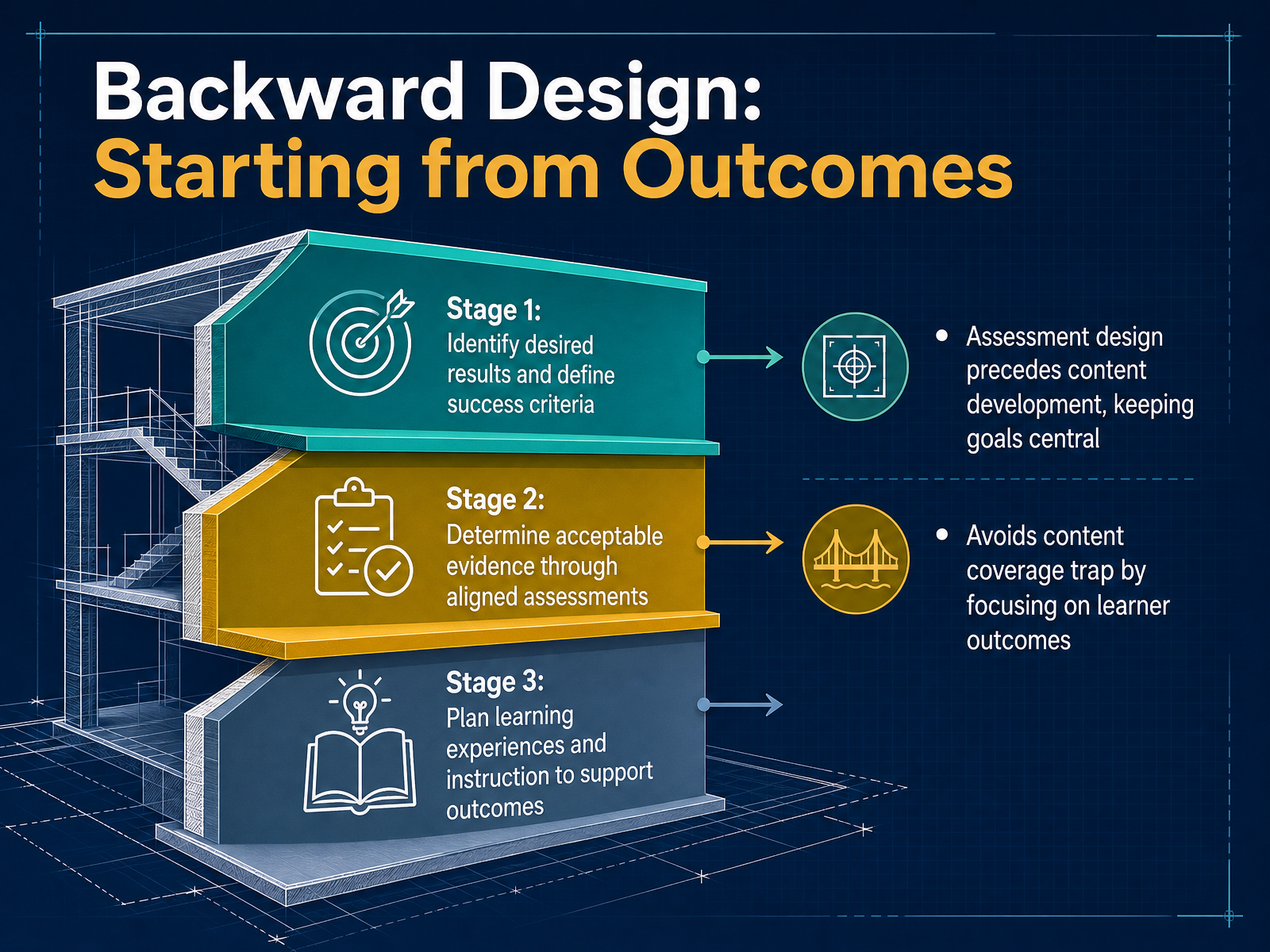
 - 07Backward Design: Starting from OutcomesNow let's examine Backward Design, an outcome-first framework that inverts the traditional development sequence. Rather than beginning with content, you begin with the end in mind. Stage one asks you to identify desired results and define clear success criteria. This is where you articulate what learners should know, do, or value. Stage two shifts to evidence: determining what acceptable proof of learning looks like through aligned assessments. Crucially, you design these assessments before any content exists. Stage three then plans the learning experiences and instruction that will support those outcomes. The key differentiator is that assessment design precedes content development, keeping goals central at every decision point. This approach deliberately avoids what designers call the content coverage trap, where the curriculum becomes a checklist of topics rather than a pathway to measurable competence. For your own projects, Backward Design is most valuable when learning goals are non-negotiable and assessment authenticity matters, such as in competency-based programs. There is a trade-off though: it requires upfront clarity and discipline, and it offers less flexibility for emergent content directions. Now let's turn to SAM and iterative approaches, which take a very different stance on planning depth.
 elearningindustry.comdigitallearninginstitute.comlinkedin.com+22 min
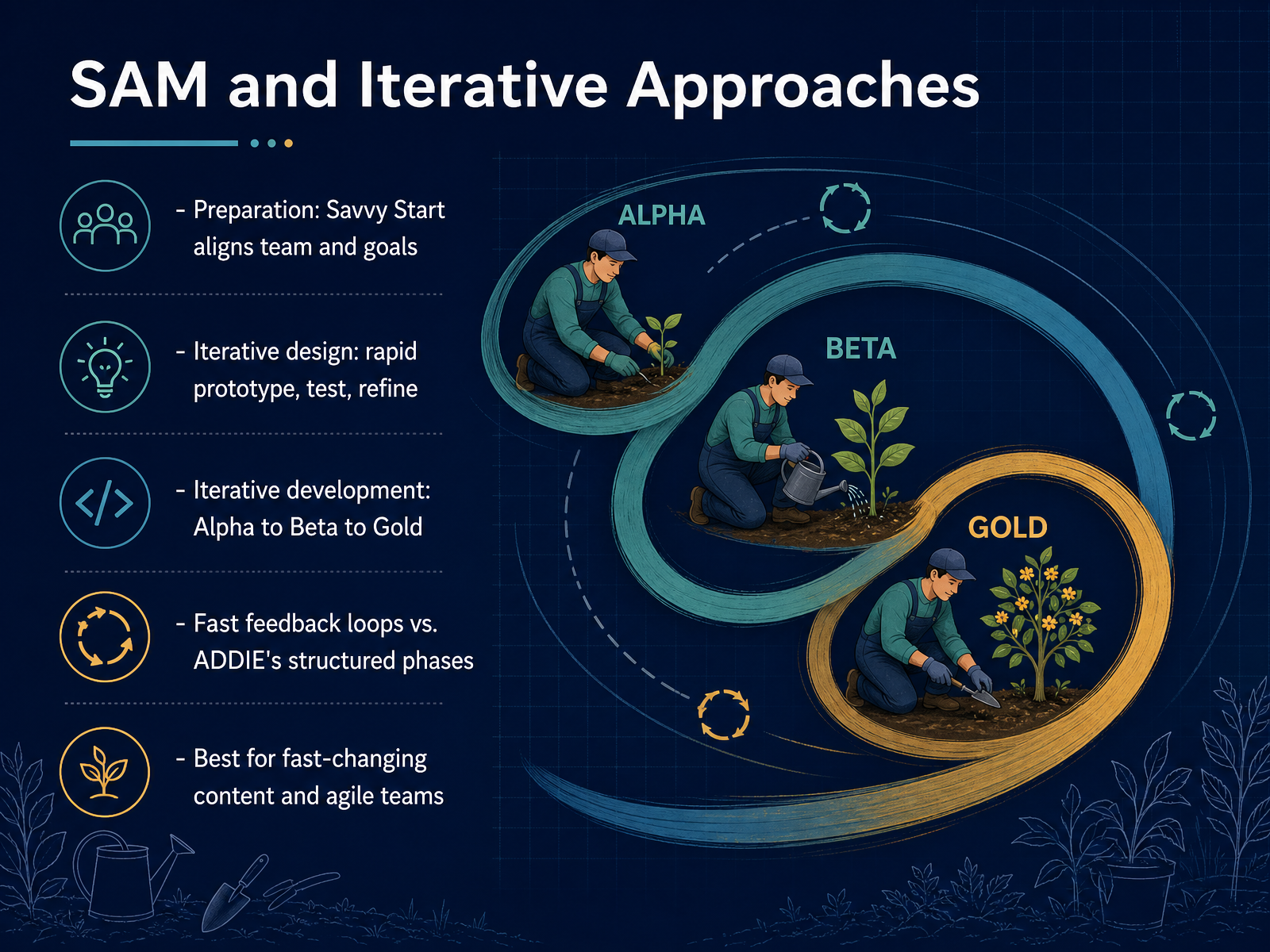
 - 08SAM and Iterative ApproachesNow let's shift to the Successive Approximation Model, or SAM, and why it's become the go-to for agile teams. SAM is built around rapid prototyping and fast feedback loops. It begins with a Preparation phase, featuring the Savvy Start—a collaborative session where the team aligns on goals and sketches initial ideas immediately. From there, you move into Iterative Design, creating quick prototypes you test and refine. Then, Iterative Development moves you from Alpha to Beta to Gold versions, each one improved by real feedback. The key trade-off here is speed versus structure. Where ADDIE asks for comprehensive planning upfront, SAM puts working prototypes in front of stakeholders early, catching misalignments while they're still cheap to fix. This makes SAM ideal for fast-changing content, like software training or soft skills, where the right approach emerges through testing rather than upfront analysis. But note the risk: this model depends on stakeholders being available for frequent, rapid feedback. If they disappear, the speed advantage vanishes quickly. Choose SAM when time-to-value matters more than comprehensive documentation.
 elearningindustry.comrlmlearningdesign.comlekb.org+22 min
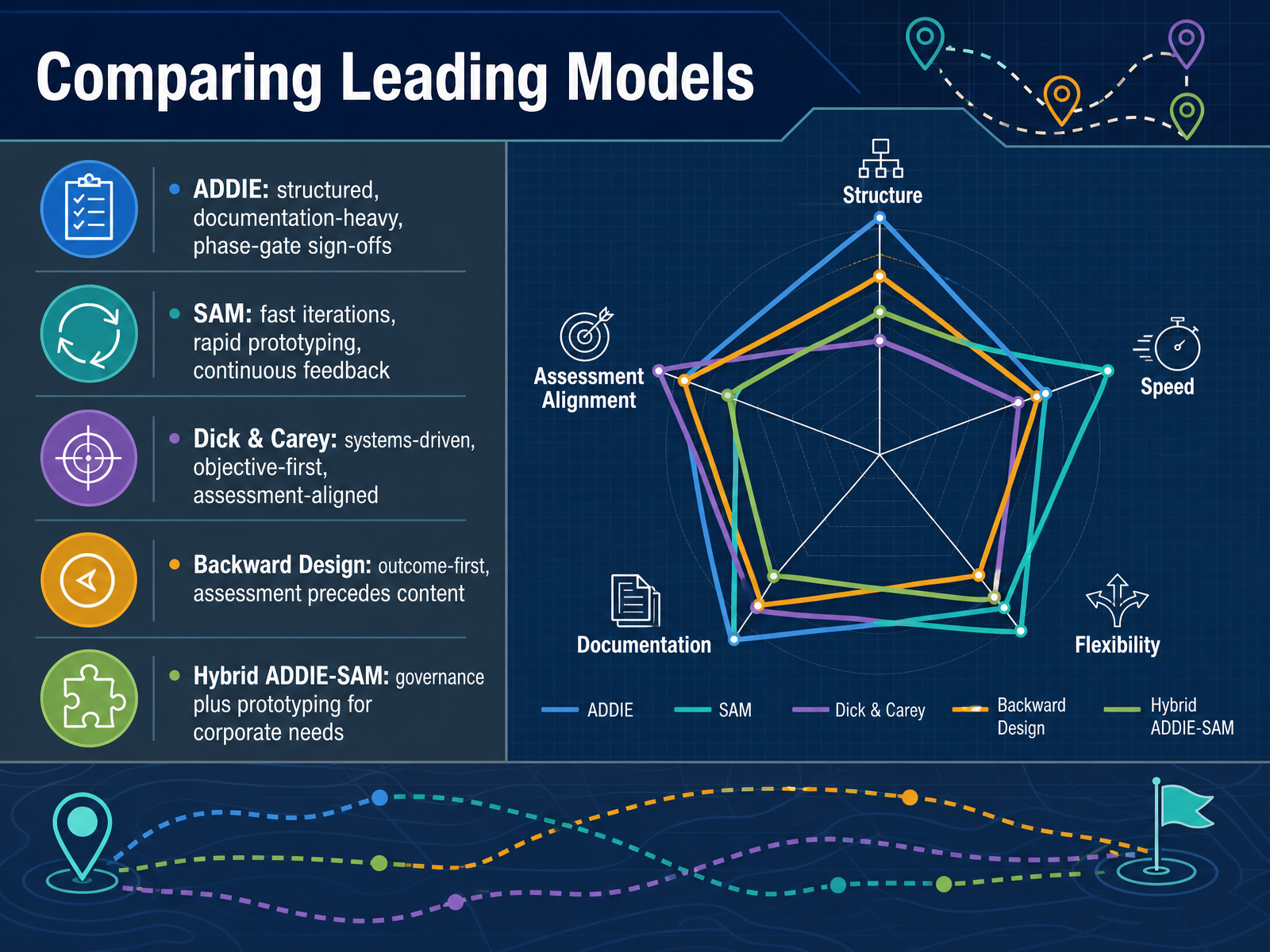
 - 09Comparing Leading ModelsLet’s now place these frameworks side by side and look at the trade-offs. ADDIE is the structured heavyweight. It demands documentation and phase-gate sign-offs, which makes it ideal for large-scale, standardized programs where consistency and audit trails matter. The cost, of course, is time and rigidity. SAM, in contrast, prioritizes speed. It uses rapid prototyping and continuous feedback loops, making it the better fit for fast-changing content or agile teams. The trade-off is lighter documentation. Dick and Carey is a systems-driven model. It puts objectives first and designs assessments before content. This tight alignment is powerful for compliance and high-stakes certification, but it requires real instructional design expertise and carries heavy upfront effort. Backward Design is outcome-first as well, but simpler. You define the desired results, then acceptable evidence, then plan the learning experiences. It’s an accessible starting point, especially for educator-led course development. Finally, the hybrid ADDIE-SAM approach. This is increasingly common in corporate settings. You keep ADDIE’s governance and analysis for structure, then insert SAM’s rapid prototyping loops inside the design and development phases. It gives you the best of both worlds when objectives are fixed but methods are uncertain. Which brings us to the critical question: how do we select the right model? Let’s look at that next.
 elearningindustry.comrlmlearningdesign.comlekb.org+22 min
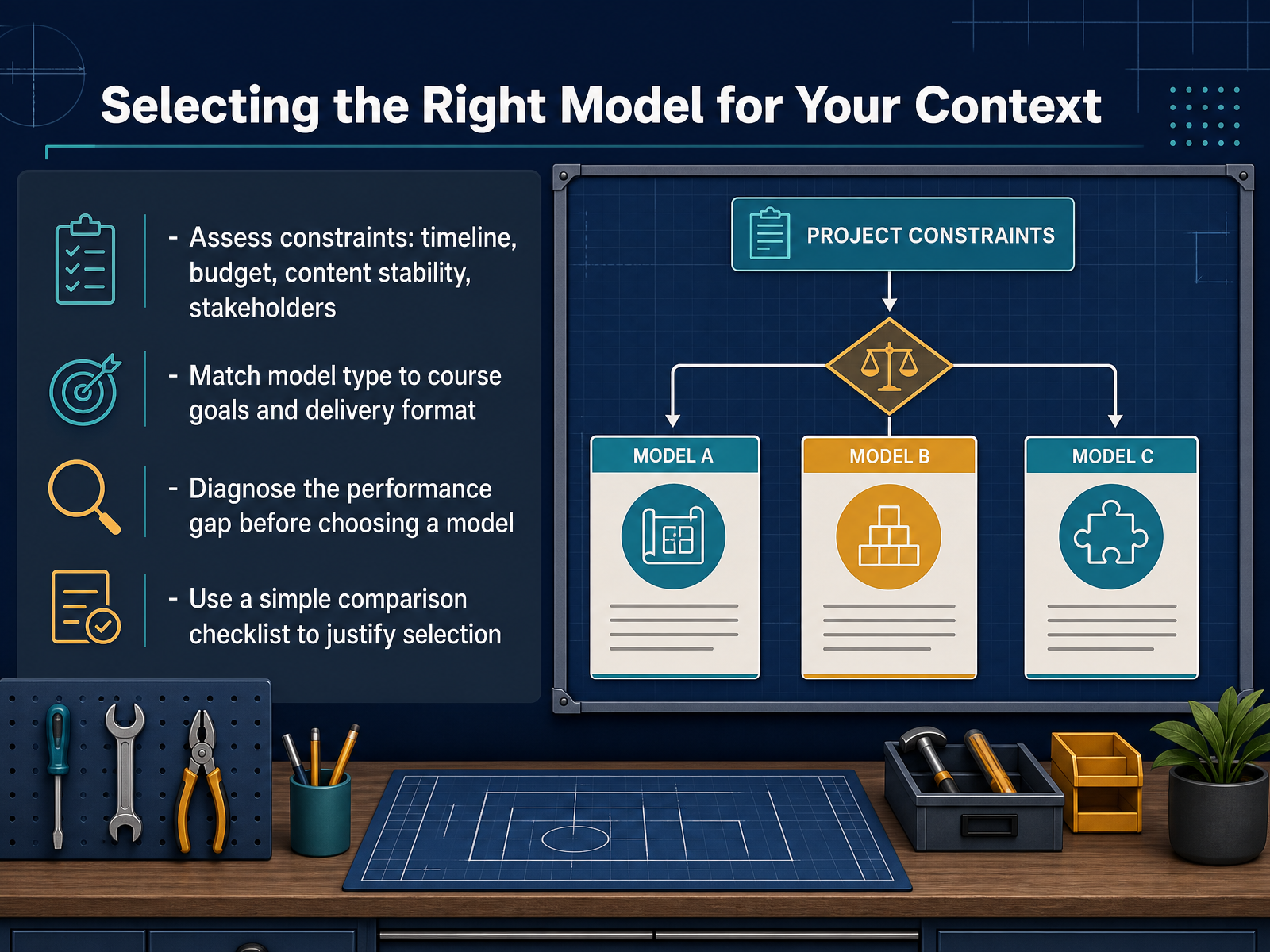
 - 10Selecting the Right Model for Your ContextWe have covered a range of models, and the natural question is which one to choose. The answer depends not on which model is best, but on which fits your context. Start by assessing your constraints: timeline, budget, content stability, and stakeholder involvement. For example, SAM requires continuous stakeholder feedback, while ADDIE functions well with structured sign-offs. Then, match the model type to your course goals and delivery format. Are you building a large-scale onboarding programme or a single eLearning module? Next, diagnose the performance gap before choosing a model. If learners simply need information, a full systems approach is overkill. If the gap is a complex, high-stakes skill, the rigor of Dick and Carey becomes justified. Finally, use a simple comparison checklist to justify your selection, documenting the trade-offs in linearity, implementation effort, and cognitive level. This makes the decision transparent and defensible to your team. So, as we move on, let's look at current trends and evolving approaches in instructional design.
 elearningindustry.comrlmlearningdesign.comlekb.org+22 min
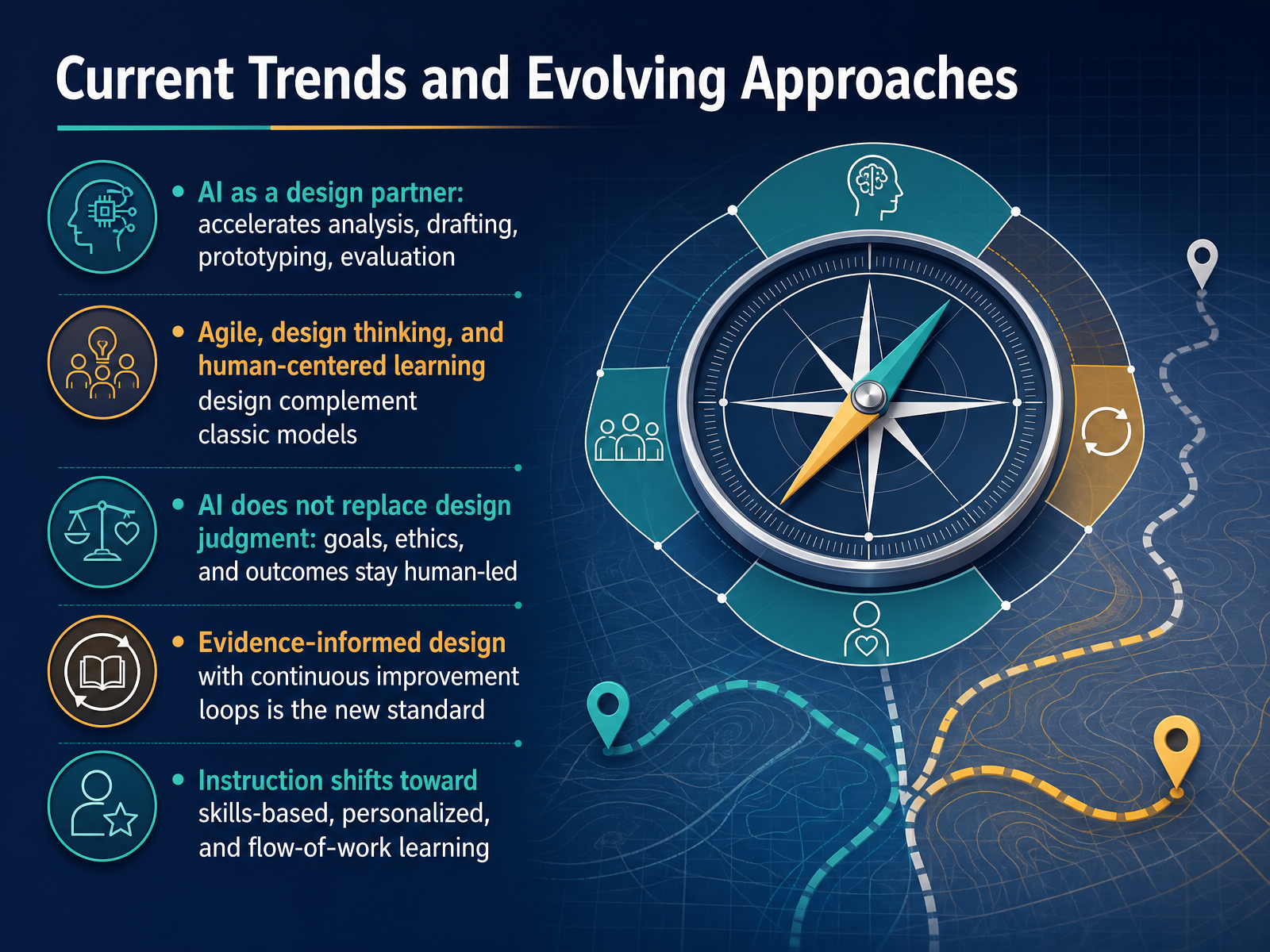
 - 11Current Trends and Evolving ApproachesWith that framework in mind, let’s look at how current trends are reshaping these models. The most significant shift is AI’s role as a design partner, moving beyond simple content generation to accelerate analysis, drafting, prototyping, and even evaluation. At the same time, agile, design thinking, and human-centered approaches are complementing more classic models like ADDIE, giving you flexibility when timelines are tight or requirements are evolving. But here’s the critical point: AI does not replace design judgment. The goals, ethics, and desired outcomes remain human-led decisions. Pair this with the rise of evidence-informed design, where continuous improvement loops powered by learner data are becoming the standard rather than a nice-to-have. And finally, the focus is moving toward skills-based, personalized, and flow-of-work learning, shifting from course completion to demonstrated capability. So, as these models evolve, the underlying decision-making discipline is what truly drives success. Let’s move on to a practical comparison exercise to help you apply this.
 2 min
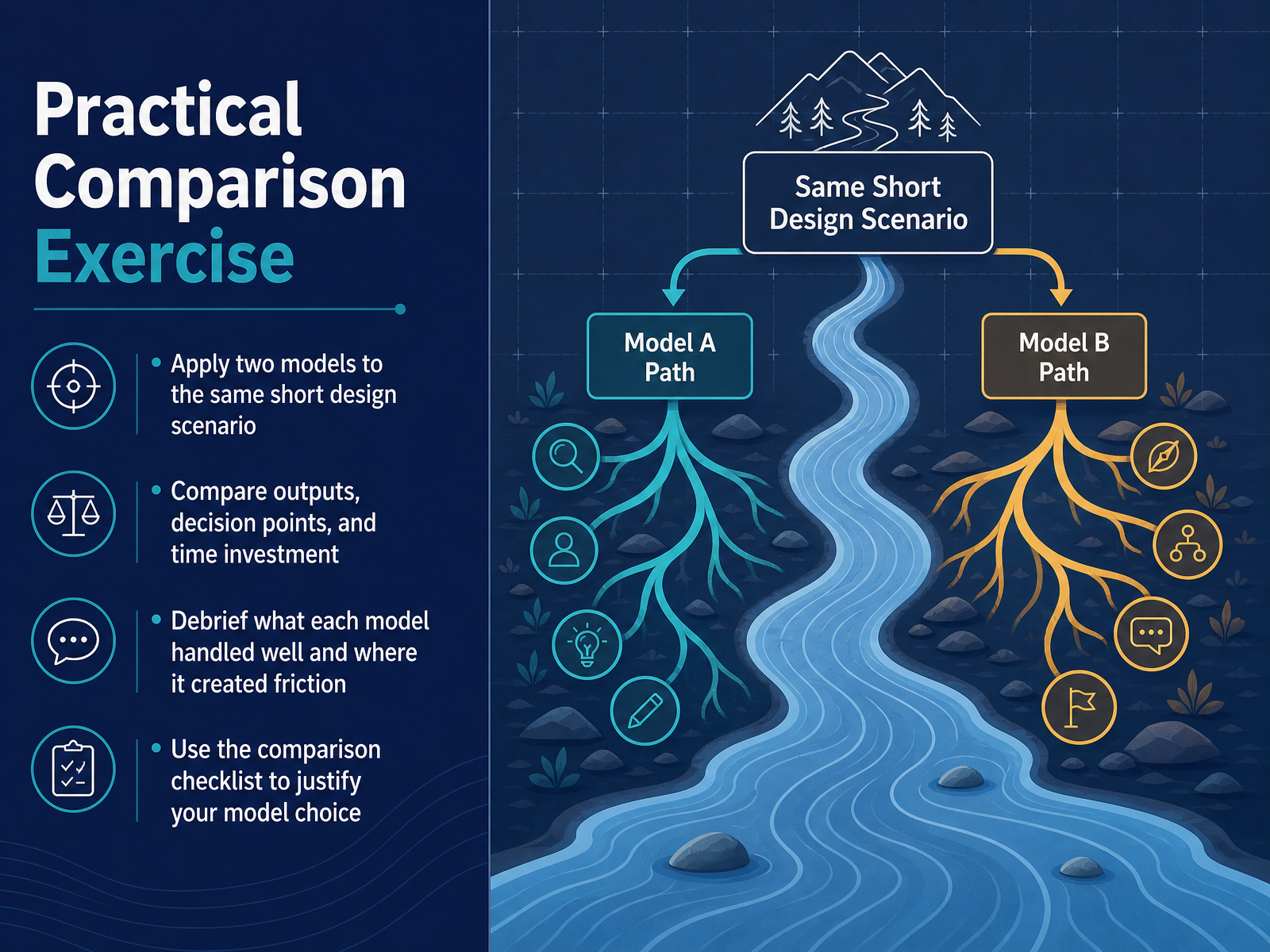
2 min - 12Practical Comparison ExerciseLet's put this into practice. You'll work with the same short design scenario and apply two different models to it. Start by applying the first model, then the second. As you work, compare the outputs, note the key decision points, and track the time each model requires. Afterward, debrief: where did each model handle things well, and where did it create friction? If one felt intuitive while the other felt rigid, that's useful data, not a failure. Use the comparison checklist to justify your choice—grounding your decision in timeline, stakeholder availability, and the nature of the performance gap. The goal here isn't to crown a winner. It's to build your judgment. Next, we'll turn this into a practical checklist and job aid you can use on your next project.
 elearningindustry.comrlmlearningdesign.comlekb.org+21 min
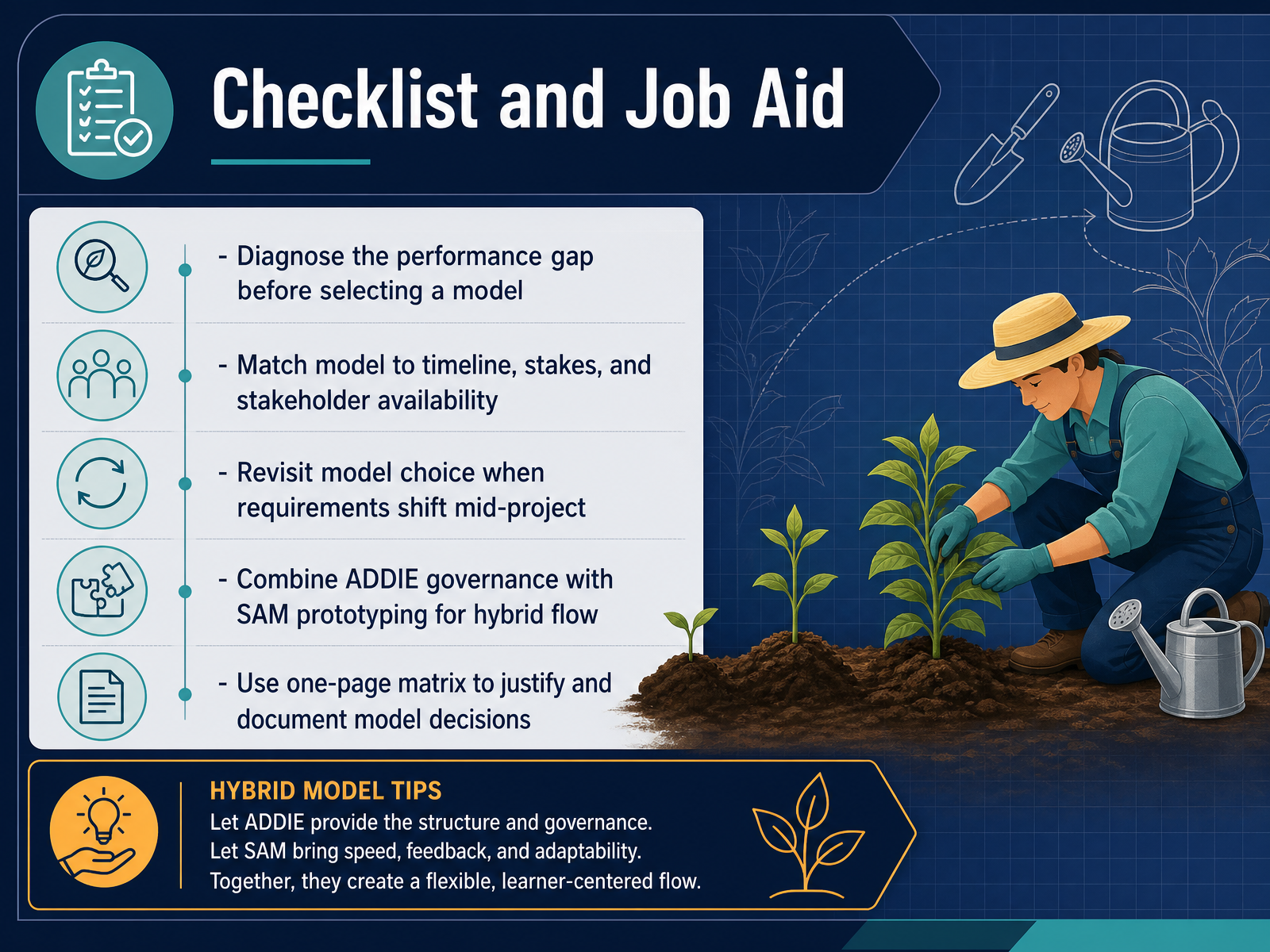
 - 13Checklist and Job AidThis brings us to a practical tool: the selection checklist. Treat it as a diagnostic, not a formality. First, diagnose the performance gap before selecting any model. A compliance issue and a workflow efficiency issue require different paths entirely. Second, match the model explicitly to your timeline, the stakes involved, and stakeholder availability. A high-stakes program operating without regular stakeholder sign-off is a risk you can anticipate now. Third, treat the model choice as provisional. If requirements shift mid-project, revisit your decision; the model should serve the project, not constrain it. For complex or ambiguous programs, strongly consider a hybrid flow. Use ADDIE for governance and structure, and layer in SAM's rapid prototyping for developmental agility. This gives you documentation without sacrificing speed. Finally, document your decision. Create a one-page matrix that justifies which model you selected and why. This not only aligns your team but also protects your rationale during future audits. This checklist is your safeguard against model inertia. Now, let's move on to our summary and next steps.
 trainercentric.inlekb.orgelearningindustry.com2 min
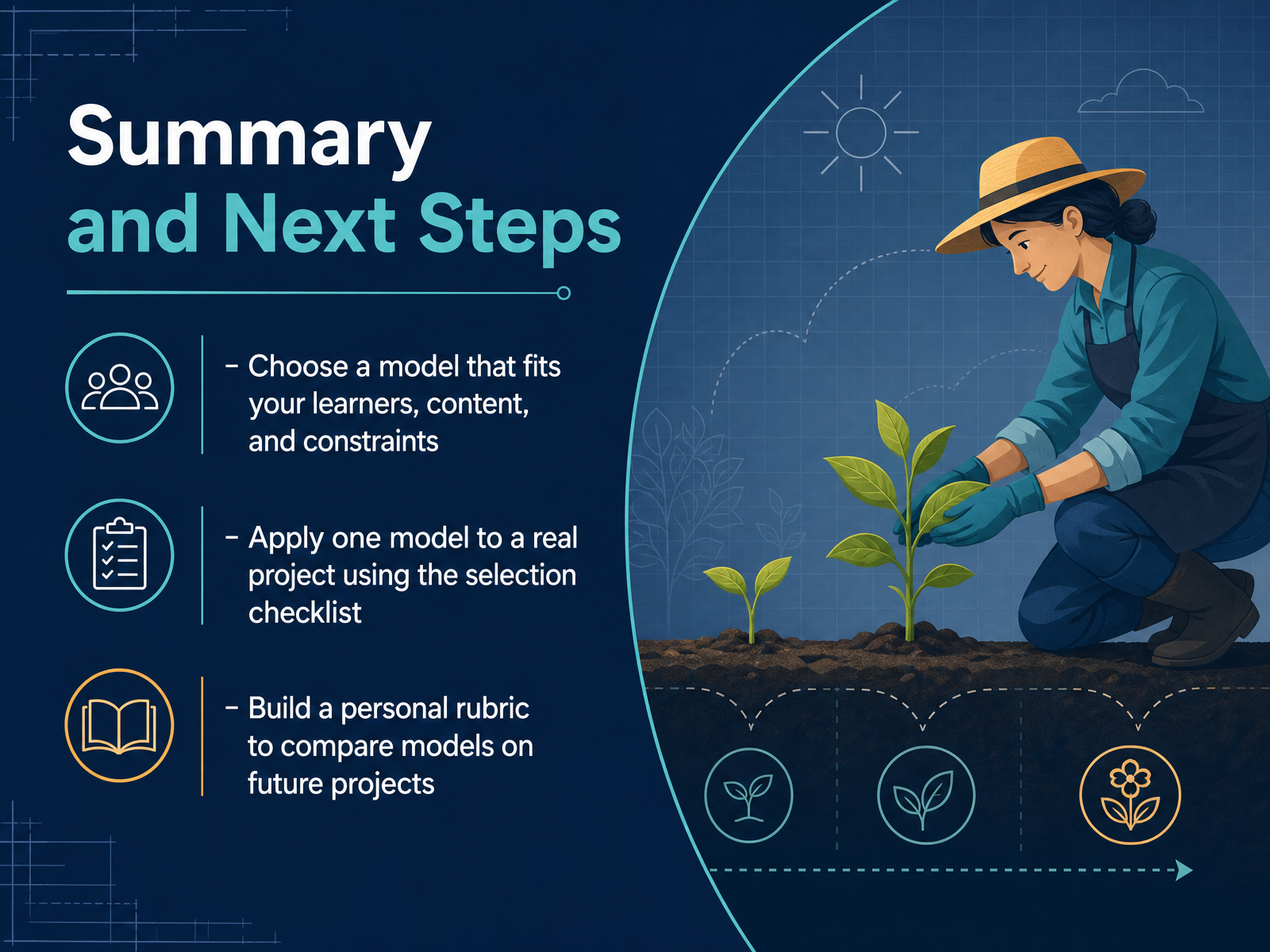
 - 14Summary and Next StepsWe have covered a lot of ground, so let's bring it together. The goal is not to find the perfect model, but to make a deliberate choice. Start by selecting a model that fits your learners, your content, and your real-world constraints like timeline and budget. Then, apply that model to a live project. Use the selection checklist we discussed to guide your decision and document why that model was the right fit. Finally, build your own personal rubric. Use it to compare models on future projects, noting how each one handled factors like speed, flexibility, and stakeholder input. This practice will sharpen your judgment more than any theory alone. Thank you for your time and engagement. You now have a solid framework for making these decisions with confidence. Go apply it, and see the difference it makes.
 elearningindustry.comrlmlearningdesign.comlekb.org+21 min
Take the deck with you
Download this course as a file — free, no sign-up needed.
- PDF handoutEvery slide page, ready to print or share.15 pages · 4.4 MBDownload
- Narrated PowerPointThe deck that presents itself — every slide carries the digital human's narration video.15 pages · 27.3 MBDownload
- PowerPoint slidesThe full deck as a .pptx — open it in PowerPoint, Keynote, or Google Slides.15 pages · 4.3 MBDownload
Free to use in your own training — please keep the PersonWise credit page at the end.
Have your own deck? Turn it into a course
Sources consulted
Web sources consulted while building this course.
- ADDIE vs SAM vs Gagné: AI-Era Instructional Design | GSDC — gsdcouncil.org
- Instructional Design Models for 2026: ADDIE, Gagne's, ... — research.com
- Instructional Design Models — instructionaldesigncentral.com
- Instructional Design Made Easy! Instructional ... — mdpi.com
- Instructional Design Models: Methods, Frameworks, and Best Practices — processnavigation.com
- 8 Tips for Choosing the Best Instructional Design Model — elearningindustry.com
- Choosing the Right Instructional Design Model: What to Consider – RLM Learning Design — rlmlearningdesign.com
- Choosing a model of design - The Learning Engineer's Knowledgebase — lekb.org
- Popular Models of Instructional Design: Which One Should You Use? • Teachers Institute — teachers.institute
- Instructional Design Models: The Comprehensive Corporate L&D Guide - TrainerCentric — trainercentric.in
- ADDIE Model | Instructional Design Central (IDC) — instructionaldesigncentral.com
- ADDIE model — en.wikipedia.org
- https://docs.openedx.org/en/open-release-sumac.master/educators/concepts/instructional_design/id_course_dev_process_overview.html — docs.openedx.org
- The ADDIE Model for Instructional Design — onlinedegrees.sandiego.edu
- ADDIE model | Teaching and learning collection — teaching-and-learning-collection.sites.uu.nl
- ADDIE Vs. Backward Design: Which One, When, And Why? - eLearning Industry — elearningindustry.com
- What are the core instructional design models? - Digital Learning Institute — digitallearninginstitute.com
- ADDIE Alternatives: SAM, Backward Design, 4C/ID, Dick & Carey. — linkedin.com
- Comparative Analysis of Instructional Models for Designing Effective Online Courses: ADDIE, SAM, and Dick & Carey Approaches — doi.org
- Comparative Analysis of Instructional Models for Designing Effective Online Courses: ADDIE, SAM, and Dick & Carey Approaches — doi.org