Begin
14 pages · ~28 min
AI Tools for Instructional Design
Learn to leverage AI tools to streamline instructional design workflows, enhance creativity, and produce engaging learning materials efficiently.
A digital instructor presents all 14 pages. Hold “Ask” at any point and ask out loud — the answer comes from this course. No sign-up needed.
What you’ll learn
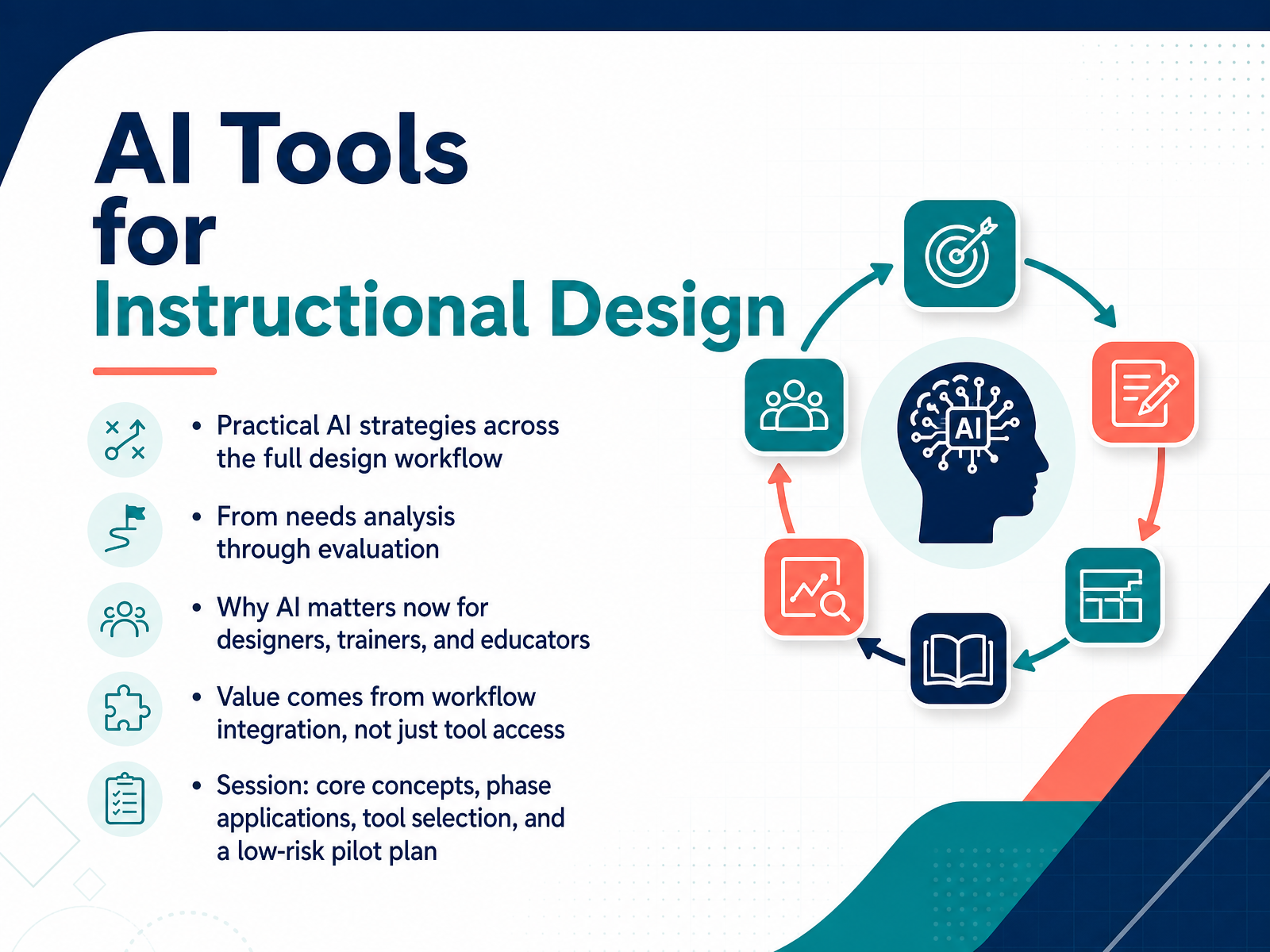
- 01AI Tools for Instructional DesignWelcome. If you are an instructional designer, a trainer, or an educator, you know the real bottleneck in our work isn't creativity—it's time. And you know the promise of AI isn't about replacing your judgment. It's about compressing the hours you spend on first drafts and formatting, so you can reinvest them where your expertise actually matters. That's what this session is about. We'll explore practical AI strategies you can apply across the full design workflow, from needs analysis through evaluation. Not as a shiny tool demo, but as workflow integration—because value doesn't come from having access to the latest model. It comes from knowing exactly where it fits in your process and where you keep control. We'll cover core concepts, phase applications, and how to select tools. You'll build a low-risk pilot plan you can start using this week. Let's get into it. First, here's a quick look at the current landscape of AI in learning and development.coursiv.iolink.springer.comx-pilot.ai+21 min
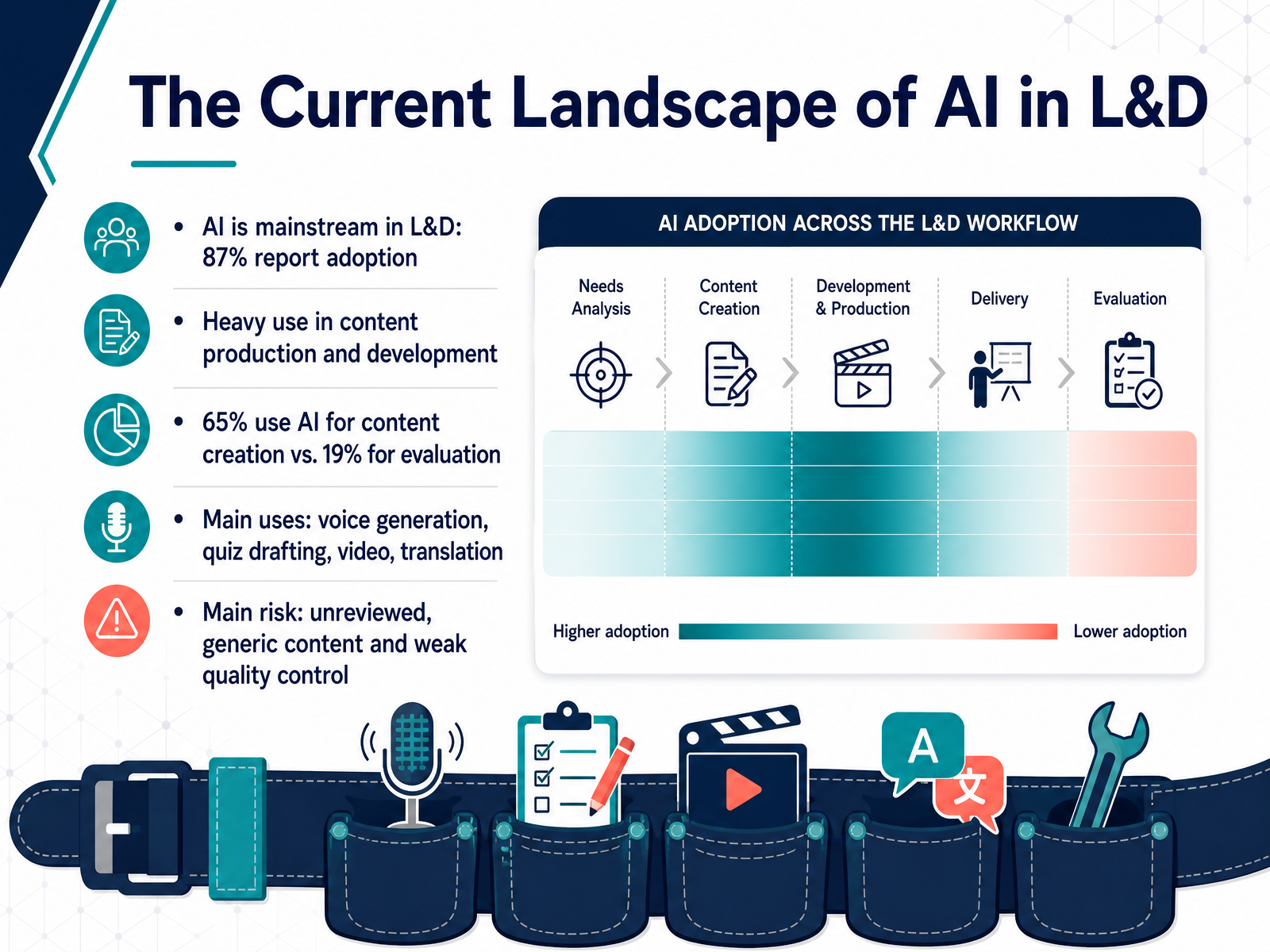
- 02The Current Landscape of AI in L&DLet's start with a snapshot of where AI actually stands in our field right now. And the picture is clear: AI is not a trend anymore, it's mainstream. In fact, eighty-seven percent of learning and development practitioners report using AI in their work. But here's the nuance: adoption is heavy in content production, and much lighter elsewhere. Sixty-five percent of teams use AI for creating learning materials, while only nineteen percent use it for evaluation. So we're generating faster than we're measuring.
Practically, that means AI shows up in tasks like voice generation, drafting quizzes, creating video, and translation. These are the time-hungry parts of the workflow, and AI handles them well. But there's a real risk hiding in that speed. Unreviewed, generic content can slip through. Weak quality control becomes the bottleneck.
So, as we explore what instructional designers actually need from AI, keep this imbalance in mind. Let's dig into that next.
 synthesia.ioelearningindustry.comlink.springer.com+21 min
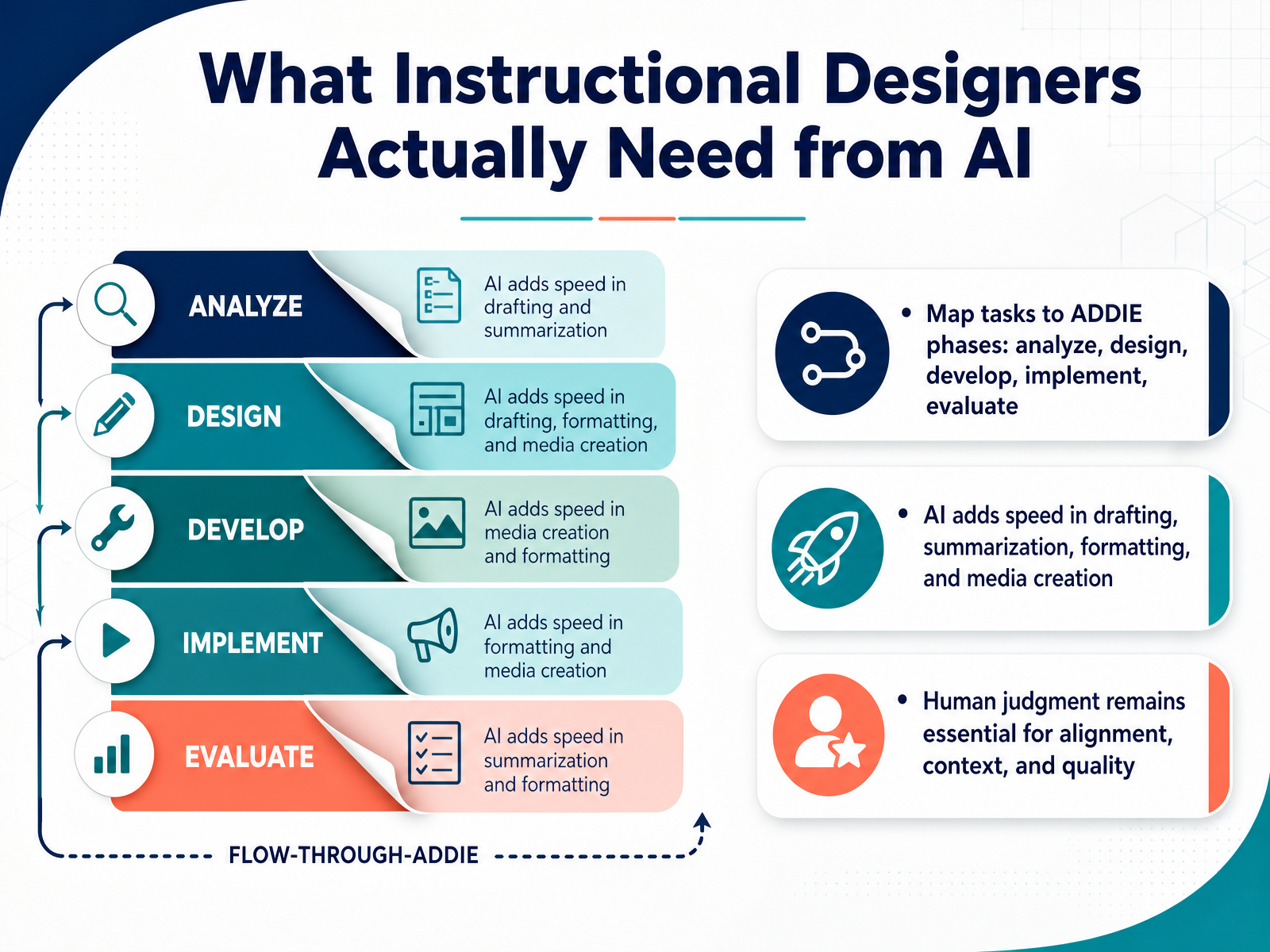
 - 03What Instructional Designers Actually Need from AISo, let's get practical. What do you actually need from AI in your day-to-day work? The answer is speed, without sacrificing judgment. Map your tasks across the ADDIE phases. In Analysis, AI can synthesize learner needs and summarize performance evidence. In Design, it can draft objectives and outline structures. In Development, it accelerates drafting content, formatting, and even media creation. The list goes on, but the value concentrates in one place: removing the repetitive lift. Here's a practical angle. Think of a task you do weekly, like drafting a job aid or summarizing SME notes. AI handles that first pass in minutes. But you'll notice that your role shifts, not disappears. You own the pedagogical alignment. You verify every fact, and you make sure the output fits the context and your learner's reality. Human judgment isn't a bottleneck here. It's the release gate. So treat AI's output as an excellent draft, not a finished product. Your expertise is what makes AI-generated content actually work for learning. In short, use AI for the drafting and the formatting, but keep your hands on the steering wheel for alignment, context, and quality. Now, let's look at how AI fits in as a collaborative partner, not an autopilot.
 coursiv.iolink.springer.comx-pilot.ai+21 min
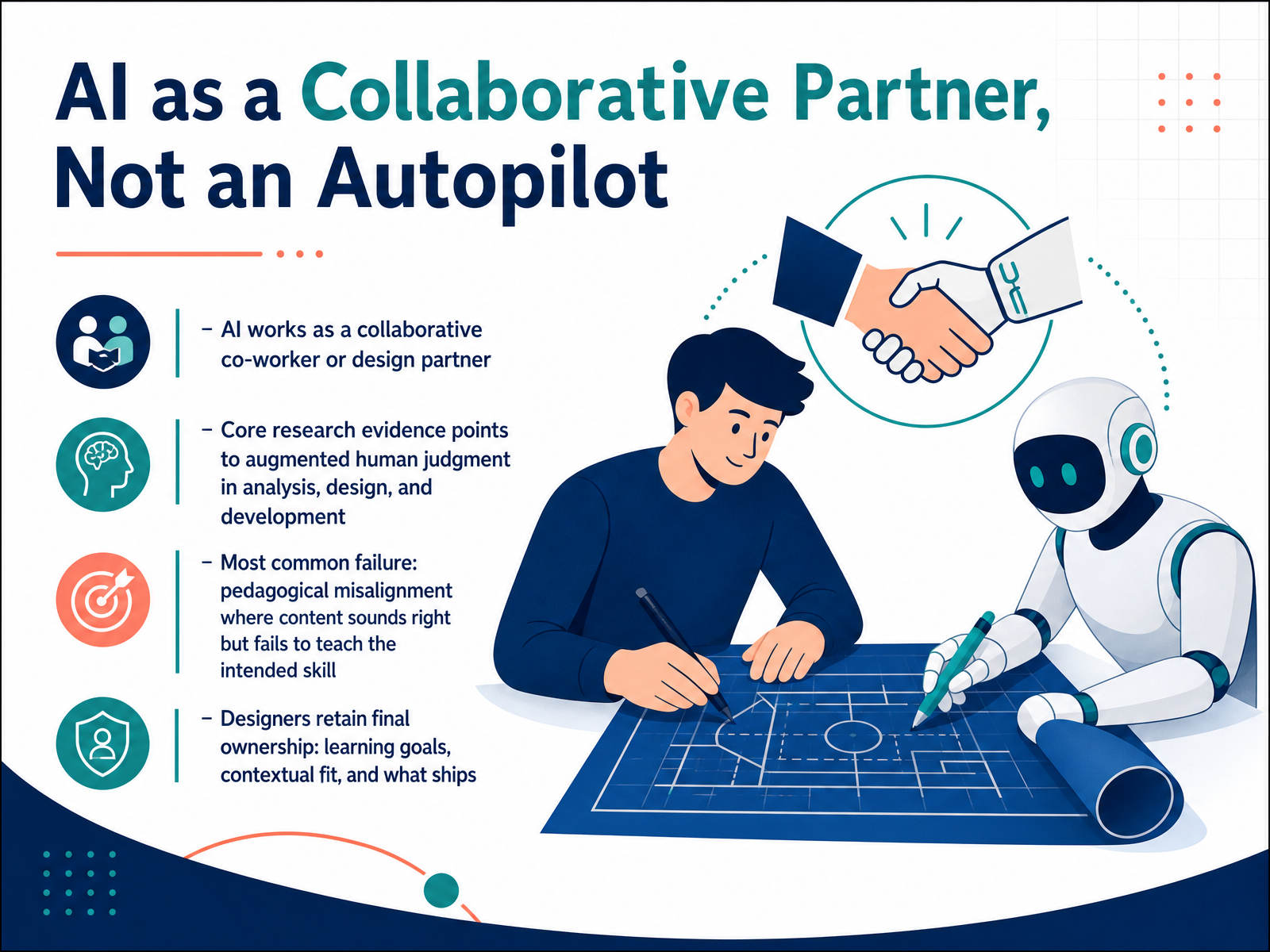
 - 04AI as a Collaborative Partner, Not an AutopilotHere's a shift in perspective that changes everything. AI is not an autopilot—it's a collaborative partner. Think of it as a sharp, tireless co-worker who drafts fast but needs your judgment to make it meaningful. The research consistently points to augmented human judgment across analysis, design, and development. AI expands your capacity; it doesn't replace your expertise. The most common failure we see in practice is pedagogical misalignment. The content sounds right, it reads fluently, but it fails to teach the intended skill. A neat alignment table doesn't prove that an assessment measures what learners actually need to do on the job. You'll notice this most when AI generates objectives that look polished but drift from the real performance gap. That's where you step in. You own the learning goals, the contextual fit, and the final call on what ships. AI proposes, you dispose. Keep that dynamic clear, and you're not just using a tool—you're directing a design partner. Now, let's break down the core AI concepts every L&D professional needs to navigate this partnership effectively.
 coursiv.iolink.springer.comx-pilot.ai+22 min
 - 05Core AI Concepts Explained for L&D ProfessionalsLet's demystify the core AI concepts you'll be working with. First, large language models generate text based on patterns, not reliable fact recall. They're brilliant with language, but they can confidently invent things. Keep that in mind. Your prompts and the context window shape what the model sees and how it responds. Think of it as setting the stage. Now, RAG, or retrieval-augmented generation, is a game-changer. It adds your approved source material at query time, pulling in specific documents to ground the response. Fine-tuning, on the other hand, changes the model's behavior itself—its tone, format, and style—based on your examples. So, RAG provides the right knowledge; fine-tuning shapes the right behavior. Finally, never skip evaluation. You need to check AI outputs for accuracy, alignment with your learning objectives, and potential bias. It's a workflow, not a magic button. Speaking of workflow, let's see how this fits into your needs analysis and learner research.
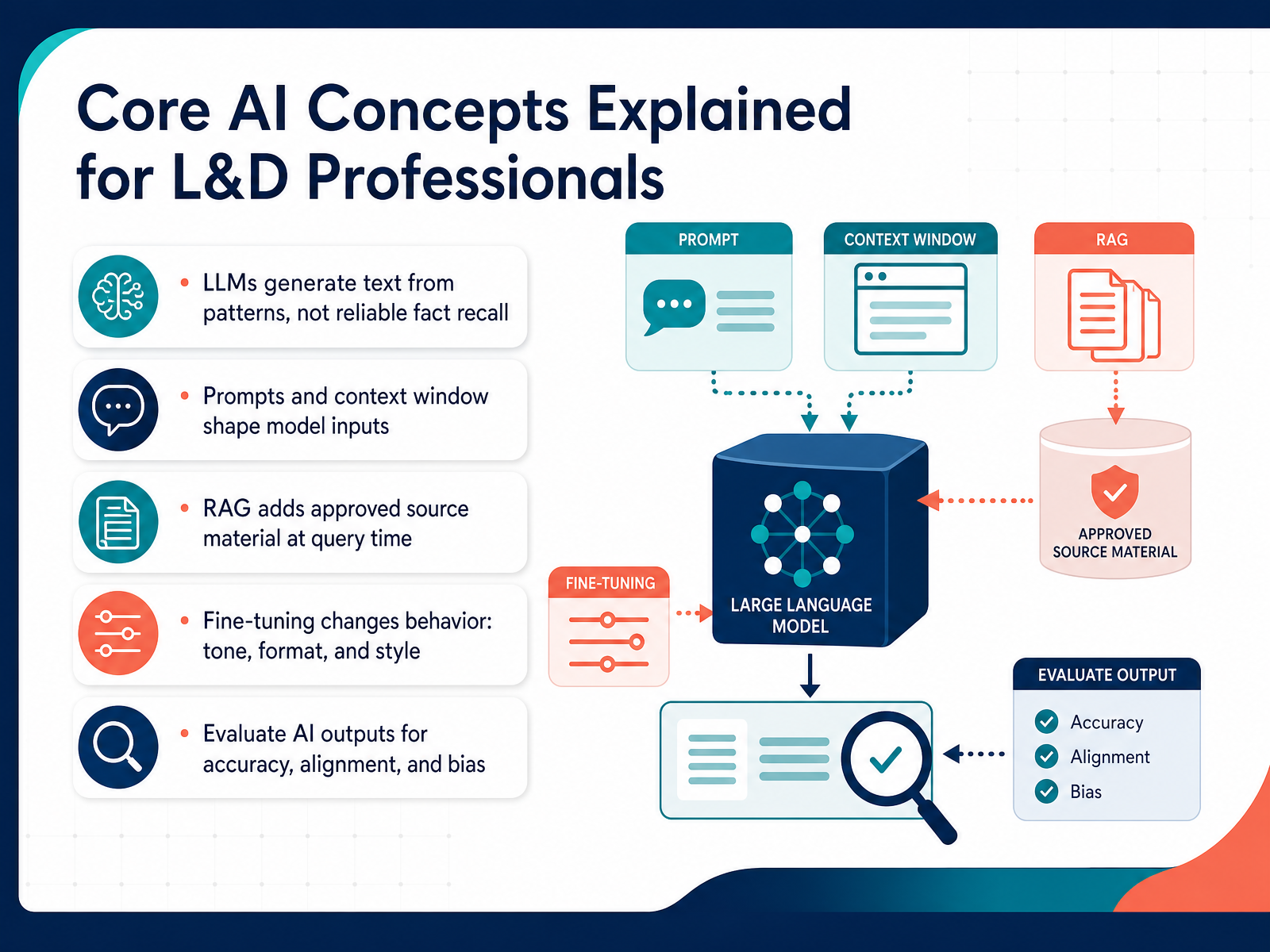 towardsdatascience.comredhat.comjulien-riel.com+22 min
 - 06Using AI in Needs Analysis and Learner ResearchNow let's put AI to work where analysis actually begins. In needs analysis and learner research, AI is a powerful synthesizer. Feed it your interview transcripts, source documents, and performance data, and it will surface themes, contradictions, and open questions in minutes. You'll find it genuinely useful for generating learner personas from scattered inputs. That's where AI saves you hours. But here's the critical part. Treat everything AI identifies as a hypothesis, not a diagnosis. A neat summary of a performance gap is a starting point for your judgment, not a conclusion. Watch for bias, hallucinated facts, and missing context. AI can confidently produce a fluent readout that quietly leaves out the outlier comment that actually matters. And before you upload anything, confirm permissions. Much of your source material is confidential or proprietary. So get explicit clearance first. The practical angle: use AI to organize your approved needs-analysis pack into themes and provisional gaps, then bring your stakeholder or SME in to confirm the real task and operating conditions. You decide which gaps deserve objectives and which ones need more evidence. That's the difference between using AI well and letting it set your agenda. Up next, we'll move from analysis into design, from learning objectives to AI-generated content.
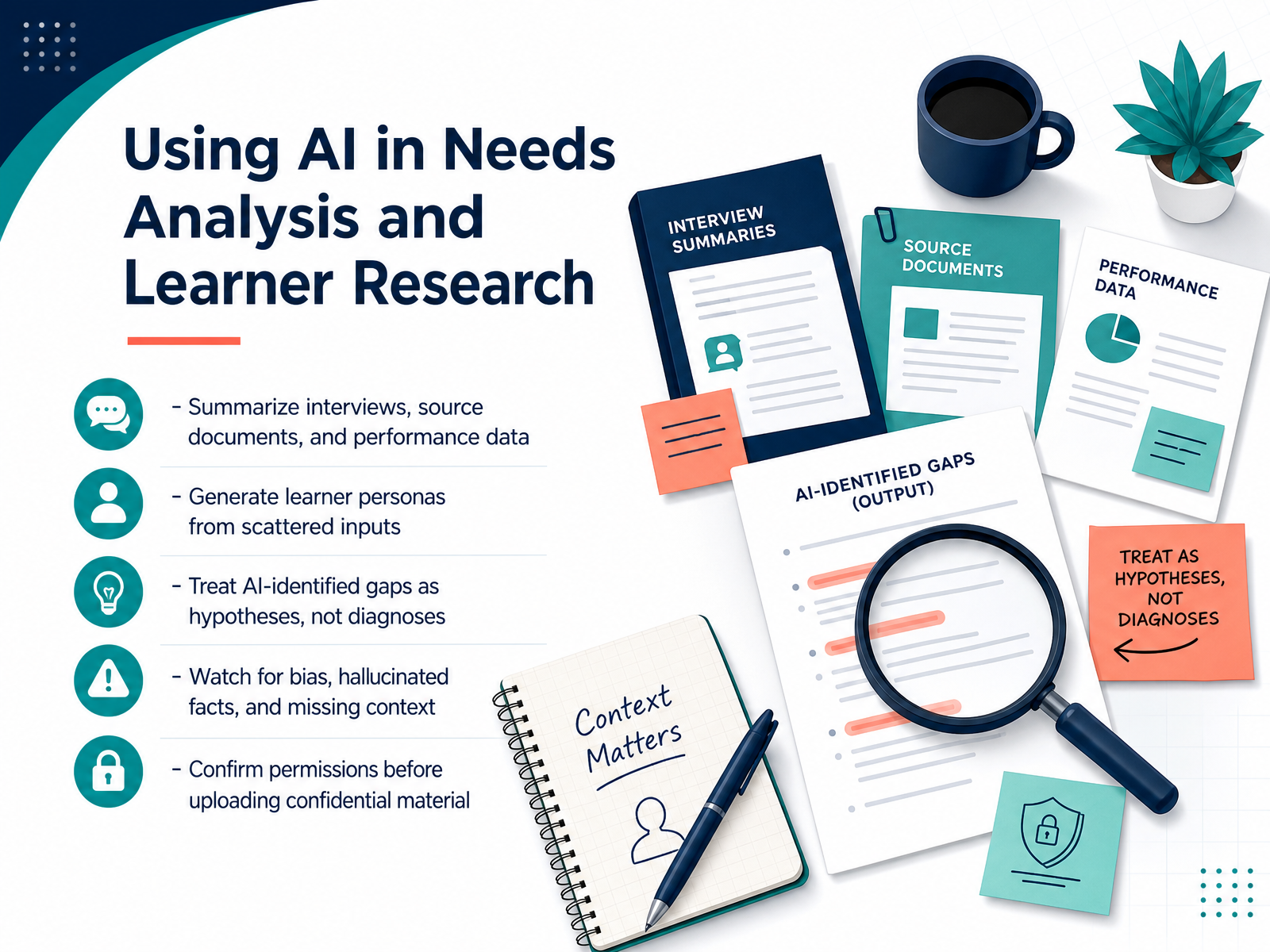 coursiv.iolink.springer.comx-pilot.ai+21 min
 - 07From Learning Objectives to AI-Generated ContentOnce your brief is validated, AI becomes a powerful drafting partner. You can generate Bloom-aligned objectives, outlines, scripts, even assessment items. It feels fast. But here's where your judgment matters most. AI-generated objectives often look right on the surface, yet they can miss the real business problem or the actual learner need. A neat taxonomy category doesn't prove the assessment measures the intended skill. So treat every AI draft as a hypothesis. You still own the alignment to performance goals and the pedagogical fit. And before anything reaches release, verify every factual and policy claim against an approved source. Reject whatever the AI can't support. You're not just reviewing content, you're making the call that defines whether this training changes behavior.
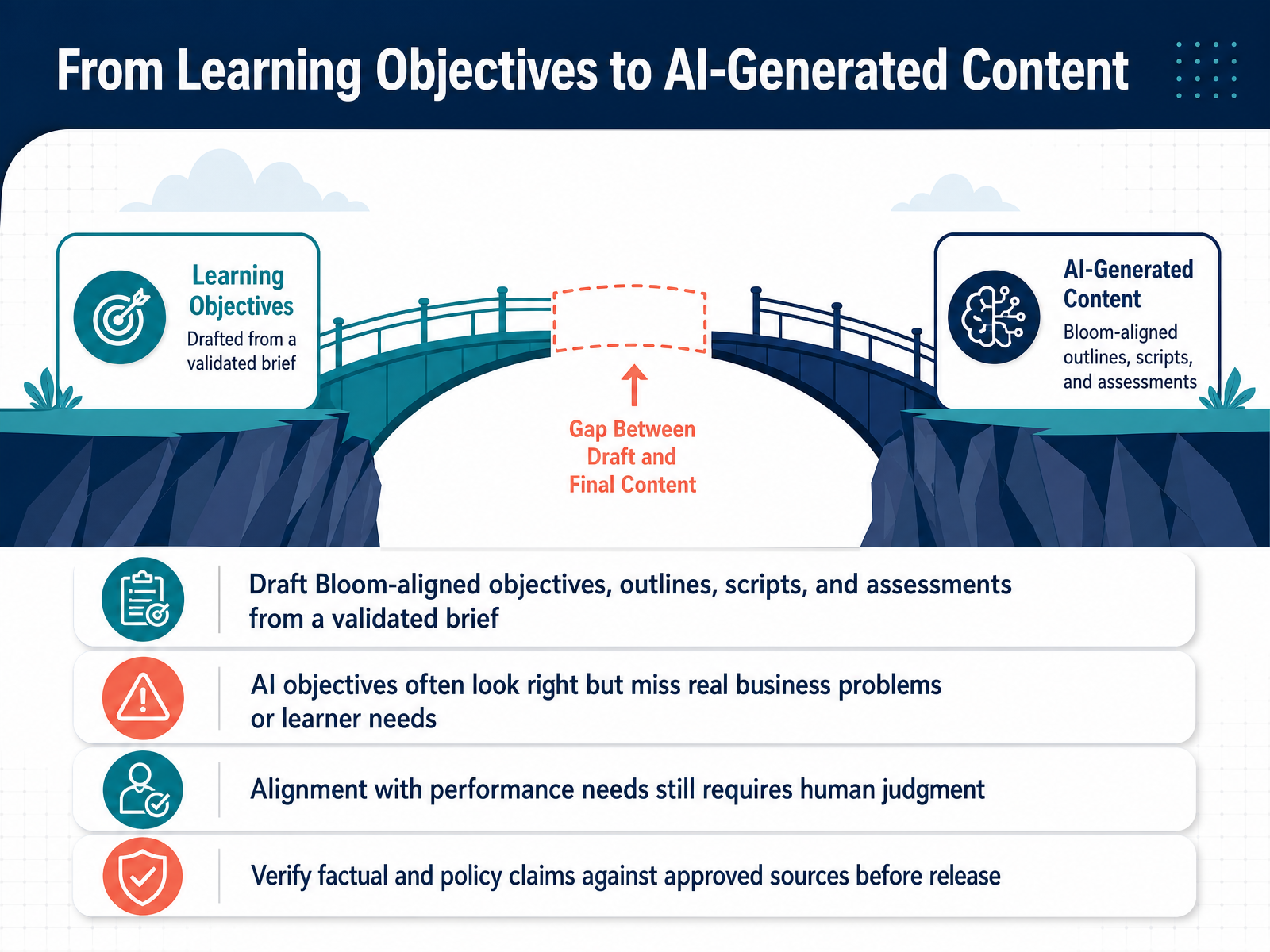 coursiv.iolink.springer.comx-pilot.ai+21 min
 - 08AI-Powered Storyboarding and Content StructuringNow, let's talk about turning source material into actual course structure. This is where AI really accelerates the Design phase. You can feed it raw content—SME notes, transcripts, even existing slide decks—and ask it to draft a course map, a script, or a visual storyboard in minutes. But here's the critical catch. A general-purpose model will default to generic structures unless you give it real constraints. So when you prompt, include the audience, the performance gap, the format, and your time budget. Those specifics make the difference between a template and a starting point that actually respects your learning objectives. You'll notice the output is still a draft. Your job is to reorder and refine it for learning flow. AI drafts the skeleton, but you own the coherence, the pacing, and the quality. Keep that judgment firmly in your hands. This leads us into how these principles hold up when you move into actual authoring and media production, which is next.
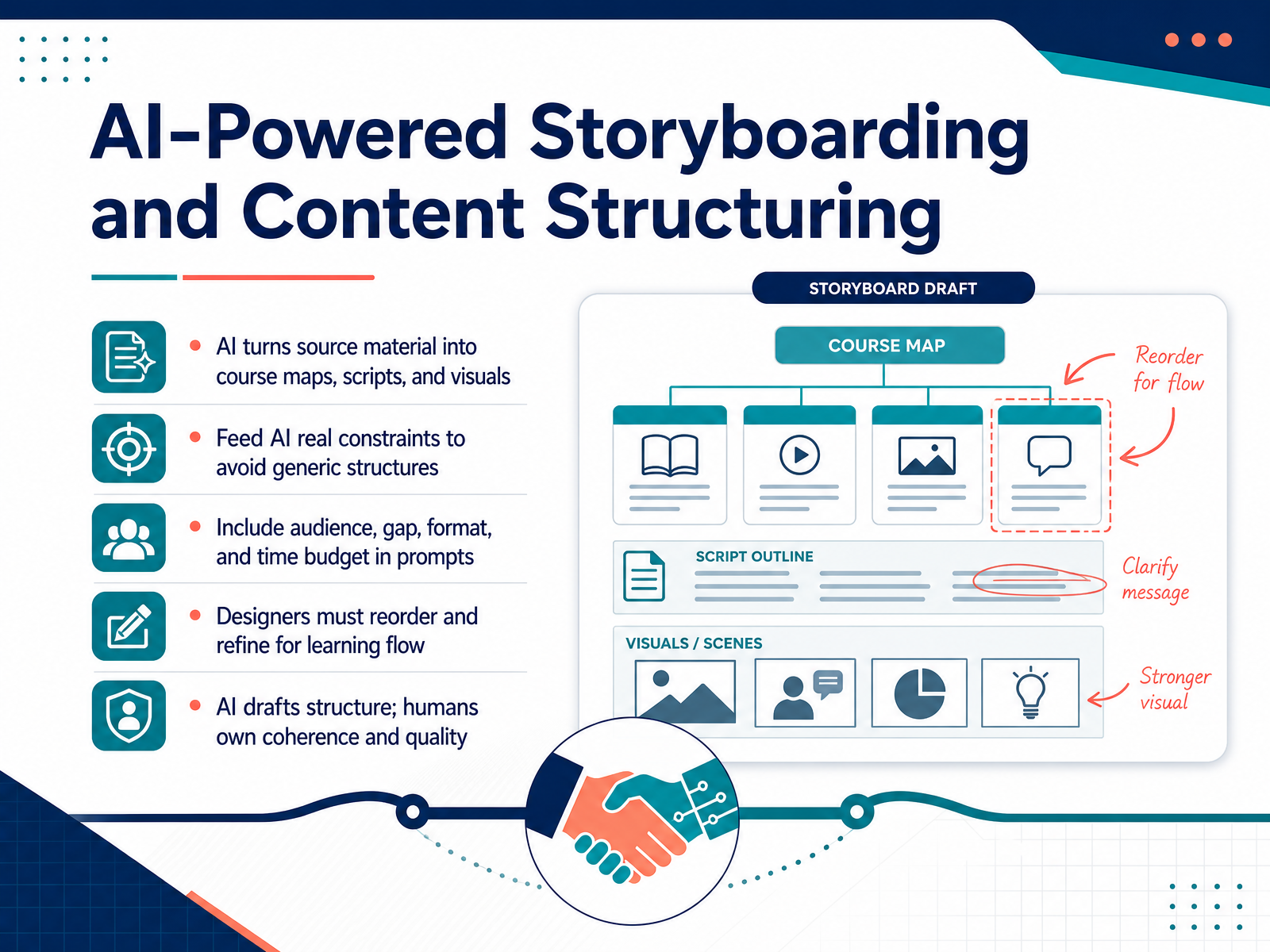 coursiv.iolink.springer.comx-pilot.ai+21 min
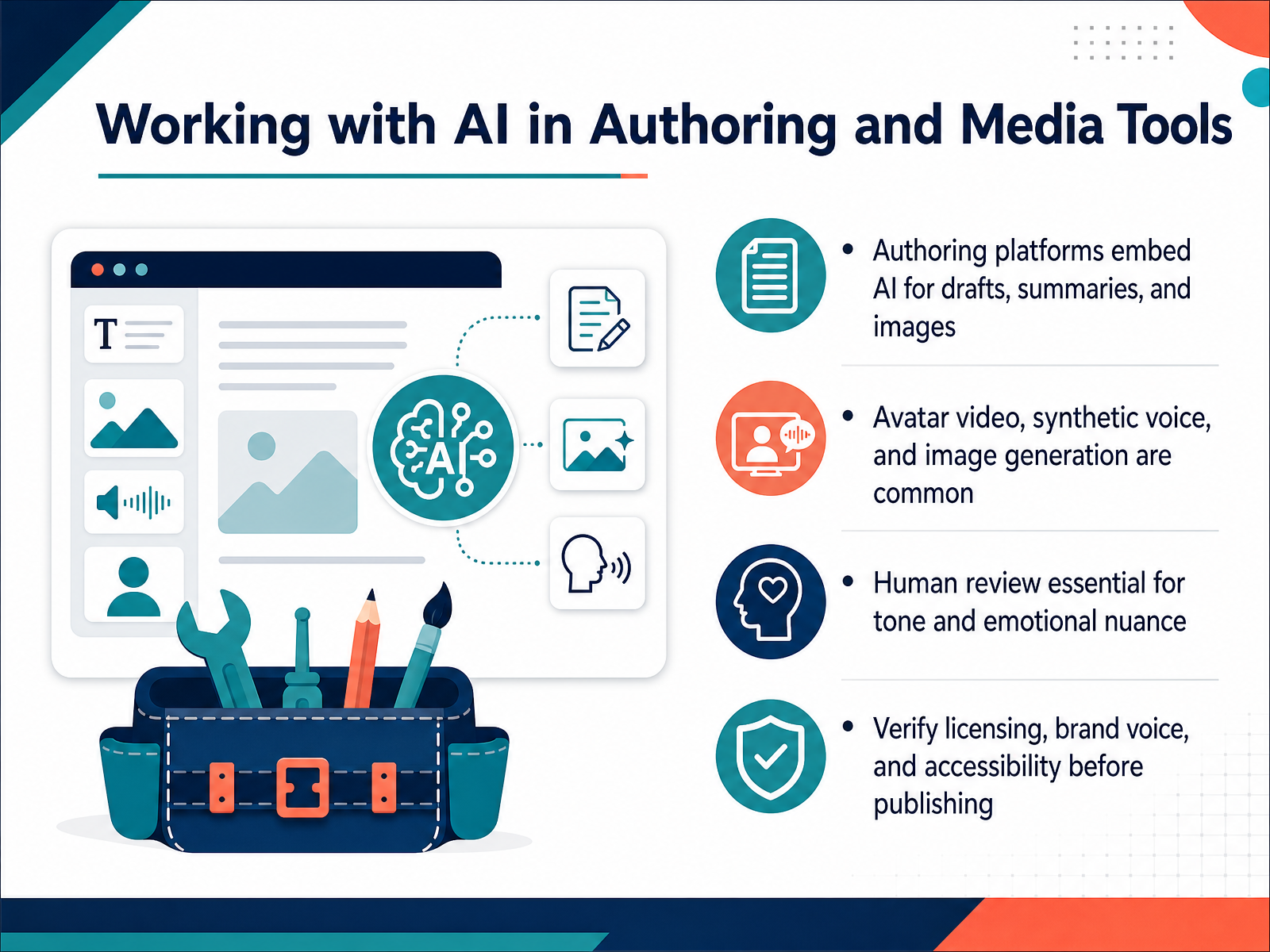
 - 09Working with AI in Authoring and Media ToolsNow let's look at how authoring and media tools are embedding AI directly into your workflow. You'll notice that platforms like Articulate and iSpring now offer AI assistants for drafting content, summarizing source material, and even generating images—all without leaving your authoring environment. And when it comes to video, tools like Synthesia and HeyGen let you create avatar-led training or synthetic voiceovers in minutes instead of booking a studio. That's a game changer for rapid updates, especially if you're localizing content into multiple languages. But here's the catch—AI-generated media often misses emotional nuance. A synthetic voice might nail pronunciation but flatten empathy, and an avatar's expressions can feel scripted. So human review is non-negotiable, particularly for sensitive topics like ethics or leadership. And before you publish, verify three things: licensing, brand voice, and accessibility. Check that your assets have proper usage rights, confirm the tone aligns with your organization's style, and ensure captions, transcripts, and alt text meet WCAG standards. You don't want a compliance issue slipping through because the AI didn't know your brand's voice. Remember, AI speeds up production, but your judgment ensures quality. Now, let's turn to accessibility and compliance with AI-generated content.
 cmswire.compressbooks.comsiteimprove.com+21 min
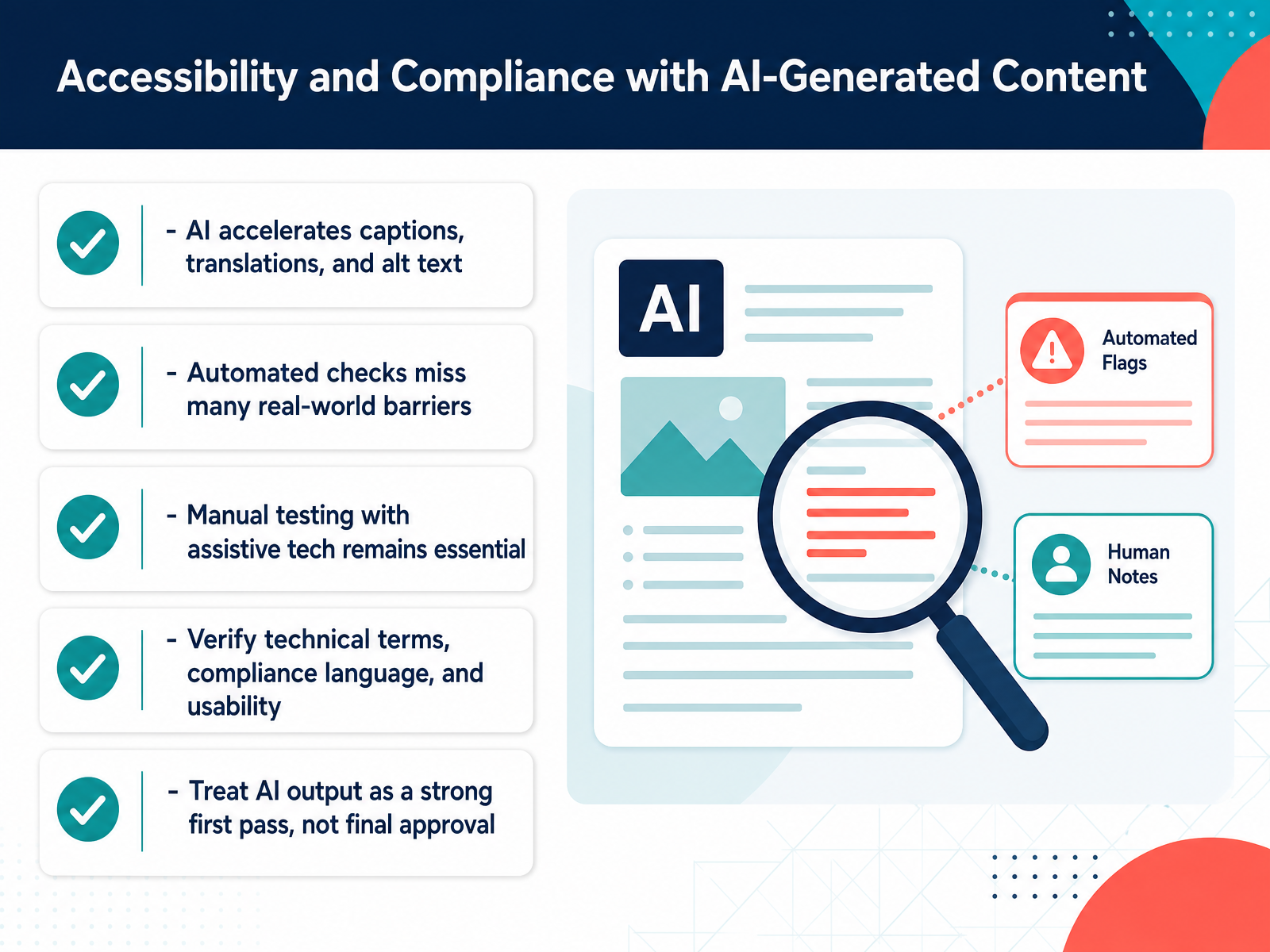
 - 10Accessibility and Compliance with AI-Generated ContentLet's talk about accessibility and compliance, because this is where AI can feel like a miracle worker, but also where it needs your professional judgment. AI absolutely accelerates the grunt work: generating captions, drafting alt text, even producing first-pass translations. You'll notice it saves you hours on routine content. But here's the catch. Automated checks, even the sophisticated ones, miss many real-world barriers. A scanner might verify that an image has alt text, but it can't tell you if that alt text is actually meaningful for someone using a screen reader. So manual testing with assistive technology remains essential. You need to verify technical terms, review compliance language, and test for real usability with actual users. Think of AI output as a strong first pass, not final approval. Your expertise is the final quality gate. Use the automation to get you ninety percent of the way there, then apply your professional judgment for that last critical ten percent. That's where true compliance lives. Next, let's consider how we evaluate the overall quality and relevance of the AI content we're producing.
 cmswire.compressbooks.comsiteimprove.com+22 min
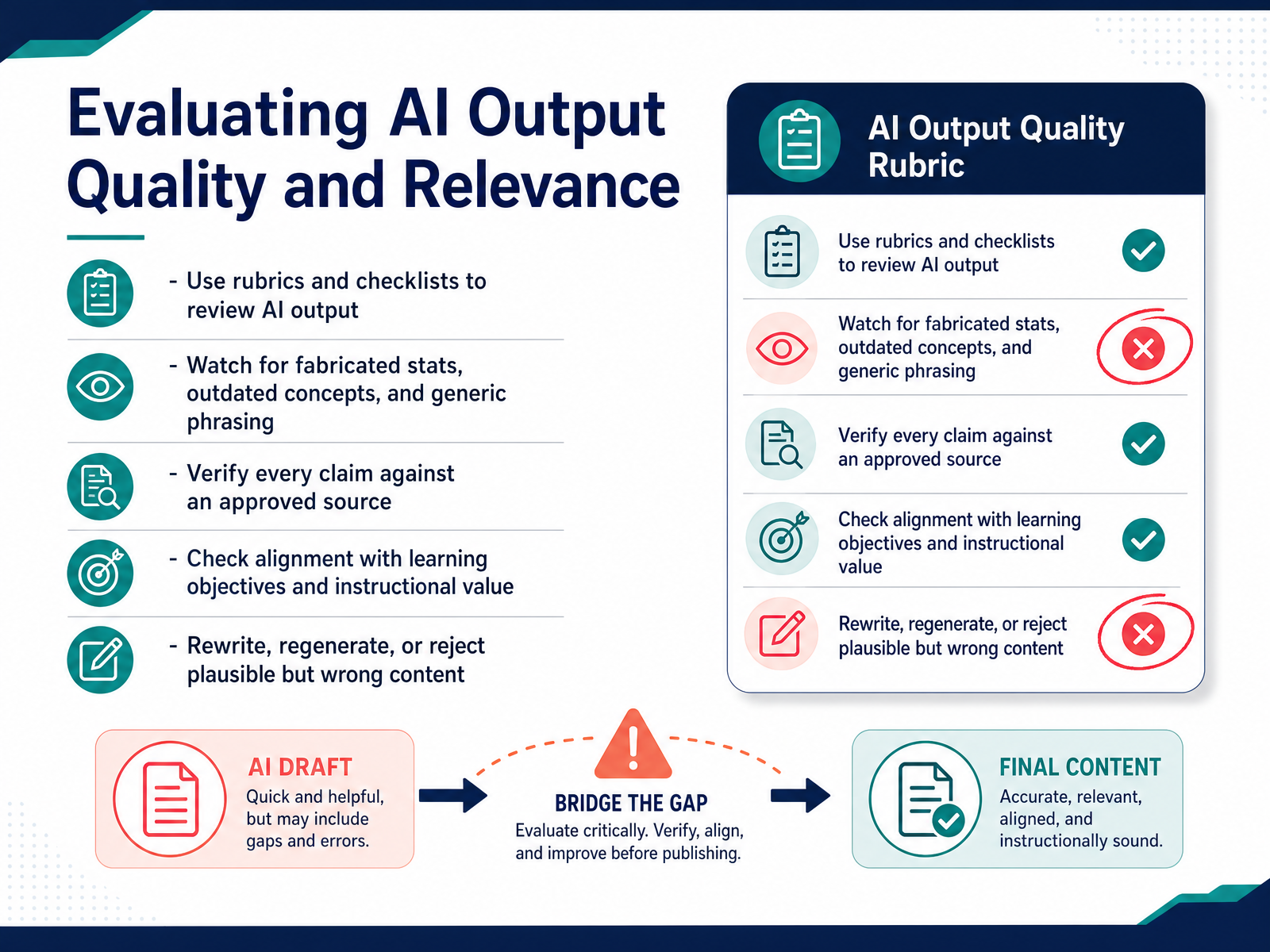
 - 11Evaluating AI Output Quality and RelevanceNow let's talk about evaluating AI output. This is where your professional judgment really comes into play. Use rubrics and checklists—the same ones you'd apply to any content—to review what the AI generates. Watch for fabricated statistics, outdated concepts, and generic phrasing that sounds plausible but lacks substance. Here's a practical angle: verify every claim against an approved source, just like you would with any SME input. If the AI can't back it up, cut it. Check alignment with your learning objectives and ask yourself: does this have real instructional value, or is it just filling space? When content is plausible but wrong, don't polish it—rewrite, regenerate, or reject it outright. Your learners deserve accuracy and relevance, and that's your call to make. Up next, we'll look at selecting the right AI tools for your context.
 coursiv.iolink.springer.comx-pilot.ai+21 min
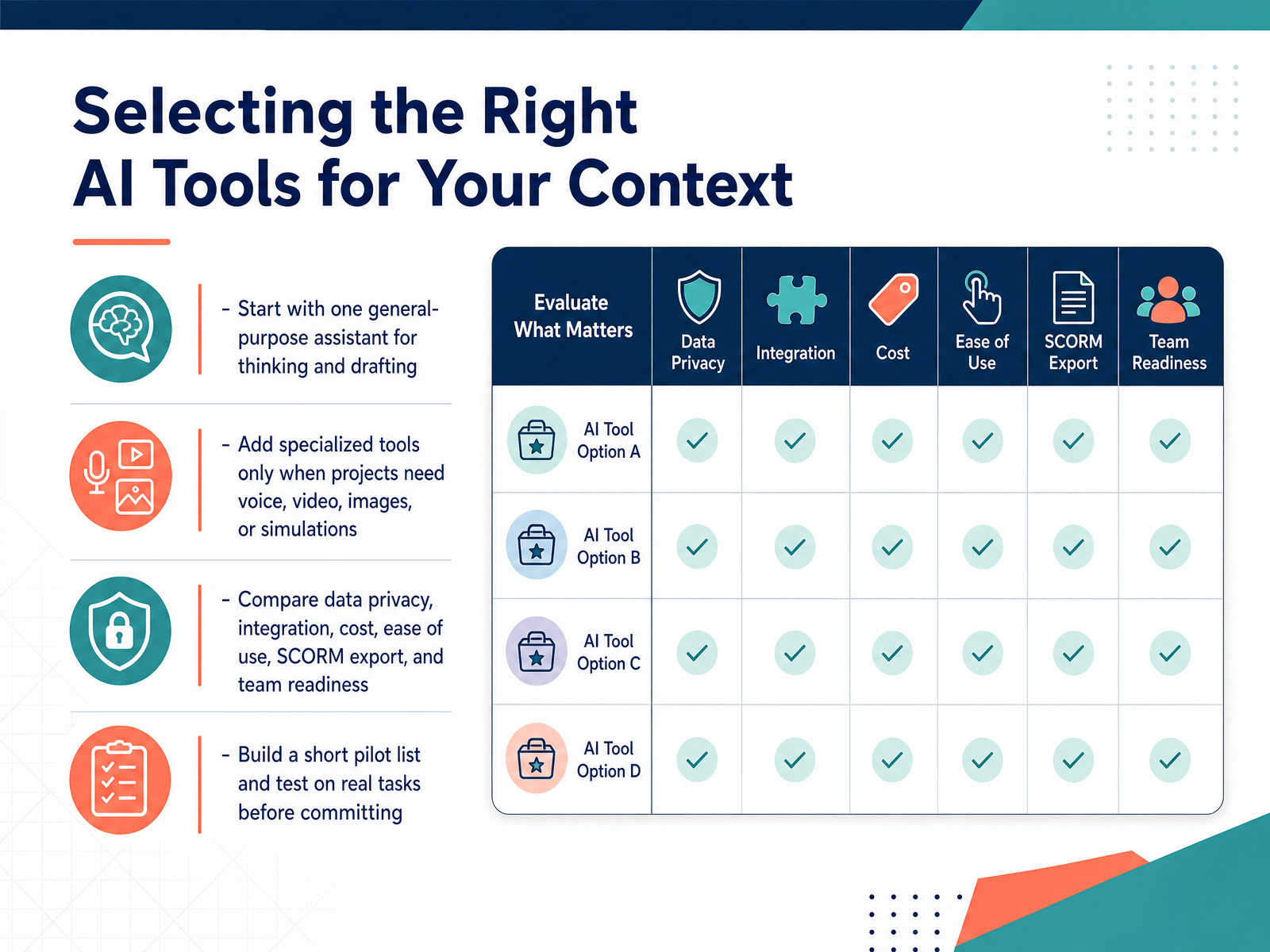
 - 12Selecting the Right AI Tools for Your ContextSo how do you actually choose? It's tempting to chase the flashiest demo, but the right tool depends entirely on your context. Here's a practical approach. Start with one general-purpose assistant—Claude or ChatGPT—for your thinking, drafting, and storyboarding. That single tool will cover most of your day-to-day work. Then, add specialized tools only when a project truly needs them: Synthesia for avatar video, ElevenLabs for voiceover, or Magnific for imagery. Don't buy a video tool if you never produce video. Before you commit, compare the practical details: data privacy, integrations, cost, ease of use, SCORM export, and your team's readiness. That last one is often the dealbreaker. A tool your team won't adopt is just an expensive subscription. Build a short pilot list—three or four tools max—and test them on real tasks, not toy examples. Use that actual upcoming compliance module or onboarding refresh. You'll quickly see which tool earns its place in your workflow. Remember, the goal isn't the longest tool list; it's the fewest tools that solve your real problems well. Now, let's think about how to weave what you've chosen into a practical AI-enhanced workflow that holds up under deadline pressure.
 resources.rework.com1 min
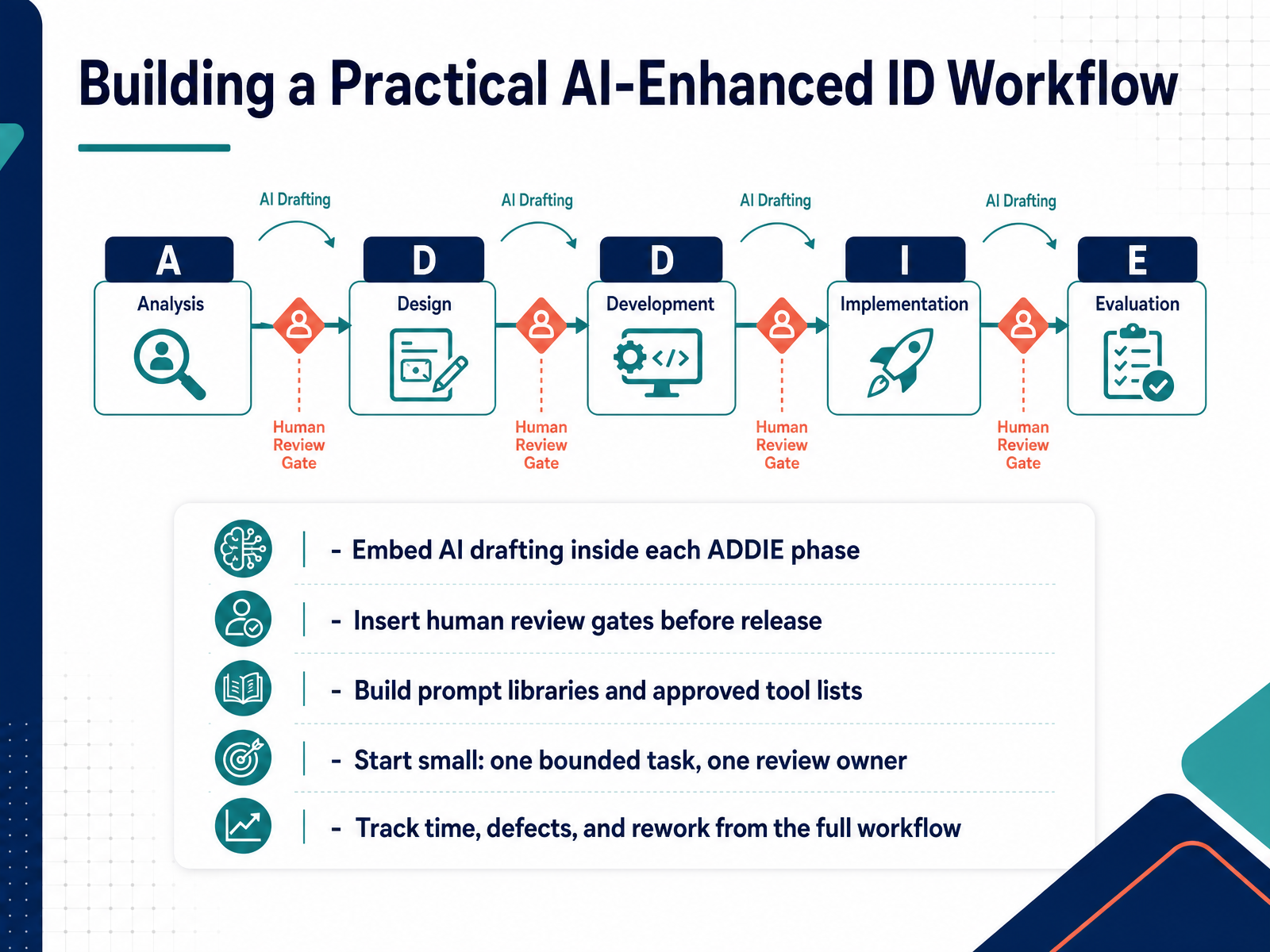
 - 13Building a Practical AI-Enhanced ID WorkflowHere is where it all comes together. Embed AI drafting directly inside each ADDIE phase. This is the key shift — AI is not a separate step. It is a bounded task within Analyze, Design, Develop, and so on. But remember, for every task, insert a human review gate before anything gets released. That is non-negotiable. You review for accuracy, alignment, and voice. Now, build your prompt libraries and your approved tool lists. This saves you from reinventing the wheel and keeps quality consistent across your team. Start small. Pick one bounded task, and name one review owner. Track your time, your defects, and your rework across the full workflow. You want to know if faster drafting is hiding extra review effort. The goal is to know exactly where effort moved. Then, you can scale. Keep people in the judgment seat, and AI will genuinely amplify your work. Next, we'll look at your first steps for running a low-risk pilot.
 coursiv.iolink.springer.comx-pilot.ai+21 min
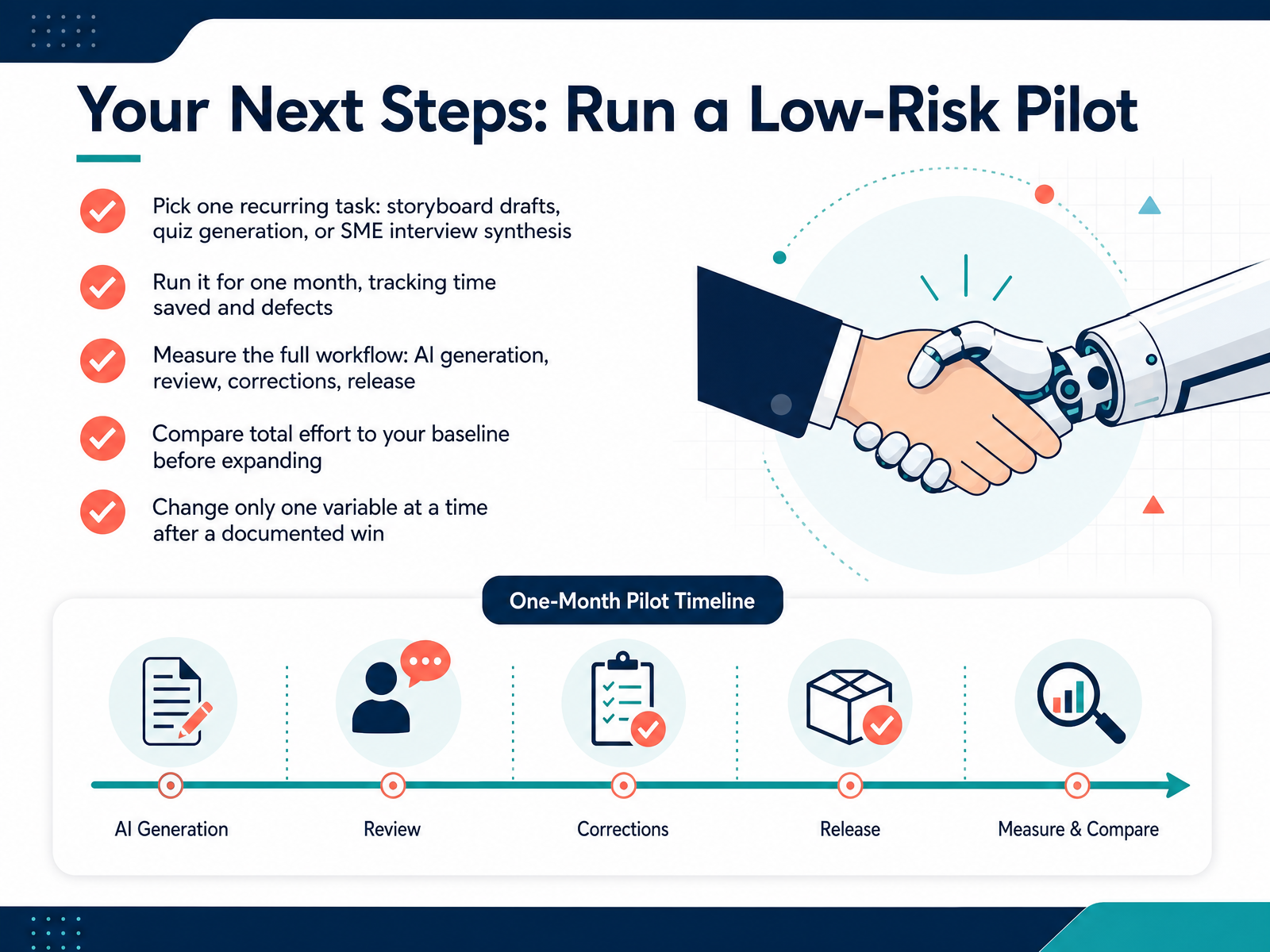
 - 14Your Next Steps: Run a Low-Risk PilotAlright, you have the full picture now. Here is your mission, and it's deliberately small. Pick one recurring task — storyboard drafts, quiz generation, or synthesizing SME interviews. Run it for just one month. Track your time saved, but also track the defects: what you caught, what needed correction, what needed a rewrite. Measure the entire workflow, not just the generation. Include your review time, the corrections, and the final release. Compare that total effort to your baseline before you expand. And after you document a win, change only one variable at a time. Add another course, or another content type, or a larger user group. Doing this gives you a defensible decision based on your context, not on marketing claims. It also builds your muscle for knowing where AI genuinely helps and where your judgment is irreplaceable. So, start small, measure honestly, and let the evidence guide your next step. Thank you for your time, and I'm excited to see what you build.
 coursiv.iolink.springer.comx-pilot.ai+21 min
Take the deck with you
Download this course as a file — free, no sign-up needed.
- PDF handoutEvery slide page, ready to print or share.15 pages · 3.5 MBDownload
- Narrated PowerPointThe deck that presents itself — every slide carries the digital human's narration video.15 pages · 16.3 MBDownload
- PowerPoint slidesThe full deck as a .pptx — open it in PowerPoint, Keynote, or Google Slides.15 pages · 3.4 MBDownload
Free to use in your own training — please keep the PersonWise credit page at the end.
Have your own deck? Turn it into a course
Sources consulted
Web sources consulted while building this course.
- AI for Learning & Development: ADDIE Workflow | Coursiv Blog — coursiv.io
- The intersection of artificial intelligence and instructional design practice: a systematic review | Educational technology research and development | Springer Nature Link — link.springer.com
- ADDIE with AI: A Practical Guide for Course Teams (2026) | X-Pilot — x-pilot.ai
- https://arxiv.org/pdf/2603.12781 — arxiv.org
- AI for Instructional Design: How to Use It (and Where It Breaks) — elearningsolutionslab.com
- AI in Instructional Design: How IDs Are Using AI in 2026 — synthesia.io
- AI and Instructional Design: A Chnaging Landscape - eLearning Industry — elearningindustry.com
- AI in Learning & Development Report 2026 | Synthesia — synthesia.io
- How AI Is Transforming Instructional Design Workflows - eLearning — elearning.adobe.com
- RAG vs Fine-Tuning Explained: What They Actually Do and When to Use Each | Towards Data Science — towardsdatascience.com
- RAG vs. fine-tuning — redhat.com
- Fine-Tuning vs. RAG: When to Teach the Model and When to Show It the Answer | Julien Riel — julien-riel.com
- RAG vs fine-tuning: when to use each for business AI — raftlabs.com
- RAG vs. Fine-Tuning: How to Choose - Generative AI — oracle.com
- Siteimprove MCP Server Brings Accessibility to AI Tools — cmswire.com
- Special Release: Pressbooks Content Toolkit - Pressbooks — pressbooks.com
- Spring 2026 Release — siteimprove.com
- Stop Retrofitting Accessibility. Start Publishing Born Accessible Content | Pantheon.io — pantheon.io
- Siteimprove.ai MCP Server Now Integrates into Customer AI Workflows within Lovable, Anthropic Claude, VS Code and Figma to Bring Accessibility into Every Environment Where Digital Experiences Are Created — prnewswire.com
- "Best AI Tools for Instructional Design in 2026" — resources.rework.com