Begin
14 pages · ~28 min
Cryptography: Keys and Encryption
This training introduces the fundamentals of cryptography, focusing on encryption methods and key management for IT professionals and security beginners.
A digital instructor presents all 14 pages. Hold “Ask” at any point and ask out loud — the answer comes from this course. No sign-up needed.
What you’ll learn
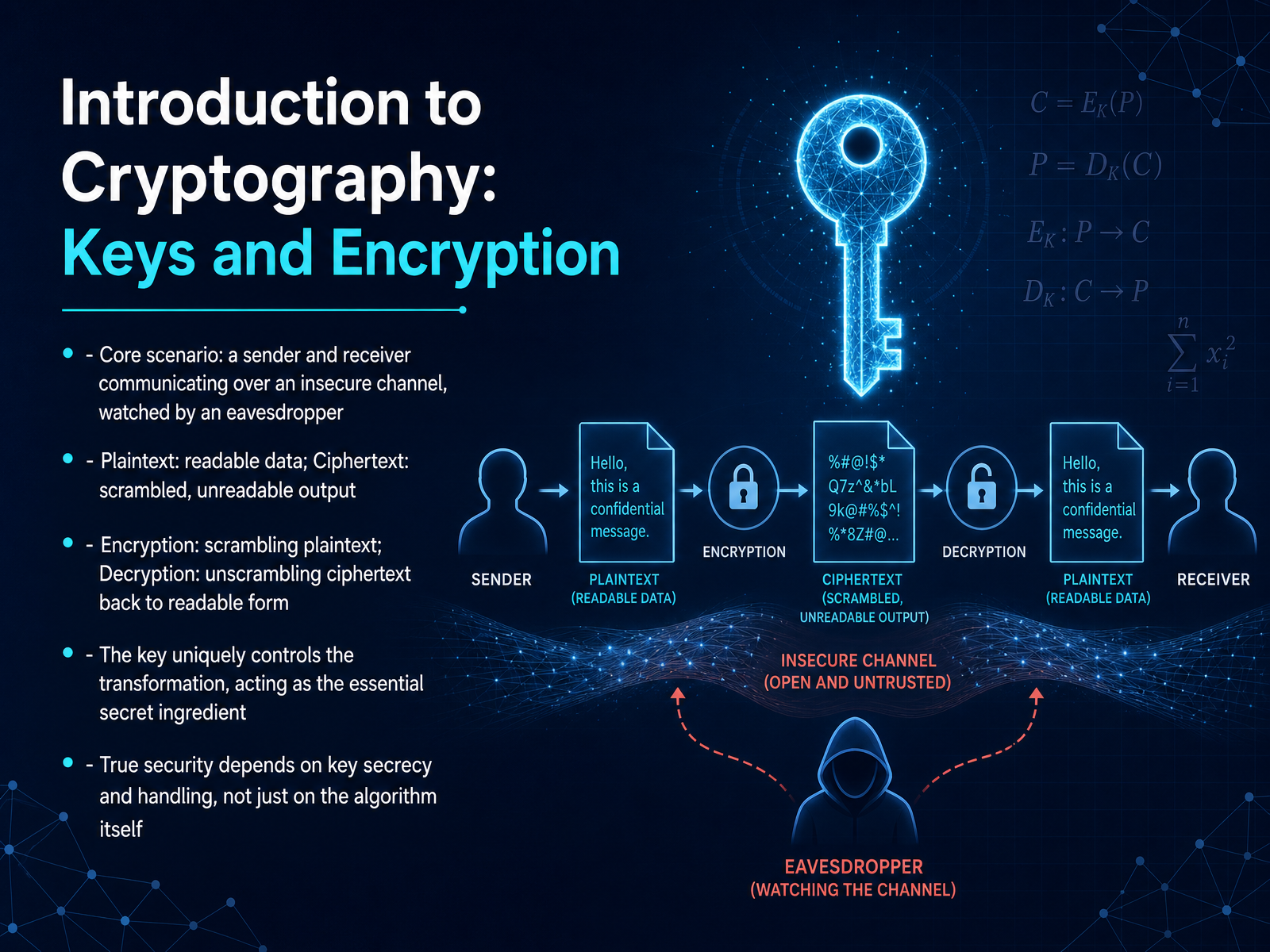
- 01Introduction to Cryptography: Keys and EncryptionWelcome. In this course, we are going to build a clear mental model for one of the most important ideas in digital security: keys and encryption. Let's start with a simple scenario. Imagine a sender who wants to get a private message to a receiver. But they have to talk over an insecure channel, like a postcard anyone can read while it is traveling. An eavesdropper is watching everything that passes by. The sender starts with plaintext, which is just readable data, like a normal written note. To protect it, they use a process called encryption to scramble the message into something unreadable. This scrambled output is called ciphertext. On the receiving end, the receiver uses the matching process, called decryption, to unscramble that ciphertext right back into readable plaintext. The secret ingredient that makes this work is the key. Think of the key as the unique element that truly controls the transformation. Without the right key, the scramble cannot be reversed. And here is the crucial takeaway: real security does not come from just having a clever scrambling method. It depends entirely on keeping that key secret and handling it carefully. Now, let's take this abstract idea and make it concrete with a simple mental model: the lock and key analogy.2 min
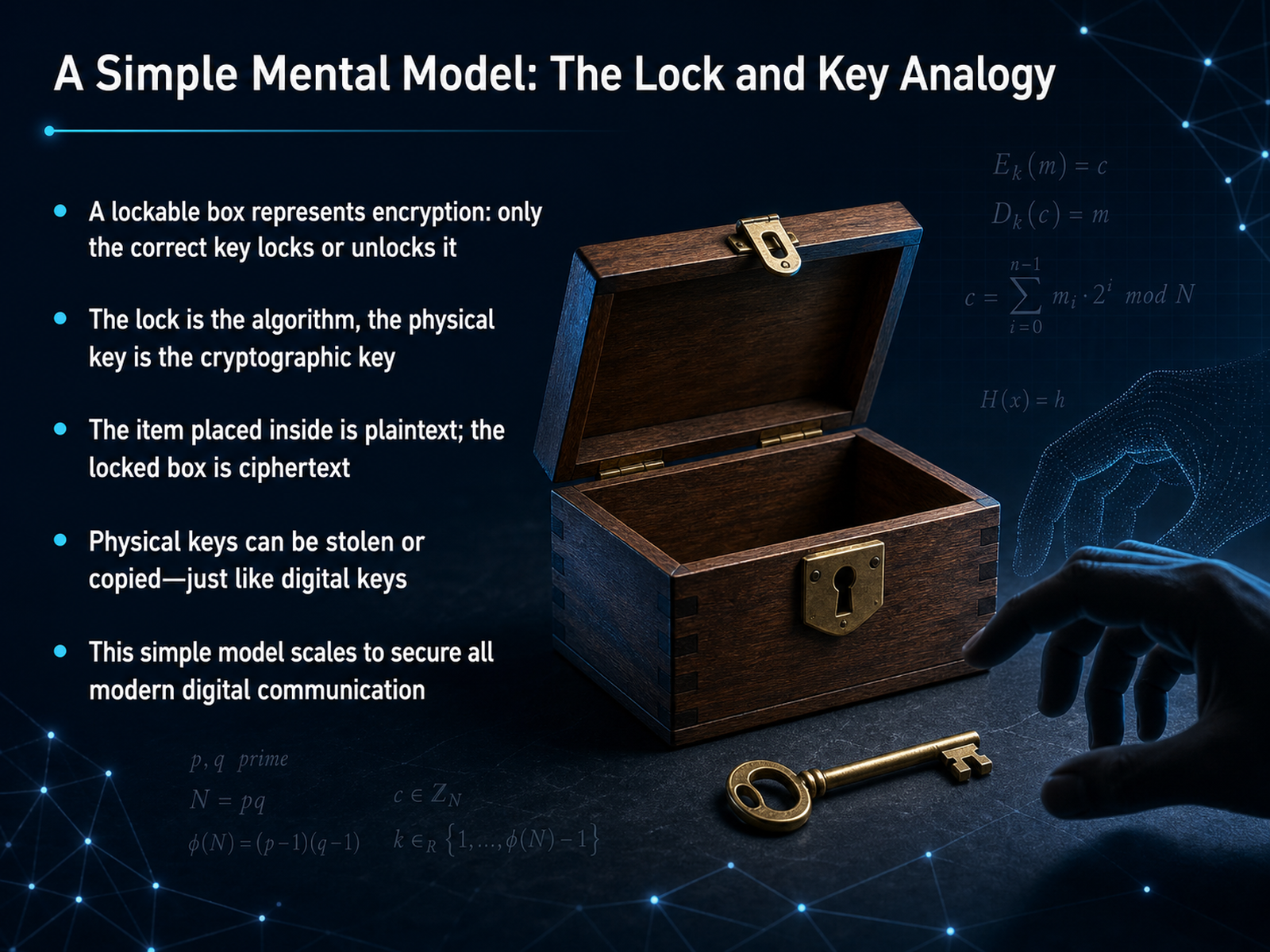
- 02A Simple Mental Model: The Lock and Key AnalogyTo build a clear mental picture, let's start with a simple, familiar object: a lockable box. Imagine you have a small box and you want to send a private note to a friend. You place the note inside and lock the box with a physical key. No one else can open it and read the note unless they have a copy of that exact key. Here's how the pieces map to our digital world. The note you placed inside the box is the plaintext—the original, readable message. The act of locking the box is encryption. Once the box is locked, its contents are hidden; this locked box represents the ciphertext. The key you use to lock and unlock the box is the cryptographic key, and the lock mechanism itself is the encryption algorithm. This model also shows us the central challenge of security. A physical key can be stolen, borrowed, or copied, and the same is true for a digital key. Protecting the key is the most critical part of the entire process. This one simple model of a box and a key scales up surprisingly well to describe how our most advanced digital communications are kept secure today. Next, let's walk through the actual process of scrambling and unscrambling data in the encryption workflow.
 2 min
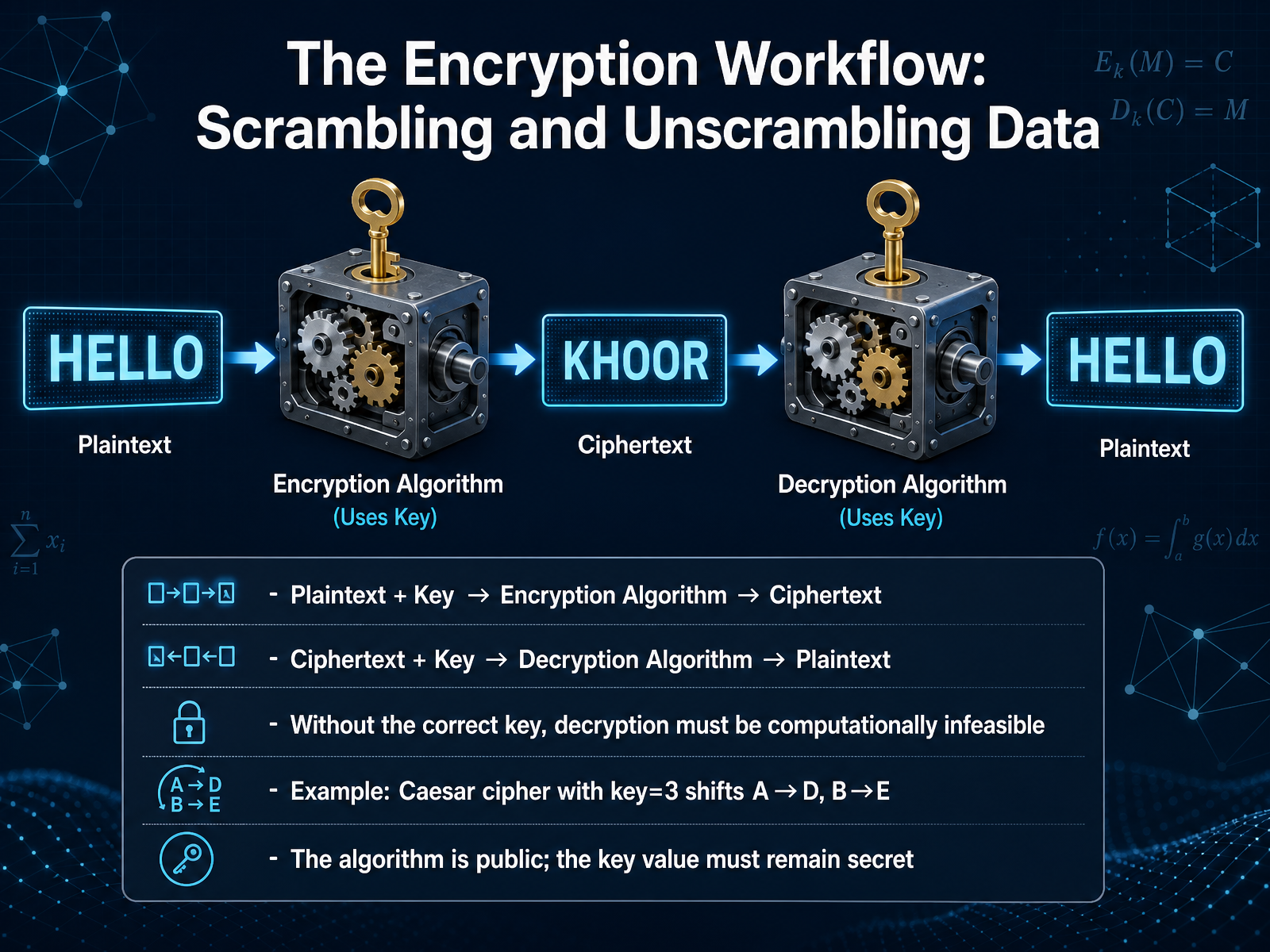
2 min - 03The Encryption Workflow: Scrambling and Unscrambling DataNow let's walk through the encryption workflow, the process of scrambling and unscrambling your data. Think of it like a lockbox. You take your message, which we call the plaintext, and a secret key. These two things go into an encryption algorithm, which acts like a locking mechanism. What comes out is the ciphertext, the scrambled, unreadable version of your message. To unlock it, the recipient takes that same ciphertext and the same secret key into a decryption algorithm, which is just the unlocking mechanism. This process reverses the scrambling perfectly, and the original plaintext comes back out. The entire security relies on one critical point: without the correct key, turning that ciphertext back into plaintext must be practically impossible. It's a bit like a Caesar cipher. If the key is three, you just shift the letter A three places to D, B to E, and so on. Notice the algorithm itself—the idea of shifting letters—is no secret. The real secret is the key value. Everyone knows how a lock works, but only you hold your specific key.
 2 min
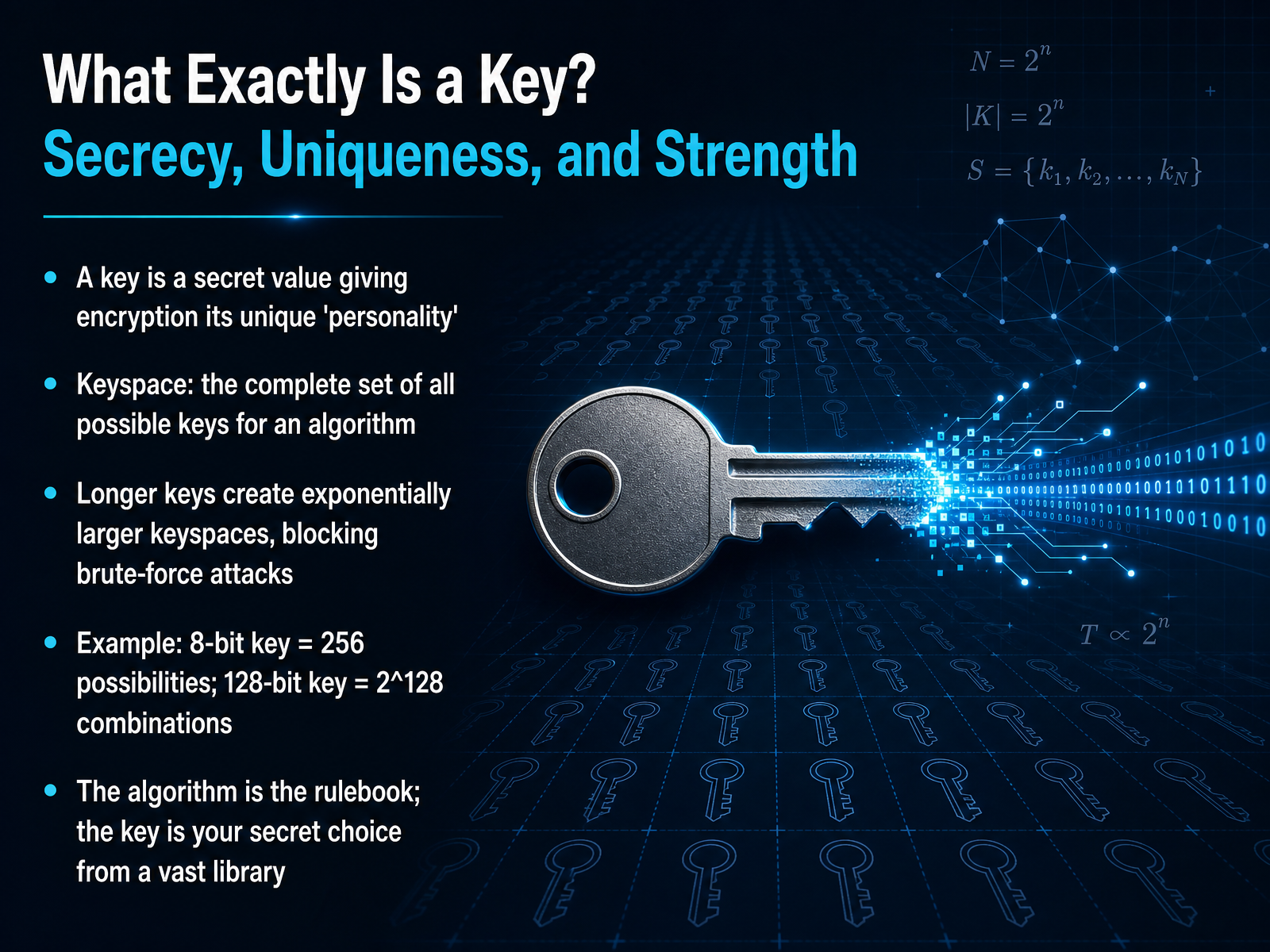
2 min - 04What Exactly Is a Key? Secrecy, Uniqueness, and StrengthNow, let's look at the key itself. Think of the key as the secret ingredient that gives a cipher its unique personality. While the algorithm is a public set of instructions—like a widely known lock design—the key is your specific, secret choice that makes your encryption distinct. A key is simply a secret value, and the keyspace is the complete collection of every possible key that the algorithm can accept. For example, a tiny eight-bit key has only two hundred and fifty-six possibilities, and a computer could try all of them very quickly. But a modern one hundred and twenty-eight bit key creates a space so vast—two to the power of one hundred and twenty-eight combinations—that trying every option is practically impossible. To put it another way, if the algorithm is the rulebook for how to scramble a message, the key is your one secret selection from a massive library of potential scrambling patterns. In our next section, we will explore the simplest application of this concept, titled 'Symmetric Encryption: One Key to Rule Them All'.
 2 min
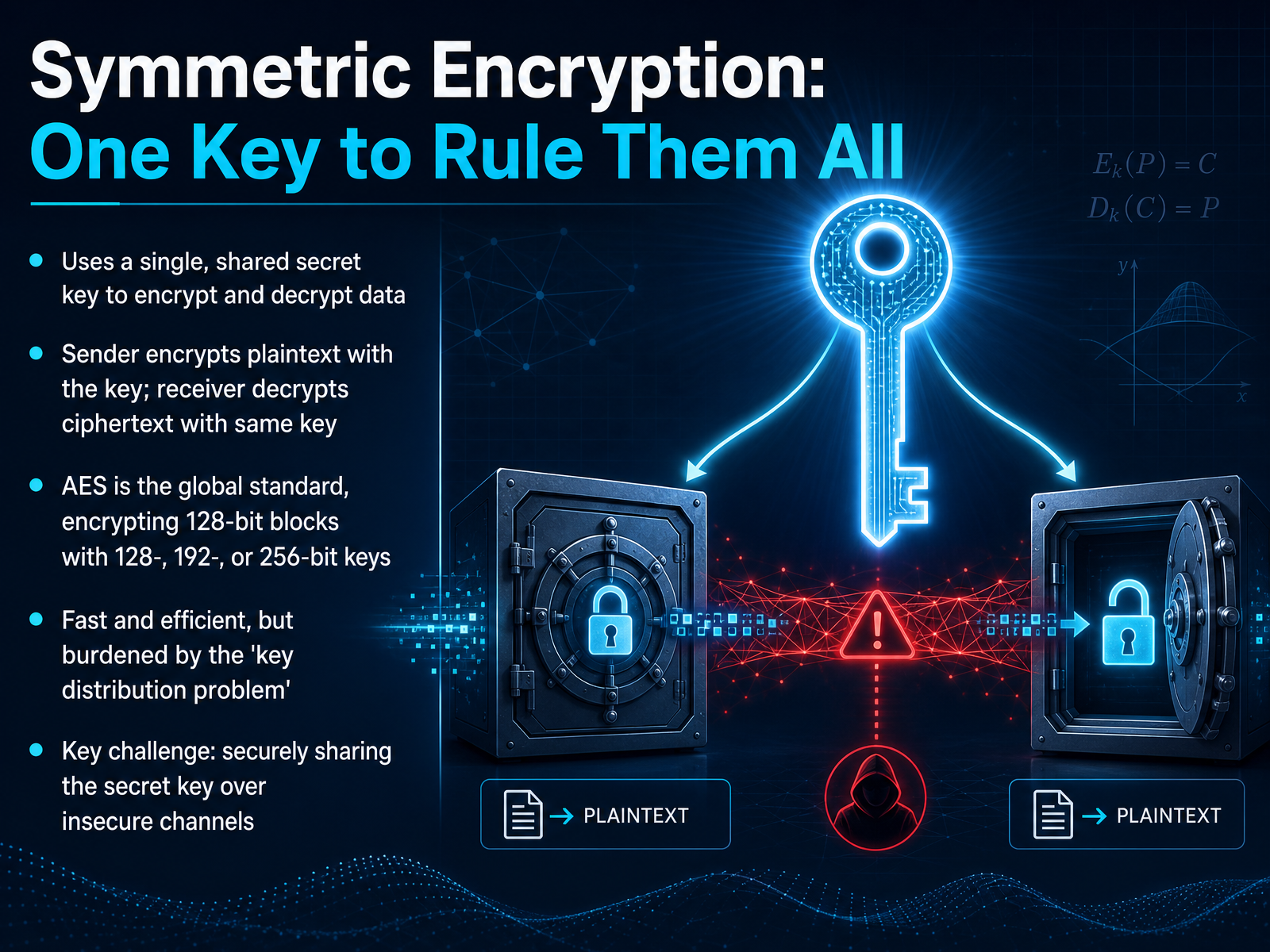
2 min - 05Symmetric Encryption: One Key to Rule Them AllSo far we have talked about the general idea of locking and unlocking data with a key. Now let’s look at the approach that uses just one key for both jobs. This is called symmetric encryption. Think of it like a physical lockbox. You lock the box with your key, send it to a friend, and your friend uses an exact copy of that same key to open it. In the digital world, the sender uses a single, shared secret key to scramble the plaintext into ciphertext. The receiver then uses that identical secret key to unscramble the ciphertext back into readable plaintext. The global standard for this is the Advanced Encryption Standard, or AES. It works on fixed-size blocks of data and can use keys of different lengths: 128, 192, or 256 bits. The longer the key, the harder it is for an attacker to guess. AES is very fast and efficient, which is why it protects everything from your web traffic to your phone’s storage. However, this method has a major real-world challenge called the key distribution problem. If you and a friend need to communicate securely, you both need the exact same secret key before you start. Figuring out how to share that key over the internet, where others might be listening, without anyone else getting a copy is the big puzzle. Next we will explore the elegant solution to this puzzle: asymmetric encryption, which uses a revolutionary key pair.
 bsi.bund.dearstechnica.comlink.springer.com+22 min
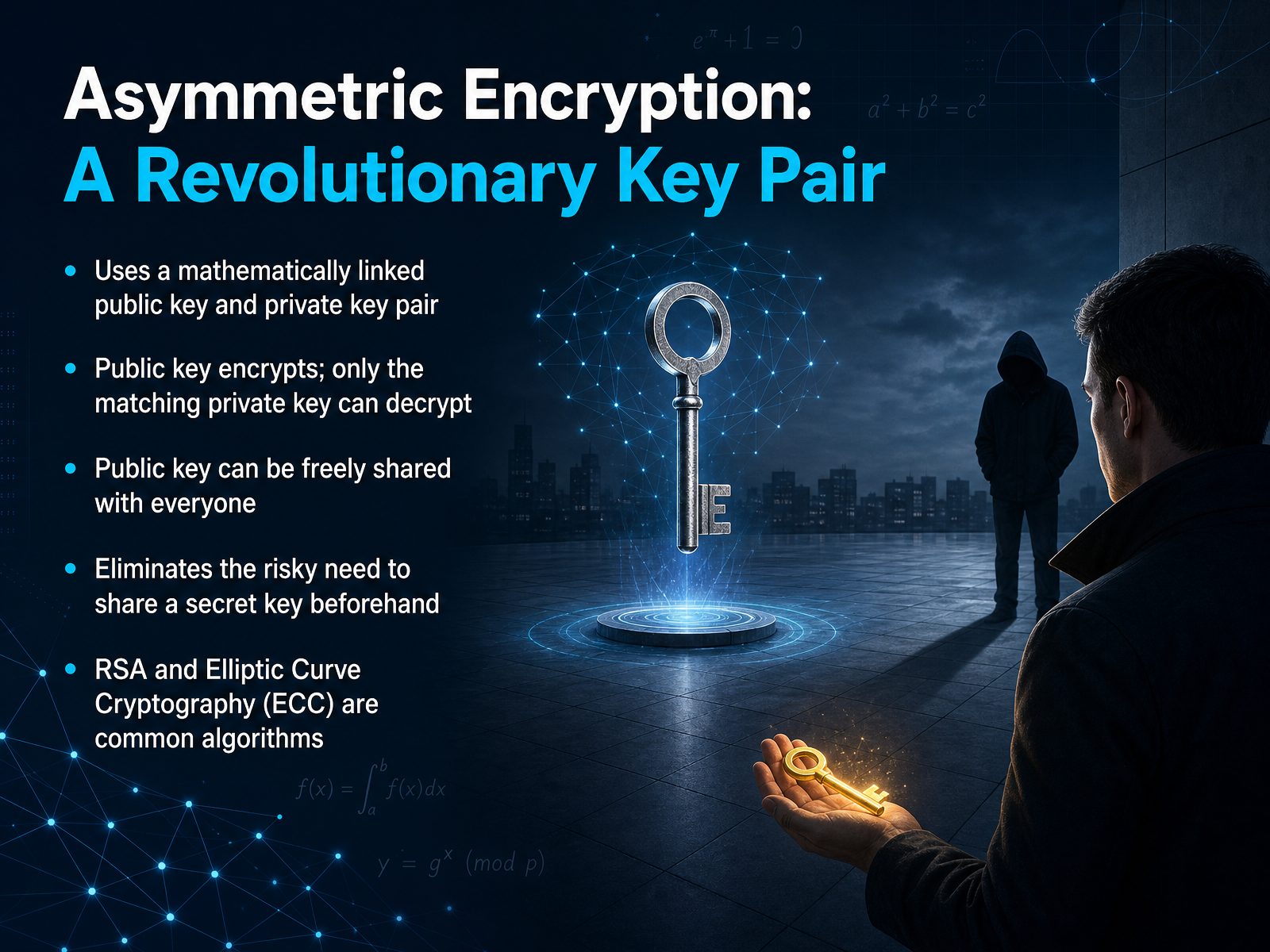
 - 06Asymmetric Encryption: A Revolutionary Key PairNow we come to an idea that completely changed how we protect information: pairing two keys together. Think of this like a mailbox. The mail slot is open to everyone—that's your public key. Anyone can drop a letter in through the slot and encrypt a message for you. But to open the mailbox and read those letters, you need your private key, just like having the only physical key to the box. The beauty of this system is that you can share your public key openly with anyone who needs to send you something secure. There is no risk because the private key never leaves your possession. You never have to secretly hand someone a key ahead of time, which eliminates the dangerous exchange we worried about before. Common ways to create these key pairs include methods known as RSA and Elliptic Curve Cryptography, or E C C. They handle the heavy math to make sure the keys are truly linked. Next, we will explore how this key pair does more than just hide messages. Let's move on to how keys can actually prove your identity.
 2 min
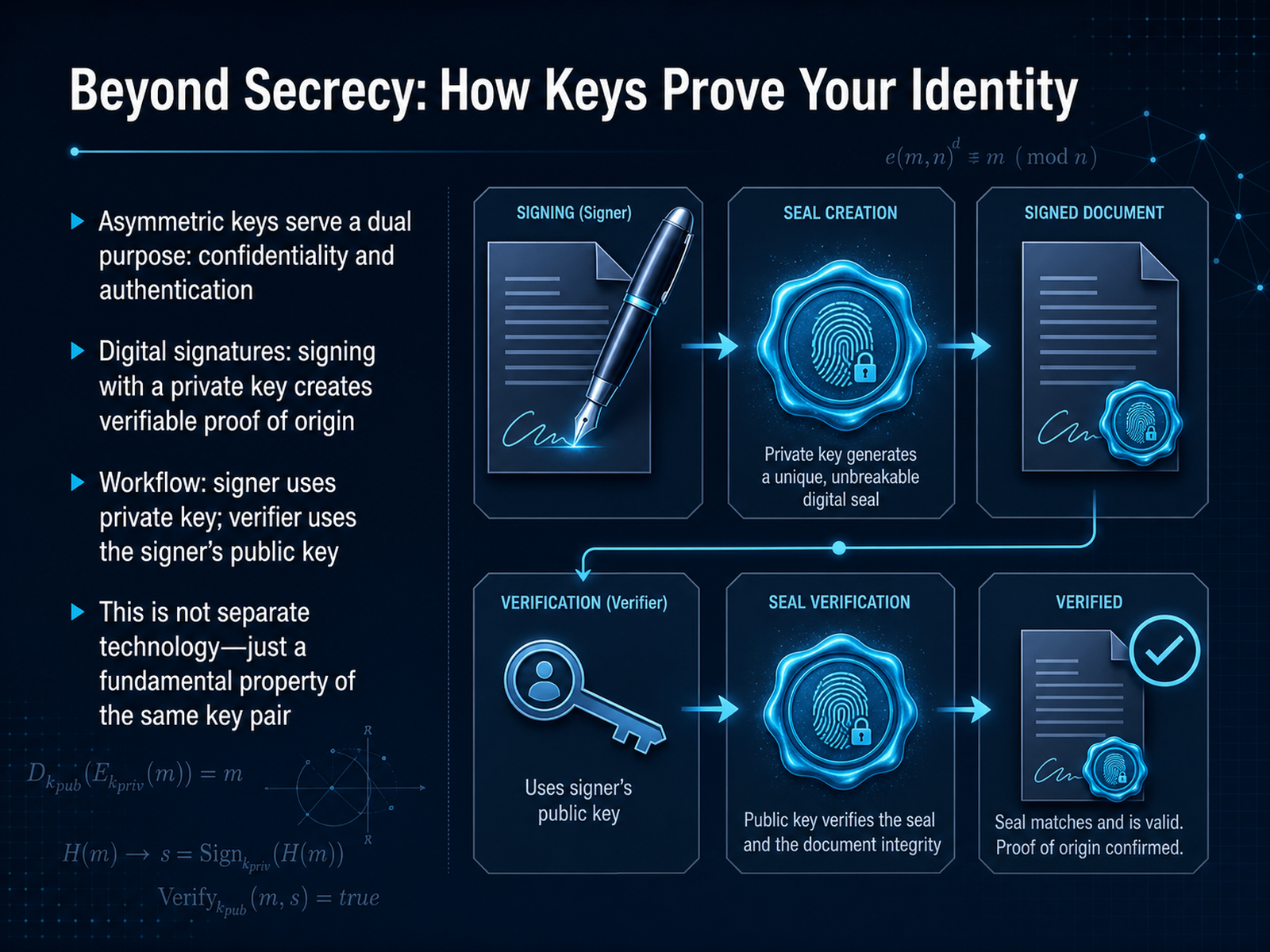
2 min - 07Beyond Secrecy: How Keys Prove Your IdentityNow, let's go beyond just keeping a secret—because your key pair can do something even more powerful. It can prove your identity. Think of your private key like a personal, unforgeable signature. Remember, only you have it. When you use that private key to sign a digital document, you're creating a unique stamp that could only have come from you. This is called a digital signature. The magic is this: anyone in the world can use your freely shared public key to instantly verify that the signature is authentic. They don't need to know your private key to confirm it's really you. This isn't a whole new technology. It's a fundamental property built right into that same key pair we discussed. With one key you lock a secret, and with the other you unlock it. Now we see the reverse is also true: you can use your private key to sign your identity, and anyone can use your public key to verify it. So, a single key pair gives us both confidentiality and authentication. Next, let's bring these ideas together and explore the hybrid approach that powers most of today's secure systems.
 csrc.nist.govcloudsecurityalliance.orgencryptionconsulting.com+22 min
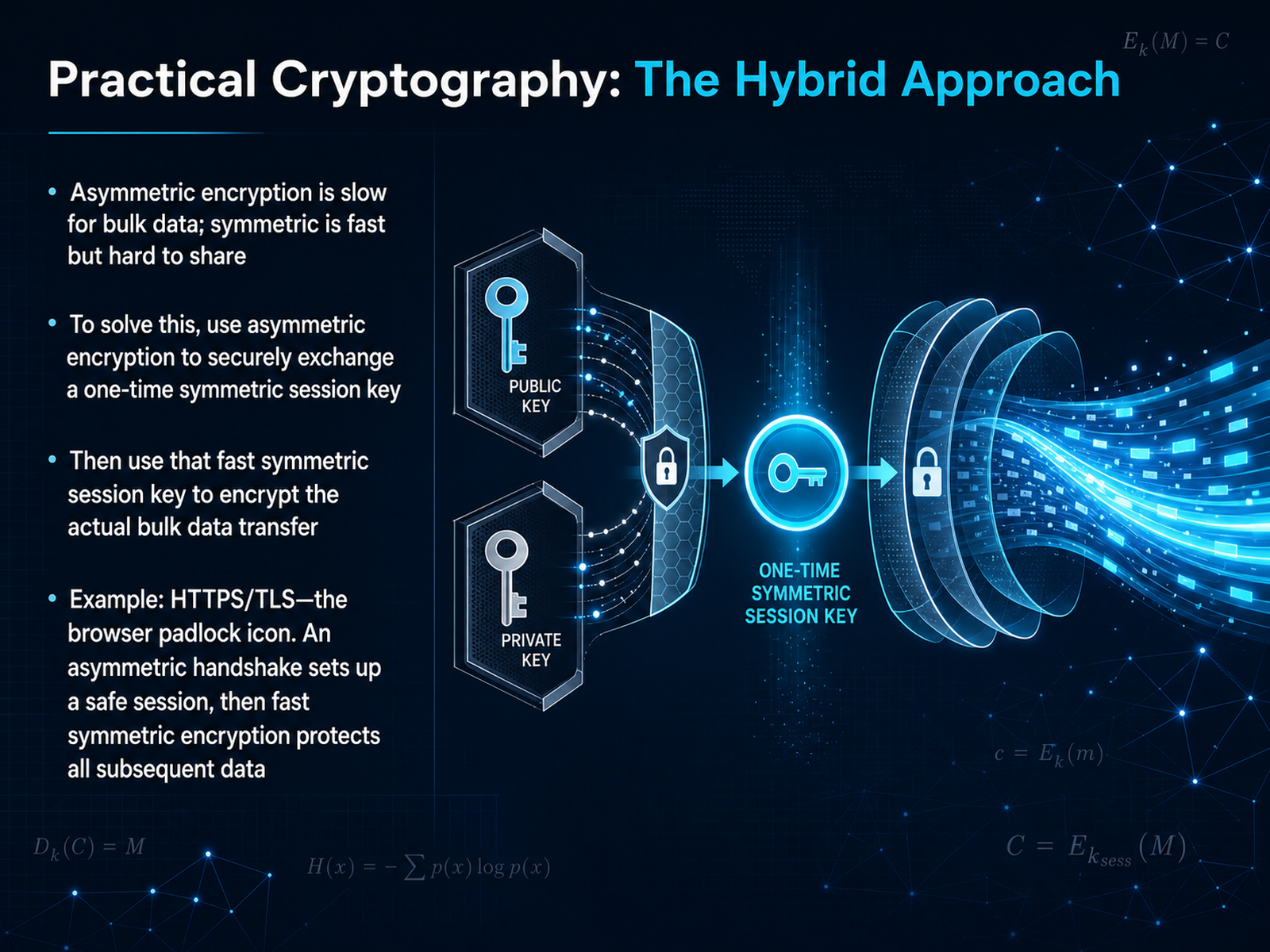
 - 08Practical Cryptography: The Hybrid ApproachNow that we understand the two fundamental approaches, let’s see how they work together in the real world. Asymmetric encryption is secure for sharing, but it’s too slow for moving large amounts of data. Symmetric encryption is incredibly fast, but it has that key-sharing problem we talked about. So, modern systems use a hybrid approach. Imagine you want to send a large, sealed box through the mail. You don’t use a slow, expensive courier for the entire box. Instead, you use the courier once to deliver a small, unique, disposable key to the recipient’s safe mailbox. Once that single-use key is securely delivered, you can use it to encrypt the big box and ship it through the fast, regular mail. This is exactly what happens when you visit a website and see the padlock icon. Your browser uses an asymmetric handshake to safely agree on a one-time symmetric session key. From that point on, the fast symmetric key protects all the web traffic for that session. Coming up next, we’ll explore the single most critical part of any of these plans: The Achilles heel—why key management is everything.
 bsi.bund.dearstechnica.comlink.springer.com+22 min
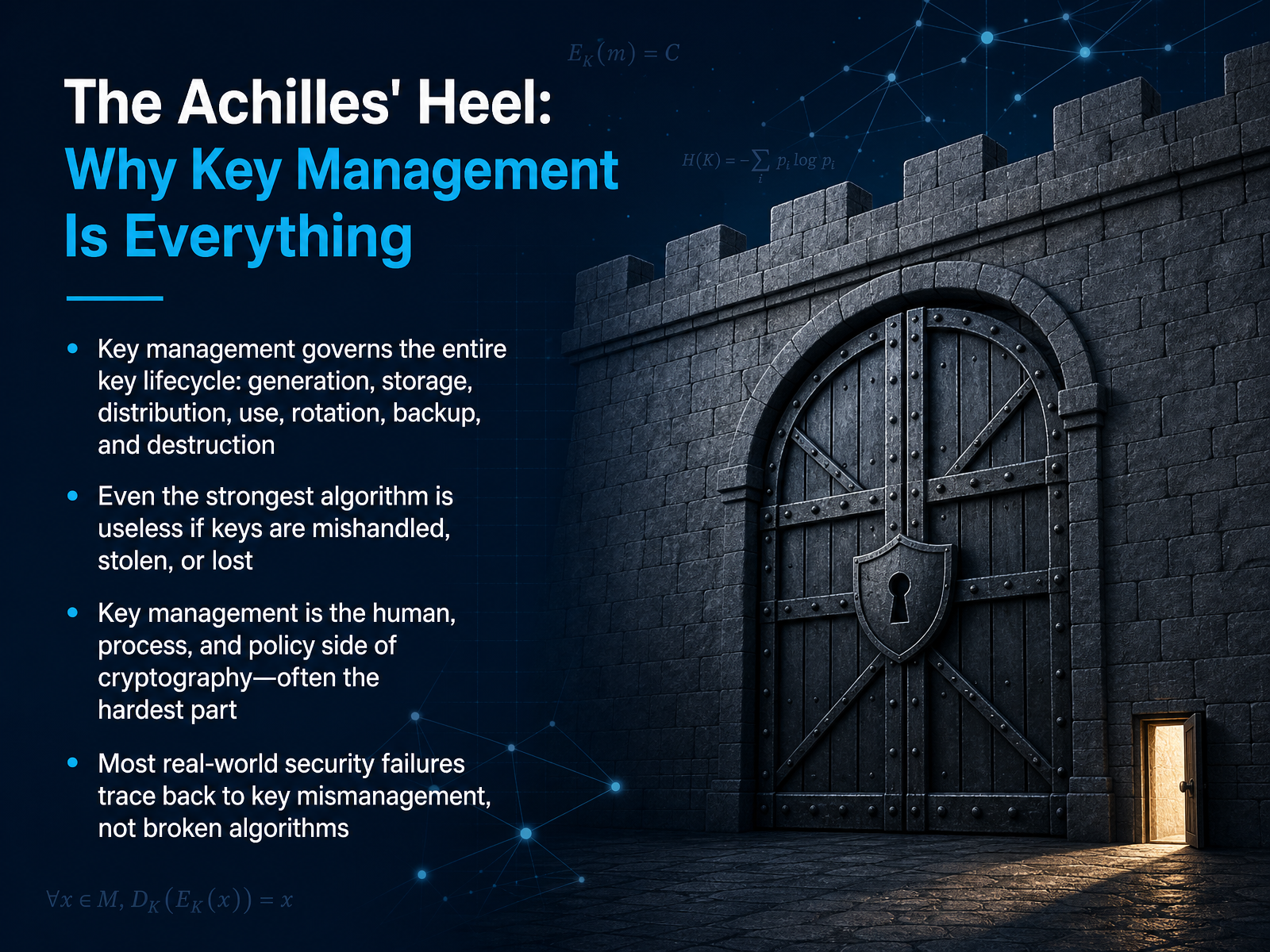
 - 09The Achilles' Heel: Why Key Management Is EverythingNow we come to the part that often decides whether your encryption actually works. Key management governs the entire life of a key, from the moment it is created, to how it is stored, shared, used, rotated, backed up, and finally destroyed. You can think of this as the discipline, the human procedures, and the policy that wrap around the mathematics. Even the strongest algorithm is useless if a key is simply stolen, lost, or handled carelessly. In the real world, most security failures trace back to a mistake in this process, like leaving a key in a plain text file or forgetting to revoke access for a departed employee, rather than to a broken algorithm. This is often the hardest part of cryptography because it involves people, process, and technology all working together. Let's look next at what happens when this discipline breaks down, as we explore common pitfalls and real-world disasters in key management.
 cheatsheetseries.owasp.orgforegenix.com4spotconsulting.com+22 min
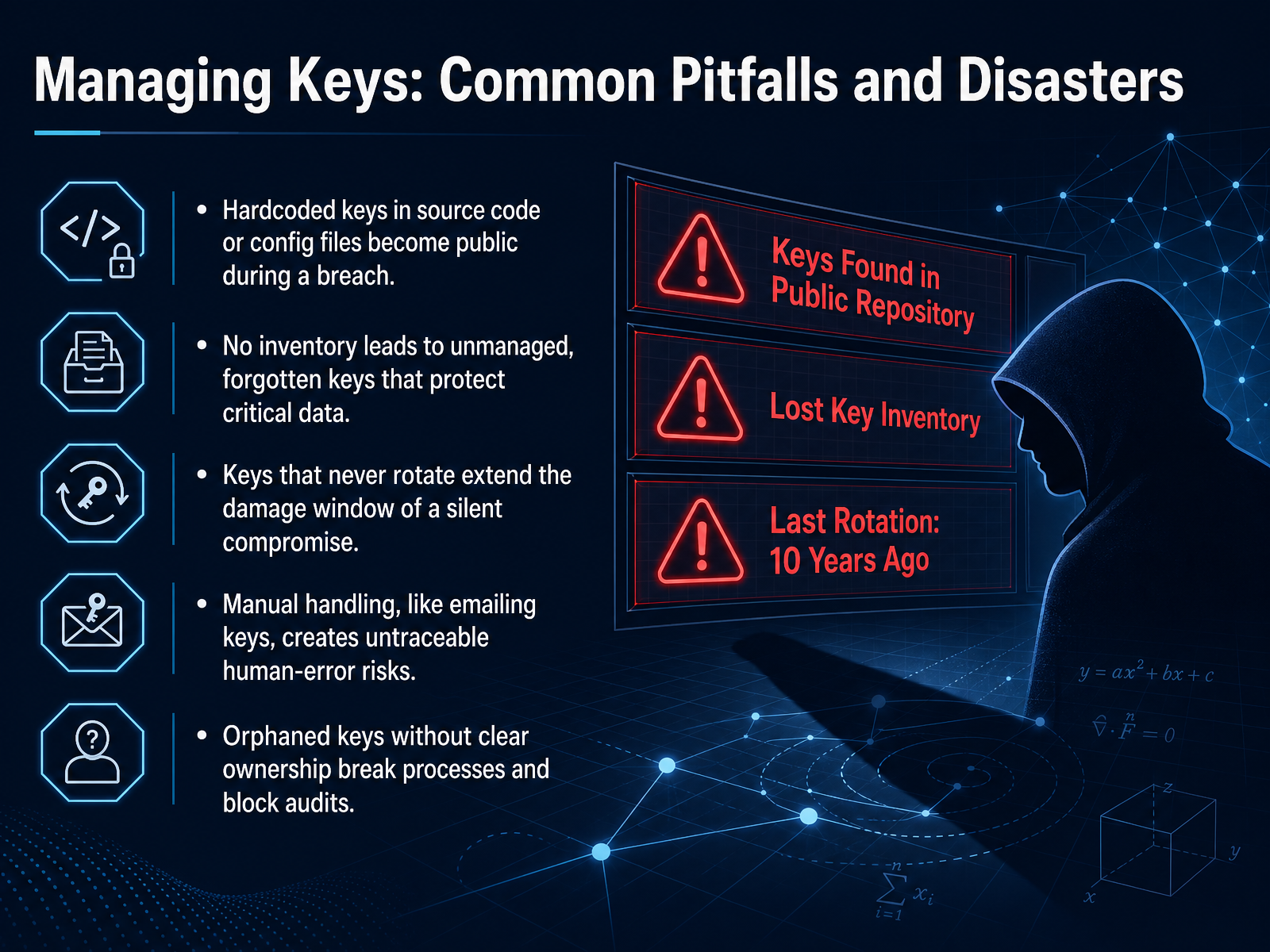
 - 10Managing Keys: Common Pitfalls and DisastersNow let's talk about the practical mistakes that can undo all the benefits of encryption. Think of a key like a physical house key. If you leave it under the doormat, or make copies without keeping track of them, the best lock in the world won't protect you. The first common pitfall is hardcoding keys directly into application source code or configuration files. When that code is shared or there is a data breach, the keys become public instantly. Second, a missing key inventory. You cannot protect what you don't know exists. Without a complete list, keys are forgotten, left unmanaged, and still guarding critical data. Third, keys that never rotate. If a key is stolen silently, the longer it stays active, the more damage an attacker can do. Regular rotation limits that damage window. Fourth, manual handling. Emailing keys or copying them by hand creates invisible, error-prone risks that are nearly impossible to trace. Finally, orphaned keys with no clear owner. When no one is responsible, security processes break down, and audits become impossible. These failures are not just theoretical; they are the root cause of many real-world security incidents. Let's move on to how to avoid these pitfalls by looking at key management best practices with a security-by-design approach.
 cheatsheetseries.owasp.orgforegenix.com4spotconsulting.com+22 min
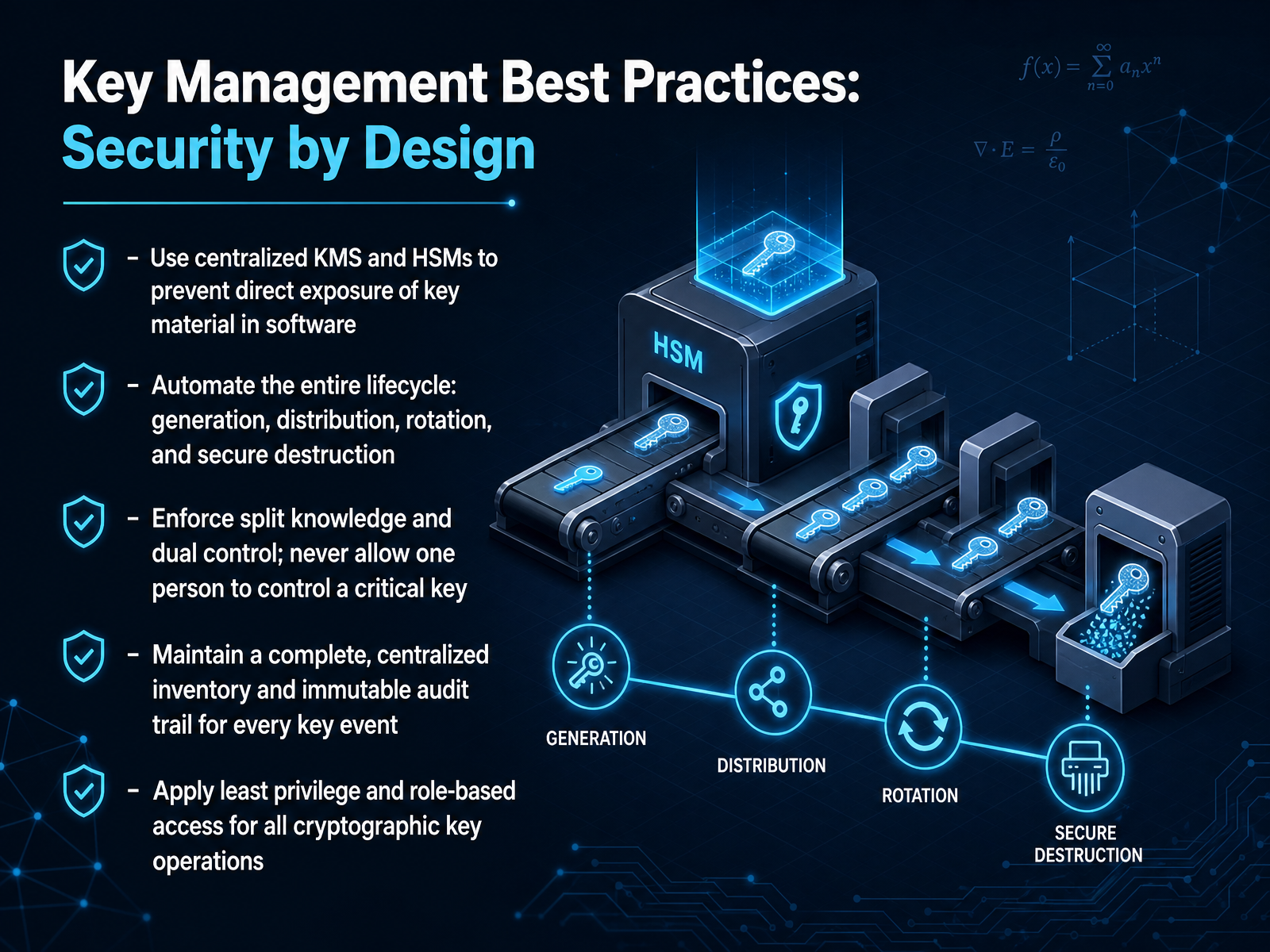
 - 11Key Management Best Practices: Security by DesignLet’s talk about turning key management from a reactive chore into a security advantage. This slide introduces Key Management Best Practices, framed as security by design. The first practice is to use a centralized key management system and hardware security modules. Think of these as a dedicated vault that prevents your key material from ever being exposed directly in software memory or configuration files. Next, automate the entire lifecycle. We want generation, distribution, rotation, and secure destruction to happen through policy, not through someone’s calendar reminder. Manual steps are where mistakes and missed rotations live. Then we enforce split knowledge and dual control. No single person should ever hold or authorize a critical key alone. It’s like requiring two different keys to open a safety deposit box. You also need a complete, centralized inventory and an immutable audit trail for every key event. You cannot protect what you don’t know exists, and when an auditor asks who accessed a key, the log must be tamper-proof. Finally, apply least privilege and role-based access. A developer who uses a key should not be the person who can destroy it. These five controls work together to make your key management provably secure and operationally consistent. Now let’s shift from best practices into concrete examples. The next slide is Building Your Mental Model: Real-World Scenarios.
 cheatsheetseries.owasp.orgforegenix.com4spotconsulting.com+22 min
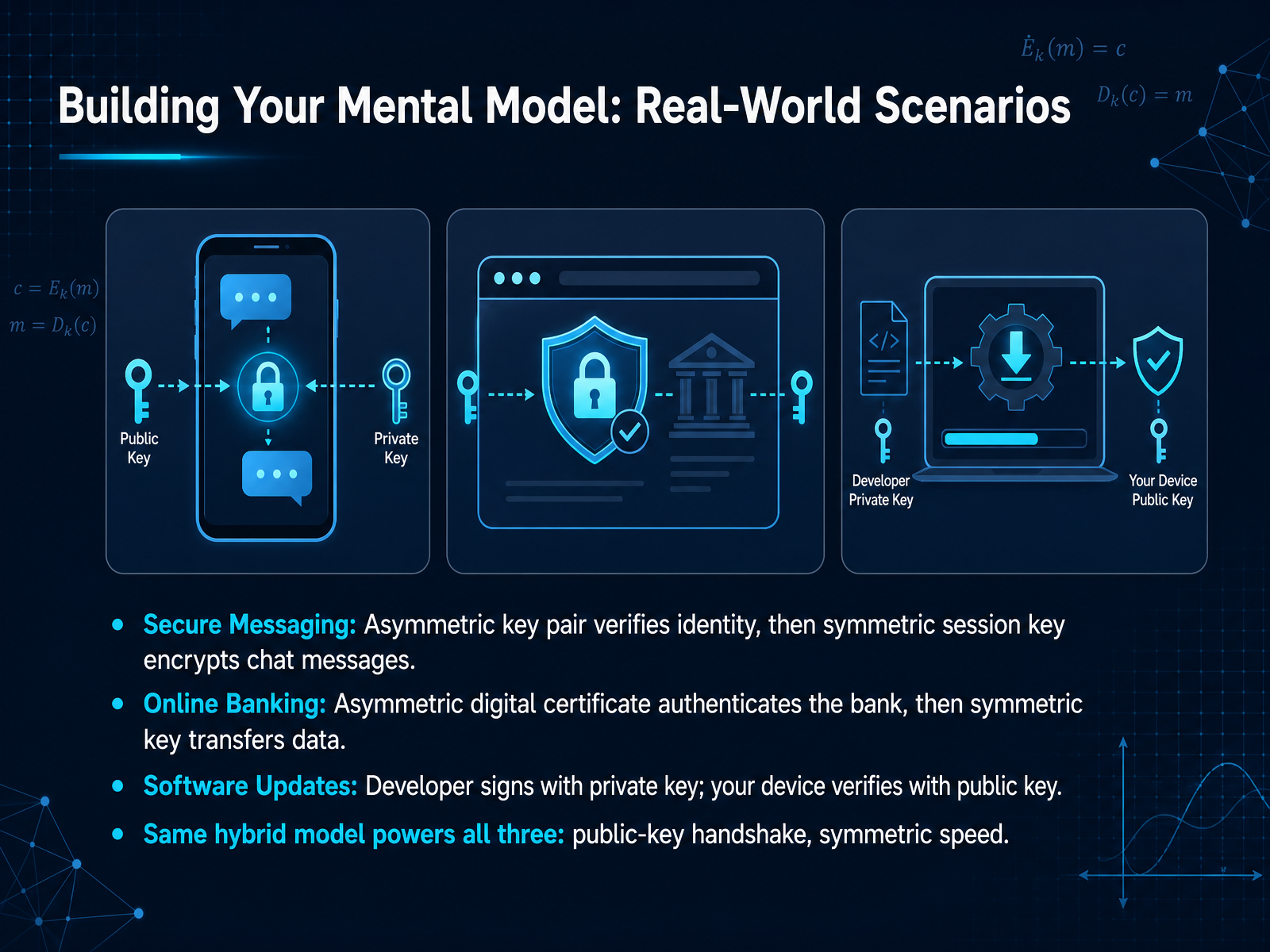
 - 12Building Your Mental Model: Real-World ScenariosLet's look at how this hybrid model works in real-world scenarios you use every day. In secure messaging, two keys are used first to verify who you're talking to. That's like checking someone's ID before you share a secret. Then, a single fast key locks the actual conversation. Online banking works the same way. A digital certificate proves the bank is real, and then a shared key encrypts your sensitive transaction. For software updates, the developer signs the code with their private key. Your device checks that signature with a public key, confirming the update is genuine and hasn't been tampered with. In every case, you get strong identity verification up front, and fast encryption for the main task. Now, let's turn our attention forward and explore what happens when quantum computers challenge these foundations, in the next slide: Facing the Future: Cryptography in a Post-Quantum World.
 1 min
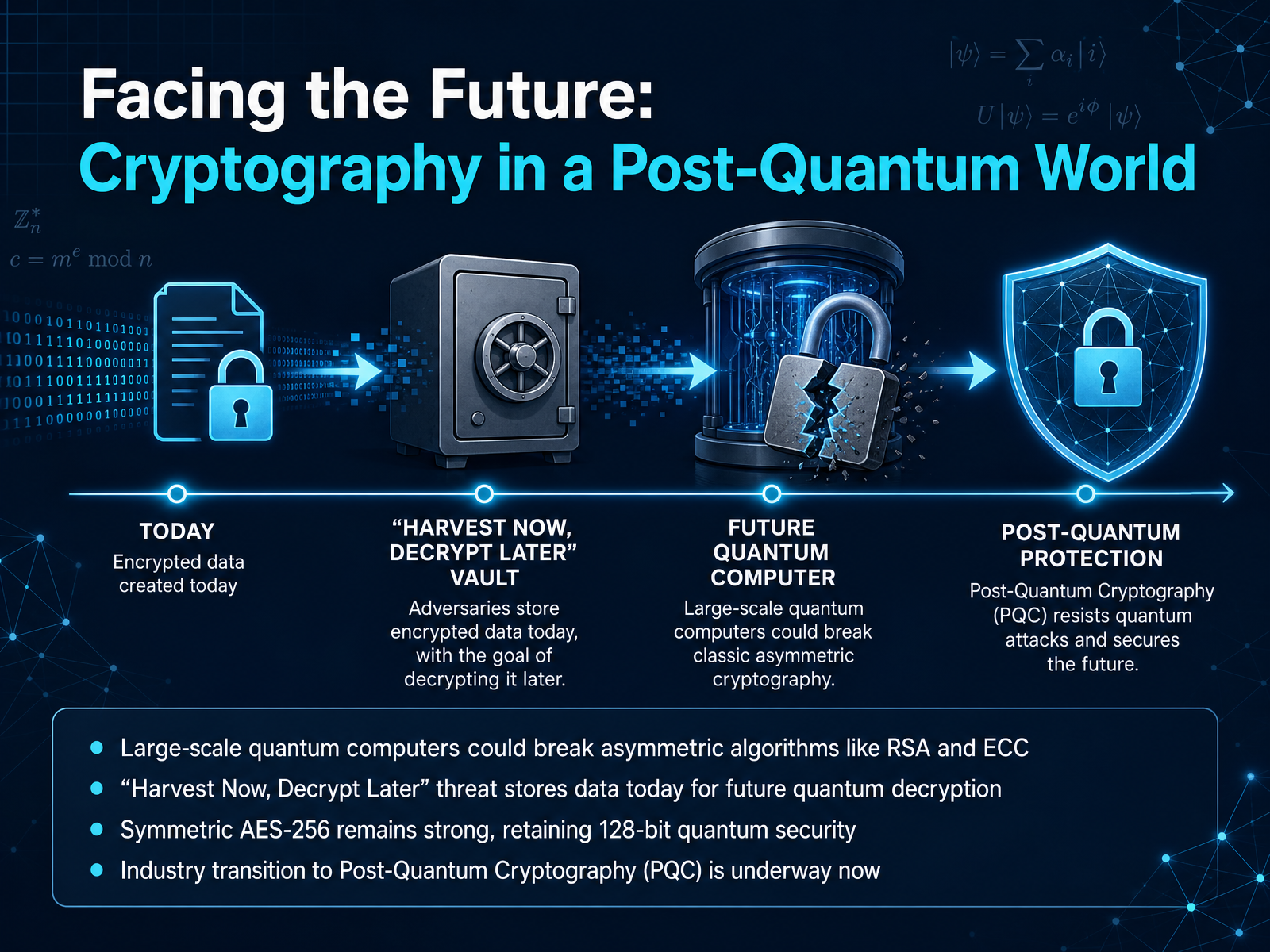
1 min - 13Facing the Future: Cryptography in a Post-Quantum WorldNow, let's turn our attention to the future and how cryptography is getting ready for a world with powerful quantum computers. A large-scale quantum computer could break the asymmetric algorithms we rely on today, like RSA and ECC. This isn't just a future problem either. There's a strategy called 'Harvest Now, Decrypt Later,' where attackers store encrypted data today, planning to crack it open once quantum technology matures. The good news is that our symmetric workhorse, AES, remains strong. The 256-bit version, which we know as AES-256, retains an effective 128-bit security level against quantum attacks. So, the industry is not standing still. A major transition to Post-Quantum Cryptography, or PQC, is already underway to replace those vulnerable asymmetric methods. This shift is happening right now to keep our data safe for the long term. With that landscape in mind, let's move to our final slide for a summary and your path forward.
 bsi.bund.dearstechnica.comlink.springer.com+22 min
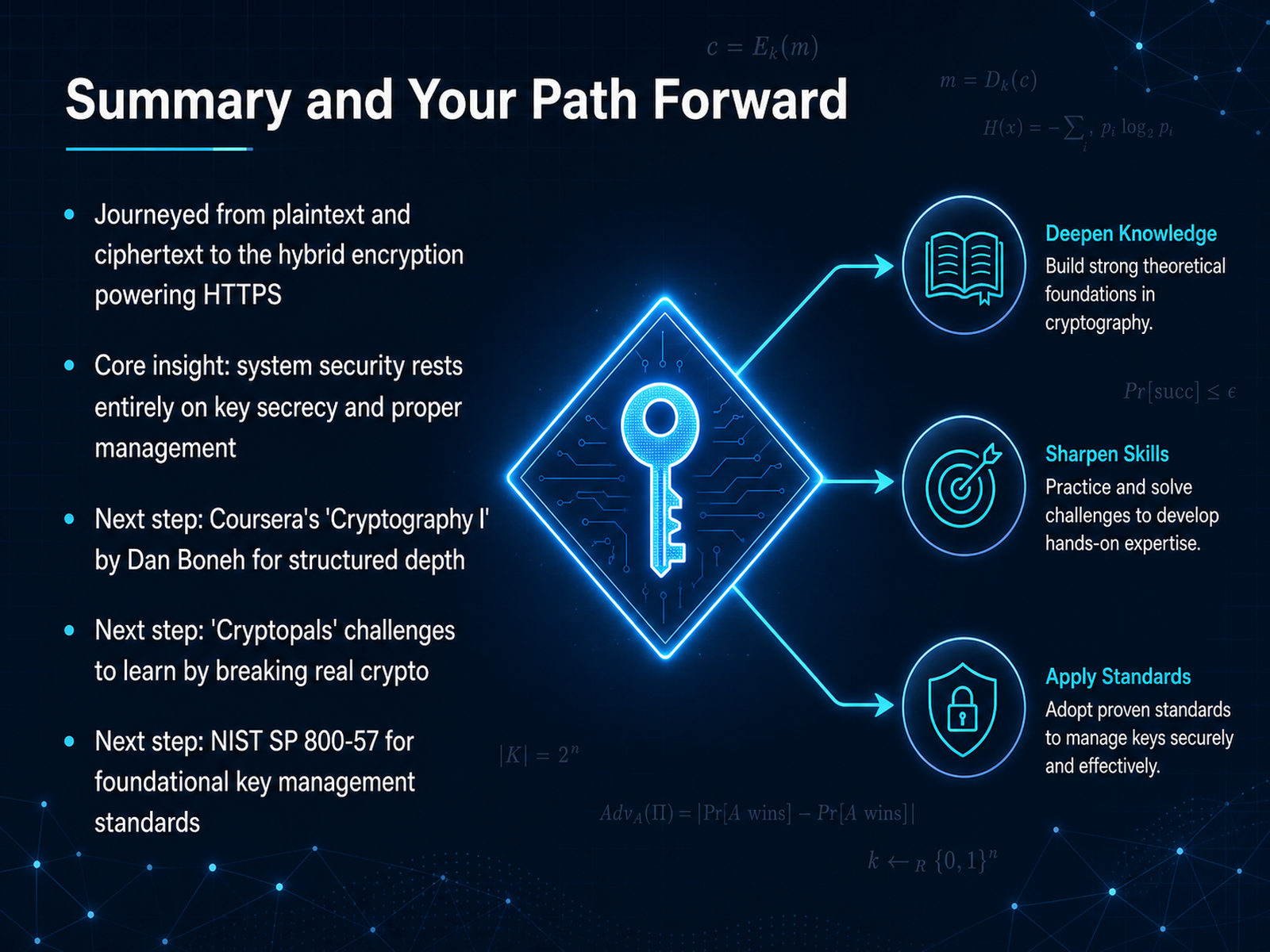
 - 14Summary and Your Path ForwardLet's take a moment to reflect on our journey. We started with simple concepts, like plaintext and ciphertext, and we gradually built up to the hybrid encryption that powers the little padlock icon in your browser, securing every HTTPS website you visit. The core insight I want you to walk away with is this: the security of your entire system rests entirely on keeping the keys secret and managing them properly. If someone gets your key, they unlock everything. So, where do you go from here to deepen this knowledge? I have three strong recommendations for you. First, for structured, academic depth, you can enroll in Dan Boneh's Cryptography One course on Coursera. Second, if you learn best by doing, try the Cryptopals challenges, where you'll break real-world crypto and learn by solving puzzles. Finally, for the bedrock rules of key management, look up the NIST special publication 800 dash 57. Thank you for your attention and focus throughout this course. You now have a strong foundation. Keep learning, stay curious, and always remember to protect those keys.
 joyofcryptography.comcoursera.orgcrypto.stanford.edu+22 min
Take the deck with you
Download this course as a file — free, no sign-up needed.
- PDF handoutEvery slide page, ready to print or share.15 pages · 4.1 MBDownload
- Narrated PowerPointThe deck that presents itself — every slide carries the digital human's narration video.15 pages · 14.9 MBDownload
- PowerPoint slidesThe full deck as a .pptx — open it in PowerPoint, Keynote, or Google Slides.15 pages · 4.1 MBDownload
Free to use in your own training — please keep the PersonWise credit page at the end.
Have your own deck? Turn it into a course
Sources consulted
Web sources consulted while building this course.
- Cryptographic Mechanisms: Recommendations and Key Lengths, Version 2026-01 — bsi.bund.de
- Contrary to popular superstition, AES 128 is just fine in a post-quantum world - Ars Technica — arstechnica.com
- A panoramic survey of the advanced encryption standard: from architecture to security analysis, key management, real-world applications, and post-quantum challenges | International Journal of Information Security | Springer Nature Link — link.springer.com
- Advanced Encryption Standard (AES) — nvlpubs.nist.gov
- What is AES-256 encryption: Is it unbreakable in 2026? — passwork.pro
- Key Management Guidelines — csrc.nist.gov
- Key Management Lifecycle Best Practices — cloudsecurityalliance.org
- Best Practices for Public Key and Private Key Management ... — encryptionconsulting.com
- ISO 27001 Key Management Best Practices: A Step-by-Step Guide (2026) | Konfirmity — konfirmity.com
- Key Management - OWASP Cheat Sheet Series — cheatsheetseries.owasp.org
- Top Key Management Failures We See in PCI Assessments — foregenix.com
- 12 Encryption Key Management Pitfalls That Compromise Data S — 4spotconsulting.com
- Ten Key Management Mistakes... and How to Avoid Them - Futurex — futurex.com
- 7 Enterprise Key Lifecycle Management Mistakes You Can't ... — fortanix.com
- The Joy of Cryptography — joyofcryptography.com
- Cryptography I — coursera.org
- Online Cryptography Course by Dan Boneh — crypto.stanford.edu
- Applied Cryptography 101: Building Blocks – Cryptography 101 with Alfred Menezes — cryptography101.ca
- Cryptography | Computer science theory — khanacademy.org