Begin
14 pages · ~28 min
UI Design Types
This training introduces the main types of UI design, helping learners distinguish key interface design categories and their purposes.
A digital instructor presents all 14 pages. Hold “Ask” at any point and ask out loud — the answer comes from this course. No sign-up needed.
What you’ll learn
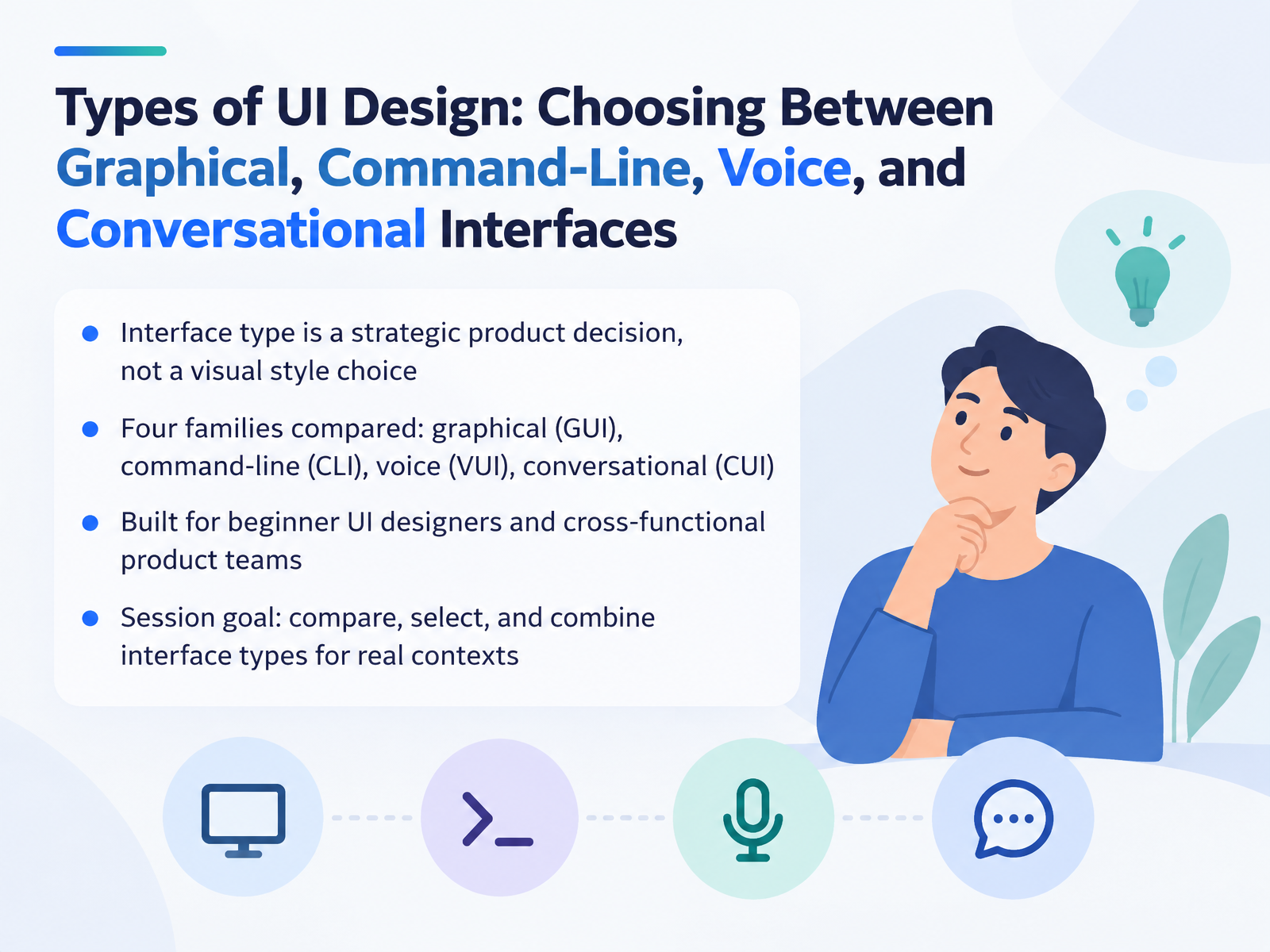
- 01Types of UI Design: Choosing Between Graphical, Command-Line, Voice, and Conversational InterfacesWelcome. I'm glad you're here. Today we're talking about types of UI design, and the choices that come with them. UI stands for user interface. That's simply the way a person interacts with a system. Here's the key idea for this session. Interface type is a strategic product decision, not a visual style choice. We'll compare four families. Graphical interfaces, or GUI, where people point and click on screen. Command-line interfaces, or CLI, where people type text commands. Voice interfaces, or VUI, where people speak and listen. And conversational interfaces, or CUI, where interaction feels like a dialogue. This is built for beginner UI designers and cross-functional product teams. Our goal is practical. Compare these types, select the right one, and combine them for real contexts. Next, we'll set the landscape and look at what counts as a UI today.mdpi.comdl.acm.orgshiftleft.com+21 min
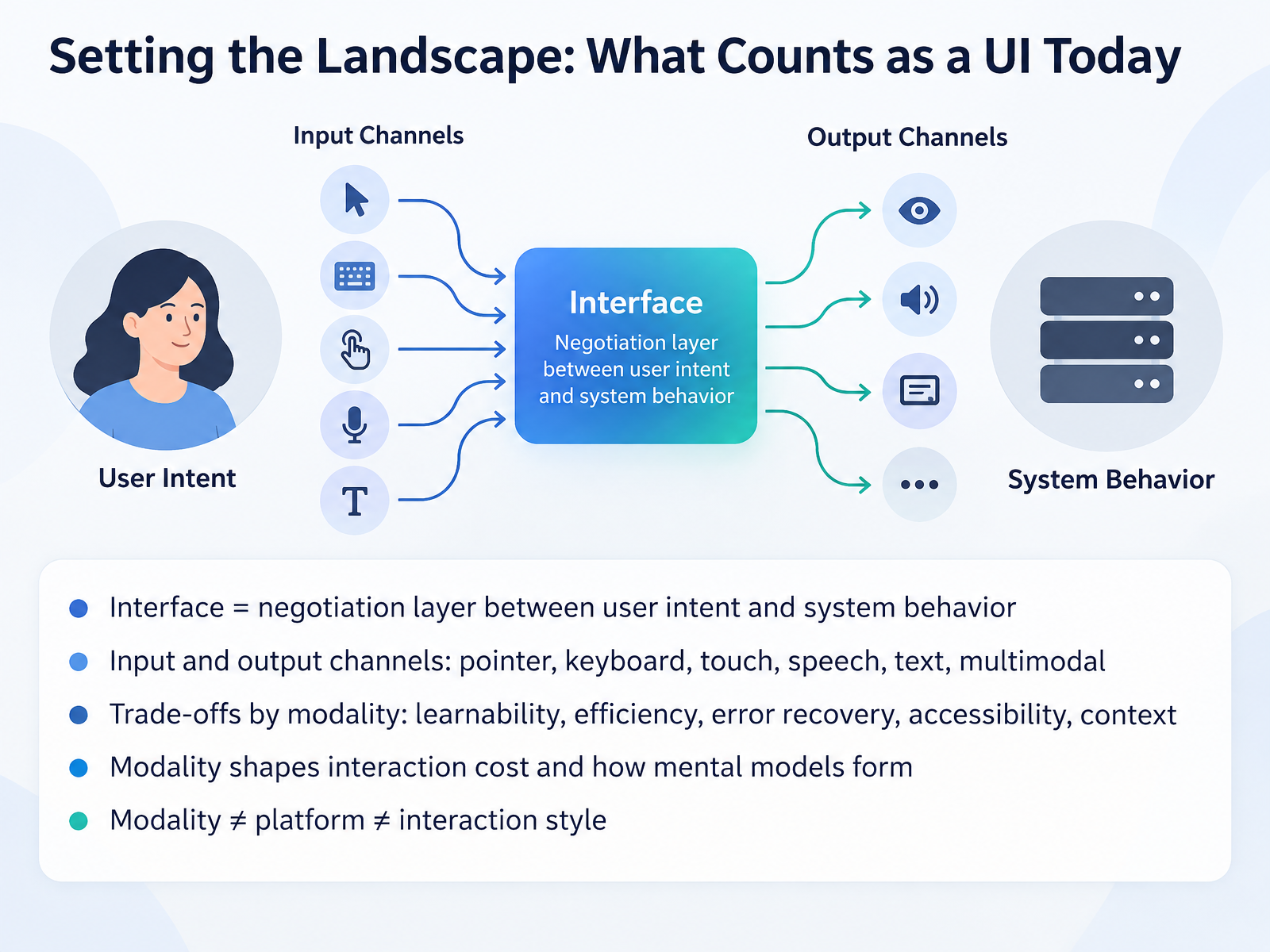
- 02Setting the Landscape: What Counts as a UI TodayLet's start by defining what counts as a user interface today. At its core, a user interface is a negotiation layer between what the user wants and what the system does. That layer can take many forms. Input and output channels include the pointer, keyboard, touch, speech, text, and combinations of these, which we call multimodal. Each channel comes with practical trade-offs. Some are easier to learn. Some are faster once you know them. They differ in how well they support error recovery, accessibility, and the user's surrounding context. The channel you choose also shapes interaction cost, meaning how much effort each step takes, and how users build a mental model, their internal picture of how the system works. One useful distinction to hold onto: modality is not the same as platform, and it is not the same as interaction style. A phone can support touch and voice. Keep that separation clear as we look at each type. Next, we turn to graphical interfaces, which are visual, direct, and discoverable.
 mdpi.comdl.acm.orgshiftleft.com+21 min
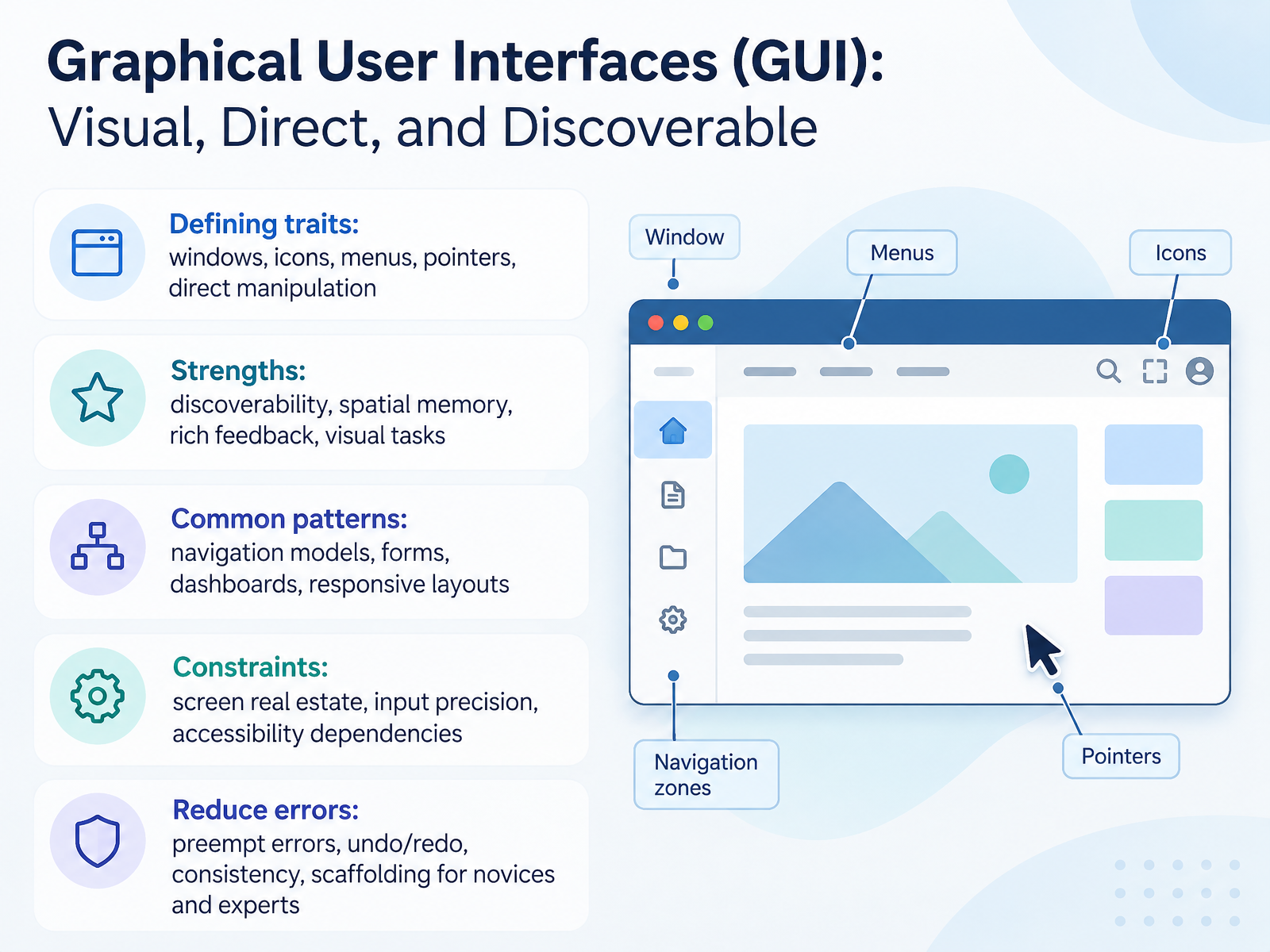
- 03Graphical User Interfaces (GUI): Visual, Direct, and DiscoverableLet's look at the most familiar interface type: the graphical user interface, or GUI. That's the visual one, built from windows, icons, menus, and a pointer, like your mouse or your finger. A GUI lets you act directly on what you see, so you click the thing you want instead of describing it.
Its strength is discoverability. Options sit in front of you, so people learn by recognition rather than memory. You rely on spatial memory too, because things stay in stable places. That's why common patterns like navigation models, forms, dashboards, and responsive layouts work so well.
But a GUI has limits. Screen space is finite, pointing is less precise than typing for some values, and accessibility depends on things like labels, contrast, and keyboard support. To reduce errors, preempt them with clear structure, add undo and redo, stay consistent, and scaffold for both novices and experts.
Next, command-line interfaces: text, precision, and automation.
 academic.oup.comiso.orgtandfonline.com+22 min
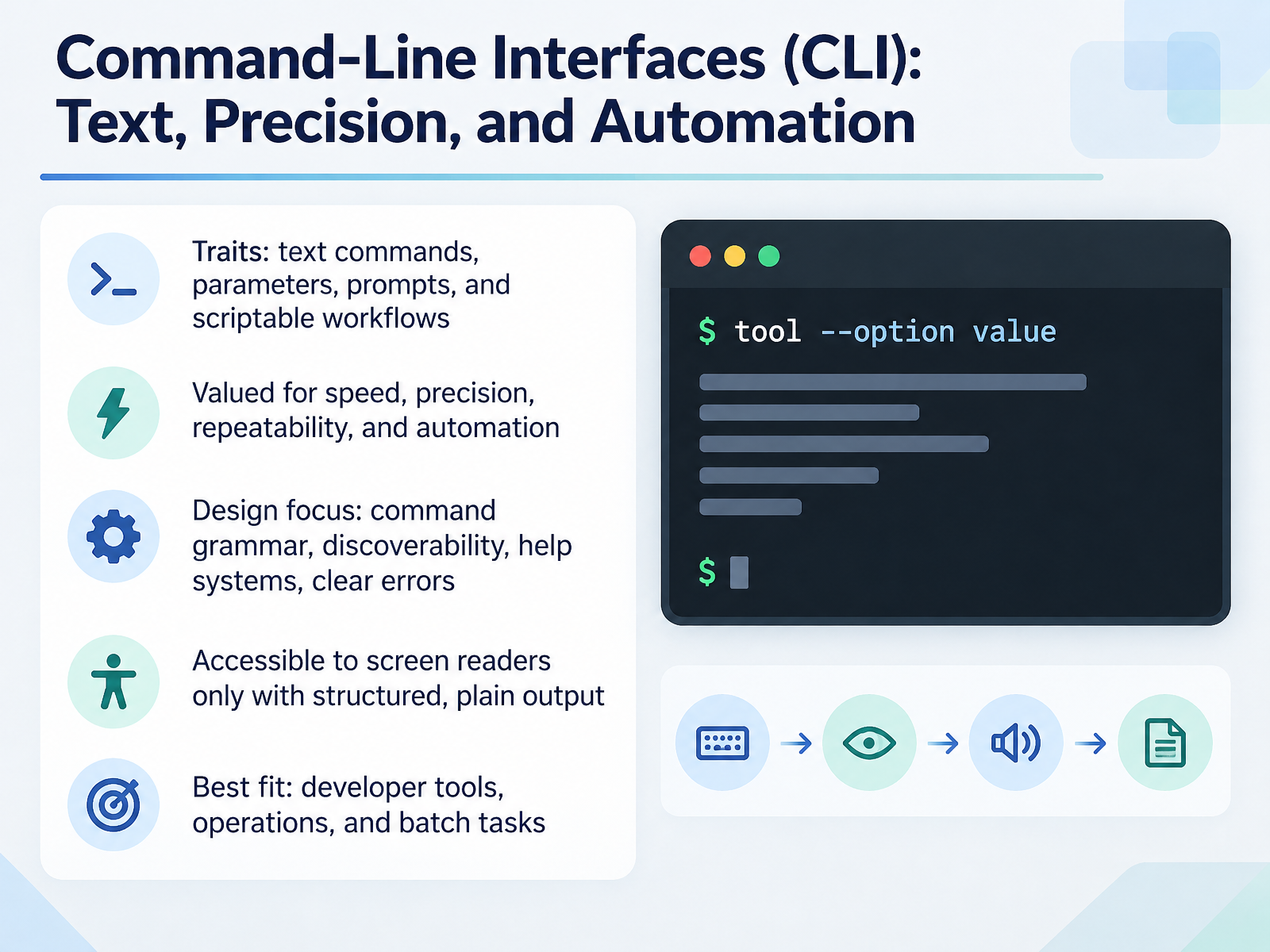
- 04Command-Line Interfaces (CLI): Text, Precision, and AutomationNext, let's look at command-line interfaces, or CLIs. A command-line interface is when people type text commands instead of clicking on screens, often with parameters that fine-tune each command. CLIs are valued for speed, precision, repeatability, and automation. Because the same command does the same thing every time, teams can script workflows and run them reliably. The design work here is real. You shape the command grammar, meaning how commands are structured and spelled. You make features discoverable through clear help text and examples. You write error messages that say what went wrong and what to do next. One important trade-off is accessibility. CLIs are text-based, but screen readers struggle with unstructured output. So design plain, structured output that reads well aloud, and avoid relying on color or ASCII art. CLIs fit best for developer tools, operations work, and batch tasks. They suit users who know the task and want efficiency, not people exploring for the first time. Next, we move from typing to speaking with voice user interfaces, hands-free and eyes-free interaction.
 clig.devatlassian.comkieranpotts.com+21 min
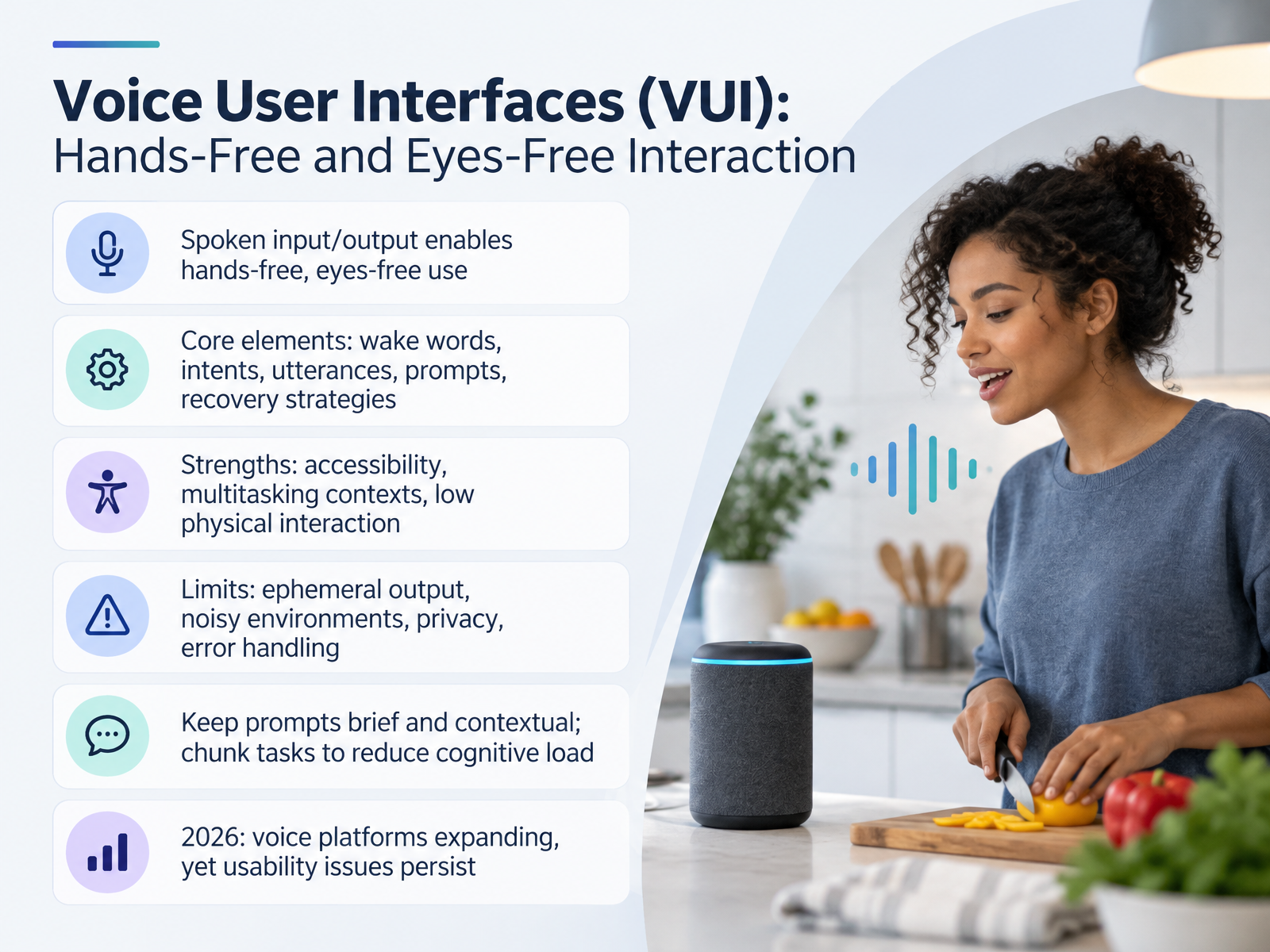
- 05Voice User Interfaces (VUI): Hands-Free and Eyes-Free InteractionNow let's look at voice user interfaces. That's V U I, where people speak to a system and it speaks back. The big win is hands-free, eyes-free use. Picture a driver, or someone with their hands full, or a user who can't easily read a screen. Here are the core parts. A wake word is the phrase that starts listening, like "Hey" plus the assistant's name. An intent is what the person wants to do. An utterance is the exact phrase they say to express it. A prompt is what the system says back. And recovery strategies are how it handles not understanding. On the strengths side, voice opens up access for users with visual or mobility needs, and it fits multitasking contexts beautifully. The trade-offs are real too. Spoken output is ephemeral, meaning it vanishes the moment it's said. Noisy environments interfere. Privacy matters in shared spaces. And error handling is genuinely hard. So keep prompts brief and contextual, and chunk long tasks into small steps to reduce cognitive load. In 2026, voice platforms are expanding quickly, yet those usability issues persist. Next, we'll turn to conversational user interfaces and chatbots, where dialogue itself becomes the interface.
 design.googledeveloper.amazon.comdl.acm.org+22 min
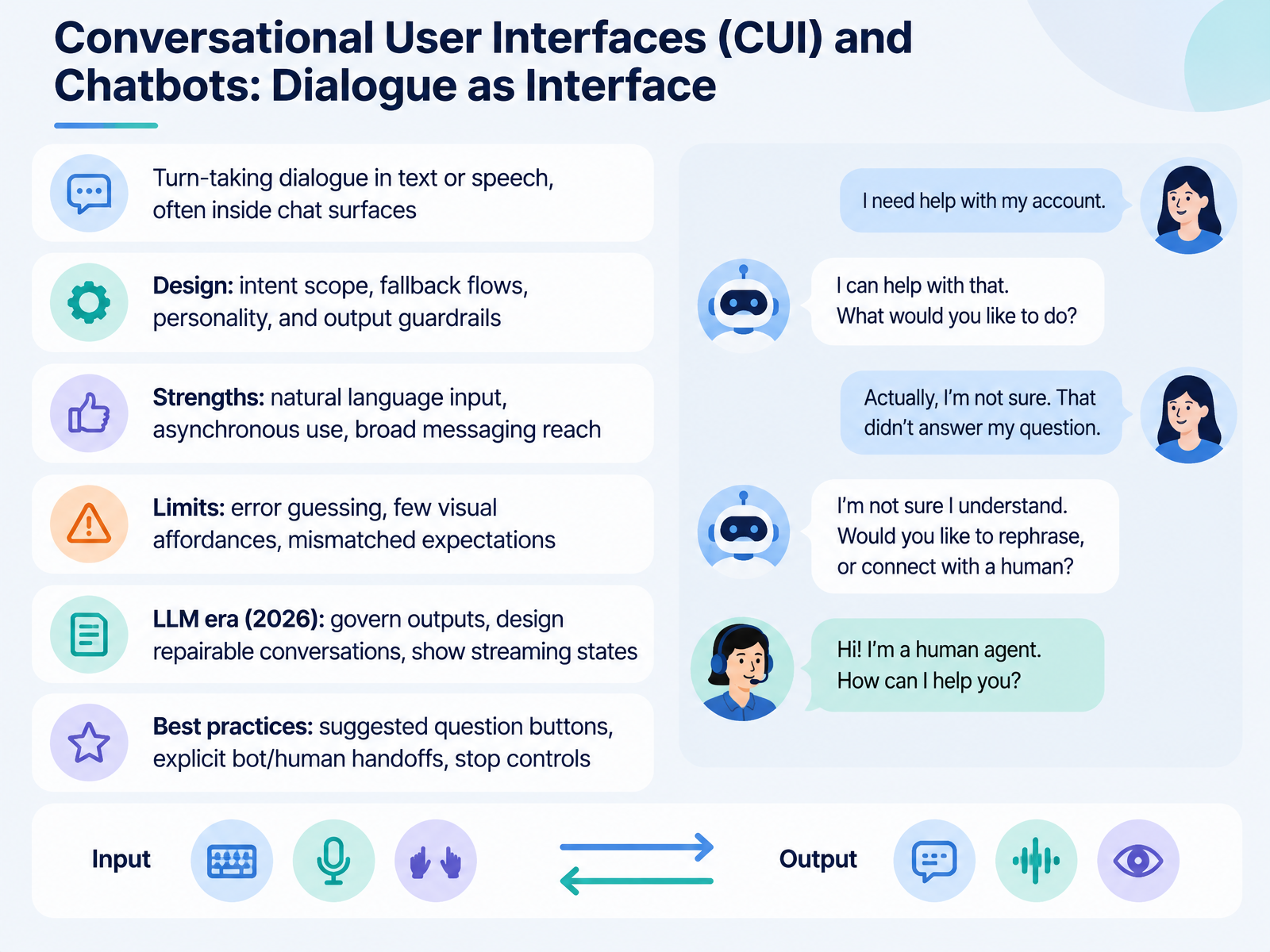
- 06Conversational User Interfaces (CUI) and Chatbots: Dialogue as InterfaceNow let's look at conversational user interfaces, or CUIs for short. These are interfaces where you interact through a back and forth dialogue, in text or in speech, often inside a chat window. Think of a support chat on a website, or an assistant inside a messaging app.
The design work here centers on four things. What the bot is meant to handle, your intent scope. What it does when it does not understand, your fallback flow. What personality it has. And what it is allowed to say, called output guardrails.
The strengths are real. People can type in plain language, use it asynchronously, and reach it through messaging apps they already have. The limits are real too. Users have to guess what went wrong when it fails, there are few visual cues to guide them, and they often expect more than the system can do.
In the large language model era, three practices matter most. Govern the outputs, design conversations you can repair when they go off track, and show streaming states so people know the system is still working. Practical basics: suggested question buttons, clear handoffs between bot and human, and a stop control.
Next, we will put all four interface types side by side in a direct comparison.
 nngroup.commdpi.comdl.acm.org+22 min
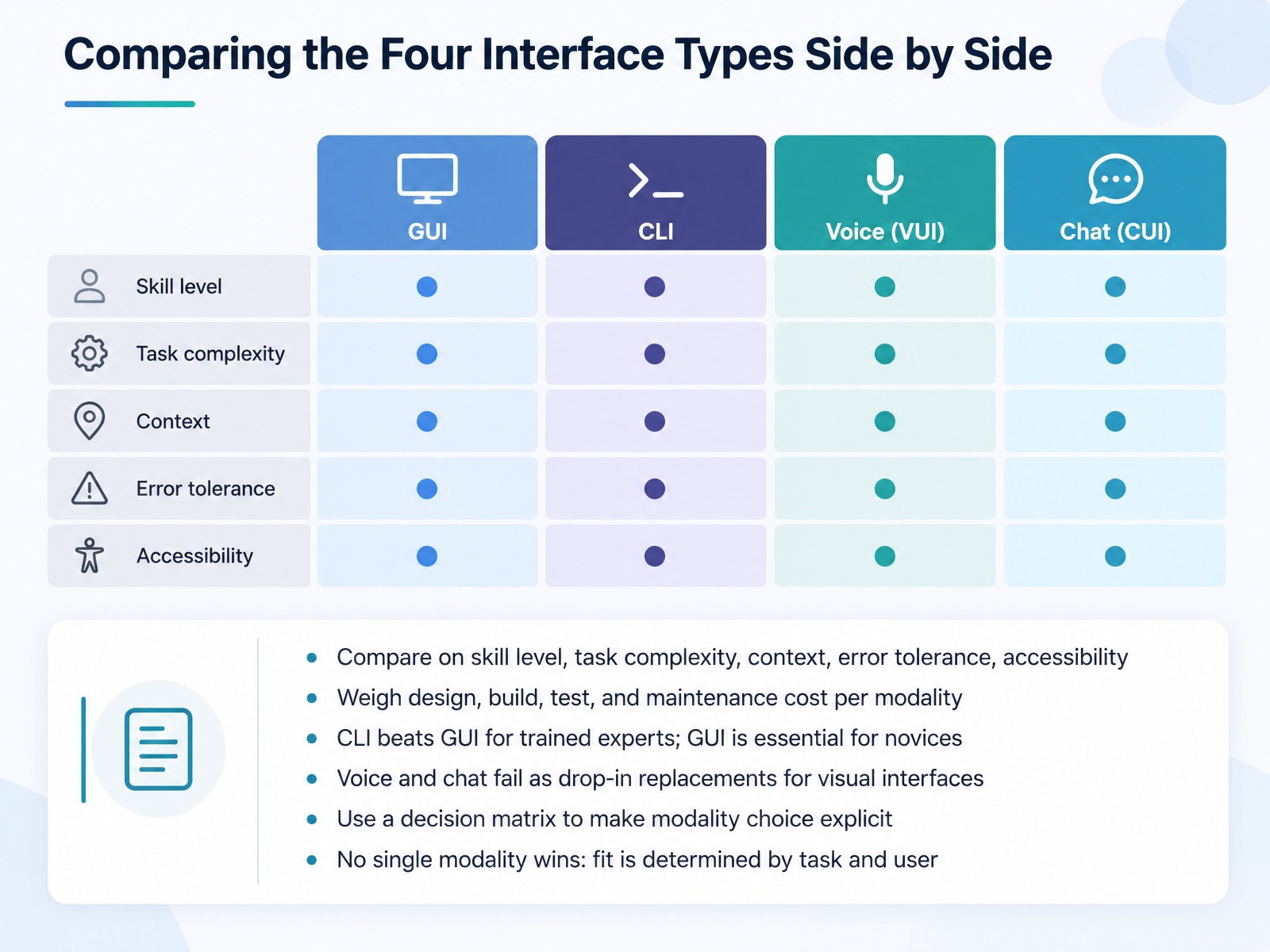
- 07Comparing the Four Interface Types Side by SideNow let's line up all four interface types side by side. Compare them on five things. Skill level. Task complexity. Context, meaning where and how the user is working. Error tolerance, meaning how much a mistake costs. And accessibility. Then weigh the cost of each one across design, build, test, and maintenance. That total is often what settles the decision. A quick rule of thumb. A command line interface beats a graphical one for trained experts. A graphical interface stays essential for novices, because it shows options instead of making people recall them. Voice and chat, meanwhile, fail as drop-in replacements for visual interfaces. They work best when speaking is easier than pointing or typing. So build a decision matrix and make the choice explicit. No single modality wins. Fit comes from the task and the user. Next, choosing the right interface type for your product.
 mdpi.comdl.acm.orgshiftleft.com+21 min
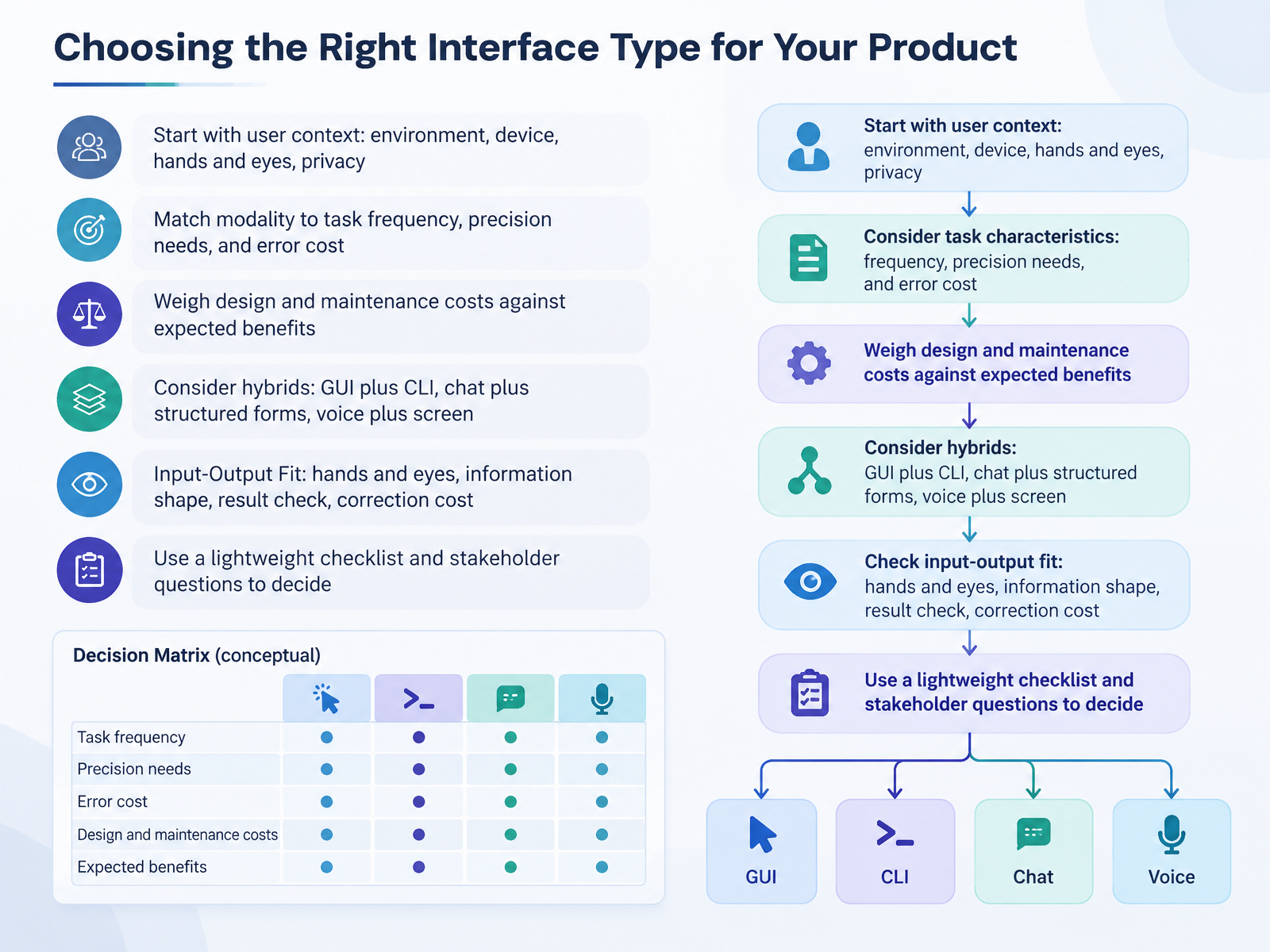
- 08Choosing the Right Interface Type for Your ProductNow let's talk about choosing the right interface type for your product. Start with context. Where will people use this? What device? Are their hands and eyes free? Is privacy a concern? A desk worker on a laptop can type precise commands. A driver can't.
Next, match the interface to the task. How often will people do it? How much precision does it need? What happens if they make a mistake? Then weigh the cost of building and maintaining the interface against the benefit you expect.
You can also combine types. A graphical interface with a command line for power users. Chat paired with structured forms. Voice with visual confirmation.
A simple way to decide is input-output fit. Ask four questions for each step. Where are the user's hands and eyes? What shape is the information? How will they check the result? And what does a correction cost?
Run those questions through a lightweight checklist with your stakeholders. It keeps the decision practical and grounded in real use.
Up next, hybrid and multimodal designs, and combining the best of each interface.
 2 min
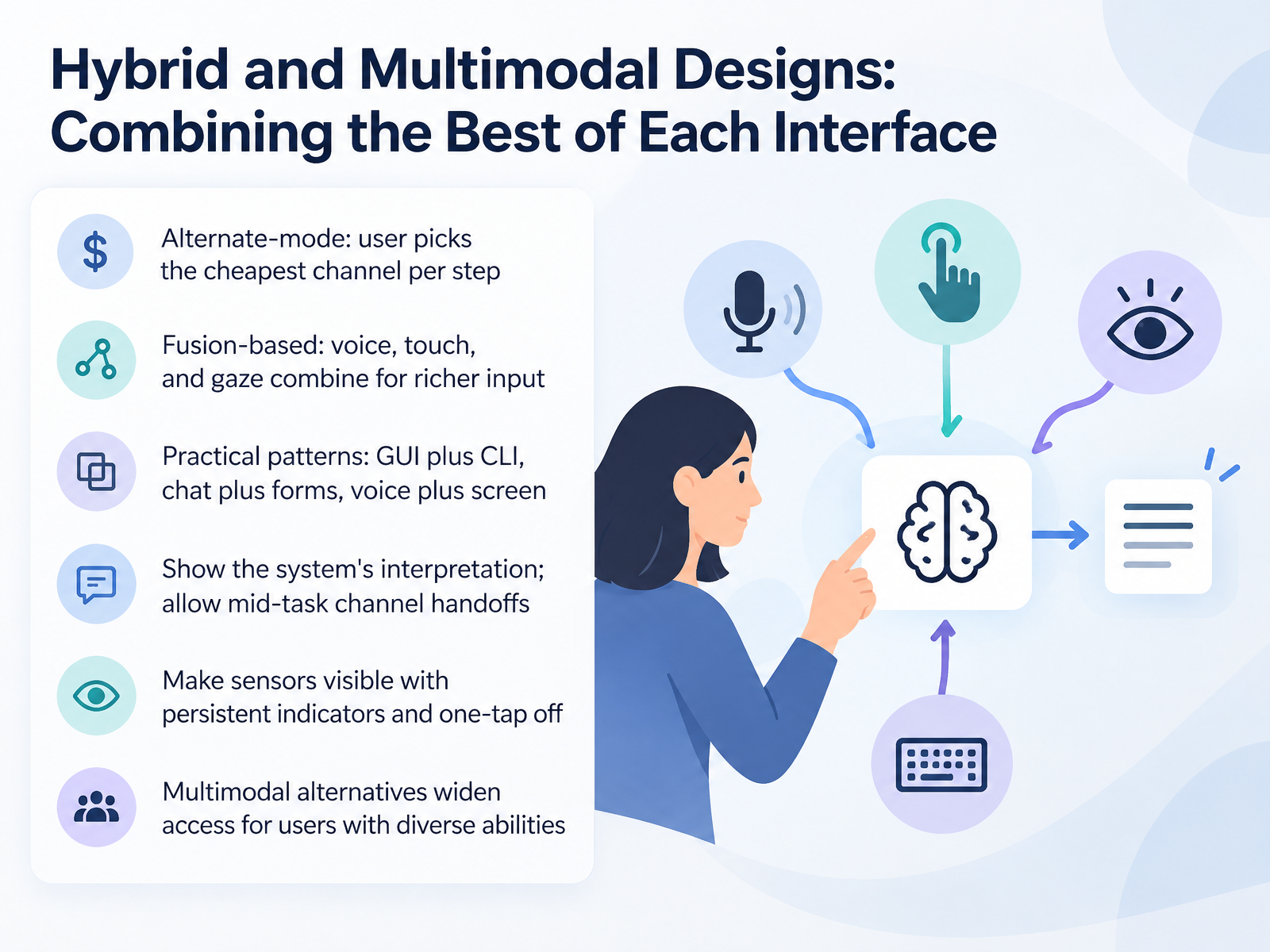
- 09Hybrid and Multimodal Designs: Combining the Best of Each InterfaceNow let's look at hybrid and multimodal designs. A multimodal interface simply means the user can interact through more than one channel, like voice, touch, or typing. There are two ways to combine them. In alternate mode, the user picks the cheapest channel for each step. For example, tap a date on a calendar, then speak a name rather than typing it. In fusion-based designs, channels like voice, touch, and gaze work together, so pointing at an item while saying a command gives richer input than either alone. Practical patterns you will see include a graphical interface with a command line, chat paired with forms, and voice paired with a screen. Two rules keep these designs usable. Always show the system's interpretation, like a transcript the user can edit. And let people hand off between channels mid-task without losing context. When you use sensors, make them visible with persistent indicators and a one-tap off switch. And remember, offering multimodal alternatives widens access for users with diverse abilities. Next, we will look at design pitfalls and modality mismatch.
 design.googledeveloper.amazon.comdl.acm.org+22 min
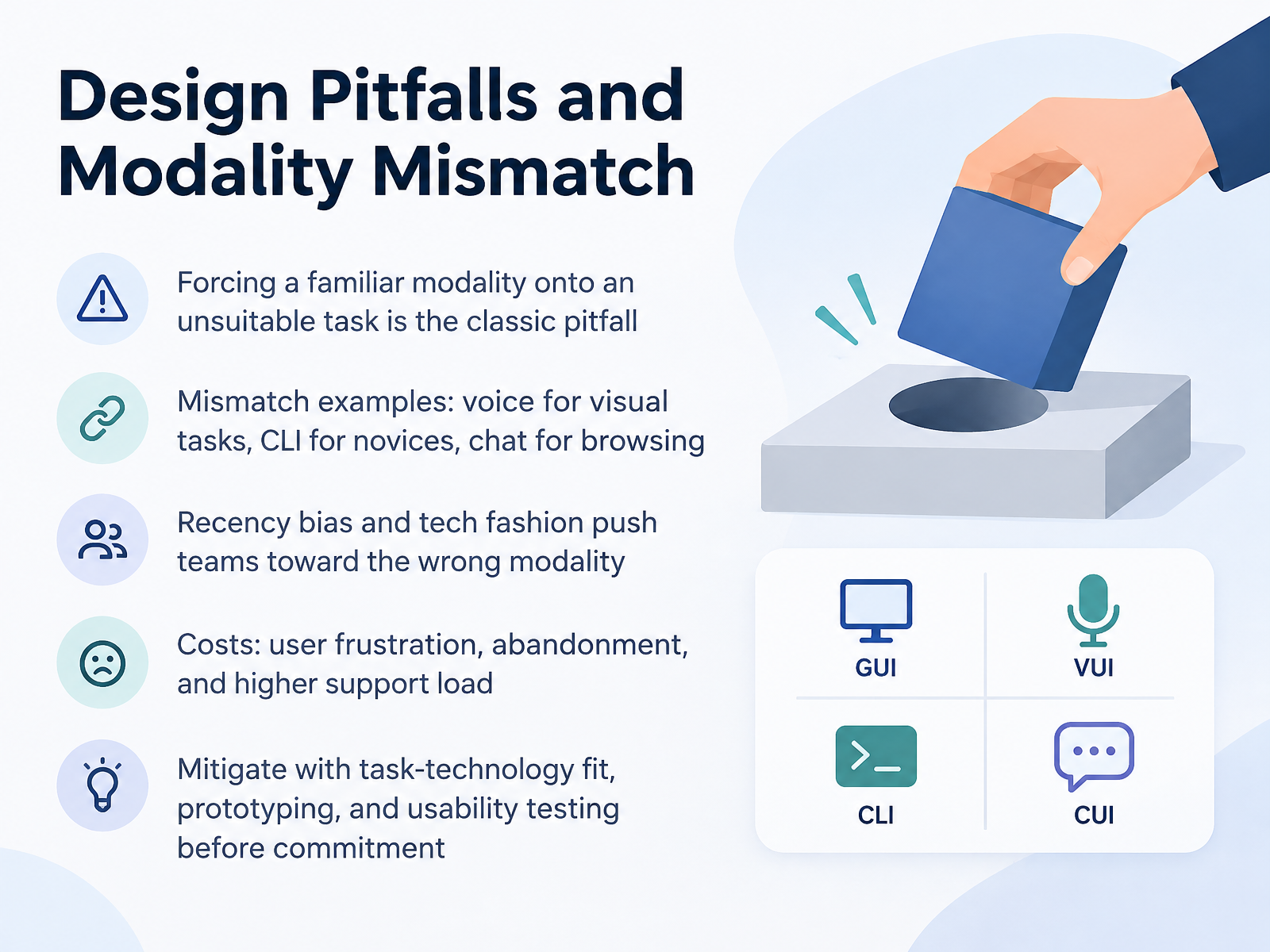
- 10Design Pitfalls and Modality MismatchNow let's talk about where modality choices go wrong. The classic pitfall is forcing a familiar modality onto a task it doesn't suit. A modality, if you're new to the term, is simply the channel people use to interact with your product, such as clicking, typing, speaking, or chatting. Take voice for a visual task, like comparing colors or layouts. Or a command line interface for novices, meaning a text-only screen where users must type exact commands. Or a chat window for browsing, when a simple menu would be faster. Recency bias and tech fashion push teams toward the wrong modality. We reach for what feels new, not what fits the task. The costs are real. User frustration, abandonment, and a higher support load. So mitigate this before you commit. Check task-technology fit, the match between the task and the interface. Prototype the risky part early. And run usability testing with real users. Next, we'll look at accessibility across modalities.
 mdpi.comdl.acm.orgshiftleft.com+21 min
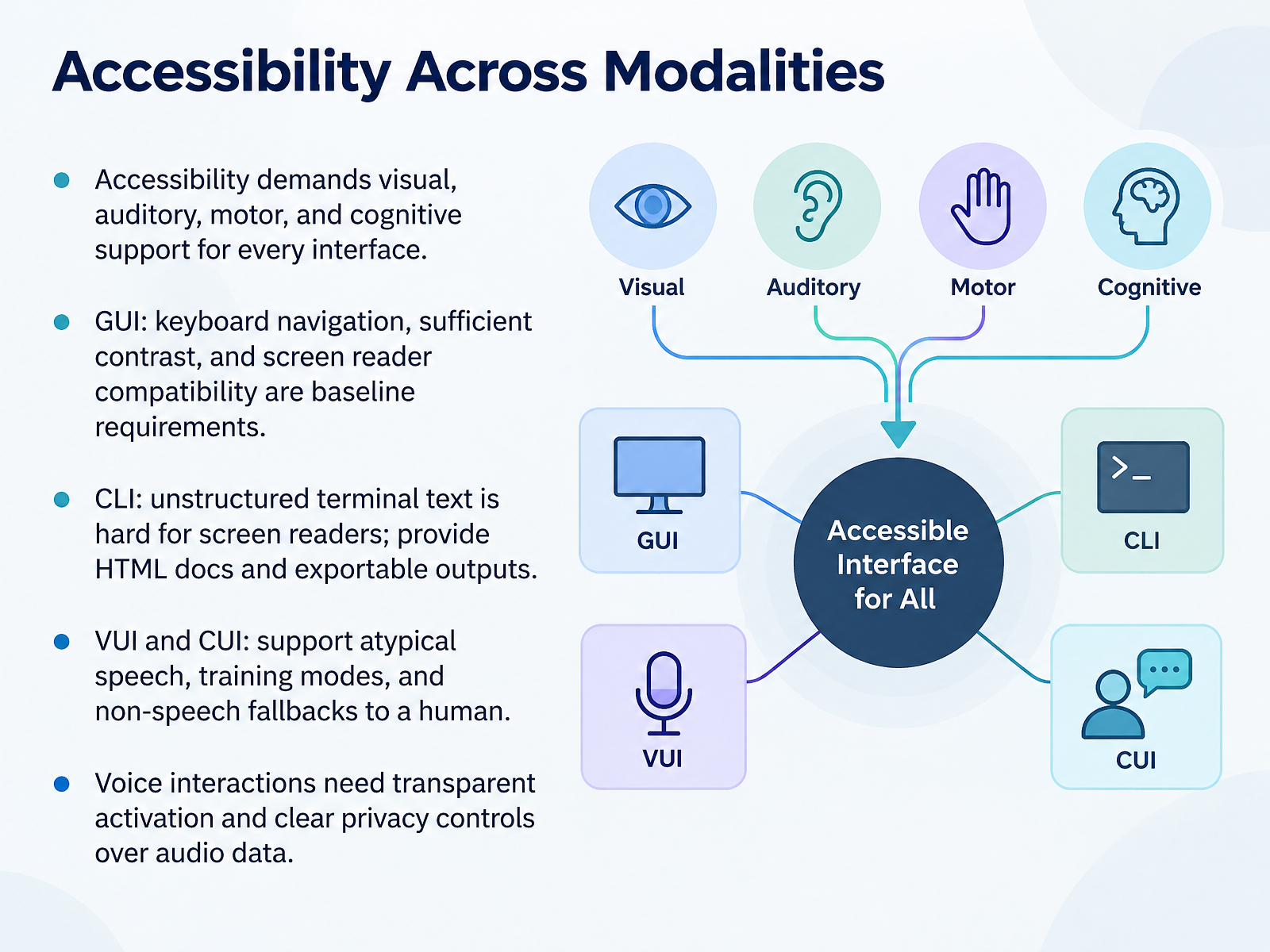
- 11Accessibility Across ModalitiesLet's talk about accessibility across modalities. Accessibility means every interface has to support people with visual, auditory, motor, and cognitive needs. Take graphical interfaces. Keyboard navigation, enough color contrast, and screen reader compatibility are your baseline requirements. For command-line tools, remember that plain terminal text is hard for screen readers. So publish HTML documentation, and let people export long outputs to a readable file. Voice and conversational interfaces need similar care. Support atypical speech, offer a training mode, and give a non-speech fallback to a human agent. Finally, voice interactions should signal clearly when the microphone is active, and give people clear privacy controls over their audio data. The takeaway is simple. Match your accessibility work to each modality, and test with real users. Next, we look at testing across modalities.
 design.googledeveloper.amazon.comdl.acm.org+21 min
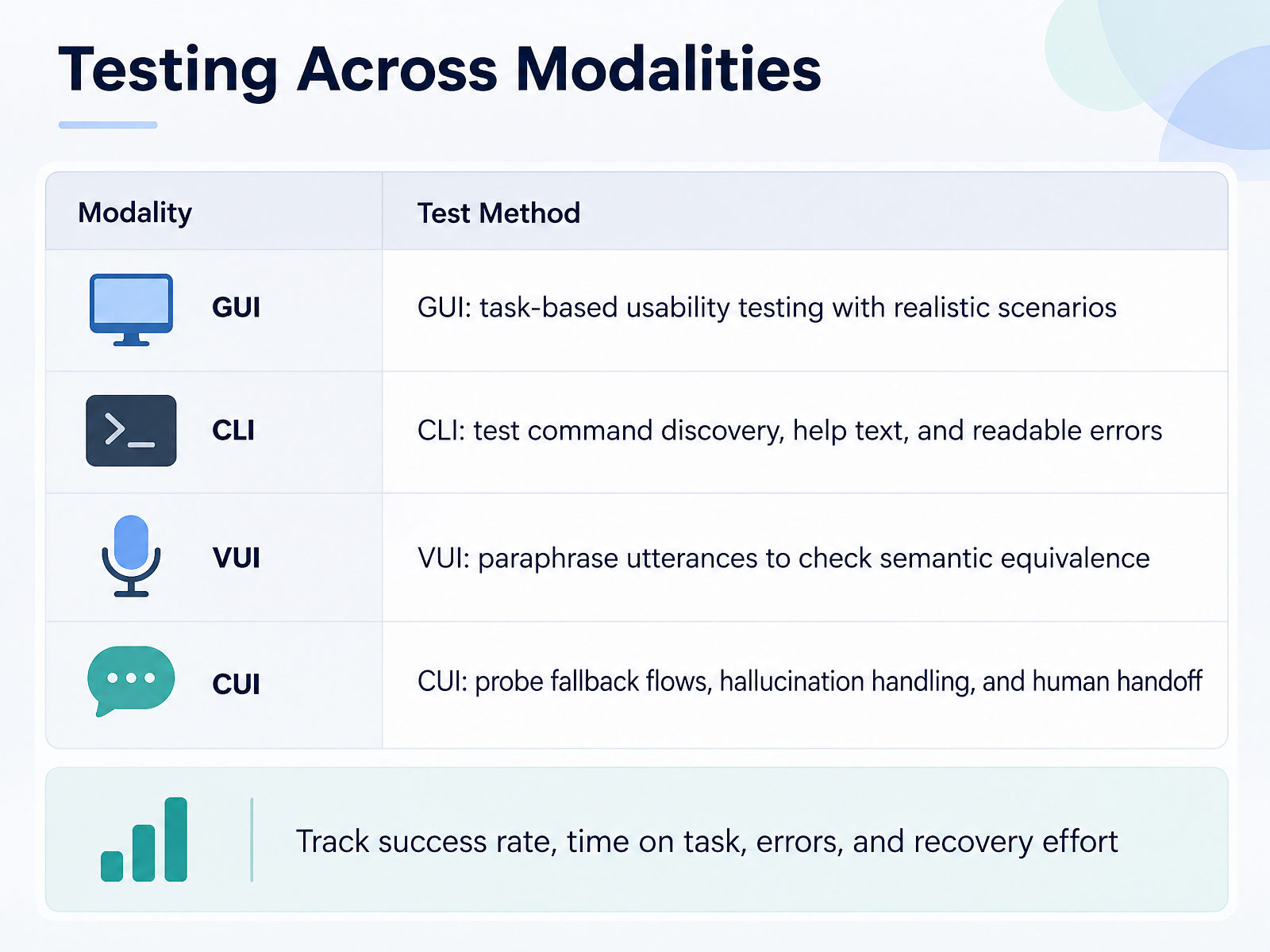
- 12Testing Across ModalitiesLet's talk about how you test each of these interface types, because the method changes with the modality. For a graphical interface, you run task-based usability testing with realistic scenarios. Watch where people click, where they hesitate, and where they give up. For a command-line interface, test three things: can people discover the commands, is the help text useful, and are the errors readable? A cryptic error message is a failed design, not just a technical glitch. For a voice interface, paraphrase the same request in different ways to check semantic equivalence. If someone says record my birthday and someone else says don't forget my birthday, both should trigger the same action. For a conversational interface, probe the fallback flows. What happens when the system is unsure? Does it hallucinate, meaning confidently give a wrong answer? And can the user reach a human when they need one? Across all four, track the same numbers: success rate, time on task, errors, and recovery effort. Recovery effort matters most, because it tells you how hard it is to get back on track after something goes wrong. Next, we'll look at bringing the LLM era into interface decisions.
 clig.devatlassian.comkieranpotts.com+22 min
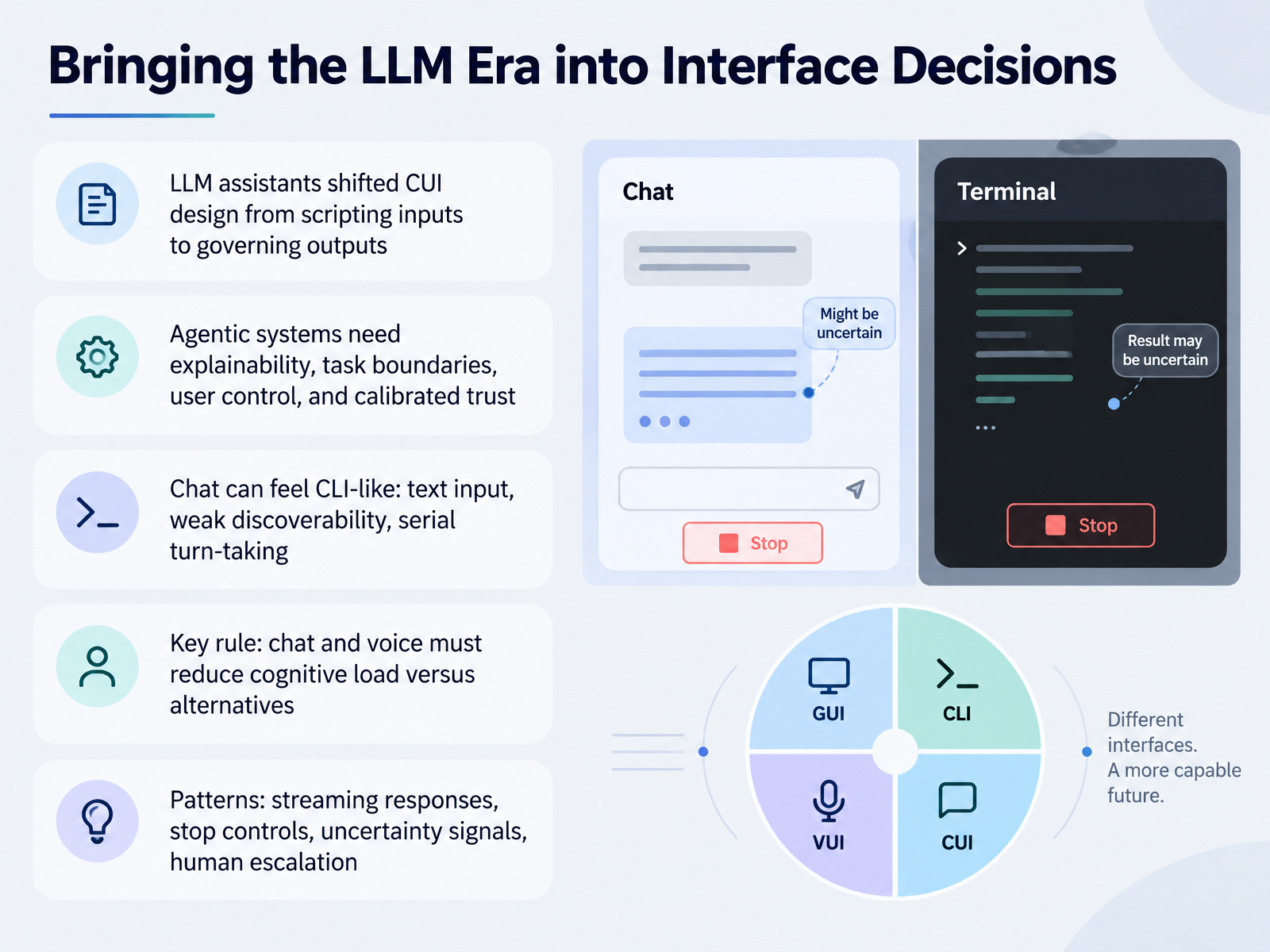
- 13Bringing the LLM Era into Interface DecisionsNow let's bring large language models into these interface decisions. With LLM assistants, conversational design shifted from scripting every input to governing outputs. You now decide what the system may say and do, because a generative model will otherwise improvise policy, prices, and promises.
Agentic systems, which can take actions on their own, need four things: explainability, clear task boundaries, user control, and calibrated trust, meaning you help users trust the system only as far as it deserves.
One caution. Chat can start to feel like a command line. Users type text, options are hard to discover, and turns happen one at a time. The key rule is simple. Chat and voice should only be used when they reduce cognitive load compared with the alternatives. Otherwise, default to a graphical interface.
Good patterns include streaming responses as they generate, stop controls, honest uncertainty signals, and an easy path to a human.
Next, we will pull this all together in Key Takeaways and Next Steps for Your Team.
 nngroup.comacademic.oup.comiso.org+22 min
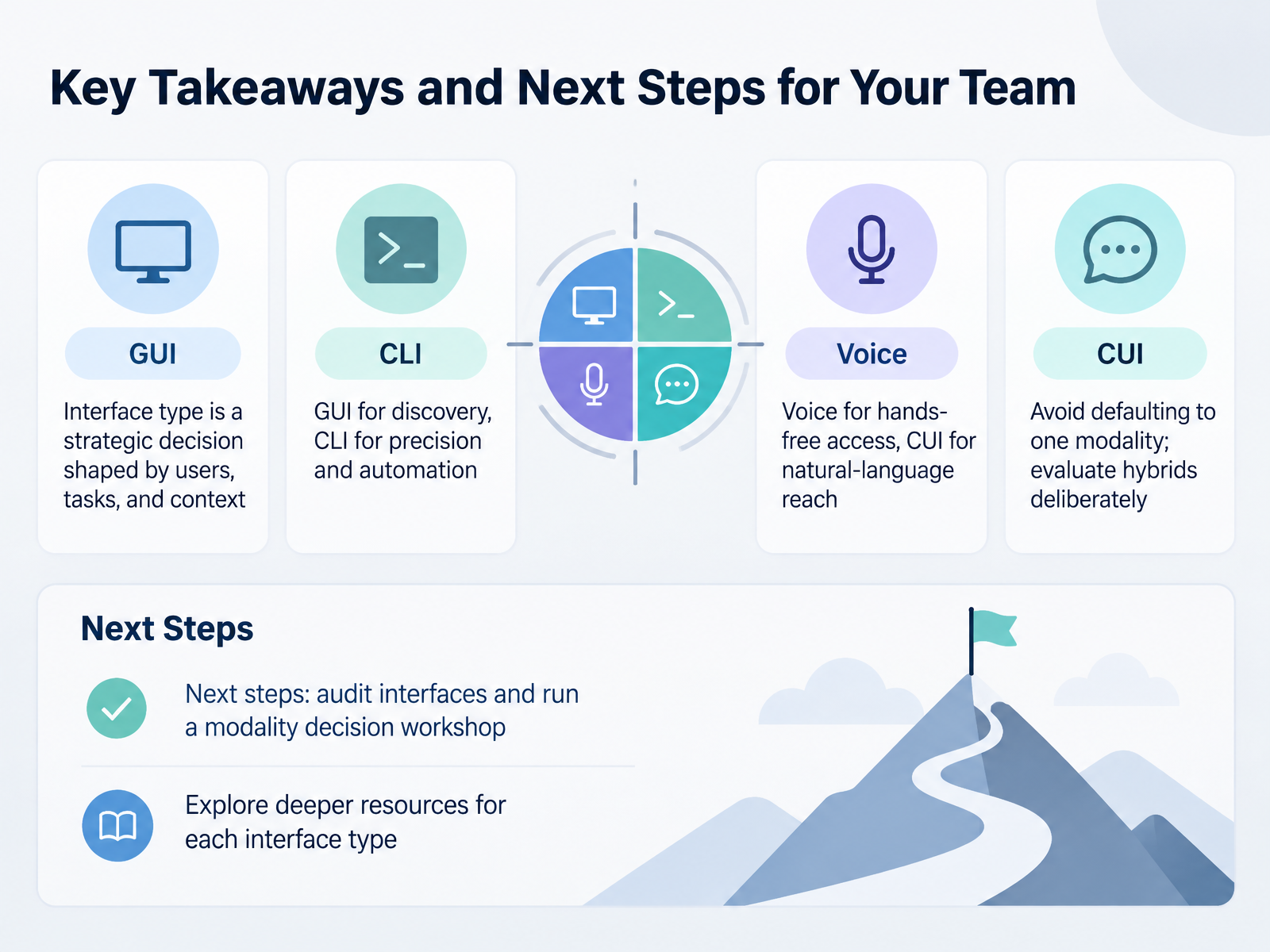
- 14Key Takeaways and Next Steps for Your TeamLet's pull this together. Interface type is a strategic decision, not a style choice. It's shaped by your users, the tasks they do, and the environment they're in. As a rule of thumb, graphical interfaces suit discovery, because people can look at options and choose. Command line interfaces suit precision and automation, where speed and repeatability matter. Voice works well for hands-free situations, and conversational interfaces help you reach people in natural language. But please don't default to one modality out of habit. Evaluate hybrids deliberately, because adding modalities raises cognitive load. For next steps, audit your current interfaces, then run a modality decision workshop with your product team. Ask which channel fits each step of a real task. Then explore the deeper resources for each interface type. Thank you for working through this course with me. You now have a practical way to choose, so go make that first decision with confidence.
 mdpi.comdl.acm.orgshiftleft.com+22 min
Take the deck with you
Download this course as a file — free, no sign-up needed.
- PDF handoutEvery slide page, ready to print or share.15 pages · 3.1 MBDownload
- Narrated PowerPointThe deck that presents itself — every slide carries the digital human's narration video.15 pages · 25.7 MBDownload
- PowerPoint slidesThe full deck as a .pptx — open it in PowerPoint, Keynote, or Google Slides.15 pages · 3.0 MBDownload
Free to use in your own training — please keep the PersonWise credit page at the end.
Have your own deck? Turn it into a course
Sources consulted
Web sources consulted while building this course.
- User Experience and Usability of Voice User Interfaces: A Systematic Literature Review — mdpi.com
- What's The Talk on VUI Guidelines? A Meta-Analysis of Guidelines for Voice User Interface Design — dl.acm.org
- Direct Manipulation and Other Lessons — shiftleft.com
- Multimodal Interaction, Interfaces, and Communication: A Survey — mdpi.com
- The Art of Talking Machines: A Comprehensive Literature Review of Conversational User Interfaces | Proceedings of the 7th ACM Conference on Conversational User Interfaces — dl.acm.org
- Graphical user interfaces | Introduction to Human-Computer Interaction | Oxford Academic — academic.oup.com
- ISO 9241-161:2025 - Ergonomics of human-system interaction — Part 161: Visual user-interface elements — iso.org
- Full article: Impact of UI design patterns on cognitive load, perceived usability, and confidence to use critical healthcare devices — tandfonline.com
- Post-WIMP user interfaces — doi.org
- Size Does Matter: Effects of Icon Size Variation on Spatial Learning in Interfaces with Large Command Sets — cs.uwaterloo.ca
- Command Line Interface Guidelines — clig.dev
- 10 design principles for delightful CLIs - Work Life by Atlassian — atlassian.com
- TS-16: Command Line Interfaces (CLIs) — Kieran Potts — kieranpotts.com
- PatternFly • Command-line interface handbook — patternfly.org
- https://learn.microsoft.com/en-us/dotnet/standard/commandline/design-guidance — learn.microsoft.com
- UI & UX Principles for Voice Assistants - Google Design — design.google
- Fundamentals of designing a voice experience — developer.amazon.com
- Alexa_VUIGUI_kmV1 — m.media-amazon.com
- Voice — latest.developers.meta.com
- 10 Guidelines for Designing Your Site’s AI Chatbots - NN/G — nngroup.com