Begin
13 pages · ~26 min
Raid Meaning in Project Management
This training explains the meaning of RAID in project management for project managers and team members, covering risks, assumptions, issues, and dependencies.
A digital instructor presents all 13 pages. Hold “Ask” at any point and ask out loud — the answer comes from this course. No sign-up needed.
What you’ll learn
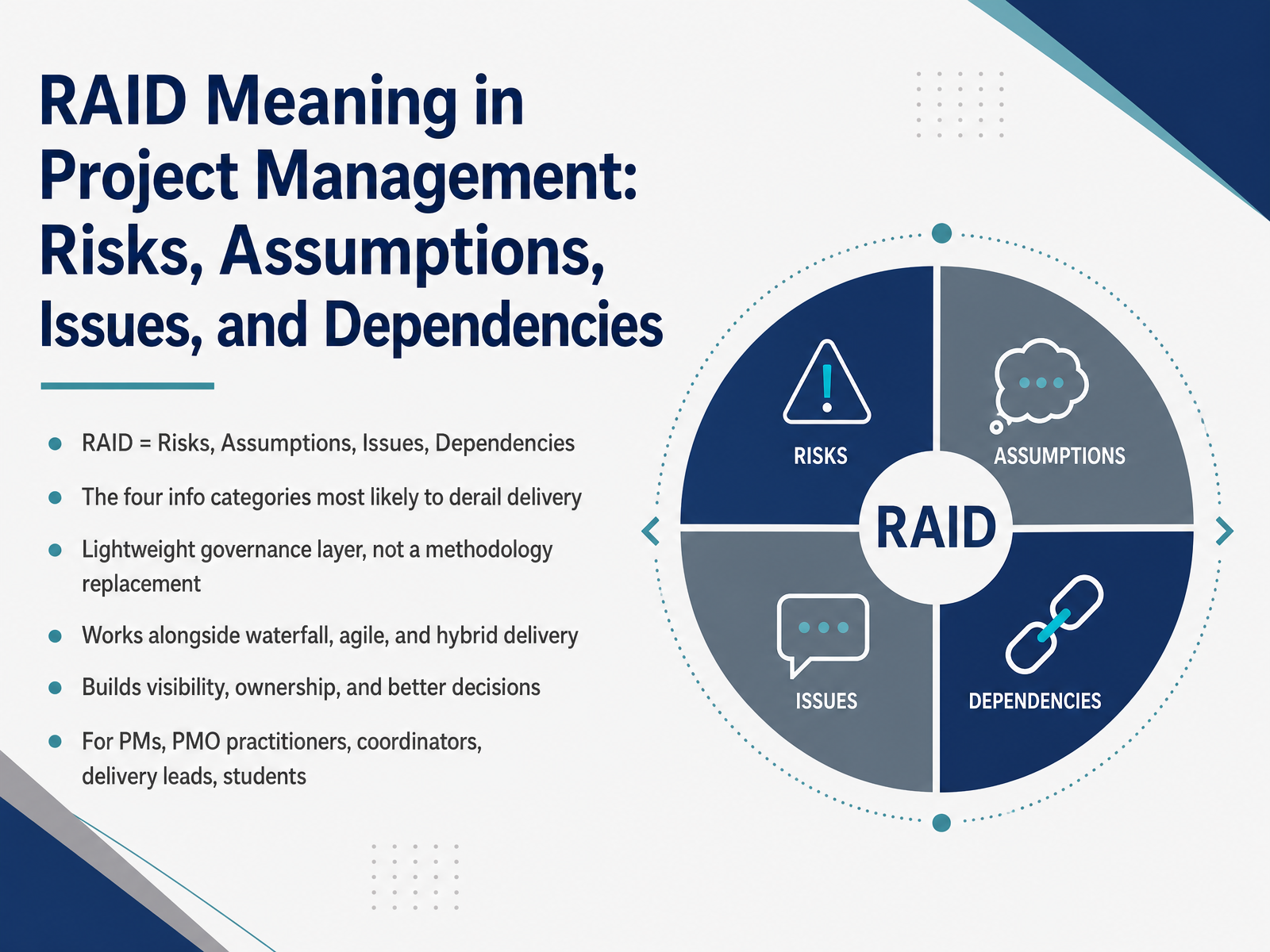
- 01RAID Meaning in Project Management: Risks, Assumptions, Issues, and DependenciesWelcome. Let's start with a simple but important question: what actually derails delivery? Usually, it's the things nobody is tracking, and that's exactly what RAID is built to fix. RAID stands for Risks, Assumptions, Issues, and Dependencies. These are the four categories of project information most likely to cause trouble when they go untracked. A risk is something that might happen. An assumption is something you're treating as true without confirmation. An issue is something already happening. A dependency is something you need from outside your direct control. Here's a scenario you'll recognize. A key vendor might miss a delivery date. That's a risk. You assume their quote includes installation. That's an assumption. The integration test just failed and blocked your user acceptance testing. That's an issue. And your go-live depends on the security team's sign-off. That's a dependency. So what's the point? RAID is a lightweight governance layer. It doesn't replace your methodology. It works alongside waterfall, agile, and hybrid delivery, giving you one shared view that builds visibility, ownership, and better decisions. Over the next few slides, we'll define each term, see real examples, and show how to apply this without adding busywork. Next, let's look at why this matters for delivery governance.gotpmp.comdocumentation.gembaa.comprojinsights.com+22 min
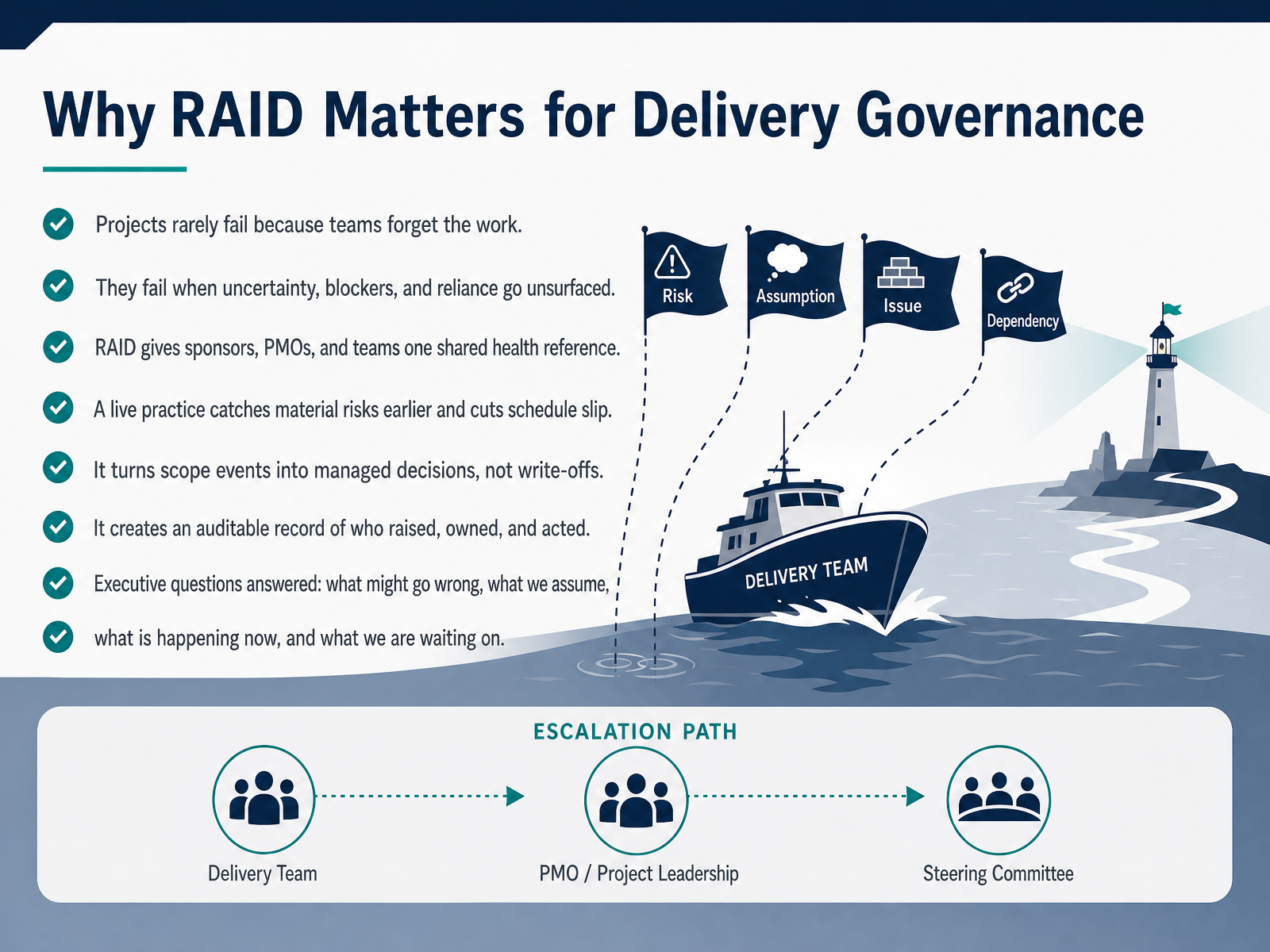
- 02Why RAID Matters for Delivery GovernanceLet's talk about why RAID matters for delivery governance. Projects rarely fail because teams forget the work. They fail when uncertainty, blockers, and reliance go unsurfaced. RAID stands for Risks, Assumptions, Issues, and Dependencies. Think of it as one shared health reference for sponsors, the PMO, and the team, not four separate lists. Picture a vendor slipping a delivery date. As a tracked dependency, it becomes a managed decision with a named owner, not a write-off nobody saw coming. Run as a live practice, RAID catches material risks two to three weeks earlier and reduces schedule slip. It also creates an auditable record of who raised each item, who owned it, and what was done. That record answers the executive questions directly. What might go wrong, what we assume, what is happening now, and what we are waiting on. So keep it current, keep it visible, and treat it as governance rather than documentation. Next, let's break down what each RAID element actually means.
 atlassian.comwrike.comblog.rocketlane.com+21 min
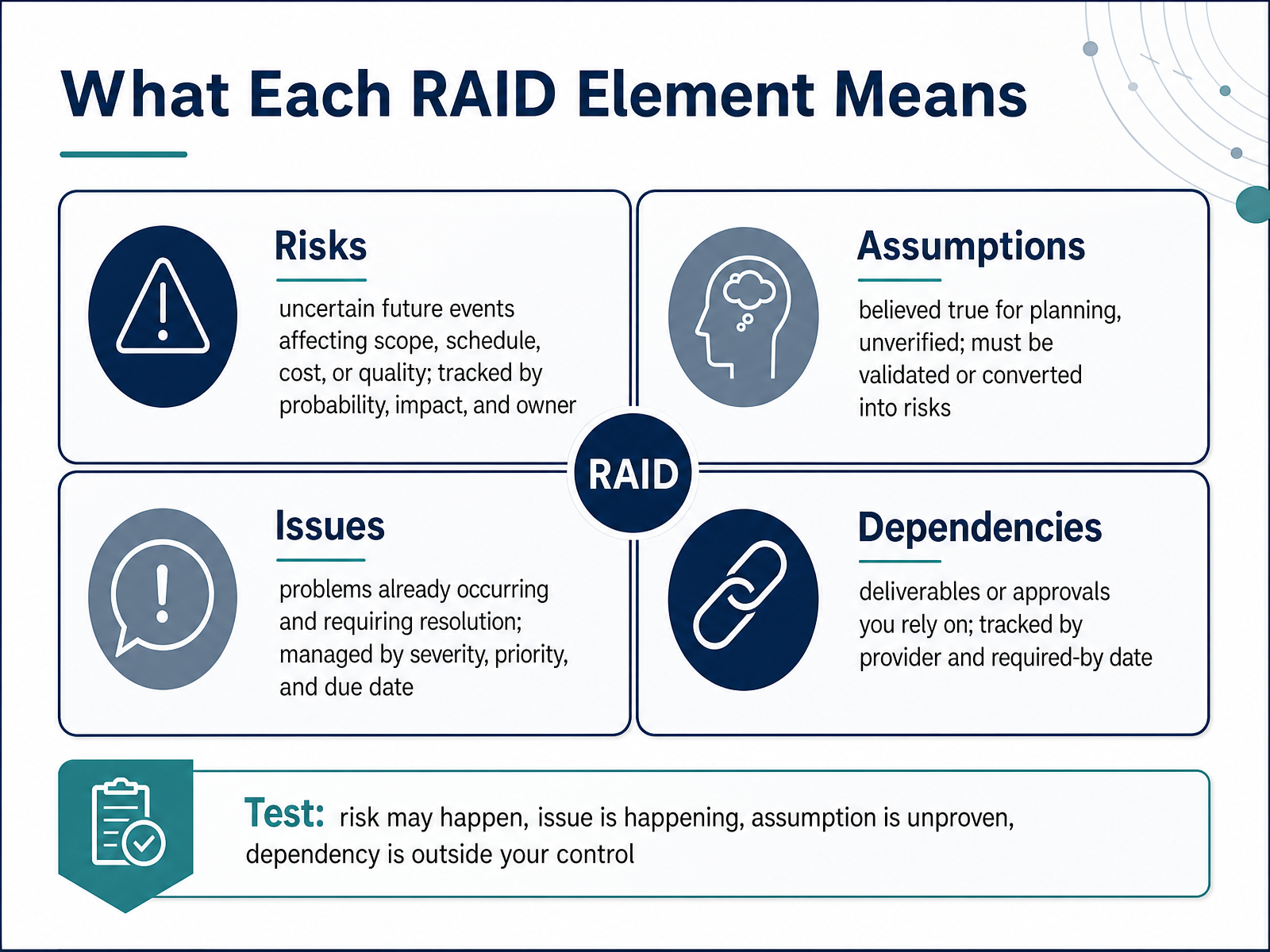
 - 03What Each RAID Element MeansNow let's walk through what each RAID element actually means. A risk is an uncertain future event that could affect scope, schedule, cost, or quality. You track it by probability, impact, and a named owner. For example, a key vendor might miss a delivery date. It hasn't happened yet, so you plan a response. An assumption is something you treat as true for planning, but haven't verified. Say you assume the client's test environment will be ready by sprint three. It needs a validation date, or it should be converted into a risk. An issue is already happening and needs resolution now, managed by severity, priority, and due date. A dependency is a deliverable or approval you rely on from outside your control, tracked by the provider and the date you need it. Here's the simple test. A risk may happen. An issue is happening. An assumption is unproven. A dependency sits outside your control. Next, we'll look at distinguishing risks, issues, assumptions, and dependencies.
 gotpmp.comdocumentation.gembaa.comprojinsights.com+22 min
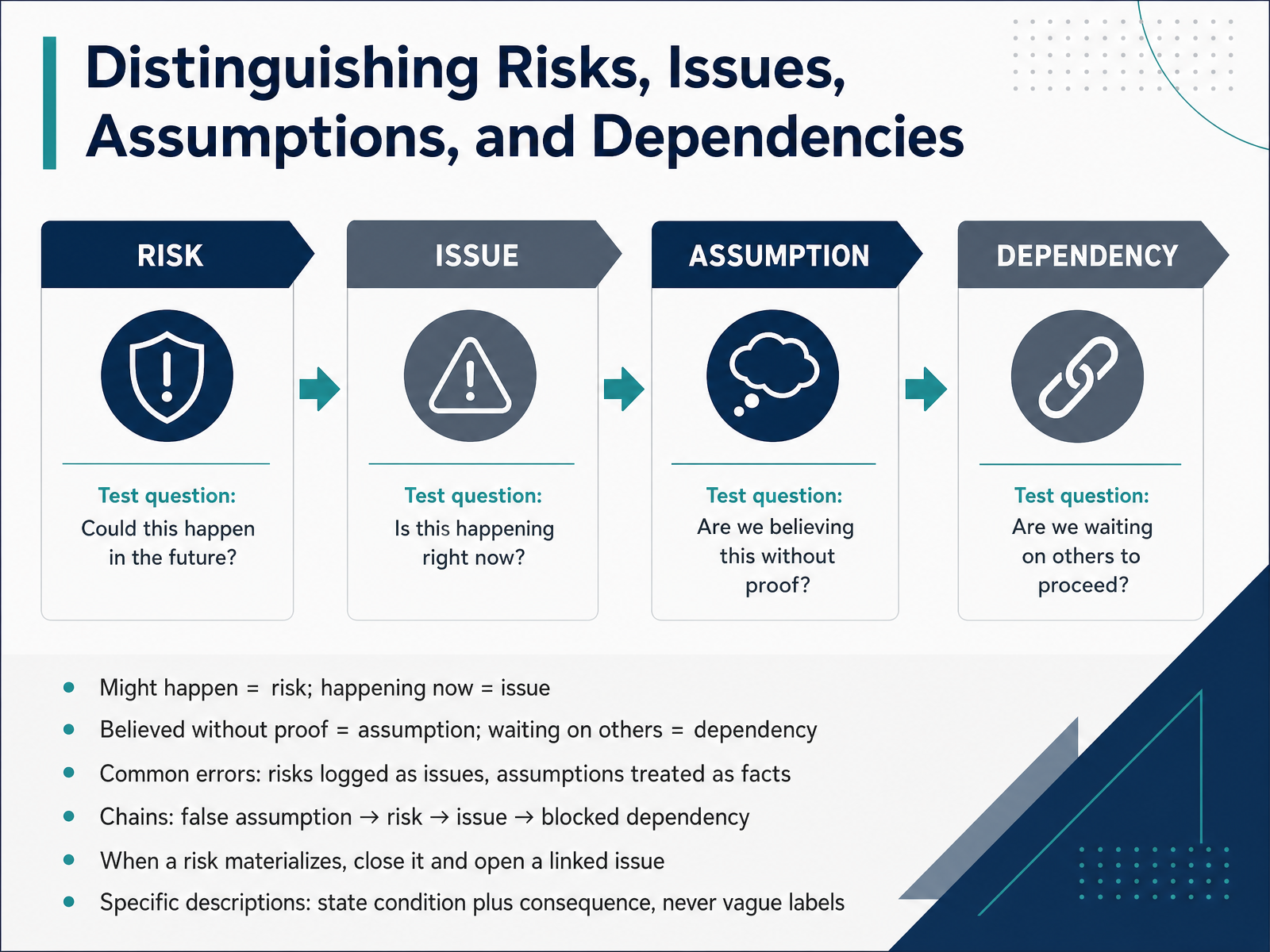
 - 04Distinguishing Risks, Issues, Assumptions, and DependenciesLet's make sure the four RAID categories stay distinct, because that distinction drives your response. A risk might happen. An issue is happening now. An assumption is something you believe without proof. And a dependency is something you are waiting on from others. Picture a vendor integration. The vendor may miss the date is a risk. The vendor has missed the date is an issue. We assume the client provides test data by Friday is an assumption. Go live depends on their security sign off is a dependency. The common errors are predictable. Risks logged as issues, and assumptions treated as facts. Watch the chain. A false assumption becomes a risk, the risk materializes into an issue, and that issue blocks a dependency. So when a risk materializes, close it and open a linked issue. And write specific descriptions that state the condition plus the consequence, never vague labels. Let's look at the log structure and core fields next.
 gotpmp.comdocumentation.gembaa.comprojinsights.com+22 min
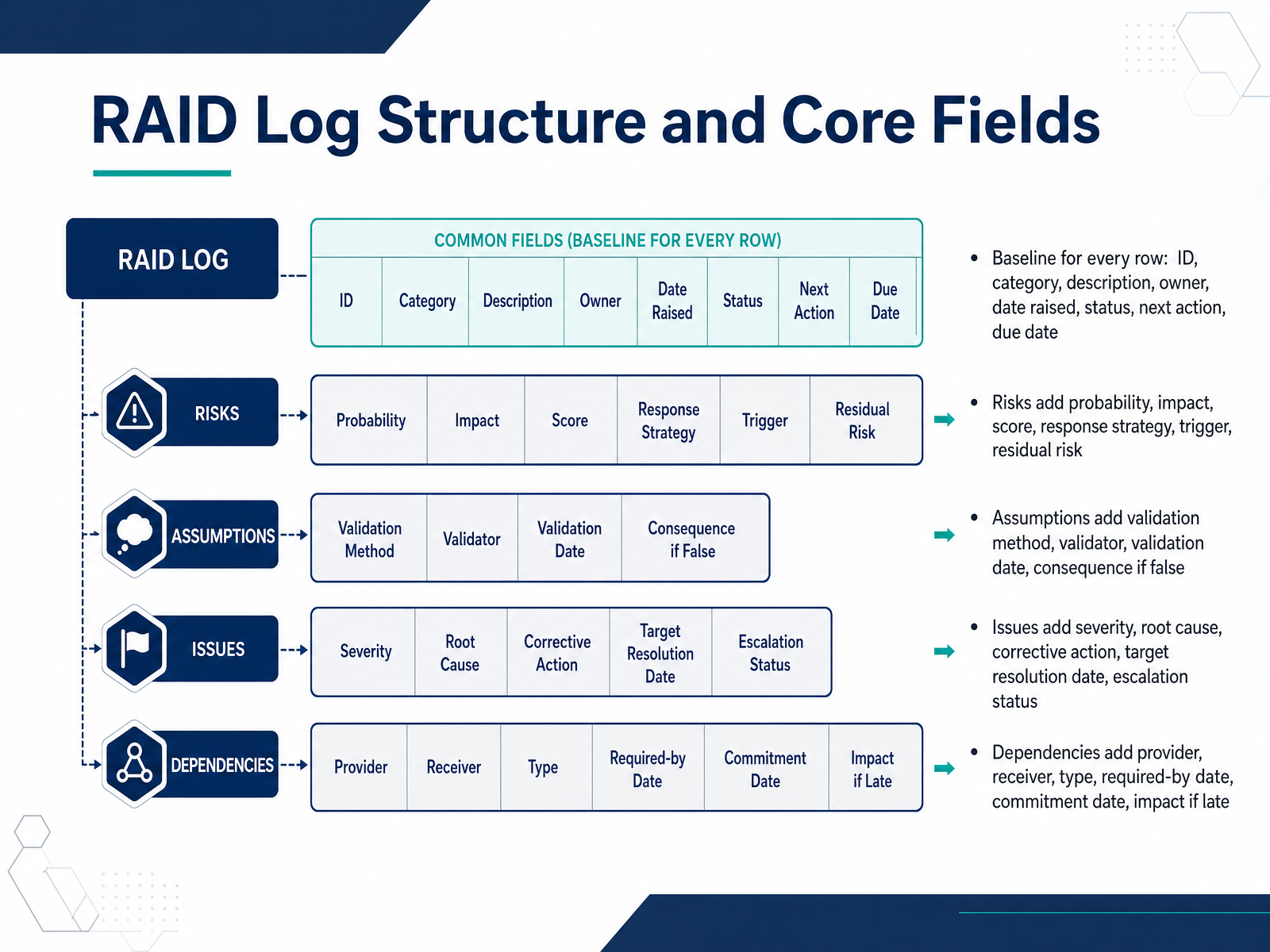
 - 05RAID Log Structure and Core FieldsLet's walk through the structure of the RAID log itself. Every row in the log starts with the same baseline fields. You have an ID to reference the item in meetings. A category that tells you whether it is a risk, assumption, issue, or dependency. A description written in one clear sentence. An owner, meaning one named person. The date it was raised. A status. A next action. And a due date. That baseline keeps every entry traceable and actionable. From there, each category adds its own fields. Risks carry probability, impact, a score, a response strategy, a trigger, and residual risk. Assumptions carry a validation method, a validator, a validation date, and the consequence if the assumption turns out to be false. Issues carry severity, root cause, corrective action, a target resolution date, and escalation status. Dependencies carry the provider, the receiver, the type, a required-by date, a commitment date, and the impact if the dependency arrives late. The so what is simple. Shared baseline fields keep the log scannable, while category-specific fields give you enough detail to act instead of just observe. Next, we will look at practical design choices for RAID logs.
 gotpmp.comdocumentation.gembaa.comprojinsights.com+22 min
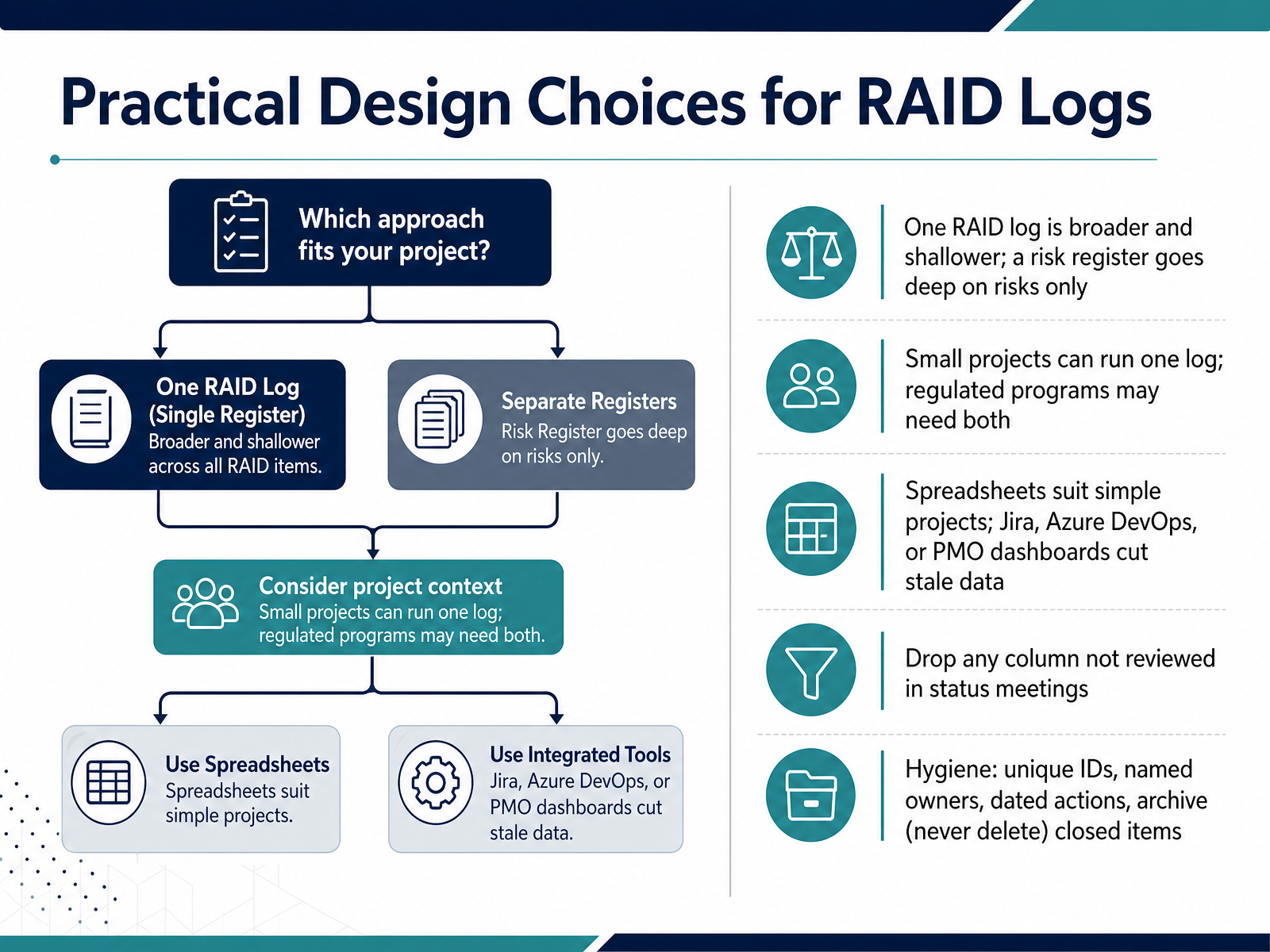
 - 06Practical Design Choices for RAID LogsNow let's talk about the practical design choices behind your RAID log. First, scope. A RAID log is broader and shallower, covering risks, assumptions, issues, and dependencies. A risk register goes deep on risks only. For a small project, one RAID log is enough. In a regulated program, you often run both. Second, your tool. Spreadsheets suit simple projects. Jira, Azure DevOps, or a PMO dashboard cut stale data because entries live next to the work. Third, keep it lean. Drop any column your team never reviews in status meetings. Finally, hygiene. Use unique IDs, name an owner for every item, date every action, and archive closed items instead of deleting them. That habit preserves your project history. That gives you a log people actually maintain. Building the RAID Log from Kickoff is next.
 atlassian.comwrike.comblog.rocketlane.com+21 min
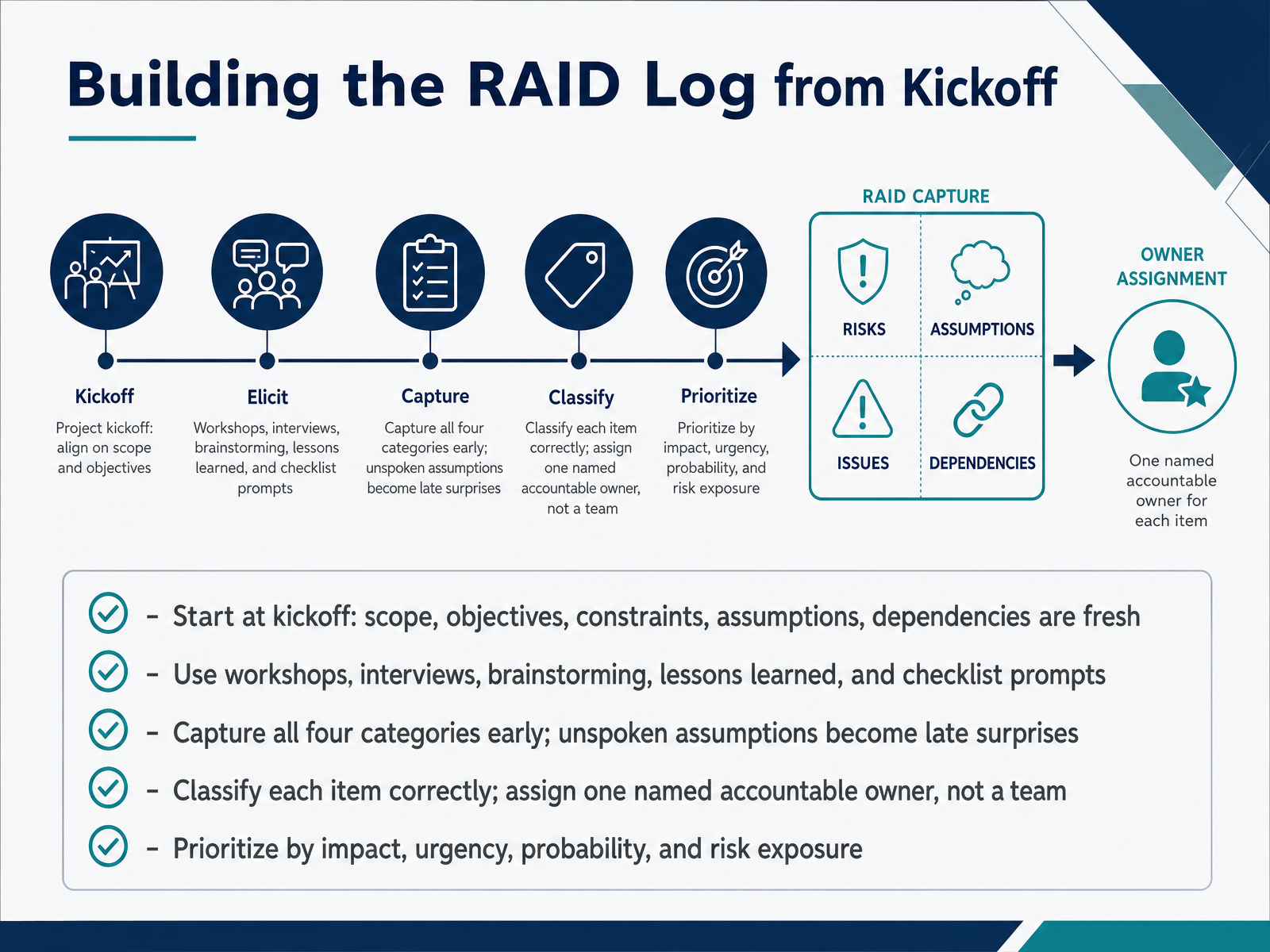
 - 07Building the RAID Log from KickoffNow that we have the RAID categories defined, let us turn to building the log itself. The right moment is kickoff. Scope, objectives, constraints, assumptions, and dependencies are all fresh in the room, so the conversation is grounded in real work. What could go wrong, what are we assuming, what is happening now, and what is blocked. Pull the answers together through workshops, interviews, brainstorming, lessons learned from prior projects, and simple checklist prompts.
Capture all four categories early, because an unspoken assumption becomes a late surprise. Classify each item correctly, so a risk does not sit in the log pretending to be an issue. Then assign one named accountable owner, not a team. A team never chases anything, because nobody in it believes the chasing is specifically theirs.
Finally, prioritize. Rank each item by impact, urgency, probability, and overall risk exposure. That ordering tells you what to work first, and it keeps your limited attention on the rows that can actually move the project. So what. A log built at kickoff is not paperwork. It is your early warning system.
Next, we look at keeping it that way, in Maintaining the RAID Log as a Living Tool.
 atlassian.comwrike.comblog.rocketlane.com+22 min
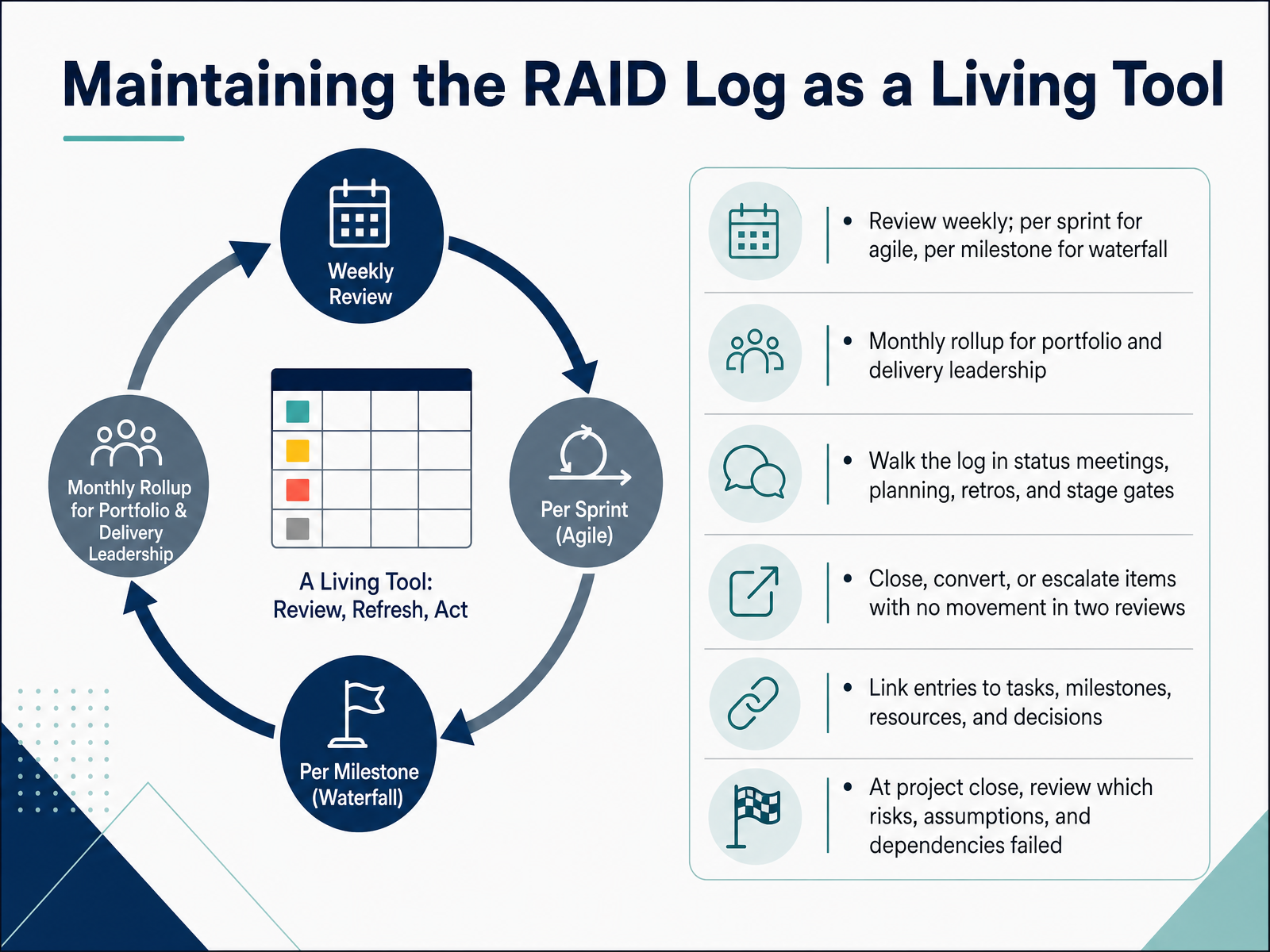
 - 08Maintaining the RAID Log as a Living ToolSo a RAID log only earns its keep if it stays current. Keep it alive with a steady rhythm. Review it weekly, every sprint for agile teams, and at each milestone for waterfall. Once a month, roll the key items up for portfolio and delivery leadership. Then actually walk the log in status meetings, planning sessions, retros, and stage gates, not just file it away. Here is the rule that matters most. If an item shows no movement across two reviews, you close it, convert it, or escalate it. No silent drift. Keep every entry linked to the task, milestone, resource, or decision it touches, so it stays actionable. And at project close, review which risks, assumptions, and dependencies failed. Those patterns sharpen your next estimate. The log is a habit, not an archive. Next, we look at RAID in Agile, Waterfall, and Hybrid Delivery.
 gotpmp.comdocumentation.gembaa.comprojinsights.com+22 min
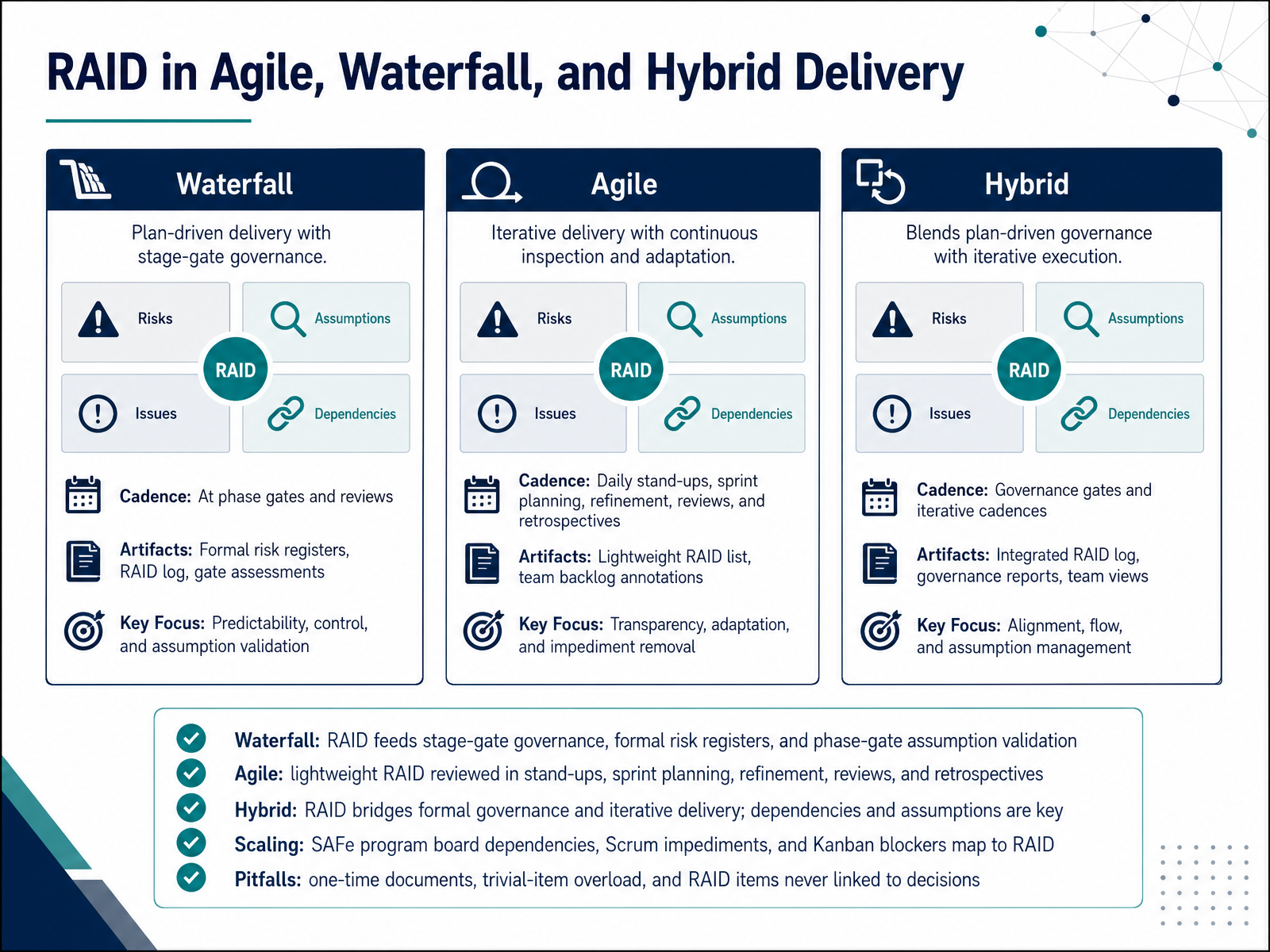
 - 09RAID in Agile, Waterfall, and Hybrid DeliveryNow let's look at how RAID adapts across delivery approaches. In Waterfall, RAID feeds stage-gate governance. Formal risk registers and phase-gate reviews give you a scheduled moment to validate assumptions before the next phase is funded. In Agile, RAID stays lightweight. You review it in stand-ups, sprint planning, refinement, reviews, and retrospectives, so risks and dependencies surface within days, not months. Hybrid delivery is where RAID earns its keep. It bridges formal governance and iterative delivery, and dependencies and assumptions become your key focus. When you scale, the same categories map cleanly. A SAFe program board is essentially a dependency register. Scrum impediments map to issues. Kanban blockers map to issues too. Watch three pitfalls. A RAID log treated as a one-time document goes stale. Trivial-item overload buries what matters. And items never linked to decisions lose their purpose. Keep it live, keep it prioritized, and tie every entry to a decision. Next, we move into RAID Reporting, Metrics, and Dashboards.
 gotpmp.comdocumentation.gembaa.comprojinsights.com+22 min
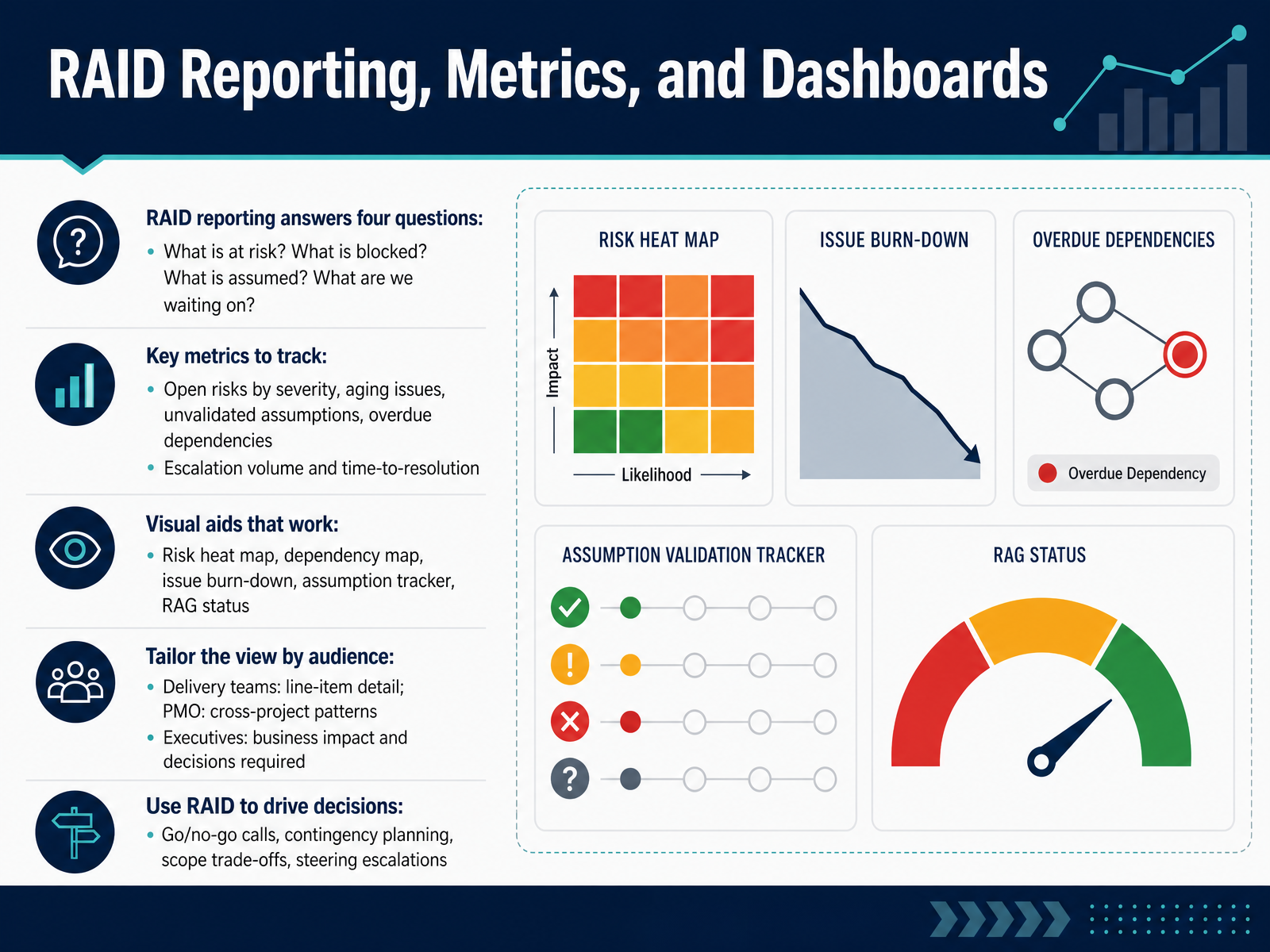
 - 10RAID Reporting, Metrics, and DashboardsNow let's look at how you report RAID, because reporting is what turns the log into decisions. Good RAID reporting answers four questions. What is at risk? What is blocked? What is assumed, but not yet confirmed? And what are we waiting on from someone else? If your report cannot answer those four, it is not yet useful. Next, the metrics worth tracking. Open risks by severity. Aging issues. Unvalidated assumptions. Overdue dependencies. And escalation volume with time to resolution. Time to resolution matters most. If escalations pile up faster than they close, governance is watching rather than deciding. Visuals do the heavy lifting here. A risk heat map, a dependency map, an issue burn-down, an assumption tracker, and RAG status. Keep each one simple enough to read in a minute. Then tailor the view. Delivery teams need line-item detail. Your PMO needs cross-project patterns. Executives need business impact and the decisions required from them. The payoff is decisions. Go or no-go calls, contingency planning, scope trade-offs, and steering escalations. If a RAID report does not change a decision, trim it. Let's put this into practice with some practical case scenarios and classification practice.
 atlassian.comblog.rocketlane.comportfoliohub.io+22 min
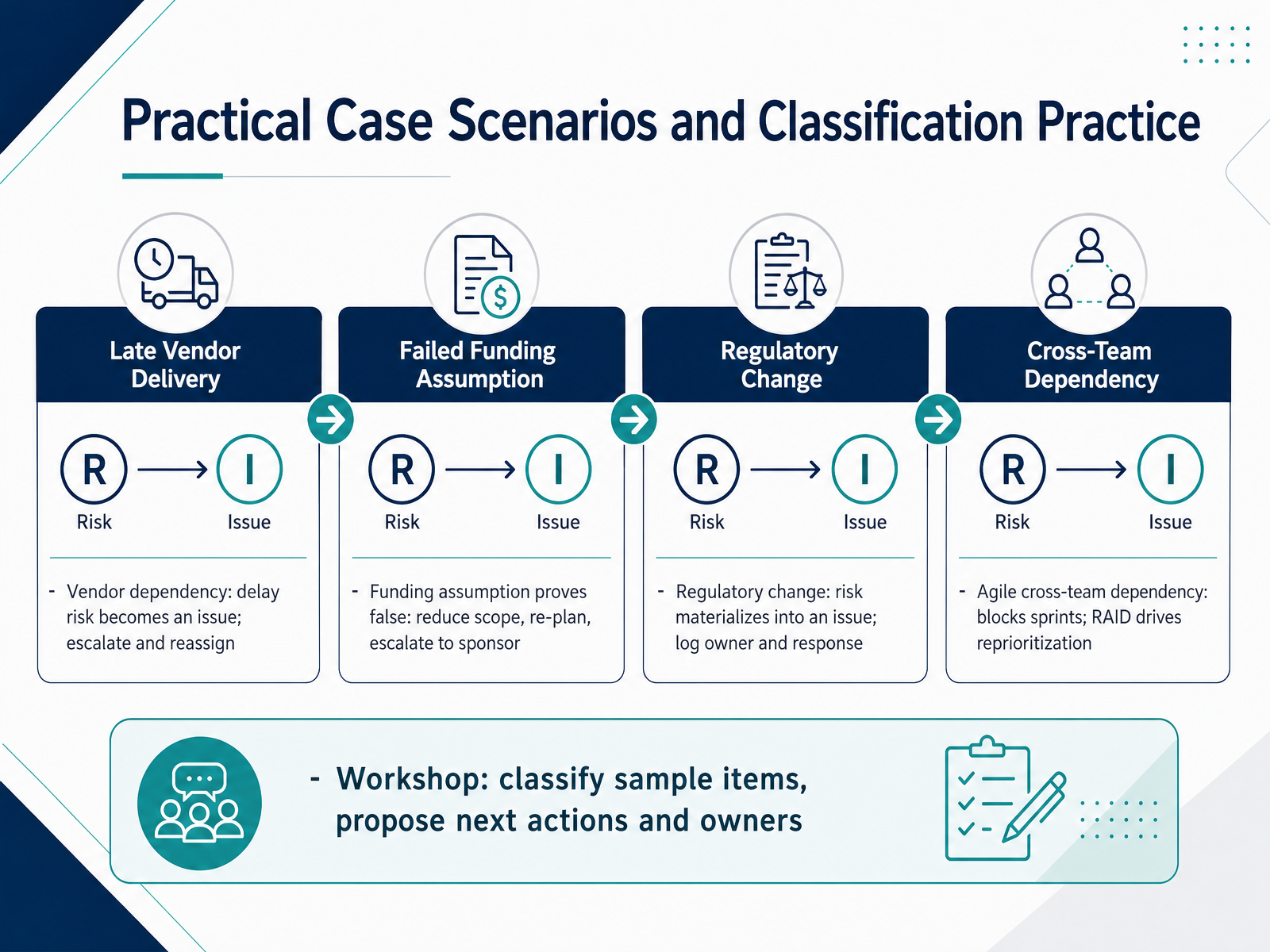
 - 11Practical Case Scenarios and Classification PracticeLet us put classification into practice. Here are four scenarios you will recognize, and the correct response for each.
First, a vendor dependency. The vendor's delay risk has materialized, so it is now an issue. Escalate it to the sponsor, then reassess and reassign the work so the team can continue.
Second, a funding assumption proves false. That assumption is invalidated. Reduce scope, re-plan around the constraint, and escalate the decision to the sponsor.
Third, a regulatory change arrives. The risk has become an issue. Log it with a named owner, a response, and a target resolution date.
Fourth, an agile cross-team dependency blocks your sprints. Treat it as a dependency, and let the RAID log drive reprioritization across teams.
In the workshop, classify each sample item, then propose next actions and owners. The discipline is simple. Naming the category tells you who acts, and what the next step should be.
Coming up next, Common Mistakes, Governance, and RAID Maturity.
 gotpmp.comdocumentation.gembaa.comprojinsights.com+22 min
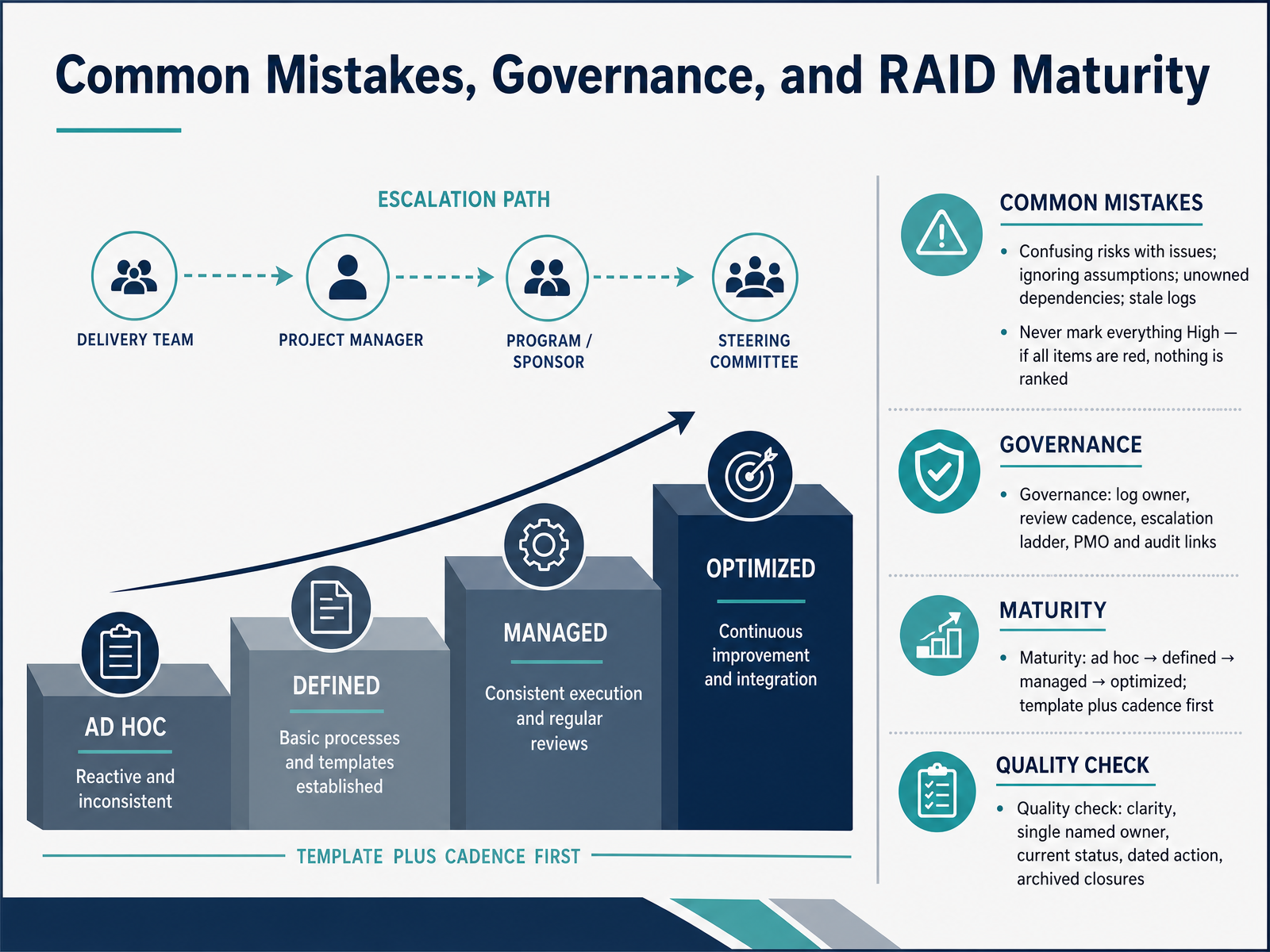
 - 12Common Mistakes, Governance, and RAID MaturityLet's talk about where RAID logs typically go wrong, and how governance and maturity keep them honest. Four common mistakes: confusing risks with issues, so a risk that has already happened is still managed passively; ignoring assumptions; leaving dependencies unowned; and letting the log go stale. Remember, a risk is potential. An issue is live. A second mistake is marking everything High. If every item is red, nothing is ranked, and nothing gets real attention. Now, governance. Name a log owner, set a review cadence, and define an escalation ladder. Link to your PMO and audit trails so there is a clear record of who decided what, and when. Maturity moves in stages: ad hoc, defined, managed, optimized. Start with a single template plus a weekly cadence before adding sophistication. Finally, run a quick quality check on each entry: is it clear, does it have one named owner, a current status, a dated next action, and an archived closure when resolved. Get those basics right, and the log stays credible. Let's move into the knowledge check and key takeaways.
 atlassian.comblog.rocketlane.comportfoliohub.io+22 min
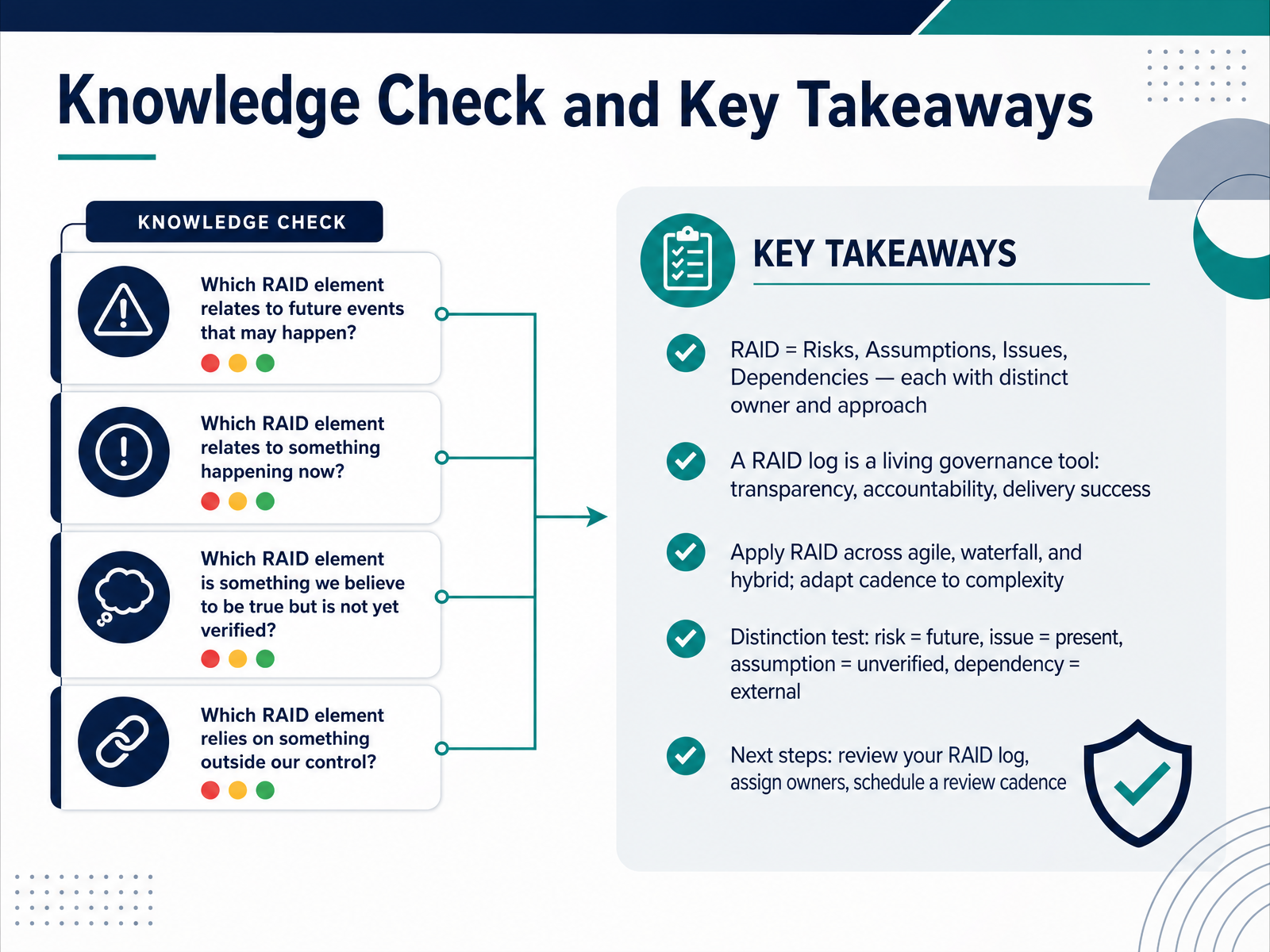
 - 13Knowledge Check and Key TakeawaysLet's close with a quick knowledge check and the takeaways worth carrying into your week. RAID stands for Risks, Assumptions, Issues, and Dependencies. Each one gets its own owner and its own approach: risks are managed with response plans, issues are resolved, assumptions are validated, and dependencies are tracked. Your RAID log is a living governance tool, not a filing exercise. It gives you transparency, clear accountability, and a measurable lift in delivery success. The distinction test keeps your log honest. A risk is future. An issue is present. An assumption is unverified. A dependency is external. Here's what that looks like: if a vendor might miss a date, that's a risk. If they've missed it, that's an issue. If you're assuming they'll deliver on time, that's an assumption. And if go-live waits on their sign-off, that's a dependency. This all works across agile, waterfall, and hybrid delivery. You just adapt the review cadence to your complexity. Weekly works for most teams, plus assumption checks at each milestone. So here are your next steps. Review your RAID log, confirm every entry has a named owner, and put a recurring review on the calendar. Thank you for working through this course. You now have a clear, practical framework, and applying it consistently is what turns RAID from documentation into delivery control. Well done.
 gotpmp.comdocumentation.gembaa.comprojinsights.com+22 min
Take the deck with you
Download this course as a file — free, no sign-up needed.
- PDF handoutEvery slide page, ready to print or share.14 pages · 3.4 MBDownload
- Narrated PowerPointThe deck that presents itself — every slide carries the digital human's narration video.14 pages · 13.6 MBDownload
- PowerPoint slidesThe full deck as a .pptx — open it in PowerPoint, Keynote, or Google Slides.14 pages · 3.2 MBDownload
Free to use in your own training — please keep the PersonWise credit page at the end.
Have your own deck? Turn it into a course
Sources consulted
Web sources consulted while building this course.
- What Is a RAID Log? Risks, Assumptions, Issues and Dependencies Explained | Got PMP Blog — gotpmp.com
- Introduction to Risks, Issues, and Dependencies (RAID) - Gembaa - Knowledge base — documentation.gembaa.com
- RAID in Project Management: A Comprehensive Guide - ProjInsights — projinsights.com
- RAID in Project Management: Log, Method & Examples — klient.com
- What are the differences between a Risk vs Issue vs Dependency vs Assumption - the chart below explains what each one is and how they differ. | Mark Troncone, MBA, PMP, PMI-ACP, CBAP, CSM, ITILv3 — linkedin.com
- RAID Log Explained: How to Keep Projects on Track | Atlassian — atlassian.com
- https://www.wrike.com/project-management-guide/faq/what-is-raid-in-project-management/ — wrike.com
- RAID Management: Complete Guide for PS Teams (2026) — blog.rocketlane.com
- RAID log: Track risks, assumptions, issues & decisions — asana.com
- RAID in Project Management: How It Supports PMOs & ... — celoxis.com
- RAID Log: What RAID Stands For in Project Management | Portfolio Hub — portfoliohub.io
- "RAID Log: Track Risks, Assumptions, Issues, and Dependencies" — resources.rework.com
- RAID Log Template: Risks, Issues & Dependencies | Quire — quire.io