Begin
14 pages · ~28 min
Graphic Design Fundamentals
Explore the major types of graphic design, including branding, digital, print, and motion design, to identify career paths and core principles for aspiring designers.
A digital instructor presents all 14 pages. Hold “Ask” at any point and ask out loud — the answer comes from this course. No sign-up needed.
What you’ll learn
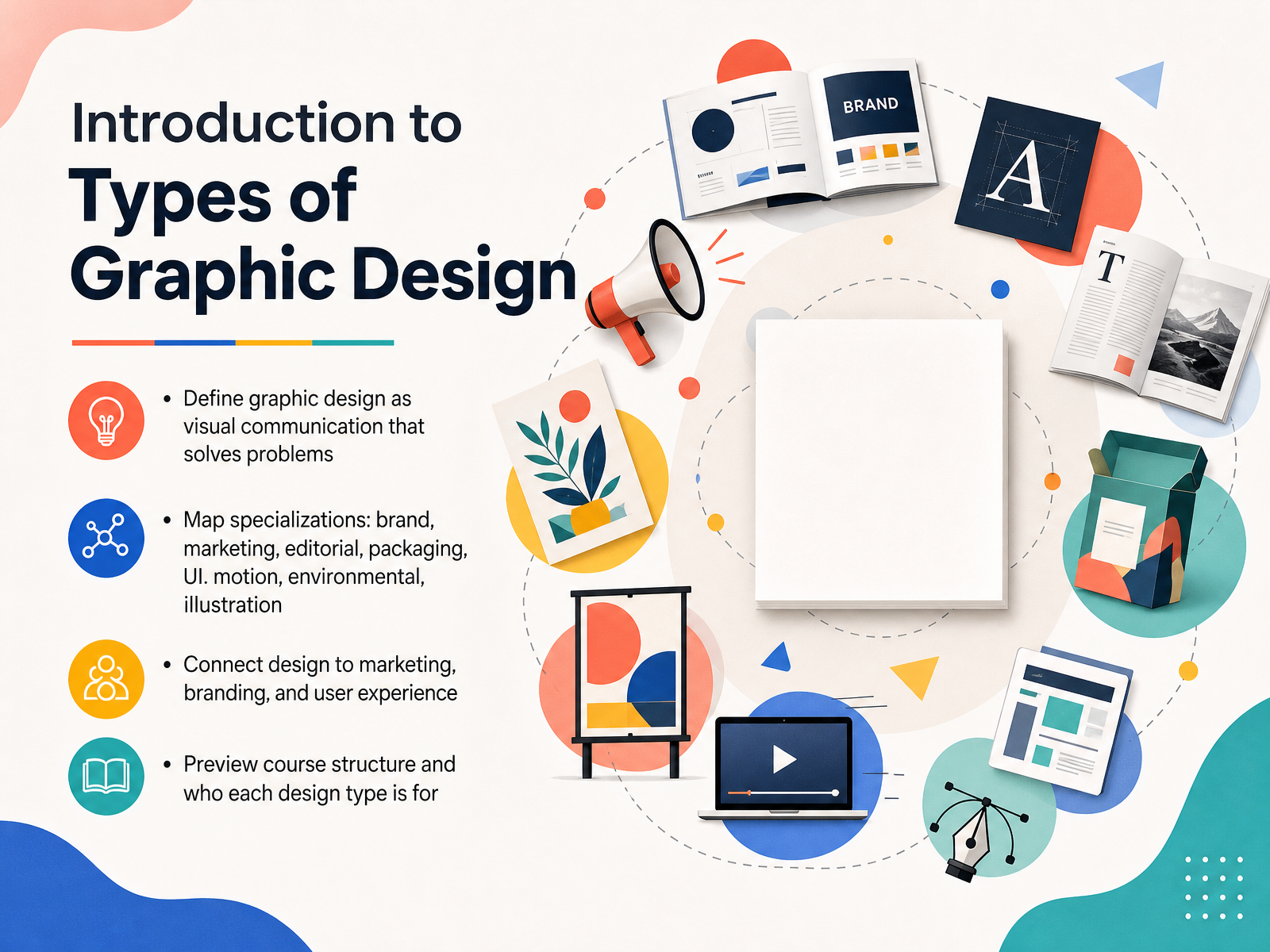
- 01Introduction to Types of Graphic DesignWelcome to this course on the types of graphic design. I'm really glad you're here, because whether you're a designer, a marketer, a student, or just someone who loves great visuals, there's a place for you in this field. So, what exactly is graphic design? At its heart, it's visual communication that solves problems. Think of a poster that made you stop and read, or a website that just felt easy to use. A designer made choices about images, words, and space to guide you. In this course, we'll map out the main specializations, from brand identity and marketing to packaging, user interfaces, motion, environmental graphics, and illustration. Now here's where it gets interesting. Each of these connects directly to marketing, branding, and user experience. But they don't all require the same skills, and they serve different goals. We'll explore who each type of design is actually for, and how you can apply the ideas right away. Let's start by building a solid foundation with what graphic design really is.consortcreative.comwhatifdesign.coblog.hubspot.com+22 min
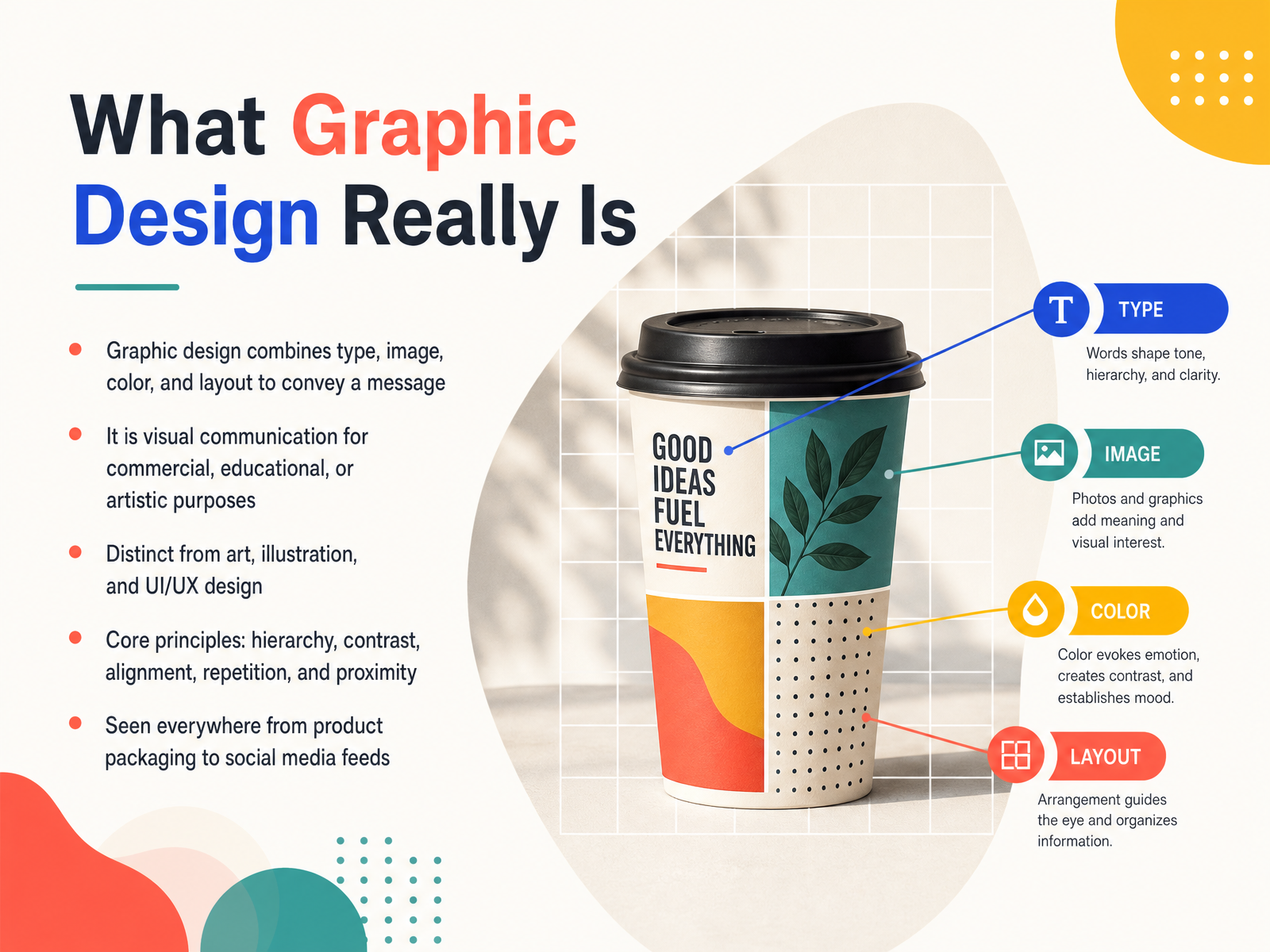
- 02What Graphic Design Really IsSo let's get clear on what graphic design actually is. At its heart, it's about combining elements like type, image, color, and layout to convey a message. Think of layout as the arrangement of everything on a page or screen. Design is really visual communication, used for commercial, educational, or artistic purposes. Now here's where it gets interesting. It's distinct from fine art, which is about personal expression. And it's different from illustration, which focuses on creating specific images. It also isn't the same as UI/UX design, which is about how an app or website functions. Instead, graphic design uses core principles to create clarity. These principles include hierarchy, which guides your eye to what matters most. Contrast to make things stand out, alignment to create order, repetition for consistency, and proximity to group related items. You see this everywhere, from product packaging you pick up to the social media feeds you scroll through. Understanding this foundation sets us up perfectly to explore the first major specialty: visual identity and brand design.
 monkyvision.comdesignrush.comedesignify.com+21 min
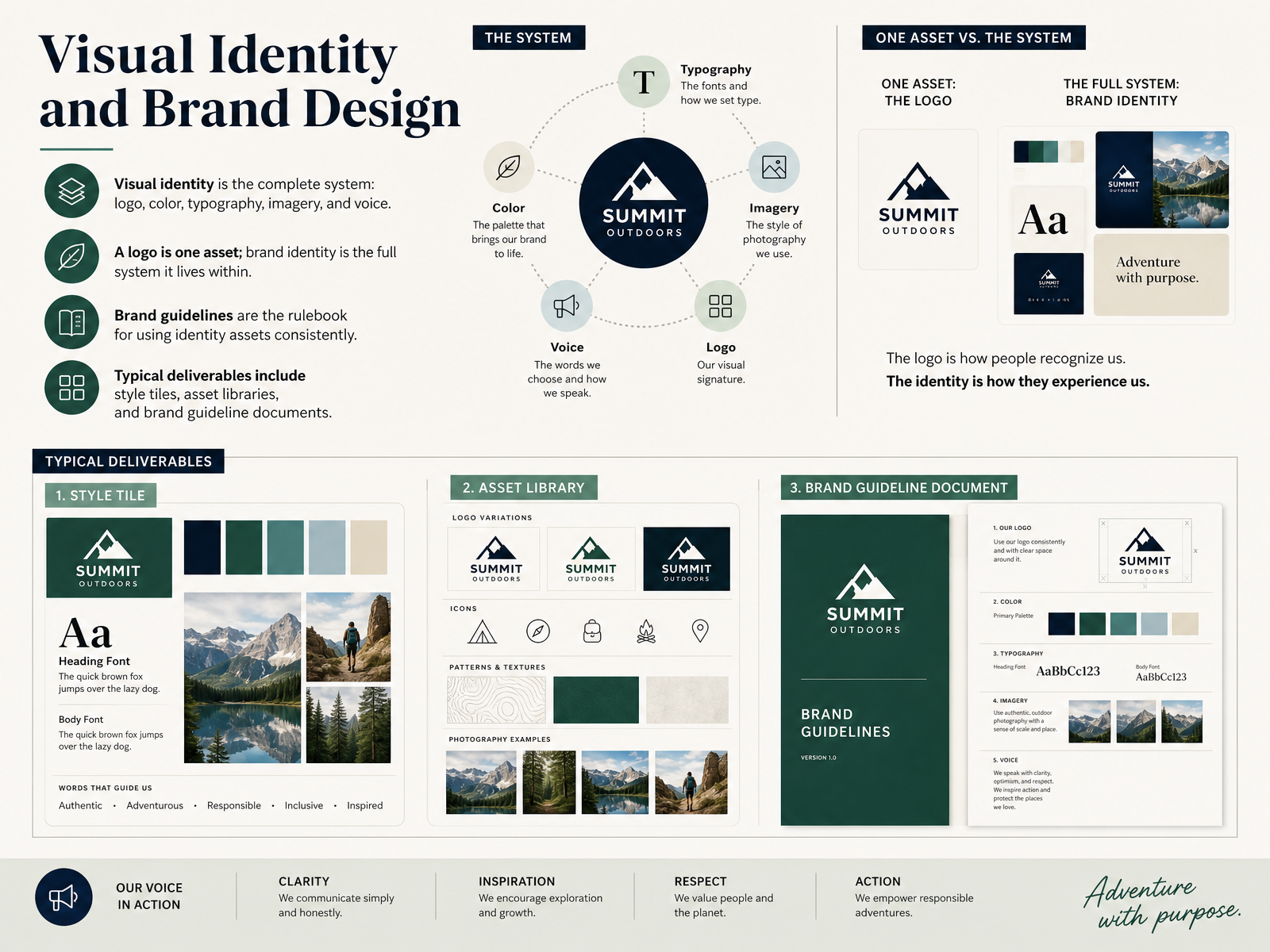
 - 03Visual Identity and Brand DesignNow here's where design gets strategic. Visual identity and brand design isn't just about making things look pretty. It's about building a complete system. Imagine a logo, color palette, typography, imagery style, and even the brand's voice, all working together as one connected language. A logo is just one asset, like a single word. But the brand identity is the full sentence it lives within. To keep that sentence clear, we use brand guidelines. Think of these as the rulebook. They explain exactly how to use the logo, which colors are approved, and what tone the writing should take, so everyone stays on the same page. Typical deliverables include style tiles, asset libraries, and that essential brand guideline document. When a system is consistent, it builds trust and recognition fast. Now let's shift from building a brand's core identity to promoting it, with marketing and advertising design.
 consortcreative.comwhatifdesign.coblog.hubspot.com+21 min
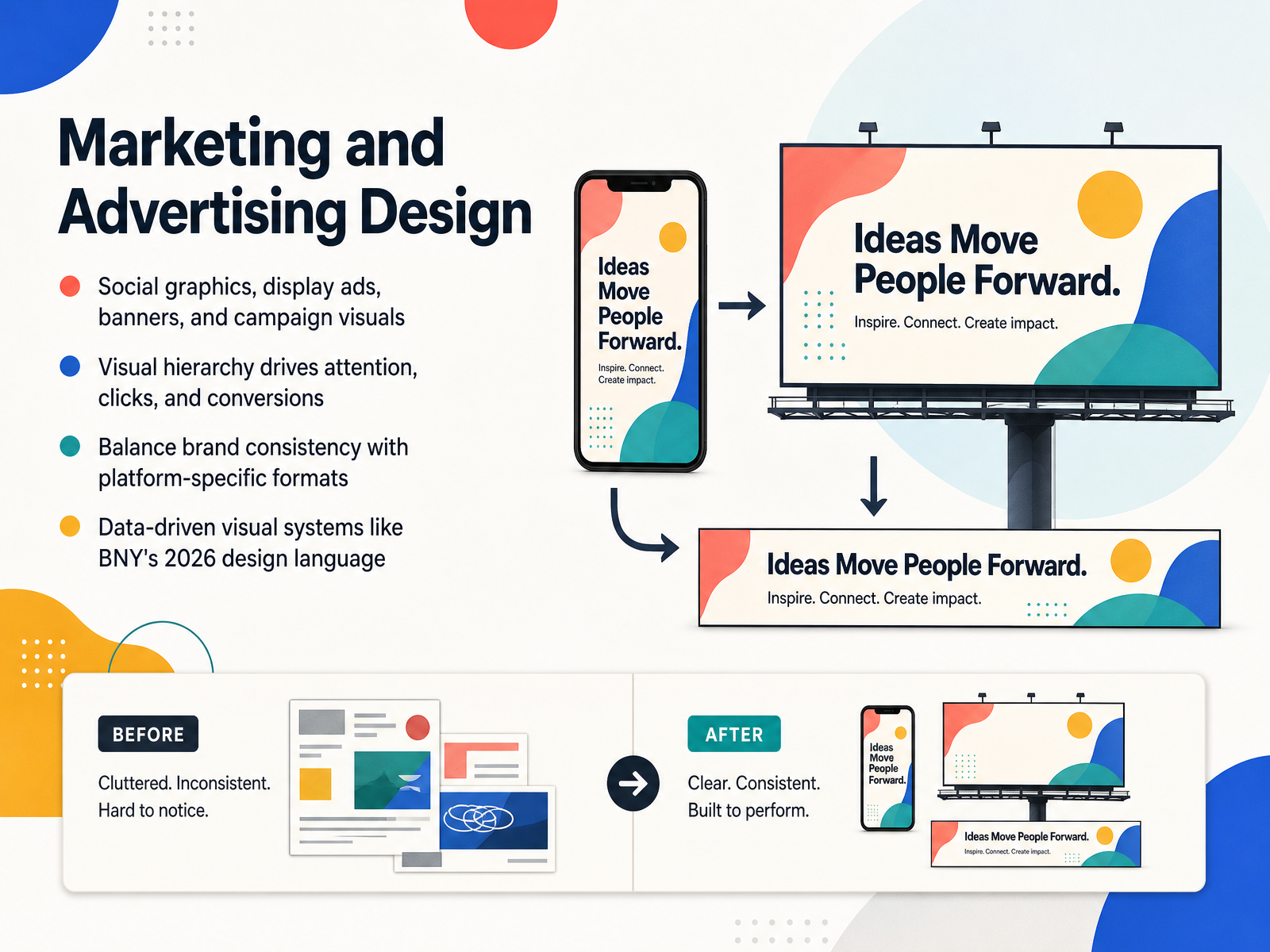
 - 04Marketing and Advertising DesignNow here's where things get really exciting. Marketing and advertising design is all about getting people to take action. Think of those social graphics, display ads, and banners that make you stop scrolling. That is visual hierarchy at work. Designers arrange images and text to guide your eye to what matters most. The big headline first, then the supporting details, and finally that clickable button. It's a careful balance, though. A brand must stay recognizable while fitting each platform perfectly. A billboard is not an Instagram post. And in twenty twenty-six, this field is getting even smarter. Take BNY's new design language. They built a whole visual system around real business data. Their signature arrow literally moves and changes shape based on information. That means their marketing assets are not just pretty. They are informative. Designers now create systems that let data tell the story. This blend of creativity and strategy is what drives clicks and conversions. Now let's shift from the fast world of ads to something more long-form. Up next is Publication and Editorial Design.
 lbbonline.comthe-brandidentity.comraxo.co+21 min
 - 05Publication and Editorial DesignNow here is where things get really interesting. Publication and editorial design is all about shaping long-form stories, like magazines, books, annual reports, and brochures. Think of a magazine spread you love flipping through. That is layout in action. Designers use grid systems and typographic scale to create clear structure, so your eye knows exactly where to go next, even across dozens of pages. In print, the magic happens in spreads, two pages seen side by side. But for digital-first content, we flip the priority. Now we are arranging layouts for mobile reading, often on a small five-inch screen. Successful editorial systems organize complex content with a consistent visual language. Imagine a national policy report that uses the same typography and color accents online and in print. That unity builds trust. And next, we will open up another world entirely. Let’s talk about packaging design.
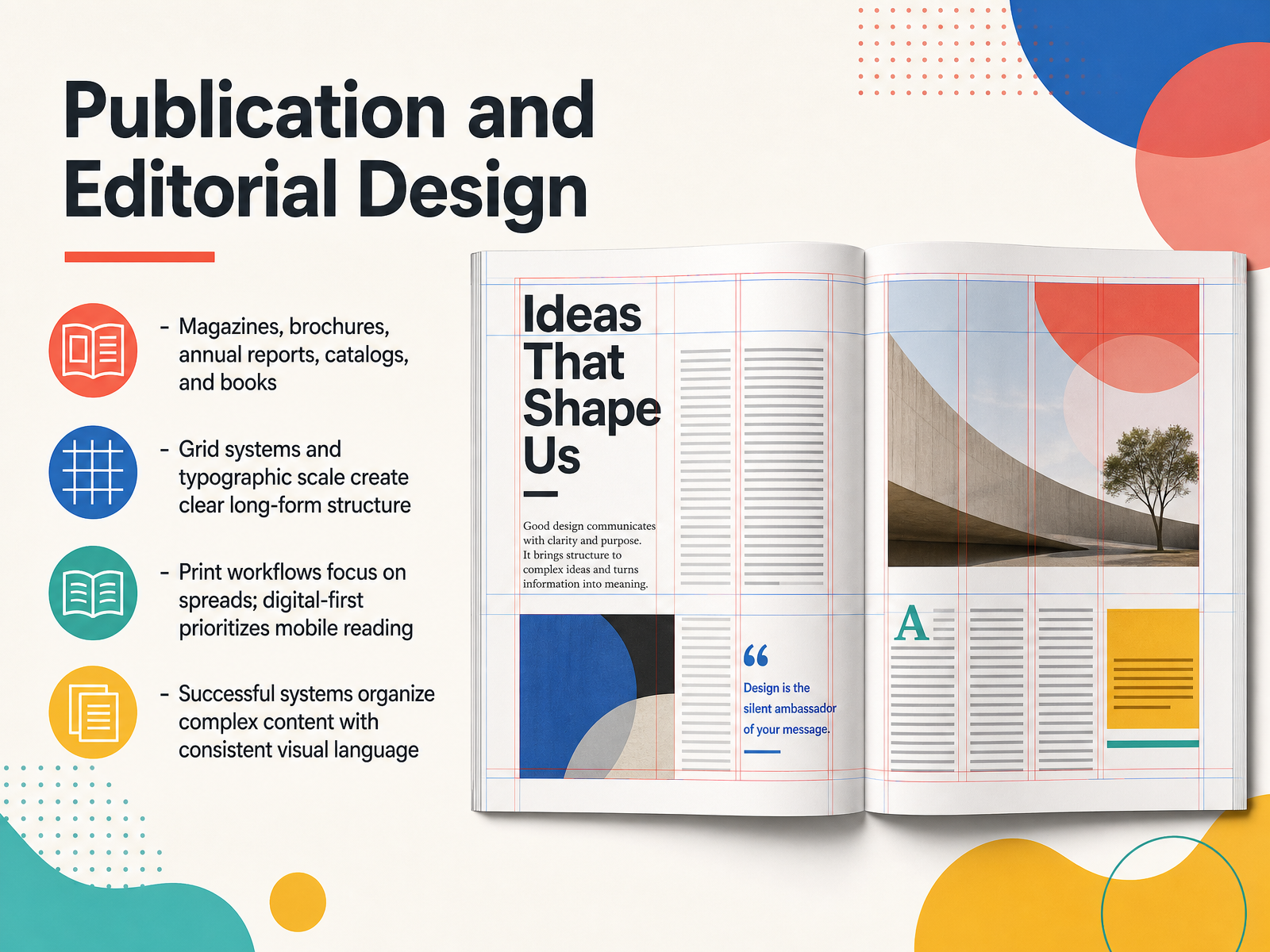 brangho.comashleykinnard.combehance.net+21 min
 - 06Packaging DesignNow let's talk about packaging design. This is where graphic design becomes something you can literally hold in your hands. Think of product containers, labels, boxes, and that beautiful retail packaging that stops you in the aisle. Packaging has a huge job. It drives shelf appeal and influences purchase decisions, but it also shapes your entire brand experience from the moment you see the product to when you open it at home. But packaging designers don't just make things look pretty. They have to choose materials carefully, plan for special die-cuts and finishes, and work within real production constraints. A design might look perfect on screen, but it still has to work on a physical box. Now here's where it gets interesting. In 2026, the trends are shifting fast. We're seeing substantiated sustainability, where eco-friendly claims have to be backed by real proof. Smart packaging is also growing, using QR codes and digital links to connect customers to more content. And then there's sensory unboxing, which turns opening a package into a memorable, multi-sensory moment. So packaging design is where creativity meets engineering, and it's only getting smarter. Up next, we'll explore how those same principles show up in user interface and digital product design.
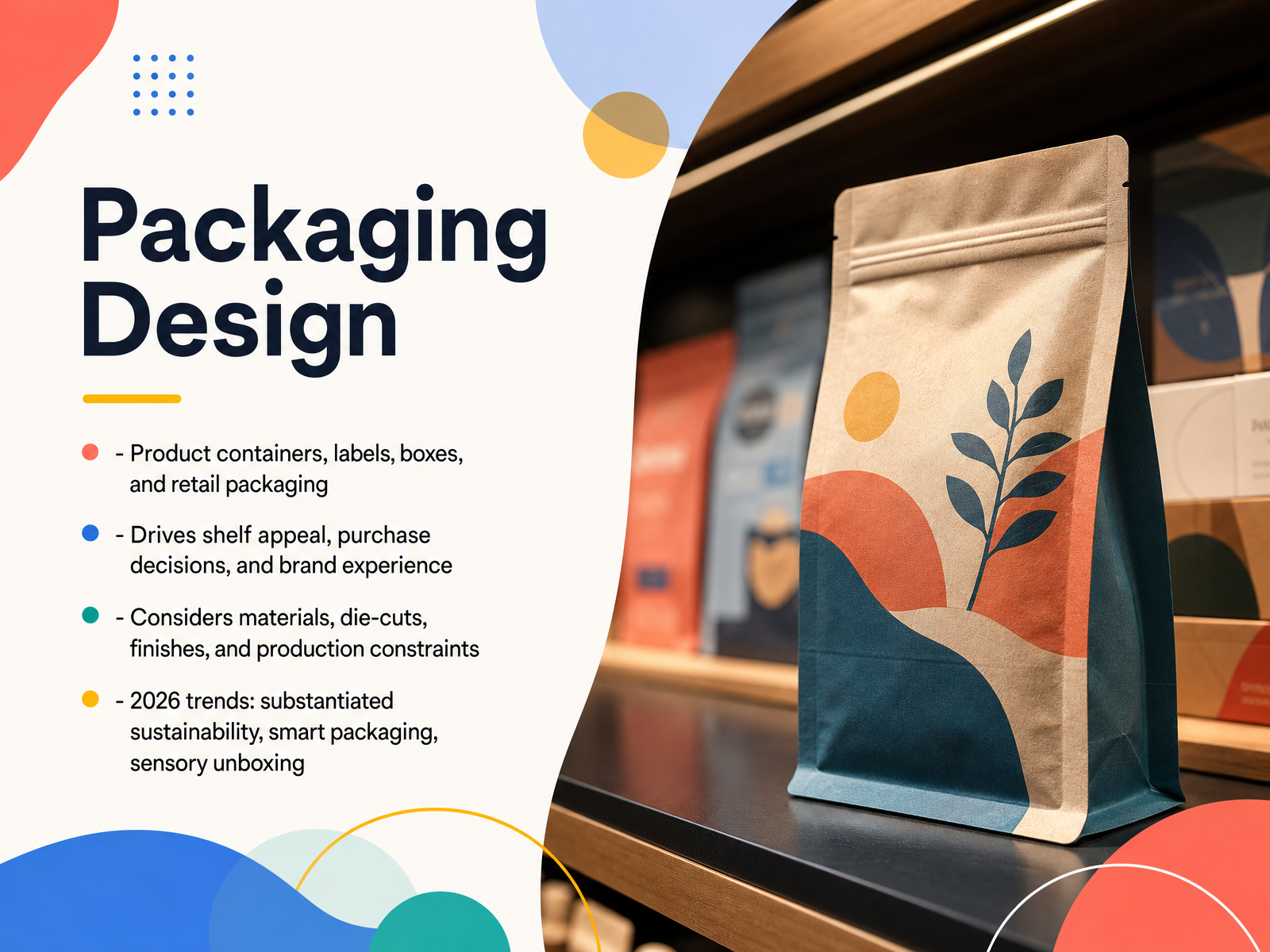 monkyvision.comdesignrush.comedesignify.com+21 min
 - 07User Interface and Digital Product DesignNow here is where design gets really interactive. User interface design shapes the websites, apps, and dashboards you use every day. Unlike a poster you simply look at, an interface responds when you tap, scroll, or click. UI designers focus on function first, making sure every button and menu feels natural. Design systems keep everything consistent by using reusable components and design tokens, which are named values for colors, spacing, and typography. Accessibility matters here too, so interfaces work for people using keyboards, screen readers, or voice control. This work is almost never solo. Designers collaborate closely with developers and researchers to test, refine, and ship products that truly work. Up next, we will add movement to the mix with motion graphics and animation.
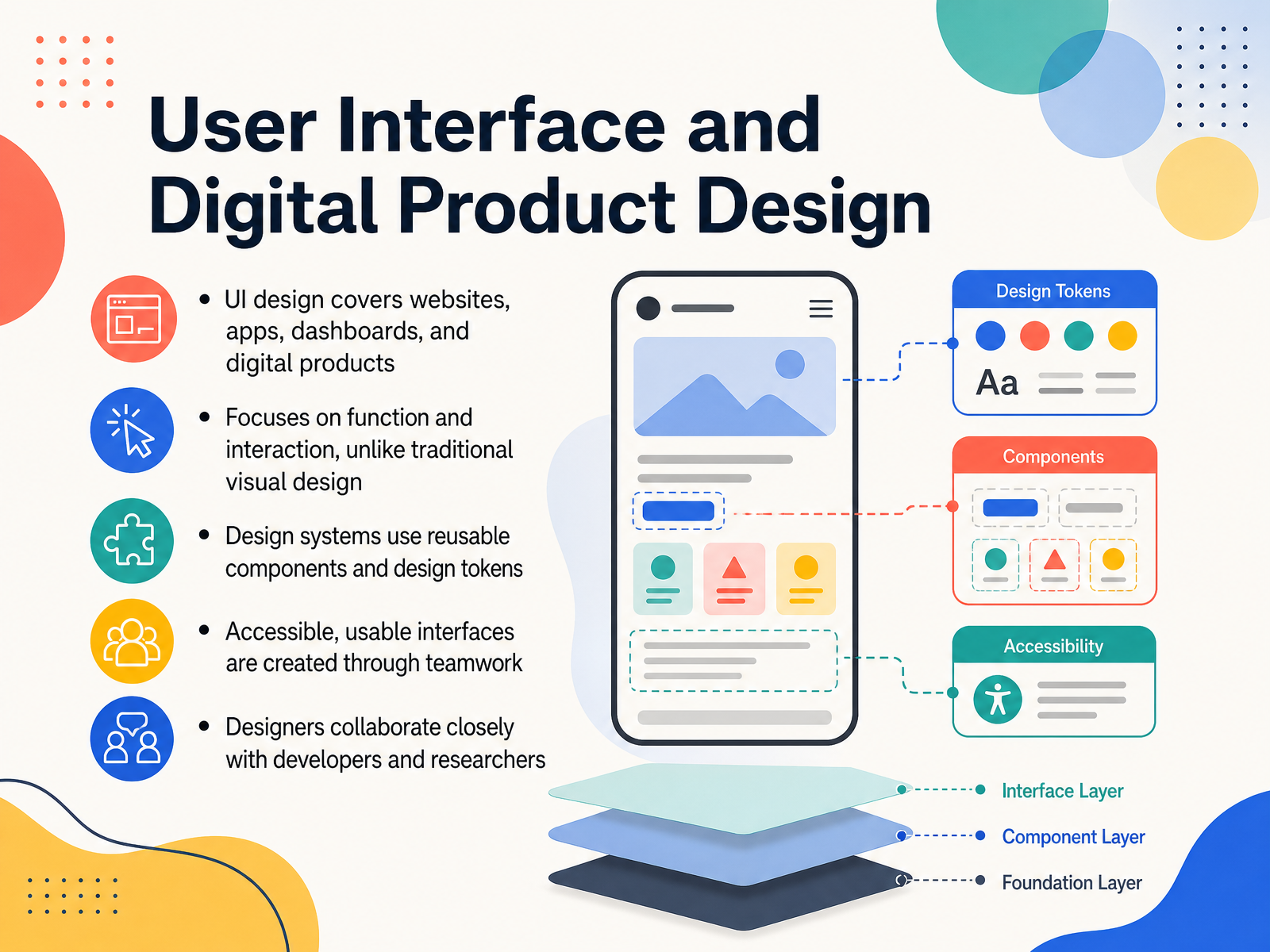 monkyvision.comdesignrush.comedesignify.com+21 min
 - 08Motion Graphics and AnimationNow here is where design really starts to move. Motion graphics is animated graphic design. You take text, shapes, icons, and even data, and you set them in motion to communicate a clear message. Think of a logo that animates on screen, or a chart that fills in right before your eyes. It is not character animation, which tells emotional stories through performance. Motion graphics delivers information with visual energy. To make that movement feel purposeful, designers use timing, easing, and storyboards. Timing is when things move, easing is how they accelerate or slow down, and storyboards plan those moves before you even open the software. The main tools include After Effects for precise two D work, Cinema 4D and Blender for three D, plus new AI assisted generators that can speed up production. Next, we will look at how these visual skills connect to physical spaces in environmental, print, and production design.
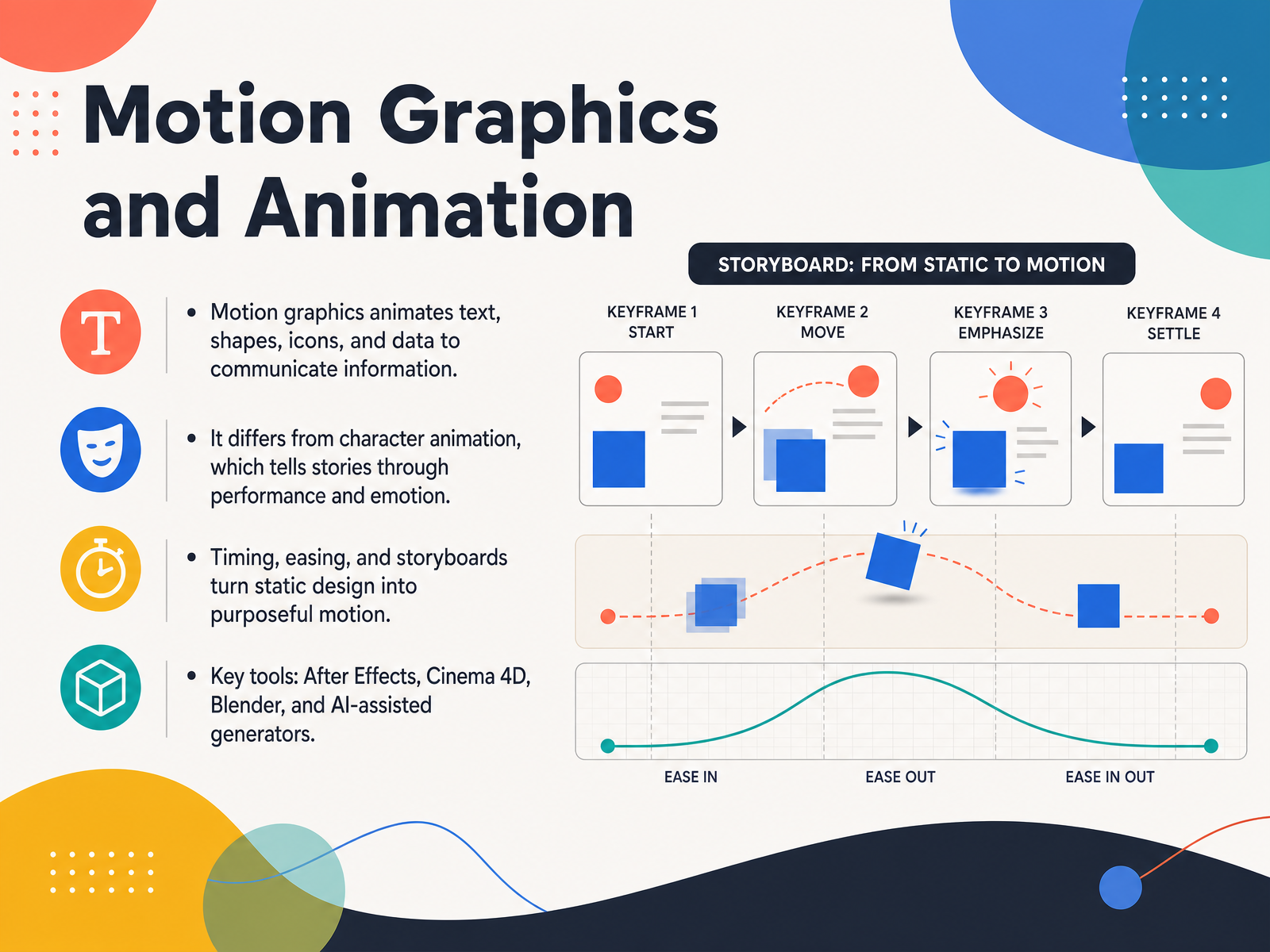 monkyvision.comdesignrush.comedesignify.com+21 min
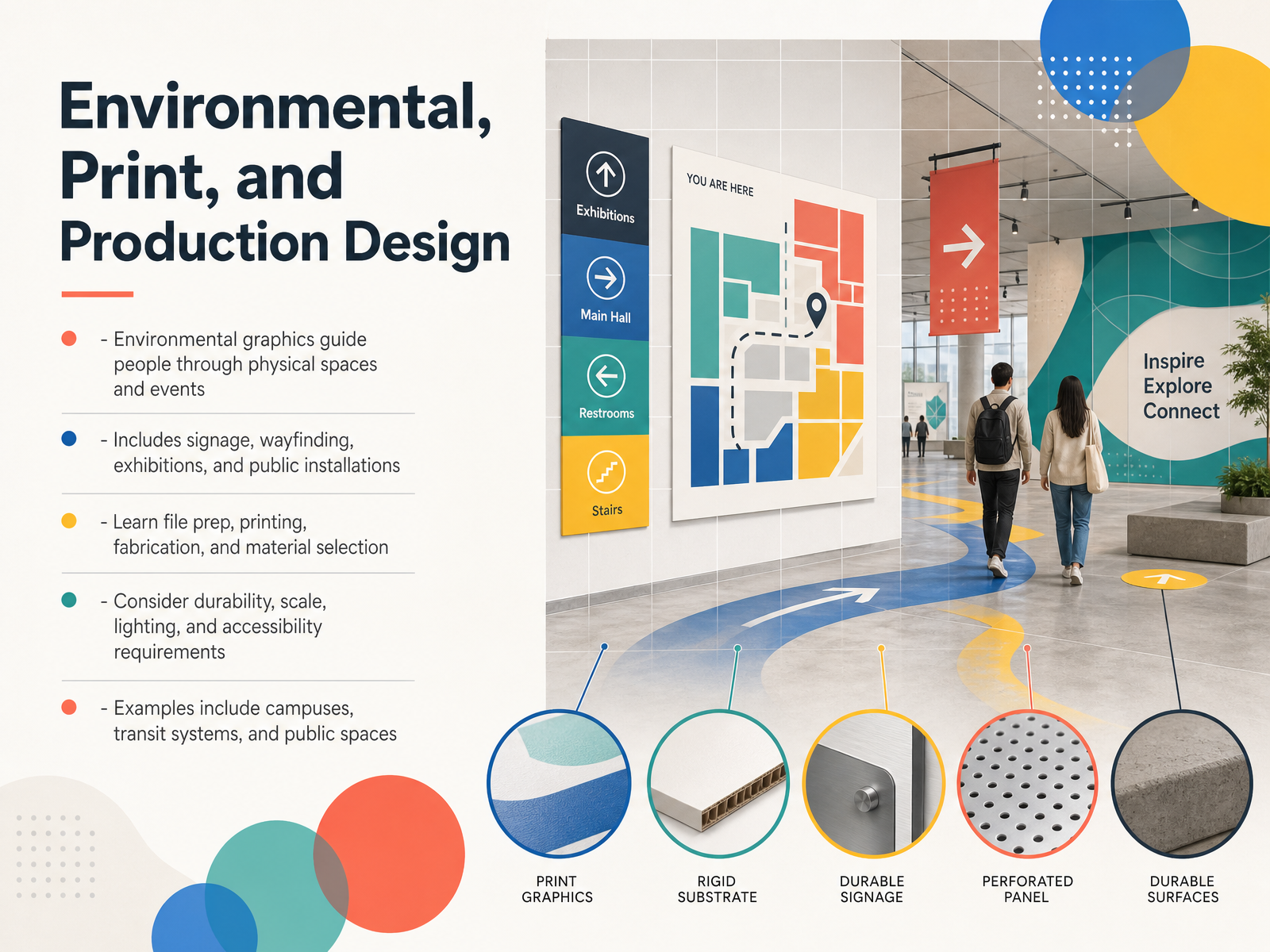
 - 09Environmental, Print, and Production DesignNow here's where design leaves the screen and shapes the world around you. Environmental graphic design guides people through physical spaces, like campuses, transit systems, or public buildings. Think of the signage that helps you find your gate at an airport, or the exhibition graphics that tell a story in a museum. That is layout working in three dimensions. This field includes wayfinding, exhibitions, and public installations. It goes beyond looks, because you also need to learn file preparation, printing, fabrication, and material selection. For example, choosing a durable metal over a material that will fade in sunlight. You have to consider scale, so text is readable from a distance, and lighting, so a sign is visible at night. Accessibility is also central, from high-contrast colors to braille. A designer here often blends graphic design with architecture. Next, we will look at illustration, art direction, and related specialties.
 monkyvision.comdesignrush.comedesignify.com+22 min
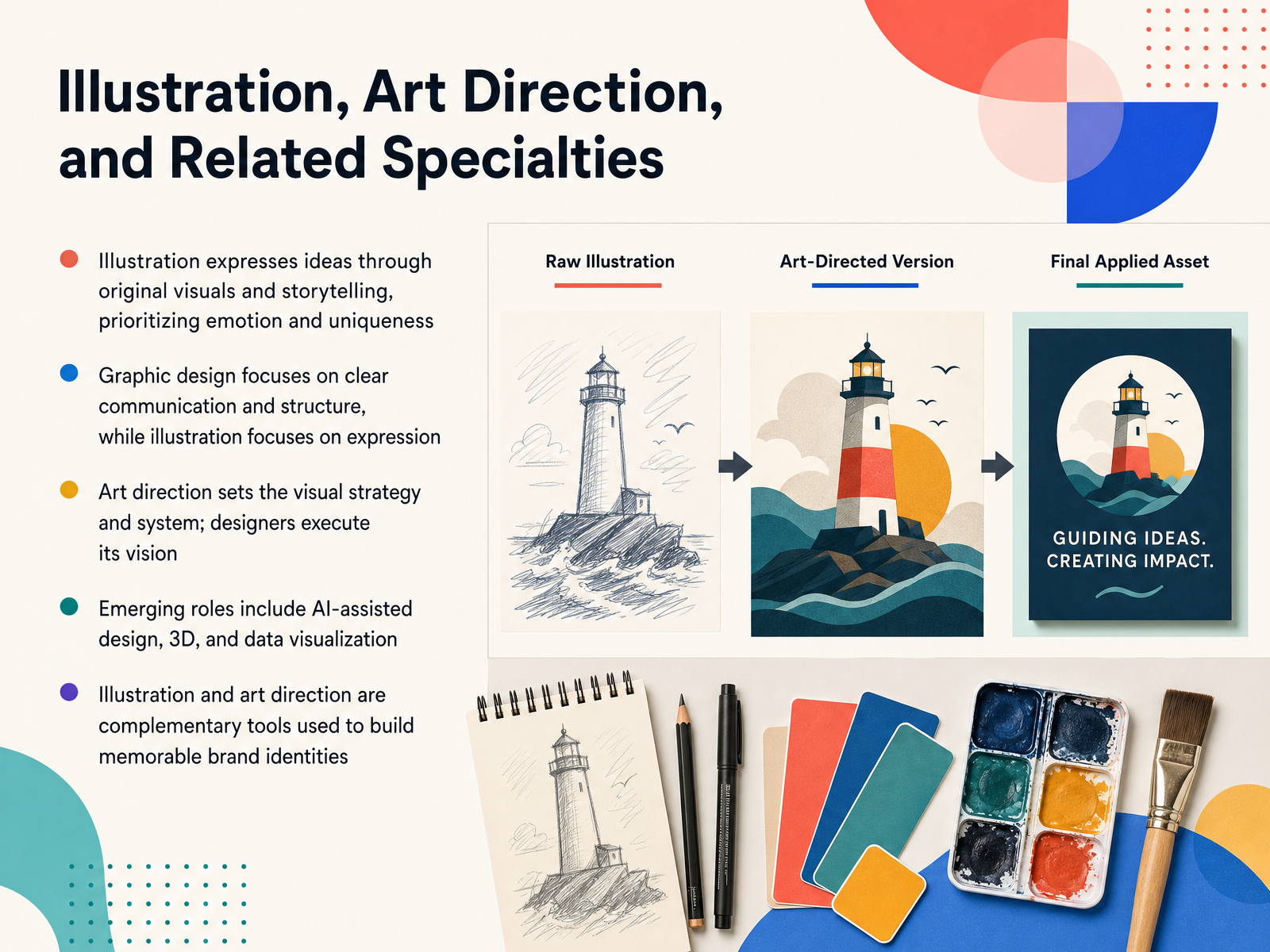
 - 10Illustration, Art Direction, and Related SpecialtiesNow here is where things get expressive. Illustration is all about creating original, hand-crafted visuals that tell stories and spark emotion. A graphic designer arranges clear structures, while an illustrator draws a unique world. Think of a custom mascot on a cereal box, that is illustration adding personality. Then there is art direction, which sets the visual strategy. The art director chooses the overall mood, the color rules, and the image style. Designers then execute that vision to keep everything feeling consistent. We are also seeing exciting new roles pop up, like AI-assisted design, 3D art, and data visualization. These tools are not replacing human creativity; they are expanding what we can build. When illustration and art direction work together, they create memorable brand identities that feel both organized and genuinely unique. Coming up next, we will look at how all these different types of design fit together.
 monkyvision.comdesignrush.comedesignify.com+22 min
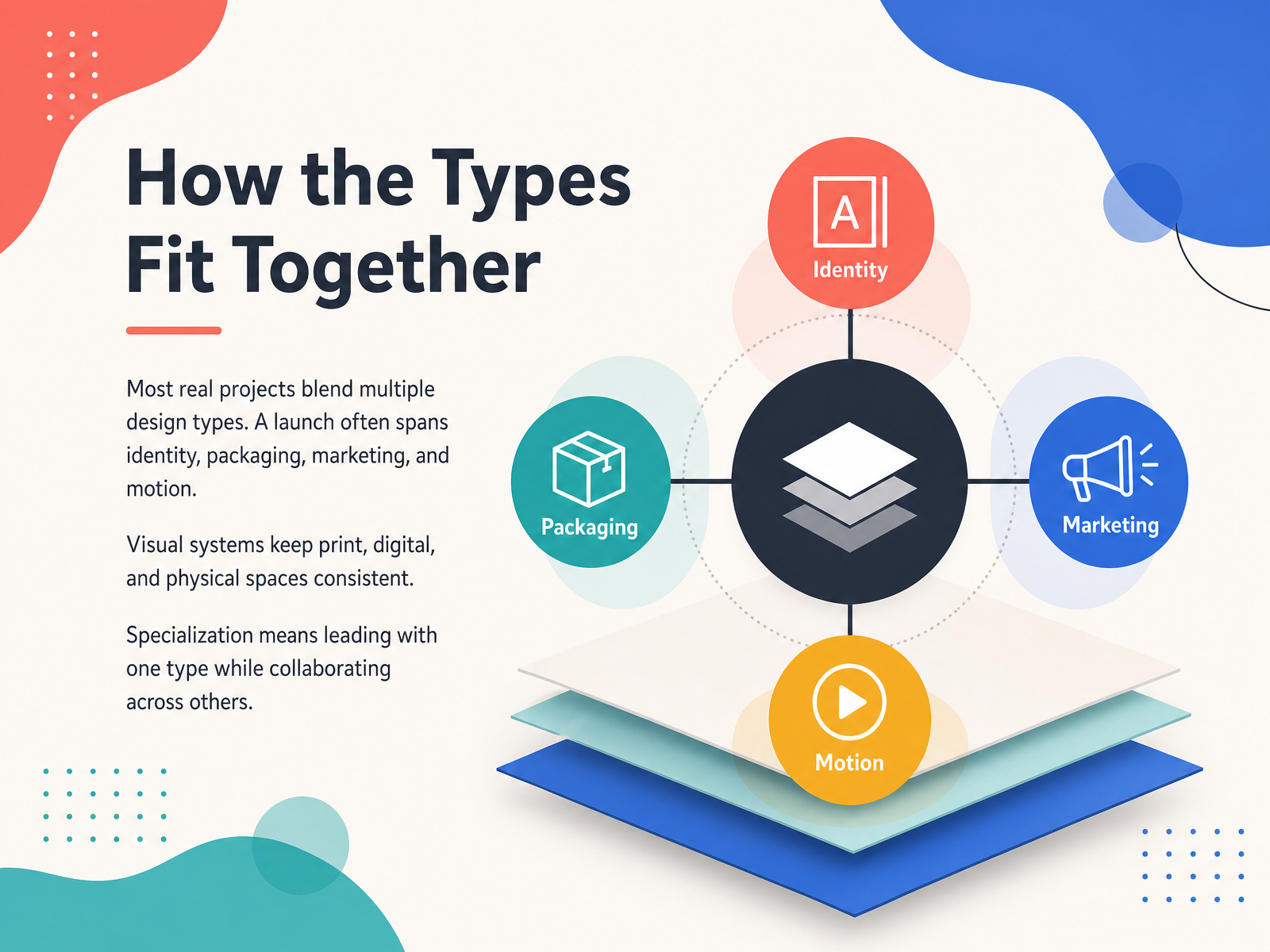
 - 11How the Types Fit TogetherHere's where it gets interesting. In the real world, design types rarely work alone. Think about a product launch. You're not just designing a logo. You're building the identity, designing the packaging, creating the marketing campaign, and maybe even adding motion for social clips. All of those types blend together into one visual system. That system is what keeps a brand feeling consistent, whether someone sees it in print, on a screen, or in a physical space. Now, does that mean you have to master every type of graphic design? Not at all. Specialization is about leading with the type you love, while collaborating with others who bring different strengths to the table. So you might be the person who loves arranging layouts, working closely with an illustrator or a motion designer to bring the full vision to life. It's all about knowing how the pieces connect. That understanding is exactly what will help you choose your own direction.
 consortcreative.comwhatifdesign.coblog.hubspot.com+21 min
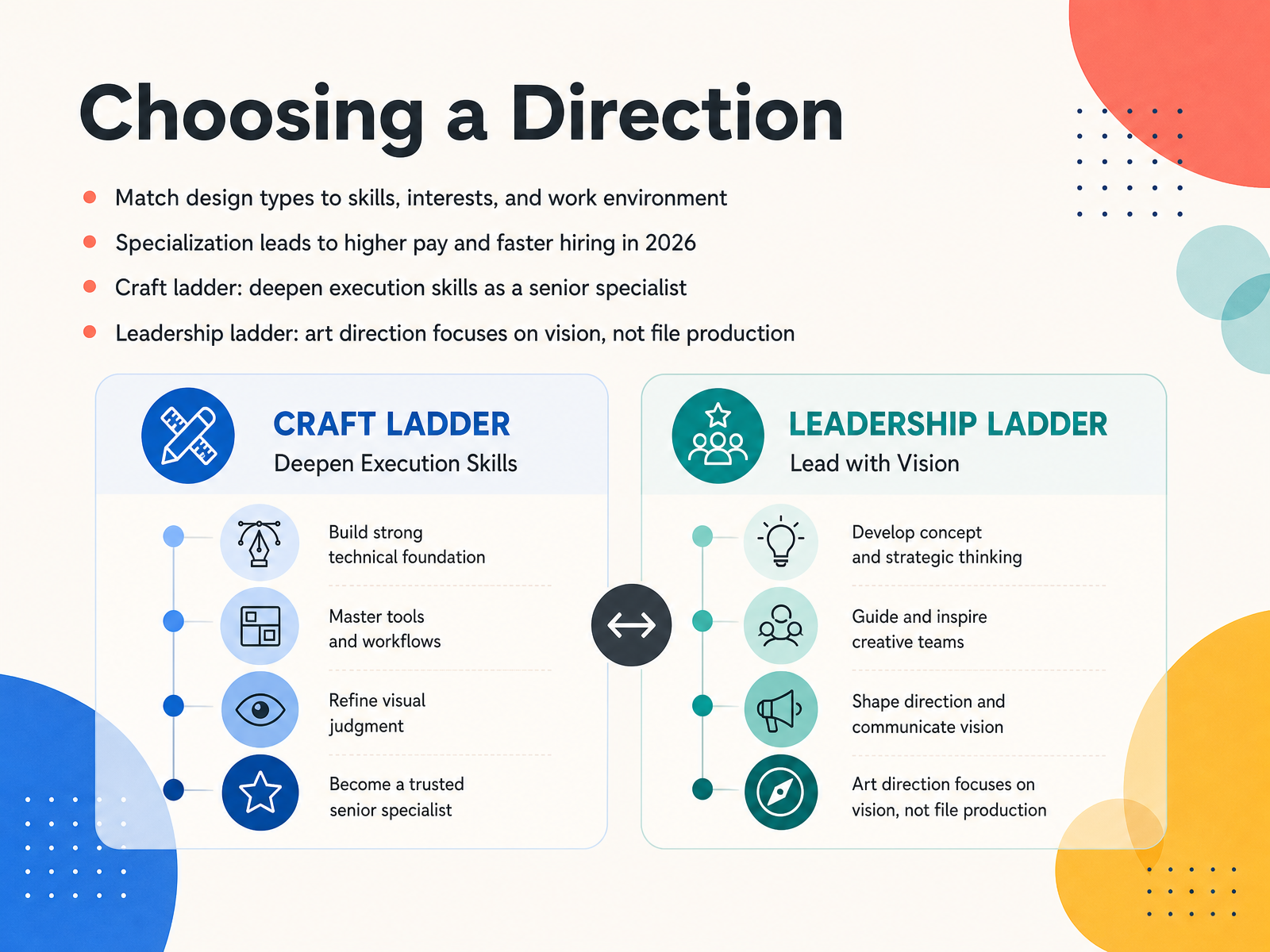
 - 12Choosing a DirectionNow here is where it gets interesting, because choosing a direction is really about choosing how you want to spend your days. First, match the design type to your skills, your interests, and your work environment. If you love precise layouts and sharp typography, brand identity might fit you. If you prefer fast, collaborative campaigns, marketing design could be your lane. Specialization matters in 2026. Clients and employers are looking for experts, not generalists. And specialists tend to get hired faster and earn higher pay. So how do you grow once you pick a lane? There are two ladders. The craft ladder means deepening your execution skills. You become a senior specialist, the person everyone trusts with the hardest file. The leadership ladder is different. Art direction focuses on vision, not file production. You guide the look and feel while other designers build the assets. One path is not better than the other. It is about whether you love making, or love directing. Next, let us look at practical first steps for beginners.
 lummi.ai1 min
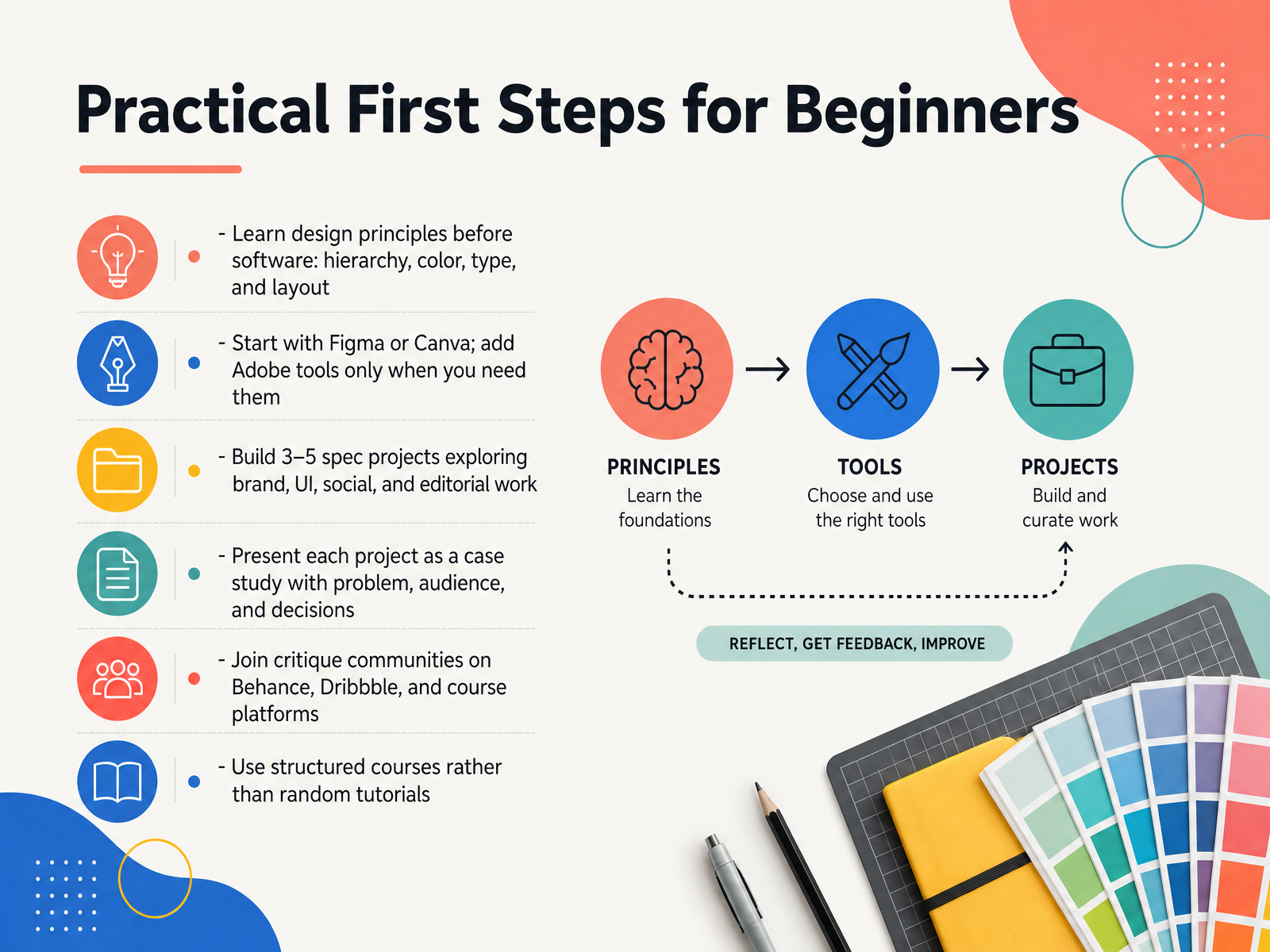
 - 13Practical First Steps for BeginnersNow, let’s turn all that inspiration into a plan. Your first steps matter more than any tool you will ever buy. Start with design principles, not software. Understand hierarchy, color, type, and layout. Think of a poster you stopped to read—that’s layout in action. So choose a free tool like Figma or Canva to practice making decisions. Add Adobe tools only when you actually need them. To learn, build three to five spec projects. Explore brand work, app screens, social posts, and editorial layouts. Present each project as a case study. Define the problem, the audience, and why you made each choice. Then, share your work for feedback on Behance, Dribbble, or in a course community. Real critique speeds up growth. And prefer structured courses over random tutorials. That keeps you moving forward without gaps. Next, let’s look at career pathways and next steps.
 lummi.aimonkyvision.comdesignrush.com+21 min
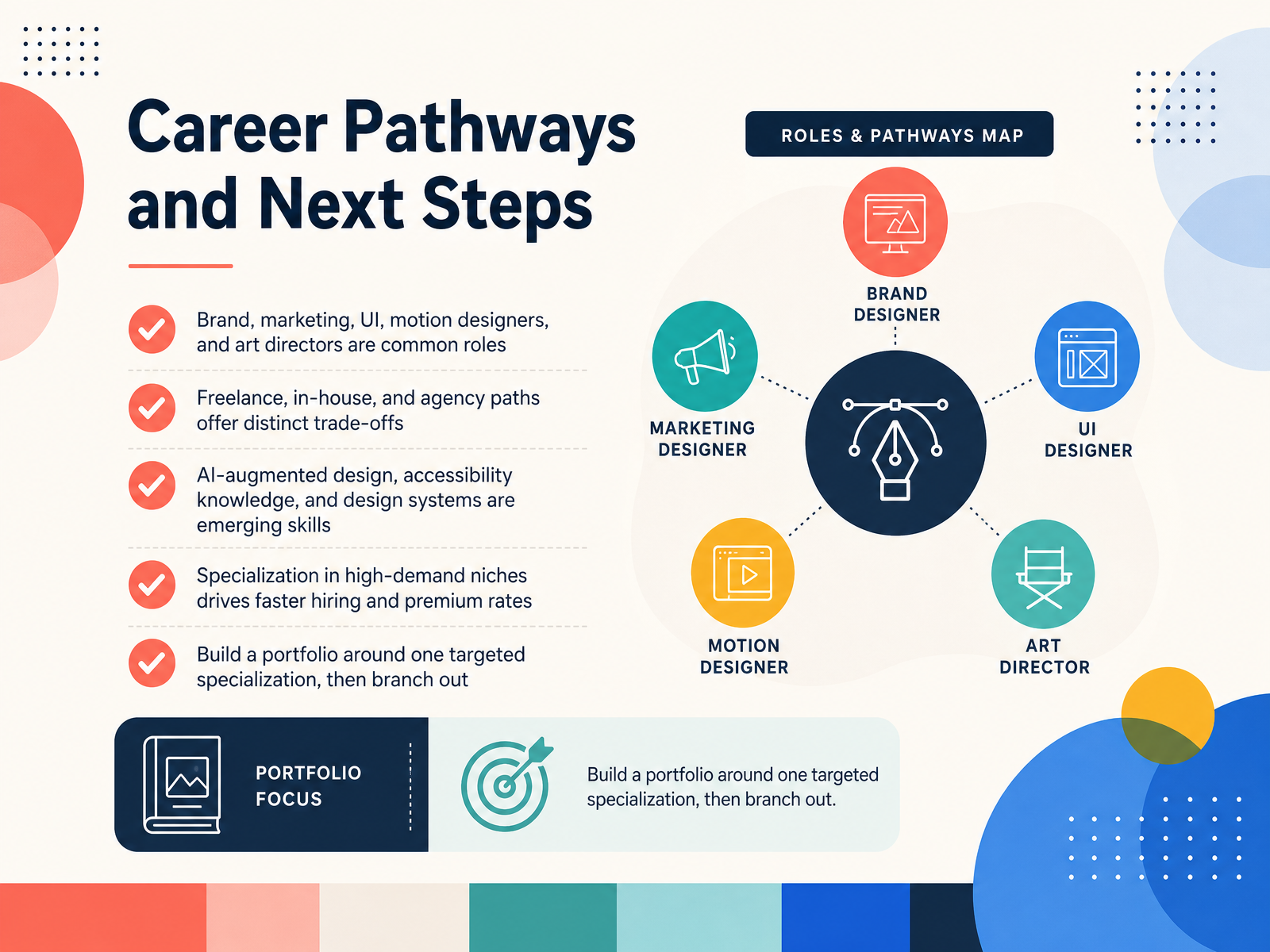
 - 14Career Pathways and Next StepsSo where does all of this lead? Let's talk about the real career paths. You can find work as a brand designer, a user interface designer, a motion designer, or an art director, just to name a few. Now here's where it gets interesting: you also get to choose how you work. Freelancing gives you freedom, working in-house gives you a team, and an agency gives you variety. Each path has its own trade-offs, so it's about what fits your life. The field is also changing fast. Skills like AI-augmented design, accessibility knowledge, and understanding design systems are becoming really valuable. And here's the big secret: specializing in a high-demand niche helps you get hired faster and charge premium rates. My advice? Build your portfolio around one targeted specialization first. Get really good at it, then branch out. You've made it through the fundamentals. Now go create something that matters.
 lummi.aimonkyvision.comdesignrush.com+22 min
Take the deck with you
Download this course as a file — free, no sign-up needed.
- PDF handoutEvery slide page, ready to print or share.15 pages · 3.5 MBDownload
- Narrated PowerPointThe deck that presents itself — every slide carries the digital human's narration video.15 pages · 15.3 MBDownload
- PowerPoint slidesThe full deck as a .pptx — open it in PowerPoint, Keynote, or Google Slides.15 pages · 3.4 MBDownload
Free to use in your own training — please keep the PersonWise credit page at the end.
Have your own deck? Turn it into a course
Sources consulted
Web sources consulted while building this course.
- Brand Guidelines vs. Brand Identity | Consort Creative — consortcreative.com
- Brand Guidelines vs Brand Identity: Understanding the Key Differences — whatifdesign.co
- Visual Identity Systems: What They Are & Why They Matter — blog.hubspot.com
- Branding vs Logo Design: What’s the Difference? - Digital Agency, UX & Design - London | UK — trevattdesign.com
- What's Included in Brand Identity Design Services? — delenzotechnologies.com
- Top 10 Types of Graphic Design in 2026 | Monkyvision — monkyvision.com
- What Is Graphic Design? A Guide for 2026 — designrush.com
- Graphic Design in 2026: Beginner's Guide — edesignify.com
- A complete guide to the 8 different types of graphic design | Lummi — lummi.ai
- Exploring 8 Essential Types of Graphic Design for Business Success - Bowerist — bowerist.com
- Product Marketing Design System | LBBOnline — lbbonline.com
- Inside Human After All’s event identity for Google NewFront 2026 — The Brand Identity – Home of the Greatest in Graphic & Brand Design — the-brandidentity.com
- Disney Advertising: Global Tech & Data Showcase 2026 | Raxo Portfolio — raxo.co
- British Airways | Reflections | The One Club — oneclub.org
- Brisbane Favours The Bold 2026 | Bigfish — bigfish.design
- Building a unified editorial system for a high-impact policy report - Brangho — brangho.com
- New Contemporaries 2026 — Exhibition Publication Design — Ashley Kinnard Studio — ashleykinnard.com
- The 5-Inch Editorial :: Behance — behance.net
- A new leaf: an exclusive look inside The New York Times Magazine redesign — itsnicethat.com
- Spenderrific Magazine Platform Case Study | The Baobab Collective — baobabcollective.com