Begin
13 pages · ~26 min
SQL Database Migration Tool
Learn to migrate SQL databases efficiently using this tool, covering setup, execution, and validation for database administrators and developers.
A digital instructor presents all 13 pages. Hold “Ask” at any point and ask out loud — the answer comes from this course. No sign-up needed.
What you’ll learn
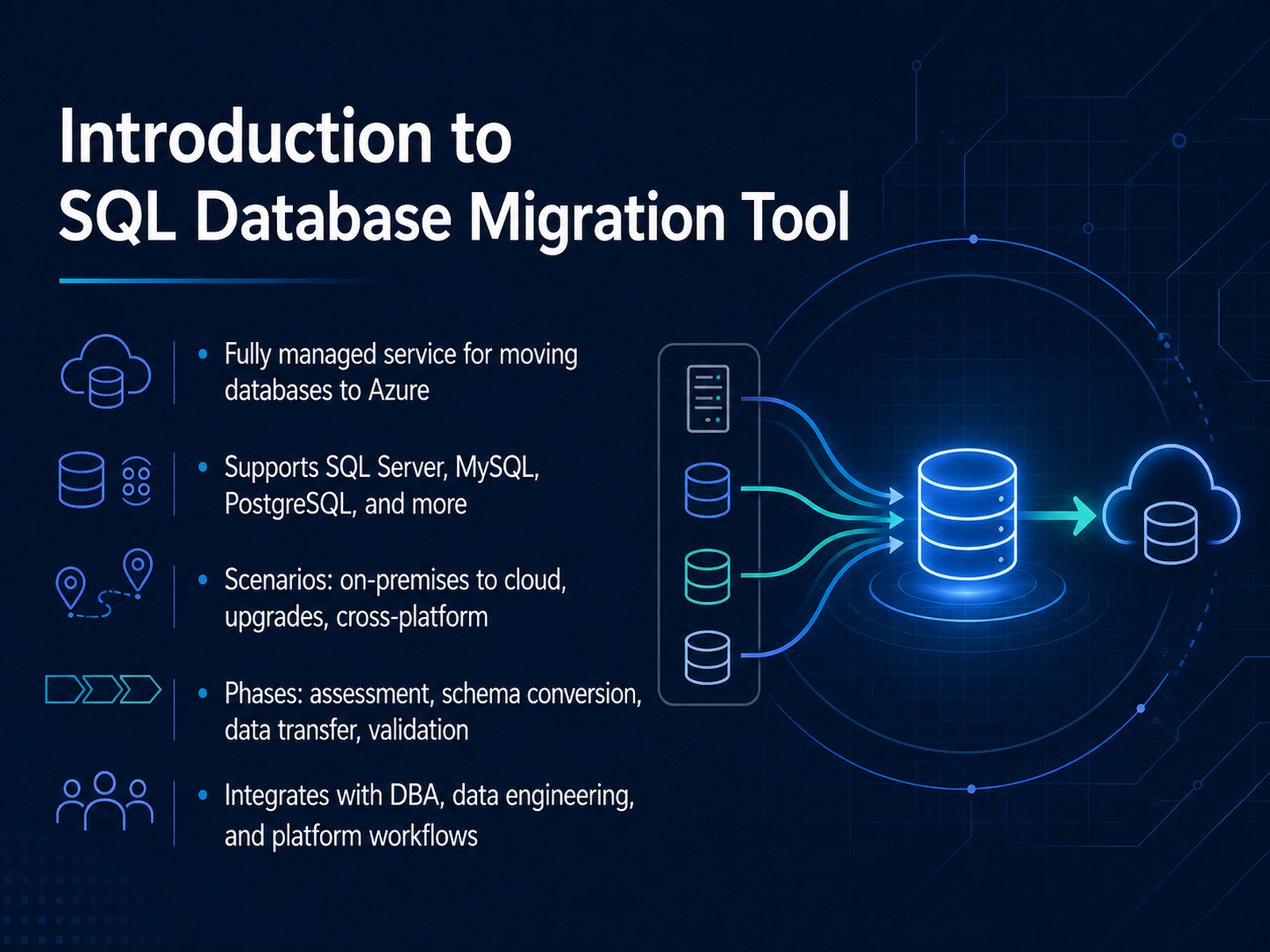
- 01Introduction to SQL Database Migration ToolWelcome. This course is about the Azure SQL Database Migration Tool, a fully managed service for moving databases to Azure. It supports SQL Server, MySQL, and PostgreSQL, covering scenarios from on-premises to cloud, version upgrades, and cross-platform moves. The workflow follows four phases: assessment, schema conversion, data transfer, and validation. Each of these phases is critical, especially assessment and validation, since catching compatibility issues early will save you considerable effort later. These capabilities are designed to integrate with your existing DBA, data engineering, and platform workflows, so you can orchestrate migrations without disrupting standard operations. Over the next few modules, we’ll walk through each phase, along with the operational decisions you’ll face, like choosing between offline and online migrations and planning your cutover. Let’s begin with the core concepts and terminology you’ll need to navigate this process efficiently.learn.microsoft.comlearn.microsoft.comlearn.microsoft.com+22 min
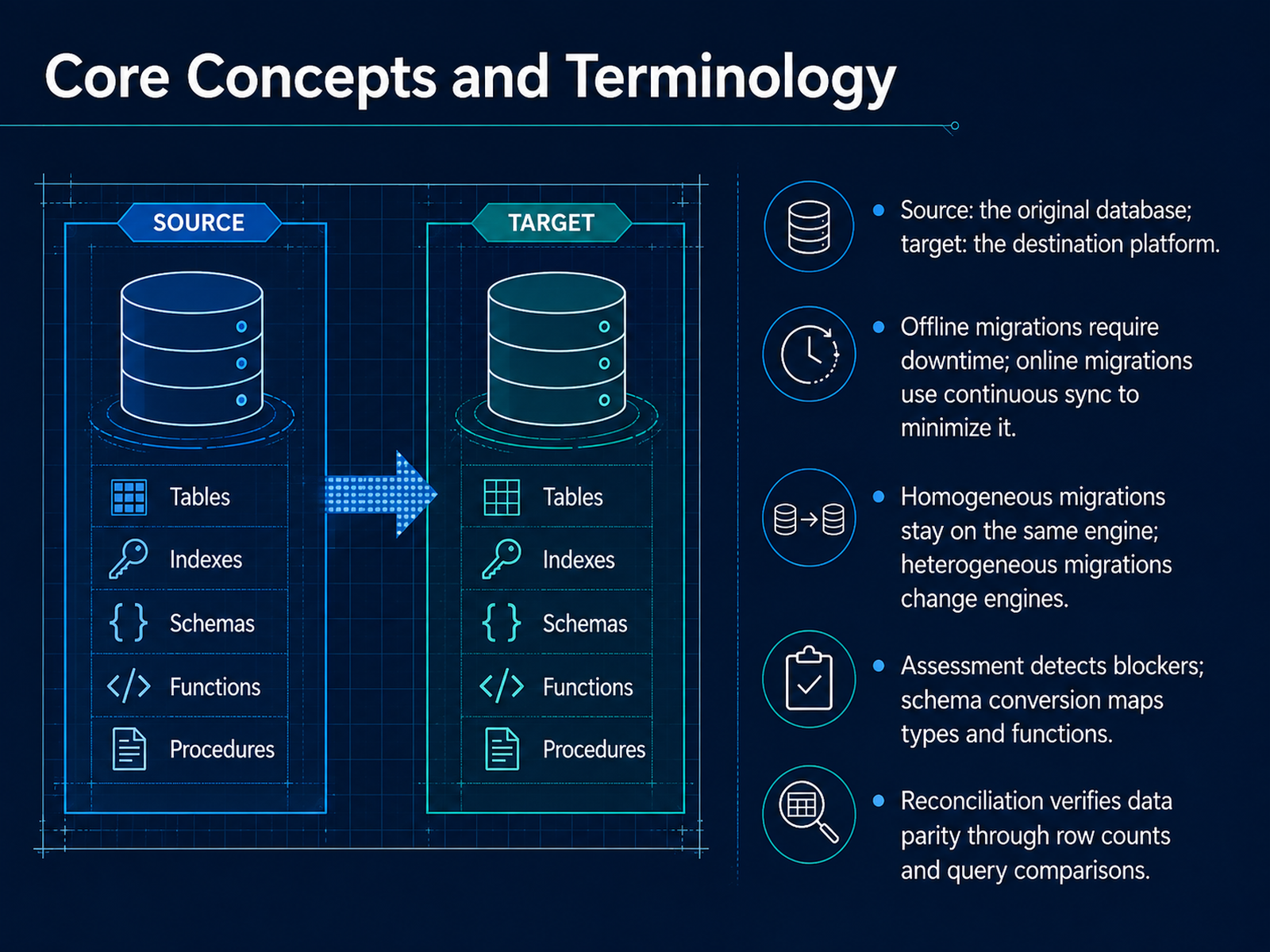
- 02Core Concepts and TerminologyLet’s lock in the core terminology. Source is the original database; target is the destination platform. You’ll see two migration modes. Offline migrations require downtime—application stops while data moves. Online migrations use continuous sync to minimize interruption. Next, homogeneous migrations stay on the same engine, like SQL Server to SQL Server. Heterogeneous migrations change engines, such as Oracle to PostgreSQL. Before you move anything, assessment detects blockers—unsupported features, compatibility issues. Schema conversion then maps data types and functions to the target environment. After migration, reconciliation verifies data parity through row counts and query comparisons. You’ll want to confirm the target matches the source exactly. That validation step is non-negotiable. Now, let’s look at supported sources, targets, and environments.
 learn.microsoft.comlearn.microsoft.comlearn.microsoft.com+21 min
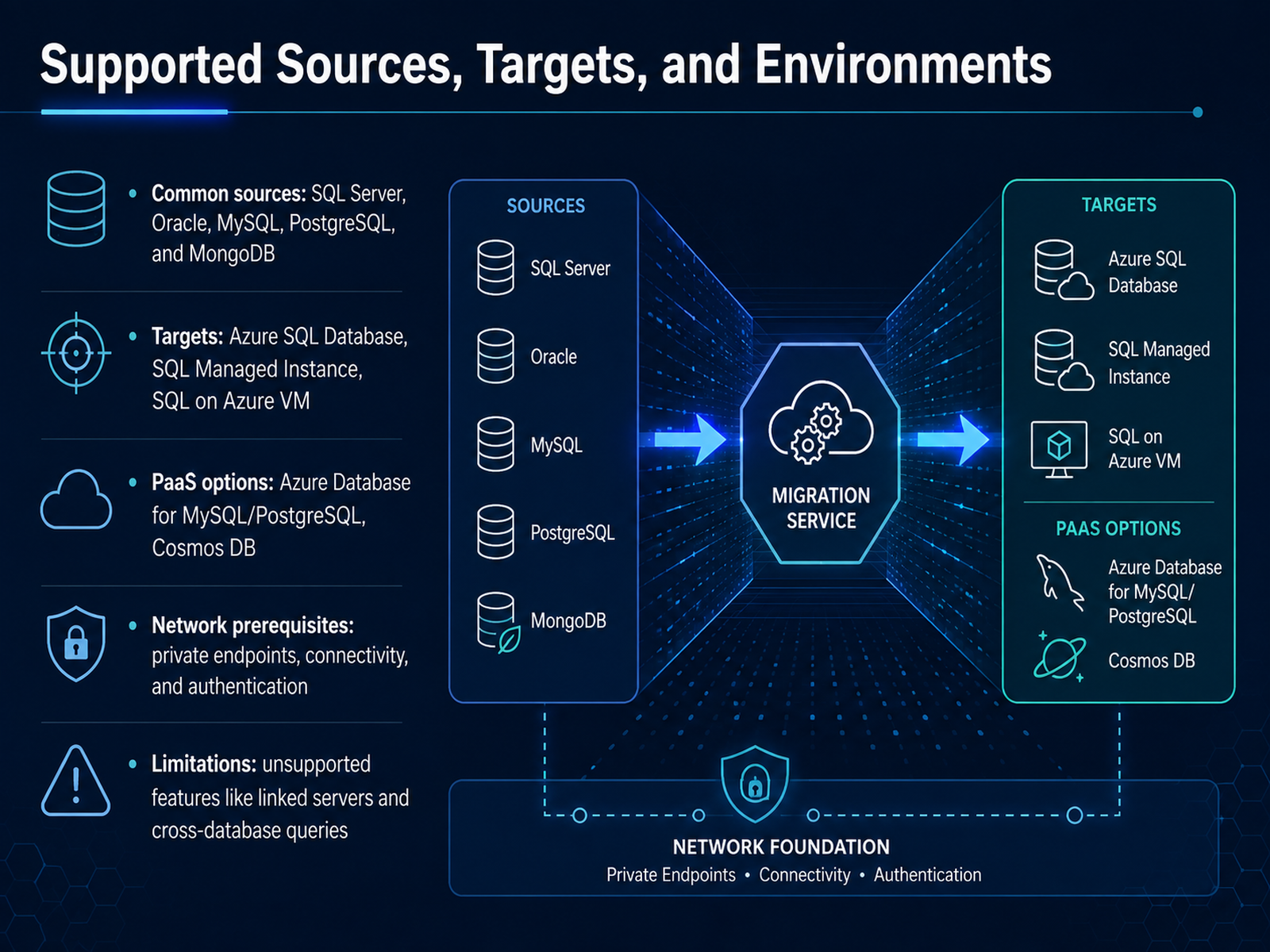
 - 03Supported Sources, Targets, and EnvironmentsLet's map out the compatibility landscape before we touch any infrastructure. On the source side, you'll typically be coming from the usual suspects: SQL Server, Oracle, MySQL, PostgreSQL, or MongoDB. Your landing zone depends on the form factor you need. The primary targets are Azure SQL Database, SQL Managed Instance, or SQL Server on Azure VMs. If you're modernizing open-source workloads and want to stay in Platform-as-a-Service, you have dedicated paths to Azure Database for MySQL, Azure Database for PostgreSQL, or Cosmos DB. Now, the critical part: network prerequisites. You will want to verify private endpoints are configured and that connectivity and authentication flow cleanly from source to target before you start. Migrations fail on network misconfigurations more often than on schema issues. Be equally clear on the limitations. Features like linked servers, cross-database queries, and SQL Agent jobs often do not translate to a managed service. You'll need to re-architect those or pivot to SQL Managed Instance, which preserves more of the instance-level semantics. Understanding these guardrails early shapes your entire strategy. Up next, we’ll cover how to structure your pre-migration assessment to catch these blockers before they become downtime.
 learn.microsoft.comlearn.microsoft.comlearn.microsoft.com+21 min
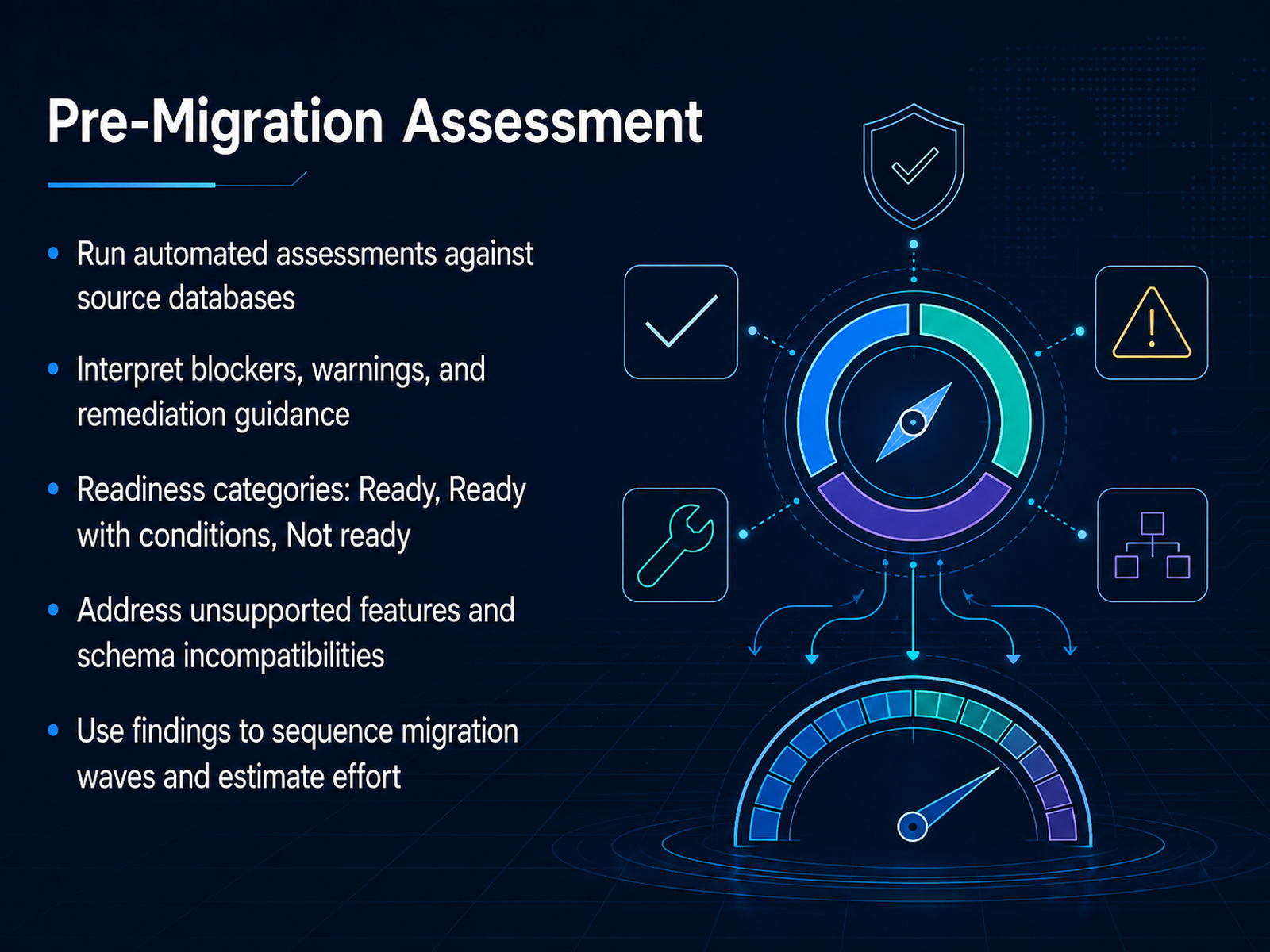
 - 04Pre-Migration AssessmentNow let's talk about the pre-migration assessment. This is where you run automated checks against your source databases to identify what will convert cleanly and what will need manual work. The assessment engine scans schema objects, flags unsupported features, and categorizes readiness into three buckets: ready, ready with conditions, and not ready. Ready means you can move as-is. Ready with conditions means there are warnings or minor issues you can remediate. Not ready means you have blockers that require attention before you proceed. You'll want to review the detailed report—not just the summary. Look at the blockers, warnings, and the recommended remediation guidance for each one. Pay close attention to unsupported features and schema incompatibilities, like data type mismatches or syntax differences in stored procedures. The findings drive your migration wave sequencing and effort estimation. Databases that are ready become early waves. Those with conditions go into later waves, and you'll want to budget time for schema fixes. A thorough assessment now prevents surprises during cutover. Once you've triaged every database, you're ready to move into schema conversion and remediation.
 learn.microsoft.comlearn.microsoft.comdocs.aws.amazon.com+21 min
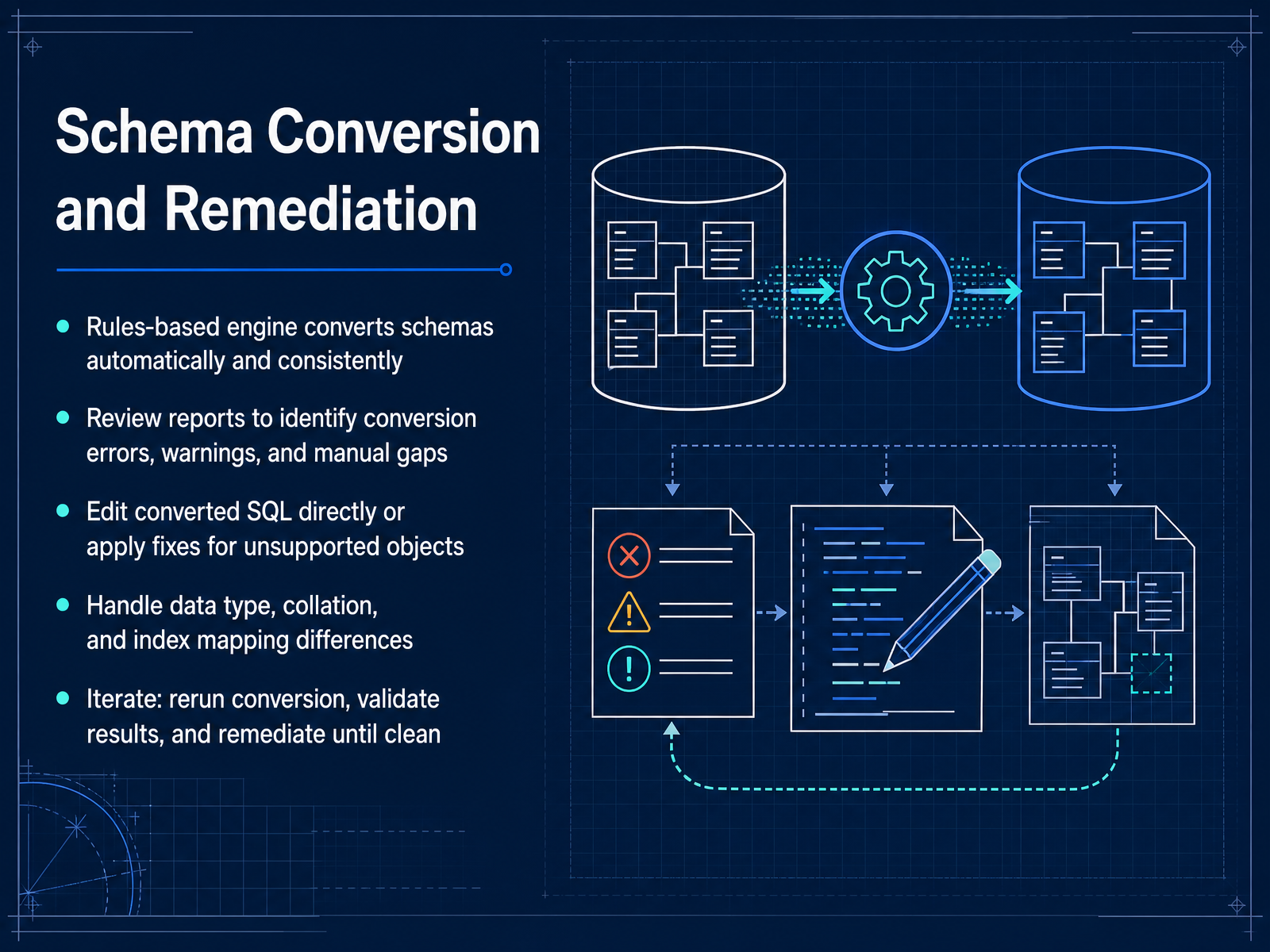
 - 05Schema Conversion and RemediationNow let's walk through schema conversion and remediation. The conversion engine applies a rules-based approach, which means results are consistent and repeatable across thousands of objects. You won't need to eyeball every table by hand. After the run, open the conversion report. It will categorize objects as compatible, incompatible with suggested fixes, or requiring manual effort. Pay close attention to stored procedures and functions; they carry the most custom code and will likely need your attention. You'll also want to review data type mappings, collation differences, and index definitions—these often surface as warnings. When the rules can't fully convert an object, you can edit the converted SQL directly to close the gap. Some tools add extension packs to emulate unsupported features, which saves you from rewriting complex logic from scratch. Here's the workflow: fix the reported issues, rerun the conversion, and diff the new report against the previous one to confirm your changes took effect and didn't break anything else. Iterate until the report comes back clean. This loop is your safety net, so keep it tight before you ever touch the target environment. Next, we'll cover getting the data itself over—data transfer and synchronization.
 learn.microsoft.comlearn.microsoft.comdocs.aws.amazon.com+22 min
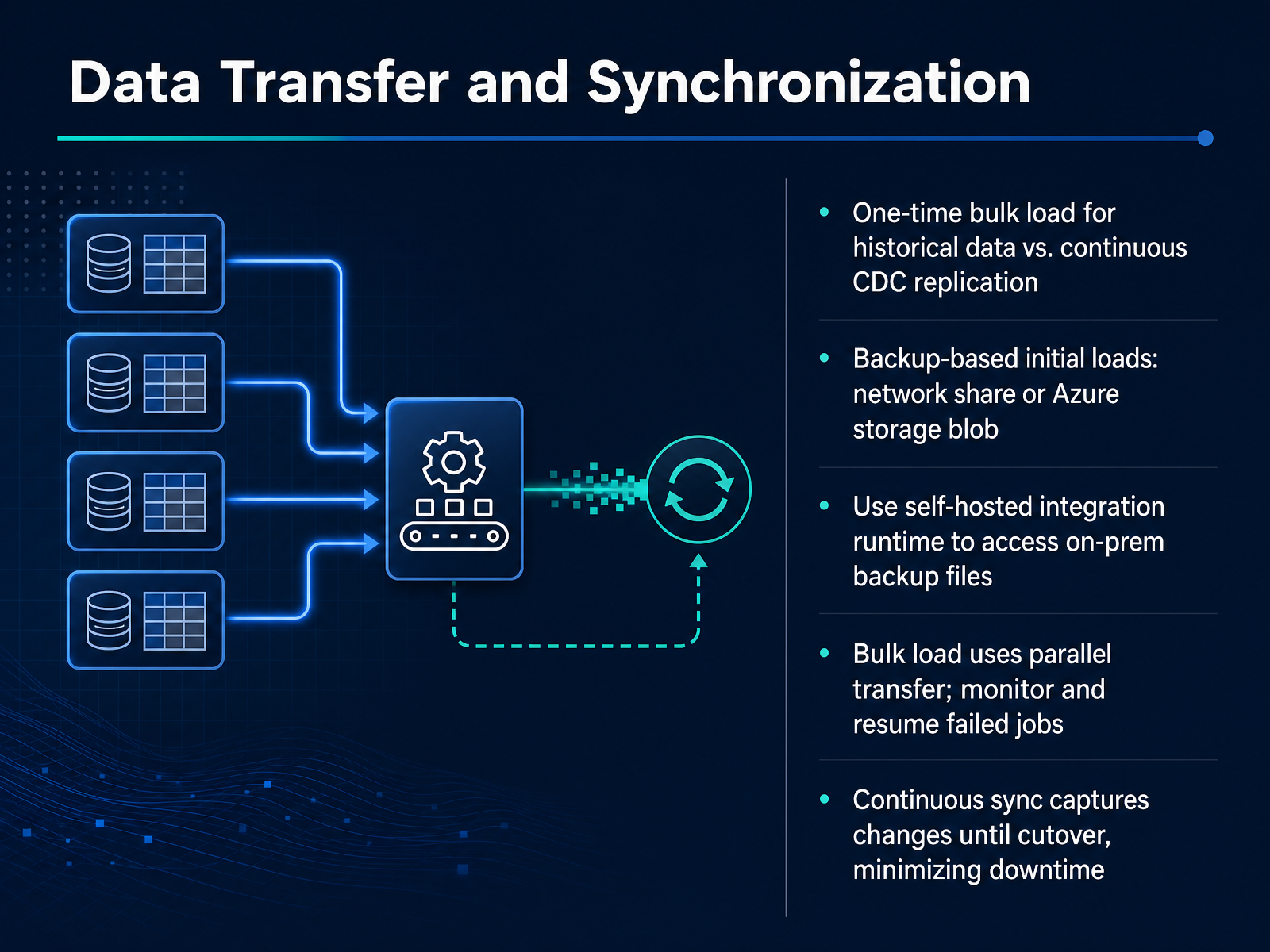
 - 06Data Transfer and SynchronizationNow let's talk about the data transfer phase. This is where you'll see a clear split between the one-time bulk load of historical data and the continuous CDC replication that keeps your source and target in sync. For the initial load, you have two solid options. You can point Azure DMS at backup files sitting on a network share, or if those backups are already in an Azure storage blob, you can skip the self-hosted integration runtime altogether. That runtime only becomes necessary when you're pulling from on-premises file shares, because it validates your backup set and uploads the files to Azure for you. The bulk load itself runs in parallel, so you'll want to keep an eye on the progress and be ready to resume any failed jobs. Once the historical data is moved, continuous sync takes over. It captures changes from the transaction log and applies them to the target, which keeps the replication lag minimal. You can keep your source database fully operational for reads and writes right up until cutover. That's what minimizes downtime and makes the final switch nearly seamless. Now, before you move on, just remember: the bulk load gets you to a starting point, but it's the continuous replication that keeps you there. Next, we'll walk through how to set up an online migration using change data capture.
 learn.microsoft.comlearn.microsoft.comtechcommunity.microsoft.com+21 min
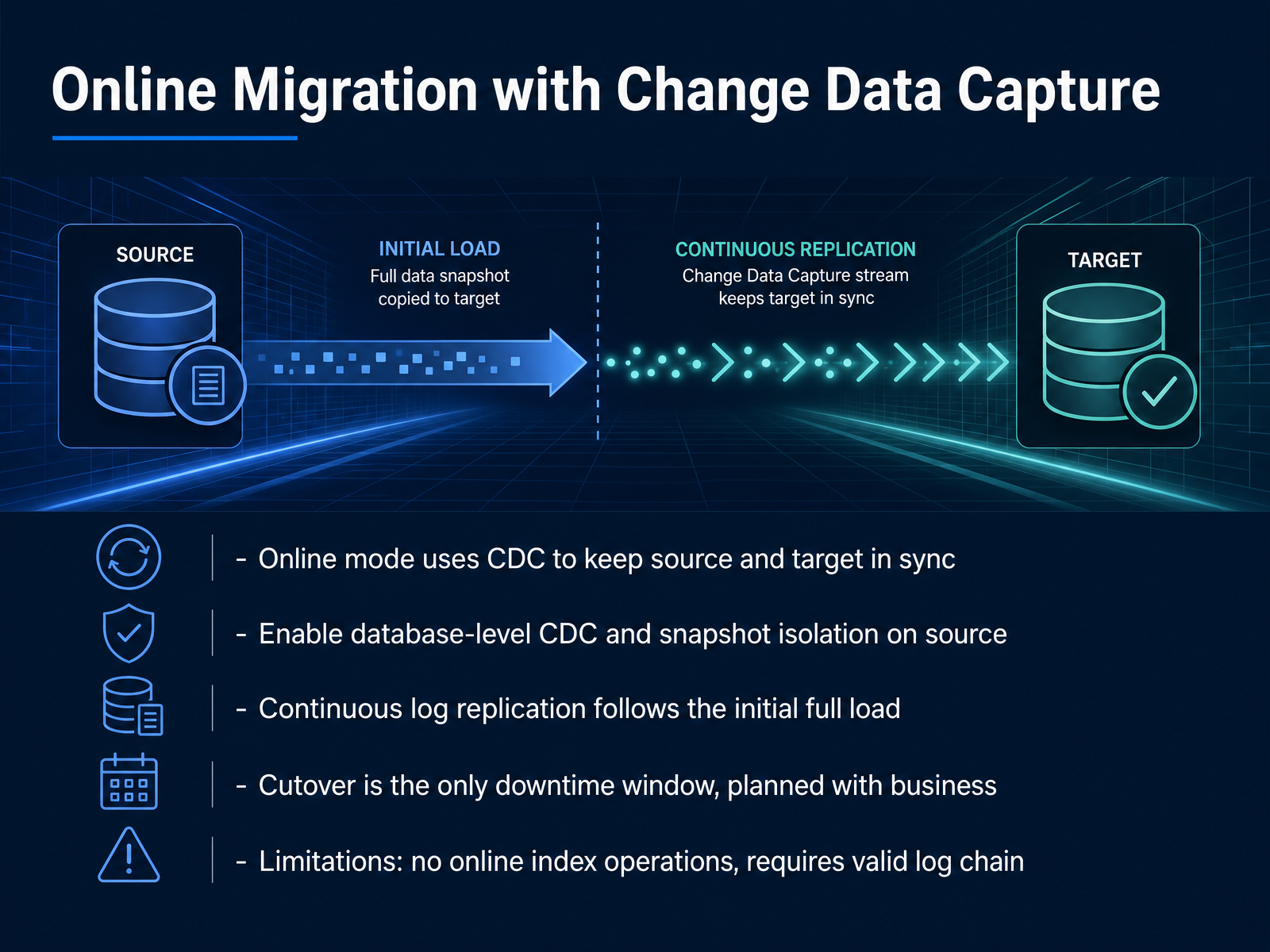
 - 07Online Migration with Change Data CaptureOnline migration is where the tool earns its keep. Instead of a long outage window, the source stays live during the entire migration. The engine enables Change Data Capture at the database level on the source, and also switches on snapshot isolation. Once configured, the service starts with a full backup and restore of the schema and data. Then the real work begins. The migration tool reads the transaction log and continuously applies those changes to the target. This is how the platform keeps the two systems in sync while your applications keep running. A few setup caveats. The account doing the CDC configuration needs the db_owner role. The database must have a valid, continuous log chain. If the transaction log is interrupted, replication stops. There are other limits worth flagging. Online index operations are not supported while CDC is enabled on a database. So if you have a maintenance window scheduled, you'll need to account for that ahead of time. The only actual downtime occurs at cutover. This is when you point the application to the target. Typically this takes a few minutes. A coordinator should confirm the cutover window with the business stakeholders before initiating it. You do not want to surprise the operations team with a read-only source database. The workflow is straightforward: load the data, replicate the changes, then coordinate the switch. Next, we cover validation and exactly how to plan that cutover so the final switch is clean.
 learn.microsoft.comlearn.microsoft.comtechcommunity.microsoft.com+22 min
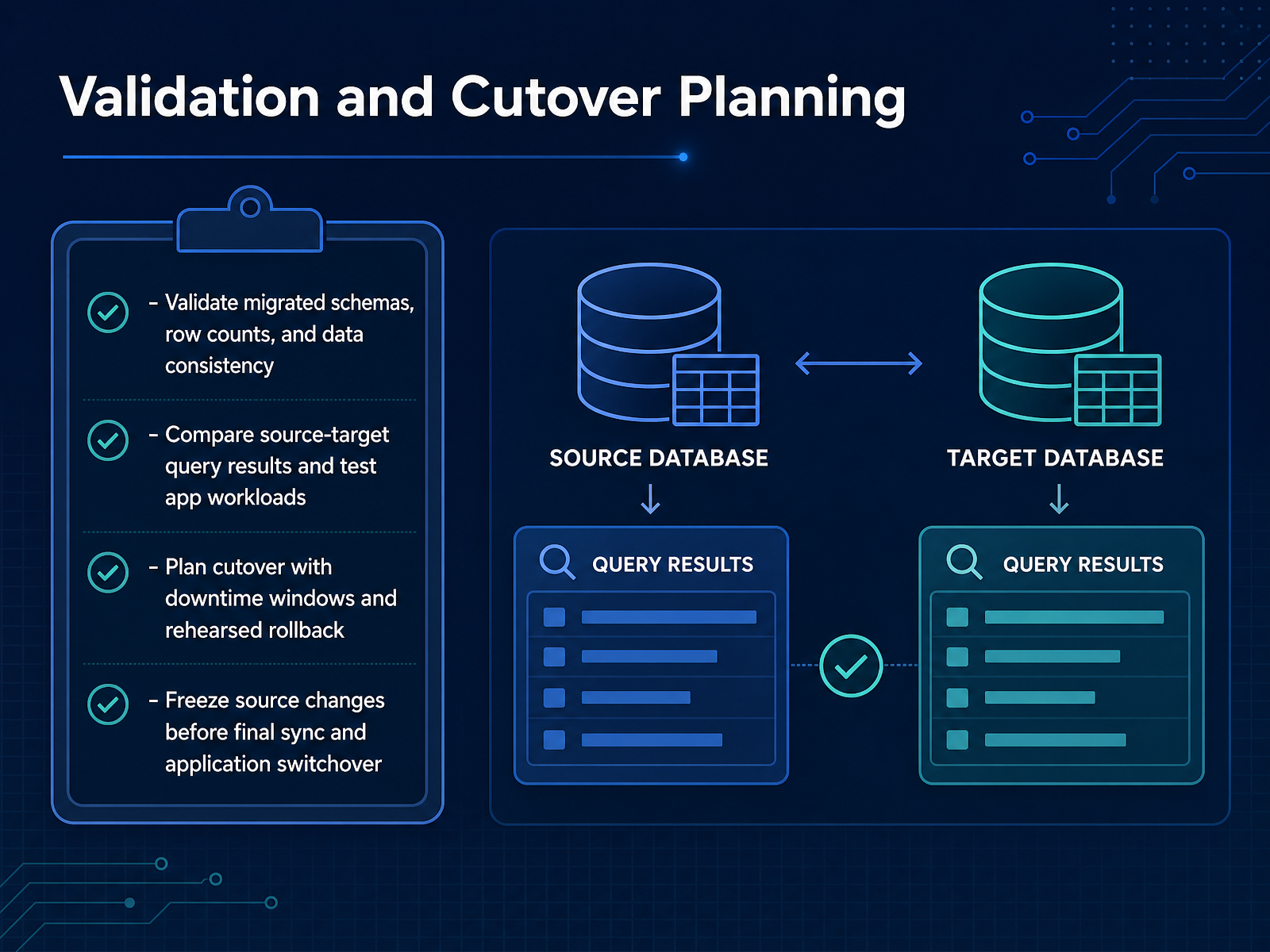
 - 08Validation and Cutover PlanningValidation is where you prove the migration actually worked. You'll want to start by comparing migrated schemas against the source — object counts, constraints, data types, the full structure. Then run row counts and data consistency checks per table. Use checksum sampling or full comparisons, but automate it. If you have two hundred million rows, you're not eyeballing that. Pull query results from both source and target, and take your key application workloads — the real query paths, not synthetic selects — and test them against both environments. Cutover is a controlled event. Plan it with a specific downtime window, and rehearse the rollback plan end to end before the real event. Define go or no go criteria beforehand so nobody's negotiating under pressure at two in the morning. When you're ready for the final sync, freeze source writes. Make that freeze explicit to the business — any changes after that will cause drift, and validation fails. Once the final sync completes, do a last validation pass on counts and critical transactions. Then switch connections. Keep rollback decision points clear: who can call it, and what conditions force it. After we cover validation and cutover, we'll move into performance tuning during the migration window.
 learn.microsoft.comlearn.microsoft.comtechcommunity.microsoft.com+21 min
 - 09Performance Tuning During MigrationPerformance tuning during a migration is really about removing bottlenecks. On the source, the primary constraint is almost always data file I/O and latency. Monitor it carefully, and if you're on a VM or physical server, coordinate with your storage admin to mitigate that pressure early. On the target side, the biggest limiter is the log generation rate. For Azure SQL Database, scaling up to Business Critical Gen5 8 vCore gives you the maximum of 96 megabytes per second. And remember, Hyperscale offers a slightly higher rate of 100 regardless of tier. Your network must keep up. A 96 megabyte per second ingestion rate translates to roughly 768 megabits per second, so ExpressRoute is typically the right call for that kind of sustained bandwidth. Before you kick off the data movement, you'll want to disable auto-create and auto-update statistics. Also, partitioning tables and indexes will reduce contention and speed up the process. Go ahead and right-size the target SKU for the migration load, then plan to scale down immediately after completion to control costs. It's a straightforward balance—tune the source, scale the target, validate the path. Do that, and you'll avoid the most common performance stalls. Next, we'll cover security best practices to keep that migration locked down.
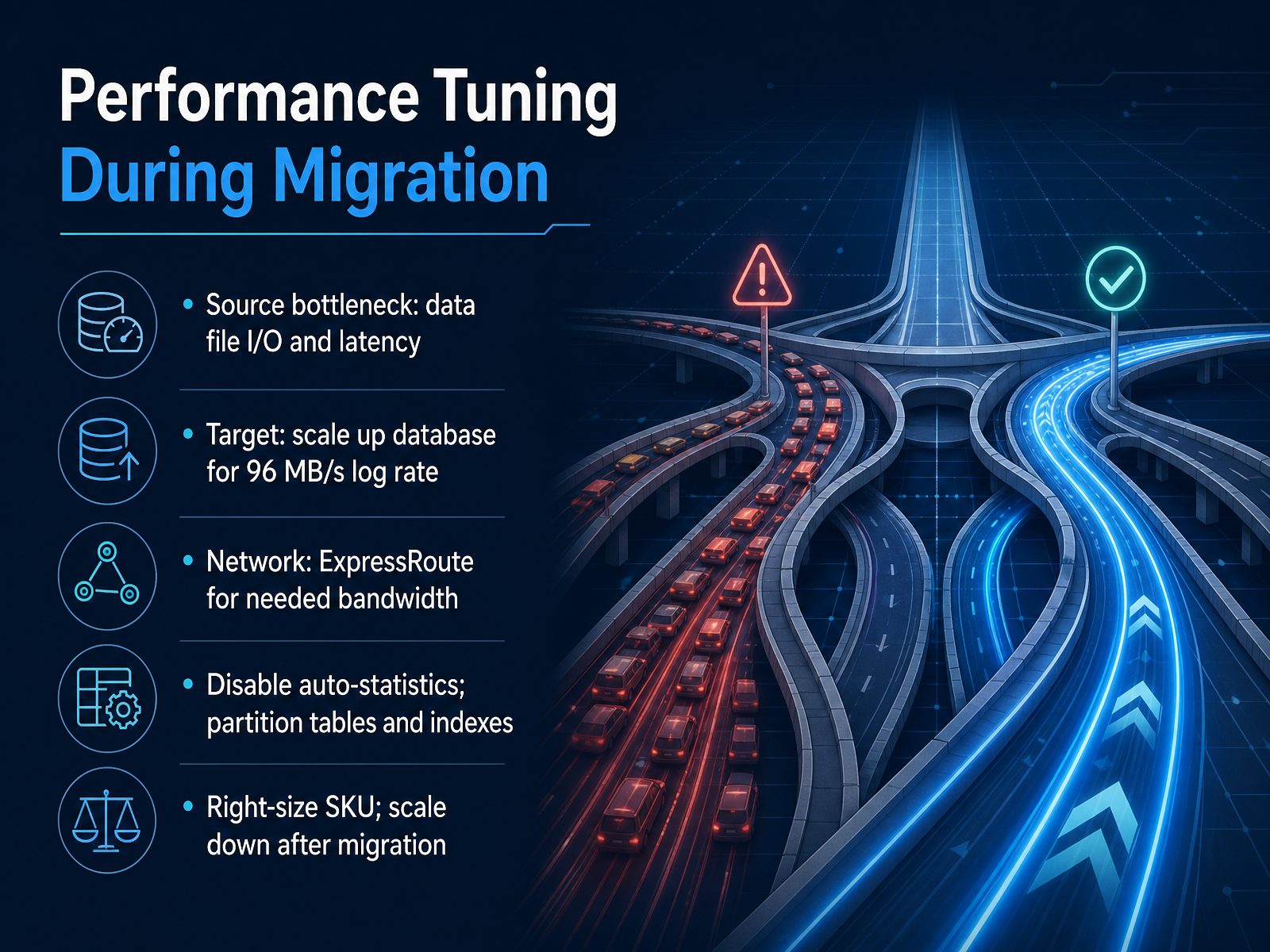 learn.microsoft.comlearn.microsoft.com1 min
 - 10Security Best PracticesNow, let’s walk through security best practices. First, encrypt everything at rest with Transparent Data Encryption, and enforce TLS 1.2 for all traffic in transit. Azure DMS uses TLS 1.2 by default, so verify your source and target configurations align. Next, apply least privilege. Don’t use broad admin roles. Configure custom RBAC roles for service accounts—for example, a login with only db_datareader for Azure SQL Database, or CONTROL SERVER for Managed Instance. Network isolation matters. Use ExpressRoute for large or sensitive migrations; it keeps traffic off the public internet. For smaller workloads, a site-to-site VPN over encrypted tunnels works, but be mindful of bandwidth constraints around one point two five gigabits per second. Restrict access further with private endpoints and IP firewall rules. This limits the attack surface to only authorized clients. For backups, store them in an isolated Azure Blob container. Grant access via SAS tokens with minimal permissions—read and write only where necessary. Keep that container dedicated to backup files; any unrelated file type can break the restore process. Before you go live, audit your roles, review SAS expiry times, and confirm no public endpoint is unintentionally exposed. These steps aren't optional—they're your defense in depth. Next, we’ll look at how to automate these migrations for platform teams.
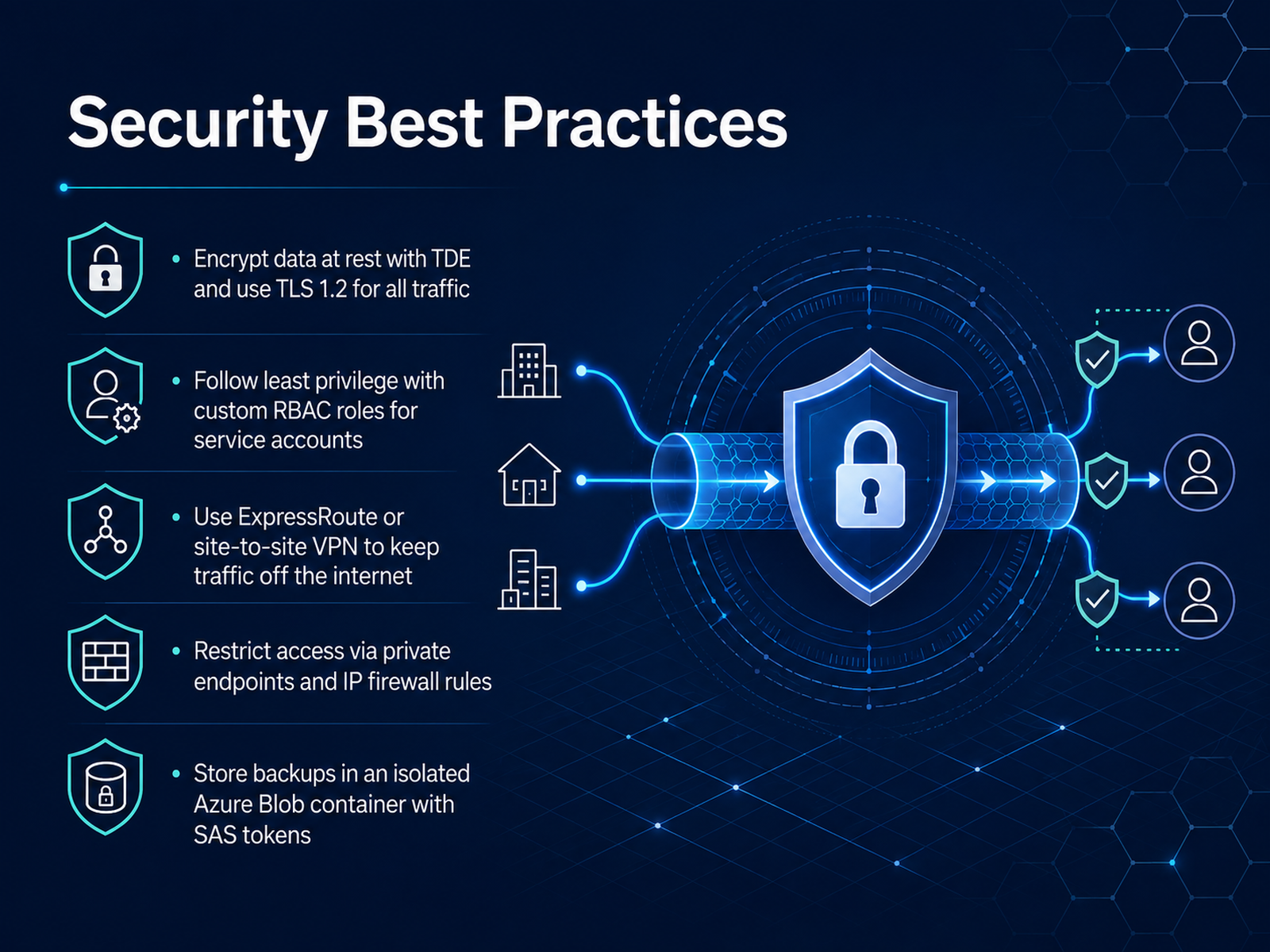 learn.microsoft.comlearn.microsoft.com2 min
 - 11Automation for Platform TeamsNow, let's talk about automation for platform teams. If you're handling multiple databases across several SQL Server instances, doing this manually doesn't scale. The good news? Azure Database Migration Service supports PowerShell and Azure CLI, so you can script everything—from creating the service to running the migration and performing the cutover. Start by reusing the Azure Samples scripts. They give you repeatable patterns for common scenarios, so you don't have to build from scratch. When you automate, you can easily scale across many databases and instances. Just make sure your scripts follow least privilege. Use the proper Azure roles and custom roles where needed. Before your first run, ensure the Microsoft.DataMigration resource provider is registered in your subscription—otherwise you'll get a namespace error. A quick command fixes that. Then, integrate these scripts with your CI/CD pipelines or infrastructure-as-code templates, and you have consistent, auditable migrations every time. You'll want to verify credentials, storage accounts, and network paths are all parameterized. This way, your platform team can trigger migrations like any other deployment. And remember, test the rollback path before you need it. Automating doesn't mean removing oversight; it means making oversight consistent. Next up, we'll walk through a real-world migration step by step.
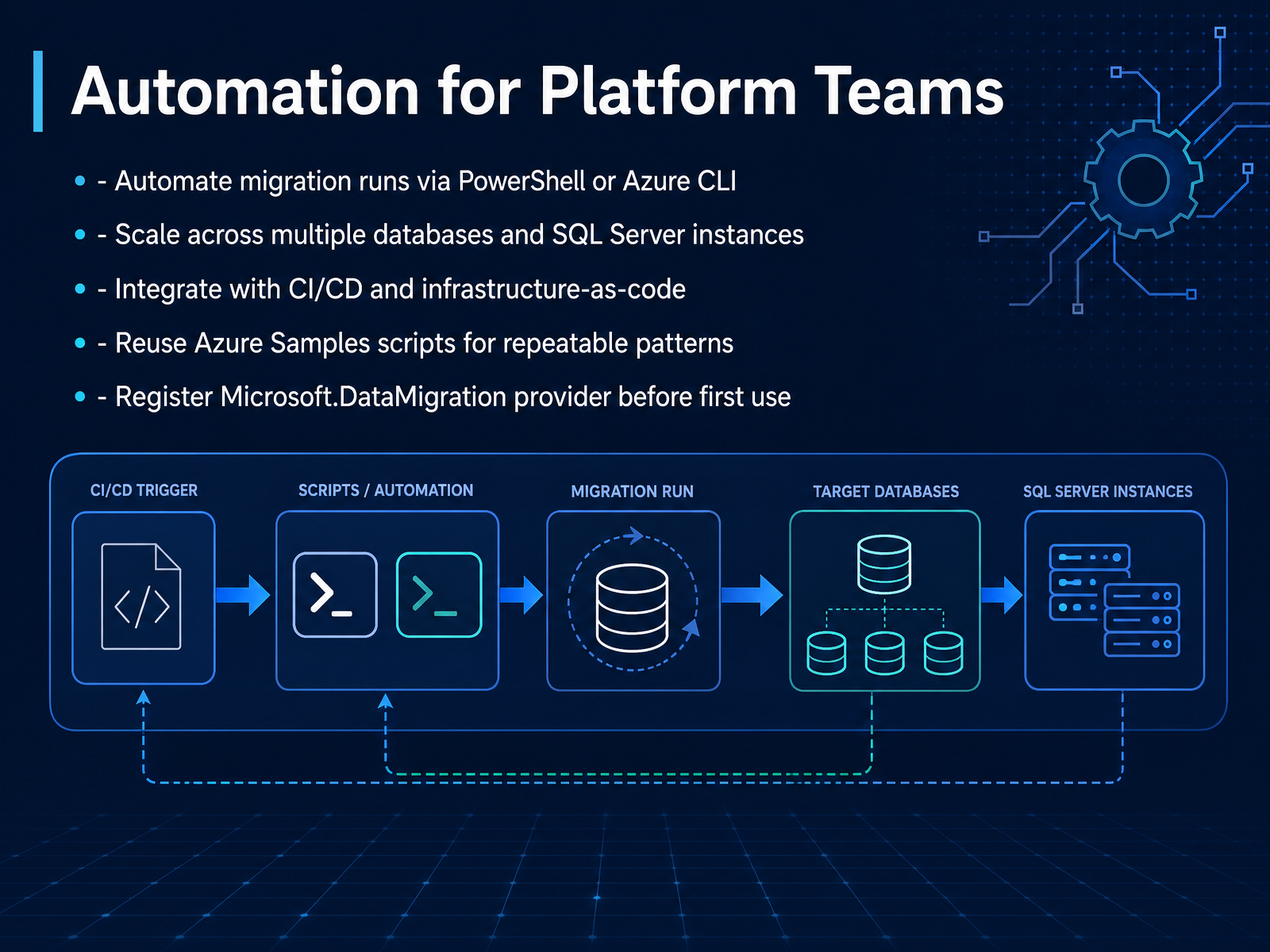 learn.microsoft.comlearn.microsoft.com2 min
 - 12Real-World Migration WalkthroughLet’s walk through a realistic migration from an on-premises SQL Server to Azure SQL Database. We’ll follow the full path: assessment, schema migration, data movement, and cutover. In this scenario, the source database is the classic AdventureWorks sample, and you’re using the Database Migration Service in offline mode. That means application downtime begins the moment the migration starts, so test this in a non-production environment first. Your first checkpoint is assessment. Run a compatibility check to surface schema gaps, collation mismatches, and unsupported features. Azure SQL does not support everything that on-premises SQL Server does. Cross-database queries and CLR assemblies are common blockers. Address those before you commit to the migration window. Next, provision the target database and migrate your schema. DMS moves data, but it does not always deploy all schema objects for you. Export a DACPAC with SqlPackage, publish it to the target, and verify key objects: indexes, foreign keys, and stored procedures. Then configure networking. Install the self-hosted integration runtime on a machine with line-of-sight to your source, and confirm outbound HTTPS on port 443. The most frequent failures here are connectivity related, not data related. Once the data copy finishes, validate row counts against the source, and confirm application logins point to the new server. Then cut over. Finally, clarify roles: the DBA owns source readiness and data validation, the data engineer manages the DMS instance and the runtime, and the platform team handles networking. The migration itself is the easy part. The schema gaps and validation are what take time. Up next, we’ll cover the adoption checklist and pilot planning.
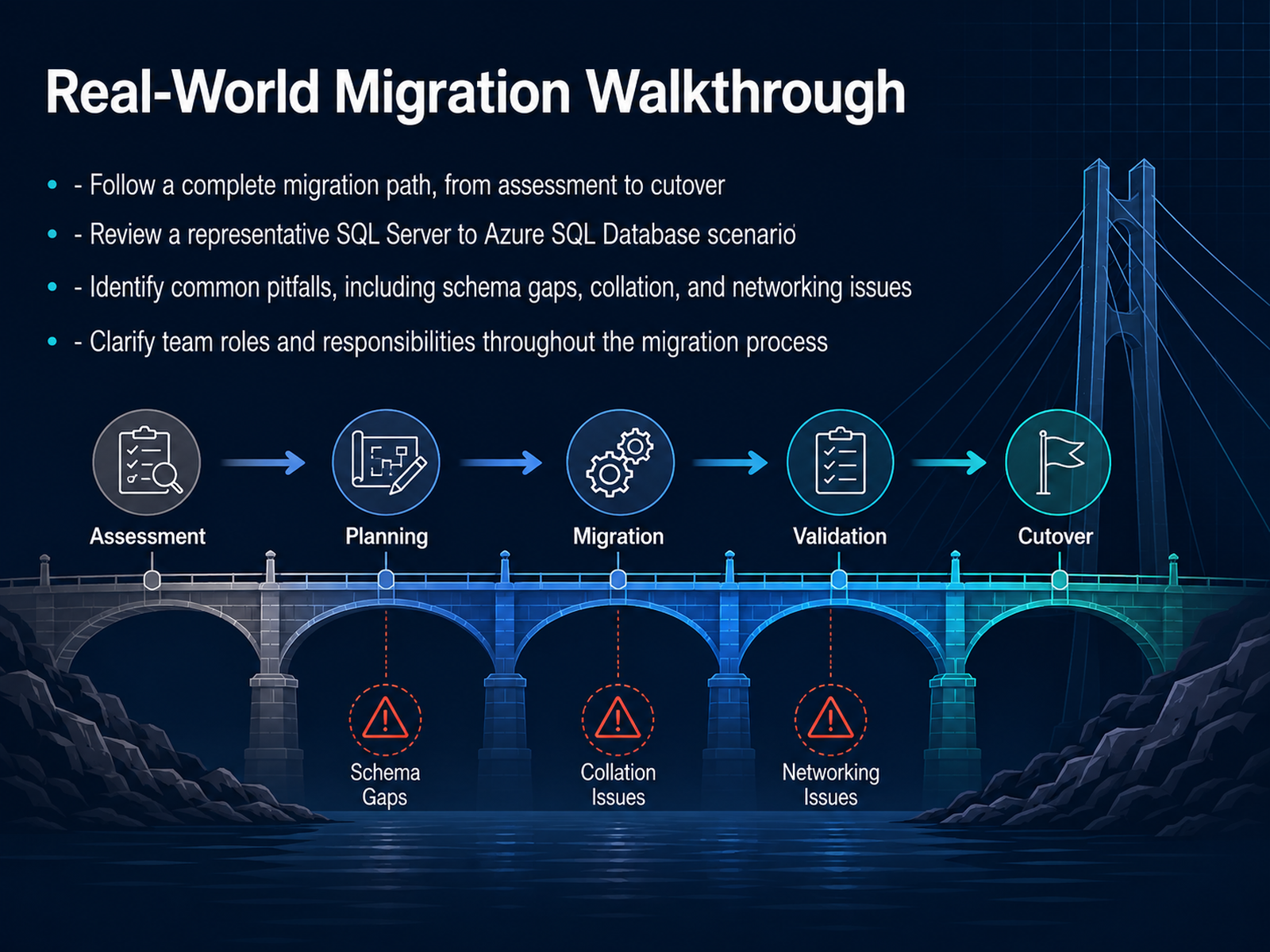 learn.microsoft.comlearn.microsoft.comlearn.microsoft.com+12 min
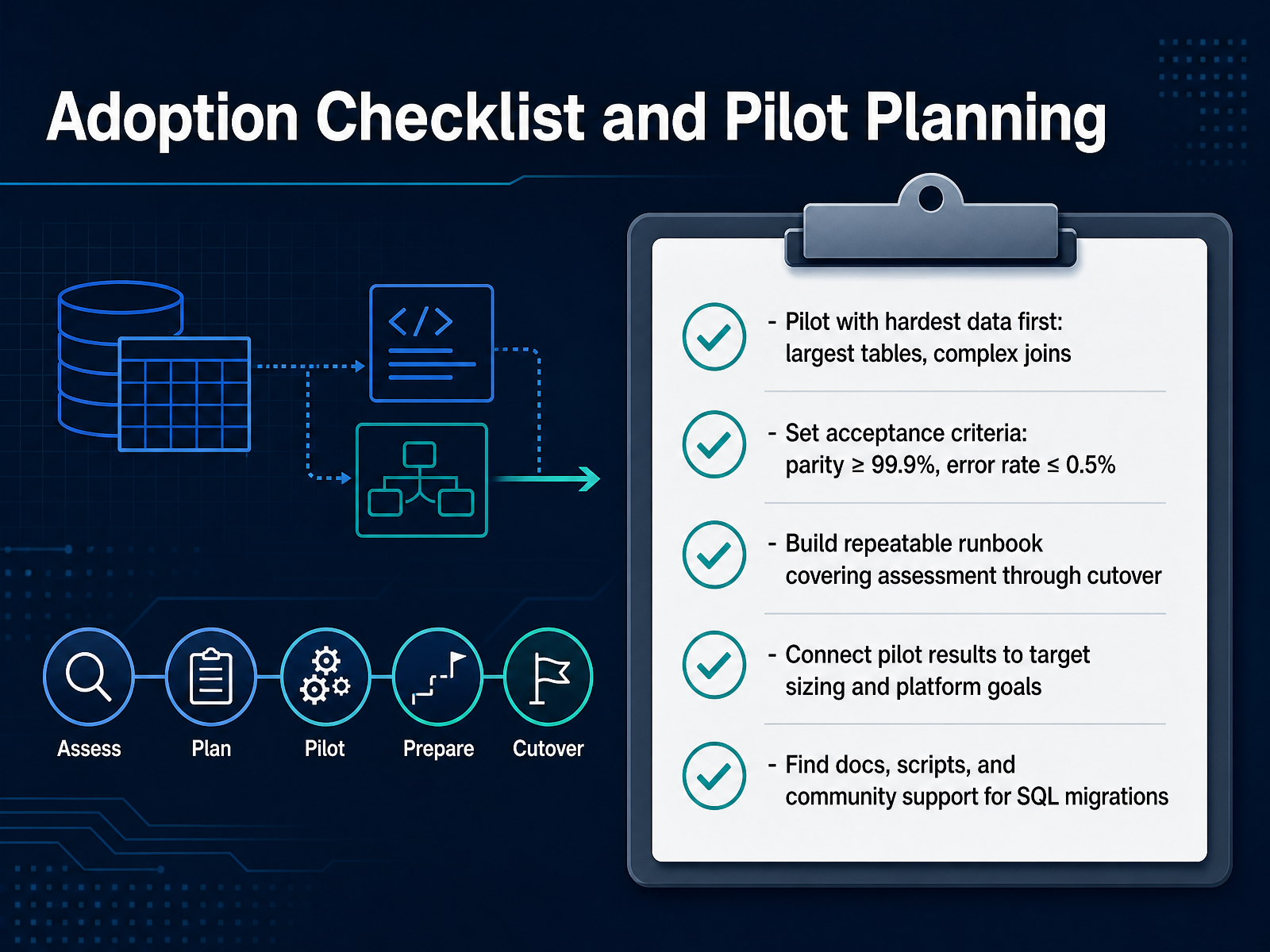
 - 13Adoption Checklist and Pilot PlanningThis is the final step in your plan. Start your pilot with the hardest data. Pick the largest tables and the ones with the most complex joins. If those move cleanly, the easier workloads will follow without surprise. You'll want to define your acceptance criteria before the pilot begins. Use a parity target of ninety-nine point nine percent or higher, and keep the error rate at or below half a percent. Anything less means you fix the root cause before you scale up. Build a repeatable runbook now. It should cover everything from the initial assessment through the final cutover, including rollback steps. Make it a document your team can follow under pressure. Then connect pilot results to your target sizing decisions. Benchmark throughput, latency, and resource consumption. Feed those numbers into your platform capacity planning. This closes the loop between migration results and your infrastructure roadmap. For documentation, scripts, and community support, look to official migration guides and the Azure Samples repository. The scripts there are battle tested. Keep the rollback tested and versioned. That is your safety net. Thanks for working through this. You now have a clear path to execute. Start small, measure hard, and scale with confidence.
 learn.microsoft.comlearn.microsoft.comlearn.microsoft.com+12 min
Take the deck with you
Download this course as a file — free, no sign-up needed.
- PDF handoutEvery slide page, ready to print or share.14 pages · 3.2 MBDownload
- Narrated PowerPointThe deck that presents itself — every slide carries the digital human's narration video.14 pages · 15.4 MBDownload
- PowerPoint slidesThe full deck as a .pptx — open it in PowerPoint, Keynote, or Google Slides.14 pages · 3.1 MBDownload
Free to use in your own training — please keep the PersonWise credit page at the end.
Have your own deck? Turn it into a course
Sources consulted
Web sources consulted while building this course.
- Supported Database Migration Scenarios - Azure Database Migration Service | Microsoft Learn — learn.microsoft.com
- https://learn.microsoft.com/en-us/data-migration/sql-server/database/overview — learn.microsoft.com
- https://learn.microsoft.com/en-us/ssms/migrate/migrate-sql-server-azure-sql — learn.microsoft.com
- Compare SQL data migration tools — learn.microsoft.com
- https://learn.microsoft.com/en-us/data-migration/sql-server/database/guide — learn.microsoft.com
- Azure Database Migration Service Tools Matrix | Microsoft Learn — learn.microsoft.com
- Assessment rules for SQL Server to Azure SQL Database migration | Microsoft Learn — learn.microsoft.com
- Migration guide: SQL Server to Azure SQL Database — learn.microsoft.com
- Migration guide: IBM Db2 to Azure SQL Database — learn.microsoft.com
- https://learn.microsoft.com/en-us/fabric/database/sql/migration-assistant — learn.microsoft.com
- Converting database schemas using DMS Schema Conversion — docs.aws.amazon.com
- azure-sql/migration-guides/database/oracle-to-sql-database-guide.md — github.com
- Best practices for Oracle to Azure Database for PostgreSQL schema conversion - Azure Database for PostgreSQL | Microsoft Learn — learn.microsoft.com
- Tutorial: Migrate SQL Server to SQL Server on an Azure Virtual Machine with Azure DMS (Online) - Azure Database Migration Service | Microsoft Learn — learn.microsoft.com
- Zero downtime migration from SQL Server to Azure SQL Database | Microsoft Community Hub — techcommunity.microsoft.com
- Configure your source SQL Server database for continuous migrations | Database Migration Service for heterogeneous SQL Server to Cloud SQL for PostgreSQL | Google Cloud Documentation — docs.cloud.google.com
- Change Data Capture (CDC) With Azure SQL Database — learn.microsoft.com
- Data Migration - From SQL MI to SQL DB migration | Microsoft Community Hub — techcommunity.microsoft.com
- Migrate on-premises SQL Server or SQL Server on Azure VMs to Azure SQL Database using the Data Migration Assistant — learn.microsoft.com
- Azure SQL Migration: Step-by-Step Guide To A Smooth Cutover — ituonline.com