Begin
14 pages · ~28 min
Digital Marketing Tools: Selection & Workflow Design
This training helps marketers evaluate and select digital marketing tools and design efficient workflows, enabling them to build a practical, integrated marketing toolkit.
A digital instructor presents all 14 pages. Hold “Ask” at any point and ask out loud — the answer comes from this course. No sign-up needed.
What you’ll learn
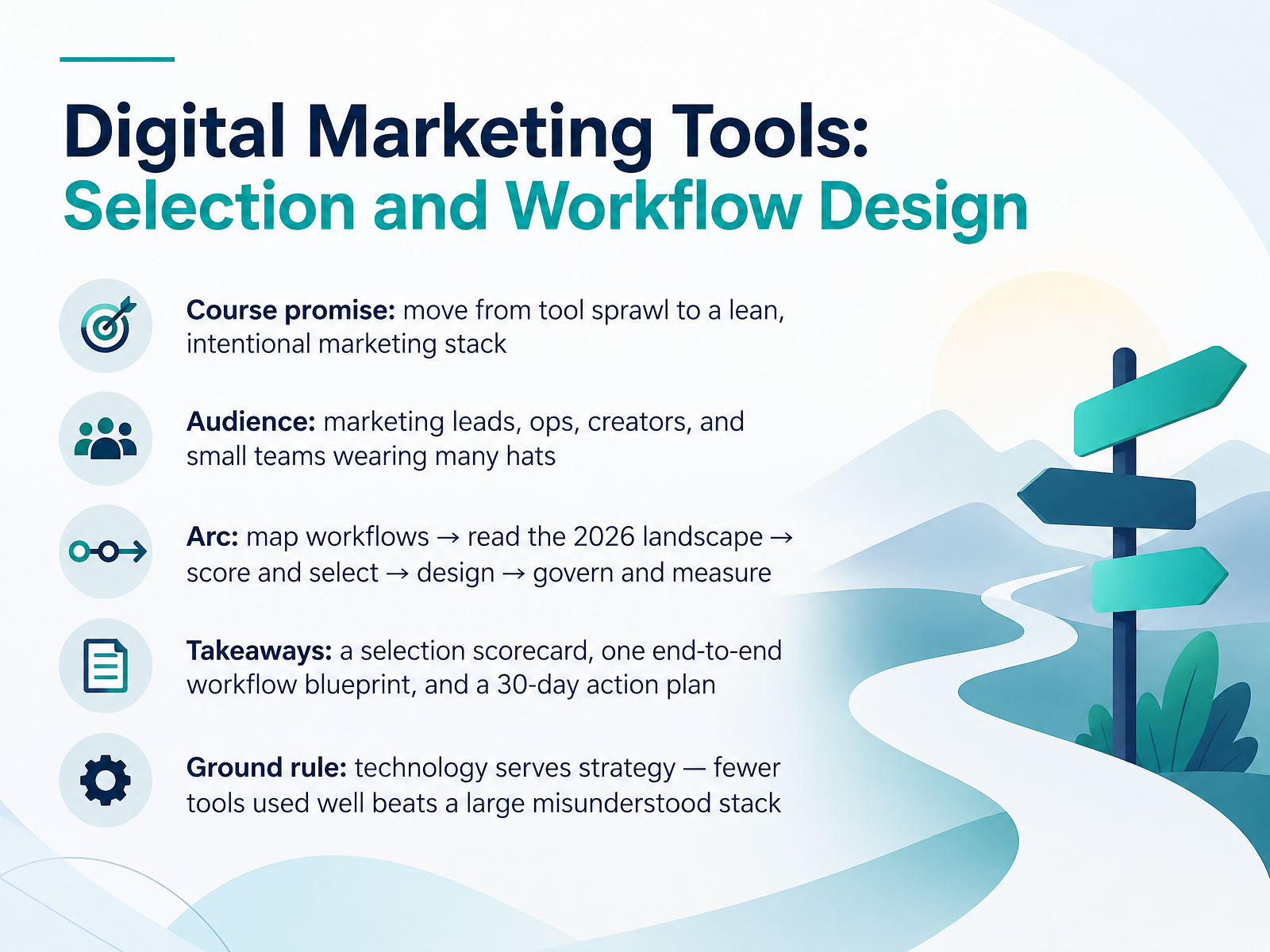
- 01Digital Marketing Tools: Selection and Workflow DesignWelcome. This course is about selecting digital marketing tools and designing a workflow that fits your team. The goal is simple. Move from tool sprawl to a lean, intentional marketing stack. This is built for marketing leads, operations people, creators, and small teams where everyone wears many hats. Here is the arc. First, we map your workflows. Then we read the twenty twenty-six landscape. Next, you score and select tools. After that, you design the workflow. Finally, you govern and measure it. You will leave with three things. A selection scorecard, one end-to-end workflow blueprint, and a thirty-day action plan. One ground rule before we start. Technology serves strategy. Fewer tools used well beat a large stack no one understands. Let's begin by naming the real problem. It is tool sprawl, not tool scarcity.2 min
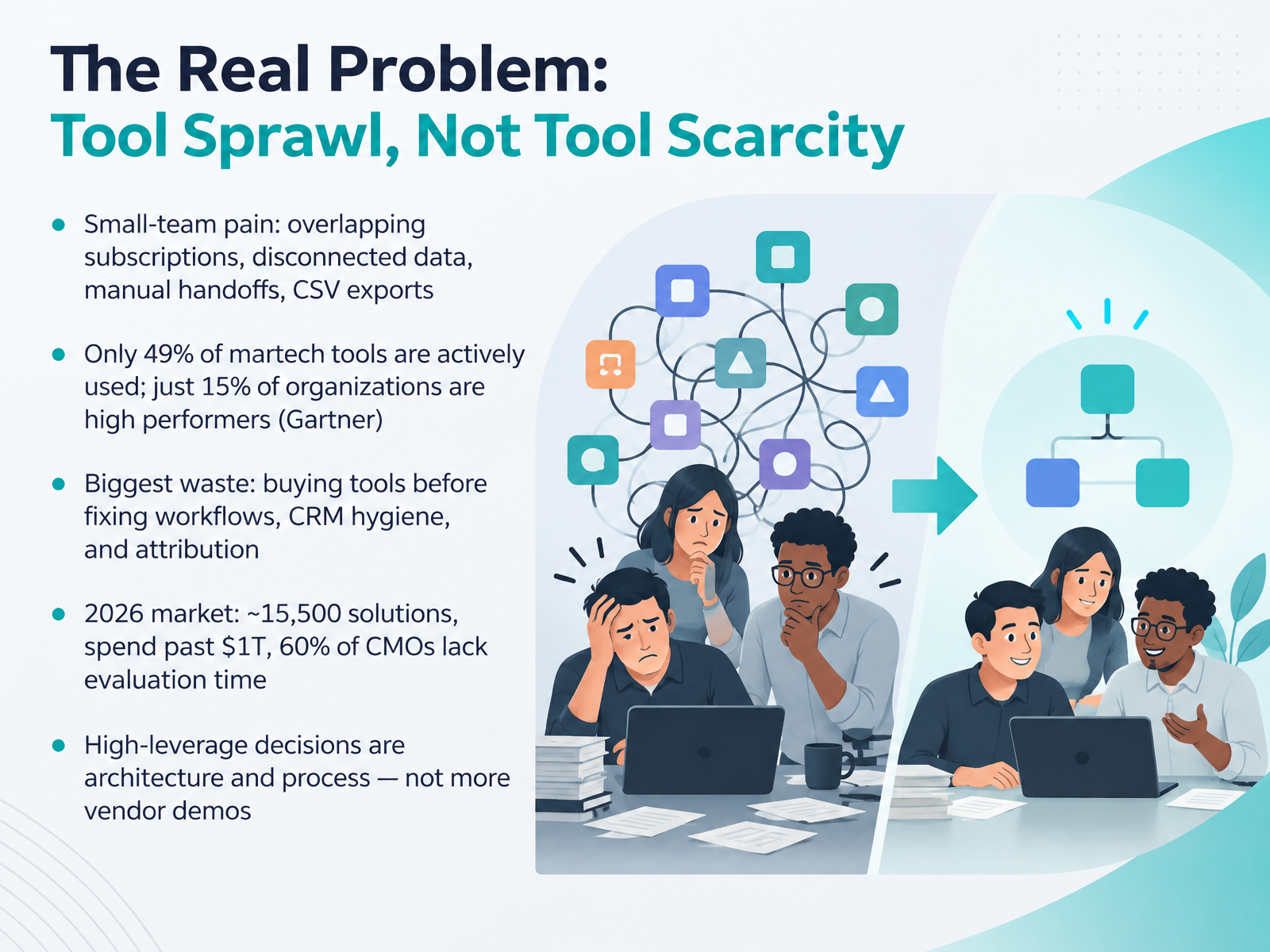
- 02The Real Problem: Tool Sprawl, Not Tool ScarcityLet's name the real problem, because it is not a shortage of tools. If you run a small team, you know the pain. Overlapping subscriptions, data that does not connect, manual handoffs, and CSV exports that eat your afternoon. The numbers back this up. Only forty-nine percent of martech tools are actively used. And just fifteen percent of organizations qualify as high performers. The biggest waste? Buying tools before you fix workflows, CRM hygiene, and attribution. In twenty twenty-six, the market holds roughly fifteen thousand five hundred solutions, spend has passed one trillion dollars, and sixty percent of marketing leads say they lack time to evaluate. So the highest-leverage decisions are architecture and process, not more vendor demos. Next, let's look at how to start with workflows, not tools.
 emarketer.comaajconsult.comampere.app+22 min
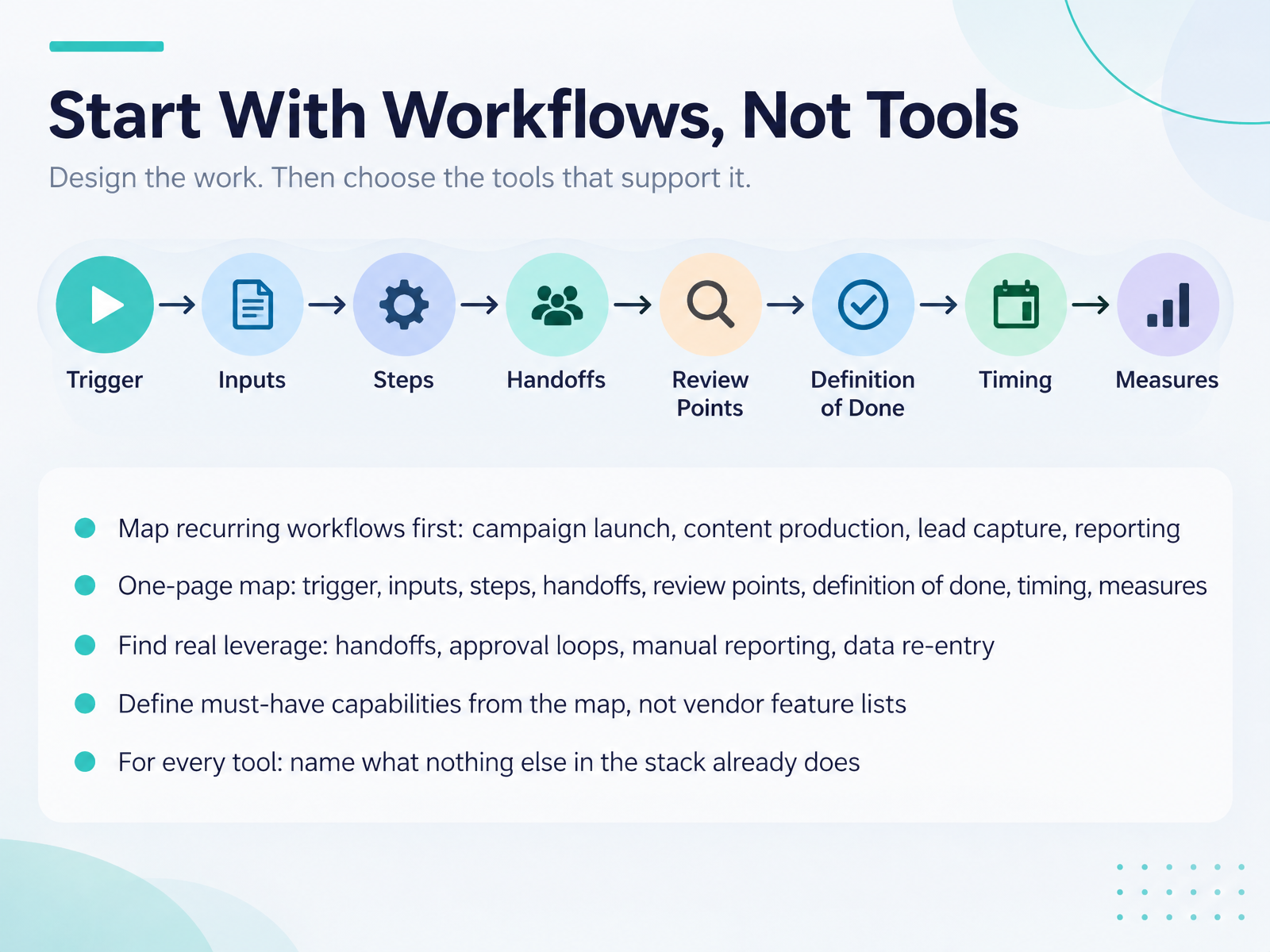
- 03Start With Workflows, Not ToolsSo before you evaluate a single tool, start with workflows. Map the work you repeat most often: campaign launch, content production, lead capture, and reporting. Keep the map to one page. For each workflow, name the trigger, the inputs, the steps, the handoffs, the review points, and the definition of done. Add timing and the measures you will track. Then look for real leverage. Check the handoffs, the approval loops, the manual reporting, and any place where data gets re-entered by hand. Next, define your must-have capabilities from that map, not from a vendor feature list. And for every tool, ask one hard question: what does this do that nothing else in your stack already does? If you cannot answer that, you probably do not need the tool. Let's move on to the 2026 Tool Landscape at a Glance.
 iriscale.comgtmstack.appxecutethevision.com+22 min
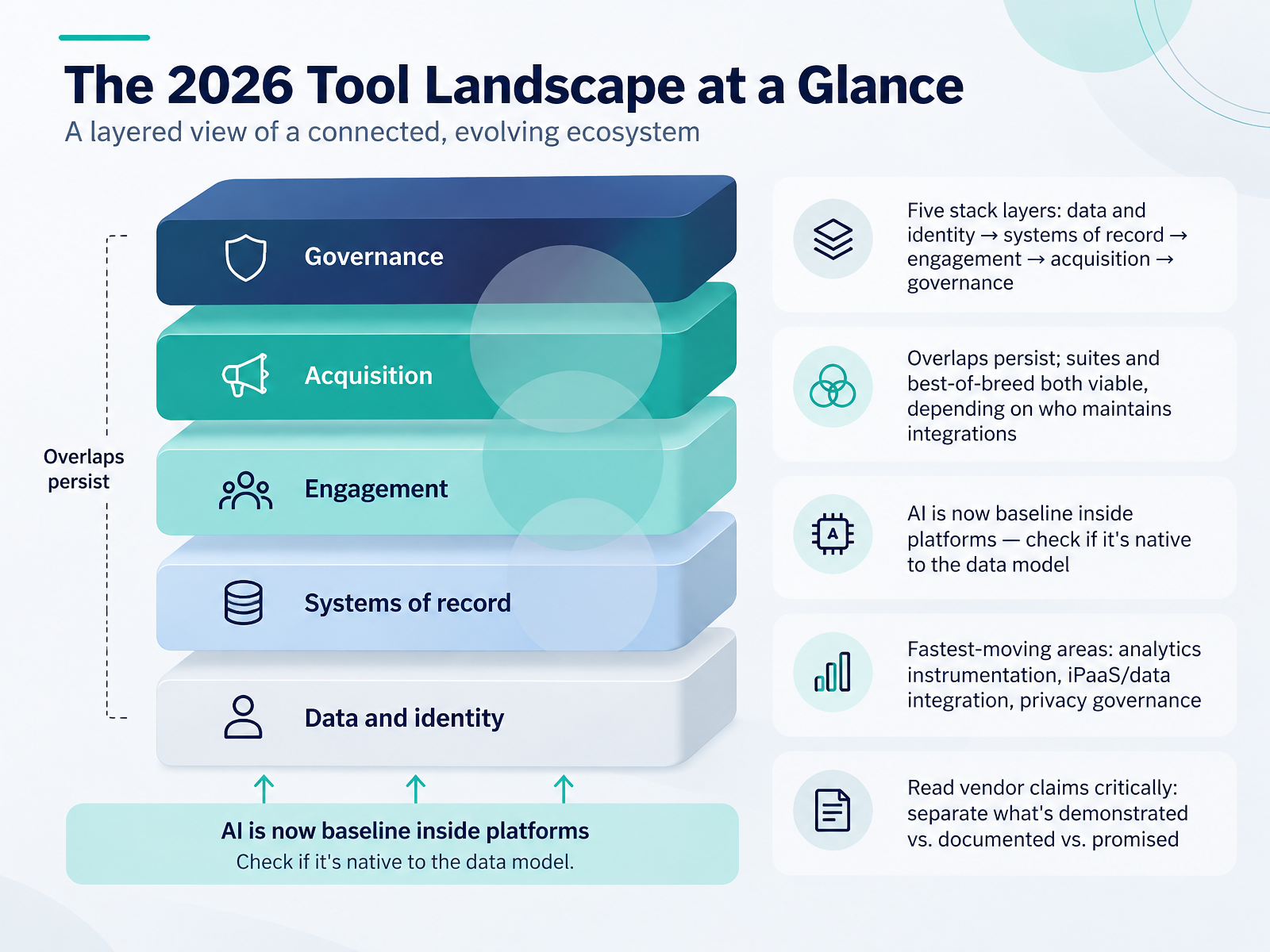
- 04The 2026 Tool Landscape at a GlanceNow let's look at the tool landscape as it stands in twenty twenty-six. Think of your stack as five layers. First, data and identity. Second, systems of record. Third, engagement. Fourth, acquisition. And fifth, governance. Overlaps between these layers are real, and they're not going away. Suites and best-of-breed tools are both viable. The deciding factor is who maintains the integrations, your team or the vendor. AI is now baseline inside most platforms. So when you evaluate a tool, check whether the AI features are native to the data model, or bolted on afterward. The fastest-moving areas are analytics instrumentation, integration platforms and data pipelines, and privacy governance. And read vendor claims critically. Separate what is demonstrated in a live demo, what is documented in the contract, and what is only promised on a roadmap. Next, we'll turn this into a weighted scorecard.
 2 min
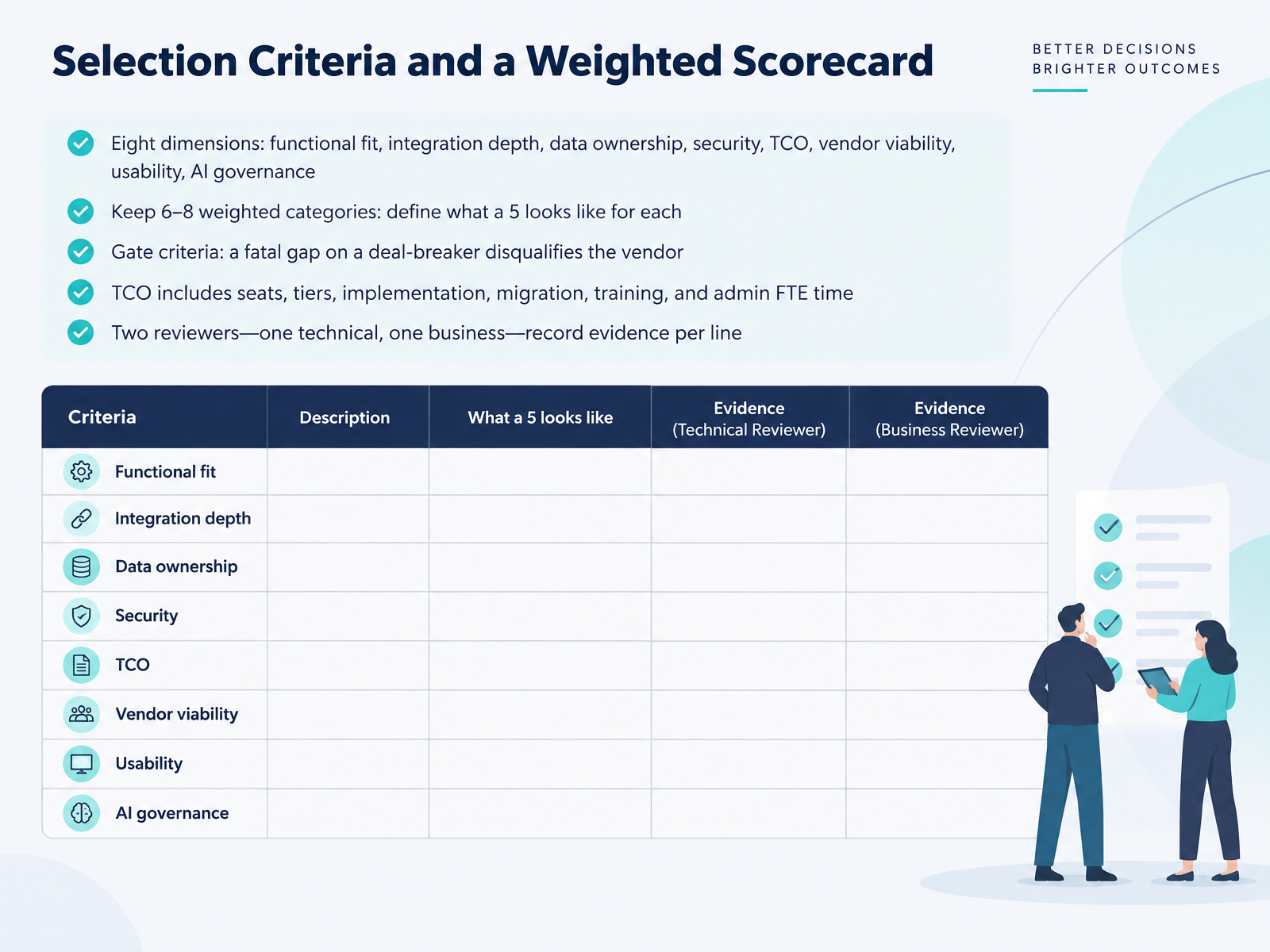
- 05Selection Criteria and a Weighted ScorecardLet's move to the criteria themselves. Start with eight dimensions: functional fit, integration depth, data ownership, security, total cost of ownership, vendor viability, usability, and AI governance. Then trim to six to eight weighted categories. For each one, write a one-line definition of what a five looks like, so two scorers rate the same way. Next, set gate criteria. If a vendor has a fatal gap on a deal-breaker, it is out, no matter how high the total score. When you model total cost of ownership, include seats, pricing tiers, implementation, migration, training, and admin time. That admin time is real money. A platform that needs a part-time administrator is a bigger purchase than the license suggests. Finally, assign two reviewers, one technical and one from the business side. They record evidence line by line. A claim without evidence is a diligence question, not a capability. That evidence model sets up the pilot, which we cover next in Running a Realistic Pilot Before You Buy.
 pedowitzgroup.comvarisource.comstratagon.com+22 min
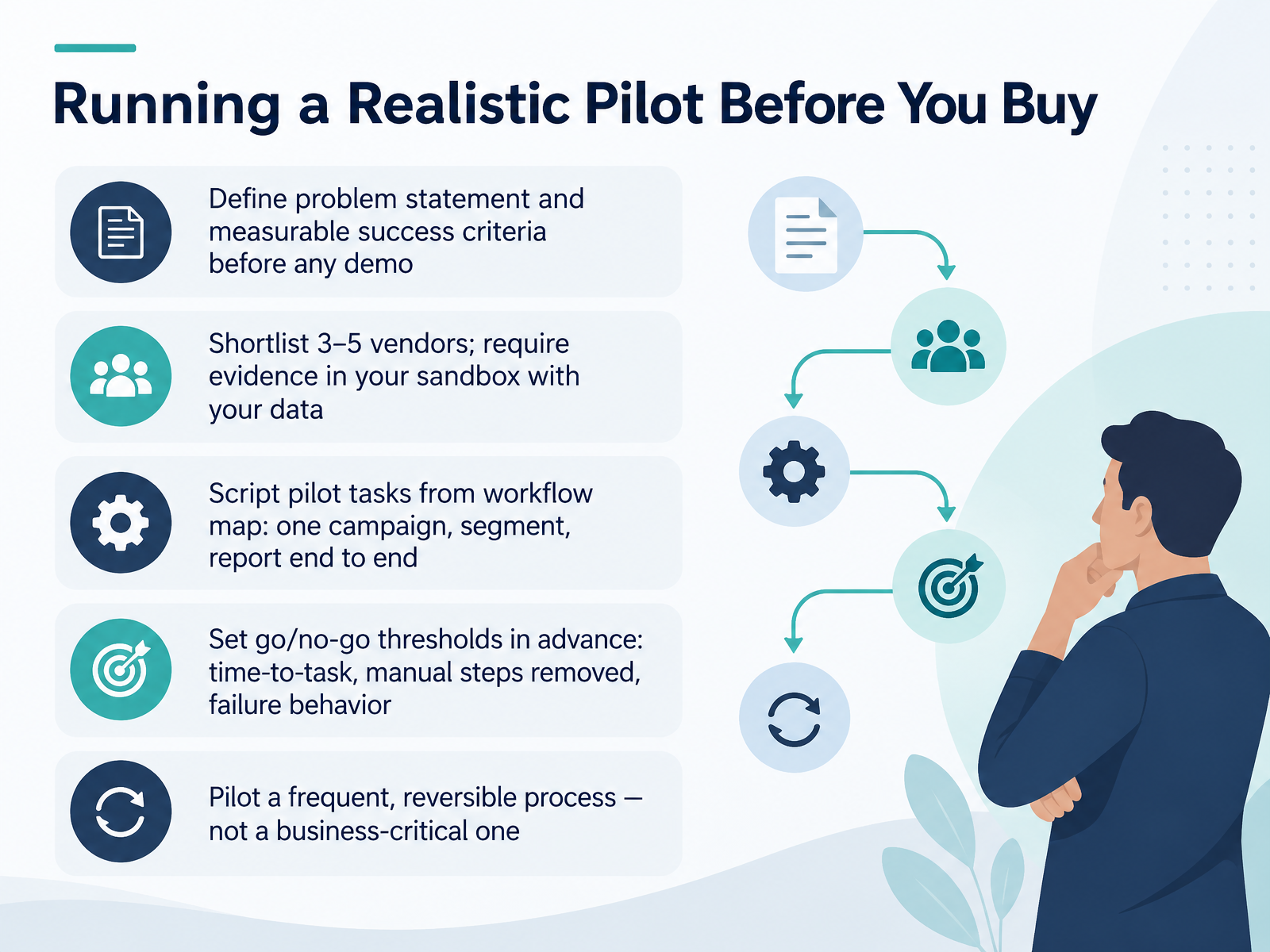
- 06Running a Realistic Pilot Before You BuyNow let's talk about running a realistic pilot before you buy. Start with a written problem statement and measurable success criteria, before you sit through any demo. Then shortlist three to five vendors. Ask each one for evidence in your sandbox, using your data, not a polished slide deck. Next, script the pilot tasks from your workflow map. Take one campaign, one segment, and one report, and run them end to end. Set your go or no-go thresholds in advance. Track time-to-task, manual steps removed, and how the tool behaves when something fails. And choose a frequent, reversible process for the pilot, not a business-critical one. For example, pilot your weekly social scheduling before you touch lead routing. When the pilot ends, compare results to the criteria and decide. Next, we will look at integration, data flow, and a minimum architecture.
 2 min
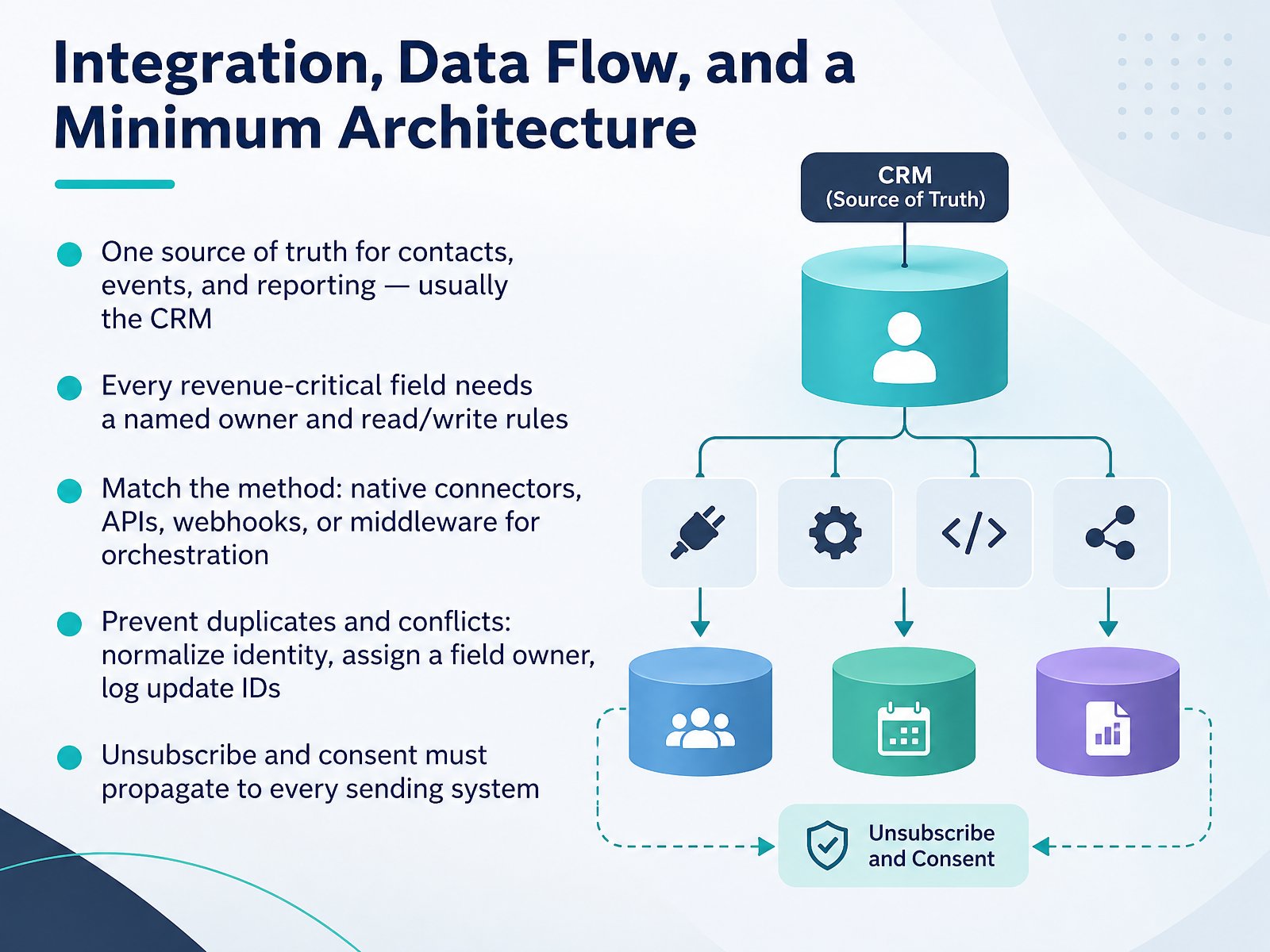
- 07Integration, Data Flow, and a Minimum ArchitectureNow let's talk about integration, data flow, and a minimum architecture. The goal is simple. You want one source of truth for contacts, events, and reporting. In most teams, that is the CRM. Next, give every revenue-critical field a named owner and clear read and write rules. For example, the CRM owns deal stage. The email platform owns engagement and suppression. Then match the method to the job. Use native connectors for standard cases. Use APIs for controlled custom logic. Use webhooks for event-driven updates. Use middleware when orchestration gets complex. You also need to prevent duplicates and conflicts. Normalize email for matching, assign a field owner, and log update IDs so retries do not repeat an action. Finally, make sure unsubscribe and consent propagate to every sending system. Test one contact, one update, and one unsubscribe before you scale. Next, we will look at workflow design patterns for small teams.
 salesmarketingautomation.comhouseofmartech.comgtmstack.app+22 min
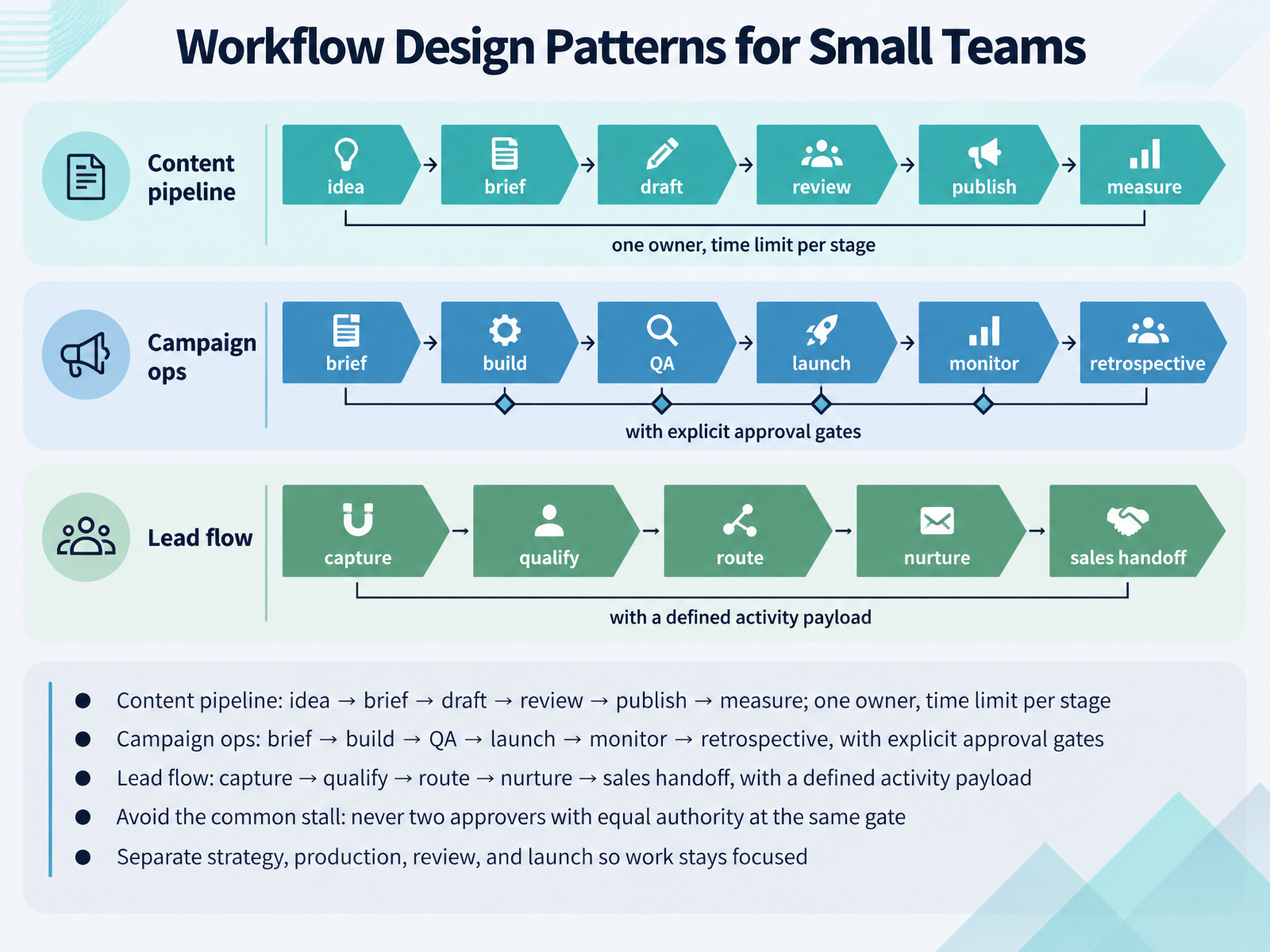
- 08Workflow Design Patterns for Small TeamsNow let's look at workflow design patterns you can actually run with a small team. There are three to start with. First, the content pipeline: idea, brief, draft, review, publish, measure. Give each stage one owner and a time limit, so a draft can't sit in review for three weeks. Second, campaign ops: brief, build, QA, launch, monitor, retrospective. Put explicit approval gates between build and launch, so nobody schedules assets around an idea that wasn't signed off. Third, lead flow: capture, qualify, route, nurture, sales handoff. Define the activity payload at the handoff, meaning the fields sales actually receives, like session topic, attendance time, and questions asked. Then avoid the most common stall. Never give two approvers equal authority at the same gate. One named approver, one decision. Finally, keep strategy, production, review, and launch as separate modes, so your designer isn't rewriting messaging and your strategist isn't resizing ads. That separation keeps the work focused and shows you exactly where it's blocked. Next, we'll look at human-in-the-loop approval for AI-assisted work.
 iriscale.comgtmstack.appxecutethevision.com+22 min
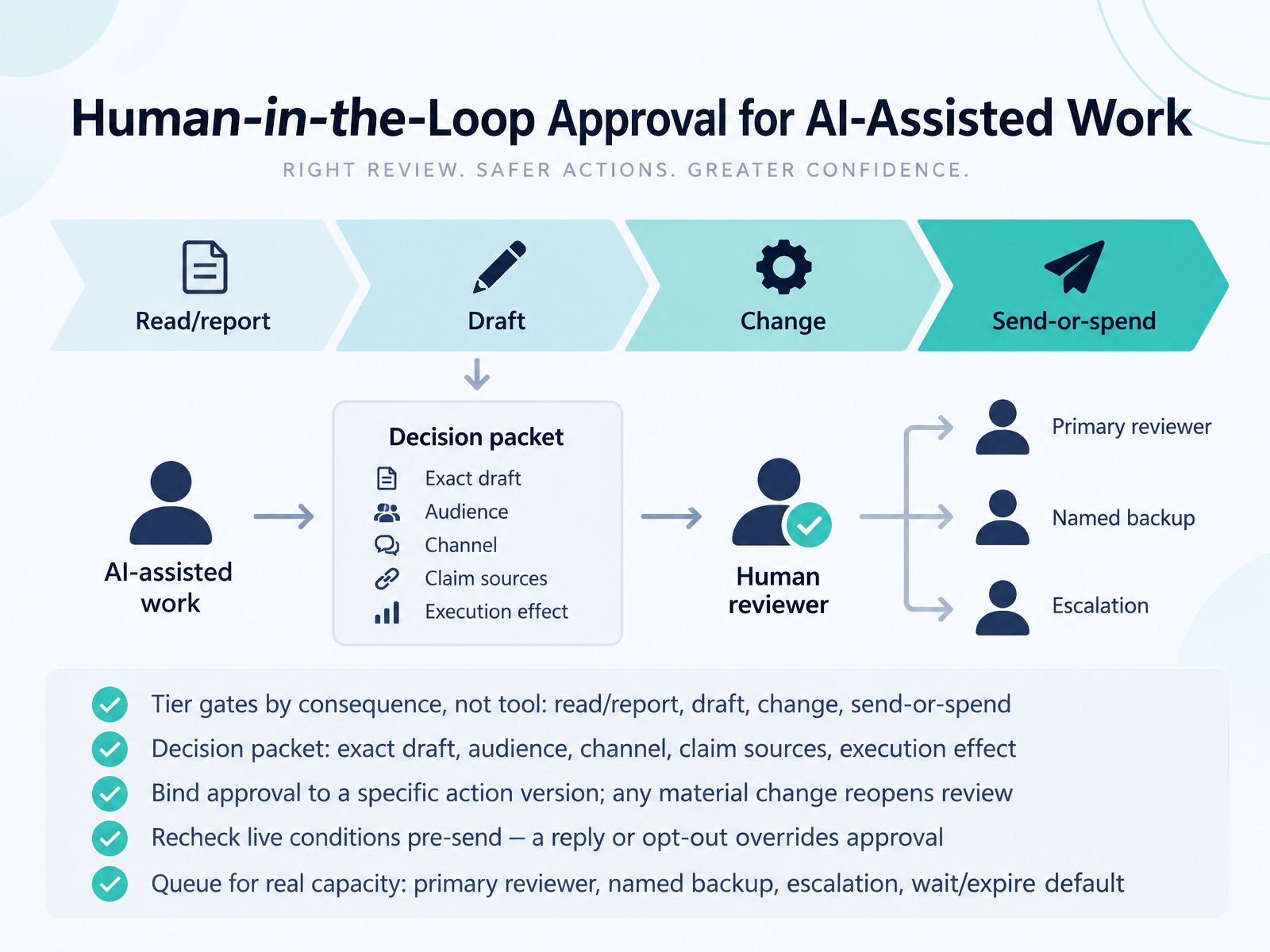
- 09Human-in-the-Loop Approval for AI-Assisted WorkLet's talk about the human check in AI-assisted work. The first rule: gate by consequence, not by tool. A read or report can run freely. A draft needs review. A change needs approval. A send or spend needs a named person.
Second, give the reviewer a decision packet. Include the exact draft, audience, channel, claim sources, and what clicking approve will execute.
Third, bind approval to a specific action version. If the audience, price, link, or timing changes, review reopens.
Fourth, recheck live conditions before sending. A prospect reply or an opt-out overrides earlier approval.
Finally, size the queue to real capacity. Name a primary reviewer and a backup. Set an escalation path. When no one is available, the default is to wait or expire, not to hand authority to whoever is around.
With that approval model in place, next we look at Governance, Adoption, and Subscription Control.
 1 min
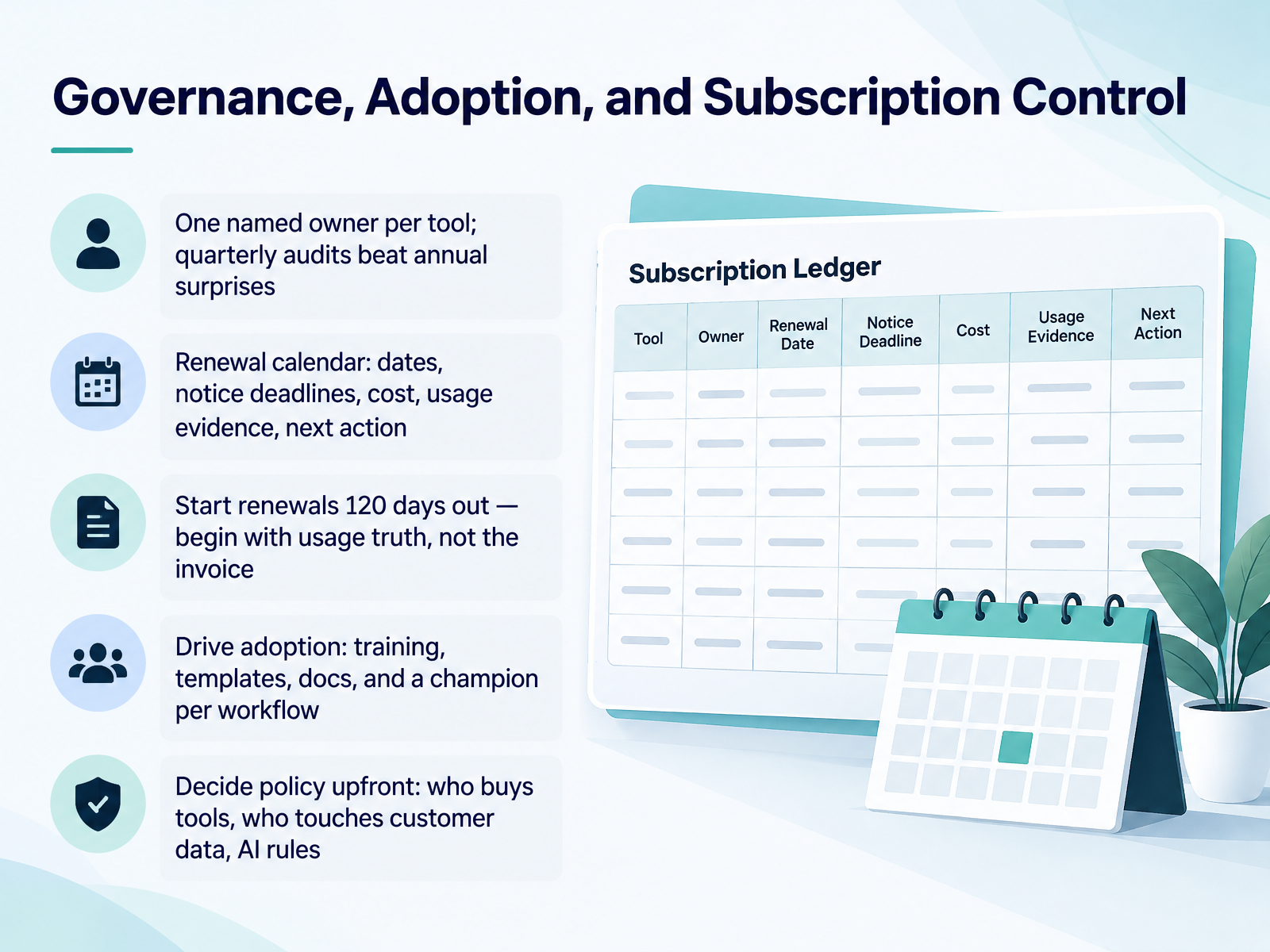
- 10Governance, Adoption, and Subscription ControlNext, let's talk governance. This is what keeps your stack from quietly costing you time and money. First, give every tool one named owner. Quarterly audits beat annual surprises, because a full year of cost creep is expensive to unwind. Second, build a renewal calendar. Record the renewal date, the notice deadline, the annual cost, usage evidence, and the next action. Start renewals one hundred twenty days out. Begin with usage truth, not the invoice. For example, if you pay for five hundred seats and three hundred forty logged in last quarter, you have evidence to right-size. Third, drive adoption with training, templates, docs, and one champion per workflow. Fourth, decide policy upfront: who buys tools, who touches customer data, and your AI rules. Write those three answers down this week, and your stack stops surprising you. Now, let's move on to measuring ROI and running the quarterly stack review.
 emarketer.comaajconsult.comampere.app+22 min
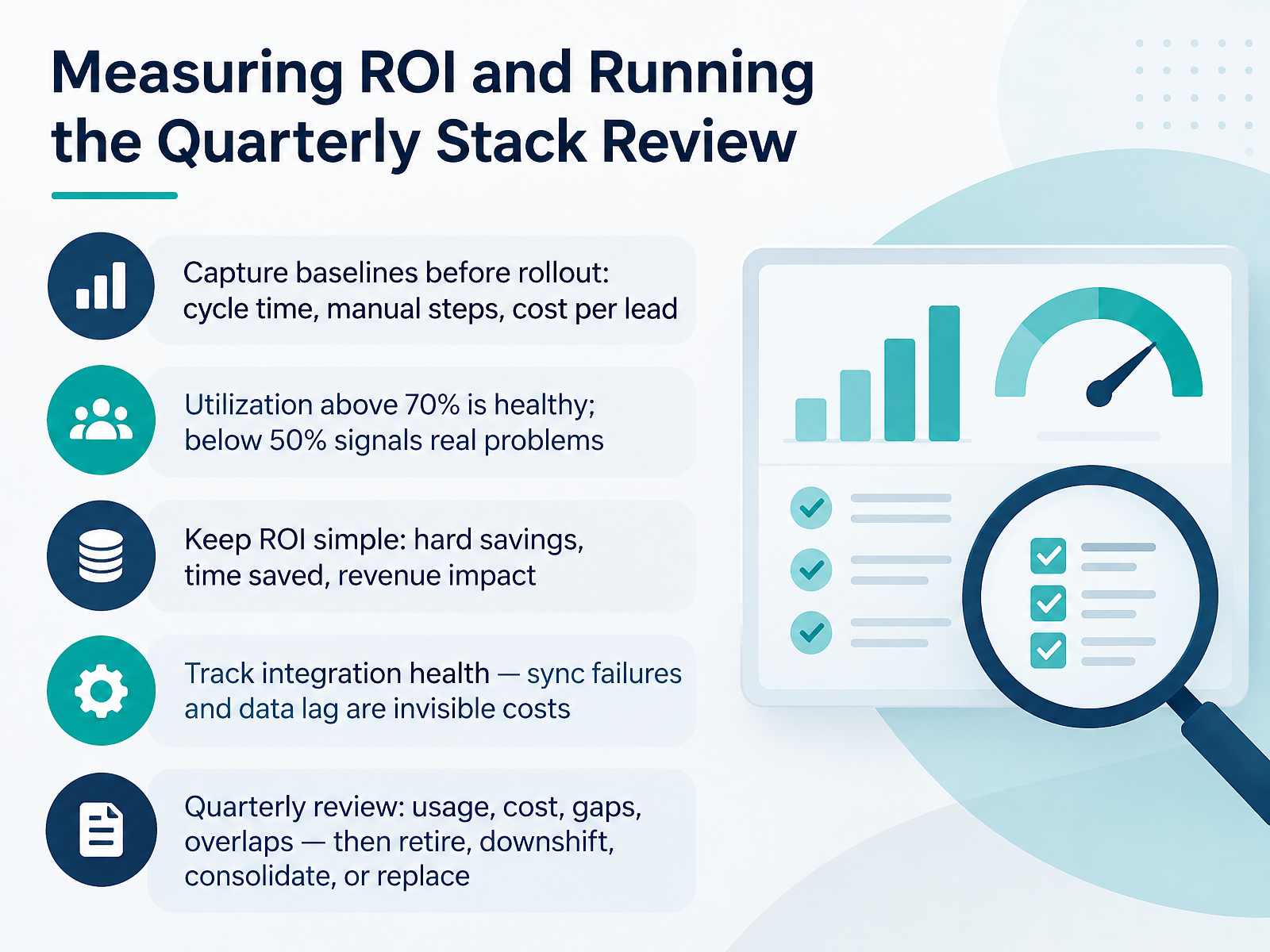
- 11Measuring ROI and Running the Quarterly Stack ReviewNow let's talk about proving the stack is worth its cost, and reviewing it on a schedule. Start by capturing baselines before rollout. Record cycle time, manual steps, and cost per lead. Without a starting number, you cannot show improvement later. Next, look at utilization. Above seventy percent is healthy. Below fifty percent signals a real problem, either in the tool or in how your team adopted it. Keep your ROI math simple. Count hard savings, time saved, and revenue impact. Skip vanity metrics. Also track integration health. Sync failures and data lag are invisible costs. Every manual export is integration debt, and it compounds quietly. Then run a quarterly review. Look at usage, cost, gaps, and overlaps. For each tool, make one decision. Retire it, downshift to a lower tier, consolidate it with another vendor, or replace it. Assign one owner per decision, and put every renewal date on a calendar with a review window ahead of it. That gives you time to negotiate instead of reacting to an invoice. The takeaway is this. Measure before and after, keep the math simple, and review every quarter, so small problems never become expensive ones. Next, we put all of this into practice in the hands-on workshop, Scorecard and Workflow Blueprint.
 aajconsult.com2 min
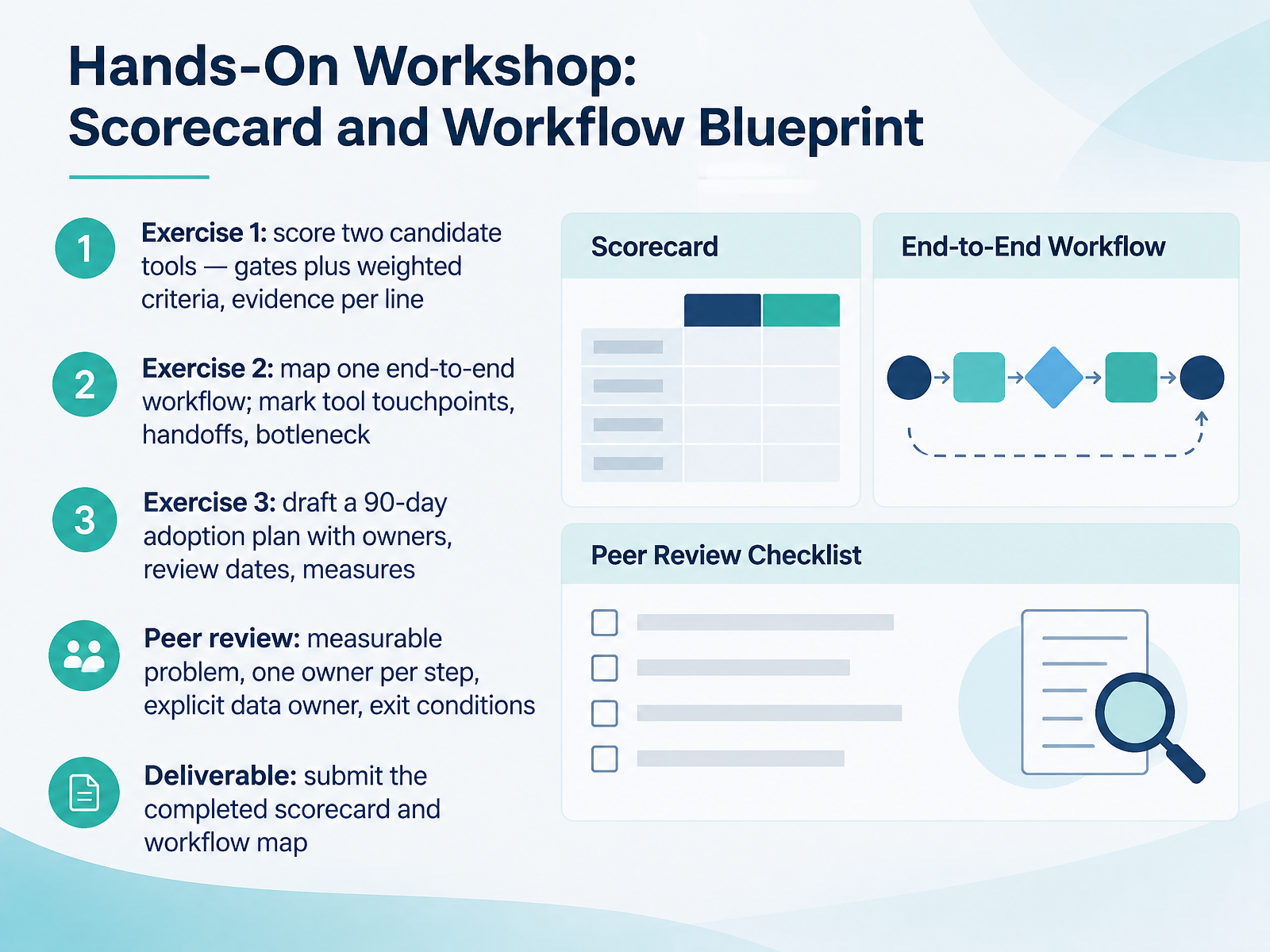
- 12Hands-On Workshop: Scorecard and Workflow BlueprintNow let's put this into practice with three hands-on exercises. In Exercise One, score two candidate tools. Use your gating questions first, then weighted criteria. Record the evidence for each line, not just the score. In Exercise Two, map one end-to-end workflow. Mark every tool touchpoint, each handoff between people, and the single biggest bottleneck. In Exercise Three, draft a ninety-day adoption plan. Name an owner for each step, set review dates, and define how you will measure success. Then exchange drafts for peer review. Check for a measurable problem, one owner per step, an explicit data owner, and clear exit conditions. Your deliverable is the completed scorecard and workflow map. Submit both before the next session. Next, we look at common pitfalls and how to avoid them.
 1 min
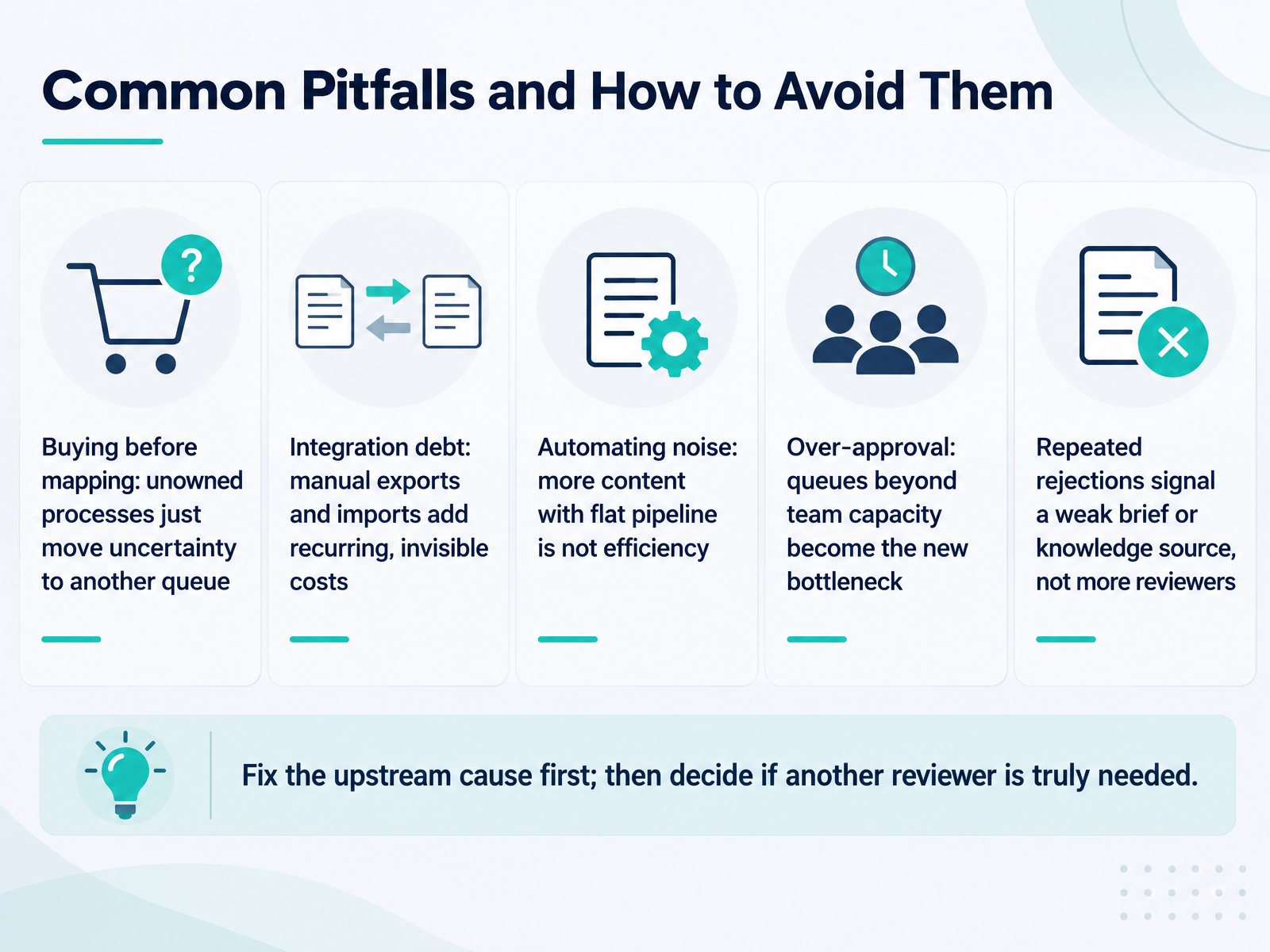
- 13Common Pitfalls and How to Avoid ThemLet's talk about the pitfalls that quietly eat your time and budget. First, buying before mapping. If you purchase a tool for a process nobody owns, you just move the uncertainty to another queue. Map the process first, then buy. Second, integration debt. Manual exports and imports add a recurring, invisible cost every week. Count those hours before you decide a tool is cheap. Third, automating noise. More content with a flat pipeline is not efficiency. It is volume without demand. Fourth, over-approval. Queues beyond your team's capacity become the new bottleneck, so match reviewer load to real throughput. And when you see repeated rejections, treat them as a signal. They usually point to a weak brief or a weak knowledge source, not a need for more reviewers. Fix the upstream cause first. Then decide whether another reviewer is truly needed. Avoiding these five traps is mostly about sequencing: map, integrate, measure, then scale.
 2 min
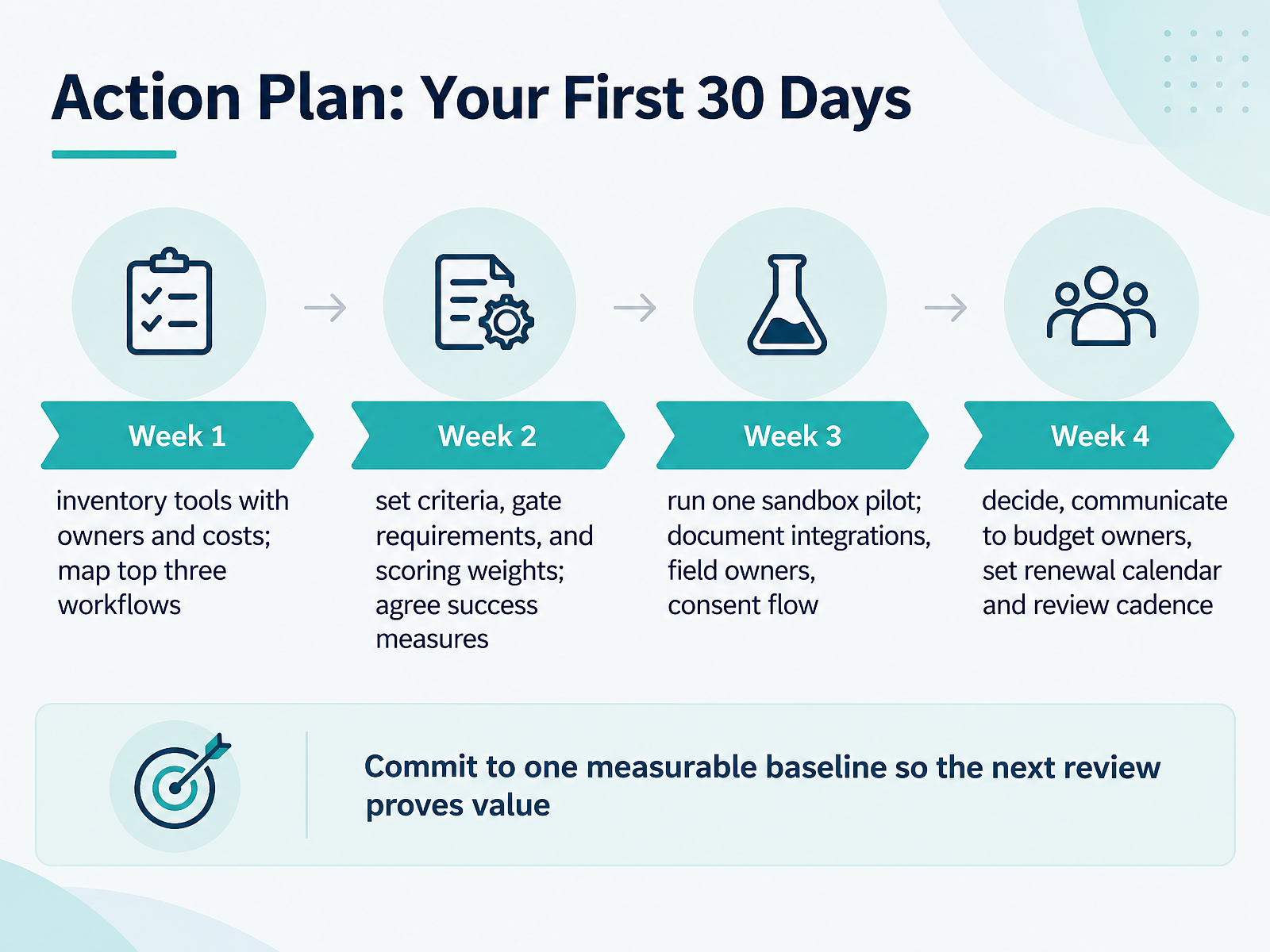
- 14Action Plan: Your First 30 DaysLet's close with a plan you can start on Monday. Week one is inventory. List every tool, its named owner, and its annual cost. Then map your top three workflows: how a lead becomes a customer, how a campaign gets launched, and how you report results. Week two, set your criteria. Agree on gate requirements, such as CRM integration or consent handling, assign scoring weights, and confirm how you will measure success. Week three, run one sandbox pilot. Document the integrations, name the field owners, and trace the consent flow end to end. Week four, decide. Communicate the outcome to budget owners, then set a renewal calendar and a review cadence so nothing auto-renews by surprise. Before you finish, commit to one measurable baseline, like hours saved per week or seat utilization, so your next review proves value. That's the whole course: inventory, criteria, pilot, decision, measure. Thank you for working through this with me. Start with week one, keep it simple, and you will have a stack that earns its place.
 aajconsult.com2 min
Take the deck with you
Download this course as a file — free, no sign-up needed.
- PDF handoutEvery slide page, ready to print or share.15 pages · 3.1 MBDownload
- Narrated PowerPointThe deck that presents itself — every slide carries the digital human's narration video.15 pages · 12.6 MBDownload
- PowerPoint slidesThe full deck as a .pptx — open it in PowerPoint, Keynote, or Google Slides.15 pages · 3.0 MBDownload
Free to use in your own training — please keep the PersonWise credit page at the end.
Have your own deck? Turn it into a course
Sources consulted
Web sources consulted while building this course.
- FAQ on martech: How AI agents and composable stacks ... — emarketer.com
- The 2025–2026 Marketing Technology Stack Landscape — aajconsult.com
- Martech stack: how to build a lean AI marketing stack - Ampere — ampere.app
- Marketing Tech Stack 2026: Trends in AI, Automation & Strategic Consolidation — marketate.com
- How to Build a Marketing Tech Stack: 2026 Guide — pipeline.zoominfo.com
- Marketing Handoff Checklist | Iriscale | Iriscale — iriscale.com
- GTM Content Calendar Template — GTM Ops | GTMStack — gtmstack.app
- Marketing Workflow Management Template (Free Builder) — xecutethevision.com
- B2B Content Workflow Template: Idea to Published Post — b2bcontentos.com
- What is a marketing workflow? How to map and automate one - Ampere — ampere.app
- What's the best way to evaluate new marketing technology vendors? — pedowitzgroup.com
- SaaS Vendor Scorecard 2026: 10 Criteria, Template + Tips — varisource.com
- Marketing Tech Vendor Selection: 2026 Buying Guide — stratagon.com
- SaaS Vendor Evaluation Scorecard (With Template) — resources.rework.com
- MarTech Vendor Selection: The Evaluation Framework We Use Across 200+ Tools | Data Innovation — datainnovation.io
- Marketing Automation Integration Guide for 2026 — salesmarketingautomation.com
- Marketing Automation Integration: CRM to Email to Analytics — houseofmartech.com
- Building a Unified GTM Data Layer — GTM Ops | GTMStack — gtmstack.app
- CRM and Email Marketing Integration Guide: Data, Automation, Platform Fit, and Pricing Models (2026) — tajo.io
- The architecture of a modern "Frictionless" marketing stack | Data Research Analysis — dataresearchanalysis.com