Begin
8 pages · ~16 min
Intro to Python Programming
A beginner-friendly training that teaches the fundamentals of Python programming, including syntax, data types, and control flow, for new developers.
A digital instructor presents all 8 pages. Hold “Ask” at any point and ask out loud — the answer comes from this course. No sign-up needed.
What you’ll learn
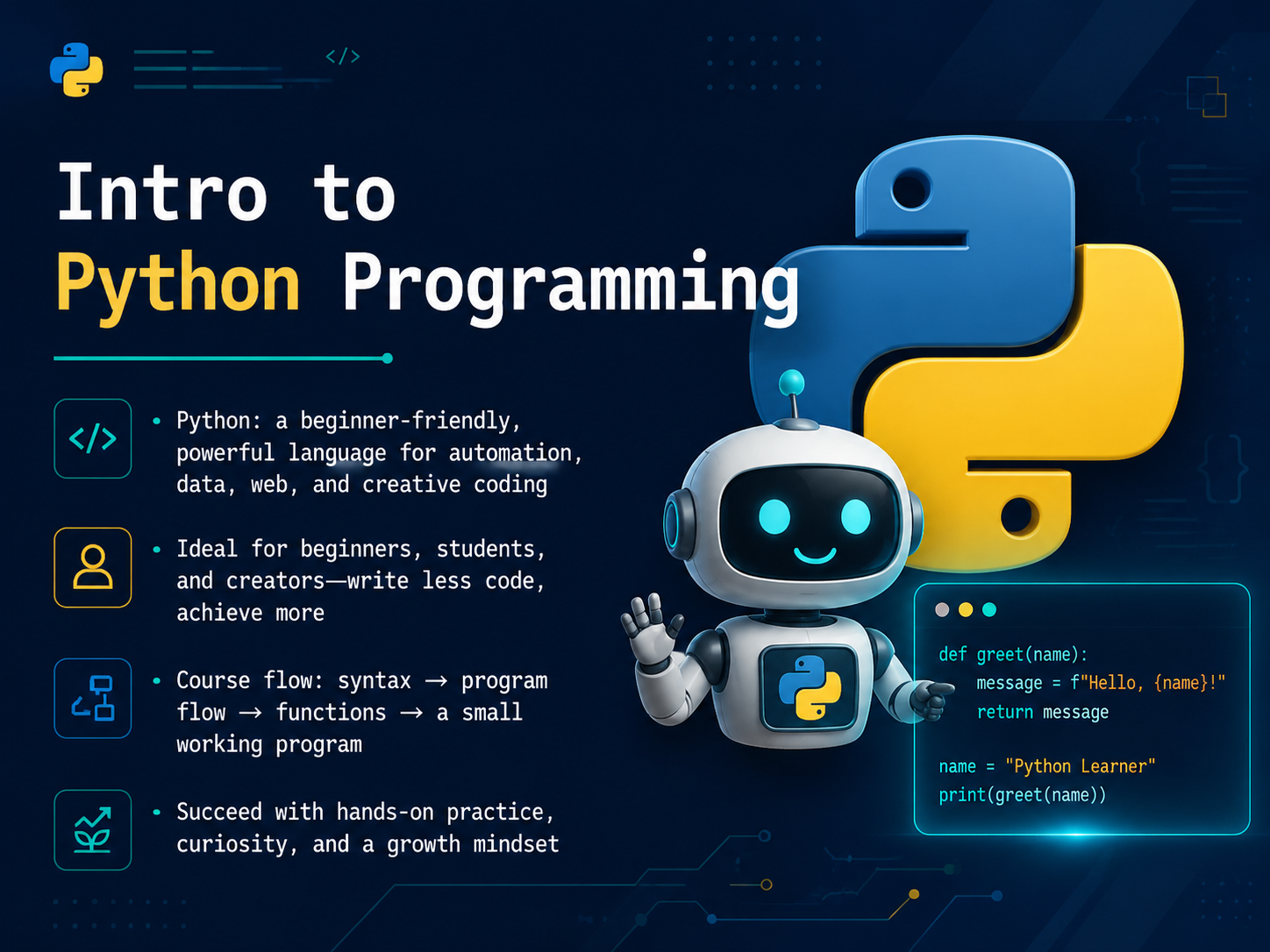
- 01Intro to Python ProgrammingHello, and welcome. I'm so glad you're here. Today, we're starting an introduction to Python programming, and you don't need any prior experience, just your curiosity and a willingness to try things out. Python is a beginner-friendly language, but it's also incredibly powerful. It's used everywhere: for automating everyday tasks, analyzing data, building websites, and even creative coding. As a beginner, student, or independent creator, you'll be able to write less code and achieve more, which is a great feeling. Here's our plan for this course. First, we'll explore Python's basic syntax, the words and rules of the language. Then, we'll talk about program flow, which is how the computer makes decisions and repeats actions. After that, we'll cover functions, which you can think of like a recipe. A recipe has a name, some ingredients, and a set of steps, and you can reuse it anytime you want to make that dish. Finally, we'll put everything together and build a small working program. The most important thing is to practice along with me, stay curious, and remember that learning to code is a journey. Every mistake is just a step toward understanding. Next up, we're going to make sure you have Python installed and ready to go, in 'Setting Up Your Python Environment.'python.orgpython.orgpython.org+22 min
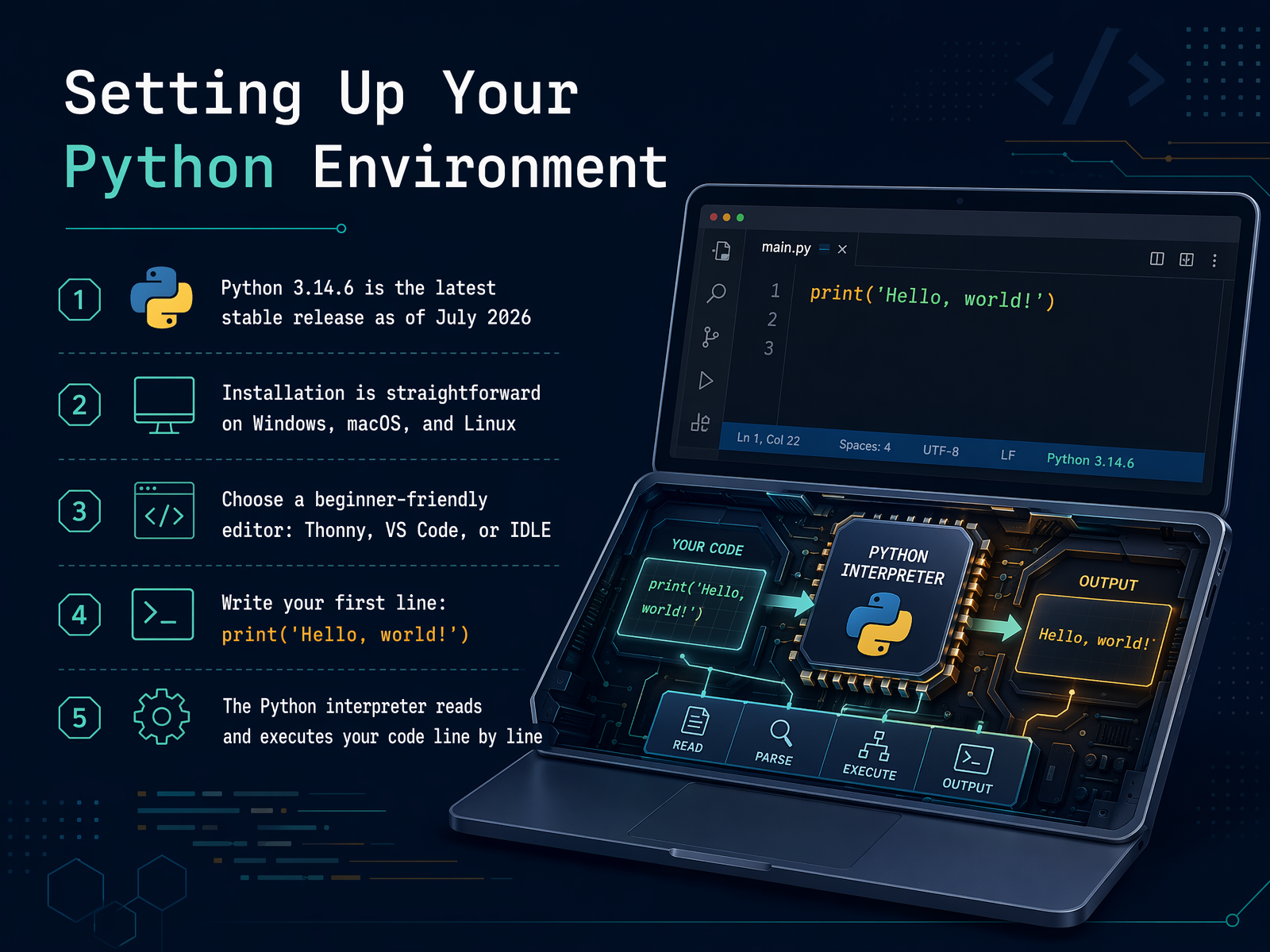
- 02Setting Up Your Python EnvironmentLet's prepare a simple environment for coding. Download a currently supported Python 3 release from the official python.org site and follow the installation guidance for your operating system. The exact current version changes over time, so use the supported release shown there rather than relying on a version number in a course. Next, choose a place to write code. IDLE is included with many Python installations, while Thonny and VS Code are common alternatives. Any of them can work for this course. Create a file and write print, open parenthesis, quotation mark, Hello comma world exclamation mark, quotation mark, close parenthesis. Run the file. The interpreter executes the program and displays the text. If that happens, your environment is ready.
 python.orgpython.orgpython.org+22 min
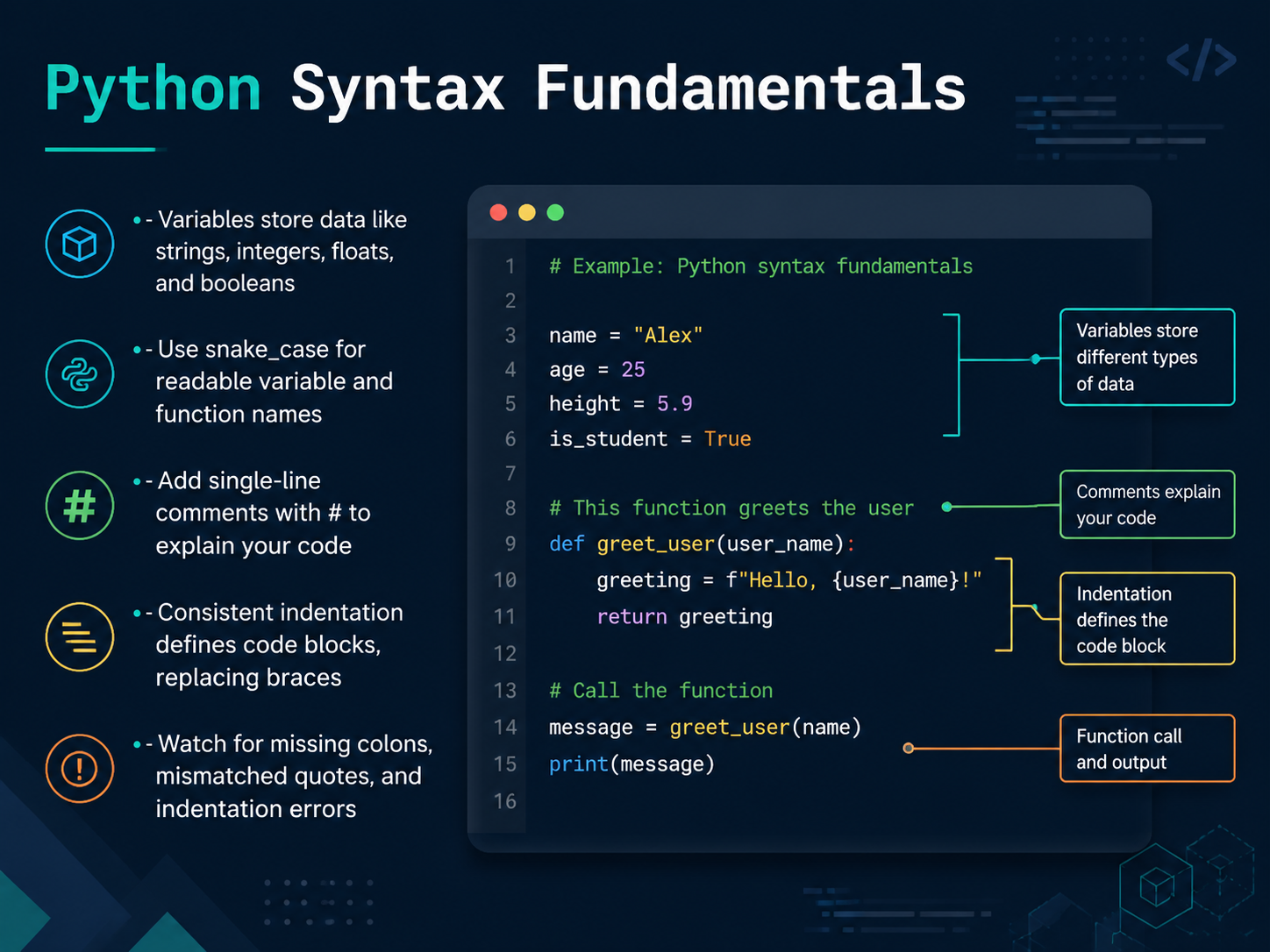
 - 03Python Syntax FundamentalsNow let's look at the core building blocks of Python, its syntax. Think of syntax as the grammar of the language. First, we have variables. A variable is just a labeled box where you can store a piece of data. You can store text, which we call a string, a whole number, an integer, a decimal number, a float, or a true or false value, a boolean. When you name your label, use snake underscore case. That means all lowercase letters with underscores between words, like user underscore name. It makes your code easy to read. If you want to leave a note for yourself, use a hash symbol. Anything after a hash on a line is a comment. Python ignores it, but it helps you remember why you wrote something. Now, this is critical. Python uses indentation, those spaces at the start of a line, to group code together. Other languages use braces, but Python uses these consistent spaces. A common mistake is to mix spaces and tabs, or indent inconsistently. Also, watch out for missing colons at the end of lines that introduce a block, and make sure your quotes come in pairs. Getting these small details right from the start will save you a lot of time. Let's take these rules and see how we can start making decisions in our code next.
 2 min
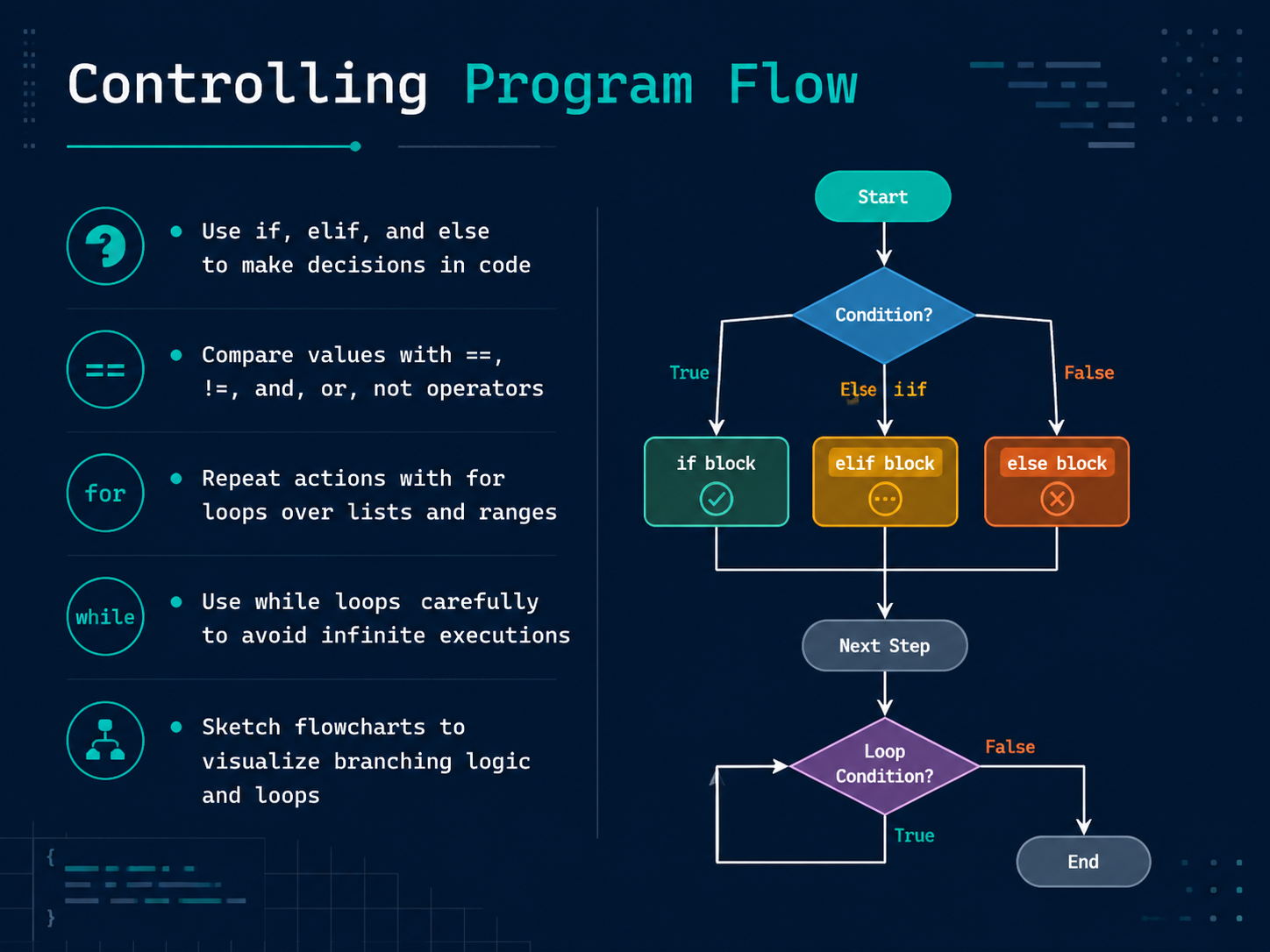
2 min - 04Controlling Program FlowNow, let's make our programs smarter by giving them the ability to make decisions. This is called controlling program flow. Think of it like choosing a path on a hiking trail. You might say, if the trail is dry, go straight. Otherwise, if it's muddy, take the gravel path. Else, just turn back. In Python, we write these decisions with the words if, elif, and else. We compare things using double equals signs to check if two values are the same, or an exclamation mark and an equals sign to check if they are different. We can also combine conditions with the words and, or, and not. To repeat an action, we use a for loop. A for loop is like a checklist. You go through every item on a list, one by one. We can also loop over a range of numbers, like counting from one to five. There is another loop called a while loop. It keeps going as long as a condition is true. Be very careful with while loops, because if the condition never becomes false, the program will run forever. A great way to plan these decision paths is to sketch a simple flowchart. It helps you visualize the journey before you write a single line of code. Next, we'll see how to store and organize multiple pieces of information by working with data collections.
 2 min
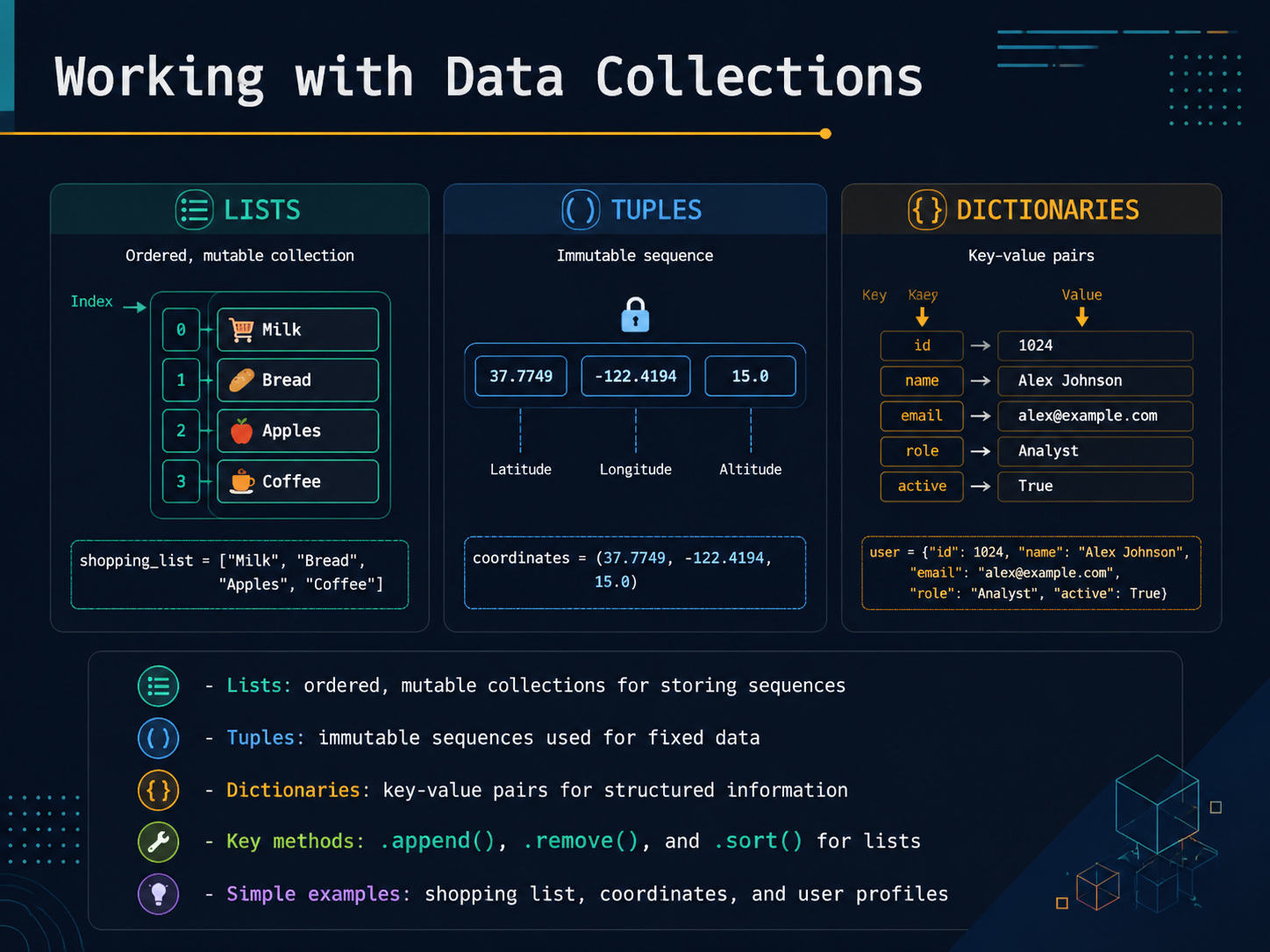
2 min - 05Working with Data CollectionsNow, let's talk about how to store groups of data together. Imagine a simple shopping list. You can add items, remove them, or rearrange them. In Python, we call that a list. Lists are ordered and you can change them. You create one with square brackets. For example, shopping list equals apple, banana, cherry. To add milk, you would write shopping list dot append milk. To remove banana, use dot remove. And dot sort will put everything in alphabetical order. Next, think of a fixed pair of coordinates, like latitude and longitude. You wouldn't want those to accidentally change. That's a tuple. Tuples are immutable sequences, created with parentheses. Finally, a dictionary stores information in connected pairs, like a key and a value. Think of a user profile. You might have a key of name with the value Alex, and a key of age with the value thirty. This makes it easy to look up specific information instantly. So, lists are flexible, tuples are fixed, and dictionaries connect keys to values. Next, we'll see how to package reusable steps with writing and using functions.
 2 min
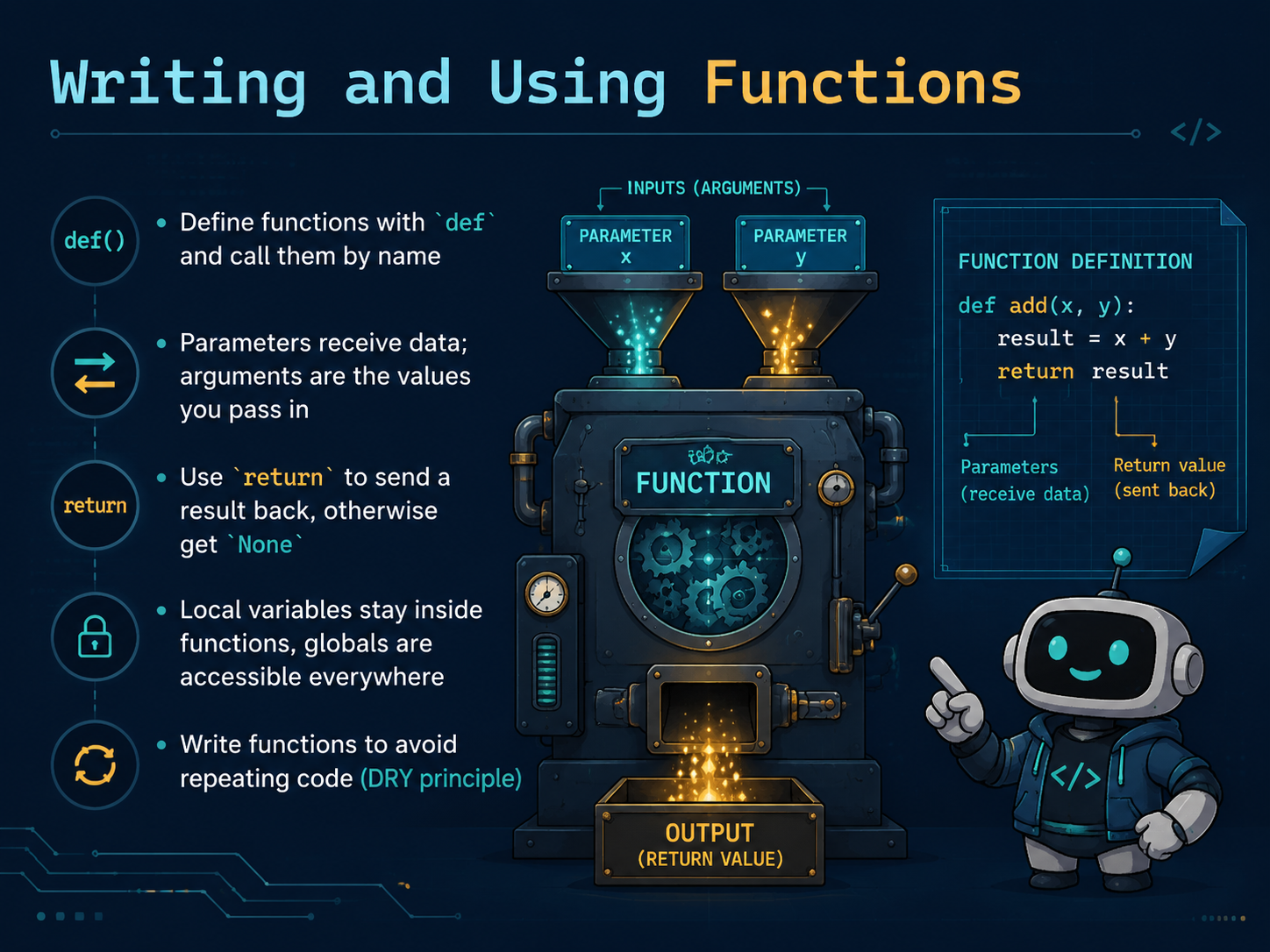
2 min - 06Writing and Using FunctionsA function packages a reusable set of steps. In Python, start with def, give the function a name, add parentheses, and end the definition line with a colon. The indented body contains the work. A function runs when you call it. Values supplied by the caller are arguments, and the names that receive them in the definition are parameters. Use return when the function should send a result back; without an explicit return, Python returns None. Names created inside a function normally have local scope, which means they belong to that call and are not automatically available everywhere else. Code outside the function has a different scope. For beginner programs, prefer clear parameters and return values instead of relying on mutable global state.
 1 min
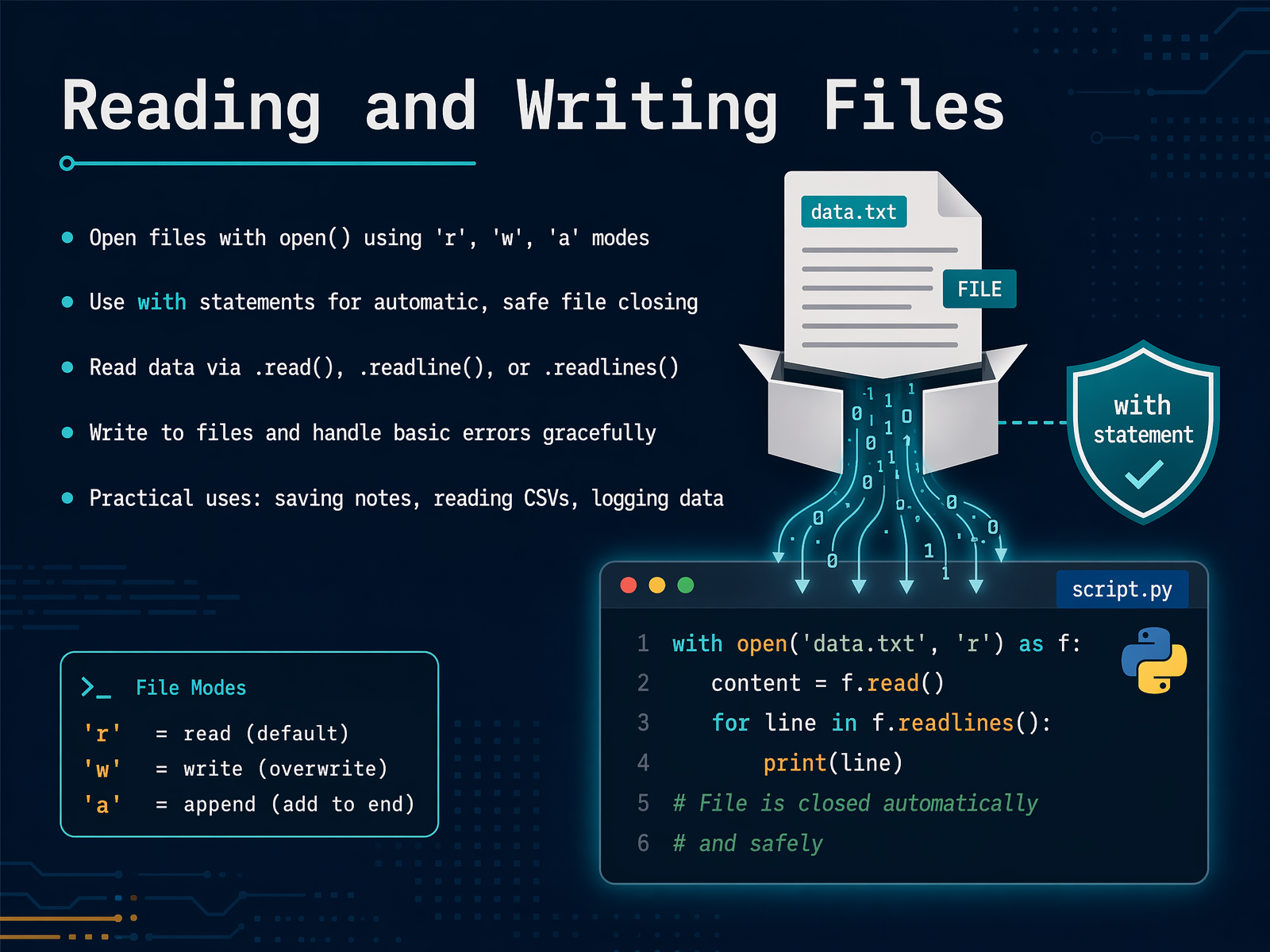
1 min - 07Reading and Writing FilesPython can read and write files on your computer. The open function takes a path and a mode. Read mode opens existing content. Write mode creates or replaces a file, so use it deliberately. Append mode adds content at the end. A with statement is the preferred beginner pattern because it closes the file automatically when the block finishes. You can read the full content with read, process one line at a time by iterating over the file, or use readline when that fits the task. Use write to store strings. Error handling is useful when you expect a recoverable problem, such as a missing optional file, but do not hide every error. Catch the specific problem you understand and provide a clear response.
 2 min
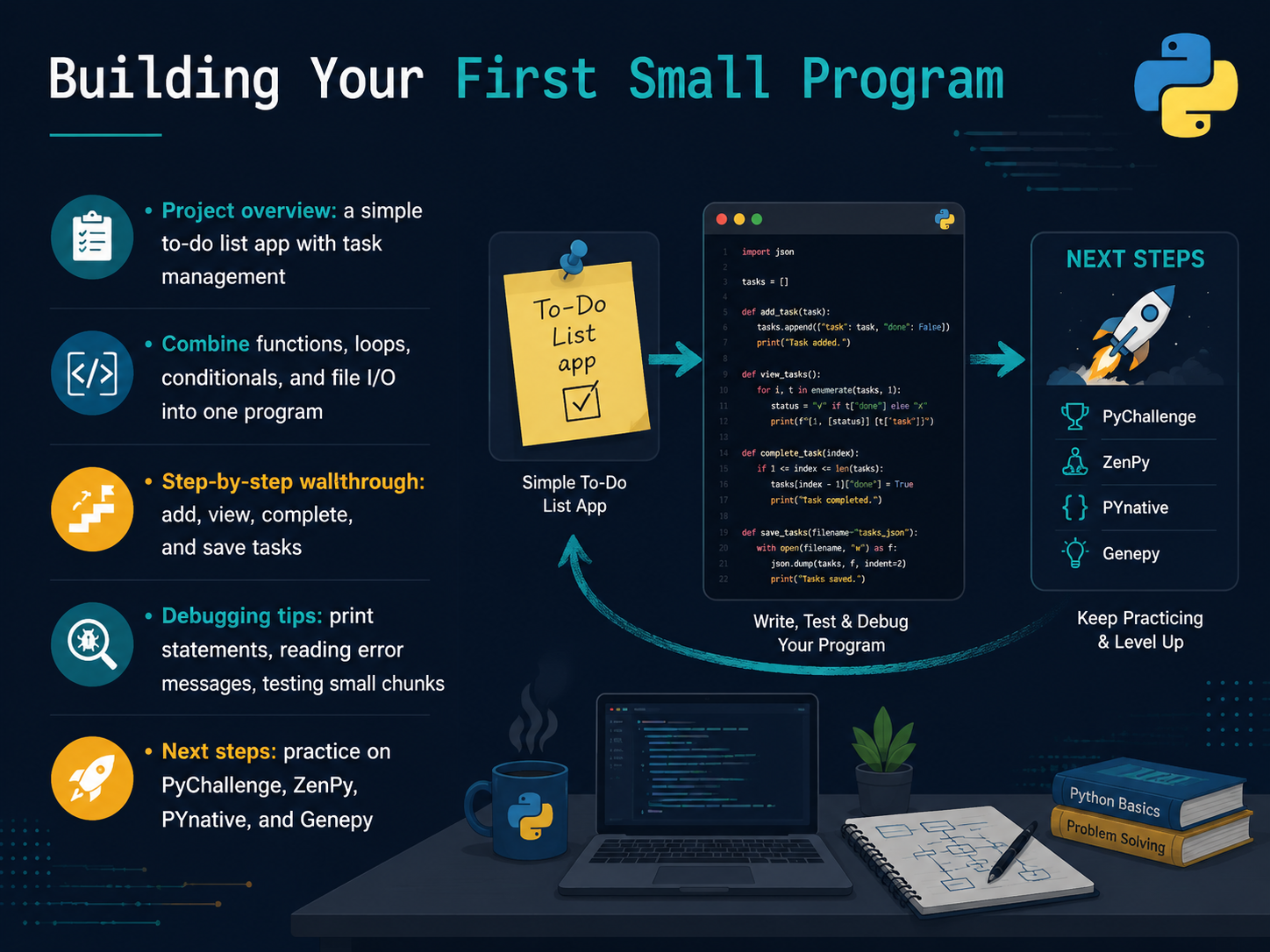
2 min - 08Building Your First Small ProgramFor the final step, combine the ideas in a small to-do list program. Start with a list of task strings and a function that displays them with numbers. Add a loop that accepts a simple command, then use conditionals to add a task, mark one complete, or quit. When that works, save the list to a text file and load it the next time the program starts. Build one behavior at a time and run the program after each change. When an error appears, read the traceback from the bottom, inspect the named line, and print a value when you need to understand the current state. Test one function at a time. After the course, continue with the official Python tutorial and make your own small variations, such as categories or due dates. The best next step is a program small enough to finish and clear enough to explain.
 pychallenge.comzenpy.gamespynative.com+22 min
Take the deck with you
Download this course as a file — free, no sign-up needed.
- PDF handoutEvery slide page, ready to print or share.9 pages · 1.8 MBDownload
- Narrated PowerPointThe deck that presents itself — every slide carries the digital human's narration video.9 pages · 8.5 MBDownload
- PowerPoint slidesThe full deck as a .pptx — open it in PowerPoint, Keynote, or Google Slides.9 pages · 1.8 MBDownload
Free to use in your own training — please keep the PersonWise credit page at the end.
Have your own deck? Turn it into a course
Sources consulted
Web sources consulted while building this course.
- Python Release Python 3.14.6 | Python.org — python.org
- Python Source Releases | Python.org — python.org
- Download Python | Python.org — python.org
- Python 3.14.6 and 3.13.14 are now available! | Python Insider — blog.python.org
- Python documentation by version | Python.org — python.org
- PyChallenge | Learn Python by Doing — Free Browser-Based Exercises — pychallenge.com
- ZenPy — Master Python Through 250 Progressive Challenges — zenpy.games
- Python Exercises, Practice, Challenges [800+ Exercises] – PYnative — pynative.com
- Genepy — Python Exercises — genepy.org
- Free Interactive Python Practice Course | FreeAcademy — freeacademy.ai