Begin
10 pages · ~20 min
Instructional Design Career Workflow
Learn the practical steps to break into instructional design, from core skills to building a portfolio. Ideal for career changers and aspiring designers.
A digital instructor presents all 10 pages. Hold “Ask” at any point and ask out loud — the answer comes from this course. No sign-up needed.
What you’ll learn
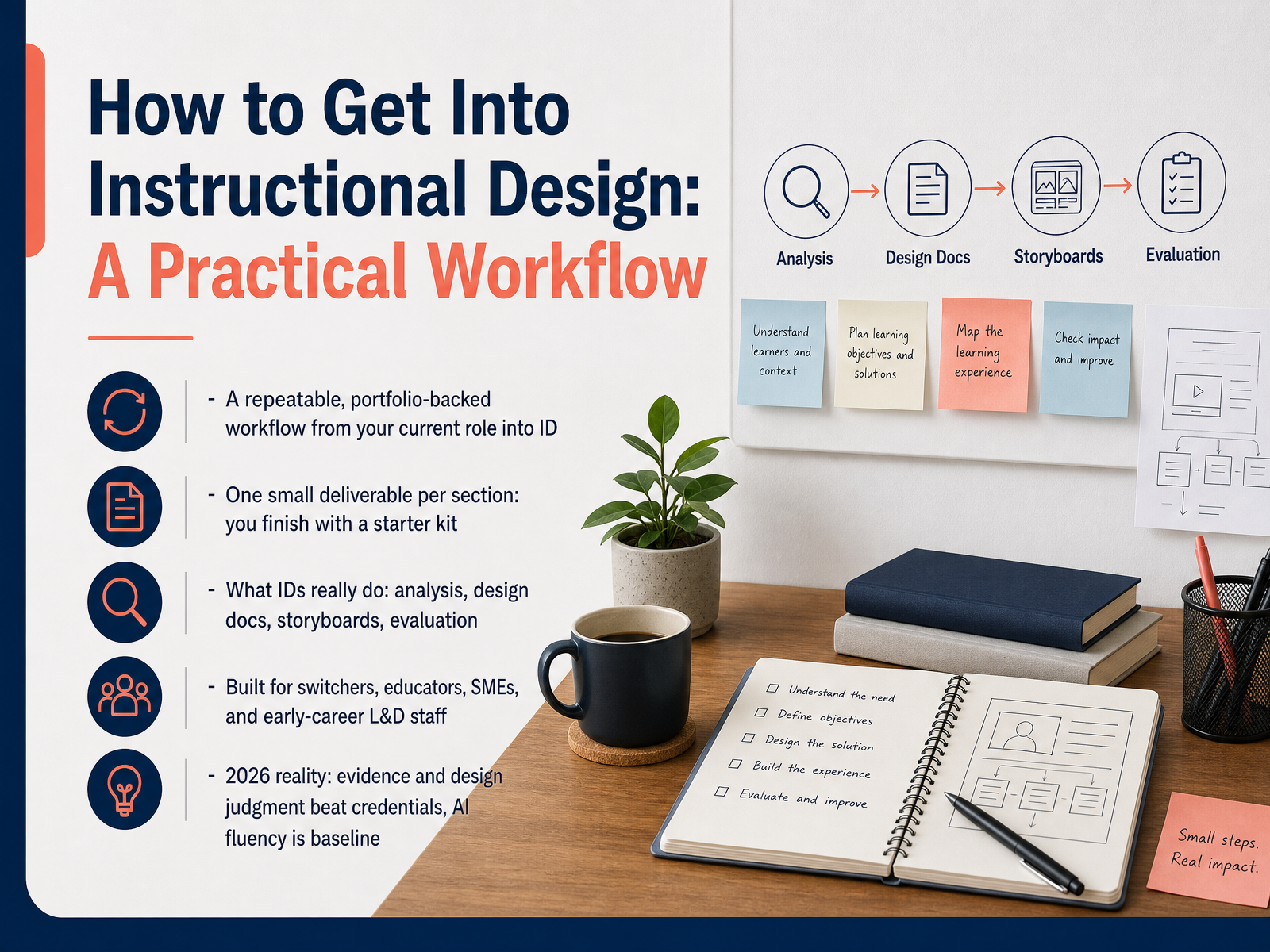
- 01How to Get Into Instructional Design: A Practical WorkflowWelcome. If you have ever watched someone struggle with training that just does not work, and thought, I could design this better, this course is for you. It is built for people switching careers, teachers, subject matter experts, and early career learning professionals. Over the next ten slides, I will give you a repeatable workflow that takes you from wherever you are now to a job ready instructional designer. Here is the promise. Every section ends with one small deliverable, and by the end, you will have a starter kit you can show employers. What is instructional design, really? It is the work of finding out why people are not performing, then building learning that fixes it. That means analysis, design documents, storyboards, and evaluation. Notice something. It is not just making slides look nice. And here is the 2026 reality. Employers care far more about your evidence and your design judgment than your credentials. A clear, well documented portfolio beats a master's degree for most corporate roles. One more thing, AI fluency is now a baseline expectation, not a bonus. So we will weave practical AI use into each step. You do not need to start over. You need to translate what you already know. What instructional designers actually do.devlinpeck.comidolcourses.complacewell.com+22 min
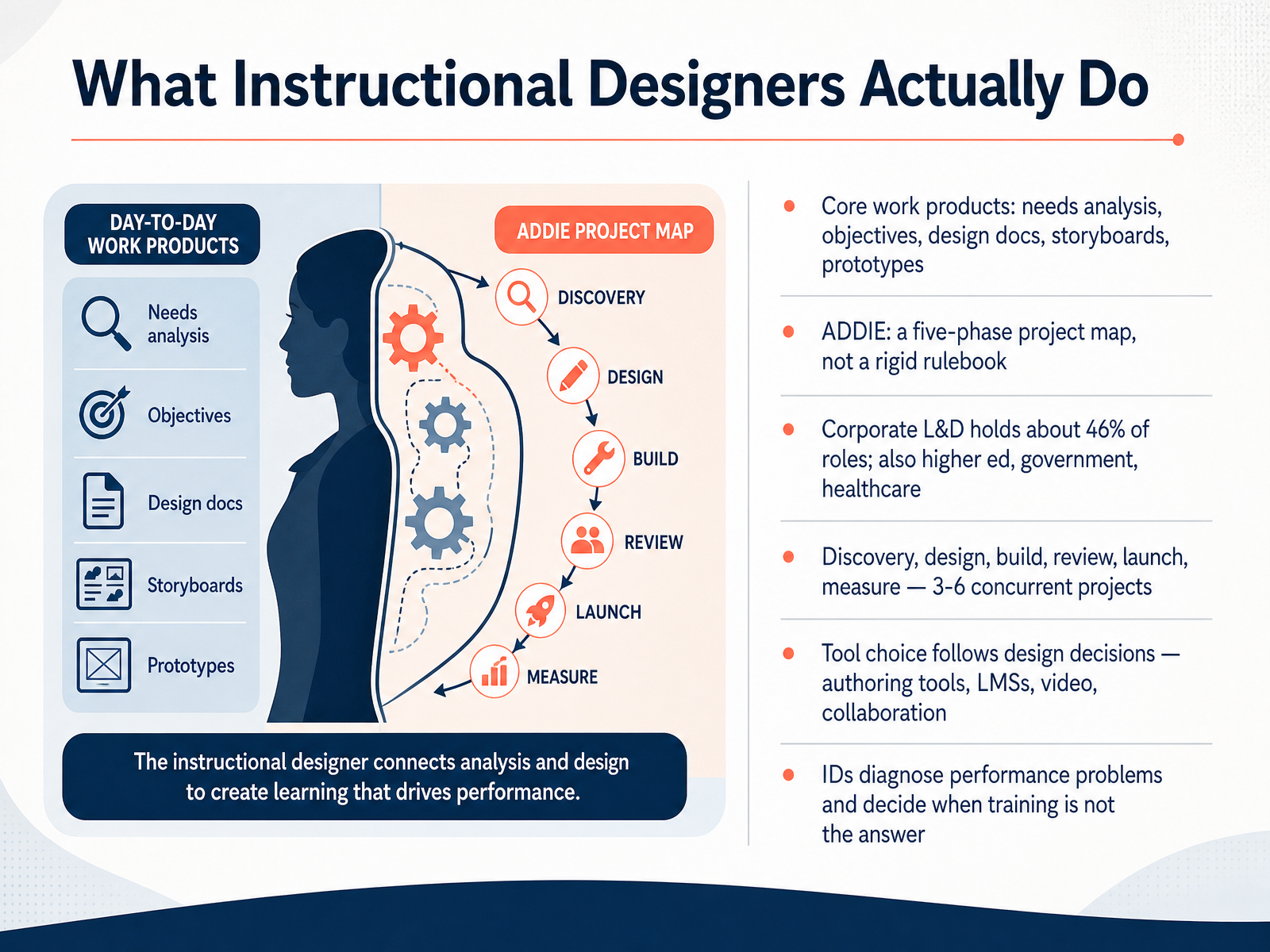
- 02What Instructional Designers Actually DoLet's get concrete about the job itself. What do instructional designers actually do all day? Your core work products are needs analyses, learning objectives, design documents, storyboards, and prototypes. You'll also hear about ADDIE. That's analysis, design, development, implementation, and evaluation. Think of it as a five-phase project map, not a rigid rulebook. Teams adapt it. Corporate learning and development holds about forty-six percent of roles. You'll also find work in higher education, government, and healthcare. Your week moves through discovery, design, build, review, launch, and measure, often across three to six projects at once. Tool choice comes last. Authoring tools, learning management systems, video, and collaboration platforms all follow your design decisions. And here's the part that separates a real designer from a content producer. You diagnose performance problems, and you say when training is not the answer. Maybe the issue is a broken process or a missing tool. Next, we'll look at assessing your transferable skills and fit.
 kaylamurillo.commeredithbirdy.comangelicalanda.com+22 min
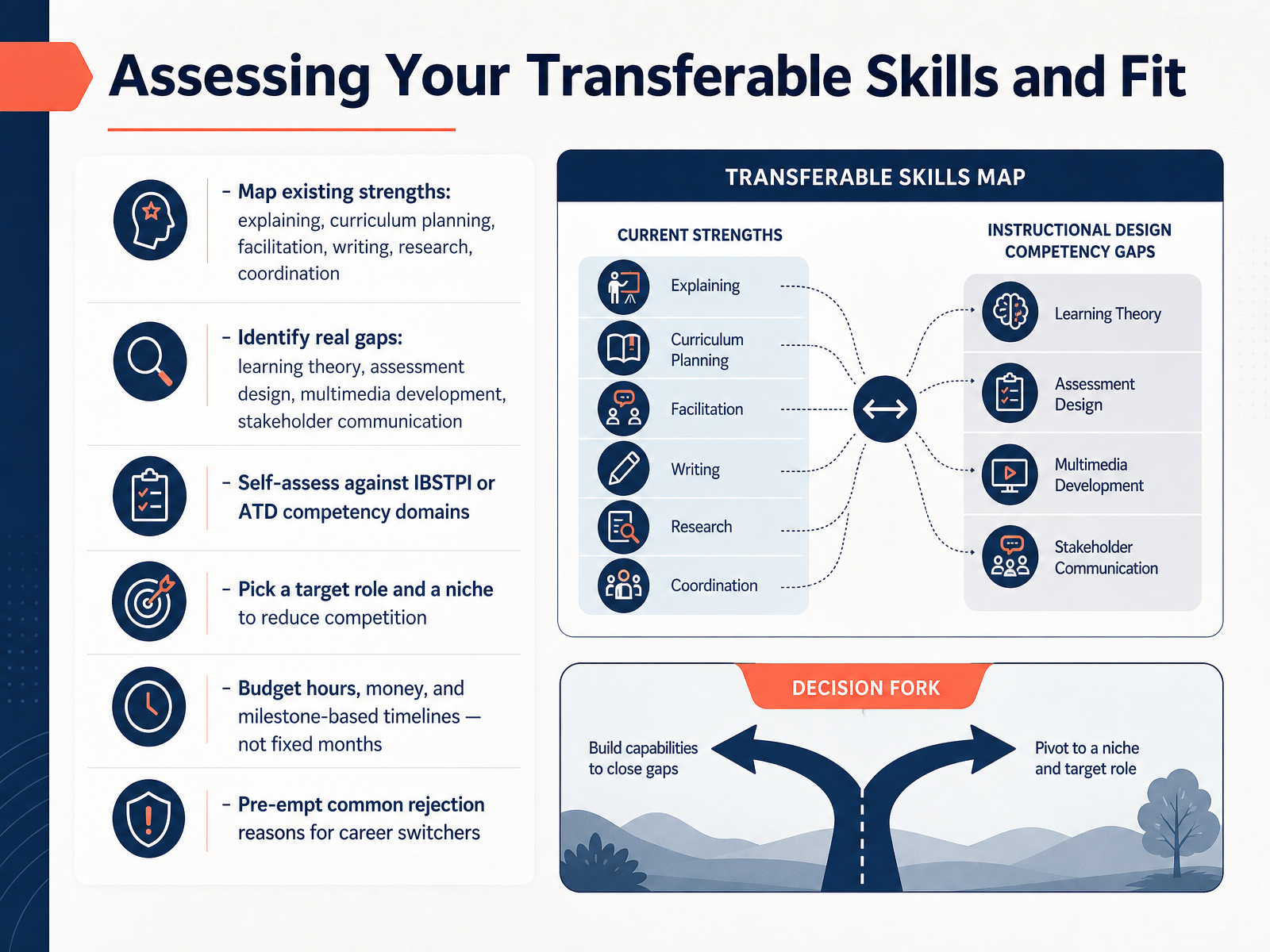
 - 03Assessing Your Transferable Skills and FitNow let's assess your transferable skills and your fit. Start by mapping what you already do well. Explaining complex ideas, planning curriculum, facilitating sessions, writing, research, and coordinating projects all count. These are real assets, not filler. Next, name your genuine gaps. Learning theory, assessment design, multimedia development, and stakeholder communication come up most often. Then self-assess against a known framework, like the IBSTPI or ATD competency domains. That gives you an objective checklist instead of a vague feeling. Pick one target role and one niche. Maybe healthcare compliance or software onboarding. A niche cuts your competition fast. Budget your hours, your money, and milestone-based timelines, not a fixed number of months. Finally, pre-empt rejection. Show a portfolio, explain your design decisions, and address the experience gap head-on. That turns a switcher story into a strength. Learning the Core Models That Guide Design Decisions is next.
 ibstpi.orgdoi.orgdoi.org+22 min
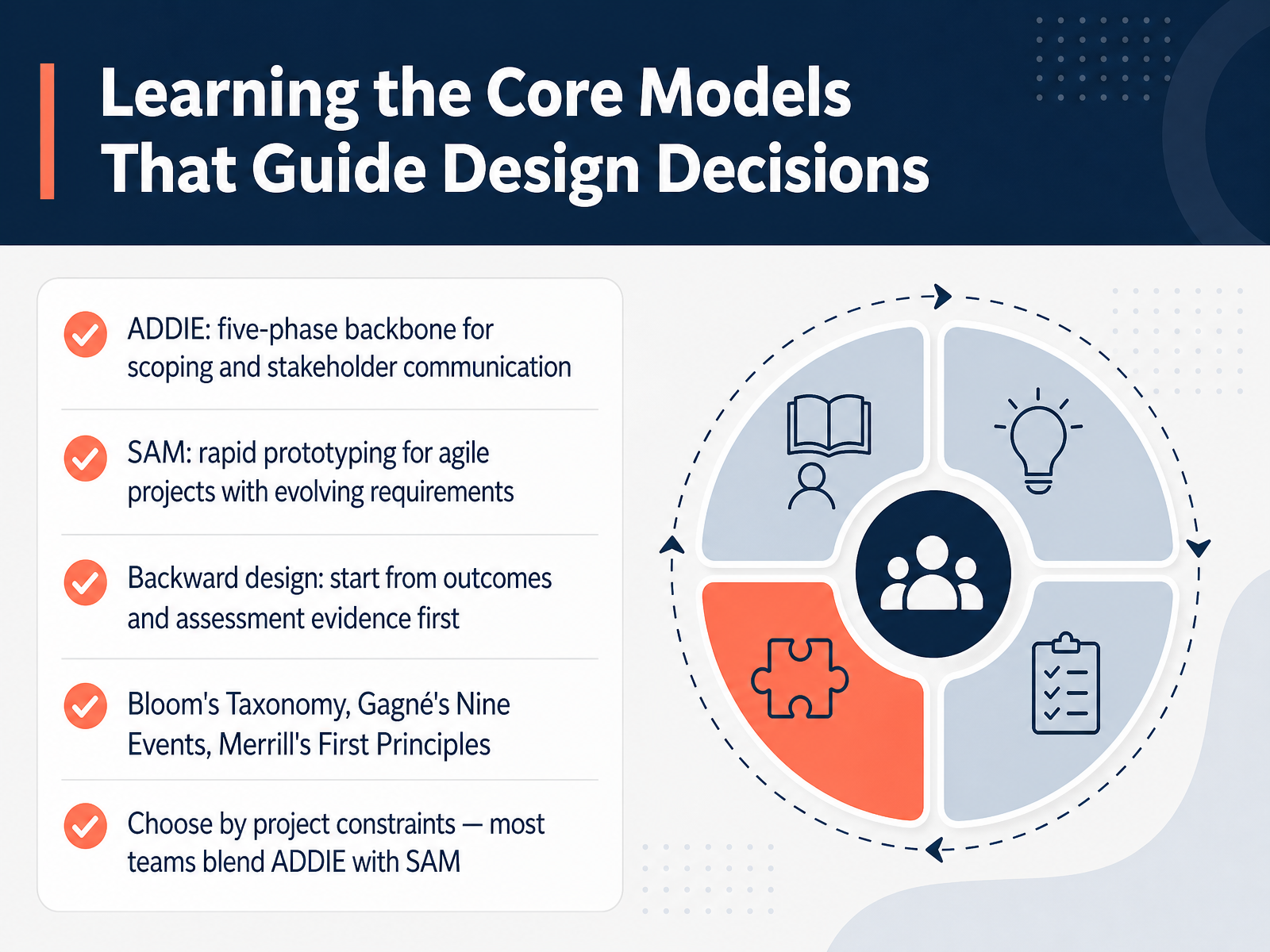
 - 04Learning the Core Models That Guide Design DecisionsNow let's look at the core models that guide design decisions. You do not need to master all of them. You need to know what each one is for. First, ADDIE. That stands for Analysis, Design, Development, Implementation, and Evaluation. It is a five-phase backbone. Use it to scope a project and keep stakeholders aligned. Second, SAM, the Successive Approximation Model. Think rapid prototyping. You build a rough version fast, get feedback, and refine in short cycles. Great when requirements keep changing. Third, backward design. Start with your outcomes, then decide what evidence proves learning, and only then build the activities in between. Then there are the classics. Bloom's Taxonomy helps you write objectives at the right level of thinking. Gagné's Nine Events walks you through a single lesson, from gaining attention to helping learners transfer new skills. And Merrill's First Principles keeps instruction problem-centered, built on real tasks. How do you choose? By project constraints. Most teams blend ADDIE's structure with SAM's speed. Pick the model that fits the project, not the other way around. Next, we will move into practicing analysis and writing learning objectives.
 uhlibraries.pressbooks.pubt3connect.orgwww1.udel.edu+22 min
 - 05Practicing Analysis and Writing Learning ObjectivesNow let's talk about analysis, and writing objectives. Before you design anything, run a needs analysis. Ask: what's the performance gap? What's causing it? Who's the audience, and what constraints exist? Then write your objectives with the ABCD format. Audience, Behavior, Condition, Degree. For example: New hires will resolve a customer complaint using the support script, within five minutes and with no errors. Use action verbs from Bloom's Taxonomy, like identify, compare, or demonstrate. Skip vague words like understand, know, or appreciate. They can't be measured. Build a learner persona and a task analysis you can defend in an interview. And here's a big one. Sometimes training isn't the answer. If the real issue is a broken process or a missing tool, say so. Recommend a performance intervention instead. Your deliverable is one page: an analysis summary plus three written objectives. Next, we move into designing instruction and storyboarding.
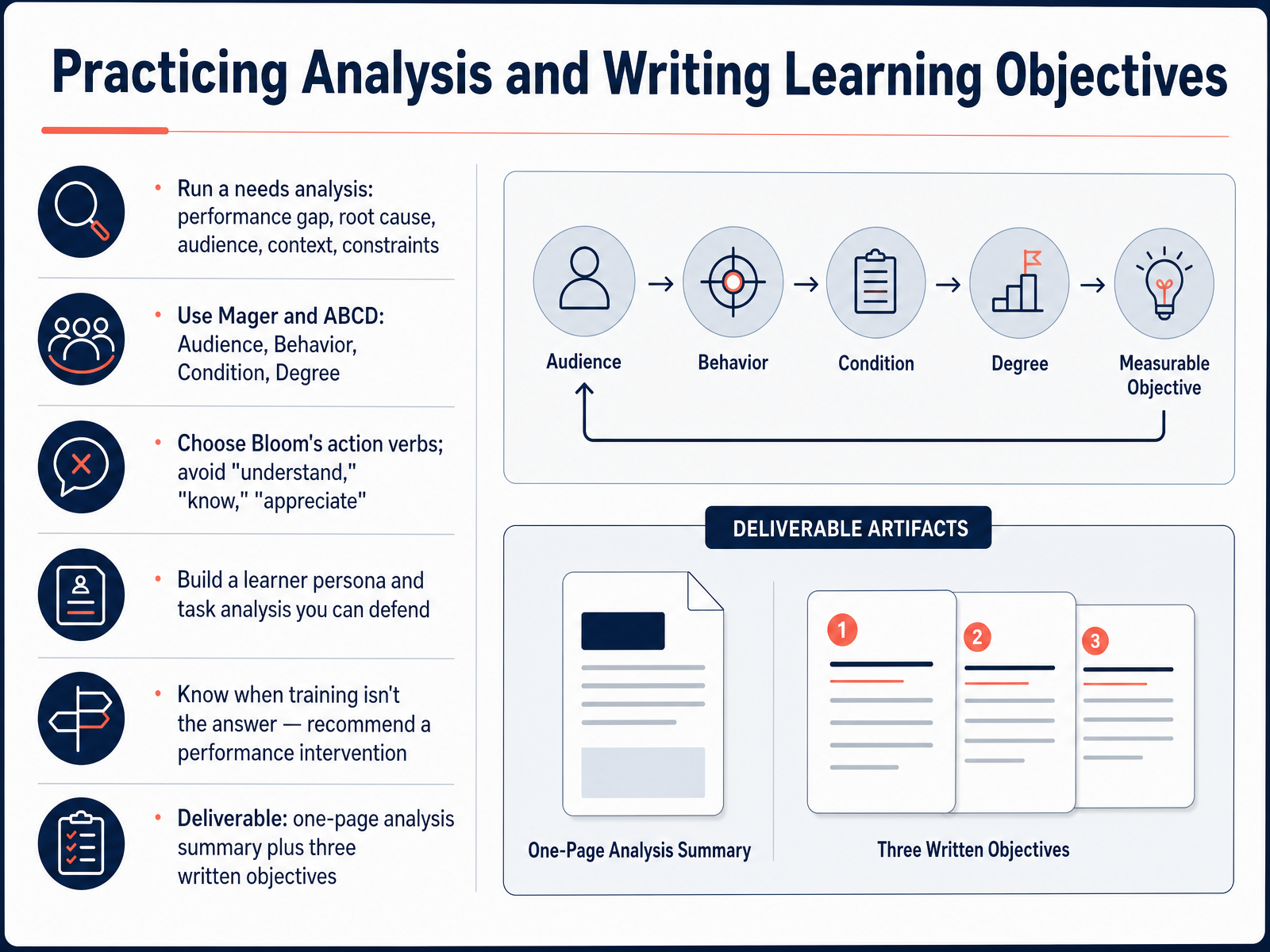 uhlibraries.pressbooks.pubt3connect.orgwww1.udel.edu+21 min
 - 06Designing Instruction and StoryboardingLet's move on to designing instruction and storyboarding. First, pick your strategy. Direct instruction works for facts and rules. Scenarios work for judgment calls. Guided practice builds skills, and social learning pulls people together. Then write a design document, a blueprint your stakeholders review and approve before anyone builds anything. Next, storyboard it screen by screen. Give each screen an ID, a learning objective, its on-screen text, its narration, and its interactions. Here's the key move: write the audio script first. The narrative drives the visuals, not the other way around. Then apply Mayer's principles. Cut anything extraneous, and manage essential load by breaking complex content into chunks. Design access in from the start. Captions, high contrast, keyboard navigation, WCAG two point one. Don't bolt it on later. Finally, build a mid-fidelity prototype, just enough to test your ideas before full development. Next, we look at Building Essential Tools and Production Skills.
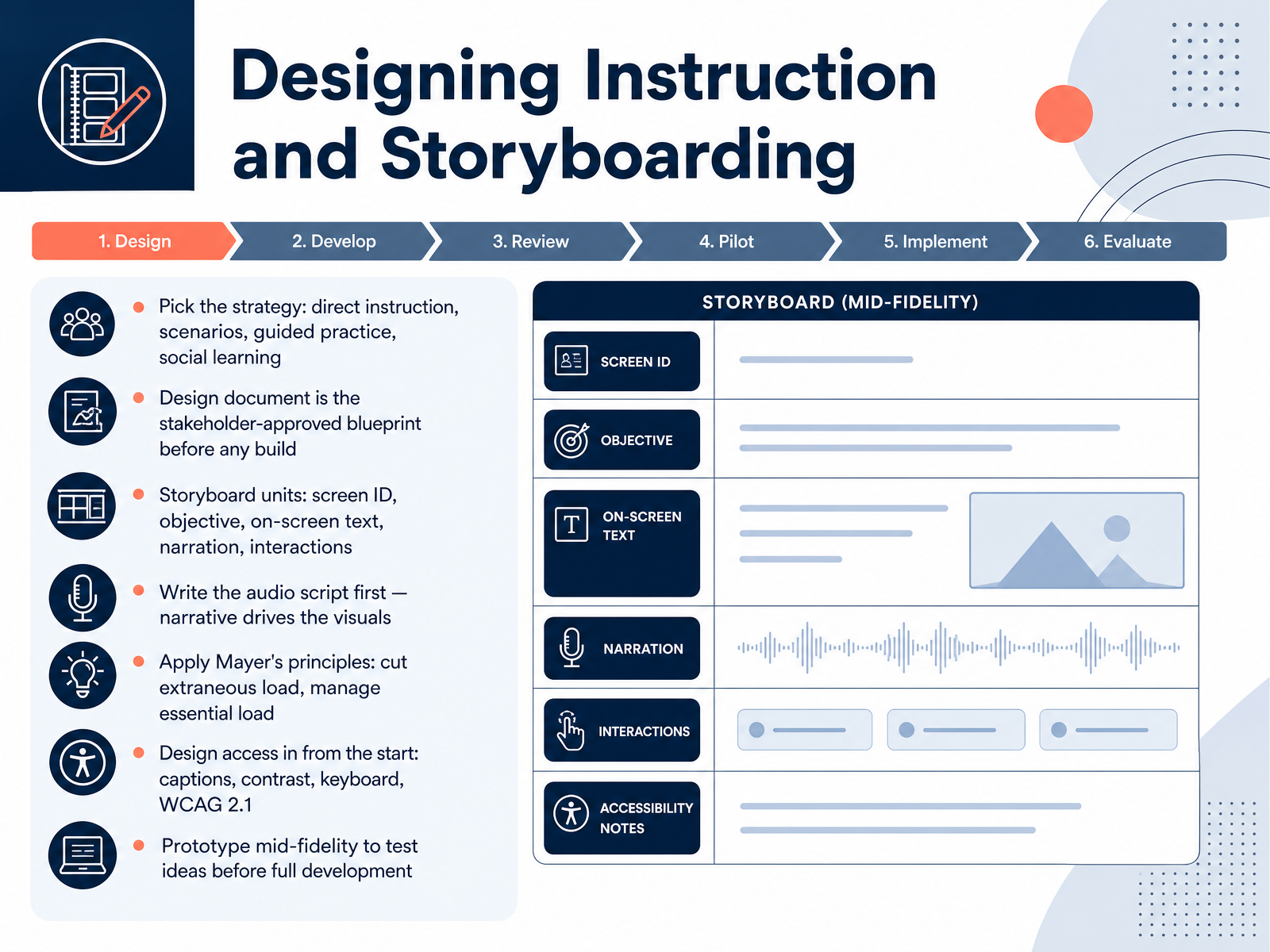 uhlibraries.pressbooks.pubt3connect.orgwww1.udel.edu+22 min
 - 07Building Essential Tools and Production SkillsNow let's talk tools. Don't learn five authoring programs. Pick one. Storyline gives you deep control over interactions. Rise is faster and builds clean, responsive courses from blocks. Either is fine, but choose one and go deep. Then learn the minimum viable skills: build a lesson, add one interaction, publish it, and test it. Publishing means exporting your course as a SCORM or xAPI package. Those are just standard formats that let a learning management system, an LMS, track who did what. SCORM is the reliable old standard almost any LMS accepts. xAPI is newer and tracks more, like watching a video or trying a quiz three times. You can test all of this for free. Articulate 360 gives you a thirty day trial with no watermark, and free LMS hosts let you upload your package and see if it actually reports completion. So here's the trap to avoid: tool-collector syndrome. Don't bounce between programs collecting certificates. Finish two real projects first. Two solid, working courses beat ten half-learned tools every time. Next, we look at what happens after launch, in Evaluating Learning and Measuring Impact.
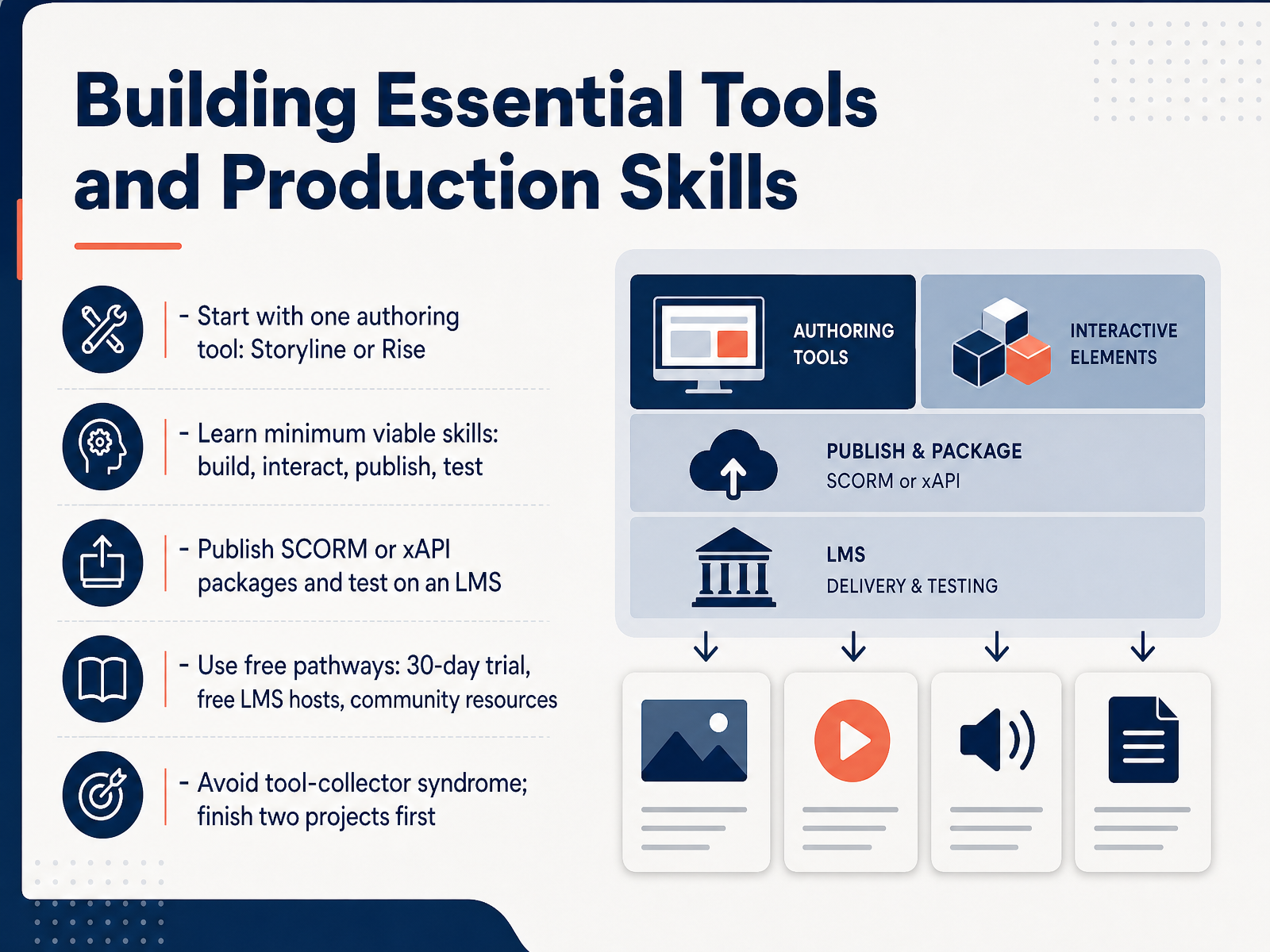 2 min
2 min - 08Evaluating Learning and Measuring ImpactNow for the part that turns training into proof: evaluating learning and measuring impact. The go-to framework here is Kirkpatrick's four levels: Reaction, Learning, Behavior, and Results. Reaction is how learners felt about the session. Learning is what they actually know or can do afterward. Behavior is whether they apply it on the job. Results is the business outcome. Here's the trick: plan in reverse. Start with Level Four, the business result you're aiming for, like lower error rates or faster time-to-productivity. Then work backward to the behaviors and knowledge that get you there. Match your assessments to your objectives. Use knowledge checks for facts, simulations for skills, and rubrics for real work. Track behavior at thirty, sixty, and ninety days through your LMS and manager observations. And remember, reinforcement drives transfer. Coaching, job aids, and recognition make the difference. Report impact in business language: CSAT, time-to-productivity, error rates. And never stop at Level One or Two, and never bolt evaluation on at the end. Next, let's look at creating a portfolio without formal I D experience.
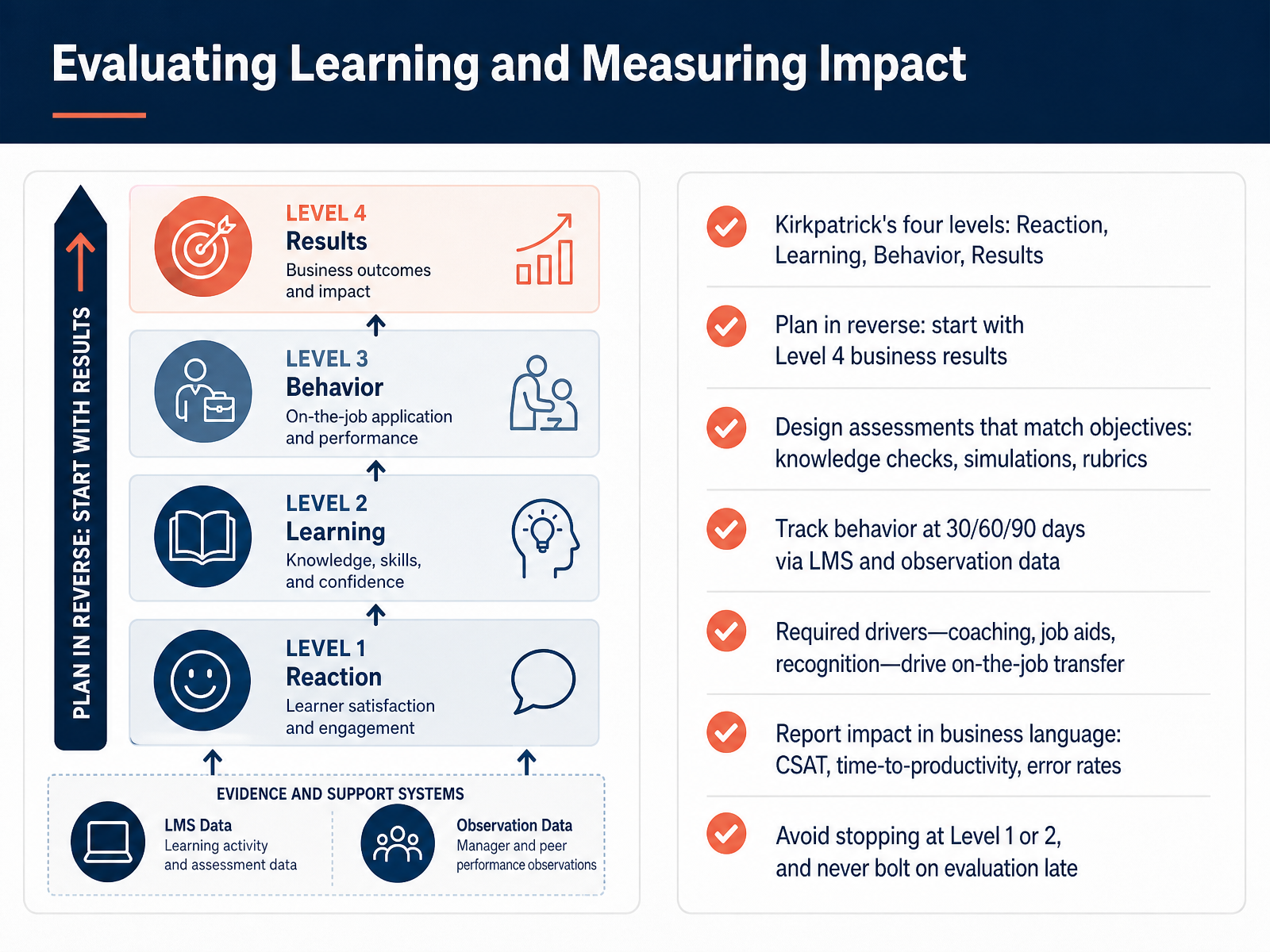 2 min
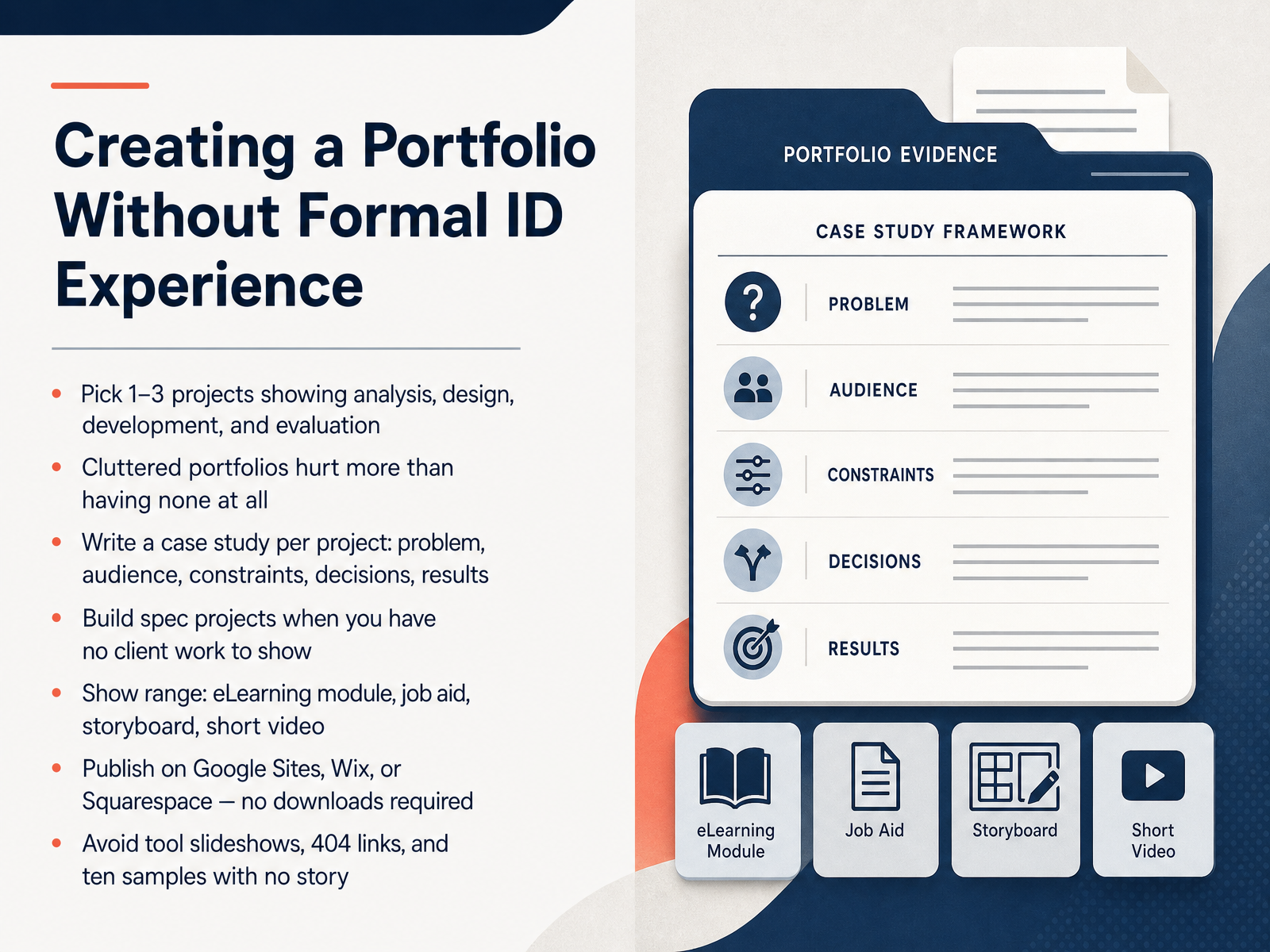
2 min - 09Creating a Portfolio Without Formal ID ExperienceNow let's tackle the big one. How do you build a portfolio when you have no formal instructional design experience? Here's the good news. You do not need clients. You build spec projects, which are samples you create from scratch, as if you had a real client. Pick one to three strong projects and show the full process: analysis, design, development, and evaluation. For each one, write a short case study. Cover the problem, the audience, the constraints, the decisions you made, and the results. Show range. An eLearning module, a job aid, a storyboard, or a short video. And make sure hiring managers can actually see your work. Publish on Google Sites, Wix, or Squarespace, so nothing needs to be downloaded. A cluttered portfolio with broken links or ten samples and no story can hurt you more than having no portfolio at all. So keep it simple, polished, and easy to browse. Next, let's talk about your job search strategy, interviews, and a thirty, sixty, ninety day plan.
 devlinpeck.comkaylamurillo.commeredithbirdy.com+22 min
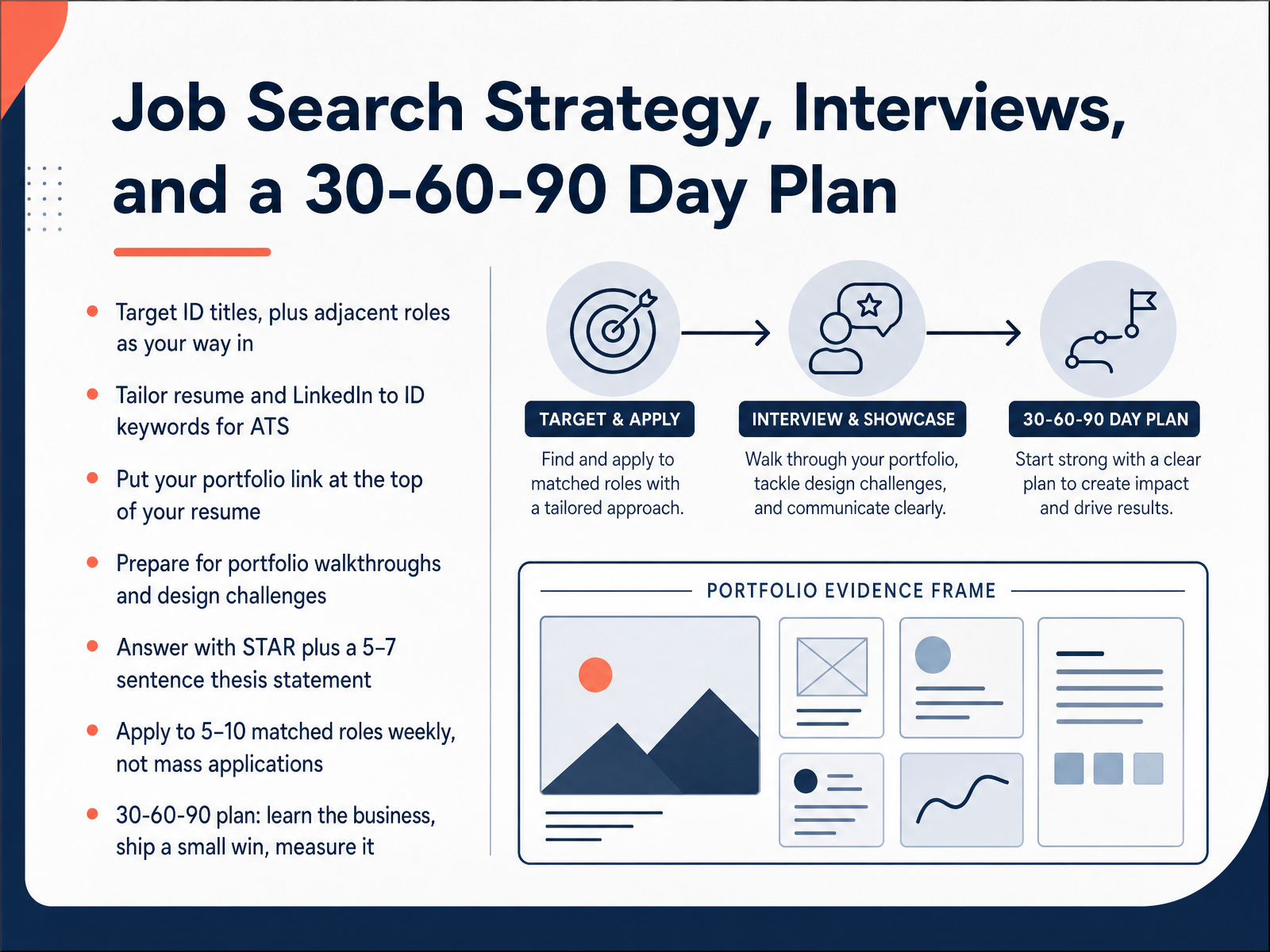
 - 10Job Search Strategy, Interviews, and a 30-60-90 Day PlanLet's finish with the job search itself. Cast a wide net on titles. Search instructional designer, but also learning experience designer, eLearning developer, curriculum developer, and training specialist. Those adjacent roles are often your way in.
Next, tailor your resume and LinkedIn profile to the keywords in each posting. Many companies use applicant tracking systems, or ATS, software that screens resumes before a human sees them. Know what to say when you interview too. Expect portfolio walkthroughs and a design challenge. For those, tell the story: the problem, your role, and the result. Use the STAR method, which stands for Situation, Task, Action, Result. Then add a short thesis statement of five to seven sentences that ties you to the role.
Apply to five to ten well-matched roles each week. Quality beats mass applications. And once you land the job, run a thirty, sixty, ninety day plan: learn the business, ship one small win, then measure it. That's your path in. You've got this.
 devlinpeck.comidolcourses.complacewell.com+22 min
Take the deck with you
Download this course as a file — free, no sign-up needed.
- PDF handoutEvery slide page, ready to print or share.11 pages · 2.7 MBDownload
- Narrated PowerPointThe deck that presents itself — every slide carries the digital human's narration video.11 pages · 10.2 MBDownload
- PowerPoint slidesThe full deck as a .pptx — open it in PowerPoint, Keynote, or Google Slides.11 pages · 2.6 MBDownload
Free to use in your own training — please keep the PersonWise credit page at the end.
Have your own deck? Turn it into a course
Sources consulted
Web sources consulted while building this course.
- How to Become an Instructional Designer in 2026 (Step-by-Step) | Devlin Peck — devlinpeck.com
- How to Become an Instructional Designer — idolcourses.com
- How to Become an Instructional Designer in 2026 (Step-by-Step Guide) - Placewell Consultants — placewell.com
- Instructional Design Programs: A Guide For Teachers And Trainers - eLearning Industry — elearningindustry.com
- Teacher to Instructional Designer: The EdTech Pivot Guide | The Adaptist — the-adaptist.com
- Portfolio — kaylamurillo.com
- Meredith Birdy | Portfolio — meredithbirdy.com
- Angelica Landa Portfolio — angelicalanda.com
- Melly Diaz' Portfolio — mellydiazdesign.com
- Instructional Designer | Olivia Wozniak Portfolio — oliviawozniakportfolio.com
- Instructional Designer Competencies - IBSTPI — ibstpi.org
- The Professional Competencies of the Technological Instructional Designer — doi.org
- Refining a Competency Model for Instructional Designers in the Context of Online Higher Education — doi.org
- Educational Developer Competency Toolkit — podnetwork.org
- Assessing Professional Preparedness of Instructional Design Students: Competency-Course Alignment in an Undergraduate Program | AVESİS — avesis.bogazici.edu.tr
- Lesson 3: Instructional Design Models – A Journey Through eLearning Design — uhlibraries.pressbooks.pub
- Instructional Design Models: Comparing ADDIE; Bloom; Gagne; & Merrill – t3connect.org — t3connect.org
- Instructional Design — www1.udel.edu
- Comparative Analysis of Instructional Models for Designing Effective Online Courses: ADDIE, SAM, and Dick & Carey Approaches — doi.org
- Instructional Design Models for 2027: ADDIE, Gagne's, ... — research.com