Begin
14 pages · ~28 min
Computer Network Routing Basics
How computer networks route data: a foundational overview for IT professionals learning how data travels across networks from source to destination.
A digital instructor presents all 14 pages. Hold “Ask” at any point and ask out loud — the answer comes from this course. No sign-up needed.
What you’ll learn
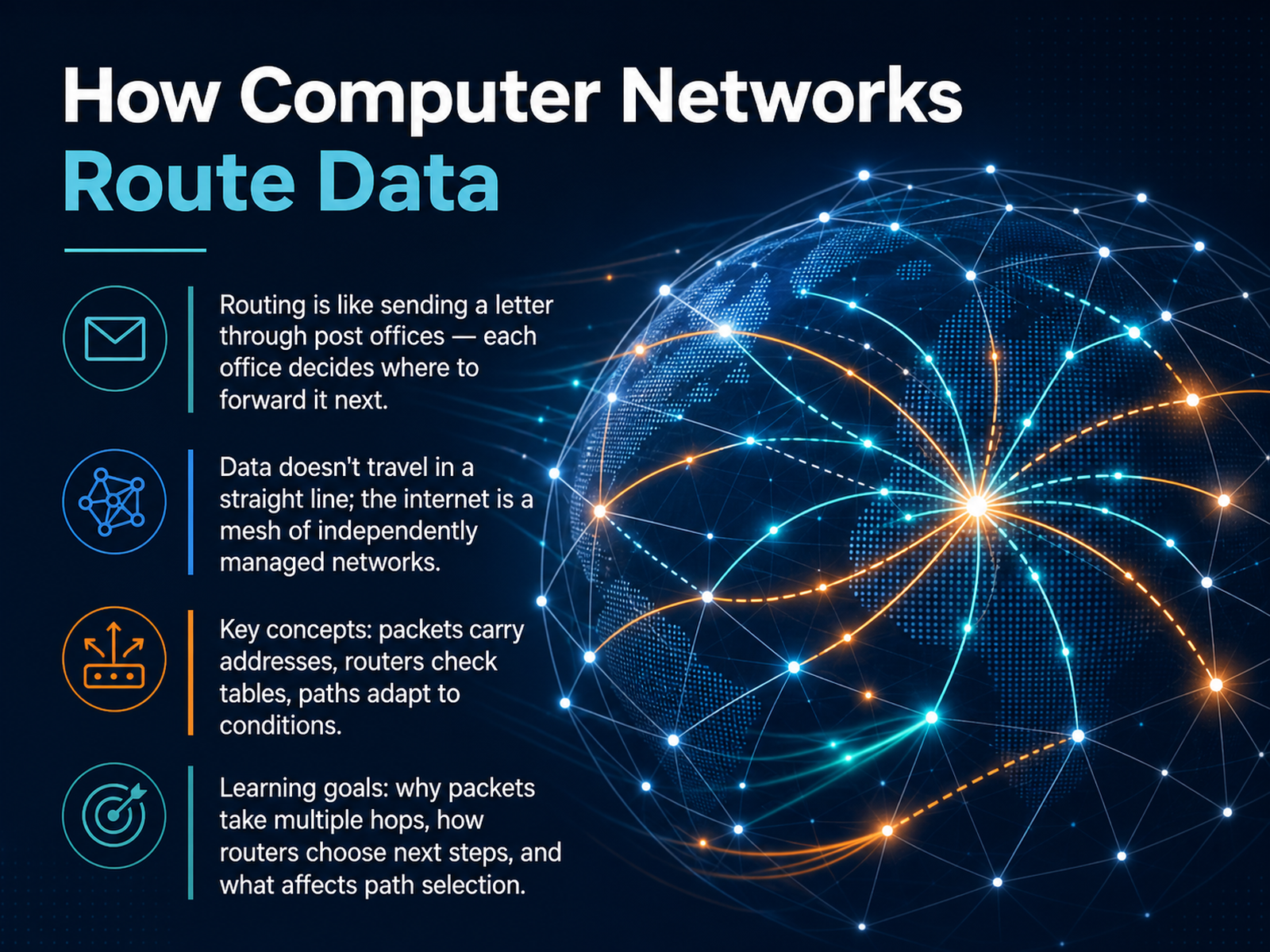
- 01How Computer Networks Route DataWelcome. In this course, we're going to walk through how computer networks route data from one place to another. If you've ever wondered why your data packets pass through multiple routers instead of traveling in a straight line, you're in the right place. Think of routing like sending a letter through a series of post offices: each office looks at the destination and decides where to forward the letter next. The internet works the same way. It's not one giant network, but a mesh of independently managed networks, all working together. In this session, we'll focus on three key ideas. First, packets carry source and destination addresses with them as they travel. Second, every router along the way checks a forwarding table, much like looking up the next stop on a map. And third, those paths can change in real time based on network conditions. By the end, you'll understand why multi-hop journeys happen, how routers choose the next step, and what factors influence that path selection. Let's start by looking at the basic building blocks: packets, addresses, and the first hop.pingmynetwork.comnetworkingnotebook.comadhdecode.com+22 min
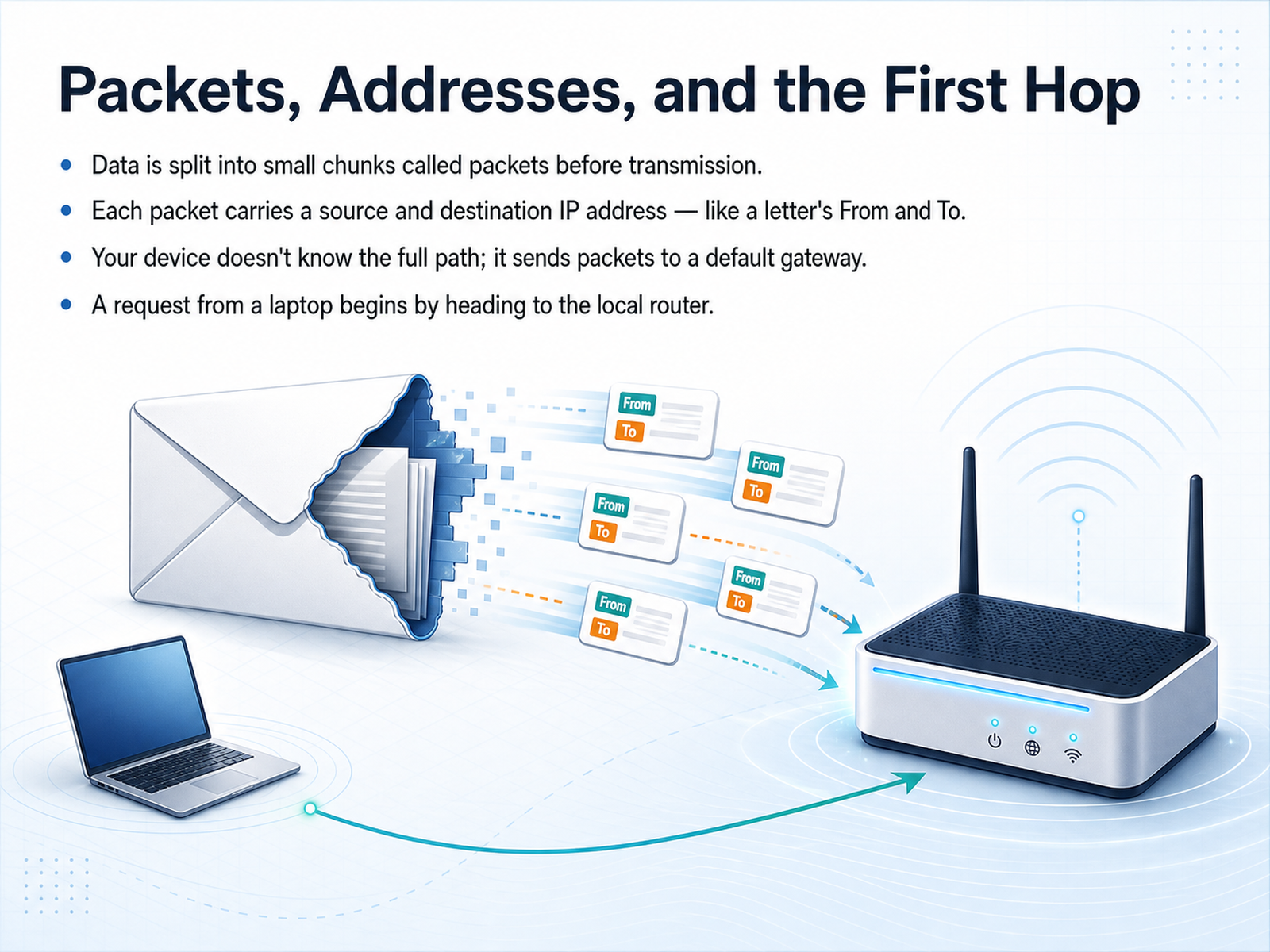
- 02Packets, Addresses, and the First HopNow let's zoom in on how a journey actually starts. Before your data goes anywhere, it gets chopped up into small chunks we call packets. Think of it like taking a binder full of documents and mailing it out one page at a time. Each one of those packets needs an address to find its way. It carries a source IP address, which is the return address, and a destination IP address, which is where it's headed. These addresses are like the 'From' and 'To' on a physical letter. But here's a key insight. Your laptop doesn't know the full map of the internet. It has no idea about all the routers between you and a server across the globe. Instead, your device relies on a simple shortcut. It sends every outbound packet to a helper right on your local network, a device we call the default gateway. This is usually your local home router. So, the very first hop of any request from your laptop is always a trip to this local router. It's the trusted entry point that knows how to reach the outside world. Next, we'll follow the packet as it begins its hop-by-hop journey across many different networks.
 pingmynetwork.comnetworkingnotebook.comadhdecode.com+22 min
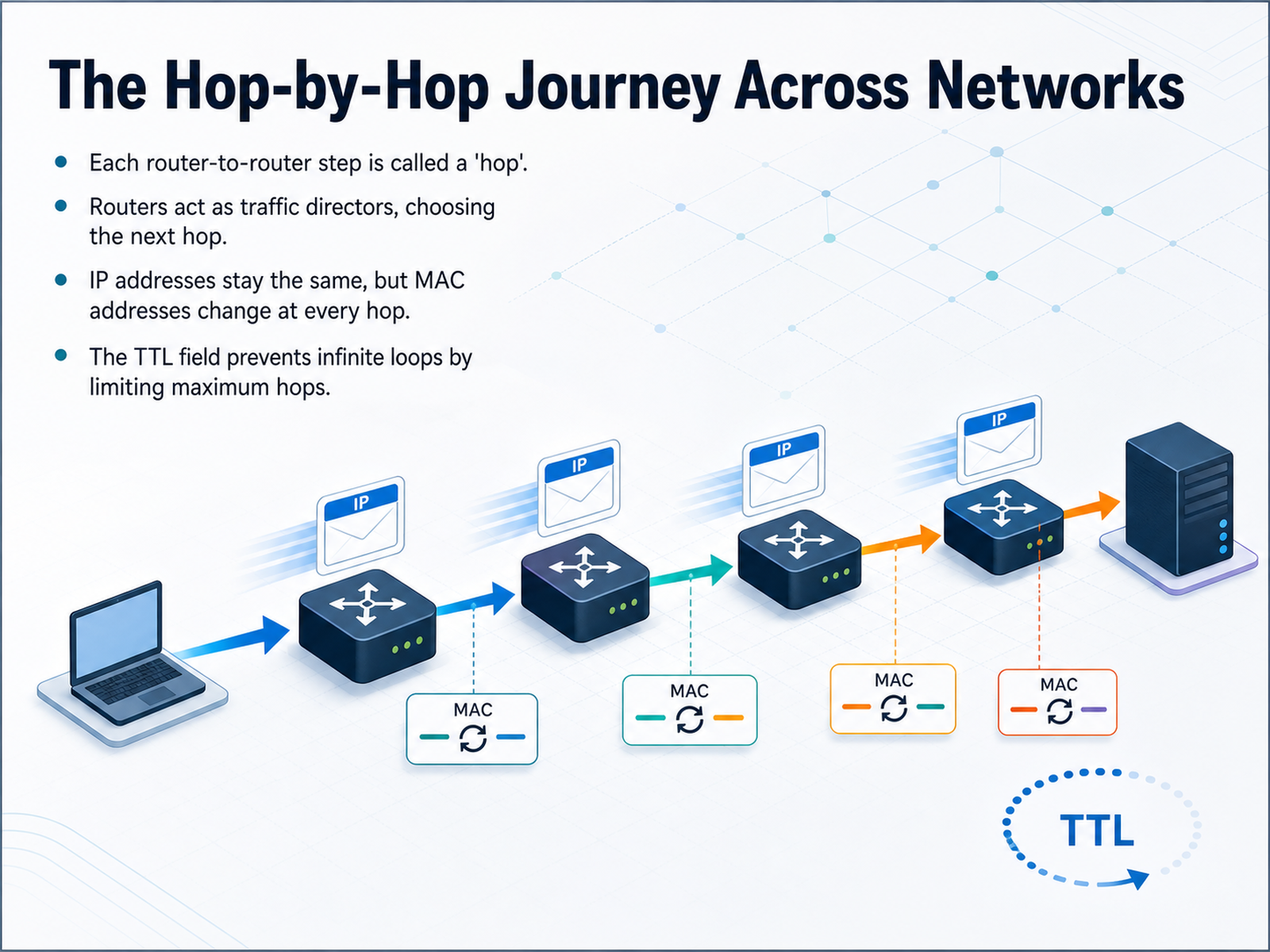
 - 03The Hop-by-Hop Journey Across NetworksSo far we have seen the big picture of a packet's path. Now let's zoom into the middle of that journey. Each step a packet takes from one router to the next is called a hop. You can think of it like passing a baton in a relay race. The packet itself is the baton, and the routers are the runners. Every router acts as a traffic director. It looks at the destination IP address and makes a single decision: which neighbor should receive the packet next. This is called choosing the next hop. As the packet hops along, its IP addresses stay the same. The source and destination IPs act like the to and from addresses on a letter. They do not change. But the MAC addresses change at every hop. The MAC address is like a temporary label that points to the next physical device in the chain. Finally, there is a safety feature called T T L, or Time To Live. This is a number that starts at a value like 64 or 128. Each router subtracts one when it forwards the packet. If that number ever hits zero, the packet is thrown away. This stops a lost packet from looping forever in the network. Now that we understand the hop, let's look at the table that makes the decision. The next slide is all about how a router picks the right path: Inside a Router: The Decision Table.
 pingmynetwork.comnetworkingnotebook.comadhdecode.com+22 min
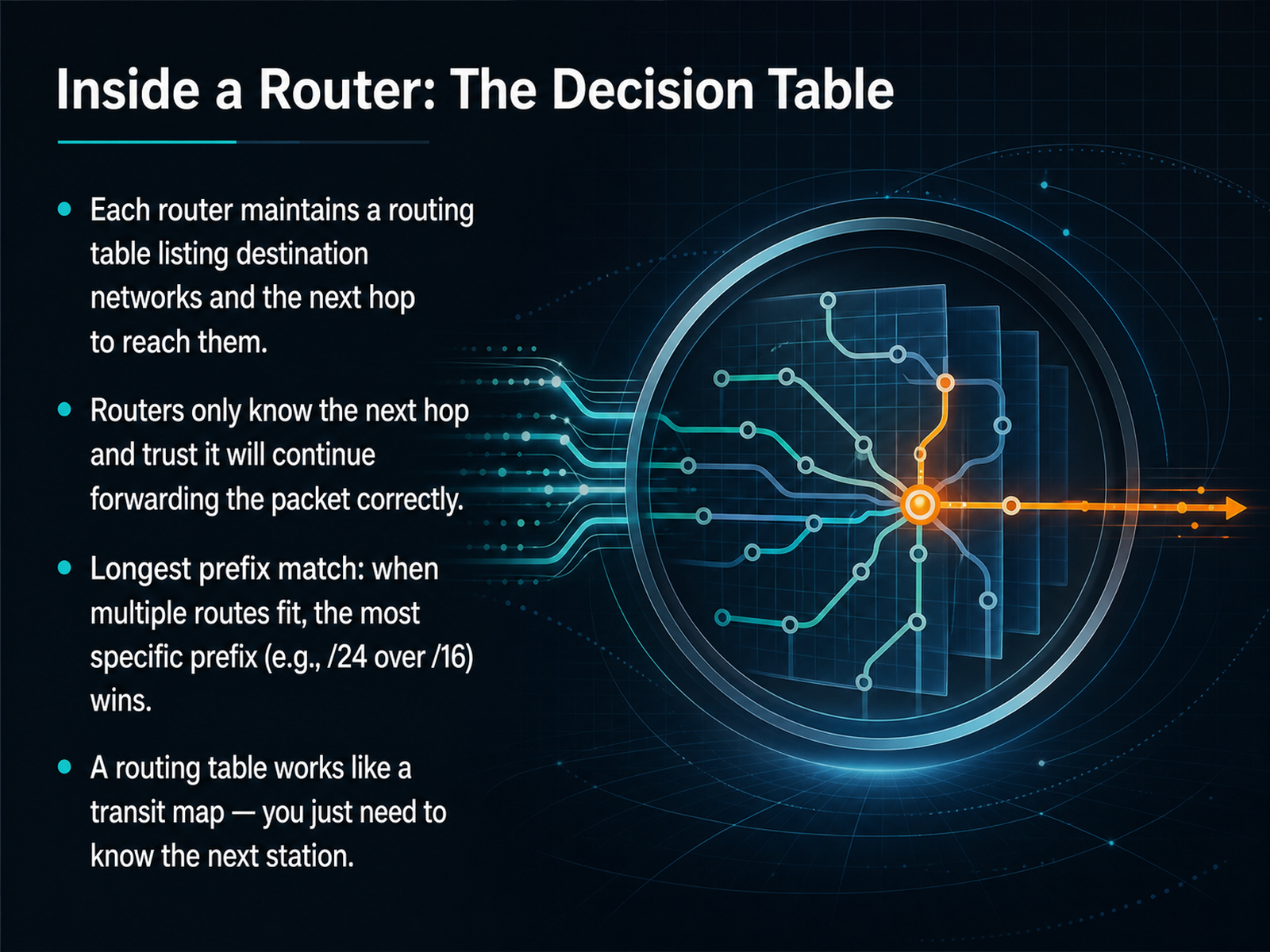
 - 04Inside a Router: The Decision TableLet's step inside a router and look at a key tool it uses: the decision table. We often call this the routing table. It lists destination networks alongside a very specific instruction — the "next hop." The next hop is simply the address of the next router that should receive the packet. A router doesn't need to know the whole path. It trusts that the next hop knows where to go from there. Now, what happens if several routes in the table could fit the destination? The router applies a rule called "longest prefix match." This simply means it chooses the most specific entry. For example, a route marked with a slash 24 is more specific than one with a slash 16, so the slash 24 wins. The best way to picture this is a transit map. You don't memorize the entire city grid. To get to your destination, you just need to know the name of the next station. Next, let's explore a natural question that follows from this: why packets frequently travel through multiple networks.
 netalith.comoneuptime.compacketmentor.com+21 min
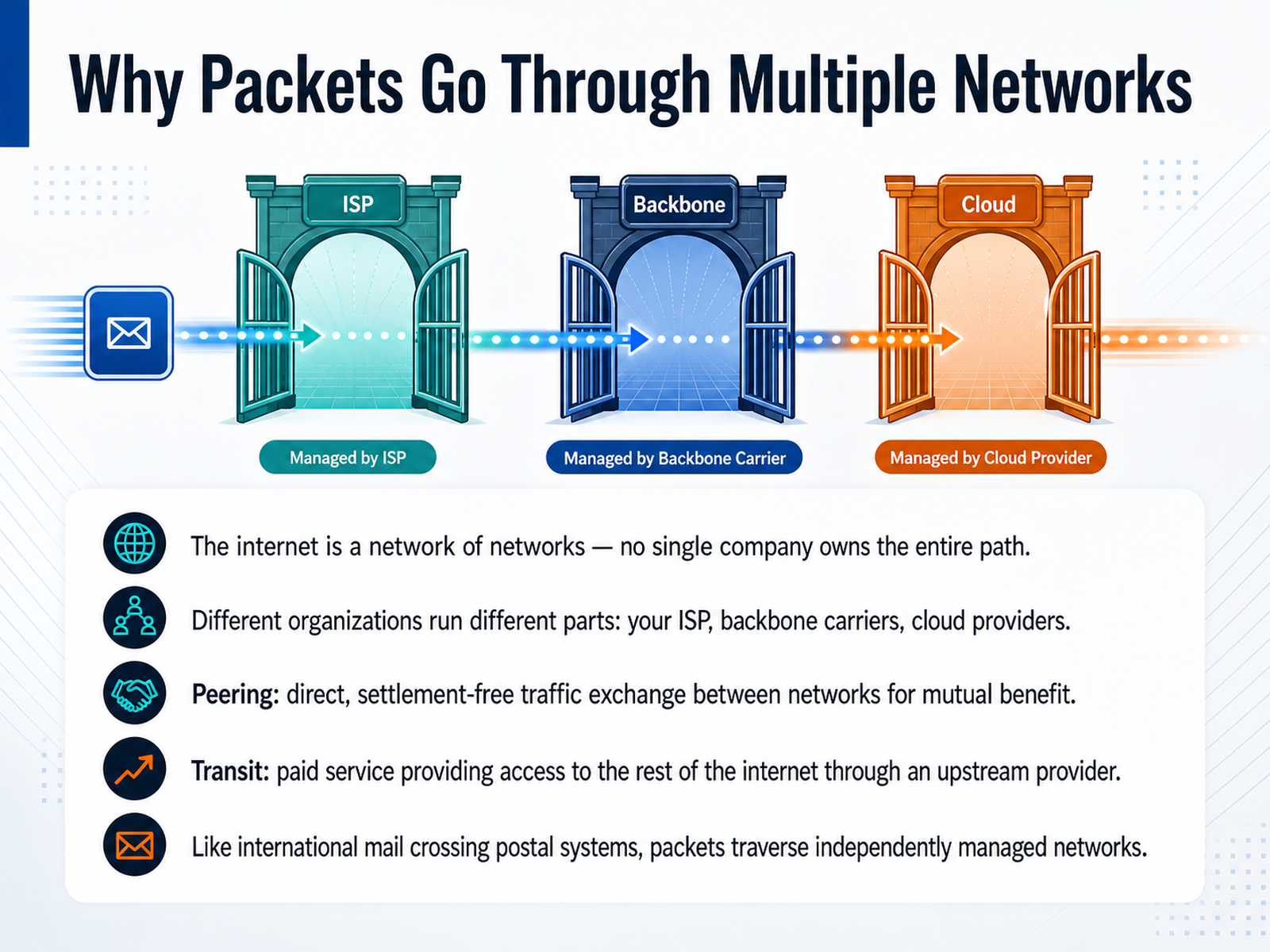
 - 05Why Packets Go Through Multiple NetworksLet’s step back and look at why your packets cross so many different networks. The internet is literally a network of networks. No single company owns the entire path from you to a website. Different organizations run different parts—your local ISP, huge backbone carriers, and cloud providers. To connect these parts, the internet uses two main types of business agreements. The first is peering. This is a direct, usually settlement-free traffic exchange between two networks for their mutual benefit. Think of it like two postal services handing mail directly to each other without paying postage. The second is transit. This is a paid service where one network buys access to the rest of the internet through an upstream provider. This is like paying an international courier to deliver your package anywhere in the world. So, just like international mail crosses multiple postal systems, your data packets traverse these independently managed networks using a mix of peering and transit deals. In a moment, we’ll explore how routers actually learn which paths to take with routing protocols.
 academy.apnic.netcs249i.stanford.edukentik.com+22 min
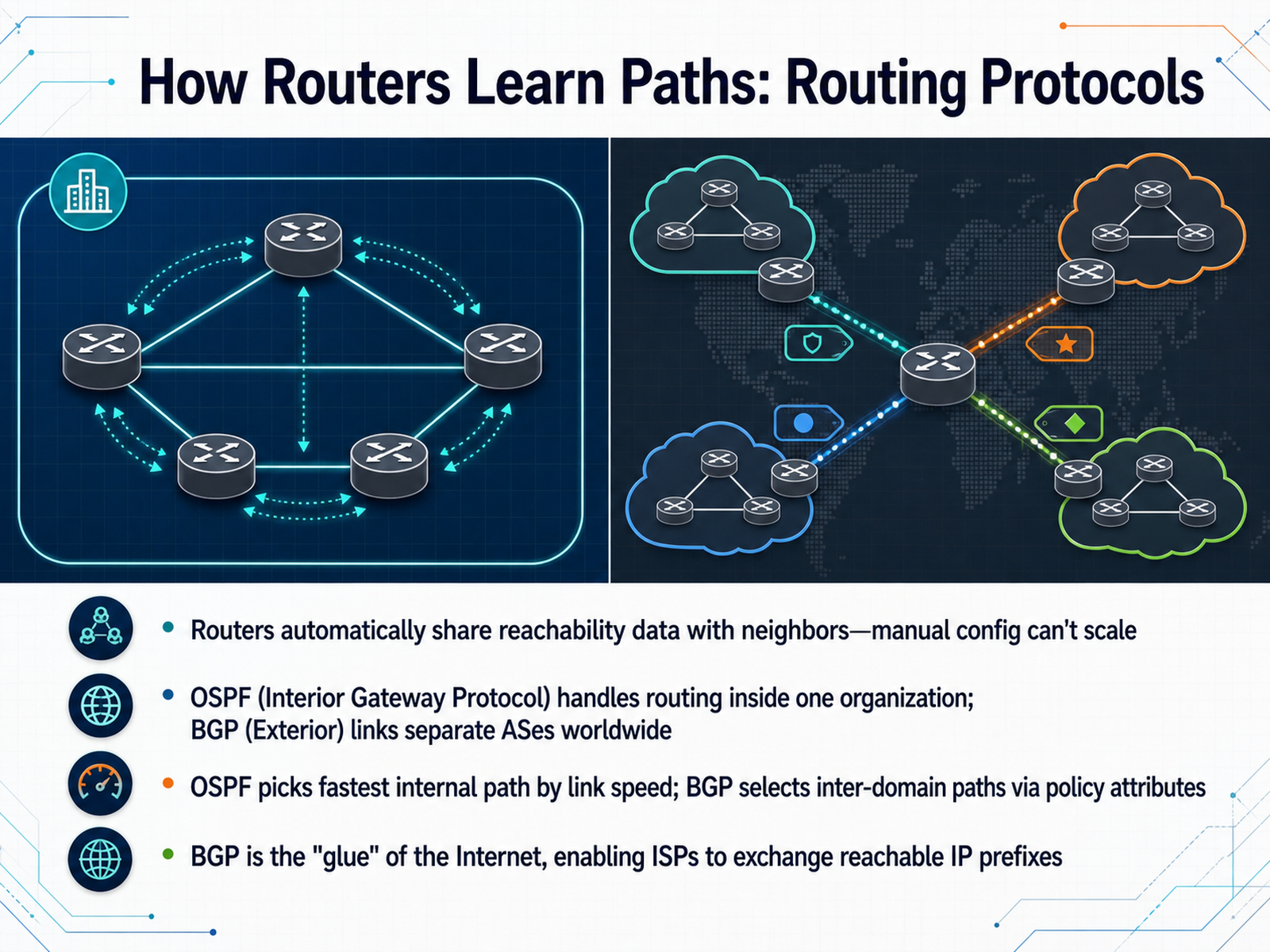
 - 06How Routers Learn Paths: Routing ProtocolsNow, let's look at how routers actually learn these paths. It's not through manual setup. That simply cannot scale across a global network. Instead, routers use automated routing protocols to share reachability data with their neighbors. The two most important protocols you'll hear about are OSPF and BGP. Think of OSPF, or Open Shortest Path First, as an interior gateway protocol. It handles the fast, automatic routing inside one organization, like a corporate network. It picks the fastest path based on link speed. BGP, or Border Gateway Protocol, has a different job. It's an exterior gateway protocol that links separate autonomous systems worldwide. BGP doesn't just look for the fastest speed. It selects inter-domain paths based on business policy and attributes, like the shortest autonomous system path. You can think of BGP as the glue of the Internet. It's the protocol that enables all the different internet service providers to exchange the reachable IP prefixes that make global communication possible. Next, we will explore how these two protocols form a layered partnership inside almost every real-world network.
 techtarget.compinglabz.comcatchpoint.com+22 min
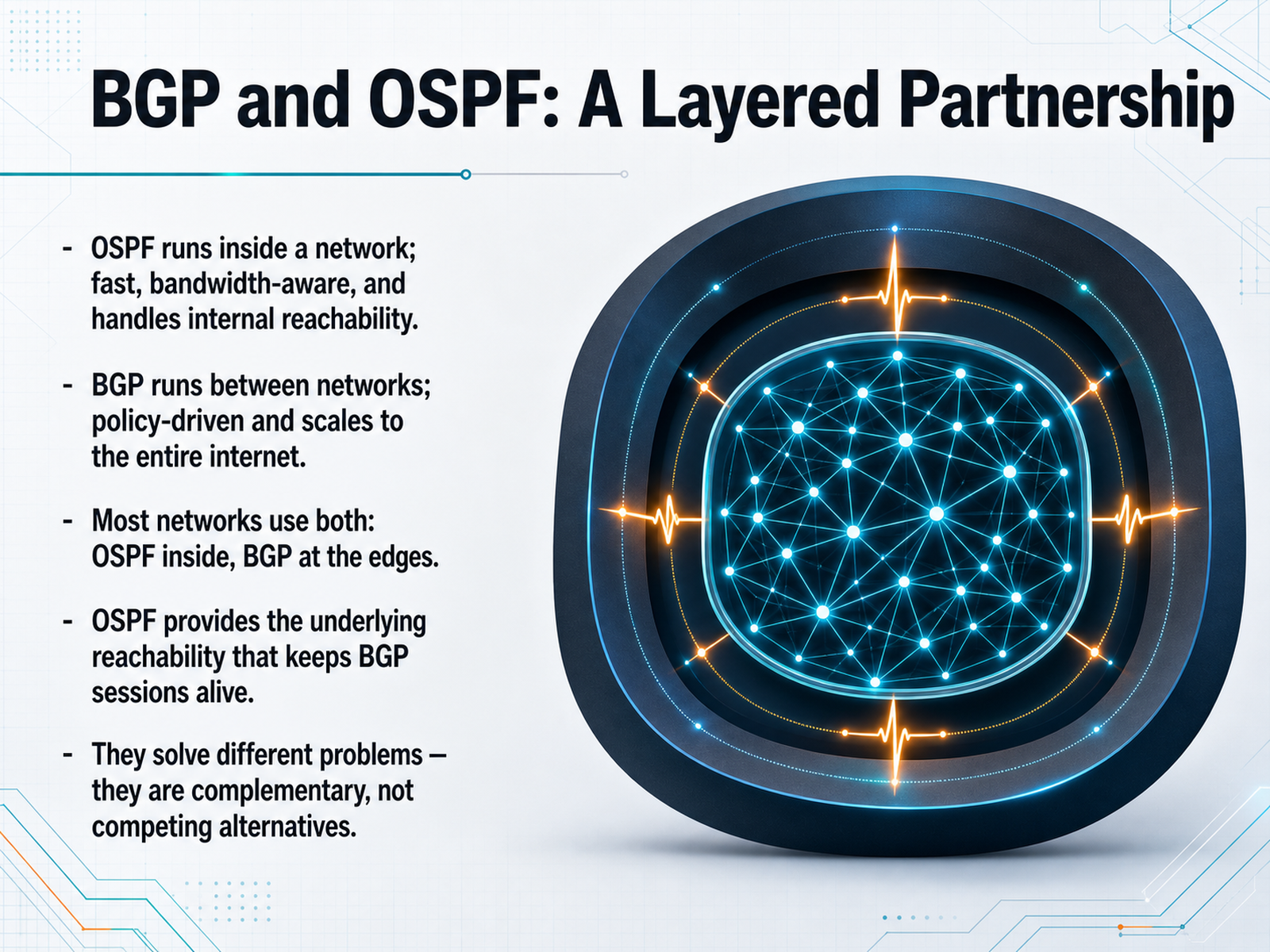
 - 07BGP and OSPF: A Layered PartnershipNow let's see how these two protocols work together. Think of OSPF as the fast, efficient assistant that manages everything inside your own network. It maps every link, calculates the shortest path based on bandwidth, and reacts to failures in under a second. That makes it perfect for internal reachability. BGP, on the other hand, is built for conversation between different networks. It prioritizes policy and control over raw speed, which lets it scale to handle the millions of routes on the public internet. In almost every real-world network, you run both at the same time. OSPF operates inside, ensuring every router can physically reach every other router. That internal reachability is what keeps BGP sessions alive, because BGP peers need a stable path between them to exchange routes. They solve fundamentally different problems. OSPF finds the fastest path using bandwidth, while BGP picks the best path using business and policy rules. They are not competing alternatives; they are complementary layers. Next, we will explore what can change the chosen path.
 techtarget.compinglabz.comcatchpoint.com+22 min
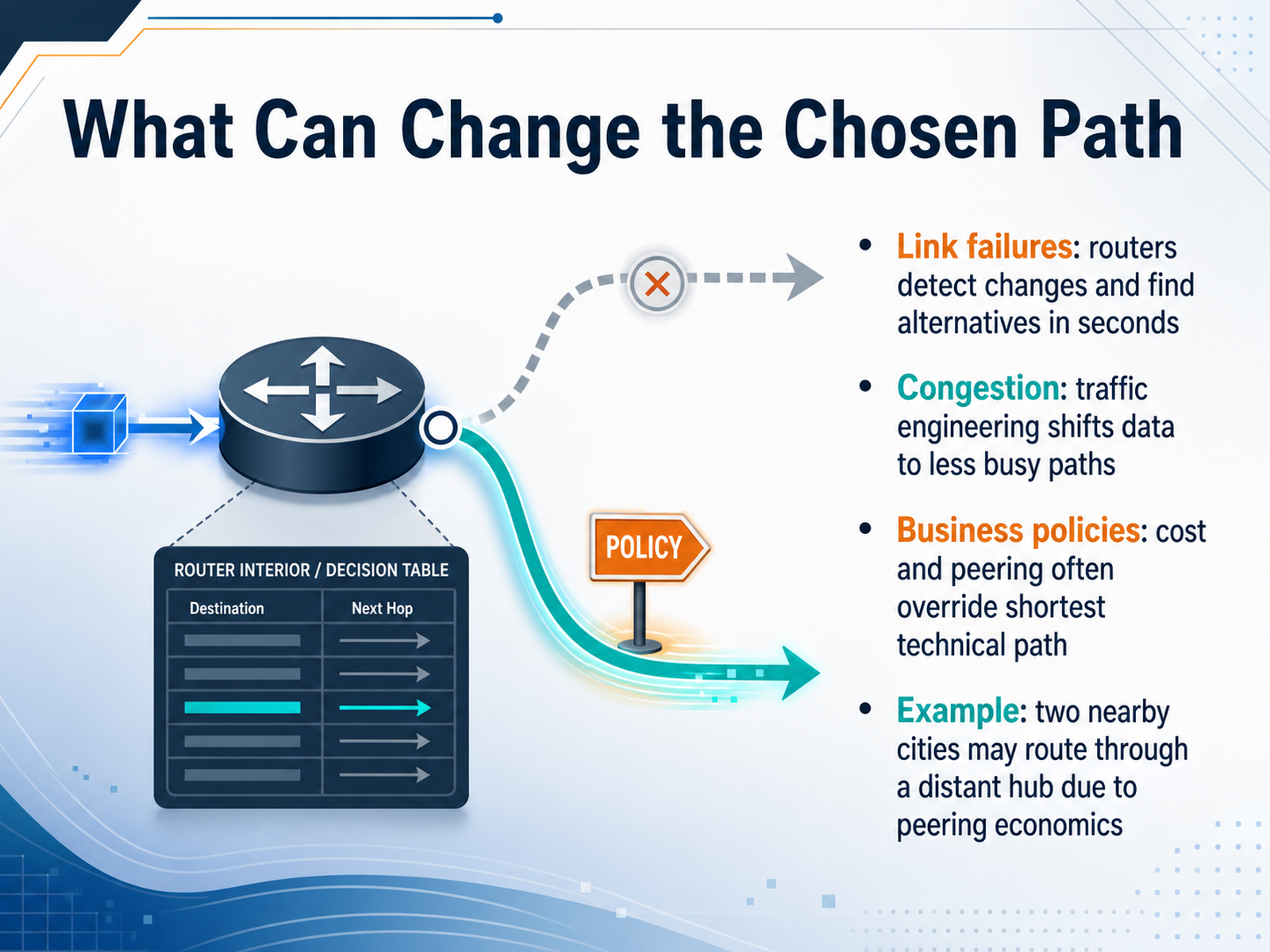
 - 08What Can Change the Chosen PathNow, let's look at what can actually change the chosen path. First, link failures. Routers are constantly monitoring their connections. If a link goes down, they can detect that change and find an alternative route, often in just a few seconds. Second, congestion. Think of it like a traffic jam. Traffic engineering can shift data to less busy paths to keep things moving, even if it means a slightly longer trip. Third, business policies. This is a big one. Cost and peering agreements frequently override the shortest technical path. For example, two nearby cities might actually route through a distant hub purely because of peering economics. The most direct fiber might exist, but if the business deals don't support a direct connection, the data takes the financially sensible detour. So, path selection isn't just about physics; it's a constant balance of reacting to failure, managing load, and navigating a web of commercial contracts. Up next, we'll see some of these forces in action with real-world routing anomalies.
 1 min
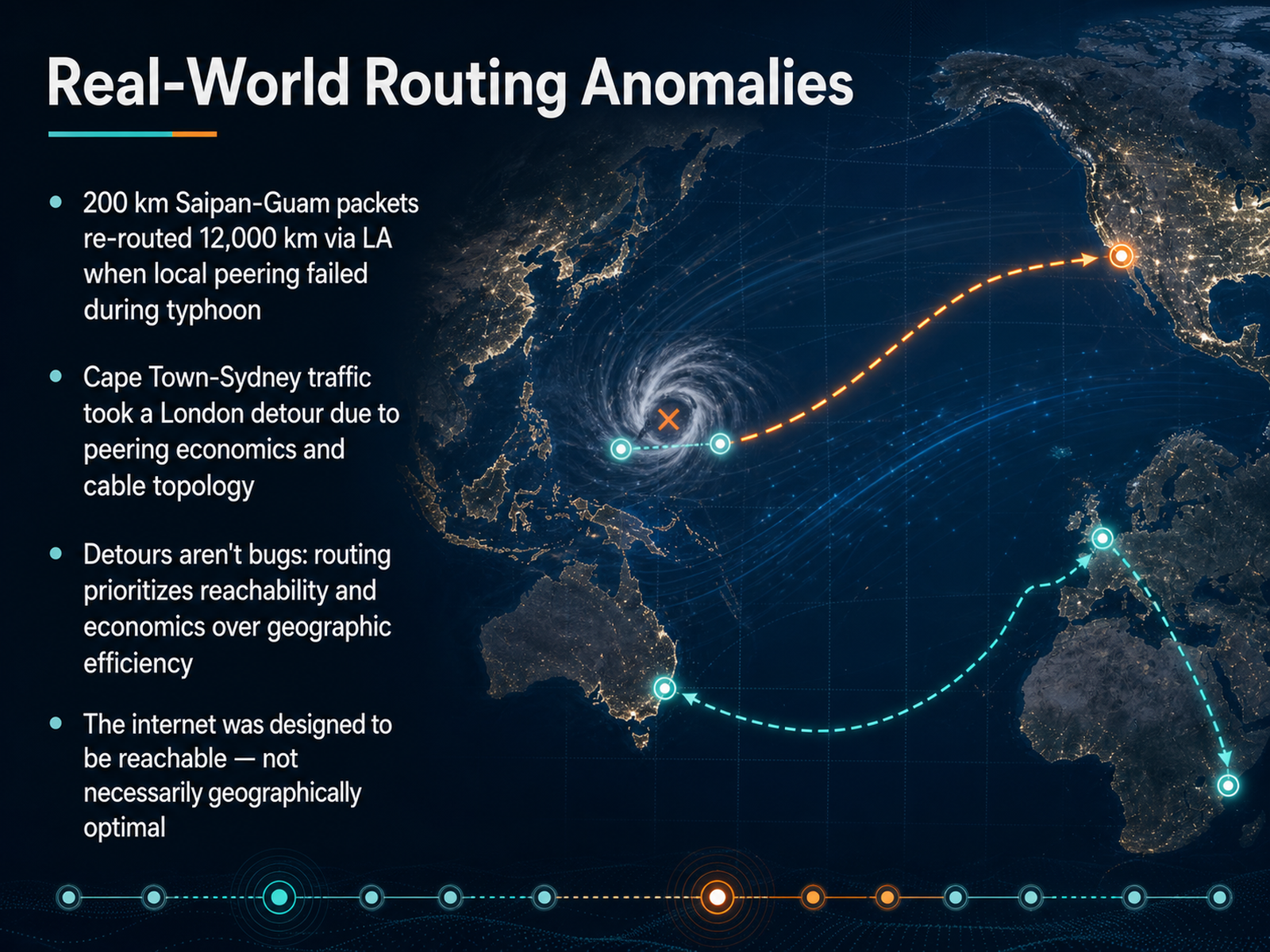
1 min - 09Real-World Routing AnomaliesSo far, our examples have been about normal routing logic. But real-world events can make those paths dramatically longer. Let's look at a few memorable anomalies. During a typhoon in the Pacific, packets traveling between the islands of Saipan and Guam—just two hundred kilometers apart—were suddenly rerouted through Los Angeles. That's a twelve-thousand-kilometer detour for two neighbors. The local peering link didn't fail physically; a routing shift caused the traffic to cross the ocean twice. Another case saw traffic from Cape Town, South Africa, heading to Sydney, Australia, take a detour through London. This happened because of peering economics and the path of submarine cables. These detours aren't bugs. The network prioritizes reachability over geographic efficiency. If a direct link fails or isn't cost-effective, the protocol finds the most reachable path, not the shortest one. The internet was designed to be reachable, which means your data may take the scenic route when conditions change. Next, we'll explore how you can see these paths for yourself using a tool called traceroute.
 2 min
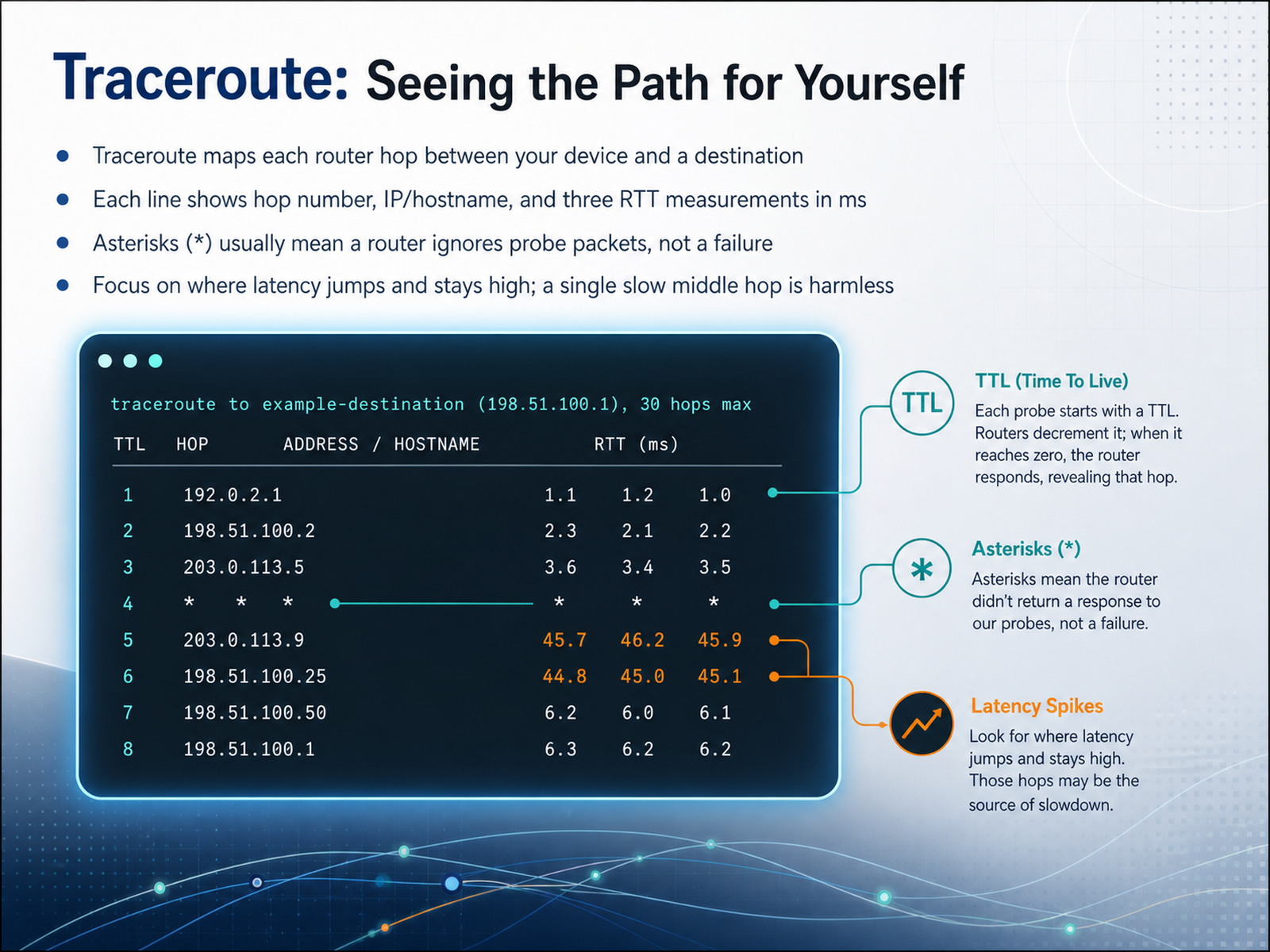
2 min - 10Traceroute: Seeing the Path for YourselfNow let's see the path for ourselves. A tool called traceroute maps every router hop between your device and a destination. When you run the command, each line represents one step in the journey. The line shows the hop number, the router's IP address or hostname, and three round-trip time measurements in milliseconds. Those three numbers give you a sense of consistency. If all three are close together, that hop is stable. An asterisk in the output usually means the router chose not to reply to the probe packet. This is a policy decision, not a failure. The real skill is knowing where to focus. Look for the point where latency jumps and stays high through every later hop. That marks a genuine slowdown. But if one middle hop shows high latency and the hops after it are fast again, the path is healthy. That single slow hop is just a router prioritizing real traffic over answering your probes. In short, let the final destination tell you the truth. If the last hop responds quickly, the network is working, no matter what the middle hops look like. Next, we will walk through putting it all together with an end-to-end trace.
 2 min
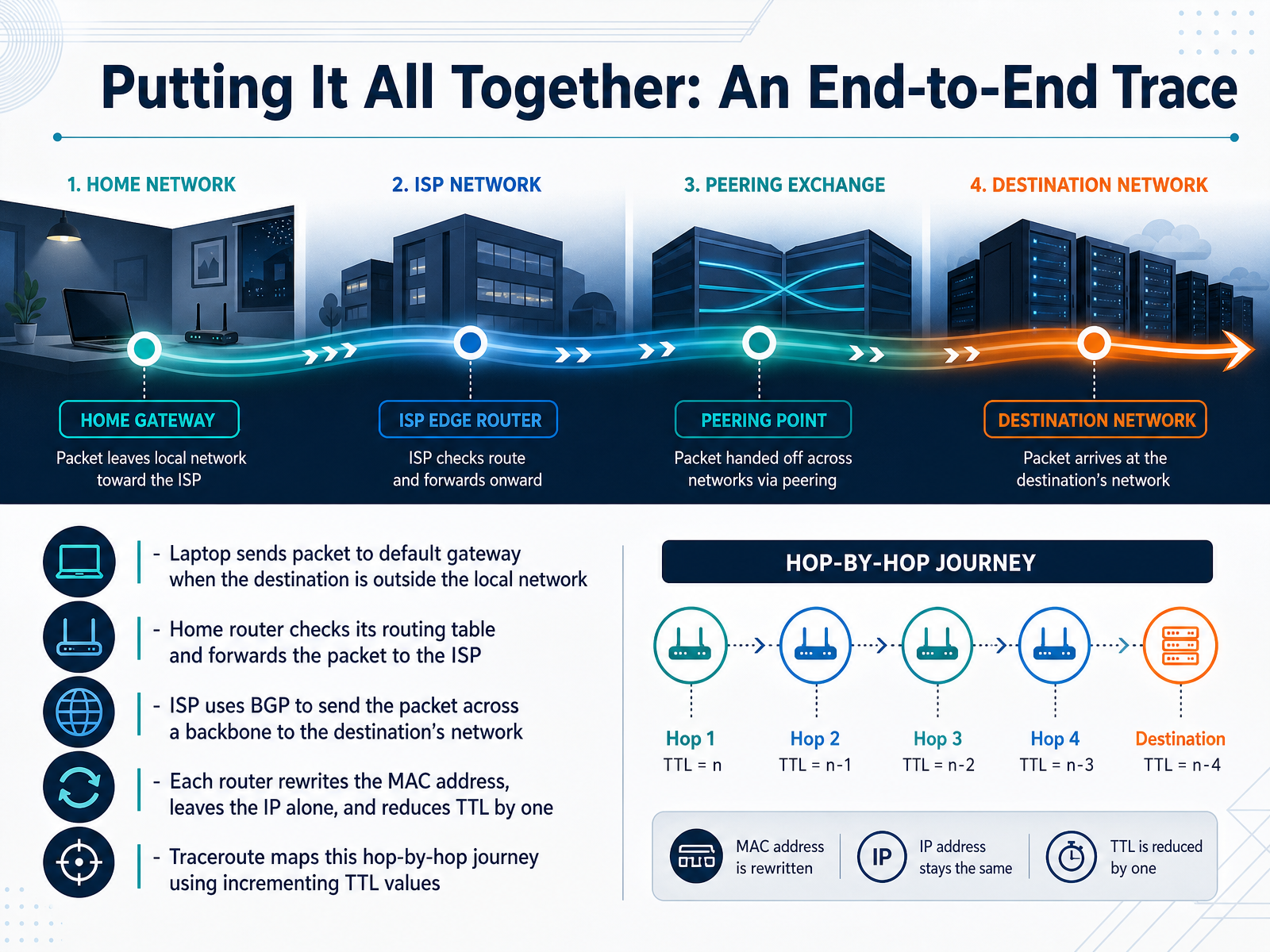
2 min - 11Putting It All Together: An End-to-End TraceNow let's trace the complete path a packet takes from start to finish. Imagine you're on your laptop trying to reach a website. Your laptop checks the destination and realizes the server isn't on your local home network. So it wraps the packet in a frame and sends it to your default gateway, which is typically your home router. When your router receives the packet, it looks at the destination IP address and checks its routing table. Since the website is out on the internet, the table points to your Internet Service Provider as the next hop. So out the packet goes. Your ISP now takes charge. It uses a protocol called BGP, or Border Gateway Protocol, to see which large networks can reach that destination's network. Using those BGP routes, your ISP forwards the packet across the internet backbone, hop by hop, toward its goal. As the packet moves through each router, three important things happen. The router rewrites the source and destination MAC addresses for the next link, but it leaves the original IP addresses completely unchanged. It also reduces the Time to Live field, or TTL, by one. This process is exactly what the traceroute tool relies on. It sends out probes with deliberately short TTLs and listens for the responses to map out every hop on the path. So the packet we just followed travels from your laptop, to your home router, across multiple ISP and backbone routers, and finally arrives at the destination network, all through these local, hop-by-hop decisions. Next, let's clear up some common myths and misunderstandings about how routing really works.
 pingmynetwork.comnetworkingnotebook.comadhdecode.com+22 min
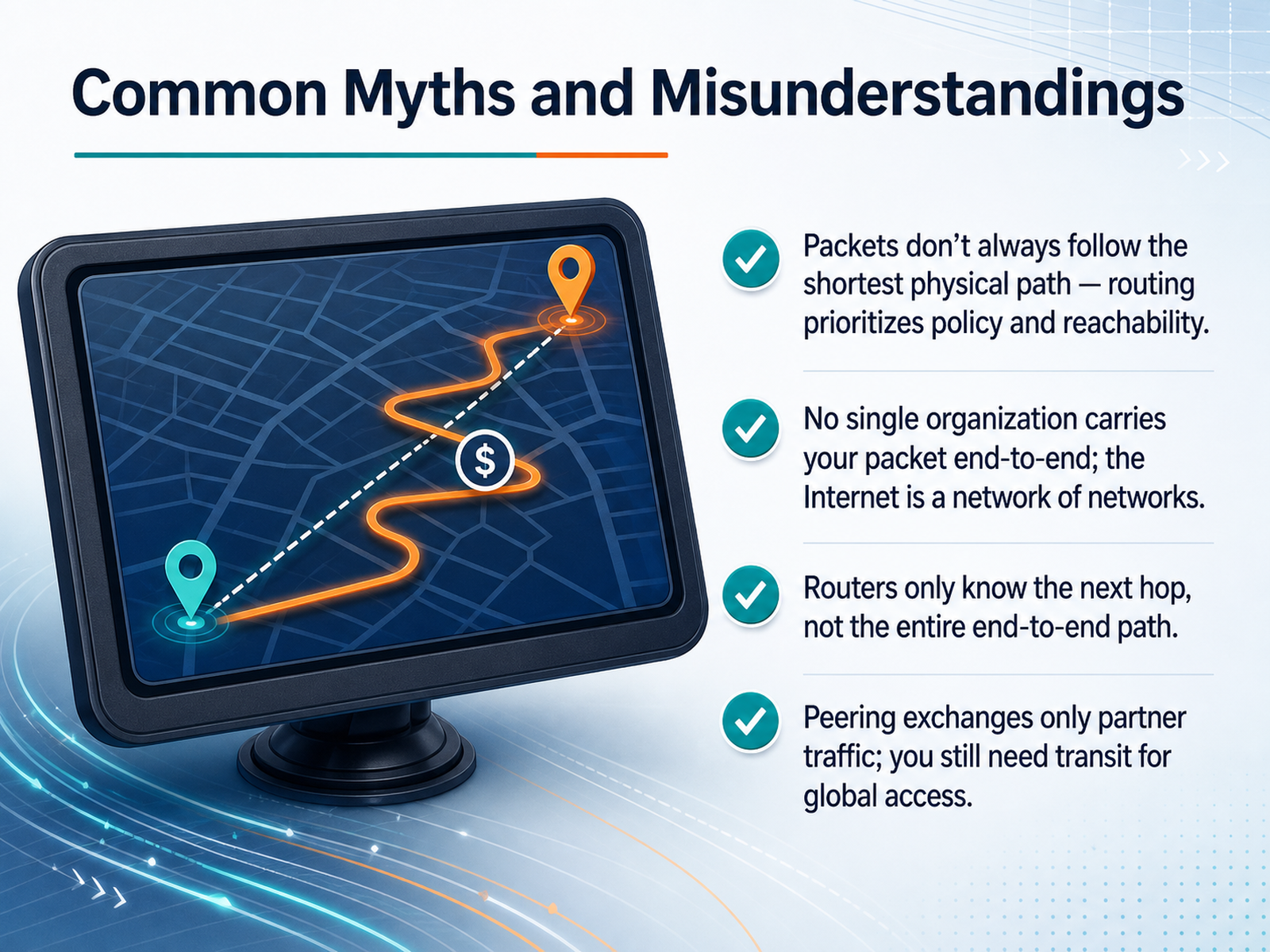
 - 12Common Myths and MisunderstandingsNow let's clear up some common misunderstandings about how packets really move. First, packets do not always follow the shortest physical path. Routers prioritize policy and reachability. A packet might cross an ocean twice just because a cheaper peering link is available there, not because it is the closest cable. Second, no single organization carries your packet end to end. The internet is a network of independent networks. Your traffic might pass through a local provider, a transit carrier, and a content network before arriving at its destination. Third, routers only know the next hop. A router does not see the full path from source to destination. It looks at its forwarding table, selects the most specific matching prefix, and hands the packet to the next router. That next router repeats the same local decision. Finally, peering exchanges only partner traffic. To reach the rest of the world, networks still need to buy transit from an upstream provider. Peering gives you a shortcut for some destinations. Transit gives you a route to everywhere else. So routing is not about geographic shortest paths. It is about business relationships and local forwarding decisions, one hop at a time. Next, let's talk about what this means for everyday internet use.
 netalith.comoneuptime.compacketmentor.com+22 min
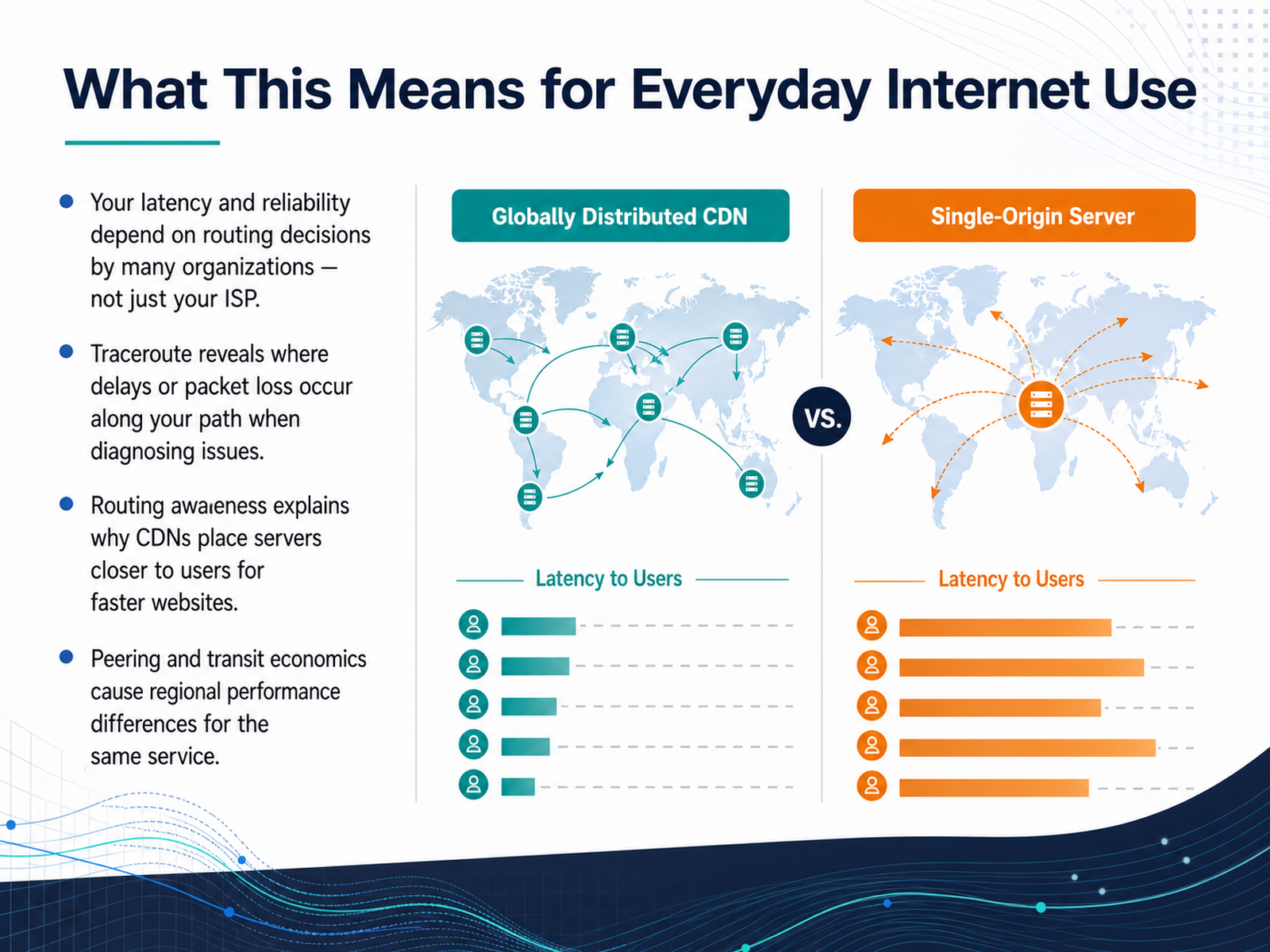
 - 13What This Means for Everyday Internet UseLet’s step back and think about what all of this means for your everyday internet connection. Your latency and reliability don’t depend on just your own internet service provider. They are shaped by routing decisions made by many different organizations along the path. When you’re diagnosing a connectivity problem, a tool like traceroute reveals exactly where delays or packet loss occur, helping you pinpoint whether the issue is inside your network, at your ISP, or somewhere farther out on the internet. This routing awareness also explains why content delivery networks place servers physically closer to users. By shortening the network path, they can make websites load noticeably faster. Finally, the economics of peering and transit create real regional performance differences for the same service. A user in one country might reach a website with very low latency because of direct peering, while a user elsewhere travels a much longer path and experiences higher latency. It’s not always a technical failure. Sometimes it’s simply how the business relationships between networks are structured. Now let’s wrap up with our final slide on key takeaways and next steps.
 2 min
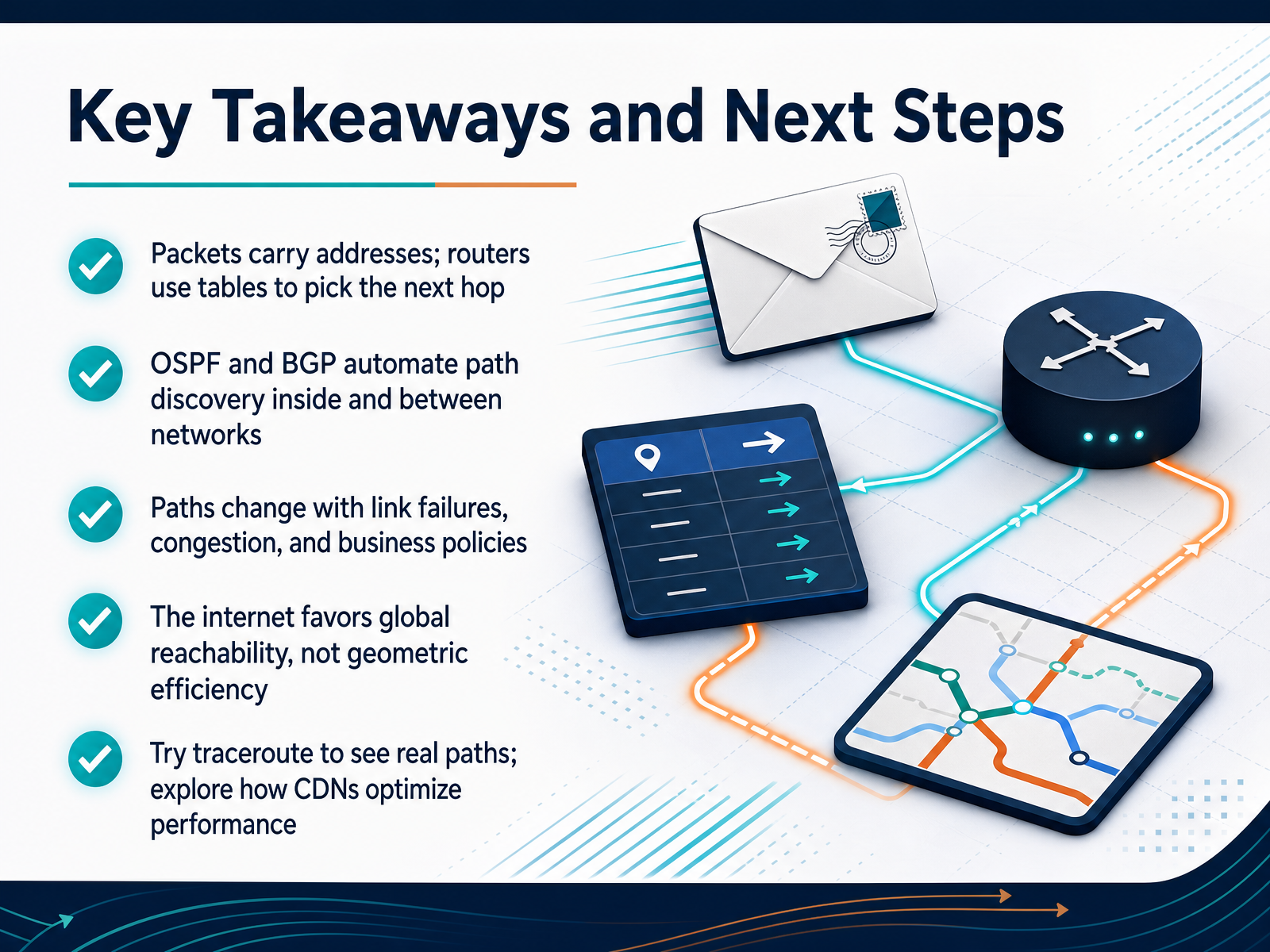
2 min - 14Key Takeaways and Next StepsLet's bring it all together. Packets carry source and destination addresses, and routers use their routing tables to decide the next hop at every step. Protocols like OSPF and BGP automate this path discovery, with OSPF working inside networks and BGP connecting networks across the entire internet. Remember, paths aren't fixed. They change in response to link failures, congestion, and even business policies. That's why the internet favors global reachability over geometrical efficiency. As a practical next step, try the traceroute command to see real, live paths from your computer to major sites. You'll be surprised where your packets travel. If you're curious about performance, start exploring how content delivery networks bring data closer to users. Thank you for joining me today. You now have a solid mental model for how data finds its way across the internet. Keep exploring, and happy learning.
 adhdecode.comtechtarget.compinglabz.com+22 min
Take the deck with you
Download this course as a file — free, no sign-up needed.
- PDF handoutEvery slide page, ready to print or share.15 pages · 3.9 MBDownload
- Narrated PowerPointThe deck that presents itself — every slide carries the digital human's narration video.15 pages · 15.9 MBDownload
- PowerPoint slidesThe full deck as a .pptx — open it in PowerPoint, Keynote, or Google Slides.15 pages · 3.8 MBDownload
Free to use in your own training — please keep the PersonWise credit page at the end.
Have your own deck? Turn it into a course
Sources consulted
Web sources consulted while building this course.
- The Life of a Packet | CCNA 200-301 — pingmynetwork.com
- Life of a Packet - Networking Notebook CCNA — networkingnotebook.com
- Routing — How Packets Find Their Path | ADHDecode — adhdecode.com
- Life of a Network Packet — abaj.ai
- Journey of a Data Packet in the Internet — thegeekstuff.com
- How Routers Work: Routing Tables, Next Hop Resolution, and Longest Prefix Match — netalith.com
- How to Understand How IPv4 Routing Decisions Are Made — oneuptime.com
- Routing Decision Process — PacketMentor — packetmentor.com
- Routing Mechanics & Logic Fundamentals: The Engineering Guide | Pingdo — pingdo.net
- How Routing Works - SudoFlare — sudoflare.com
- Internet Transit Peering and the Variants-20210826-NEW — academy.apnic.net
- Internet Transit and Peering — cs249i.stanford.edu
- IP Transit vs Peering: What's the Difference? — kentik.com
- Transit, Peering, and Exchange Points — assets.cenic.org
- What is Internet Peering? · The Internet Peering Playbook — drpeering.net
- BGP vs. OSPF: When to use each protocol | TechTarget — techtarget.com
- BGP vs OSPF: When to Use Each Routing Protocol — pinglabz.com
- BGP vs OSPF: Differences & Tutorials — catchpoint.com
- Routing Protocols (OSPF, BGP) · InterviewCrafted — interviewcrafted.com
- OSPF vs BGP ⋆ | Comparison of OSPF and BGP! | Updated! — ipcisco.com