Begin
14 pages · ~28 min
Presentation Design Portfolio Builder
Learn to create a standout presentation design portfolio that showcases your skills and attracts clients. Ideal for aspiring presentation designers seeking to build credibility and land their first projects.
A digital instructor presents all 14 pages. Hold “Ask” at any point and ask out loud — the answer comes from this course. No sign-up needed.
What you’ll learn
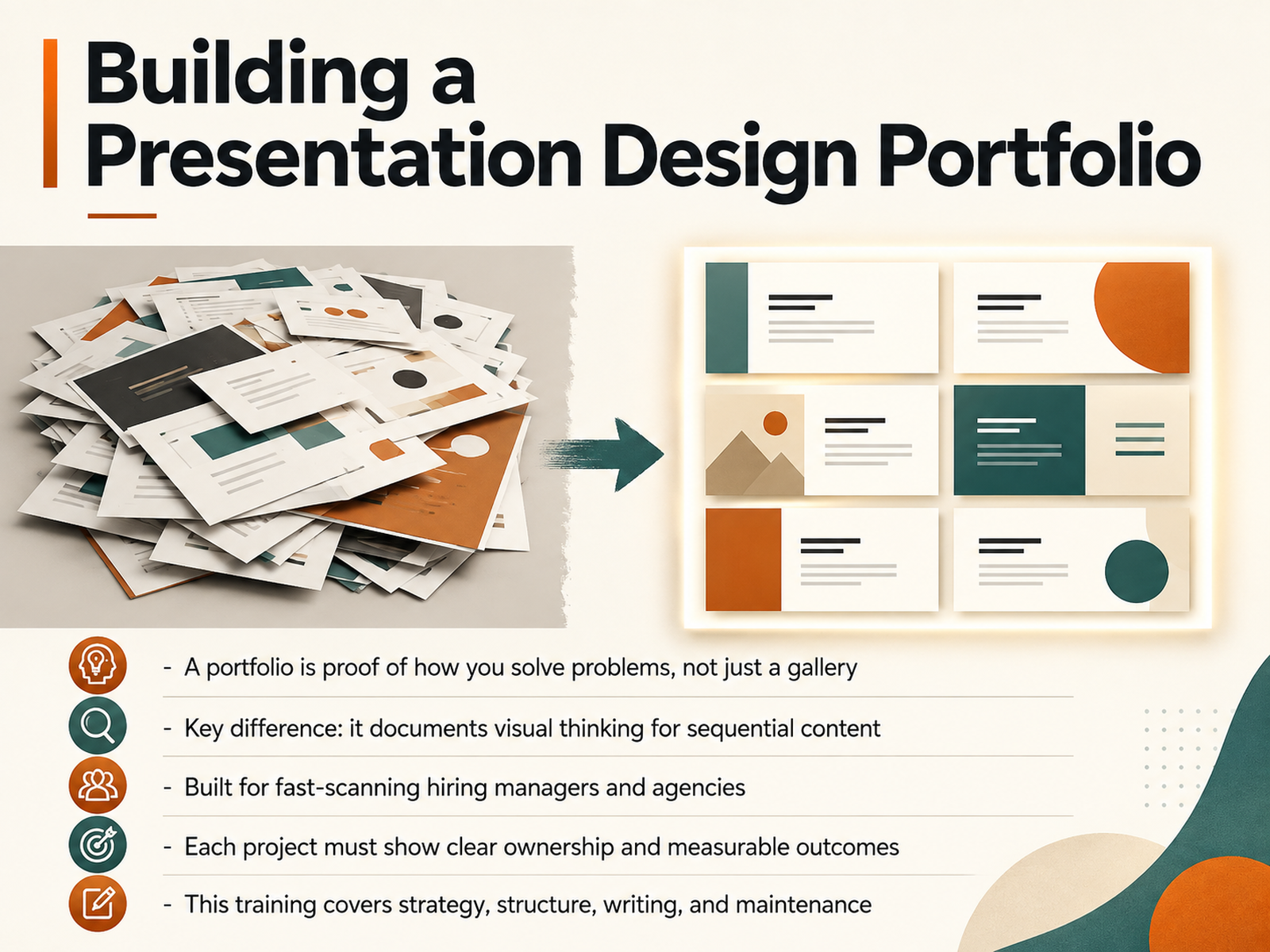
- 01Building a Presentation Design PortfolioWelcome. You already know how to build a beautiful deck. This training is about building the portfolio that proves it. Think of your portfolio not as a gallery of finished slides, but as evidence of how you solve problems. The key difference? You design for sequence, not just screens. You document visual thinking across a narrative flow. Hiring managers and agencies will scan your work in seconds, so every project must show clear ownership and measurable outcomes. We'll cover the strategy, the structure, the writing, and how to keep it current as your craft evolves. Let's start by understanding what reviewers actually look for.thecrit.cokanorio.comdesigntocodes.com+21 min
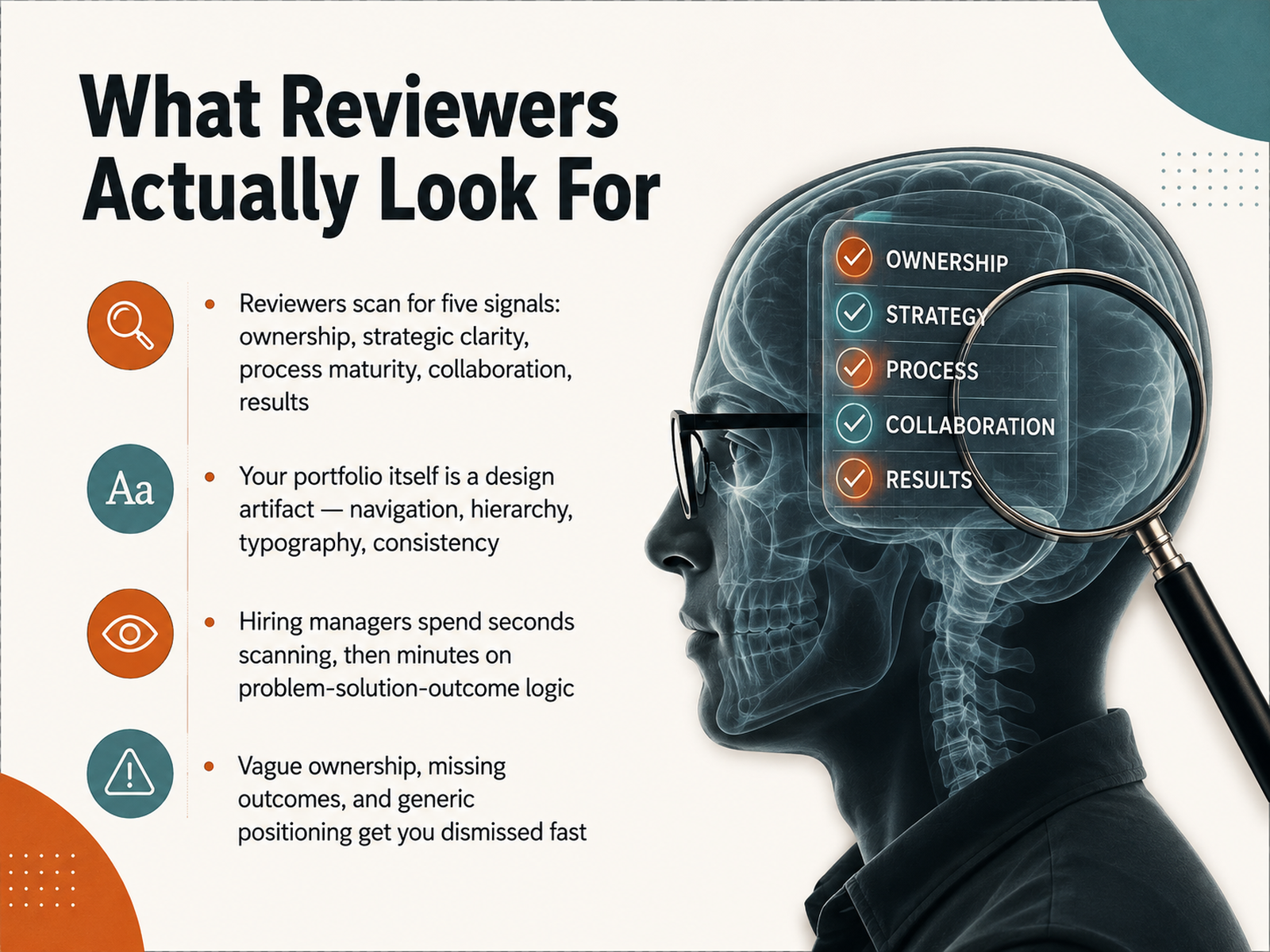
- 02What Reviewers Actually Look ForLet's get inside the reviewer's head, because that's where your portfolio lives or dies. When someone opens your work, they're not reading. They're scanning. And they're scanning for five specific signals. Ownership — did you lead this, or were you just in the room? Strategic clarity — can you explain why the design looks the way it does? Process maturity — show me the thinking, not just the pixels. Collaboration — how did you work with others, and what did you fight for? And results — what actually changed because of your work? Now, here's the part that surprises a lot of designers. Your portfolio itself is a design artifact. The navigation, the hierarchy, the typography, the consistency — it's all being judged before a single case study gets read. Hiring managers spend seconds scanning, and then minutes on the problem-solution-outcome logic once something catches their eye. Design for that reality. Vague ownership, missing outcomes, and generic positioning get you dismissed fast. Remember, specificity is your signal. The clearer you are about your contribution and the impact, the easier you make their decision. Next, we'll look at how to define your positioning and niche so you're not just another designer in the pile.
 toptal.comblog.opendoorscareers.comlinkedin.com+22 min
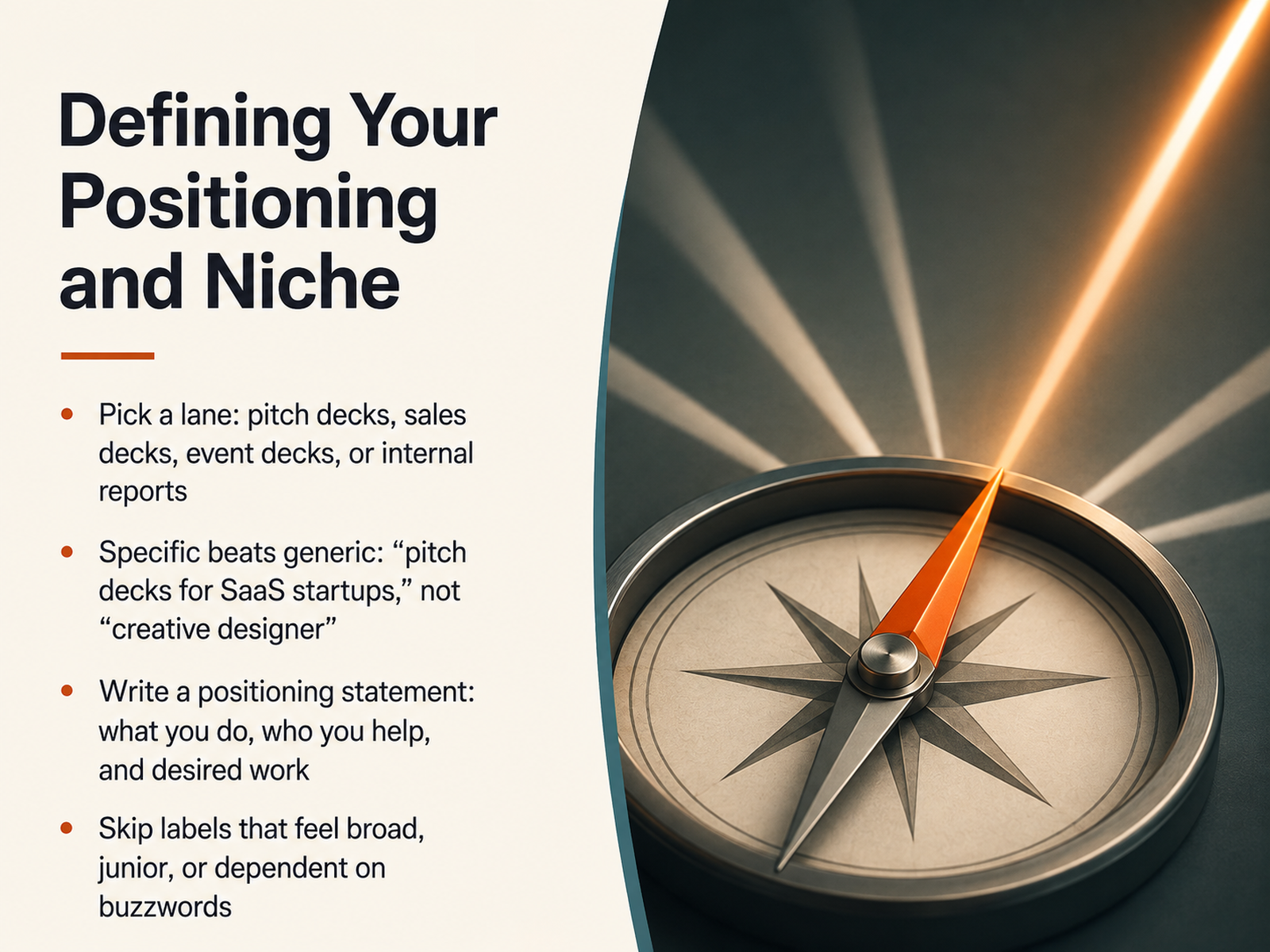
 - 03Defining Your Positioning and NicheSo how do you want to be known? In a field this broad, trying to be everything to everyone is the fastest way to become invisible. Pick a lane. Whether that means pitch decks, sales decks, event decks, or internal reports, commit to it. Specific beats generic every time. Categorize yourself as a creative designer and you are competing with the entire planet. Say you design pitch decks for SaaS startups and suddenly you are the obvious choice for that exact client. Write a positioning statement you can stand behind. What you do, who you help, and the kind of work you want next. And while you are at it, skip the labels that feel broad, junior, or stuffed with buzzwords. Your niche is not a limit. It is a filter that brings the right clients to you. Getting specific is what lets your portfolio work harder, so next let's talk about selecting the right body of work to make that case.
 presentationdesignpro.comvovchenko-design.comingeneastudio.com+21 min
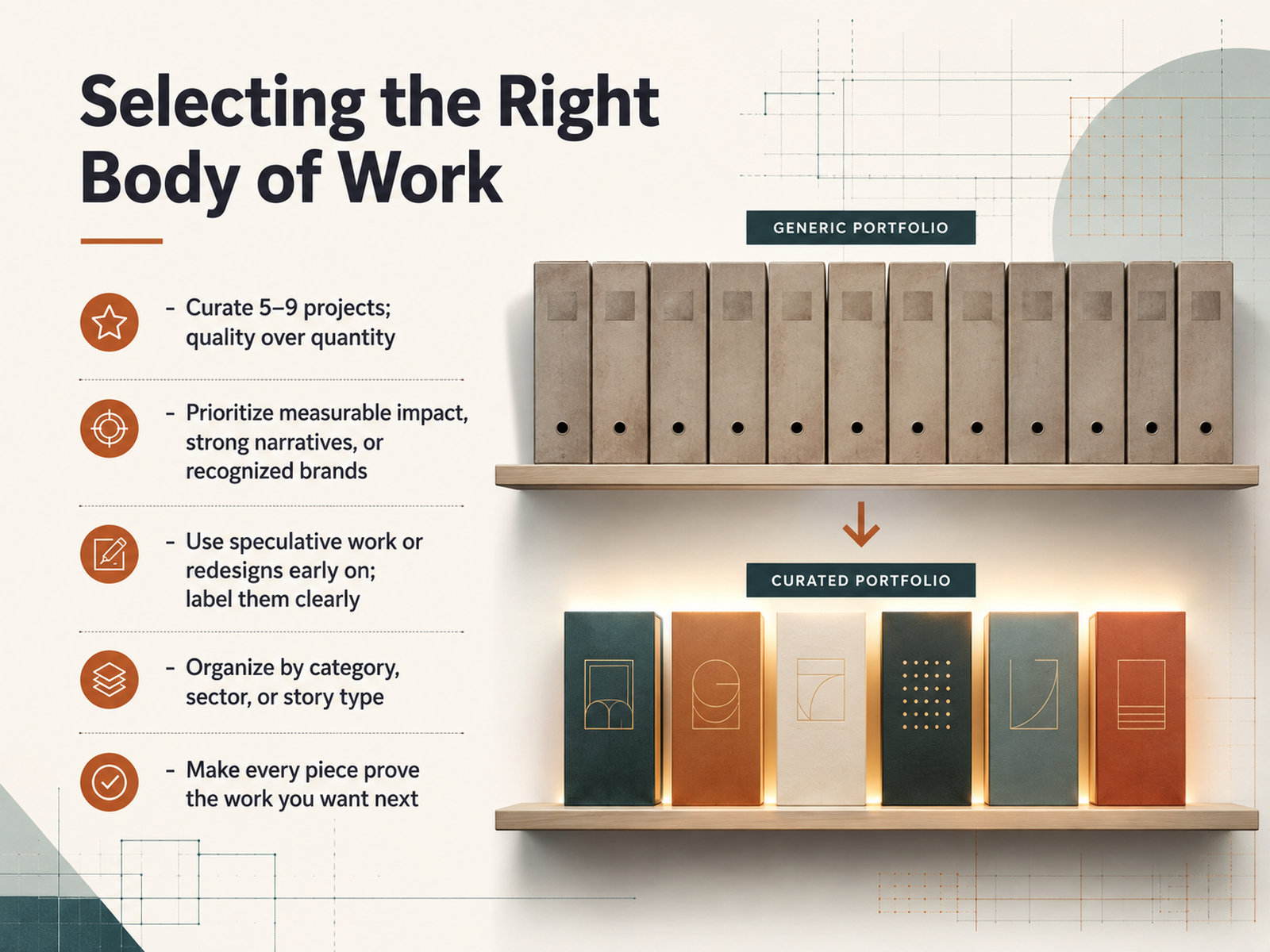
 - 04Selecting the Right Body of WorkNow, let's talk about selecting the right body of work for your portfolio. Start by curating five to nine projects. That's it. Quality always outperforms quantity. Reviewers won't dig through dozens of pieces; they want to see your sharpest thinking, fast. Prioritize work that shows measurable impact, carries a strong narrative, or features recognizable brands. Those signals instantly build credibility. Early in your career, you'll likely have gaps in client work. That's fine. Include speculative projects or thoughtful redesigns to demonstrate your skills, but label them clearly as concept work. Never present them as commissioned pieces. Then, organize your portfolio intentionally. Group by category, sector, or story type so a viewer can easily find relevant work. Most importantly, every piece you include should prove the value you want to deliver next. If you're aiming for investor decks, feature your cleanest financial data work. Make sure each project points toward where you're headed, not just where you've been. Next, we'll move into planning the portfolio structure itself.
 toptal.comblog.opendoorscareers.comlinkedin.com+22 min
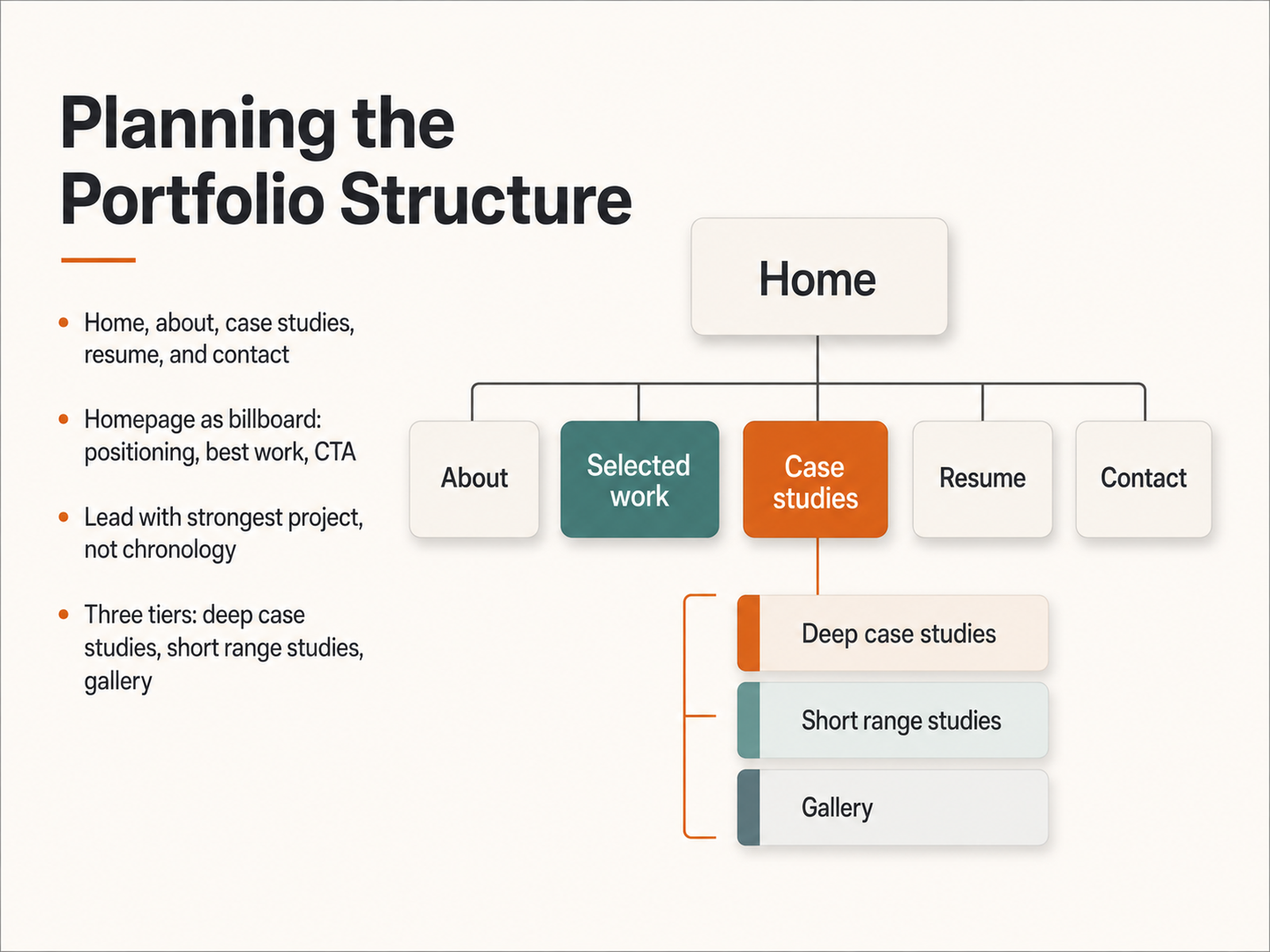
 - 05Planning the Portfolio StructureLet's talk structure. Your portfolio's architecture should be refreshingly simple: home, about, case studies, resume, and contact. Five destinations, nothing more. Think of your homepage as a billboard, not a biography. It needs your positioning, your best work, and a clear call to action, all above the fold. Visitors decide in seconds, so make those seconds count. Now, here's where most designers miss the mark: they organize work chronologically. Don't. Lead with your strongest project, the one that signals the work you want to attract. Then, build a three-tier system. Tier one is your deep-dive case studies, two or three projects with full narrative arcs. Tier two is shorter range studies that show breadth. Tier three is a gallery for everything else. This hierarchy respects your viewer's time and signals that you understand curation. Structure like this lets your work breathe, and it positions you as a strategic thinker, not just someone with a file full of slides. Next, we'll get into designing the experience itself.
 thecrit.cokanorio.comdesigntocodes.com+21 min
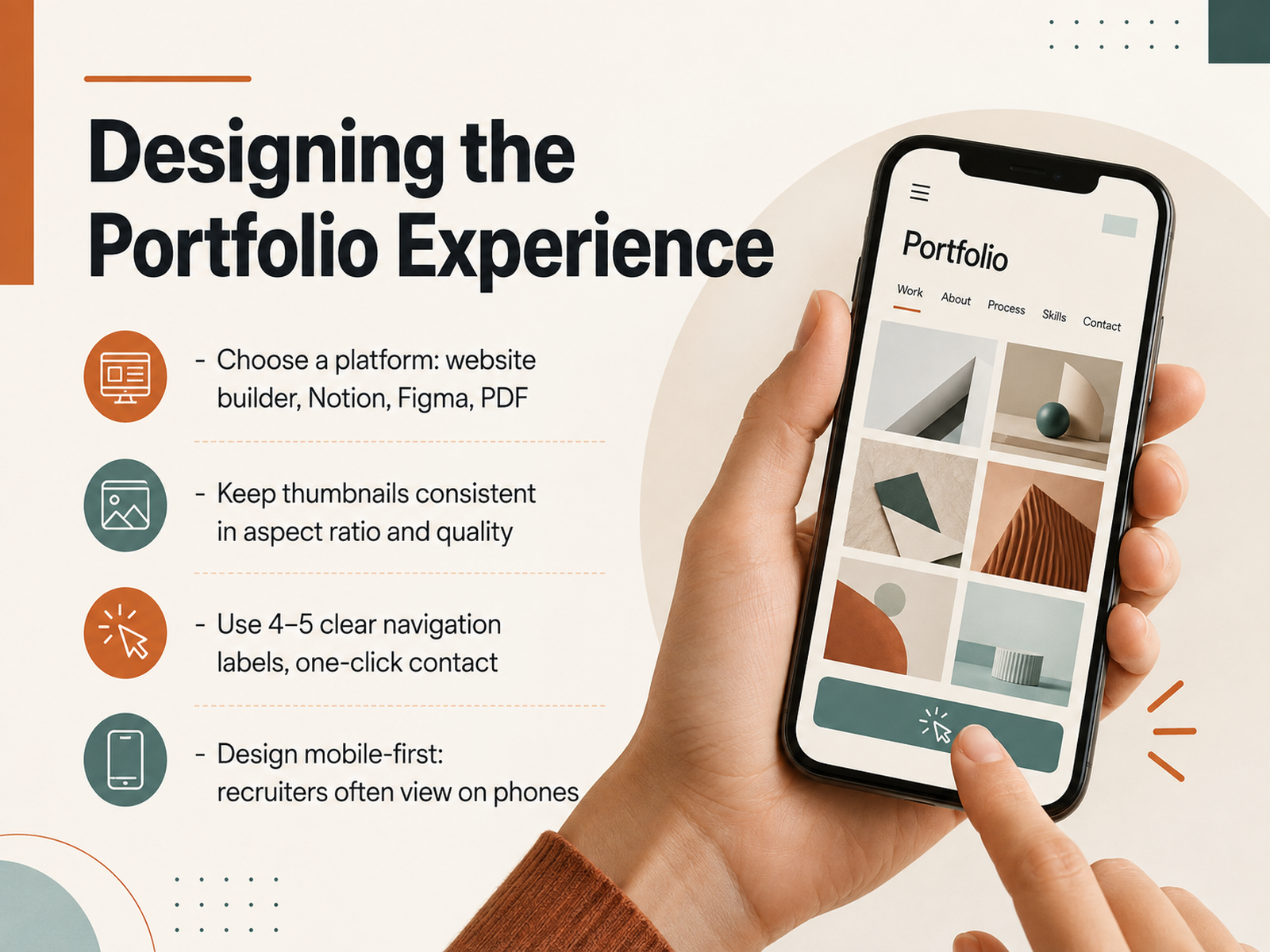
 - 06Designing the Portfolio ExperienceLet’s talk about the experience you’re designing around your work. Choose a platform that lets your projects shine without getting in the way. Website builders give you flexibility, Notion or Figma can work for clean, focused showcases, and a well-structured PDF is still a smart option for direct outreach. Whichever you choose, keep your thumbnails consistent in aspect ratio and quality. A grid of mismatched images reads as carelessness, no matter how strong the work is. Keep navigation labels clear and minimal, four or five items max, and make sure your contact is one click away. And here’s the non-negotiable: design mobile-first. Recruiters scroll portfolios on their phones between meetings. If your layout breaks at small sizes, you’re losing opportunities before they even see your case studies. Think of your portfolio as a product. Every click should feel intentional, every page load fast, and every path leading toward one goal, getting you hired. Up next, we’ll break down what makes a case study truly persuasive.
 thecrit.cokanorio.comdesigntocodes.com+21 min
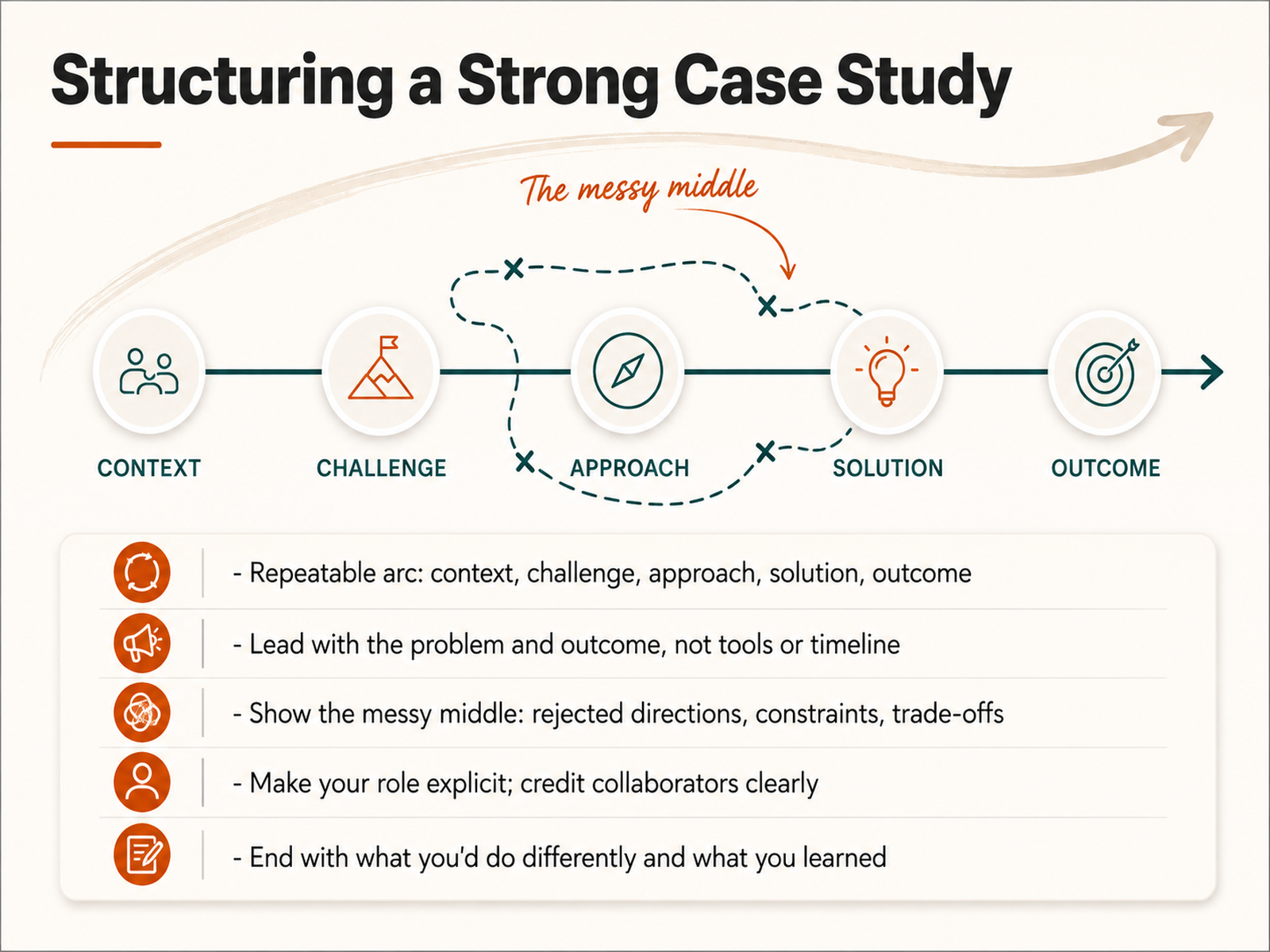
 - 07Structuring a Strong Case StudyNow let's talk about structuring a strong case study, because this is where your portfolio either builds trust or loses it. Think of every case study as a story with a repeatable arc: context, challenge, approach, solution, and outcome. That rhythm gives reviewers a familiar path to follow. Lead with the problem and the outcome, not your tools or your timeline. If someone only reads the first two lines, they should already know what you solved and what changed. Then, and this is where most people hold back, show the messy middle. The rejected directions, the tight constraints, the trade-offs you navigated. That is where your judgment becomes visible. Make your role explicit too. Say exactly what you owned, and credit your collaborators clearly. Reviewers cannot credit you for a decision they cannot find. Finally, end with what you would do differently and what the project taught you. That honesty signals maturity more than a flawless reveal ever will. Keep that structure consistent, and your work will feel as strategic as it is beautiful. Next, let's look at how to visualize your process and create powerful before-and-after comparisons.
 helion360.comkoalescestudios.comhelion360.com+22 min
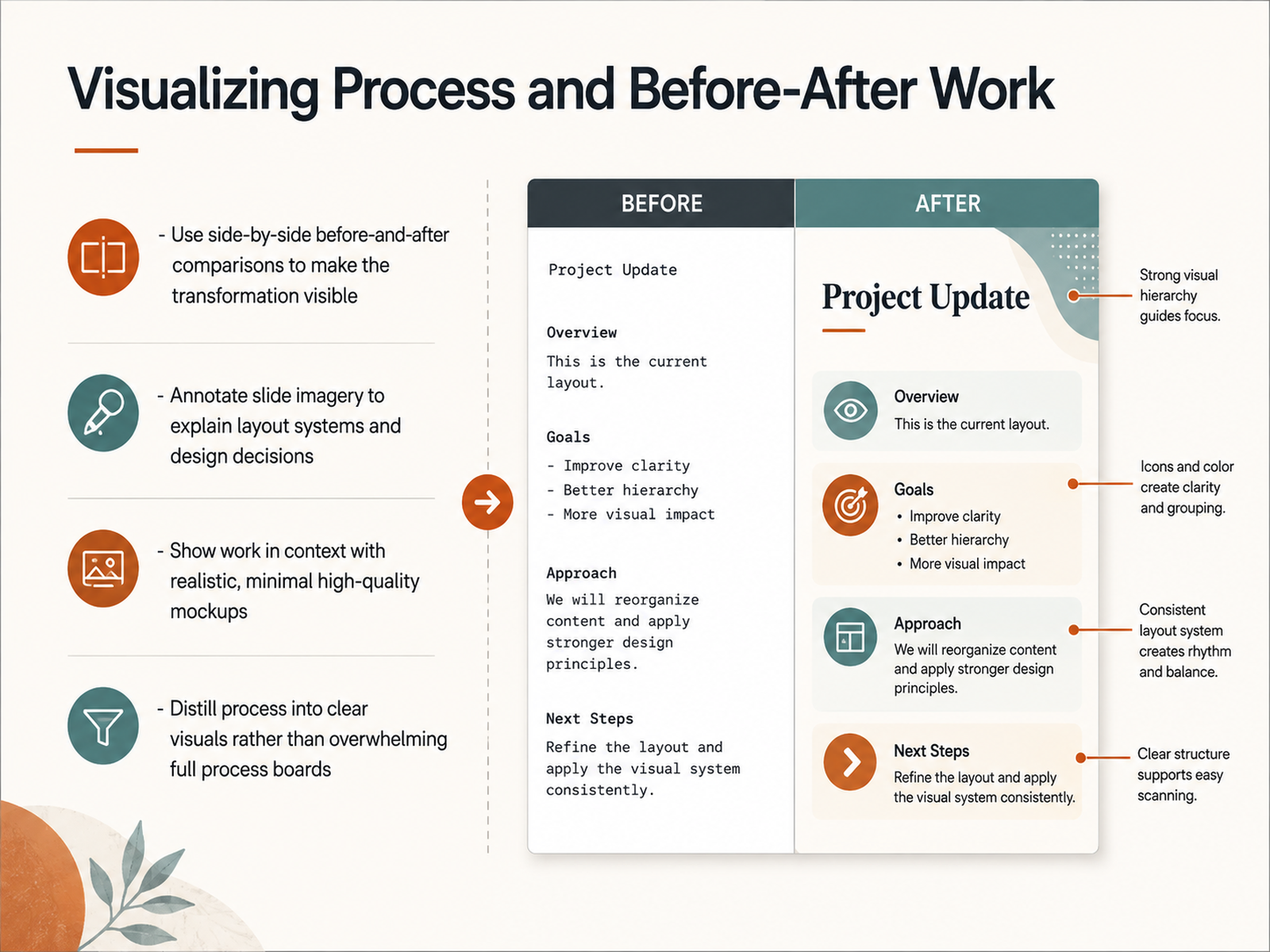
 - 08Visualizing Process and Before-After WorkNow let's talk about making your transformation visible. Side-by-side before-and-after comparisons are your strongest evidence, so place them front and center. Show the original deck next to your redesign. Let viewers see the shift instantly. Annotate your slide imagery to walk them through your layout grid, your typography choices, and the reasoning behind your design decisions. These callouts prove your work is intentional, not accidental. Present your designs in context using clean, realistic mockups. A conference room screen, a tablet, a printed one-pager. Keep the mockups minimal and high quality so the presentation itself stays the hero. And distill your process into clear, digestible visuals. Instead of dumping a sprawling process board with arrows and sticky notes, choose three or four key milestones that tell the story. You're curating your thinking, not documenting every step. Remember, your portfolio should demonstrate clarity, so make every comparison, annotation, and mockup serve that goal. Coming up, we'll explore how to demonstrate narrative and storytelling skill through your selected projects.
 helion360.comkoalescestudios.comhelion360.com+21 min
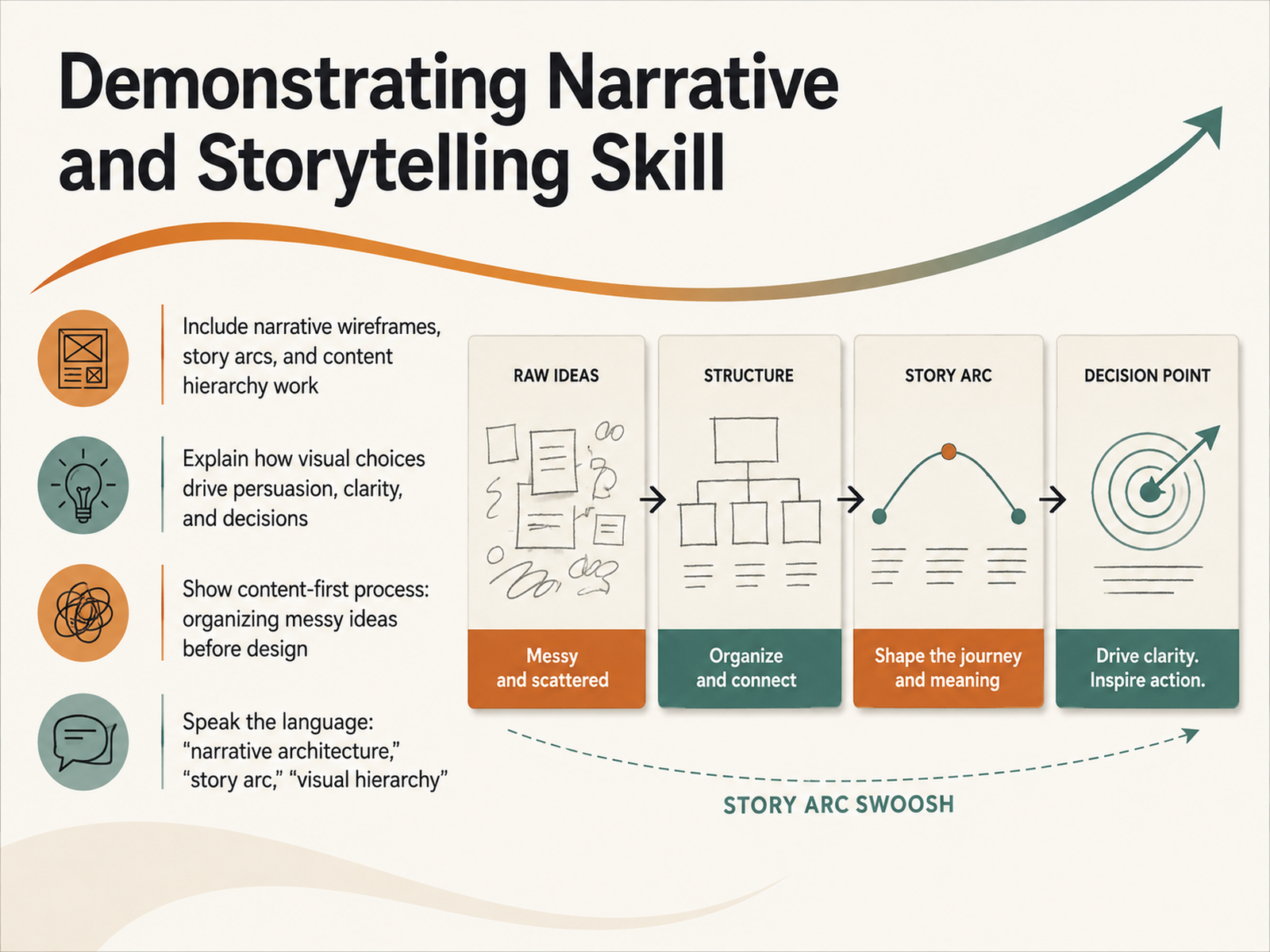
 - 09Demonstrating Narrative and Storytelling SkillLet's talk about proving you're not just a designer, but a storyteller, because that's what separates a slide maker from a strategic partner. In your portfolio, you need to showcase the invisible work. Don't just show the final, polished deck. Show your narrative wireframes, the story arc you built, and the content hierarchy that guides the viewer's eye. Explain how your visual choices weren't just aesthetic. They were persuasive. They brought clarity to a messy problem and ultimately drove a decision. Clients want to know you can take their scattered ideas and organize them into a compelling narrative before the design ever begins. So speak the language of strategy in your case studies. Talk about narrative architecture, not just layout. Talk about the story arc, not just the slide order. This positions you as the senior partner who understands the 'why' behind the design, not just the 'how'. And that's a story that wins the next project. Next, we'll look at how to write the narrative text for your portfolio that sells your skills without underselling your craft.
 helion360.comkoalescestudios.comhelion360.com+22 min
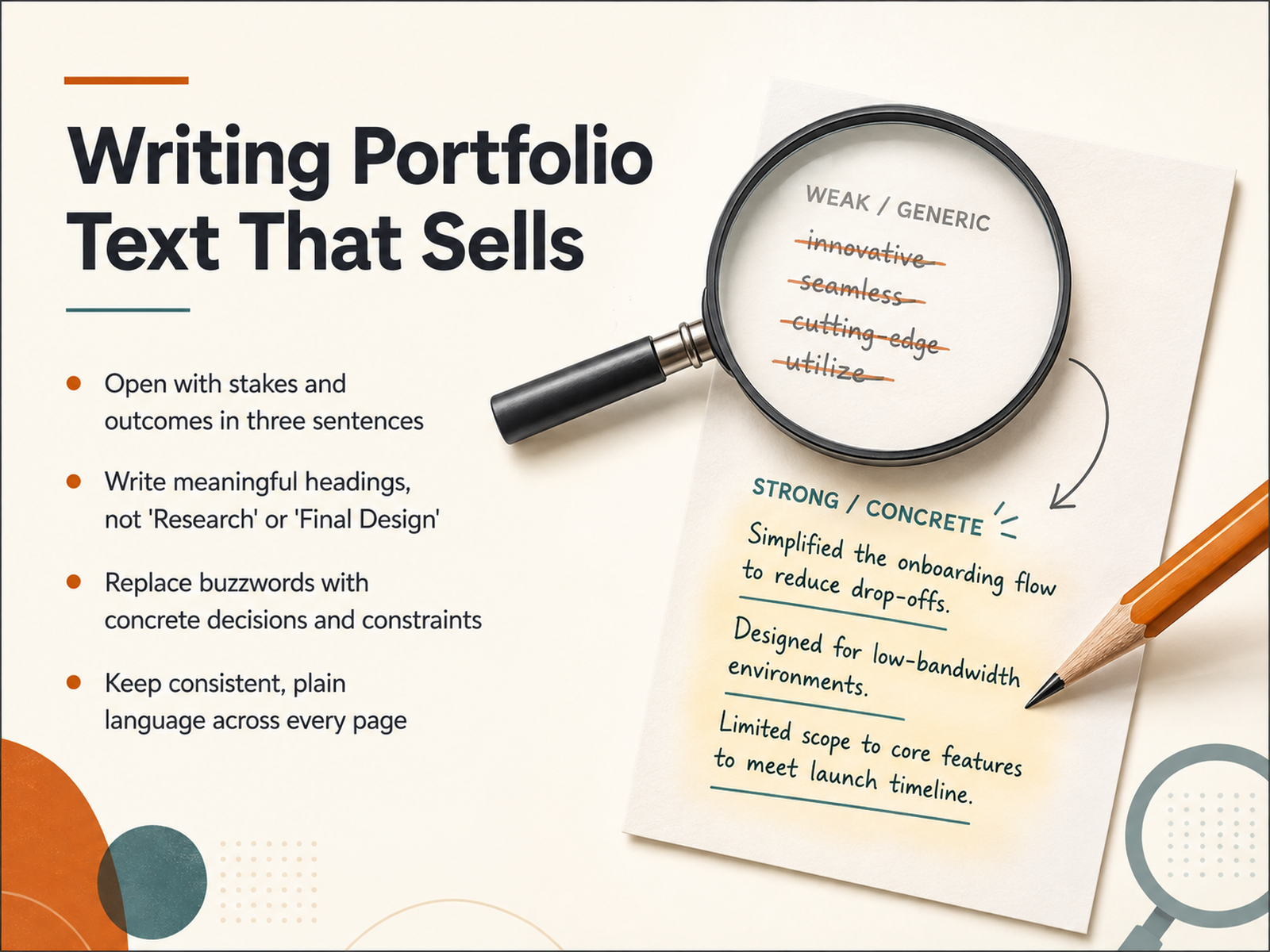
 - 10Writing Portfolio Text That SellsNow let's talk about the text on your portfolio pages, because this is where you truly sell your thinking. Open every case study with stakes and outcomes within the first three sentences. Tell the reader what was on the line and what you achieved. Next, write meaningful headings. Replace generic labels like 'Research' or 'Final Design' with headlines that carry the story, such as 'Shifting strategy to cut onboarding drop-off.' This way, even a skimmer gets the narrative. Also, strip out buzzwords. Instead of 'innovative' or 'dynamic,' state the concrete decision you made and the constraint that shaped it. For example, say, 'We chose a modular grid to fit forty slides under the client's strict brand limits.' Finally, keep consistent, plain language across every project page. Your writing should feel like one clear voice guiding the reader through your logic. When your text is specific and crisp, your portfolio positions you as a strategic thinker, not just someone with good taste. Next, we'll refine the visual quality and accessibility of your portfolio.
 blog.opendoorscareers.comthecrit.cokanorio.com+21 min
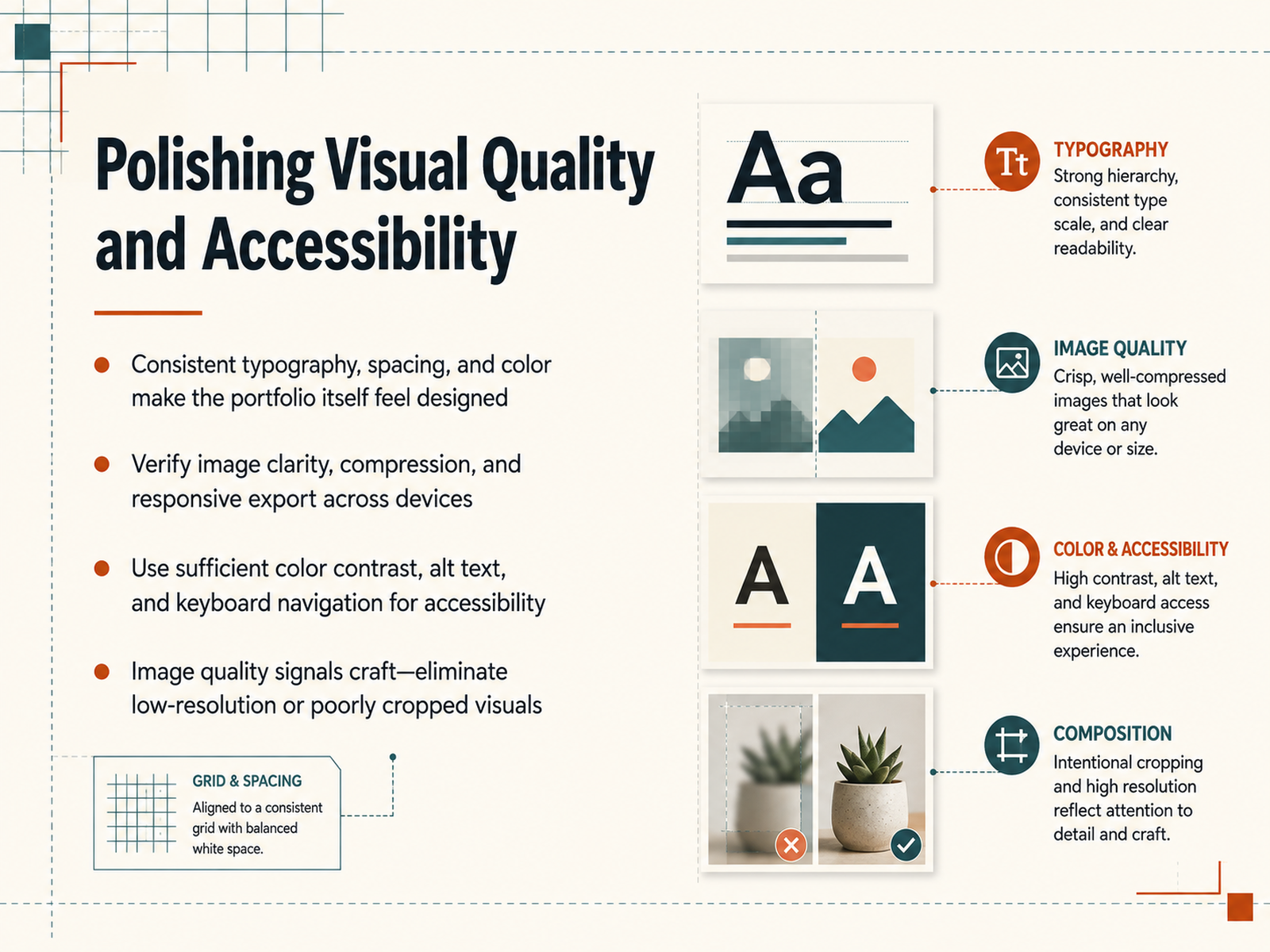
 - 11Polishing Visual Quality and AccessibilityNow let’s talk about the finish work—the polish that signals true craft. Your portfolio itself should feel designed. That means consistent typography, spacing, and a tight color system across every page. If your grid is off on the About page, a client will assume your decks are off too. Next, verify image sharpness. Cull anything soft or poorly cropped. Export at the right resolution for retina displays, and compress so your pages load fast on hotel Wi-Fi. A client’s first impression of your attention to detail is how quickly your own site renders. And here’s the non-negotiable: accessibility. This isn’t just good ethics—it’s good business. Meet contrast ratios so text is legible for everyone, write meaningful alt text for every screenshot, and make sure each interactive element is fully keyboard-navigable. When a recruiter with a screen reader, or anyone on a low-brightness screen, can move through your work without friction, you demonstrate that inclusive design isn’t just something you sell—it’s how you operate. Treat this final pass as seriously as you treat your case studies, because image quality and accessibility are the quiet signals that separate polished professionals from the rest. Up next, we’ll talk about the most underrated step: preparing for review and feedback.
 thecrit.cokanorio.comdesigntocodes.com+21 min
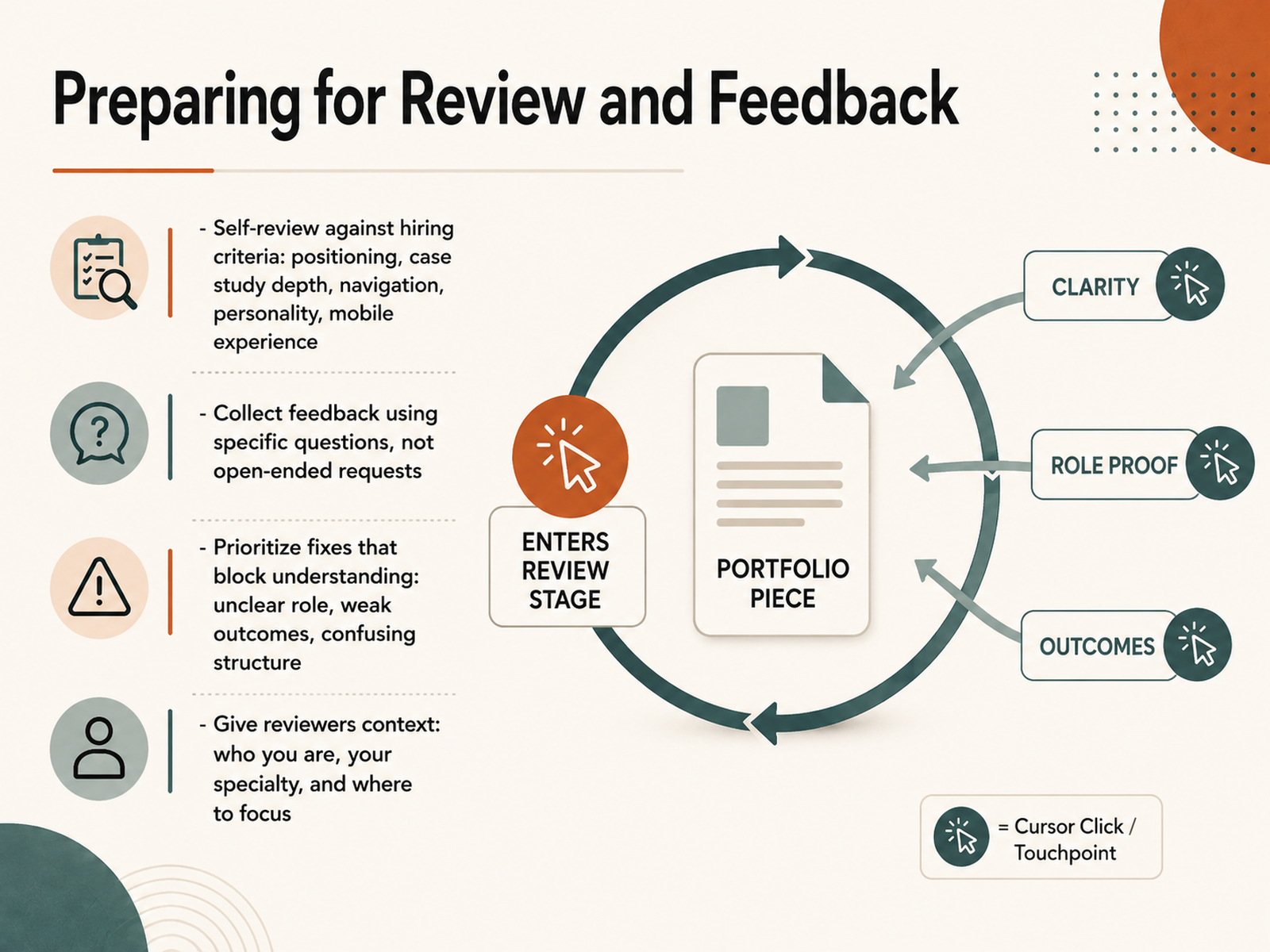
 - 12Preparing for Review and FeedbackNow that your portfolio is built, it’s time to stress-test it. Start with a self-review against the criteria that actually matter to hiring managers: clear positioning, case study depth, intuitive navigation, a hint of personality, and a smooth mobile experience. Open your portfolio on your phone and see what a recruiter sees. Then, collect feedback from trusted peers or mentors, but make it easy for them by asking specific questions like, “Can you tell what I specialize in within five seconds?” or “Where did you lose interest?” Vague requests get vague answers. When the feedback comes in, prioritize fixes that block understanding—unclear roles, weak outcomes, or confusing structure—before you chase visual polish. Give your reviewers context upfront: who you are, your specialty, and where you want them to focus. That turns casual opinions into actionable insights. Treat this as a calibration loop: refine, re-test, and keep the signal clear. Up next, we’ll cover how to keep your portfolio fresh and evolving as your work grows.
 thecrit.cokanorio.comdesigntocodes.com+21 min
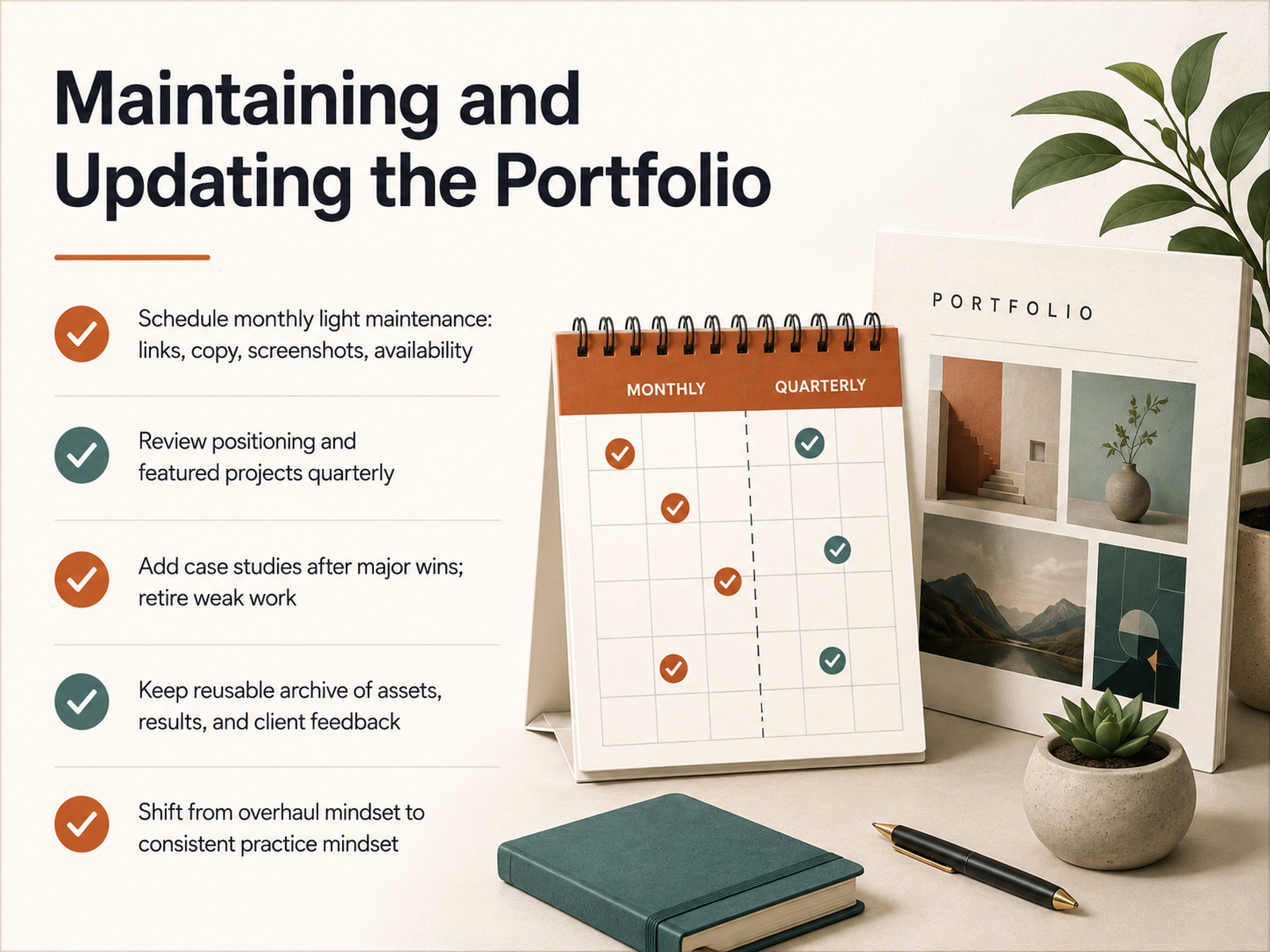
 - 13Maintaining and Updating the PortfolioNow that your portfolio is built, let's talk about keeping it alive. The shift from overhaul thinking to a maintenance practice is the single most important habit you can build. Schedule a monthly light session—just thirty minutes to check links, refresh copy, swap screenshots, and confirm your availability is accurate. Small updates, done consistently, keep your portfolio healthy without turning maintenance into a massive project. Quarterly, step back and review your positioning. Re-examine your featured projects: Is the order still right? Does your messaging still attract the clients you actually want? That review keeps your portfolio aligned with your current goals. After major wins, add the case study right away. Don't wait for a big refresh. And be honest with yourself about weak work—retire it. One strong project always outperforms three average ones. Capture everything as you go. Keep an archive of final assets, measurable results, and client feedback. That way, building the next update takes minutes, not days. The goal is a living portfolio that's always within reach of your best work. And that living portfolio becomes a long-term career asset—which is exactly what we'll look at next.
 thecrit.cokanorio.comdesigntocodes.com+21 min
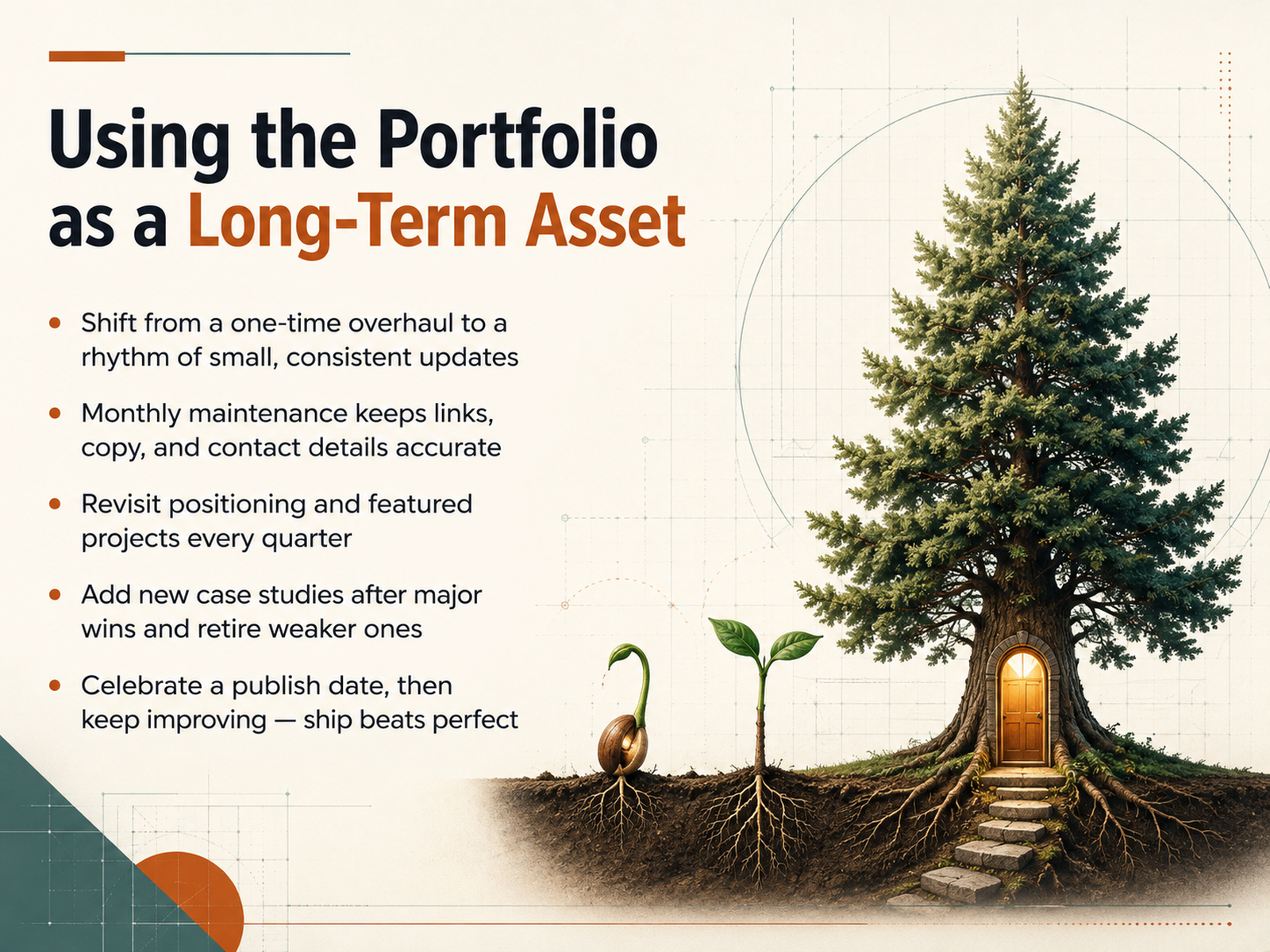
 - 14Using the Portfolio as a Long-Term AssetYour portfolio is never finished. And that's not a flaw; it's a sign of growth. The real shift is trading the big rebrand for a steady rhythm of small, consistent updates. Start with a monthly maintenance session: check your links, refresh your copy, update testimonials and contact details. Keep it light. Then, every quarter, step back strategically. Revisit your positioning, reassess which projects lead, and make sure your messaging still attracts the clients you actually want. After every major win, add that case study immediately, and retire anything that no longer represents your best work. Don't wait for weak projects to age gracefully; cut them. And when you publish an update, celebrate it. You've shipped. Perfection is a moving target, but momentum is what builds a portfolio that works for you all year long. Keep it alive, keep it current, and it will keep opening doors. Thank you for your time, and go make your work impossible to ignore.
 thecrit.cokanorio.comdesigntocodes.com+21 min
Take the deck with you
Download this course as a file — free, no sign-up needed.
- PDF handoutEvery slide page, ready to print or share.15 pages · 3.3 MBDownload
- Narrated PowerPointThe deck that presents itself — every slide carries the digital human's narration video.15 pages · 13.9 MBDownload
- PowerPoint slidesThe full deck as a .pptx — open it in PowerPoint, Keynote, or Google Slides.15 pages · 3.2 MBDownload
Free to use in your own training — please keep the PersonWise credit page at the end.
Have your own deck? Turn it into a course
Sources consulted
Web sources consulted while building this course.
- The Complete Design Portfolio Guide (2026): From Zero to Hired — thecrit.co
- How to Build a Designer Website: A Complete Guide to 6 Essential Sections for Freelancers | Kanorio - Kanorio — kanorio.com
- How to Build a Graphic Designer Portfolio Website That Wins Clients (2026) - DesignToCodes — designtocodes.com
- Website Portfolio Design Guide: Win More Clients With Better Case Studies (2027) | Evoke Studio — madebyevoke.com
- Portfolio Website Guide to Make Your Work Look Premium — lettercrafted.com
- All About Process: Dissecting Case Study Portfolios — toptal.com
- How to Nail the Case Study Presentation (Including Template) 💅 — blog.opendoorscareers.com
- How many projects for a perfect portfolio? — linkedin.com
- How to Write a Strong Case Study for Your Portfolio in 2026 🧠 — blog.opendoorscareers.com
- How to Create a Standout UX Portfolio Presentation: A Step-by-Step Guide | Emily Backes | Product Designer — emilybackes.design
- Amy De Wolfe | Freelance Presentation Designer for Pharma, Finance, Agencies and more — presentationdesignpro.com
- Presentation Designer for Consulting Firms, Agencies & Startups — vovchenko-design.com
- Presentation Design Agency | Custom Slide Design – Ingenea Studio — ingeneastudio.com
- Liégeois Designs — Strategic Visual Storytelling — liegeoisdesigns.com
- Freelance Presentation Designer & PowerPoint Specialist — marikedesigns.com
- Redesigning 3 Case Study Presentations for Better Engagement — helion360.com
- Koalesce Studios - Smarter Strategies with a Clear Path Forward — koalescestudios.com
- Turning Growth Data Into Visual Case Study Presentations — helion360.com
- Case Study & Presentation Design for a Startup Growth Story — helion360.com
- Slide Makeover: Transforming a Boring Corporate Deck Into a Visual Masterpiece - Presenter's Arena — presentersarena.com