Begin
14 pages · ~28 min
Technical Writing Grammar Checker Workflow
This training helps technical writers evaluate and select grammar checker tools and design efficient workflows to improve documentation accuracy and consistency.
A digital instructor presents all 14 pages. Hold “Ask” at any point and ask out loud — the answer comes from this course. No sign-up needed.
What you’ll learn
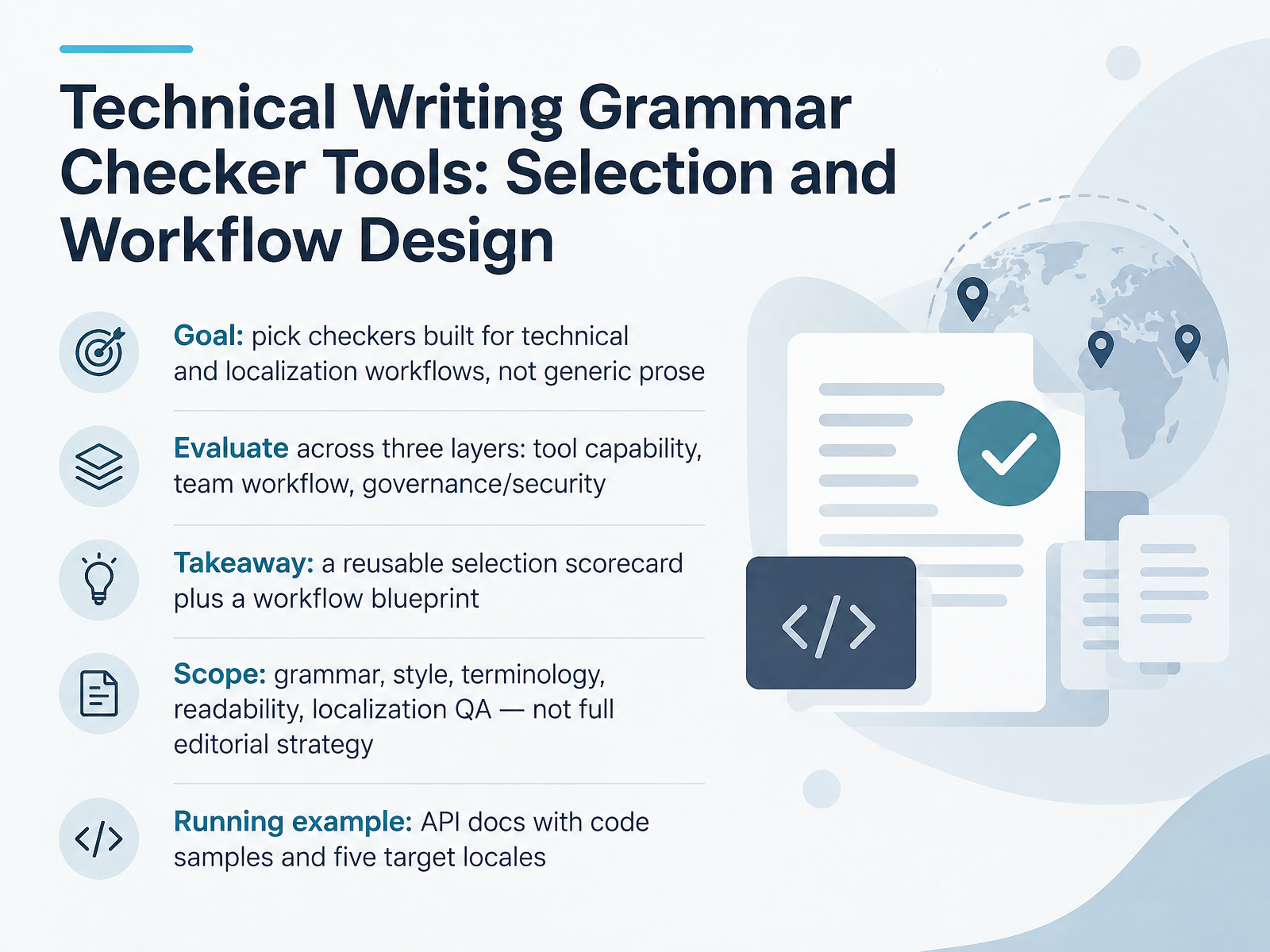
- 01Technical Writing Grammar Checker Tools: Selection and Workflow DesignWelcome. If your team writes technical content, you already know that generic grammar checkers can create as much noise as value. So in this course, we will design a selection and workflow approach built for technical writing and localization, not for general prose. The goal is simple. Pick checkers that support your real documents, like API reference pages filled with code samples and five target locales. To do that, evaluate every candidate across three layers. First, tool capability, meaning rule coverage, customization effort, integration points, and how well it handles false positives. Second, team workflow, meaning where the checker sits in authoring, review, and localization handoffs. Third, governance and security, meaning data handling, access control, and how rules stay consistent across teams. By the end, you will have a reusable selection scorecard and a workflow blueprint you can adapt. Keep the scope clear. We are covering grammar, style, terminology, readability, and localization QA, not full editorial strategy. As we go, keep that running example in mind, because it will surface the trade-offs that matter. Next, let us look at why technical writing breaks generic grammar checkers.2 min
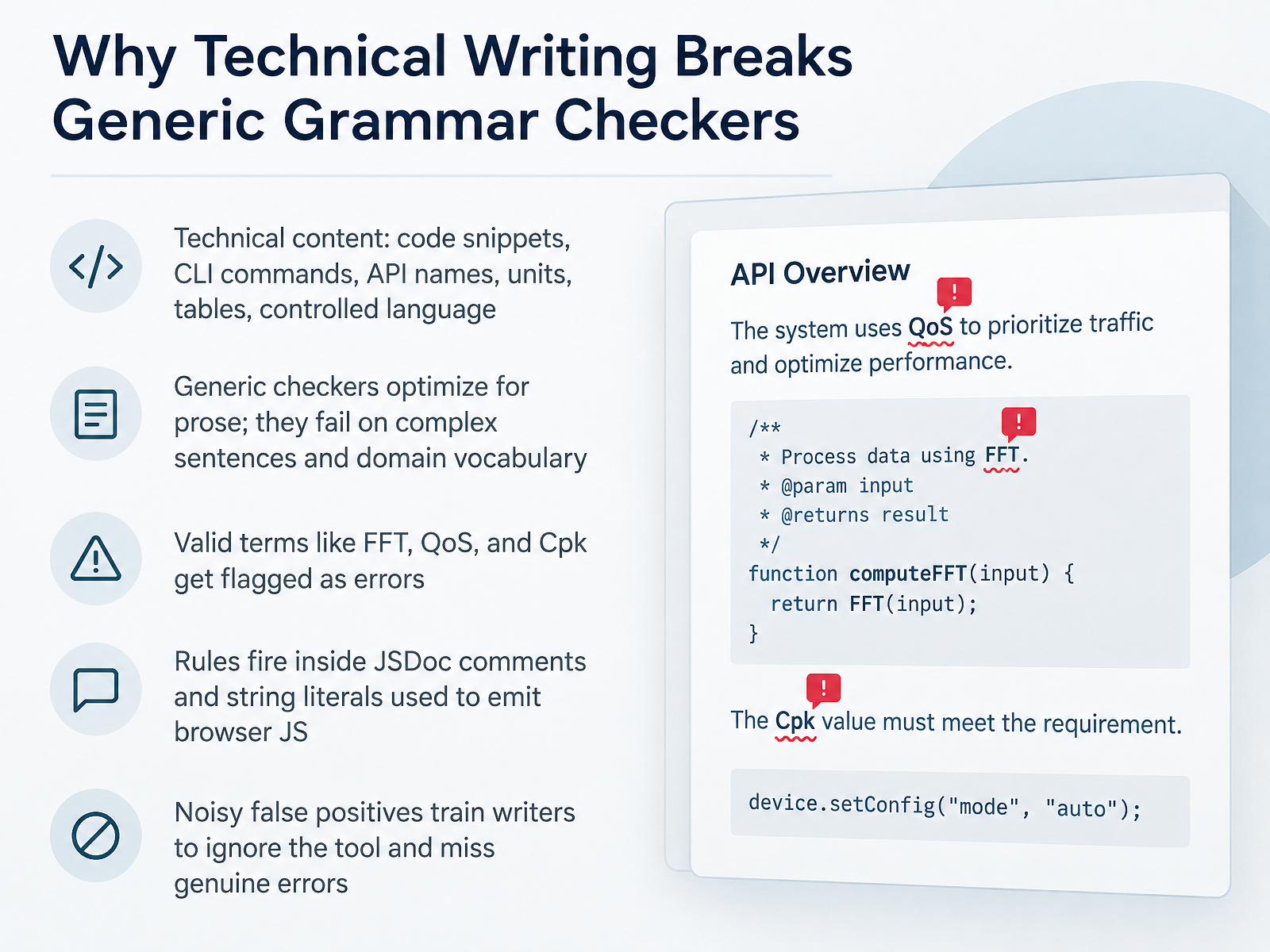
- 02Why Technical Writing Breaks Generic Grammar CheckersSo why do generic grammar checkers fall apart on technical content? Because they were built for prose. Your docs mix code snippets, command line instructions, API names, units, and controlled language, and that mix breaks their assumptions. A term like F F T, Qo S, or Cpk is perfectly valid, but a generic checker sees it as a misspelling. Worse, many tools do not know where code ends and prose begins, so rules fire inside JSDoc comments and inside string literals that emit browser JavaScript. One team reported that forty of seventy nine, roughly half their flagged errors, were false hits on the word var inside template literals. Here is the real cost. A checker that flags the wrong things trains your writers to ignore it, and once they tune out, genuine errors slip through. So the question is not which checker is smartest. It is which one understands your file types, your dictionary, and your context. Next, let us look at the cost of getting that wrong. Cost of Unfit Tools: Review Rework and Downstream Localization Damage.
 github.comlearn.microsoft.comeditorworld.com+22 min
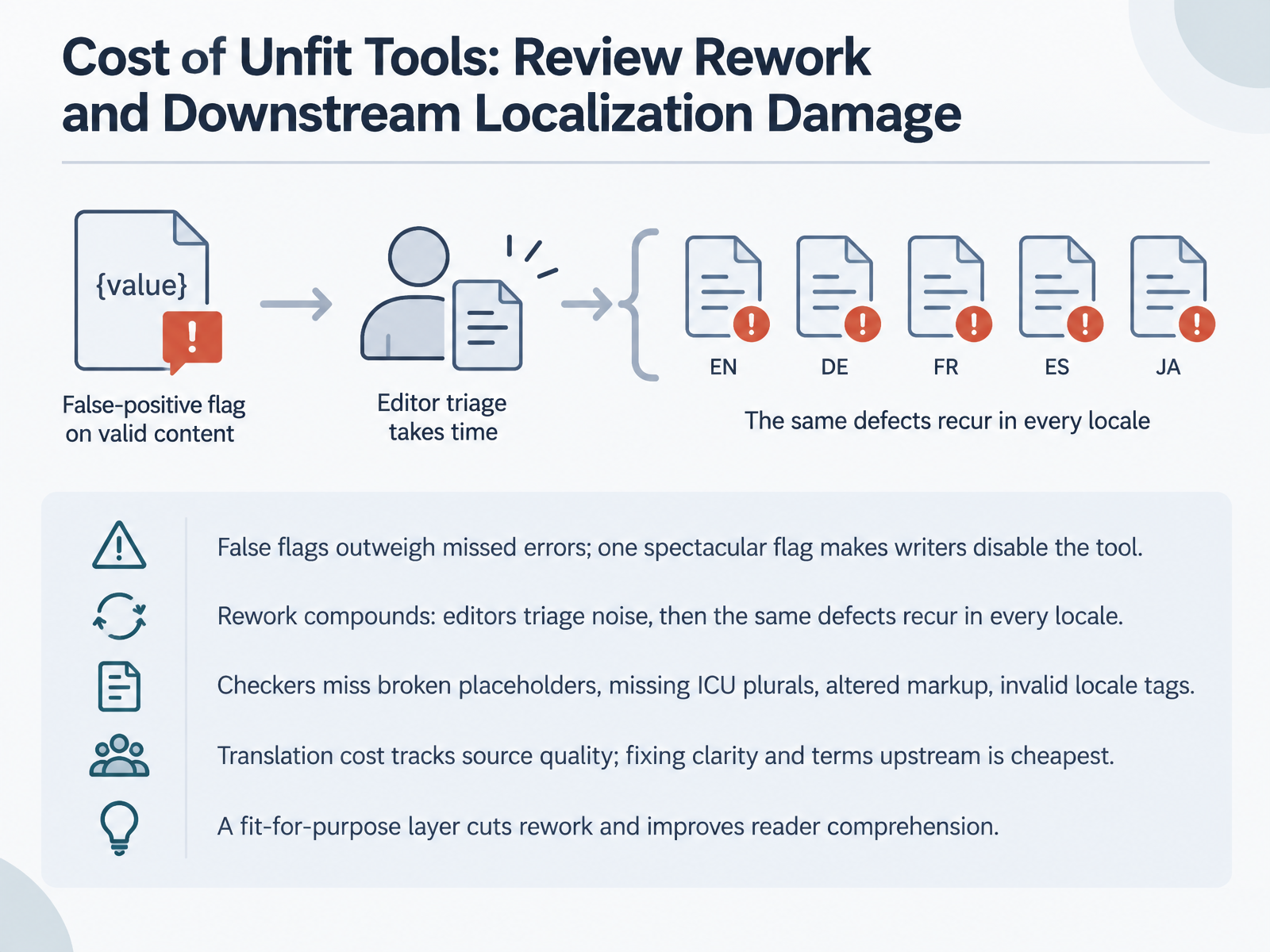
 - 03Cost of Unfit Tools: Review Rework and Downstream Localization DamageLet's look at what unfit tools actually cost you. False flags matter more than missed errors here. One spectacular false flag, say a checker rewriting a valid API name or flagging a correct ISO date, and your writers disable the tool for good. The rework compounds. Editors spend their afternoons triaging noise, and then the same defects reappear in every locale. Worse, grammar-only checkers miss the errors that really break localization: broken placeholders like a curly brace count variable, missing ICU plural forms, altered markup tags, and invalid locale tags such as an underscore where a BCP forty-seven hyphen belongs. Translation cost tracks source quality, so fixing clarity and terminology upstream is always the cheapest fix. Build a fit-for-purpose layer that catches these structural issues, and you cut rework while improving reader comprehension. Tool Landscape: Five Categories and Where Each One Fits.
 buildwithfern.comhansem.comgithub.com+22 min
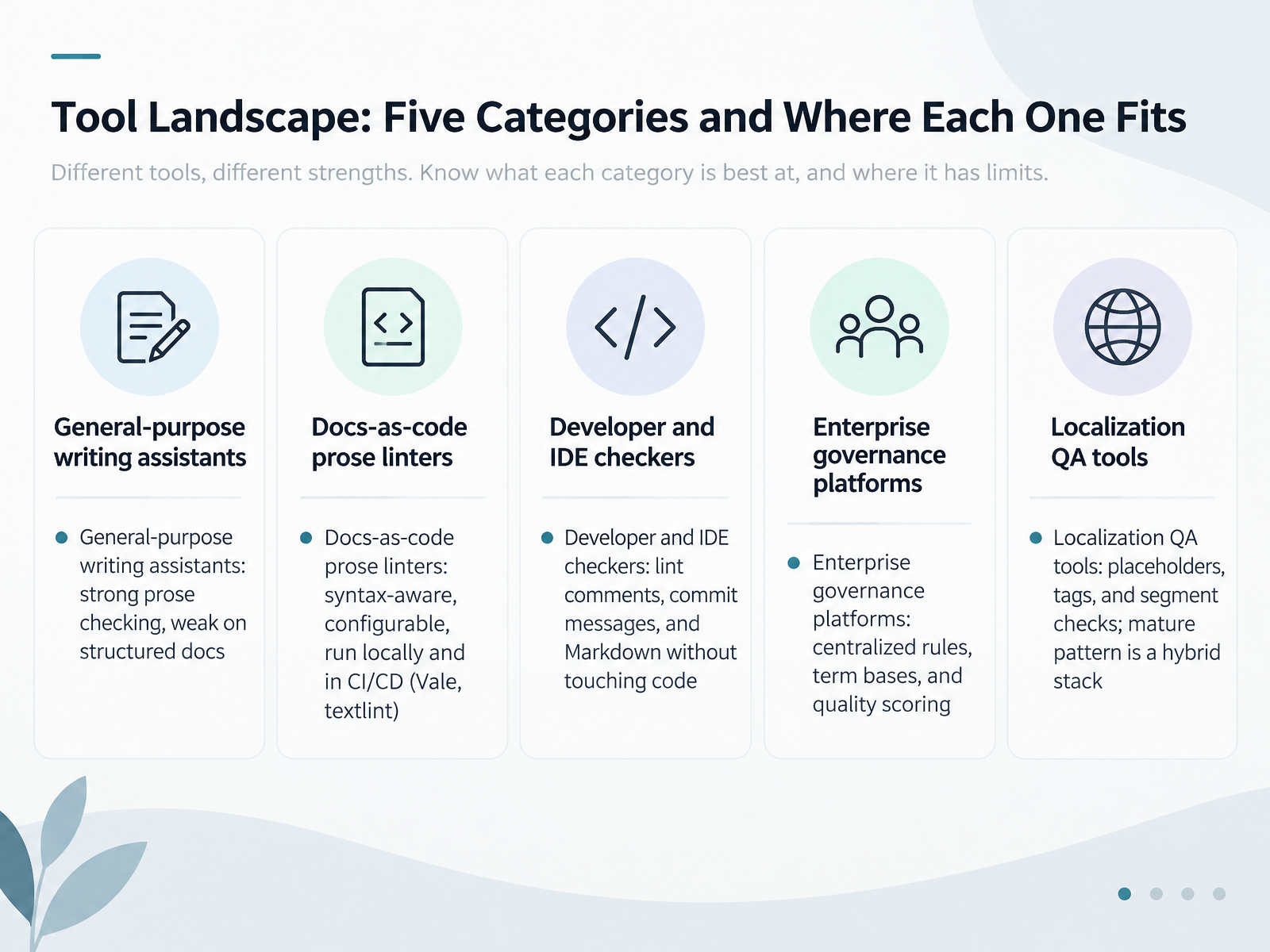
 - 04Tool Landscape: Five Categories and Where Each One FitsLet's look at the tool landscape. There are five categories, and each one fits a different part of your workflow. First, general-purpose writing assistants. They're strong on prose, but weak on structured docs, and they often flag valid technical terms. Second, docs-as-code prose linters. These are syntax-aware and configurable, run locally and in CI/CD pipelines, and tools like Vale and textlint are common examples. Third, developer and IDE checkers. They lint comments, commit messages, and Markdown without touching your code. Fourth, enterprise governance platforms. These centralize rules, term bases, and quality scoring across teams. Fifth, localization QA tools. They check placeholders, tags, and segments. Here's the pattern we see in mature teams: a hybrid stack, not one tool. For example, a linter catches prose and terminology in your repo, while a localization QA tool validates placeholders in the built product. As you compare options, weigh rule coverage, customization effort, integration points, and how well each handles false positives. Next, we'll move into the evaluation criteria, starting with linguistic accuracy and technical content handling.
 buildwithfern.comhansem.comgithub.com+22 min
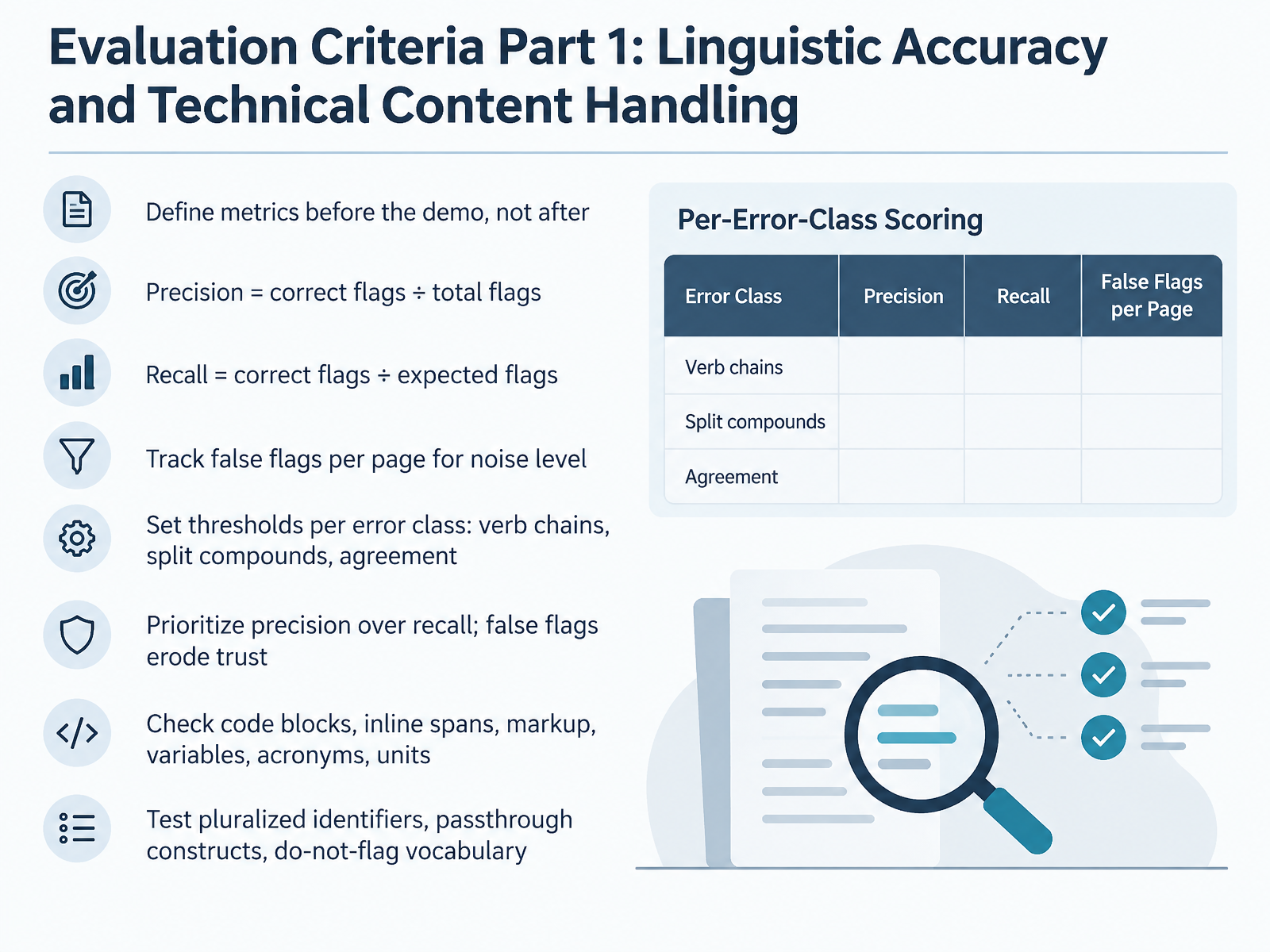
 - 05Evaluation Criteria Part 1: Linguistic Accuracy and Technical Content HandlingLet's move into the evaluation criteria. Part one covers linguistic accuracy and how a checker handles technical content. The first rule: define your metrics before the demo, not after. Otherwise every vendor looks good. Two metrics matter most. Precision is correct flags divided by total flags. Recall is correct flags divided by expected flags. Also track false flags per page, because that number predicts whether your writers will actually keep the tool on. Set a threshold per error class. Verb chains, split compounds, agreement, each gets its own bar, since difficulty varies by rule type. Prioritize precision over recall. A missed error stays invisible, but a false flag erodes trust fast. Then test the hard parts: code blocks, inline spans, markup, variables, acronyms, and units. Throw in pluralized identifiers, passthrough constructs, and your do-not-flag vocabulary. If the checker mangles those, your reviewers pay for it. Next, we look at integration, governance, localization, and total cost of ownership.
 aclanthology.orglrec-conf.orgcst.dk+22 min
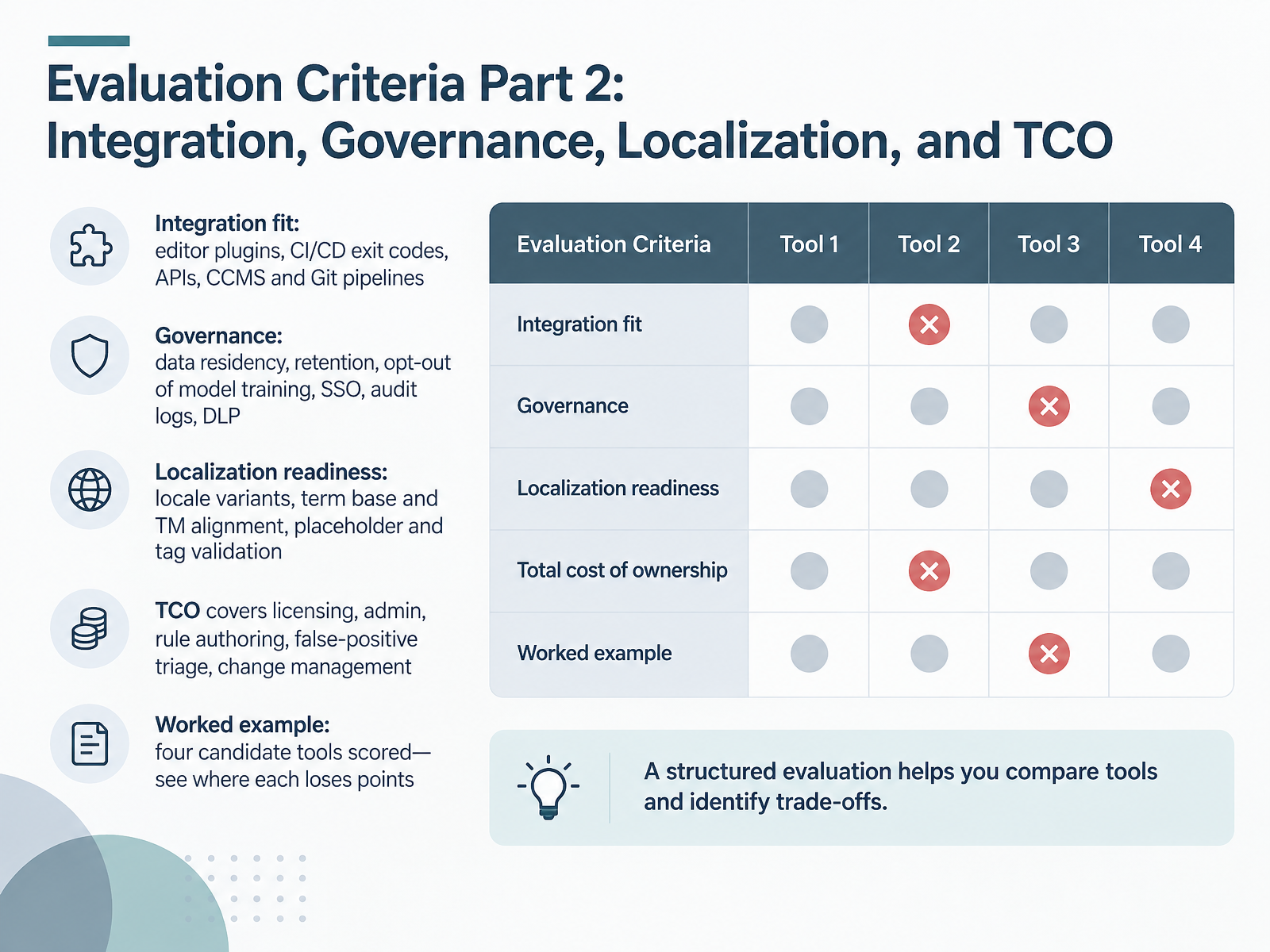
 - 06Evaluation Criteria Part 2: Integration, Governance, Localization, and TCOLet's continue with evaluation criteria, part two. This is where tools quietly win or lose. First, integration fit. Check editor plugins, but also whether the tool returns CI/CD exit codes, exposes an API, and plugs into your CCMS or Git pipeline. A checker that can't fail a build can't enforce anything. Second, governance. Ask about data residency, retention, opt-out of model training, single sign-on, audit logs, and data loss prevention, or DLP, which masks sensitive tokens before text leaves your environment. Third, localization readiness. Confirm locale variants like US versus UK English, alignment with your term base and translation memory, and validation of placeholders and tags inside localized files. Fourth, total cost of ownership, or TCO. It covers licensing, admin time, rule authoring, false-positive triage, and change management. Our worked example scored four candidate tools against these criteria, so you can see exactly where each one loses points. Next, we move into customization: rules, vocabularies, and terminology governance.
 developer.trinka.aitrinka.aideveloper.trinka.ai+21 min
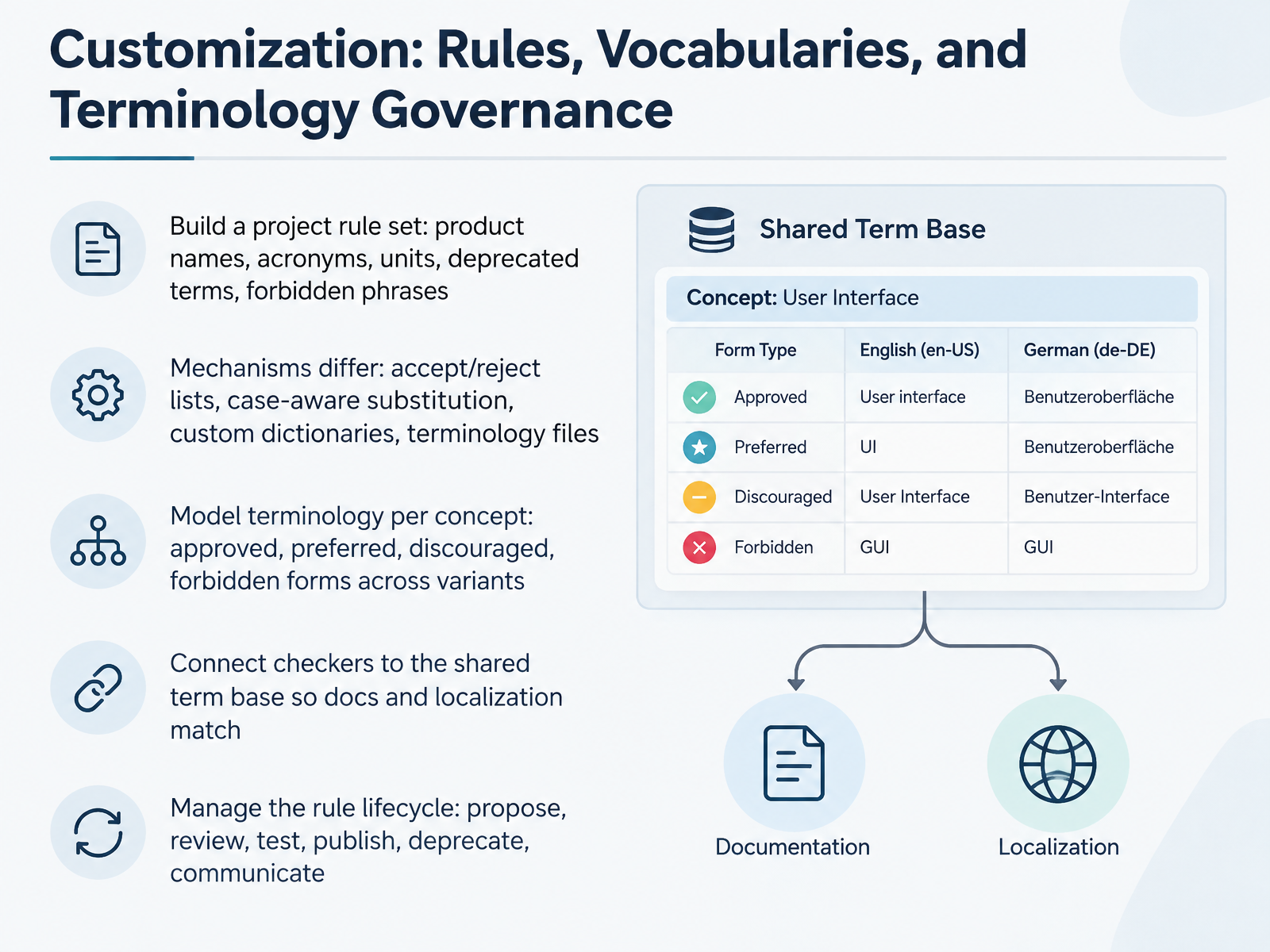
 - 07Customization: Rules, Vocabularies, and Terminology GovernanceLet us talk about customization, where your checker stops being generic and starts enforcing your own rules, vocabularies, and terminology.
Start by building a project rule set. That covers product names, acronyms, units, deprecated terms, and forbidden phrases. Keep it in version control so changes are reviewable.
Mechanisms differ across tools. Some give you accept and reject lists, some case-aware substitution, some custom dictionaries, and some full terminology files. Know which one you are working with, because it changes how much effort maintenance takes.
Next, model terminology per concept. For each concept, define approved, preferred, discouraged, and forbidden forms, plus variants like regional spelling. So you allow api and API as accepted input, but only API as preferred output.
Then connect your checkers to the shared term base. If docs and localization pull from one source, English source rules and translated strings stay aligned. That single connection prevents terminology drift across locales.
Finally, manage the rule lifecycle. Propose, review, test, publish, deprecate, communicate. Test each rule against real content before publishing, and flag false positives early. A rule that fires incorrectly trains writers to ignore the checker.
Workflow Design: Checkpoints Across the Content Lifecycle.
 docs.vale.shbuildwithfern.comhansem.com+22 min
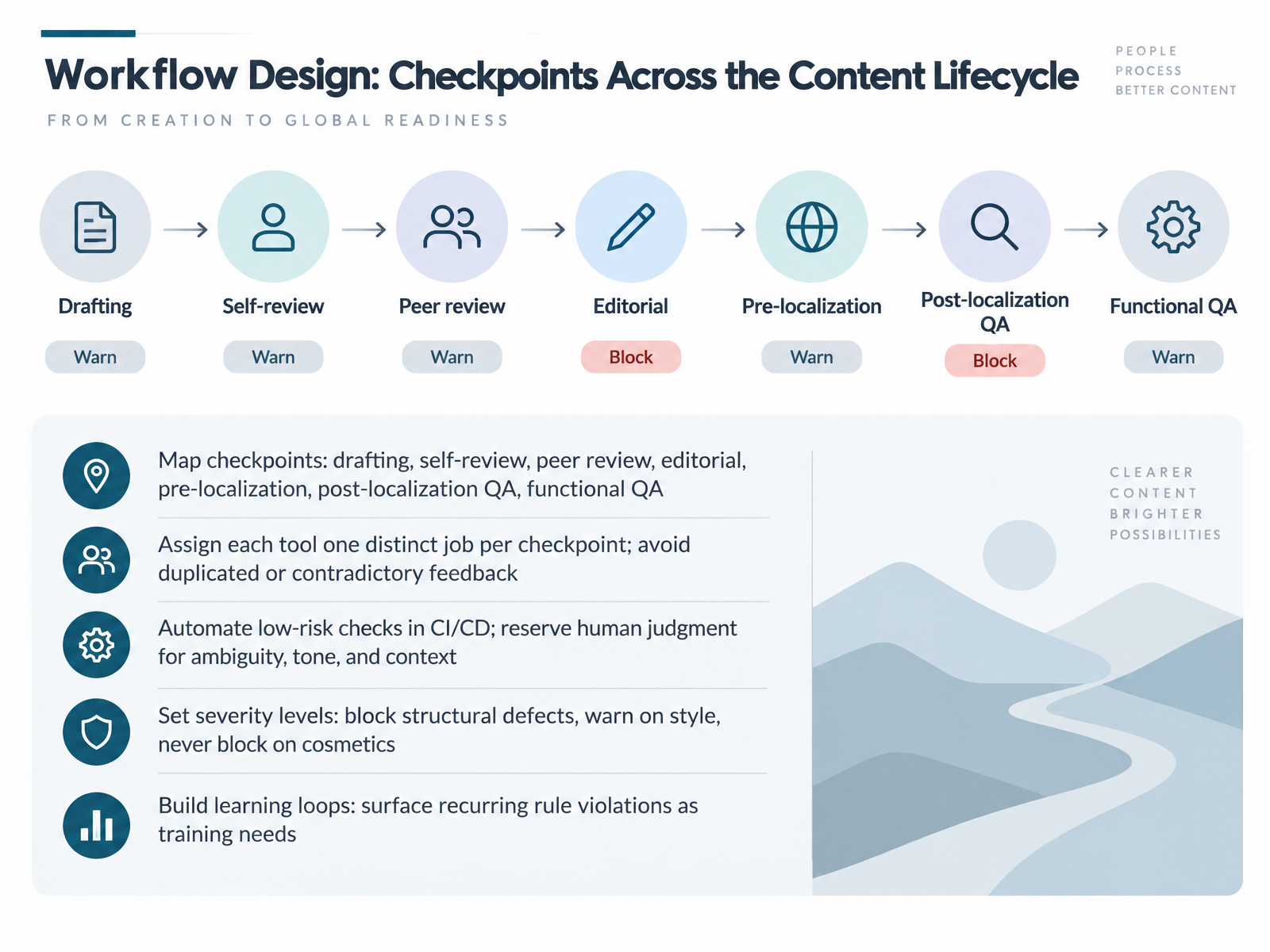
 - 08Workflow Design: Checkpoints Across the Content LifecycleLet's talk about where grammar and style checks actually sit in your content lifecycle. Start by mapping your checkpoints: drafting, self-review, peer review, editorial, pre-localization, post-localization quality assurance, and functional quality assurance. Each one catches a different class of defect, so give every tool exactly one job per checkpoint. If your prose linter and your terminology checker both flag the same sentence, writers get duplicated or contradictory feedback, and they stop trusting the pipeline. Next, automate the low-risk checks. Structural rules, placeholders, broken links, and spelling lists belong in your continuous integration pipeline, so they run on every merge request. Vale, for example, runs as a command-line tool and posts comments directly on the pull request. Reserve human judgment for ambiguity, tone, and context. Then set severity levels. Block on structural defects, warn on style, and never block on cosmetics. That keeps your gates credible. Finally, build a learning loop. When the same rule fires again and again, that is not a writer problem. It is a training need, so feed it back into your style guide and onboarding. Next, we look at automating checks in docs-as-code pipelines.
 buildwithfern.comhansem.comgithub.com+22 min
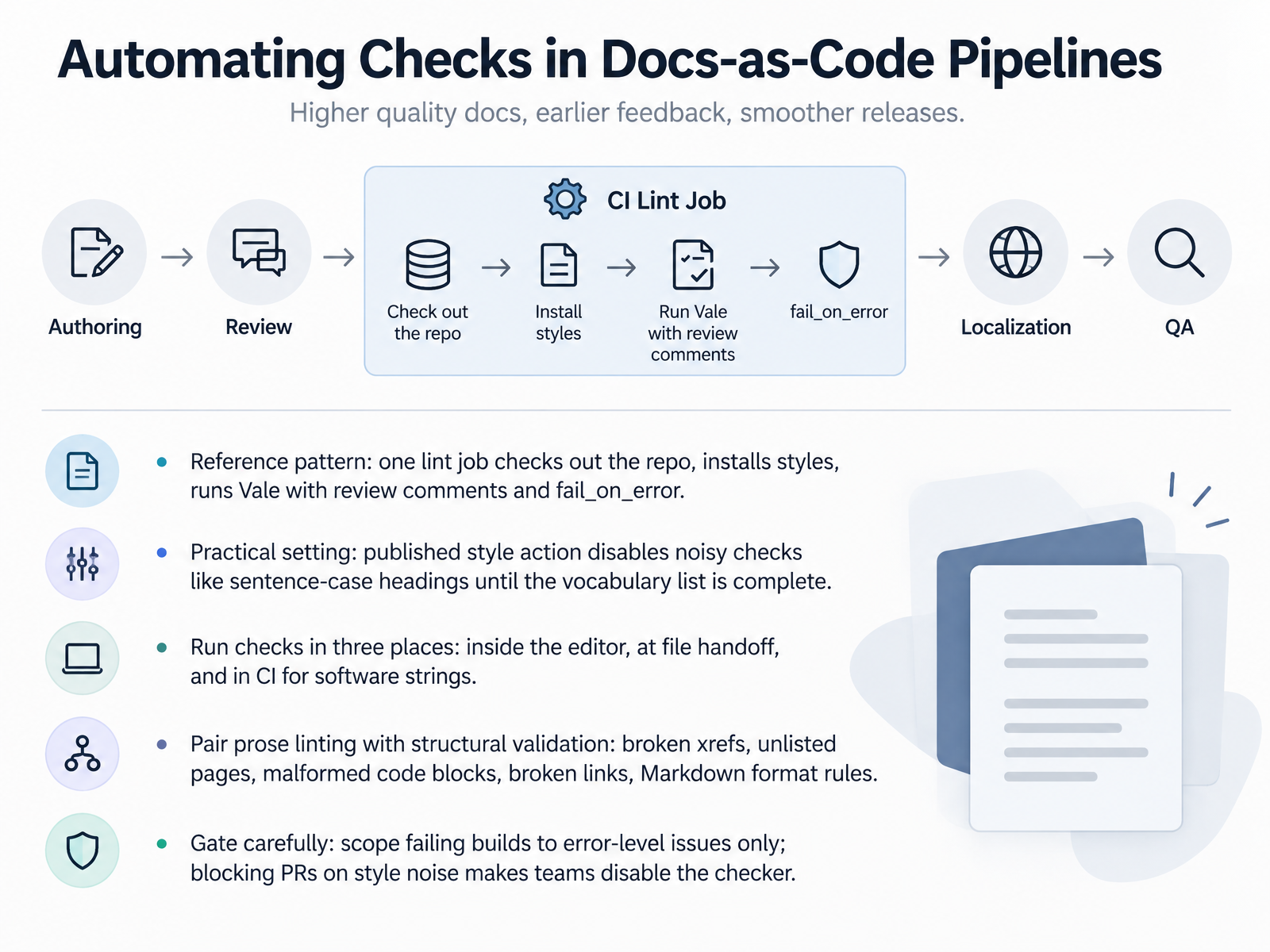
 - 09Automating Checks in Docs-as-Code PipelinesNow let's look at how to wire checks into a docs-as-code pipeline. The reference pattern is one lint job with three steps. First, check out the repository. Second, install your styles. Third, run Vale, a syntax-aware prose linter, with review comments and fail_on_error enabled. Review comments surface issues right in the pull request, and fail_on_error controls whether the build actually breaks.
On configuration, be practical. The published style action disables noisy checks, like sentence-case headings, until your vocabulary list is complete. Otherwise a valid term such as an initialism gets flagged as an error, and the team stops trusting the tool. Turn those rules back on once coverage improves.
Run checks in three places. Inside the editor, at file handoff, and in CI for software strings. Then pair prose linting with structural validation. That means broken cross-references, unlisted pages, malformed code blocks, broken links, and Markdown format rules. Prose rules catch language. Structural rules catch a broken build.
Finally, gate carefully. Scope failing builds to error-level issues only. Blocking pull requests on style noise is the fastest way to get teams to disable the checker. Next, we'll look at localization checks before and after translation.
 buildwithfern.comhansem.comgithub.com+22 min
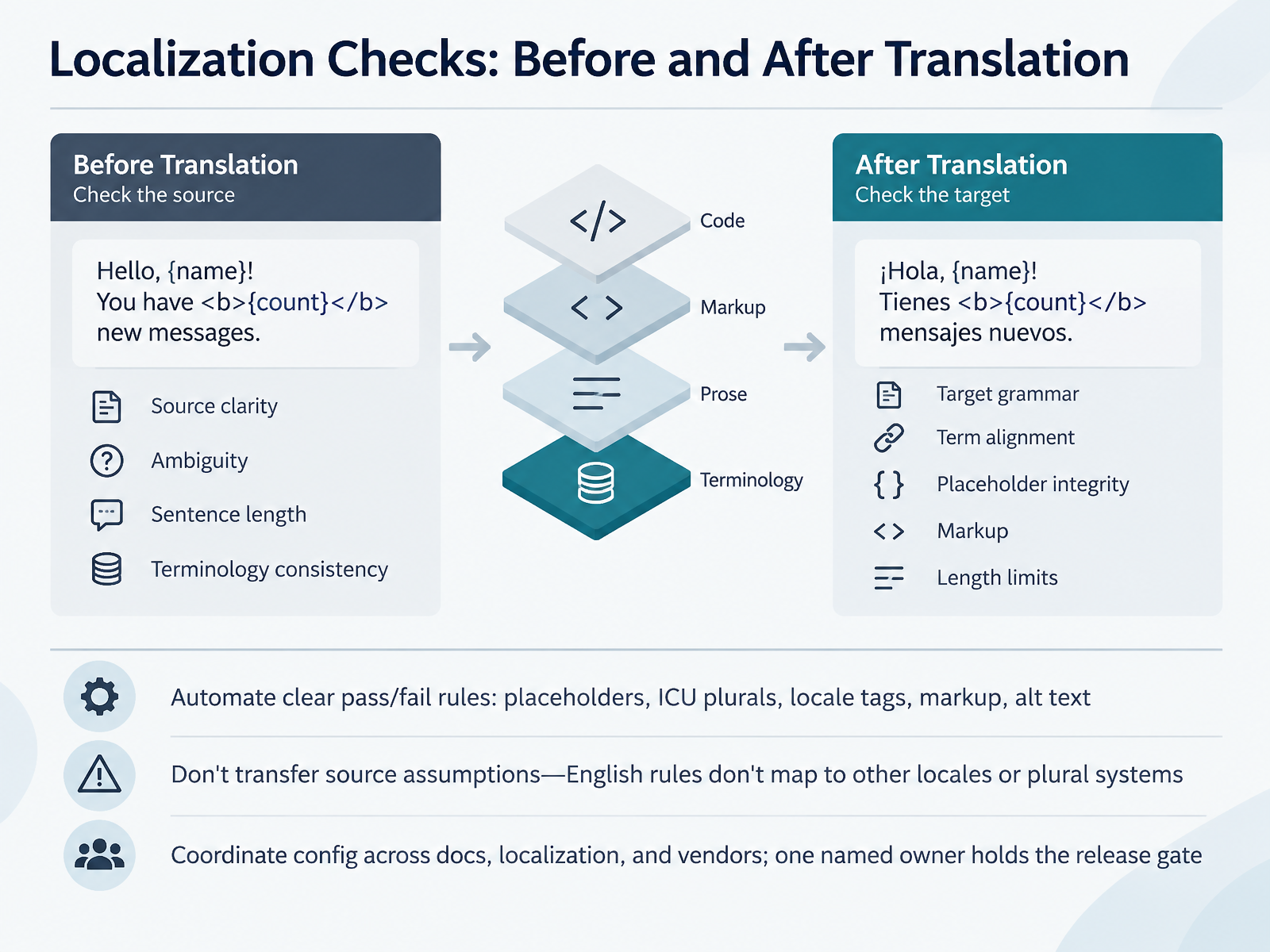
 - 10Localization Checks: Before and After TranslationNow let's talk about localization checks, because the grammar rules that work on your English source will not simply transfer to your target locales. Split your checks into two phases. Before translation, look at source clarity: is the sentence ambiguous, is it too long, is your terminology consistent across the source set? A short, unambiguous source segment is cheaper to translate and easier to validate later. After translation, the focus shifts. Check target grammar, term alignment against the glossary, placeholder integrity, markup, and length limits. Here is where you automate anything with a clear pass or fail rule. Placeholders, ICU plural categories, locale tags, markup tags, and alt text all qualify. Catch them with a script, not a reviewer. Two cautions. First, do not transfer source assumptions. English has two plural forms; Polish has more, and Arabic has six. English punctuation rules do not map to French or Japanese. Second, coordinate your checker configuration across docs, localization, and your vendors. One person should own the config and hold the release gate when a locale file fails. Which brings us to governance, security, and data handling in vendor evaluation.
 hansem.combuildwithfern.comgithub.com+22 min
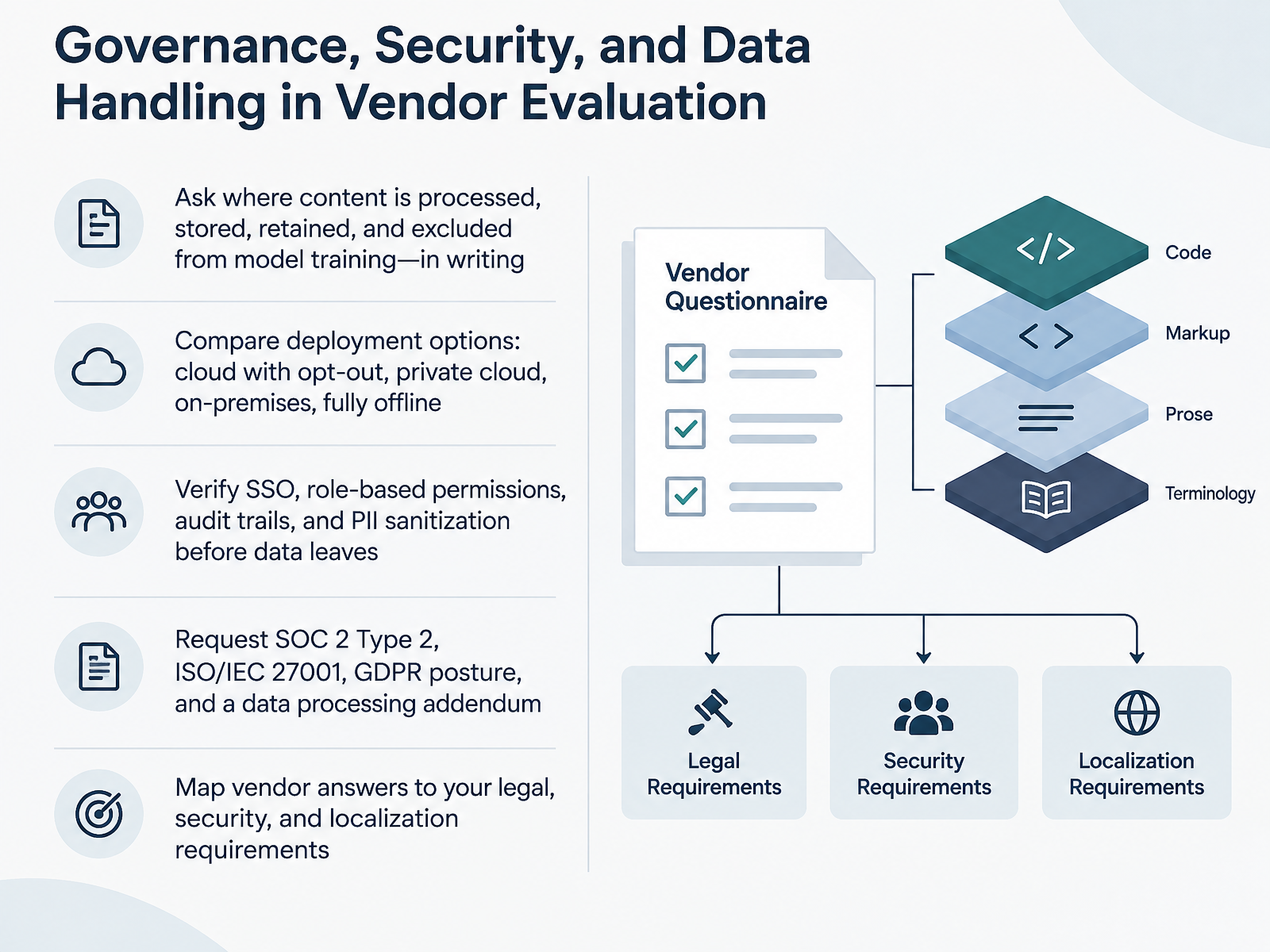
 - 11Governance, Security, and Data Handling in Vendor EvaluationNext, let's talk about governance, security, and data handling in vendor evaluation. Before any tool touches your content, get answers in writing. Ask where content is processed, stored, and retained, and whether it is excluded from model training. Then compare deployment options: cloud with opt out, private cloud, on premises, or fully offline. Next, verify single sign on, role based permissions, audit trails, and PII sanitization, meaning personally identifiable information is stripped or masked before data leaves your environment. Request SOC 2 Type 2, ISO slash IEC 27001, your GDPR posture, and a data processing addendum. Finally, map every vendor answer back to your legal, security, and localization requirements. If any answer is vague, treat it as a gap, not a promise. Now let's move on to metrics, pilots, and continuous improvement.
 developer.trinka.aitrinka.aideveloper.trinka.ai+22 min
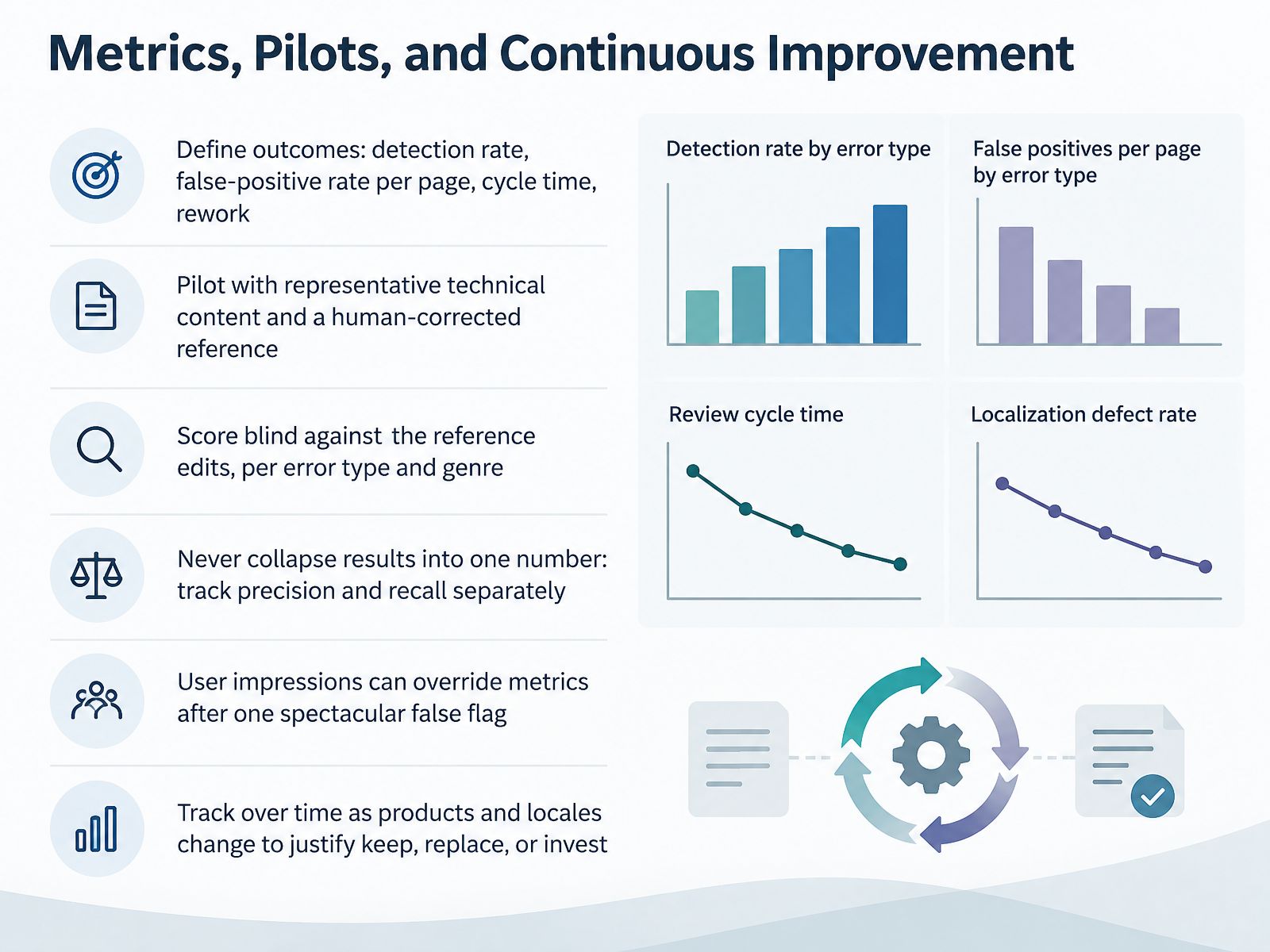
 - 12Metrics, Pilots, and Continuous ImprovementLet's talk about how you actually prove a grammar checker is helping your team. Start by defining four outcomes up front: detection rate, false-positive rate per page, cycle time, and rework. Then run a pilot on representative technical content, with a human-corrected reference version. Score the tool blind against those reference edits, and break the results down by error type and by genre, because detection rates vary a lot between, say, a release note and a long-form procedure. Here's the key discipline: never collapse results into one number. Track precision, the share of flags that are real errors, separately from recall, the share of real errors the tool catches. Users will forgive missed errors, but one spectacular false flag on a common word can make them turn the tool off for good. So let user impressions override the metrics when that happens, and re-check both over time as your products and locales change, so you can justify keeping the tool, replacing it, or investing more. Next, we'll pull this together into a selection framework and workflow blueprint.
 aclanthology.orglrec-conf.orgcst.dk+22 min
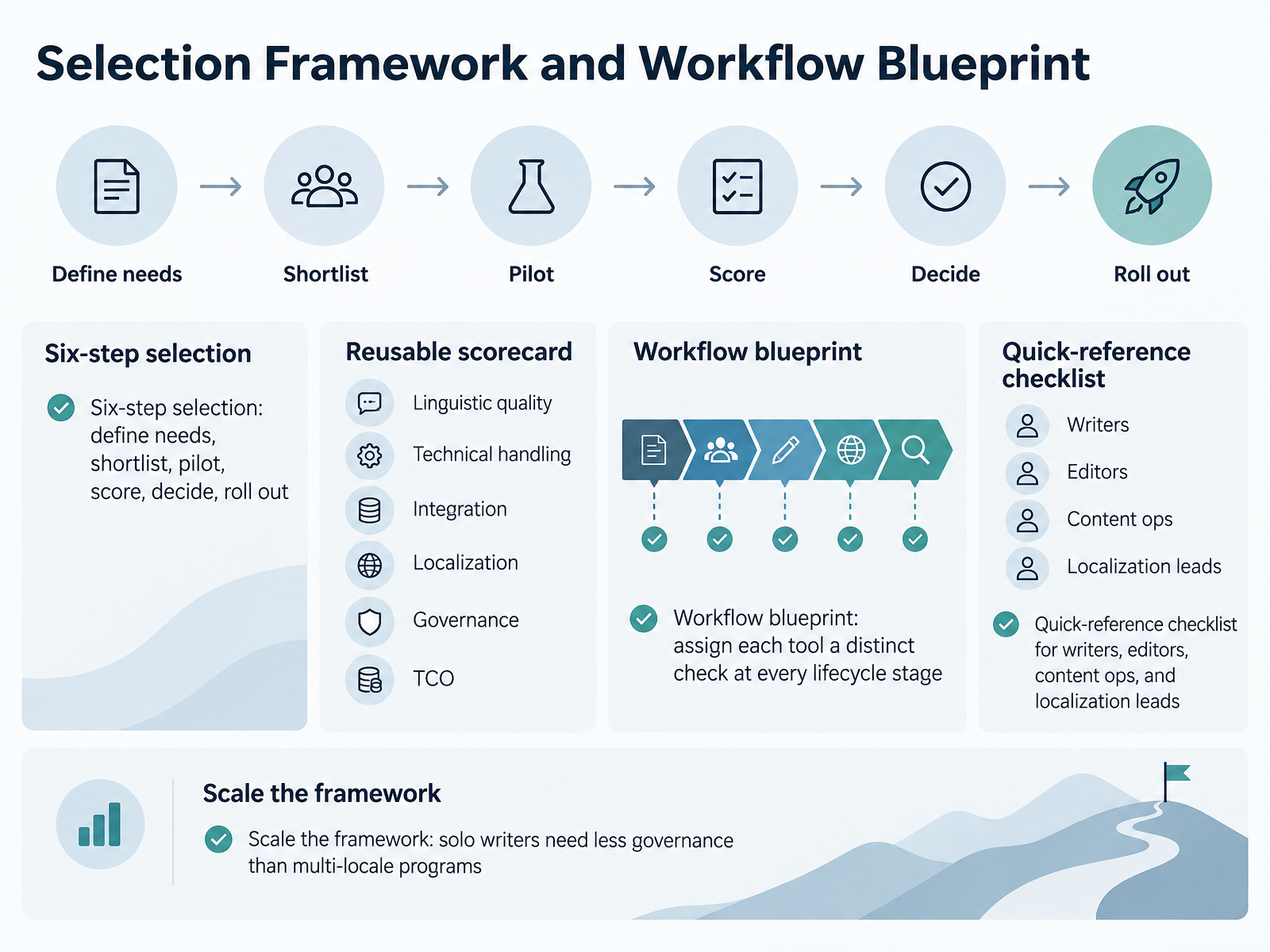
 - 13Selection Framework and Workflow BlueprintLet's bring it all together with a selection framework and a workflow blueprint. For selection, walk through six steps: define your needs, shortlist candidates, run a pilot on real documents, score them, decide, then roll out. Keep a reusable scorecard across six dimensions: linguistic quality, technical handling, like XML tags and large files, integration points, localization support, governance features such as audit logs and single sign-on, and total cost of ownership. For the workflow blueprint, assign each tool a distinct check at every lifecycle stage: drafting, review, publishing, and localization. Then give each role its own quick-reference checklist: writers check terminology and style, editors review clarity and compliance, content ops monitor false positives, and localization leads verify term bases and language coverage. And scale it: a solo writer needs far less governance than a multi-locale program with regulatory requirements. Next, we'll build the pilot plan, owners, and a ninety-day roadmap. The next slide is Next Steps: Pilot Plan, Owners, and 90-Day Roadmap.
 developer.trinka.aitrinka.aideveloper.trinka.ai+22 min
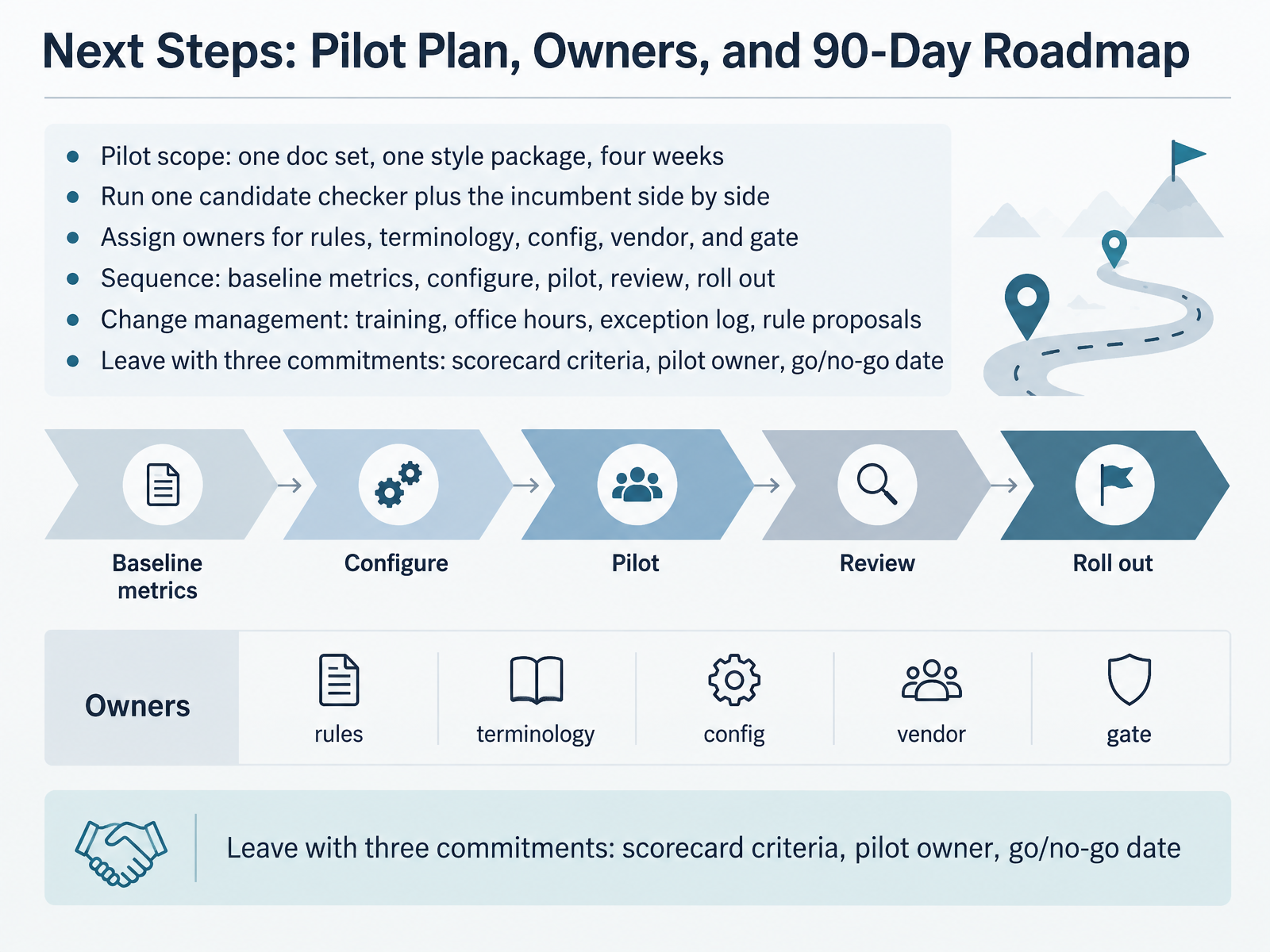
 - 14Next Steps: Pilot Plan, Owners, and 90-Day RoadmapLet's close with concrete next steps you can commit to this week. The pilot plan is deliberately small: one documentation set, one style package, four weeks. Run one candidate checker side by side with your incumbent, so you compare precision and false-positive rate on the same drafts. Assign named owners to five areas: rules, terminology, configuration, vendor contact, and the quality gate. Then sequence the work: capture baseline metrics first, configure the rules, pilot, review the results, and only then roll out. Change management is what makes it stick, so plan training, office hours, an exception log, and a lightweight rule proposal path. Before you leave, make three commitments: your scorecard criteria, your pilot owner, and a go or no-go date. Thanks for working through this with me. You have the framework now. Pick your pilot scope, start small, and let the metrics guide the rollout. Good luck.
 aclanthology.orglrec-conf.orgcst.dk+22 min
Take the deck with you
Download this course as a file — free, no sign-up needed.
- PDF handoutEvery slide page, ready to print or share.15 pages · 3.2 MBDownload
- Narrated PowerPointThe deck that presents itself — every slide carries the digital human's narration video.15 pages · 15.3 MBDownload
- PowerPoint slidesThe full deck as a .pptx — open it in PowerPoint, Keynote, or Google Slides.15 pages · 3.1 MBDownload
Free to use in your own training — please keep the PersonWise credit page at the end.
Have your own deck? Turn it into a course
Sources consulted
Web sources consulted while building this course.
- posttooluse-validate: regex matches fire inside JSDoc and line comments — false positives on documentation prose — github.com
- MS Word - Add phrases to Spelling and Grammar Checker - Microsoft Q&A — learn.microsoft.com
- What a Spell Checker Can and Cannot Do | Editor World — editorworld.com
- False positives: text rules match inside string/template literals (var keyword in embedded browser snippets) — github.com
- Best Grammar Checker for Engineers in 2026 | Rephrasely — rephrasely.com
- Docs Linting Guide - January 2026 | Fern — buildwithfern.com
- Automating Documentation Quality | Hansem Global QA Suite — hansem.com
- yeager/l10n-lint — github.com
- LQA vs Proofreading: What Each Catches in Translation — alconost.com
- Design and evaluation of grammar checkers in multiple languages — aclanthology.org
- Corpus-based Evaluation of a French Spelling and Grammar Checker — lrec-conf.org
- TEMAA Final Report - Contents — cst.dk
- USING BRACKETED PARSES TO EVALUATE A GRAMMAR CHECKING APPLICATION — aclanthology.org
- Different Ways of Evaluating a Swedish Grammar Checker — csc.kth.se
- Grammar Check API | Trinka Developer Portal — developer.trinka.ai
- On-premise Grammar Checker for Enterprises | Trinka AI — trinka.ai
- Proofread File API | Trinka Developer Portal — developer.trinka.ai
- https://learn.microsoft.com/en-us/entra/identity/saas-apps/grammarly-tutorial — learn.microsoft.com
- docs/openapi.yaml — github.com
- https://docs.vale.sh/keys/vocabularies — docs.vale.sh