Begin
14 pages · ~28 min
Technical Writing Process and Deliverables
Learn to apply the technical writing process, define key roles, and produce standard deliverables to create clear, effective documentation.
A digital instructor presents all 14 pages. Hold “Ask” at any point and ask out loud — the answer comes from this course. No sign-up needed.
What you’ll learn
- 01Technical Writing Process: Stages, Roles, and DeliverablesWelcome, everyone. I'm glad you're here. Today we're going to look at the technical writing process as a repeatable engineering discipline, not just a matter of sitting down and drafting. Whether you're a technical writer, a developer who contributes to docs, or a documentation lead, this course will give you a shared vocabulary, a clear view of stage-by-stage deliverables, and a practical sense of who owns what. We'll walk through the whole lifecycle, from planning and structuring to reviewing, publishing, and maintaining your content. The goal is simple: you'll leave with a process you can apply directly to your team's pipeline, so documentation becomes a planned, visible part of your work instead of an afterthought. Let's get started, and first we'll talk about why having a defined process matters so much.technicalwritingprocess.comproedit.comclickhelp.com+21 min
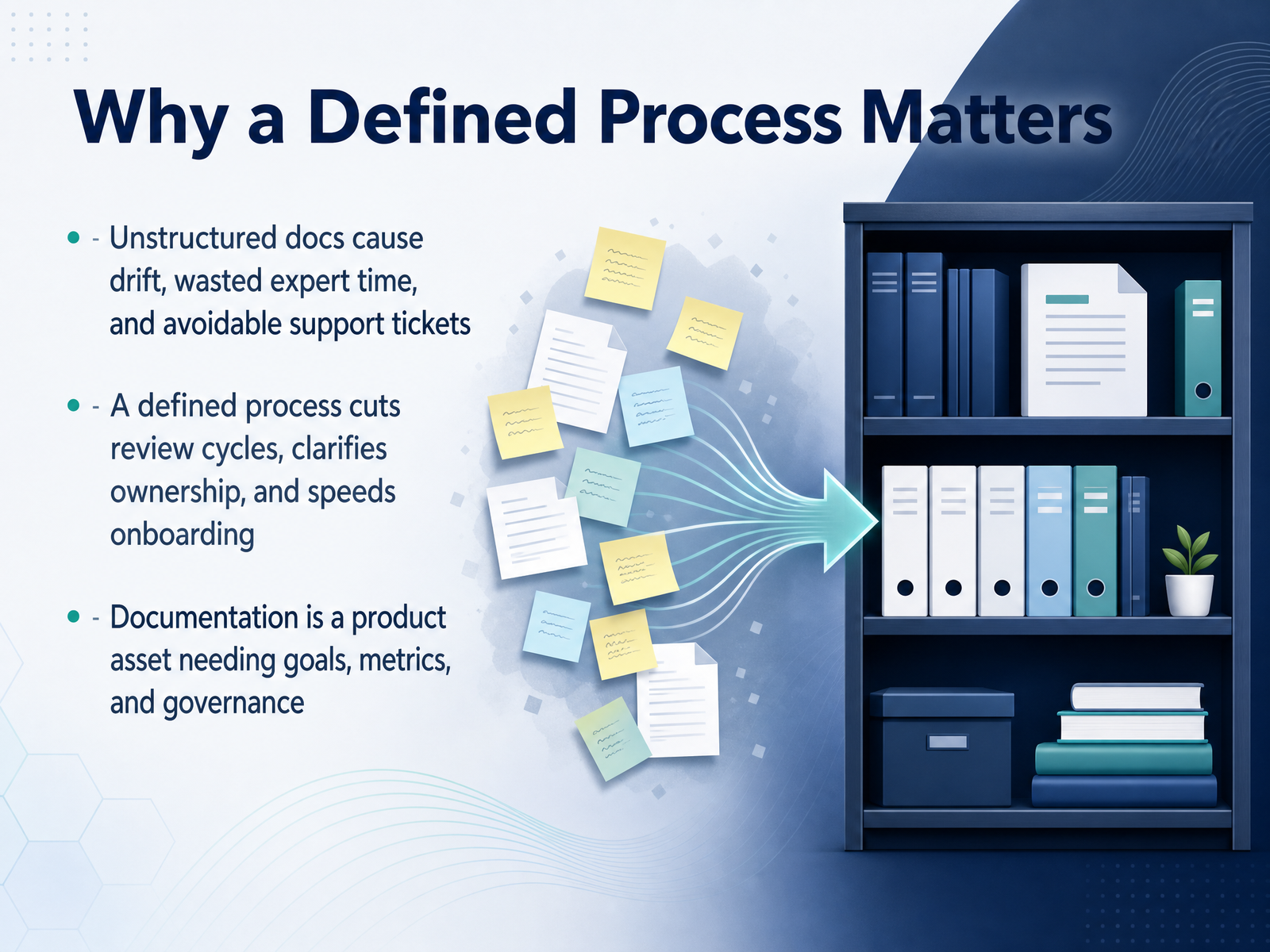
- 02Why a Defined Process MattersLet’s start by asking a hard question: is your documentation working for you, or against you? I define the gap between structured docs and unstructured docs. When documentation lacks a process, it drifts. Old tutorials sit beside current APIs, the screenshots don't match what your new hire is clicking through, and your senior engineers get pulled out of deep work to answer the same questions again and again. That drift is expensive. It slows onboarding, generates avoidable support tickets, and quietly undermines user trust. A defined process is the architectural fix. It cuts review cycles because everyone knows who owns what. It clarifies ownership so decisions don’t bounce across four inboxes. And it turns your documentation from a liability into a product asset, with goals, measurable metrics, and lightweight governance. When a single pull request carries both the code change and its matching doc update, that tight coupling prevents drift before it starts. That’s the premise we’re building on today. Next, let’s establish our core concepts and the shared vocabulary we’ll use throughout the process.
 deepdocs.devaws.amazon.comtechtarget.com+22 min
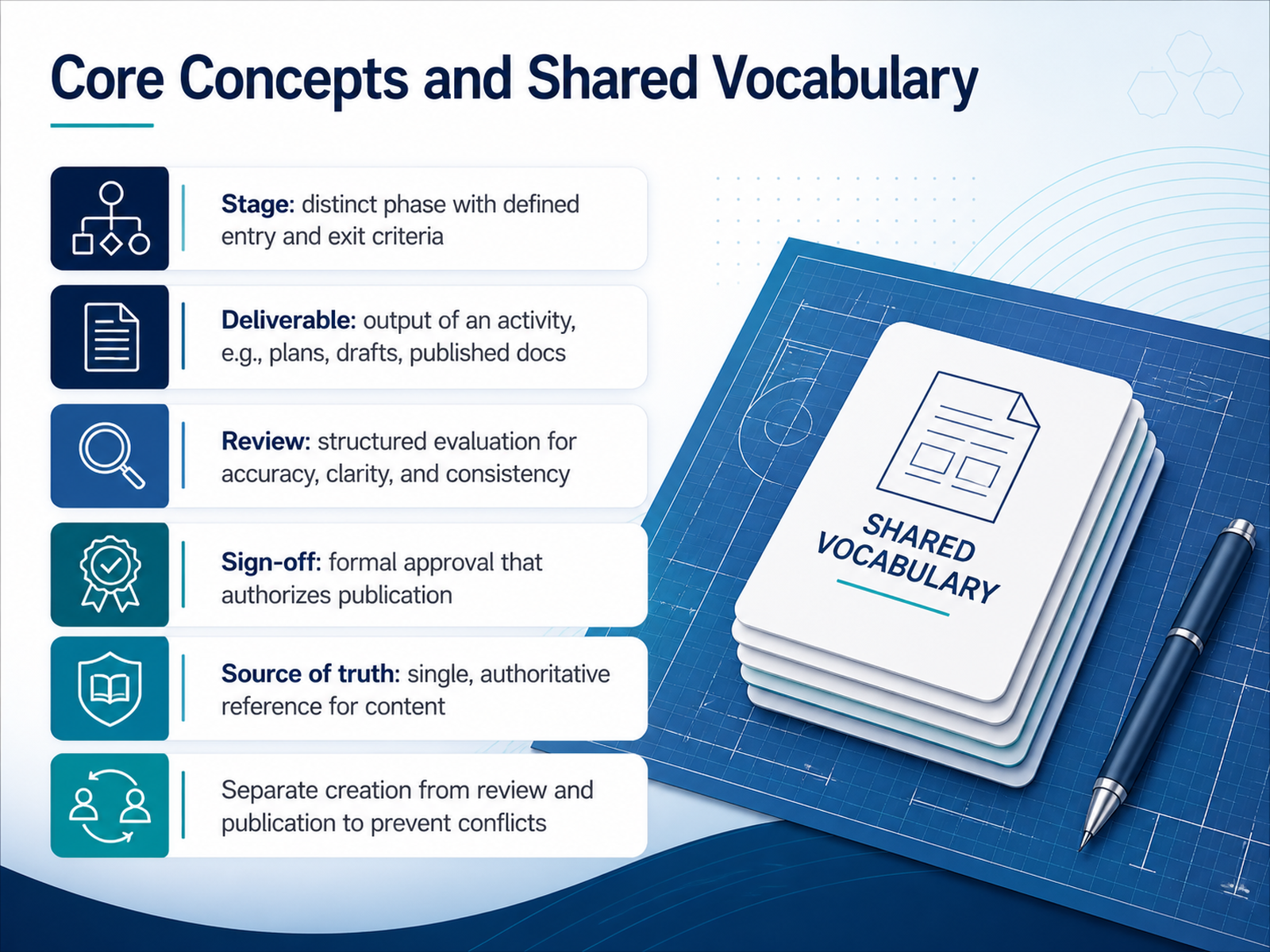
 - 03Core Concepts and Shared VocabularyBefore we dive into the models and frameworks, let's lock in a shared vocabulary, because the words we use shape how we build the pipeline. A stage is a distinct phase of work with clear entry and exit criteria. You know you're done with a stage when you've met its exit criteria, not when you feel like moving on. A deliverable is the tangible output of an activity. That could be a documentation plan, a draft chapter, or the final published guide. A review is a structured evaluation of a document for technical accuracy, clarity, and consistency. Notice the word structured—it's not a casual skim; it's a defined pass with a specific focus. Sign-off is formal approval that authorizes publication. It's the gate that says this document is fit for its audience. And the source of truth is the single, authoritative reference for your content, the one version everyone trusts. In practice, the most important principle is this: keep creation, review, and publication separate. If the writer is also the approver, conflicts slip through. If review happens in comments scattered across email threads, you lose traceability. Separation of duties is how you build guardrails into the process. We'll now look at some common models for structuring those stages, so you can map these concepts onto your own team's workflow.
 boffin.educationtimelytext.comdocest.com+22 min
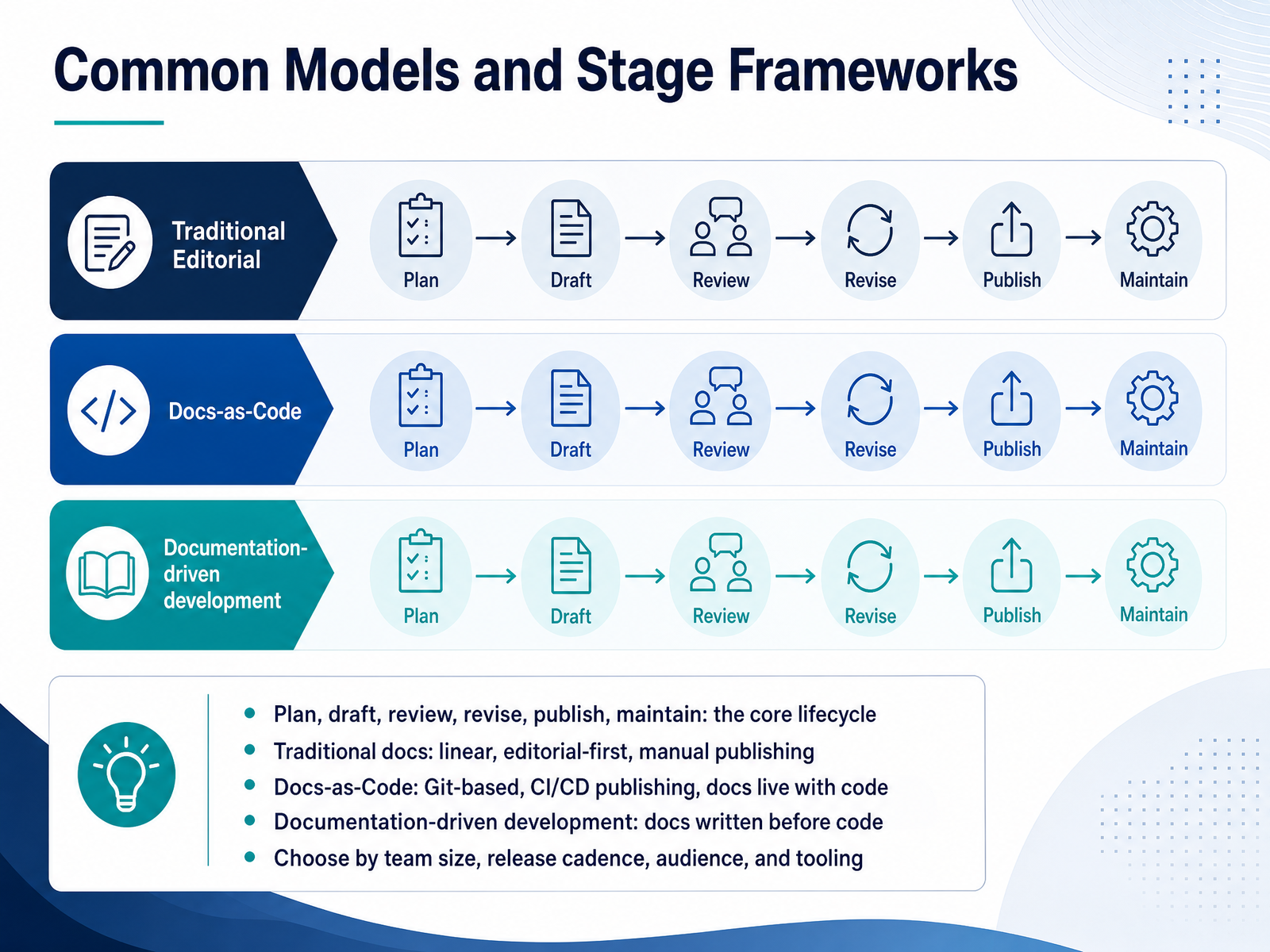
 - 04Common Models and Stage FrameworksLet's step back and map out the different models you can use to structure that lifecycle. In practice, most teams land somewhere between a few common approaches. The traditional model is linear and editorial-first. Writers author in Word, files go through an approval chain, and publishing is a manual task. It's comfortable for content that doesn't change often, like policy or compliance material, but it tends to drift out of date for fast-moving products. The opposite end is Docs-as-Code. Documentation is written in Markdown, stored in Git, and published automatically through CI/CD pipelines. Updates go through pull requests, so the docs review is part of the code review. That model shines when your output is developer-facing and your docs need to co-evolve with every release. Then there is documentation-driven development, where you write the docs before the code to force early clarity about the design. It's harder to adopt, but it surfaces ambiguities while they are still cheap to fix. The key is to choose by practical constraints: team size, release cadence, audience, and tooling. The goal isn't to pick the most modern approach, but the one your team will actually sustain. Next, we'll get into the first stage of the process, planning and audience analysis.
 coffeecup.techarchbee.comtechtarget.com+22 min
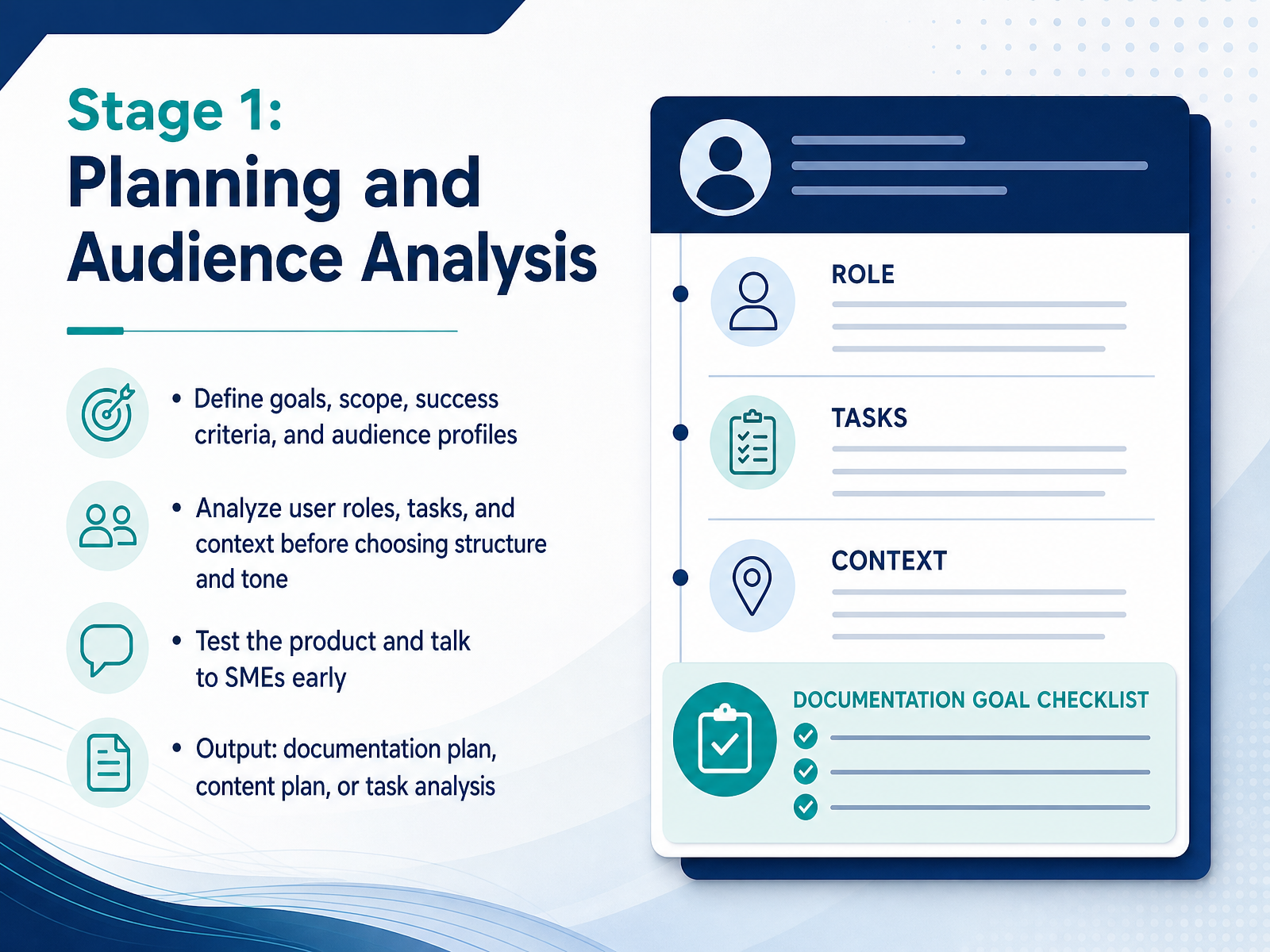
 - 05Stage 1: Planning and Audience AnalysisLet's talk about the first stage of any documentation project: planning and audience analysis. This is where you define the goals, scope, and success criteria for your documentation. You also build clear audience profiles, because knowing exactly who you are writing for will guide every later decision about structure and tone. Before choosing how to organize the content, analyze your users' roles, their tasks, and the context they work in. A developer troubleshooting an API needs a different approach than a new end user learning the basics. And here's a practical tip: do not wait to test the product yourself or talk to subject matter experts early. This is the moment to clarify ambiguous behavior and uncover hidden edge cases. The output of this stage is a solid documentation plan, a content plan, or a task analysis. This becomes your project's blueprint, keeping writers, developers, and stakeholders aligned. Invest time here, and the rest of the process runs far more smoothly. Next, we'll move to stage two: research, content design, and outlining.
 technicalwritingprocess.comproedit.comclickhelp.com+22 min
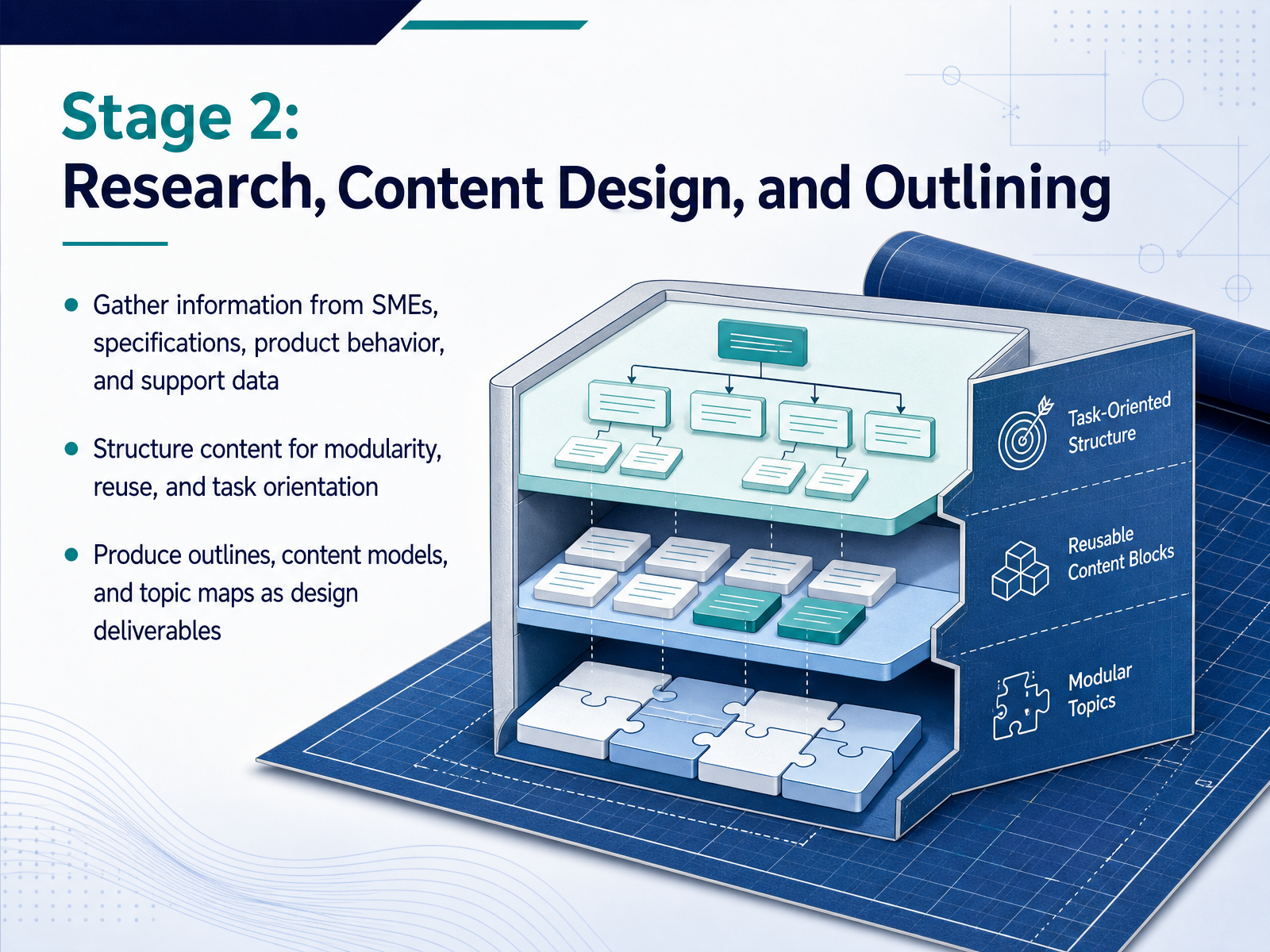
 - 06Stage 2: Research, Content Design, and OutliningNow let's move into the second stage: research, content design, and outlining. This is where raw information becomes structured knowledge. Start by gathering material from multiple sources: subject matter experts, product specifications, observed behavior, and support data. Before interviewing any expert, do your homework. Review existing documents, test the product yourself, and prepare specific questions. Use expert time to confirm behavior, edge cases, and risks, not to ask for basic explanations. As you collect information, begin shaping it for modularity and reuse. Think task orientation: what will users actually need to do? Structure content so each topic stands alone and can be reused across guides. The design deliverables here matter: outlines, content models, and topic maps. These are not optional drafts. They are the blueprint that prevents rework later. A good outline catches wrong assumptions before you write a single paragraph. It aligns your team on scope and structure while changes are still cheap. So treat this stage as the engineering phase of documentation. The research you do now determines whether your final content is accurate, complete, and maintainable. Next, let's talk about working with SMEs without losing time.
 bardglobal.comdeepdocs.devaws.amazon.com+22 min
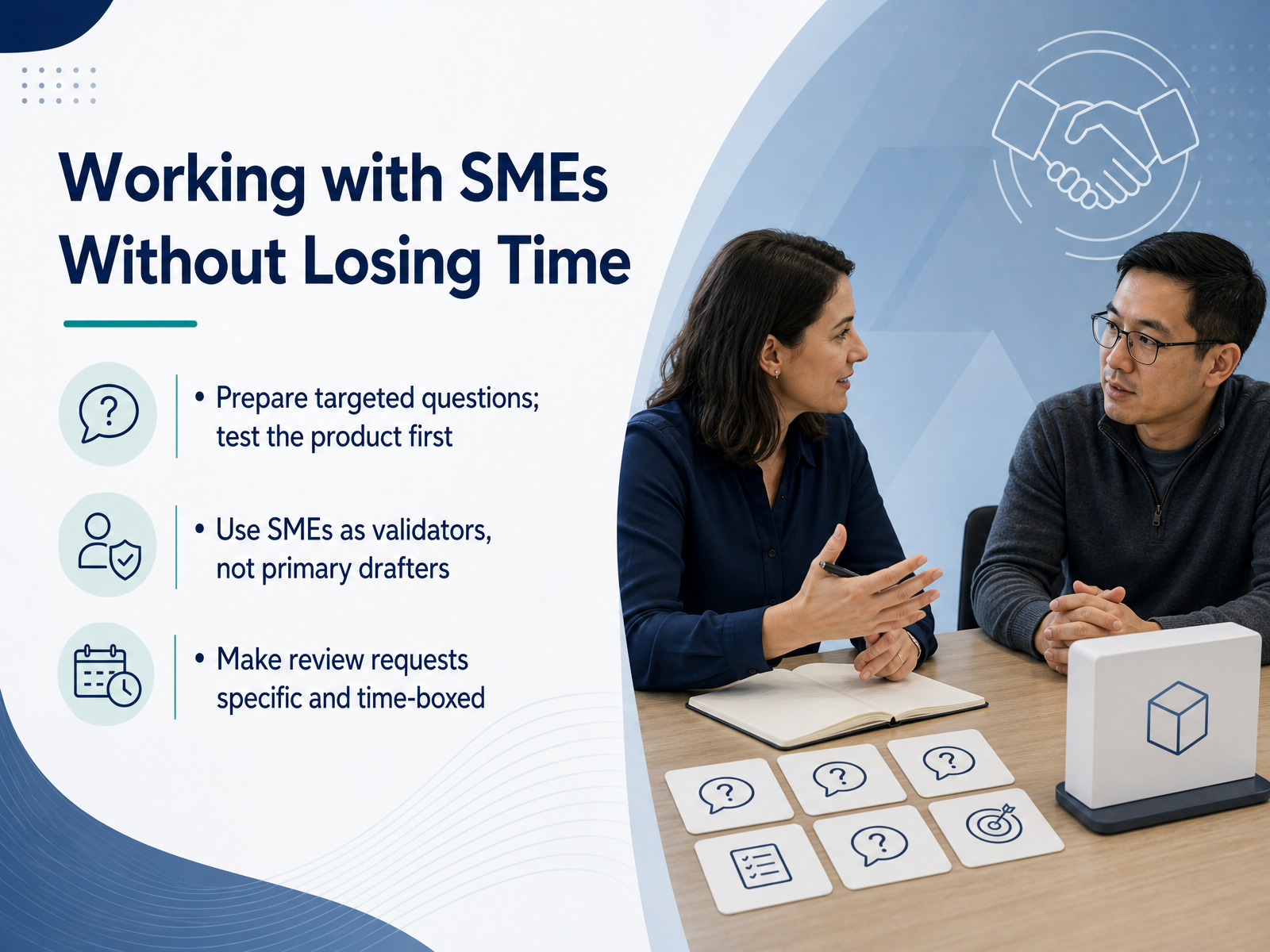
 - 07Working with SMEs Without Losing TimeNow let's talk about a common bottleneck: working with subject matter experts without losing time. The key is to treat your SME as a validator, not a primary drafter. Before you schedule an interview, do your homework. Test the product yourself, read the specs, and identify what you still don't understand. Then prepare targeted questions that focus on behavior, exceptions, and edge cases. Instead of asking, "how does this work," ask something like, "what happens when a user hits this error state." This respects their time and gets you usable detail in one pass. When it's time for review, make your request specific and time-boxed. Tell the SME exactly what to check, like accuracy of configuration steps or permission rules, and set a clear deadline. Ask them to flag factual issues and missing information, rather than rewriting your sentences. Early involvement on the outline, plus a quick final validation, builds trust without endless loops. If you respect their time and keep requests focused, you get accurate content faster. Next, we move into Stage 3: Drafting and Collaborative Writing.
 bardglobal.com2 min
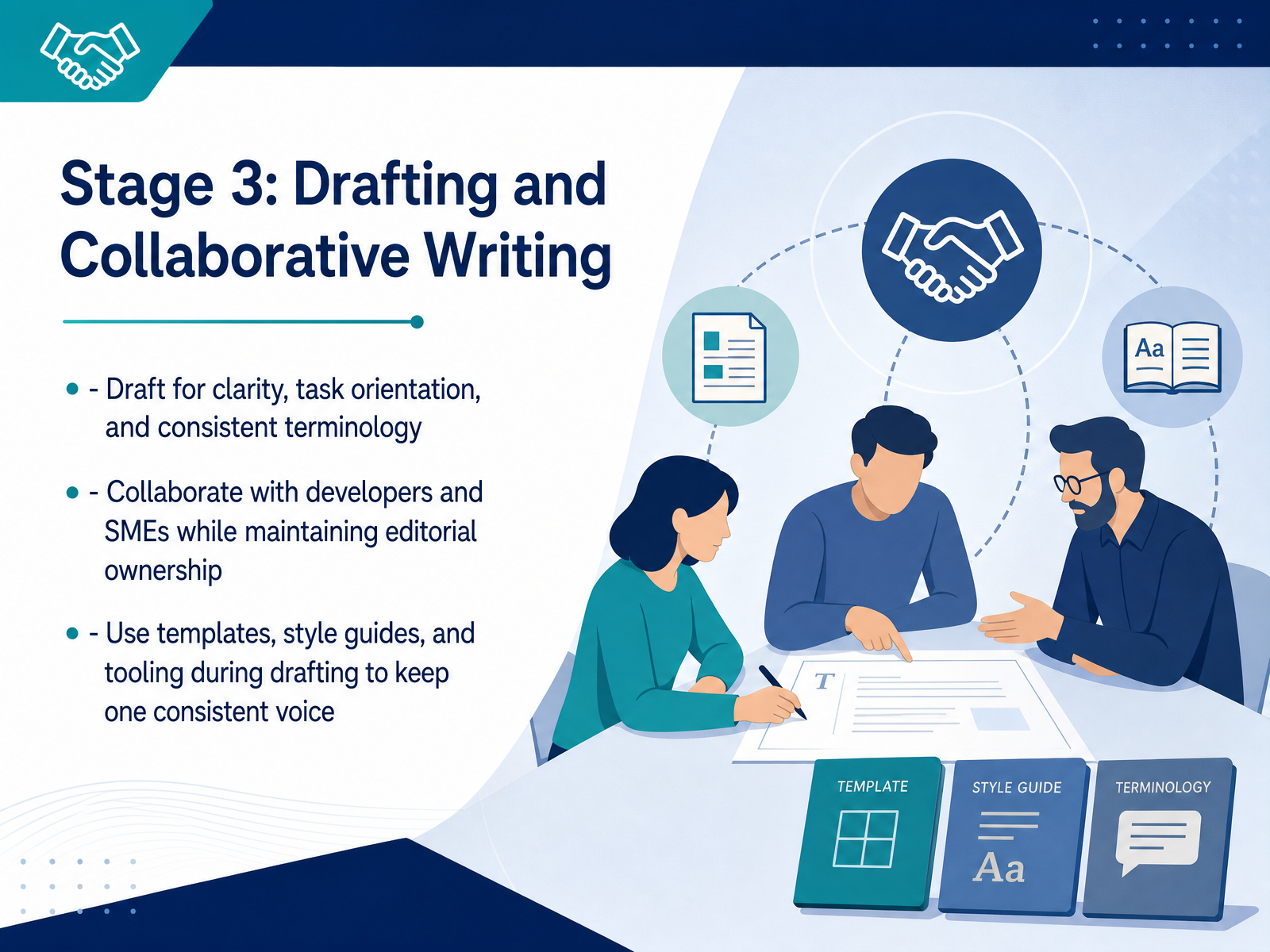
 - 08Stage 3: Drafting and Collaborative WritingNow we move into the drafting stage, where the outline becomes real content. This is where you write for clarity, task orientation, and consistent terminology. Think about what your reader needs to do with the information; structure each section around that task. When you collaborate with developers and subject matter experts, keep editorial ownership. You are the one who ensures the final voice stays unified, even when others contribute. Use your templates, style guides, and authoring tools throughout this process. They are your safety net for keeping a consistent voice across all sections. A good tip: even when working with a team, have one person do a consistency pass before the review cycle. This catches small mismatches early and saves time during the next stage, where we focus on review, verification, and approval.
 technicalwritingprocess.comproedit.comclickhelp.com+22 min
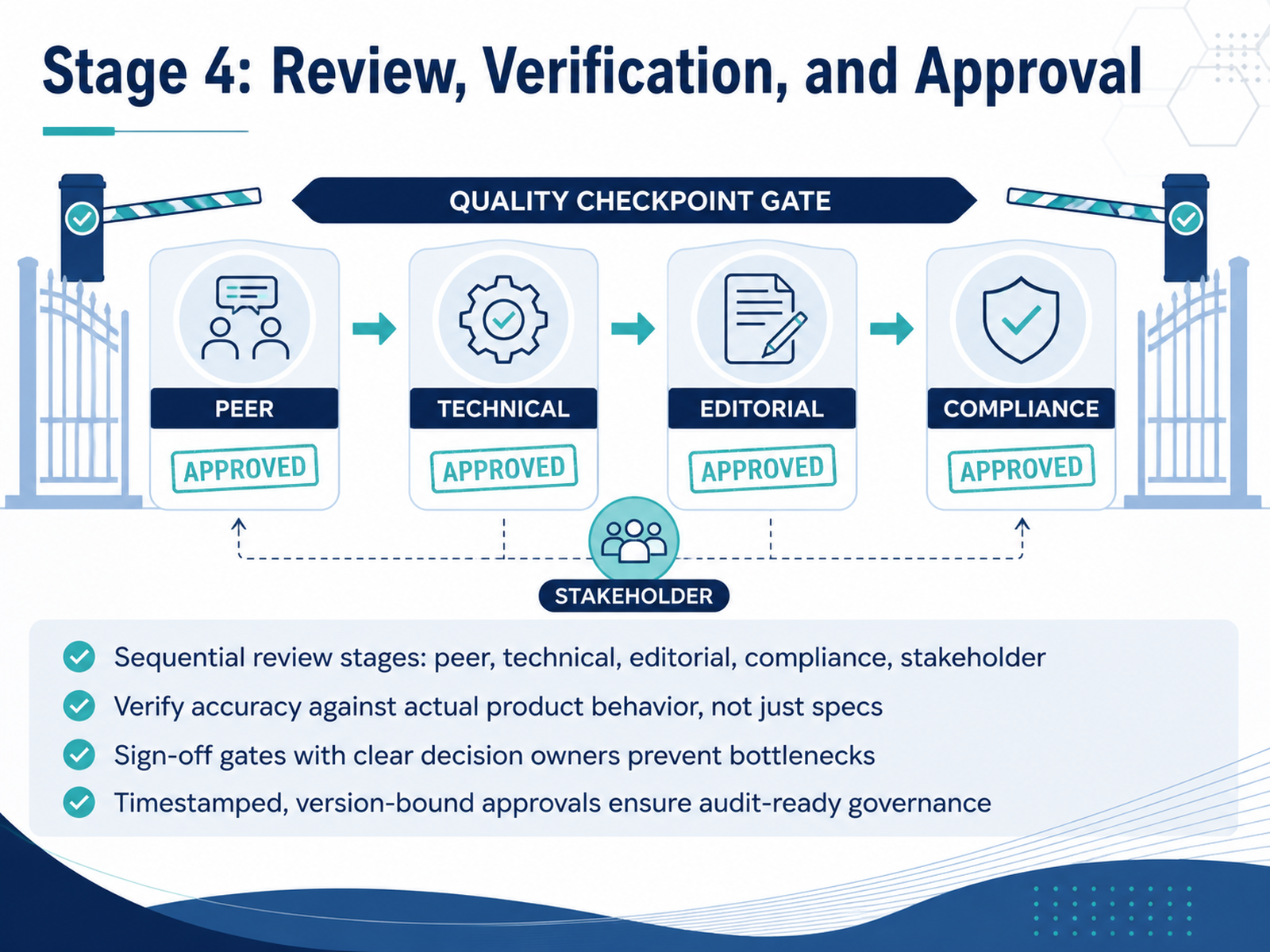
 - 09Stage 4: Review, Verification, and ApprovalNow we get to the gate that actually protects your users: review, verification, and approval. This is not a single pass. Run it as a sequence of distinct stages. Peer review checks structure and clarity. Technical review, the most load-bearing one, verifies accuracy against the live product, not just the specs. Editorial enforces style and consistency. Compliance handles regulatory requirements. And stakeholder review confirms scope. Each stage needs a named reviewer and a clear exit criterion. Sign-off gates with explicit decision owners prevent bottlenecks, because someone is accountable for moving the document forward. Treat every approval as an artifact: timestamped, identity-bound, and tied to the exact document version. A casual looks good in an email thread does not qualify for audit-ready governance. If it did not happen in the workflow, it did not happen. In practice, this means every comment is either resolved, deferred with a rationale, or escalated. No open comments at stage close. This discipline is what separates documentation that people trust from documentation that quietly misleads. Next, we move to Stage 5: publication, distribution, and maintenance.
 boffin.educationtimelytext.comdocest.com+21 min
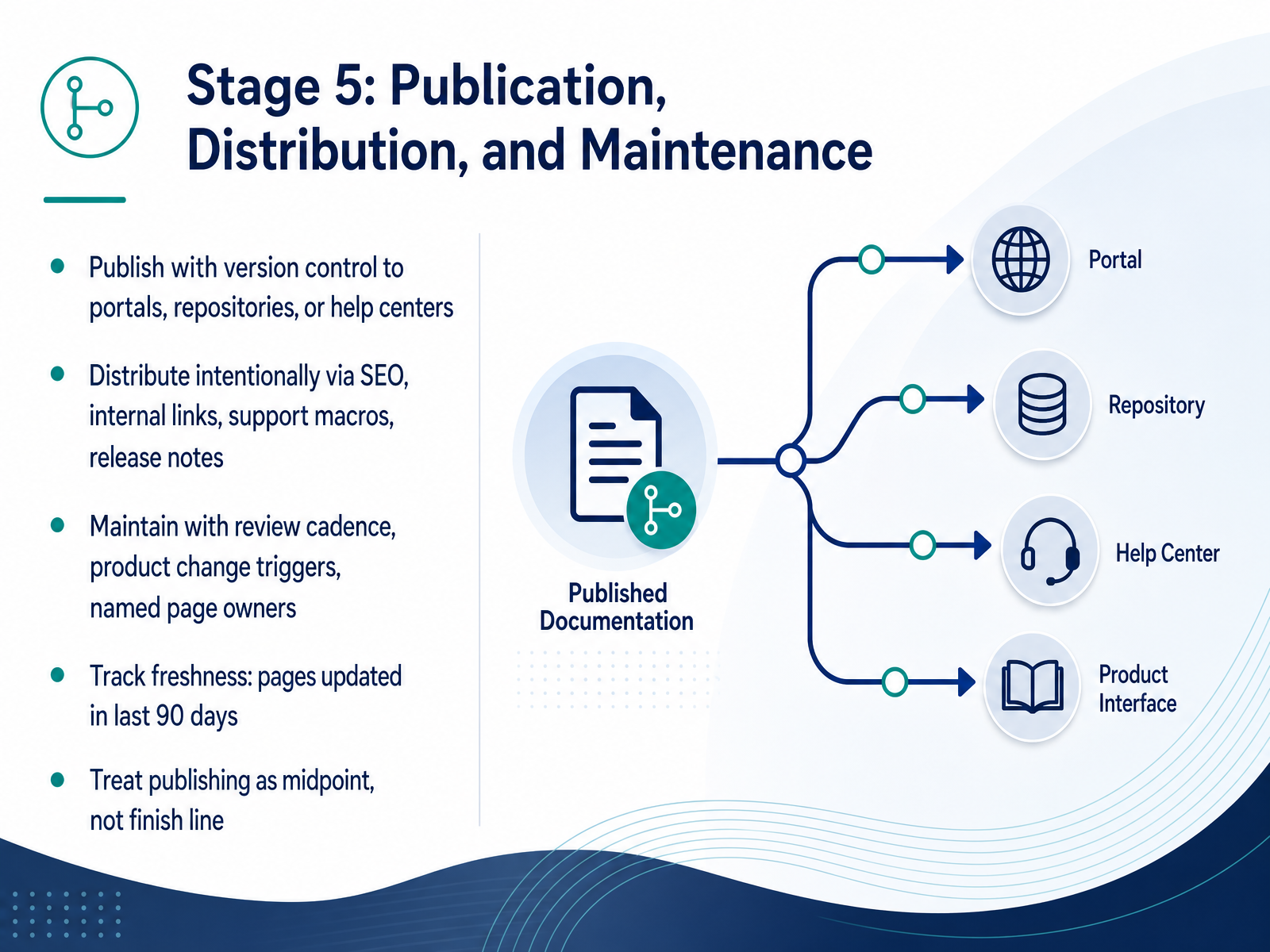
 - 10Stage 5: Publication, Distribution, and MaintenanceNow let's walk through Stage Five: Publication, Distribution, and Maintenance. This is where your documentation actually starts living. When you publish, you want to do it with version control, so your portal, repository, or help center always clearly marks which product version each page belongs to. Then, distribution needs to be intentional. Think SEO, internal links, support macros, and release notes that point people to the right pages at the right moment. After that, the real work begins: maintenance. Set a review cadence, tie updates to product changes, and name a single owner for every page. A useful baseline is to track freshness, aiming for your key pages to be updated within the last ninety days. Most importantly, treat publishing as the midpoint, not the finish line. The page is now live, indexed, and trusted by users, so if it rots, that trust erodes fast. Next, we will look at how versioning and content governance keep this whole system from drifting apart.
 deepdocs.devaws.amazon.comtechtarget.com+21 min
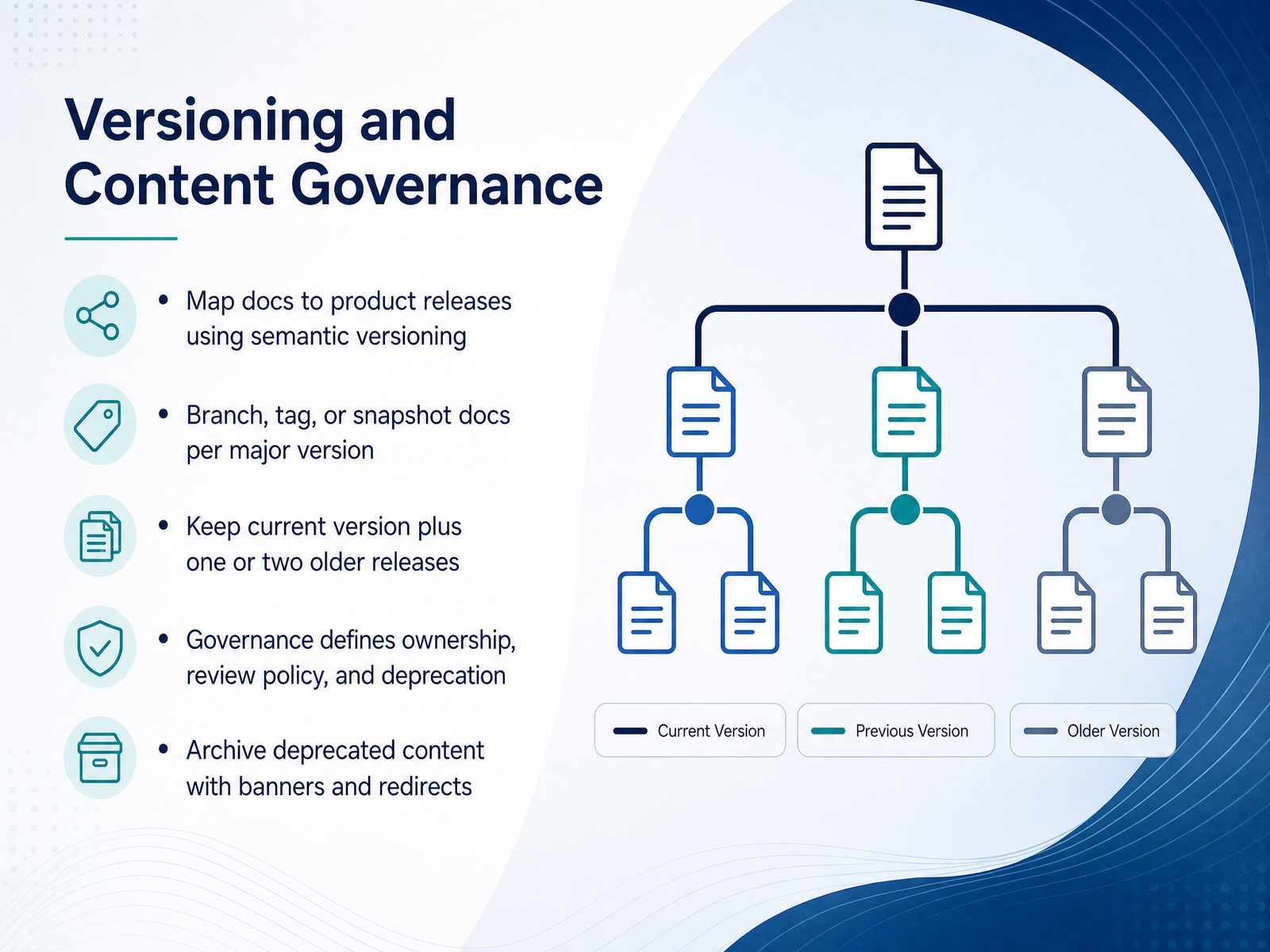
 - 11Versioning and Content GovernanceNow let’s talk about versioning and content governance. This is where documentation stops being a one-time publish and becomes a managed asset. The core idea is simple: map your documentation to your product releases using semantic versioning. That means a major product release gets its own doc version, while minor updates and patches are applied in place. For each major version, you branch, tag, or snapshot the documentation so users on older product versions see instructions that actually match their screen. A practical rule of thumb is to keep the current version live, plus one or two older releases. That covers the vast majority of active users without turning maintenance into a full-time job. Governance is what makes this sustainable. It defines who owns each page, what the review policy is, and how deprecation works. When a version reaches end of life, you don’t just delete it. You archive it, add a clear banner telling users it’s outdated, and set up redirects to the nearest live equivalent. This keeps search traffic intact and prevents support tickets from landing on dead ends. The takeaway is this: versioning solves the technical problem of matching docs to releases, but governance solves the human problem of who decides what stays current and what gets retired. Next, we’ll look at the specific roles, responsibilities, and handoffs that make this whole process run smoothly.
 deepdocs.devaws.amazon.comtechtarget.com+22 min
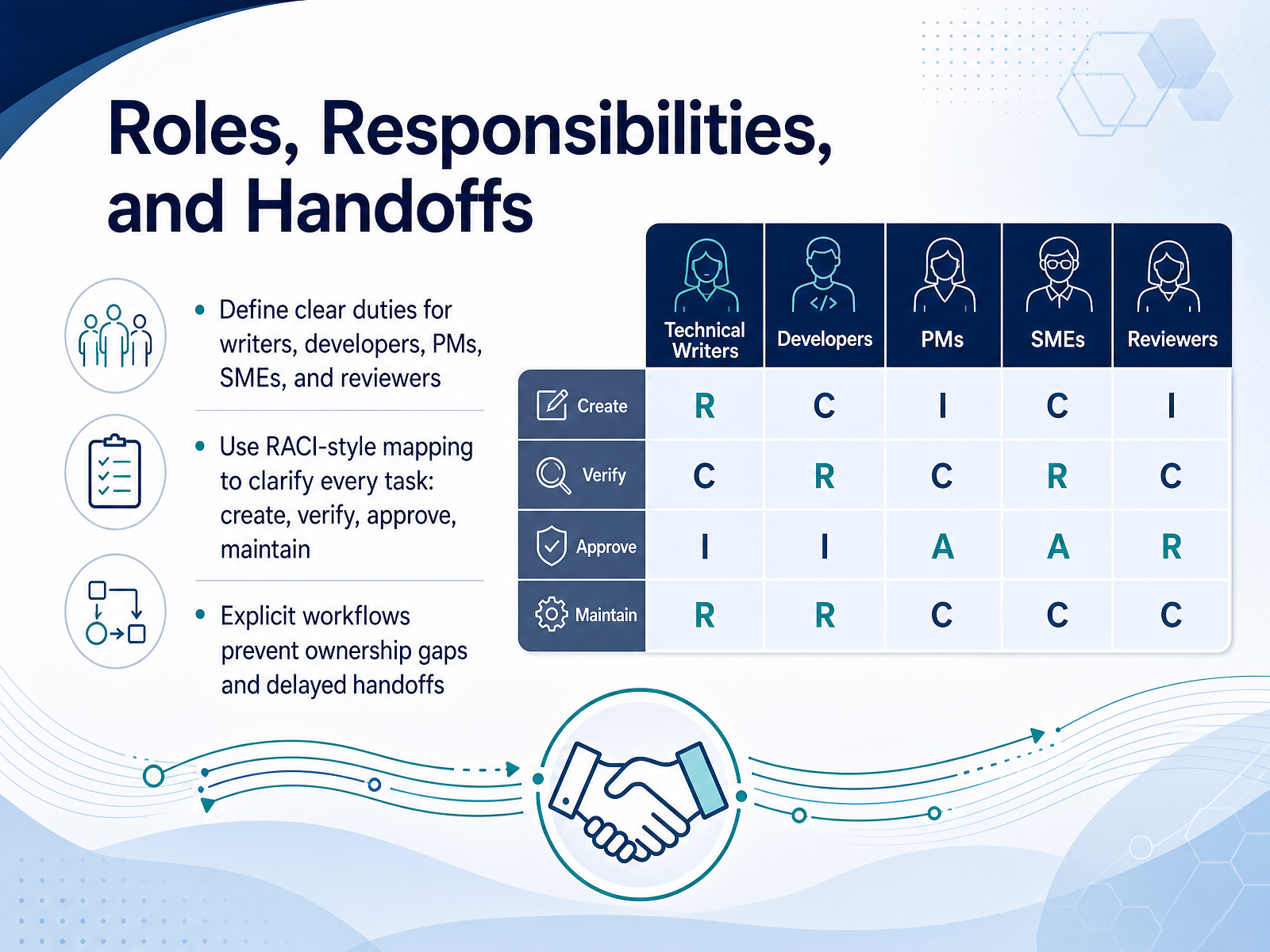
 - 12Roles, Responsibilities, and HandoffsLet's talk about who does what. Clear roles prevent documentation from falling through the cracks. Start by defining duties for writers, developers, product managers, subject matter experts, and reviewers. A RACI-style map helps here. Assign who is responsible for creating, who must verify it, who gives final approval, and who maintains it over time. For example, the writer creates the draft. The developer verifies technical accuracy. The product manager confirms scope. And the SME approves the final content. This explicit workflow prevents ownership gaps and avoids those slow, late handoffs that stall releases. When everyone knows their task, the documentation pipeline moves smoothly. Up next, we'll look at deliverables and quality metrics by stage.
 bardglobal.com2 min
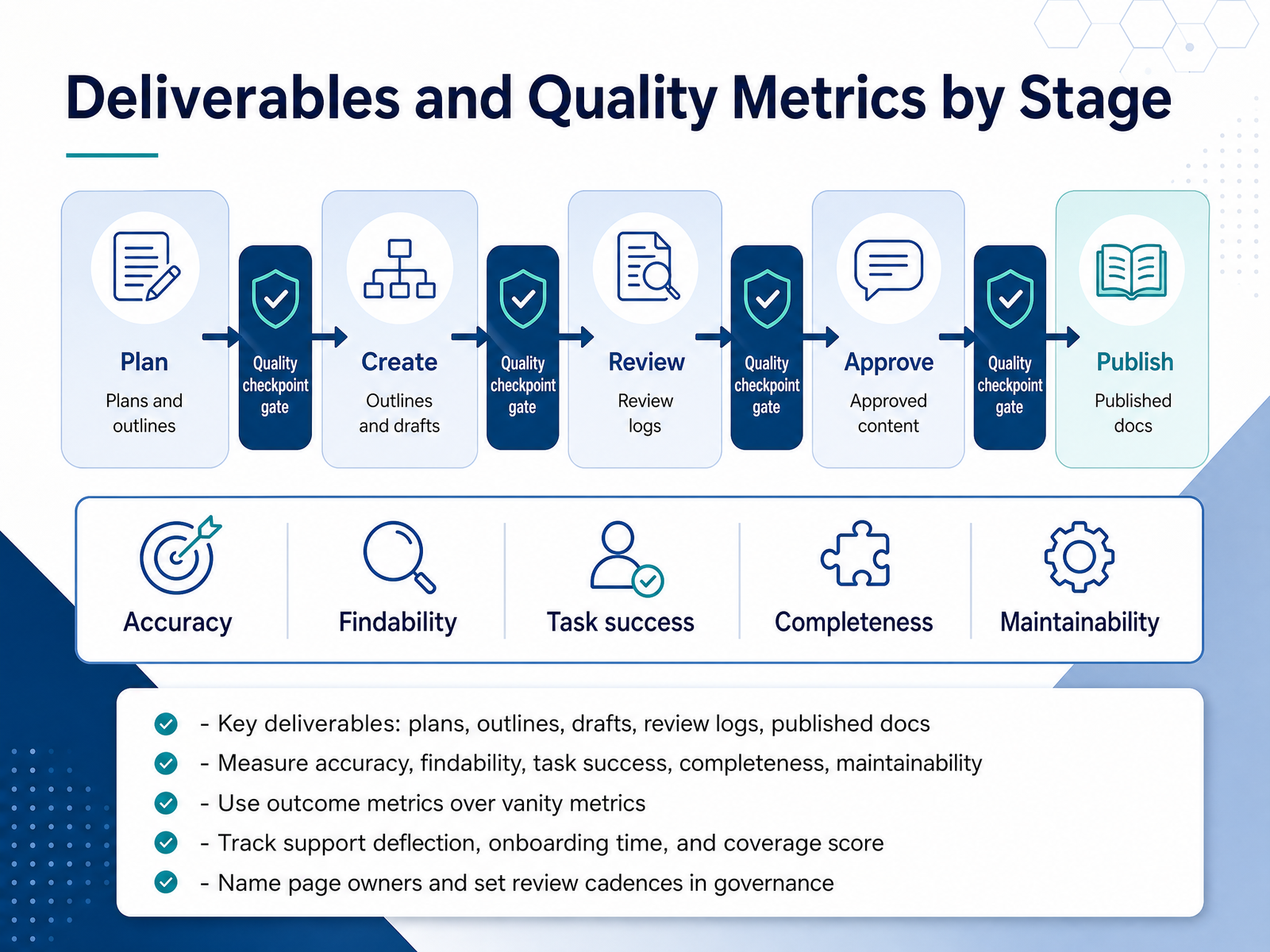
 - 13Deliverables and Quality Metrics by StageNow let’s ground the process in measurable outcomes. Every stage has a deliverable: plans, outlines, drafts, review logs, and the published docs themselves. But the real value is in the metrics you attach to each one. Measure accuracy, findability, task success, completeness, and maintainability. That means prioritizing outcome metrics over vanity metrics. Page views tell you something was read; task success and support deflection tell you it worked. Track support deflection, onboarding time, and a documentation coverage score for your key APIs. Then make ownership explicit. Name a page owner for every page, and set a review cadence in your governance rules. Quarterly for high-traffic pages, annually for the rest. That is what turns a publishing pipeline into a documentation system. We’ve covered the full lifecycle from planning through measurement. Next, let’s look at how to apply this process to your own team, step by step.
 docsio.codeepdocs.devaws.amazon.com+21 min
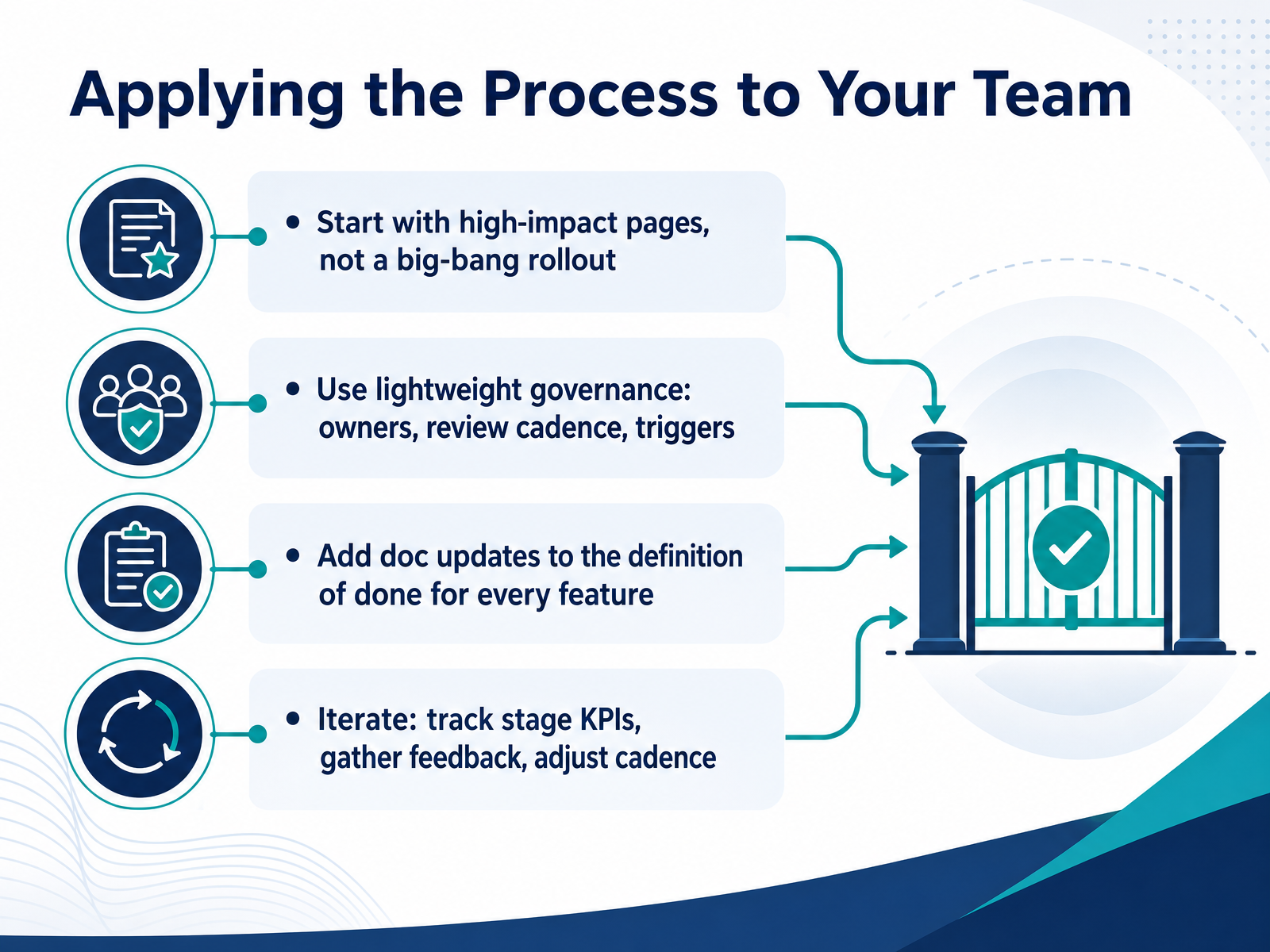
 - 14Applying the Process to Your TeamHere's your realistic path forward. Start with your highest-impact pages, not a full-scale rollout. If onboarding docs or API references are your biggest pain points, begin there. Next, set up lightweight governance: name page owners, agree on a review cadence, and define what triggers a doc update. Keep it simple. Add doc updates to your definition of done for every feature. That one rule prevents drift better than any style guide. Finally, iterate. Track a small set of KPIs, like support ticket reductions or time to first successful build, gather feedback from your team, and adjust. Treat this as a cycle, not a one-time project. The goal is to make documentation a natural part of how your team ships, not an afterthought. Thank you for your attention, and good luck building a process that works for your team.
 deepdocs.devaws.amazon.comtechtarget.com+22 min
Take the deck with you
Download this course as a file — free, no sign-up needed.
- PDF handoutEvery slide page, ready to print or share.15 pages · 3.5 MBDownload
- Narrated PowerPointThe deck that presents itself — every slide carries the digital human's narration video.15 pages · 26.3 MBDownload
- PowerPoint slidesThe full deck as a .pptx — open it in PowerPoint, Keynote, or Google Slides.15 pages · 3.4 MBDownload
Free to use in your own training — please keep the PersonWise credit page at the end.
Have your own deck? Turn it into a course
Sources consulted
Web sources consulted while building this course.
- The Five-Step Technical Writing Process. — technicalwritingprocess.com
- Planning a Technical Writing Project - ProEdit — proedit.com
- Document Development Life Cycle (DDLC) for Technical Writers — clickhelp.com
- Designing a Document Development Process — Baker & Co. Technical Documentation Services — bakerandcompanydocumentation.com
- How to Implement a Successful Technical Writing Process - Wizard on Demand — wizardondemand.com
- A Guide to Building a Modern Software Documentation Process | DeepDocs — deepdocs.dev
- Reduce project delays with a docs-as-code solution | Integration & Automation — aws.amazon.com
- Docs-as-Code explained: Benefits, tools and best practices | TechTarget — techtarget.com
- Technical Quality Assurance in Structured Content - IXIA CCMS — madcapsoftware.com
- A year of documentation-driven development — canonical.com
- Glossary of Technical Writing Terms – Boffin Education — boffin.education
- What Is Documentation Review? Meaning, Process, Types, and Best Practices — timelytext.com
- Obtain Client Sign-Off on Technical Documentation - Docest — docest.com
- Guide to Technical Documentation Reviews — archbee.com
- Documentation Review Process: A Step-by-Step Guide | Docsio — docsio.co
- Classical Technical Writing vs Docs-as-Code | CoffeeCup.tech — coffeecup.tech
- https://www.archbee.com/books/technical-writing/documentation-workflows — archbee.com
- What Is Documentation as Code and Why Do You Need It? - ClickHelp — clickhelp.com
- Docs as Code - Write the Docs — writethedocs.org
- Working With Subject Matter Experts: Documentation Guide — bardglobal.com