Begin
14 pages · ~28 min
Async Video Team Communication Tools
Learn to use async video tools for effective team communication, improving clarity and reducing meetings in remote workflows.
A digital instructor presents all 14 pages. Hold “Ask” at any point and ask out loud — the answer comes from this course. No sign-up needed.
What you’ll learn
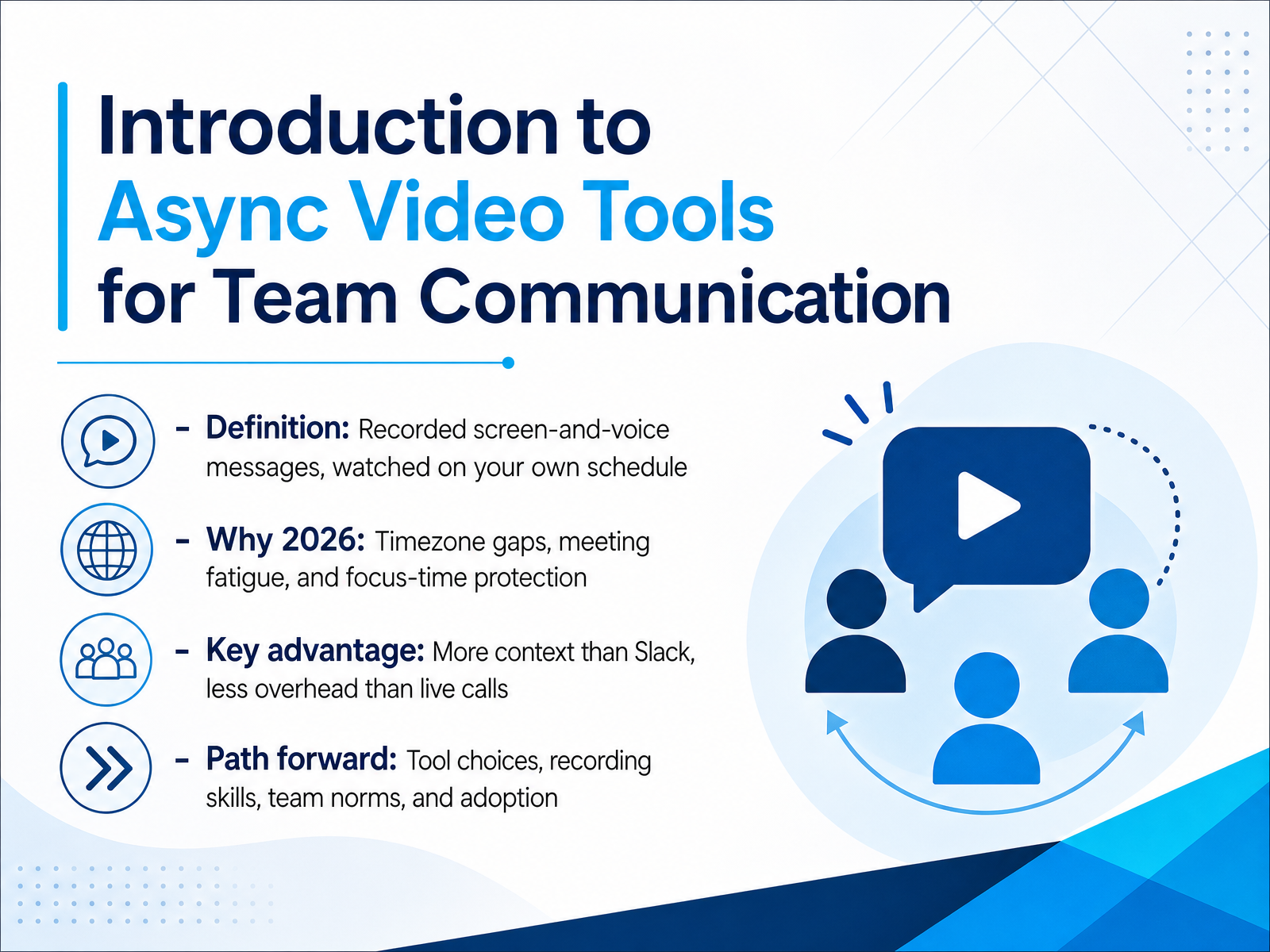
- 01Introduction to Async Video Tools for Team CommunicationWelcome. If you lead or work on a remote team, you know the friction: time zones that never overlap, meetings that eat your focus time, and chat threads that lose all context. Today we're looking at a practical fix: async video tools. These are recorded screen-and-voice messages your team watches on their own schedule. In 2026, this matters more than ever. Teams are spread across time zones, meeting fatigue is real, and protecting deep work is a priority. The key advantage? Async video gives you more context than a Slack message, but with far less overhead than a live call. You can show your screen, walk through a design, or explain a bug in three minutes. Your teammate in another time zone watches it when they start their day. No scheduling, no interruptions. Over the next several slides, we'll cover tool choices, recording skills, team norms, and how to make adoption stick. Let's get into the first piece of the puzzle: the communication friction async video solves.timely.daycadence.withremote.aiinkeybit.com+21 min
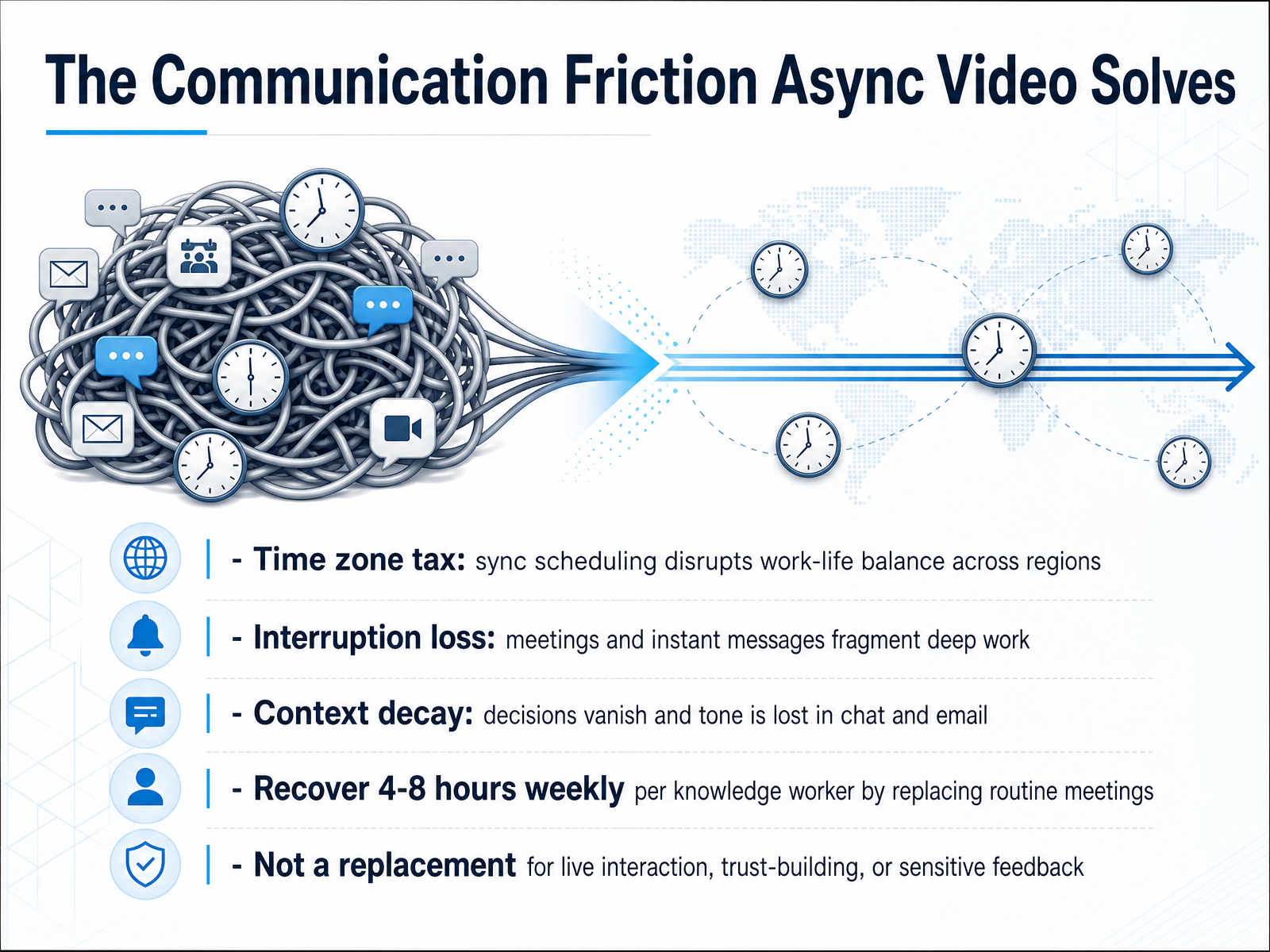
- 02The Communication Friction Async Video SolvesLet’s talk about the friction that async video removes. The first problem is the time zone tax. When your team is spread across regions, every live meeting forces someone to compromise. A teammate in Tokyo shouldn’t have to stay up late for a status update that could have been a three-minute video. The second problem is interruption loss. Meetings and instant messages fragment deep work, and it takes real time to refocus afterward. The third is context decay. Decisions made in chat or email tend to vanish, and tone often gets lost. Async video holds onto both the decision and the reasoning behind it. When you replace routine meetings with recorded updates, teams commonly recover four to eight hours per knowledge worker each week. But here is the key distinction: this isn’t about removing live interaction. Trust-building, sensitive feedback, and hard conversations still deserve a real-time call. Async video simply handles the information-sharing that doesn’t need everyone in the same room at the same time. That balance is what we’ll explore next, as we look at when async video is the right default.
 timely.daycadence.withremote.aiinkeybit.com+22 min
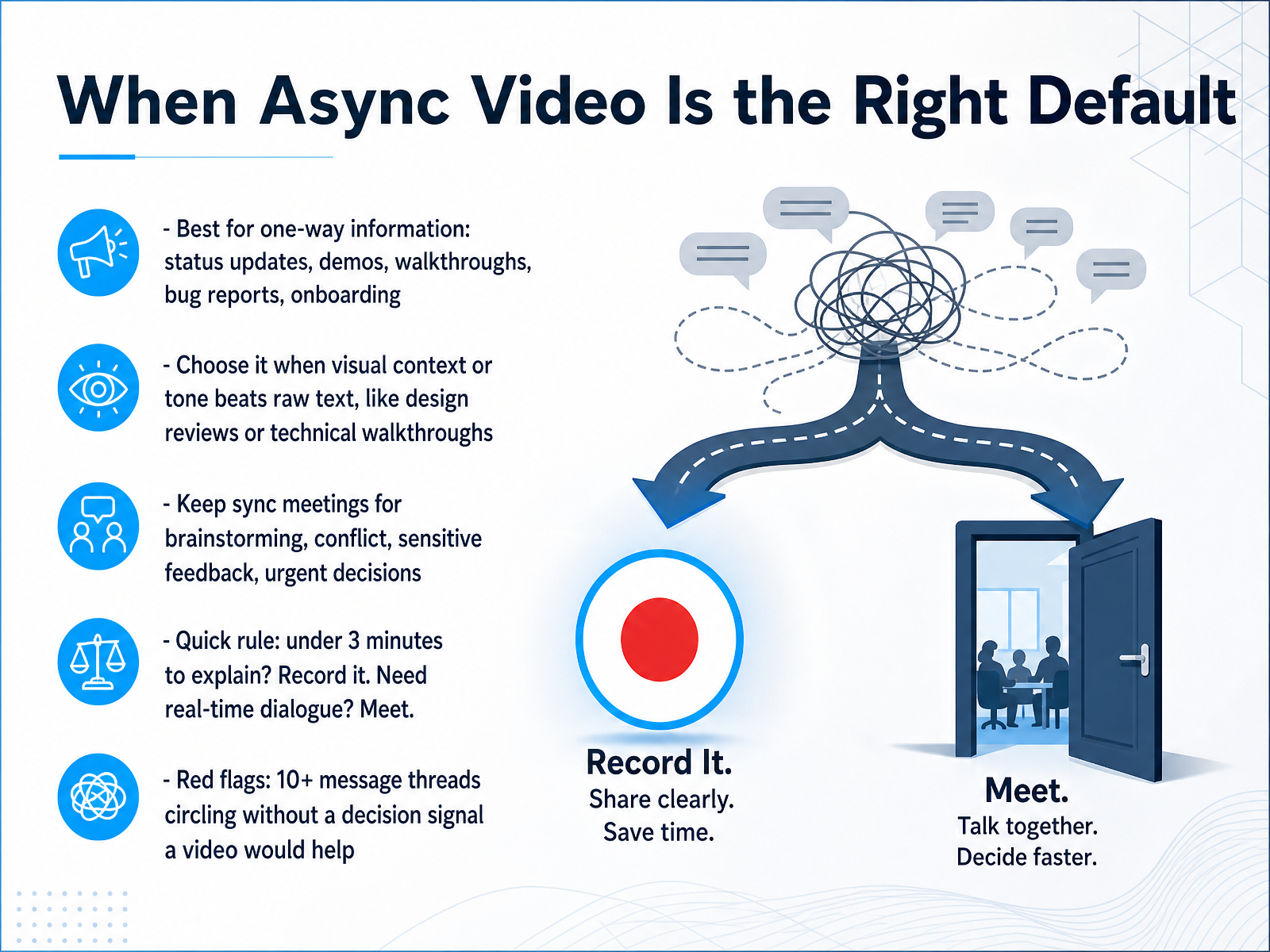
 - 03When Async Video Is the Right DefaultSo how do you decide between a recorded update and a live call? A good starting point is the direction of the information. If it flows mostly one way, from you to the team, async video is likely the right default. Think status updates, product demos, technical walkthroughs, bug reports, and onboarding material. These are cases where showing beats telling. A short screen recording can convey tone and visual context that a paragraph of text simply cannot match. For example, a three-minute walkthrough of a design change is usually clearer than a lengthy Slack message, and it saves the back-and-forth. On the other hand, keep synchronous meetings for true collaboration. Brainstorming, conflict resolution, sensitive feedback, and urgent decisions all benefit from real-time dialogue. A quick rule that many teams use: if it takes under three minutes to explain, record it. If you need real-time dialogue, meet. Also watch for red flags. If a text thread goes past ten messages without reaching a decision, that is a strong signal that a short video would resolve it faster. Record the key points, share the link, and move the conversation forward. Now, let's look at the core tools that make this work and the features that actually matter.
 timely.daycadence.withremote.aiinkeybit.com+22 min
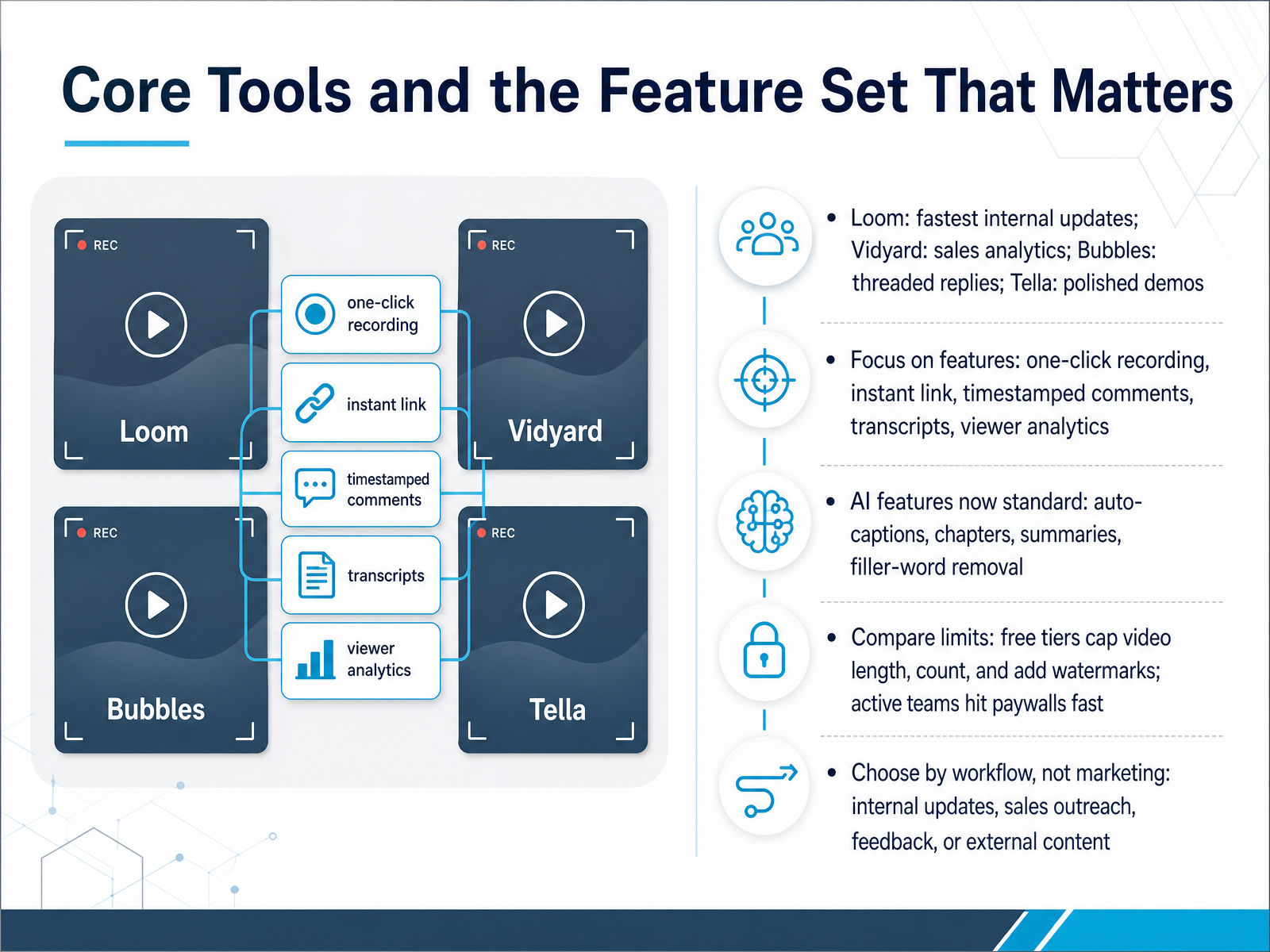
 - 04Core Tools and the Feature Set That MattersNow let's talk about the core tools and the features that actually matter. You'll find Loom is the fastest for internal updates, Vidyard shines with sales analytics, Bubbles is built for threaded replies, and Tella gives you polished demos. But don't choose on name alone. Focus on the feature set: one-click recording, instant shareable links, timestamped comments, transcripts, and viewer analytics. These are the non-negotiables. AI features are now standard across the board, including auto-captions, chapters, summaries, and even filler-word removal. Just be careful with free tiers. They often cap video length and count, and some add watermarks. Active teams hit paywalls quickly. The key is to choose by workflow, not by marketing. Match the tool to the job: internal updates, sales outreach, feedback loops, or external content. Each one has a clear strength. Keep that in mind as we look at how to record clear and engaging update videos.
 aimadefor.comtopickz.comstartupik.com+21 min
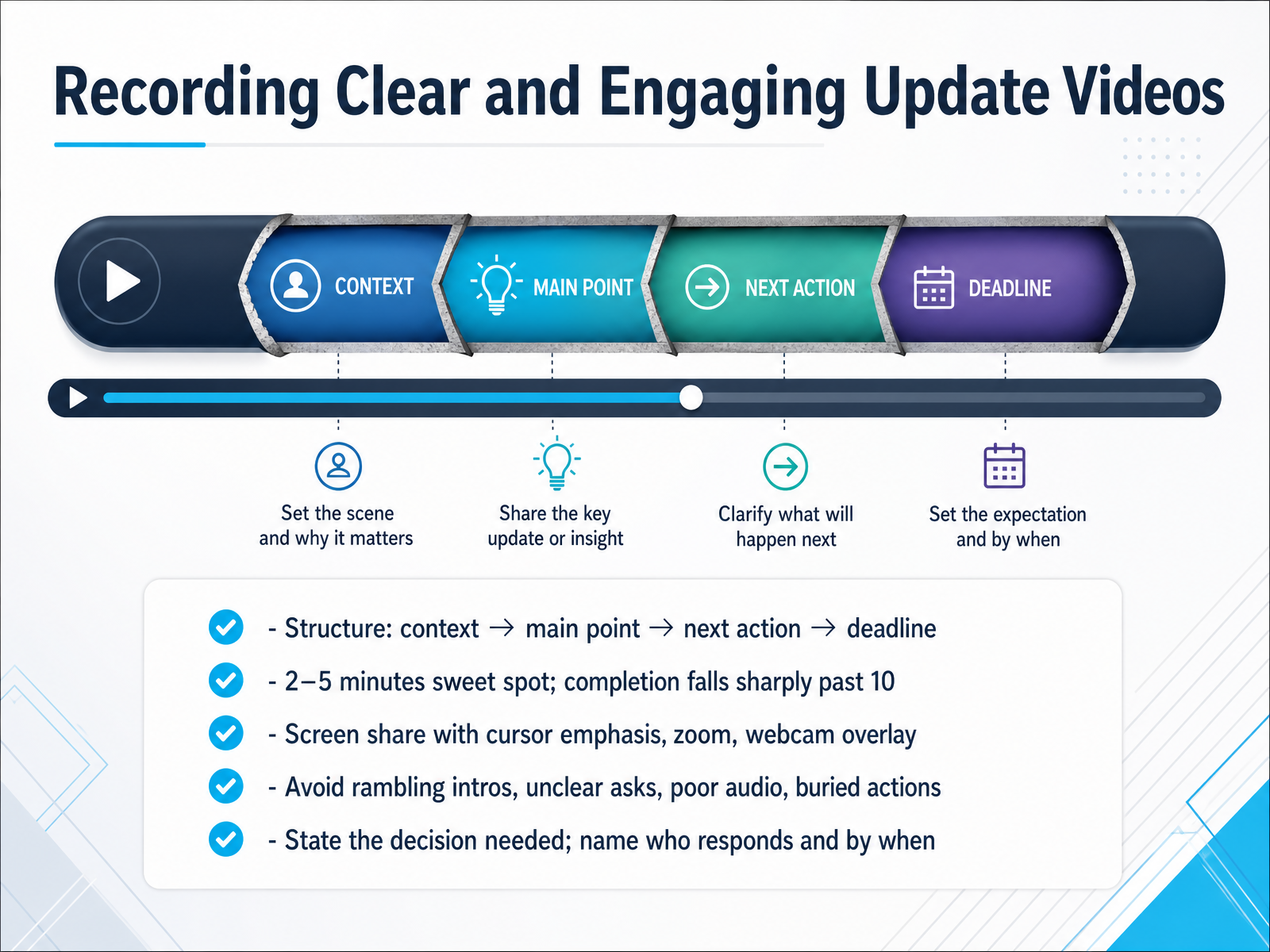
 - 05Recording Clear and Engaging Update VideosNow let’s talk about what makes an update video worth watching. The structure is simple: context, main point, next action, and deadline. Open with one or two sentences of background, state your main point clearly, and then be explicit about what you need. Name the person who responds and the exact date and time. For example, 'Priya, please approve the final design by Thursday noon Eastern.' That removes all guesswork. Length matters too. Two to five minutes is the sweet spot. Viewership drops sharply past ten minutes, so if you’re going long, break it into chapters or a short series. When you record, use screen share and let the cursor do the pointing. Zoom in on key areas and keep a small webcam overlay so viewers see your expression. Audio quality is non-negotiable, so use a decent microphone. Avoid rambling intros, unclear asks, and burying the action item. State the decision needed, who owns it, and when it’s due. Keep it tight, and your team will actually watch. Up next, we’ll look at how video updates can serve different roles across the team.
 timely.daycadence.withremote.aiinkeybit.com+22 min
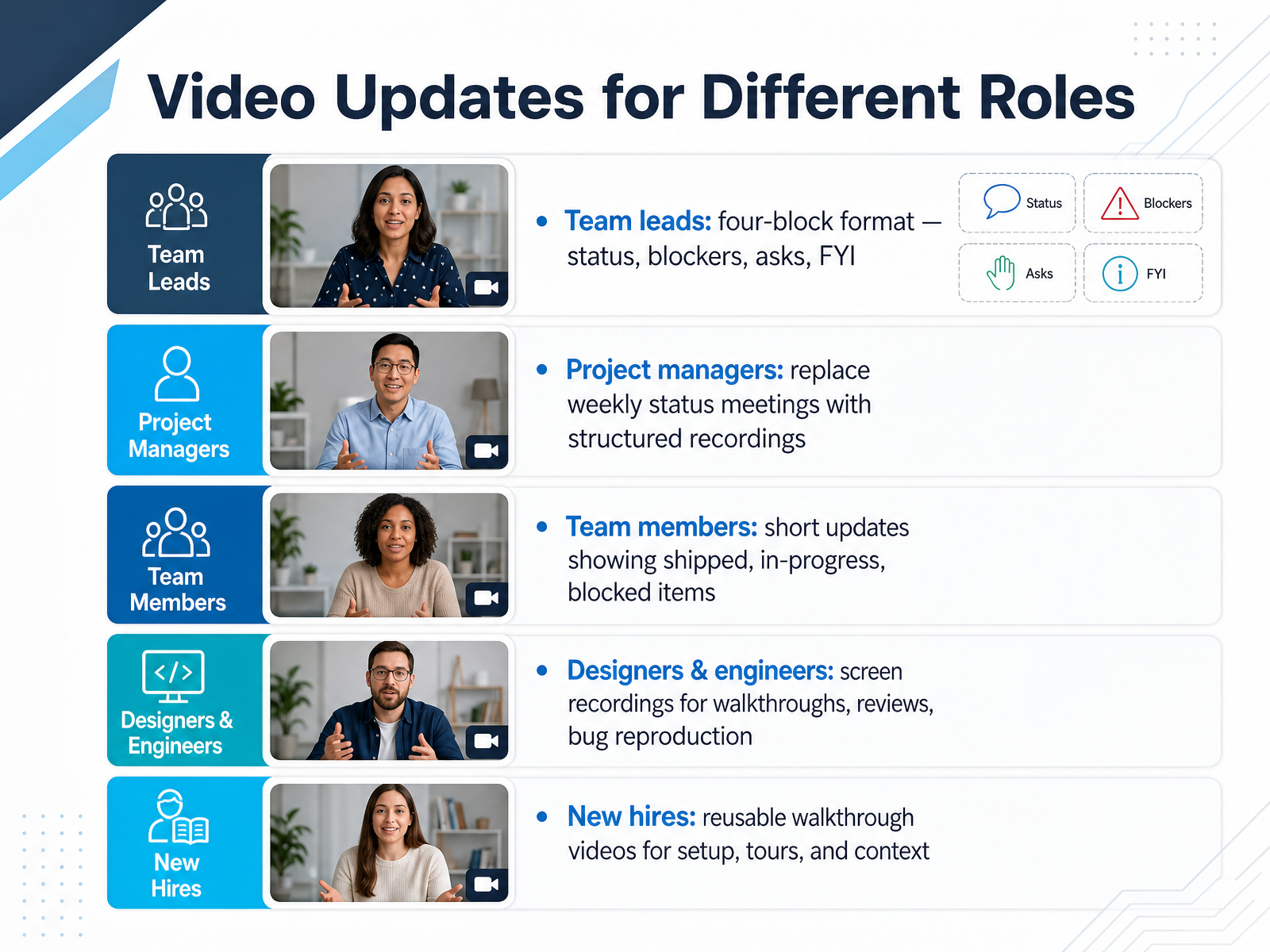
 - 06Video Updates for Different RolesLet’s look at how video updates fit different roles. For team leads, a common format is the four-block update: status, blockers, asks, and FYI. It keeps the message structured and makes it easy for the team to scan. Project managers often use recorded videos to replace weekly status meetings. Instead of gathering everyone, you record a short update and share the link. Team members can post brief videos showing what shipped, what’s in progress, and anything blocked. Designers and engineers benefit from screen recordings for walkthroughs, design reviews, or reproducing a bug visually. And new hires get reusable walkthrough videos for setup and onboarding, so they can rewatch at their own pace. The key is matching the format to the job. A quick video with clear sections saves more time than a long thread. Next, we’ll look at building a healthy async-first routine.
 timely.daycadence.withremote.aiinkeybit.com+21 min
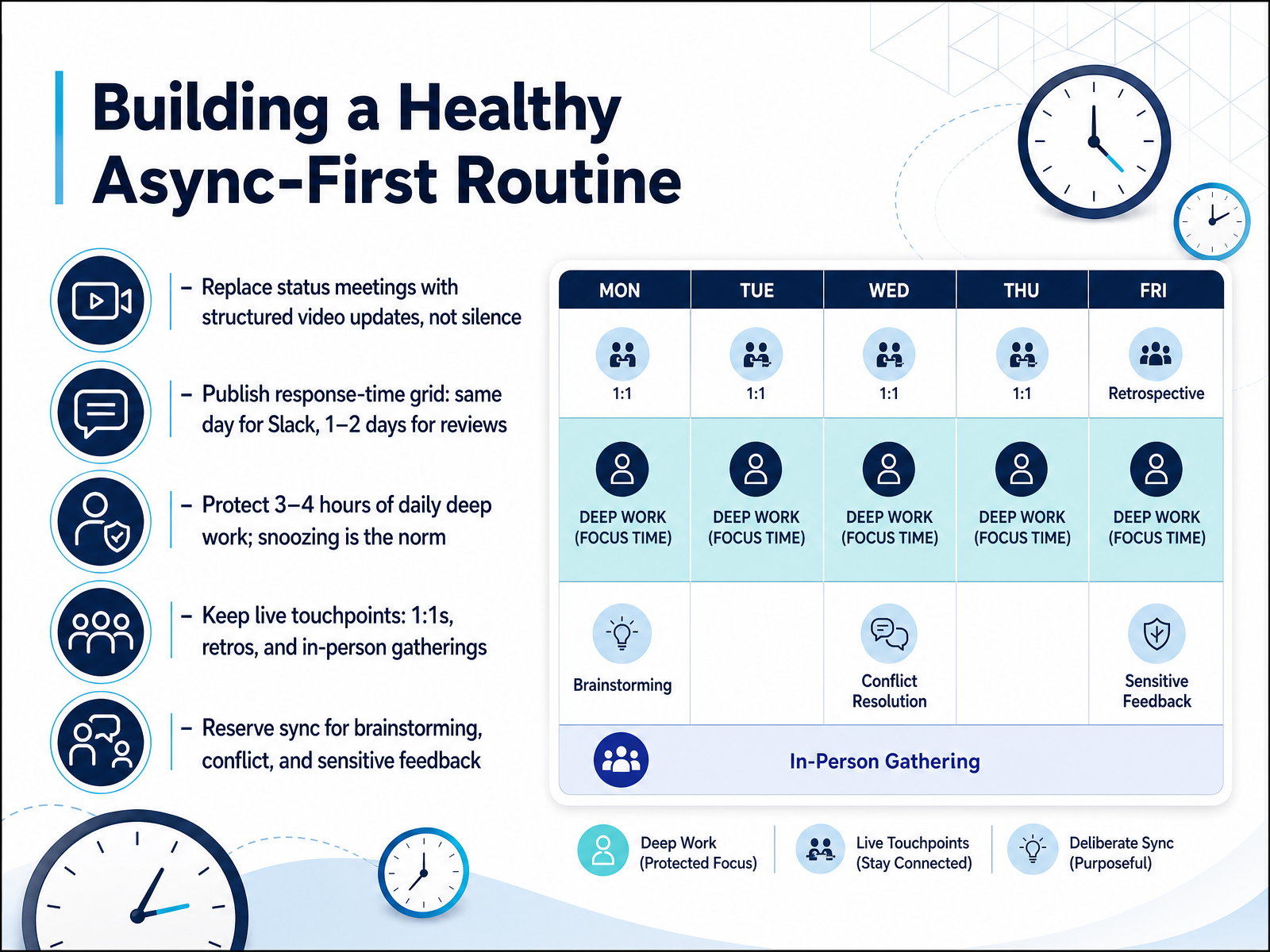
 - 07Building a Healthy Async-First RoutineNow let's talk about turning async-first from a concept into your team's daily rhythm. The first move is to replace status meetings with structured video updates. Record a three-minute Loom showing your progress, keep it focused, and post it where the team can watch it when it suits them. This isn't silence, it's structured communication. Next, publish a response-time grid. A common setup is same-day replies for Slack messages and one to two days for design or code reviews. This gives everyone permission to disconnect without the anxiety of a neglected message. Protecting deep work is non-negotiable. Block three to four hours daily for focused tasks, and make snoozing Slack the norm, not a confession. That's how makers get real work done. At the same time, keep the live touchpoints that matter. Regular one-on-ones, retrospectives, and any in-person gatherings are your relationship anchors. The golden rule is to reserve synchronous time for brainstorming, conflict resolution, and sensitive feedback. Everything else can wait in writing. Get these defaults right, and your team will be calmer and more productive. Next, we'll look at making those video updates easy to search and reuse across the team.
 timely.daycadence.withremote.aiinkeybit.com+22 min
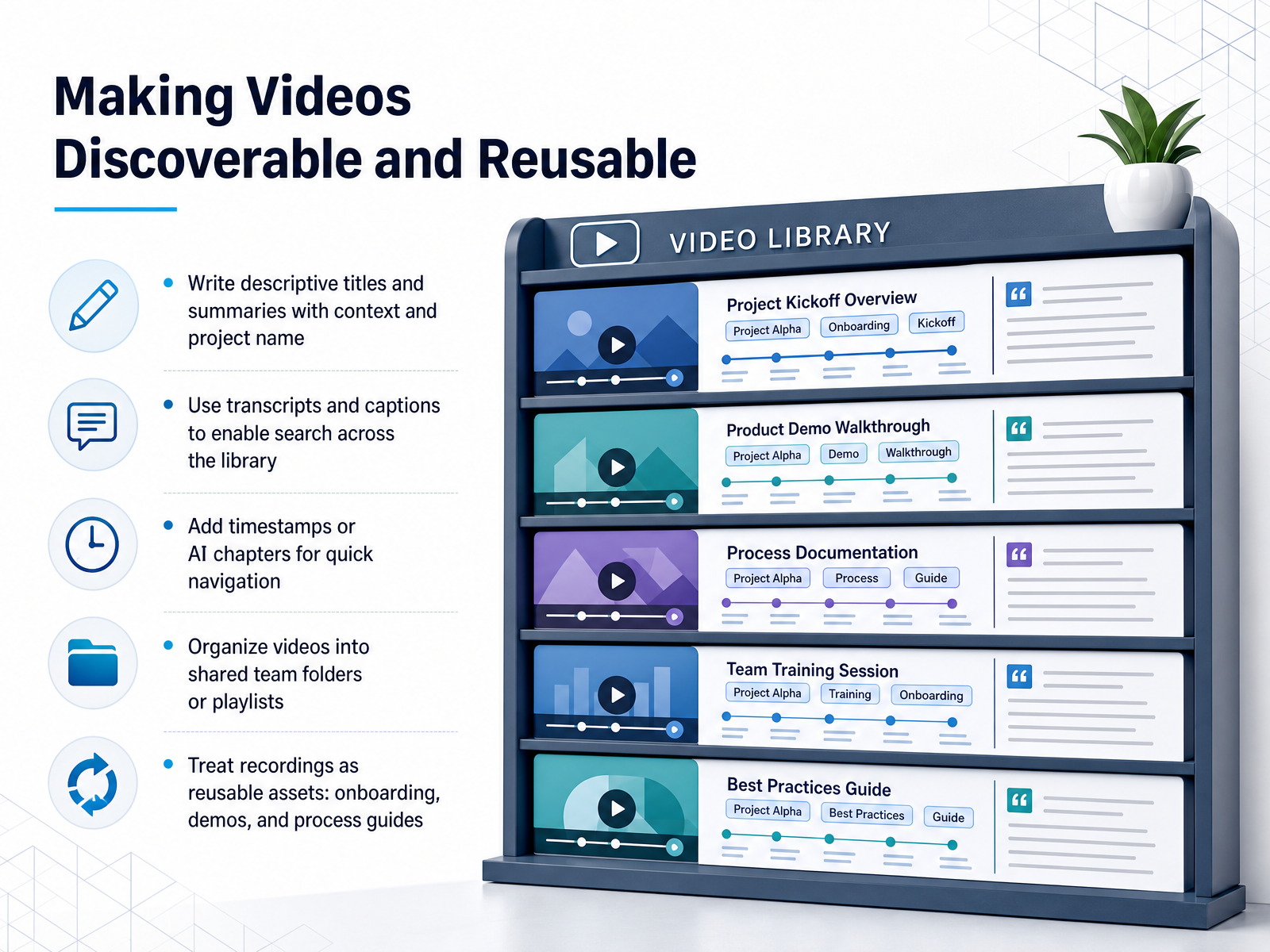
 - 08Making Videos Discoverable and ReusableNow let's talk about making your videos discoverable and reusable. This is where async video pays off beyond the time you save in the moment. A well-organized library becomes a knowledge asset for your whole team. Start with the basics. Write descriptive titles and summaries that include project names and enough context for someone to know what the video covers without opening it. For example, instead of 'Update on pricing,' use 'Q3 Pricing Review — Decision Needed on Tier Options.' Next, take advantage of transcripts and captions. They don't just help accessibility; they make your entire video library searchable. Someone can find the moment you discussed a specific feature even if they don't remember which recording it was in. Add timestamps or use AI-generated chapters so viewers can jump straight to the relevant section. A ten-minute demo feels much shorter when people can skip to the part they care about. Then, organize recordings into shared team folders or playlists. This turns a messy collection of links into an intentional structure. Finally, treat every recording as a reusable asset. Onboarding tours, product demos, and process guides are often recorded once and used dozens of times. A new teammate can watch a walkthrough from three months ago and ramp up without pulling a senior engineer away from their work. That's the real multiplier. Keep these habits in place and your video library becomes a tool everyone reaches for, not a stack of forgotten files. Next, we'll look at how to manage security, permissions, and compliance for your video content.
 timely.daycadence.withremote.aiinkeybit.com+22 min
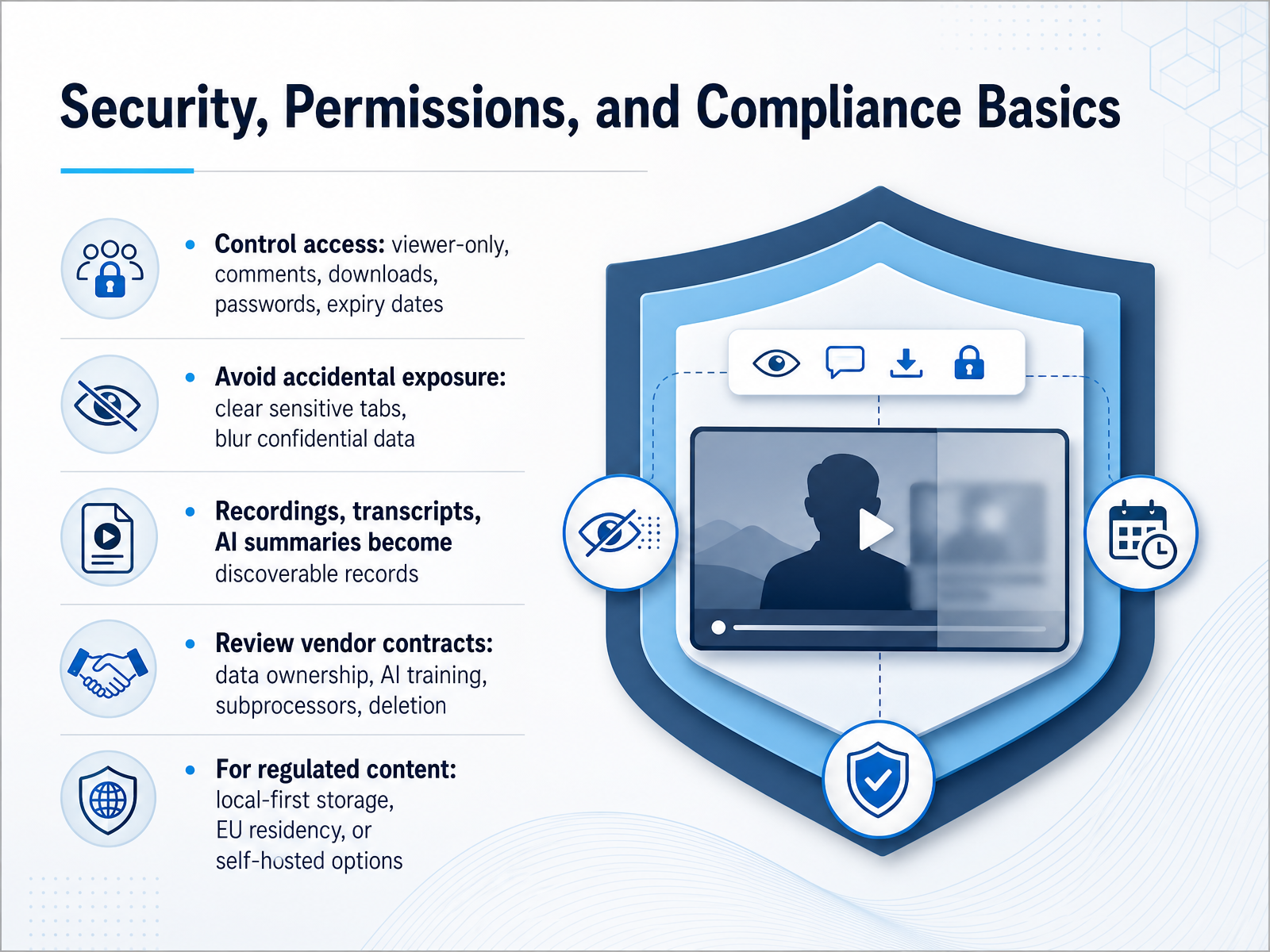
 - 09Security, Permissions, and Compliance BasicsLet’s talk about security, permissions, and compliance. These are the guardrails that keep async video from becoming a liability. First, control access at the link level. Most tools let you restrict viewers to comment-only, block downloads, or set a password and an expiry date. A common habit is to leave links open forever, and that’s the kind of thing that comes back to bite you. Before you share, ask yourself who really needs to see this—and for how long. Next, think about accidental exposure. It’s easy to record a screen with a sensitive tab open or a customer name visible. Pause, clear the clutter, and blur anything confidential before you hit record. Remember, recordings and their AI summaries become part of your company’s permanent record. That transcript is now searchable, discoverable, and possibly subject to legal hold. So only record what you genuinely need. Then, review your vendor contracts carefully. You’re looking for data ownership, whether your content is used for AI training, and who the subprocessors are. A good contract clearly states deletion timelines and gives you control. And for regulated content—like healthcare, finance, or anything under GDPR—consider local-first storage, EU residency, or self-hosted options to stay on the right side of the rules. The takeaway is simple: align your sharing habits and vendor choices with the sensitivity of the content. That discipline will carry us into our next topic, where we’ll talk about leading adoption as a manager or team lead.
 forasoft.comvideo.golpoai.comforasoft.com+22 min
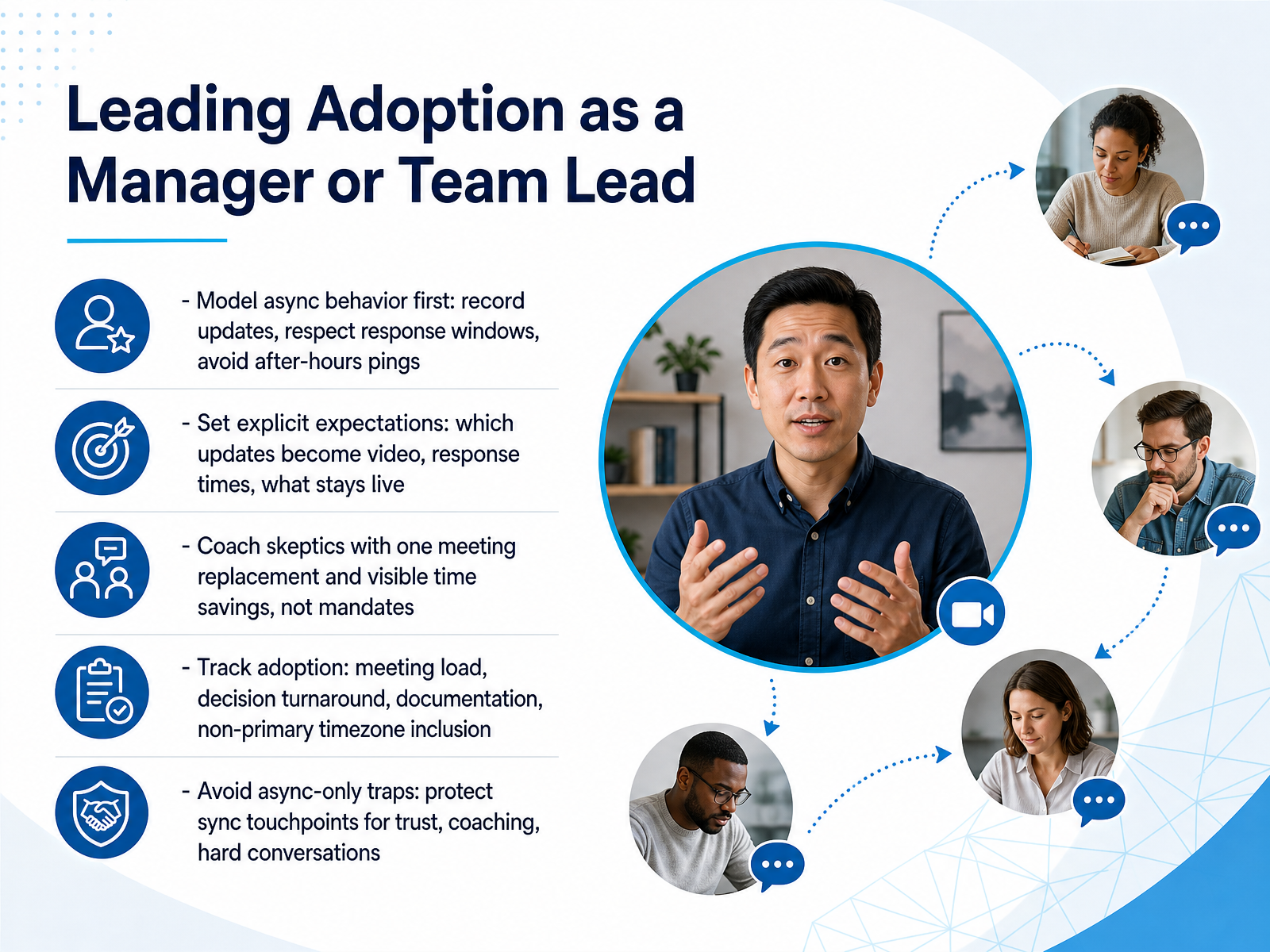
 - 10Leading Adoption as a Manager or Team LeadNow let's talk about your role as a manager or team lead in driving adoption. It starts with modeling the behavior yourself. Record your own updates, respect response windows, and avoid after-hours pings. Your team will follow what you do, not what you say. Next, set explicit expectations. Decide which updates should be video, what response times look like, and which conversations stay live. Write it down. For skeptics, don't mandate. Instead, replace one meeting with a recorded video update and show the time saved. That visible win does the persuading for you. Then track adoption with concrete signals: meeting load, decision turnaround, documentation quality, and whether people in non-primary time zones feel included. Finally, avoid the async-only trap. Protect synchronous touchpoints for trust, coaching, and hard conversations. A quick call can resolve what a thread never will. Keep the balance, and adoption will stick. In the next part, I'll share practical templates for everyday video updates.
 timely.daycadence.withremote.aiinkeybit.com+22 min
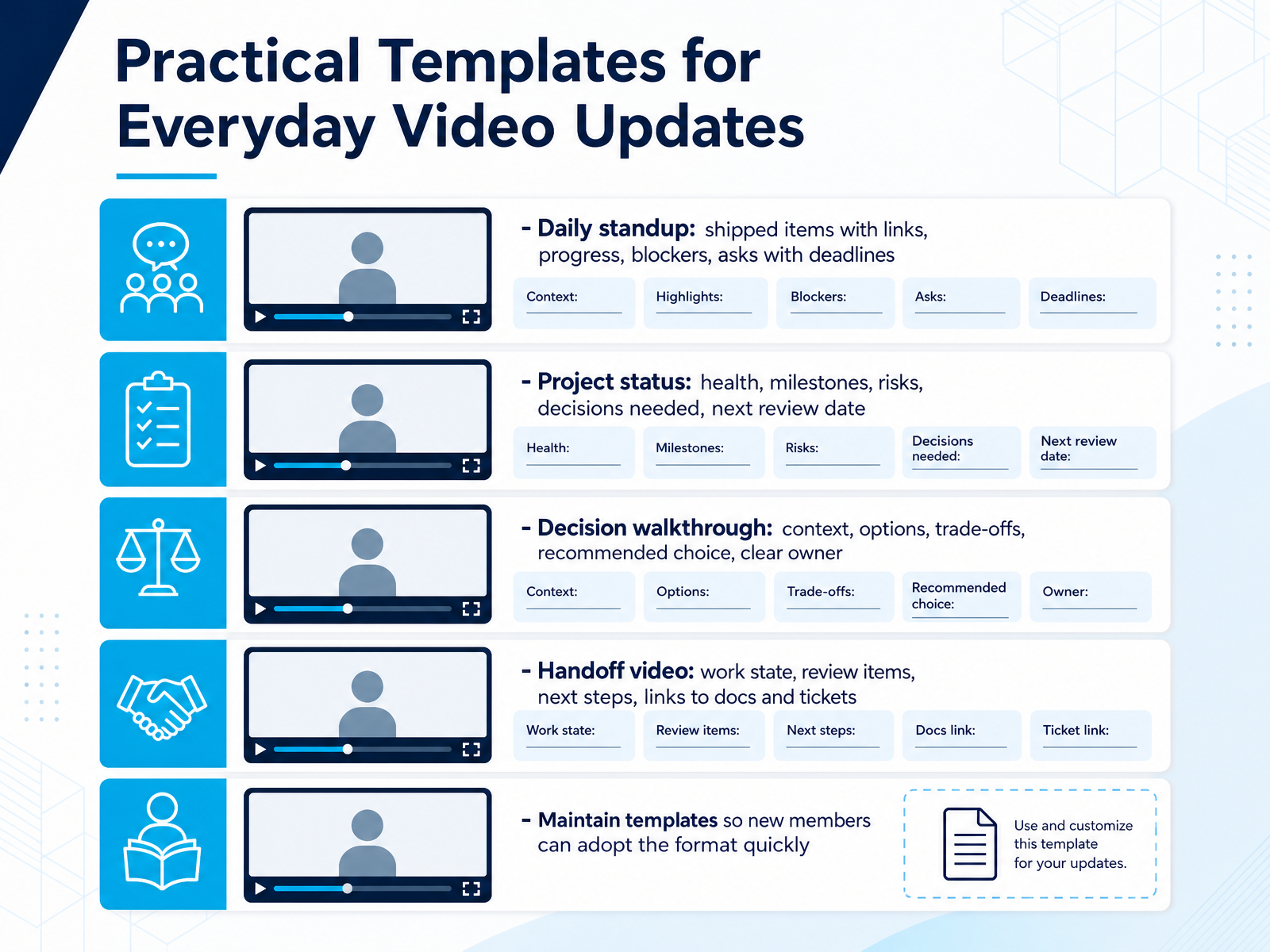
 - 11Practical Templates for Everyday Video UpdatesTemplates are where async video really earns its keep. A daily standup video should lead with shipped items and links, then progress, blockers, and any asks with explicit deadlines. For project status, cover health, milestones, risks, decisions needed, and the next review date. When walking through a decision, give context, options, trade-offs, your recommendation, and a clear owner. And for handoffs, state the work state, list review items, outline next steps, and link docs and tickets. The common thread is structure. Maintain these templates so new members can adopt the format quickly, and you save everyone from reinventing the wheel each time. Up next, we'll talk about defining team norms and response windows.
 timely.daycadence.withremote.aiinkeybit.com+21 min
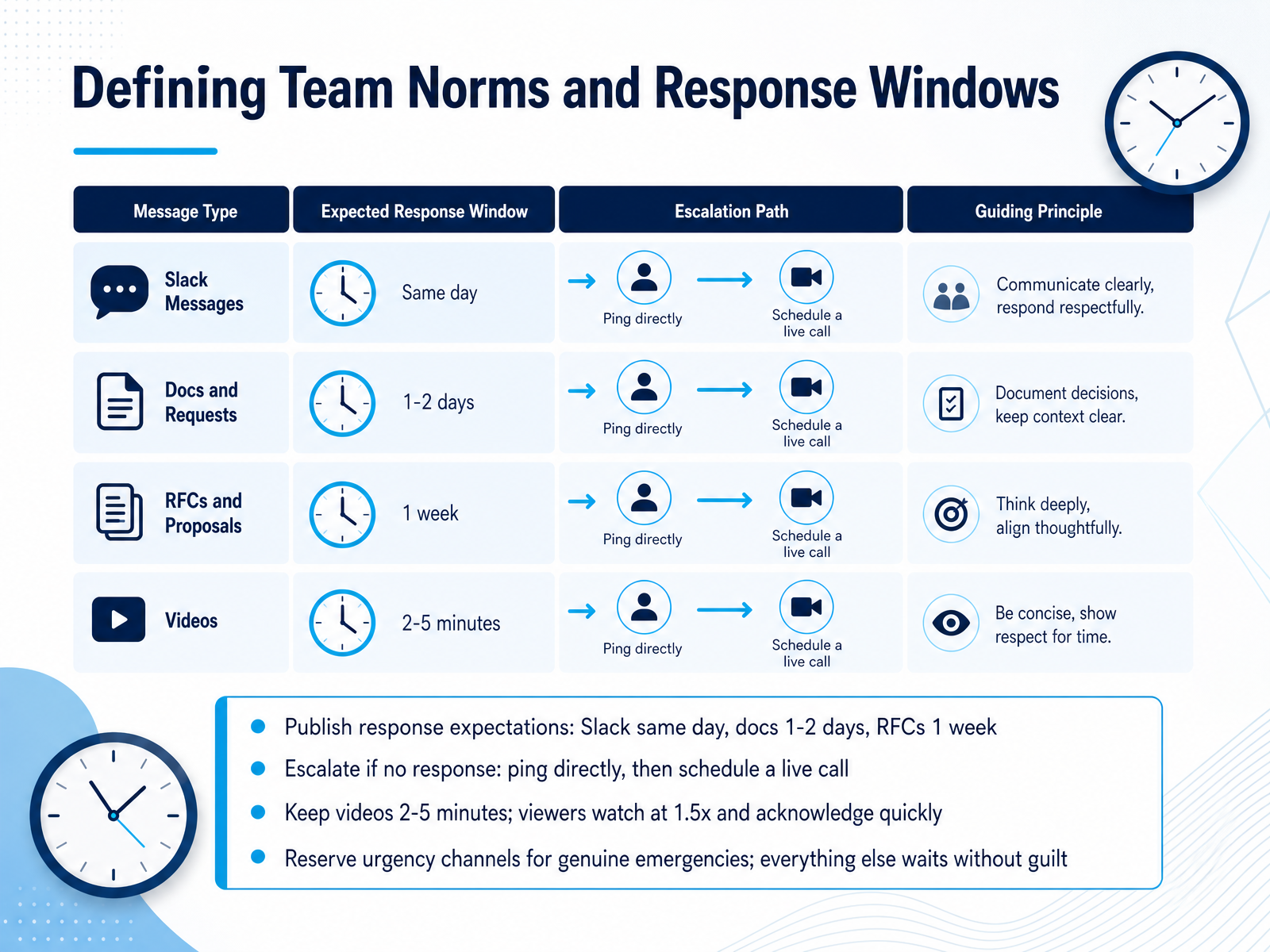
 - 12Defining Team Norms and Response WindowsNow let's talk about setting clear expectations, because async tools only work when everyone knows how quickly to respond. Publish your response windows openly. A common approach: Slack messages get a same-day response, document comments get one to two days, and RFCs get a full week for proper review. If you haven't heard back within those windows, escalate. Ping them directly first, and if that still doesn't work, schedule a quick live call to unblock. For video updates, keep them to two to five minutes. Viewers will likely skim at one-point-five speed, so make every second count and acknowledge receipt quickly. Finally, reserve your urgency channels for genuine emergencies. Everything else can wait without guilt. This protects deep work and keeps the team calm, which is exactly what async culture is meant to achieve. Next, we'll look at getting started with a first-week pilot.
 timely.daycadence.withremote.aiinkeybit.com+21 min
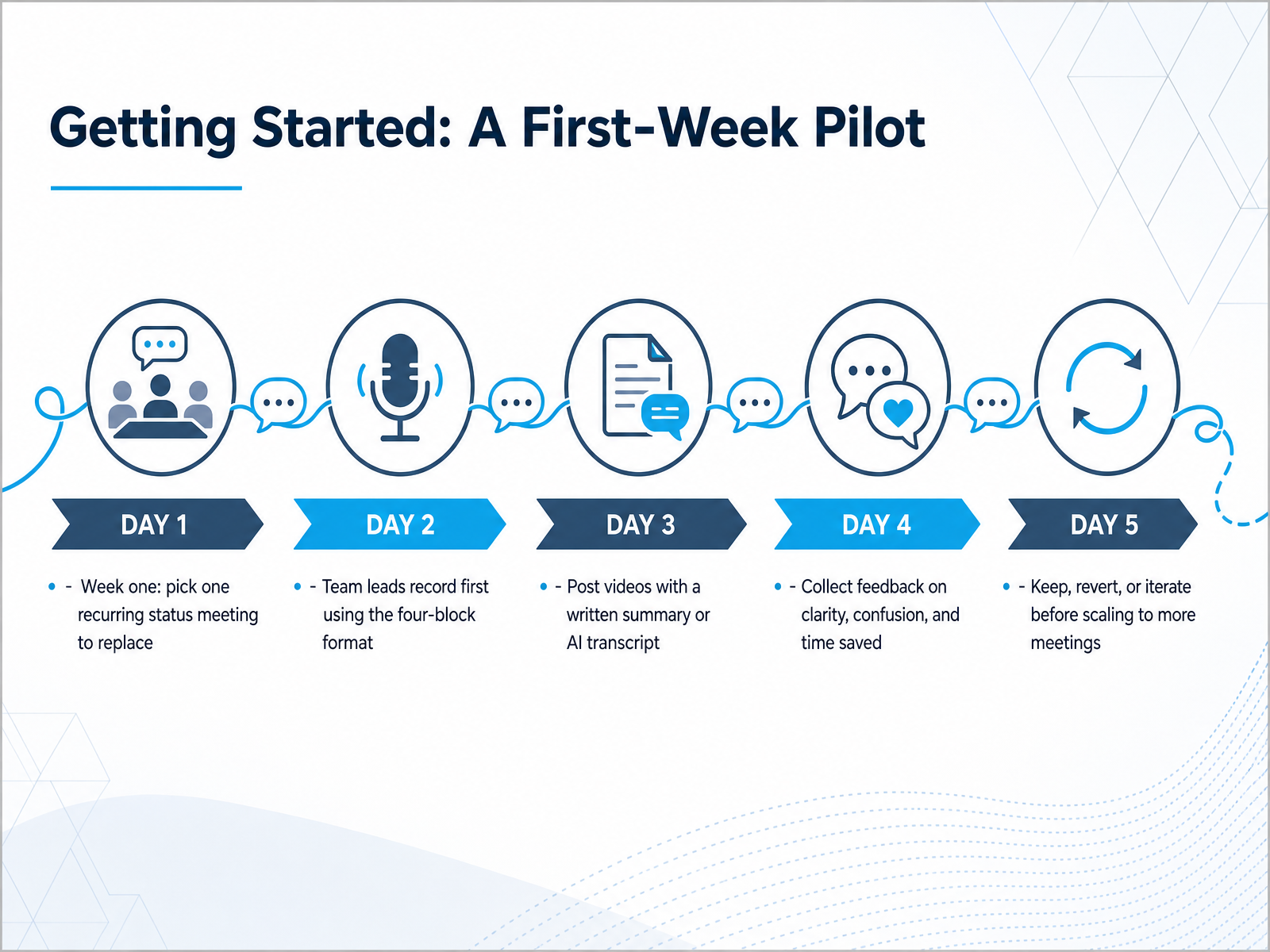
 - 13Getting Started: A First-Week PilotNow let's talk about getting started with a one-week pilot. The goal here is simple: pick one recurring status meeting to replace. Don't try to convert everything at once. Choose the meeting that feels least valuable, or the one people complain about most. For the first week, team leads record their updates using the four-block format. You'll recall that's status, blockers, asks, and FYI. Each block should be short and specific. Post the video to your team channel, and include a written summary or the AI transcript. That way, people can skim the text or watch the video, whichever suits them. Then collect feedback. Ask your team three things: Was it clearer than the live meeting? Did anything confuse you? Did you actually save time? You'll likely find that the removal of scheduling pressure alone is a win. After a week, decide. Keep the async format, revert to the live meeting, or tweak the approach and try again. Then, if it works, scale to one more meeting. Small, measured steps will build momentum without overwhelming anyone. Next, we'll look at how to measure improvement and know when you're ready to iterate.
 timely.daycadence.withremote.aiinkeybit.com+21 min
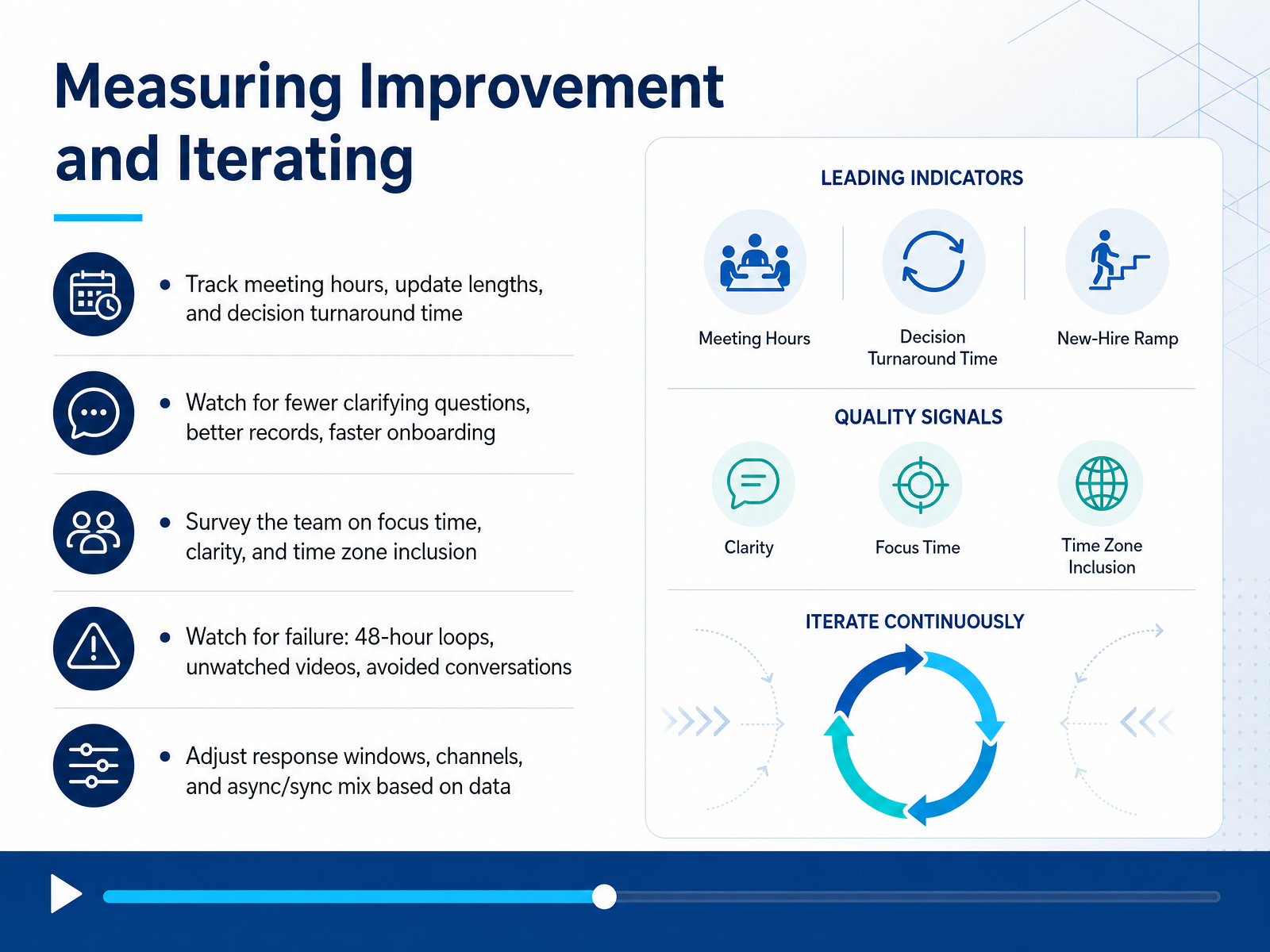
 - 14Measuring Improvement and IteratingYou've put the pieces in place, and now it's time to make sure they're working. Measuring improvement isn't about collecting data for its own sake. It's about spotting what's working and what's silently breaking down. Start by tracking simple signals: meeting hours, update lengths, and how long decisions take from proposal to approval. You'll likely notice fewer clarifying questions and faster onboarding when things are moving well. That's a good sign. But also watch for the failure modes. If a simple decision takes 48 hours to loop through, if videos go unwatched, or if people start avoiding conversations, those are red flags. Don't rely on your own read alone. Survey the team directly about focus time, clarity, and whether time zones feel included. Then adjust. Maybe response windows need to be tighter, or the mix of async and sync needs rebalancing. The data will tell you. Just remember, this isn't a one-time fix. It's an ongoing process. Keep measuring, keep iterating, and your async practice will keep getting better. Thanks for sticking with this course. You've got the tools and the mindset. Now go put them to work, and watch your team thrive.
 timely.daycadence.withremote.aiinkeybit.com+22 min
Take the deck with you
Download this course as a file — free, no sign-up needed.
- PDF handoutEvery slide page, ready to print or share.15 pages · 3.7 MBDownload
- Narrated PowerPointThe deck that presents itself — every slide carries the digital human's narration video.15 pages · 27.1 MBDownload
- PowerPoint slidesThe full deck as a .pptx — open it in PowerPoint, Keynote, or Google Slides.15 pages · 3.6 MBDownload
Free to use in your own training — please keep the PersonWise credit page at the end.
Have your own deck? Turn it into a course
Sources consulted
Web sources consulted while building this course.
- Async-First Communication for Remote Teams: Work Across Any Timezone - Timely Blog — timely.day
- Async communication guide for engineering teams in 2026 | Cadence blog — cadence.withremote.ai
- Async-First Communication: The Complete Guide for Distributed Teams in 2026 | inkeybit — inkeybit.com
- The 2026 Guide to Asynchronous-First Culture for Distributed Teams — blog.rayda.co
- Async Communication: Complete Guide for Remote Teams | QuestWorks — questworks.io
- Loom vs Vidyard vs Tella: Async Video Tools Compared (2026) — aimadefor.com
- Best Async Video Tools in 2026: 9 Platforms Honestly Tested for Distributed Teams | TopickZ.com — topickz.com
- Best Loom Alternatives for Async Video Messaging | Startupik | Startup magazine — startupik.com
- Loom vs Vidyard vs Tella vs Clipy: 2026 Comparison — clipy.online
- Loom vs Tella 2026: Which Async Video Tool Is Right for You? — wearefounders.uk
- Secure Video Communication Apps: 2026 Build Guide — forasoft.com
- AI Video Vendor Security Review Checklist — video.golpoai.com
- Secure Cloud Video Management: 2026 Security & Cost — forasoft.com
- https://docs.videodb.io/pages/core-concepts/security-privacy — docs.videodb.io
- Secure Video Recording | HIPAA, GDPR & FINRA Compliant | Capme — capme.app