Begin
14 pages · ~28 min
AI Tools for Technical Writing
This training teaches technical writers how to use AI tools to streamline documentation, improve accuracy, and boost productivity in their daily work.
A digital instructor presents all 14 pages. Hold “Ask” at any point and ask out loud — the answer comes from this course. No sign-up needed.
What you’ll learn
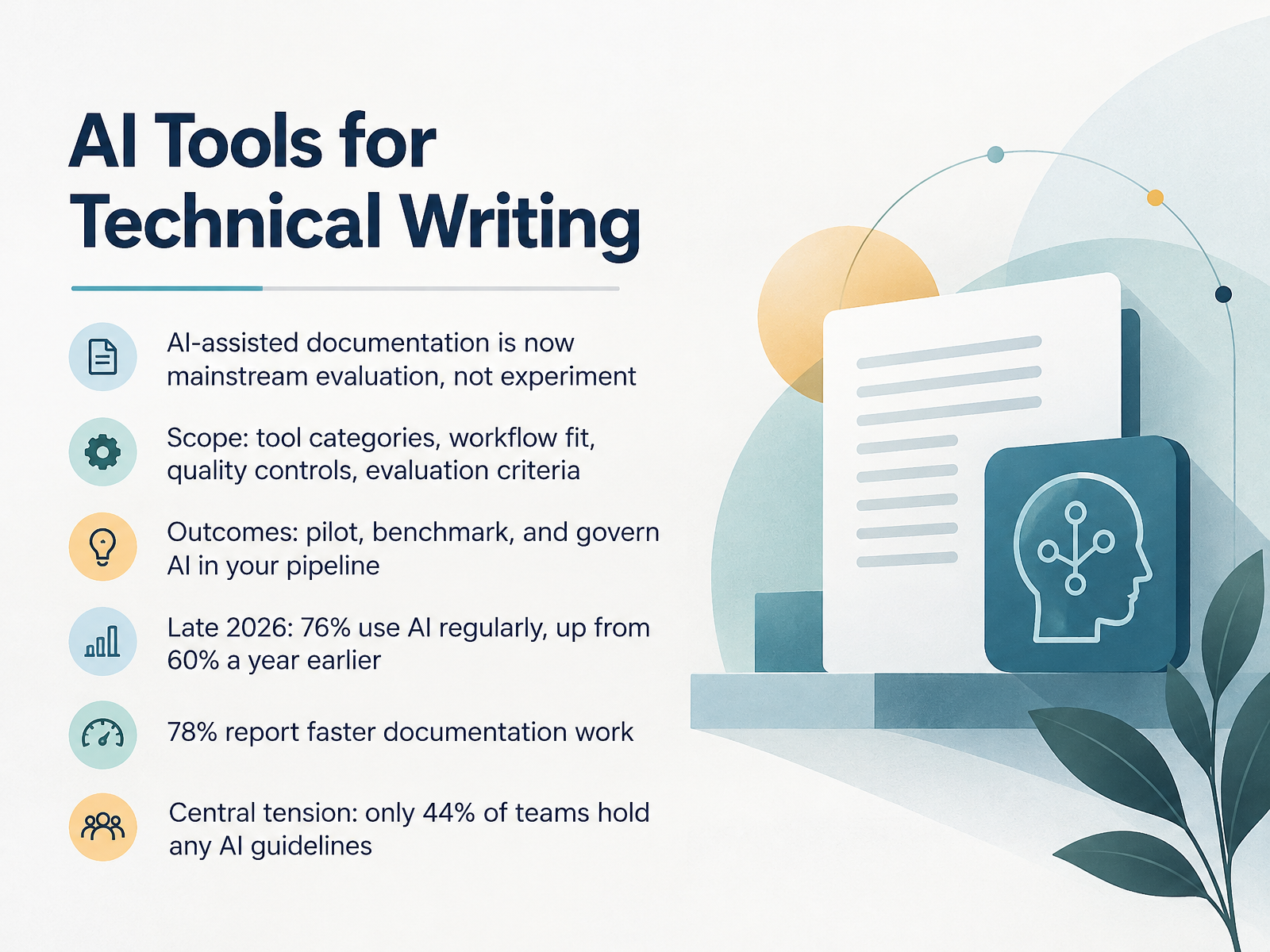
- 01AI Tools for Technical WritingWelcome. I am glad you are here. Today we are looking at A.I. tools for technical writing, and we will treat this as a practical evaluation, not an experiment. AI-assisted documentation is now mainstream. In late twenty twenty-six, seventy-six percent of documentation professionals use AI regularly, up from sixty percent a year earlier. Seventy-eight percent report faster documentation work. Yet only forty-four percent of teams hold any AI guidelines. That gap is our central tension. Together, we will cover tool categories, workflow fit, quality controls, and evaluation criteria. Then we will focus on outcomes. You will learn how to pilot AI, benchmark results, and govern AI inside your documentation pipeline. The goal is not to adopt AI everywhere. The goal is to use it where it genuinely helps, while protecting accuracy and reviewer trust. Let us begin with why documentation workflows are changing.stateofdocs.comstateofdocs.comcherryleaf.com+21 min
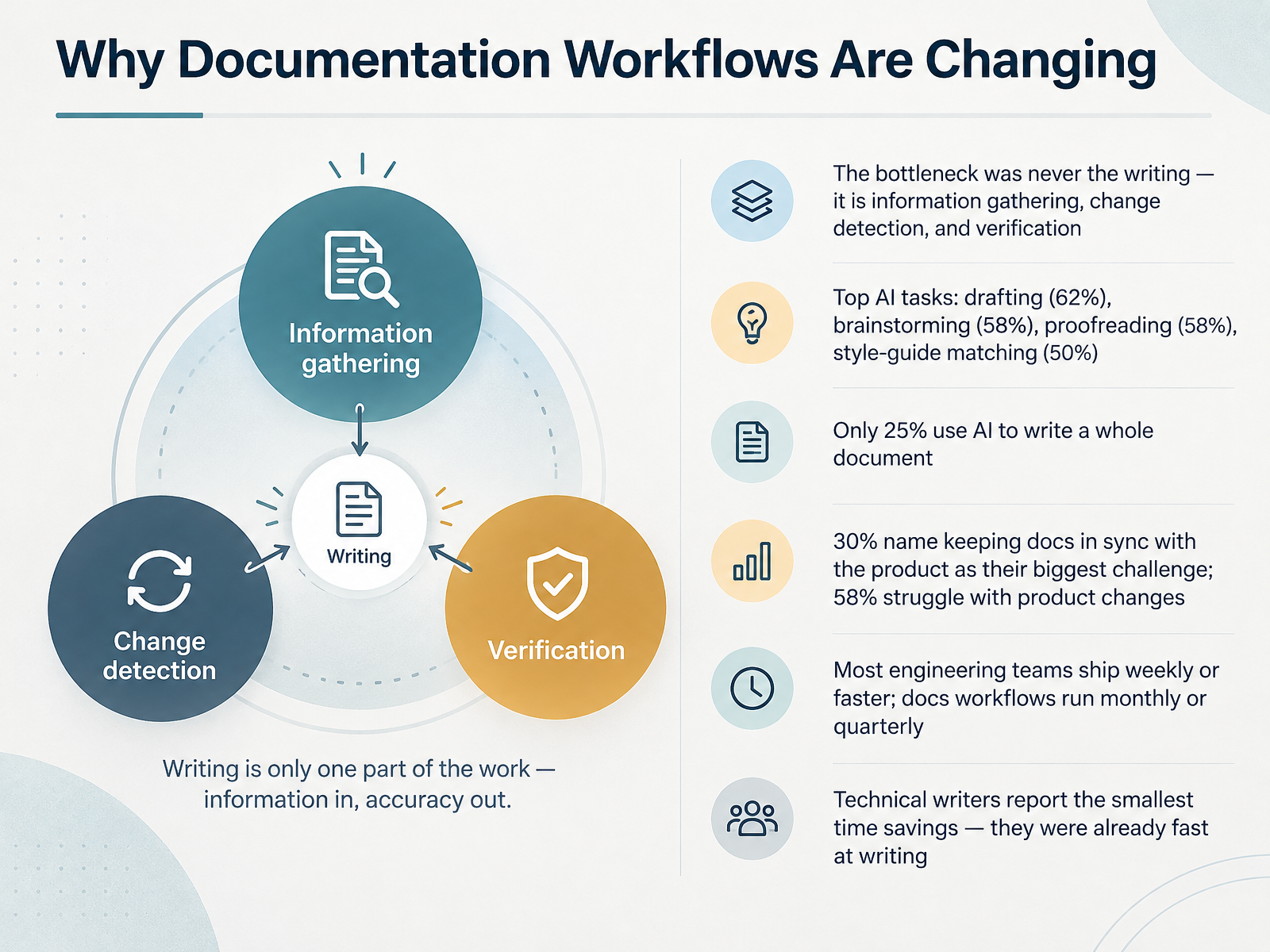
- 02Why Documentation Workflows Are ChangingLet's look at why documentation workflows are changing. The core finding here is simple. The bottleneck was never the writing. It is information gathering, change detection, and verification. And that shows up in the data. When professionals use AI, they mostly use it for drafting, at sixty two percent. Brainstorming and proofreading both land at fifty eight percent. Style guide matching comes in at fifty percent. But only twenty five percent use AI to write an entire document. Meanwhile, thirty percent name keeping docs in sync with the product as their single biggest challenge, and fifty eight percent struggle specifically with product changes. The reason is a cadence mismatch. Most engineering teams ship weekly or faster, while docs workflows typically run monthly or quarterly. And here is the part worth sitting with. Technical writers report the smallest time savings from AI, because they were already fast at writing. The words were never the hard part. Next, let's look at how AI is actually being used today.
 stateofdocs.comstateofdocs.compromptitude.io+22 min
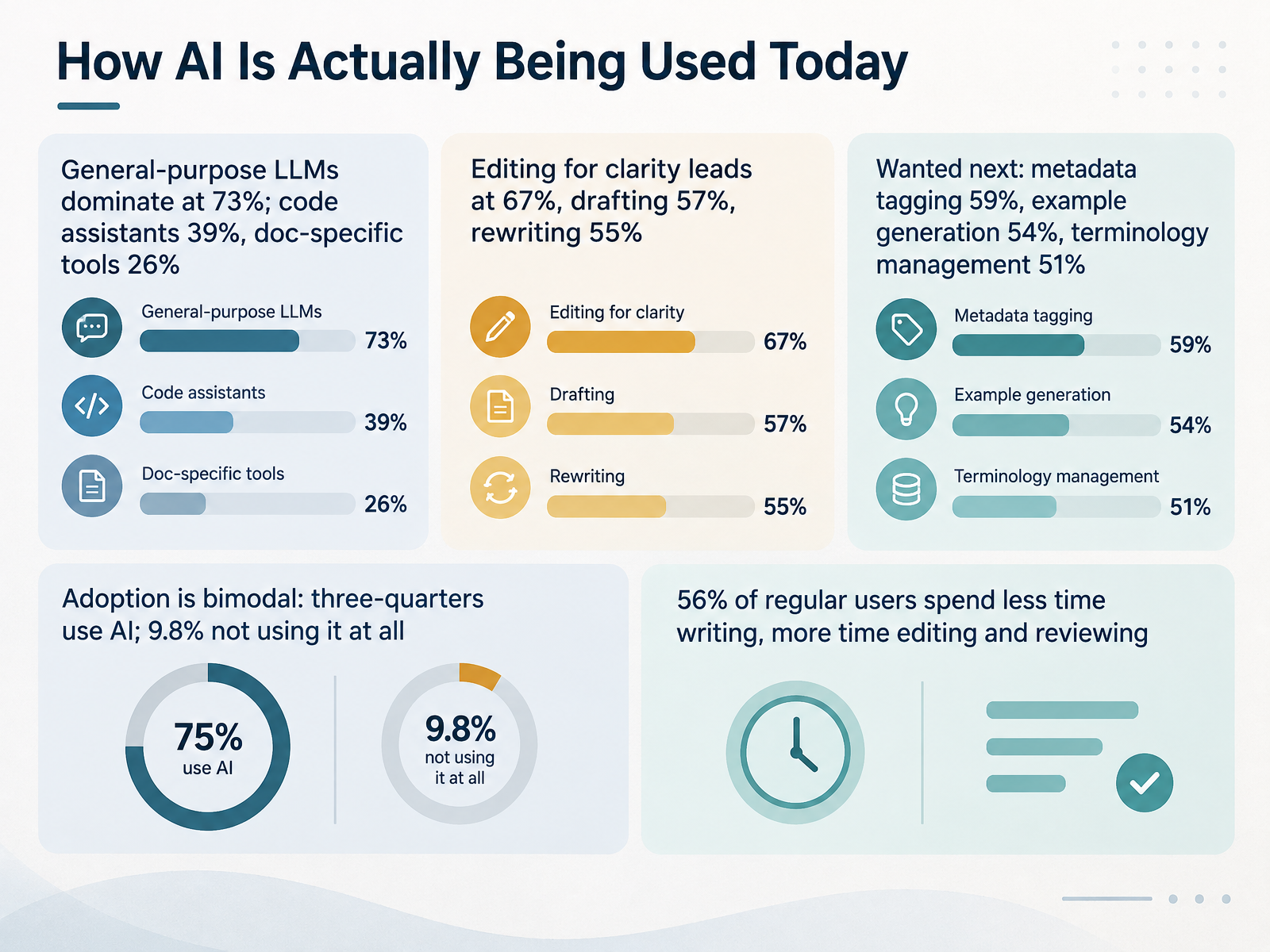
 - 03How AI Is Actually Being Used TodayNow, let's look at how AI is actually being used today. General-purpose large language models, or LLMs, dominate at seventy-three percent. Code assistants come in at thirty-nine percent, and documentation-specific tools at twenty-six percent. When it comes to tasks, editing for clarity leads at sixty-seven percent, followed by drafting at fifty-seven percent, and rewriting at fifty-five percent. Looking ahead, practitioners want automated metadata tagging at fifty-nine percent, example generation at fifty-four percent, and terminology management at fifty-one percent. Adoption is bimodal. About three-quarters use AI regularly, while nine point eight percent are not using it at all. And here's an important shift. Fifty-six percent of regular users say they now spend less time writing and more time editing and reviewing. That changes where your attention goes. Next, let's break down the tool categories and what each one solves.
 stateofdocs.comstateofdocs.comcherryleaf.com+21 min
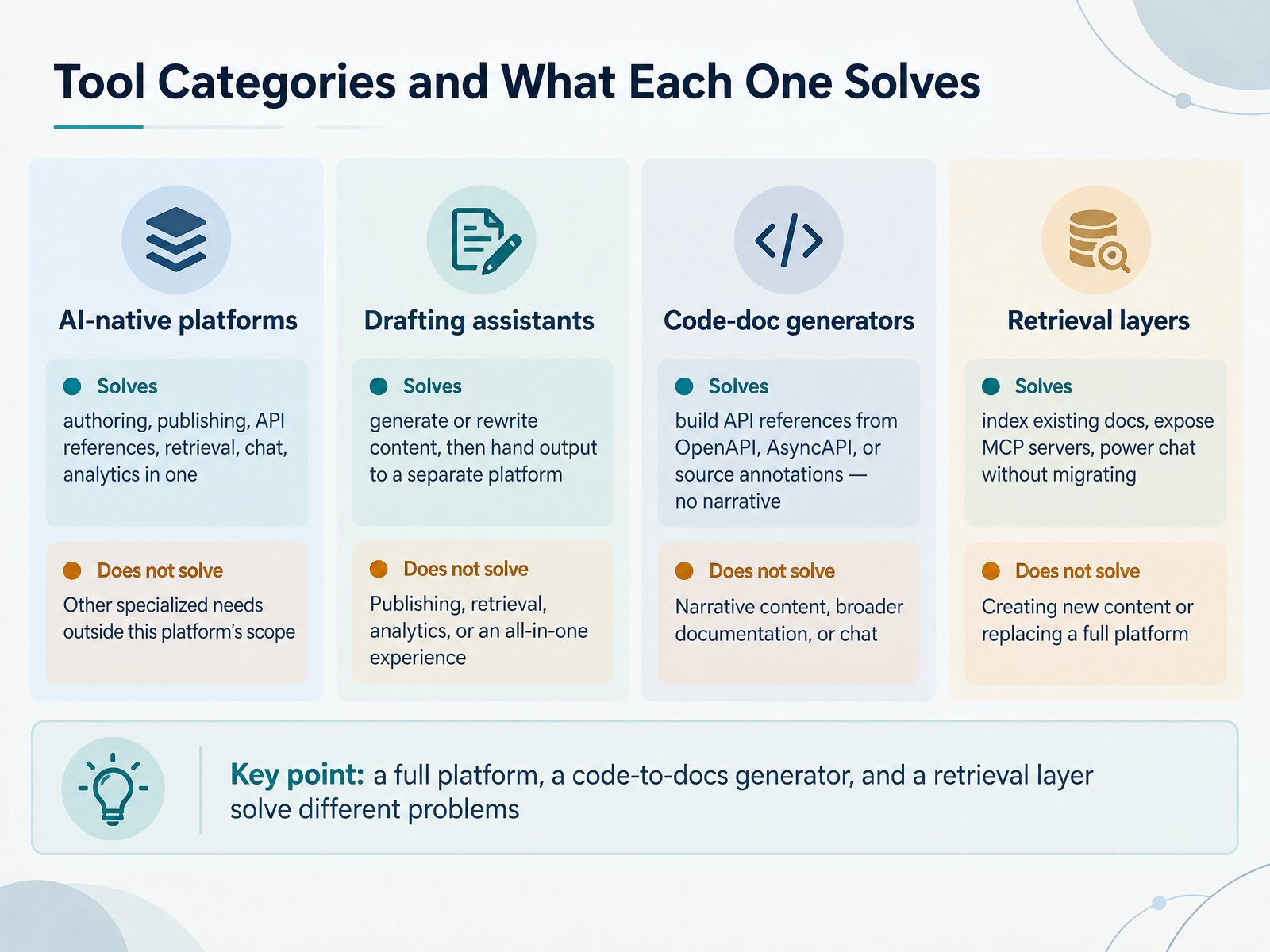
 - 04Tool Categories and What Each One SolvesSo let's break the tooling into categories. First, AI-native platforms. These combine authoring, publishing, API references, retrieval, chat, and analytics in one product. Think Mintlify or GitBook. One place for everything, but you commit to that platform.
Second, drafting assistants. They generate or rewrite content, then you hand the output to a separate publishing system. These speed up first drafts, not the whole workflow.
Third, code-doc generators. These build API references from your OpenAPI or AsyncAPI specs, or from source annotations. They produce reference, not narrative. Your guides and conceptual explanations still come from you.
Fourth, retrieval layers. These index your existing docs, expose something called an MCP server, and power chat without migrating anything. Kapa is a good example. You keep your current docs site and add AI answers on top.
Fifth, workflow automation. These monitor pull requests, tickets, and commits, then draft release notes from the actual changes. Useful for keeping changelogs current.
The key point is this. A full platform, a code-to-docs generator, and a retrieval layer solve different problems. Pick per layer, not per brand. Next, we'll look at core capabilities and their limits.
 mintlify.comdocumentation.aidocsio.co+22 min
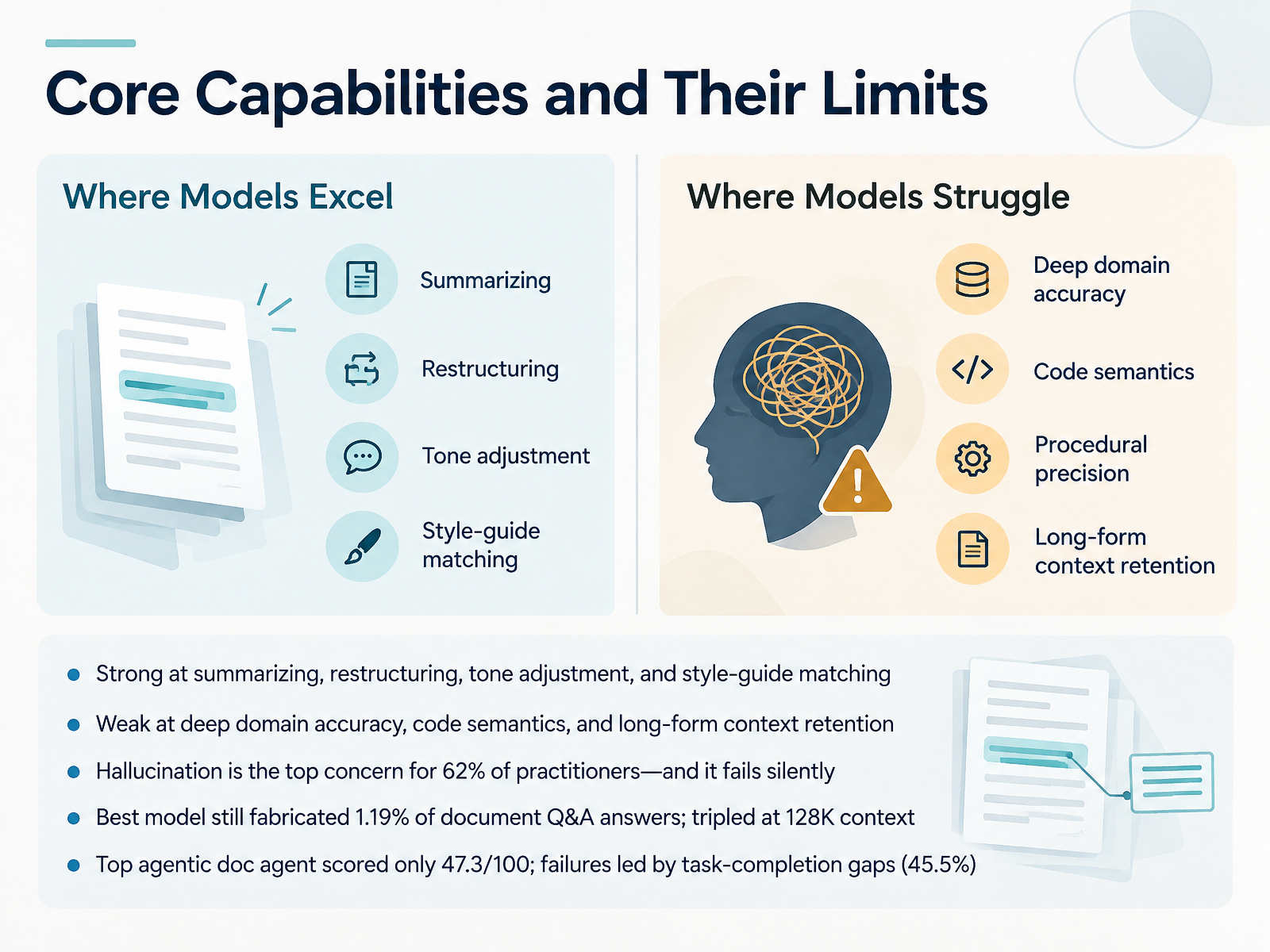
 - 05Core Capabilities and Their LimitsSo let's look at what these tools actually do well, and where they quietly fall short. On the strong side, language models are reliable at summarizing long drafts, restructuring sections, adjusting tone, and matching a house style guide. Those are low-risk wins you can adopt quickly. Now the limits. Deep domain accuracy, code semantics, and long-form context retention remain weak points. That matters because hallucination, meaning confident fabricated content, is the top concern for sixty-two percent of practitioners, and it often fails silently. The best model in one large study still fabricated answers in one point one nine percent of document questions, and that rate nearly tripled at a hundred and twenty-eight thousand tokens of context. Agentic documentation tools fare no better: the top agent scored only forty-seven point three out of one hundred, with failured led by task-completion gaps at forty-five point five percent. Treat these tools as drafting partners, not authorities. Next, we will map tools to the documentation lifecycle.
 arxiv.orgdoria.fiaclanthology.org+22 min
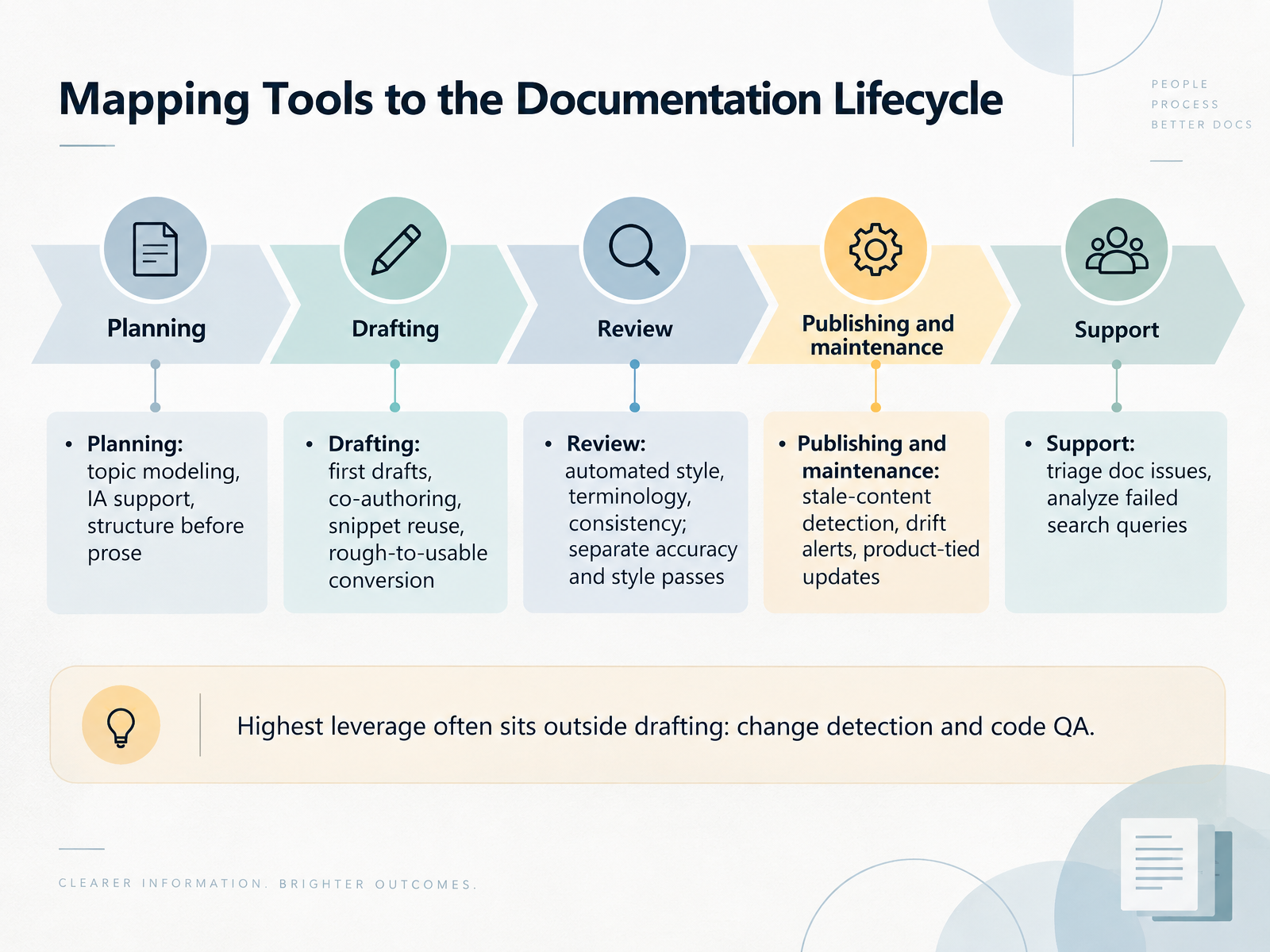
 - 06Mapping Tools to the Documentation LifecycleLet's map AI tools to each stage of the documentation lifecycle. Planning comes first, where topic modeling and information architecture support structure before prose. Then drafting, where tools help with first drafts, co-authoring, and snippet reuse, turning rough notes into usable text. Review splits into two passes: automated style, terminology, and consistency checks on one side, and accuracy verification against the live product on the other. Publishing and maintenance covers stale-content detection, drift alerts, and updates tied directly to product changes. Support means triaging documentation issues and analyzing failed search queries. Here's the key insight: the highest leverage often sits outside drafting entirely, in change detection and code quality assurance. Practitioners consistently report that writing was never the real bottleneck. Finding what changed and verifying accuracy is where AI earns its keep. Next, we'll look at evaluation criteria and benchmarking.
 stateofdocs.comstateofdocs.compromptitude.io+22 min
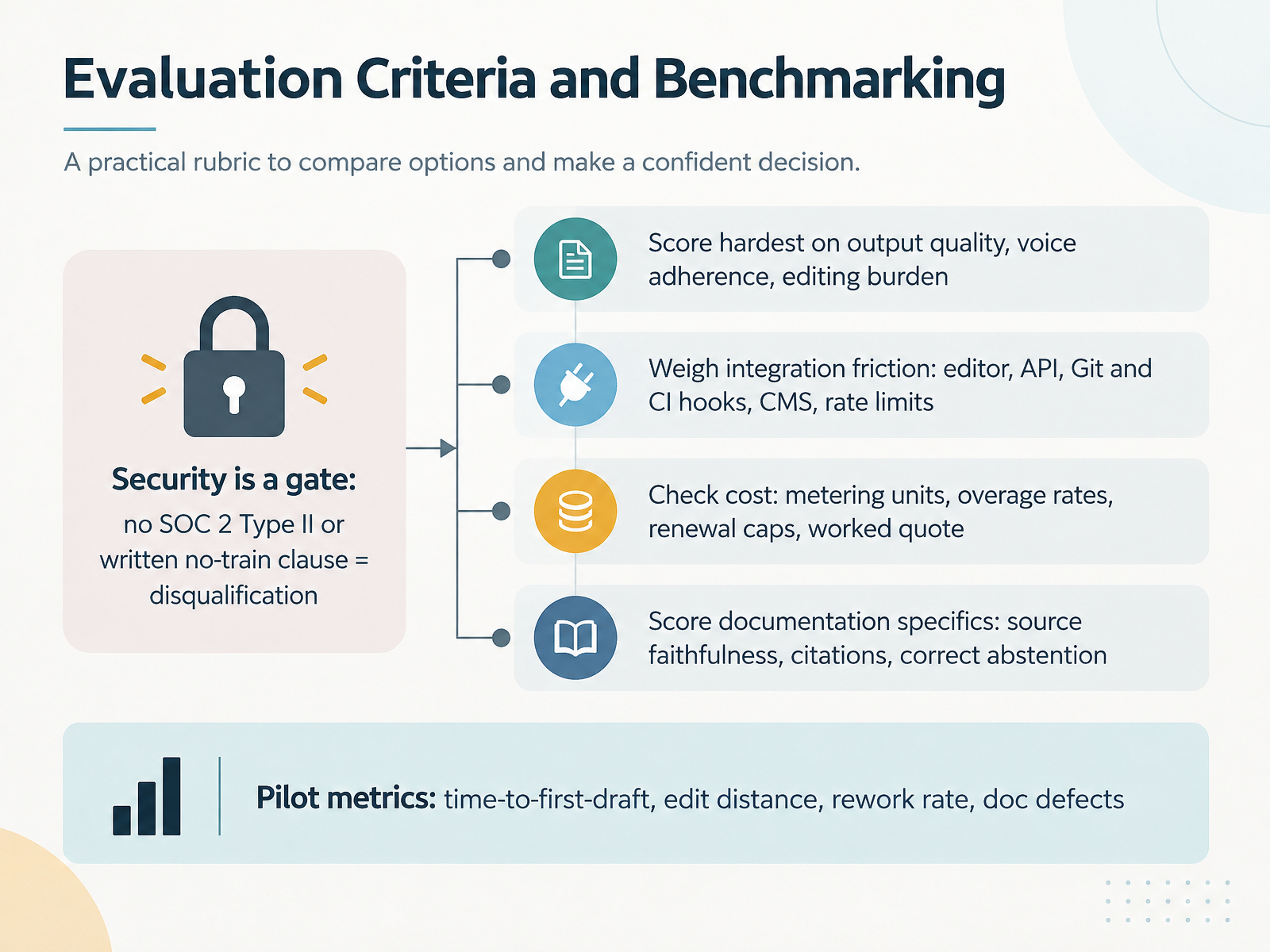
 - 07Evaluation Criteria and BenchmarkingLet's walk through how we actually evaluate and benchmark these tools. Start with scoring weights. Weight output quality, voice adherence, and editing burden the hardest, because those three decide whether writers keep using the tool. Then treat security as a gate, not a score. No SOC 2 Type II report, or no written no-train clause, means disqualification. That is a pass or fail, not a negotiation point. Next, weigh integration friction: your editor, API, Git and CI hooks, your CMS, and rate limits. Then cost. Ask about metering units, overage rates, renewal caps, and request a worked quote on your real volume. For documentation specifically, check source faithfulness, citation accuracy, and correct abstention, meaning the tool declines when evidence is missing. Finally, define pilot metrics up front: time-to-first-draft, edit distance, rework rate, and documentation defects. That gives you a defensible scorecard. Next, we'll look at designing a pilot that produces defensible results.
 syntheticwhite.comtopickz.comdocument360.com+22 min
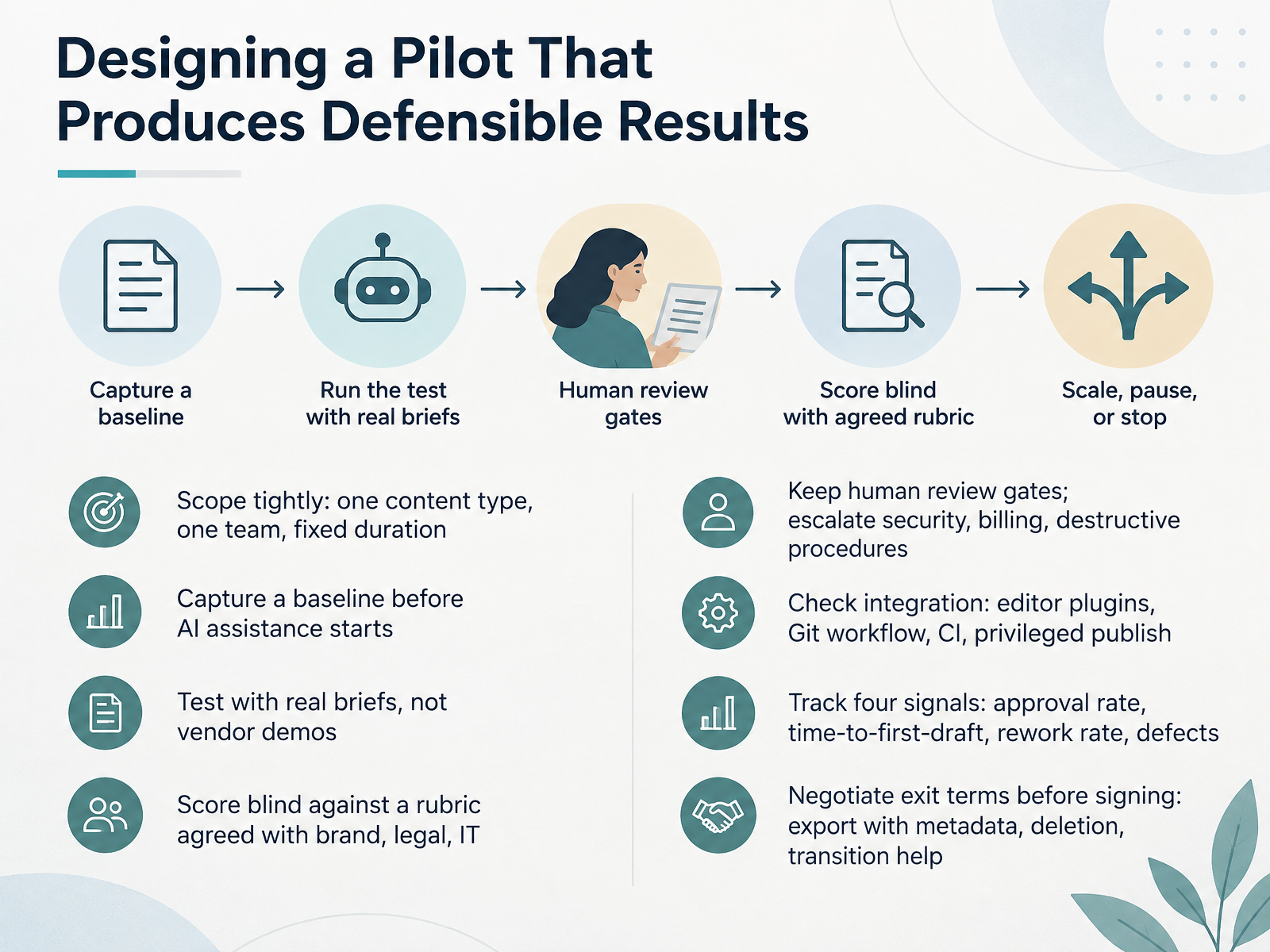
 - 08Designing a Pilot That Produces Defensible ResultsNow let's talk about designing a pilot that produces defensible results. The word defensible matters here. You are not collecting opinions, you are collecting evidence. So scope tightly. Pick one content type and one team, and set a fixed duration, typically a few weeks, long enough to run briefs, two approval rounds, a change after sign-off, and an export. Capture a baseline before AI assistance starts, so you can compare like for like. Test with real briefs, not vendor demos, with your guidelines, products, and languages loaded. Then score blind against a rubric agreed with brand, legal, and IT before anyone sees output. Keep human review gates in place, and escalate security, billing, and destructive procedures to a person. Check integration early. Editor plugins, Git workflow, continuous integration, and privileged publish access. Track four signals. Approval rate, time to first draft, rework rate, and defects. And negotiate exit terms before signing. You want export with metadata, deletion confirmation, and transition help. Next, Quality, Governance, and Risk Controls.
 syntheticwhite.comtopickz.comdocument360.com2 min
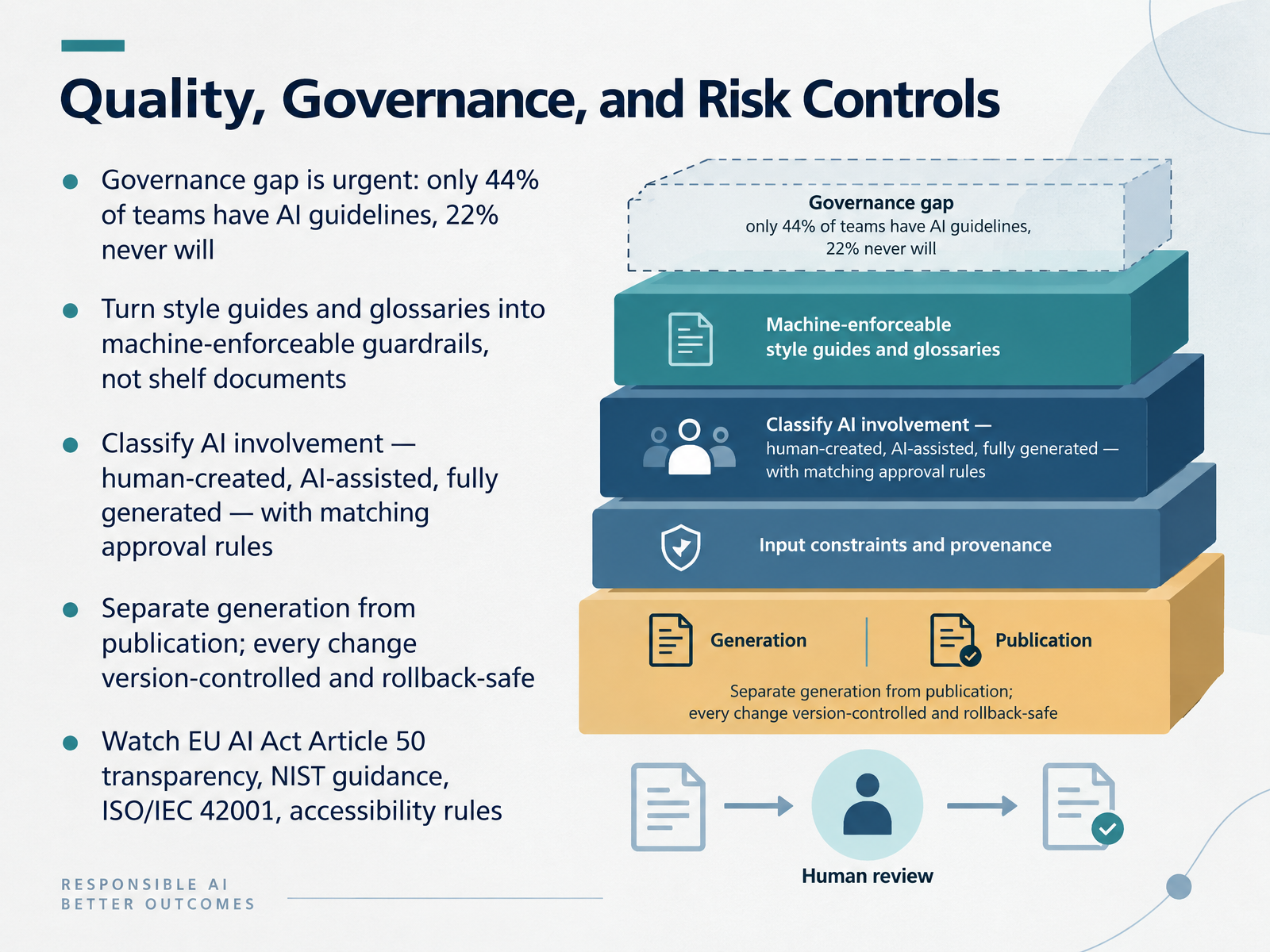
 - 09Quality, Governance, and Risk ControlsLet's talk about quality, governance, and risk controls. The governance gap here is urgent. Surveys suggest only forty-four percent of teams have AI guidelines, and twenty-two percent say they never will. That leaves a lot of undocumented decisions in your content pipeline. A practical fix is treating your style guide and glossary as machine-enforceable guardrails, not shelf documents. Feed those term lists into validation so the model cannot quietly change product names or preferred phrasing. Next, classify AI involvement. Human-created, AI-assisted, and fully generated content should each carry their own approval rules. Then separate generation from publication. The model can propose edits, but a human or a protected step should publish them, with every change version-controlled and rollback-safe. Watch the regulatory layer too. Article fifty of the EU AI Act sets transparency obligations for AI-generated content. NIST offers documentation guidance, ISO/IEC 42001 covers AI management systems, and accessibility rules still apply. None of this is absolute. It is a set of trade-offs you can defend. The goal is simple: make AI involvement visible, keep provenance intact, and ensure mistakes stay reversible. Next, we look at reviewing AI-generated documentation with a three-pass method.
 2 min
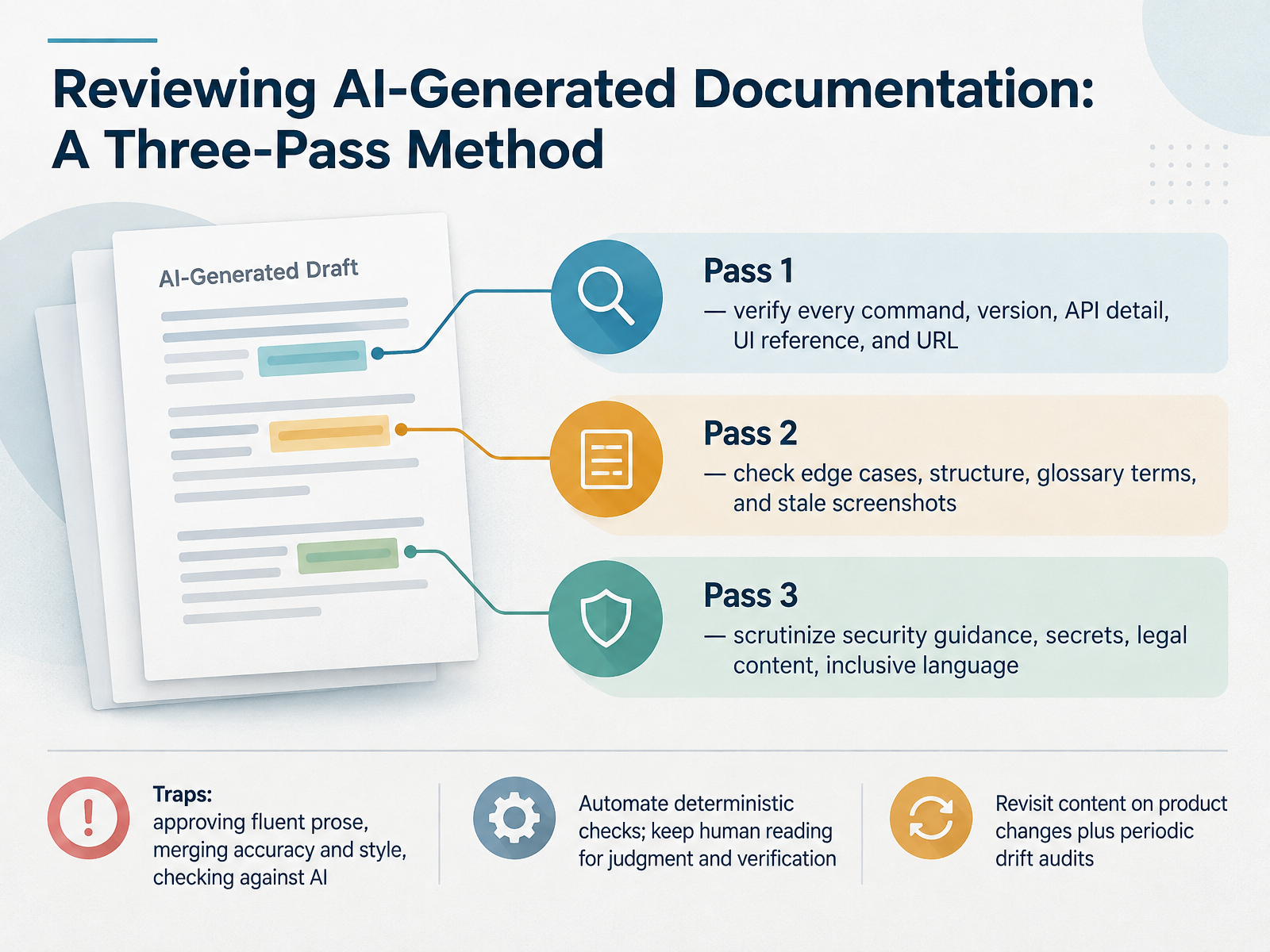
2 min - 10Reviewing AI-Generated Documentation: A Three-Pass MethodSo how do we actually review AI-generated documentation? A three-pass method works well here. Pass one is accuracy. Verify every command, version number, API detail, UI reference, and URL against the live product, not the model's memory. Pass two covers completeness, structure, glossary terms, and stale screenshots. Pass three handles safety and compliance: security guidance, leaked secrets, legal content, and inclusive language. Keep these passes separate. Merging accuracy and style into one read is a common trap, and so is approving fluent prose without checking it. Automate what is deterministic, like terminology linters and link checks. Save human reading for judgment and verification. Then revisit content whenever the product changes, plus a periodic drift audit, quarterly is a reasonable start. That keeps your docs trustworthy over time. Next, let's look at hands-on patterns for technical writers.
 syntheticwhite.comtopickz.comdocument360.com2 min
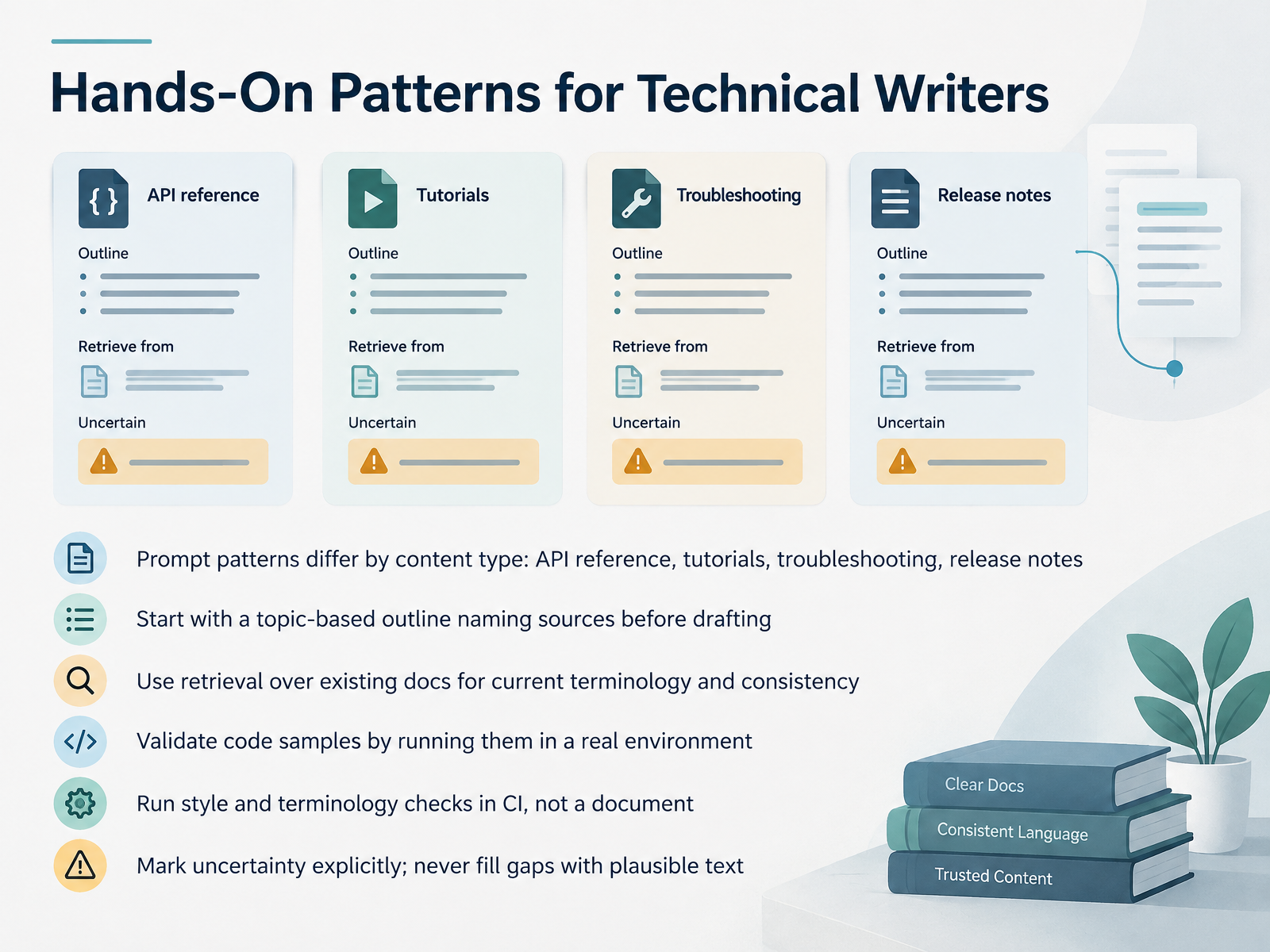
 - 11Hands-On Patterns for Technical WritersLet's look at hands-on patterns you can actually use. Prompt patterns differ by content type. API reference, tutorials, troubleshooting, and release notes each need a different approach. Start with a topic-based outline, and name your sources before you draft. One helpful pattern is retrieval over your existing docs. That keeps terminology current and consistent. For code samples, the rule is simple. Run them in a real environment, not just in the model's memory. For style and terminology checks, put them in continuous integration, or C I, rather than in a single document. Why? Because checks in C I apply to every change, automatically. And one more important habit. Mark uncertainty explicitly. Never fill gaps with plausible text. A confident wrong instruction breaks someone's implementation. So treat these as practical decisions and trade-offs. Match the pattern to the content type, ground it in real sources, and keep a human in the review loop. Next, we'll look at localization and content conversion with AI assistance.
 stateofdocs.comstateofdocs.comcherryleaf.com+22 min
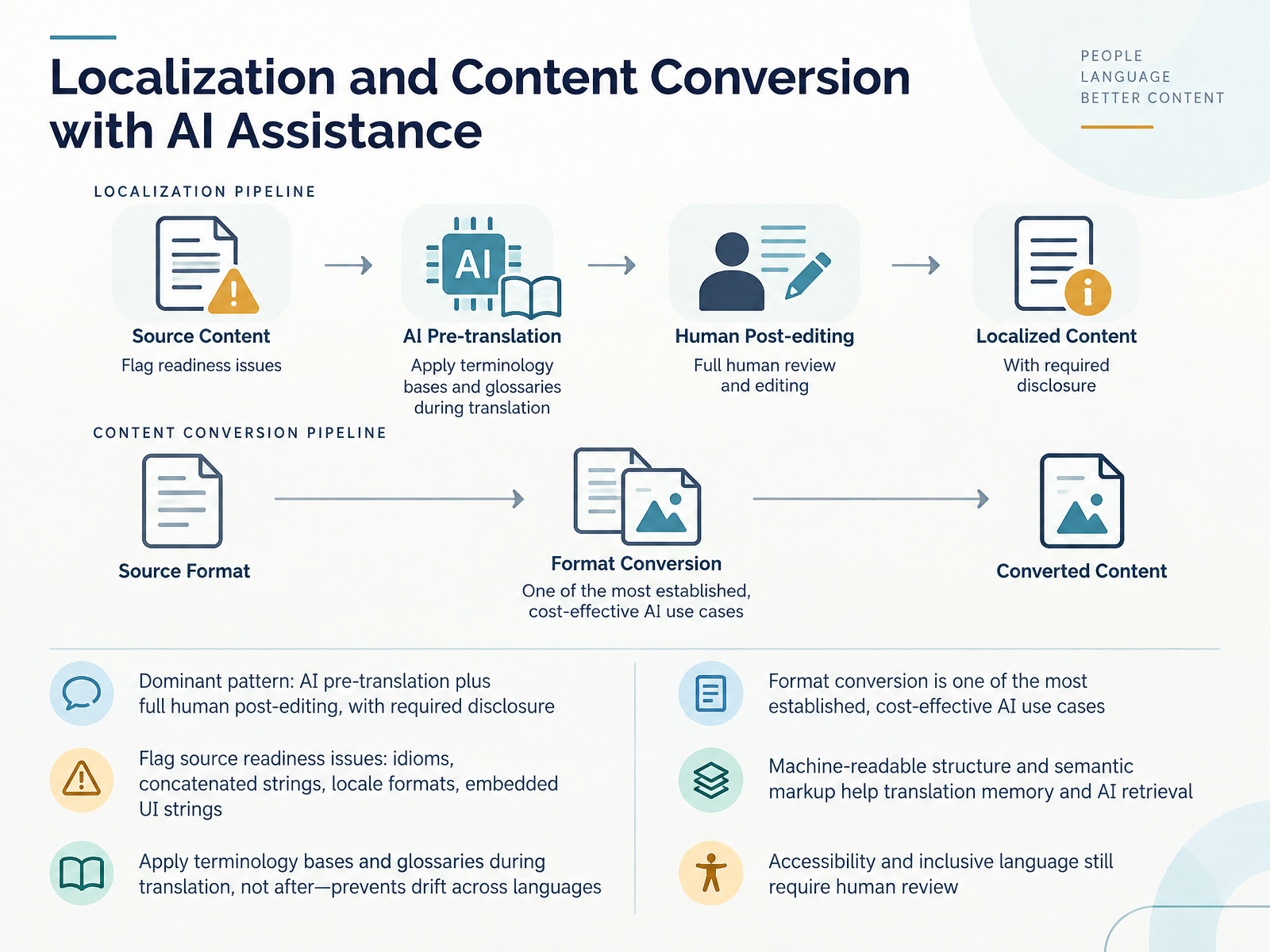
 - 12Localization and Content Conversion with AI AssistanceLet's turn to localization and content conversion. The dominant pattern here is AI pre-translation followed by full human post-editing. In many organizations, that means a required disclosure statement, similar to UNESCO's practice of inserting a note that a translation was produced with AI assistance and revised entirely by human editors. Before you translate, flag source readiness issues. Idioms, concatenated strings, locale-specific formats, and embedded UI strings all cause problems downstream. Apply your terminology base and glossaries during translation, not after, because that prevents drift across languages. Format conversion is one of the most established and cost-effective AI use cases. Machine-readable structure and semantic markup help translation memory and AI retrieval. But accessibility and inclusive language still require human review. So the takeaway is a division of labor: AI accelerates translation and conversion, while humans own nuance, terminology, and trust. Next, let's look at skills and roles shifting in 2026.
 promptitude.io2 min
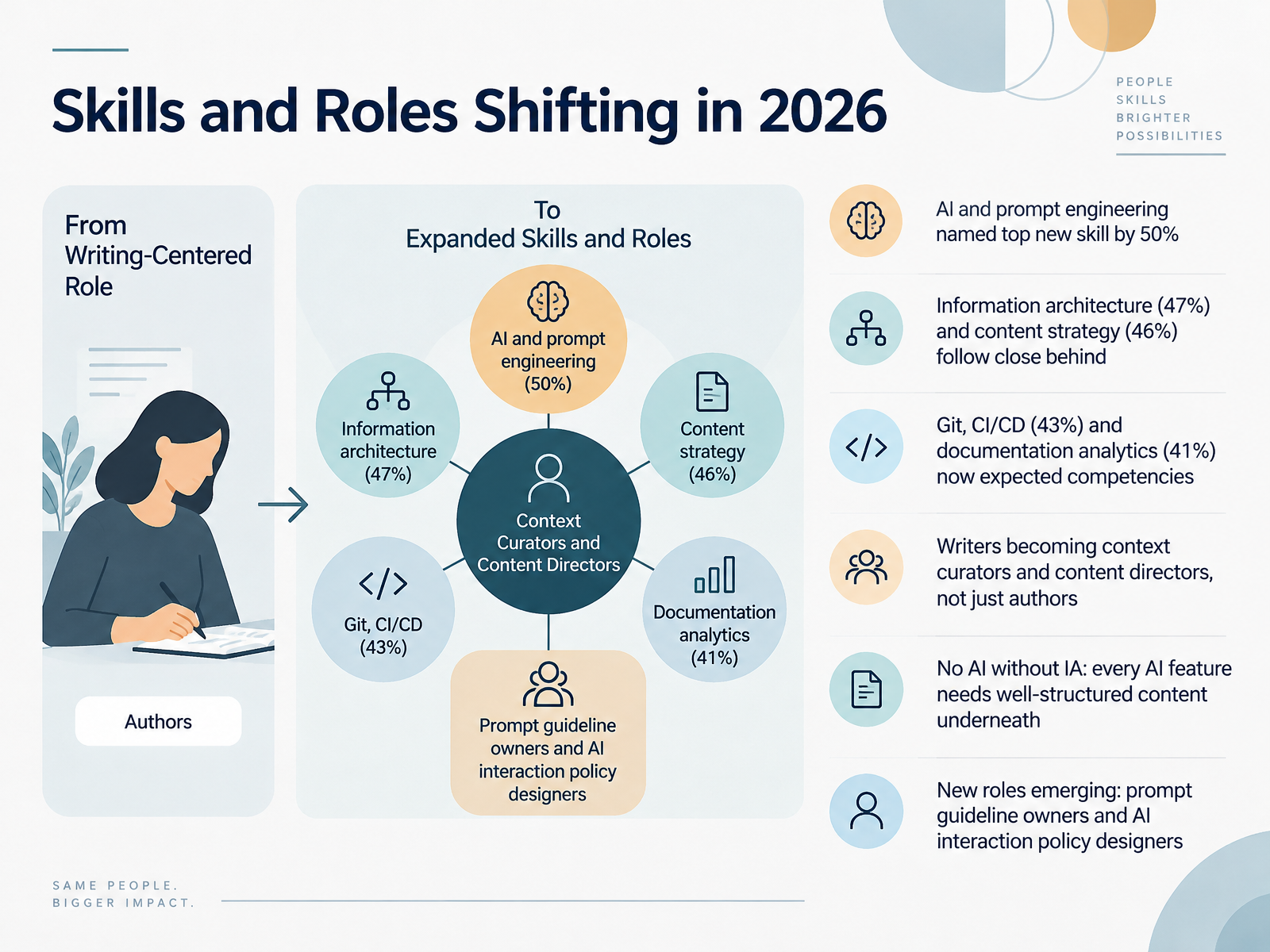
 - 13Skills and Roles Shifting in 2026Let's talk about how skills and roles are shifting. In this year's survey, half of respondents named AI and prompt engineering as the top new skill for documentation professionals. Information architecture came in at forty-seven percent, and content strategy at forty-six percent. Close behind, Git and CI/CD pipelines, that's continuous integration and delivery, were cited by forty-three percent, with documentation analytics at forty-one percent. These are now expected competencies, not nice-to-haves. The bigger story is the role itself. Writers are becoming context curators and content directors, not just authors. And there's a principle worth repeating here: no AI without IA. Every AI feature, whether it's a chatbot or a search tool, depends on well-structured content underneath. Poor structure in means poor answers out. That's why new roles are emerging, like prompt guideline owners and AI interaction policy designers. These people set the rules for how AI gets used. So the takeaway is practical. Strengthen your information architecture first, then layer AI on top. Up next, we'll walk through your thirty, sixty, ninety day adoption roadmap.
 stateofdocs.comstateofdocs.comcherryleaf.com+22 min
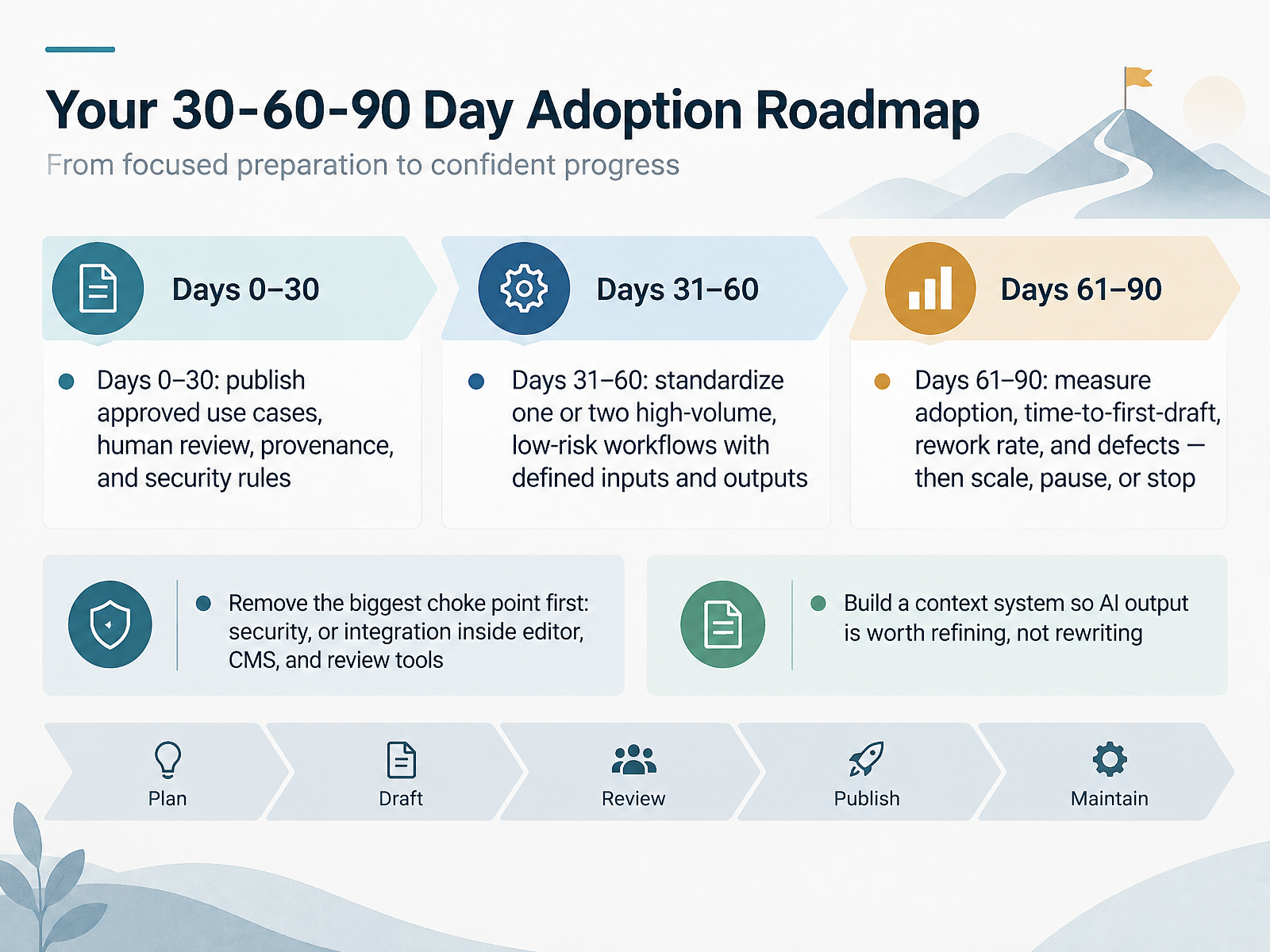
 - 14Your 30-60-90 Day Adoption RoadmapLet's close with a practical adoption roadmap you can actually run. Days zero to thirty are about governance, not tools. Publish your approved use cases, the human review step, provenance expectations, and security rules. Remember, only forty-four percent of teams have AI guidelines today, so writing yours down puts you ahead. Days thirty-one to sixty, standardize one or two high-volume, low-risk workflows, with defined inputs and outputs. Rewriting release notes is a good candidate. Then, days sixty-one to ninety, measure adoption, time to first draft, rework rate, and defects against source. Use those numbers to decide whether to scale, pause, or stop. And remove your biggest choke point first, whether that's security, or integration inside your editor, content management system, and review tools. Finally, build a context system, product knowledge, style examples, and structural patterns, so AI output is worth refining, not rewriting. Start small, keep humans in the loop, and let the measurements tell you when to expand. Thank you for working through this with me, and good luck putting your roadmap into practice.
 stateofdocs.comstateofdocs.comcherryleaf.com+22 min
Take the deck with you
Download this course as a file — free, no sign-up needed.
- PDF handoutEvery slide page, ready to print or share.15 pages · 3.3 MBDownload
- Narrated PowerPointThe deck that presents itself — every slide carries the digital human's narration video.15 pages · 15.0 MBDownload
- PowerPoint slidesThe full deck as a .pptx — open it in PowerPoint, Keynote, or Google Slides.15 pages · 3.2 MBDownload
Free to use in your own training — please keep the PersonWise credit page at the end.
Have your own deck? Turn it into a course
Sources consulted
Web sources consulted while building this course.
- AI and documentation creation — stateofdocs.com
- The State of Docs Report 2026 — stateofdocs.com
- AI in technical communication: what our 2026 survey found — cherryleaf.com
- The 2026 State of AI in Technical Documentation — promptitude.io
- Among Experienced Tech Writers, AI Use Is Widespread — But Only About Half Use It In Production — thecontentwrangler.com
- Nobody has been in charge for decades of the single most important part of the AI revolution: documentation | Fortune — fortune.com
- How to use AI for creating technical documentation in 2026 — glean.com
- Best AI Documentation Tools in 2026 — mintlify.com
- Best AI Tools for Documentation in 2026 (Compared) — documentation.ai
- Doc Generators Compared: Pick the Right Category in 2026 | Docsio — docsio.co
- 10 best software documentation tools for AI teams - Articles - Braintrust — braintrust.dev
- A Practical Comparison Guide for Documentation Automation Tools - Doc Holiday — doc.holiday
- LLM-Based Code Documentation Generation and Multi-Judge Evaluation — arxiv.org
- Evaluating Large Language Models for Python Docstring Generation: Models, Metrics, and Factuality — doria.fi
- CodeWiki: Evaluating AI’s Ability to Generate Holistic Documentation for Large-Scale Codebases - ACL Anthology — aclanthology.org
- DoGBench: Can Agents Meet Expert Standards for User-Facing Documentation? — arxiv.org
- How Much Do LLMs Hallucinate in Document Q&A Scenarios? A 172-Billion-Token Study Across Temperatures, Context Lengths, and Hardware Platforms — arxiv.org
- Enterprise AI Content Tool Checklist | Synthetic White — syntheticwhite.com
- How to Evaluate AI Writing Tools: A Defensible Buying Framework for Content Leads | TopickZ.com — topickz.com
- AI-Generated Documentation Review: The Complete QA Checklist — document360.com