Begin
14 pages · ~28 min
Communicating Generative AI to Stakeholders
This training helps professionals explain generative AI to stakeholders, covering key concepts and clear communication strategies to build understanding and support.
A digital instructor presents all 14 pages. Hold “Ask” at any point and ask out loud — the answer comes from this course. No sign-up needed.
What you’ll learn
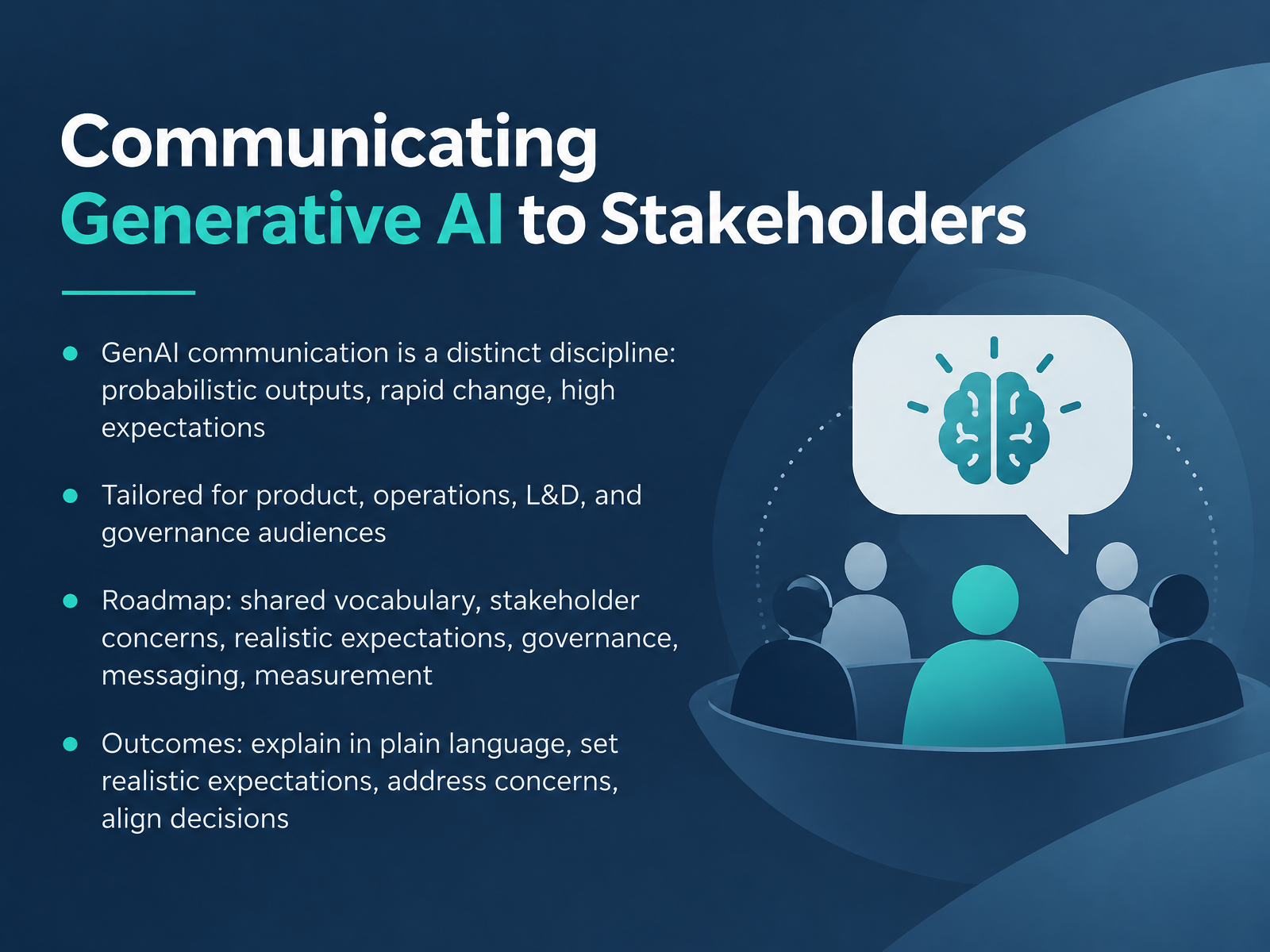
- 01Communicating Generative AI to StakeholdersWelcome. This course is about communicating generative AI to stakeholders. Our goal is to give you clear, usable decision language, not technical instruction.
GenAI communication is a distinct discipline. These systems produce probabilistic outputs, meaning the same prompt can yield different answers. They change quickly, and expectations run high. Here's what this means for your team. You need a shared way to talk about uncertainty before decisions get made.
This material is built for four audiences. Product, operations, learning and development, and governance.
Our roadmap covers six areas. A shared vocabulary. Stakeholder concerns. Realistic expectations. Governance. Messaging. And measurement.
By the end, you will be able to explain GenAI in plain language, set realistic expectations, address common concerns, and align decisions across teams.
Let's begin with why GenAI communication so often fails. Next, we look at three root causes.1 min
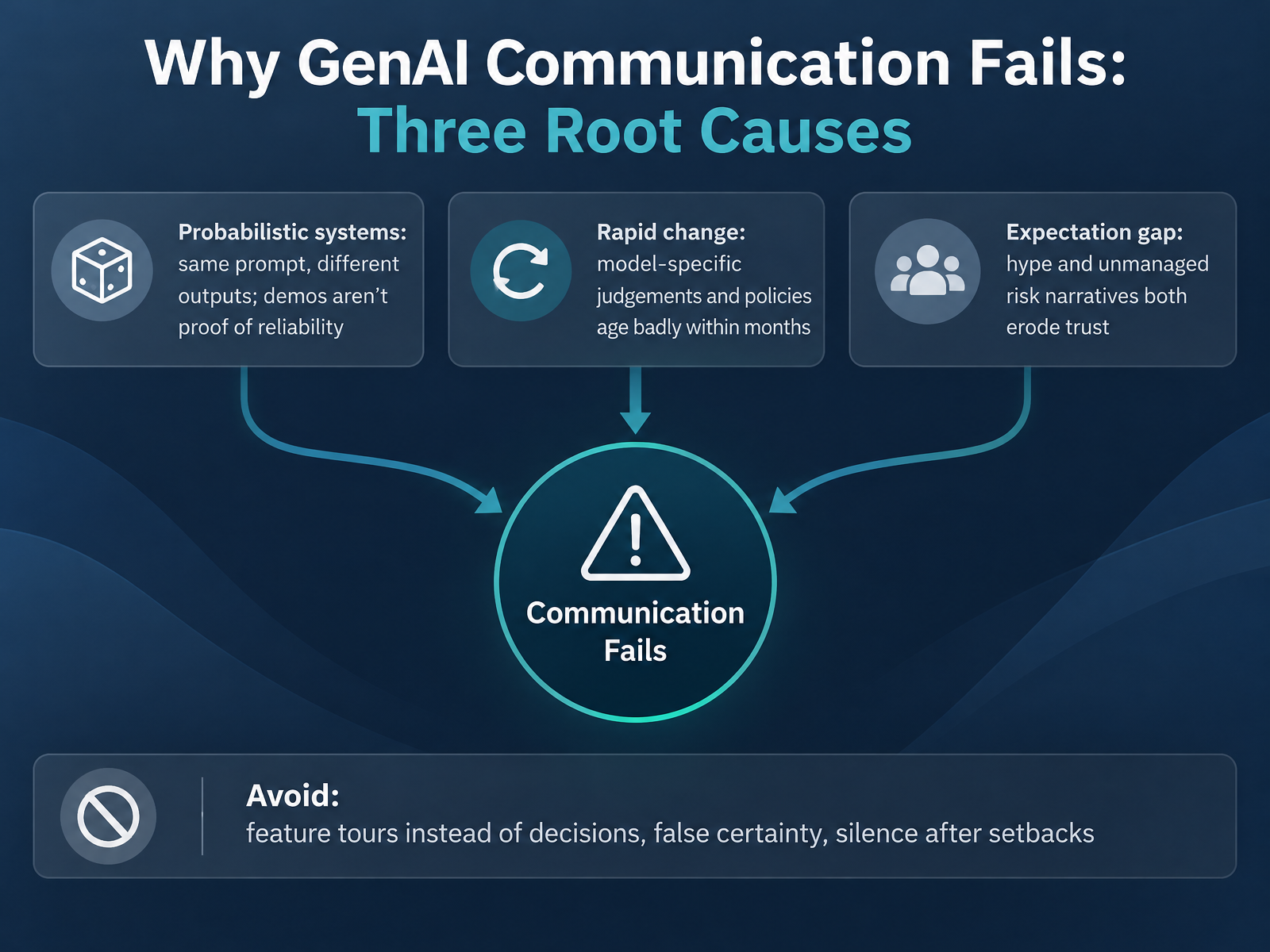
- 02Why GenAI Communication Fails: Three Root CausesLet's look at why GenAI communication fails. There are three root causes. First, probabilistic systems. A generative AI model predicts likely outputs, so the same prompt can produce different answers. A polished demo is not proof of reliability. Here's what this means for your team: ask for ranges and failure modes, not just a highlight reel. Second, rapid change. Model behavior and policies shift within months, so yesterday's judgement ages badly. Name an owner and a review date for every AI decision. Third, the expectation gap. Hype and unmanaged risk narratives both erode trust. Avoid feature tours instead of decisions, false certainty, and silence after setbacks. Say what changed, what you learned, and what happens next. Now let's build a shared vocabulary in plain language.
 2 min
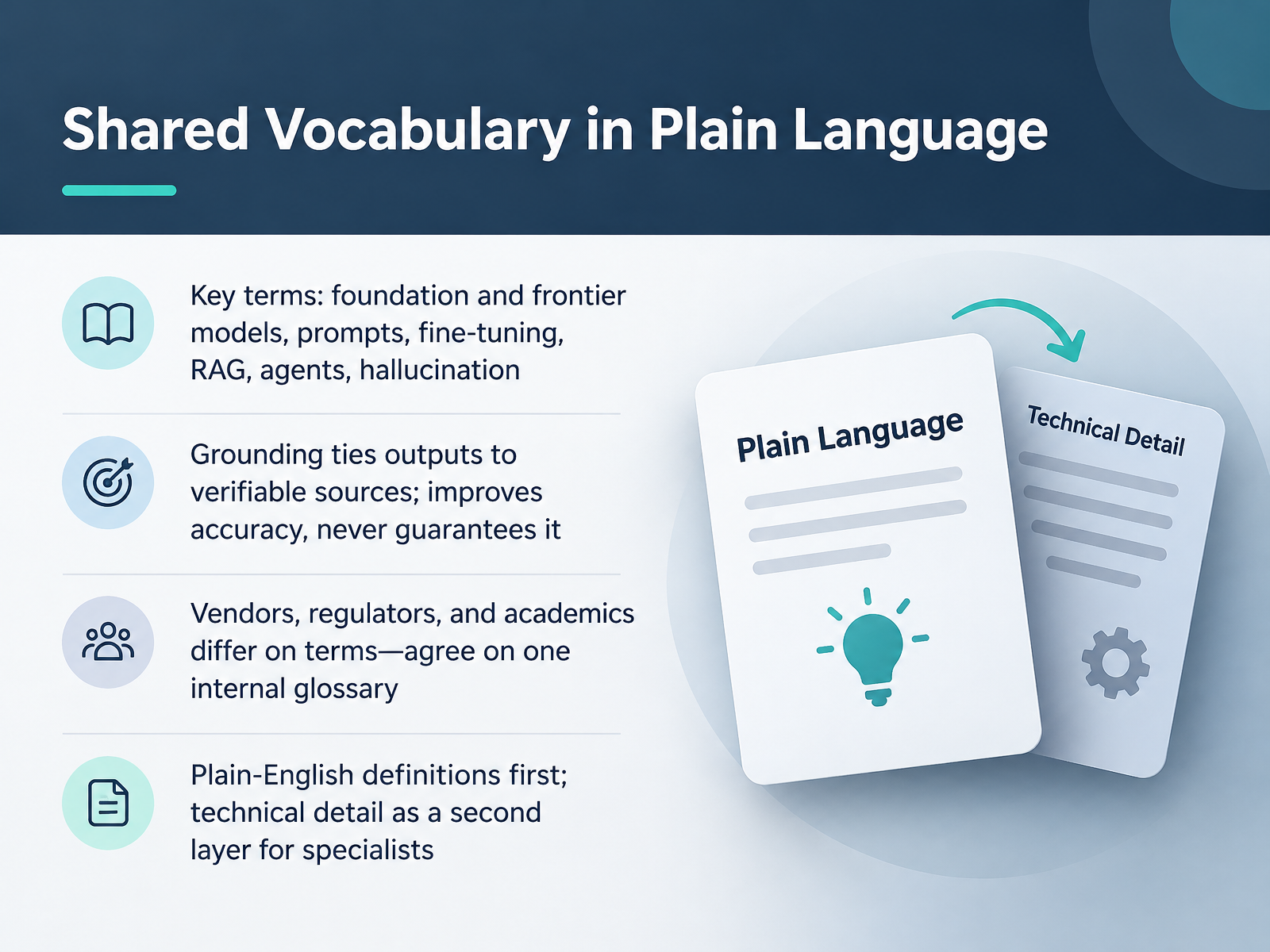
2 min - 03Shared Vocabulary in Plain LanguageLet's talk about shared vocabulary. Speaking the same language is a decision tool, not a technical one. When a vendor says foundation model or frontier model, they mean a large general-purpose model, and the most advanced version of it. A prompt is simply the instruction you give the model. Fine-tuning means training it further on your own examples. Retrieval-augmented generation, or RAG, means the model looks things up in your documents before answering. Agents are systems that take actions, not just reply. And hallucination is when the model states something false with confidence. Here's what this means for your team. Grounding ties outputs to verifiable sources. It improves accuracy. It never guarantees it. Vendors, regulators, and academics define these terms differently, so agree on one internal glossary. Put plain-English definitions first, with technical detail as a second layer for specialists. Next, we look at capability, reliability, and the metaphors we use.
 2 min
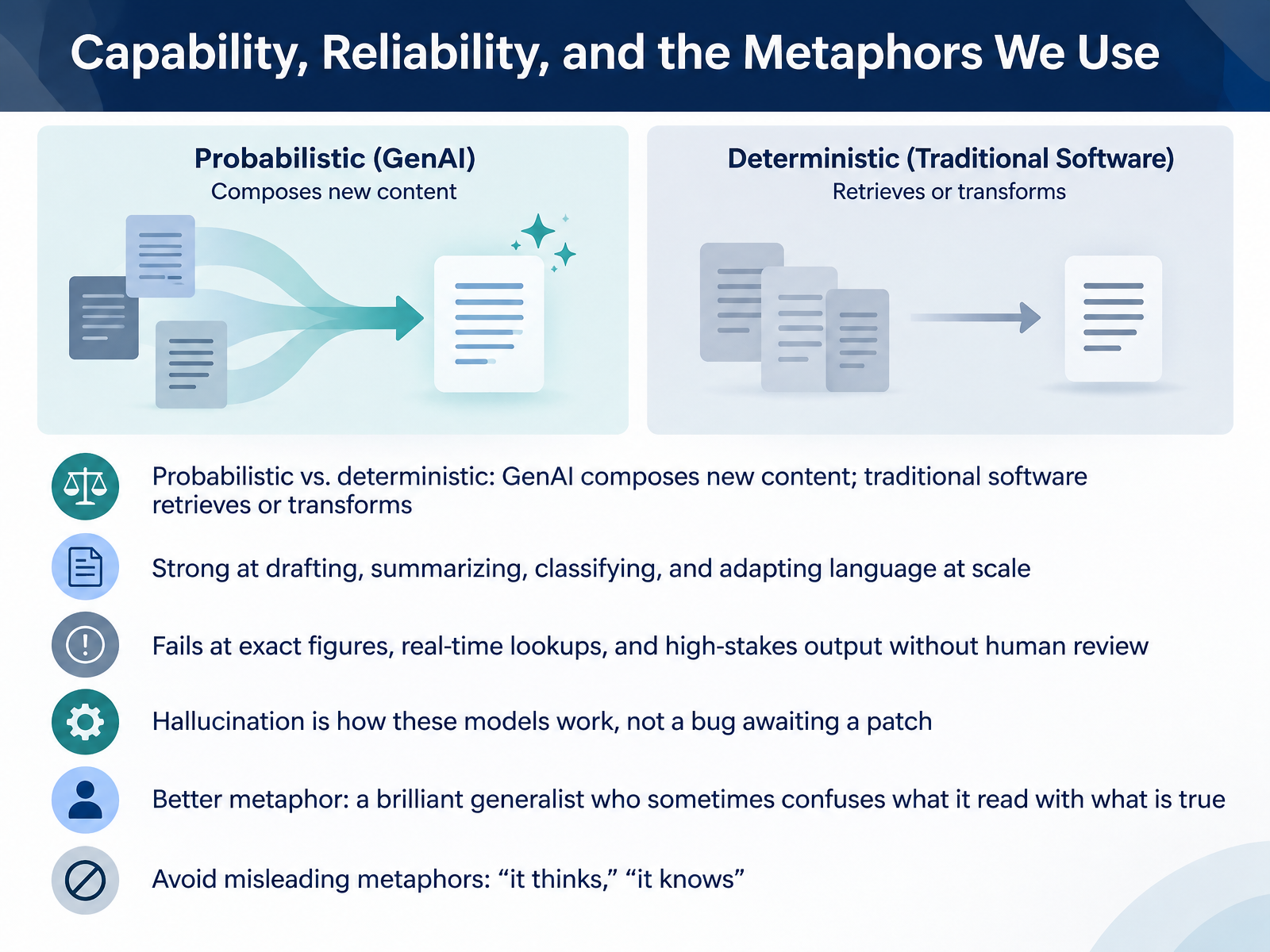
2 min - 04Capability, Reliability, and the Metaphors We UseLet's talk about what generative AI can and cannot do, and the metaphors we use to describe it. Here's what this means for your team. Generative AI is probabilistic, not deterministic. Traditional software retrieves or transforms existing data. Generative AI composes new content each time. It is strong at drafting, summarizing, classifying, and adapting language at scale. It fails at exact figures, real-time lookups, and high-stakes output without human review. Hallucination is how these models work, not a bug awaiting a patch. So a better metaphor is a brilliant generalist who sometimes confuses what it read with what is true. Avoid misleading metaphors like it thinks or it knows. Those words suggest certainty the model does not have. Use this language in your reviews and your stakeholder conversations. Next, we will look at the stakeholder map, who needs what, and why.
 2 min
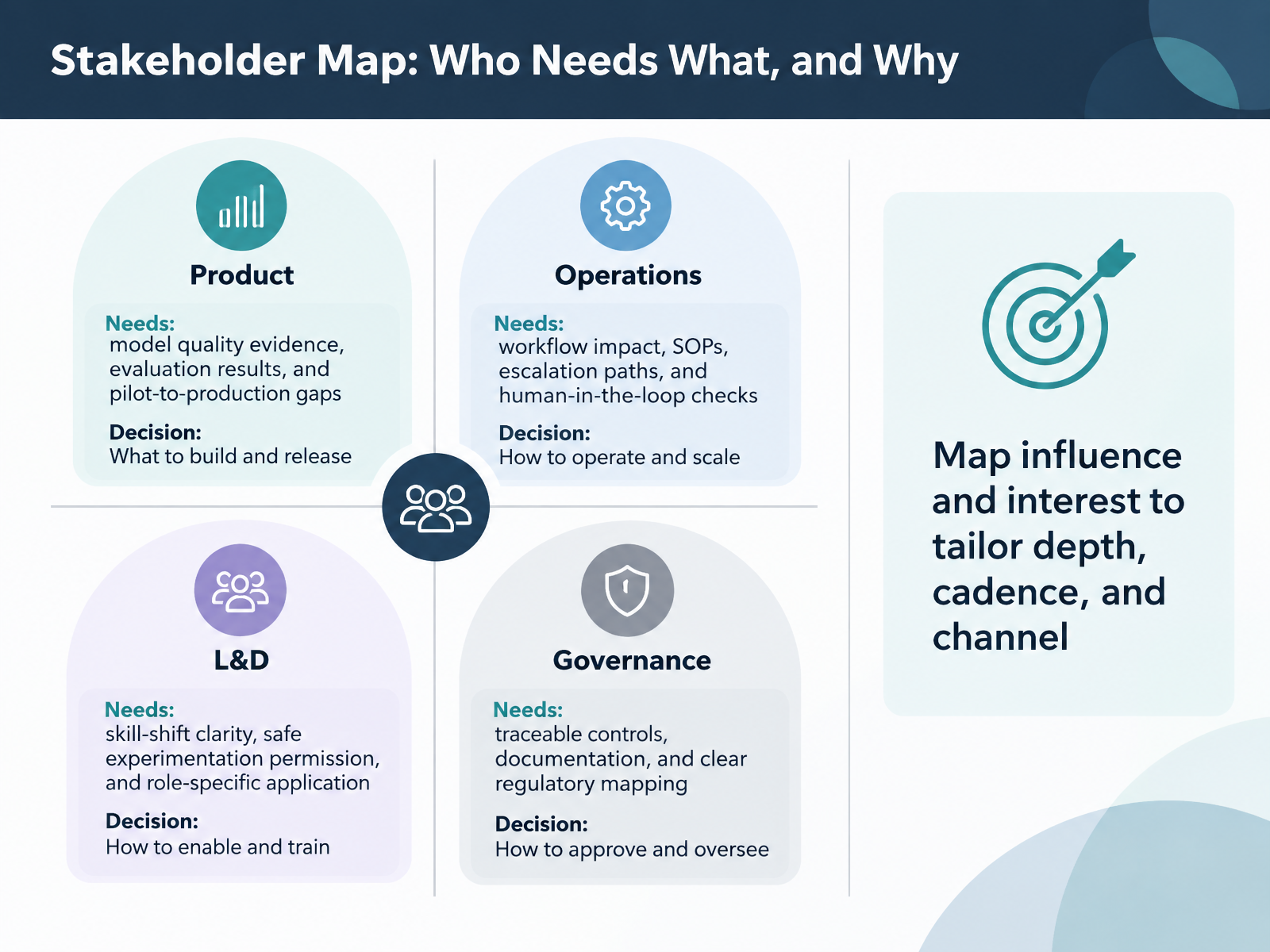
2 min - 05Stakeholder Map: Who Needs What, and WhyLet's look at who needs what, and why. Your stakeholder map is a decision tool, not a directory. Here's what this means for your team. Product needs model quality evidence, evaluation results, and a clear view of gaps between pilot and production. Operations need workflow impact, updated SOPs, escalation paths, and human-in-the-loop checks. That simply means a person reviews or approves AI output at defined points. L and D needs clarity on skill shifts, permission to experiment safely, and role-specific application. Governance needs traceable controls, documentation, and clear regulatory mapping. Then map influence and interest to tailor depth, cadence, and channel. A high-interest, high-influence group gets deeper briefings, more often. A lower-interest group gets concise updates. This keeps your reviews focused and your meetings shorter. Next, we'll cover top concerns by role and how to address them.
 2 min
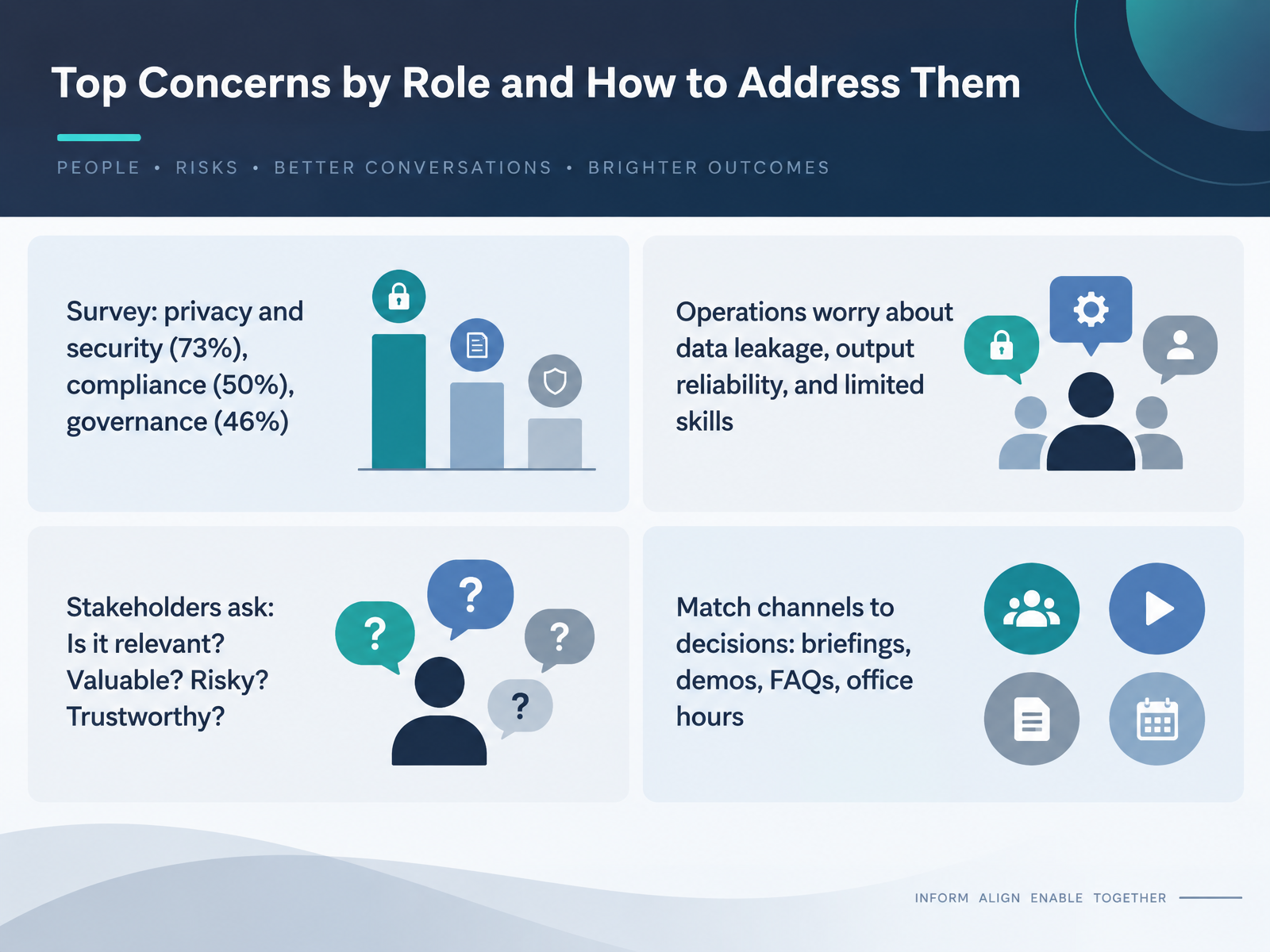
2 min - 06Top Concerns by Role and How to Address ThemLet's turn to the concerns you'll hear most often, and how to address them by role. Recent survey data shows privacy and security at the top, cited by seventy-three percent. Compliance follows at fifty percent, and governance at forty-six percent. Here's what this means for your team. Operations tends to worry about data leakage, output reliability, and limited skills. That's a practical risk, not a philosophical one. Stakeholders usually ask four questions. Is it relevant? Is it valuable? Is it risky? Is it trustworthy? Answer those directly, and the conversation moves forward. Match your channel to the decision. Use briefings for direction, demos for value, frequently asked questions for repeat questions, and office hours for open concerns. One takeaway. Different roles need different evidence, so tailor the format, not the underlying message. Next, we'll look at setting realistic expectations, demos versus production.
 2 min
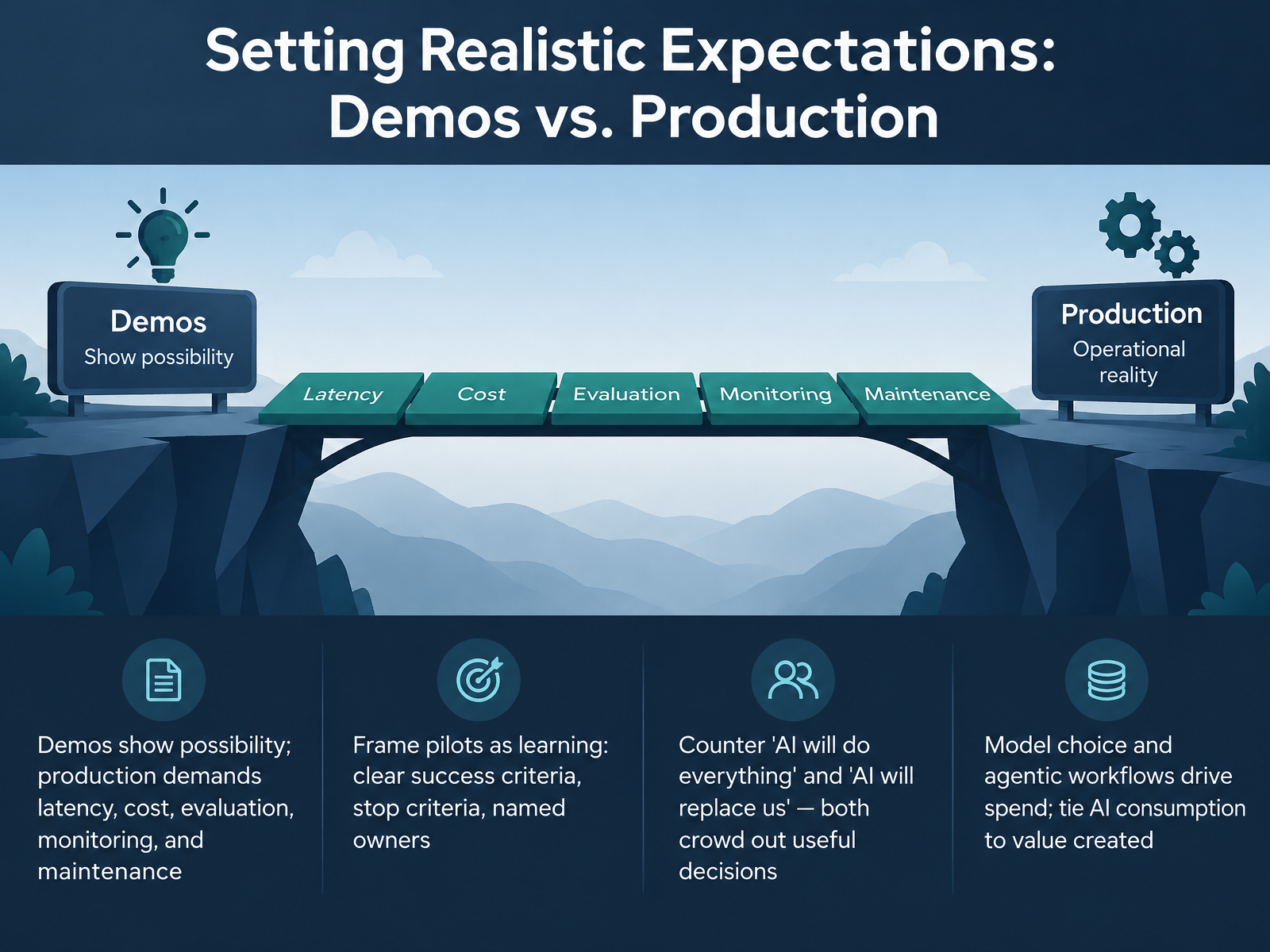
2 min - 07Setting Realistic Expectations: Demos vs. ProductionLet's talk about setting realistic expectations. Here's what this means for your team. A demo shows what is possible. Production is different. Production demands latency, cost, evaluation, monitoring, and maintenance. A pilot that works in a demo can still be expensive and slow once real users touch it.
So frame pilots as learning, not as proof. Give each pilot clear success criteria, stop criteria, and a named owner. If the pilot misses its mark, stopping is a good outcome, not a failure.
Also counter two extremes. AI will do everything. And AI will replace us. Both crowd out useful decisions. Neither helps you choose what to fund and what to stop.
And remember, model choice and agentic workflows drive spend. Agentic means the system takes multi-step actions on its own. Tie AI consumption to value created, and review that balance regularly.
A realistic demo is the start of the conversation, not the finish line. Next, we look at communicating uncertainty without losing credibility.
 1 min
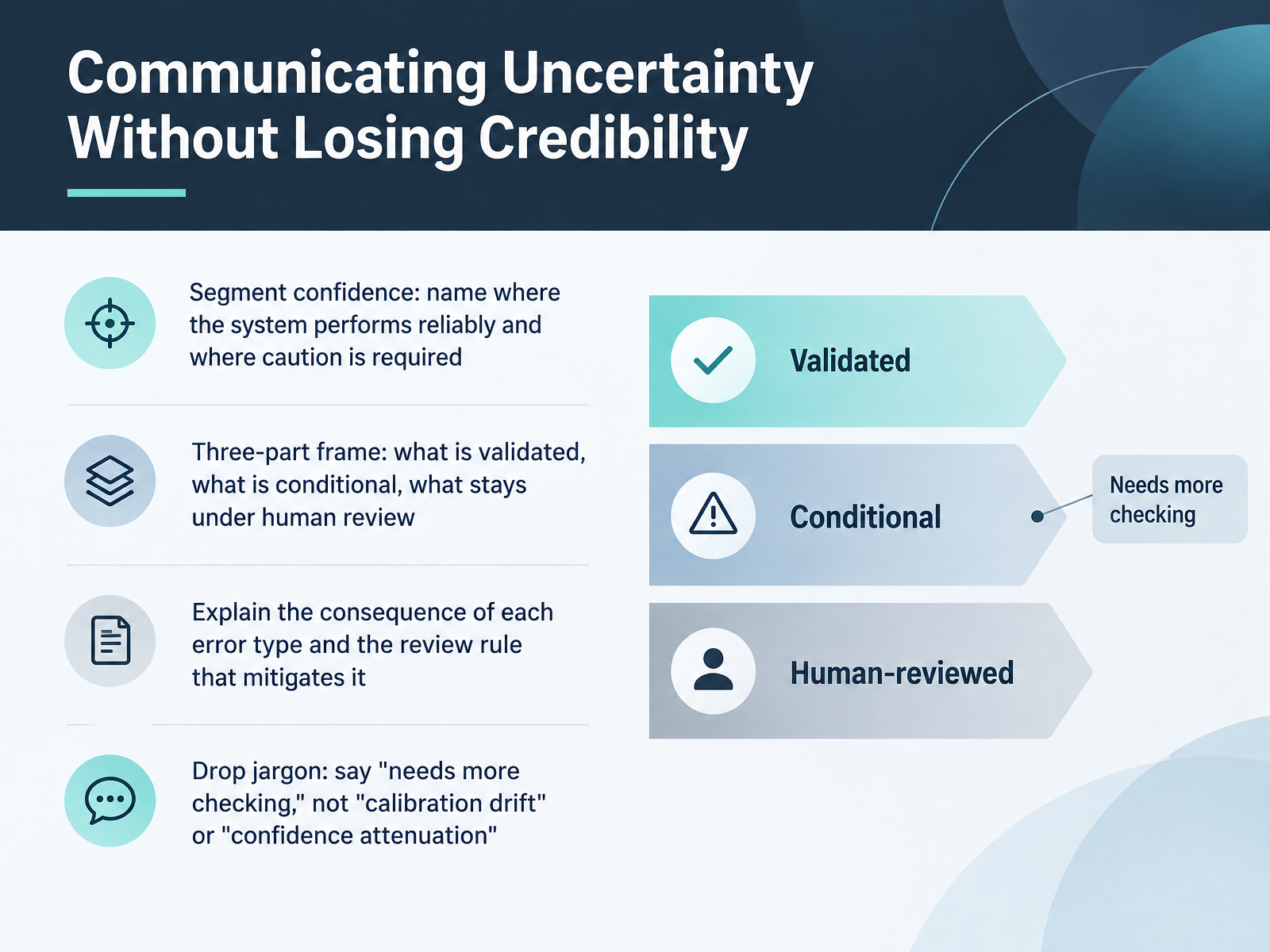
1 min - 08Communicating Uncertainty Without Losing CredibilityLet's talk about communicating uncertainty without losing credibility. Here's the core idea. Confidence is not one number for the whole system. It is segmented. So name where the system performs reliably, and name where caution is required. A simple three part frame helps your stakeholders decide. What is validated, what is conditional, and what stays under human review. Then explain the consequence of each error type, and the review rule that mitigates it. For example, if the system misreads a routine request, a quick confirmation step catches it. If it misreads an exception, that is where human review applies. And drop the jargon. Say needs more checking, not calibration drift. Say lower confidence in this case, not confidence attenuation. Here's what this means for your team. Plain language about uncertainty protects trust. It shows you know the limits, and you have controls in place. Next, we will look at risk, governance, and regulation in plain language.
 2 min
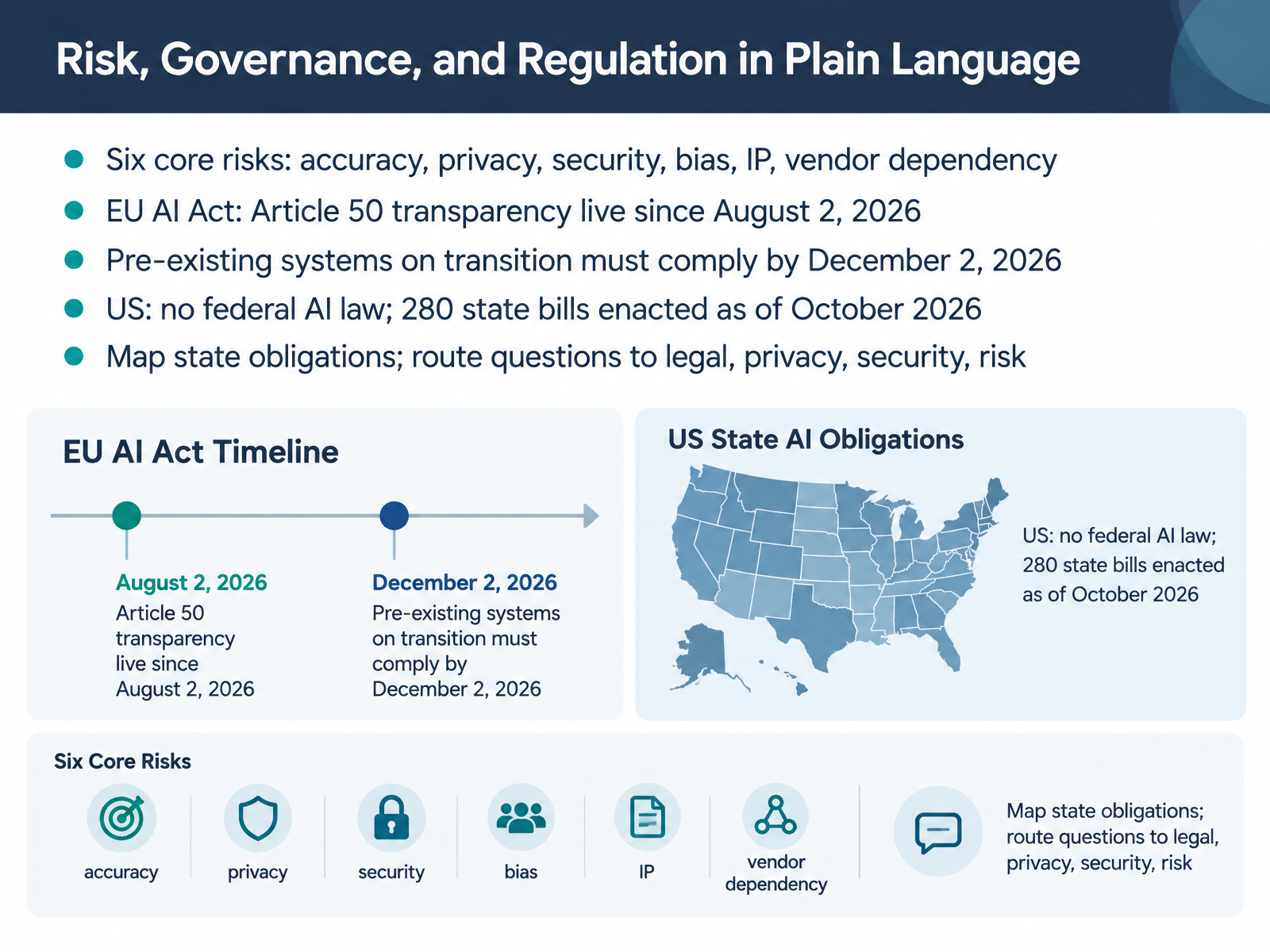
2 min - 09Risk, Governance, and Regulation in Plain LanguageNext, let's talk about risk, governance, and regulation in plain language. Here's what this means for your team. You need a short, shared list of risks you can name in any review meeting. Six core risks cover most cases: accuracy, privacy, security, bias, intellectual property, and vendor dependency. For example, vendor dependency means your product's behavior can change when a supplier updates their model. On regulation, the EU AI Act's Article Fifty transparency duties went live on August second, twenty twenty-six. Pre-existing systems already on transition must comply by December second, twenty twenty-six. In the US, there is no federal AI law, but two hundred eighty state bills have been enacted as of October twenty twenty-six. So the practical move is this. Map your state obligations, and route questions to legal, privacy, security, and risk before you commit. This turns regulation from a blocker into a clear checklist. Let's move on to messaging patterns that work.
 2 min
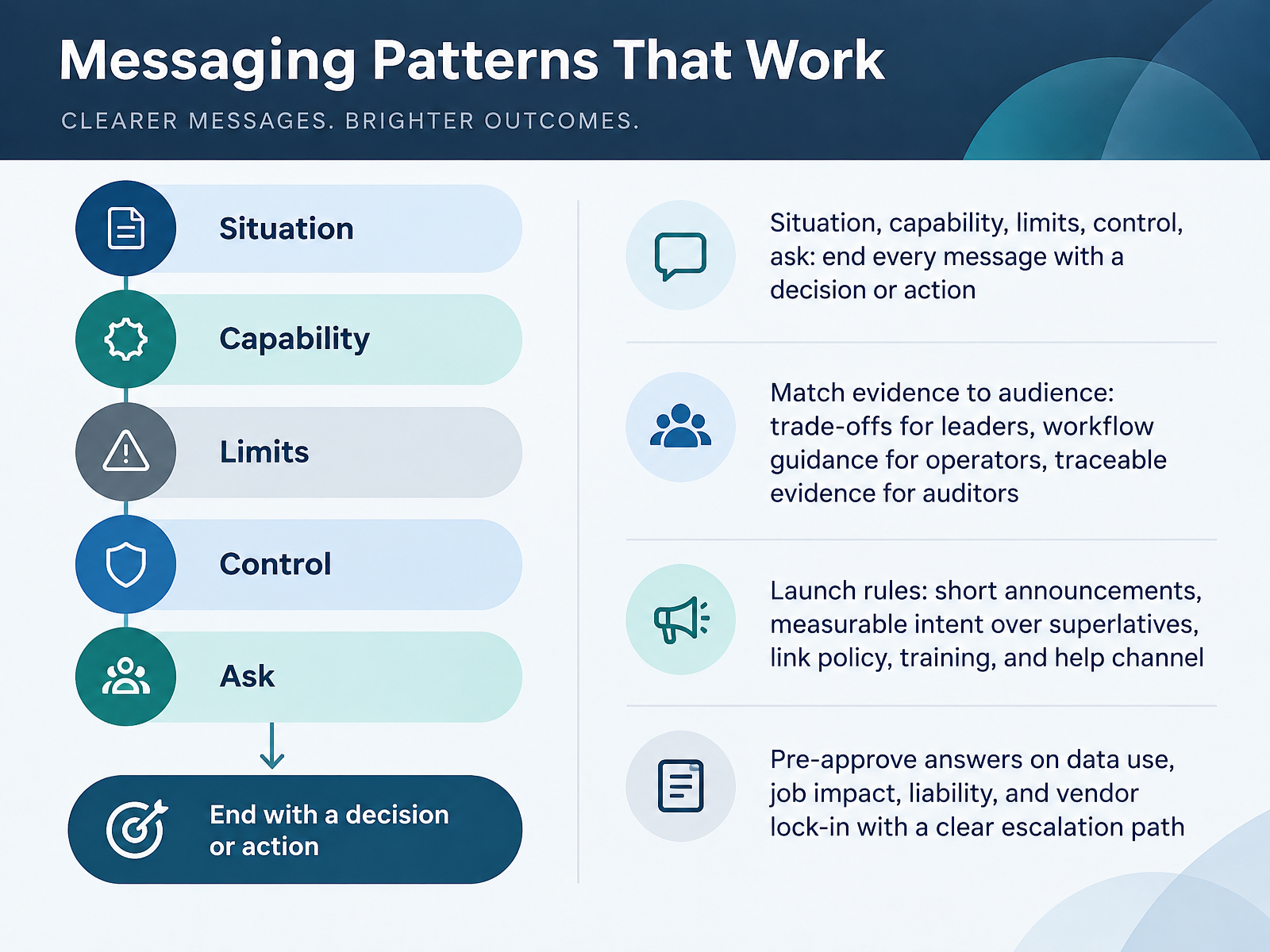
2 min - 10Messaging Patterns That WorkLet's look at messaging patterns that work in practice. Here's the core rule. Every message should follow five parts: situation, capability, limits, control, and ask. End with a clear decision or action, so no one has to guess what happens next. Match your evidence to your audience. Leaders need trade-offs. Operators need workflow guidance. Auditors need traceable evidence. For launch rules, keep announcements short. Measure intent instead of using superlatives, and always link your policy, training, and help channel. Finally, pre-approve answers on data use, job impact, liability, and vendor lock-in, and give people a clear escalation path. Here's what this means for your team: a message without an ask, or without an approved answer, will stall in review. Next, we turn to communicating to L and D and operational audiences.
 1 min
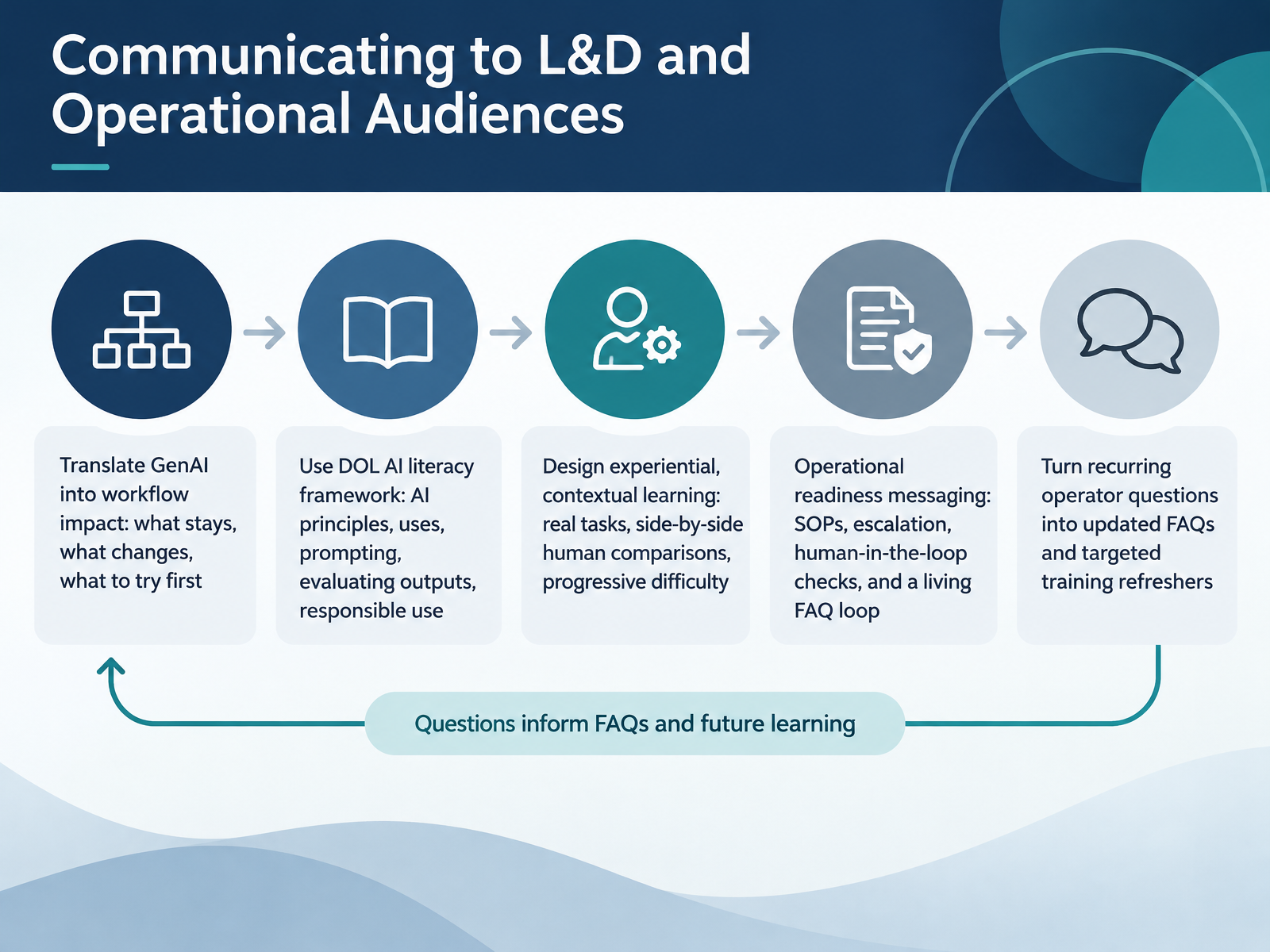
1 min - 11Communicating to L&D and Operational AudiencesLet's turn to the learning and operations audiences. Your L&D partners need more than a description of what generative AI is. They need a translation of what it means for day-to-day workflows. So frame it simply. What stays the same, what changes, and what to try first. Here's what this means for your team. You can anchor training in the Department of Labor's AI literacy framework. It covers AI principles, uses, prompting, evaluating outputs, and responsible use. Define those terms in plain words as you go. Then design learning that is experiential and contextual. Use real tasks, side-by-side comparisons of human and AI output, and progressive difficulty. For operations, readiness messaging should cover standard operating procedures, escalation paths, human-in-the-loop checks, and a living FAQ loop. A living FAQ simply means it is updated as questions arrive. When operators keep asking the same questions, turn those into updated FAQs and targeted refreshers. Next, we will look at communicating when things go wrong.
 2 min
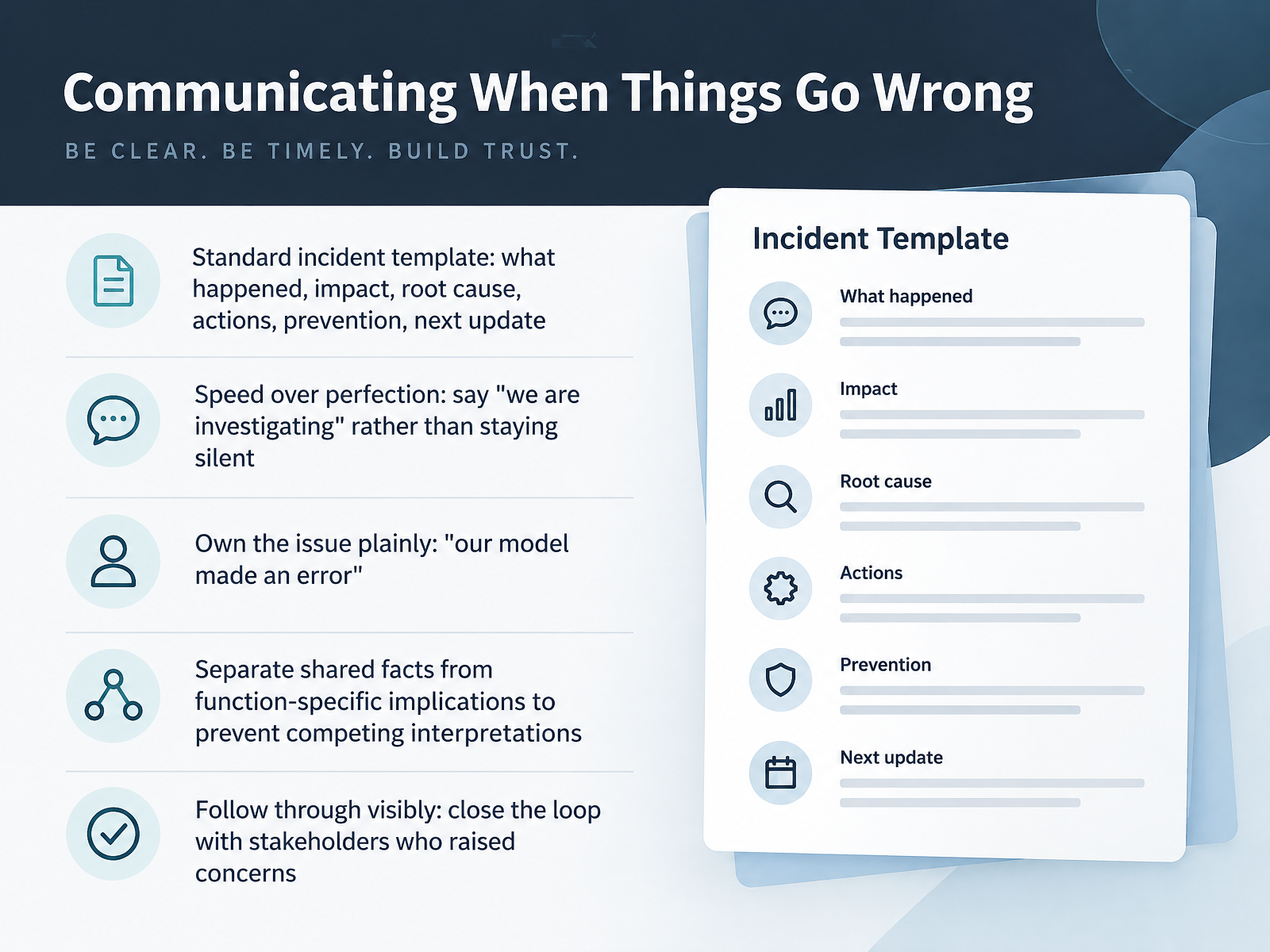
2 min - 12Communicating When Things Go WrongLet's talk about communicating when things go wrong. This is where trust is won or lost. Here's what this means for your team: use a standard incident template. Cover what happened, the impact, the root cause, the actions taken, prevention, and when the next update will come. Speed matters more than perfection. Say we are investigating rather than staying silent. Own the issue plainly. Say our model made an error. Separate shared facts from function-specific implications so teams don't form competing interpretations. And follow through visibly. Close the loop with the stakeholders who raised concerns. Next, we look at measuring understanding, trust, and adoption.
 1 min
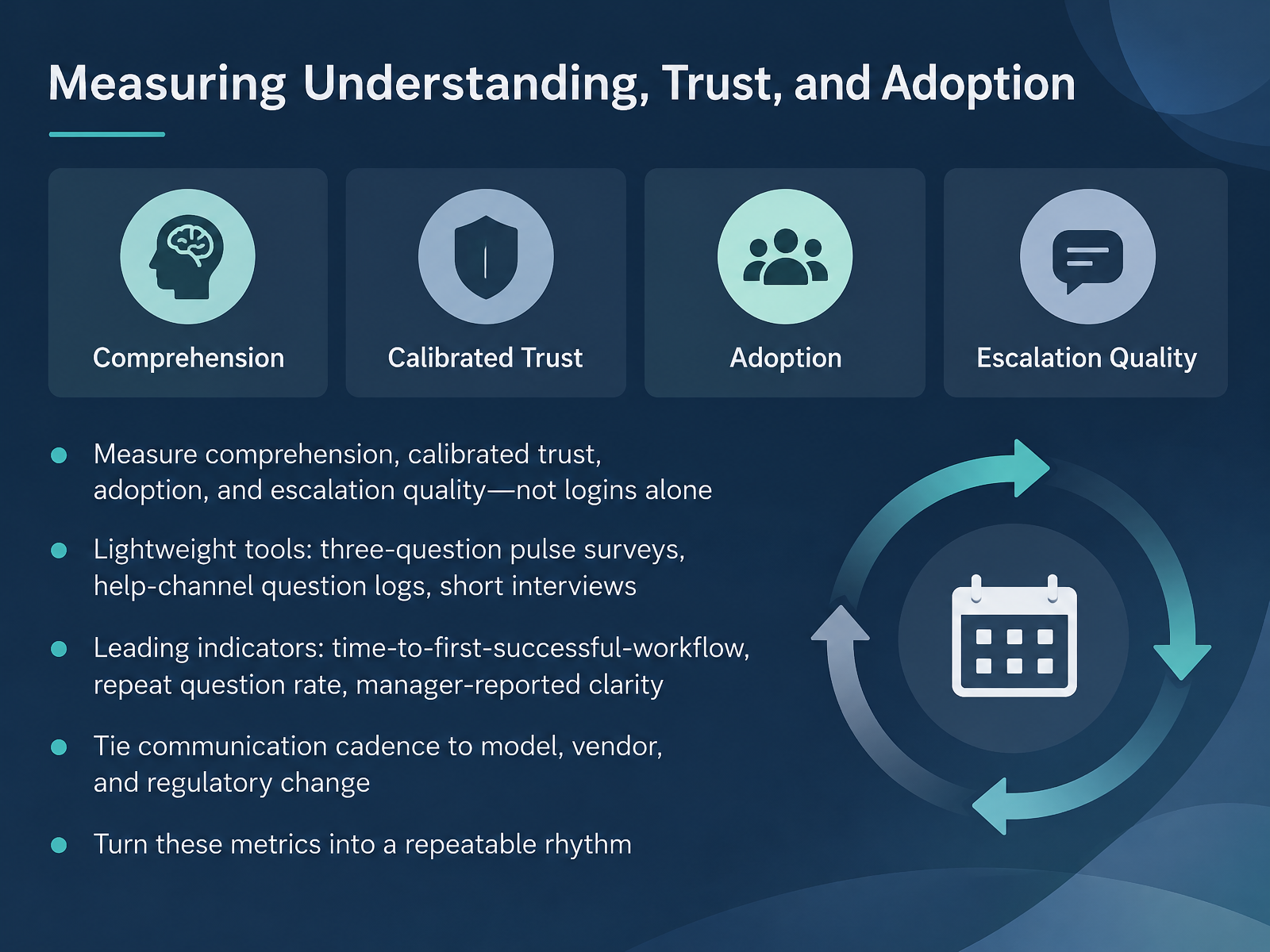
1 min - 13Measuring Understanding, Trust, and AdoptionLet's look at how you know your communication is actually working. Here's what this means for your team. Measure comprehension, calibrated trust, adoption, and escalation quality, not logins alone. Calibrated trust means people trust the system about as much as the evidence deserves, no more and no less. You need lightweight tools. A three-question pulse survey after a rollout. A log of questions coming through your help channel. Short interviews with a handful of users. Then watch leading indicators. Time to first successful workflow, the repeat question rate, and manager-reported clarity. Tie your communication cadence to model, vendor, and regulatory change, so updates arrive when something shifts rather than on a fixed calendar. Finally, turn these metrics into a repeatable rhythm, so measurement becomes a habit, not a one-off. Next, we'll build on this in a workshop: crafting a one-page stakeholder brief.
 2 min
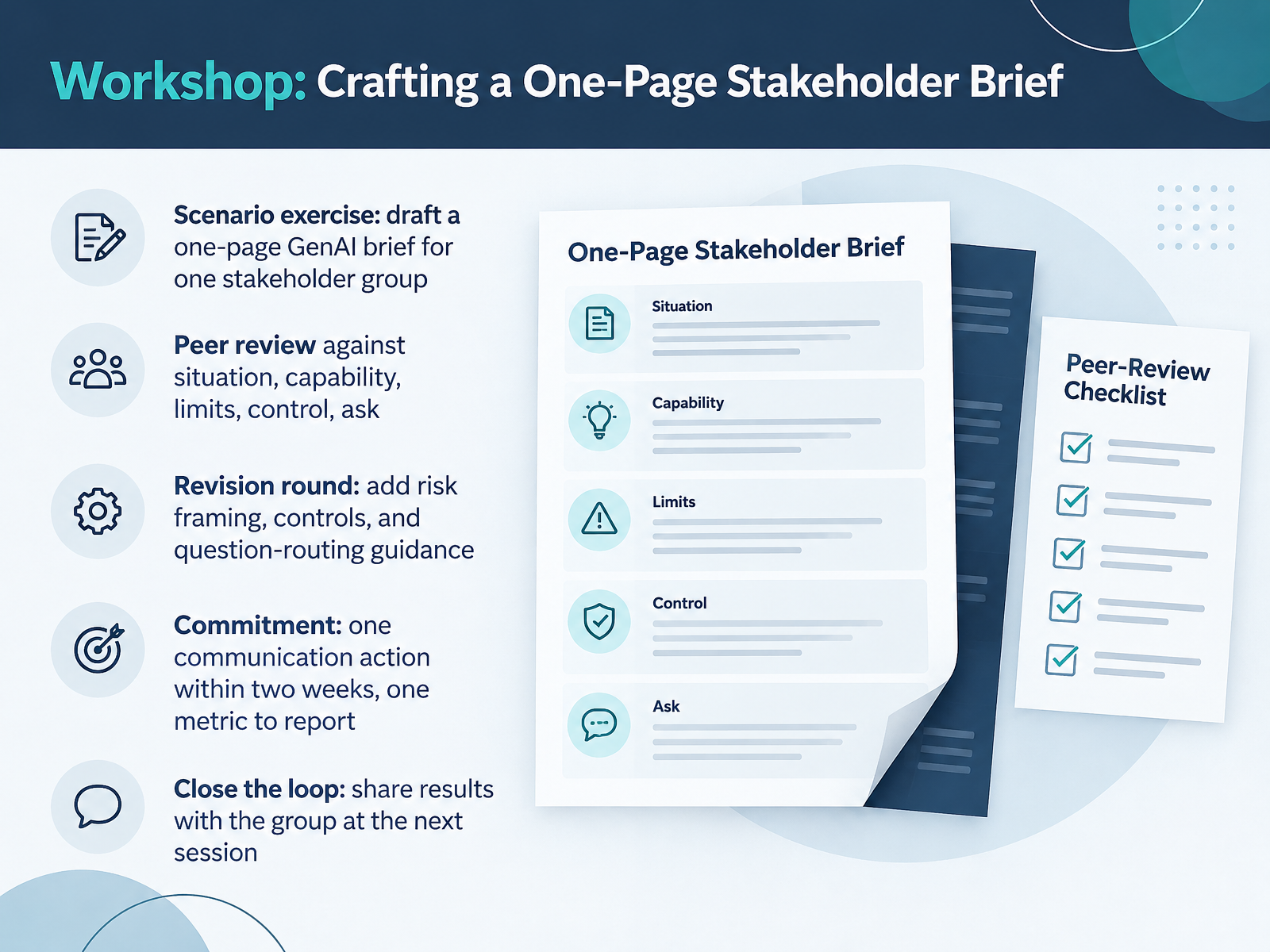
2 min - 14Workshop: Crafting a One-Page Stakeholder BriefNow let's put everything into practice. In this exercise, you'll draft a one-page generative AI brief for a single stakeholder group. Here's what this means for your team. Pick one stakeholder group you actually need to communicate with. Then write one page covering five things. The situation. The capability. The limits. The control. And the ask. Keep it plain and decision-focused. Next, you'll peer review each other's briefs against those five elements. Be specific and constructive. Then we'll do a revision round. Add risk framing, the controls in place, and guidance on where questions should be routed. Before we close, commit to one communication action within the next two weeks, and one metric you will report on. That commitment turns a good draft into a real practice. Finally, close the loop. Share your results with the group at the next session, so we all learn from what worked and what didn't. You now have a simple, repeatable structure for explaining generative AI to any stakeholder. Thank you for your engagement today. Keep it clear, keep it honest, and keep the conversation moving.
 2 min
2 min
Take the deck with you
Download this course as a file — free, no sign-up needed.
- PDF handoutEvery slide page, ready to print or share.15 pages · 2.9 MBDownload
- Narrated PowerPointThe deck that presents itself — every slide carries the digital human's narration video.15 pages · 13.1 MBDownload
- PowerPoint slidesThe full deck as a .pptx — open it in PowerPoint, Keynote, or Google Slides.15 pages · 2.9 MBDownload
Free to use in your own training — please keep the PersonWise credit page at the end.
Have your own deck? Turn it into a course