Begin
14 pages · ~28 min
Mobile-First Security Awareness Tools
This training helps security teams evaluate mobile-first awareness tools and design effective workflows to strengthen their organization's security posture.
A digital instructor presents all 14 pages. Hold “Ask” at any point and ask out loud — the answer comes from this course. No sign-up needed.
What you’ll learn
- 01Mobile-First Security Awareness Tools: Selection and Workflow DesignWelcome. This course is about choosing mobile-first security awareness tools and designing the workflows around them. Here is the core problem. Your people read messages, approve requests, and scan QR codes on phones, often while distracted. Attackers know this. The lock screen is the new inbox. So over these slides, we cover three things. First, tool selection criteria you can defend. Second, a rollout workflow that fits distributed teams. Third, measurement that shows real behaviour change, not just completion. You will leave with decisions you can document and defend. Let me give you one concrete example. Say your finance team approves payments by phone. Your tool list should include SMS and voice scenarios for them. Test the tool against your real channels. Document what it catches and what it misses. Write down the trade-offs before you buy. Then move on. This course is built for programme owners, frontline trainers, and mobile-first teams. It assumes you already know the basics. Next, we look at why this matters right now. The Mobile Threat Landscape in 2026.lucysecurity.comawarego.comlucysecurity.com+22 min
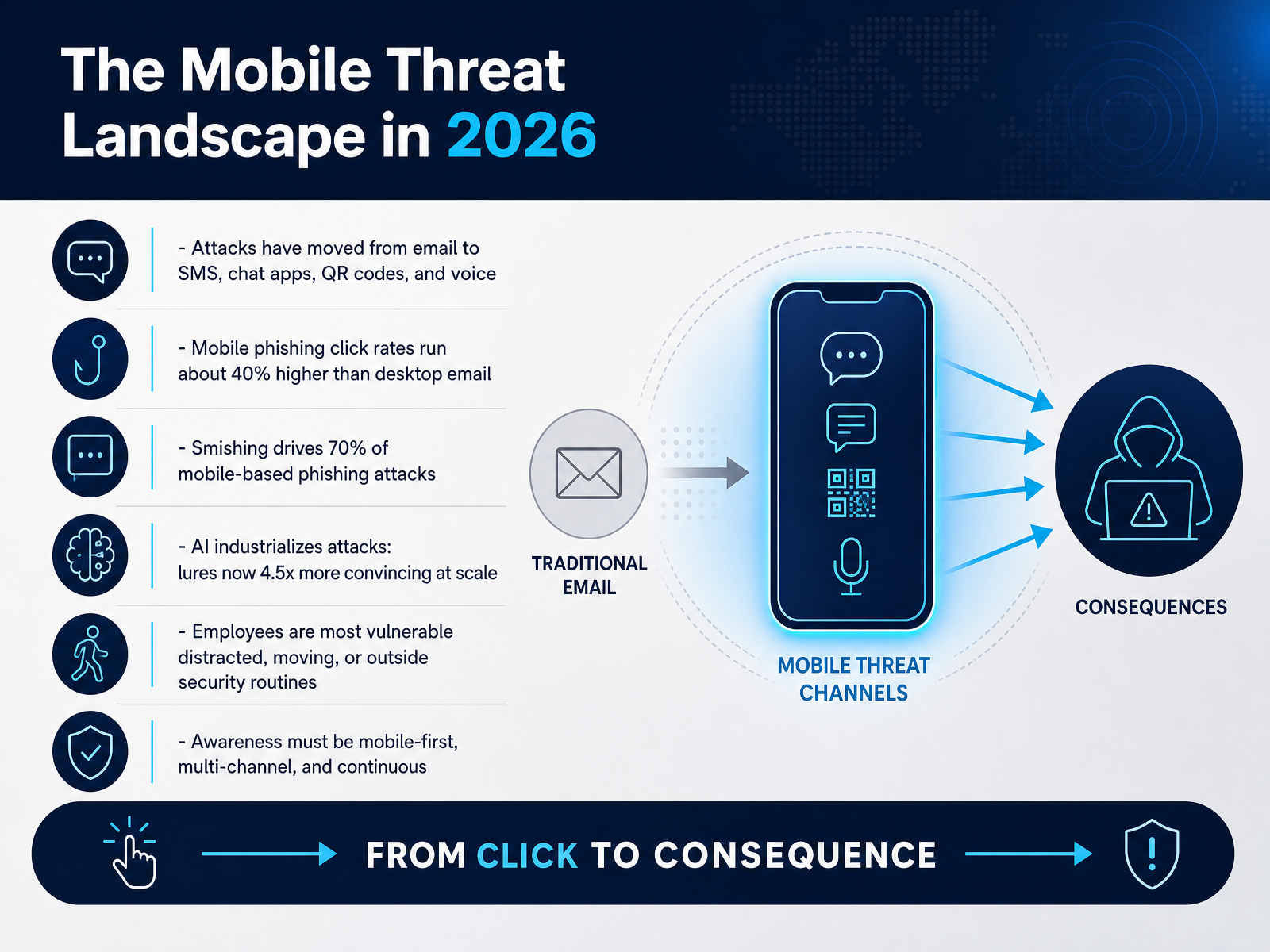
- 02The Mobile Threat Landscape in 2026Let's start with the threat landscape. Attacks have moved beyond email. Now they arrive by text, chat apps, QR codes, and voice calls. The numbers are sobering. Mobile phishing click rates run about forty percent higher than desktop email. Smishing, that's phishing by text, drives roughly seventy percent of mobile-based phishing attacks. Here's why this matters. AI has industrialized these attacks. Lures are now four point five times more convincing, at scale. And your people are most vulnerable when they're distracted, moving, or outside their normal security routines. So test this yourself. Check what reaches your team on their phones, not their laptops. Then document the channels you find. The takeaway is direct. Awareness has to be mobile-first, multi-channel, and continuous. Next, let's look at why traditional desktop-first training fails.
 lucysecurity.comawarego.comlucysecurity.com+22 min
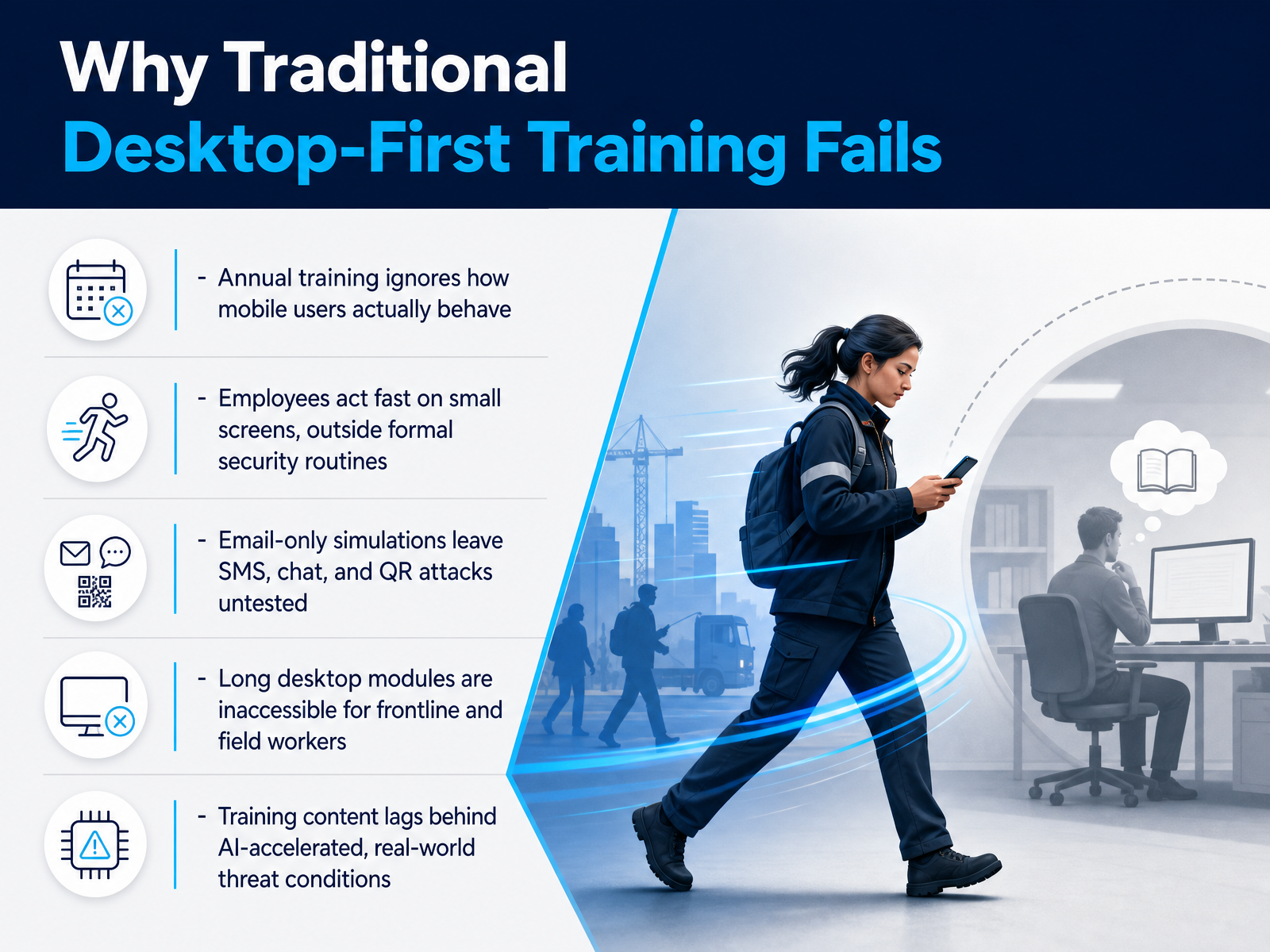
 - 03Why Traditional Desktop-First Training FailsLet's talk about why traditional desktop-first training fails. Annual training ignores how mobile users actually behave. Picture this. A warehouse worker gets a text at lunch and taps it in seconds. There is no annual module for that moment. Second, employees act fast on small screens, outside formal security routines. Third, email-only simulations leave SMS, chat, and QR attacks untested. If your programme only tests the inbox, you are measuring the wrong surface. Fourth, long desktop modules are inaccessible for frontline and field workers. They cannot sit through forty-five minutes on a shared terminal. Finally, training content lags behind AI-accelerated, real-world threat conditions. Lures now arrive polished and personalised, not with obvious typos. So stop blaming employees for failing a format built for someone else. Test across the channels they actually use, document the gap, and fix the design. Core Requirements for Mobile-First Tools.
 lucysecurity.comawarego.comlucysecurity.com+22 min
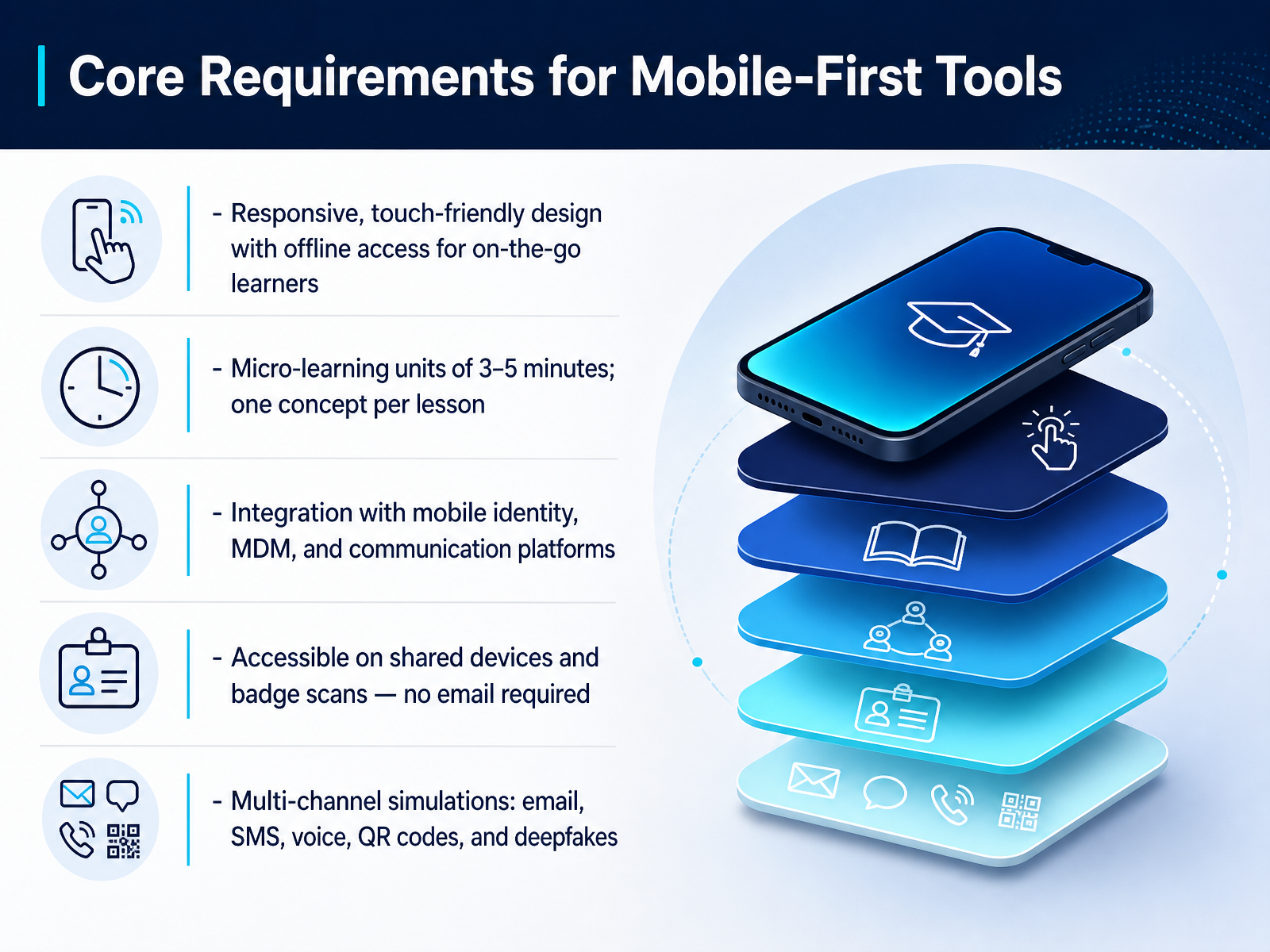
 - 04Core Requirements for Mobile-First ToolsNow let's look at what your mobile-first tools actually need to deliver. First, demand responsive, touch-friendly design with offline access. If a learner is on a train with no signal, the lesson still has to work. Second, cap lessons at three to five minutes, one concept each. Test this yourself before you buy. Third, require integration with mobile identity, mobile device management, and the channels your teams already use, like Teams or Slack. Fourth, keep access open on shared devices. Badge scans and QR codes should work, and no email required. Fifth, insist on multi-channel simulations: email, text messages, voice calls, QR codes, and deepfakes. Here's the trade-off. More channels means more setup and more noise. So pick the channels your learners actually face. Document every requirement, then score vendors against your list, not their demo. That keeps the decision defensible. Next, we move into critical technical and compliance capabilities.
 kymatio.compreyproject.comransomleak.com+22 min
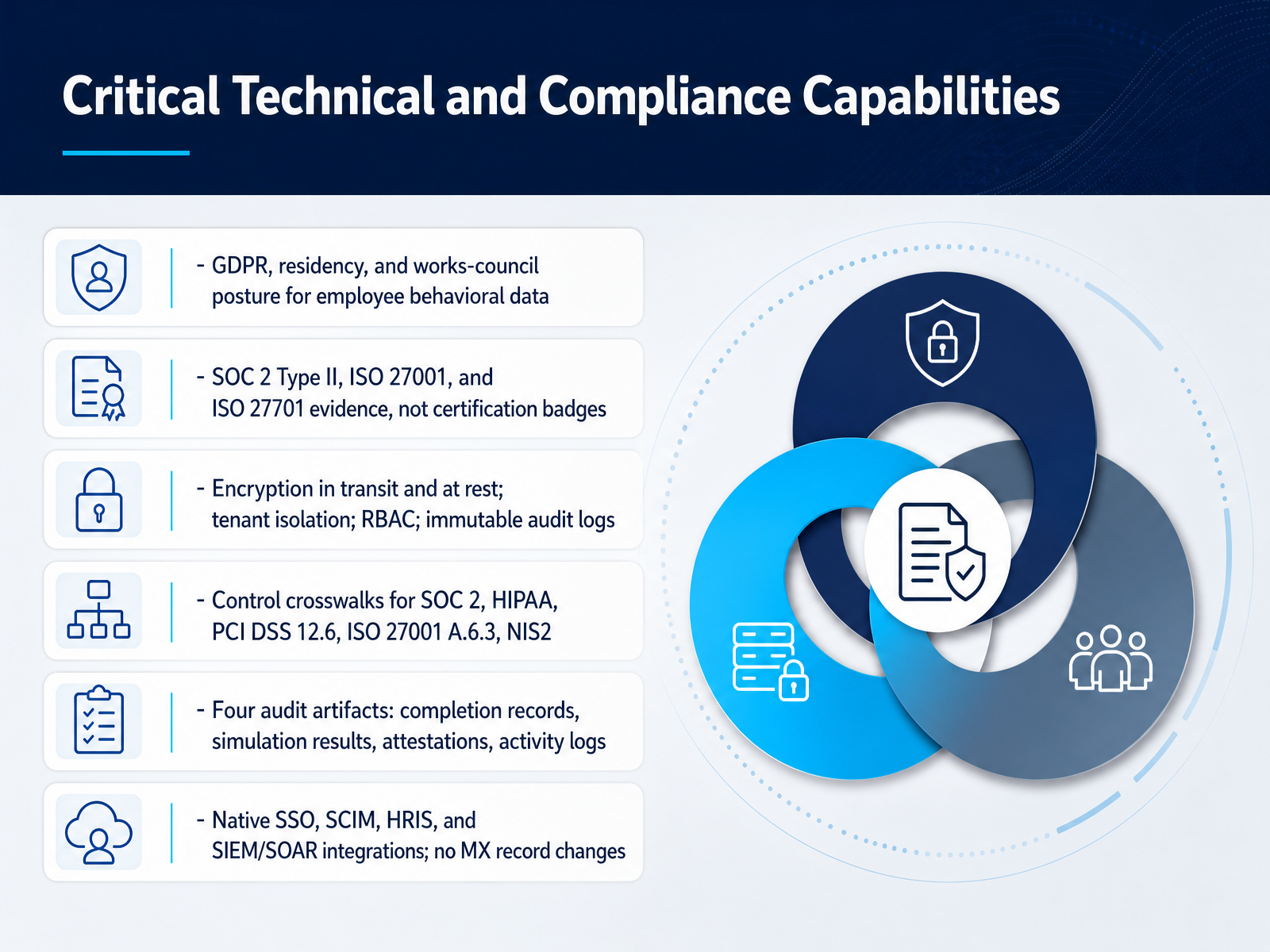
 - 05Critical Technical and Compliance CapabilitiesNow let's get into the technical and compliance capabilities that actually decide a purchase. Start with employee behavioral data. Ask directly about GDPR posture, data residency, and works-council constraints. If per-user risk scoring is restricted in one region, that changes your rollout. Next, request SOC 2 Type II, ISO 27001, and ISO 27701 evidence, not badges. Inspect the audit period and any exceptions. Then verify the controls: encryption in transit and at rest, tenant isolation, role-based access control, and immutable audit logs. Ask for control crosswalks across SOC 2, HIPAA, PCI DSS twelve point six, ISO 27001 control six point three, and NIS2. Confirm four audit artifacts: completion records, simulation results, attestations, and activity logs. Finally, test native SSO, SCIM, HRIS, and SIEM or SOAR integrations during your pilot. Avoid any platform that requires MX record changes. That adds weeks and reroutes your mail. This leads us into the selection criteria and evaluation framework.
 adaptivesecurity.comadaptivesecurity.comsmartfense.com+22 min
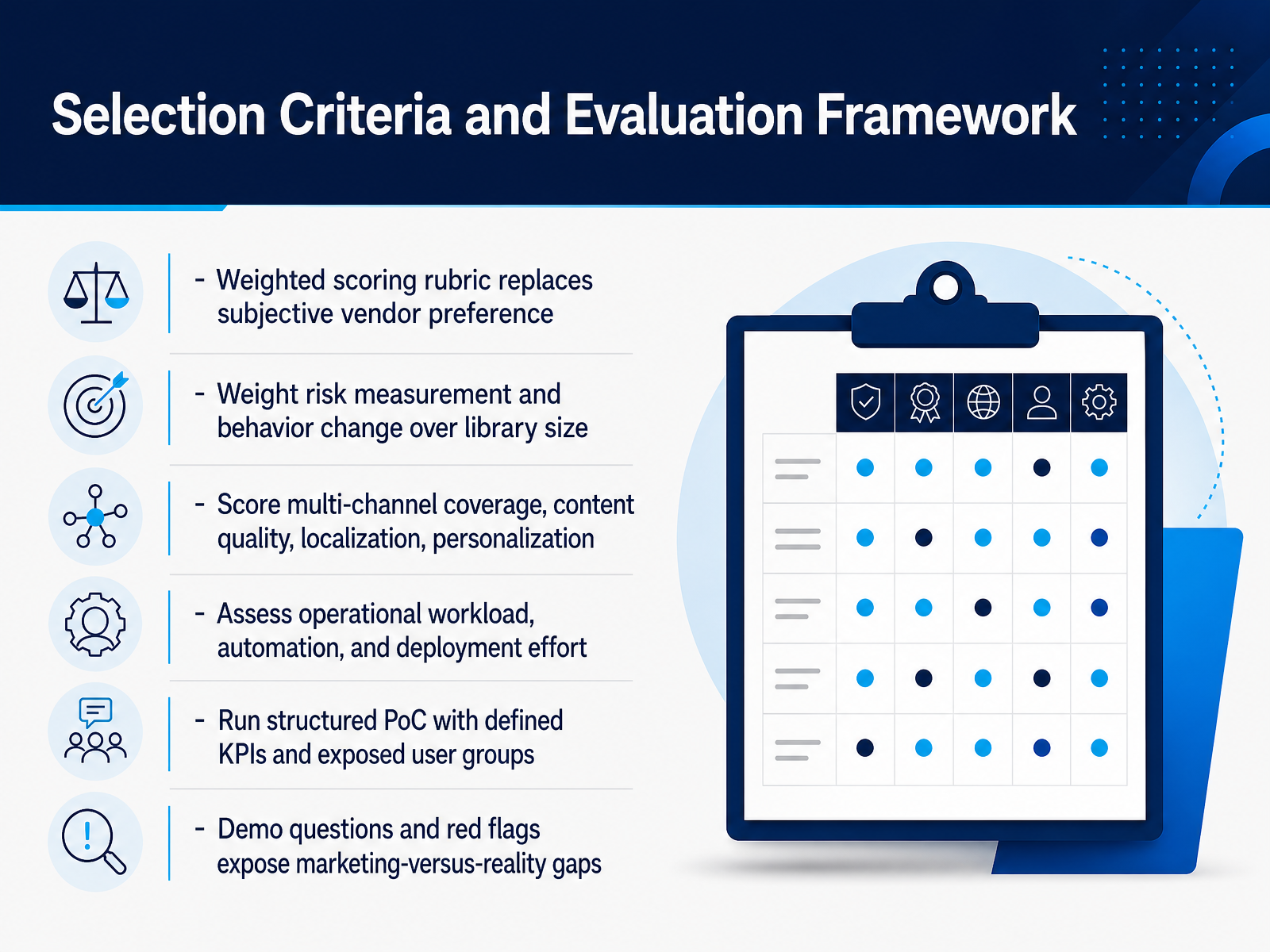
 - 06Selection Criteria and Evaluation FrameworkLet's talk about how you actually score these tools. Start with a weighted scoring rubric. That replaces subjective vendor preference with defensible numbers. Now here is the key shift. Weight risk measurement and behavior change over library size. A thousand modules mean little if the platform cannot show reduced susceptibility. From there, score multi-channel coverage, content quality, localization, and personalization. Next, assess operational workload, automation, and deployment effort. Ask how many hours a month your team will spend running campaigns. Then run a structured proof of concept with defined KPIs and exposed user groups. Test sales or finance, not IT. Finally, use demo questions and red flags to expose marketing-versus-reality gaps. If a vendor cannot show a live control mapping, treat that as a warning. Document every score, because that record defends your decision. Next, we look at Privacy-Safe Behavioral Data Collection.
 adaptivesecurity.comadaptivesecurity.comciopages.com+22 min
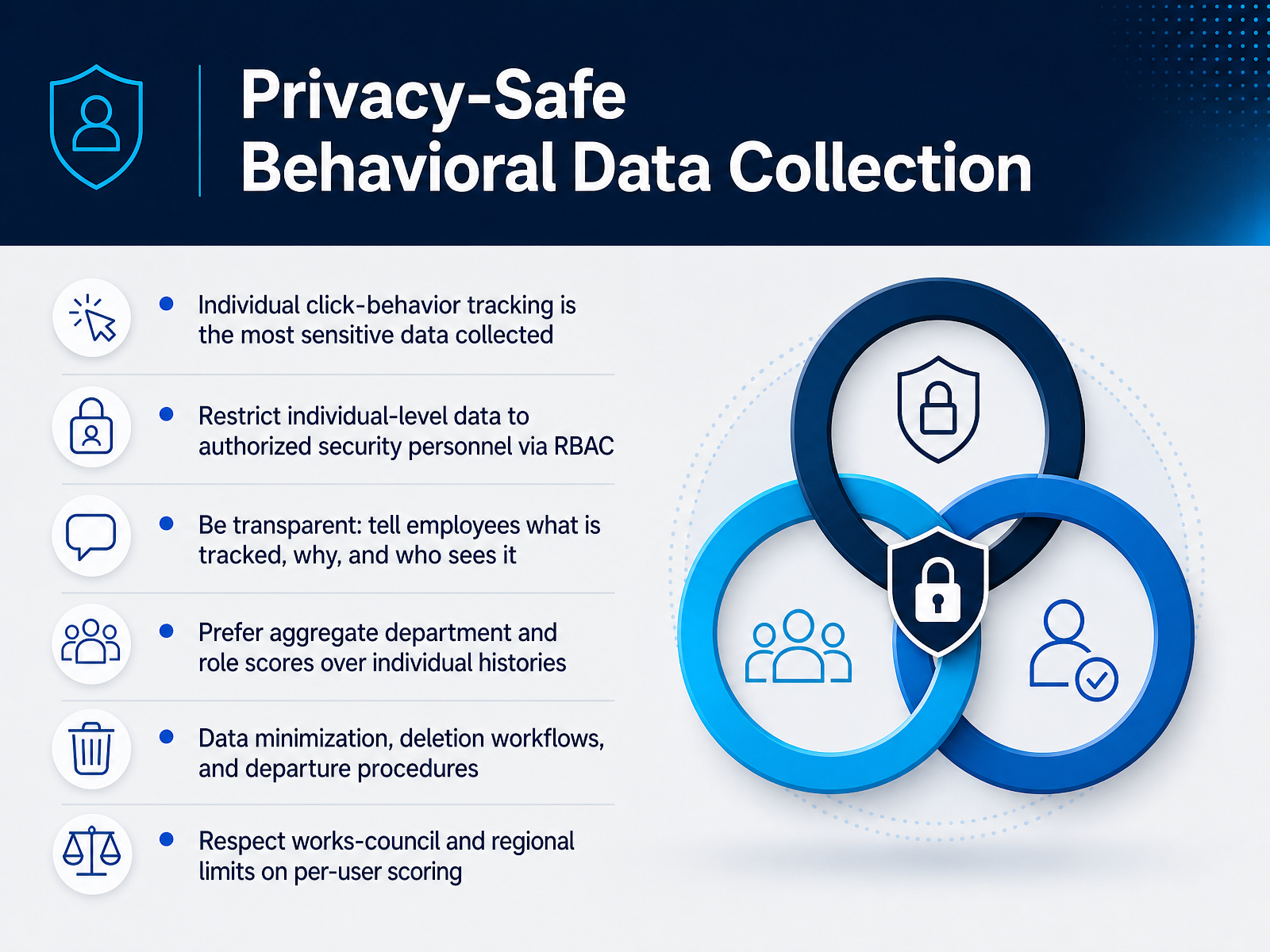
 - 07Privacy-Safe Behavioral Data CollectionNow let's talk about the data you collect from your own people. Individual click-behavior tracking is the most sensitive data your program will ever hold. Protect it. Restrict individual-level data to authorized security personnel through role-based access controls, not every manager in the chain. Be transparent. Tell employees exactly what is tracked, why, and who can see it. Transparency builds trust and reduces surveillance anxiety. Prefer aggregate department and role scores over individual histories. Those aggregates inform coaching without exposing one person. Apply data minimization. Build deletion workflows and departure procedures before you need them. And respect works-council and regional limits on per-user scoring. Some regions may forbid it outright. Document each decision so privacy and legal teams can defend it. Track enough to surface real risk, disclose enough to build trust. Designing a Mobile-First Awareness Workflow.
 adaptivesecurity.comadaptivesecurity.comciopages.com+22 min
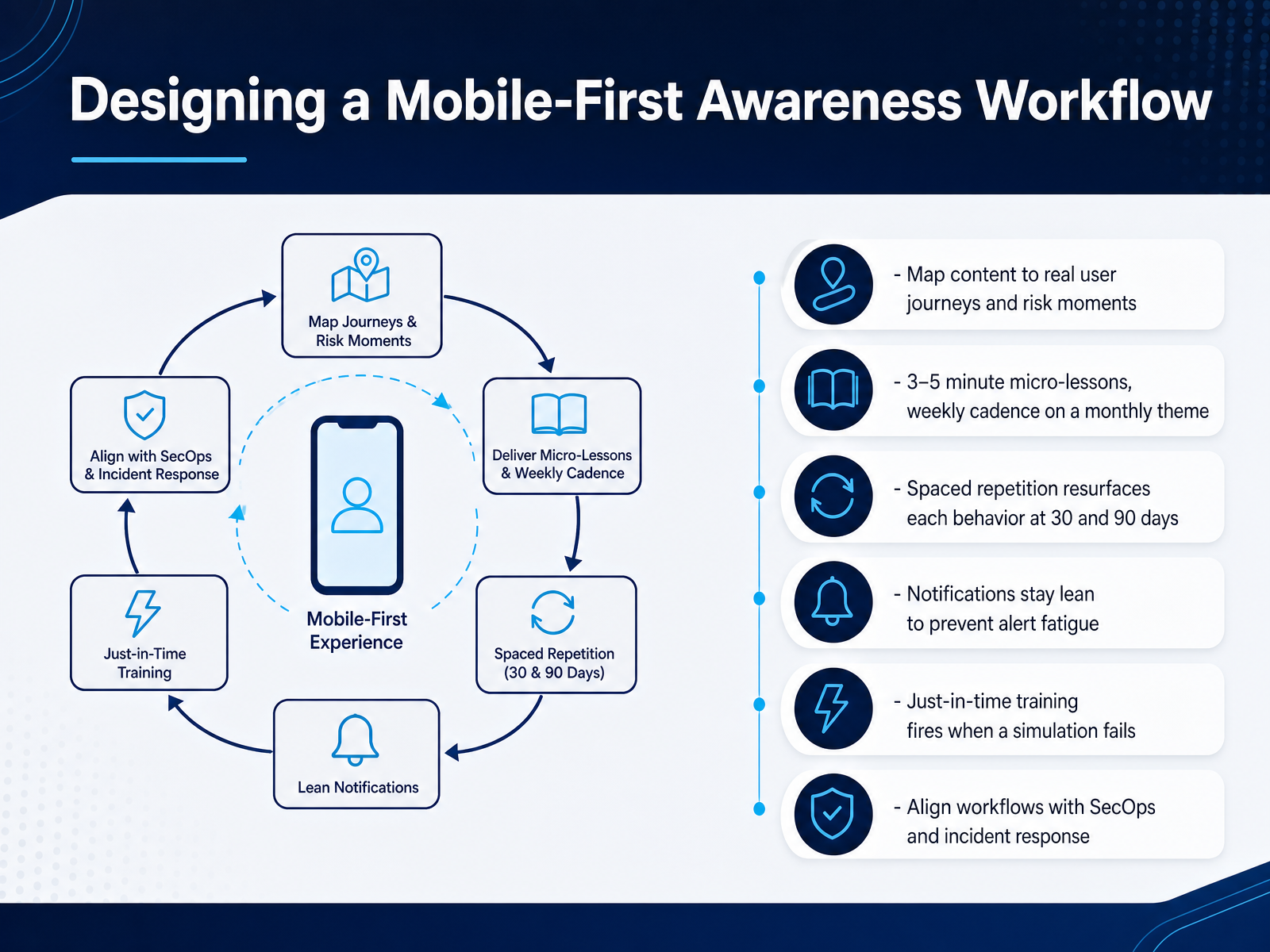
 - 08Designing a Mobile-First Awareness WorkflowNow let's design the workflow itself. Start by mapping content to real user journeys and risk moments. If your finance team approves payments on phones, train for that exact moment. Then, keep micro-lessons between three and five minutes, delivered weekly inside a monthly theme. One behavior per lesson. Next, use spaced repetition. Resurface each behavior at thirty days, then again at ninety. That is how habits form. Keep notifications lean. Too many pings cause alert fatigue, and people ignore all of them. Consider just-in-time training. When a simulation fails, fire a short lesson right away. The person sees the lesson while the mistake is still fresh. Finally, align your workflows with SecOps and incident response. Document reporting paths so a suspicious message turns into action, not silence. Choose one behavior. Test the cadence. Document the result. Next, we look at adapting these workflows for frontline and deskless workers.
 kymatio.compreyproject.comransomleak.com+22 min
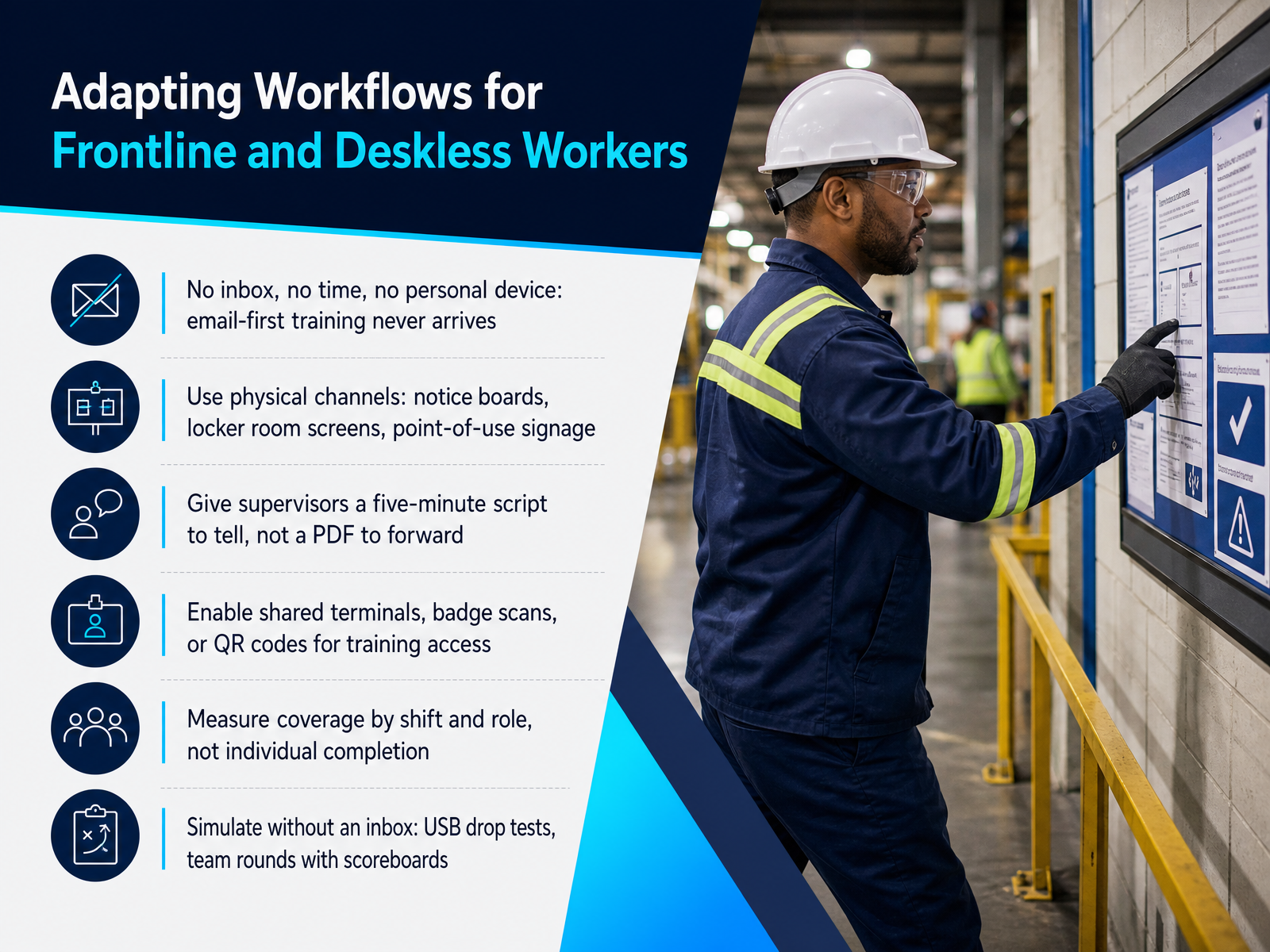
 - 09Adapting Workflows for Frontline and Deskless WorkersNow let's talk about adapting workflows for frontline and deskless workers. No inbox, no time, no personal device. Email-first training never arrives. So choose physical channels instead. Notice boards, locker room screens, and signage placed right where the mistake happens. Give supervisors a five-minute script to tell out loud, not a PDF to forward. The PDF dies in their hands. The script survives. Pause here, because this next part matters. Enable shared terminals, badge scans, or QR codes for training access. If your crew shares one machine, design for that machine. Then measure coverage by shift and role, not individual completion. You are tracking whether the talk happened. Broadcast is not reception. Declared shift coverage tells you the truth. Finally, simulate without an inbox. Run USB drop tests. Run quick team rounds with a visible scoreboard. Keep the mistake discussed on the spot. Next, we move into rollout, adoption, and change management.
 smartfense.comlucysecurity.com2 min
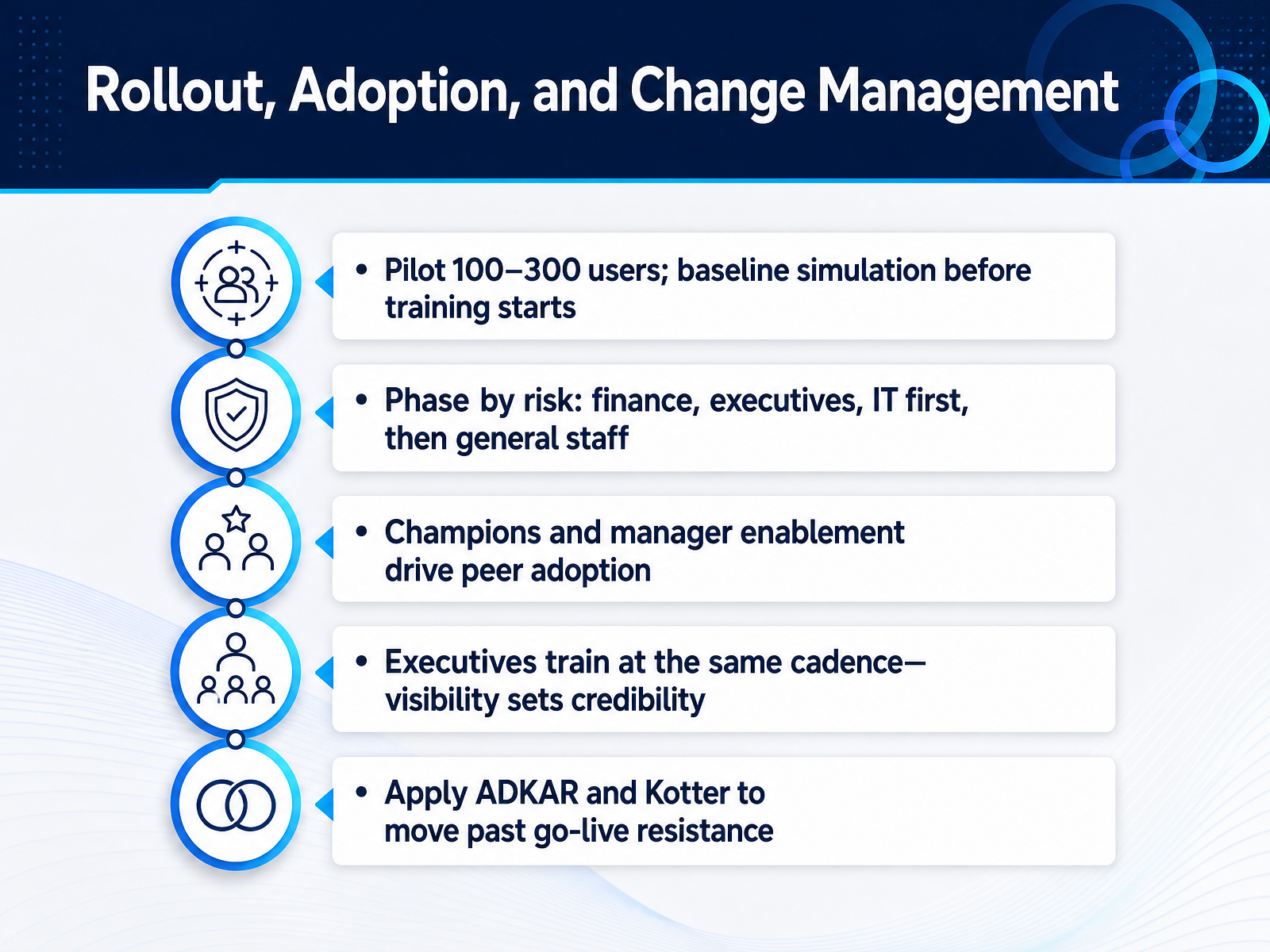
 - 10Rollout, Adoption, and Change ManagementNow let's talk about rollout and adoption. This is where good tools quietly fail. Start with a pilot of one hundred to three hundred users. Run a baseline simulation before training starts. That number becomes your honest starting point. Phase by risk next. Finance, executives, and IT go first. They hold the highest-value access. Then scale to general staff. Champions and manager enablement carry peer adoption. People trust the person beside them faster than the security team. Make executives train at the same cadence. Their visibility sets credibility, and opt-outs are seen. Test your cadence in the pilot. If completion drops, slow it down. When resistance shows past go-live, apply ADKAR and Kotter. Build awareness, then desire, then ability. Net takeaway: sequence rollout by risk, and let visible leadership carry the change. Next, we move to Measuring Effectiveness with Behavioral Metrics.
 smartfense.comlucysecurity.comawarego.com+22 min
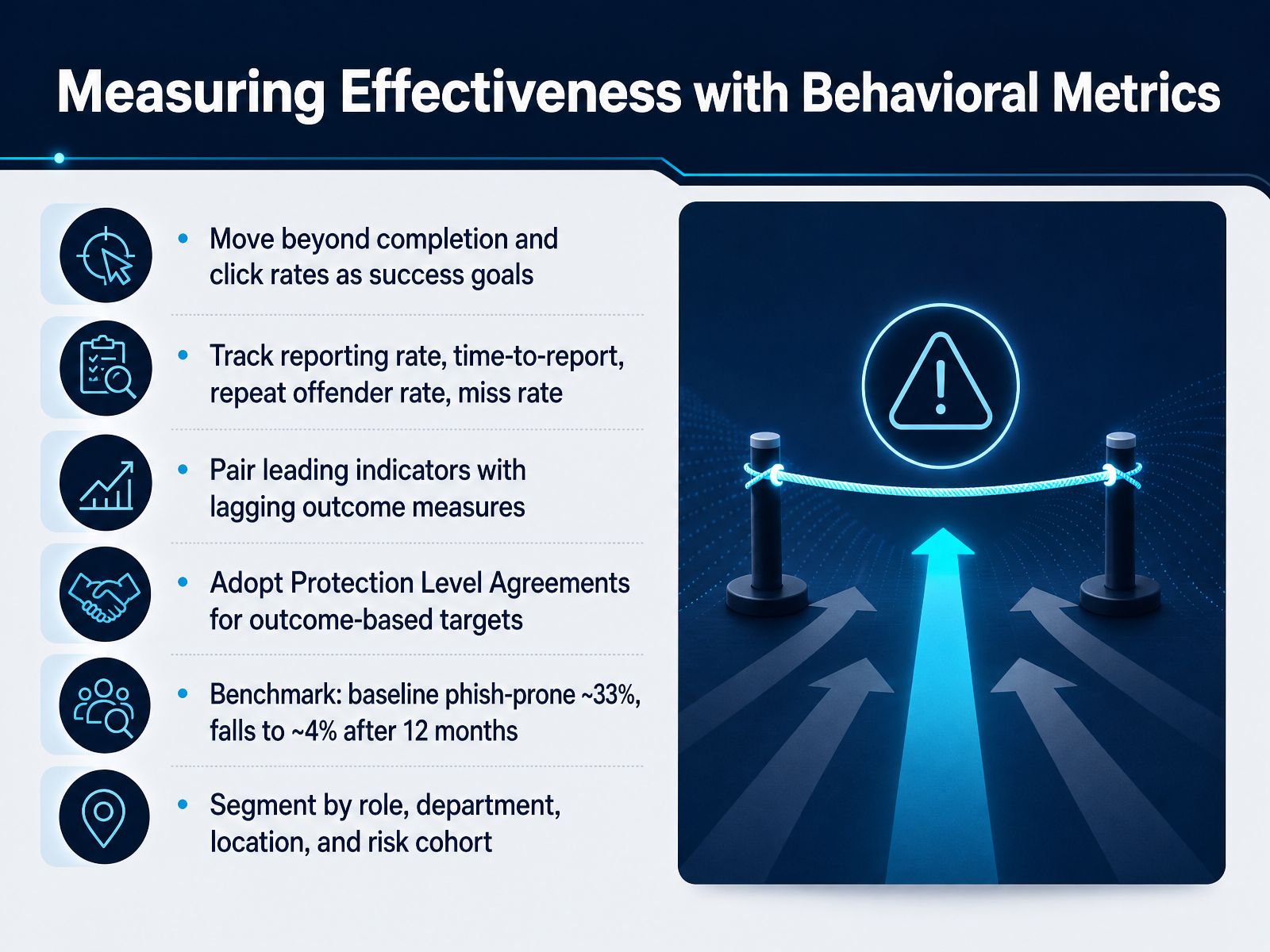
 - 11Measuring Effectiveness with Behavioral MetricsLet's talk about measuring effectiveness with behavioral metrics. Move beyond completion and click rates as your success goals. Instead, track reporting rate, time to report, repeat offender rate, and miss rate. Test these alongside leading indicators and lagging outcomes. Then adopt Protection Level Agreements for outcome-based targets. For context, the baseline phish-prone rate starts near thirty-three percent. It falls to about four percent after twelve months of continuous training. Segment your results by role, department, location, and risk cohort. Next, we will cover reporting to leadership and the board.
 lucysecurity.comawarego.comlucysecurity.com+21 min
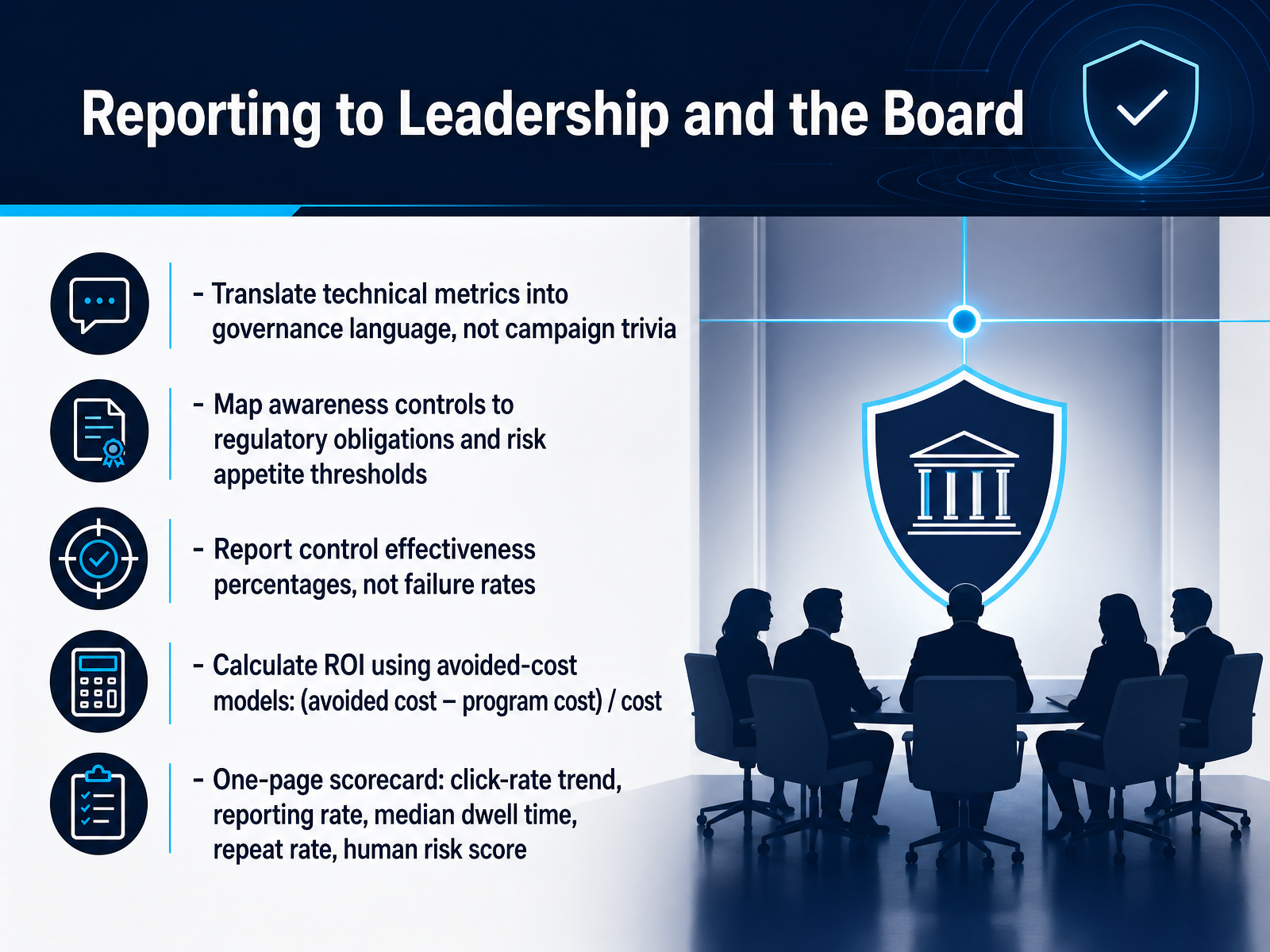
 - 12Reporting to Leadership and the BoardNow, let's talk about reporting to leadership and the board. Boards do not fund training campaigns. They fund controls that hold risk inside appetite. So translate your technical metrics into governance language. Map each awareness control to a regulatory obligation and a risk threshold. Then report control effectiveness percentages, not failure rates. Say the control achieved eighty-five percent effectiveness. Never say fifteen percent of staff clicked. Next, calculate return on investment with a defensible avoided-cost model. Avoided incident cost, minus program cost, divided by program cost. A program costing one hundred twenty thousand dollars that prevents six hundred thousand dollars in exposure returns four hundred percent. Finally, keep it to one page. Include click-rate trend, reporting rate, median dwell time, repeat rate, and your composite human risk score. Two suggestions. Document your assumptions before anyone asks. And rehearse the threshold conversation, because that is where funding decisions actually happen. Next, we cover common pitfalls and how to avoid them.
 adaptivesecurity.comadaptivesecurity.comciopages.com+22 min
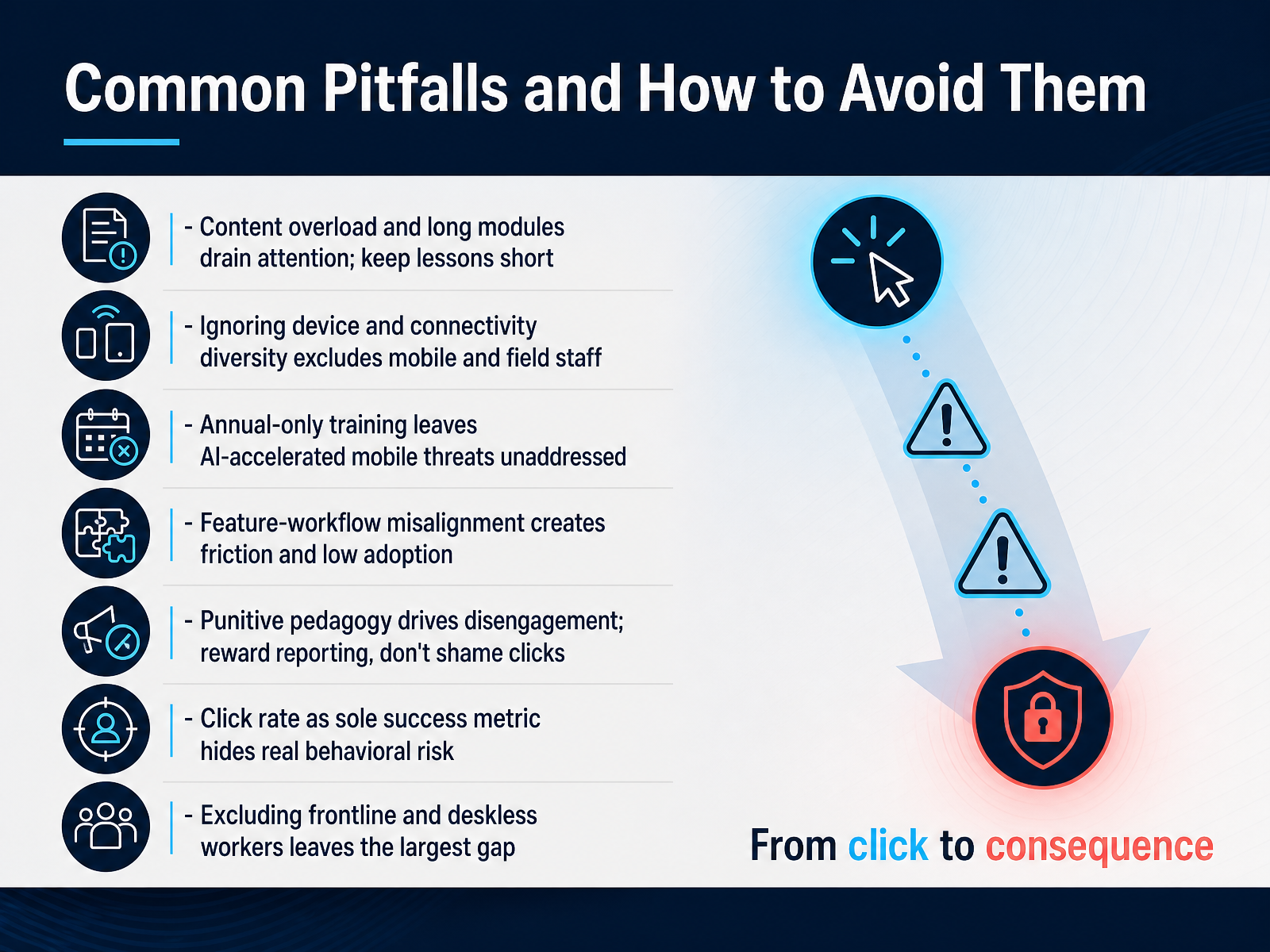
 - 13Common Pitfalls and How to Avoid ThemLet's talk about the pitfalls that quietly sink mobile-first programmes, and how to avoid each one. First, content overload. Long modules drain attention. Keep lessons short. Aim for three to five minutes per behaviour. Test this. If a module takes longer, cut it. Second, ignoring device and connectivity diversity. Excluding field and frontline staff leaves your largest gap. Deliver training on shared terminals, kiosks, or personal phones. Third, annual-only training. AI-accelerated threats move in hours, not months. Choose continuous micro-learning instead. Fourth, feature-workflow misalignment. If reporting is buried, adoption stalls. Document one clear path. Fifth, punitive pedagogy. Shame drives silence. Reward reporting. Never punish a click. Sixth, click rate as your only metric. It hides real behavioural risk. Track reporting rate, time to report, and repeat-risk reduction together. Keep these seven pitfalls visible. Review them each quarter. Next, we turn to your action plan and next steps.
 lucysecurity.comawarego.comlucysecurity.com+22 min
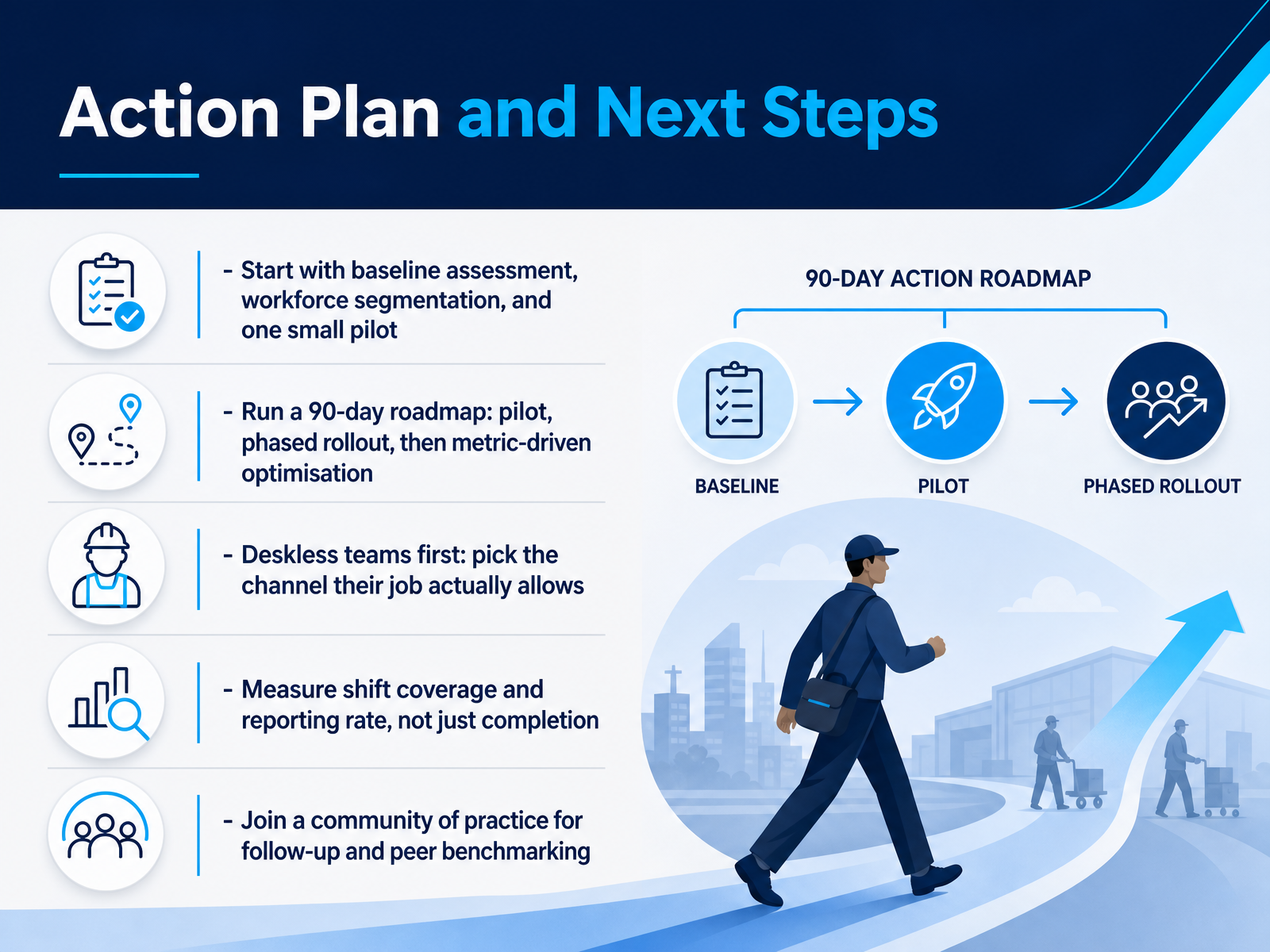
 - 14Action Plan and Next StepsLet's close with your action plan. Start with a baseline assessment, segment your workforce, then run one small pilot. Pick a group of one hundred to three hundred people. After that, follow a ninety-day roadmap: pilot, phased rollout, then metric-driven optimisation. Start with deskless teams. Choose the channel their job actually allows, like a five-minute talk at handover, or a poster where people walk past. Test it there first. When you measure, track shift coverage and reporting rate, not just completion. Completion tells you who watched. Coverage tells you which shift heard the message at all. So build your dashboards around the shift, not the individual, especially where people share terminals and have no email. Finally, join a community of practice. Peer benchmarking keeps you honest, and it gives you somewhere to take the hard questions. So here is the summary. Baseline, segment, pilot small. Roll out in waves. Meet deskless teams on their channel. Measure behaviour and coverage, not attendance. Thank you for staying with this course. Pick one pilot group this week, and start there. You have got this.
 smartfense.com2 min
Take the deck with you
Download this course as a file — free, no sign-up needed.
- PDF handoutEvery slide page, ready to print or share.15 pages · 3.5 MBDownload
- Narrated PowerPointThe deck that presents itself — every slide carries the digital human's narration video.15 pages · 24.4 MBDownload
- PowerPoint slidesThe full deck as a .pptx — open it in PowerPoint, Keynote, or Google Slides.15 pages · 3.4 MBDownload
Free to use in your own training — please keep the PersonWise credit page at the end.
Have your own deck? Turn it into a course
Sources consulted
Web sources consulted while building this course.
- Security Awareness Trends 2026: Why Attacks Have Gone ... — lucysecurity.com
- The Essential Security Awareness Training Topics for 2026: A Strategic Guide - AwareGO — awarego.com
- Mobile Phishing Awareness Training for Modern Workforces — lucysecurity.com
- Security Awareness Training in 2026: Turning Your Biggest Vulnerability into Your Best Defense — sentrytechsolutions.com
- Mobile-First Phishing: Why SMS, WhatsApp, and App Notifications Are the New Inbox | PhiShark Blog | PhiShark — phishark.io
- Security Awareness Automation: Kymatio’s NIS2 Workflow | Kymatio — kymatio.com
- Mobile security awareness: training tips and best practices - Prey Project — preyproject.com
- Mobile Security Training for Remote Teams | RansomLeak — ransomleak.com
- How to secure the mobile workplace | 2LRN4 — 2lrn4.com
- The Power of Microlearning in Building Skilled Cybersecurity Teams — cm-alliance.com
- Security Awareness Training Platform Requirements Guide | Adaptive Security — adaptivesecurity.com
- 2026 Security Awareness Training Buyer's Guide | Adaptive Security — adaptivesecurity.com
- Security awareness platform: a CISO decision framework — smartfense.com
- Cybersecurity Awareness Training Platform: A Guide | Adaptive Security — adaptivesecurity.com
- Security Awareness Training Programme: ISO 27001 A.6.3, SOC 2 CC1.4, and How to Build Evidence That Satisfies Auditors (2026) | ComplyKit — nocodelisted.com
- Security Awareness Training Platform Data Privacy: GDPR, Risk Scores, and Procurement Criteria | Adaptive Security — adaptivesecurity.com
- Security Awareness Training Platform Evaluation Checklist: 7 Criteria to Compare and Choose With Confidence | Adaptive Security — adaptivesecurity.com
- Buyer's Guide: Security Awareness Training | CIOPages Buyer Guide — ciopages.com
- How to Choose Security Awareness Training Tools in 2026 | BizTechScout — biztechscout.com
- Security awareness for deskless workers — smartfense.com