Begin
14 pages · ~28 min
Computer Networking Fundamentals
An overview of computer networking fundamentals, covering network types, topologies, and architectures for beginners. Learners will understand key concepts and distinctions between LAN, WAN, MAN, and other network categories.
A digital instructor presents all 14 pages. Hold “Ask” at any point and ask out loud — the answer comes from this course. No sign-up needed.
What you’ll learn
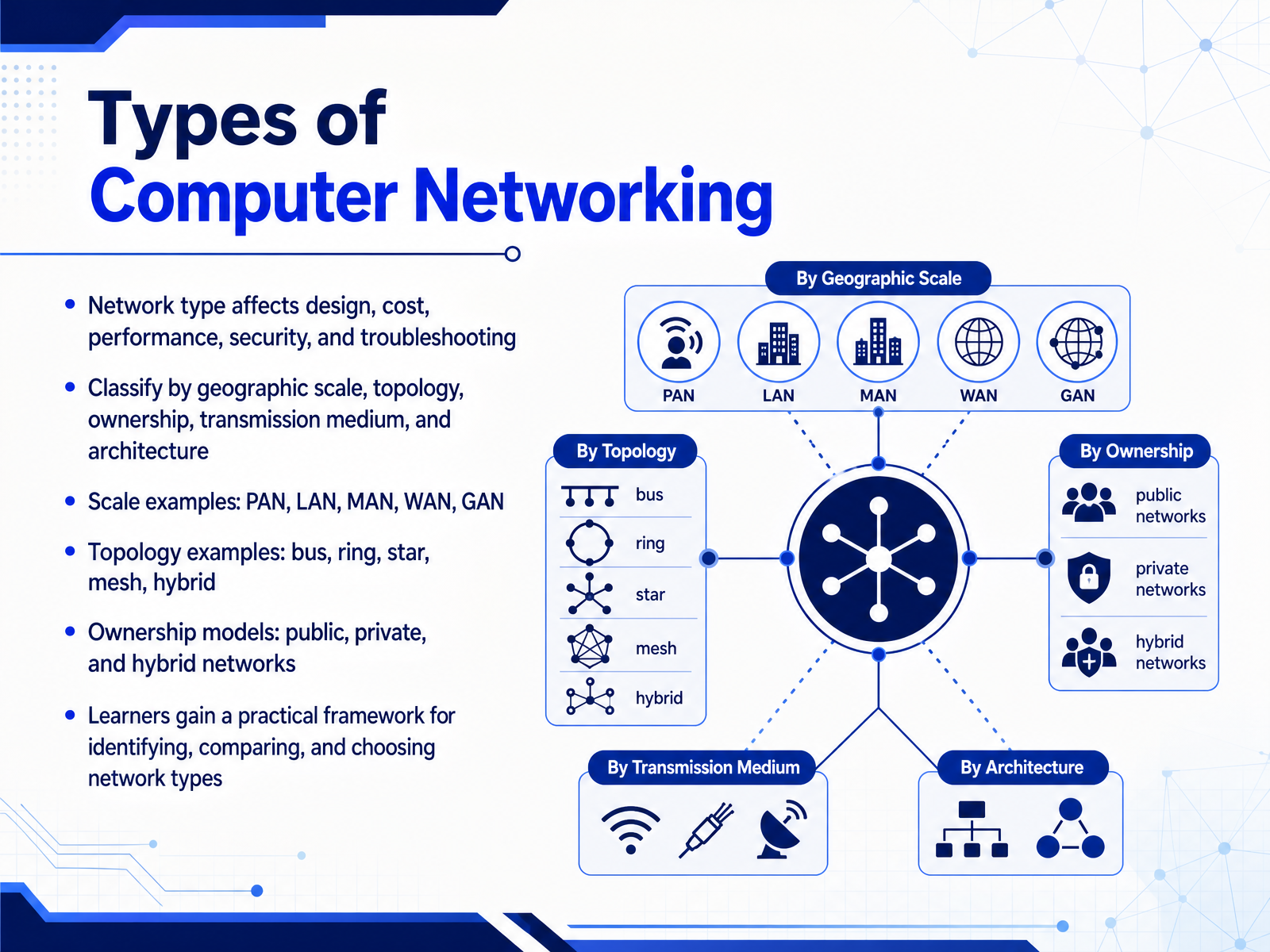
- 01Types of Computer NetworkingWelcome to our course on the types of computer networking. In this first module, we are going to build a practical framework you can use whenever you encounter a network, whether you are designing a new one or troubleshooting an existing one. Understanding the type of network you are working with is the first step, because it directly influences design choices, cost, performance, and the nature of your security and troubleshooting tasks. We won't just be looking at a list of names. Instead, we will classify networks using several key criteria: their geographic scale, such as a personal area network or a wide area network; their topology, like bus, ring, star, or mesh; their ownership model, whether public, private, or hybrid; and the underlying transmission medium. By the end of this course, you will be able to glance at a network's structure and immediately make informed comparisons about why it was built a certain way. Let's start by establishing precisely how networks are classified.techtarget.comcisco.comlearn.microsoft.com+21 min
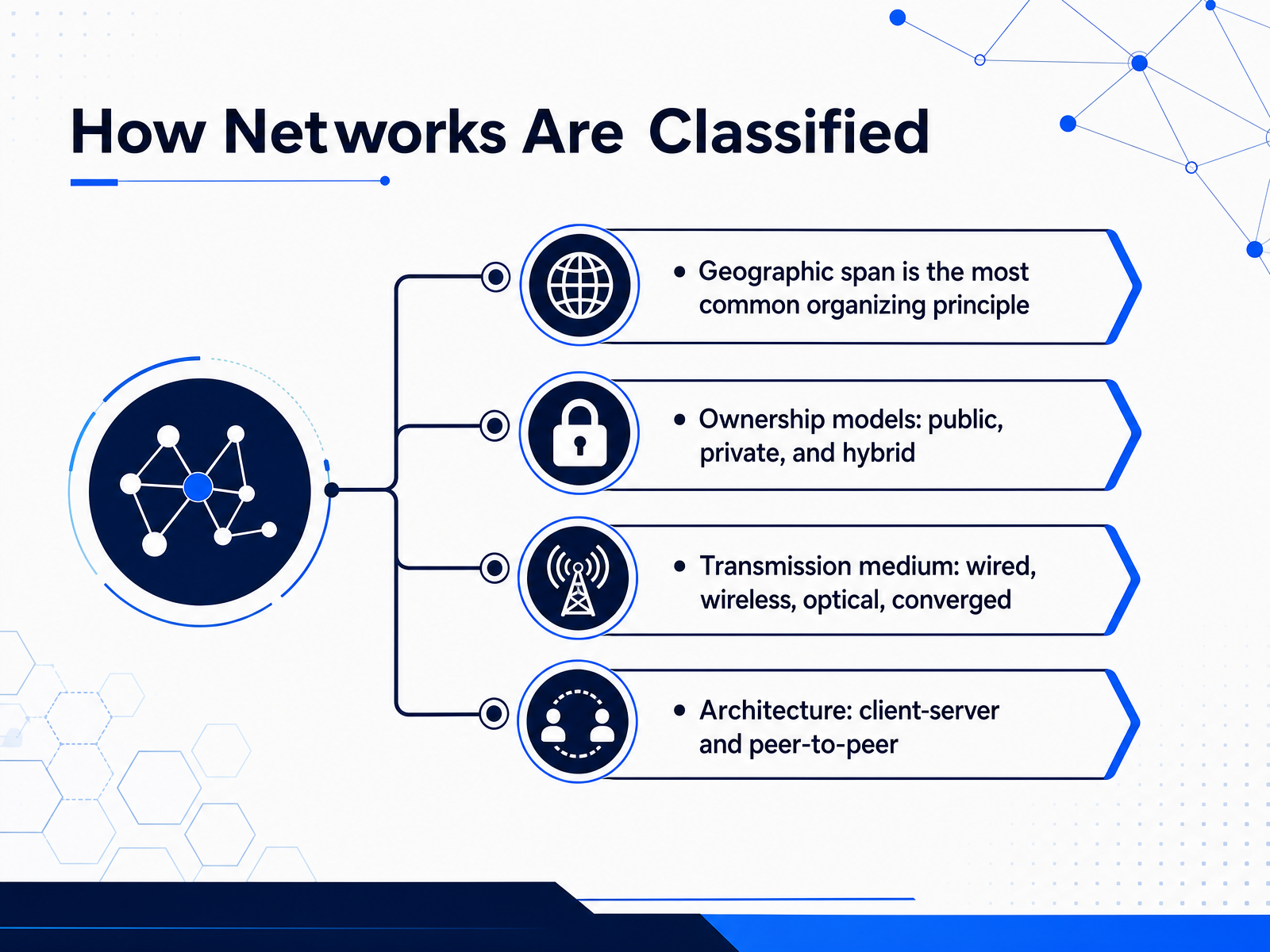
- 02How Networks Are ClassifiedSo the first big question is: how do we actually classify networks? The most common way is by geographic span. Think of it as the distance the network covers, from a single desk to an entire continent. Another major factor is ownership. A private network might belong to your company, a public network is run by a service provider, and a hybrid model mixes the two. We also classify networks by their transmission medium. This simply means the physical path the data takes, whether that's copper cables, fiber optics, radio waves for wireless, or a converged setup that combines several of these. Finally, there's architecture. This describes the relationship between the devices. In a client server model, powerful servers provide services and clients consume them. In a peer to peer model, every device is equal and can directly share its own resources. These four categories are not mutually exclusive, but they give us a solid framework before we zoom into specific network types. Next, we'll start with the most fundamental geographic category, personal area networks and local area networks.
 geeksforgeeks.orglearn.microsoft.commedium.com+22 min
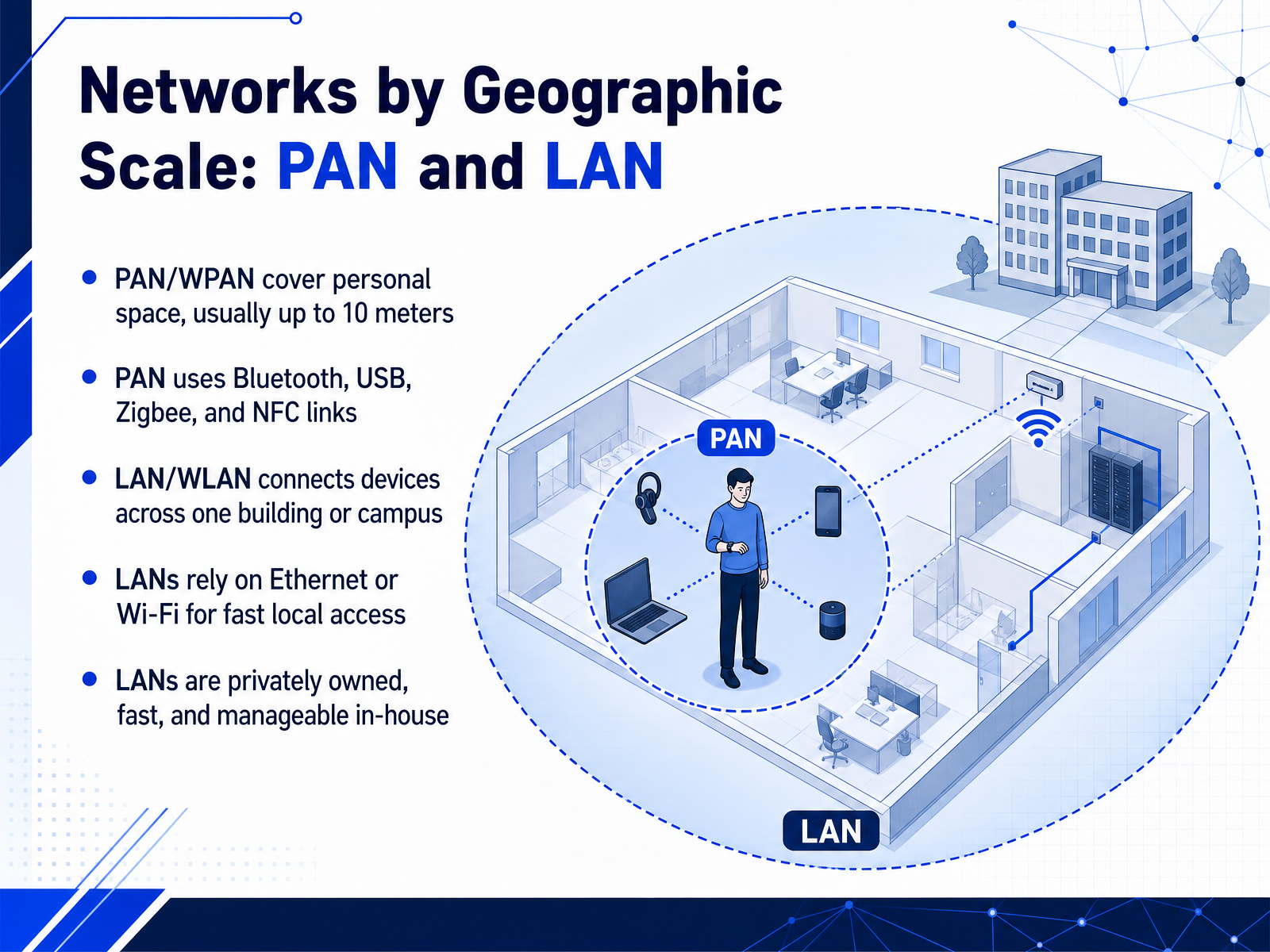
 - 03Networks by Geographic Scale: PAN and LANNow let's zoom in and look at networks by geographic scale, starting with the smallest types: PAN and LAN. First, a Personal Area Network, or PAN, is exactly what it sounds like. It covers your personal space, usually up to about ten meters. Think of your smartphone connecting to wireless earbuds or a smartwatch. That's a PAN. These networks often use Bluetooth, USB, Zigbee, or NFC. A PAN is very short range and is centered on a single person. Now, if we need to connect devices across a room, a floor, or an entire building, we move up to a Local Area Network, or LAN. A LAN connects computers, printers, and servers within one building or campus. LANs typically rely on Ethernet cables or Wi-Fi for fast local access. The key thing to remember is that a LAN is privately owned, fast, and manageable in house. The network in your office or your home Wi-Fi network are both great examples. Next, we will expand our scope to cover larger networks, including MANs, WANs, and GANs.
 ionos.comspeedtesthq.comgeeksforgeeks.org+22 min
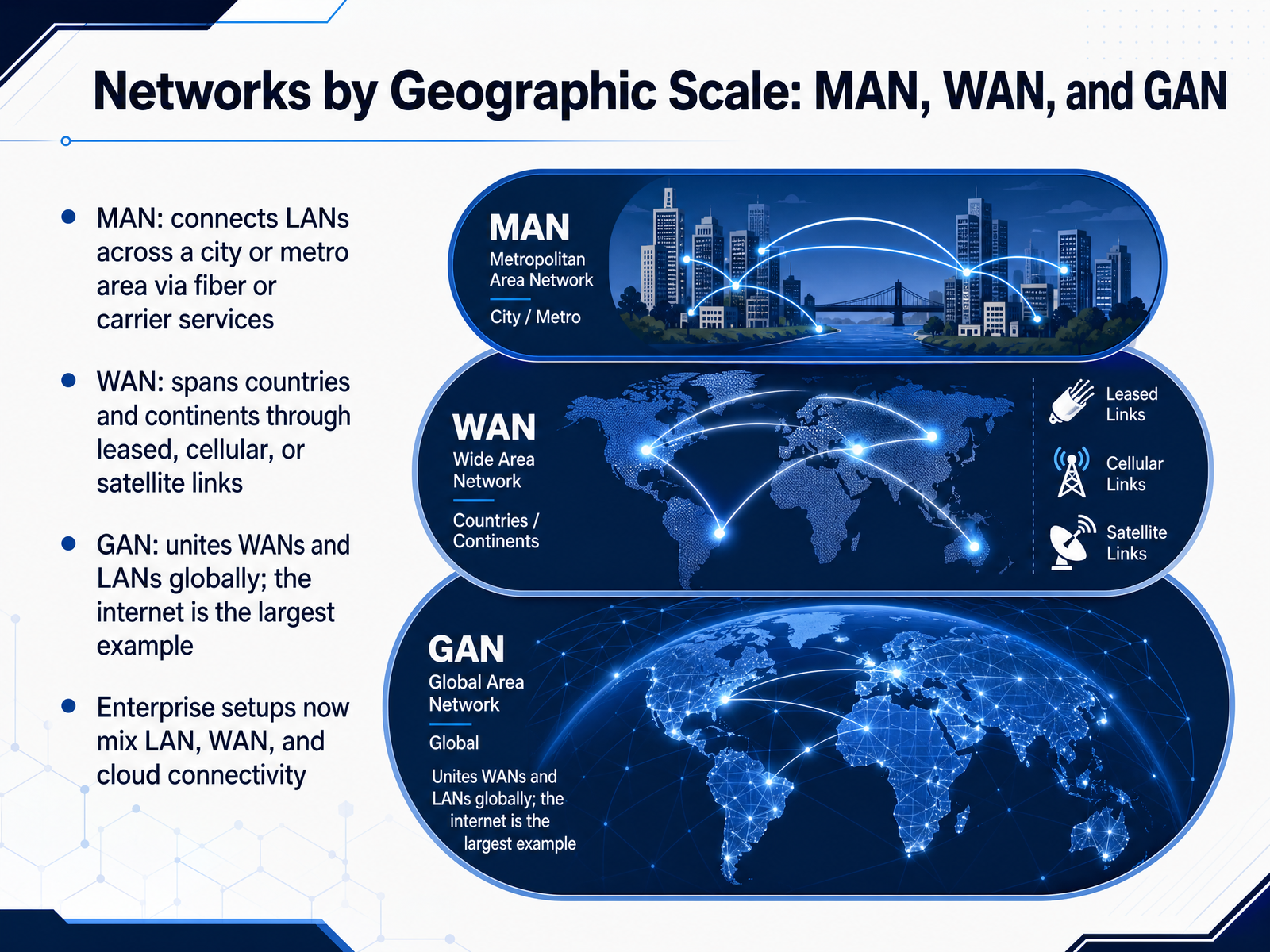
 - 04Networks by Geographic Scale: MAN, WAN, and GANNow that we've covered local area networks, let's widen our view to networks that span cities, countries, and the entire globe. First is the Metropolitan Area Network, or M A N. Think of a M A N as a bridge between L A N s across a city or metro area. A city government, for example, might use a M A N to connect its libraries and municipal offices over fiber or leased carrier services. Next is the Wide Area Network, or W A N. A W A N spans countries and continents using leased lines, cellular, or satellite links. If your company has offices in New York and London, a W A N is what connects them. Finally, there's the Global Area Network, or G A N. A G A N unites W A N s and L A N s worldwide, and the internet itself is the largest example. In modern enterprise setups, you rarely see these types in isolation. A typical company runs its own L A N, connects sites through a W A N, and relies on cloud connectivity, which is essentially a G A N service. So the key takeaway is this: geographic scale determines the network type, and real deployments almost always mix them. Next, we'll move from geographic scale to how these networks are arranged physically and logically, starting with physical versus logical topology.
 ionos.comspeedtesthq.comgeeksforgeeks.org+22 min
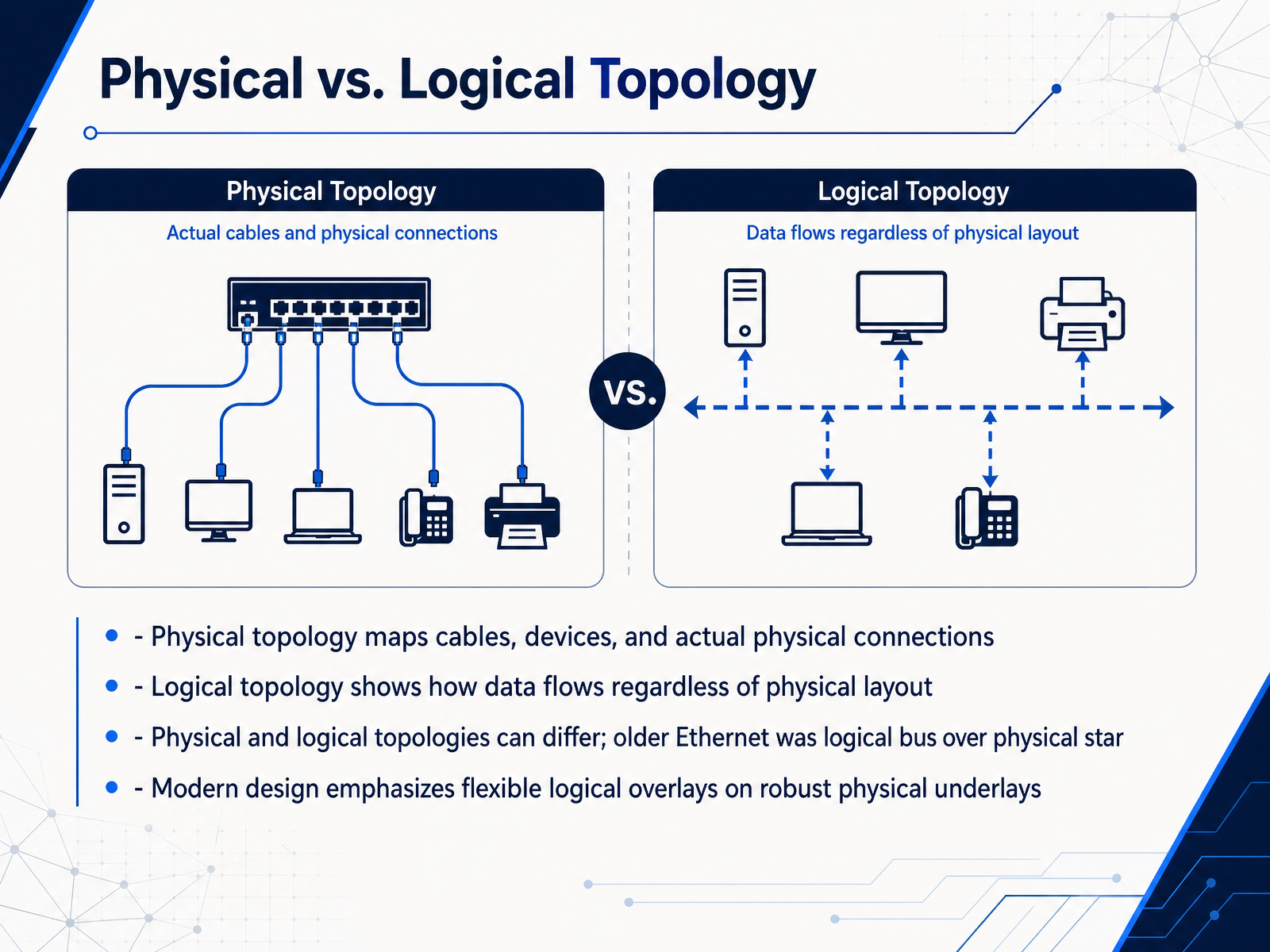
 - 05Physical vs. Logical TopologyNow let’s look at physical versus logical topology. Physical topology describes the actual hardware layout, meaning the cables, devices, and physical connections you can see and touch. Logical topology, by contrast, describes how data flows through the network, regardless of where the devices physically sit. These two views do not always match. A classic example is older Ethernet. It physically looked like a star, with all cables running to a central hub, but logically, it behaved like a bus, because every device still shared the same data path. Today, network design often uses robust physical underlays, like a well-structured cabling and switching foundation, with flexible logical overlays that control how traffic, services, and segments are organized. The practical takeaway is this. When you troubleshoot or design a network, you need to think about both views, because a problem may look fine physically, while the logical flow is causing the issue. Up next, we’ll explore common topologies, including bus, ring, star, and tree.
 2 min
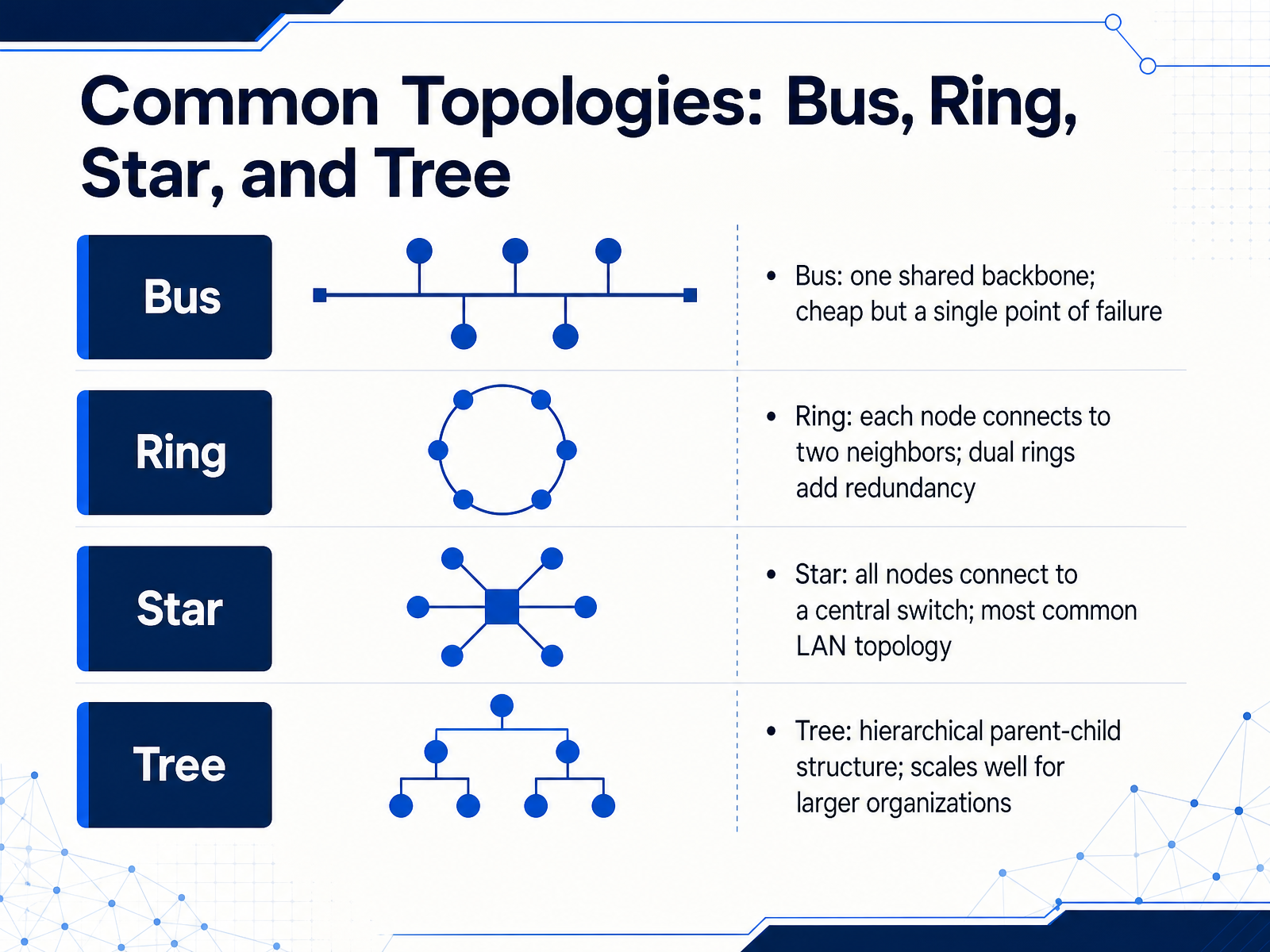
2 min - 06Common Topologies: Bus, Ring, Star, and TreeNow let's look at the four common physical layouts, or topologies. First is the bus topology, where all devices share one main backbone cable. It's simple and cheap, but a break anywhere along that cable can take down the whole segment. Next, a ring topology connects each node to exactly two neighbors, forming a closed loop. Many ring designs use dual rings, so traffic can wrap around if one path fails, adding redundancy. The star topology is what you'll see in most office LANs. Every device connects directly to a central switch. The switch becomes a critical point, but it makes troubleshooting and scaling much easier. Finally, tree topology combines multiple star networks in a hierarchy of parents and children. It maps naturally to how larger organizations are structured, with distribution switches feeding access switches. Keep these shapes in mind as a foundation. Up next, we'll compare mesh and hybrid topologies, which trade added complexity for even greater resilience.
 1 min
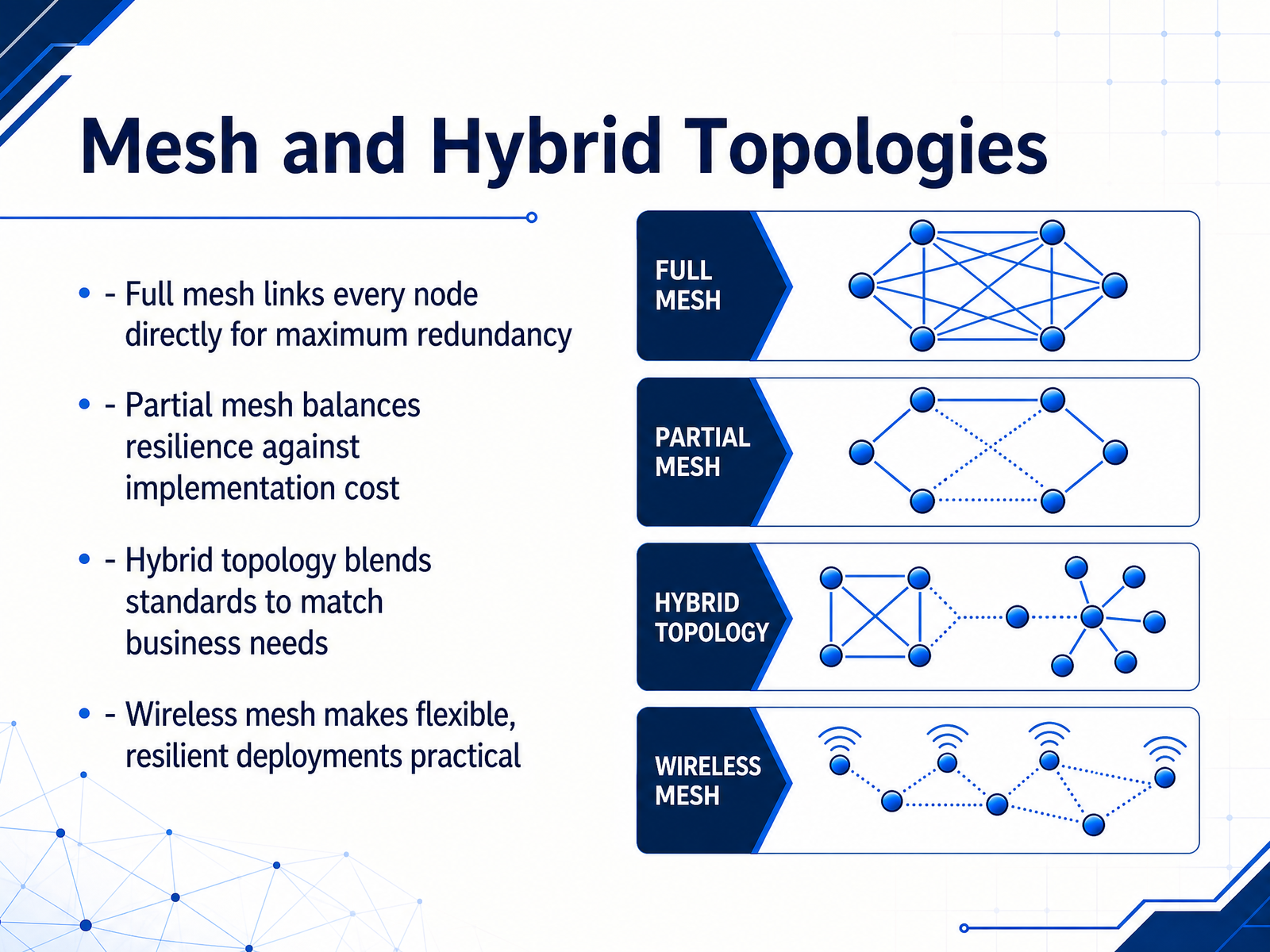
1 min - 07Mesh and Hybrid TopologiesNow let's move from single topologies to combined designs, starting with mesh and hybrid approaches. A full mesh topology connects every node directly to every other node, which gives maximum redundancy because no single link failure can isolate a device, but it becomes expensive and hard to manage as the network grows. A partial mesh offers a middle ground by directly connecting only the most critical nodes, which preserves resilience where it matters while keeping implementation cost reasonable. Hybrid topology blends different standards, such as combining a star in one office with a ring in another, so the network can match actual business needs rather than forcing one rigid design. Wireless mesh extends these ideas without running cable to every device, making flexible and resilient deployments practical for warehouses, campuses, and outdoor areas. In short, mesh and hybrid designs trade some simplicity for redundancy and adaptability. Next, we will look at public, private, and hybrid networks.
 1 min
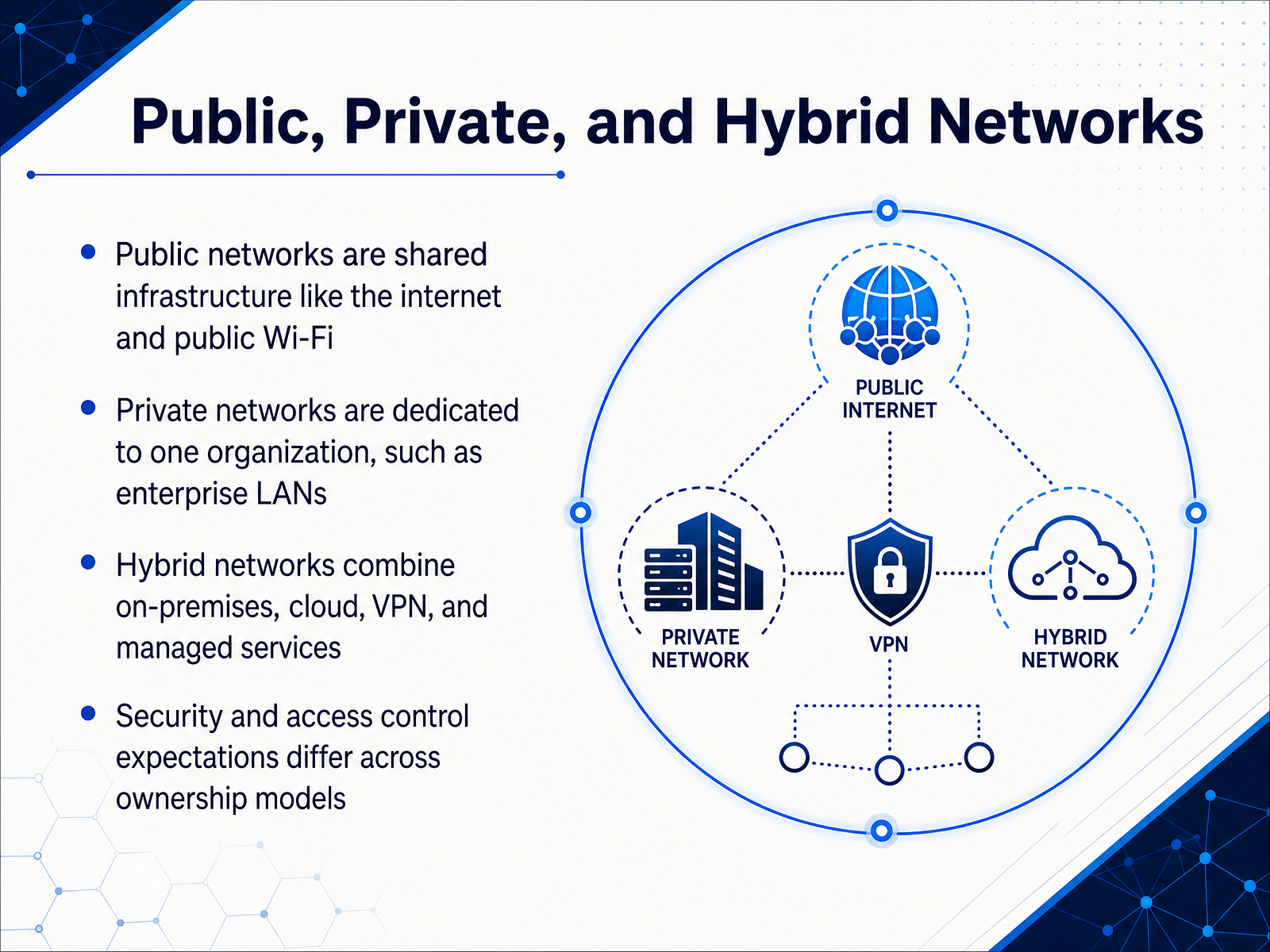
1 min - 08Public, Private, and Hybrid NetworksNow let's talk about public, private, and hybrid networks. The main difference really comes down to ownership and how much control you have. A public network is shared infrastructure, like the internet or a coffee shop's Wi-Fi. It's highly scalable and cost effective, but you don't control the underlying hardware, so you have to assume the environment is hostile and treat it with caution. On the other end is a private network. This is dedicated to a single organization, like an enterprise LAN inside a single building. Because you own and control it, you can enforce stricter security policies and ensure better performance for sensitive workloads. A hybrid network combines these two worlds. It connects your on-premises, private environment with public cloud services, often using VPNs or dedicated links. This lets you keep sensitive data in your controlled private network, while using the public cloud for scale and flexibility. For example, a hospital might keep patient records on private servers, but use a public cloud to host its public-facing website. This balance is why security expectations vary so much. In a public space, you rely on encryption and strong authentication. In a private space, you control the firewall and segmentation. In a hybrid, you must apply consistent security across both. Next, we will explore a different way to categorize networks: wired, wireless, and converged networks.
 azure.microsoft.comcyber.gc.cafidelissecurity.com+22 min
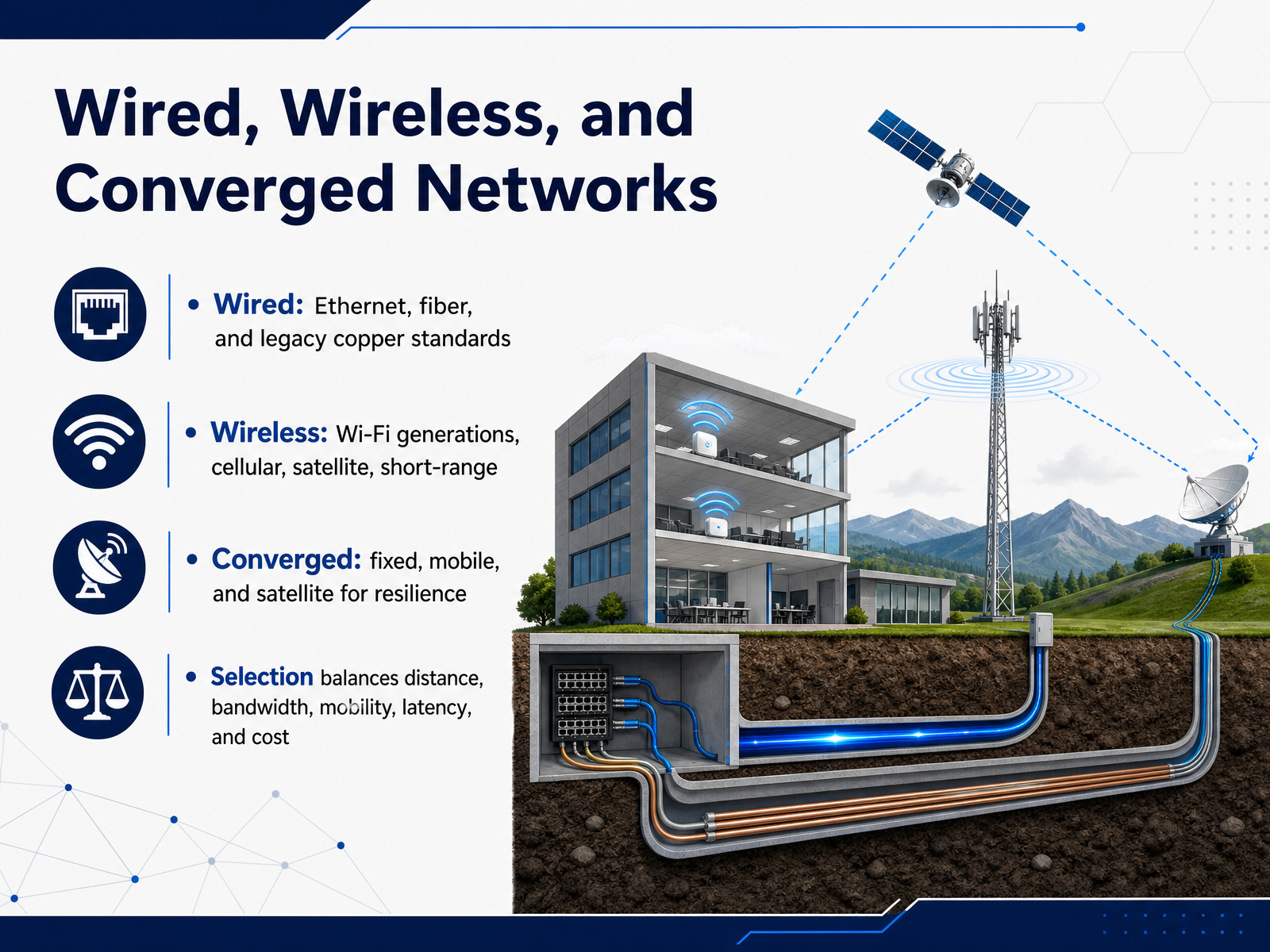
 - 09Wired, Wireless, and Converged NetworksNow let's look at how networks are physically connected, starting with wired, wireless, and converged options. Wired networks typically use Ethernet over copper, fiber optics for higher speeds and longer distances, and some legacy standards that are still present in older buildings. These offer high bandwidth and low latency but require cabling and fixed locations. Wireless networks cover a broad range. Wi-Fi generations have evolved from early standards to Wi-Fi six and seven, improving speed and capacity. Then you have cellular networks like four G and five G, satellite links for remote coverage, and short-range technologies like Bluetooth for personal area devices. A converged network combines fixed, mobile, and satellite paths together. This isn't just about having a backup. The goal is resilience and efficient use of all available links. For example, a business might route critical traffic over fiber, while using cellular as a failover or for remote sites. Choosing the right approach means balancing distance, bandwidth, mobility, latency, and cost. There's no single best answer; it depends on what the deployment actually needs. That leads us to the next topic: network architectures, specifically client-server and peer-to-peer models.
 broadband-forum.orgitu.int2 min
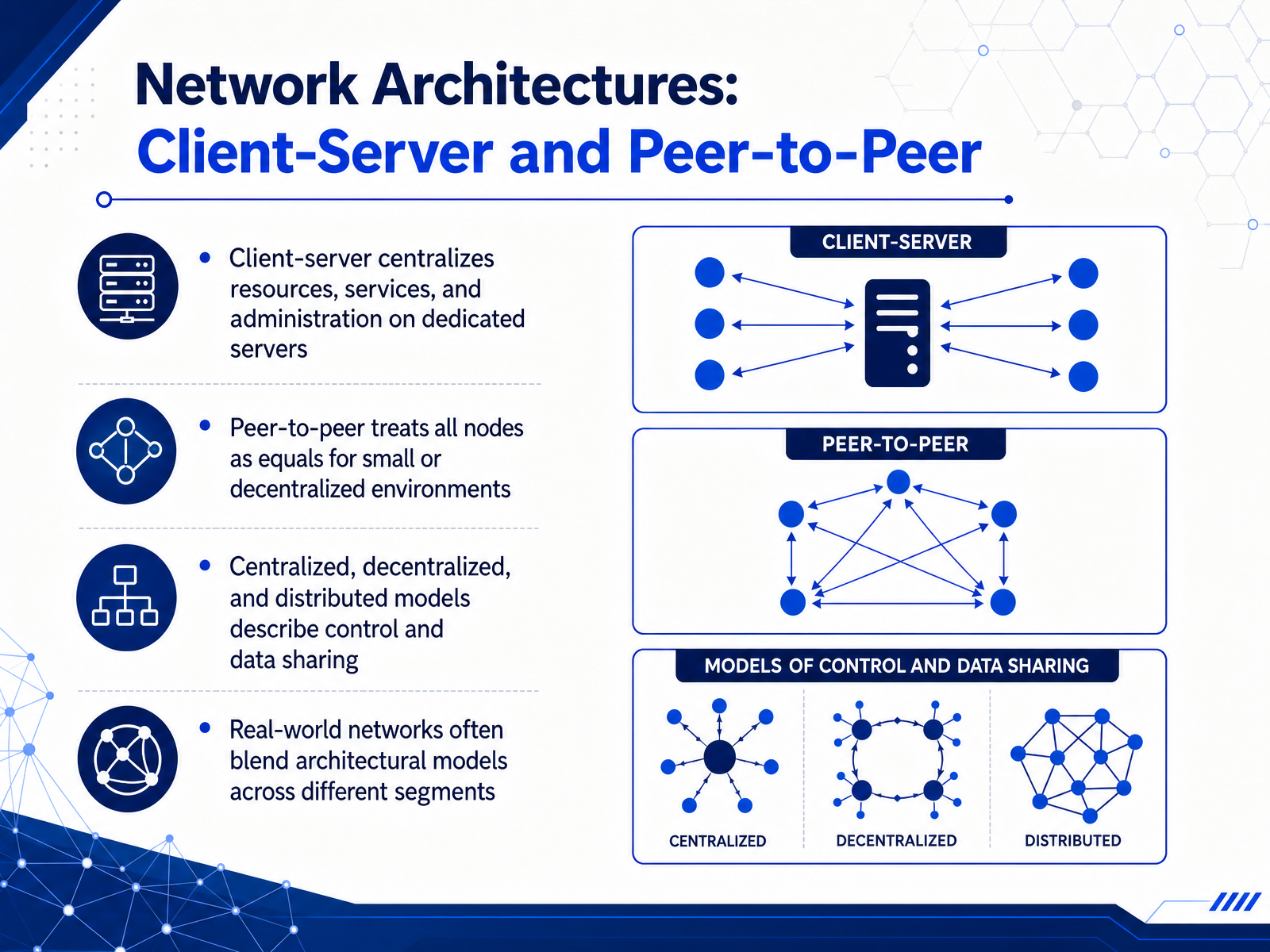
 - 10Network Architectures: Client-Server and Peer-to-PeerNow let's look at how devices are actually organized with network architectures. We'll start with client-server. Here, most resources and services live on dedicated machines called servers. Clients, like your laptop or phone, request access. This makes administration centralized, which is simpler for larger networks. Peer-to-peer is the opposite. All nodes are equals. They can share files and printers directly without a central server. This is perfect for small, decentralized environments. Understanding where control lives is important. We describe these arrangements as centralized, decentralized, or distributed models. A centralized model has one point of control. A decentralized model spreads control to multiple groups. A distributed model spreads it across many independent nodes. In the real world, networks rarely use just one model. Many deployments blend them. A branch office might use a client-server model for a central database, while employees share files directly using peer-to-peer on the same local network. This hybrid approach is common and very practical. Up next, we'll explore how these ideas shape emerging network models like cloud, S D WAN, edge, and IoT.
 2 min
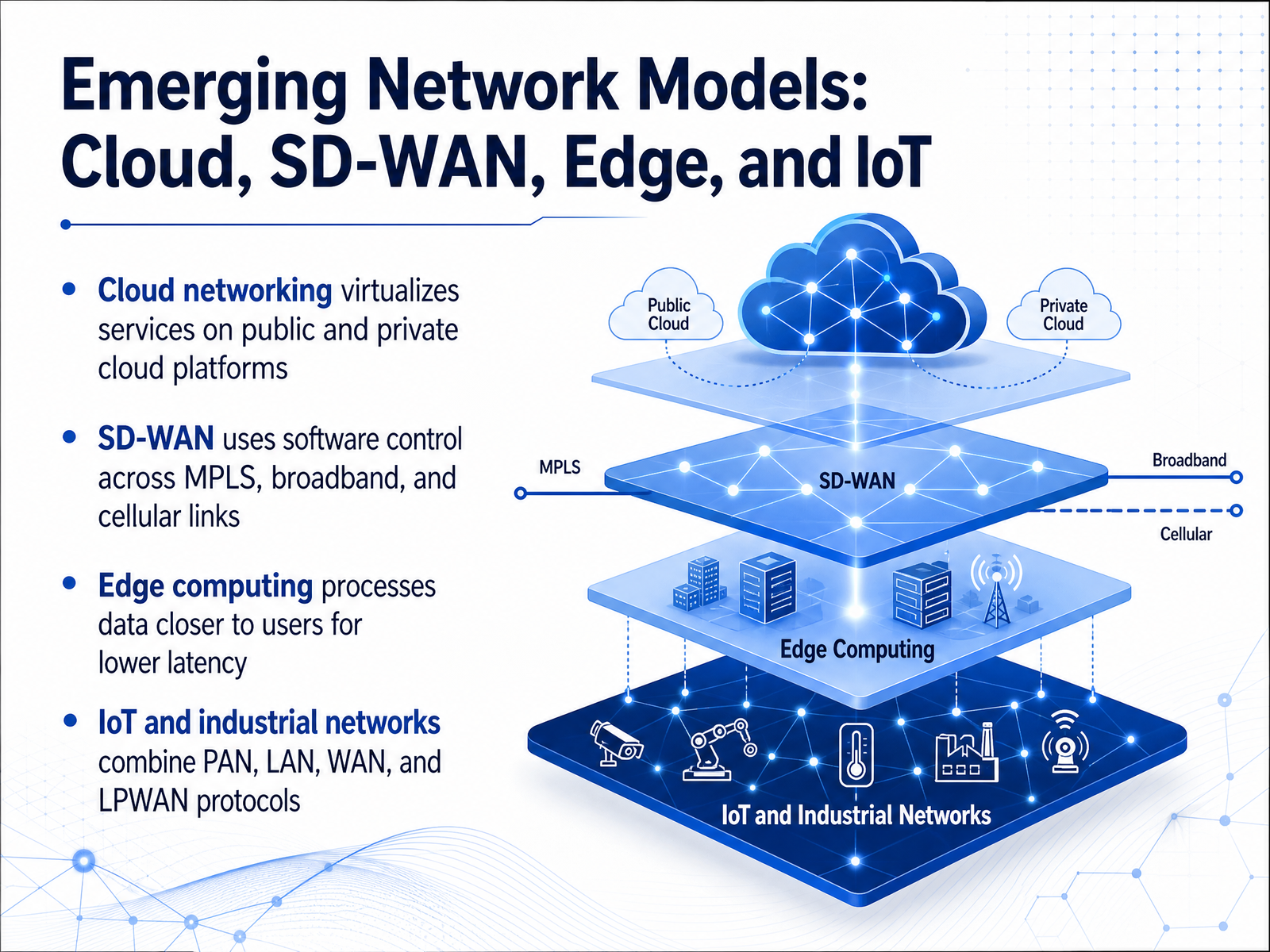
2 min - 11Emerging Network Models: Cloud, SD-WAN, Edge, and IoTNow let's look at some emerging network models that are reshaping how we design and operate networks. Cloud networking takes familiar services like routing, firewalls, or load balancing and moves them into virtualized environments on public or private cloud platforms. Instead of buying more hardware, you deploy these functions in software. SD WAN, or Software Defined Wide Area Networking, builds on that idea. It uses a software control plane to steer traffic across different links, such as MPLS, broadband, or cellular, so the network can choose the best path for each application. Edge computing shifts data processing closer to users and devices. By handling work at the edge, we reduce the distance data must travel, which lowers latency and improves real time response. Finally, IoT and industrial networks combine multiple network types at once. A sensor might use a PAN, a factory floor might use a LAN, a headquarters connection relies on WAN, and long range battery powered devices often use LPWAN protocols. In practice, these models overlap. An industrial IoT deployment may use cloud management, SD WAN transport, and edge processing together. Next, we'll move to choosing the right network type for a given scenario.
 2 min
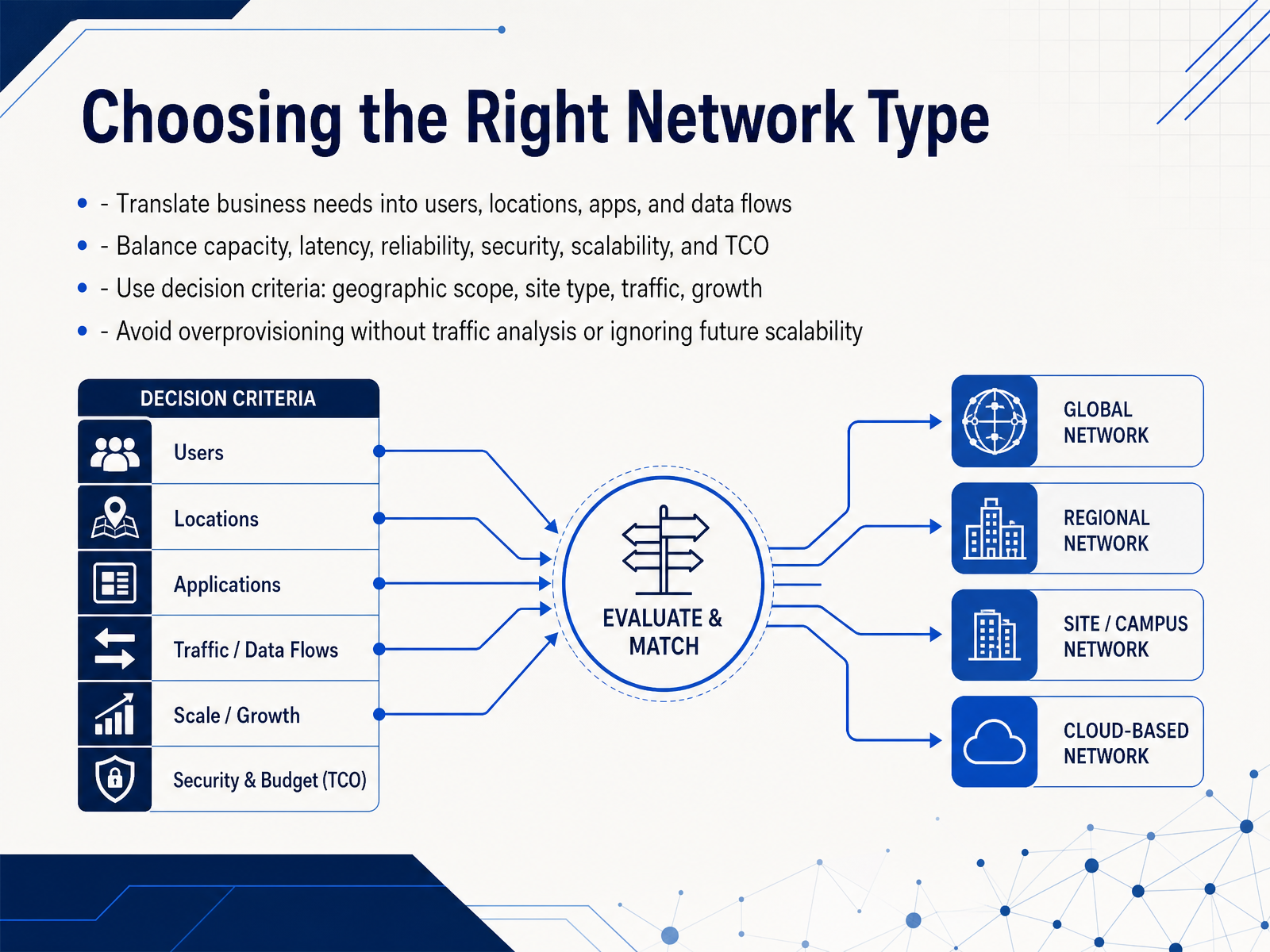
2 min - 12Choosing the Right Network TypeSo how do we move from knowing the network types to actually choosing the right one? It always starts with the business itself. We have to translate business needs into concrete technical terms. That means looking at the number of users, the physical locations, the applications they run, and how data actually flows between them. Once you map those, you can start balancing the key trade-offs. Capacity, latency, reliability, security, scalability, and total cost of ownership, or TCO, all compete with each other. For example, a dedicated connection offers consistent latency and high bandwidth, but it is usually more expensive than a VPN over the internet. Your decision criteria should focus on geographic scope, site type, traffic patterns, and expected growth. Two common mistakes to avoid are overprovisioning without analyzing actual traffic, and ignoring future scalability just to save money today. Next, we will apply these criteria in hands-on scenarios and case comparisons.
 1 min
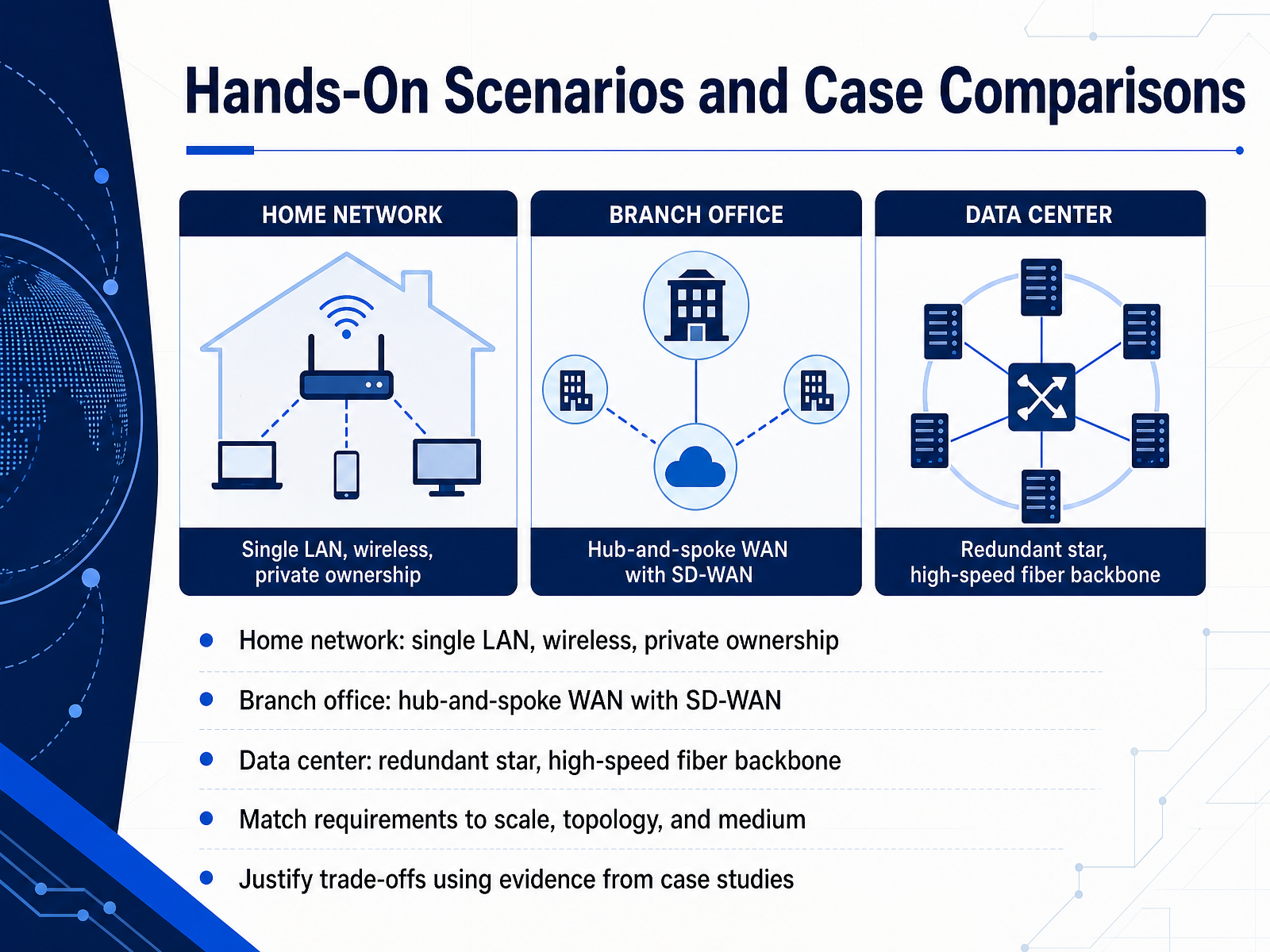
1 min - 13Hands-On Scenarios and Case ComparisonsLet's put these concepts into practice with a few common scenarios. First, picture a home network. This is typically a single LAN, using wireless for convenience, and the equipment is privately owned. The scale is small, so a simple flat design makes sense. Next, consider a branch office connecting back to headquarters. Case studies like Cisco's large global WAN design show that a hub-and-spoke WAN, often with SD-WAN, is favored here. The branch sites only form tunnels to the data center hubs, which reduces the number of tunnels required and allows for more cost-effective branch routers. When you have many branch sites and mostly branch-to-data-center traffic, hub-and-spoke is a strong fit. Finally, think about a data center. Here, the priority shifts to performance and uptime, so you might see a redundant star topology with a high-speed fiber backbone. The key skill is matching the requirements to the scale, topology, and medium. For example, a case study from a global manufacturer involved redesigning their LAN, WAN, and wireless infrastructure to standardize after several acquisitions. Justify your choices with evidence from these kinds of case studies, focusing on the trade-offs in cost, complexity, and performance.
 2 min
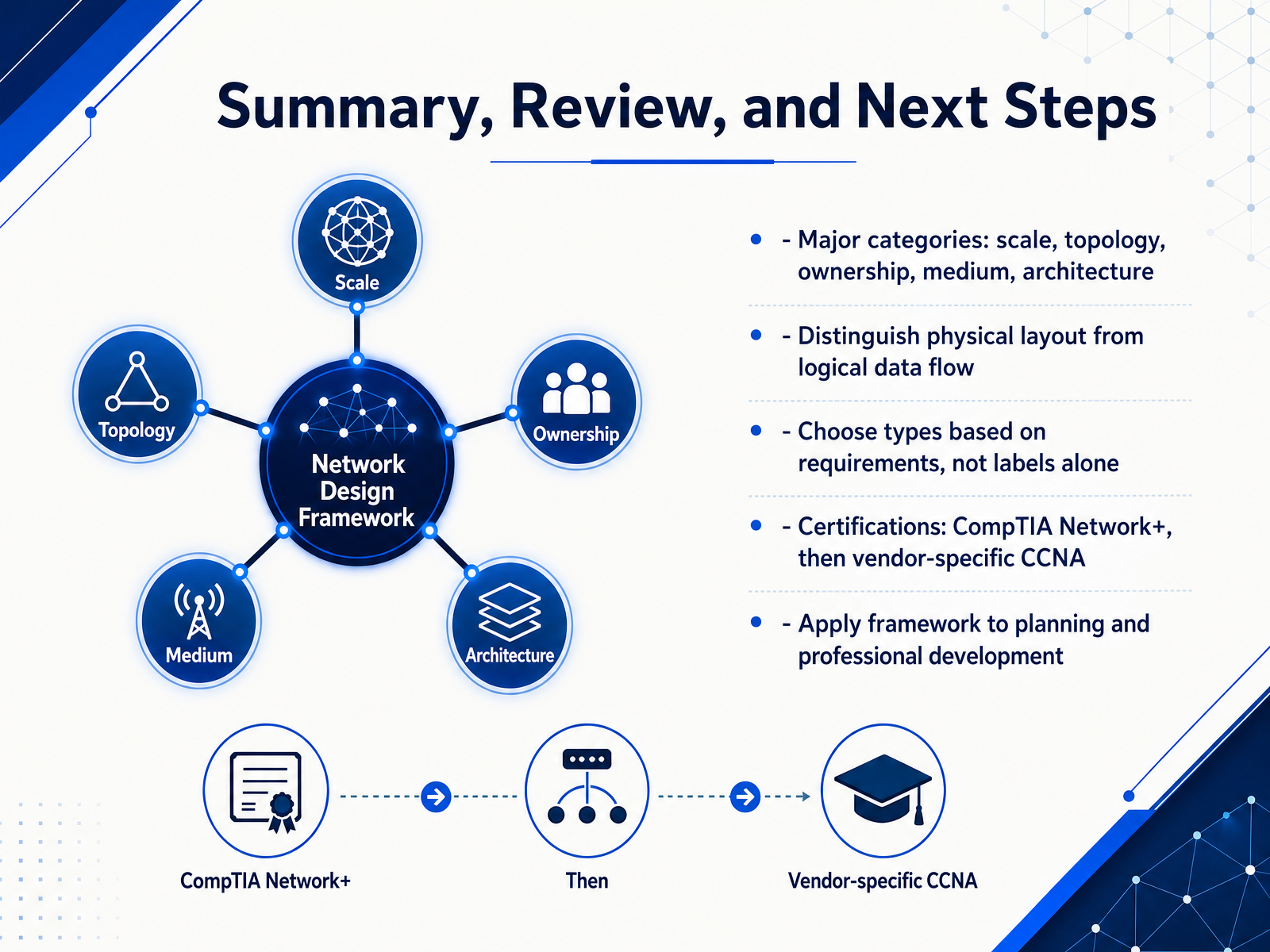
2 min - 14Summary, Review, and Next StepsLet's bring everything together and think about where you go from here. Throughout this course, we grouped networks by scale, topology, ownership, medium, and architecture. Those categories are useful, but remember to distinguish physical layout from logical data flow. A network might look like a star physically while behaving like a bus logically, and that distinction matters during troubleshooting and design. When you plan or evaluate a network, choose types based on actual requirements, not labels alone. Ask what the deployment needs for coverage, reliability, security, and budget before deciding. For professional development, a practical path is CompTIA Network Plus first, because it gives you a vendor neutral foundation across wired and wireless environments. After that, you can move into vendor specific credentials like Cisco's C C N A when your work becomes Cisco centric. Use the framework from this course when reviewing network documentation or planning a new segment, and let the same framework guide your next certification steps. Thank you for working through this material. Keep applying these categories, keep asking why a design works, and you will build both confidence and real expertise.
 2 min
2 min
Take the deck with you
Download this course as a file — free, no sign-up needed.
- PDF handoutEvery slide page, ready to print or share.15 pages · 3.9 MBDownload
- Narrated PowerPointThe deck that presents itself — every slide carries the digital human's narration video.15 pages · 16.1 MBDownload
- PowerPoint slidesThe full deck as a .pptx — open it in PowerPoint, Keynote, or Google Slides.15 pages · 3.8 MBDownload
Free to use in your own training — please keep the PersonWise credit page at the end.
Have your own deck? Turn it into a course
Sources consulted
Web sources consulted while building this course.
- 9 types of networks and their use cases | TechTarget — techtarget.com
- What Is Computer Networking? - Cisco — cisco.com
- Network types and topologies to use when you design a network — learn.microsoft.com
- Types of Computer Networks — geeksforgeeks.org
- Computer networks | IEEE Technology Navigator — technav.ieee.org
- Basic Network Classifications — medium.com
- What Is Computer Networking? | IBM — ibm.com
- Network and service management taxonomy — en.wikipedia.org
- Network types at a glance | LAN, MAN, WAN & GAN - IONOS — ionos.com
- LAN vs WAN vs MAN vs PAN: The Four Network Scales — speedtesthq.com
- Types of Network - PAN, LAN, WAN and MAN — geeksforgeeks.org
- Network Types LAN, WAN, MAN, Topologies: Tutorial, Examples, FAQs & Interview Tips — tutorialslogic.com
- LAN, MAN, WAN, PAN, GAN, SAN - Networking Explained, 2nd Edition [Book] — oreilly.com
- What are public, private, and hybrid clouds? — azure.microsoft.com
- ITSP.80.022 Baseline Security Requirements for Network Security Zones — cyber.gc.ca
- What Are Hybrid Networks? Architecture & Security Guide | Fidelis Security — fidelissecurity.com
- Cloud Network Security Zones (ITSP.80.023) — cyber.gc.ca
- Hybrid Networking Lens - AWS Well-Architected Framework - AWS Whitepaper — docs.aws.amazon.com
- Wireless and Wireline Convergence with Control and User Plane Separation. Reference Architecture, Interface, and Protocol Specification — broadband-forum.org
- Q.5016 : Signalling architecture of fixed, mobile and satellite convergence for IMT-2020 networks and beyond — itu.int