Begin
14 pages · ~28 min
Technical Writing Fundamentals
This training introduces technical writing fundamentals, teaching participants to create clear, user-focused documentation for diverse audiences.
A digital instructor presents all 14 pages. Hold “Ask” at any point and ask out loud — the answer comes from this course. No sign-up needed.
What you’ll learn
- 01Technical Writing FundamentalsWelcome. Over the next few sessions, we're going to treat technical writing as a craft—something every one of us can get better at, no matter our background. So let's start with a clear picture of what it actually is. At its core, technical writing is reader-centered communication. It exists to help someone complete a task or make a decision with confidence. It's not about showing off what we know. It's about clarity, accuracy, and usability. That's what sets it apart from marketing copy or an academic paper. You might be a developer writing release notes, an educator building a guide, or a writer turning messy source material into something usable. The principles are the same. Throughout this course, we'll work through the things that matter most: analyzing your audience, structuring information, writing clear procedures, choosing the right visuals, and building a consistent style. Every technique we cover is meant to be a practical fix for the real constraints you face—tight deadlines, complex topics, and readers who just need the answer. Next, we'll look at what makes technical writing different from other kinds of writing.openoregon.pressbooks.pubtechnical-communication.orgen.wikipedia.org+21 min
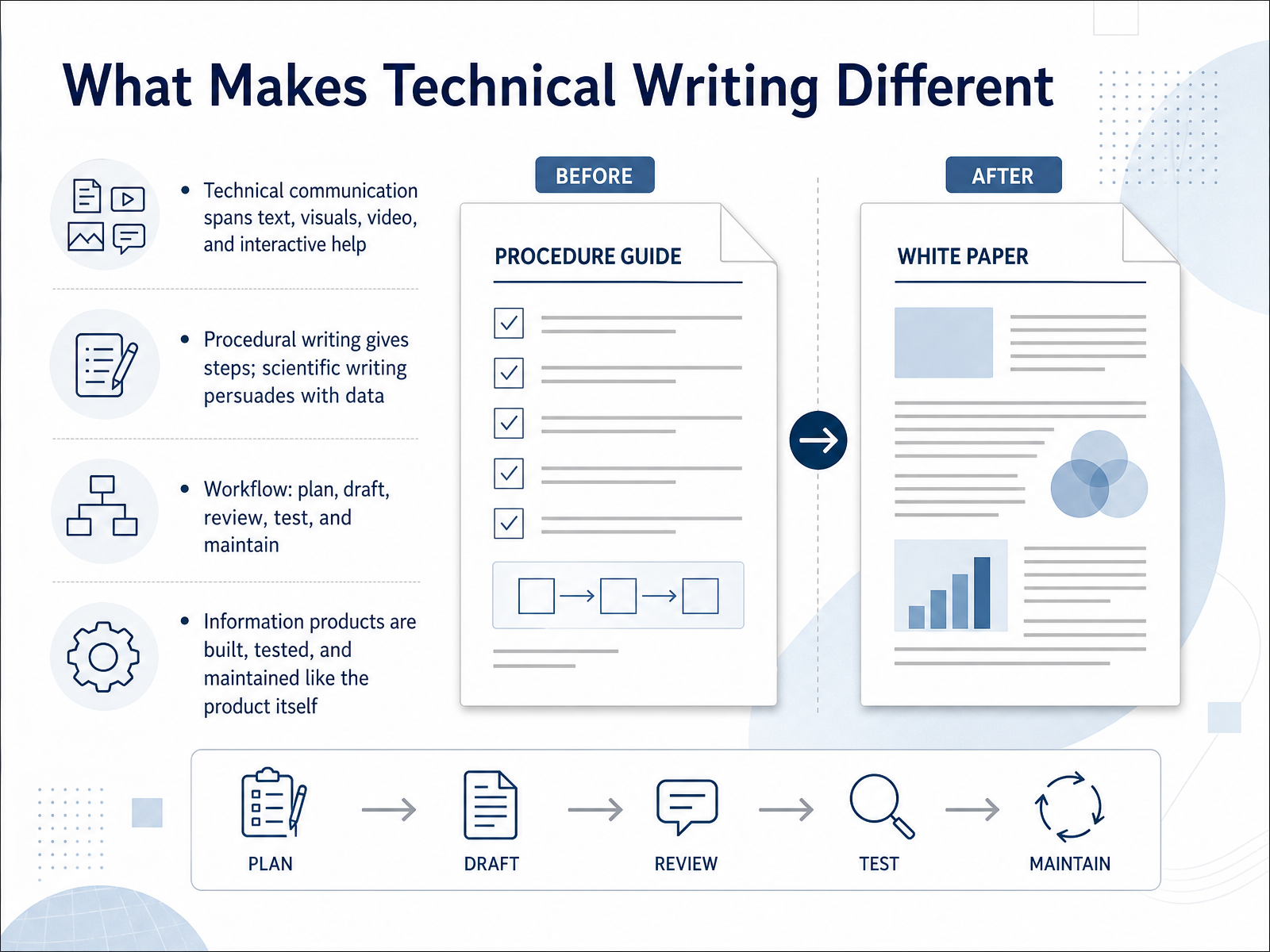
- 02What Makes Technical Writing DifferentSo what actually makes technical writing different from other kinds of writing? It is not just about creating text. Technical communication spans a wide range of formats, including visuals like diagrams, videos, and interactive help systems. Each format exists to deliver clear, accurate information to a specific audience. Within this field, you will encounter two main writing styles. Procedural writing gives readers step-by-step instructions to complete a task. Scientific writing, on the other hand, persuades experts using data and evidence. Both styles follow a structured workflow. You plan, draft, review, test, and then maintain your work. In that way, information products are built and maintained much like the product itself. They require version control, user feedback, and continuous improvement. Up next, we will explore the first critical step in that workflow: audience analysis.
 openoregon.pressbooks.pubtechnical-communication.orgen.wikipedia.org+21 min
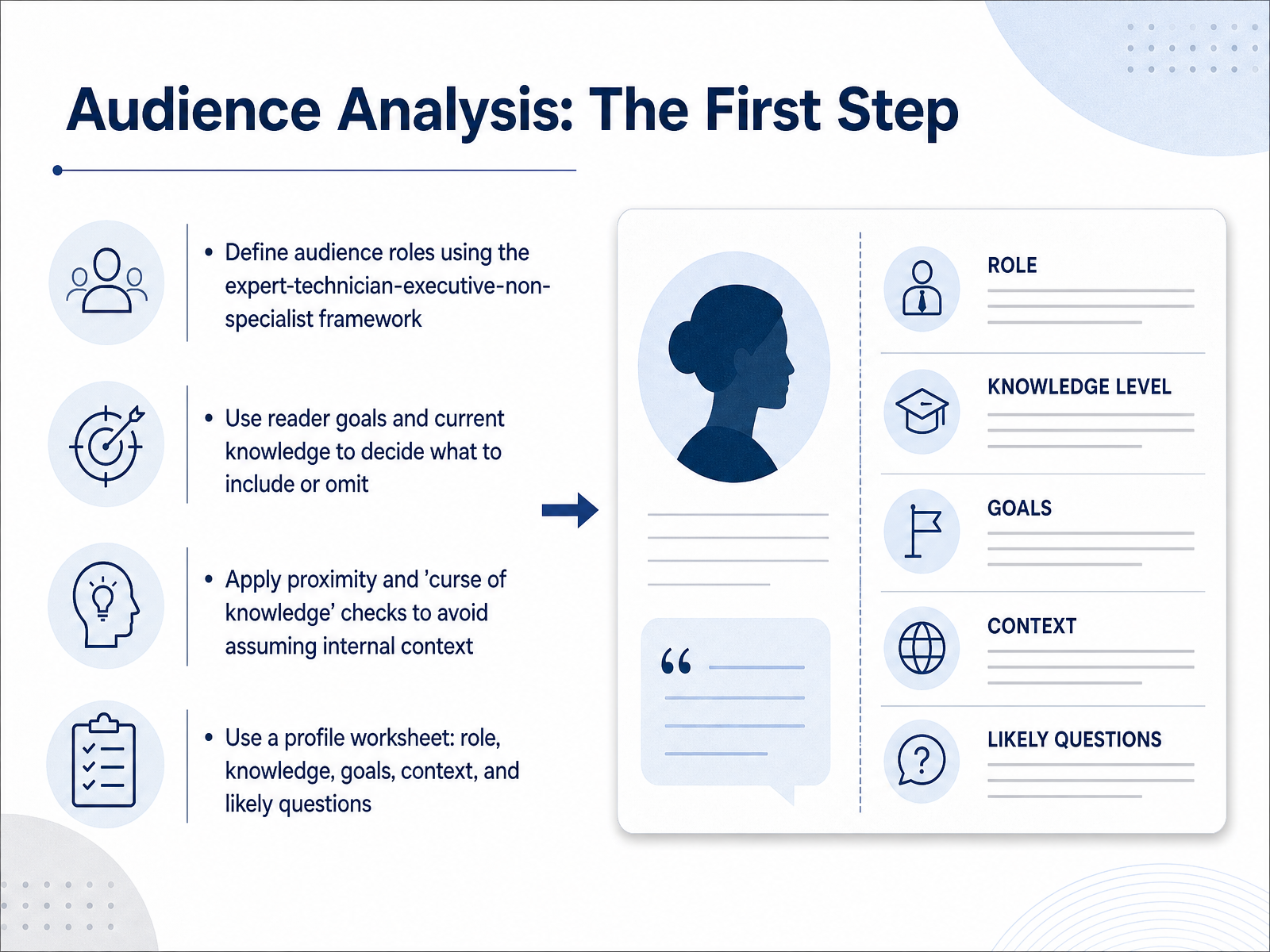
 - 03Audience Analysis: The First StepNow let's get practical and talk about the first real step in any writing project, audience analysis. Before you write a single sentence, you need a clear picture of who will read it. A simple framework is to think of four roles: the expert, the technician, the executive, and the non-specialist. Each one reads with a different goal. An expert may want deep technical detail, while an executive may only need a high-level summary to make a decision. Next, ask yourself what your reader already knows, and what they actually need from your document. That tells you what to include, and just as importantly, what to leave out. Then check for proximity. If you are very close to a project, it is easy to assume your reader knows your team's shorthand. That is the curse of knowledge, and it is a common reason documents confuse people. A profile worksheet can help you avoid that. Write down the role, knowledge level, goals, context, and the likely questions your reader will bring. This keeps your writing anchored to a real person. That profile also sets up our next topic, how to fit your tone, terminology, and depth to that audience.
 developers.google.comopenoregon.pressbooks.pubopenoregon.pressbooks.pub+21 min
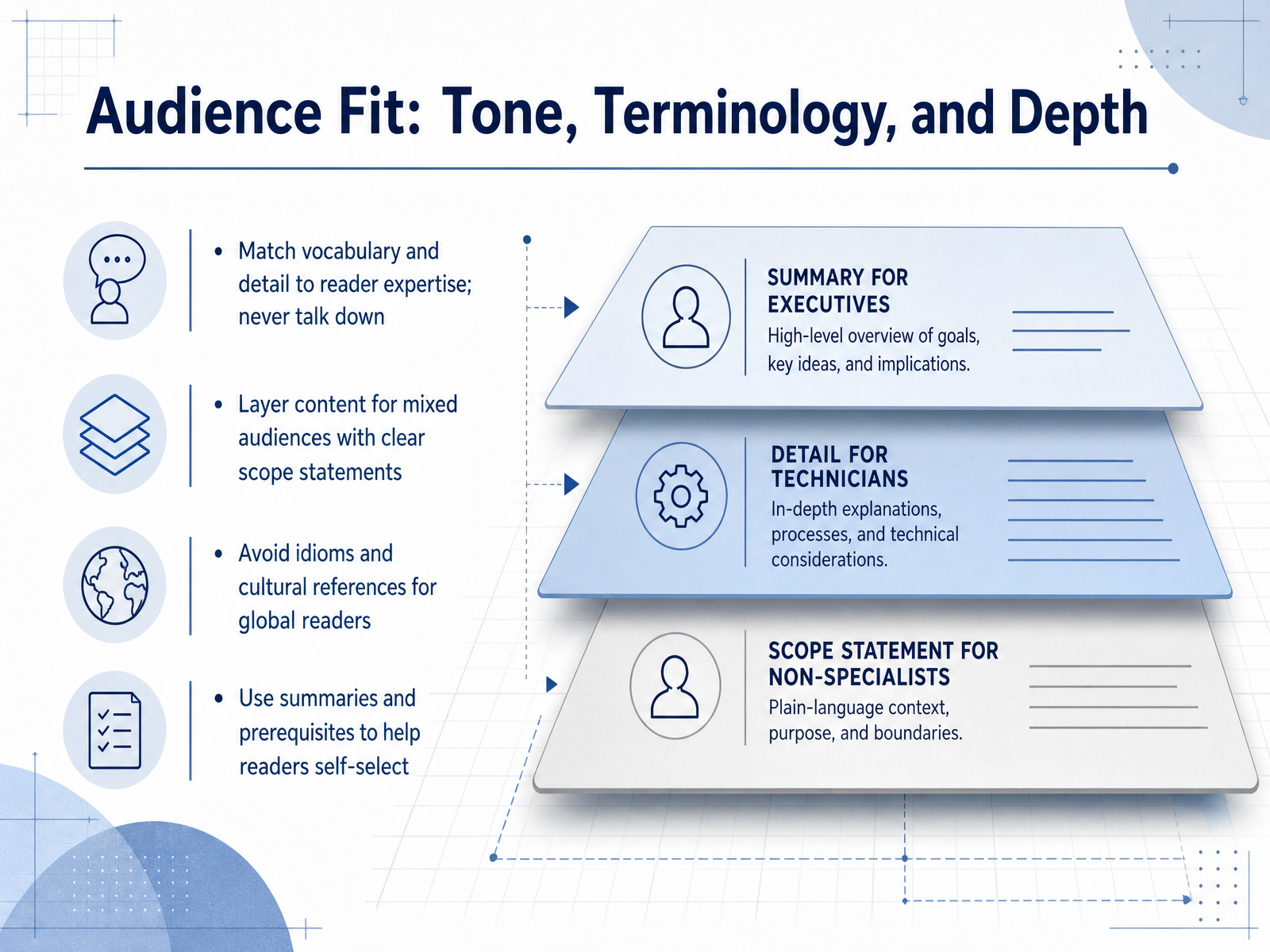
 - 04Audience Fit: Tone, Terminology, and DepthNow let's talk about audience fit. This is where your document either connects or loses people. First, match your vocabulary and level of detail to what your readers actually know. If you're writing for experienced developers, you don't need to explain basic concepts. But never talk down to anyone. Respect your reader's intelligence, even when you're simplifying. Second, layer content for mixed audiences. Many documents get read by experts and newcomers at the same time. Use clear scope statements up front, like 'This guide assumes basic familiarity with databases' or 'This section covers the API only, not deployment.' That helps readers self-select and skip what they don't need. Third, think globally. Avoid idioms, sports metaphors, or cultural references. A phrase like 'hit it out of the park' might confuse someone reading in translation. Use plain, simple English instead. Finally, summarize key points early and list any prerequisites. Busy readers appreciate knowing quickly whether a document is worth their time. Next, we'll look at the principles of clear and concise writing.
 developers.google.comopenoregon.pressbooks.pubopenoregon.pressbooks.pub+22 min
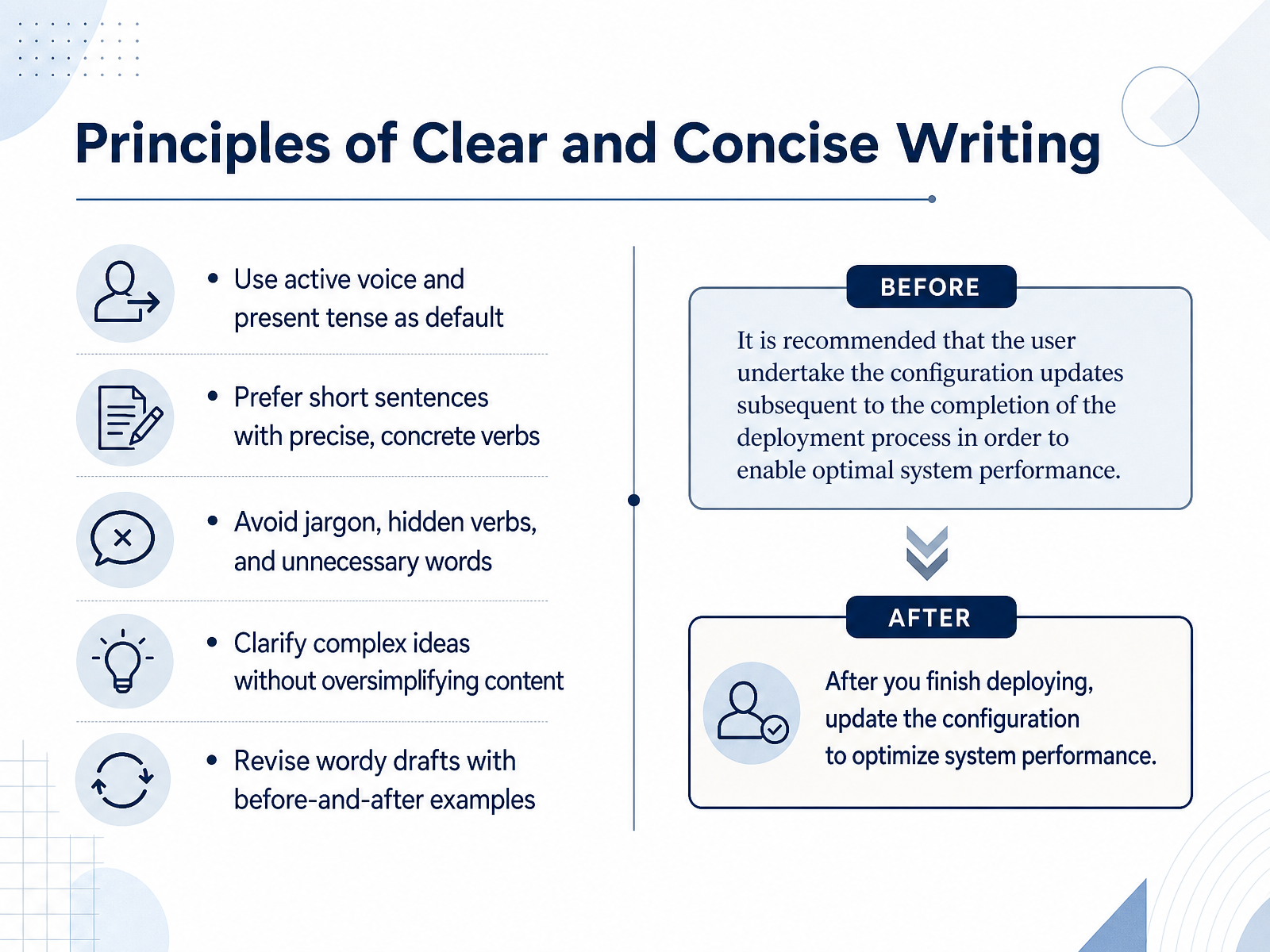
 - 05Principles of Clear and Concise WritingNow let's look at the core principles of clear and concise writing. Start by making active voice and present tense your default. For example, instead of saying, 'The report was reviewed by the team,' say, 'The team reviewed the report.' This immediately shows who does what. Keep sentences short. Choose precise, concrete verbs, so a sentence like, 'We conducted a review of the data,' becomes, 'We reviewed the data.' Watch for jargon and hidden verbs, and cut unnecessary words. Remember, clarity does not mean oversimplifying. You can explain complex ideas without dumbing them down. When a draft feels wordy, revise it with a before-and-after example so the improvement is easy to see. This small editing habit builds trust with your readers fast. Next, we'll move into information architecture and how to structure content for findability.
 archives.govguides.18f.orgdigital.gov+22 min
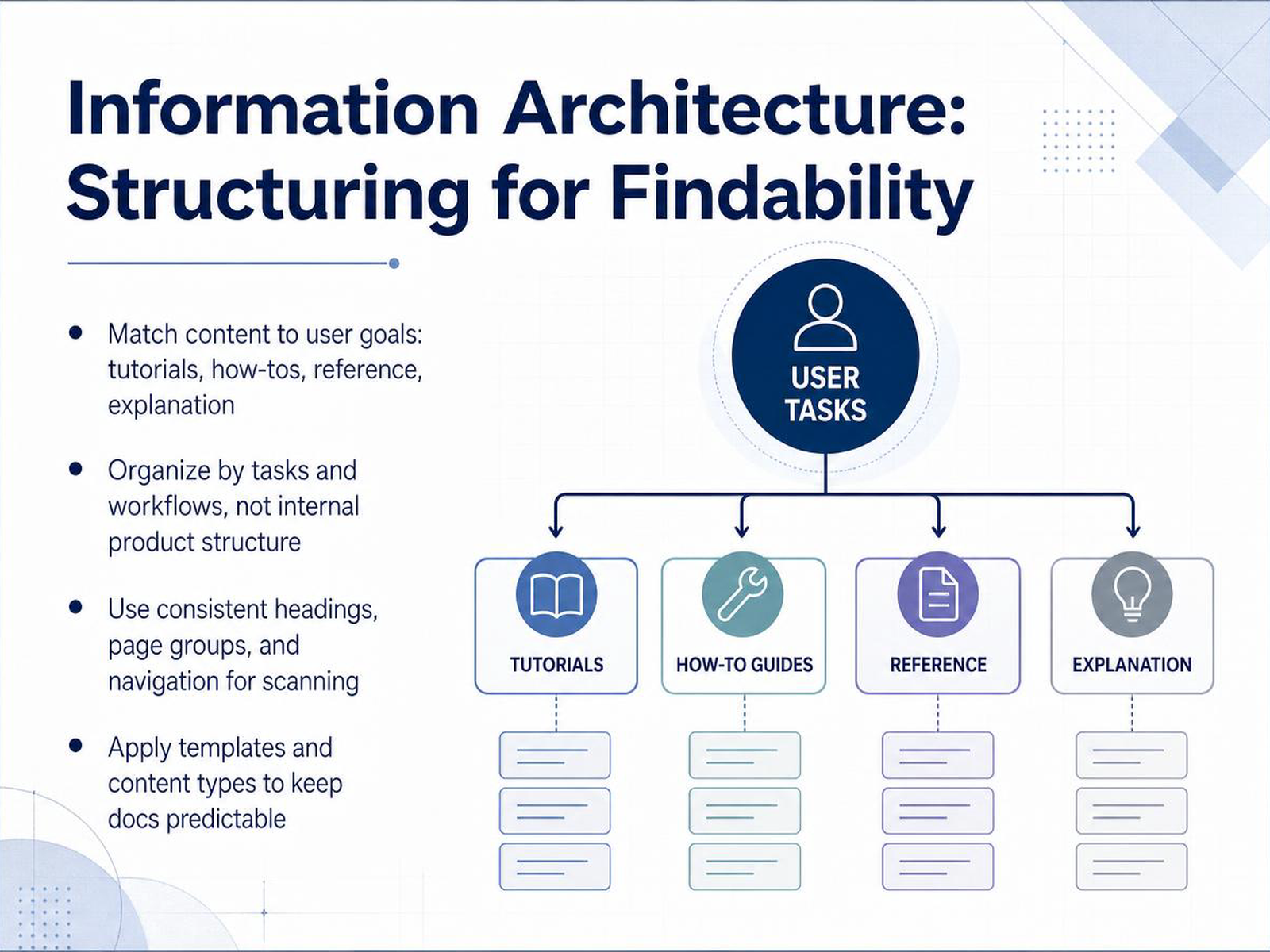
 - 06Information Architecture: Structuring for FindabilityNow let’s talk about information architecture, or the way you structure your documentation so people can actually find what they need. The first principle is to match content to user goals. A tutorial teaches, a how-to guides someone through a task, reference material provides details, and explanation helps build understanding. Don’t mix these together in one page just because the topics feel related. Second, organize by tasks and workflows instead of mirroring your internal product structure. A reader doesn’t care which team owns a feature. They care about finishing a job, like setting up a payment or creating a report. Third, keep your headings, page groups, and navigation consistent. Predictable structure lets readers scan quickly and return later without relearning where things live. Finally, use templates and content types. When every how-to page follows the same shape, your team writes faster and your readers know exactly what to expect. In short, good structure reduces search time and saves you from rewriting duplicate content later. Next, we’ll focus on writing procedures and step-by-step instructions.
 gitbook.comdevelopers.cloudflare.combuildwithfern.com+22 min
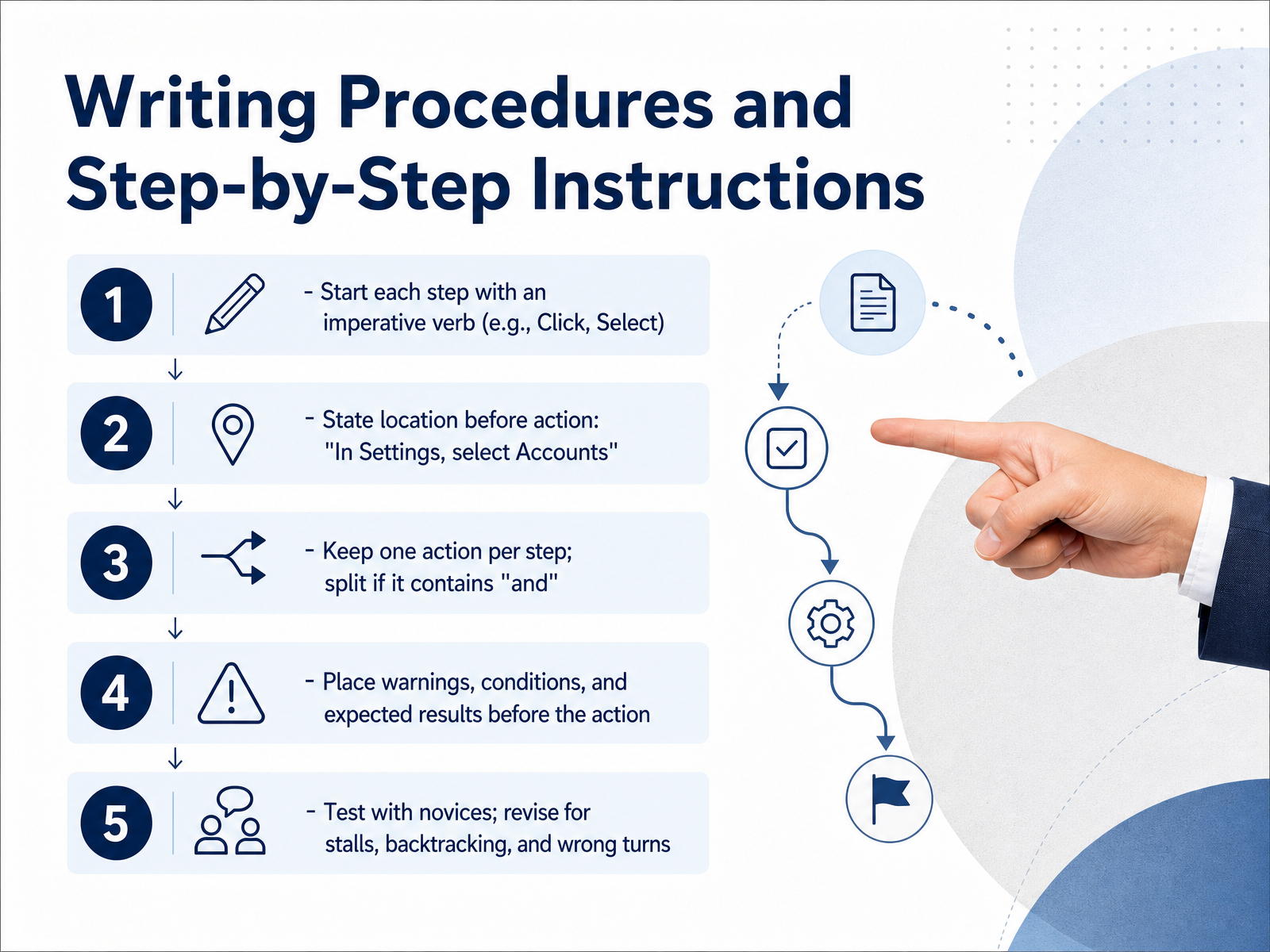
 - 07Writing Procedures and Step-by-Step InstructionsSo let's get into the craft of writing procedures. A good step-by-step instruction is really a small act of empathy, because you're guiding someone through a task they may not understand yet. The first rule is to start each step with a clear command, an imperative verb. Think of words like click, select, or enter. If a step says 'the file should be uploaded,' that leaves the reader wondering who is supposed to do it. Simply say, 'Upload the file.' It's direct and unambiguous. Next, always state the location before the action. Instead of saying 'click Accounts in Settings,' say 'In Settings, select Accounts.' This mirrors the order your reader actually needs the information. They need to know where to look before they know what to do. Also, keep every step to just one action. If you find the word 'and' or 'then' in a step, split it into two steps. This gives your reader a natural checkpoint and prevents them from getting lost. Now, if a step has a warning or an expected result, place it before the action. If clicking delete is permanent, the caution must come first. Finally, test your instructions with a novice. Watch where they pause, backtrack, or take a wrong turn, and then revise. Those hesitations are where your writing needs refinement. Let's carry this focus on clarity into the next topic, using visuals in technical content.
 1 min
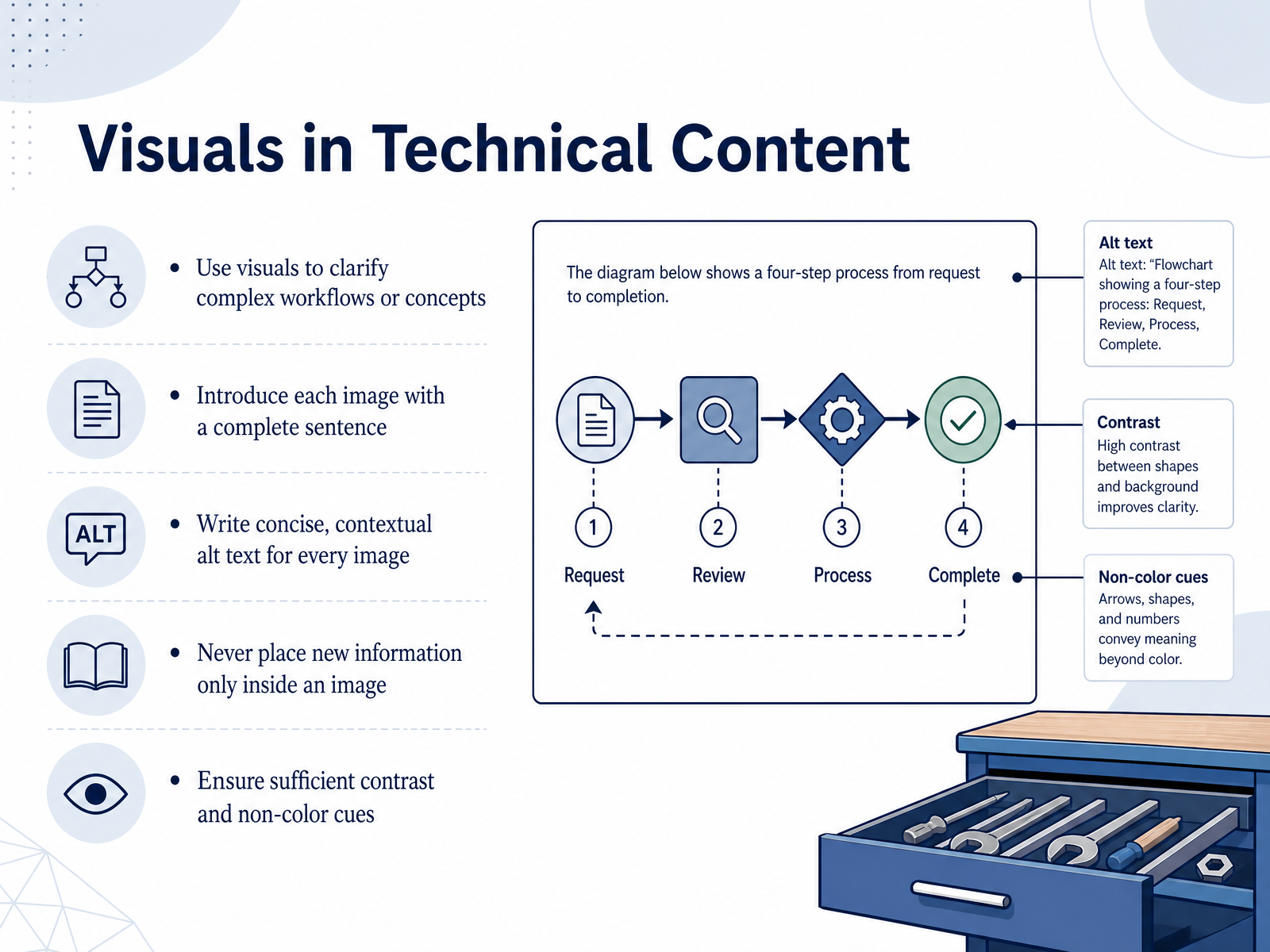
1 min - 08Visuals in Technical ContentNext, let's talk about visuals in technical content. Images and diagrams are powerful, but only when they make written steps clearer, not replace them. Use a visual when a workflow is genuinely hard to explain in words alone. Before an image appears, always introduce it with a complete sentence so readers know why they are looking at it. Then, write concise alt text that describes the image's purpose in context. Avoid phrases like 'image of.' Just describe the function, such as 'Save button with disk icon.' One important rule: never hide new information only inside an image. Critical text, warnings, or labels belong in the surrounding page content so screen readers, translators, and search engines can access them. Also, check the visual itself. Ensure there is enough contrast, and never rely on color as the only cue. If a status changes from green to red, also change the text label. That way, every reader gets the same information. Up next, we'll apply these ideas to documenting APIs and developer-facing products.
 1 min
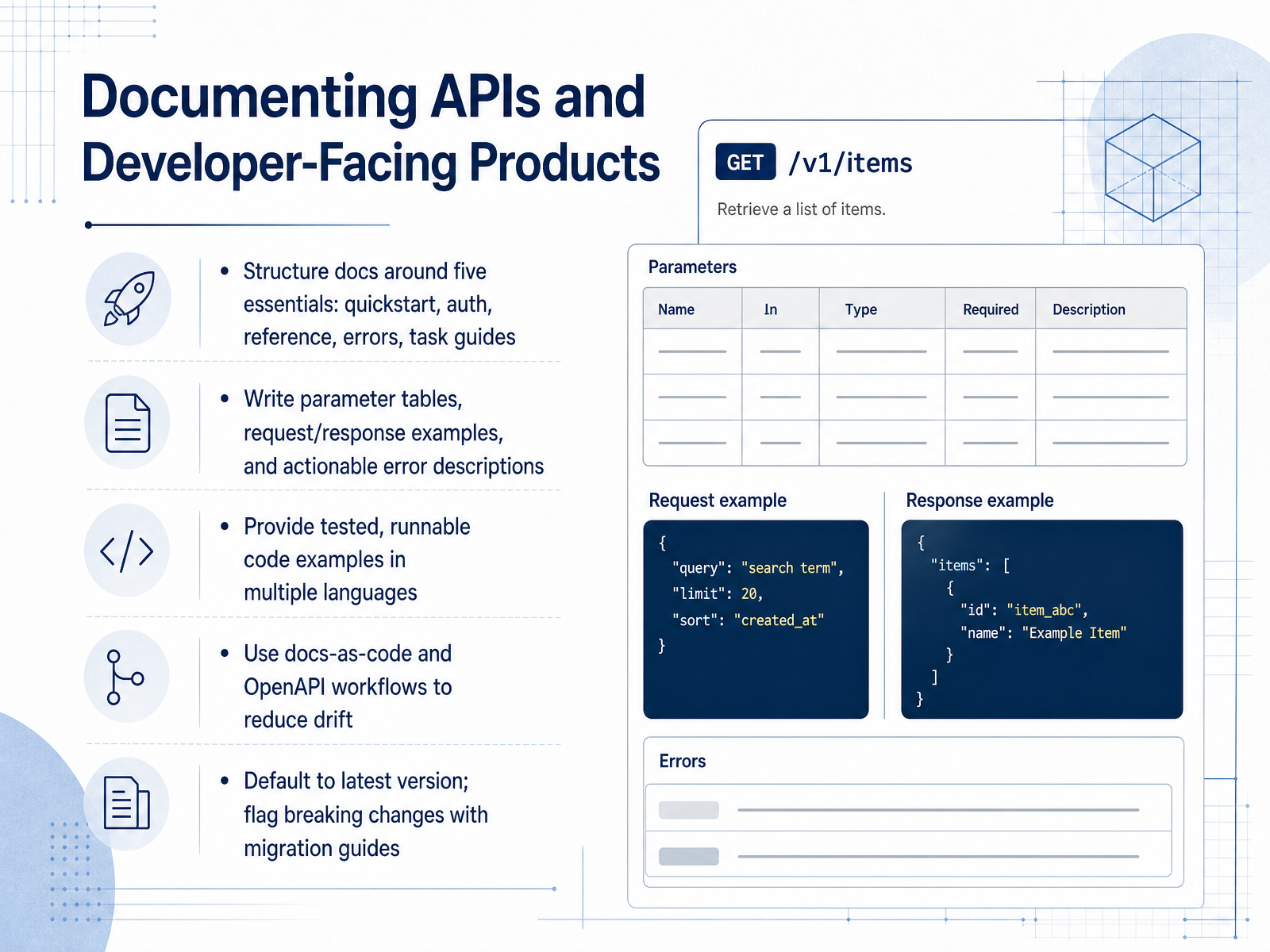
1 min - 09Documenting APIs and Developer-Facing ProductsLet’s move from how we write to a special case worth its own attention: documenting APIs and developer-facing products. For these docs, structure matters more than anything. Start with five essentials: a quickstart that gets someone to a working call fast, an authentication guide, a complete reference, clear error documentation, and task guides. From there, focus on the details developers rely on. Write parameter tables that name each field, its type, and whether it is required. Show real request and response examples. And make error descriptions actionable, so a developer knows what caused the failure and what to do next. Code examples are your most valuable content, but only if they work. Provide tested, runnable snippets in multiple languages, and include error handling, not just the happy path. To keep everything honest as your API changes, treat docs as code. Store them with your specification and use an OpenAPI workflow so updates happen together instead of drifting apart. When versioning matters, default readers to the latest release, and call out breaking changes with a clear migration guide. A great API reference is not more pages. It is the right pages, kept current. Next, we will look at style guides and terminology management.
 2 min
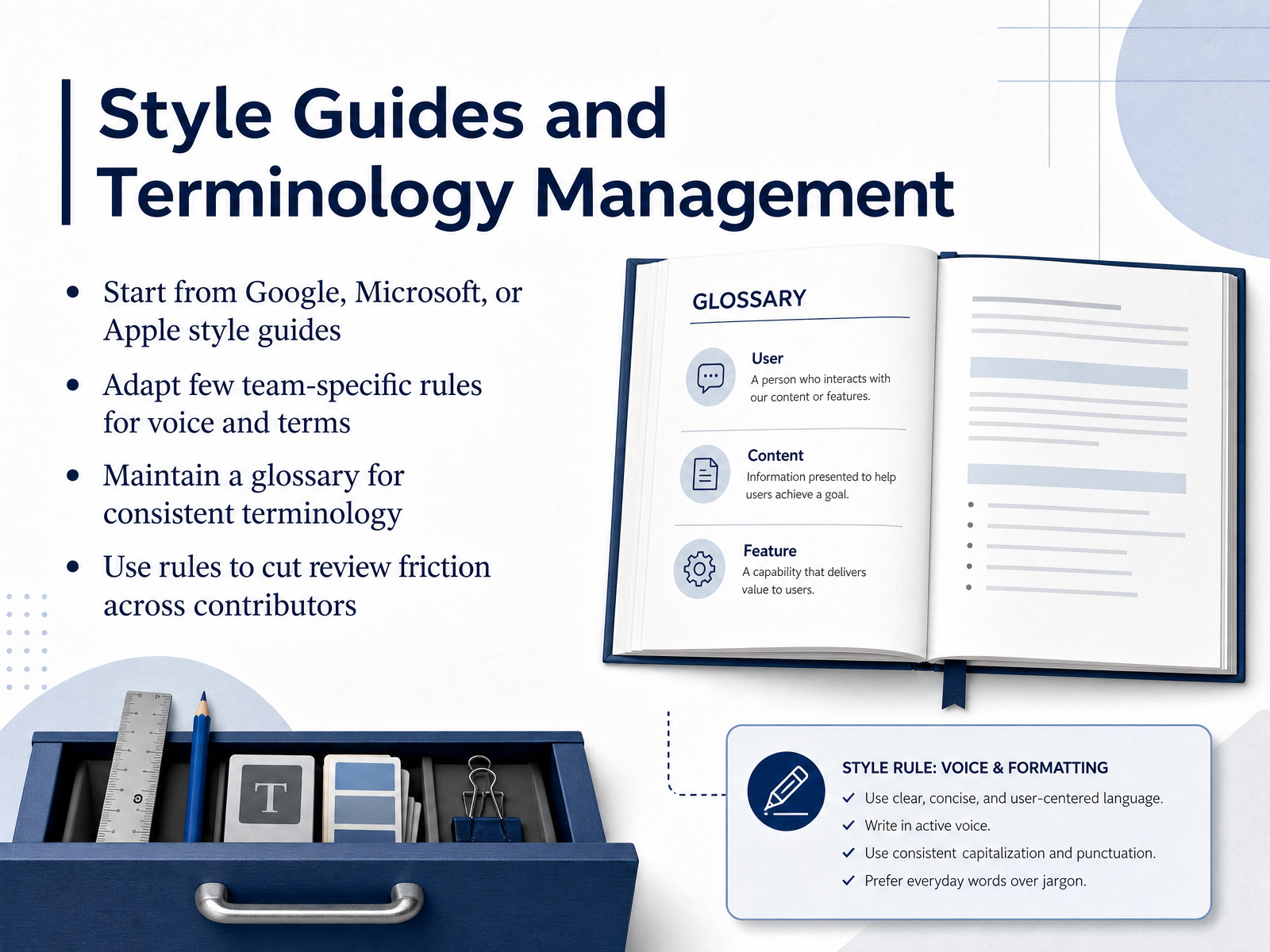
2 min - 10Style Guides and Terminology ManagementLet's talk about style guides and terminology management. A style guide is your documentation's shared rulebook, and the fastest way to start is by borrowing from the pros. Google, Microsoft, and Apple all publish excellent, publicly available guides. Pick one as your baseline. It will answer most grammar, formatting, and tone questions so your team doesn't have to debate them from scratch. But don't stop there. Your product has its own voice and its own vocabulary. So add a small set of team-specific rules. Maybe you always say sign in instead of log in, or you always call a feature a workspace. Document those choices. Then keep a glossary. This is your single source of truth for terms. When a new term appears, agree on it once, define it clearly, and add it to the list. This consistency is what reduces review friction. Reviewers stop arguing about word choice and start focusing on technical accuracy and clarity. You're not policing style. You're giving contributors a shared map. That saved time goes straight back into better reviews. Next, we'll cover what happens after the draft, with reviewing, editing, and gathering feedback.
 1 min
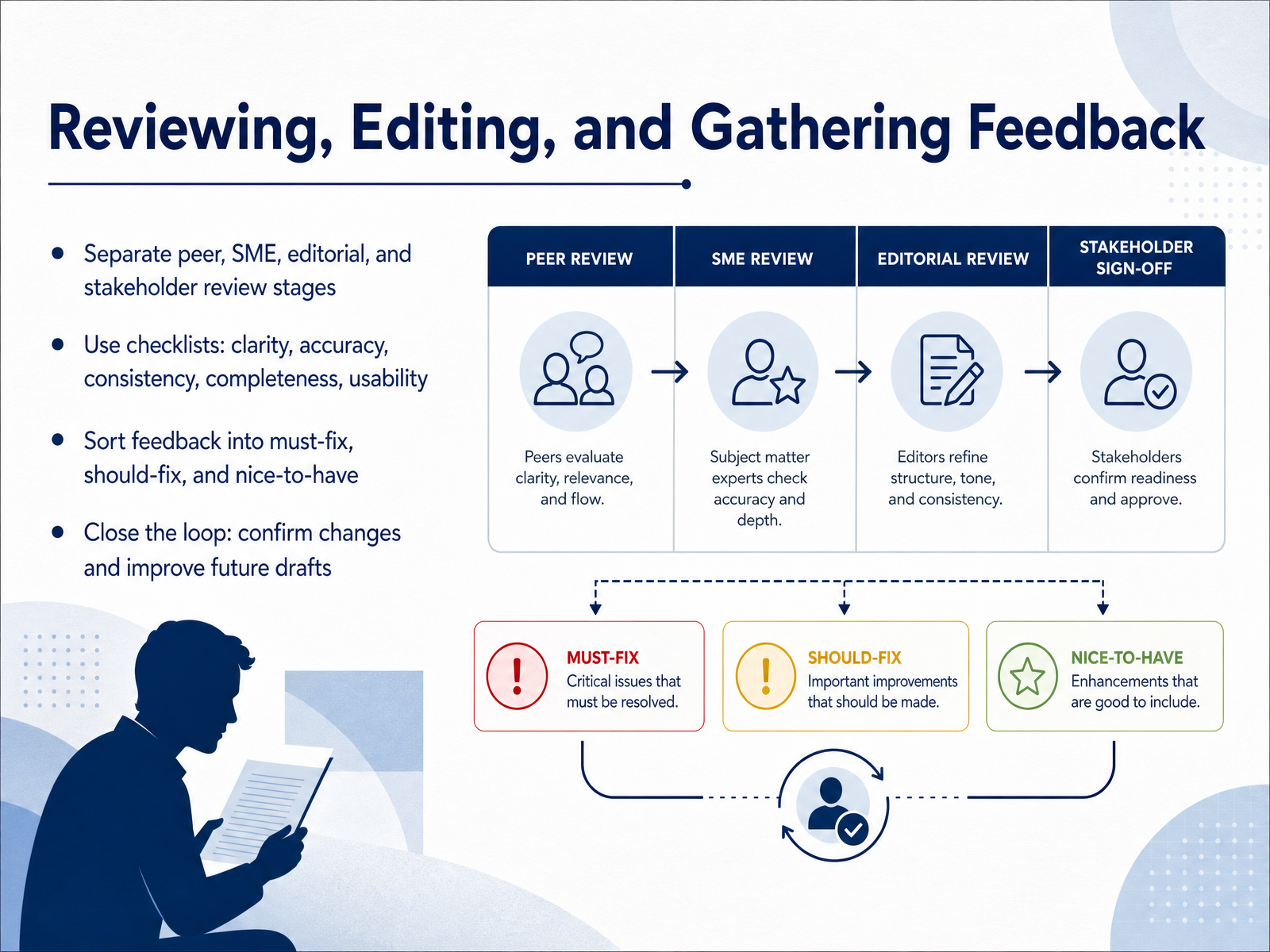
1 min - 11Reviewing, Editing, and Gathering FeedbackNow, let's talk about turning feedback into a better document. A good review process separates the stages. Peer review checks clarity and structure. SME review verifies technical accuracy. Editorial review polishes tone and grammar. And stakeholder review confirms the scope is right. Running these stages together creates confusing feedback, so keep them distinct. Use checklists at each stage. Focus on clarity, accuracy, consistency, completeness, and usability. When feedback arrives, sort it into three buckets. Must-fix items are factual errors or broken instructions. Should-fix items are clarity or style issues. Nice-to-have items are preferences that can wait. This helps you move forward without getting stuck. Finally, close the loop. Tell reviewers what you changed and why you deferred other comments. That builds trust and makes the next review cycle smoother. Next, we'll explore documentation workflows and tooling.
 2 min
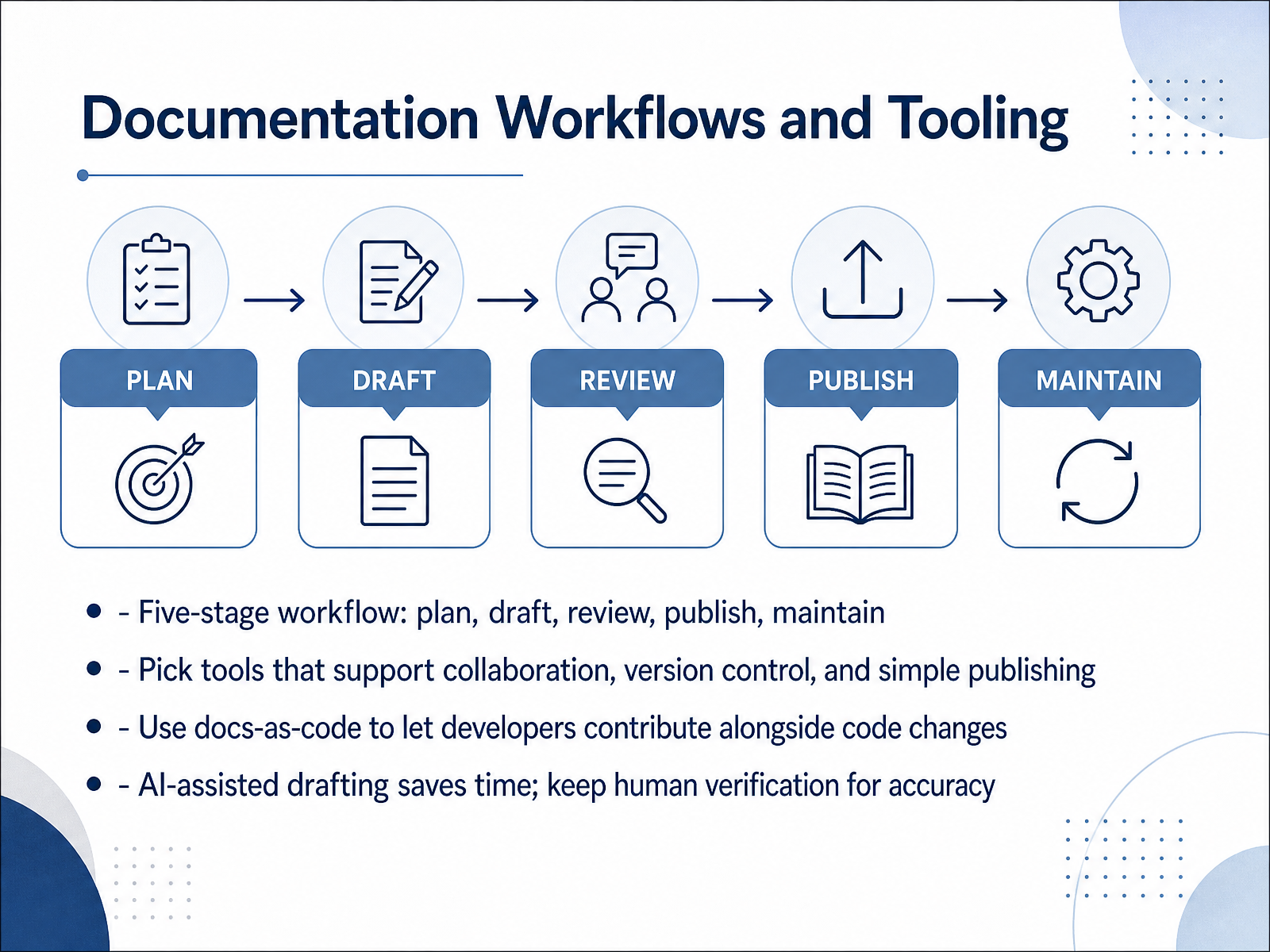
2 min - 12Documentation Workflows and ToolingLet's talk about the workflow that holds all of this together. Think of documentation as a five-stage loop: plan, draft, review, publish, and maintain. You start by scoping the audience and the goal. Then you draft. Then you review for accuracy and voice. Then you publish. And then, the part people forget, you maintain as the product changes. Now, when you pick tools, choose ones that support collaboration, version control, and simple publishing. The goal is to reduce friction, not add steps. A docs-as-code approach is especially useful here. It lets developers contribute documentation inside the same pull requests they use for code. That way, docs ship alongside features instead of lagging behind. AI can help with the first draft, and a lot of teams use it that way. But keep a human in the loop for verification. Accuracy is still your responsibility. So the takeaway is simple: build a repeatable workflow, choose tools that fit your team's flow, and let automation save time without replacing judgment. Next, we'll look at maintaining quality over time.
 2 min
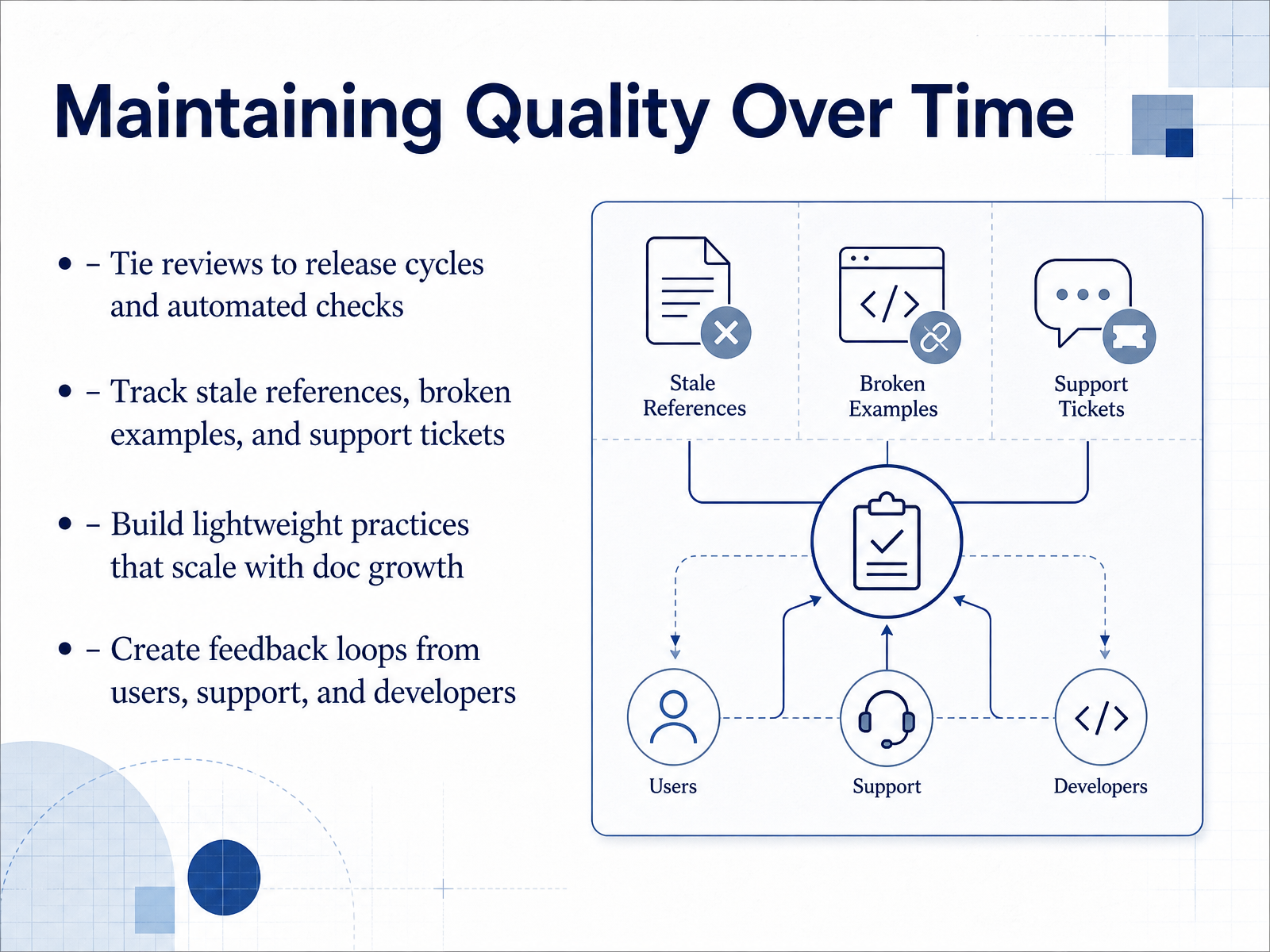
2 min - 13Maintaining Quality Over TimeNow, let's talk about keeping quality high over the long term. The goal is not a perfect one-time review; it is a set of lightweight habits that scale with your docs. Start by tying reviews to release cycles and automated checks. That way, accuracy work rides along with product changes instead of becoming a separate, forgotten task. Next, pay attention to your signals. Track stale references, broken examples, and support tickets. Every ticket that points back to confusing documentation is a free audit finding. Use those signals to fix the right page, not just the loudest complaint. Then, keep your practices simple. Build lightweight practices that scale, like a short checklist per page type or a recurring audit on your most critical content. You do not need a heavyweight process to catch drift. Finally, close the loop. Create feedback channels from users, support, and developers. A simple feedback button, a support tag, or a pull request review can turn readers and colleagues into quality monitors. The takeaway is simple: maintenance is a habit, not an event. Set a small rhythm, follow the evidence, and keep the loop open. Next, we will bring this all together by applying technical writing in your role.
 2 min
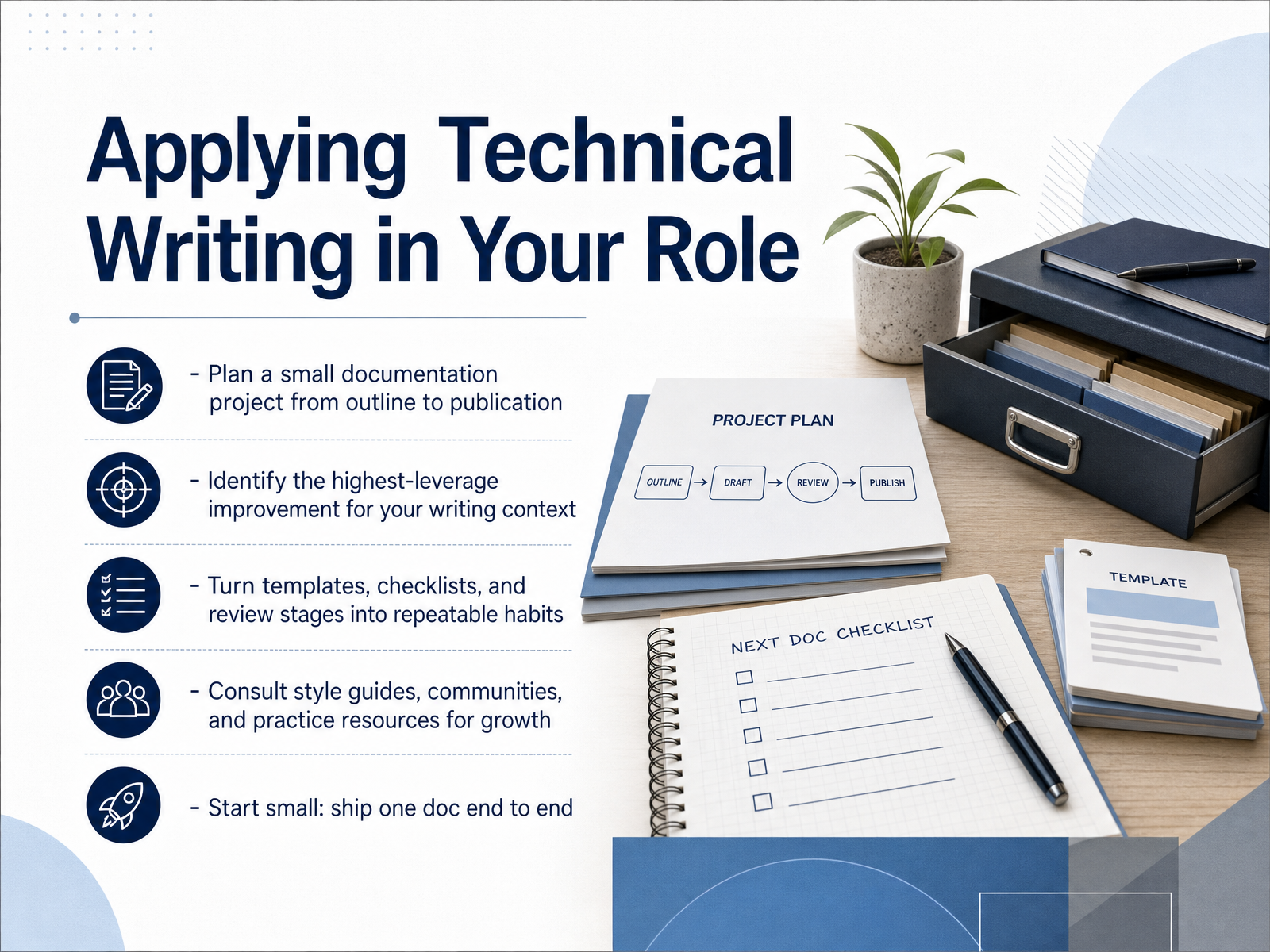
2 min - 14Applying Technical Writing in Your RoleSo let us turn this into something you actually do on Monday. Start small. Pick one real document in your workflow and take it all the way from a rough outline to published. That single end to end pass will teach you more than any checklist. As you go, ask yourself one question: what is the highest leverage fix for my readers right now? Maybe it is shorter task steps, clearer headings, or simply removing jargon your users never asked for. Then make it repeatable. Keep the template, the checklist, and the review stage you used, and use them again on the next doc. And when you get stuck, you do not have to invent a standard. The Google developer documentation style guide, Microsoft Writing Style Guide, and Apple Style Guide are all publicly available and full of practical answers. You can also learn from communities like Write the Docs. The goal is not perfect documentation overnight. It is building a habit of shipping clearer writing, one small doc at a time. Thank you for working through these fundamentals with me. Go write something useful, and keep refining it.
 2 min
2 min
Take the deck with you
Download this course as a file — free, no sign-up needed.
- PDF handoutEvery slide page, ready to print or share.15 pages · 3.5 MBDownload
- Narrated PowerPointThe deck that presents itself — every slide carries the digital human's narration video.15 pages · 14.0 MBDownload
- PowerPoint slidesThe full deck as a .pptx — open it in PowerPoint, Keynote, or Google Slides.15 pages · 3.3 MBDownload
Free to use in your own training — please keep the PersonWise credit page at the end.
Have your own deck? Turn it into a course
Sources consulted
Web sources consulted while building this course.
- CH 1: What is Technical Communication? – TPW: Technical & Professional Writing — openoregon.pressbooks.pub
- Defining Technical Communication — technical-communication.org
- Technical writing — en.wikipedia.org
- Technical Writing: A Comprehensive Guide (2026) — adoc-studio.app
- Technical Writers : Occupational Outlook Handbook — bls.gov
- Audience | Technical Writing - Google for Developers — developers.google.com
- 2. Audience Analysis – Technical Writing — openoregon.pressbooks.pub
- 2.2 Understanding and Assessing Audience – TPW: Technical & Professional Writing — openoregon.pressbooks.pub
- Analyze Audience | Technical Writing - Lumen Learning — courses.lumenlearning.com
- Chapter 2. Understanding Your Audience – Fundamentals of Engineering Technical Communications — ohiostate.pressbooks.pub
- NARA Writing Style Guide 2020-12-09-2024 — archives.gov
- Technical and interface writing | 18F Guides — guides.18f.org
- Writing for understanding | Digital.gov — digital.gov
- Top 10 Principles for Plain Language — archives.gov
- Writing guidelines · Cloudflare Style Guide — developers.cloudflare.com
- How to structure technical documentation: information ... — gitbook.com
- Information architecture · Cloudflare Style Guide — developers.cloudflare.com
- Info Architecture for Docs: February 2026 | Fern — buildwithfern.com
- How to structure your documentation’s information architecture (IA) – zeroheight — help.zeroheight.com
- 5 Tips to Create Information Architecture for Technical Writing — document360.com