Begin
13 pages · ~26 min
Clear Project Status Updates
A training for project managers and team leads on how to write clear, concise, and effective project status updates.
A digital instructor presents all 13 pages. Hold “Ask” at any point and ask out loud — the answer comes from this course. No sign-up needed.
What you’ll learn
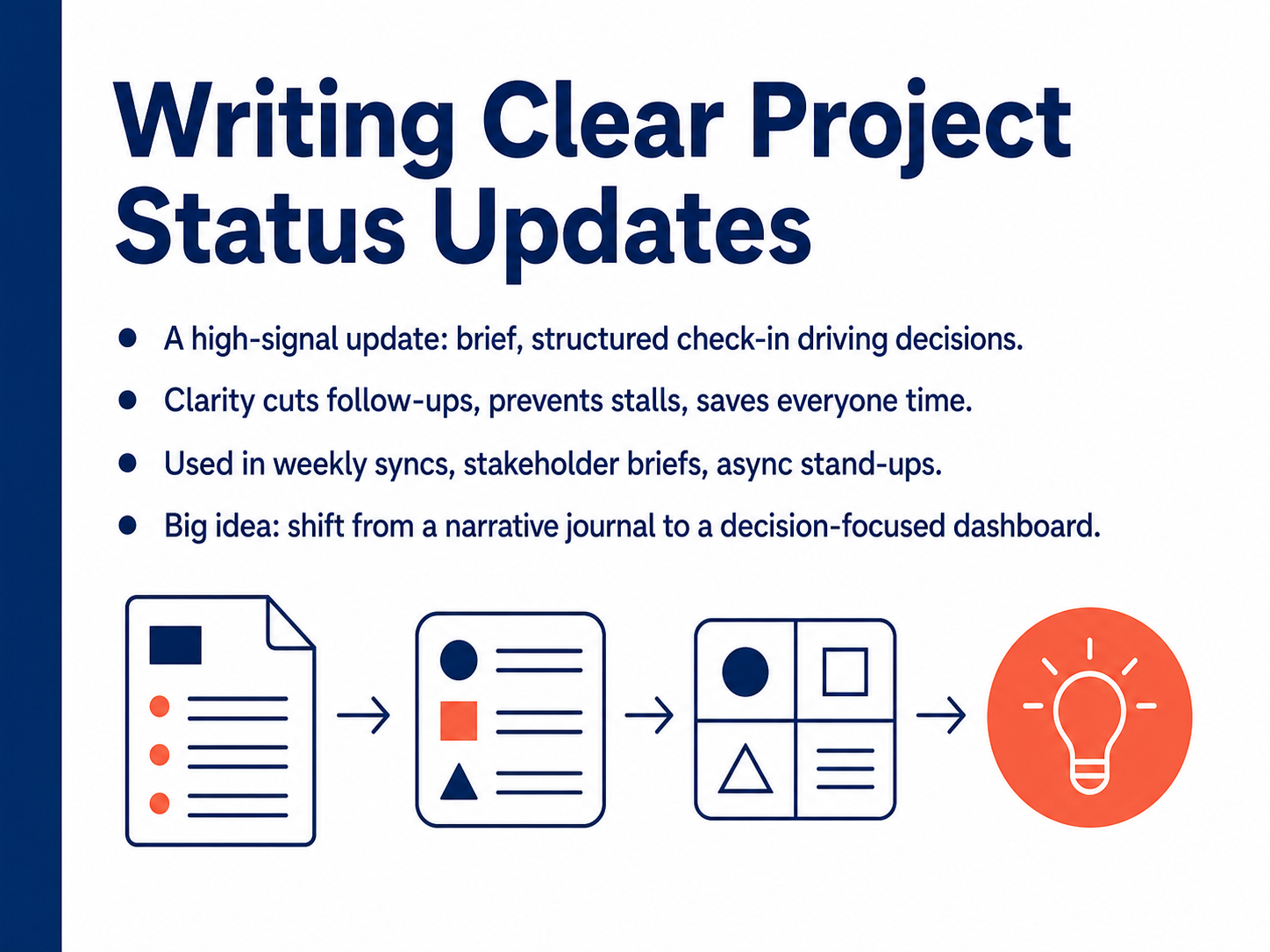
- 01Writing Clear Project Status UpdatesWelcome to Writing Clear Project Status Updates. In this course, we'll move past long, narrative reports and build a skill that saves everyone time. The goal is a high-signal, decision-focused update. Think of it less like a project journal and more like a dashboard. A good status update is brief and structured. It covers progress, blockers, next steps, and the decisions you need. When you communicate with this kind of clarity, you cut down on unnecessary follow-ups, prevent project stalls, and protect valuable time. You'll use this approach in weekly syncs, stakeholder briefs, and async stand-ups. Let's begin by looking at why most updates fail. The core problem is noise.teamwork.comatlassian.comtaim.io+21 min
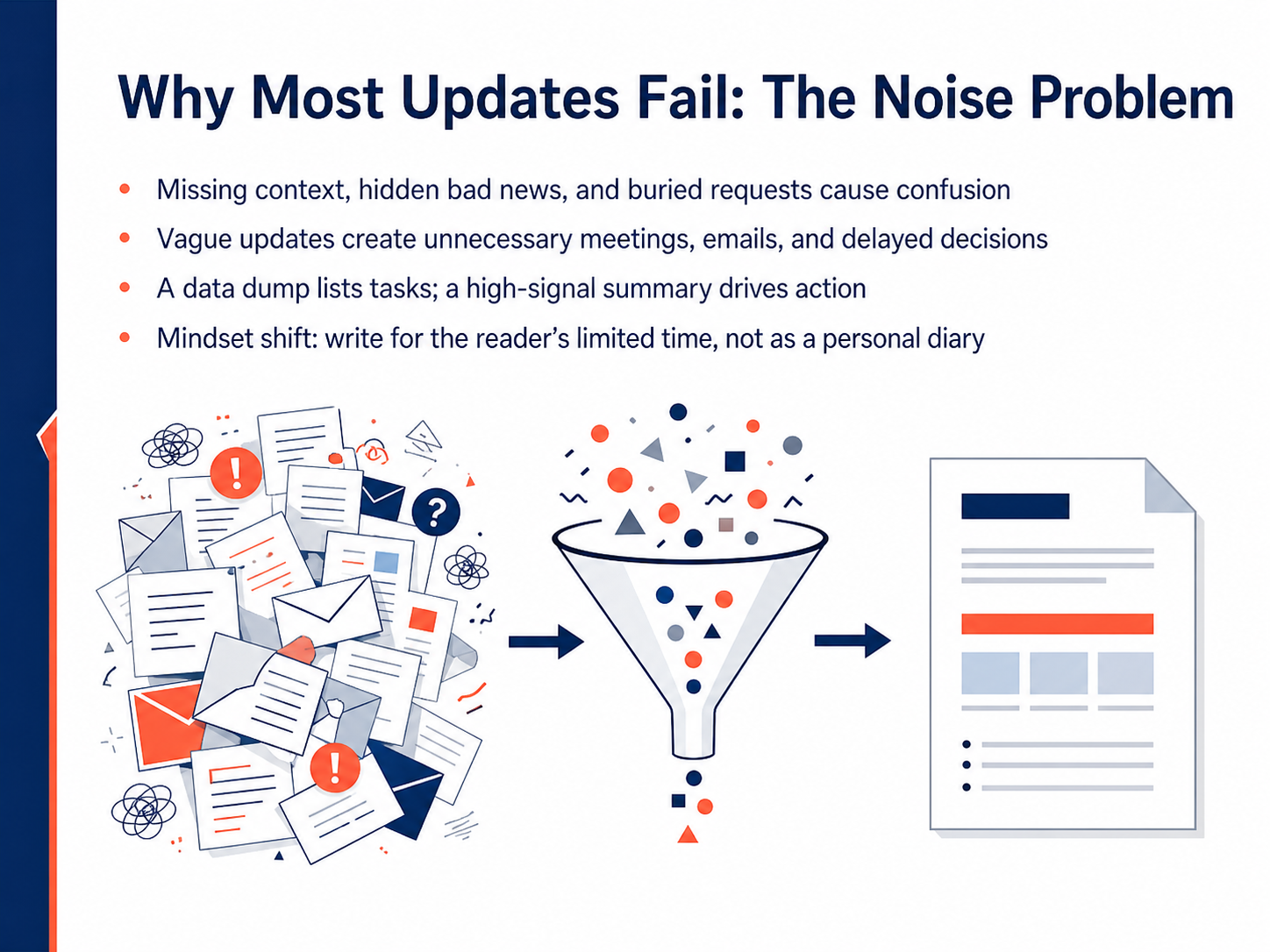
- 02Why Most Updates Fail: The Noise ProblemLet's look at why most project updates fail. The core problem is noise. Too many updates bury the real signal. They are missing context, so readers don't understand the importance. They hide bad news until it's a crisis. And they bury requests for decisions in long paragraphs where no one sees them. The result? Confusion. Vague updates create unnecessary meetings, extra emails, and delayed decisions because no one knows what they need to do. Think about the difference between a data dump and a high-signal summary. A data dump lists every task you completed. A high-signal summary, on the other hand, drives action. It tells the reader exactly what is on track, what is blocked, and what choice they need to make. This requires a mindset shift. Too many people write status updates like a personal diary, recording every detail for themselves. Instead, write for your reader's limited time. They need to make a quick decision, not study a full narrative. In the next slide, we'll introduce a high-signal structure that puts the executive summary first.
 teamwork.comatlassian.comtaim.io+22 min
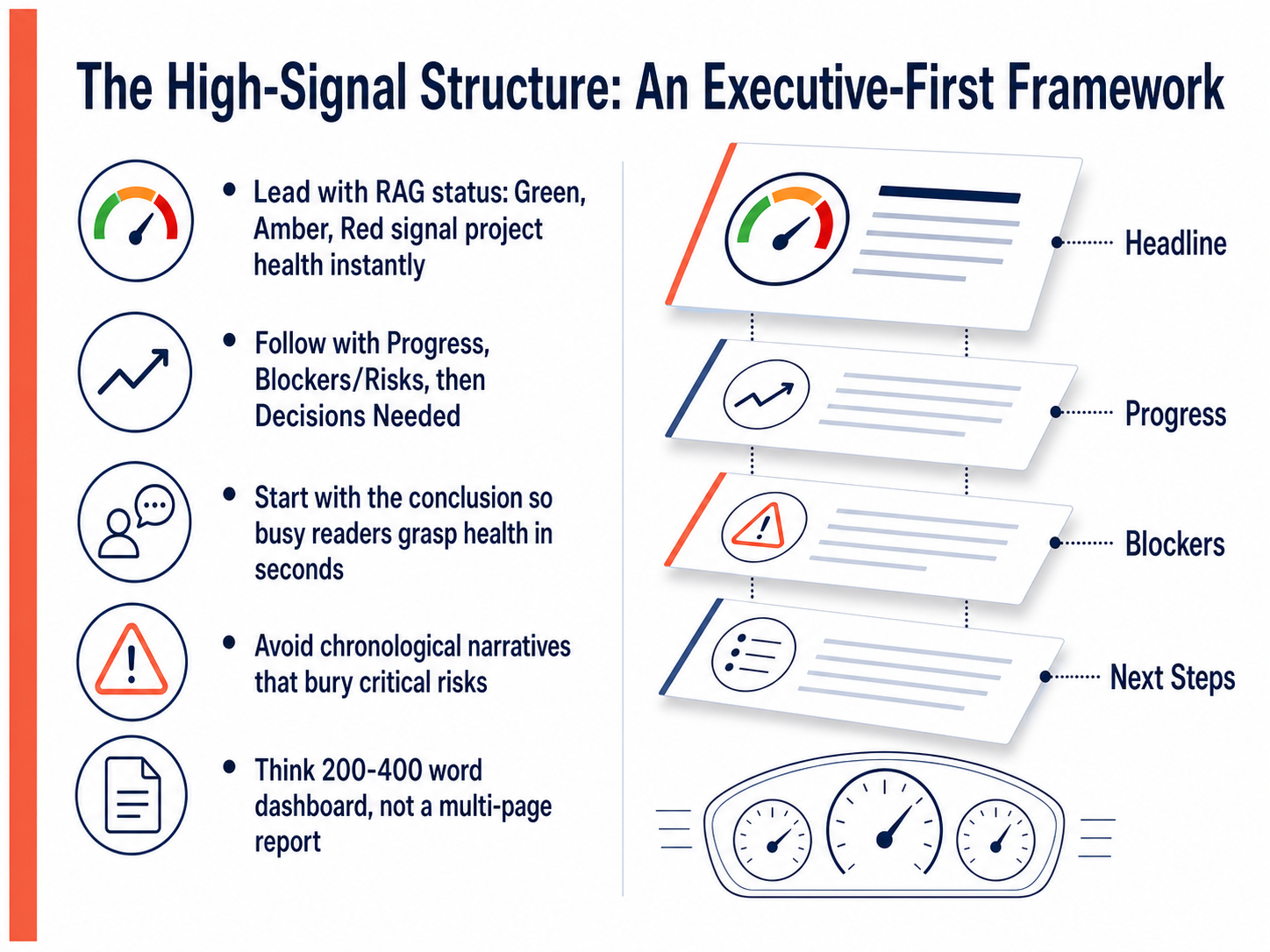
 - 03The High-Signal Structure: An Executive-First FrameworkNow that we understand the purpose, let's look at the exact structure that works. We call this the executive-first framework. It starts with a RAG status: Red, Amber, or Green. This is your headline. It signals project health instantly, without forcing anyone to search for it. After the status, lead with progress. What did we accomplish? Then, state your blockers and risks clearly and specifically. Following that, list the decisions you need. And here is the key: start with the conclusion. A busy stakeholder needs to grasp the health in seconds, not minutes. Avoid chronological narratives that bury critical risks three paragraphs down. Think of this as a 200- to 400-word dashboard, not a multi-page report. Every sentence should help someone decide or act. In the next section, we will practice writing that high-signal headline.
 teamwork.comatlassian.comtaim.io+22 min
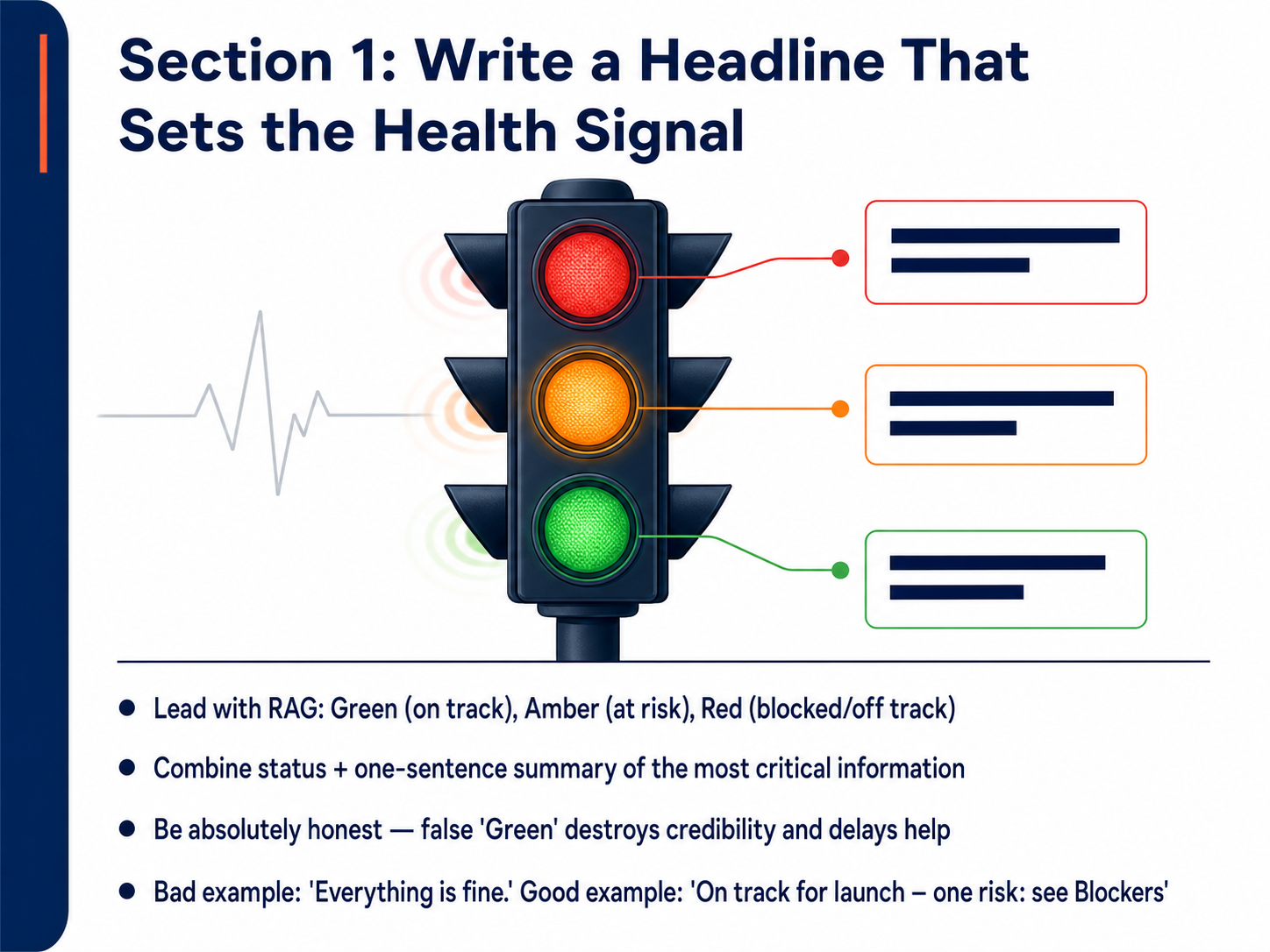
 - 04Section 1: Write a Headline That Sets the Health SignalNow let's get specific about how to write a headline that instantly signals project health. The most effective method is to lead with a RAG status: Green for on track, Amber for at risk, and Red for blocked or off track. This simple color-code lets your stakeholders know in one second whether they need to act. Combine that status with a one-sentence summary of the most critical information. For example, a bad headline says 'Everything is fine.' That hides the truth. A good headline says 'On track for launch, one risk: see Blockers.' This is direct and actionable. Above all, be absolutely honest. Reporting Green when things are wobbling destroys your credibility and prevents you from getting help early. Bad news travels best when it travels early, so don't hesitate to call Amber or Red when needed. Next, we'll move into Section two: Writing Progress That Informs, Not Just Lists.
 teamwork.comatlassian.comtaim.io+22 min
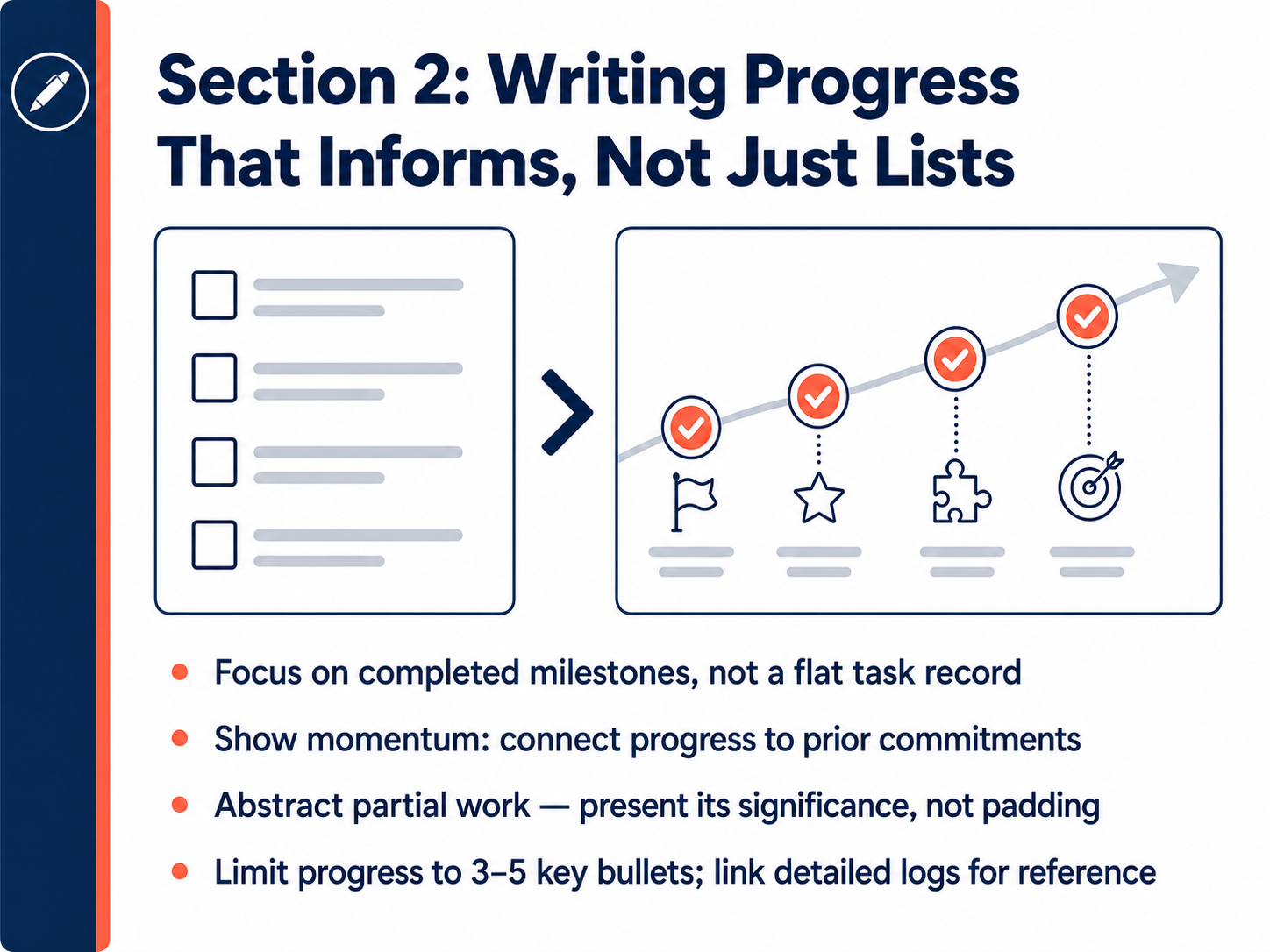
 - 05Section 2: Writing Progress That Informs, Not Just ListsNow let's talk about writing progress that actually informs. The key is to focus on completed milestones, not a flat list of tasks. Think of it this way: report that the homepage design was approved, not just that you worked on the homepage. Show momentum by connecting the progress back to your last update. For example, say you've delivered the three landing pages you committed to finishing last week. When work is partially done, don't pad the update with small steps. Instead, present its significance. You might say the API integration is seventy percent complete, with the core authentication layer working, but you're two days behind on secondary endpoints. Finally, keep your progress section tight. Aim for three to five bullet points, and link to your detailed project log for anyone who wants the full picture. This keeps the update fast to read and ensures the most important information stands out. Up next, we'll move into Section Three: Raising Blockers Early and Effectively.
 teamwork.comatlassian.comtaim.io+22 min
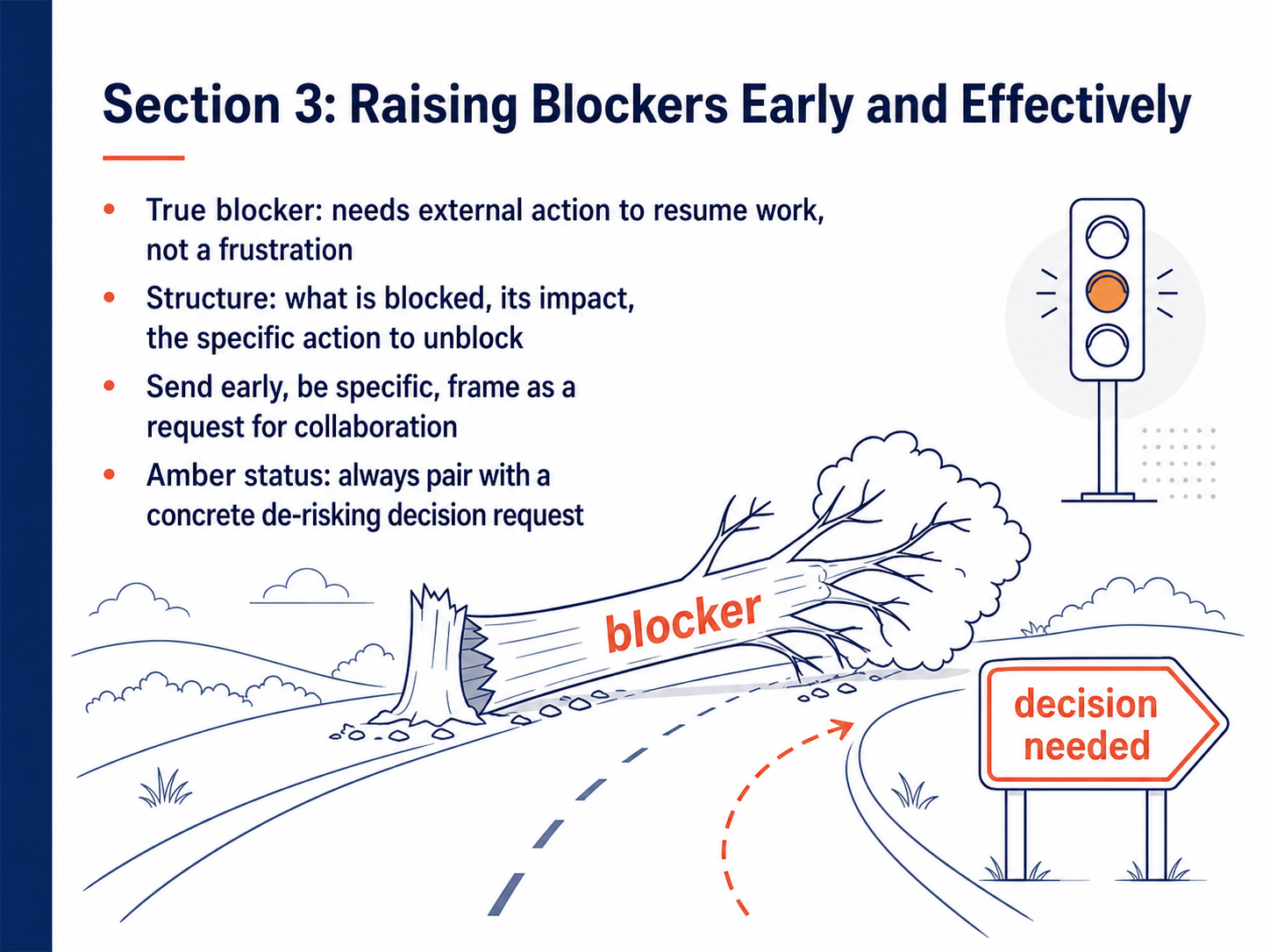
 - 06Section 3: Raising Blockers Early and EffectivelyNow let's talk about raising blockers early and effectively. A true blocker means you cannot move forward without someone else stepping in. It is not a frustration or a preference; it is a hard stop. When you report a blocker, always include three things: what exactly is blocked, its real impact on the timeline or budget, and the specific action needed to unblock it. For example, instead of saying 'the vendor is slow,' say 'API integration is blocked because we are missing the vendor's updated credentials. This delays our testing phase by two days. The unblocking action is for procurement to request new credentials by tomorrow.' If your overall status is amber, do not just report the color. Always pair an amber status with a concrete decision request that de-risks the project. Send these alerts immediately. Do not wait for the next scheduled update. Frame your message as a request for collaboration, not a complaint. Stakeholders respect bad news that arrives early with a clear path forward. Next, we will move into Section 4: Requests and Decisions That Drive Action.
 teamwork.comatlassian.comtaim.io+22 min
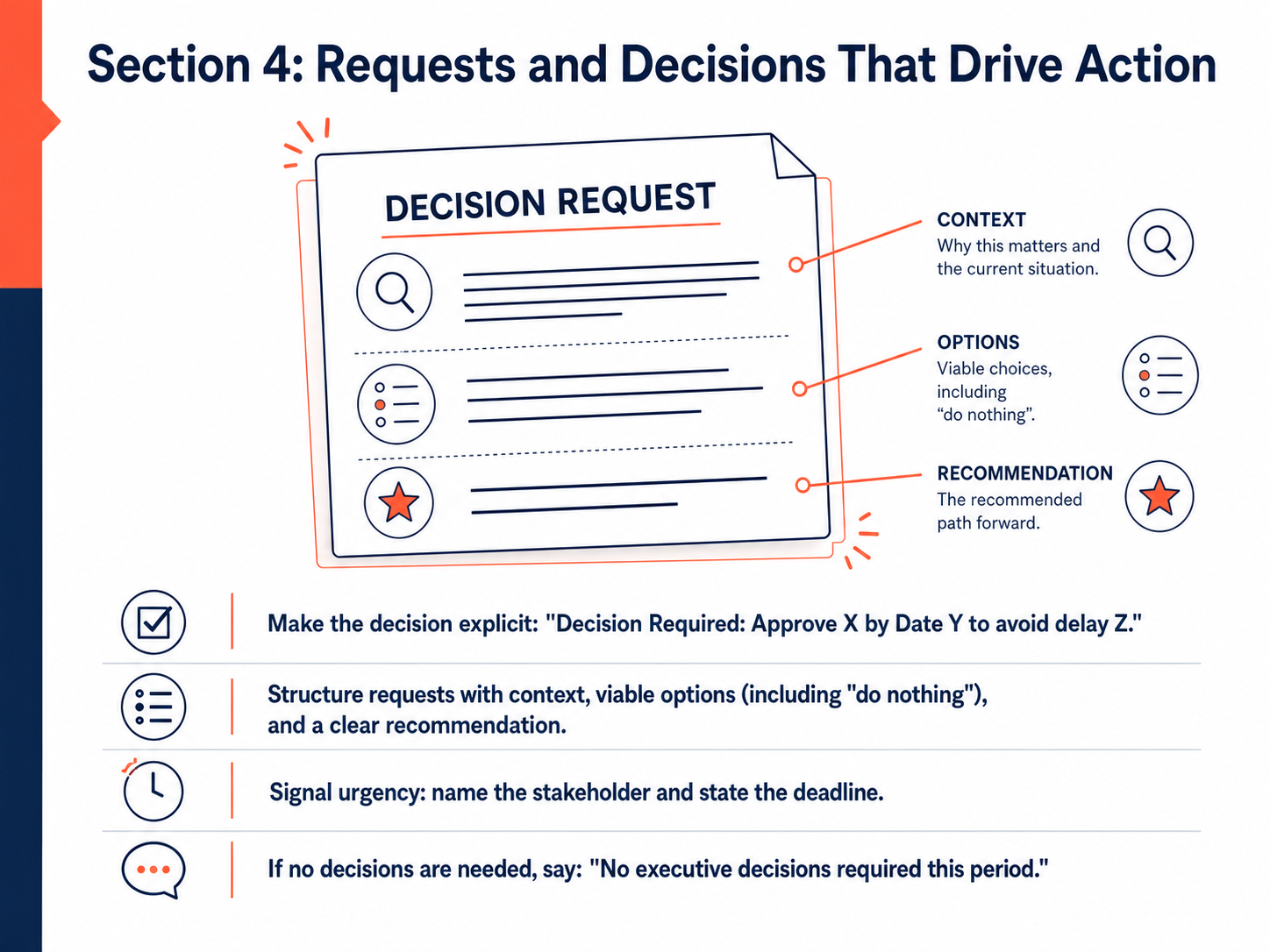
 - 07Section 4: Requests and Decisions That Drive ActionNow, let's talk about the section that keeps projects moving: requests and decisions. This is where you stop just sharing information and start driving action. Stakeholders don't act on data alone; they act on explicit asks. So make every decision clear. Use a format like: 'Decision Required: Approve X by Date Y to avoid delay Z.' Never bury a request. Instead, structure it with context, present at least two viable options, including doing nothing, and always include your own clear recommendation. You are the expert, so lead with your judgment. Signal urgency too. Name the specific stakeholder and state the exact deadline. That creates accountability. And if you don't need anything this period, say it explicitly: 'No executive decisions required this period.' That brief line is a gift to busy leaders; it tells them they can just note the update and move on. Next, we'll look at how to turn all this into next steps that create accountability and momentum.
 teamwork.comatlassian.comtaim.io+22 min
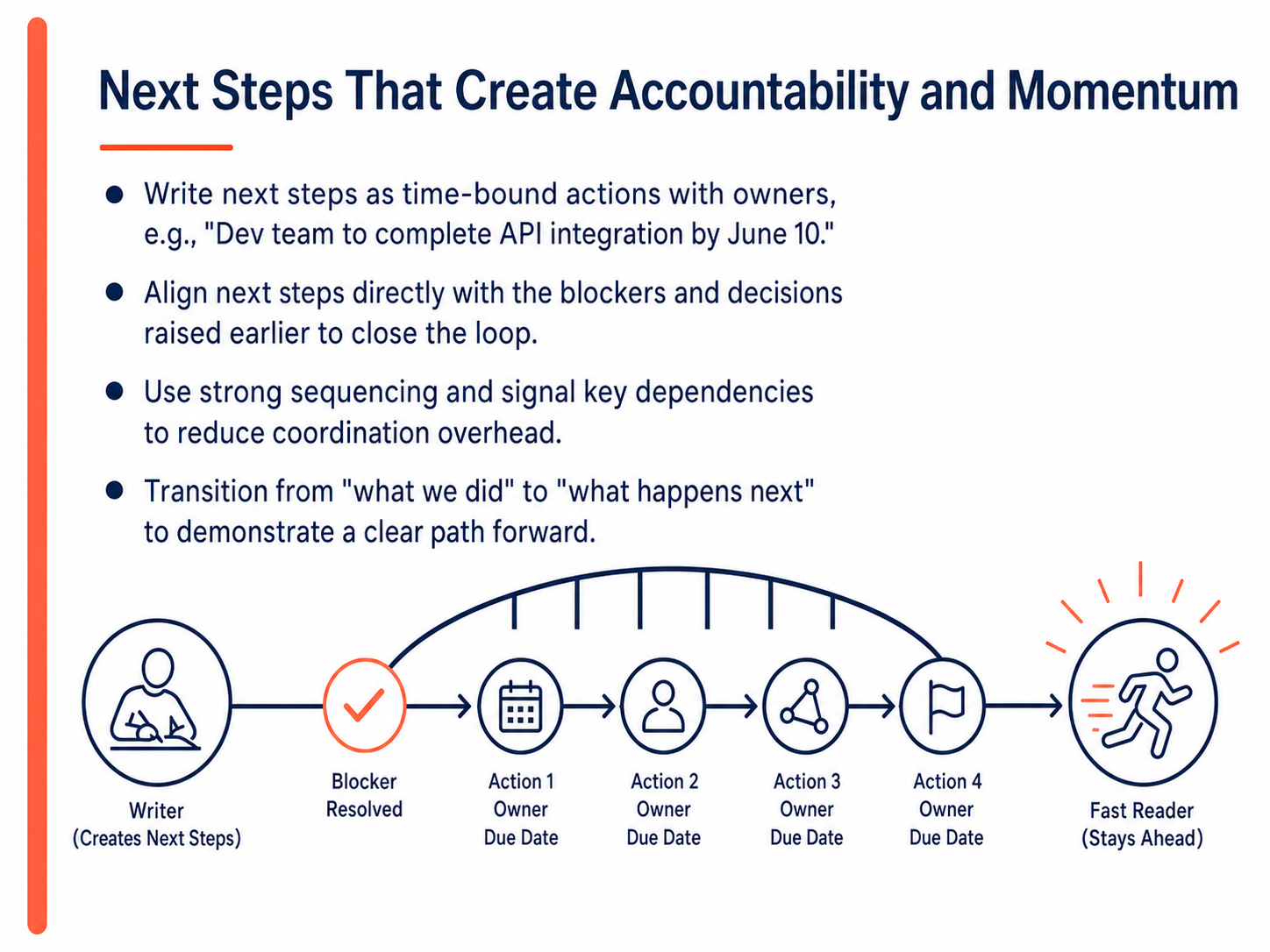
 - 08Next Steps That Create Accountability and MomentumNext, let's talk about writing next steps that create real accountability. Strong next steps are time-bound actions with a clear owner. For example, instead of writing 'finish the API,' say 'Dev team to complete API integration by June tenth.' This closes the loop by aligning the next step directly with blockers and requests you raised earlier. Use logical sequencing to signal dependencies, like a handoff from development to quality assurance. This reduces coordination overhead for everyone. Finally, transition the narrative from what the team did to what happens next. That demonstrates a clear path forward and builds confidence. In our next slide, we'll discuss adapting your tone to the audience and channel.
 teamwork.comatlassian.comtaim.io+21 min
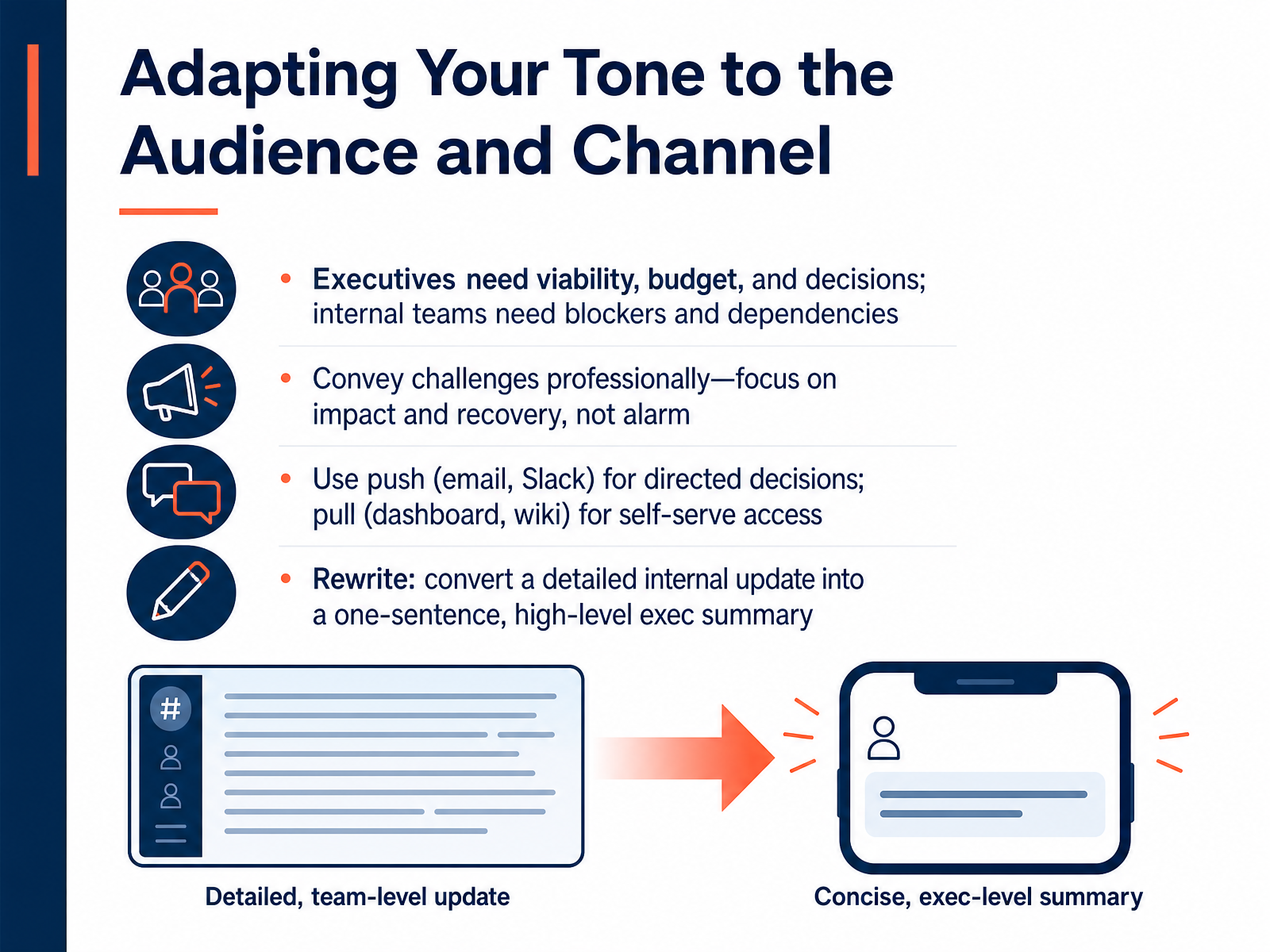
 - 09Adapting Your Tone to the Audience and ChannelAdapting your tone to the audience and delivery channel makes the difference between an update that drives action and one that gets ignored. Start by recognizing what each group actually needs. Executives are scanning for viability, budget impact, and the decisions only they can make. Internal teams need to know about blockers and dependencies so they can unblock work immediately. When you face a challenge, convey it professionally. Lead with the impact on timeline or scope, then state your recovery plan. Avoid alarm; focus on the path forward. Next, choose the right channel. Use push channels like email or Slack when you need a directed decision from a specific person. Use pull channels like a dashboard or wiki to let people self-serve when they want general progress. Let’s apply this. Picture a detailed internal update listing task-level progress. To rewrite it for an executive, you boil it down to one sentence: state the overall health, the key risk, and the one decision you need. That single sentence replaces an entire paragraph. The principle is simple: different readers need different lenses on the same project. Now let’s look at how to sharpen your message before you send it, in the sixty-second self-edit.
 teamwork.comatlassian.comtaim.io+22 min
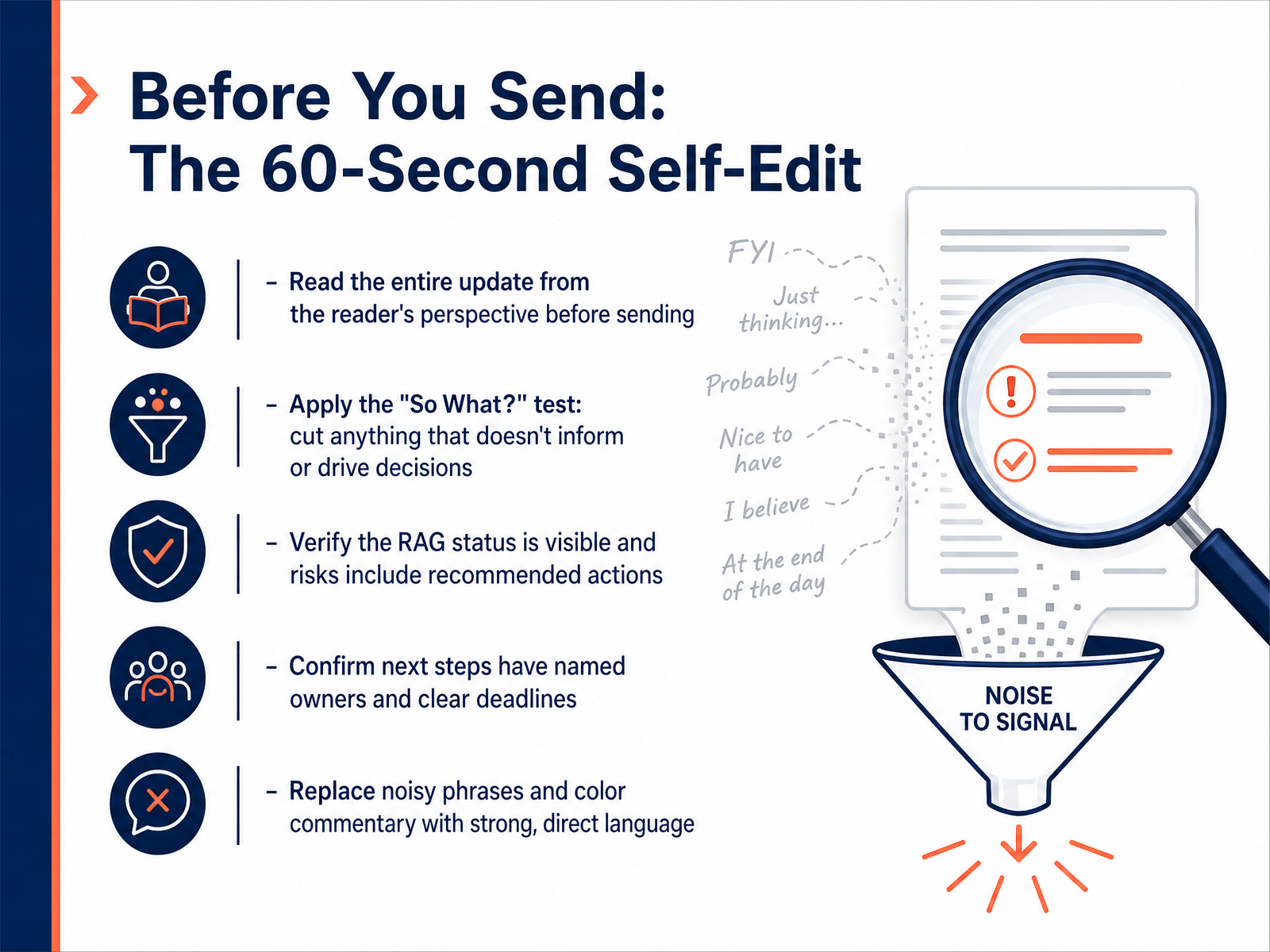
 - 10Before You Send: The 60-Second Self-EditYou have drafted your update, so now let's give it a quick, sixty-second check before you hit send. First, read the entire update from the reader's perspective. Ask yourself, would they understand the project status in under a minute? Next, apply the "So What?" test. Cut anything that does not inform or drive a decision. Verify that your RAG status is immediately visible and that every risk includes a recommended action. Then, confirm that all next steps have a named owner and a clear deadline. Vague owners and floating tasks are the enemy of accountability. Finally, replace noisy phrases and color commentary with strong, direct language. For example, change "We are kind of hoping to maybe finish the design soon" to "Design completion is expected on Friday." This final pass turns your draft from a data dump into a sharp decision tool. Always remember, clarity is credibility. Now, let's talk about making this process stick by building a sustainable weekly habit.
 teamwork.comatlassian.comtaim.io+22 min
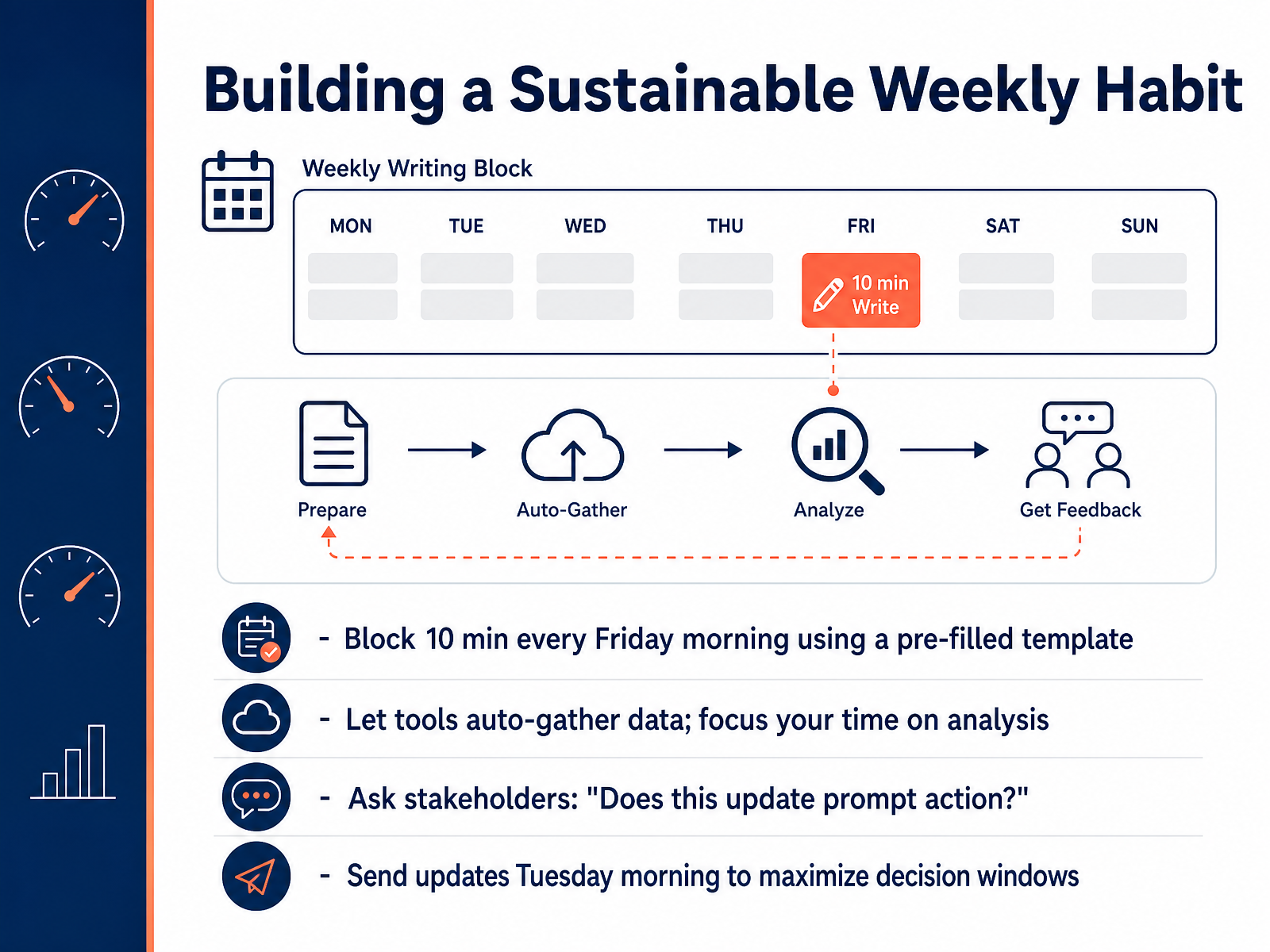
 - 11Building a Sustainable Weekly HabitOne update won't change the world. But a weekly habit changes how your work is perceived. To build one, block ten minutes every Friday morning. Think of it as a non-negotiable appointment. Use a pre-filled template so you never start from a blank page. Next, let your tools auto-gather the data. Don't waste time copying and pasting. Your job is the analysis, the interpretation, the recommendation. After you draft it, stress-test it by asking stakeholders a simple question: Does this update prompt action? If the answer is no, you wrote a journal entry, not a status report. Finally, send it Tuesday morning. This maximizes the decision window, giving leaders the week to act, instead of letting requests die over the weekend. Let's put these habits to work in our practice lab.
 teamwork.comatlassian.comtaim.io+22 min
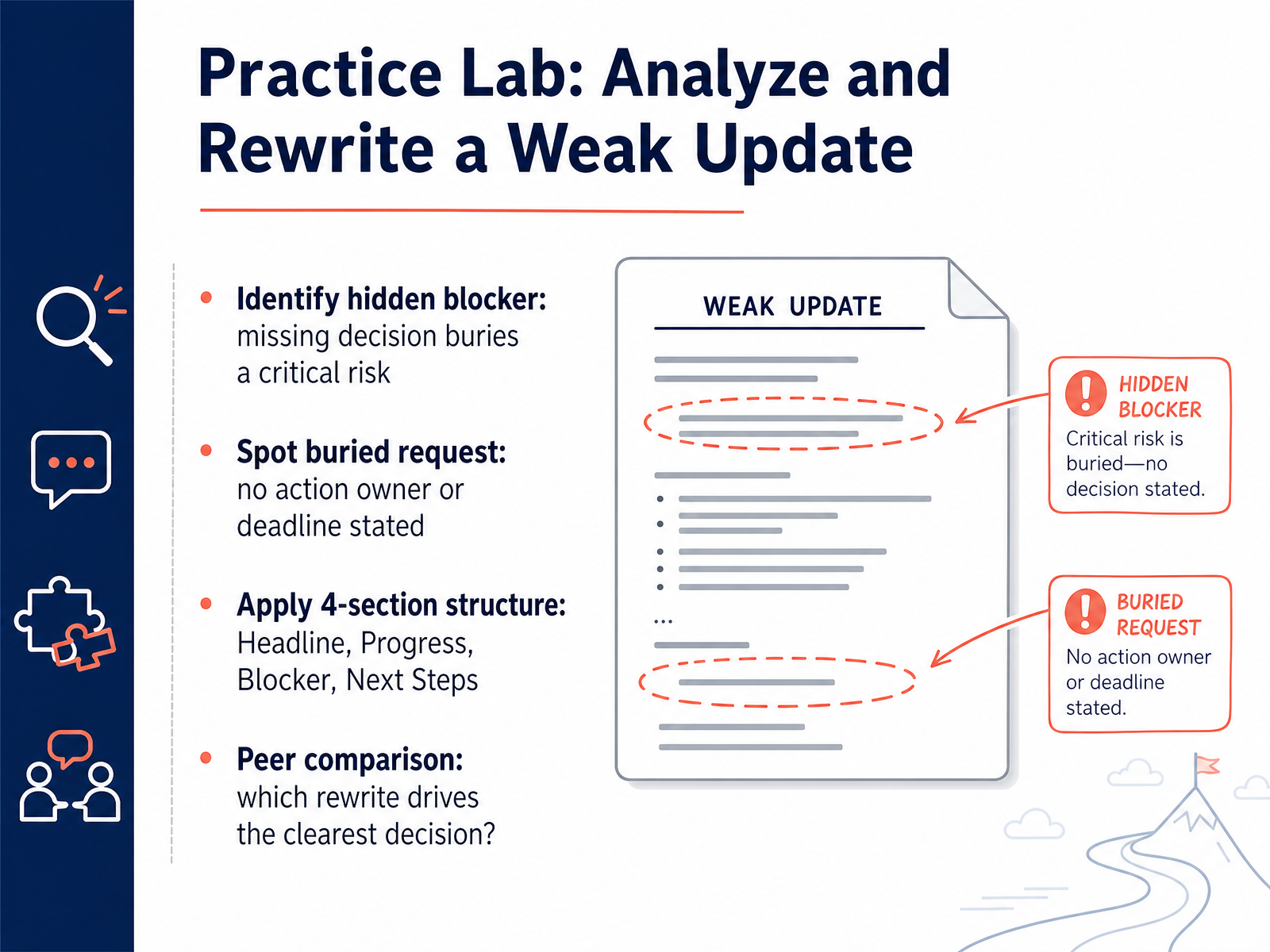
 - 12Practice Lab: Analyze and Rewrite a Weak UpdateAlright, let's put this into practice. We have a weak status update that we're going to analyze and rewrite together. First, we need to identify the hidden blocker. Look closely; a missing decision is often buried in the narrative and hides a critical risk. Next, we'll spot a buried request. If there's no action owner or deadline stated, the request is invisible to your stakeholders. Finally, we'll apply the four-section structure you just learned: a clear Headline, a concise Progress note, an explicit Blocker, and a defined Next Step. We'll then do a peer comparison to see which rewrite drives the clearest decision. Remember, the version that gets a response is the one that makes the ask impossible to miss. Now, let's move to our final slide and build your action plan and toolkit for your very next update.
 teamwork.comatlassian.comtaim.io+21 min
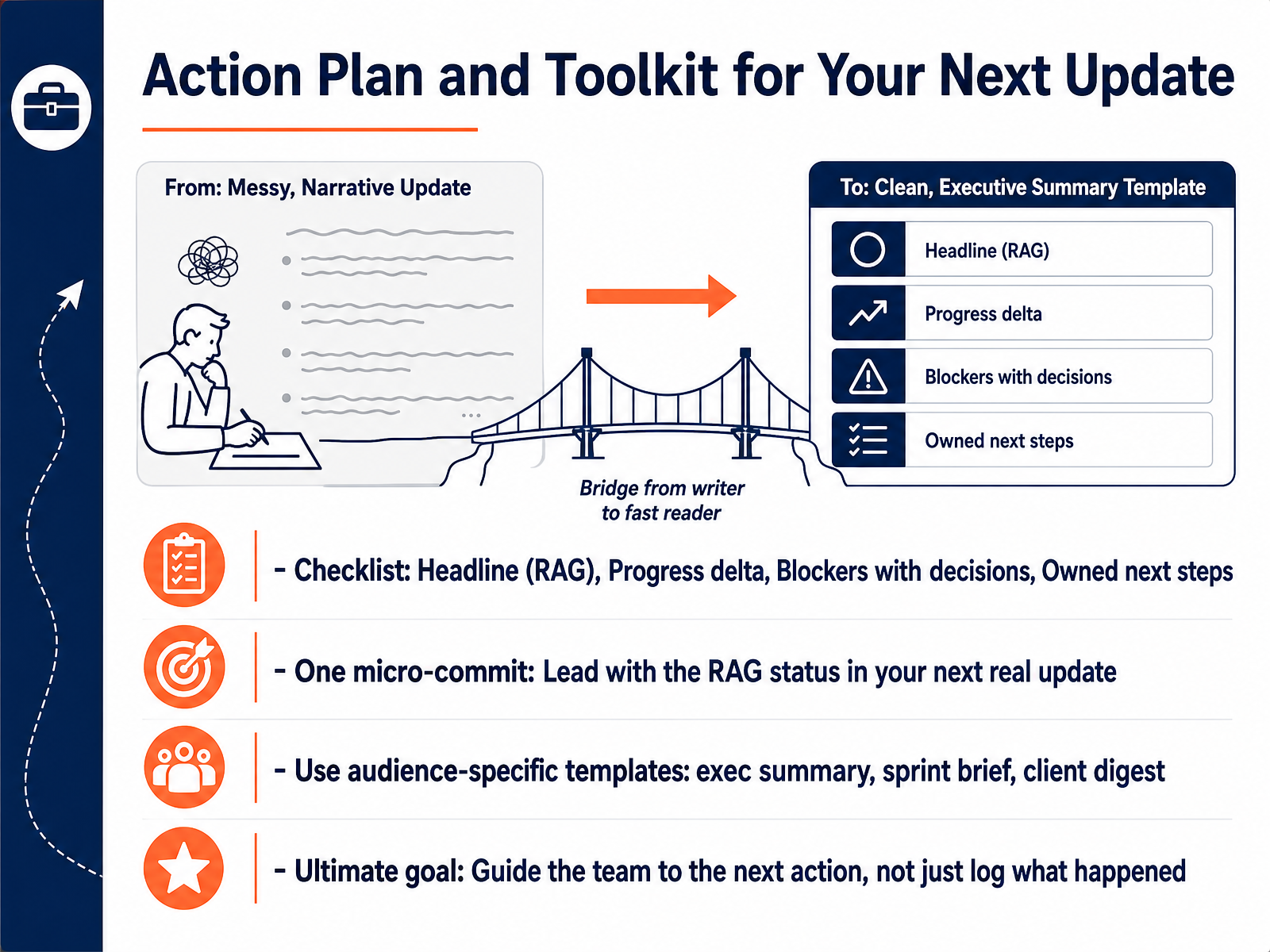
 - 13Action Plan and Toolkit for Your Next UpdateLet’s turn these principles into your personal action plan. First, keep a quick mental checklist for every update: a clear RAG headline, concrete progress since last time, blockers paired with the decisions you need, and next steps with owners. Second, make one micro-commitment right now. In your very next real update, lead with the RAG status instead of burying it. Third, match your template to your audience. An executive summary works for a sponsor, a sprint brief for delivery leads, and a client digest for external partners. The ultimate goal is not to log what happened. It is to guide your team to the next action. Thank you for joining me. Practice this structure on your next update, and watch how quickly your messages start driving real decisions.
 teamwork.comatlassian.comtaim.io+22 min
Take the deck with you
Download this course as a file — free, no sign-up needed.
- PDF handoutEvery slide page, ready to print or share.14 pages · 3.1 MBDownload
- Narrated PowerPointThe deck that presents itself — every slide carries the digital human's narration video.14 pages · 12.3 MBDownload
- PowerPoint slidesThe full deck as a .pptx — open it in PowerPoint, Keynote, or Google Slides.14 pages · 3.0 MBDownload
Free to use in your own training — please keep the PersonWise credit page at the end.
Have your own deck? Turn it into a course
Sources consulted
Web sources consulted while building this course.
- How to write a project status report (2026 guide) — teamwork.com
- Project Status Report: Tips and Templates for Success — atlassian.com
- Status updates that actually inform: what to include, what to cut | Taim.io — taim.io
- How Project Status Reports Work: 8 Steps + Template [2025] — asana.com
- "Project Status Report: What to Include (Template + Examples)" — resources.rework.com