
Begin
13 pages · ~26 min
Multilingual Interface Design
This training teaches designers how to create effective multilingual interfaces, covering layout adaptation, text expansion, and localization best practices for global audiences.
A digital instructor presents all 13 pages. Hold “Ask” at any point and ask out loud — the answer comes from this course. No sign-up needed.
What you’ll learn
- 01Introduction to Designing Multilingual InterfacesWelcome. Today, we're going to rethink what it really takes to design for a global audience. A lot of teams treat multilingual support as a final layer of translation, just swapping out strings. But when we talk about a truly multilingual interface, we're talking about structural readiness. It's an architecture that adapts to any script, any reading direction, and any cultural format without breaking the layout. The business case for this is clear: seventy-six percent of users prefer to buy in their own language, and forty percent will never purchase from a foreign-language site. That's a direct conversion lever, not just a nice-to-have. Over the next few sessions, we'll walk through the practical patterns you need, from handling text expansion and bidirectional layouts to adapting date and currency formats, and designing a language selector that builds trust. Ultimately, our goal is to help you build a system that adapts fluidly to new languages, so you don't have to replatform for every single locale.uxstalwarts.comlokalise.comlokalise.com+22 min
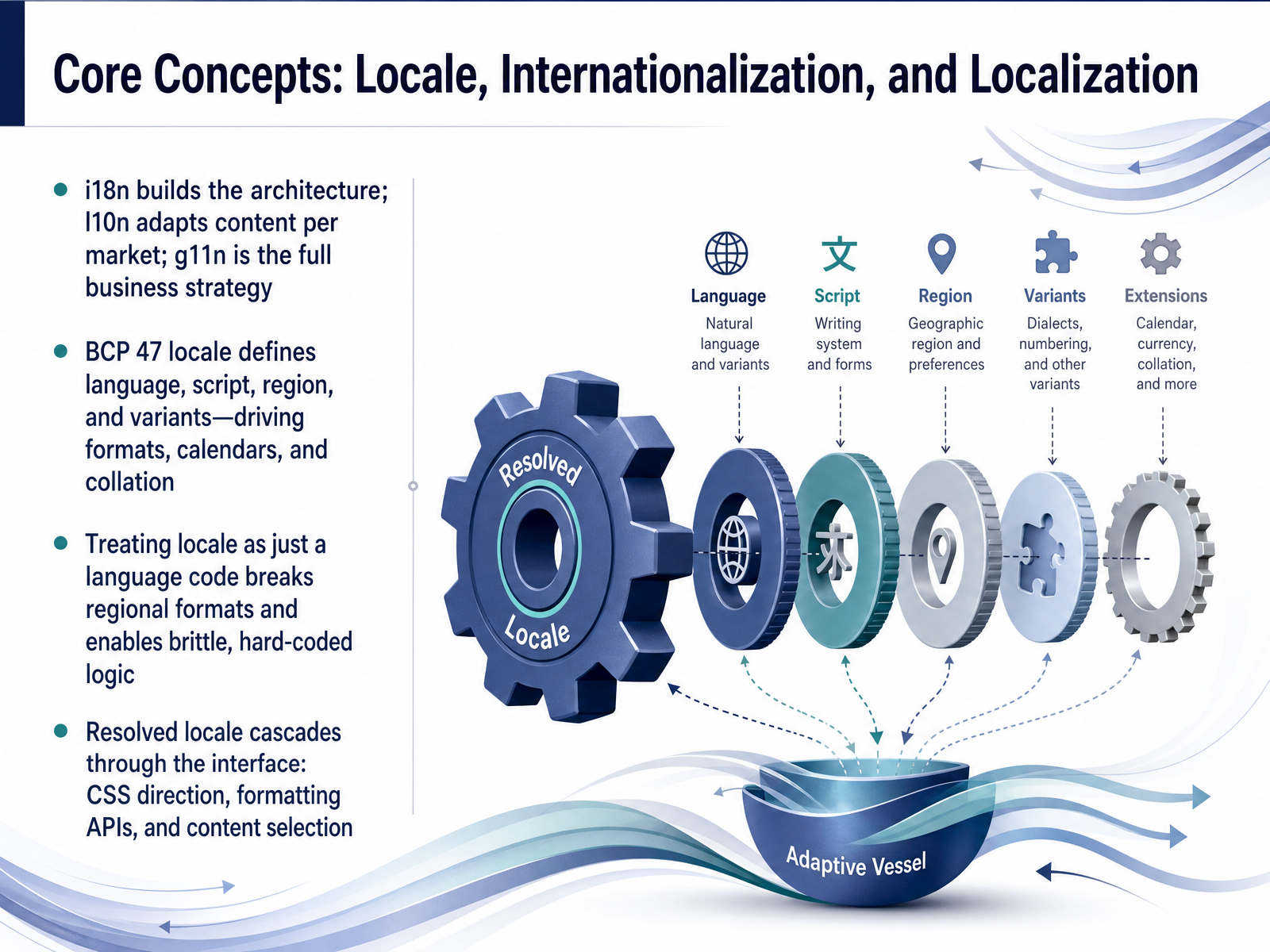
- 02Core Concepts: Locale, Internationalization, and LocalizationNow let's get our terminology straight, because precision here saves a lot of pain later. Think of internationalization, or i18n, as the architecture. It's the engineering work that builds a locale-ready frame. Localization, l10n, is what fills that frame. It's adapting the content, formats, and visuals for a specific market. Globalization, g11n, is the bigger business strategy that ties everything together across markets. A key concept here is the BCP 47 locale tag. This is not just a language code like 'en' or 'zh'. It defines the language, script, region, and variants, and it directly drives critical behaviors: date formats, number separators, calendar systems, and collation order. If you treat locale as only a language code, regional formats will break and you'll end up with brittle, hard-coded logic everywhere. You should picture the resolved locale cascading through your interface. It sets the CSS directionality for layouts, feeds the correct settings into formatting APIs, and selects the right localized content pack. That cascade is what makes a page feel native, not just translated. Next, let's look at how to handle text across scripts and writing systems.
 loqalit.comgithub.comgithub.com+21 min
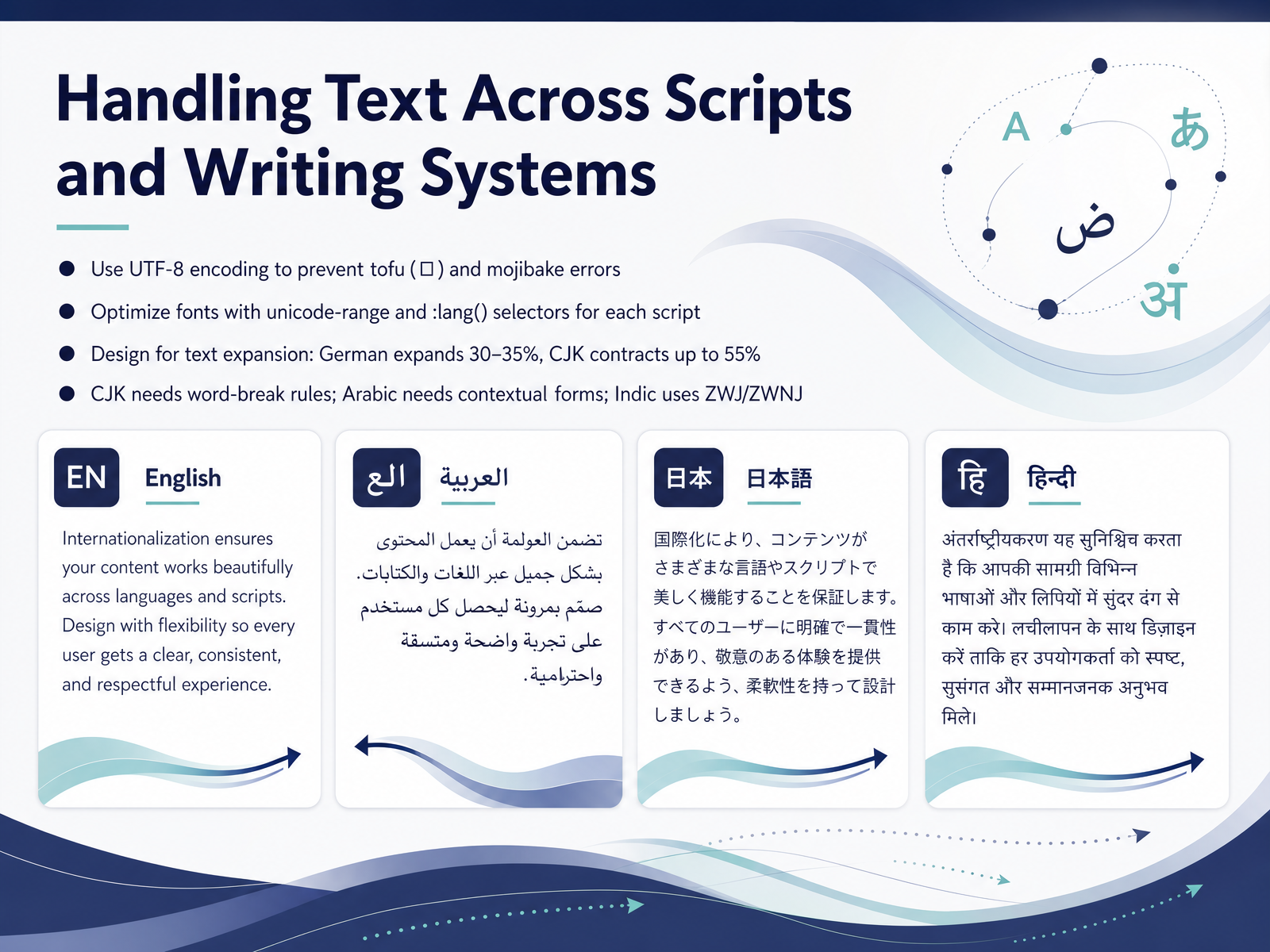
 - 03Handling Text Across Scripts and Writing SystemsNow let's get into the mechanics of handling text across different scripts and writing systems. This is where the rubber meets the road, and getting it right prevents those visual bugs that break trust with your users immediately. Start with encoding. Always use U T F eight. Anything less, and you'll see tofu, those empty boxes that appear where a character should be, or mojibake, the garbled text that shows up when the encoding interpretation is wrong. U T F eight is your foundational insurance. Next, fonts. Serving a five-megabyte Japanese font to a user reading English is not just slow, it's wasteful. Use the CSS at-font-face unicode-range descriptor to tell the browser which script a font file covers. Pair that with the lang pseudo-class selector, and the browser will intelligently download only the fonts needed for the language attribute on the page. A user reading German won't have to download the Chinese font. Now, plan for physical space. A German string can be thirty to thirty-five percent longer than the English source. An Arabic word is set wider. And a CJK text can contract in length by over fifty percent. Your button labels and flex containers need to handle this expansion and contraction without breaking. Finally, respect script-specific rules. CJK scripts need word-break rules because they lack spaces. Arabic fonts rely on contextual forms for correct letter joining. And for scripts like Devanagari, your fonts must include zero-width joiner and non-joiner characters for conjunct formation. These aren't edge cases, they're fundamental to legibility. Speaking of fundamentals, our next topic is all about direction. Let's explore how to design for bidirectional and vertical text layouts.
 font-converters.comtopwebsitebuilders.orgwebperfclinic.com+22 min
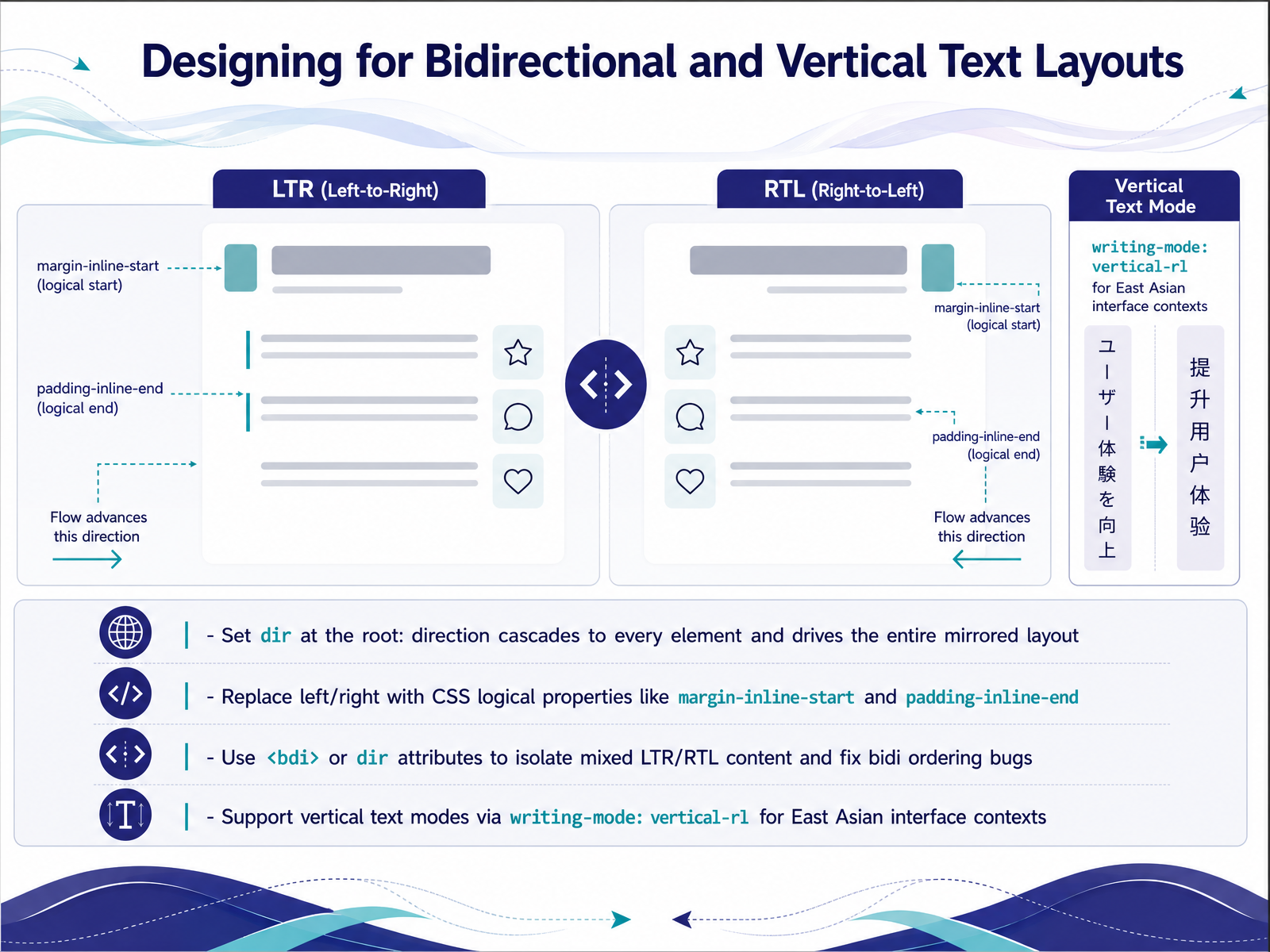
 - 04Designing for Bidirectional and Vertical Text LayoutsLet's talk about layouts that need to work in more than one direction. When you’re designing for bidirectional and vertical text, the first and most impactful decision is setting the dir attribute at the root of your document. Direction cascades to every element, so one single attribute drives the entire mirrored layout without per-component logic. Next, replace every physical left and right in your CSS with logical properties. Instead of margin-left, use margin-inline-start. Instead of padding-right, use padding-inline-end. These properties automatically respond to the writing mode, so your spacing flips correctly in RTL without duplicate rules. Now, for those tricky spots where LTR and RTL text mix, like a product name in Arabic inside an English sentence, reach for the bdi element or a scoped dir attribute to isolate the content and fix bidirectional ordering bugs. Finally, for East Asian interface contexts, support vertical text modes with writing-mode: vertical-rl. This changes the inline and block axes so your carefully chosen logical properties continue to respect the flow, even when the text runs top to bottom. Up next, we’ll look at adapting formats for dates, numbers, currencies, and units.
 modern-css.comdeveloper.mozilla.orgdeveloper.mozilla.org+22 min
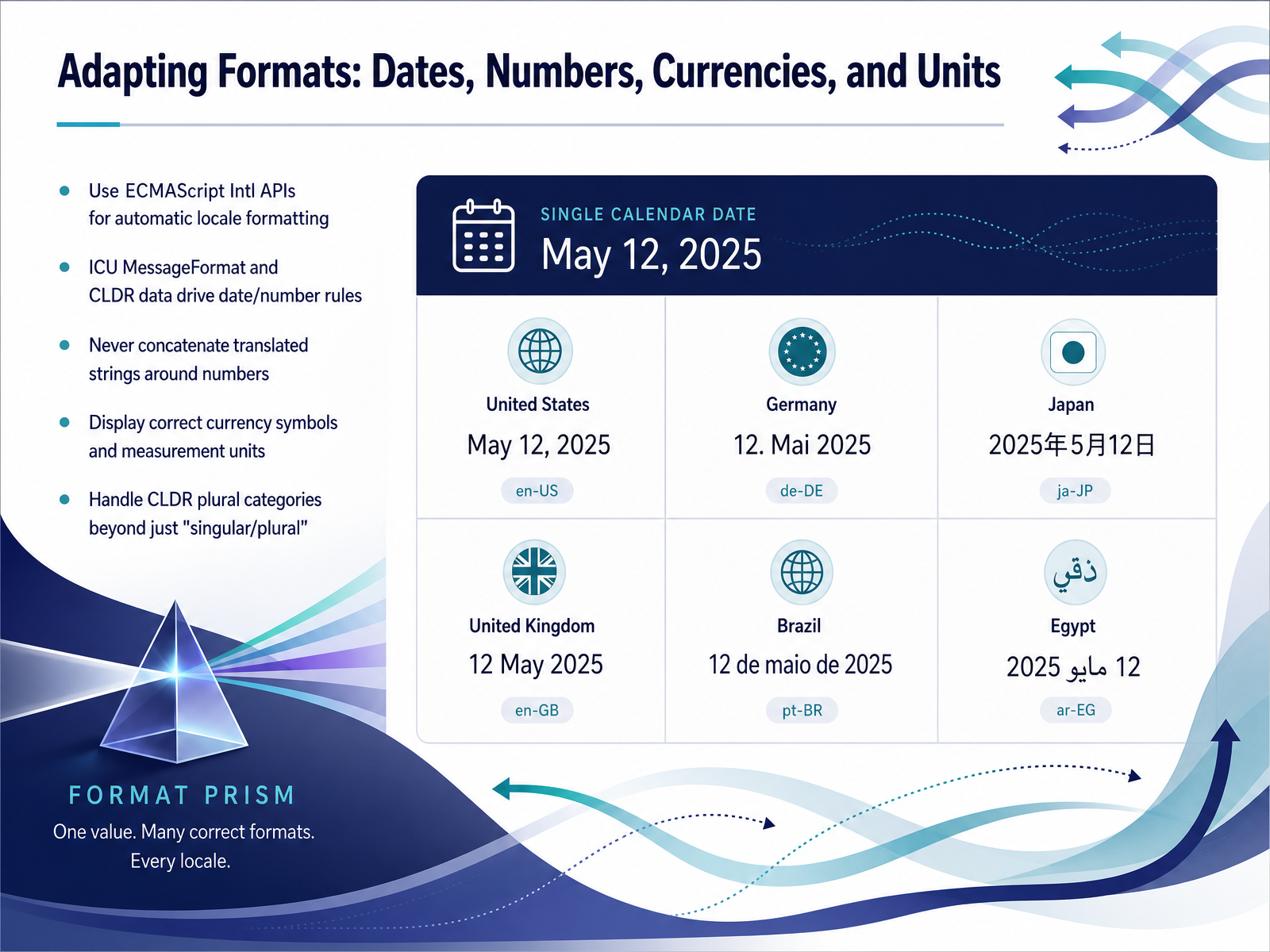
 - 05Adapting Formats: Dates, Numbers, Currencies, and UnitsNow let's talk about formats—dates, numbers, currencies, and measurement units. These might seem small, but they are a major trust signal. It comes down to this: use the platform's built-in formatting engines. For JavaScript interfaces, that means the ECMAScript Internationalization APIs first, backed by International Components for Unicode data. This data set defines the rules for date order, number separators, and plural categories across hundreds of locales. A key rule here: never break a translated sentence just to insert a number. Avoid concatenating strings like 'You have' plus the count plus 'items.' That pattern breaks in languages with multiple plural forms beyond just singular and plural. Instead, use a message format library that selects the correct pattern based on the number's value. And always display the correct currency symbol and measurement unit for the locale. Showing a dollar sign to a Eurozone customer or using inches for a market that expects centimeters erodes confidence immediately. Let's carry this thinking into the next topic, building inclusive language selection experiences.
 uxstalwarts.comlokalise.comlokalise.com+22 min
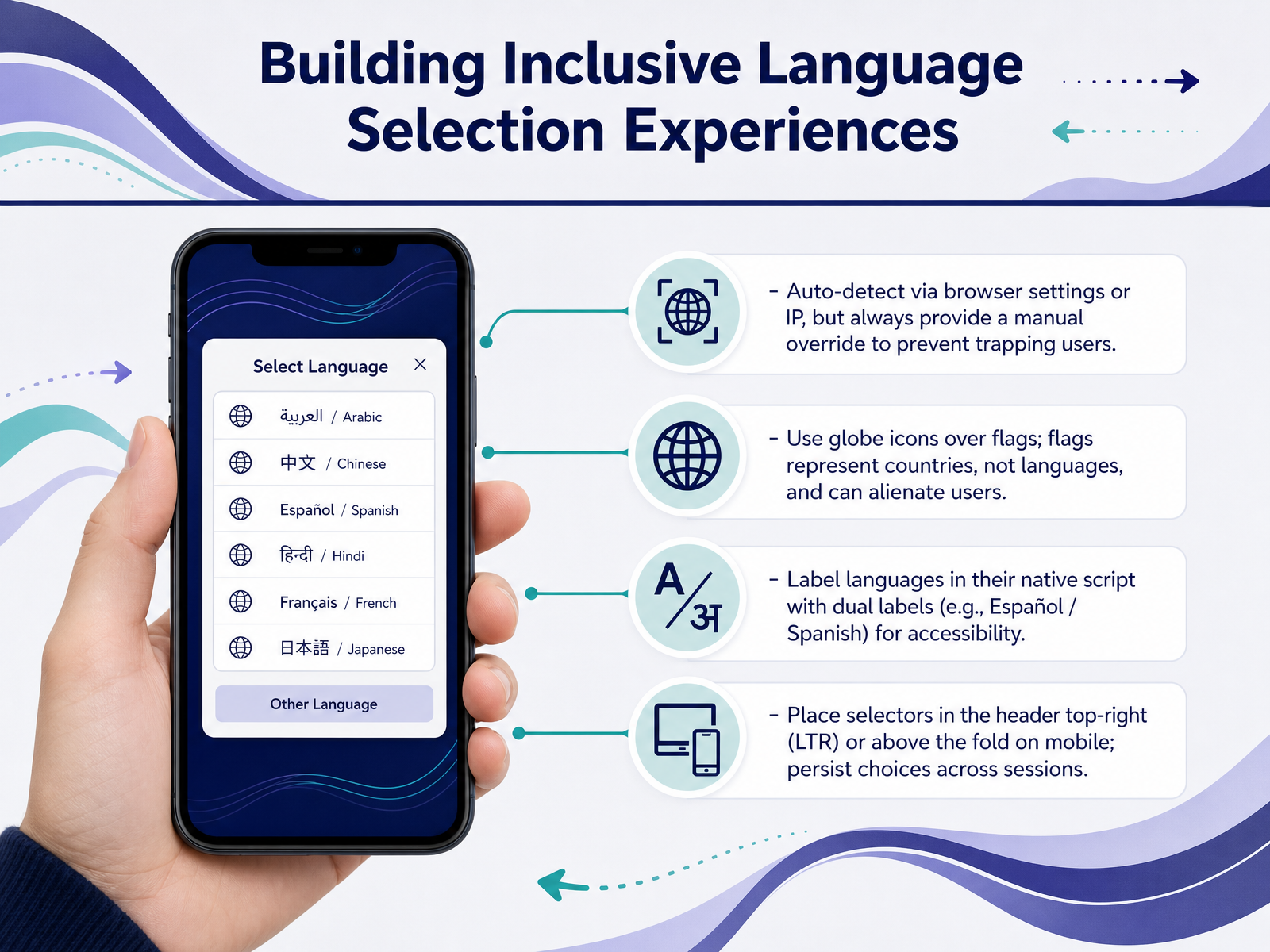
 - 06Building Inclusive Language Selection ExperiencesLet's look at building language selectors that truly include everyone. First, auto-detection is a great starting point—grabbing the language from the browser or IP address. But never lock a user into that guess. Always provide a manual override so you don't trap someone with a wrong detection. Next, swap the flag icons for a simple globe. Flags represent countries, not languages, and they can easily alienate users. Instead, list languages in their native script, and pair them with a dual label, like 'Español / Spanish', for instant accessibility. For placement, stick to the expected zones. On desktop, keep the selector in the top-right corner of the header. On mobile, make sure it's above the fold. And remember to persist that choice across sessions. Now that we’ve covered the selector itself, let's move on to layout strategies for dynamic content length.
 2 min
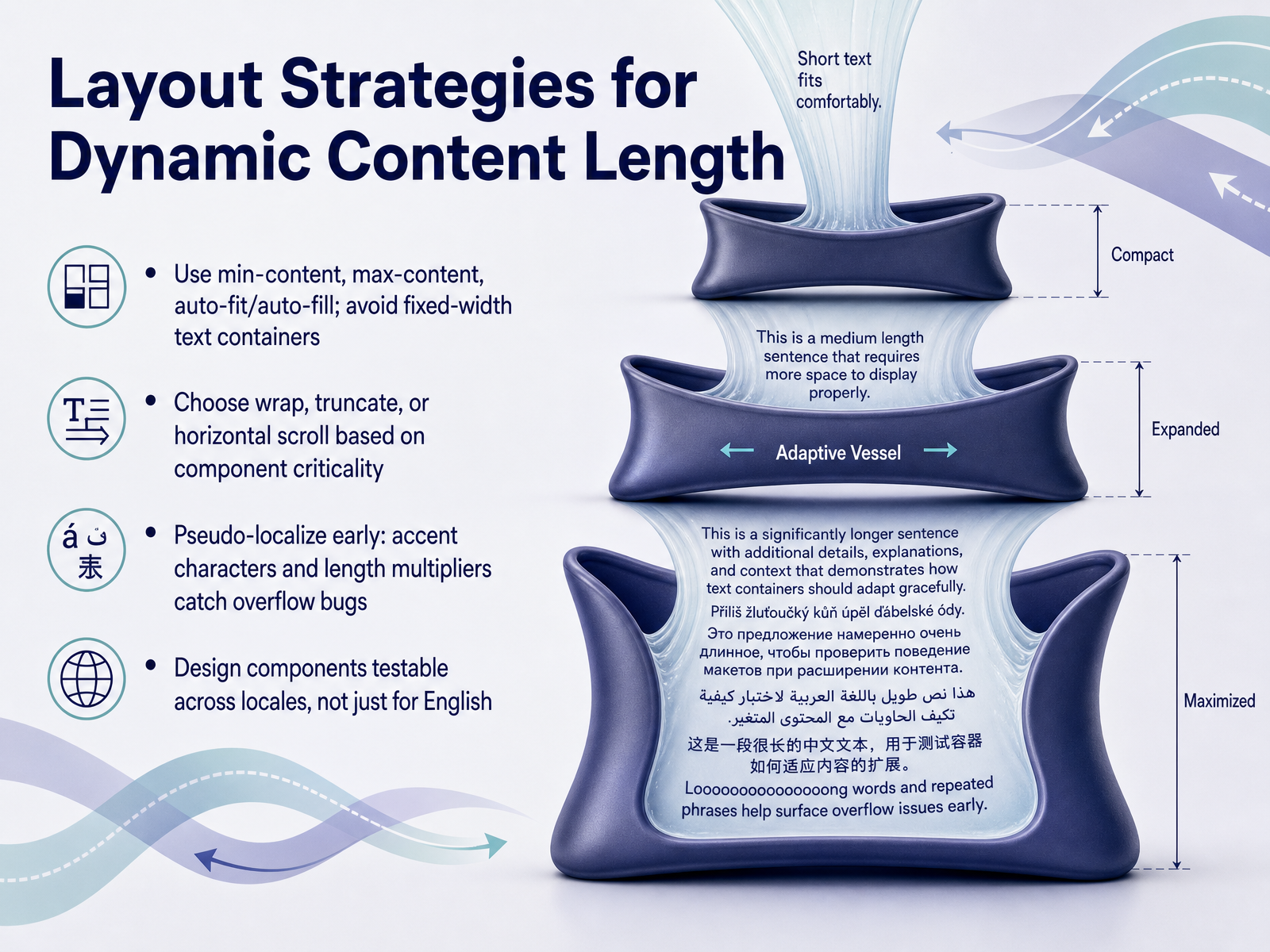
2 min - 07Layout Strategies for Dynamic Content LengthLet's move into layout strategies for dynamic content length. Multilingual text is rarely a one-to-one swap, so we plan for expansion and contraction from the start. First, rely on CSS functions like min-content, max-content, auto-fit, and auto-fill instead of fixed-width containers. A German compound noun can triple the length of its English counterpart, and flexible sizing keeps it from breaking the grid. Next, decide how each component handles overflow. For critical actions, like a checkout button, let text wrap or use a tooltip. For a dashboard label in a tight column, truncation with an ellipsis is often cleaner. Horizontal scroll is a last resort, usually for navigation tabs or narrow data tables where context must not get lost. One practical habit that saves hours is pseudo-localizing early. By adding accent characters and artificially expanding string length, you expose overflow and misalignment bugs long before real translations arrive. Finally, make sure every component is testable across locales, not just English. Tools like Playwright or LocalePass can scan for layout breaks in your CI pipeline, and a quick pass with pseudolocalization catches most structural problems before QA even begins. When you code with dynamic sizing as the default, language expansion stops being a source of bugs and becomes an expected part of your layout rhythm. Now, let's turn to the next layer: cultural adaptation beyond translation.
 loqalit.comgithub.comgithub.com+22 min
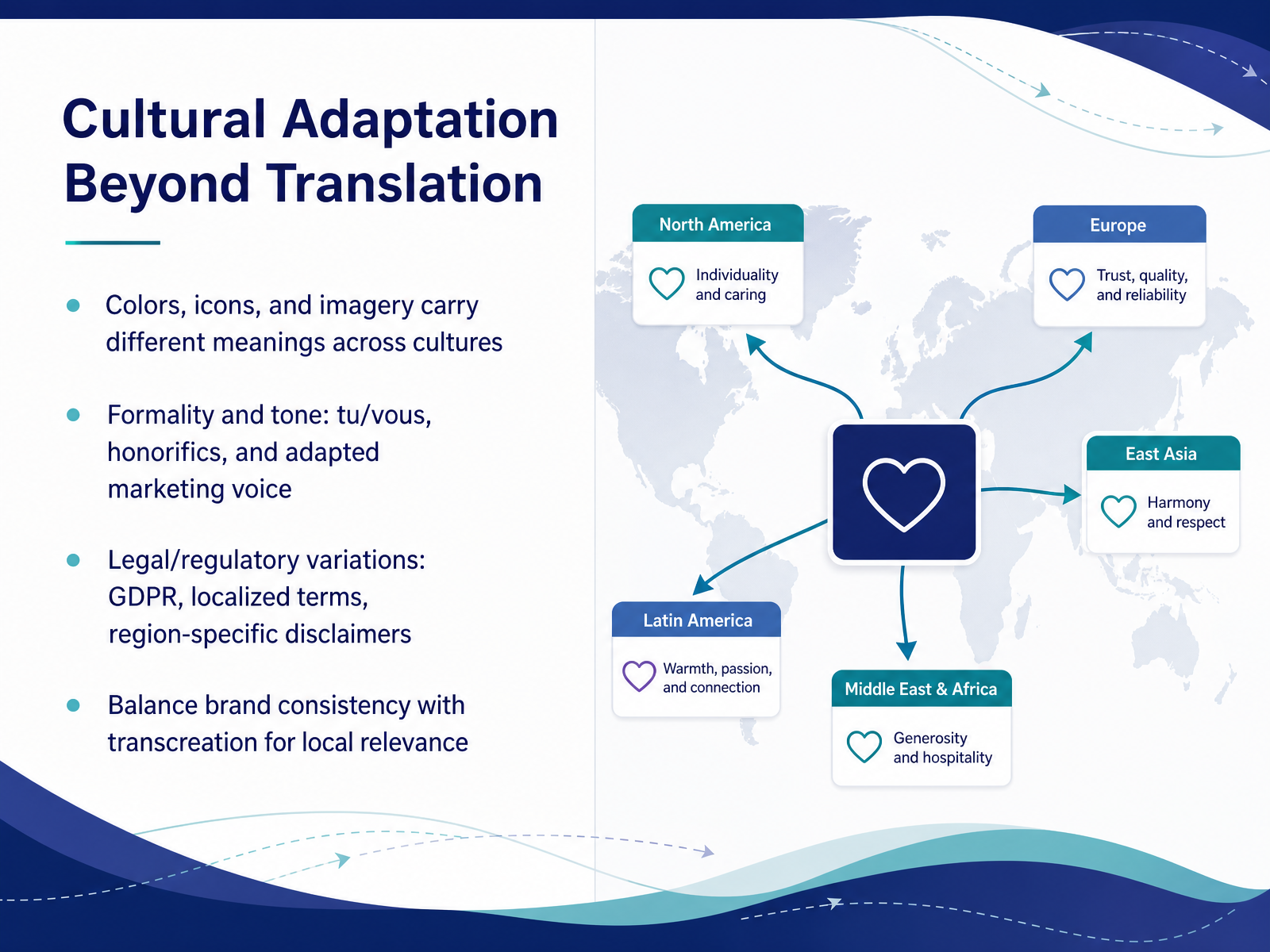
 - 08Cultural Adaptation Beyond TranslationUp to this point, we have focused on text and layout. Now let us widen the lens to cultural adaptation beyond translation. Because a correctly translated string can still be a design failure if the surrounding signals feel foreign. Colors, icons, and imagery carry different meanings across cultures. A white dove that says peace in one region can signal something entirely different in another. The same goes for formality and tone. A tu versus vous choice, the presence or absence of honorifics, and the adapted marketing voice all shape whether your interface feels respectful and local. Legal and regulatory variations add another layer. GDPR in Europe, localized terms, and region-specific disclaimers are not just compliance checkboxes. When a user sees their correct legal framework, trust increases measurably. The hardest part is balancing global brand consistency with transcreation. Think of brand voice as the anchor and local relevance as the sail. You need both to move forward. Data shows seventy-six percent of consumers prefer to buy in their own language, but they also need to feel the experience was built for them. That is the space where cultural adaptation lives. Next, we will take all of this and put it into practice with testing and QA for multilingual interfaces.
 uxstalwarts.comlokalise.comlokalise.com+22 min
 - 09Testing and QA for Multilingual InterfacesNow let's talk about how you verify all this work before it reaches your users. Multilingual testing has moved well beyond manual screenshot reviews. First, functional flows should run across every locale you ship. Playwright for web and Appium for mobile let one script validate critical user journeys regardless of language—so a checkout flow works the same whether the interface is in English, Arabic, or Japanese. Pair those functional checks with AI-powered visual QA. Tools like Loqalit and GTW2 scan your live product and automatically flag truncation, RTL breaks, and layout shifts that functional tests alone will miss. They rank what matters most so your team fixes true UX regressions first. Before translation even begins, pseudo-localization catches encoding problems, hardcoded strings, and buffer issues early—ideally right in your pull request pipeline. And finally, test for global accessibility: screen reader navigation, keyboard support, and WCAG compliance need to hold across every language and direction you support. Up next, we will look at how design systems can make continuous localization a repeatable, scalable process.
 loqalit.comgithub.comgithub.com+22 min
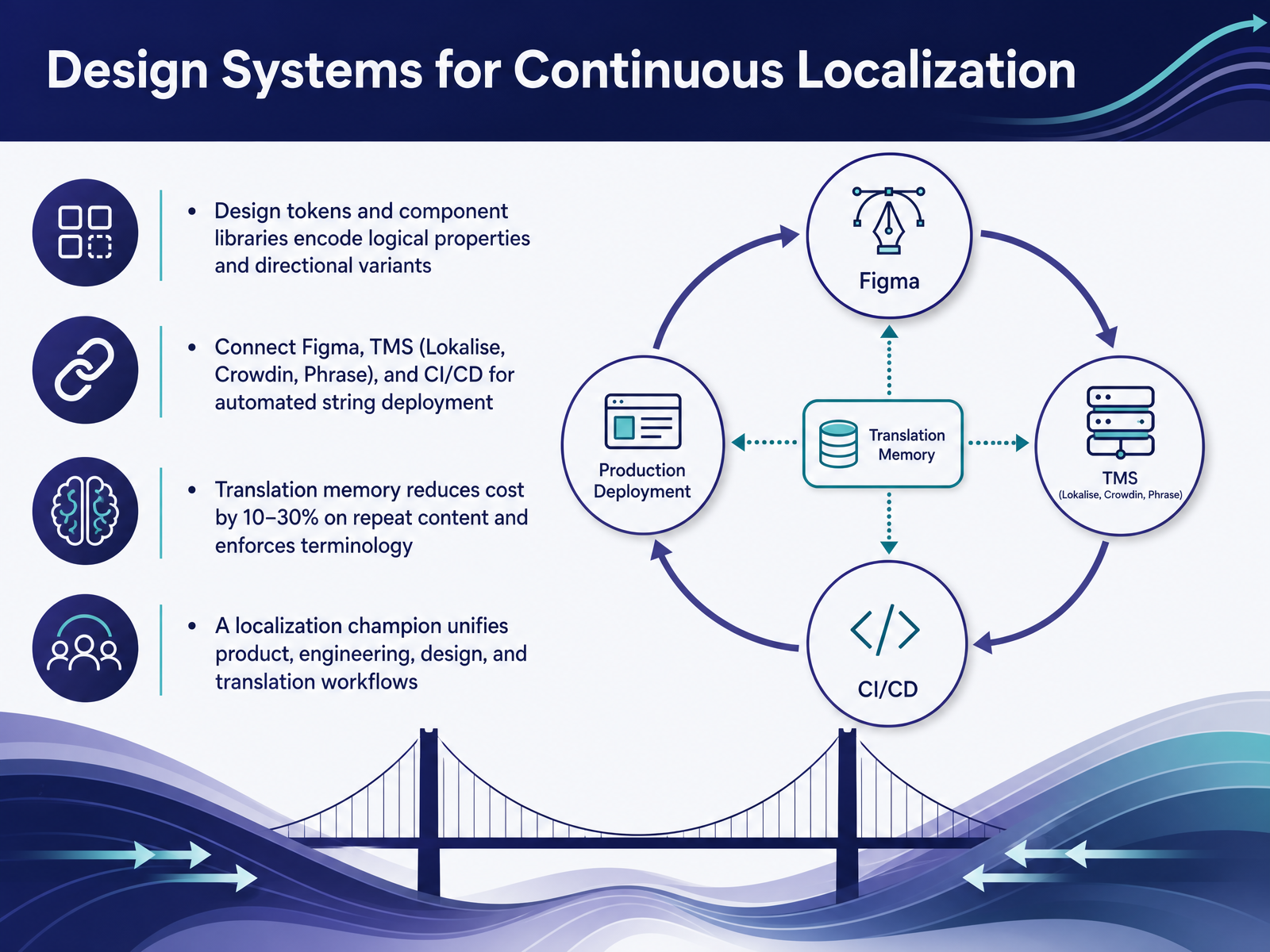
 - 10Design Systems for Continuous LocalizationSo we've talked about the structural and directional challenges. Now let's pull it all together into a design system that actually scales. This is the architecture that makes continuous localization predictable instead of painful. Start by encoding your logical properties and directional variants directly into design tokens and your component library. Don't rely on hard-coded paddings or margins; use start and end instead of left and right everywhere. That one decision will automatically handle layout mirroring when you add an RTL language later. Then, connect your Figma files to your translation management system—think Lokalise, Crowdin, or Phrase—and link that to your CI/CD pipeline. The goal is automated string deployment, where approved translations flow straight into builds without manual copy-paste or file swapping. And once that pipeline is running, translation memory kicks in. You're looking at a ten to thirty percent cost reduction on repeat content like buttons, error messages, and common UI strings. It also enforces terminology consistency so you never have two different translations for the same key shipping to users. But the most critical piece is the human one: a localization champion. This person sits at the intersection of product, engineering, design, and translation, owning the unified workflow and making sure nobody optimizes in a silo. Without that role, the best tooling still fragments across teams. So that's the system: tokens for layout, automation for speed, translation memory for quality and cost, and a champion for alignment. Up next, let's close the loop with hard numbers in "Monetization Proof: The ROI of Doing This Right."
 uxstalwarts.comlokalise.comlokalise.com+22 min
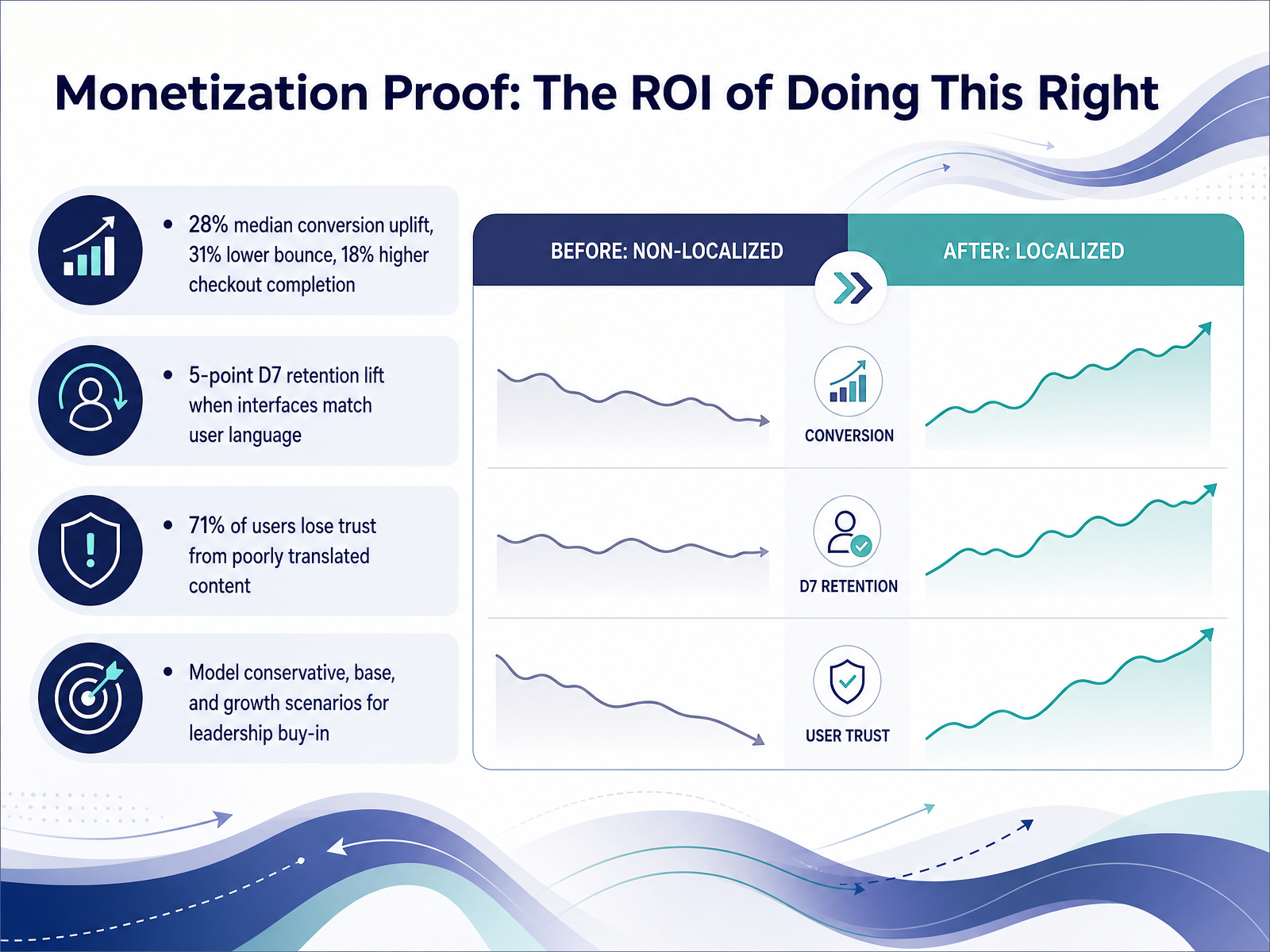
 - 11Monetization Proof: The ROI of Doing This RightLet's talk about the business case, because the design choices we’ve covered aren’t just about good UX—they're a direct monetization lever. The aggregated numbers from over two thousand multilingual e-commerce sites tell a clear story: a median conversion uplift of twenty-eight percent on localized pages, a thirty-one percent lower bounce rate, and an eighteen percent higher checkout completion rate. And retention lifts too. One large marketplace saw a five-point increase in day-seven retention simply by releasing a local-language interface. But there’s a flip side we can’t ignore. Research shows that seventy-one percent of users lose trust when they encounter poorly translated content. That erodes the very relationship we’re trying to build. So, when you need leadership buy-in, don't pitch this as a translation cost. Model three scenarios: a conservative case, a base case, and a growth case. Your CFO will want to see the conservative payback period first. Frame it as infrastructure, back it with real retention and trust data, and connect the design work directly to revenue. Next, we’ll look at the architectural choices that prevent future rework.
 uxstalwarts.comlokalise.comlokalise.com+22 min
 - 12Architectural Choices That Prevent Future ReworkLet's look at the architectural decisions that prevent painful rework later. First, ship two languages from day one. This forces you to externalize all your strings immediately, before hard-coded copy spreads across your codebase. Teams that wait often spend weeks untangling string concatenation under a launch deadline. Second, treat locale as a first-class parameter from the start. Not a preference layer you add later, but a core part of every request, route, and component. When locale is an afterthought, you end up with brittle conditional logic that breaks quietly. Third, if you are retrofitting an existing product, prioritize the high-traffic surfaces. Start with checkout, onboarding, and billing. Those are where trust collapses fastest when users hit an English fallback mid-flow. And finally, integrate internationalization checks directly into your CI pipeline. Tools like LocalePass or Hyperlocalise can catch missing translations, text overflow, and layout breaks automatically on every pull request. That turns localization quality from a manual sprint-end scramble into a continuous, automated signal. Now let's wrap everything up with our key takeaways and next steps.
 loqalit.comgithub.comgithub.com+22 min
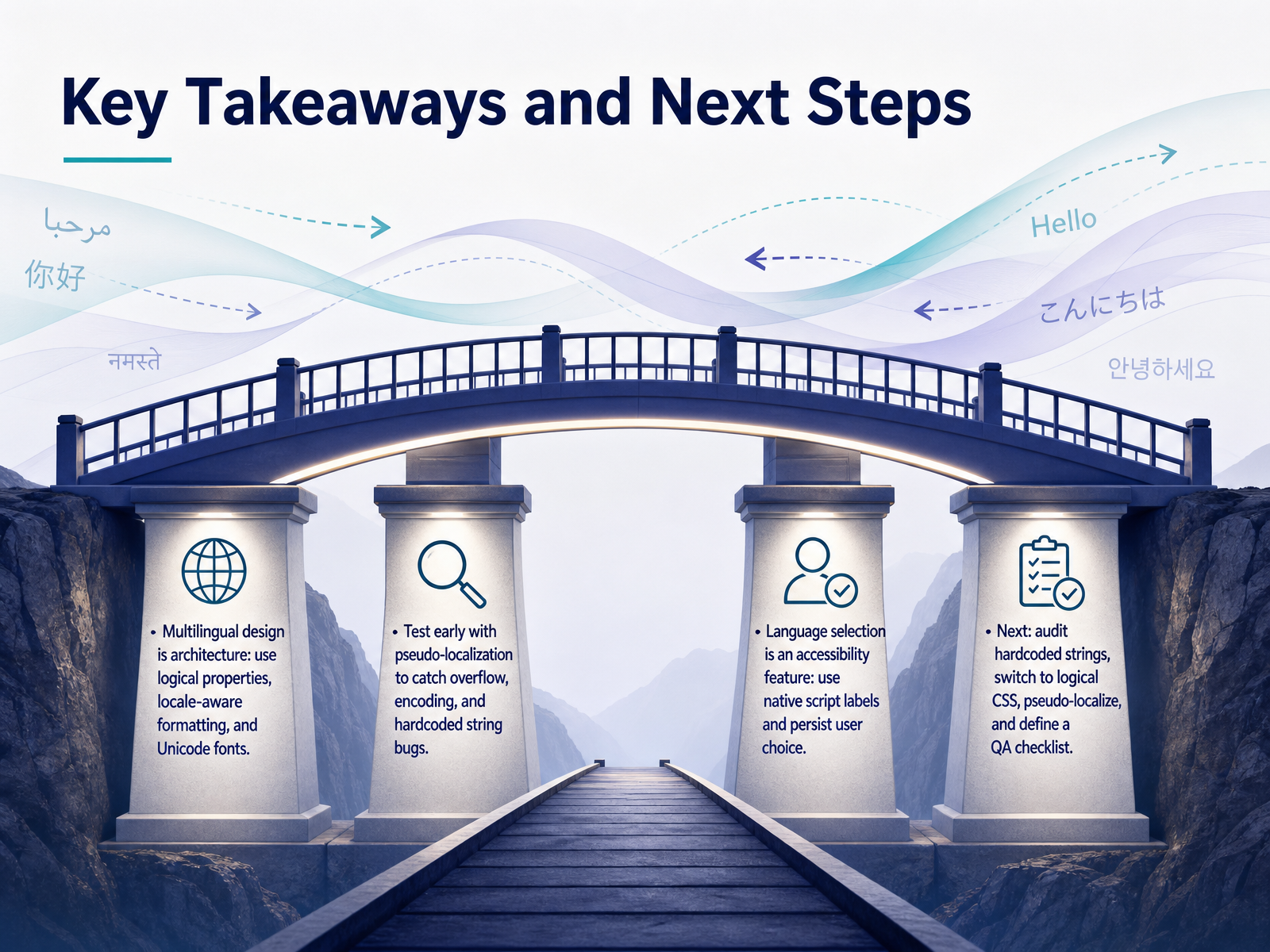
 - 13Key Takeaways and Next StepsSo let's bring this all together with a practical checklist. First, think of multilingual design as architecture, not decoration. Use logical properties like margin-inline-start instead of margin-left, adopt locale-aware formatting for dates and numbers, and build your font stack with Unicode and unicode-range to cover the scripts you actually serve. Second, test early and often. Pseudo-localization is your fastest feedback loop. It surfaces overflow, encoding errors, and hardcoded strings while you're still writing code. Third, treat your language selector as an accessibility feature. Label languages in their native script, place the selector where users expect it, and persist their choice across sessions. As a concrete next step, audit your codebase for hardcoded strings, switch your spacing and alignment to logical CSS, run a pseudo-localization pass, and define a repeatable QA checklist. You don't need to overhaul everything at once, but every hardcoded left and right you convert today is a layout bug you won't have to fix during a launch crunch. Thank you for working through these concepts. The scaffolding is in place. Now it's time to build interfaces that feel local, everywhere.
 modern-css.comdeveloper.mozilla.orgdeveloper.mozilla.org+22 min
Take the deck with you
Download this course as a file — free, no sign-up needed.
- PDF handoutEvery slide page, ready to print or share.14 pages · 3.6 MBDownload
- Narrated PowerPointThe deck that presents itself — every slide carries the digital human's narration video.14 pages · 15.3 MBDownload
- PowerPoint slidesThe full deck as a .pptx — open it in PowerPoint, Keynote, or Google Slides.14 pages · 3.5 MBDownload
Free to use in your own training — please keep the PersonWise credit page at the end.
Have your own deck? Turn it into a course
Sources consulted
Web sources consulted while building this course.
- Multi-Language Interface Design for Global E-commerce Platforms for 2026 - UX Stalwarts — uxstalwarts.com
- Localization revenue report - Lokalise — lokalise.com
- Localization ROI: how to build the business case — lokalise.com
- When Language Becomes Data: How to Measure Localization Impact | MultiLingual — multilingual.com
- Ship Two Languages on Day One: The Cheapest Way to Stress-Test Your UI — alconost.com
- https://www.loqalit.com/ — loqalit.com
- CodingRasi/LocalePass — github.com
- raunaksingwi/prism — github.com
- hyperlocalise/hyperlocalise — github.com
- Localization Testing Tools: A Practitioner's Comparison — qawerk.com
- Multilingual & International Fonts: CJK, RTL, Indic, Emoji & Latin Extended | 2026 — font-converters.com
- Best Practices for Multilingual Typography — topwebsitebuilders.org
- Web Font Optimization Guide 2026 | Web Perf Clinic — webperfclinic.com
- Styling using language attributes — w3.org
- How to Test Font Fallback for Multilingual Text — unicode.live
- CSS Logical Properties: RTL Layouts Without left and right — modern-css.com
- CSS logical properties and values - MDN Web Docs — developer.mozilla.org
- Basic concepts of logical properties and values - CSS | MDN — developer.mozilla.org
- CSS Logical Properties: Real-World Migration Guide — richardlemon.com
- RTL & bidirectional layout engineering | i18n-l10n.com — i18n-l10n.com