Begin
14 pages · ~28 min
Virtualization Types in Cloud Computing
This training covers the types of virtualization in cloud computing, including hardware, software, storage, network, and desktop virtualization, and is designed for IT professionals and cloud beginners seeking to understand core virtualization concepts and their practical applications.
A digital instructor presents all 14 pages. Hold “Ask” at any point and ask out loud — the answer comes from this course. No sign-up needed.
What you’ll learn
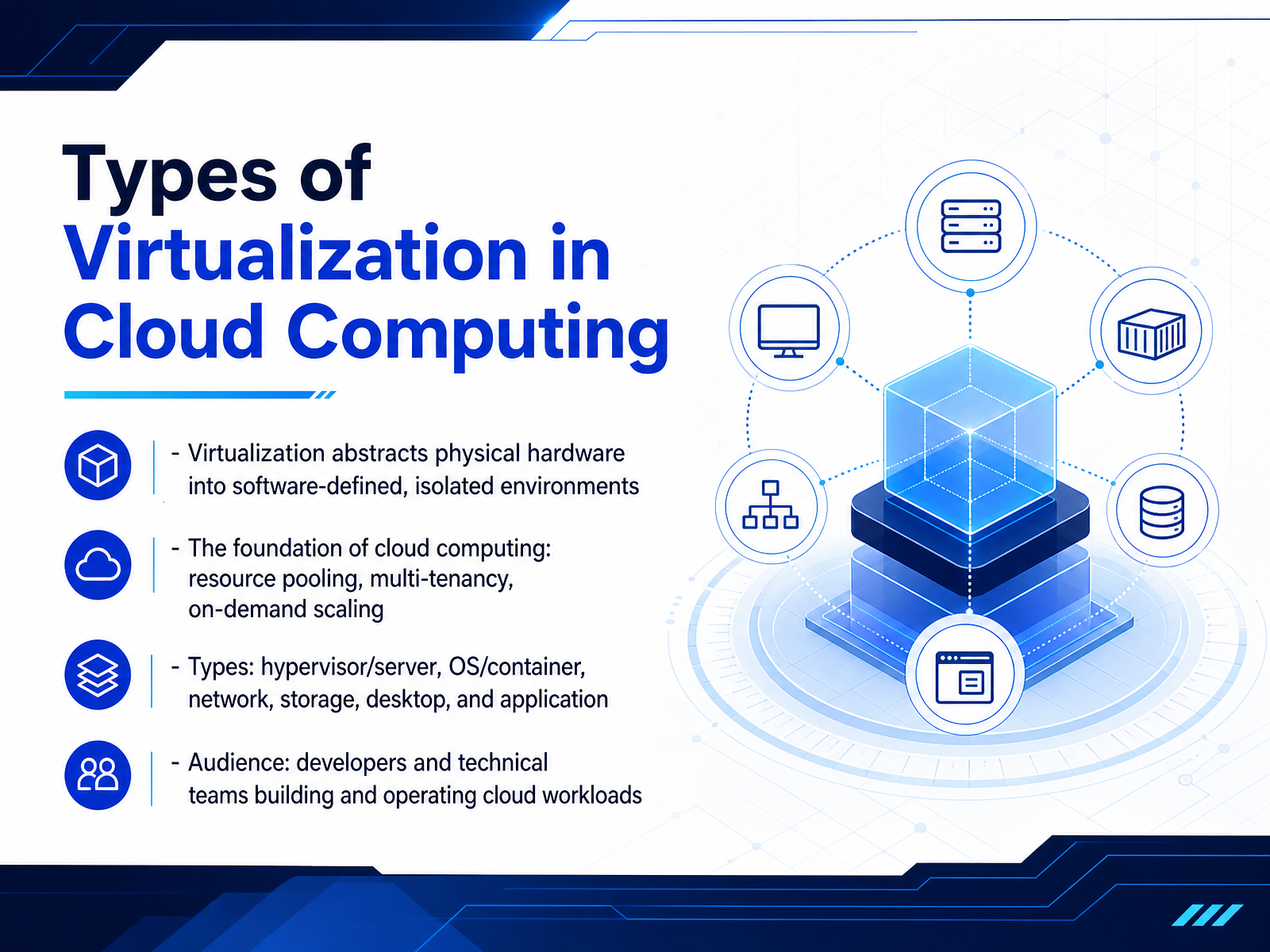
- 01Types of Virtualization in Cloud ComputingWelcome. Today we're looking at the types of virtualization in cloud computing. This is the foundation that makes the entire cloud model possible. Virtualization abstracts physical hardware — the CPU, memory, storage, and network — into software-defined, isolated environments. This abstraction enables resource pooling, multi-tenancy, and on-demand scaling, which are the core principles of cloud computing. We'll cover hypervisor-based server virtualization, OS-level virtualization with containers, and network, storage, desktop, and application virtualization. For you as developers and technical teams, understanding these layers is critical. It directly impacts decisions about performance overhead, isolation strength, and deployment flexibility. Whether you're provisioning a VM for a legacy database or spinning up containers for microservices, you're choosing a virtualization type. So let's get into it. Next, we'll see why virtualization matters for cloud workloads.cloud.google.comredhat.comaws.amazon.com+21 min
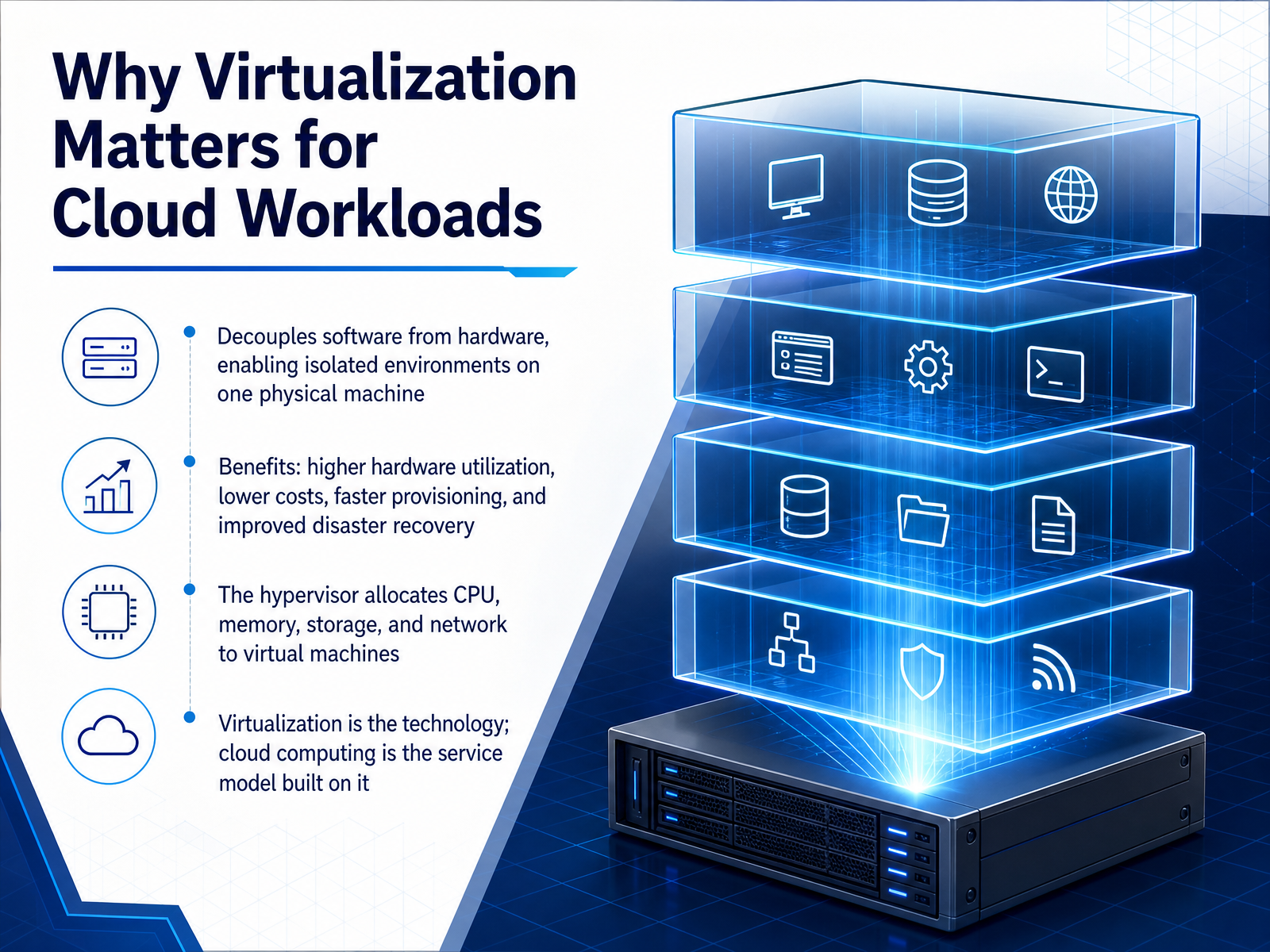
- 02Why Virtualization Matters for Cloud WorkloadsNow let’s talk about why virtualization matters for cloud workloads. At its core, virtualization decouples software from the physical hardware beneath it. This lets you run multiple isolated environments, each with its own operating system, all on a single physical machine. The benefits are direct and practical: you get higher hardware utilization, lower infrastructure costs, faster provisioning, and stronger disaster recovery. Think of a physical server that would normally run one application. Virtualization allows that same server to host several virtual machines, each running its own workload, without interference. The hypervisor is the software layer that makes this possible. It allocates CPU, memory, storage, and network resources to each virtual machine, ensuring fair access and isolation. Now, one important distinction to keep in mind: virtualization is the technology that abstracts hardware. Cloud computing is the service model built on top of it. In other words, virtualization is the engine, and cloud computing is the vehicle that delivers those resources on demand. This distinction matters because it shapes how you design, deploy, and manage workloads. Next, we’ll look at the core abstraction layer that makes all of this work: the hypervisor.
 cloud.google.comredhat.comaws.amazon.com+21 min
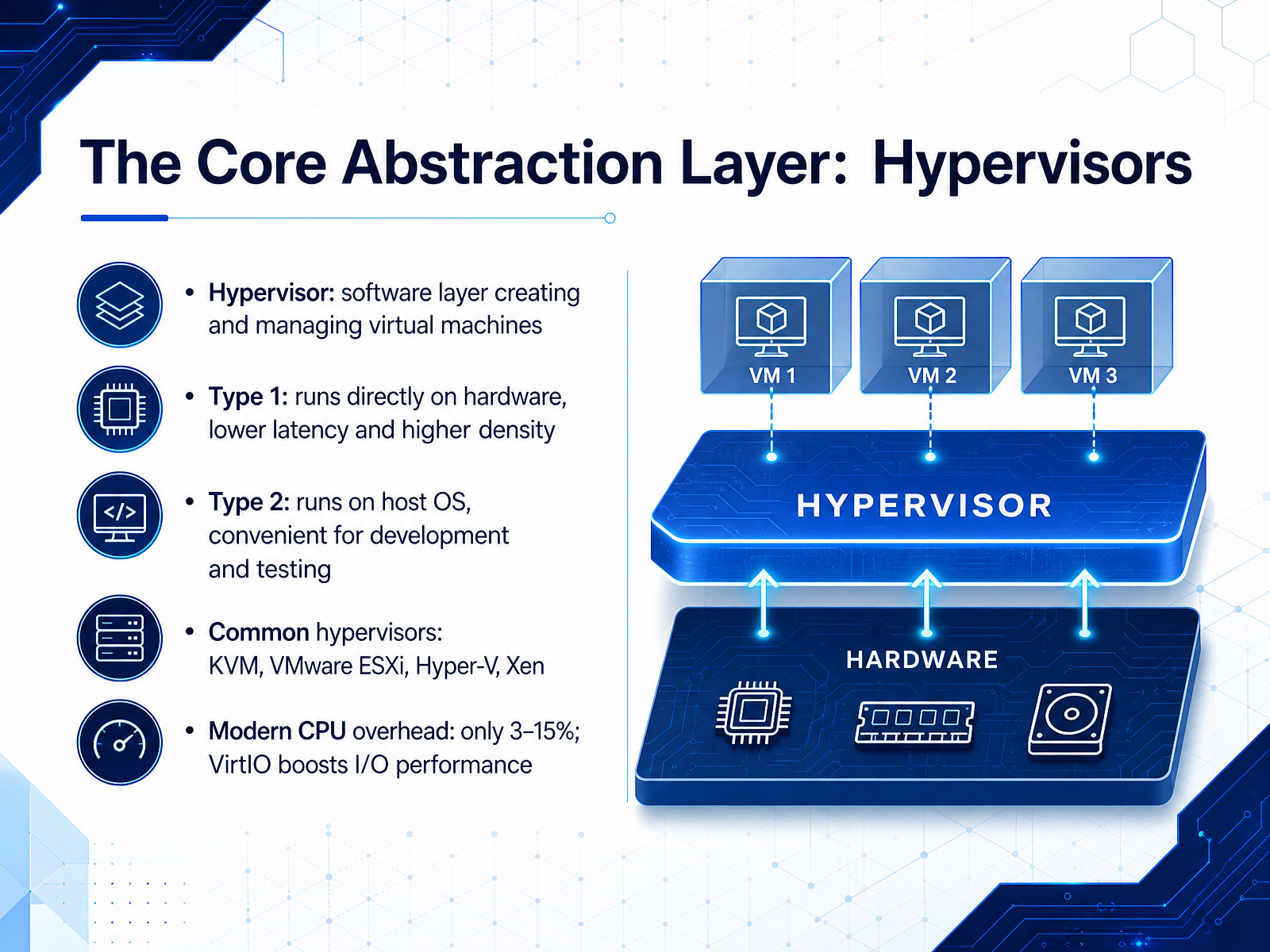
 - 03The Core Abstraction Layer: HypervisorsLet's now focus on the core abstraction layer of virtualization: the hypervisor. A hypervisor is a software layer that creates and manages virtual machines on a physical host. It sits between the hardware and your VMs, controlling access to CPU, memory, and I/O. There are two primary types. Type 1 hypervisors run directly on the hardware with no host operating system in between. This gives you lower latency, better stability, and higher VM density, which is why they dominate data centers. Examples include KVM, VMware ESXi, Hyper-V, and Xen. Type 2 hypervisors, in contrast, run as an application on top of a host operating system. They're less efficient for production, but their convenience makes them excellent for development and testing on a laptop. VirtualBox and VMware Workstation are typical examples. And the overhead on modern hardware? It's remarkably low—typically only three to fifteen percent for CPU-bound work, thanks to hardware virtualization extensions. On the I/O side, using para-virtualized drivers like VirtIO can push disk and network performance to over ninety percent of native speed. So when someone asks if virtualization is slow, the honest answer is: not anymore. With the right hypervisor and drivers, the performance penalty is negligible for most workloads. This foundation brings us directly into how server virtualization and hardware abstraction are implemented in practice.
 cloud.google.comredhat.comaws.amazon.com+21 min
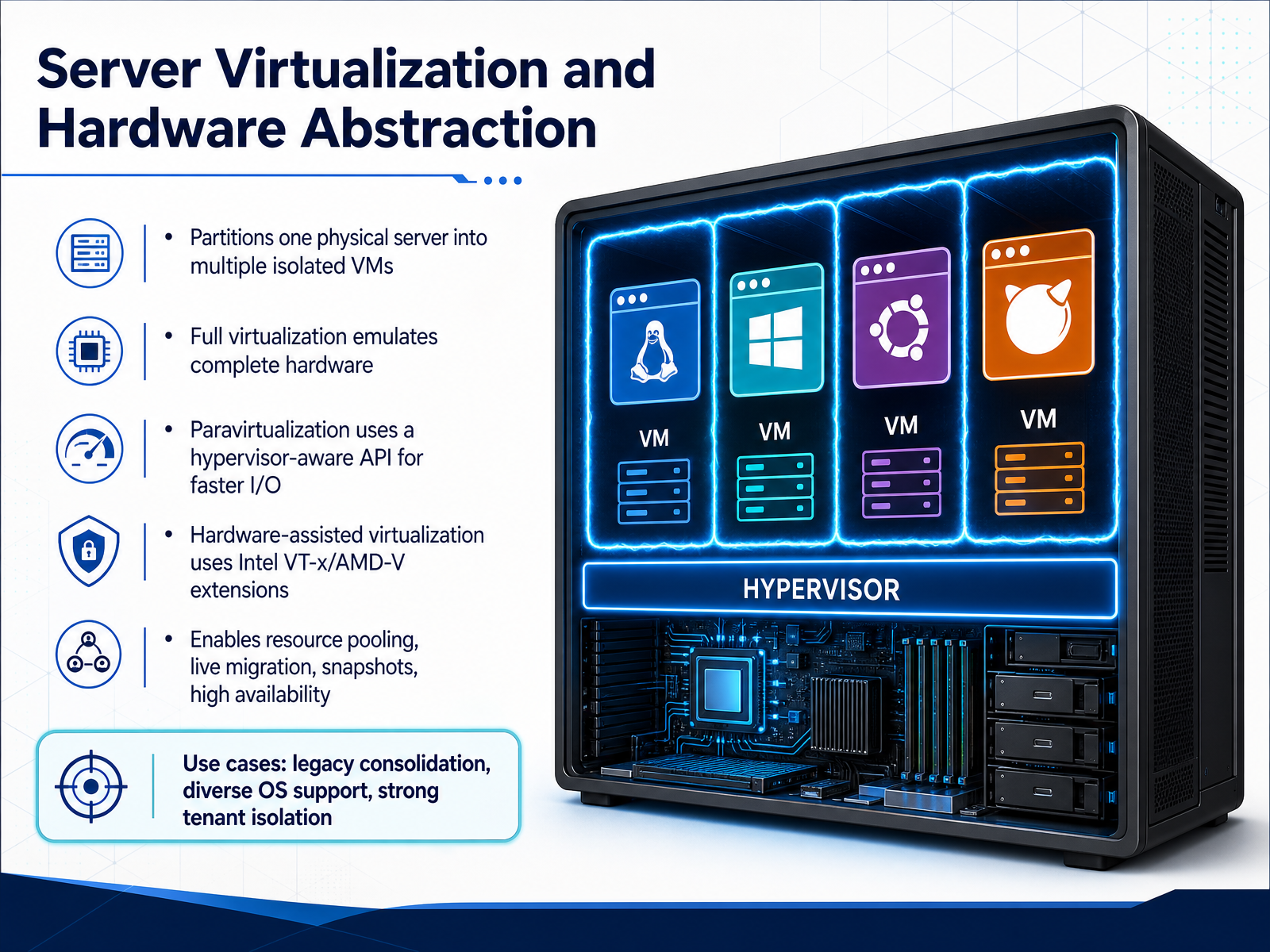
 - 04Server Virtualization and Hardware AbstractionLet's stay at the hardware level and examine how server virtualization actually works. The core idea is partitioning one physical server into multiple isolated virtual machines, each running its own operating system. This is the foundation of infrastructure as a service. There are three main techniques to understand. Full virtualization emulates complete hardware entirely in software, which gives you excellent compatibility since guest operating systems don't need modifications, but it carries a performance cost. Paravirtualization addresses that by providing a hypervisor-aware API that guests can use, which accelerates I/O operations, though it requires the guest OS to be modified. The modern standard, though, is hardware-assisted virtualization using Intel VT-x or AMD-V extensions. These CPU extensions allow the hypervisor to run guests with near-native performance, making the overhead largely negligible for most production workloads. What this enables goes beyond simple consolidation. You get resource pooling, live migration for zero-downtime maintenance, snapshots, and high availability. Those are the operational capabilities that drive real cloud architecture decisions. In practice, server virtualization shines for legacy application consolidation, running diverse operating systems side by side, and providing strong tenant isolation where security boundaries matter most. Keep these trade-offs in mind as we now shift focus to operating system-level virtualization. That's where we'll compare this hardware layer approach with the lighter-weight container model.
 cloud.google.comredhat.comaws.amazon.com+22 min
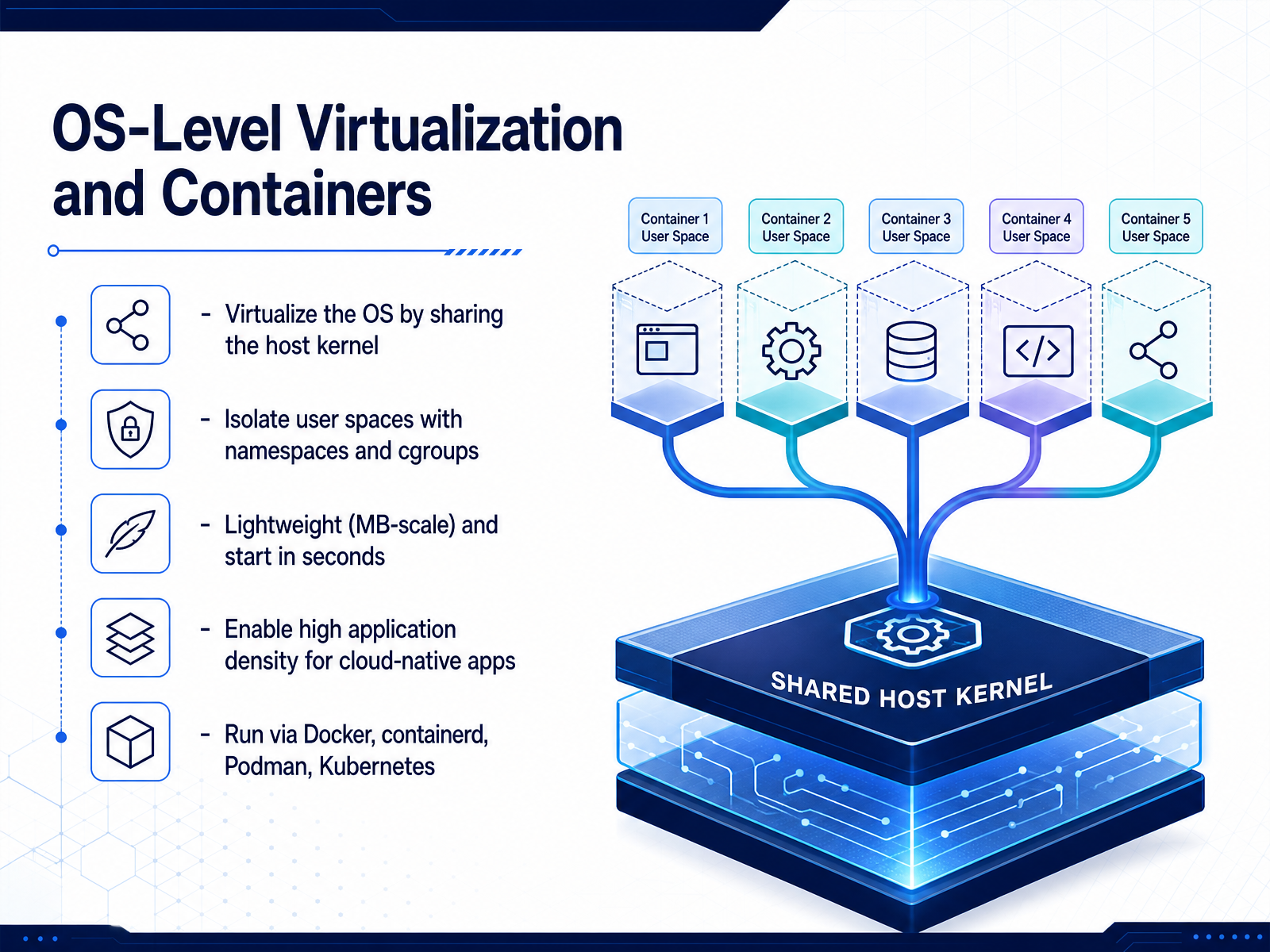
 - 05OS-Level Virtualization and ContainersNow let’s move to OS-level virtualization, which is the foundation of modern container platforms. Instead of virtualizing hardware, we virtualize the operating system itself by sharing the host kernel across all running workloads. Each container gets its own isolated user space, enforced by two key Linux mechanisms: namespaces, which control what a container can see, and cgroups, which control how much CPU, memory, and I/O it can consume. Because there’s no hypervisor and no guest OS, containers are extremely lightweight, usually in the megabyte range, and they start in seconds rather than minutes. This is what enables the high application density you see in cloud-native environments, where developers pack dozens of microservices onto a single host. In practice, you’ll interact with these containers through tools like Docker for image management, containerd as the runtime, Podman for a daemonless alternative, and Kubernetes for orchestrating them across a cluster. The trade-off to remember is that sharing the kernel means weaker isolation than virtual machines, so a kernel vulnerability can potentially affect all containers on that host. That’s the core trade-off you’ll weigh as we now compare containers directly against virtual machines in the next slide.
 1 min
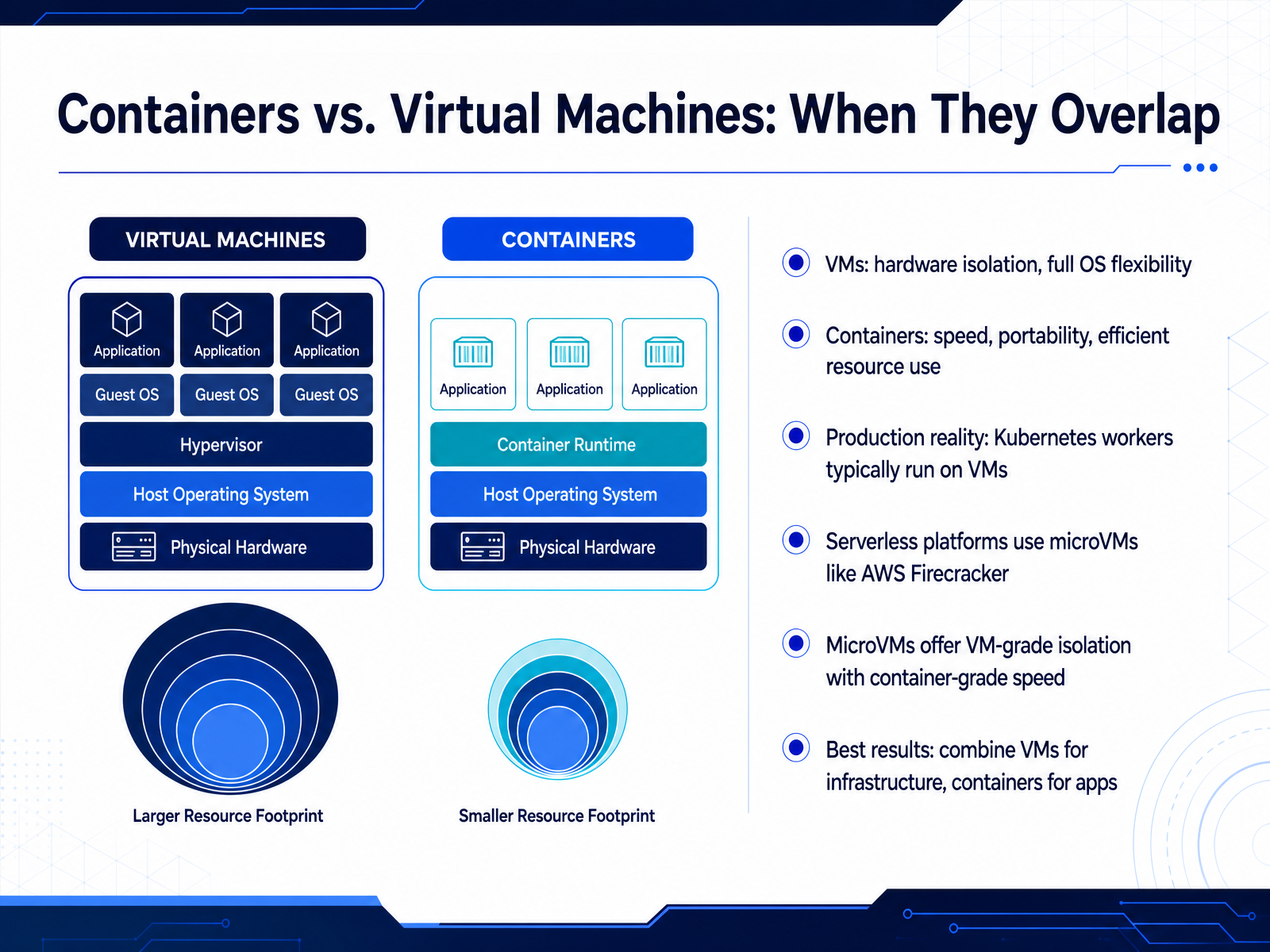
1 min - 06Containers vs. Virtual Machines: When They OverlapNow let's talk about where containers and virtual machines actually overlap in production. The common mental model is that VMs provide hardware-level isolation and full OS flexibility, while containers give you speed, portability, and efficient resource use. That's true, but the real world is more nuanced. In production, Kubernetes workers typically run on VMs. The hyperscalers do this deliberately because VMs provide hard resource limits, stronger security boundaries, and clean node-pool scaling. Serverless platforms push this further with microVMs like AWS Firecracker. These give you VM-grade isolation with container-grade startup speed. So the practical takeaway is this: don't choose one over the other. Use VMs for your infrastructure layer, and run containers on top for your applications. This hybrid approach is what most enterprise environments actually look like, and it gives you the best of both worlds. Up next, we'll look at network virtualization in cloud infrastructure.
 redhat.comaws.amazon.comnetactuate.com+21 min
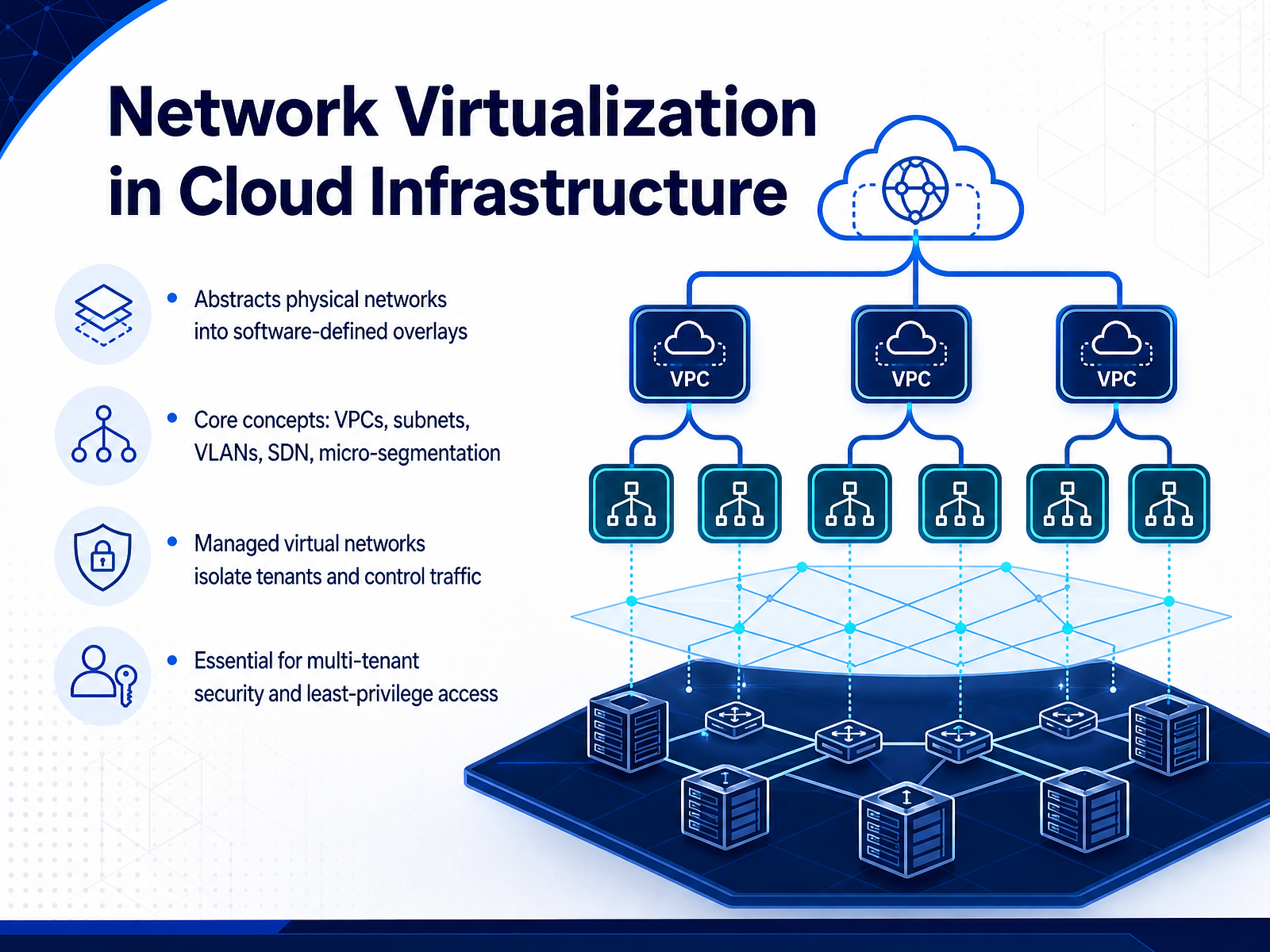
 - 07Network Virtualization in Cloud InfrastructureNow we move to network virtualization, the layer that gives cloud infrastructure its flexibility and security. In essence, it abstracts the physical network into software-defined overlays. Instead of rewiring hardware, you define virtual networks in software. This is where concepts like VPCs, subnets, VLANs, and SDN come into play. Think of it as creating isolated virtual corridors inside a shared physical building. Each tenant gets their own managed virtual network, which isolates traffic and controls communication precisely. This isolation is what makes multi-tenant security practical. It enforces least-privilege access at the network level. For example, micro-segmentation lets you lock down traffic between specific application tiers, rather than relying on perimeter firewalls alone. The trade-off is added complexity and some performance overhead, but the gain in security and operational agility is substantial. Next, we will look at storage virtualization and software-defined storage.
 1 min
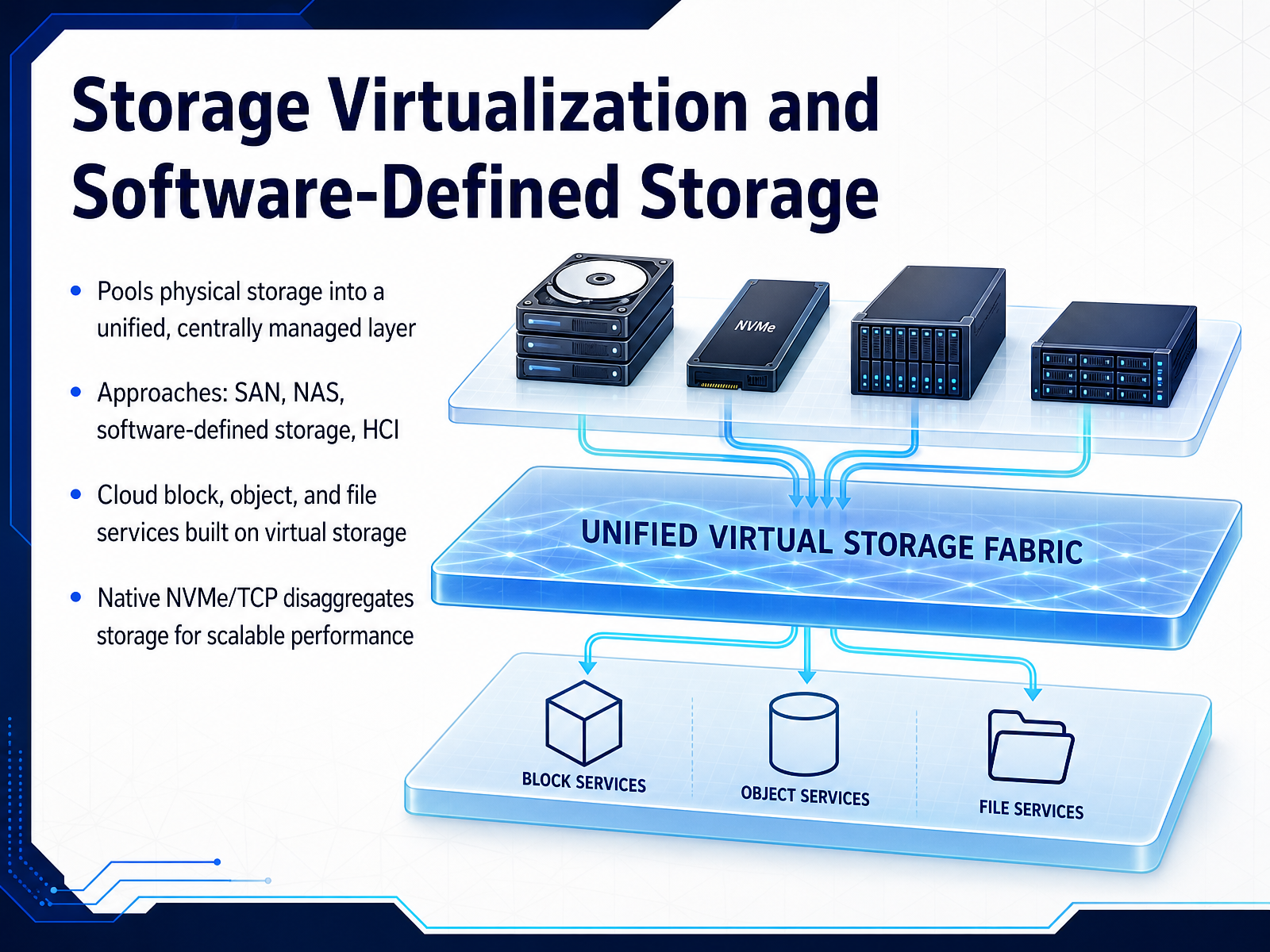
1 min - 08Storage Virtualization and Software-Defined StorageStorage virtualization abstracts physical disks from the servers that consume them. It pools capacity into a centrally managed layer, which means you stop managing individual drives and start managing storage services. Traditional approaches like SAN and NAS still dominate, but software-defined storage is the real architectural shift. It decouples the storage software from the underlying hardware. A related model, hyper-converged infrastructure, tightly integrates compute and storage on commodity nodes, trading some flexibility for operational simplicity. In the cloud, block, object, and file services are all built on top of virtualized storage, which is why you can provision a volume or a bucket in seconds rather than waiting for a storage administrator. The next evolution is disaggregation. Native NVMe over TCP pushes storage off the compute host and across the standard Ethernet network. You can scale storage and compute independently, eliminating the bottleneck of direct-attached disks while avoiding the cost of specialized Fibre Channel fabrics. The takeaway is that virtualization has transformed storage from a physical constraint into a programmable resource. In practice, your choice comes down to whether you need the simplicity of hyper-converged infrastructure or the independent scaling of a disaggregated architecture. Next, we will look at how virtualization applies to the desktop and to applications themselves.
 redbooks.ibm.comstoragenewsletter.comcloud.google.com+22 min
 - 09Desktop and Application VirtualizationNow we turn to another layer of virtualization that you interact with daily: desktop and application virtualization. Instead of running desktops or apps locally, this model centralizes them on servers, and users access them remotely. There are three key models. VDI, or Virtual Desktop Infrastructure, gives each user a dedicated virtual machine with a full desktop OS. Hosted shared desktops are more cost-effective, running multiple users on a single server session, often called session-based virtualization. And application streaming delivers just the app to the user's device, while the actual execution stays on the server. The use cases are straightforward: enabling remote work with consistent access, securing sensitive data by keeping it in the data center, and running legacy applications that won't work on modern operating systems. Now, the design factors. Security is the top concern, because you're centralizing access and data. Licensing is another critical piece, since per-user or per-device licensing models can drastically change your cost structure. And finally, user experience, because latency and network quality directly affect productivity. If you're evaluating this, remember the trade-off between VDI's strong isolation and the lower overhead of shared desktops. Both are valid; the right choice depends on your security and budget constraints. This connects directly to how virtualization layers map onto cloud service models, which we'll cover next: mapping virtualization to IaaS, PaaS, and SaaS.
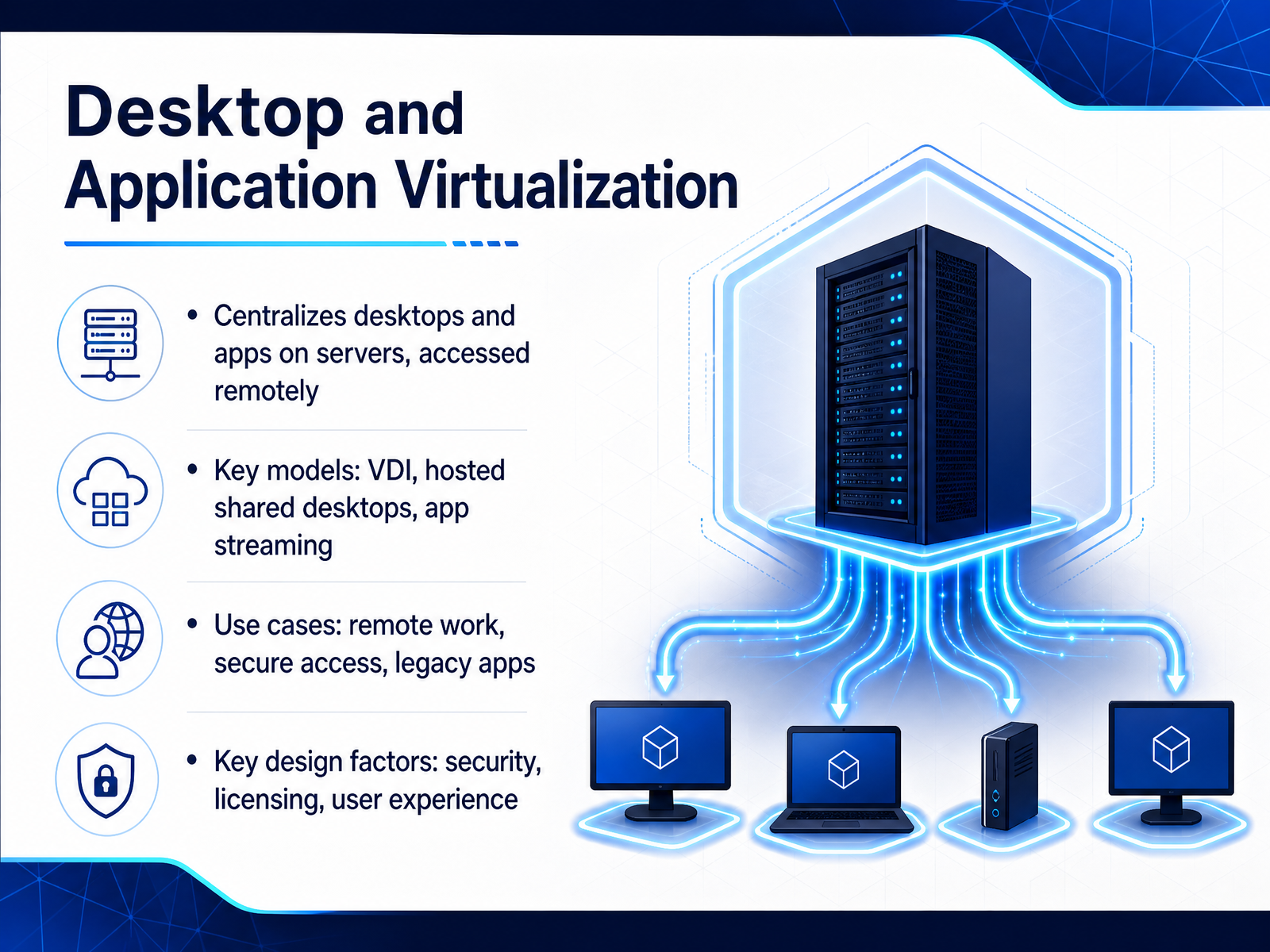 2 min
2 min - 10Mapping Virtualization to IaaS, PaaS, and SaaSNow let's map virtualization to the three core service models. In IaaS, virtualization covers the fundamental building blocks: servers, storage, and networks. You get raw, virtualized infrastructure and full control over the operating system and middleware above it. This is where you see the most hands-on responsibility. PaaS, by contrast, abstracts the OS and runtime for developers. The provider manages the underlying platform, so your team focuses on application code and data. The operational burden drops, but you still own configuration and access control. SaaS shifts the most operational weight to the provider, handling the full application stack and infrastructure. Your team retains governance responsibilities, such as identity management and data classification. Underpinning all of this, providers like AWS with Nitro, Azure with Boost, and Google with Titanium move critical functions into dedicated, hardened hardware. This offloads work from host operating systems and strengthens tenant isolation. It is a key reason modern clouds can deliver multi-tenant efficiency without sacrificing security. Next, we will examine tenant isolation and the shared responsibility model in detail.
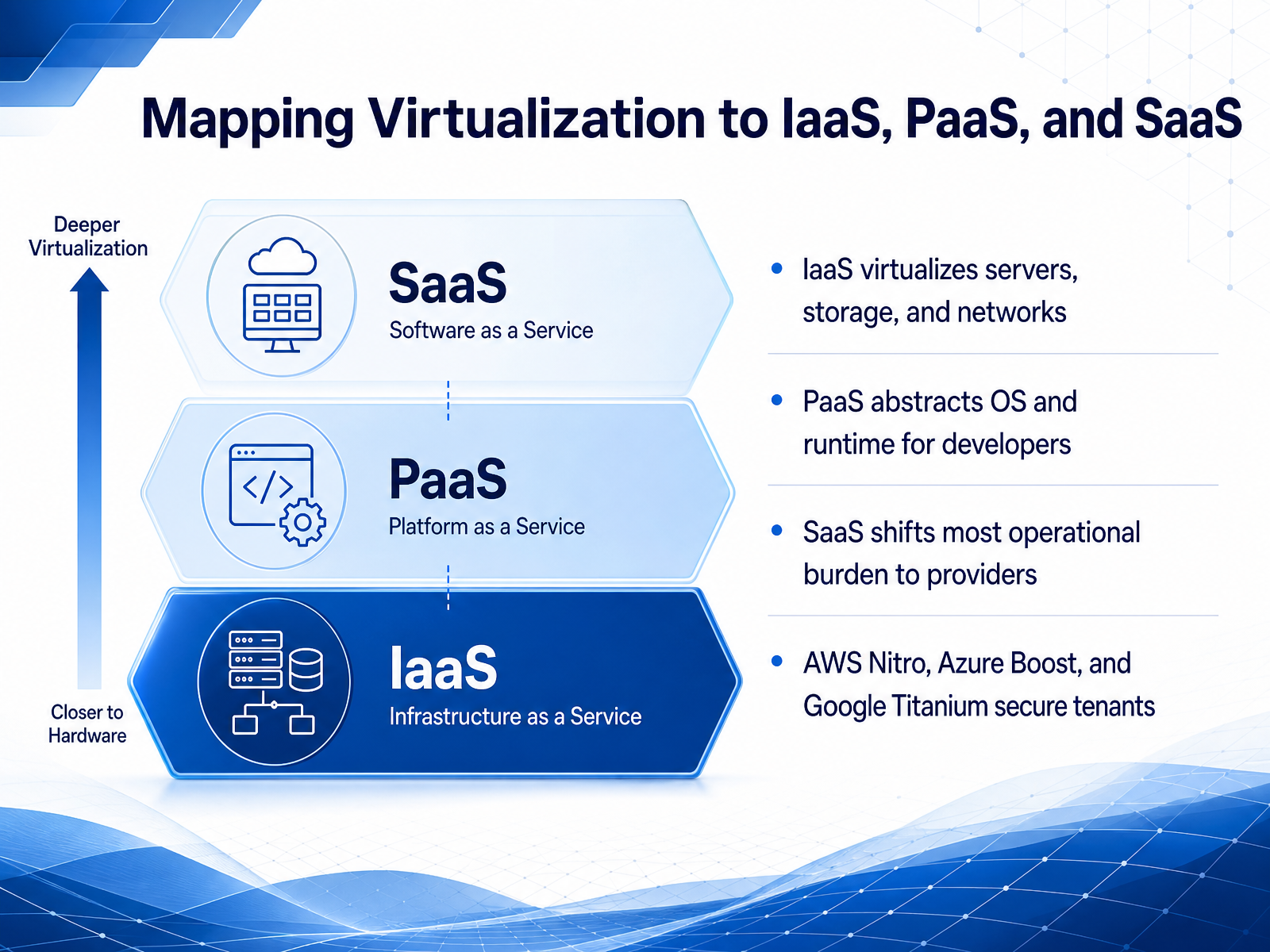 aws.amazon.comazure.microsoft.comdocs.aws.amazon.com+22 min
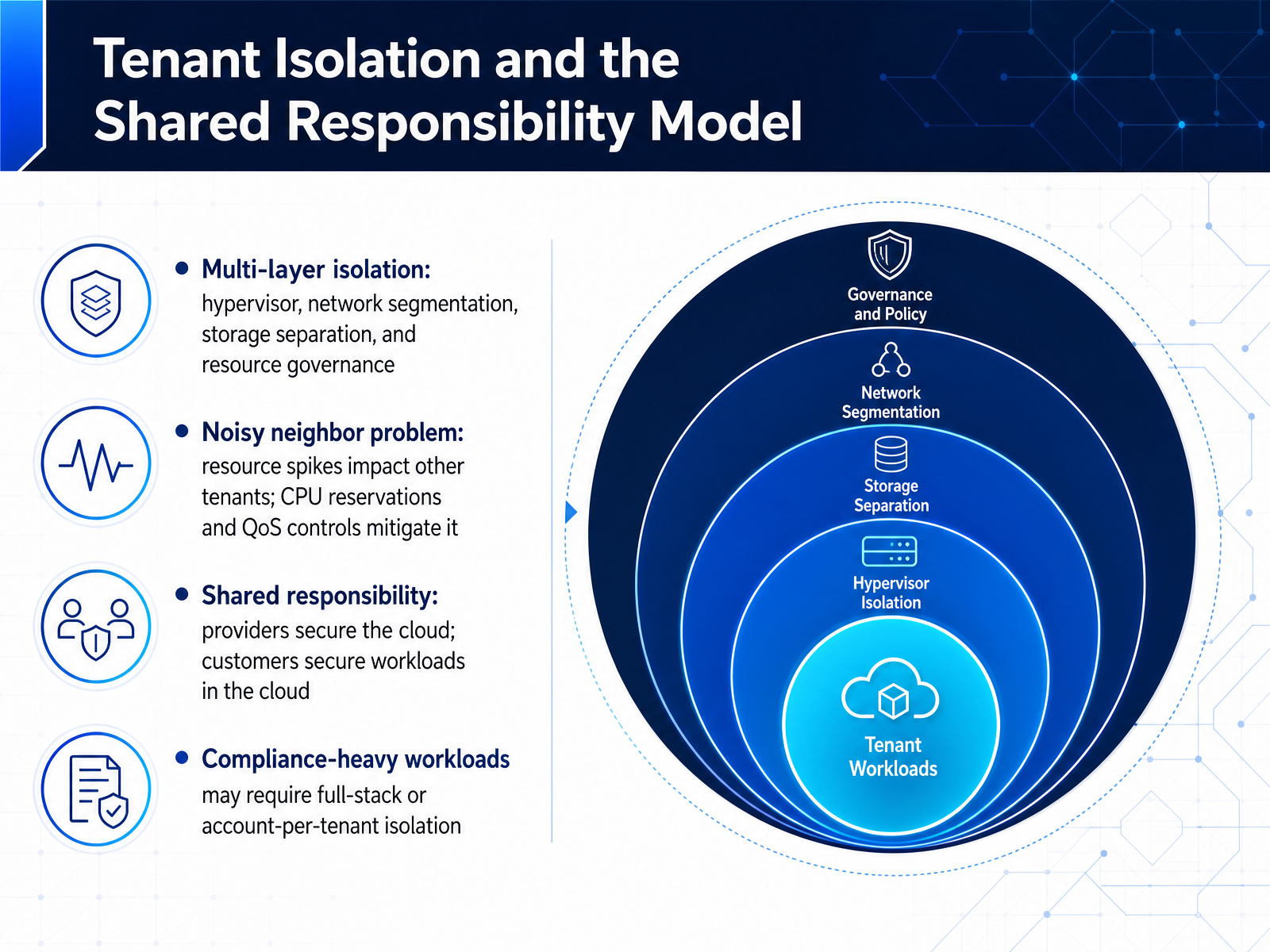
 - 11Tenant Isolation and the Shared Responsibility ModelNow let's talk about tenant isolation and the shared responsibility model. In a multi-tenant cloud environment, isolation is enforced across multiple layers. The hypervisor isolates compute, network segmentation keeps traffic separate, storage separation ensures data access is strictly controlled, and resource governance, like CPU reservations, prevents one tenant from starving another.
This directly addresses the noisy neighbor problem. Without these controls, a resource spike from one workload could degrade performance for everyone else on that host. The isolation layers are the provider's job; what happens above them is yours.
The shared responsibility model draws the line clearly. Providers secure the cloud, including hardware, hypervisor, and physical network. You secure what you put in the cloud, like your operating system, applications, and access policies. For compliance-heavy workloads, this may not be enough. Regulations often demand full-stack isolation, or even an account per tenant, to create a hard security boundary and simplify audit evidence. Match the isolation level to your regulatory tier rather than applying maximum security uniformly to everything.
 aws.amazon.comazure.microsoft.comdocs.aws.amazon.com+21 min
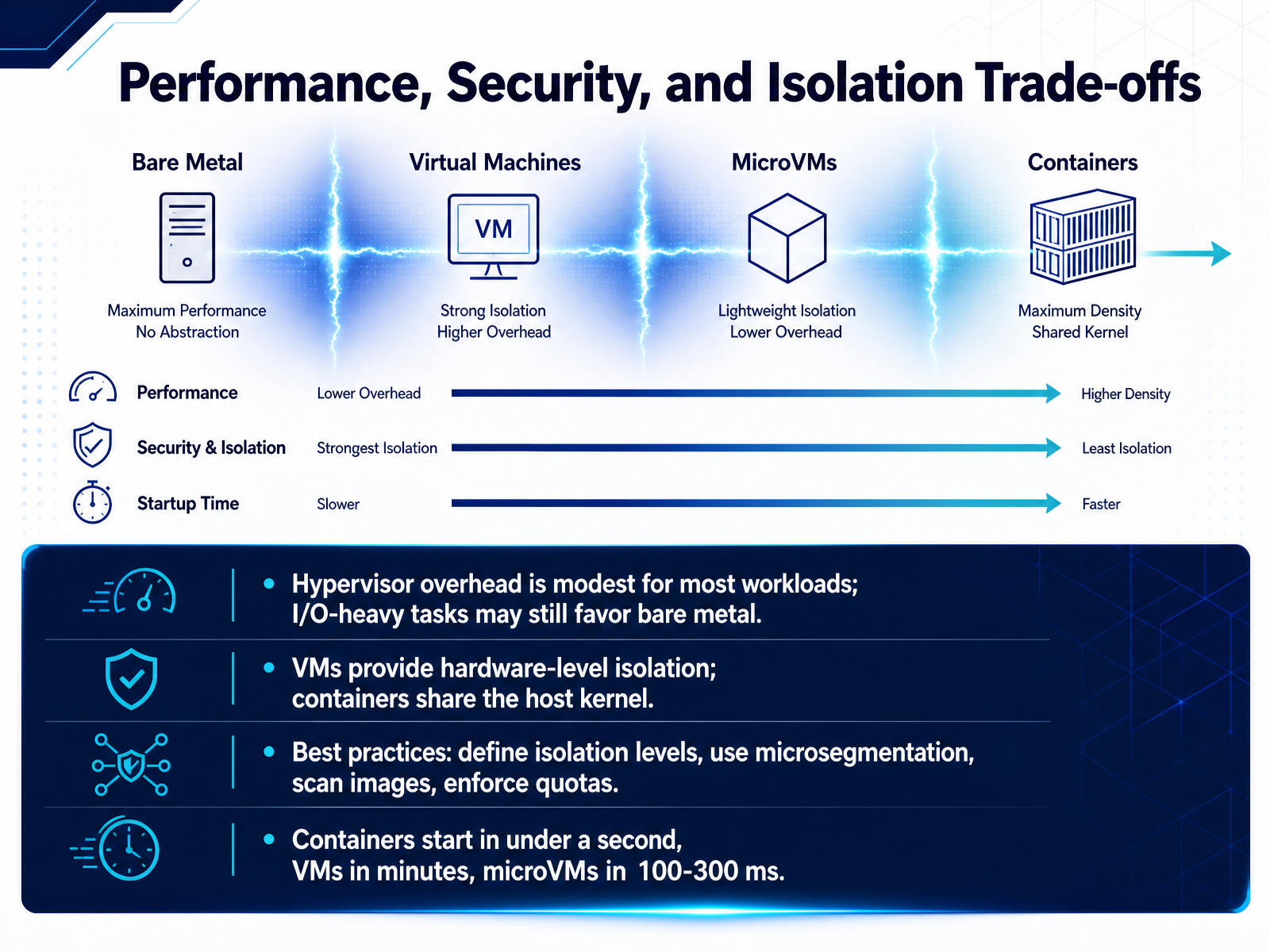
 - 12Performance, Security, and Isolation Trade-offsLet's now weigh the real trade-offs between performance, security, and isolation. Hypervisor overhead is modest for most workloads, generally in the five to fifteen percent range. But if you're running I/O-heavy tasks, bare metal may still give you a meaningful edge. VMs provide hardware-level isolation with their own kernel. Containers, by contrast, share the host kernel, so a kernel exploit has a wider blast radius. Here are the practical best practices. Define your isolation levels up front. Use microsegmentation at the network layer, scan every container image, and enforce resource quotas for noisy-neighbor protection. And know your startup times. Containers typically start in under a second. VMs take minutes. MicroVMs bridge that gap at about one hundred to three hundred milliseconds. They give you VM-grade isolation with container-like speed, which is why serverless platforms rely on them. So, match the isolation layer to your workload's trust level, not just its performance demands. Up next, we'll look at how to choose the right virtualization approach across these dimensions.
 cloud.google.comredhat.comaws.amazon.com+21 min
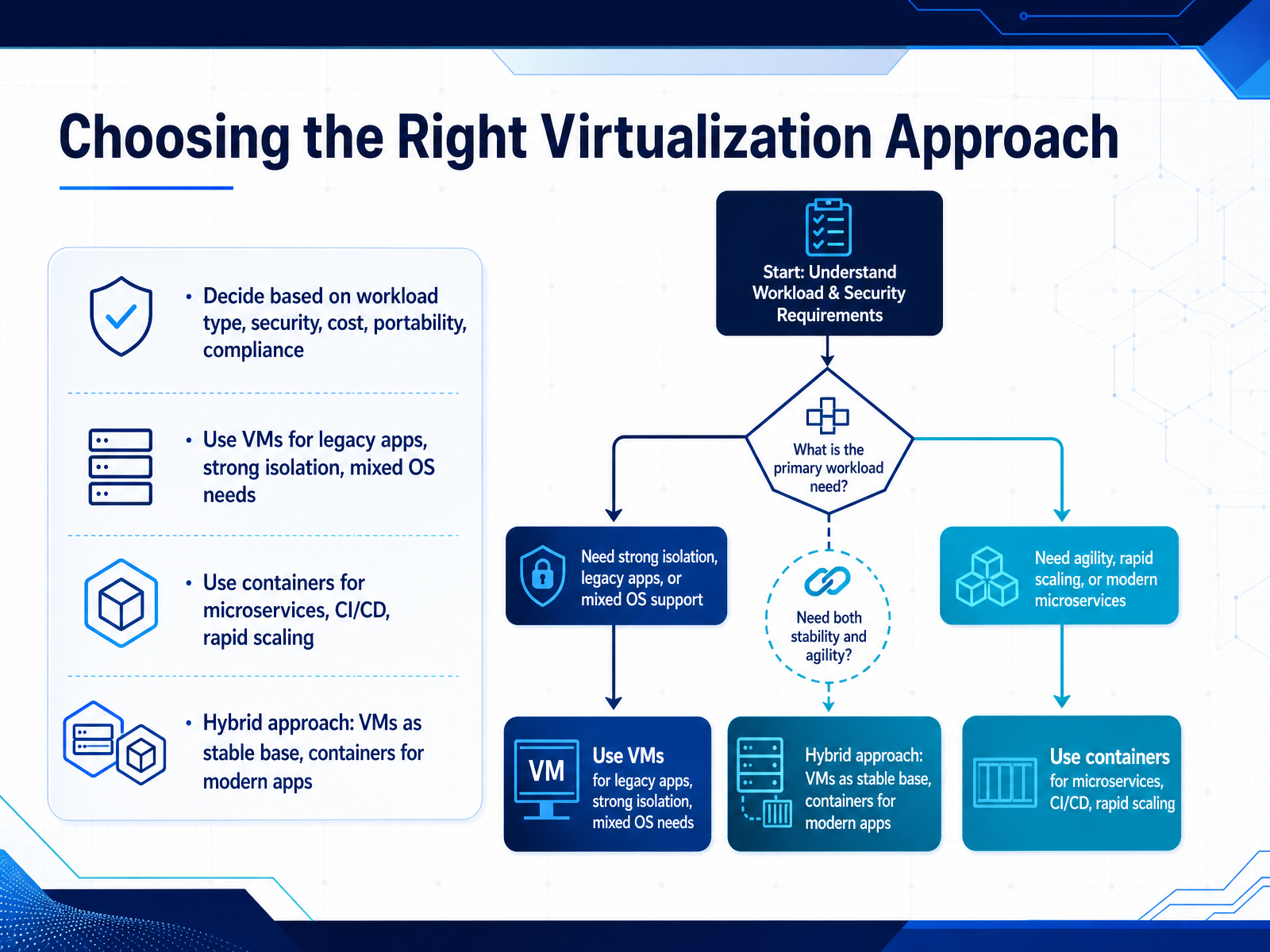
 - 13Choosing the Right Virtualization ApproachSo, how do you choose? It comes down to workload type, security, cost, portability, and compliance. If you’re dealing with legacy applications, need strong isolation, or have to support mixed operating systems, virtual machines are your answer. They give you a full OS per instance and hardware-level security boundaries. For microservices, CI/CD pipelines, and rapid scaling, containers are the clear choice. They’re lighter, start in milliseconds, and give you granular scalability. But here’s the reality: most modern production environments don’t pick one. They go hybrid. Use VMs as the stable base layer for governance and security, then run containers on top of them for your modern applications. In fact, industry forecasts show that the vast majority of containers will continue to run inside VMs through 2028. This gives you the best of both worlds: strong isolation and predictable SLAs from VMs, with the deployment speed and portability of containers. Now, let’s shift to hands-on practice and next steps.
 redhat.comaws.amazon.comnetactuate.com+21 min
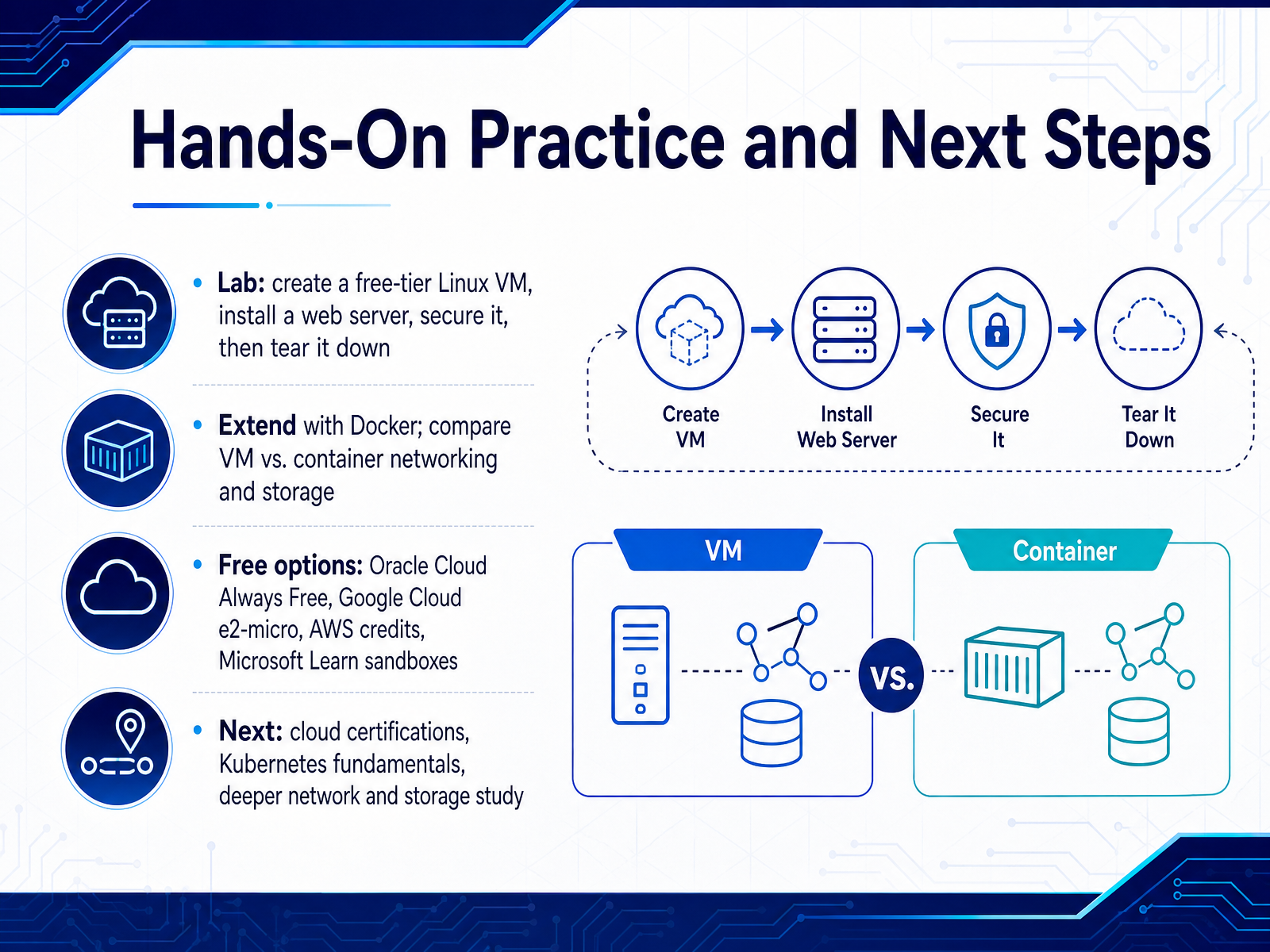
 - 14Hands-On Practice and Next StepsLet's turn all of this into muscle memory. Start with a free-tier Linux VM, install a web server, secure it, and then tear it down. That full cycle matters as much as the setup. Next, add Docker and compare the networking and storage behavior side by side with a VM. You will feel the difference far better than reading about it. For free compute, Oracle's Always Free tier is the strongest, with AMD and ARM instances that don't expire. Google's e2-micro is gentle and dependable for a small practice server. AWS offers a six-month credit window with a hard stop, useful once you know exactly what to build. Microsoft Learn sandboxes are the safest place to start because there is zero billing risk. And no matter which provider you pick, set a budget alert on day one. From the labs, move toward cloud certifications, then into Kubernetes fundamentals and deeper network and storage study. The goal is not to memorize slide decks. It is to build, break, and rebuild. We have covered hardware-level, OS-level, container, and function virtualization as they appear in the real stack. Now go launch something, and let the cloud do the rest. Thank you for your focus and attention. I look forward to seeing what you deploy.
 docs.oracle.comparvu.orggithub.com2 min
Take the deck with you
Download this course as a file — free, no sign-up needed.
- PDF handoutEvery slide page, ready to print or share.15 pages · 4.0 MBDownload
- Narrated PowerPointThe deck that presents itself — every slide carries the digital human's narration video.15 pages · 30.7 MBDownload
- PowerPoint slidesThe full deck as a .pptx — open it in PowerPoint, Keynote, or Google Slides.15 pages · 3.9 MBDownload
Free to use in your own training — please keep the PersonWise credit page at the end.
Have your own deck? Turn it into a course
Sources consulted
Web sources consulted while building this course.
- Containers vs. virtual machines (VMs) | Google Cloud — cloud.google.com
- Containers vs. VMs: Why not both? - Red Hat — redhat.com
- Containers vs VM - Difference Between Deployment Technologies — aws.amazon.com
- Evolution of Workload Hosting: From Virtualization to Containerization - VMware Cloud Foundation (VCF) Blog — blogs.vmware.com
- Should enterprises run containers in VMs or bare metal? - The New Stack — thenewstack.io
- Bare Metal vs Virtual Machine vs Container: The Complete Infrastructure Comparison | NetActuate — netactuate.com
- Why a Single Platform for VMs and Containers Is the Future of Modern IT - VMware Cloud Foundation (VCF) Blog — blogs.vmware.com
- IBM Storage Virtualize and VMware: Integrations, Implementation, and Best Practices — redbooks.ibm.com
- The Ultimate Guide to Disaggregated Storage - StorageNewsletter — storagenewsletter.com
- C4N network and storage-optimized VMs | Google Cloud Blog — cloud.google.com
- VCF 9.1 Brings Multi-Network Support to VMware vSphere Kubernetes Service - VMware Cloud Foundation (VCF) Blog — blogs.vmware.com
- Nutanix Delivers Complete Platform for the Agentic AI Era — nutanix.com
- SaaS design levers for sovereignty on AWS | AWS Public Sector Blog — aws.amazon.com
- Azure IaaS: Defense in depth built on secure-by-design principles | Microsoft Azure Blog — azure.microsoft.com
- Full stack isolation — docs.aws.amazon.com
- Shared Cloud Platforms for Enterprise: How Isolation, Noisy Neighbors, and Compliance Actually Work — databank.com
- Cloud Shared Responsibility Model by Service Type — defenders.cloud
- Install Oracle Linux Virtualization Manager in Oracle Cloud Infrastructure — docs.oracle.com
- Create a Free Linux VM on Oracle Cloud Infrastructure — parvu.org
- sb4ssman/oci-free-cloud-lab-starter — github.com