Begin
14 pages · ~28 min
Remote Team Communication Strategies
This training equips remote team leaders and members with practical strategies to plan, execute, and optimize communication for improved collaboration and productivity.
A digital instructor presents all 14 pages. Hold “Ask” at any point and ask out loud — the answer comes from this course. No sign-up needed.
What you’ll learn
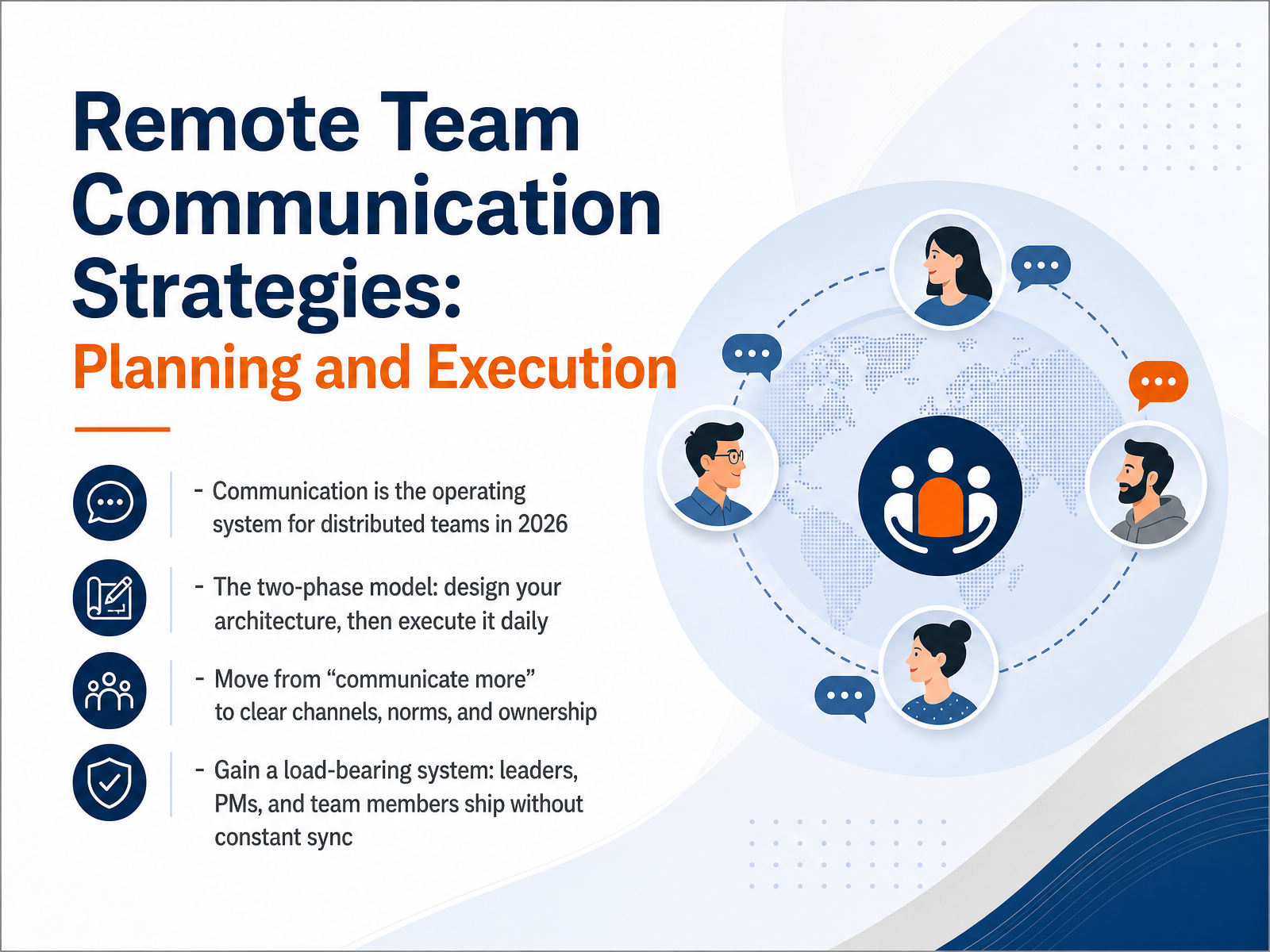
- 01Remote Team Communication Strategies: Planning and ExecutionWelcome. If you lead or work on a distributed team, you already know the cost of fuzzy communication. Delayed decisions, duplicated work, quiet frustration. Here is the shift that matters in 2026: stop treating communication as a soft skill and start treating it as your operating system. That means designing the architecture first, then executing it daily. Not vague reminders to talk more. Clear channels, explicit norms, and named ownership. When you design this deliberately, leaders, project managers, and team members ship without constant sync. The goal is a load-bearing system. One that works even when you step away. Stick with this session and you will have the two-phase model to build it. Next, let us look at why remote communication breaks down in the first place.remotefast.cosowork.comcoommit.com+21 min
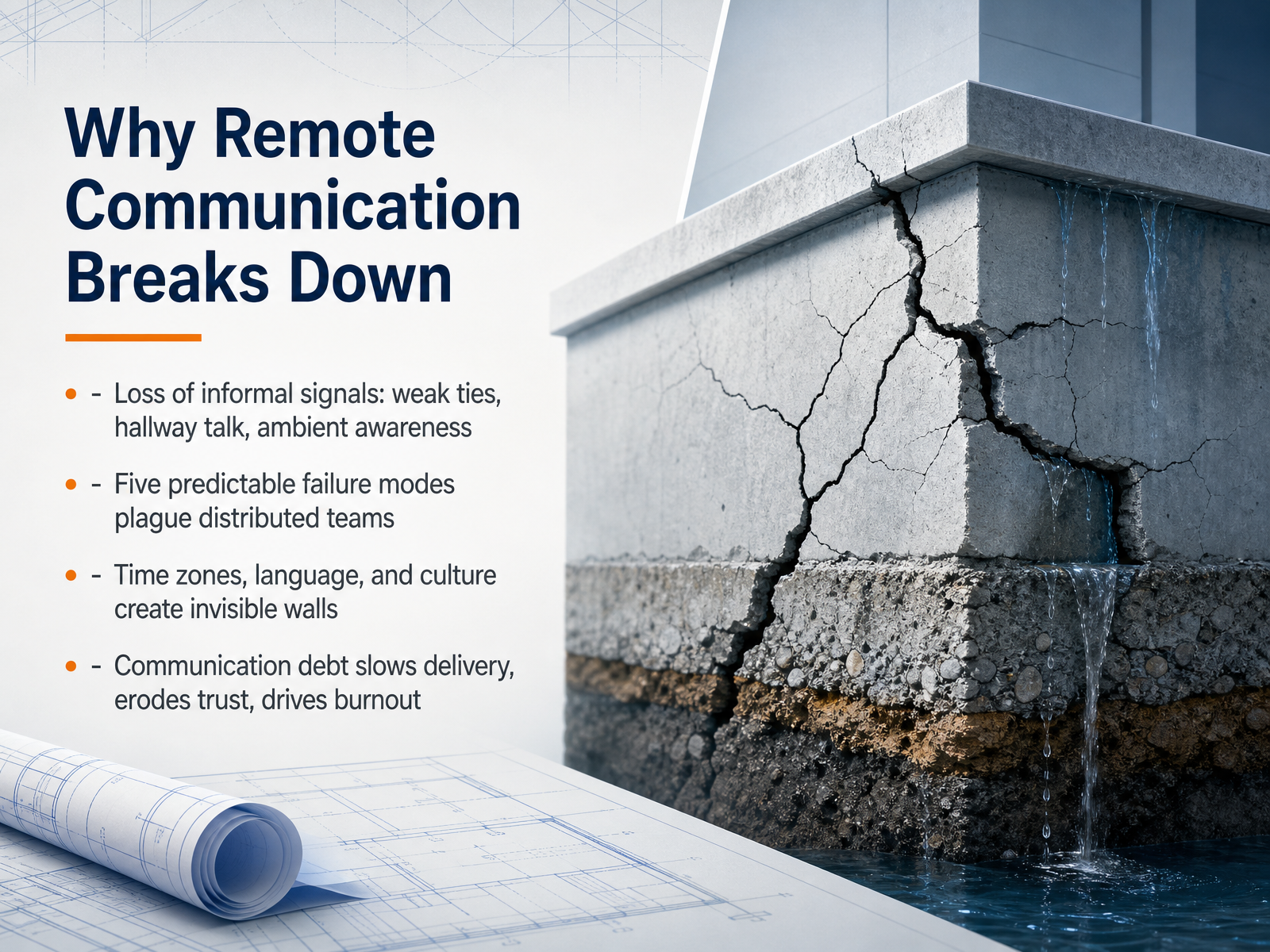
- 02Why Remote Communication Breaks DownLet’s start with the uncomfortable truth. Remote communication doesn't break because people are careless. It breaks structurally. When you move a team online, you lose the informal signals that hold everything together. The hallway chat. The overheard answer. The ambient awareness of who's working on what. That loss is real, and it compounds daily. MIT research shows that what predicts team performance isn't how many messages you send. It's the quality and balance of your communication patterns. Research has identified five predictable failure modes for distributed teams. First, async misinterpretation. Text strips tone, so senders think they're clear about seventy-eight percent of the time, but receivers actually get it right only fifty-six percent. That gap is where friction lives. Second, meeting overload, where teams replace missing context with excessive calls. Third, feedback avoidance, because giving critical feedback on a video call feels heavier than in a hallway. Fourth, information silos, where knowledge gets trapped in private DMs. And fifth, silence spirals, where the quiet member becomes invisible and slowly disengages. These failures create communication debt. That debt slows your delivery, erodes trust, and drives burnout. But here’s the good news. These are structural problems, so they have structural fixes. Next, let’s define the core vocabulary we need to fix them.
 questworks.iotechtarget.combarrierstocommunication.net+21 min
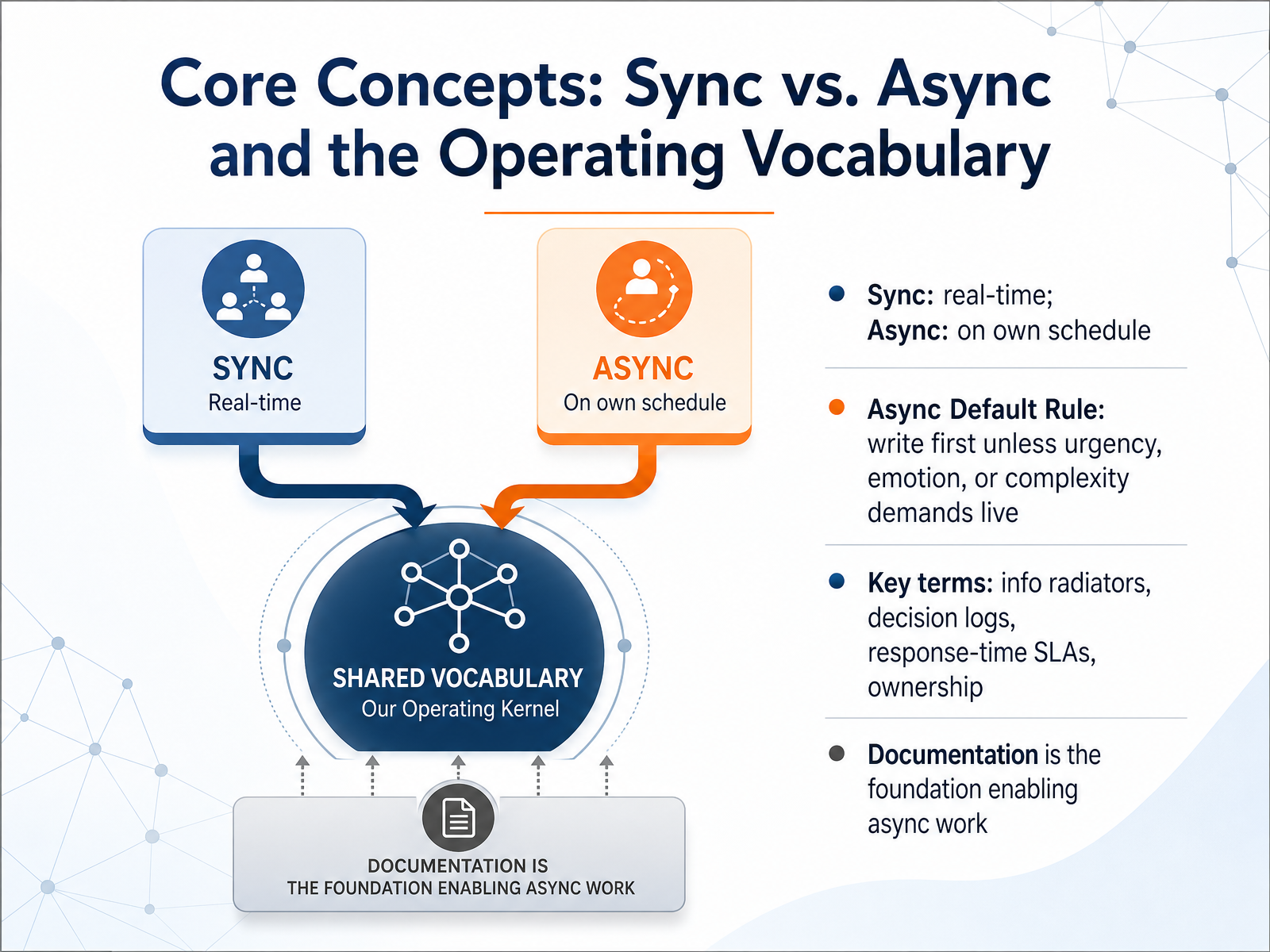
 - 03Core Concepts: Sync vs. Async and the Operating VocabularyLet’s lay the foundation. When you think about remote communication, two modes matter: synchronous and asynchronous. Sync is real-time, like a call or a live chat. Async means people respond on their own schedule, like a document or a recorded update. The default rule is simple: write first, unless urgency, emotion, or complexity demands a live conversation. Most everyday updates belong in writing. This is where a shared vocabulary helps. Use terms like information radiators for visible status boards, decision logs for recording choices, response-time SLAs for setting expectations, and ownership to clarify who decides. Documentation is the backbone here. When decisions live in writing, anyone can act without waiting. That’s what makes async work possible. Keep this in mind as we move into designing your communication architecture.
 goalsandprogress.comhandbook.gitlab.comresources.rework.com+21 min
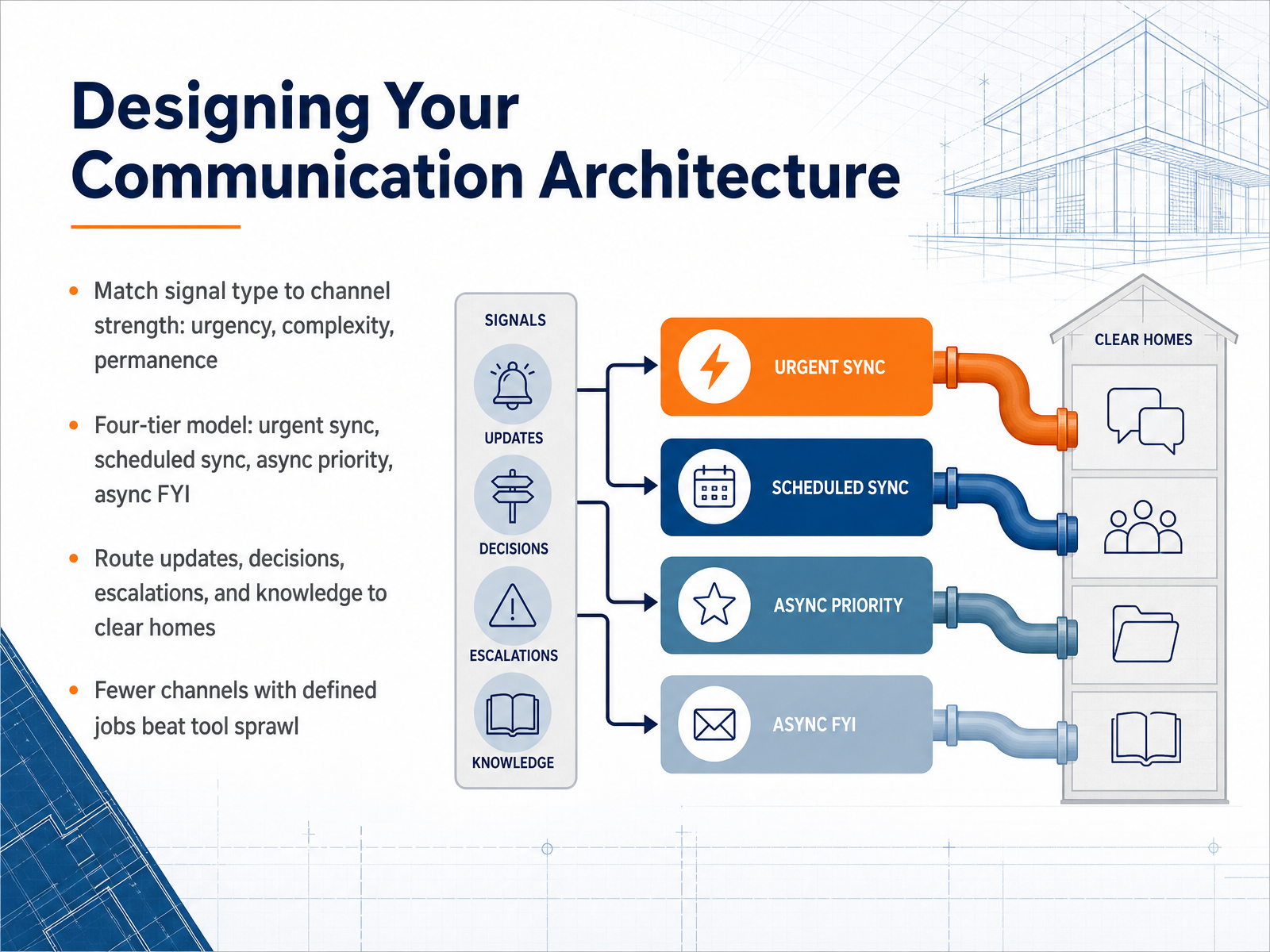
 - 04Designing Your Communication ArchitectureNow let's talk about designing your communication architecture. The core principle is simple: match the signal type to the channel strength. You evaluate urgency, complexity, and permanence. When something is urgent and simple, a quick direct message works. When it's complex and needs a permanent record, route it to a document. A practical way to apply this is the four-tier model. Tier one is urgent sync, for incidents or blockers. Tier two is scheduled sync, like a decision-focused meeting. Tier three is async priority, where your real work should live. Tier four is async FYI, for announcements that need no response. Once you define these tiers, route your updates, decisions, escalations, and knowledge to clear homes. When a decision is made, it goes in the decision log. When context needs to persist, it goes in a doc. The payoff? Fewer channels with defined jobs beat tool sprawl. Pick the smallest stack that covers the tiers, and commit to it. Next, we'll look at who gets to make the call with decision rights and decision logs.
 coommit.comwhychose.comresources.rework.com+21 min
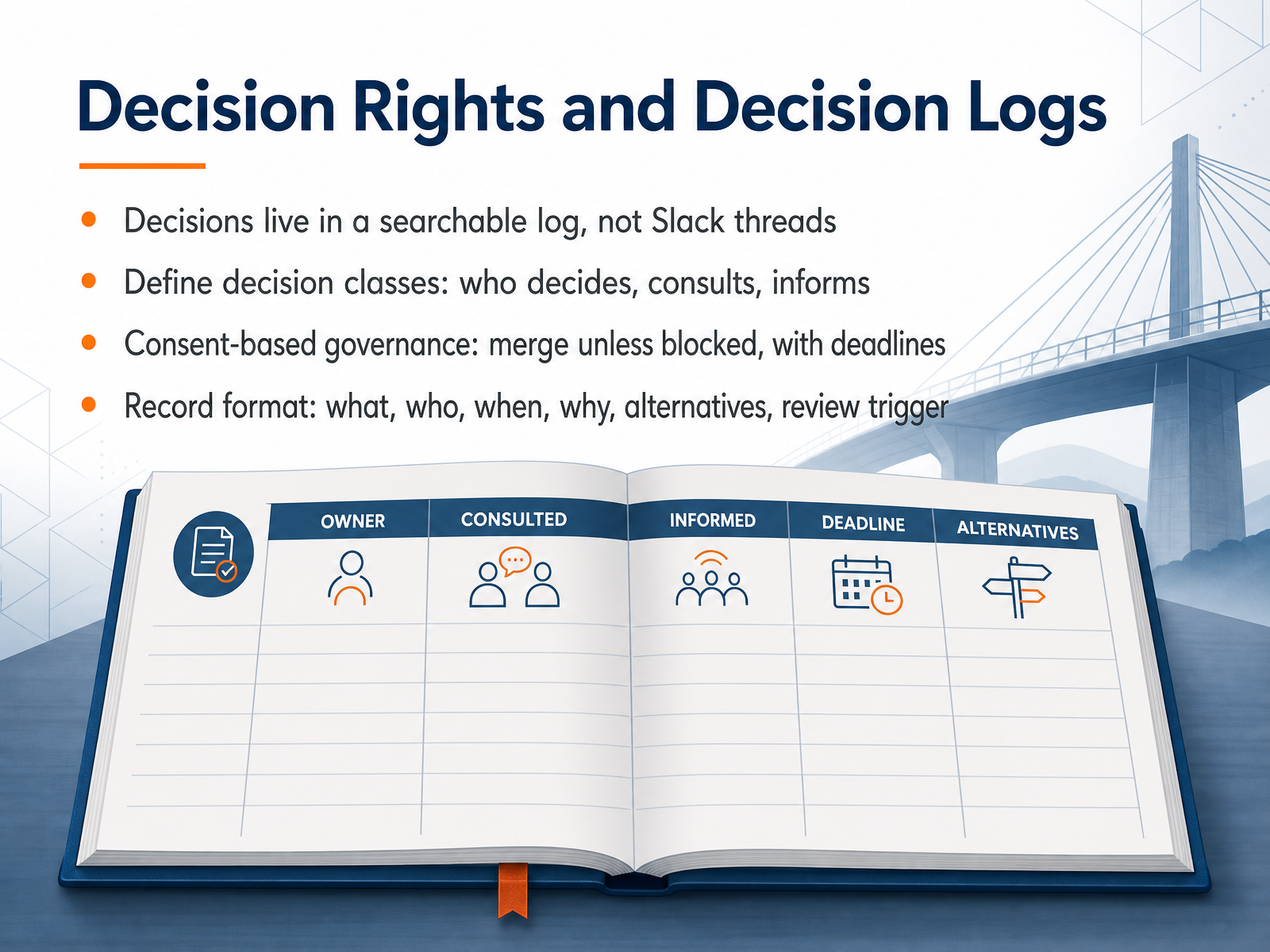
 - 05Decision Rights and Decision LogsNow let's talk about decision rights and decision logs. In a remote team, decisions should live in a searchable log, not buried in Slack threads. When you make a decision, record it: what was decided, who decided, when, and why. Also note the alternatives you considered and what would trigger a review. This way, anyone can find the rationale later, even months down the line. Next, define decision classes. For each type of decision, specify who decides, who gets consulted, and who just needs to be informed. This prevents bottlenecks and confusion. Consider using consent-based governance: proposals merge unless someone raises a blocking objection by a set deadline. This keeps momentum and respects everyone's time, especially across time zones. Use a clear record format: state the decision, the owner, the date, the context, options considered, and the review trigger. That way, nothing gets lost. Remember, if it isn't logged, it didn't happen. Now, let's look at setting norms, response times, and escalation paths.
 coommit.comwhychose.comresources.rework.com+21 min
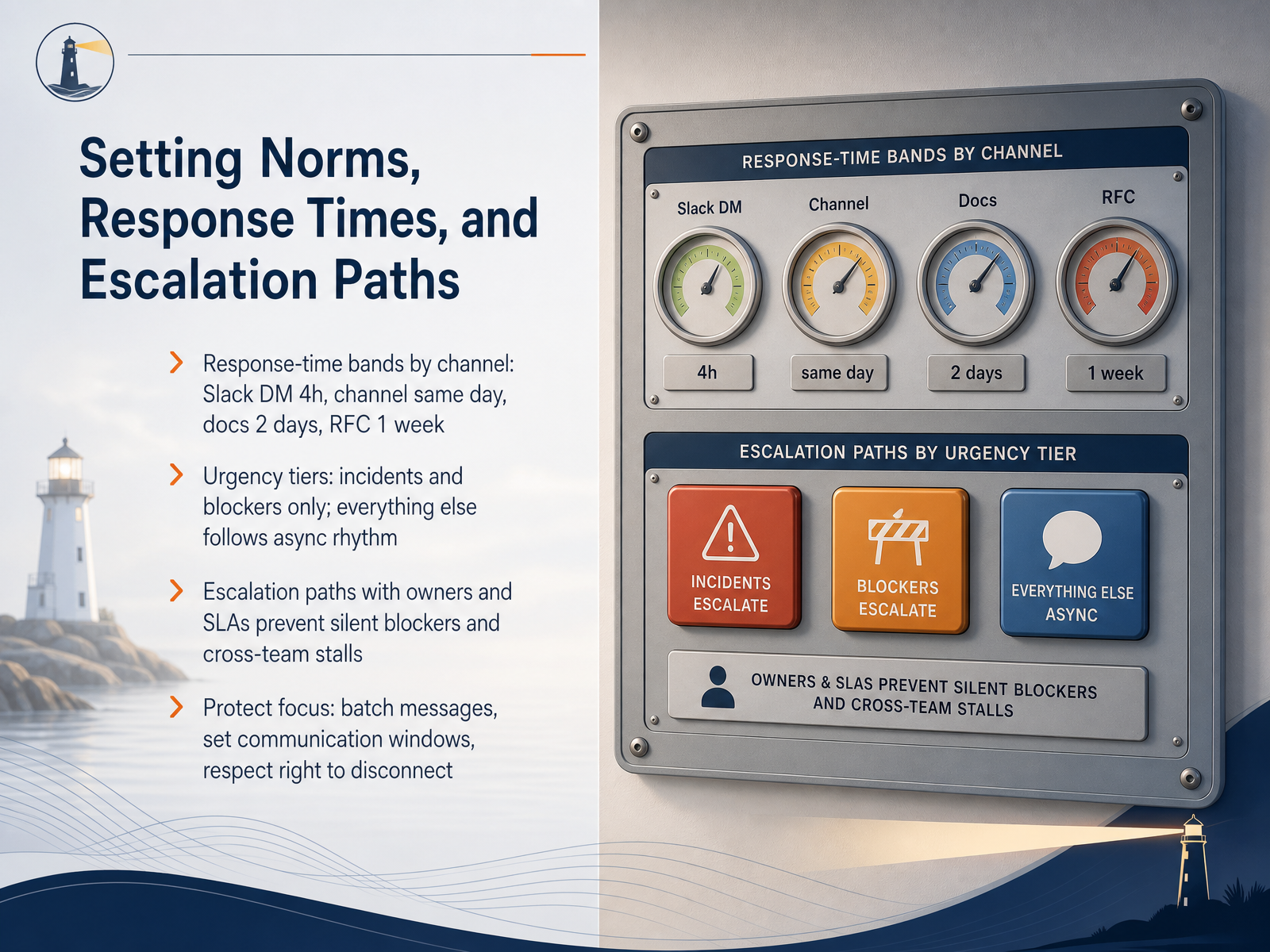
 - 06Setting Norms, Response Times, and Escalation PathsNow let's talk about the guardrails that keep async work predictable: norms, response times, and escalation. When you publish a response-time grid, you remove the guesswork. A direct message gets a reply within four business hours. A channel message lands the same day. Comments on docs take two days, and a formal RFC gets a full week. That grid is your contract. It tells people when to wait and when to chase. Next, define urgency tiers. Incidents and blockers get a direct call. Everything else follows the async rhythm. And when you do escalate, name the owner and set an SLA, so no one silently stalls. Finally, protect focus. Batch your messages into two or three windows a day, and respect the right to disconnect. When you honor those boundaries, your team stops watching the chat and starts doing the work. Up next, let's explore how psychological safety keeps this system human.
 brettfarmiloe.comresources.rework.comgoalsandprogress.com1 min
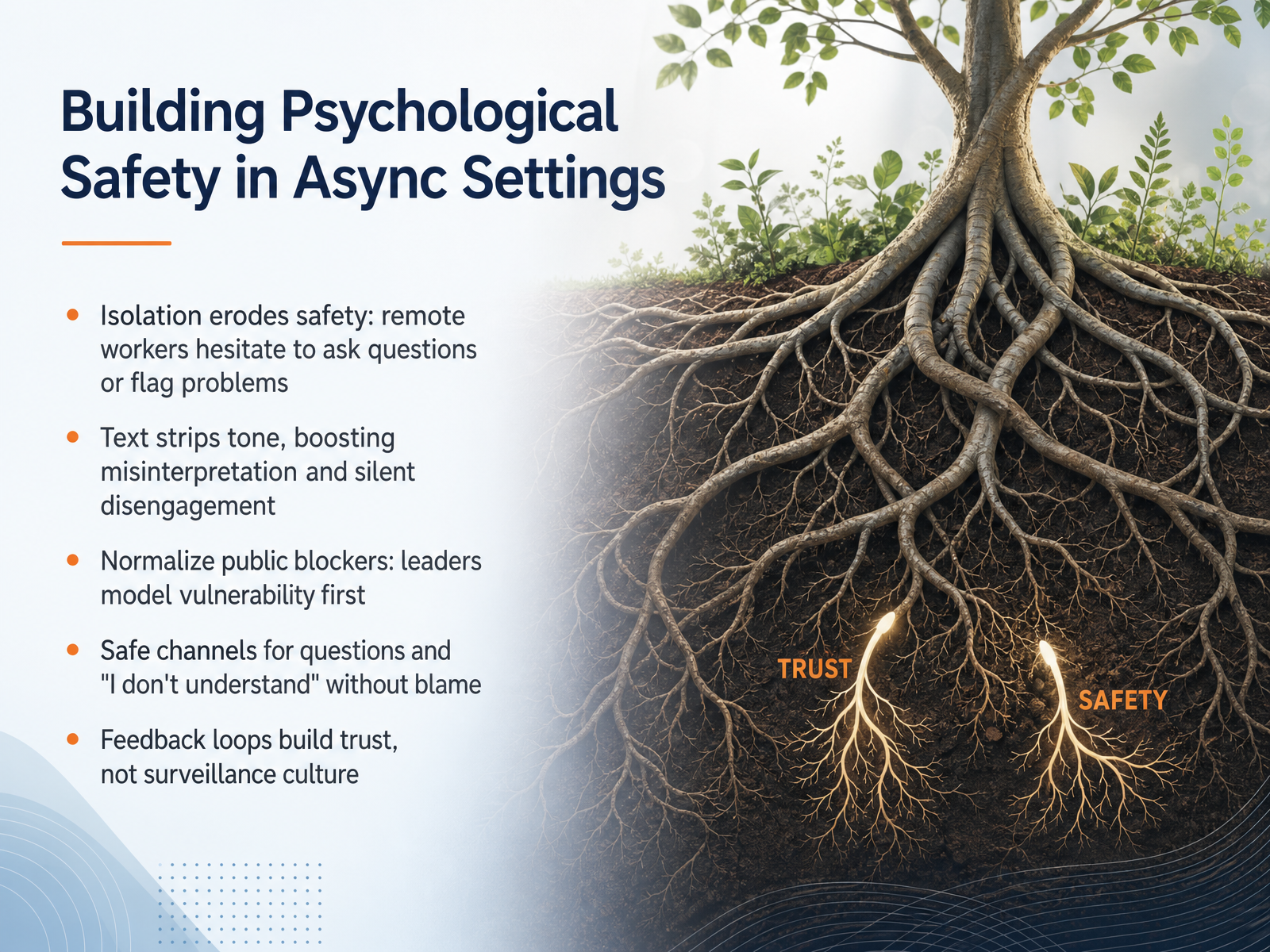
 - 07Building Psychological Safety in Async SettingsNow, let's talk about psychological safety in asynchronous settings. Here's the hard truth: isolation erodes safety. When your team works remotely, people hesitate to ask questions or flag problems. They stay quiet instead of raising concerns. And text makes it worse. It strips away tone, so a simple question can read as criticism. That leads to misinterpretation and silent disengagement. You can fix this by normalizing public blockers. When you, as the leader, share your own challenges first, you give others permission to do the same. Create safe channels where saying "I don't understand" is welcomed, not punished. Make it clear that asking questions without blame is part of how you work. Then, build feedback loops that focus on trust, not surveillance. When you ask for input and visibly act on it, you show your team that their voices matter. That turns feedback into a tool for growth. Remember, psychological safety is built through small, consistent actions. Start by modeling vulnerability, and your team will follow. Next, we'll look at how you execute daily communication as a team lead or project manager.
 questworks.iotechtarget.combarrierstocommunication.net+22 min
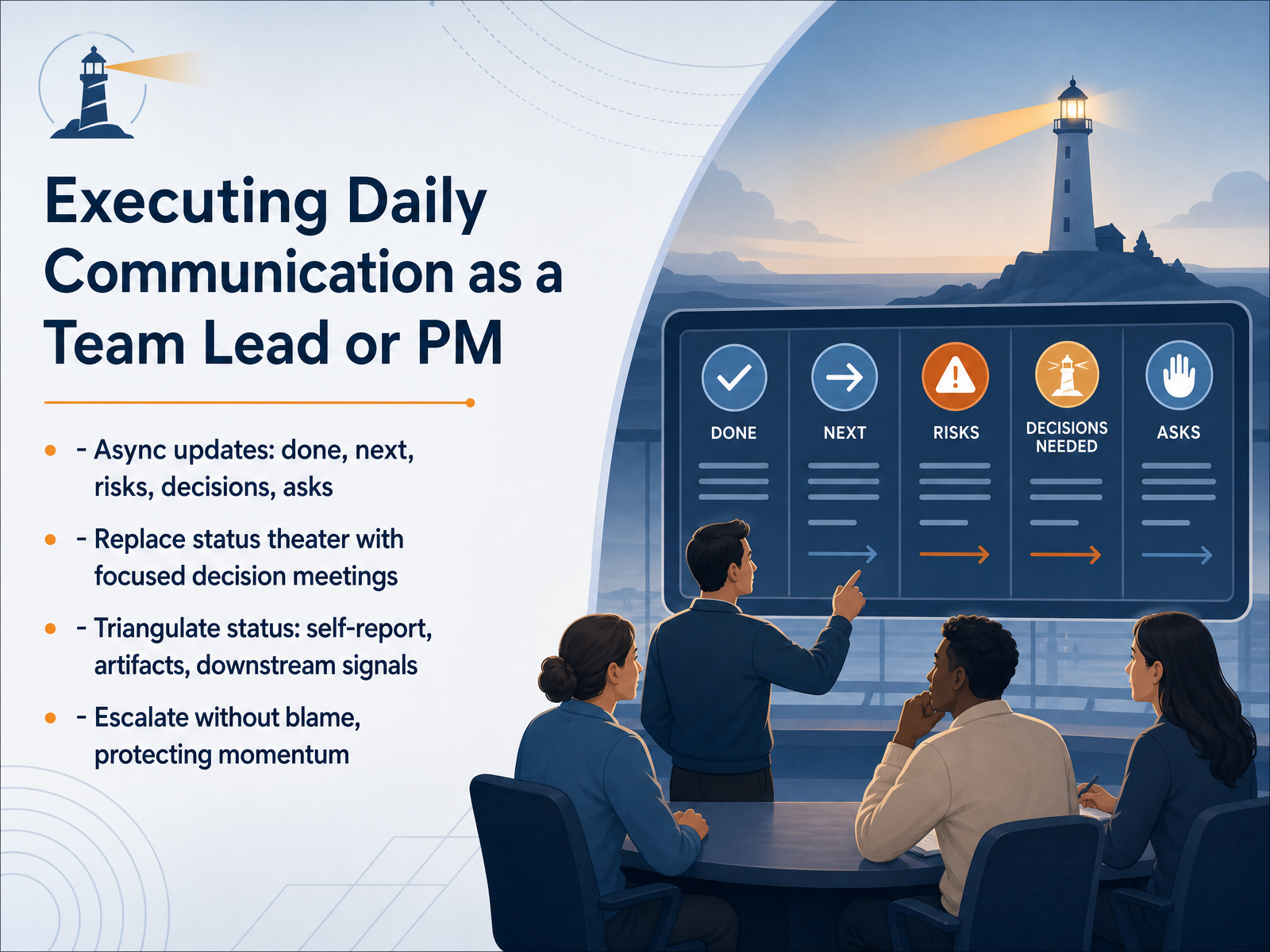
 - 08Executing Daily Communication as a Team Lead or PMNow let's talk about how you actually run daily communication as a team lead or project manager. First, shift your team to async updates that answer five things: what’s done, what’s next, what risks are emerging, what decisions need to be made, and what you need from others. That structure turns a vague status into a clear operating brief. Then, replace status theater with focused decision meetings. If the update is just people reading their notes, cancel it. Use the meeting only when a real decision needs discussion. Next, triangulate status. Don't trust the self-report alone. Cross it with the actual work artifacts, like merged pull requests or a finished document, and then check the downstream signals, like whether the customer can actually use what you shipped. That gives you three independent bearings, not just one. Finally, when something goes wrong, escalate without blame. State the issue, what's needed, and who can unblock it. Protect momentum, not egos. Remember, your job is to make the project's true status visible and keep the team moving forward. Up next, we'll look at what team members need to do to keep that rhythm working.
 1 min
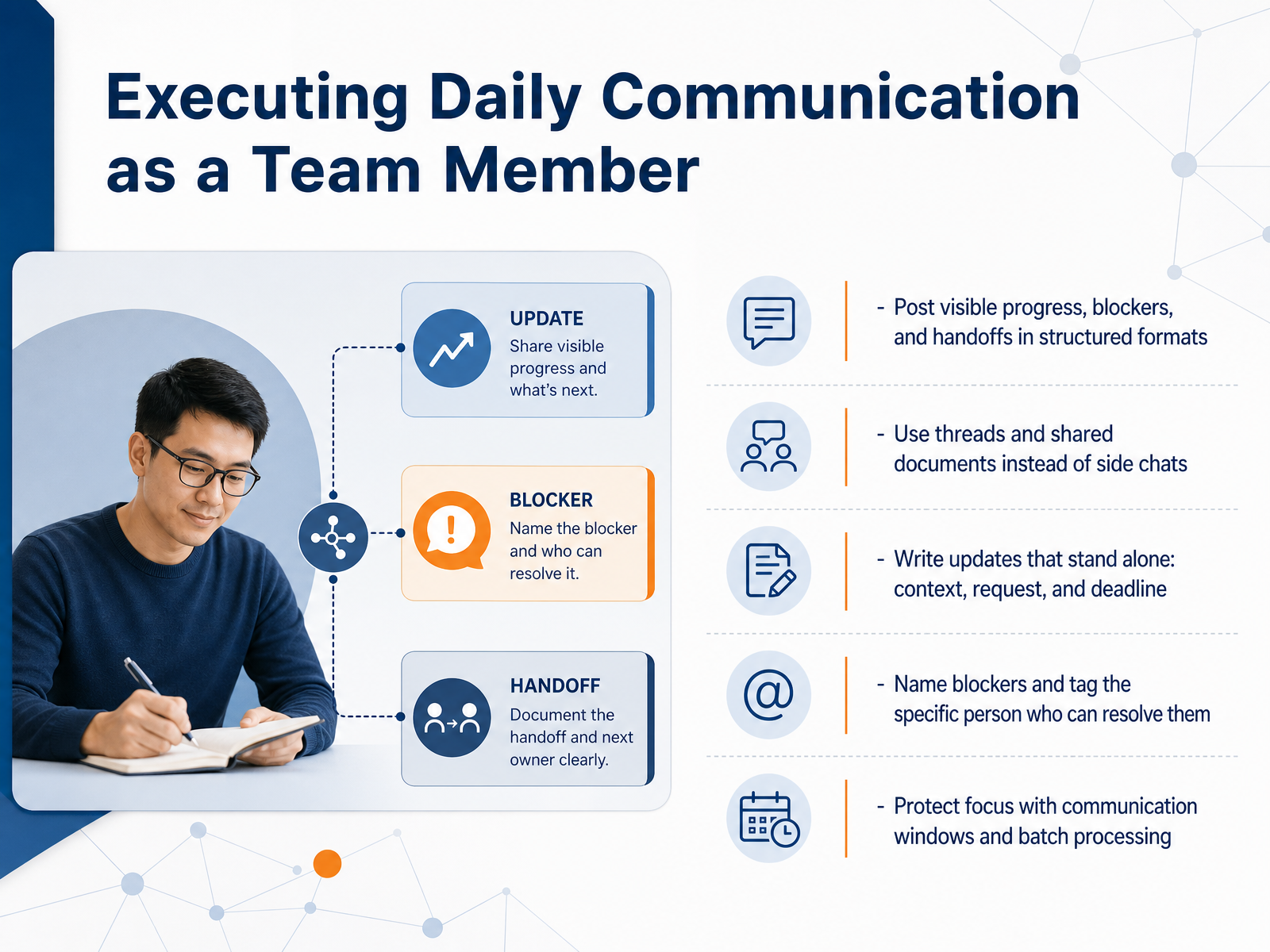
1 min - 09Executing Daily Communication as a Team MemberNow let’s talk about how you execute daily communication as a team member. Start by posting visible progress, blockers, and handoffs in a structured format. When you do this consistently, your teammates can scan the channel in minutes and know exactly where things stand without asking. Write updates that stand alone: include context, the request, and the deadline. If someone reads your update tomorrow in a different time zone, they should not need to chase you for clarification. Name your blockers clearly and tag the specific person who can resolve them. A blocker buried in a paragraph gets missed. A direct tag gets action. Use threads and shared documents instead of side chats. When important decisions live in private side conversations, the team loses visibility and context. Protect your focus with communication windows and batch processing. Check messages two to three times a day, not every few minutes. This simple habit cuts interruptions and keeps your deep work intact. Remember: visible progress, standalone updates, named blockers, and batched communication turn daily chaos into a smooth, productive rhythm. Next, let’s look at the tools and lightweight documentation that support this system.
 2 min
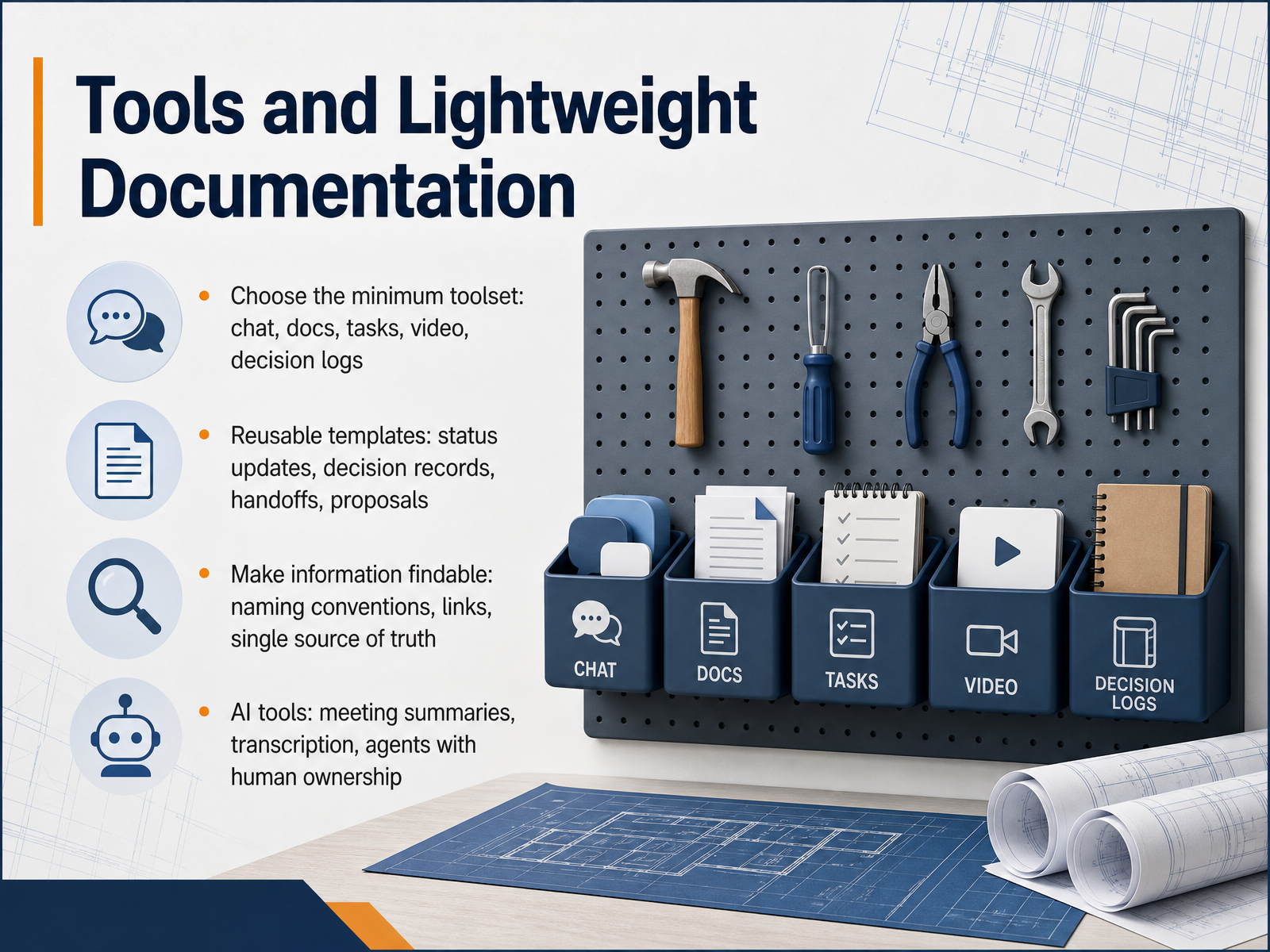
2 min - 10Tools and Lightweight DocumentationLet’s talk about tools and lightweight documentation. When you keep your toolset minimal, you cut friction. Start with five essentials: chat, docs, tasks, video, and decision logs. That’s it. You don’t need ten apps. You need five that work together. For example, a chat platform like Slack for quick questions, a doc tool like Notion or Confluence for shared knowledge, and a task tracker like Asana or Trello to keep work visible. Video for meetings, and a simple log for decisions. Now, templates. Build reusable ones for status updates, decision records, handoffs, and proposals. When anyone can grab a template, consistency follows. No reinventing the wheel. Next, make information findable. Use clear naming conventions, link related docs, and keep one single source of truth. If something lives in two places, it will go out of date. Finally, leverage AI tools. Use meeting summaries and transcription, but keep human ownership. AI drafts, you decide. Choose the minimum toolset, standardize the templates, and make everything searchable. That’s how your documentation stays light. Next, we’ll cover running effective remote meetings.
 2 min
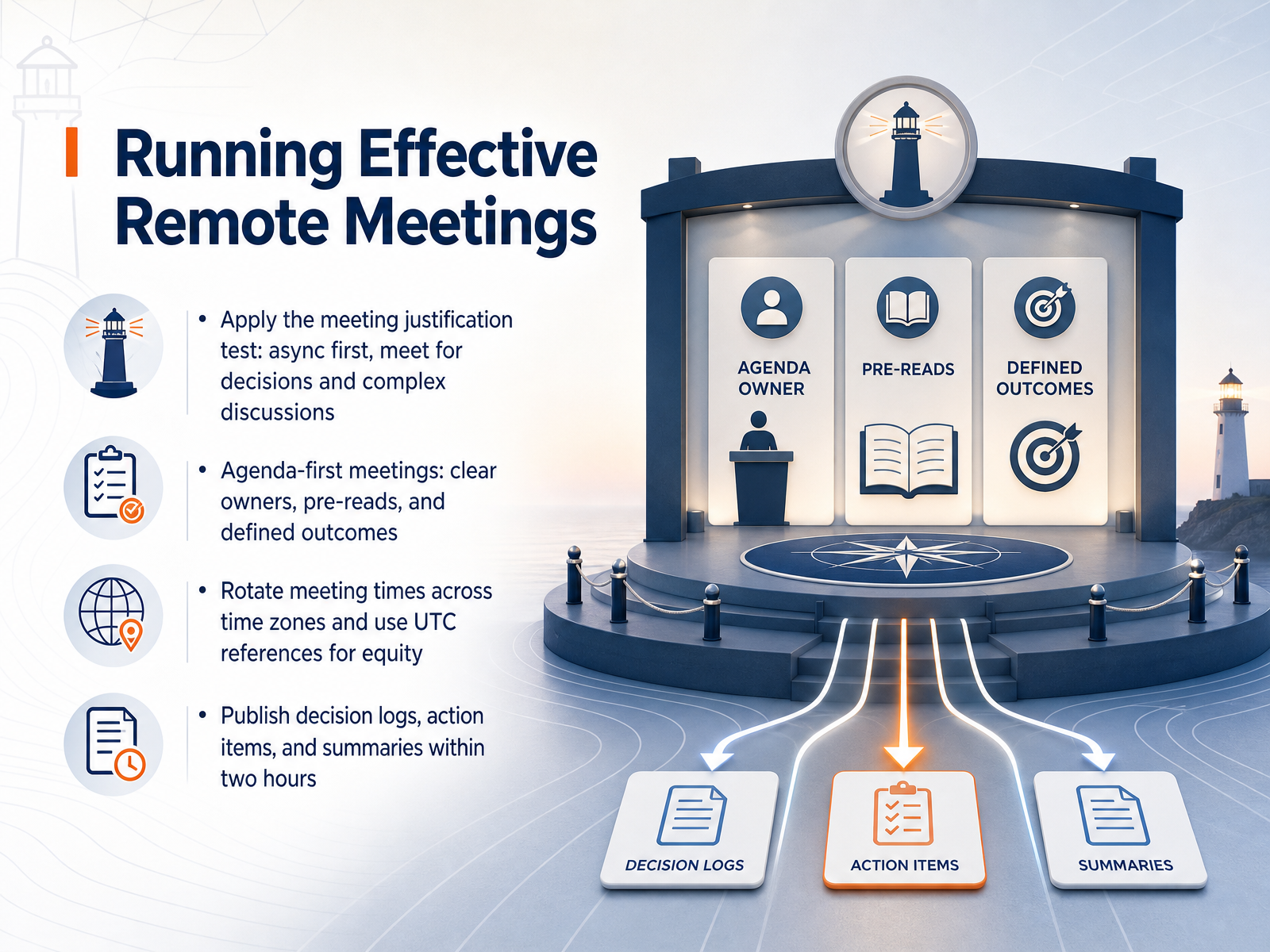
2 min - 11Running Effective Remote MeetingsNow let’s talk about running remote meetings that actually work. Before you schedule anything, apply the meeting justification test. If the goal is sharing information, go async. You only need a live meeting for decisions or complex discussions. If you do meet, go agenda-first. Assign clear owners, share pre-reads, and define the outcome you want. Then, if your team spans time zones, rotate meeting times. Use UTC as your reference point so there is no confusion. And check regional holidays when you schedule. When the meeting ends, the work is not done. Publish a decision log, action items, and a summary within two hours. That written record is what drives follow-through across time zones. Next, we will look at measuring and refining your communication system.
 1 min
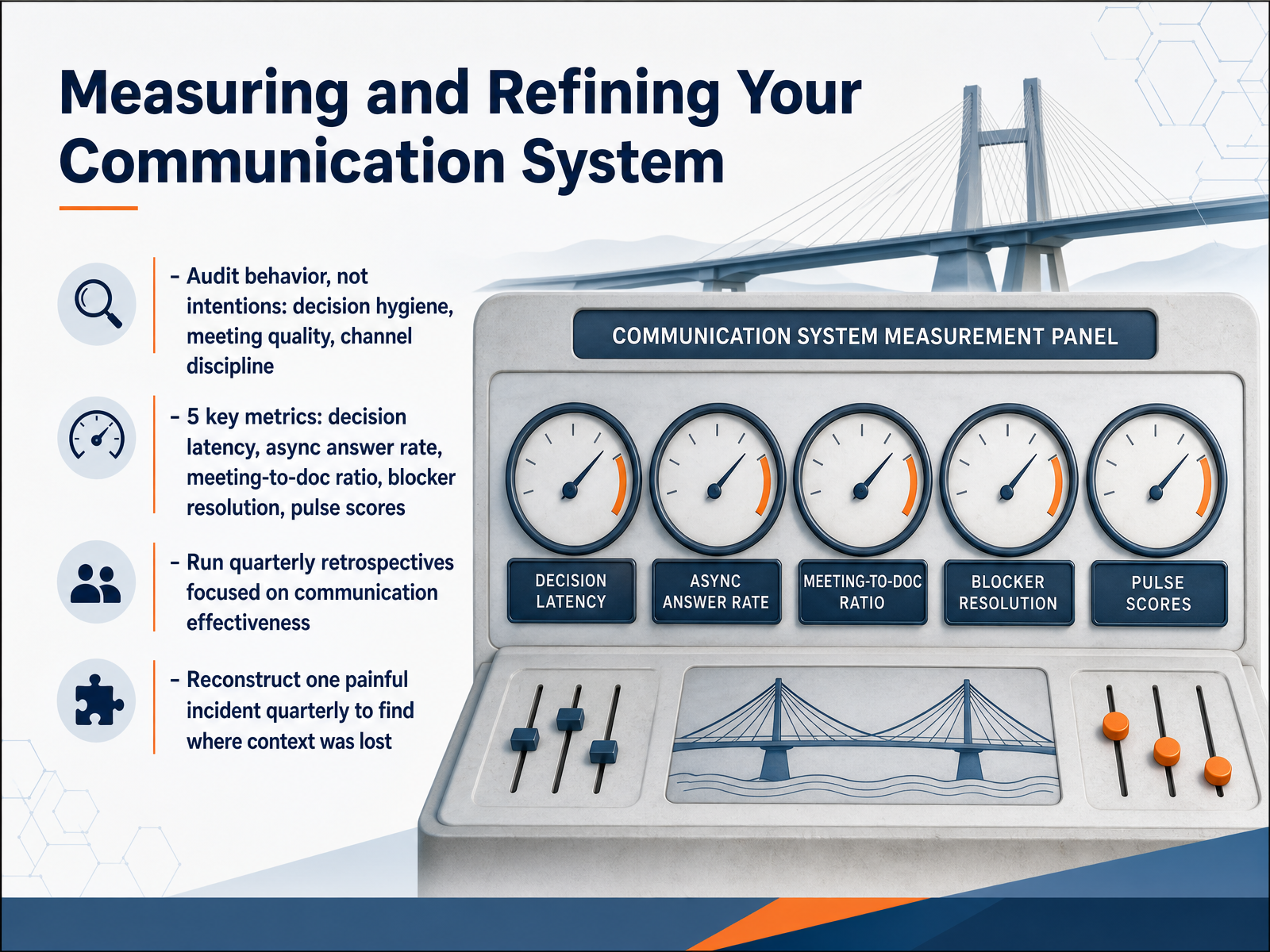
1 min - 12Measuring and Refining Your Communication SystemNow we move to measurement and refinement. This is where communication systems either hold or fall apart. The rule is simple: audit behavior, not intentions. People always intend to communicate well. What matters is whether decisions get logged, whether meetings produce actions, and whether the right channels get used. So check decision hygiene first. Were major decisions recorded with an owner and a date? Then look at meeting quality. Did they produce outcomes or just repeat updates? And channel discipline—are people using the right path for each message type? Next, track five operational metrics. Decision latency, async answer rate, meeting-to-doc ratio, blocker resolution time, and pulse scores. Pulse scores are simple—one to five from the team on how communication feels. If those numbers dip, act on them within the quarter. Then run a quarterly retrospective focused entirely on communication effectiveness. And here is a powerful technique: reconstruct one painful incident from the quarter. Map out where context got lost. This is not about blame. It is about spotting where the system broke, and then fixing it. Do that every quarter, and your communication system compounds. Moving on, let us talk about communication experiments and the 30-day rollout.
 remotefast.cosowork.comcoommit.com+21 min
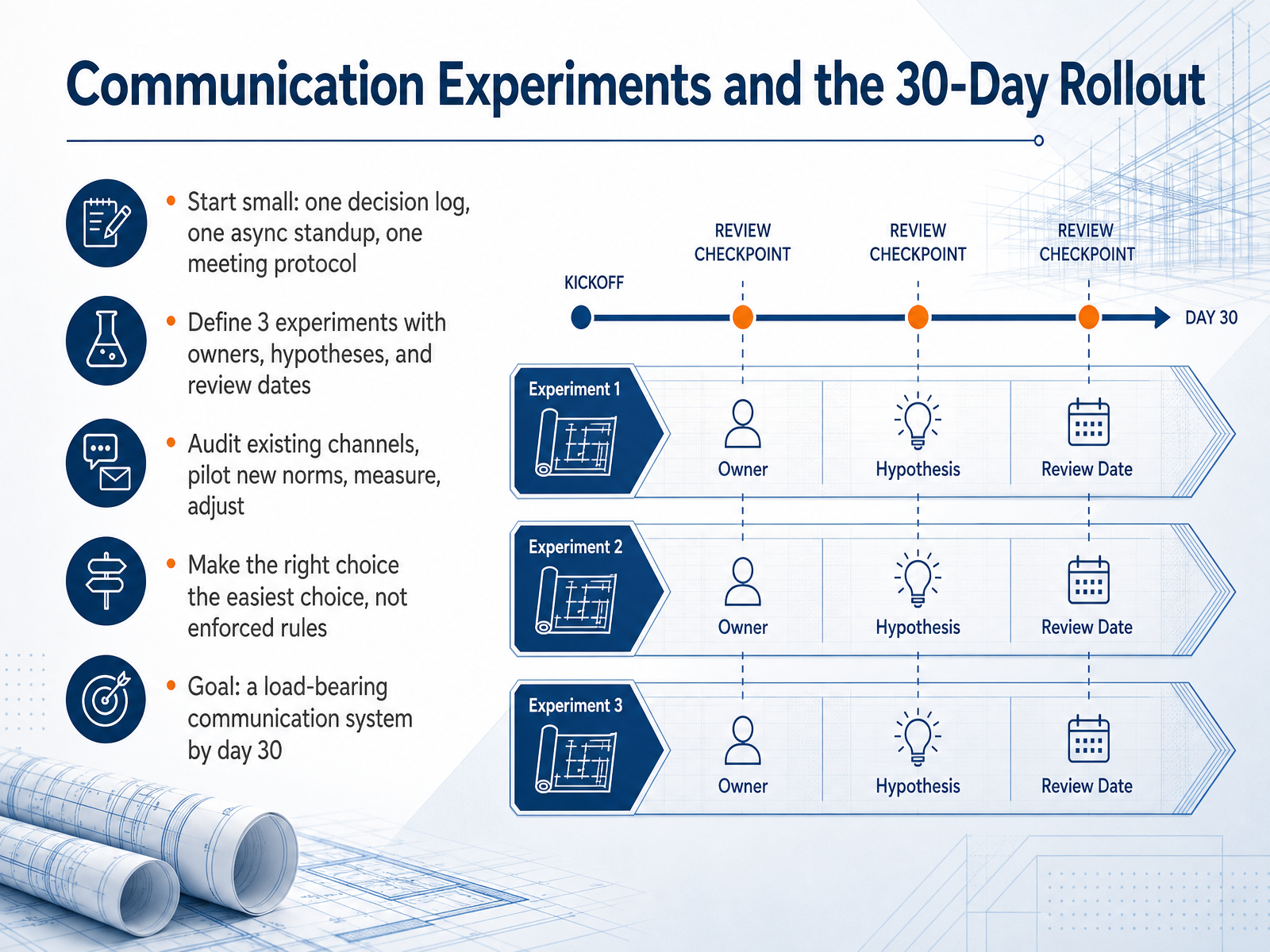
 - 13Communication Experiments and the 30-Day RolloutNow let’s talk about experimentation. Start small. Pick one decision log, one async standup, and one meeting protocol. That’s it. Don’t try to overhaul everything at once. Define three experiments, each with a clear owner, a hypothesis, and a review date. First, audit your existing channels. See where decisions actually get made and where they get lost. Then pilot a new norm. Measure how it works. Adjust. The goal is to make the right choice the easiest choice, not to enforce rules. When people have to fight the system, they won’t use it. By day thirty, you want a communication system that can carry the team’s weight. That means decisions are recorded, updates are async, and meetings happen only when they truly add value. So pick your experiments, set your dates, and start. In the next slide, we’ll turn that into a concrete ninety-day action plan.
 coommit.comwhychose.comresources.rework.com+21 min
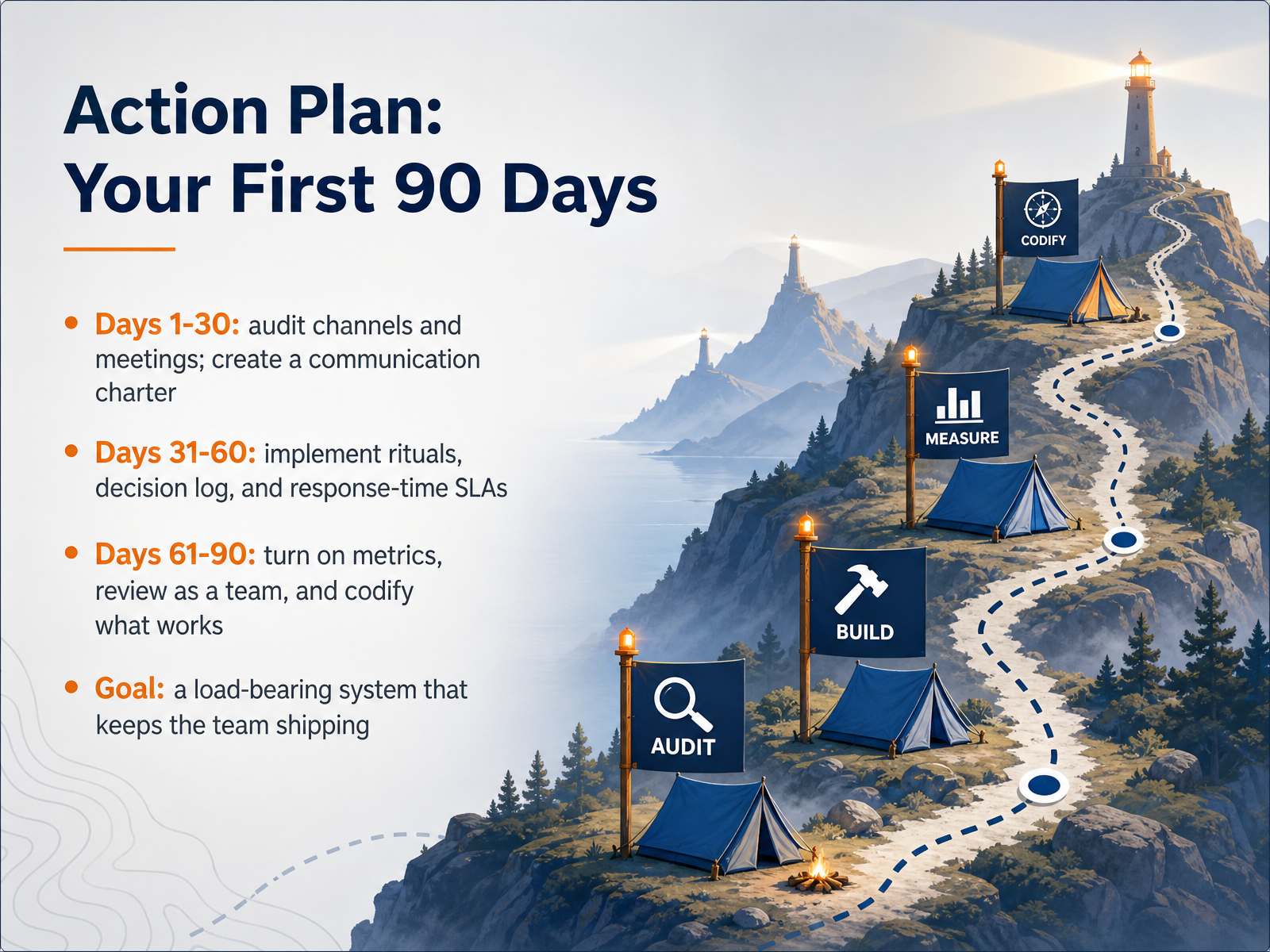
 - 14Action Plan: Your First 90 DaysSo here's your first ninety days, broken into three clear phases. Days one through thirty: audit everything. Map your channels, your meetings, where decisions actually live. Then write your communication charter with the team, not for them. Days thirty-one through sixty: put the rituals in place. Weekly written updates, a decision log, response time agreements. Make the right way the easy way. Days sixty-one through ninety: measure. Review your metrics together, keep what works, cut what doesn't. Codify it in your handbook. By day ninety, your system should be load-bearing. That means if you stepped away for two weeks, the team would keep shipping without anyone improvising. That's the goal. You don't need perfection; you need progress. Start with the audit this week. Build the charter with your team. Then make it real, one ritual at a time. Thanks for sticking with this. You have the playbook; now run it. Your team will feel the difference.
 remotefast.cosowork.comcoommit.com+22 min
Take the deck with you
Download this course as a file — free, no sign-up needed.
- PDF handoutEvery slide page, ready to print or share.15 pages · 4.2 MBDownload
- Narrated PowerPointThe deck that presents itself — every slide carries the digital human's narration video.15 pages · 15.3 MBDownload
- PowerPoint slidesThe full deck as a .pptx — open it in PowerPoint, Keynote, or Google Slides.15 pages · 4.1 MBDownload
Free to use in your own training — please keep the PersonWise credit page at the end.
Have your own deck? Turn it into a course
Sources consulted
Web sources consulted while building this course.
- Master Remote Team Communication: Playbook 2026 | RemoteFast — remotefast.co
- Ultimate Guide to Remote Team Communication 2026 - SoWork – Smart Virtual Workspace — sowork.com
- How to Build a Remote Team Operating System (2026 Playbook) — coommit.com
- Distributed Team Guide (2026): What Actually Works — timeeting.com
- How to Manage a Remote Team in 2026 (The Leadership Guide) — remogrid.com
- How to Improve Communication in Remote Teams in 2026 | QuestWorks — questworks.io
- 5 remote work communication challenges and how to fix them | TechTarget — techtarget.com
- Remote Work Communication Challenges: Causes, Types, and How to Fix Each One — barrierstocommunication.net
- 5 Signs Your Remote Team Communication Is Broken (and How to Fix It) | EnzRossi Blog — enzrossi.com
- Remote Work Communication Statistics 2026 | Stealth Agents — stealthagents.com
- Async Communication Guide: Build a System That Works — goalsandprogress.com
- Asynchronous communication for remote work - The GitLab Handbook — handbook.gitlab.com
- "Async Communication Best Practices: How High-Performing Teams Work Without Constant Meetings" — resources.rework.com
- Asynchronous communication: benefits, examples, and tips - Slack — slack.com
- Async-First Communication: The Complete Guide for Distributed Teams in 2026 | inkeybit — inkeybit.com
- ADR Governance Patterns — Async Teams, Remote-First Decision Authority, and the RFC Loop — WhyChose — whychose.com
- "Async Communication: When to Slack, When to Doc, When to Meet" — resources.rework.com
- The Four Communication Tiers Every Remote Manager Needs Before Setting Up Another Slack Channel — remote-work-trends.com
- Communication Systems for AI-Era Teams — julienflorkin.com
- Setting Communication Norms for Remote Teams - Brett Farmiloe — brettfarmiloe.com