Begin
14 pages · ~28 min
Digital Accessibility Specialist Workflow
This training guides aspiring digital accessibility specialists through a practical workflow to assess, remediate, and maintain accessible digital content and products.
A digital instructor presents all 14 pages. Hold “Ask” at any point and ask out loud — the answer comes from this course. No sign-up needed.
What you’ll learn
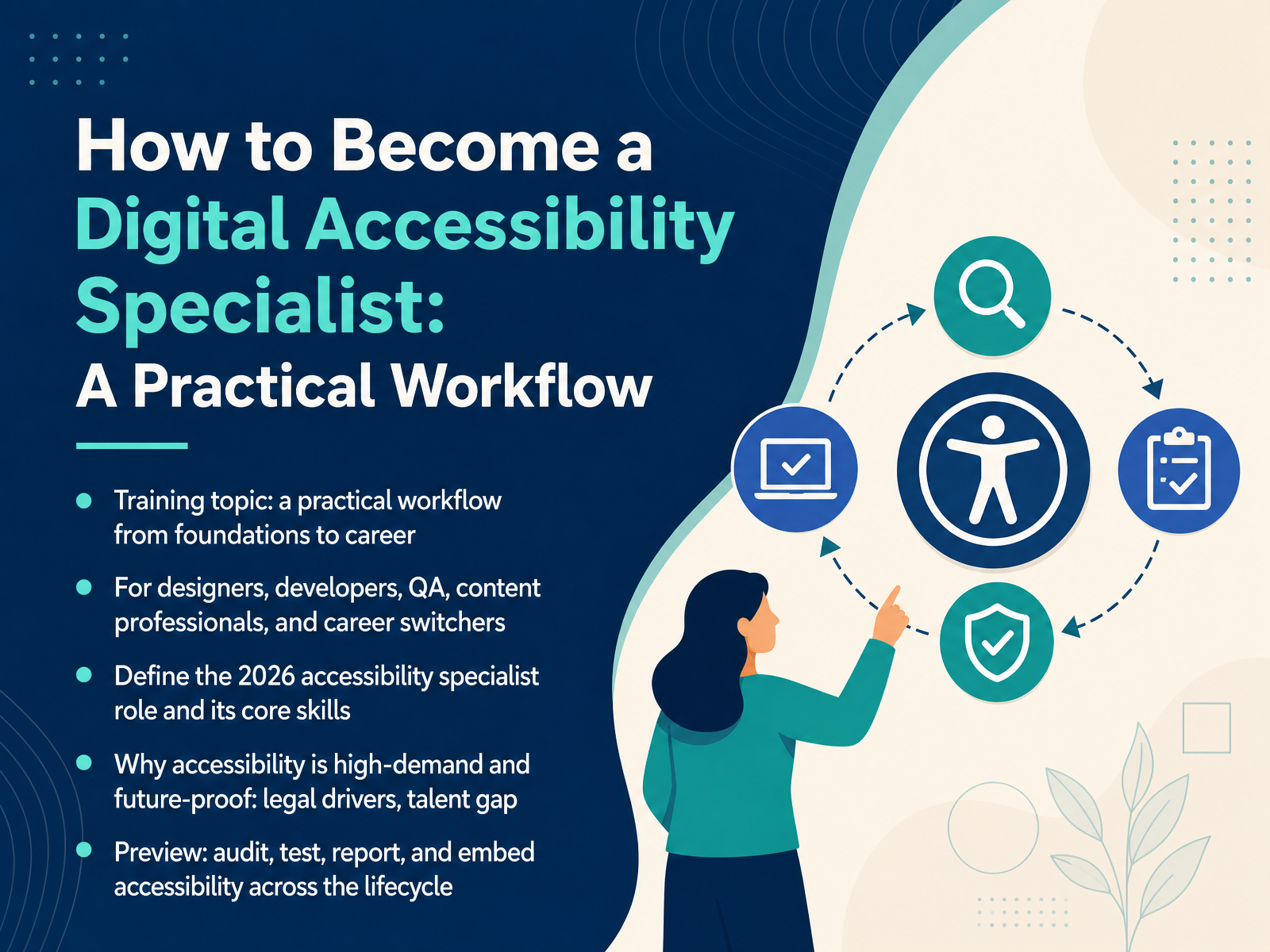
- 01How to Become a Digital Accessibility Specialist: A Practical WorkflowWelcome. Over the next fourteen slides, you'll get a practical workflow for becoming a digital accessibility specialist. This is for designers, developers, QA practitioners, content professionals, and career switchers. You don't need to be an expert today. You just need to be willing to learn by doing real work. First, we'll define the 2026 specialist role and its core skills. Then we'll look at why accessibility is high demand and future proof, with legal drivers like ADA Title II deadlines, the European Accessibility Act, and Section 508 procurement. There's also a real talent gap, and that gap is your opportunity. From there, we'll preview the workflow itself. Audit, test, report, and embed accessibility across the lifecycle. Each stage builds on the last, and each one maps to something you can try in your current role. So let's start with the big picture. Why Digital Accessibility Is a Growing Career Path.w3.orgw3.orgw3.org+22 min
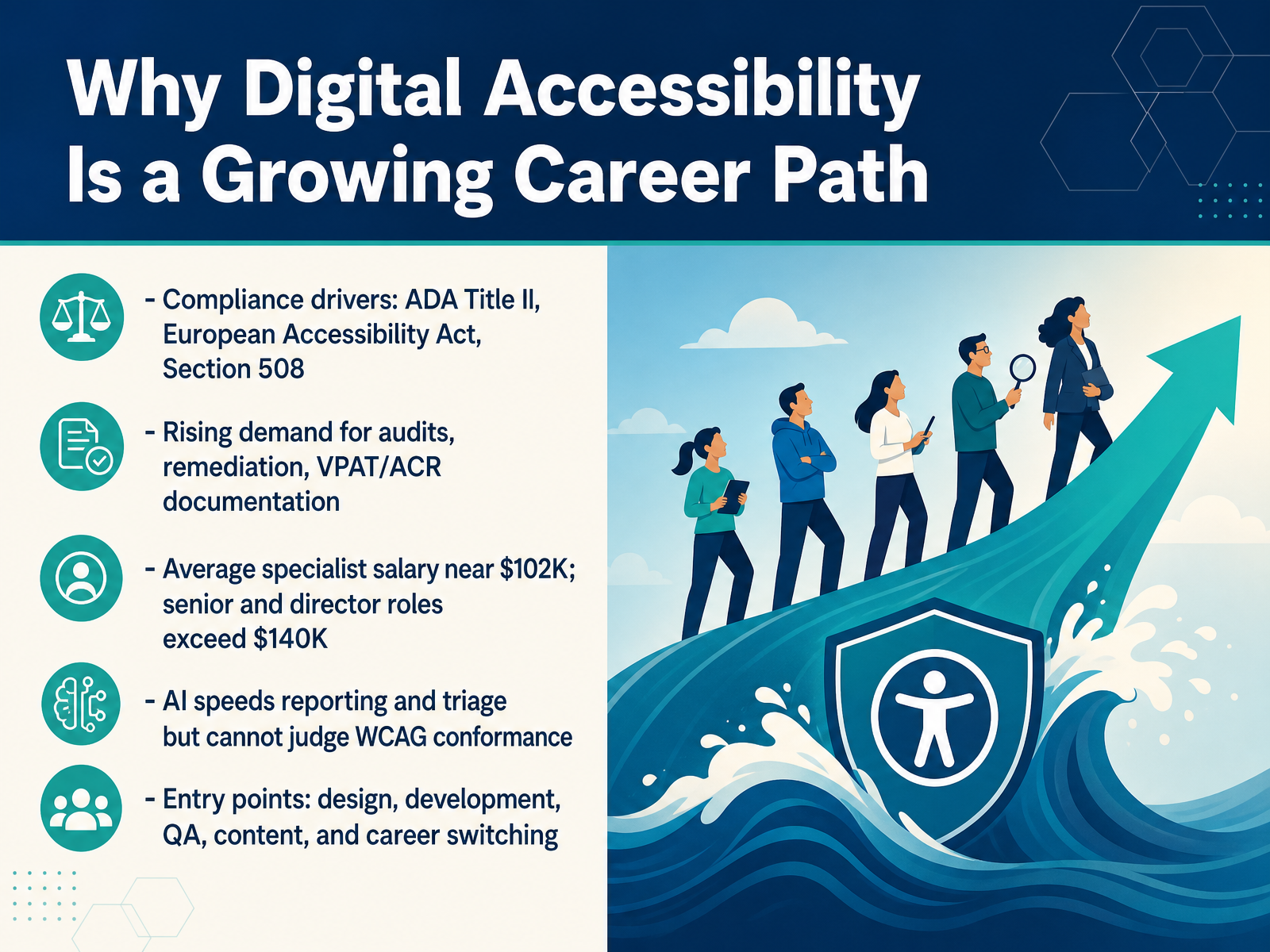
- 02Why Digital Accessibility Is a Growing Career PathLet's talk about why this work is growing. Three compliance drivers keep demand steady: ADA Title II, the European Accessibility Act, and Section 508. That drives hiring for audits, remediation, and documentation like VPATs and ACRs. Pay reflects it. Full-time specialists average near one hundred two thousand dollars. Senior and director roles often pass one hundred forty thousand. Here's the honest part. AI speeds up reporting and triage. It cannot judge WCAG conformance. A human still confirms what actually fails. The good news: you don't need to start over. Designers, developers, QA, and content people already have entry points. Career switchers break in through self-study and practice. Next, we'll look at the core foundations: disability, standards, and POUR.
 w3.orgw3.orgw3.org+21 min
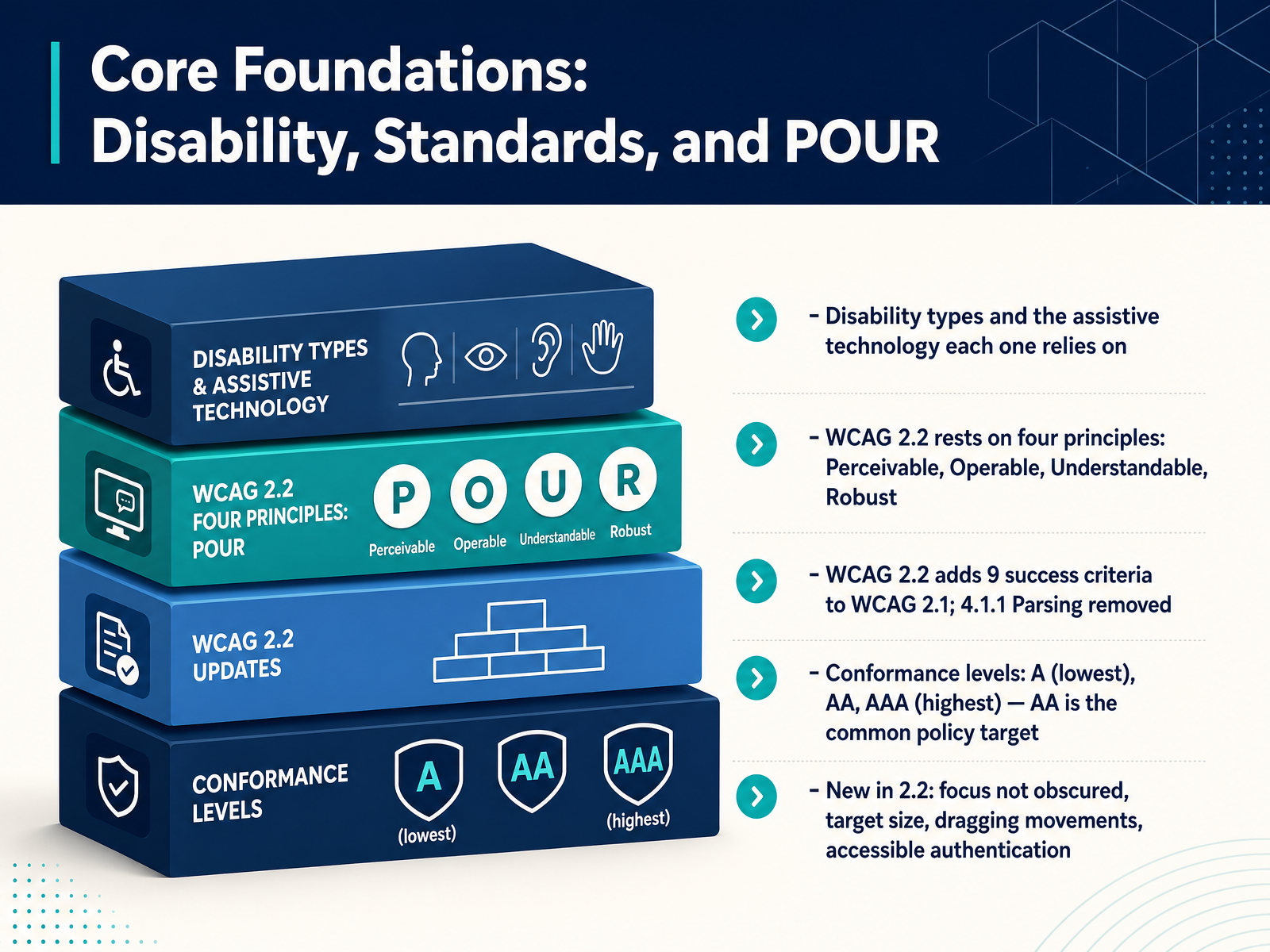
 - 03Core Foundations: Disability, Standards, and POURLet's build the foundation you will use throughout this workflow. First, disability is not one thing. People may be blind or low vision and rely on screen readers. They may be deaf or hard of hearing and rely on captions. They may have motor disabilities and rely on keyboards or switch devices. They may have cognitive disabilities that affect memory or focus. The tools differ, but the goal is the same: make your work usable.
That goal is written into WCAG 2.2. It rests on four principles: Perceivable, Operable, Understandable, and Robust. Many teams just say POUR.
WCAG 2.2 adds nine success criteria to version 2.1. It also removes 4.1.1 Parsing. Conformance has three levels: A, AA, and AAA. AA is the common policy target, so start there.
Some new criteria matter to your daily work. Focus not obscured keeps the focused element visible. Target size asks for tap targets of at least twenty-four by twenty-four CSS pixels. Dragging movements need a single-pointer alternative. Accessible authentication removes memory tests like puzzles unless you offer an alternative.
Next, we look at who owns what: Accessibility Responsibilities Across Design, Development, and Content.
 w3.orgw3.orgw3.org+22 min
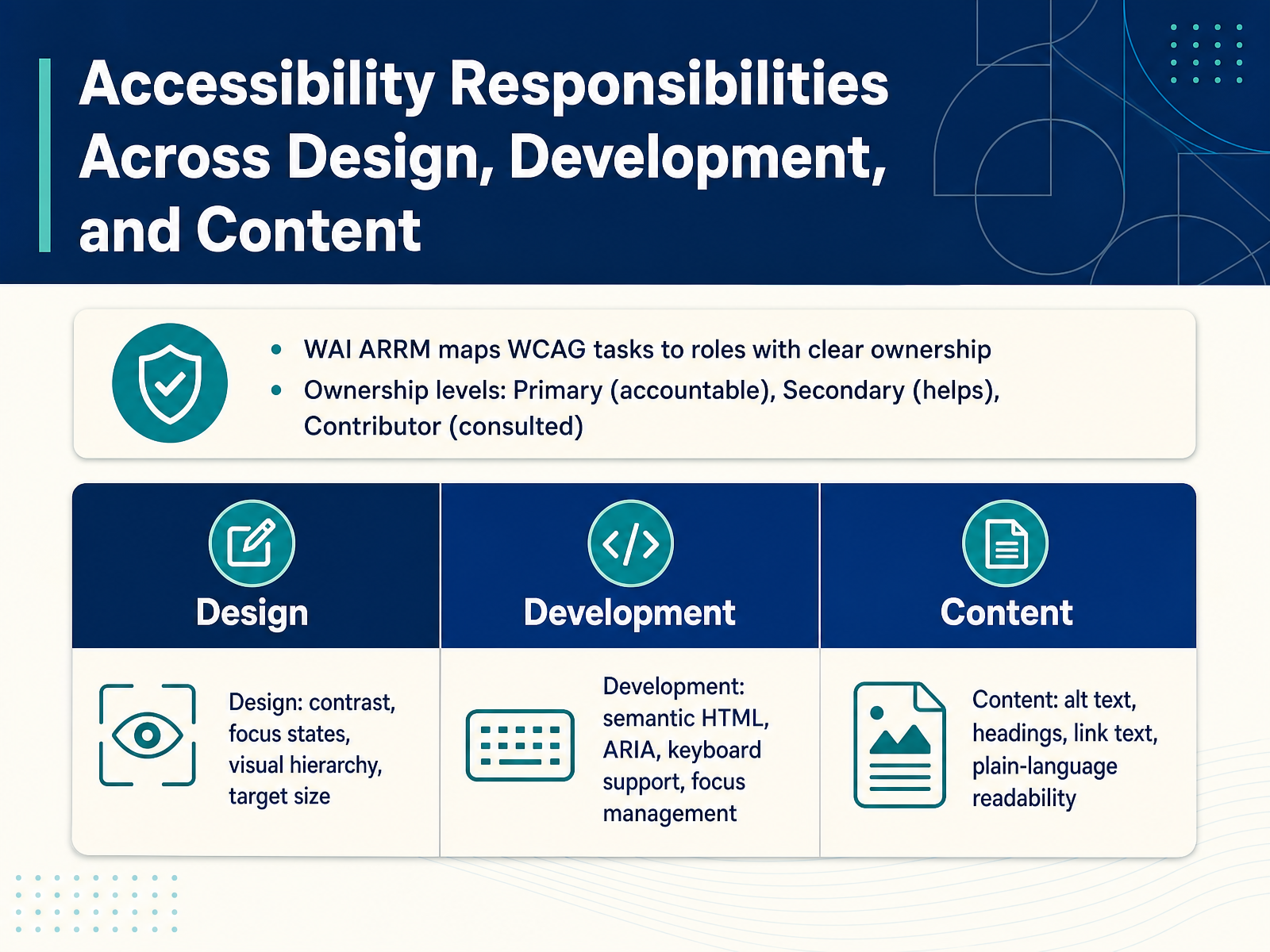
 - 04Accessibility Responsibilities Across Design, Development, and ContentNow let's look at who owns what. Accessibility is a shared responsibility, but shared does not mean vague. The WAI ARRM gives you a practical way to map WCAG tasks to specific roles. It uses three ownership levels. Primary means accountable for the task. Secondary means you help complete it. Contributor means you are consulted for input. There should be only one primary owner per task. For design, the focus is contrast, focus states, visual hierarchy, and target size. For development, it is semantic HTML, ARIA, keyboard support, and focus management. For content, it is alt text, headings, link text, and plain-language readability. Here is a simple example. For a heading, a writer owns the text and heading levels. A designer owns how it looks. A developer owns the markup. When ownership is unclear, work stalls or falls on developers by default. So pick a task, name one primary owner, and list who helps or gets consulted. That tiny step removes a lot of friction. Next, we get into the tools and methods that help you test these responsibilities in practice.
 w3.orgw3.orgw3.org+21 min
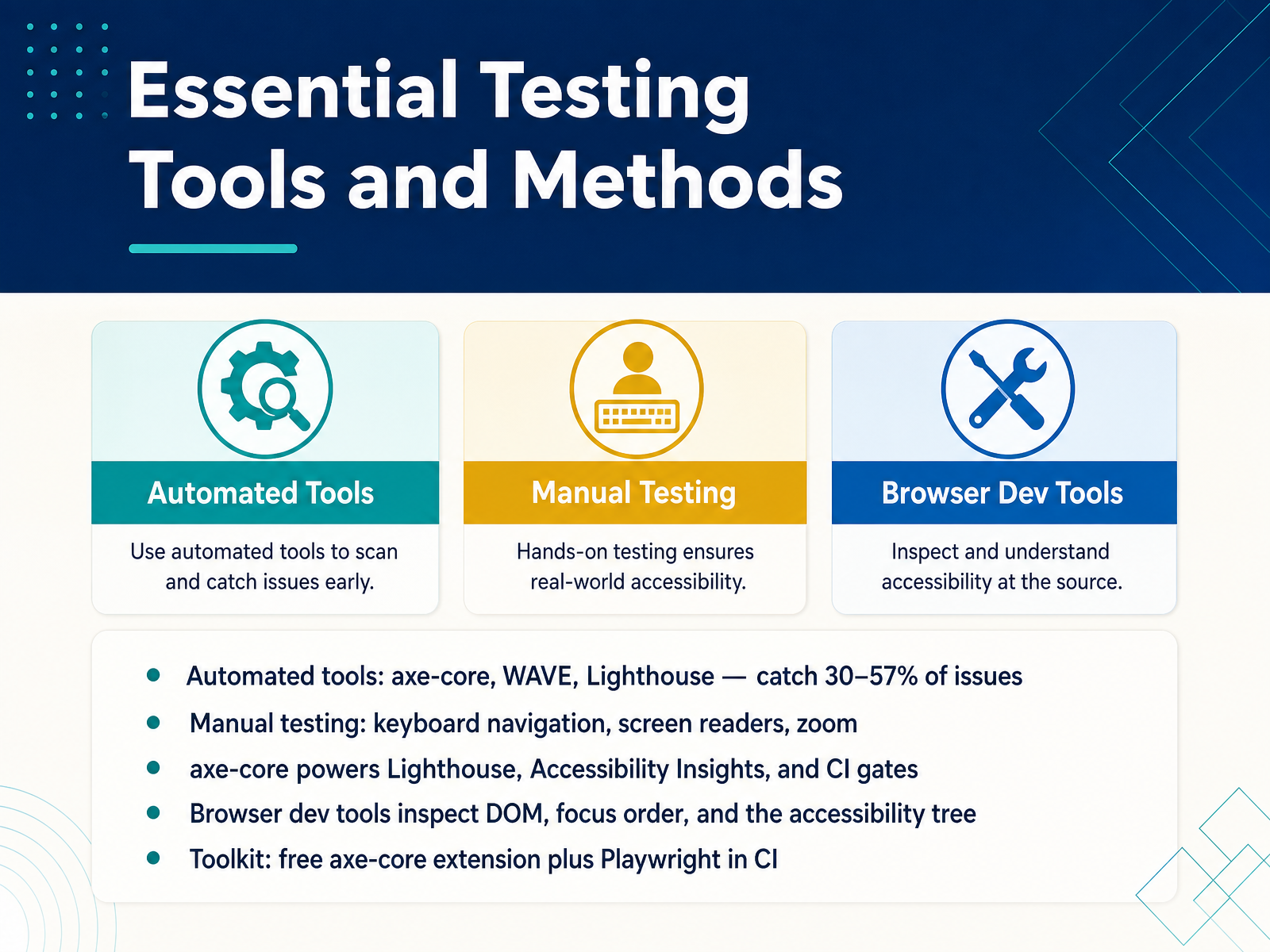
 - 05Essential Testing Tools and MethodsNow let's look at the tools and methods you'll actually use in testing. Automated tools like axe-core, WAVE, and Lighthouse catch somewhere between thirty and fifty-seven percent of issues. That's a useful start, but it's not the whole job. Manual testing covers the rest. That means keyboard navigation, screen readers, and zoom. Try tabbing through your own interface today, and watch where focus goes. Here's a key detail. Axe-core powers Lighthouse, Accessibility Insights, and your CI gates. So when you learn axe-core, you learn the engine behind most of your tooling. Browser dev tools let you inspect the DOM, focus order, and the accessibility tree. That is where you confirm what automation flagged. For a practical toolkit, grab the free axe-core extension. Then wire Playwright into your CI so checks run on every build. You don't need budget to start. You need one tool and ten minutes. Next, let's walk through a practical accessibility workflow, from discovery to launch.
 deque.comqaskills.shaccessibilitychecker.org+22 min
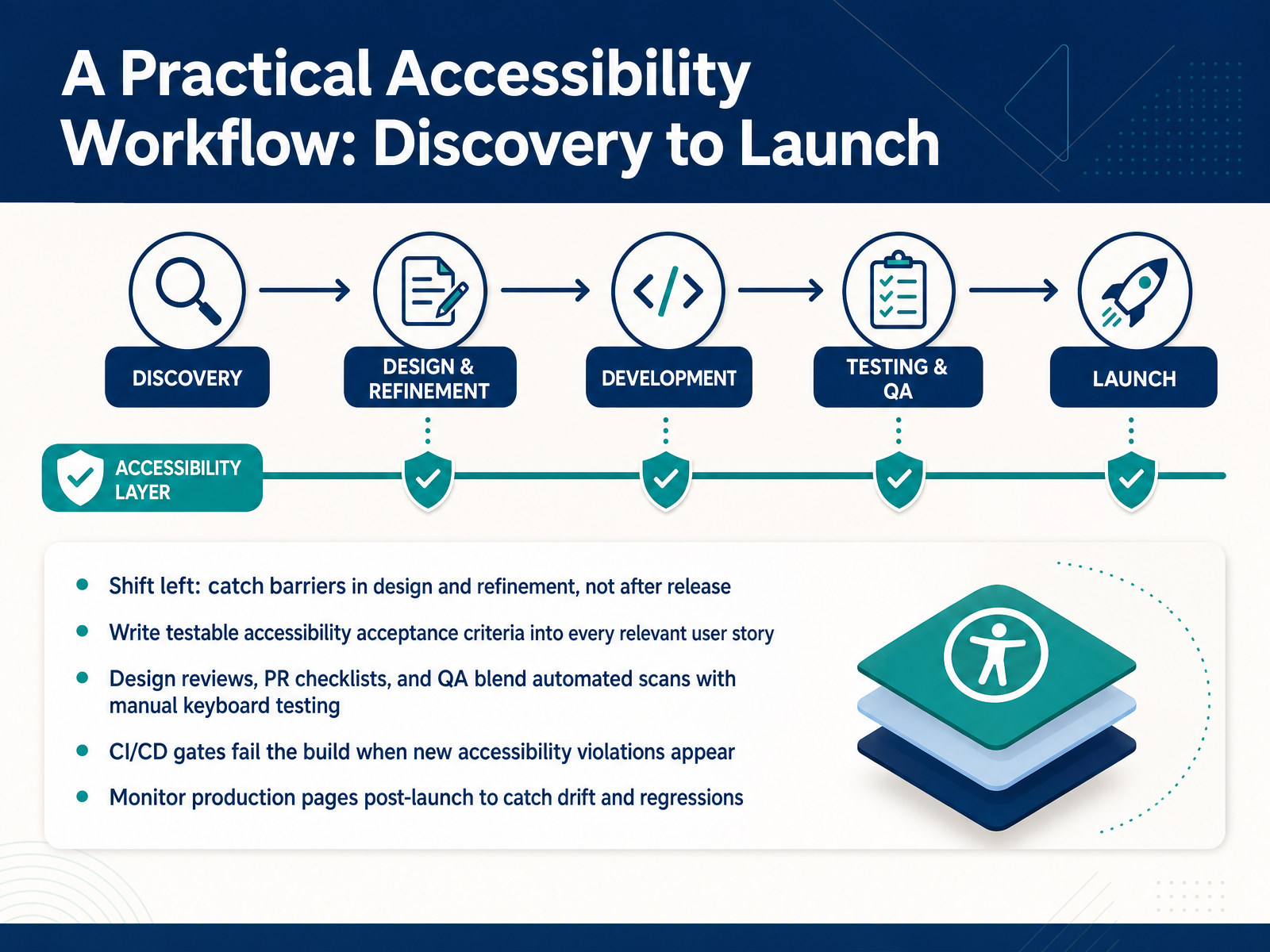
 - 06A Practical Accessibility Workflow: Discovery to LaunchNow let's walk through the workflow itself, from discovery to launch. The core idea is shift left. Catch barriers during design and refinement, not after release. Fixing an issue in a design review takes minutes. Fixing it in production takes far longer. Next, make accessibility testable. Write clear acceptance criteria into every relevant user story, so the team knows what done looks like. Then blend your checks. Design reviews, pull request checklists, and QA should combine automated scans with manual keyboard testing. Automation alone won't catch everything. Next, add a gate in your CI/CD pipeline. When new accessibility violations appear, the build fails. That stops regressions early. Finally, monitor production pages after launch. Content changes and third-party widgets cause drift, so keep watching. Pick one step and try it this sprint.
 qualibooth.comlevelaccess.cominfosys.com+21 min
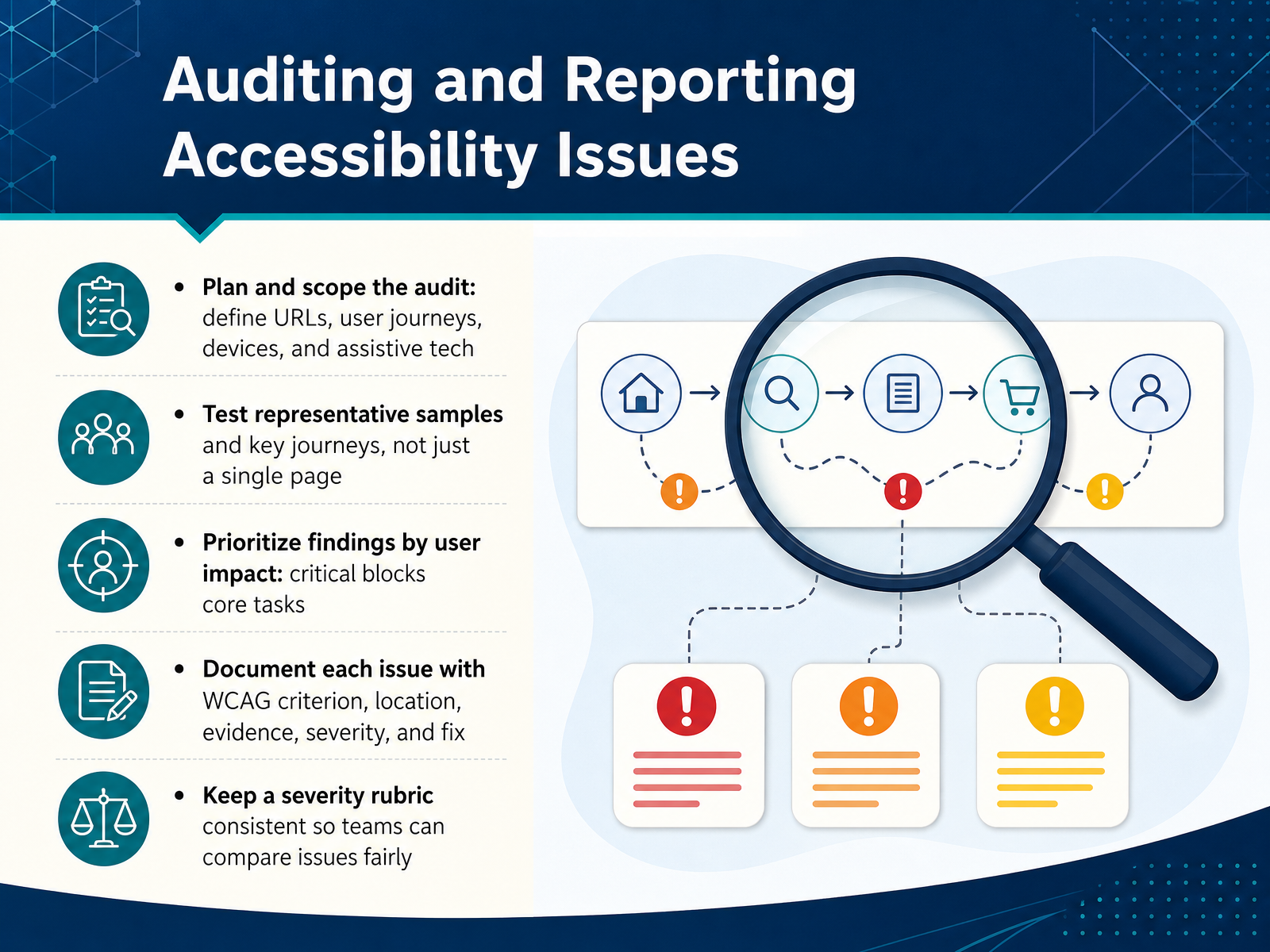
 - 07Auditing and Reporting Accessibility IssuesNow let's talk about auditing and reporting accessibility issues. An audit without scope becomes guesswork, so start by deciding what you'll cover. Define the URLs, the key user journeys, the devices, and the assistive technology you'll use. Then test representative samples and those key journeys, not just the home page.
When you write up findings, prioritize by user impact. A critical issue blocks a core task, like finishing checkout or submitting a form. Document each issue with the WCAG criterion, its location, evidence such as a screenshot or code snippet, a severity rating, and a concrete fix. Keep one severity rubric consistent across the whole report. That way, teams can compare issues fairly and decide what to fix first. A good report reads like a to-do list a developer can act on, not a stack of notes.
Next, we'll look at communicating findings to stakeholders.
 deque.comqaskills.shaccessibilitychecker.org+21 min
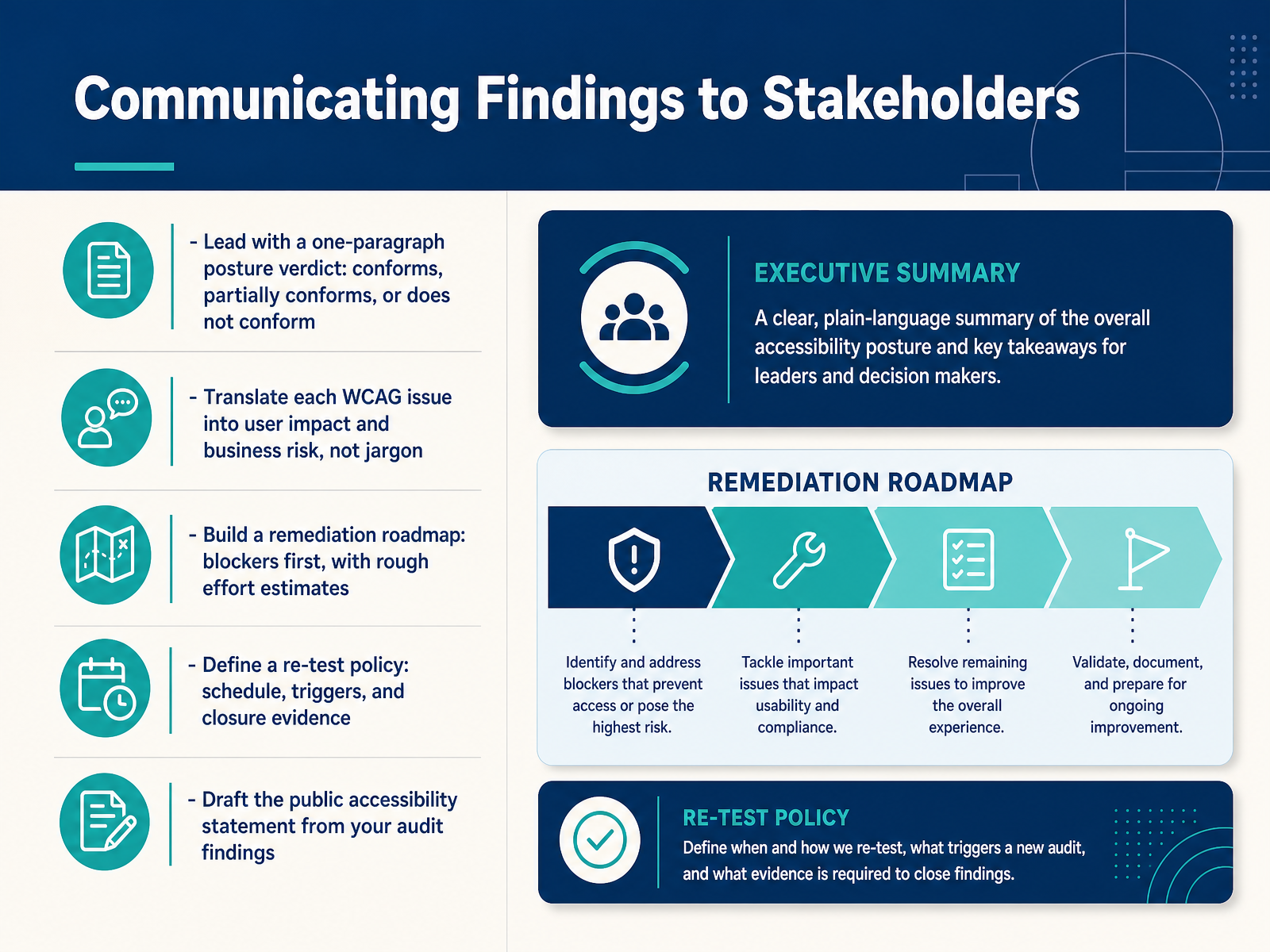
 - 08Communicating Findings to StakeholdersNow let's talk about how you communicate your findings to stakeholders. Start your report with a one-paragraph posture verdict. Say plainly whether the product conforms, partially conforms, or does not conform to the standard you tested against. Executives read that paragraph first, so make it clear.
Next, translate each WCAG issue into user impact and business risk. Instead of listing a success criterion and stopping there, explain who is blocked and what it costs. For example, a missing form label means screen reader users hear "edit text" with no context, so they may abandon checkout.
Then build a remediation roadmap. Put blockers first, and add rough effort estimates, like small, medium, or large in engineer days. The roadmap is what turns a report into a program of work.
Define a re-test policy too. State the schedule, the triggers for an out-of-schedule re-test, and what closure evidence you will accept.
Finally, draft the public accessibility statement from your audit findings. You already have the facts, so write the first version. That leads us into our next section, Deep Dive: Design Accessibility in Practice.
 qualibooth.comlevelaccess.cominfosys.com+22 min
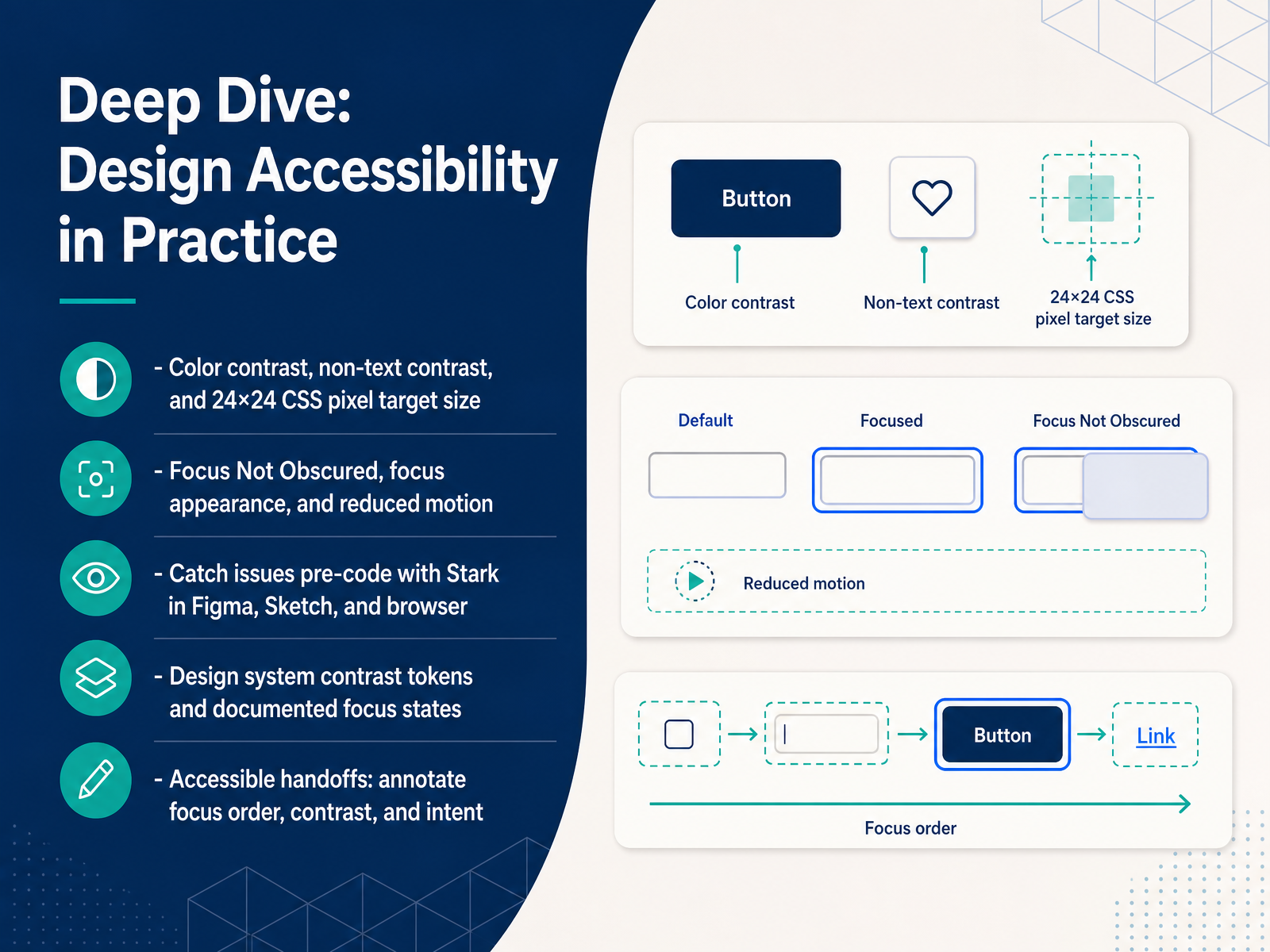
 - 09Deep Dive: Design Accessibility in PracticeLet's walk through accessibility at the design stage, where fixes are cheapest. First, check color contrast and non-text contrast, and make sure pointer targets are at least twenty-four by twenty-four CSS pixels. Then review the newer WCAG 2.2 items: Focus Not Obscured, focus appearance, and respect for reduced motion preferences. You can catch most of this before any code exists. Stark plugs into Figma, Sketch, and the browser, so designers can test contrast and focus order on the spot. In your design system, define contrast tokens and documented focus states, so teams reuse approved values instead of guessing. Then make the handoff explicit. Annotate focus order, contrast ratios, and the intent behind each component. These notes save developers hours and stop rework. That is the practical design workflow. Next, we move into development and ARIA patterns.
 deque.comqaskills.shaccessibilitychecker.org+21 min
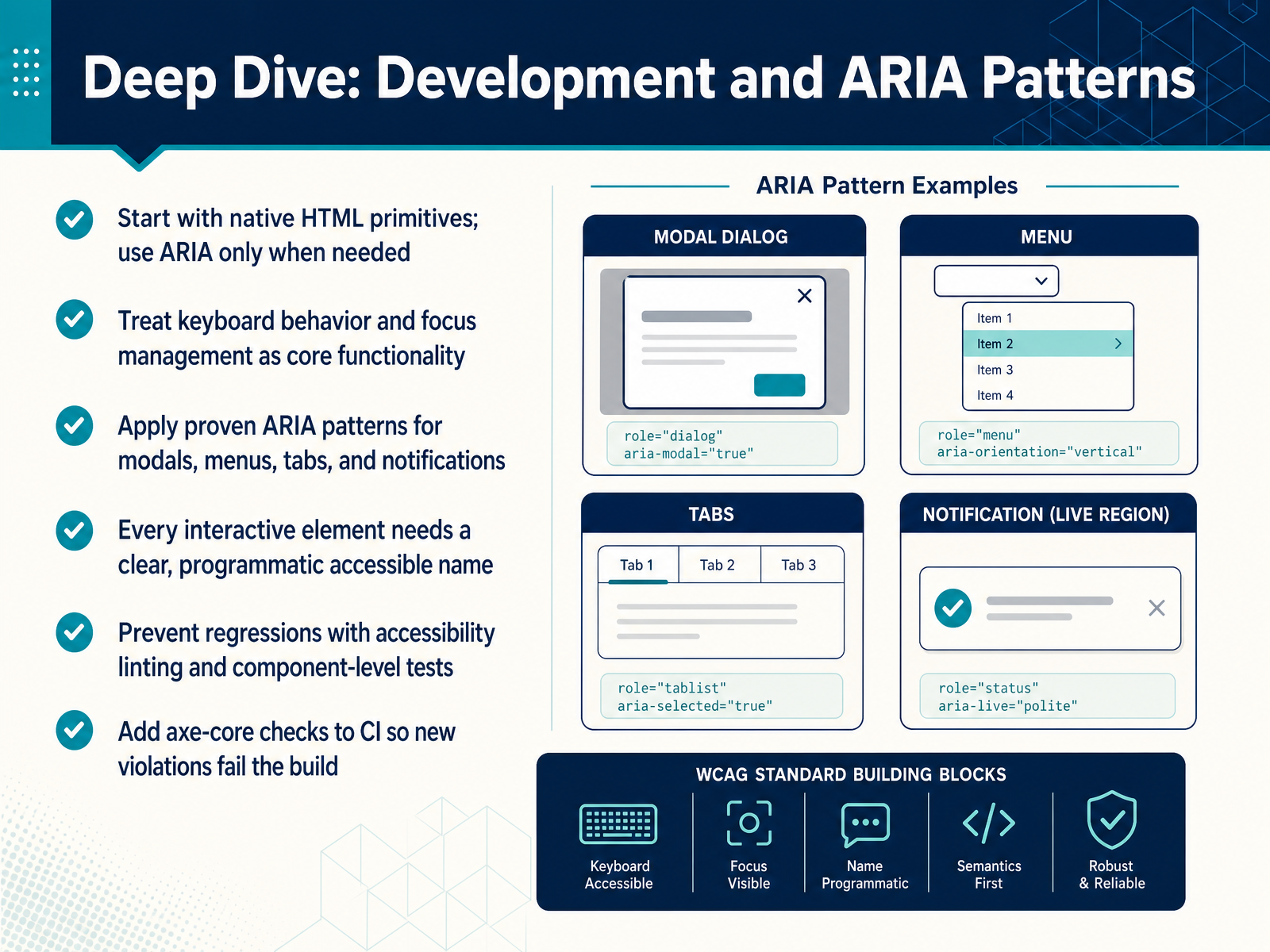
 - 10Deep Dive: Development and ARIA PatternsNow let's get into the code. Start with native HTML primitives, and reach for ARIA only when the platform falls short. A real button beats a clickable div almost every time. Treat keyboard behavior and focus management as core functionality, not polish. Users must be able to open, operate, and close every control without a mouse. When you do need ARIA, apply proven patterns for modals, menus, tabs, and notifications instead of inventing your own. Every interactive element needs a clear, programmatic accessible name, so a screen reader announces what it actually does. And prevent regressions with accessibility linting and component level tests. Add axe-core checks to your continuous integration pipeline, so new violations fail the build. Start small. Add one lint rule and one test to a component you already own, then let the pipeline carry the rest. Next, we will look at career pathways and certifications for accessibility specialists.
 w3.orgw3.orgw3.org+22 min
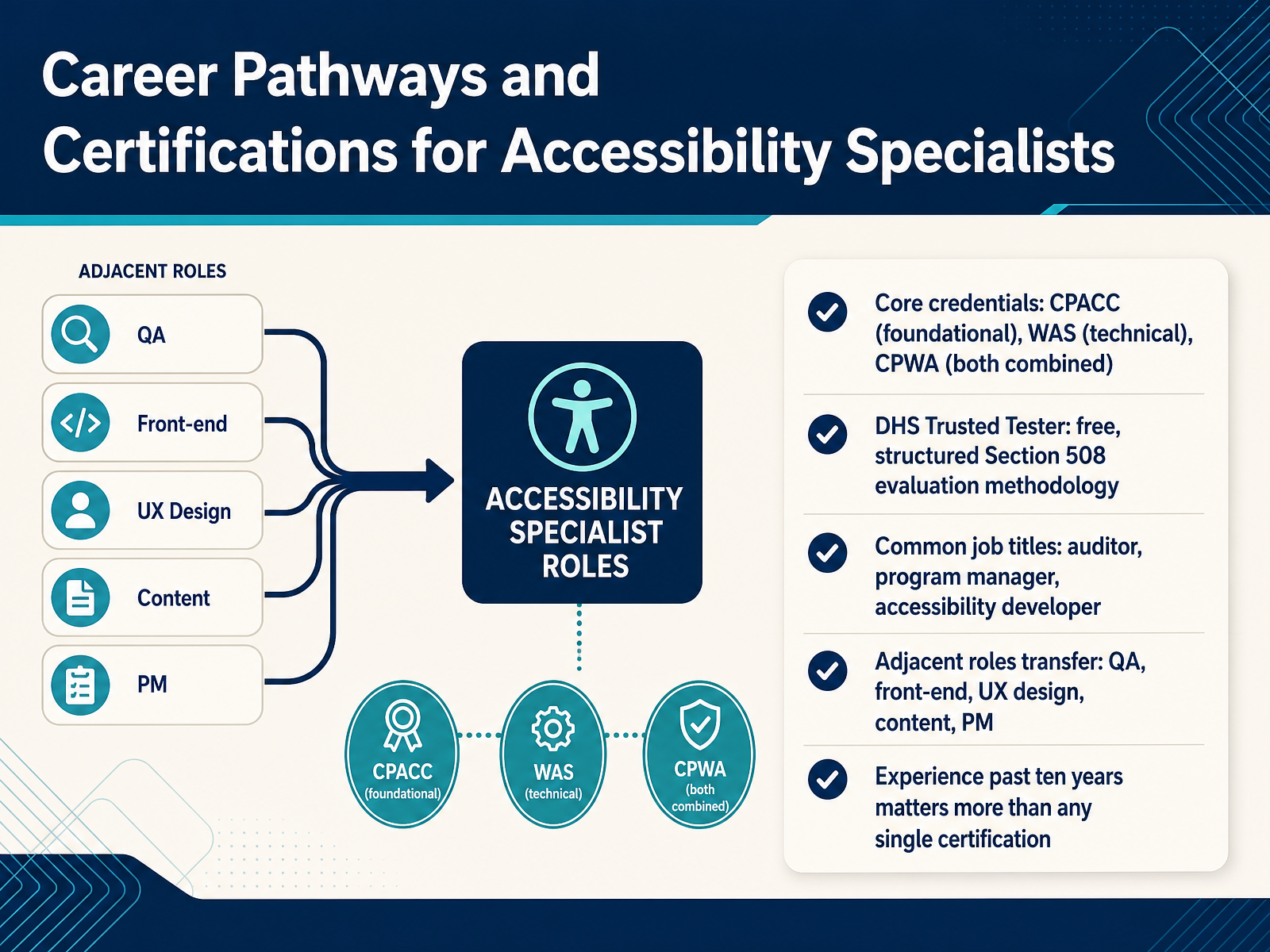
 - 11Career Pathways and Certifications for Accessibility SpecialistsLet's talk credentials and career paths. Start with three core certifications. C P A C C is the foundational one. It covers concepts, disability types, and the legal landscape. W A S is the technical one. It tests how you find and fix issues in code and assistive technology. Hold both, and you earn the C P W A, the highest credential in the stack. The D H S Trusted Tester is different. It's free, and it teaches a structured Section 508 evaluation methodology. That carries real weight in government and procurement work. On job titles, search broadly. You'll see auditor, program manager, and accessibility developer. Your adjacent experience transfers well. Q A, front-end, U X design, content, and project management all map onto accessibility roles. One honest takeaway. In the salary data, experience past ten years matters more than any single certification. Certification shortens the trust gap early on. Depth of real project work is what pays off. Next, we'll look at common challenges and practical workarounds.
 2 min
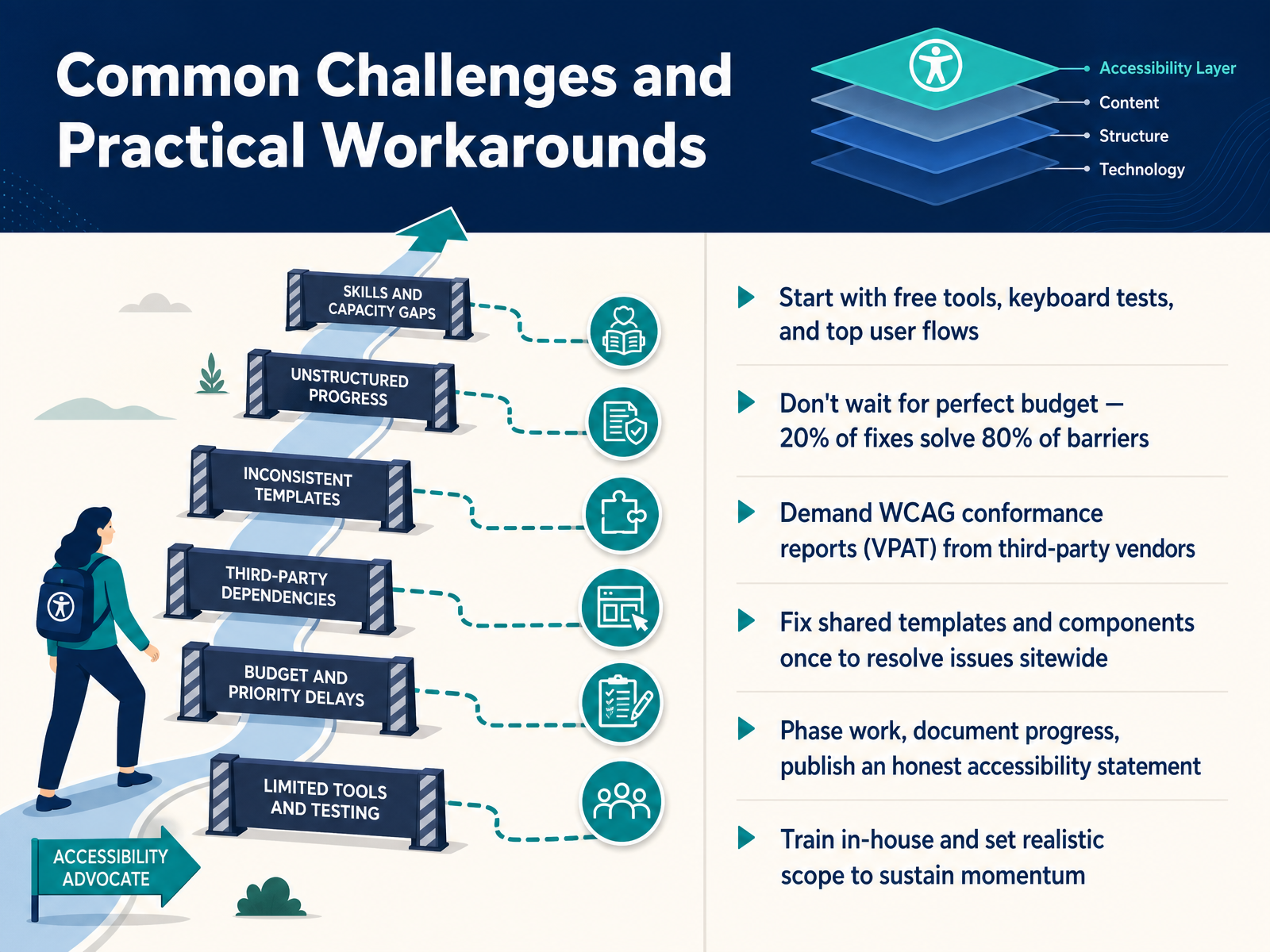
2 min - 12Common Challenges and Practical WorkaroundsLet's talk about the challenges you'll actually run into, and practical ways around them. First, you don't need money to start. Free tools like axe DevTools and WAVE, plus a keyboard test, catch the biggest blockers fast. Test your top user flows first. Second, don't wait for a perfect budget. Roughly twenty percent of fixes solve eighty percent of barriers. Third, when you buy third-party software, ask vendors for their WCAG conformance report, called a VPAT. If they don't have one, ask why. Next, fix shared templates and components once. That resolves the same issue sitewide. Phase your work, document your progress, and publish an honest accessibility statement. Finally, train in-house and set realistic scope. That is what sustains momentum. Next, let's walk through what this looks like in a realistic scenario.
 qualibooth.comlevelaccess.cominfosys.com+21 min
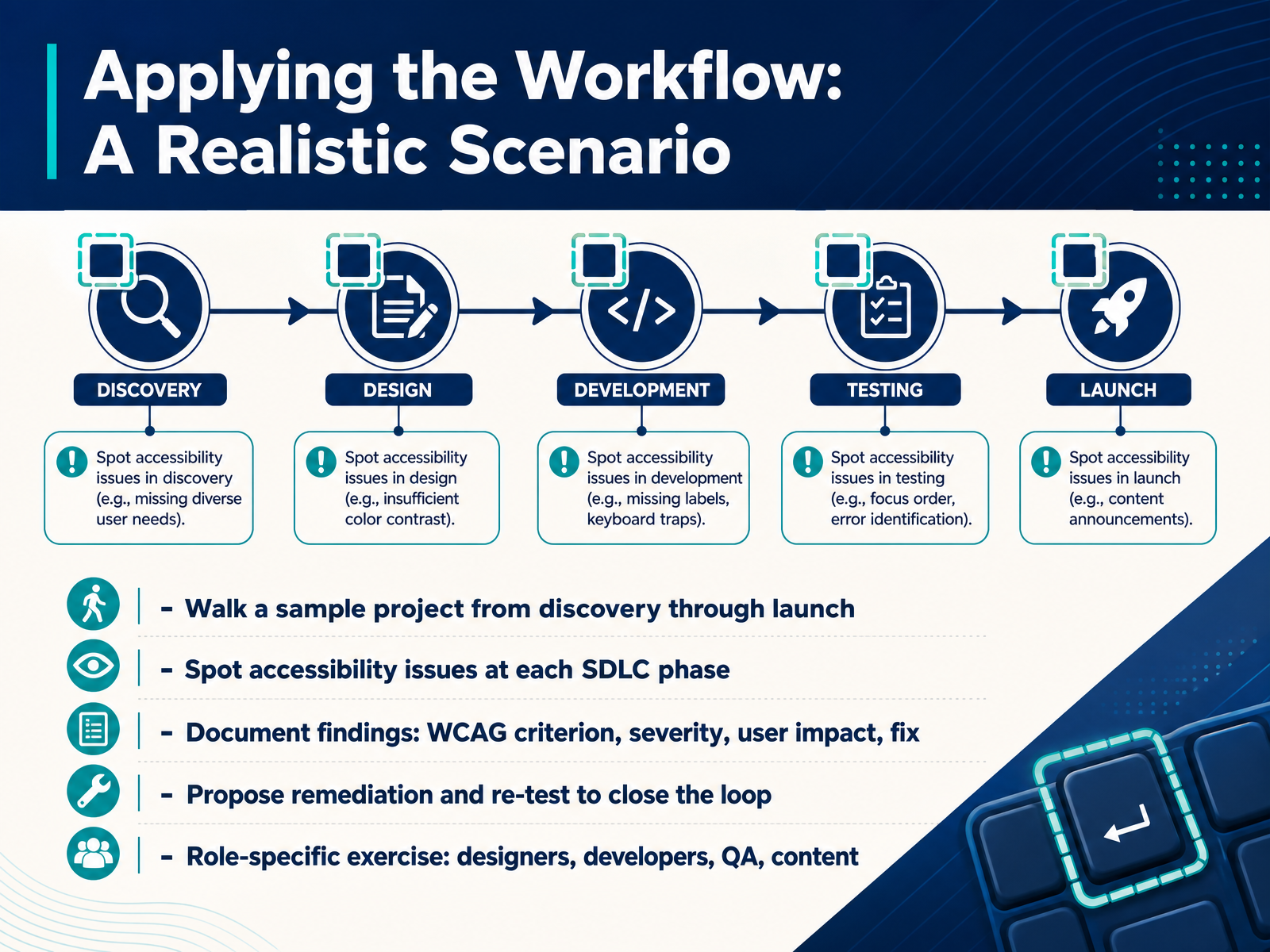
 - 13Applying the Workflow: A Realistic ScenarioNow let's put the workflow into practice with a realistic scenario. Imagine a sample project moving from discovery through launch. At each stage, your job is to spot accessibility issues early, when they are cheap to fix. So in discovery, you flag risks in the requirements. In design, you check contrast and focus order. In development, you look at semantics and keyboard support. In QA, you run automated checks and then do manual keyboard and screen reader testing. When you find an issue, document it clearly. Capture the WCAG criterion, the severity, who it affects, and the fix. For example, a missing form label maps to success criterion 3.3.2, and it blocks screen reader users. Then propose a remediation and re-test to close the loop. Finally, here is your role-specific exercise. Designers, review a component for keyboard and focus behavior. Developers, add an accessibility gate to your pipeline. QA, run a manual pass on a critical flow. Content professionals, check your headings and alt text. Pick one action you can try in your current role this week. Next, we will look at next steps and continued learning resources.
 qualibooth.comlevelaccess.cominfosys.com+22 min
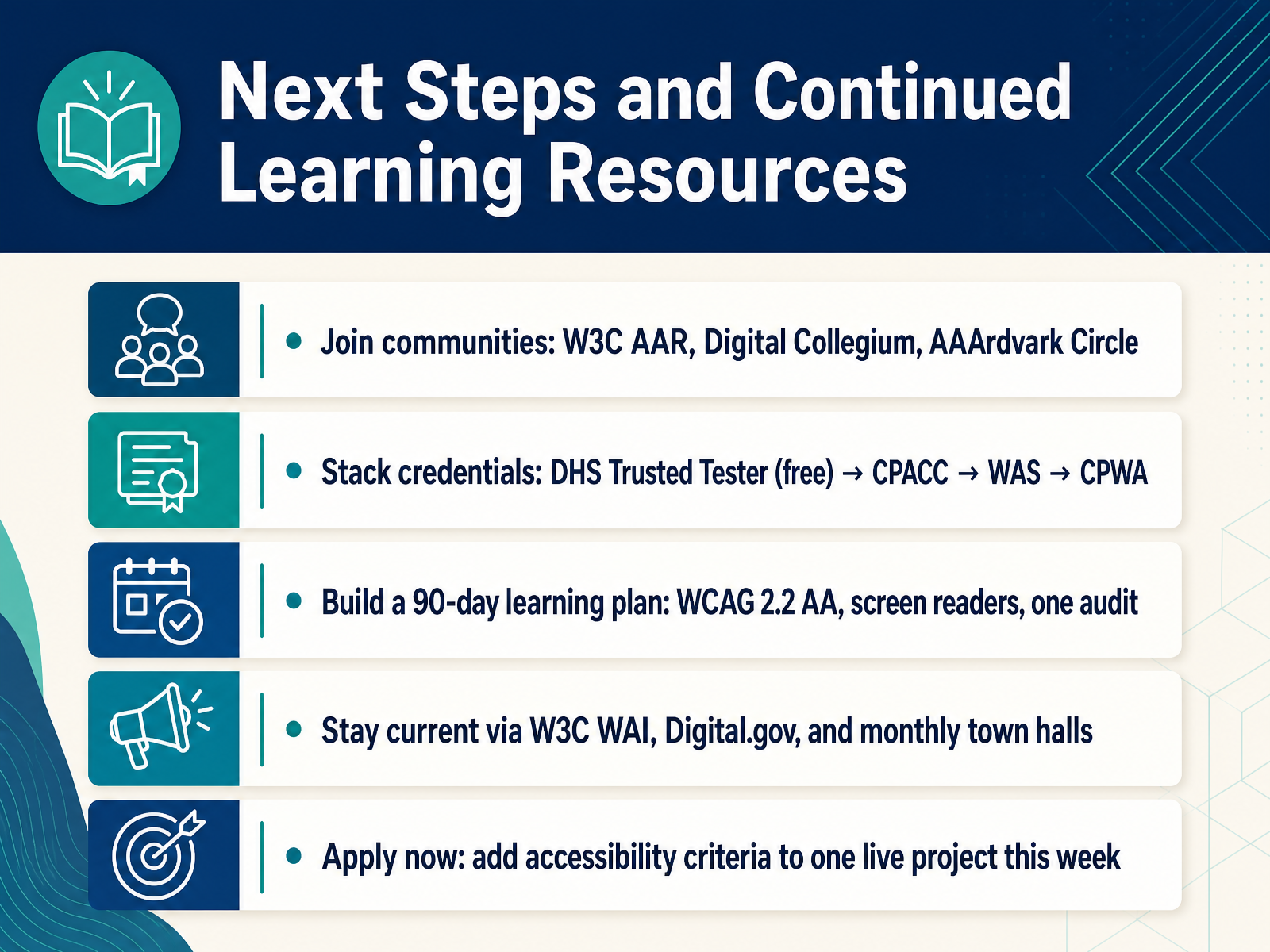
 - 14Next Steps and Continued Learning ResourcesLet's close with what to do next. Join a community. The W3C A A R group, Digital Collegium, and the AAArdvark Circle all give you peers to ask questions and share work. Next, stack credentials over time. Start with the D H S Trusted Tester, which is free, then CPACC, then WAS, then CPWA. Build a ninety day plan around WCAG two point two double A, screen reader practice, and one real audit. Stay current through W3C WAI, Digital dot gov, and monthly town halls. And here's the most important step. This week, add accessibility criteria to one live project. That single action turns everything you learned into practice. You have the workflow. Start small, stay connected, and keep going. Thank you for learning with me.
 2 min
2 min
Take the deck with you
Download this course as a file — free, no sign-up needed.
- PDF handoutEvery slide page, ready to print or share.15 pages · 3.8 MBDownload
- Narrated PowerPointThe deck that presents itself — every slide carries the digital human's narration video.15 pages · 15.7 MBDownload
- PowerPoint slidesThe full deck as a .pptx — open it in PowerPoint, Keynote, or Google Slides.15 pages · 3.6 MBDownload
Free to use in your own training — please keep the PersonWise credit page at the end.
Have your own deck? Turn it into a course
Sources consulted
Web sources consulted while building this course.
- What's New in WCAG 2.2 | Web Accessibility Initiative (WAI) | W3C — w3.org
- WCAG 2 Overview | Web Accessibility Initiative (WAI) — w3.org
- How to Meet WCAG (Quickref Reference) — w3.org
- Understanding WCAG 2.2 | WAI — w3.org
- Web Content Accessibility Guidelines (WCAG) 2.2 — w3c.github.io
- [Draft] Accessibility Roles and Responsibilities Mapping (ARRM) | Web Accessibility Initiative (WAI) | W3C — w3.org
- [Draft] WCAG Success Criteria | Web Accessibility Initiative (WAI) | W3C — w3.org
- Roles Involved in Accessibility — w3.org
- [Draft] Decision Tree | Web Accessibility Initiative (WAI) | W3C — w3.org
- Roles and responsibilities in delivering an accessible product - Service Manual — servicemanual.gov.scot
- Axe Platform | Full suite of accessibility testing tools — deque.com
- AI Accessibility Testing Tools 2026: Complete Guide | QASkills.sh — qaskills.sh
- The 12 Best Accessibility Testing Tools in 2026 — accessibilitychecker.org
- 12 Best Web Accessibility Testing Tools (2026 Reviewed) — webability.io
- Best Digital Accessibility Software | Top Picks 2026 — gitnux.org
- How to Build Accessibility into Your SDLC: A Practical Guide | QualiBooth — qualibooth.com
- Sample Playbook for an Accessible SDLC — levelaccess.com
- Accessibility-First: Embedding accessibility with Software Development Lifecycle — infosys.com
- Dev-First Accessibility: Fix Issues In-Flow — levelaccess.com
- Effective Methods and Tools for Incorporating Accessibility Conformance Validation within Development Processes | Section508.gov — section508.gov