Begin
14 pages · ~28 min
Technical Writing: Avoiding Common Mistakes
This training helps technical writers identify common writing pitfalls and apply practical techniques to avoid them, improving clarity and accuracy in professional documentation.
A digital instructor presents all 14 pages. Hold “Ask” at any point and ask out loud — the answer comes from this course. No sign-up needed.
What you’ll learn
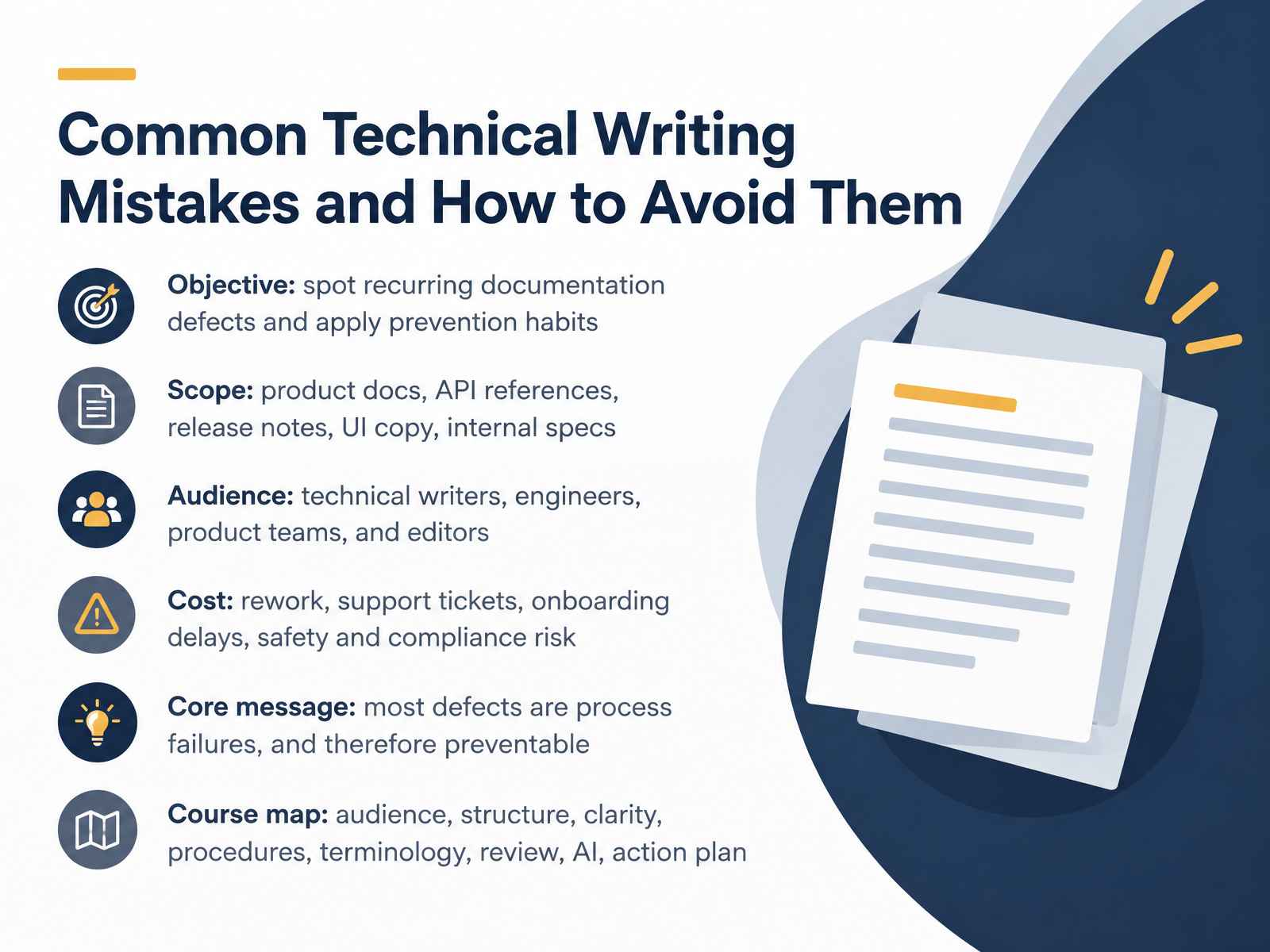
- 01Common Technical Writing Mistakes and How to Avoid ThemWelcome. This course is about common technical writing mistakes, and how to avoid them. Our goal is practical. By the end, you will be able to spot recurring documentation defects and apply habits that prevent them in your next draft. We will look at product documentation, API references, release notes, interface copy, and internal specifications. The audience is technical writers, engineers, product teams, and editors, so the examples stay close to the work you already do. These defects carry real costs, including rework, support tickets, onboarding delays, and safety or compliance risk. Here is the core message. Most defects are process failures, not personal failings, and that means they are preventable. We will move through audience, structure, clarity, procedures, terminology, review, artificial intelligence, and an action plan. To start, we will look at why documentation quality breaks down in the first place.mintlify.comblog.logrocket.comrandyabrown.com+21 min
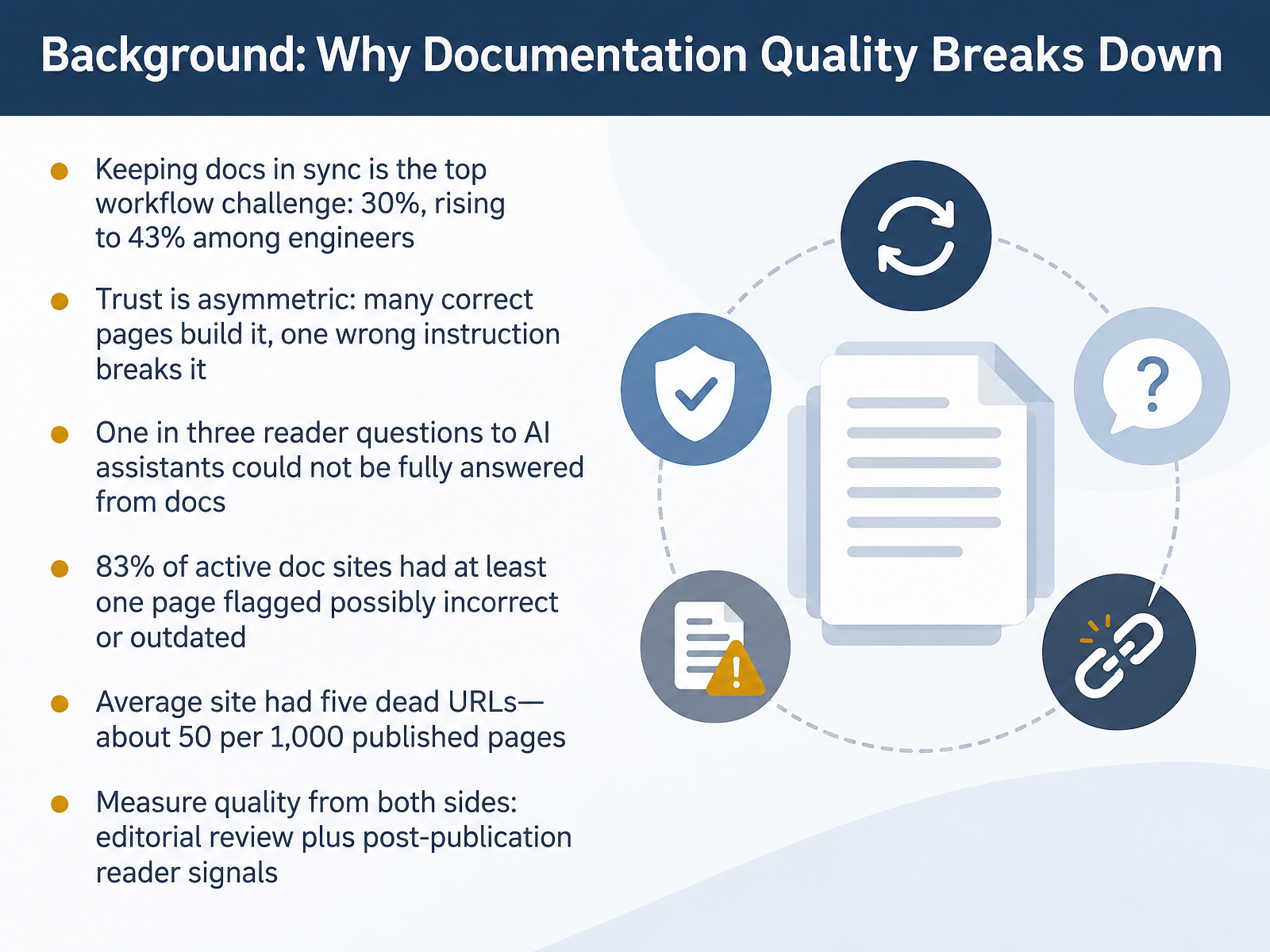
- 02Background: Why Documentation Quality Breaks DownLet's look at why documentation quality breaks down, because the patterns are predictable. Keeping docs in sync with the product is the top workflow challenge. Thirty percent of respondents named it, rising to forty-three percent among engineers. Trust is asymmetric. Many correct pages build it, and one wrong instruction can break it. Reader behavior confirms the gaps. One in three questions to documentation AI assistants could not be fully answered from the docs. And among active documentation sites, eighty-three percent had at least one page flagged as possibly incorrect or outdated. Broken links are common too, averaging five dead URLs per site, roughly fifty per one thousand published pages. These findings carry a practical message. Measure quality from both sides, through editorial review at release time, and through post-publication reader signals like unanswered questions and flagged pages. Now let's examine the causes behind these numbers. Root Causes: Most Errors Are Process Failures.
 mintlify.comblog.logrocket.comrandyabrown.com+22 min
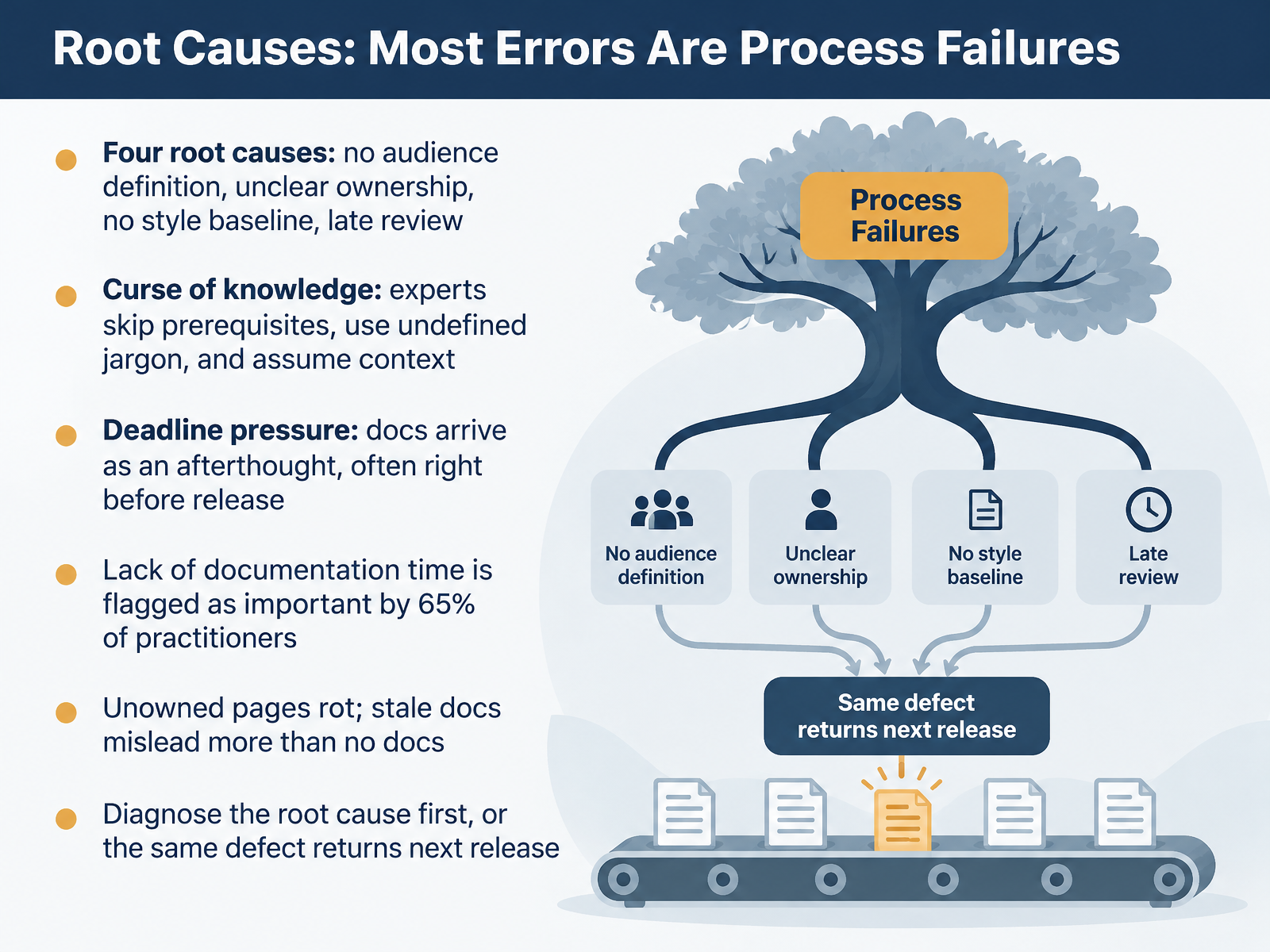
- 03Root Causes: Most Errors Are Process FailuresLet's step back and look at why these mistakes keep happening. Most errors are process failures, not personal ones. Four root causes show up again and again. No audience definition, unclear ownership, no style baseline, and review that happens too late.
There's also the curse of knowledge. Experts skip prerequisites, use undefined jargon, and assume context the reader does not have. Then there is deadline pressure, where docs arrive as an afterthought, often right before release. In fact, sixty-five percent of practitioners flag a lack of documentation time as important.
And unowned pages rot. Stale docs mislead more than no docs at all. So diagnose the root cause first. Otherwise, the same defect returns next release.
Next, we'll look at audience and purpose failures.
 inf.usi.chdoi.orginf.usi.ch+21 min
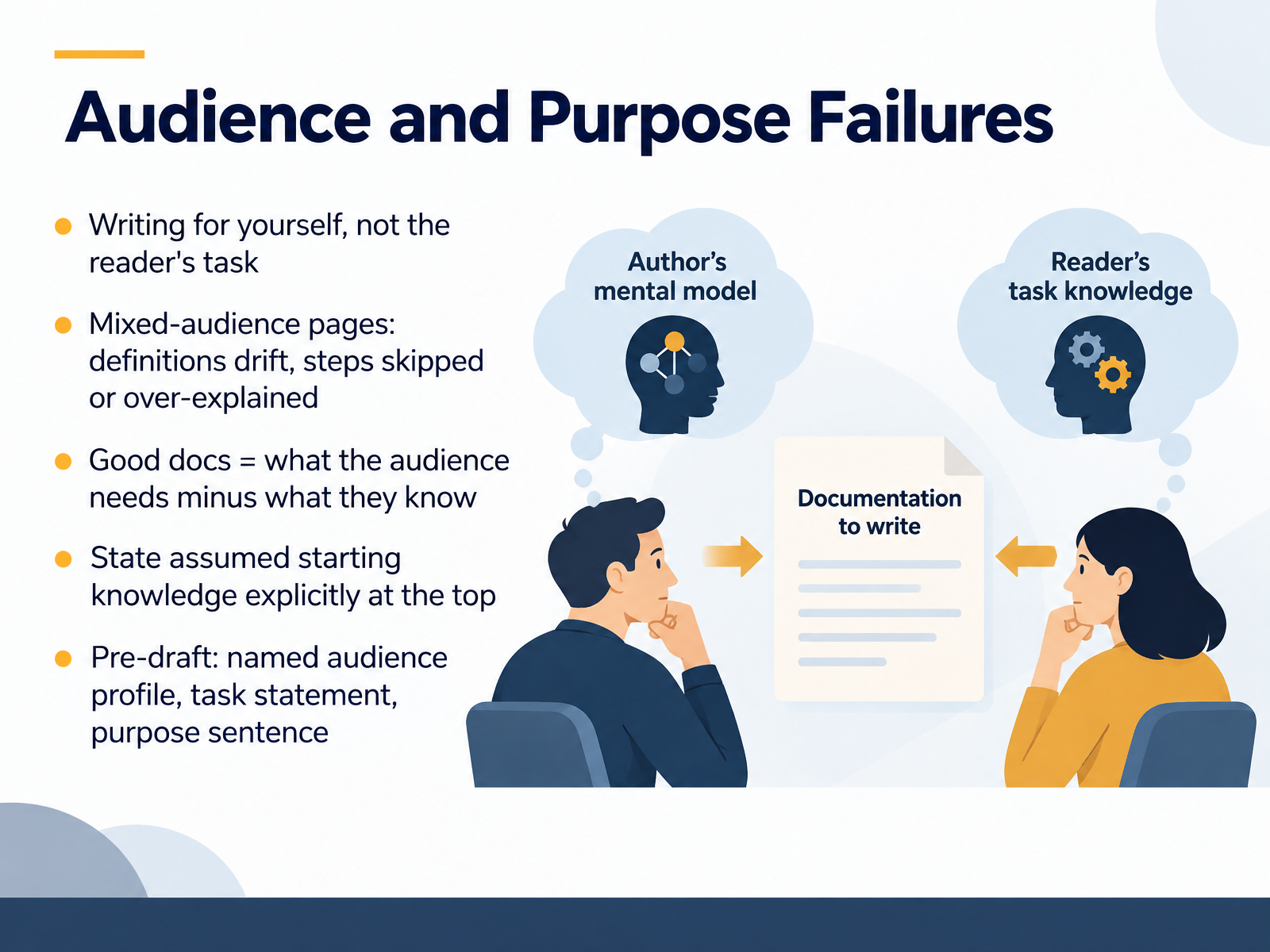
- 04Audience and Purpose FailuresNext, let's look at audience and purpose failures. This is the habit of writing for yourself, not for the reader's task. One quick test: good documentation equals what your audience needs, minus what they already know. When a page tries to serve a mixed audience, definitions drift, and steps get skipped or over-explained. The fix is simple to apply in your current draft. Before you write, name one primary audience and state their assumed starting knowledge at the top of the page. For example, a line like, this guide assumes you have a working API key and know how to send a request. Then add a task statement and a one-sentence purpose for the page. This takes about ten minutes before drafting, and it saves a full review cycle later. That pre-draft note of audience, starting knowledge, and purpose keeps the page honest. Picking the Right Content Type is where we go next.
 diataxis.frdevelopers.google.commintlify.com+22 min
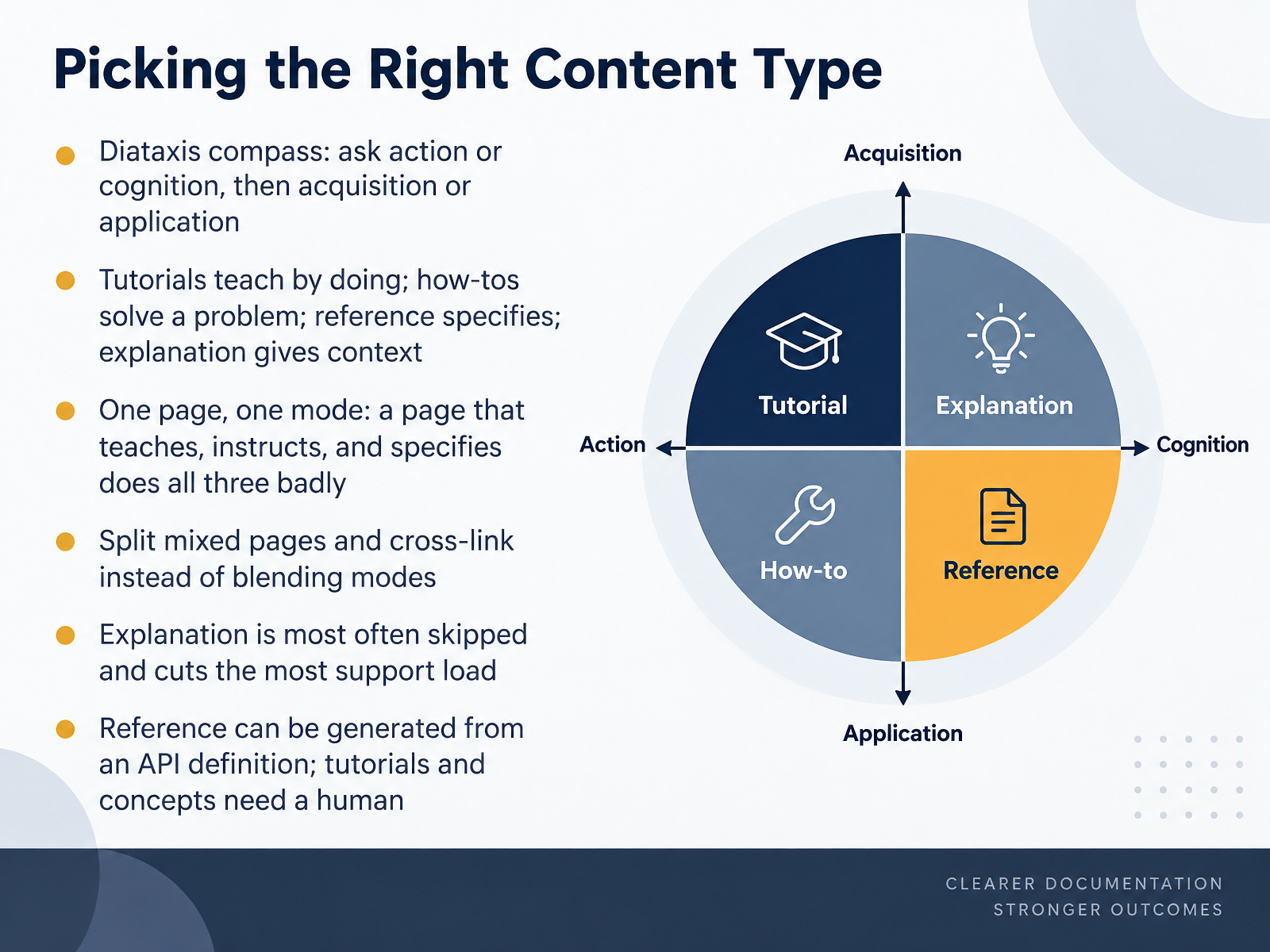
- 05Picking the Right Content TypeLet's look at how to pick the right content type before you start drafting. A practical tool here is the Diataxis compass. Ask two questions about the reader: is the need action or cognition, and is it acquisition or application of a skill? Tutorials teach by doing. How-to guides solve a specific problem. Reference specifies. Explanation gives context. Here is the habit to correct: one page, one mode. A page that tries to teach, instruct, and specify at the same time does all three badly. So split mixed pages and cross-link them instead of blending modes. Watch for explanation, which is the type most often skipped and the one that cuts the most support load. Finally, reference can be generated from an API definition, but tutorials and concepts need a human. Next, we turn to structure and information architecture mistakes.
 diataxis.frdevelopers.google.commintlify.com+22 min
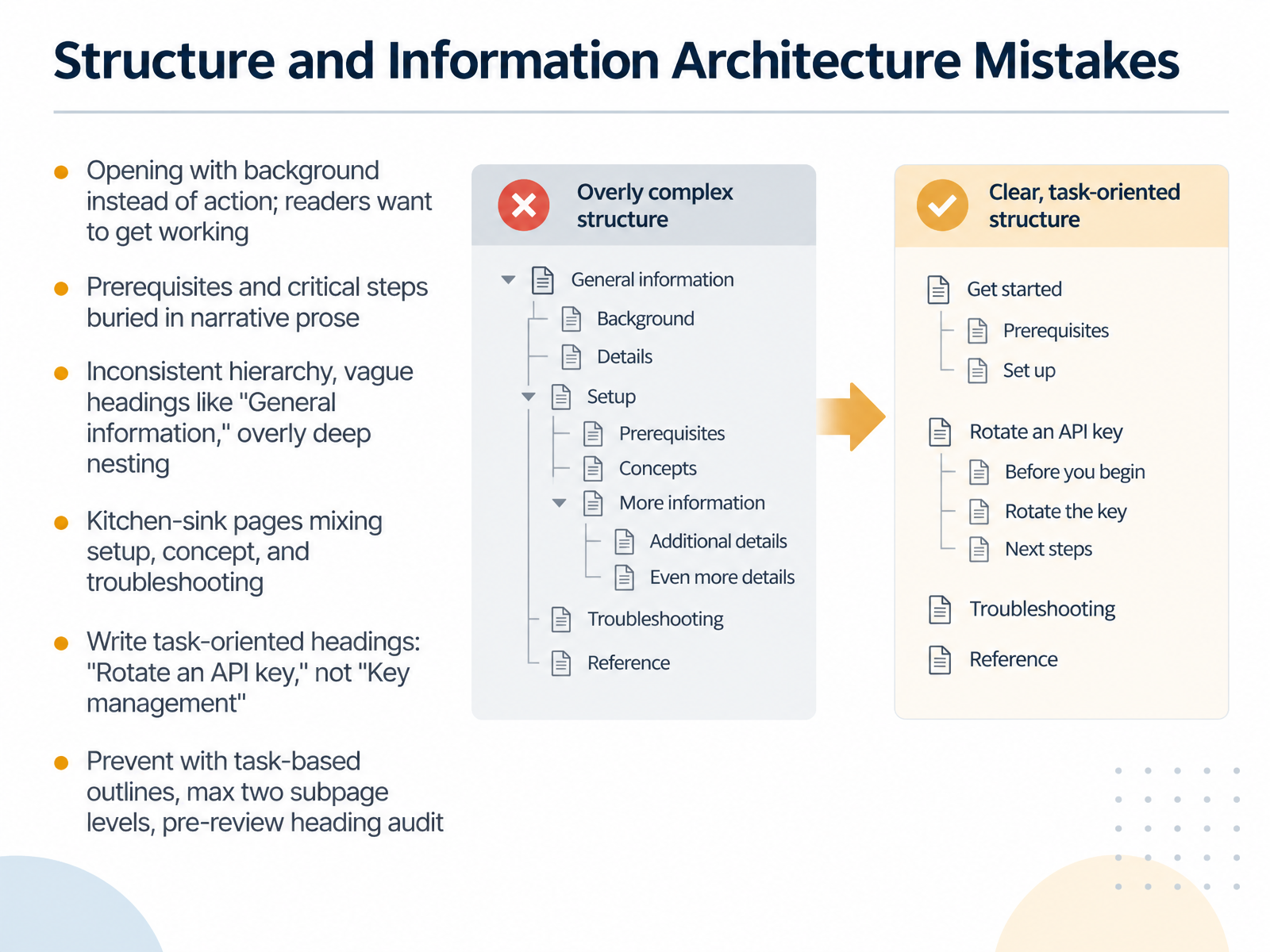
- 06Structure and Information Architecture MistakesLet's turn to structure and information architecture. These issues surface when a draft is reviewed for flow, often late in the cycle, and under deadline they're easy to miss. Start with the opening. Many pages begin with background when readers want to get working. Lead with the summary or quick start, and let background follow. Next, prerequisites and critical steps often get buried in narrative prose. Pull them out where readers can scan them. Watch for inconsistent hierarchy and vague headings like General information, and avoid nesting too deep. Then there is the kitchen-sink page that mixes setup, concept, and troubleshooting. Split it by purpose. The fix is task-oriented headings, like Rotate an API key, not Key management. Prevent these habits with task-based outlines, a maximum of two subpage levels, and a heading audit before review. Those three checks catch most structural problems early. Next, we'll look at sentence-level clarity, covering ambiguity, passive voice, and jargon.
 docs.oasis-open.orgsap.comwellshapedwords.com+21 min
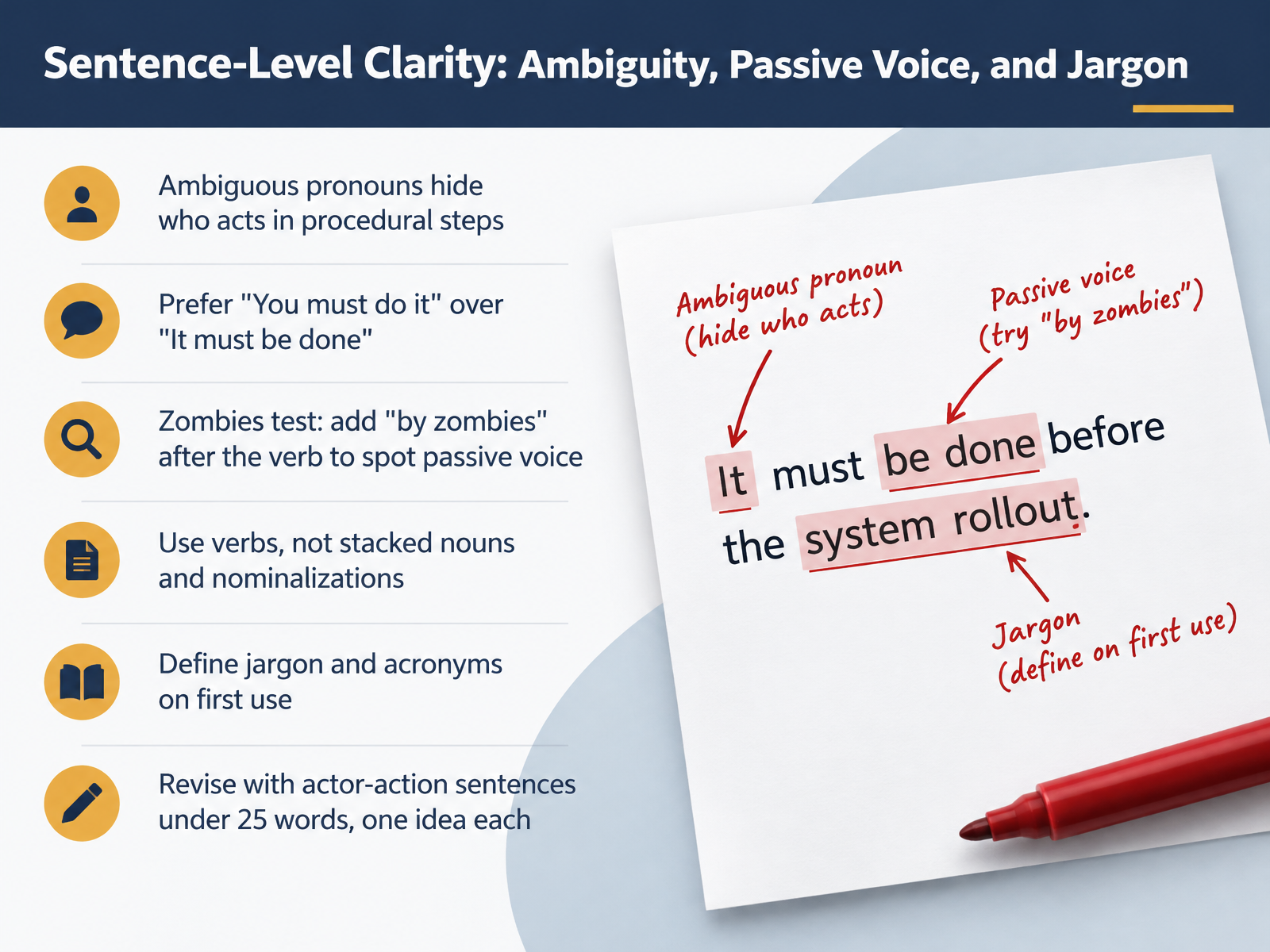
- 07Sentence-Level Clarity: Ambiguity, Passive Voice, and JargonNext, let's work at the sentence level. Ambiguous pronouns hide who acts in procedural steps, so replace a vague it or this with the actual actor. Prefer active voice: write you must do it rather than it must be done. To spot passive voice, add by zombies after the verb. If it reads naturally, the sentence is passive, so rewrite it. Use verbs instead of stacked nouns; for example, we will consider is stronger than we will take into consideration. Define jargon and acronyms on first use, in the same sentence if possible. Then revise for actor-action sentences under twenty-five words, one idea each. These are quick fixes you can apply during a self-review or a peer review, even on a tight deadline.
 1 min
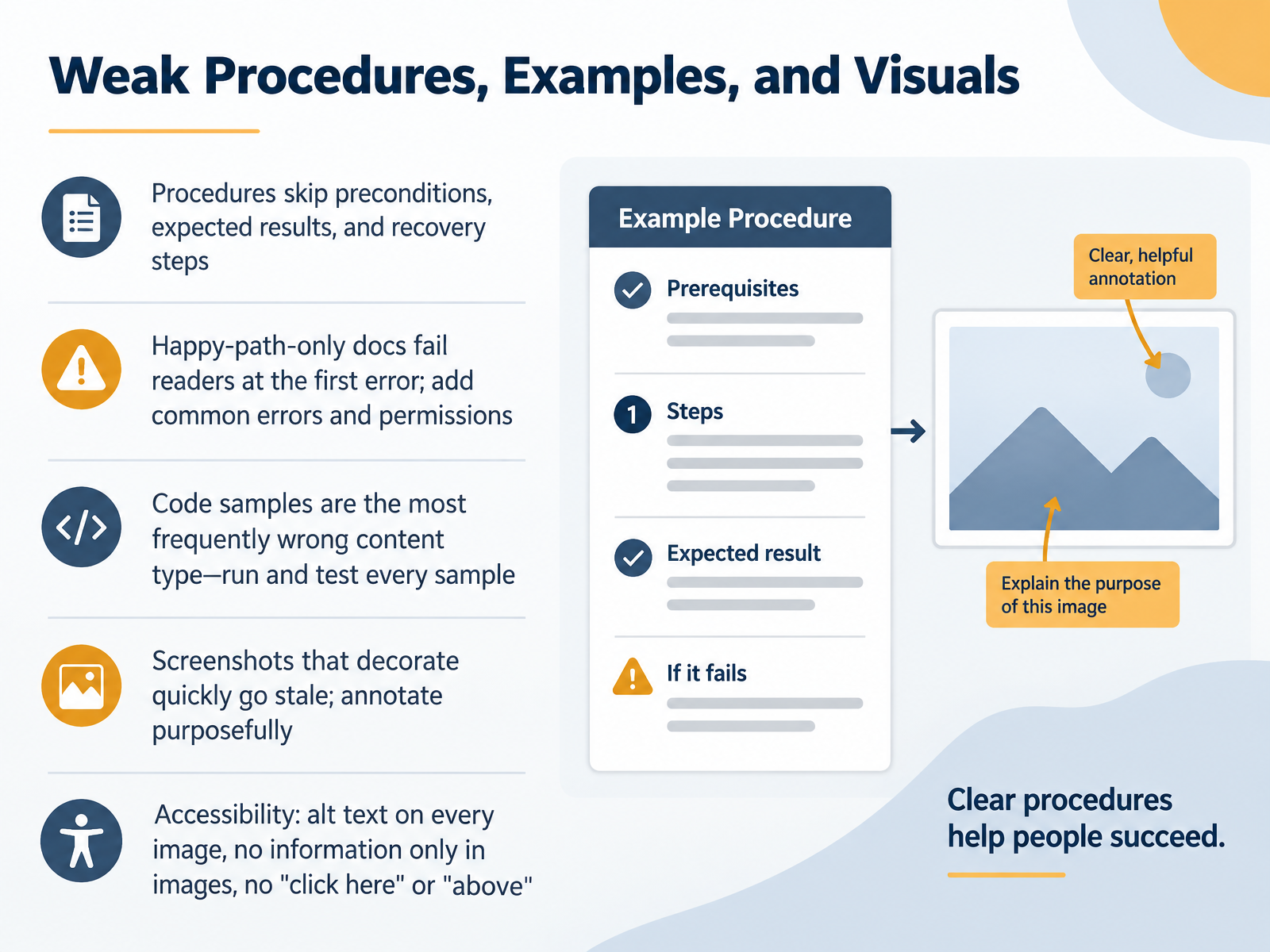
- 08Weak Procedures, Examples, and VisualsNext, let's look at procedures, examples, and visuals, because this is where readers get stuck. Strong procedures state the preconditions, the expected result, and what to do when a step fails. Documents that show only the happy path break at the first error, so add the common errors and permission problems readers will actually hit. Code samples are the most frequently wrong content type, so run and test every sample before publication. Screenshots that just decorate quickly go stale, so annotate them purposefully and crop to what matters. On accessibility, add alt text to every image, never put information only in an image, and avoid link text like click here or references like above. Now let's turn to terminology drift and style inconsistency.
 inf.usi.chdoi.orginf.usi.ch+21 min
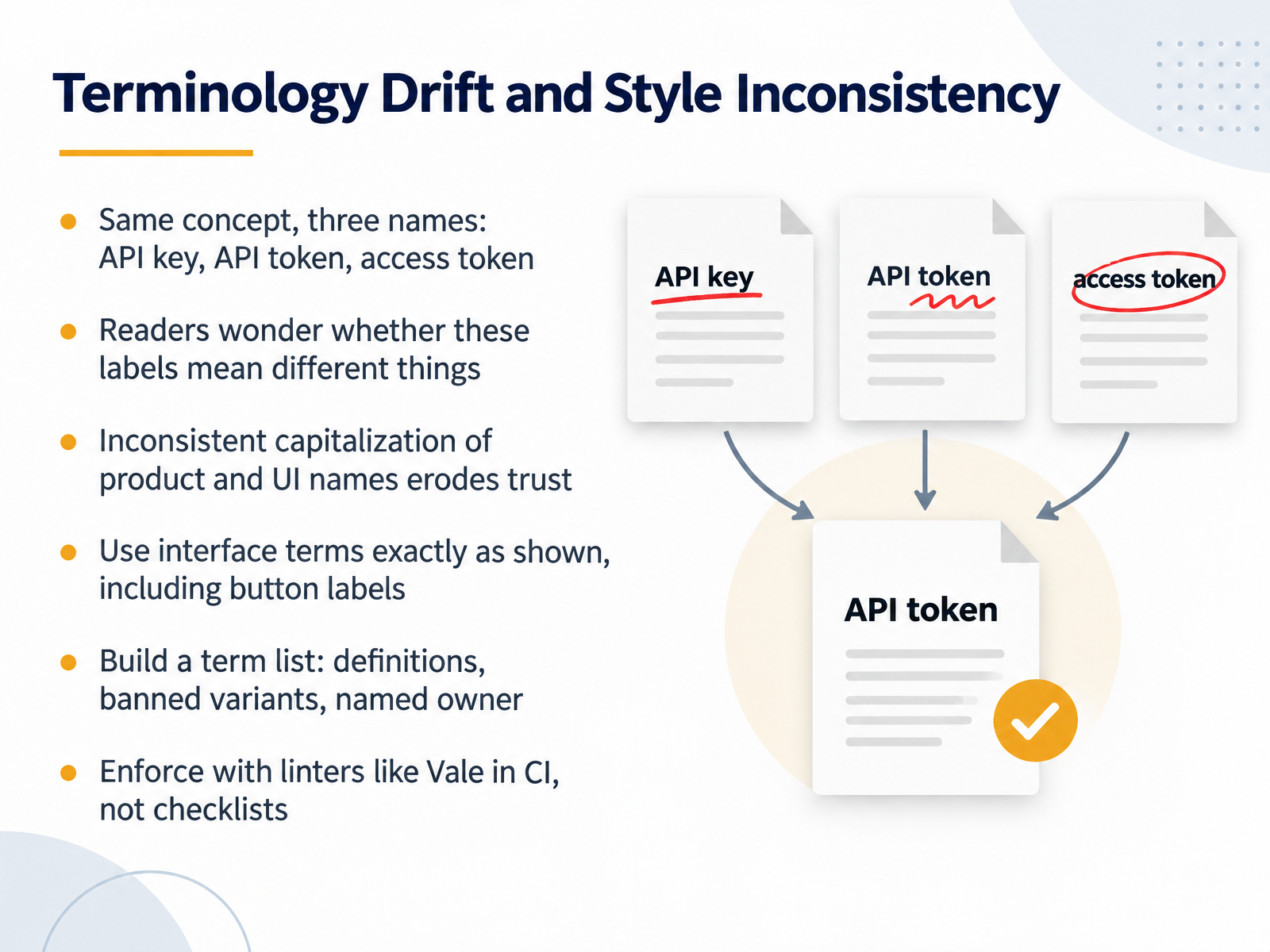
- 09Terminology Drift and Style InconsistencyNext, let's look at terminology drift and style inconsistency. This surfaces most often in reference pages and how-to guides, and in the final review before release. A common habit is calling the same concept three different names, such as API key, API token, and access token. Readers then wonder whether these labels mean different things, and translators may assume they refer to separate concepts. Inconsistent capitalization of product and UI names erodes trust in the same way. The fix is straightforward. Use interface terms exactly as shown, including button labels. Then build a term list with definitions, banned variants, and a named owner. Enforce that list with linters like Vale in continuous integration, rather than relying on review checklists. Next, we'll turn to review and collaboration breakdowns.
 mintlify.comblog.logrocket.comrandyabrown.com+22 min
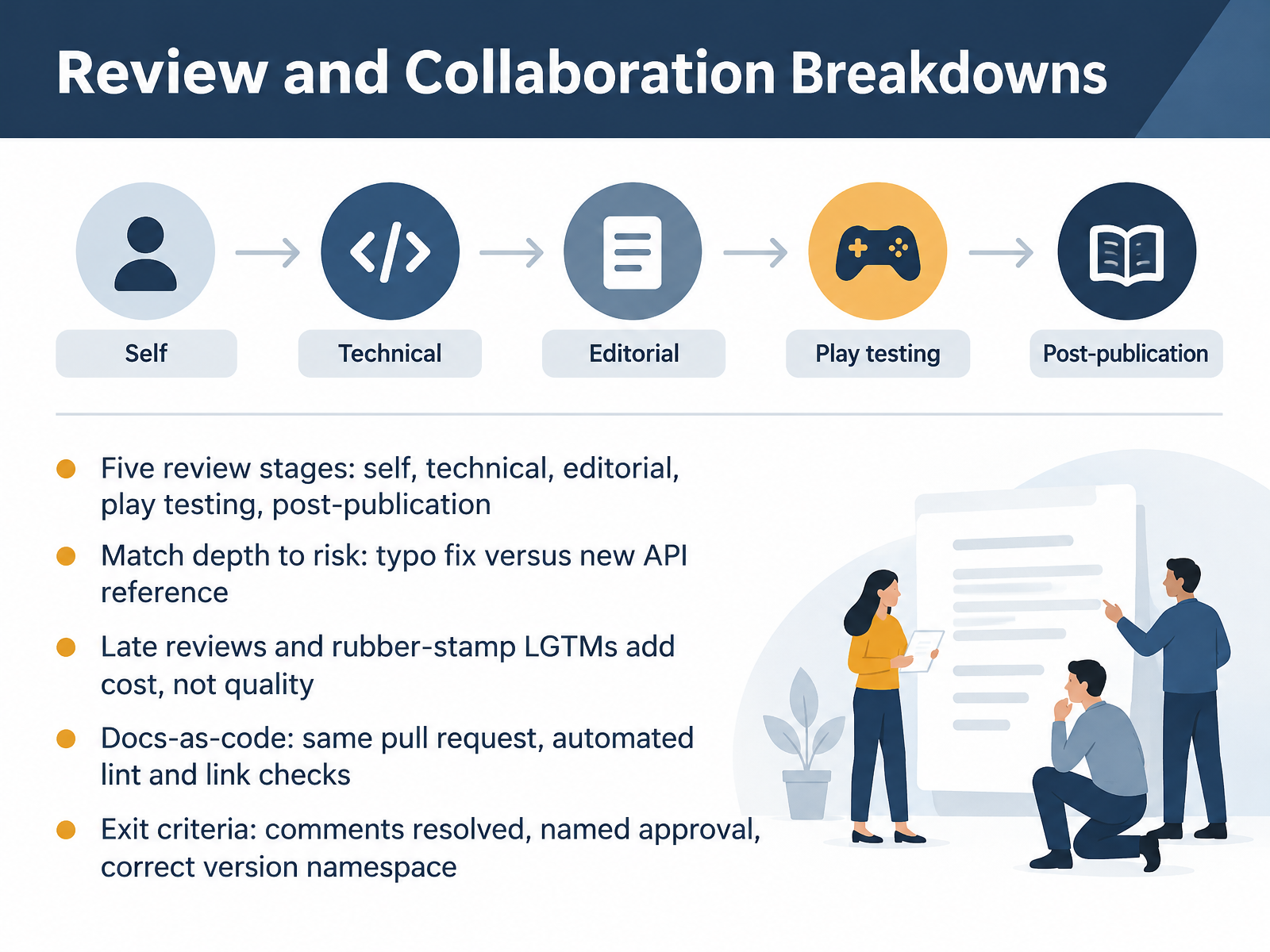
- 10Review and Collaboration BreakdownsNext, let's talk about where review and collaboration tend to break down. Research on documentation review describes five stages: self review, technical review, editorial review, play testing, and post-publication feedback. Each stage brings different expertise, so keep them distinct. Match review depth to risk. A typo fix needs a quick editorial pass, while a new API reference needs a technical reviewer to run the code samples and check the parameters. Late reviews and quick rubber-stamp approvals cost you time without adding quality. In a docs-as-code setup, put documentation in the same pull request as the code, and let automated lint and link checks run first, before human reviewers spend their time. Then set clear exit criteria: every comment resolved, a named approval, and the correct version namespace. Before you merge your next draft, confirm those three items are true.
 inf.usi.chdoi.orginf.usi.ch+21 min
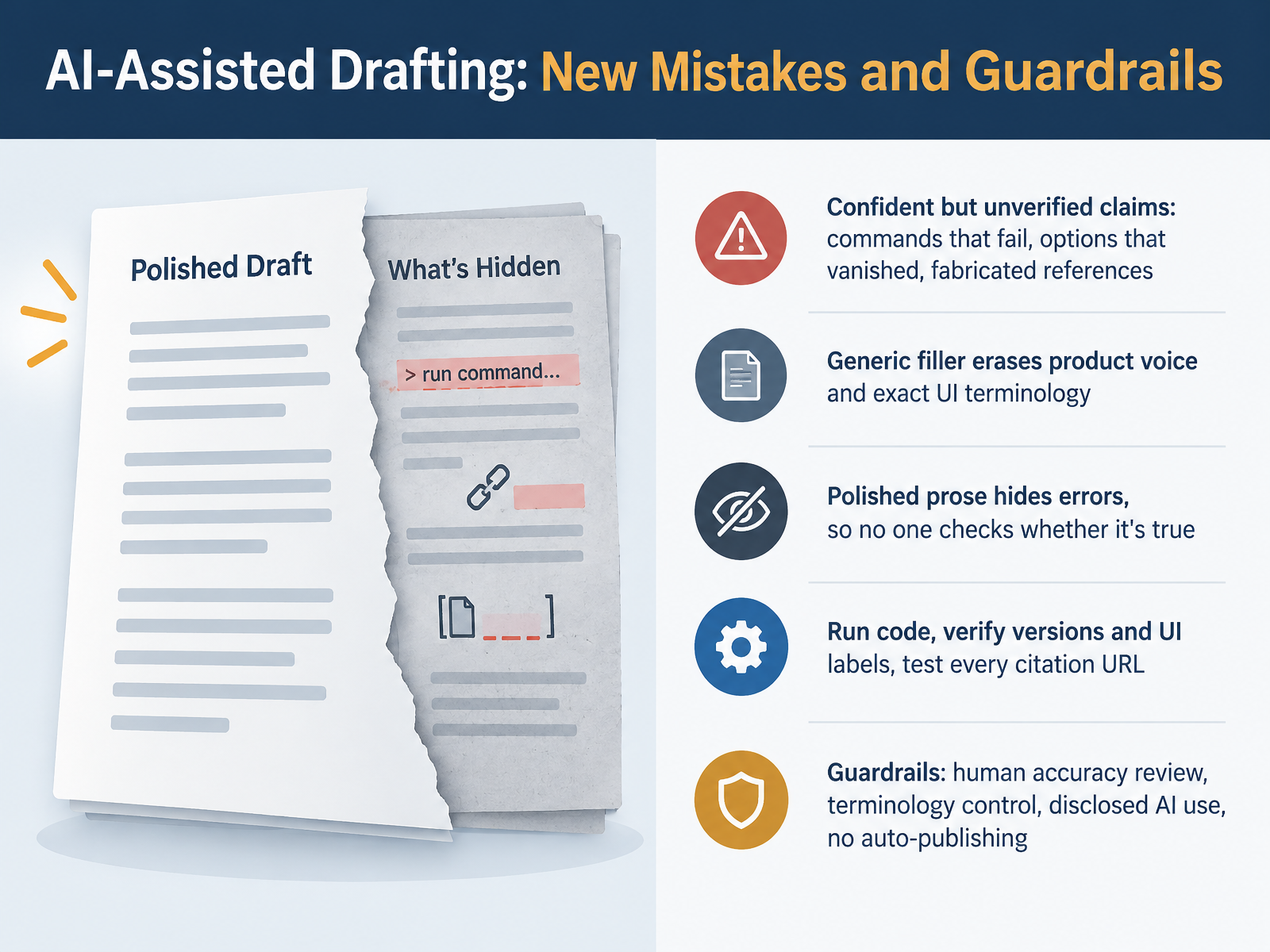
- 11AI-Assisted Drafting: New Mistakes and GuardrailsNow let's look at AI-assisted drafting, and the new mistakes it brings. Large language models can give you a strong first draft, but they are confident even when they are wrong. A command may fail, an option may have disappeared in the latest release, and references can be fabricated entirely. Generic filler also erases your product voice and the exact UI labels users see on screen. And here is the trap: polished prose hides errors, so nobody checks whether it is true. The fix is to verify. Run the code, confirm version numbers and UI labels against the live product, and open every citation URL. Before publishing, put four guardrails in place. Require human accuracy review. Control terminology against your style guide. Disclose where AI was used. And never auto-publish a draft. That keeps the speed without letting errors ship. That naturally leads us to the next slide: Editorial Quality Gates in CI.
 1 min
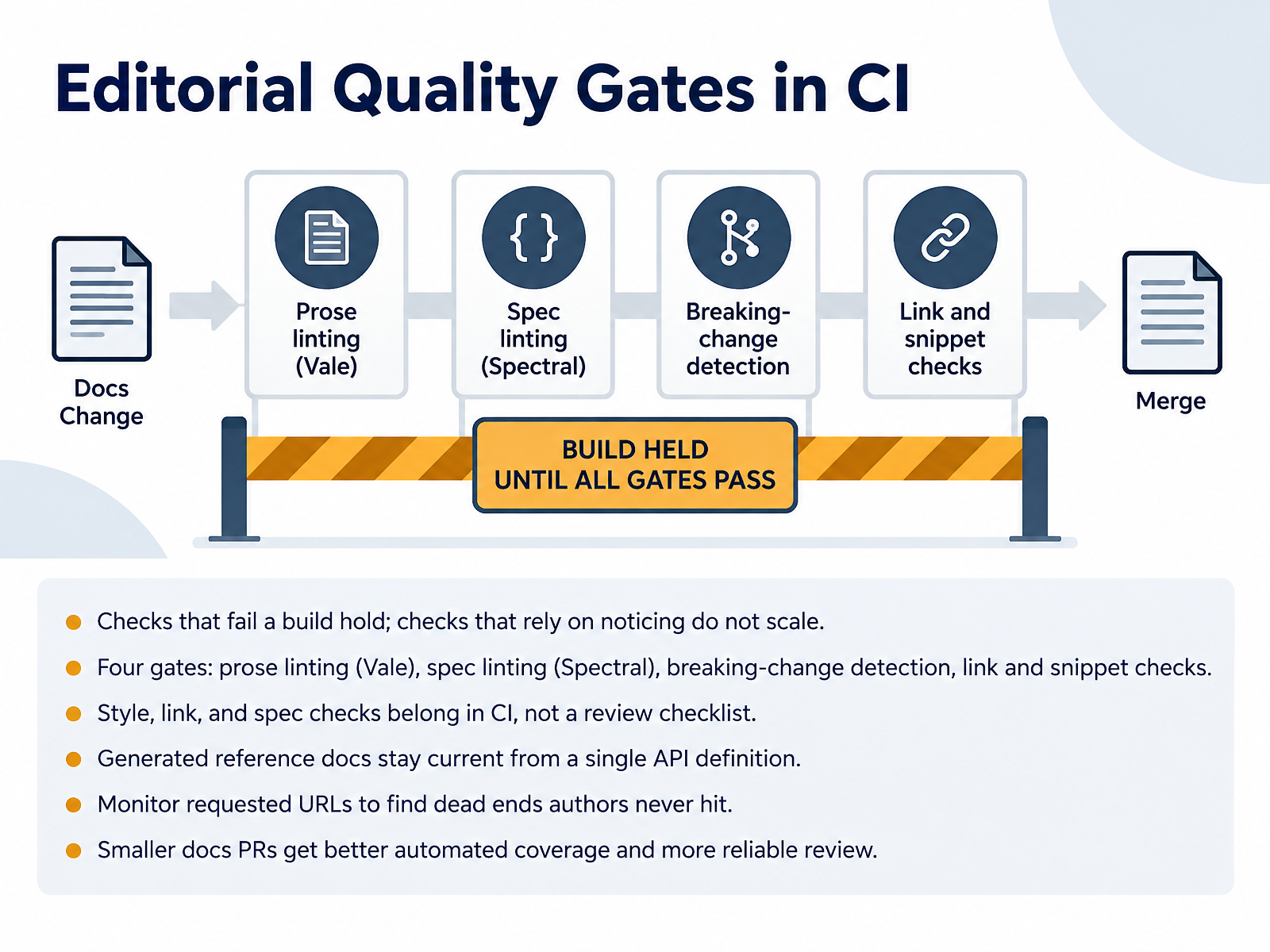
- 12Editorial Quality Gates in CISo let's move from writing habits into the pipeline, specifically editorial quality gates in continuous integration. Here is the core principle. Checks that fail a build hold. Checks that rely on someone noticing a problem do not scale past a handful of contributors. Four gates cover most of it. Prose linting with Vale checks your Markdown against the style guide. Spec linting with Spectral validates the OpenAPI document itself, so missing descriptions and undocumented error responses get caught. Breaking-change detection diffs the current API definition against the last release. And link and snippet checks catch dead links and code samples that no longer compile. Put style, link, and spec checks in continuous integration, not on a review checklist. When reference docs are generated from a single API definition, they stay current without manual work. And monitor the URLs readers actually request, because that surfaces dead ends an author reviewing the site may never hit. One practical benefit, smaller docs pull requests get better automated coverage and more reliable review. Next, the prevention playbook.
 mintlify.comblog.logrocket.comrandyabrown.com+22 min
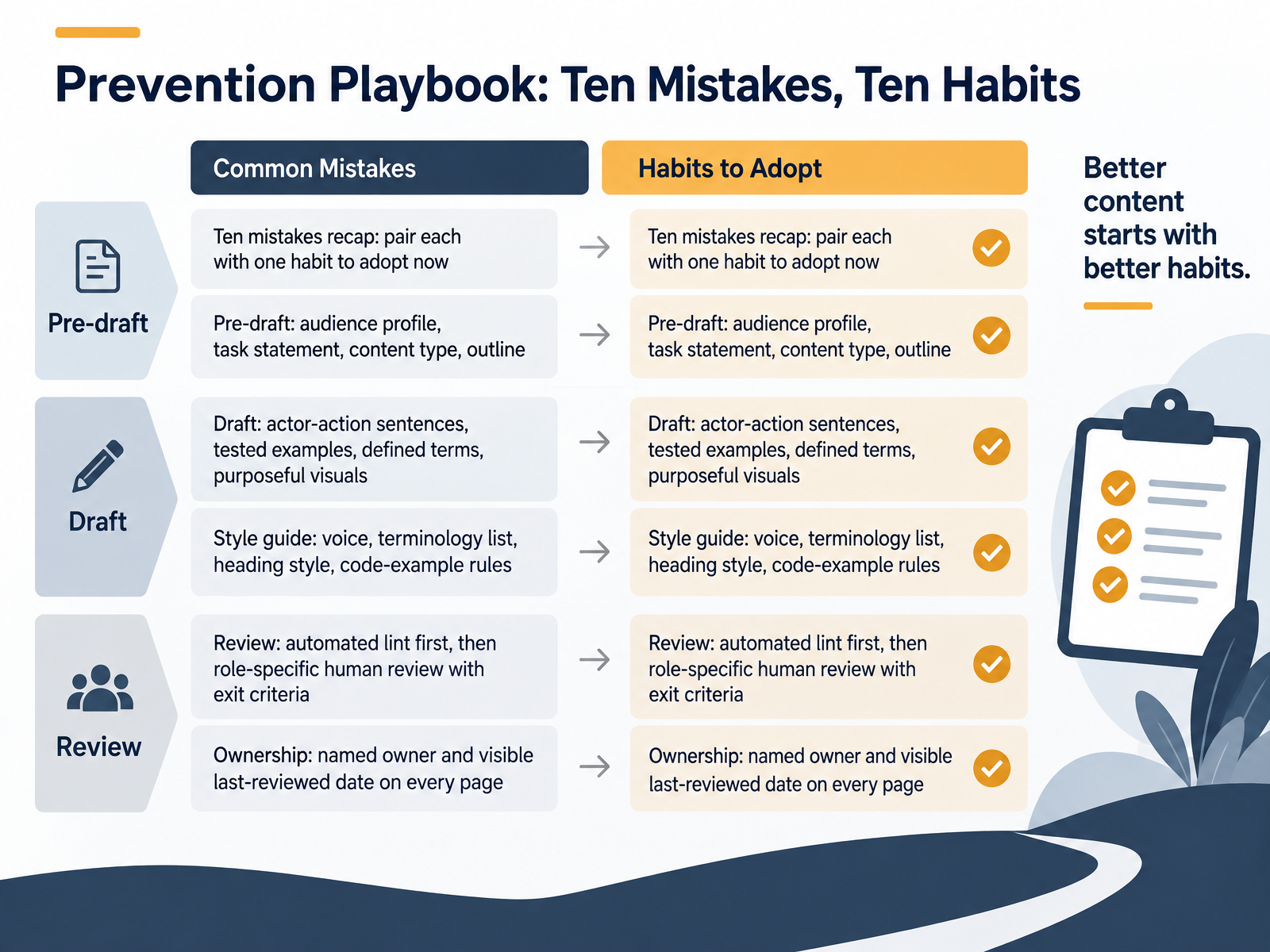
- 13Prevention Playbook: Ten Mistakes, Ten HabitsLet's close the loop with the prevention playbook. Each of the ten mistakes you've seen has a matching habit, and each habit attaches to a step you already work in. Before drafting, write four things: an audience profile, a one-sentence task statement, the content type, and an outline. In the draft, favor actor-action sentences, test every example, define terms on first use, and make each visual purposeful. At review, run automated linting first, then role-specific human review with written exit criteria. The style guide holds four anchors: voice, a terminology list, heading style, and rules for code examples. And ownership stays visible: a named owner and a last-reviewed date on every page. Pick one habit today and apply it to the draft in front of you. Next, we move to measuring progress and a role-specific action plan.
 mintlify.comblog.logrocket.comrandyabrown.com+21 min
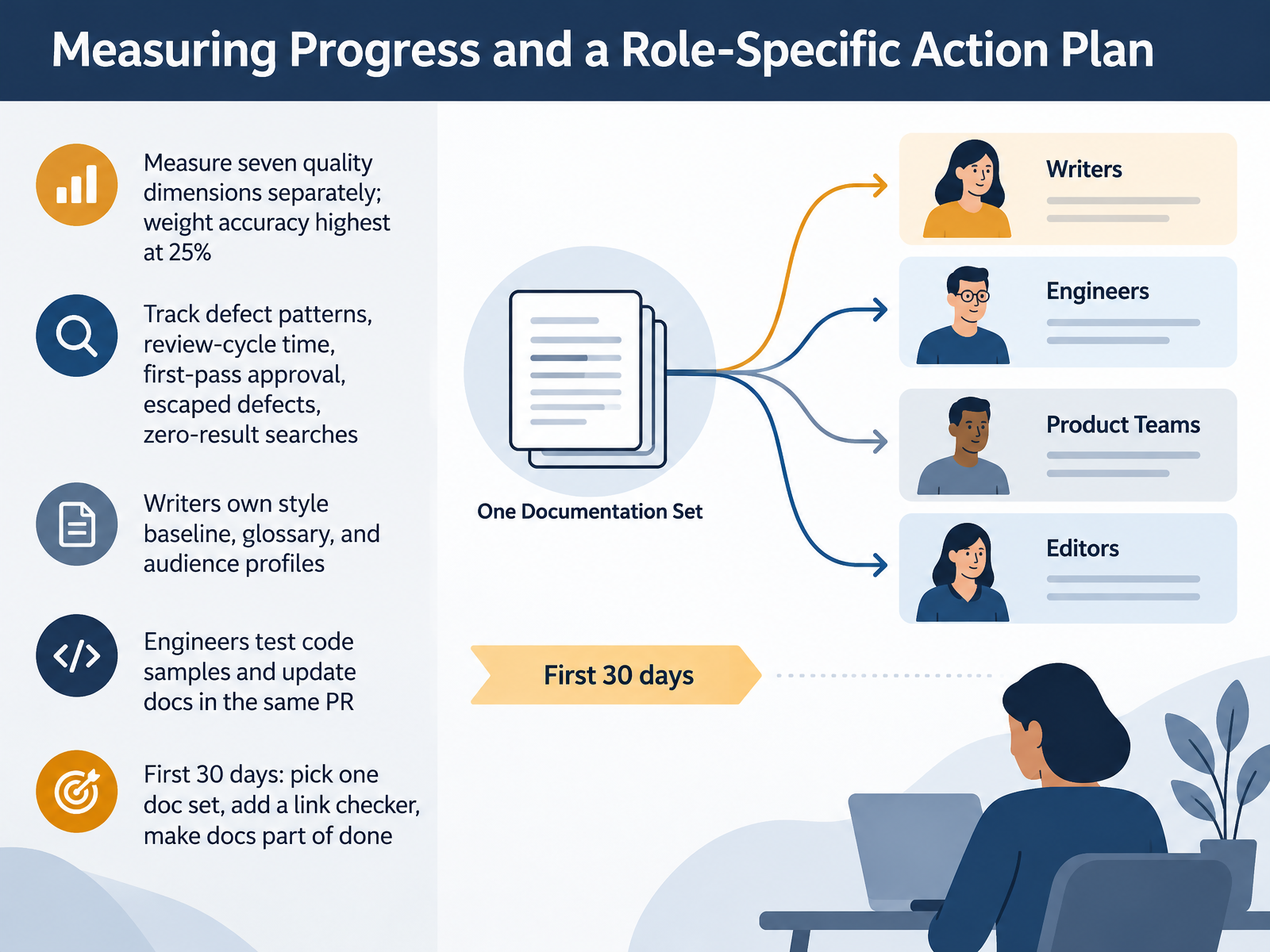
- 14Measuring Progress and a Role-Specific Action PlanLet's close by turning all of this into a simple action plan. Measure seven quality dimensions separately, with accuracy weighted highest at twenty-five percent. A healthy total score can still hide a serious accuracy problem. Then track patterns over time: defect trends, review cycle time, first pass approval, escaped defects, and zero result searches. Assign clear roles. Writers own the style baseline, the glossary, and audience profiles. Engineers test code samples and update docs in the same pull request. Finally, start small in your first thirty days. Pick one doc set, add a link checker, and make documentation part of done. Thank you for your attention, and take confidence in this: steady, measured habits beat one big cleanup every time.
 mintlify.comblog.logrocket.comrandyabrown.com+22 min
Take the deck with you
Download this course as a file — free, no sign-up needed.
- PDF handoutEvery slide page, ready to print or share.15 pages · 3.2 MBDownload
- Narrated PowerPointThe deck that presents itself — every slide carries the digital human's narration video.15 pages · 14.0 MBDownload
- PowerPoint slidesThe full deck as a .pptx — open it in PowerPoint, Keynote, or Google Slides.15 pages · 3.1 MBDownload
Free to use in your own training — please keep the PersonWise credit page at the end.
Have your own deck? Turn it into a course
Sources consulted
Web sources consulted while building this course.
- Breaking down common documentation mistakes — mintlify.com
- Why no one reads your product docs, and how to fix it - LogRocket Blog — blog.logrocket.com
- The Most Common Documentation Mistakes (And How to Avoid Them) - Randy A Brown — randyabrown.com
- By the numbers: Where documentation quality breaks down in 2026 — gitbook.com
- How to write technical documentation: a complete guide (August 2026) | Fern — buildwithfern.com
- Software Documentation: The Practitioners' Perspective — inf.usi.ch
- Software Systems Documentation: A Systematic Review — doi.org
- Software Documentation Issues Unveiled — inf.usi.ch
- Beyond Accuracy: Assessing Software Documentation Quality — arxiv.org
- "A Second Set of Eyes": The Process and Challenges of Software Documentation Review — doi.org
- The compass ¶ — diataxis.fr
- Audience | Technical Writing | Google for Developers — developers.google.com
- Content types - Mintlify — mintlify.com
- How to understand your documentation audience - Mintlify — mintlify.com
- Writing documentation — Wagtail Documentation 6.2.1 documentation — docs.wagtail.org
- Information typing — docs.oasis-open.org
- Task-Oriented Structured Writing — sap.com
- Recommended practices for technical documentation — wellshapedwords.com
- Task Analysis and Task-Oriented Documentation — mcmassociates.io
- Blueprints for Structurally Sound Documents — ditaeurope.infomanagementcenter.com