Begin
14 pages · ~28 min
Engineering Simulation Software Selection
This training helps engineers and technical teams select simulation software, define requirements, and build effective workflows for engineering simulation projects.
A digital instructor presents all 14 pages. Hold “Ask” at any point and ask out loud — the answer comes from this course. No sign-up needed.
What you’ll learn
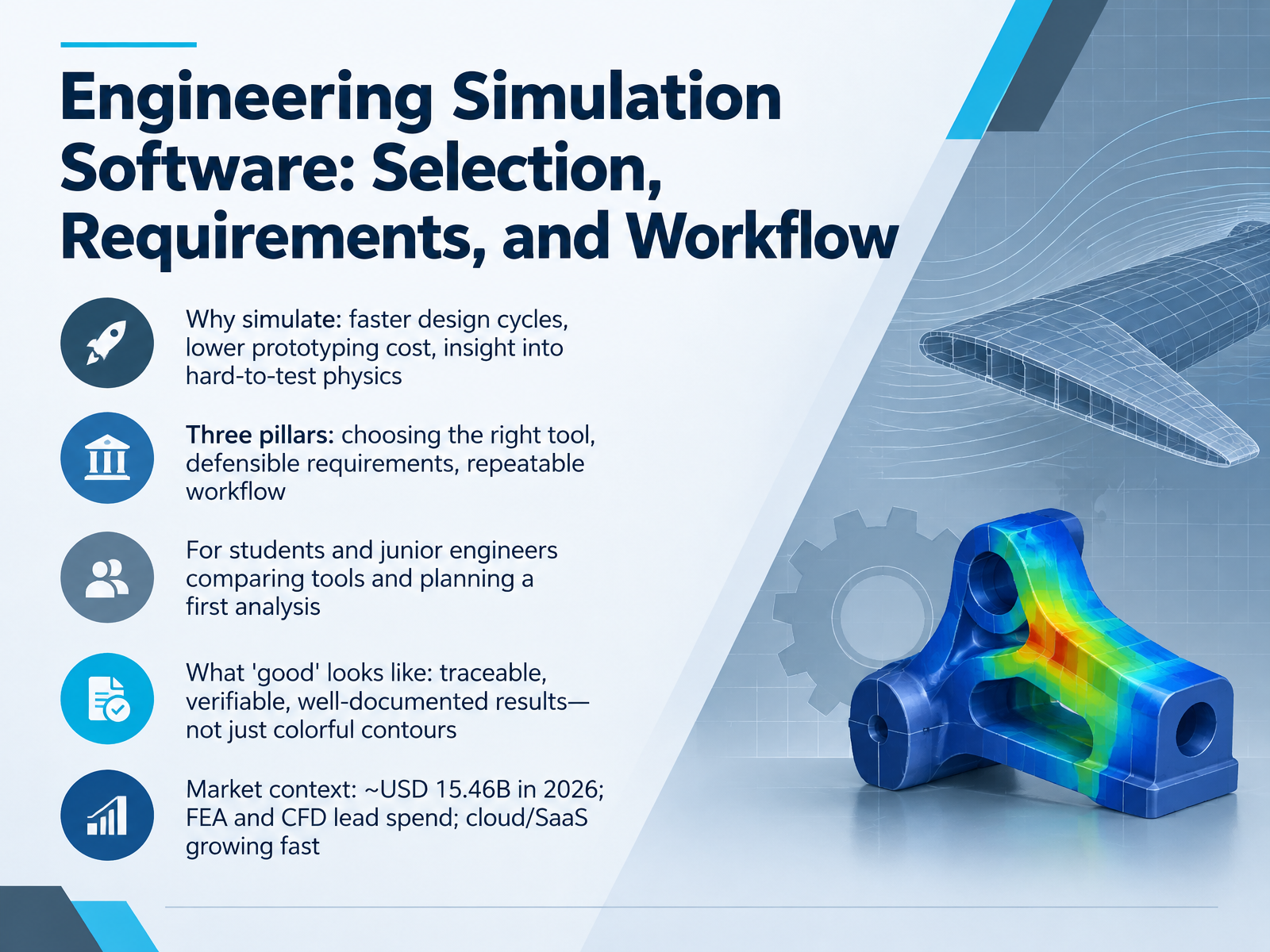
- 01Engineering Simulation Software: Selection, Requirements, and WorkflowWelcome. I'm glad you're here. In this course, we'll cover simulation software selection, requirements, and workflow. Our goal is simple. By the end, you'll know how to compare tools with clear reasons and plan a first analysis you can defend. Here's why simulation matters. It speeds up design cycles, cuts prototyping cost, and shows physics that is hard to test, like stress inside a part. Next, three pillars frame everything we do. Choosing the right tool, writing defensible requirements, and building a repeatable workflow. This is written for students and junior engineers, so we keep the language plain. For example, when you compare a structural solver with a fluid solver, ask which physics your problem actually needs. Now, what does good look like? Good means traceable, verifiable, and well-documented results, not just colorful contours. So keep a record of your inputs and assumptions. The trade-off here is speed versus proof. A fast answer you cannot check is not useful. For market context, one estimate puts simulation software at about fifteen point four six billion U S dollars in twenty twenty six. Finite element analysis and computational fluid dynamics lead spending, and cloud and software as a service are growing quickly. That matters because cloud options may lower the cost of your first serious run. So your takeaway for this slide is this. Treat simulation as a decision process, not a button press. Start with the physics, then the requirements, then the workflow. Next, let's see where simulation fits in the wider design process. Where Simulation Sits in the Design Process.cimdata.commordorintelligence.compmarketresearch.com+22 min
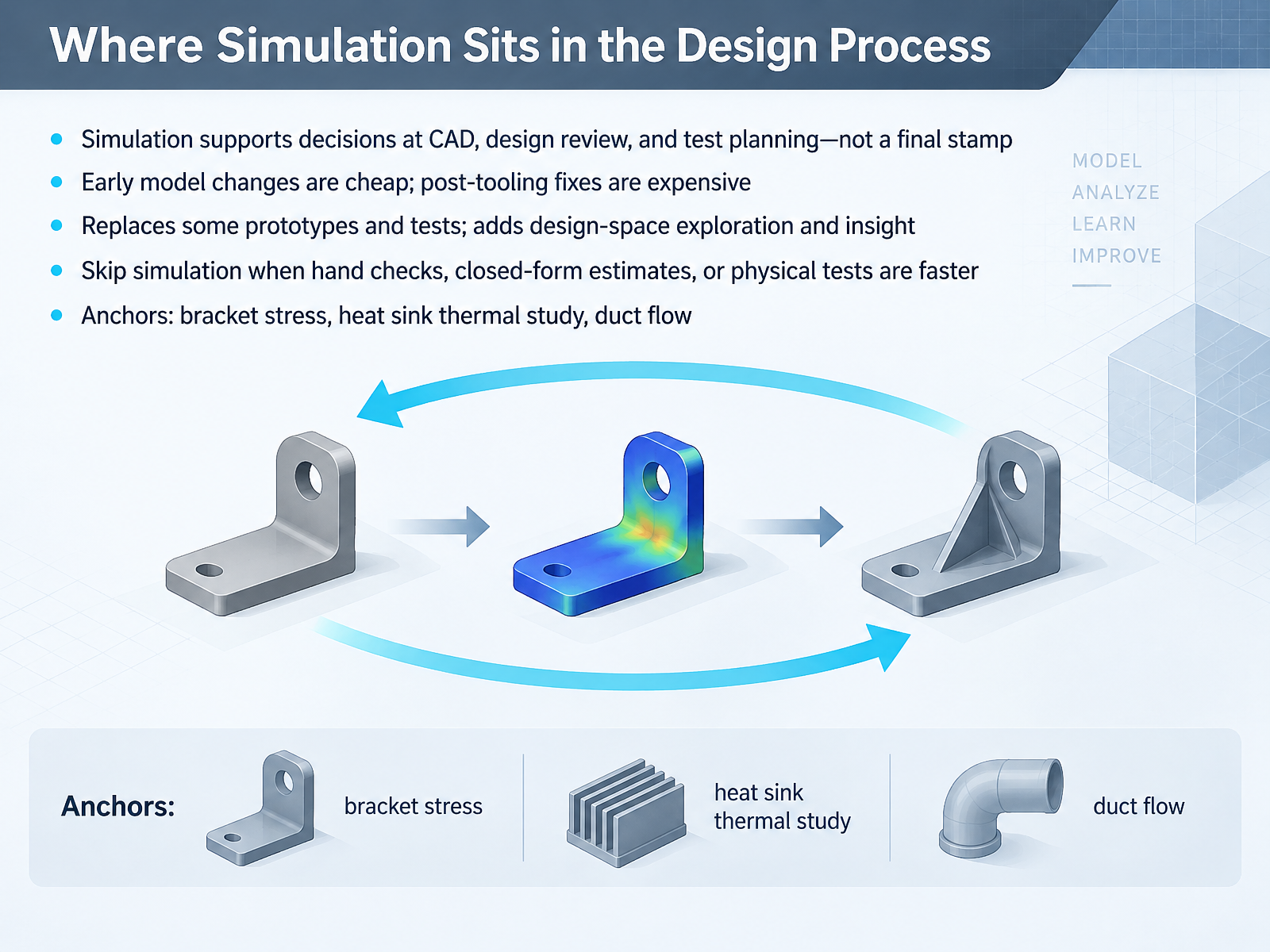
- 02Where Simulation Sits in the Design ProcessLet's look at where simulation fits in the design process. Simulation supports decisions at three points: during CAD work, at design review, and when planning physical tests. It is a decision aid, not a final stamp of approval. Next, timing matters. Model changes made early are cheap to fix. Fixes after tooling exists get expensive fast. The trade-off here is scope. Simulation replaces some prototypes and tests, and it adds design-space exploration and insight. But sometimes you should skip it. If a hand check, a closed-form estimate, or a physical test answers the question faster, use that. Three models anchor this course: a bracket stress study, a heat sink thermal study, and a duct flow case. Your takeaway: choose the lightest method that still supports the decision. That sets up the next slide, Core Concepts: Physics, Discretization, and Mesh.
 asme.orgasme.orgasme.org+21 min
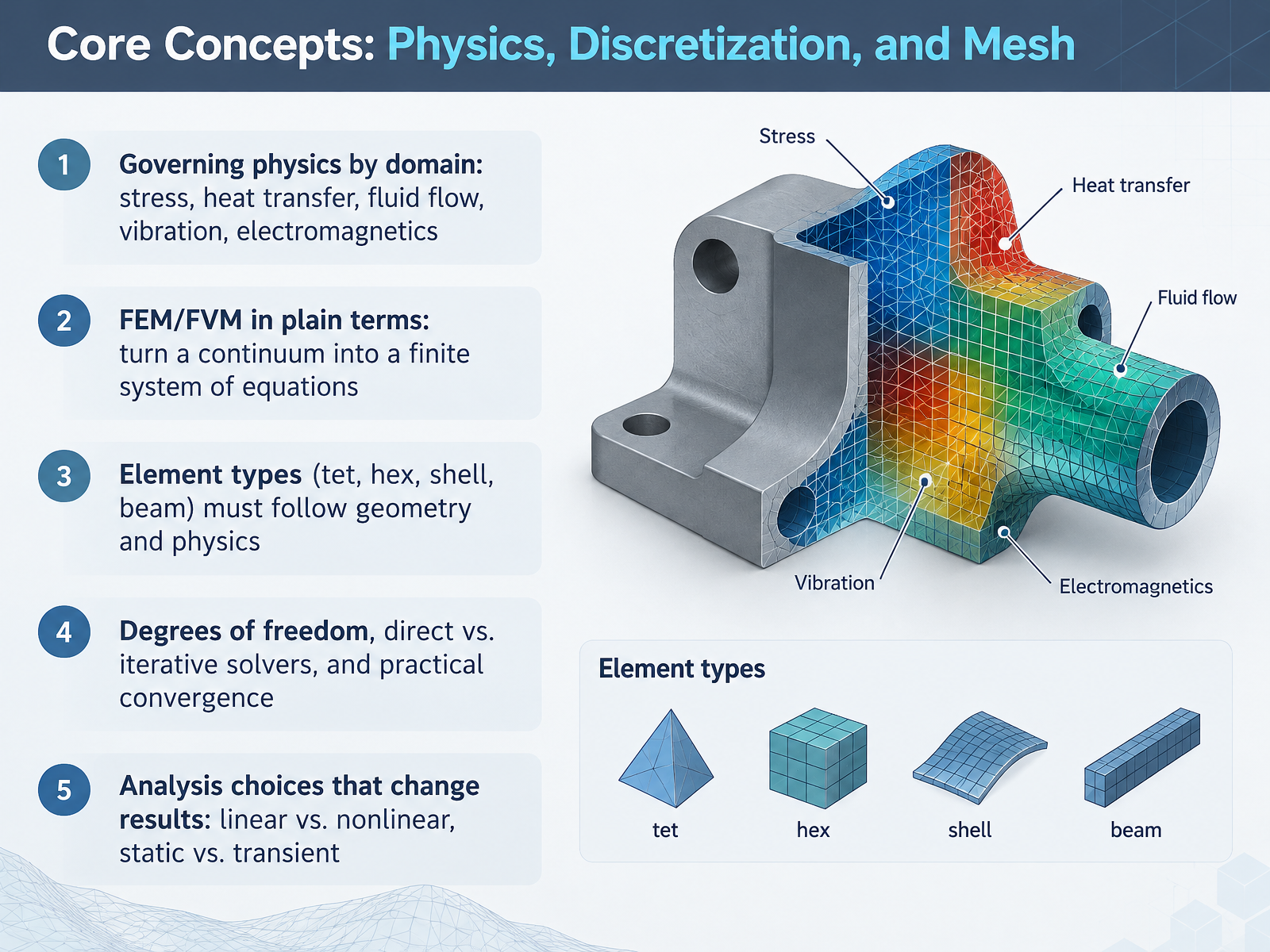
 - 03Core Concepts: Physics, Discretization, and MeshLet's move on to the core concepts behind any simulation run. First, pick the governing physics your problem actually involves. That could be stress, heat transfer, fluid flow, vibration, or electromagnetics. Then the solver turns a continuous body into a finite system of equations. Finite element and finite volume methods both do this. Next, your element type has to follow the geometry and the physics. Tets and hexes suit solid parts, while shells and beams fit thin or slender members. The trade-off here is that element choice, degrees of freedom, and solver type all affect runtime and accuracy. Finally, decide linear versus nonlinear, and static versus transient before you build the model. Decide those first, and your first analysis stays both credible and simple. Now let's look at mesh quality, the practical metrics that matter.
 threadmoat.comthreadmoat.comgitnux.org+21 min
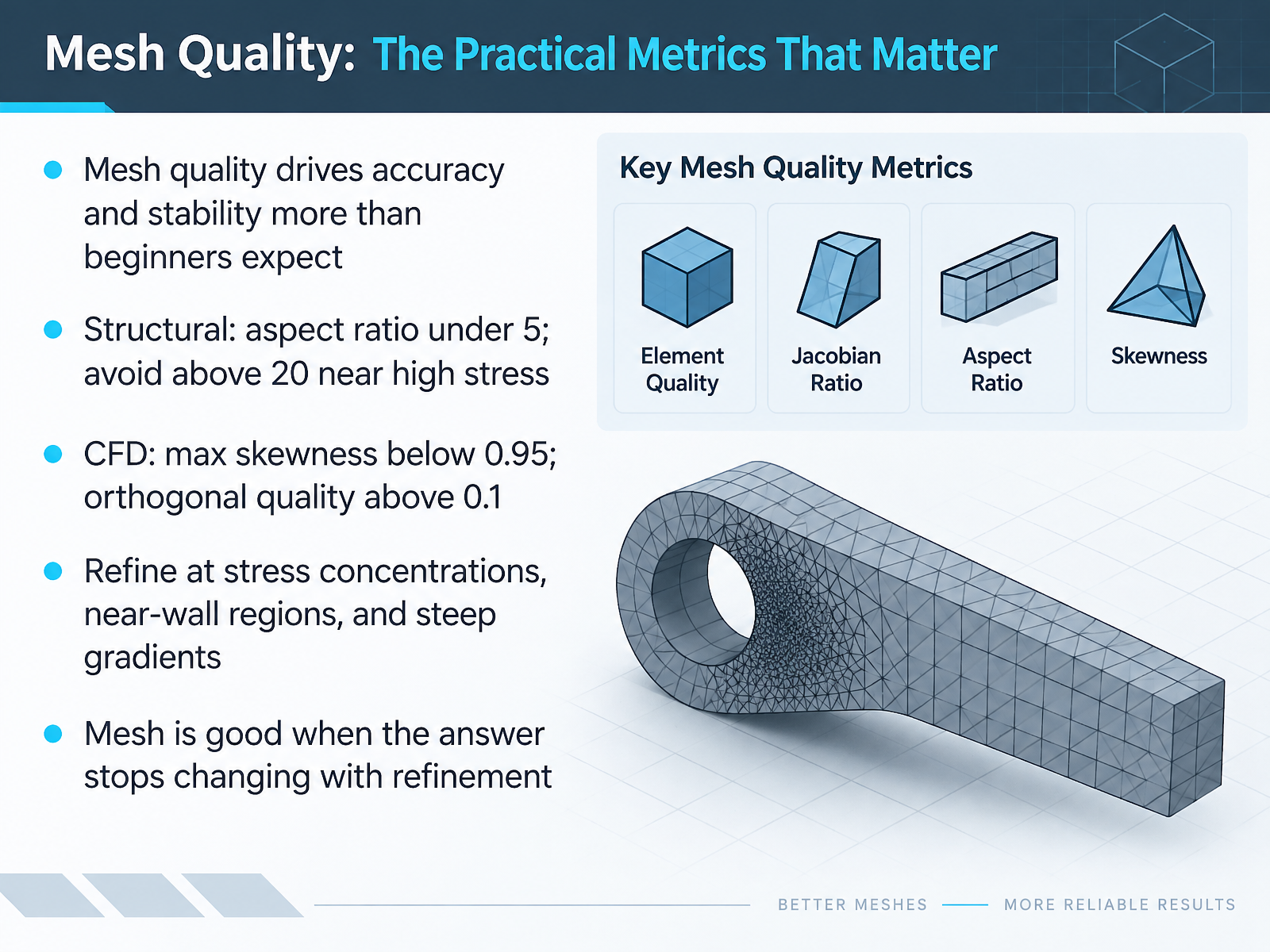
 - 04Mesh Quality: The Practical Metrics That MatterLet's move on to mesh quality, and which practical metrics actually matter. Mesh quality shapes accuracy and stability more than most beginners expect. So check it before you trust any result. For structural models, keep aspect ratio, the longest edge divided by the shortest, under five. Avoid values above twenty near high stress. For fluid models, keep maximum skewness below zero point nine five. Keep minimum orthogonal quality above zero point one. Now refine where it counts: stress concentrations, near-wall regions, and steep gradients. The trade-off here is cost against accuracy, so refine locally, not everywhere. A mesh is good when your answer stops changing with further refinement. Run that check before you move on. Next, we look at requirements first. Define the analysis before choosing the tool.
 ansyshelp.ansys.comsimscale.comhdl.handle.net+21 min
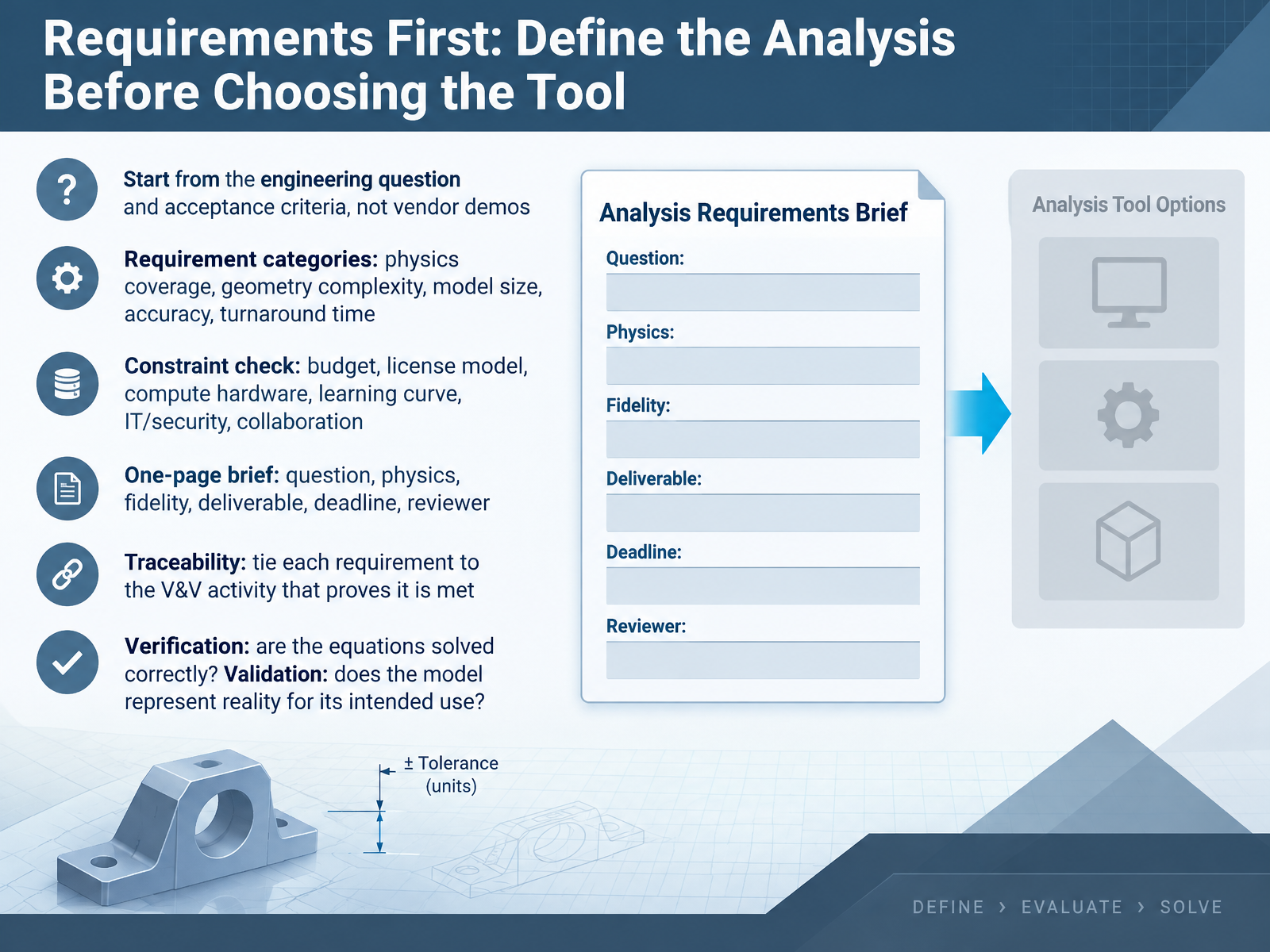
 - 05Requirements First: Define the Analysis Before Choosing the ToolBefore you compare any tools, define the analysis itself. Start from the engineering question and your acceptance criteria, not from a vendor demo. Then list your requirements by category: physics coverage, geometry complexity, model size, accuracy, and turnaround time. Next, run a constraint check: budget, license model, compute hardware, learning curve, I T and security, and collaboration needs. The trade-off here is that a tool can look impressive yet fail on one constraint. So write a one-page brief with your question, physics, fidelity, deliverable, deadline, and reviewer. Then add traceability: tie each requirement to the verification and validation activity that proves it is met. Remember the split. Verification asks whether the equations are solved correctly. Validation asks whether the model represents reality for its intended use. Your takeaway: write the brief before you open a trial license. Next, we will look at licensing, cost, and deployment: what students and teams actually face.
 asme.orgasme.orgasme.org+22 min
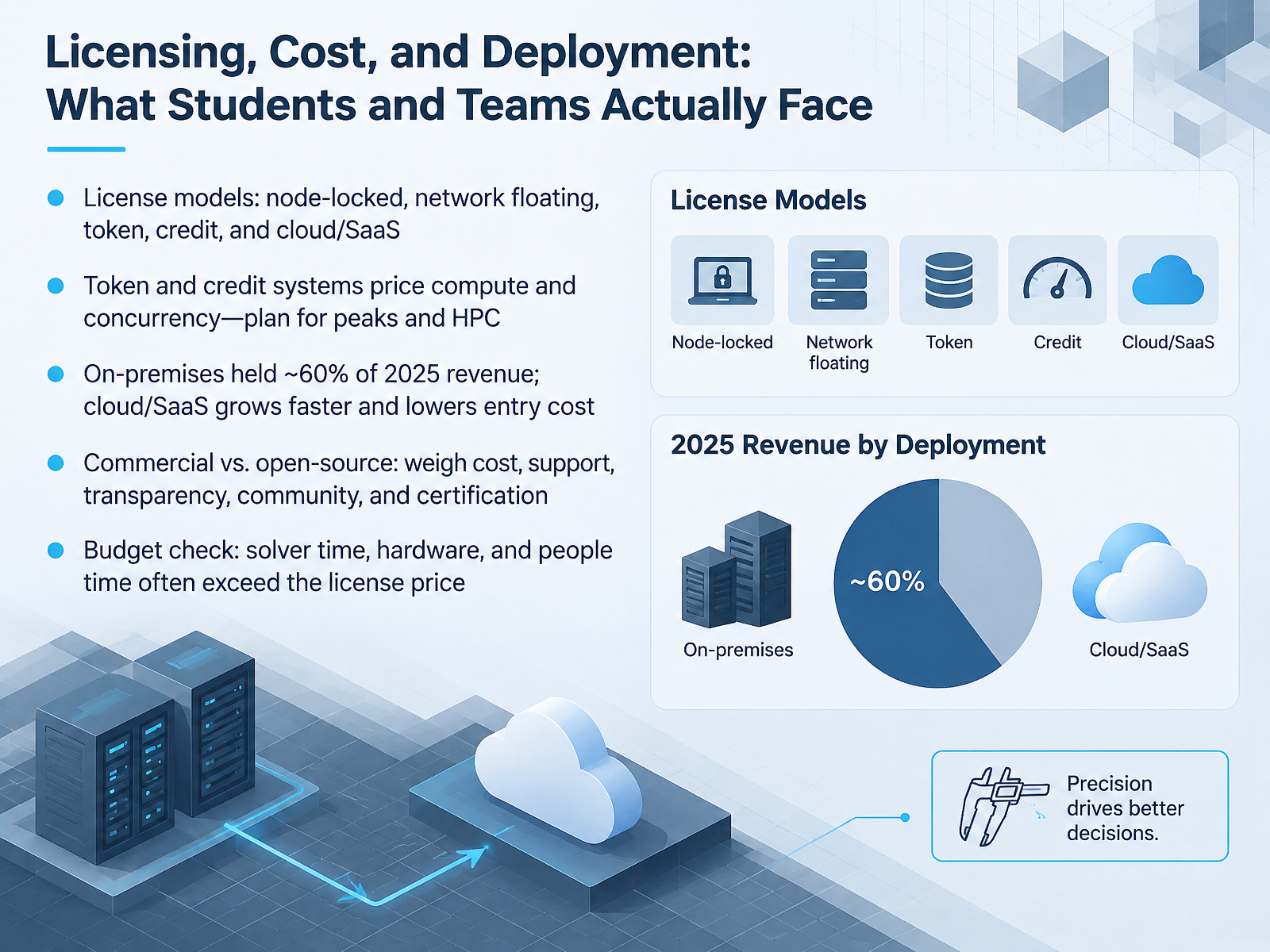
 - 06Licensing, Cost, and Deployment: What Students and Teams Actually FaceNow let's talk about licensing, cost, and deployment. Start with license models. A node-locked license is tied to one machine. A network floating license is shared: users check it out when needed. Next, token, credit, and cloud or software-as-a-service options. The trade-off here: token and credit systems price compute and concurrency, so plan for peak usage and HPC. If you run a hundred parallel jobs, you burn capacity a hundred times faster. On-premises still held about sixty percent of twenty twenty-five revenue, but cloud and SaaS grow faster and lower the entry cost. Next, commercial versus open source. Weigh cost, support, transparency, community, and certification. Open source can be free to license but costly in people time. Finally, your budget check. Solver time, hardware, and people time often exceed the license price. So before you compare tools, price the whole workflow. That is the takeaway you can act on today. The Tool Landscape by Physics Domain comes next.
 cimdata.commordorintelligence.compmarketresearch.com+22 min
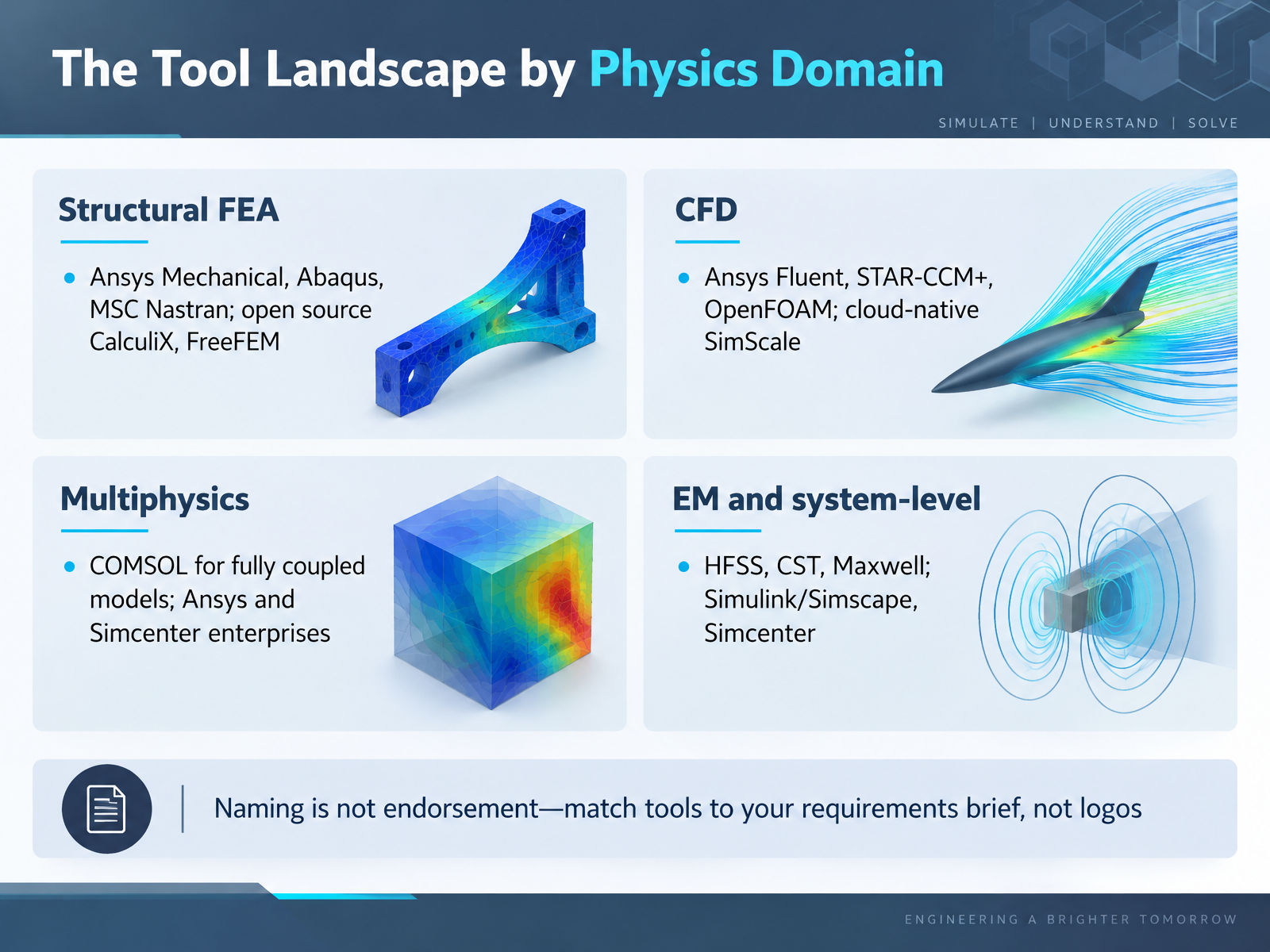
 - 07The Tool Landscape by Physics DomainNow let's look at the tool landscape by physics domain. This gives you a starting map for your requirements brief. For structural analysis, finite element analysis calculates stress and deformation. Common commercial options include Ansys Mechanical, Abaqus, and MSC Nastran. Open source alternatives include CalculiX and FreeFEM. Next, computational fluid dynamics predicts how air or liquid flows. Familiar names are Ansys Fluent, STAR CCM plus, and the open source OpenFOAM. SimScale offers a cloud native option with no local install. For fully coupled physics, COMSOL is widely used, while Ansys and Simcenter provide enterprise multiphysics suites. For electromagnetics, HFSS, CST, and Maxwell are common, and Simulink or Simscape handle system level modeling. The trade off here is breadth versus depth. A broad suite covers many disciplines, but a focused tool may be simpler for a first project. Finally, a name on this list is not an endorsement. Match tools to your requirements brief, not to logos. Next, we'll build that brief in Selection Criteria and a Trial Evaluation Plan.
 threadmoat.comthreadmoat.comgitnux.org+22 min
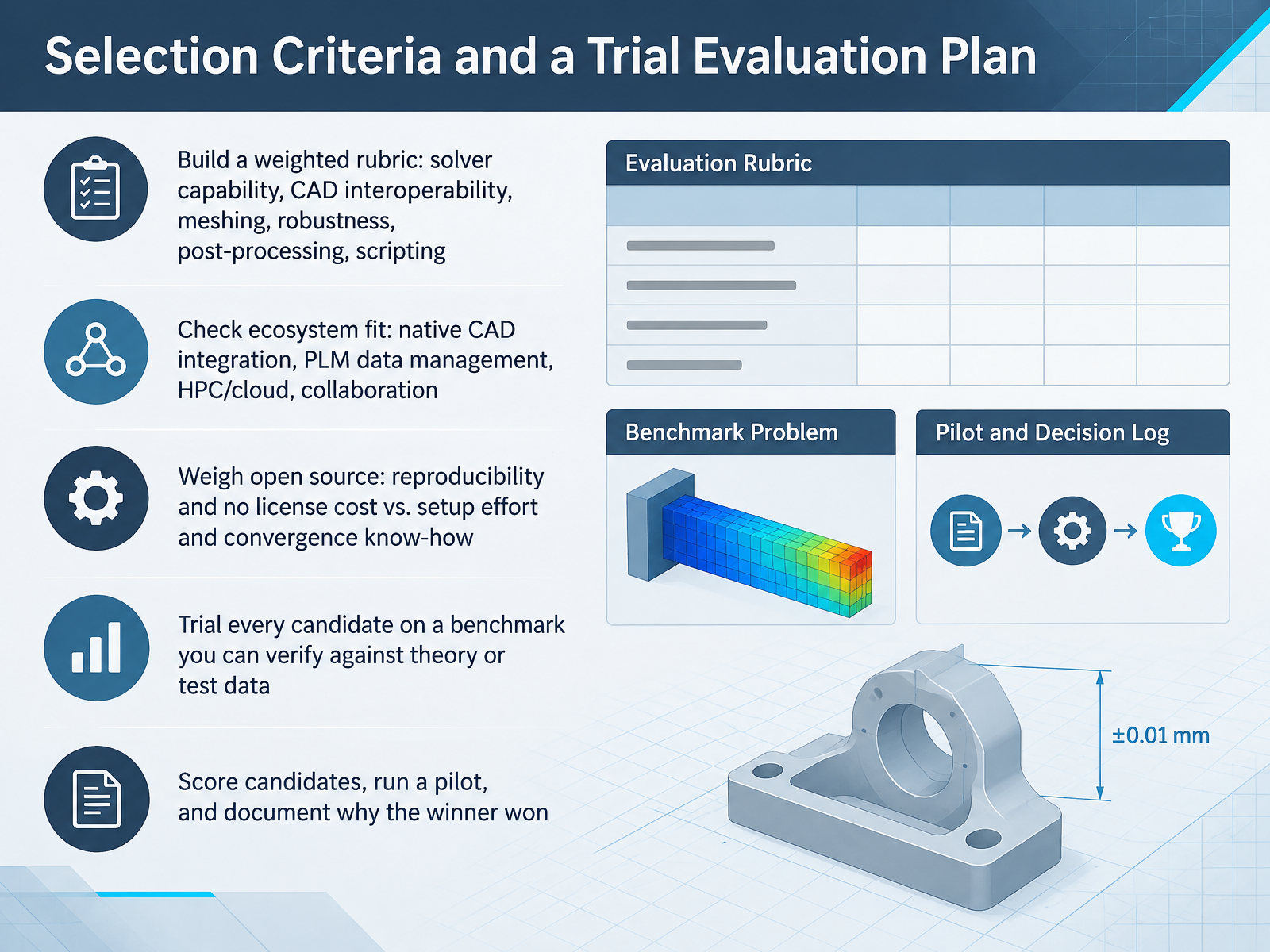
 - 08Selection Criteria and a Trial Evaluation PlanNow let us turn selection into a scored decision you can defend. Start with a weighted rubric. List the criteria that matter for your project: solver capability, CAD interoperability, meshing, robustness, post-processing, and scripting. Then assign weights, so your team agrees on what counts most before comparing any tool. Next, check ecosystem fit. Does the tool read your native CAD files? Does it connect to your PLM data management, HPC, or cloud resources, and to how your team collaborates? The trade-off here is real. Open source tools give you reproducibility and no license cost. But they demand setup effort and convergence know-how, because mesh quality and solver settings drive your results. Whatever the tool, trial it on one benchmark you can verify against theory or test data. A simple cantilever beam works well. A published deflection check is a good sanity test. Then score candidates, run a small pilot, and document why the winner won. That record saves you months later. Next, we will map a repeatable analysis workflow, from CAD to report.
 threadmoat.comthreadmoat.comgitnux.org+22 min
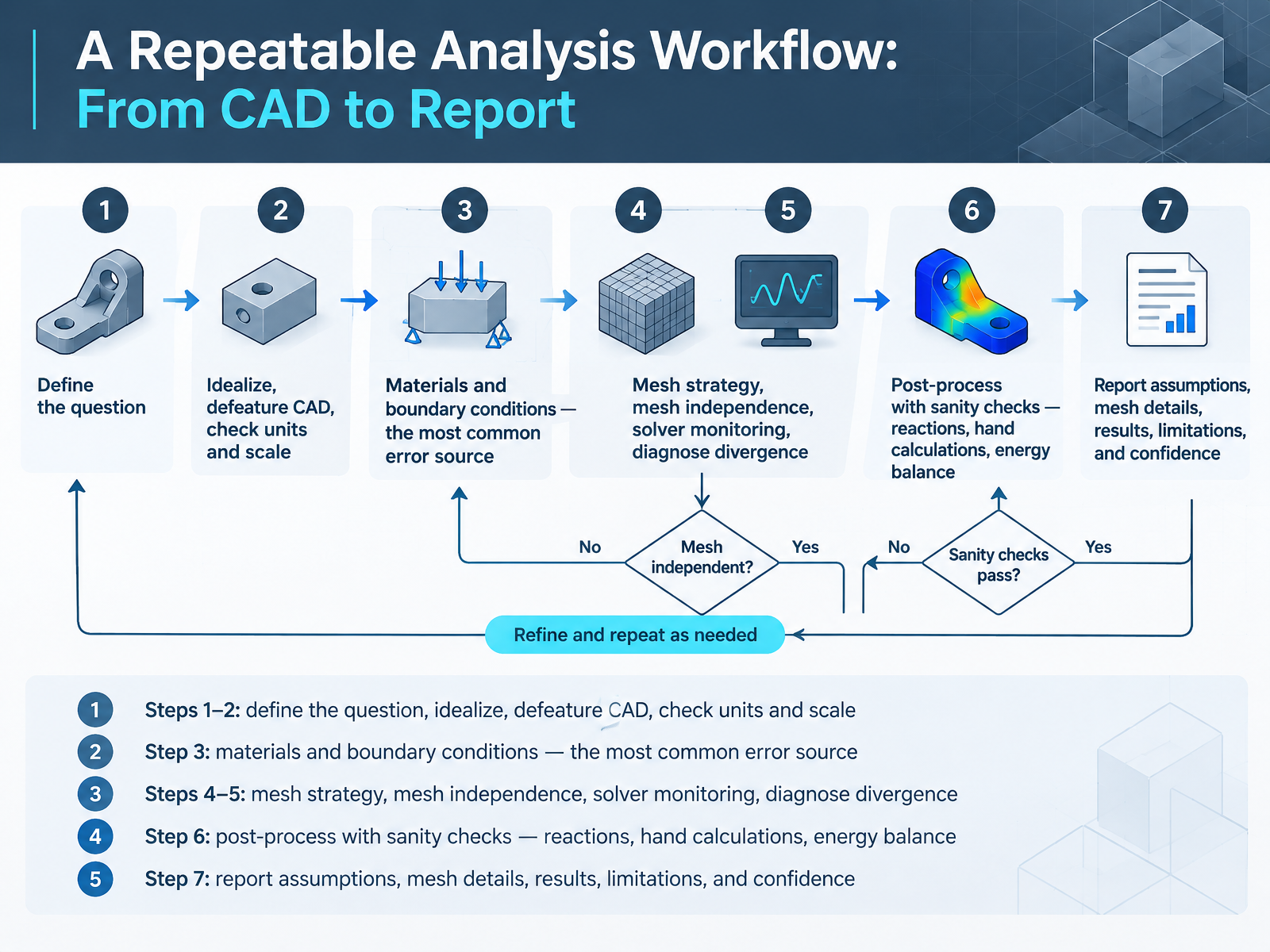
 - 09A Repeatable Analysis Workflow: From CAD to ReportNow let's walk through a repeatable workflow, from CAD to report. Steps one and two come first. Define the question you are answering, then idealize the model and defeature the CAD. Remove bolts, small holes, and features that do not affect the result. Then check units and scale before you go further. Next, step three: assign materials and boundary conditions. This is the most common error source, so verify every load, fixture, and unit. Steps four and five cover meshing and solving. Choose a mesh strategy, then refine it until results stop changing. Watch solver monitors during the run, and diagnose divergence one change at a time. Step six is post-processing with sanity checks. Confirm reaction forces match applied loads, compare against a hand calculation, and check energy balance. Finally, step seven: write the report. State your assumptions, mesh details, results, limitations, and your confidence level. Here is the takeaway. A workflow you repeat the same way each time catches errors early and shows reviewers you can defend your answer. Let's move on to verification, validation, and uncertainty in plain terms.
 2 min
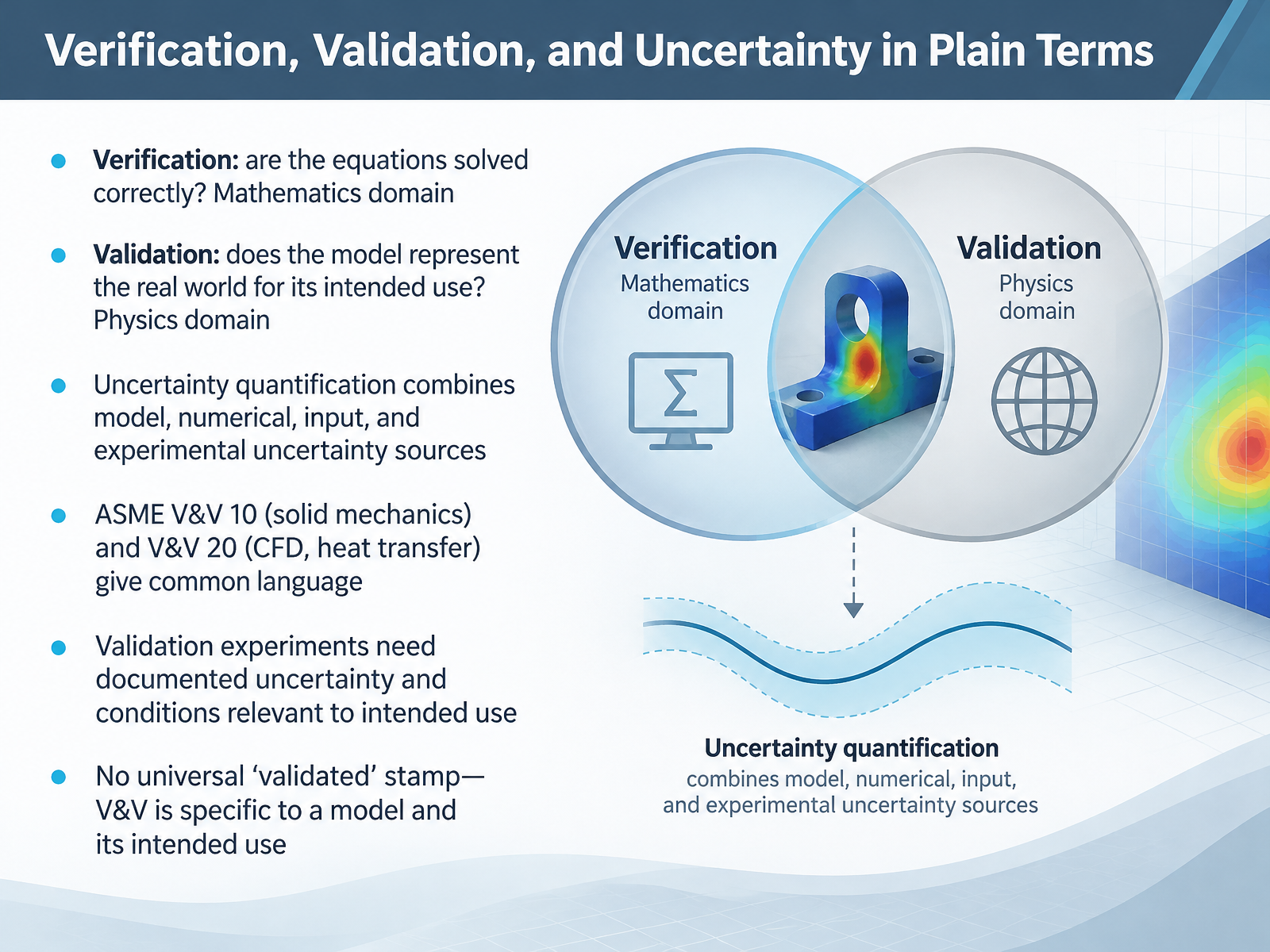
2 min - 10Verification, Validation, and Uncertainty in Plain TermsNow let's talk about verification and validation in plain terms. Verification asks one question: are the equations solved correctly? That is the mathematics domain. Check your mesh convergence and compare against an analytical solution. Validation asks a different question: does the model represent the real world for its intended use? That is the physics domain, so compare against experiments. The trade-off here is that verification alone never proves your physics is right. Next, uncertainty quantification combines model, numerical, input, and experimental uncertainty sources. So your reported result should carry an uncertainty band, not a single number. Standards like ASME V and V 10 for solid mechanics, and V and V 20 for fluid flow and heat transfer, give everyone a common language. When you plan a validation experiment, document its uncertainty and conditions that match your intended use. And remember, there is no universal validated stamp. V and V is specific to a model and its intended use. Your takeaway: write your intended use down first, then choose your checks. Let's move on to common pitfalls and how to avoid them.
 asme.orgasme.orgasme.org+22 min
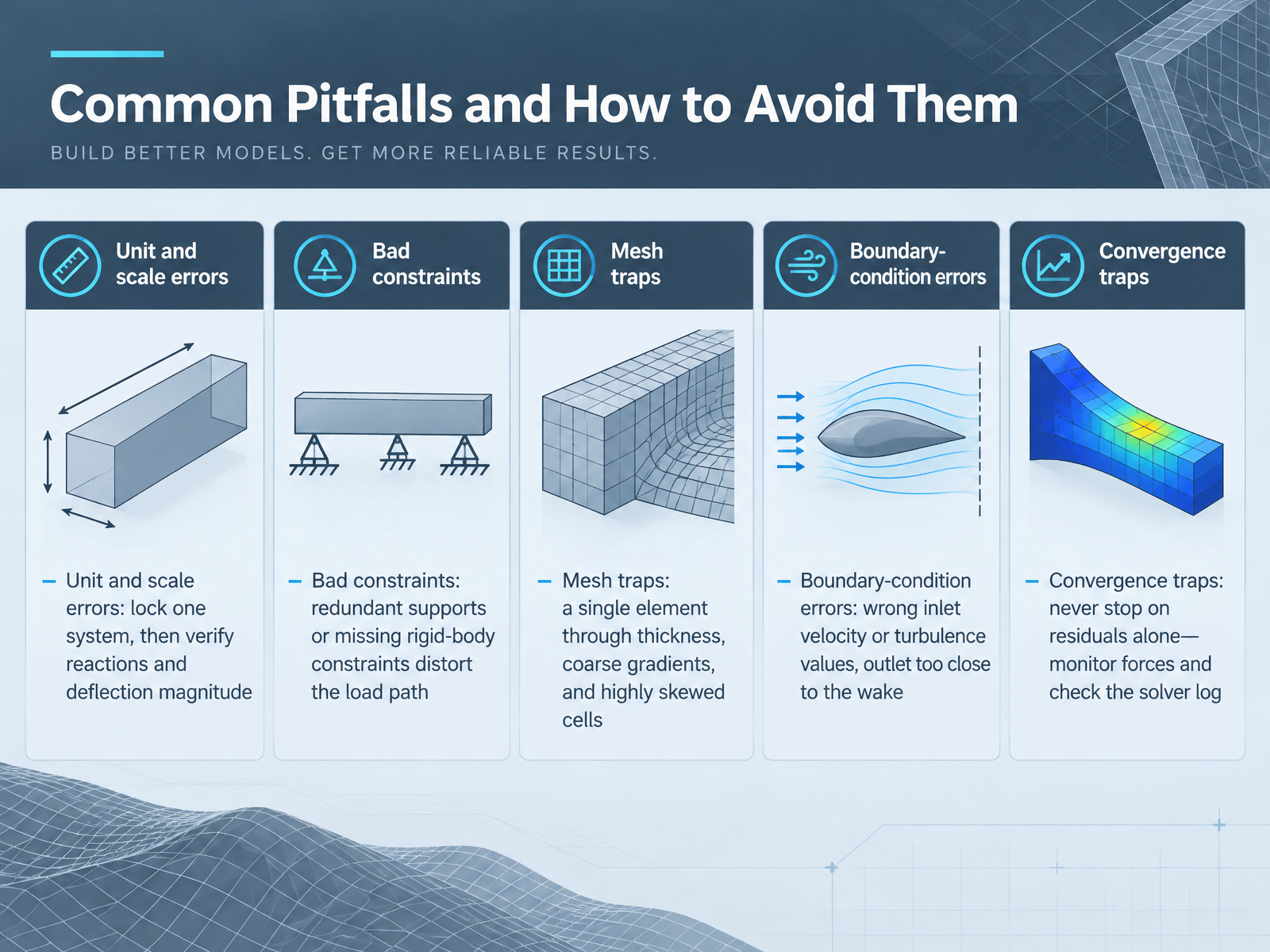
 - 11Common Pitfalls and How to Avoid ThemLet's look at the common pitfalls, and how to avoid each one. First, unit and scale errors. Lock one unit system for the whole model. Then verify reactions and deflection magnitude before you trust any stress value. Next, bad constraints. Redundant supports add stiffness that isn't real. Missing rigid-body constraints leave the model free to drift. So predict the load path first, then check reactions after the run. The trade-off here is time saved by skipping checks versus rework later. Then, mesh traps. One element through thickness under-predicts bending, so use at least three. Watch coarse gradients and highly skewed cells, which hurt accuracy and stability. Next, boundary-condition errors in flow models. A wrong inlet velocity, wrong turbulence values, or an outlet too close to the wake will distort your results. Finally, convergence traps. Never stop on residuals alone. Monitor forces and check the solver log for warnings. Change one thing at a time, and save your case before each change. Takeaway: run this five-point checklist before every first analysis. Now let's put it into practice with a hands-on comparison: the same problem, different tools.
 ansyshelp.ansys.comsimscale.comhdl.handle.net+22 min
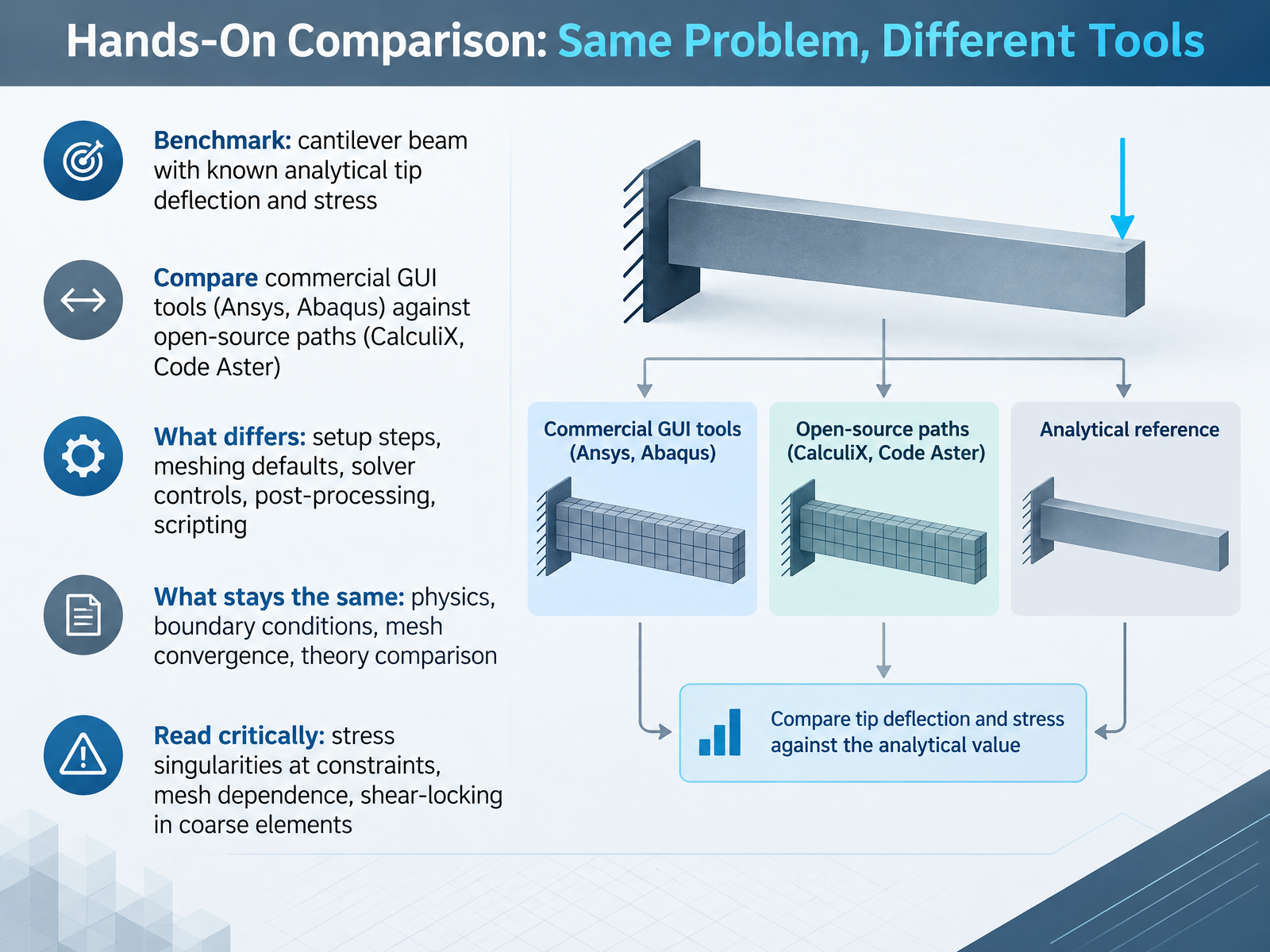
 - 12Hands-On Comparison: Same Problem, Different ToolsNow, let's put the tools side by side with one benchmark problem. Take a cantilever beam with a known analytical tip deflection and stress. Run it in Ansys or Abaqus, then run it in CalculiX or Code Aster. What differs is setup steps, meshing defaults, solver controls, post-processing, and scripting. What stays the same is the physics, the boundary conditions, mesh convergence, and the theory comparison. So read results critically. Watch for stress singularities at constraints, mesh dependence, and shear locking in coarse elements. A useful check is a coarse mesh study, where linear hex elements can show large errors until you refine. Your takeaway here is to benchmark one problem across tools and compare against the analytical solution. Next, we look at building your starter workflow and learning path.
 threadmoat.comthreadmoat.comgitnux.org+22 min
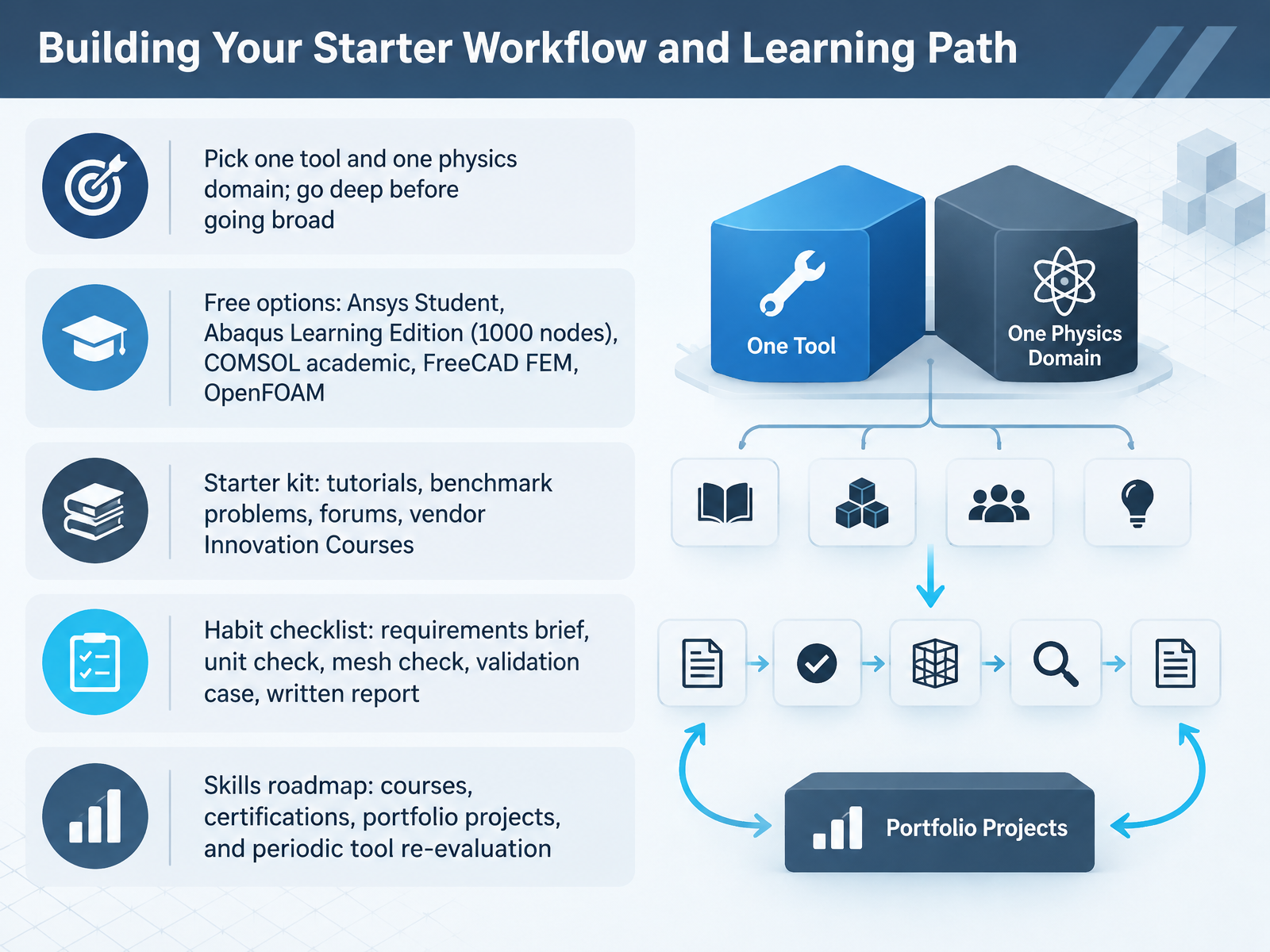
 - 13Building Your Starter Workflow and Learning PathNow let's turn all of this into a starter workflow you can actually follow. Pick one tool and one physics domain. Resist the urge to sample everything. Go deep on one problem first. Next, use free options. Ansys Student, Abaqus Learning Edition with its one thousand node limit, COMSOL academic access, FreeCAD FEM, and OpenFOAM are all reasonable starting points. Build a starter kit. Use tutorials, benchmark problems, forums, and vendor innovation courses. Then adopt a habit checklist. Write a short requirements brief, check units, check your mesh, run a validation case, and finish with a written report. The trade-off here is time. Depth on one domain pays off faster than scattered tool tours. Finally, plan your skills roadmap. Schedule courses, certifications, portfolio projects, and a periodic re-evaluation of your tool choice. Takeaway: commit to one tool, one domain, one validation case, and a repeatable checklist. That habit matters more than which brand you pick. Next, we'll pull everything together in Key Takeaways and Your Next Step.
 threadmoat.comthreadmoat.comgitnux.org+22 min
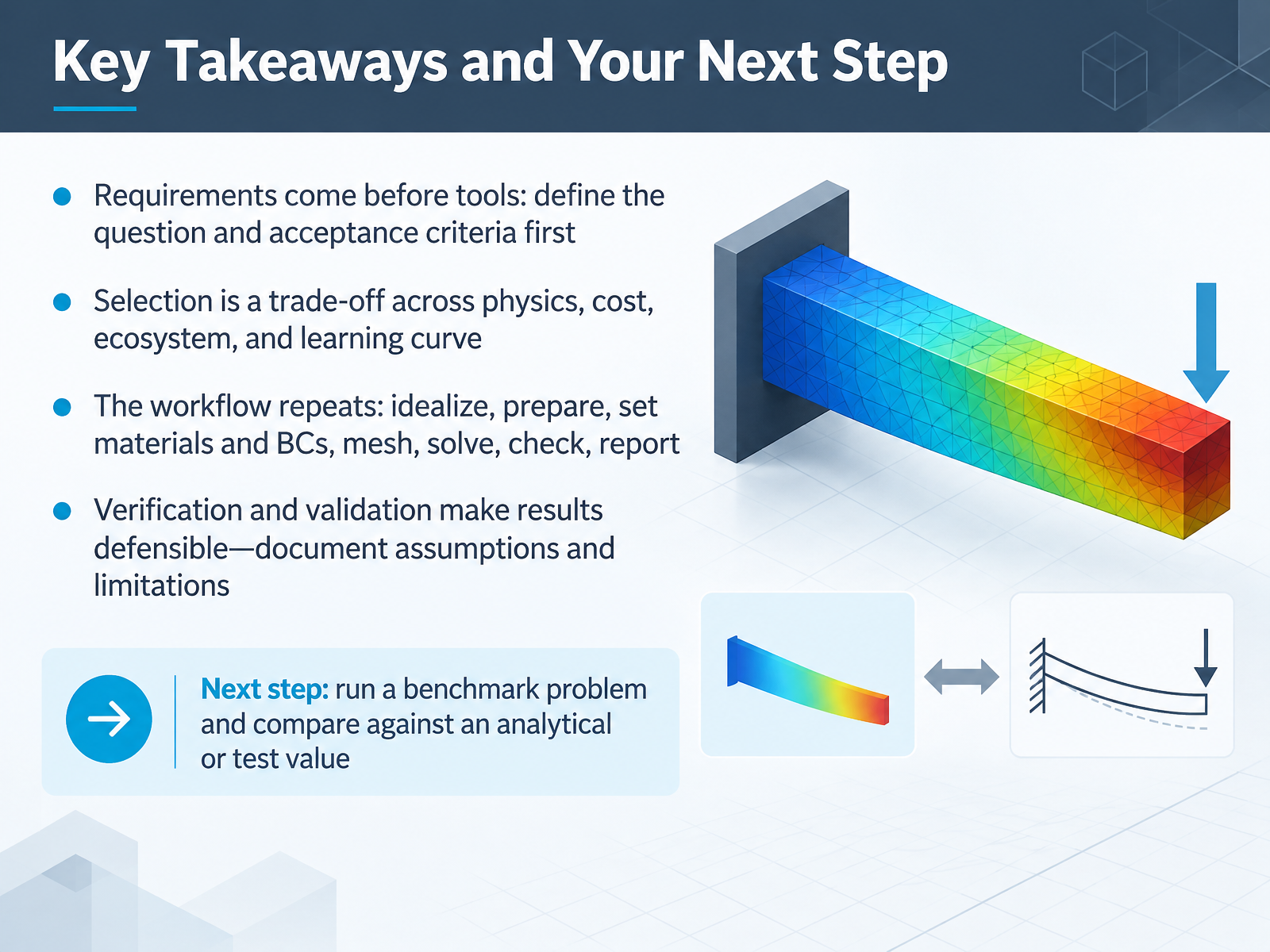
 - 14Key Takeaways and Your Next StepLet's pull the course together, and then set your next step. First, requirements come before tools. Define your question and your acceptance criteria before you open any software. Second, selection is a trade-off across physics, cost, ecosystem, and learning curve. No tool wins on every axis, so match it to your problem. Next, the workflow repeats. Idealize, prepare, set materials and boundary conditions, mesh, solve, check, and report. Verification checks the math, and validation checks the physics against real data. Together they make results defensible, so document your assumptions and limitations. Here is your next step. Run a benchmark problem and compare it against an analytical or test value. Thanks for learning with me. Pick one small benchmark this week, and you will build judgment that lasts.
 asme.orgasme.orgasme.org+21 min
Take the deck with you
Download this course as a file — free, no sign-up needed.
- PDF handoutEvery slide page, ready to print or share.15 pages · 3.7 MBDownload
- Narrated PowerPointThe deck that presents itself — every slide carries the digital human's narration video.15 pages · 15.7 MBDownload
- PowerPoint slidesThe full deck as a .pptx — open it in PowerPoint, Keynote, or Google Slides.15 pages · 3.6 MBDownload
Free to use in your own training — please keep the PersonWise credit page at the end.
Have your own deck? Turn it into a course
Sources consulted
Web sources consulted while building this course.
- 2026 Simulation & Analysis Market Analysis Report - CIMdata — cimdata.com
- Simulation Software Market Size, Growth, Trends & Outlook 2031 — mordorintelligence.com
- Worldwide Engineering Simulation Software Market 2026 – PW Consulting — pmarketresearch.com
- Engineering Simulation Software: FEA, CFD and Beyond — threadmoat.com
- Smart Innovators: Engineering Design Simulation Software — verdantix.com
- Verification, Validation and Uncertainty Quantification (VVUQ) - ASME — asme.org
- Standard for Verification and Validation in Computational Fluid Dynamics and Heat Transfer - ASME — asme.org
- Introduction to Verification, Validation, and Uncertainty Quantification (VVUQ) — asme.org
- An Illustration of the Concepts of Verification and Validation in Computational Solid Mechanics - ASME — asme.org
- VVUQ Standards: Verification & Validation Resource Hub — asme.org
- Best Simulation Software 2026: Independent CAE Buyer's ... — threadmoat.com
- Engineering Simulation Software 2026: FEA, CFD, AI Solvers | ThreadMoat — threadmoat.com
- Best Fem Software: 2026 Comparison — gitnux.org
- Physics Simulation Software Compared Head-to-Head (2026) — itechguides.com
- 8 best finite element analysis software for 2026 - Guideflow Blog — guideflow.com
- Mesh Quality Best Practices — ansyshelp.ansys.com
- Mesh Quality | Mesh Visualization Tips | SimScale — simscale.com
- Quality Evaluation of Finite Element Models with Applications on Concrete Structures — hdl.handle.net
- FEM Modeling: Mesh, Loads and BCs — quickfem.com
- A Short Course on Mesh Quality — osti.gov