Begin
17 pages · ~34 min
Facilitating Effective Meetings
Learn to plan, lead, and streamline meetings for maximum productivity and collaboration.
A digital instructor presents all 17 pages. Hold “Ask” at any point and ask out loud — the answer comes from this course. No sign-up needed.
What you’ll learn
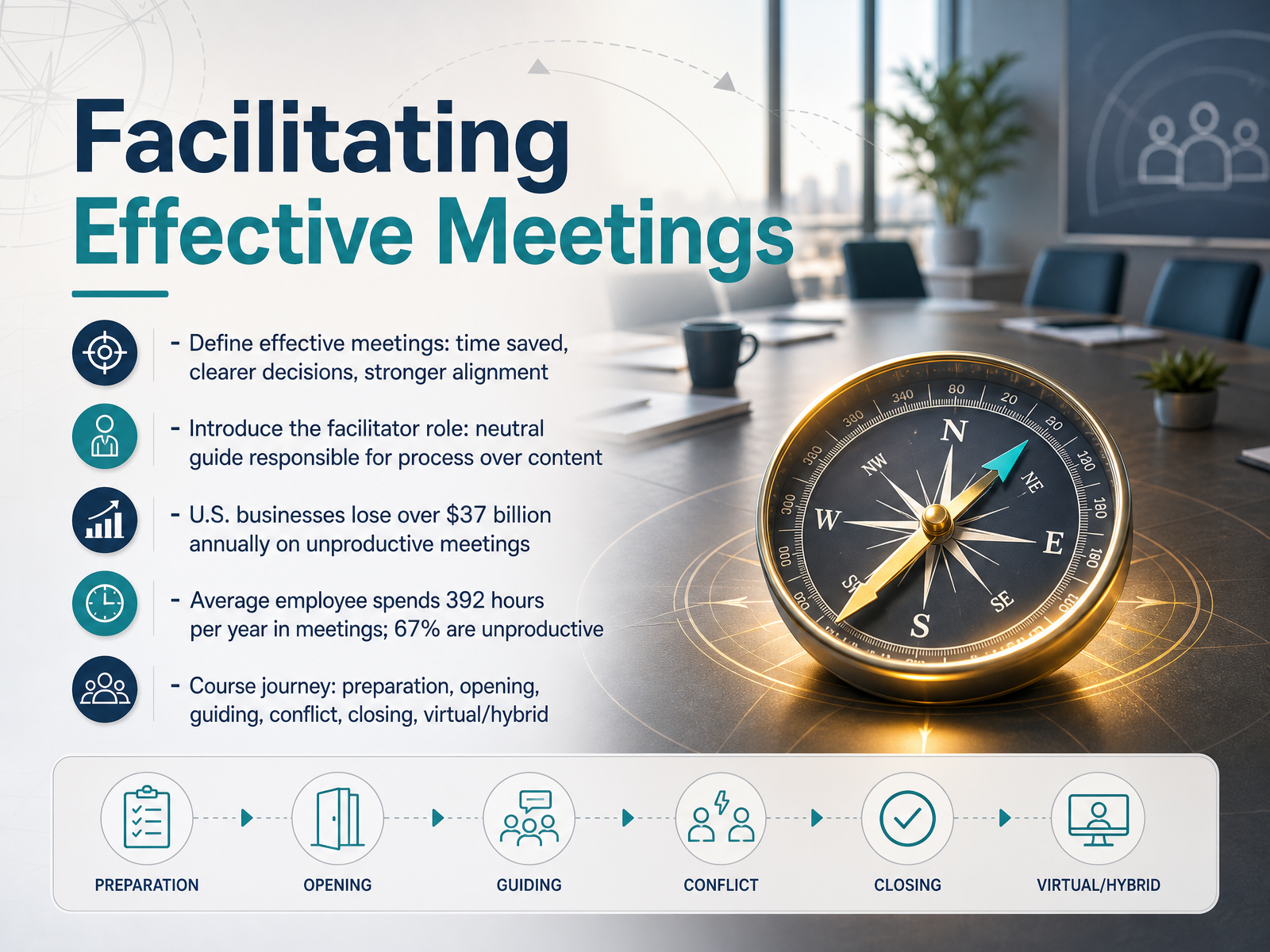
- 01Facilitating Effective MeetingsWelcome to Facilitating Effective Meetings. If you have ever sat through a discussion that circled back to the same point three times, or left a room unsure what was actually decided, you know exactly why this topic matters. Our goal here is simple: turn meetings from a time cost into a strategic tool. An effective meeting saves time, produces clearer decisions, and creates stronger alignment across your team. The numbers behind this are striking. U.S. businesses lose over thirty-seven billion dollars every year to unproductive meetings. The average employee spends three hundred ninety-two hours annually in meetings, and research shows that sixty-seven percent of that time is rated as unproductive. That is a lot of collective energy that could be used for real work. Your role as a facilitator is the key to changing this. Think of yourself as a neutral guide. You are responsible for the process, how the conversation flows, who gets heard, and how decisions get made, rather than owning the content of every answer. Throughout this course, we will walk through a complete journey together. We will start with preparation, move through opening and guiding the discussion, handle conflict when it surfaces, close with clear action items, and then apply all of this to virtual and hybrid settings. By the end, you will have a practical toolkit to ensure every meeting you lead is worth the time. Let us begin by looking at the very first question: Deciding If a Meeting Is Even Necessary.psychsafety.compoints-of-you.comdoi.org+22 min
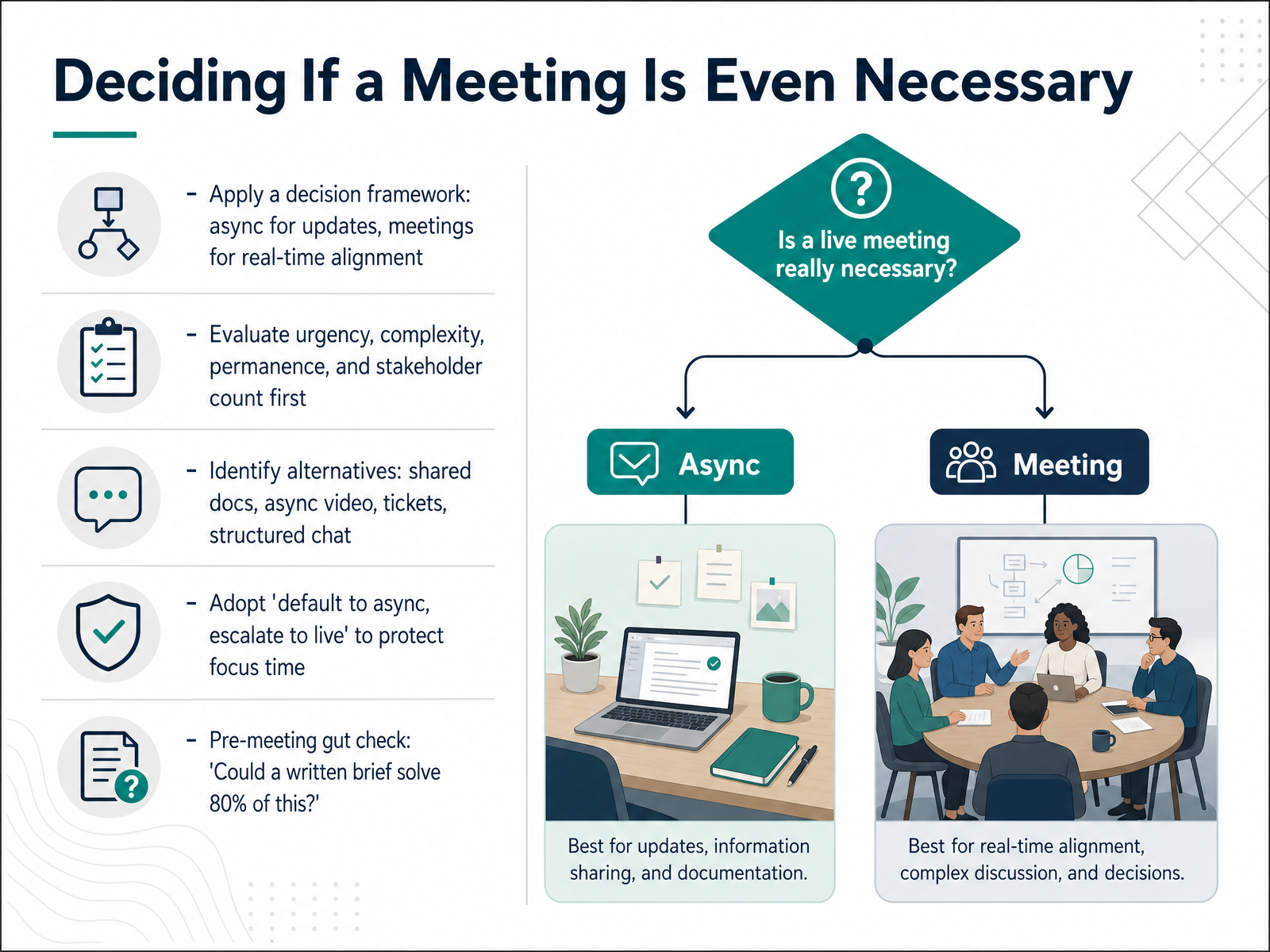
- 02Deciding If a Meeting Is Even NecessarySo, before you book that room or send that invite, let's pause and ask a powerful question: do we even need a meeting? It might sound simple, but skipping this step is why sixty-seven percent of meetings are considered unproductive. The first filter is urgency. If it's a production outage or a same-day crisis, a live huddle makes sense. But if the answer can wait a few hours, an async update is often better. Next, think about complexity. Is this a simple status update, or does it require real-time negotiation and trade-offs? Adopt a 'default to async, escalate to live' mindset to protect your team's focus time. Instead of a meeting, could a shared document, a short recorded video walkthrough, or a ticket do the job? Finally, do a quick gut check. Ask yourself: 'Could a single written brief solve eighty percent of this?' If the answer is yes, send the brief first. It will save everyone about thirty-one hours a month that are currently lost to unproductive meetings. Let's look at how to structure that meeting if you still need one, specifically by crafting a purpose, agenda, and the right guest list.
 assign.cloudworkmate.comslack.com+22 min
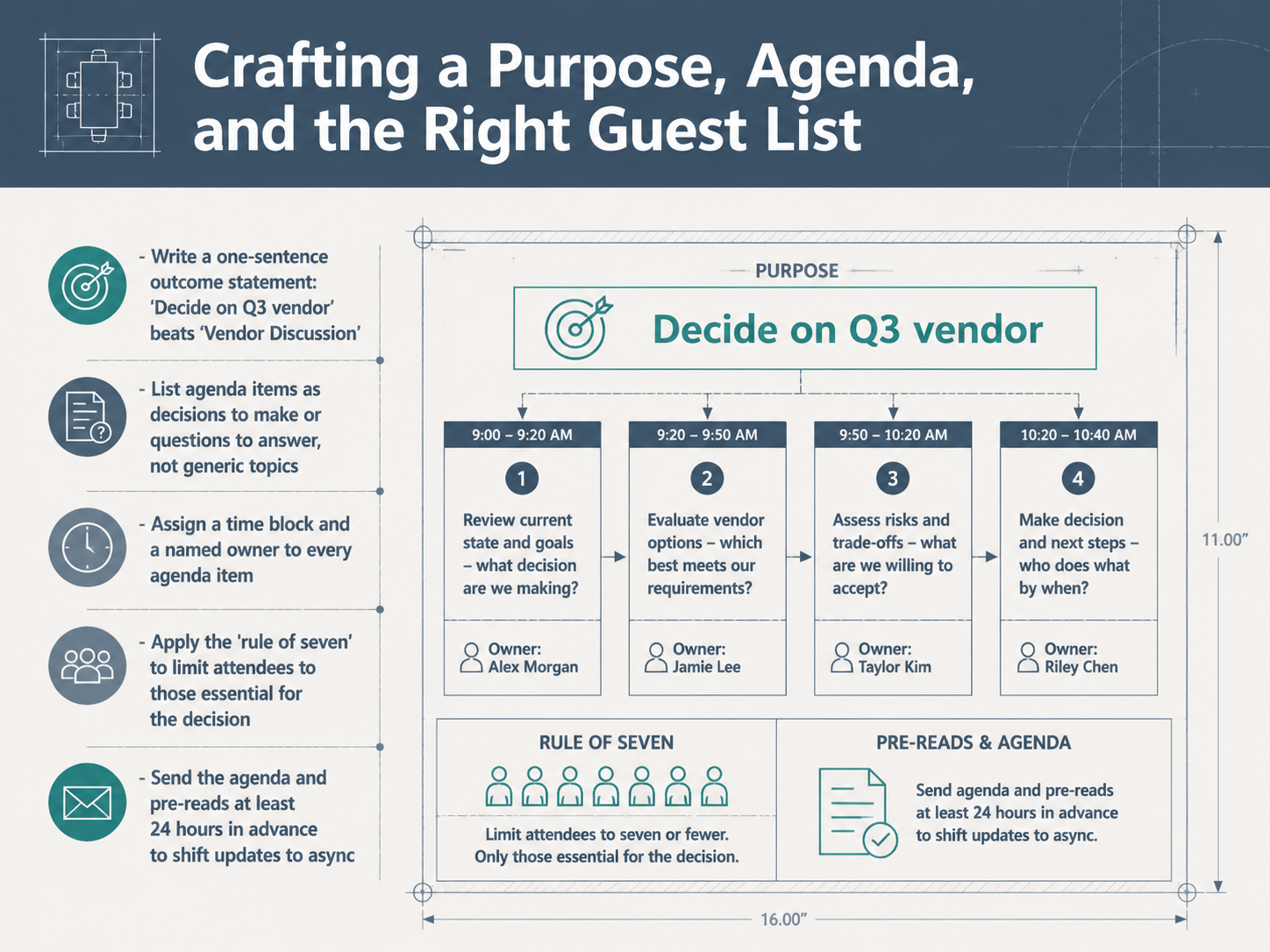
 - 03Crafting a Purpose, Agenda, and the Right Guest ListEvery productive meeting starts before anyone walks into the room. The secret is in the setup. First, define your purpose with a single outcome sentence. "Decide on Q3 vendor" gives clear direction. "Vendor Discussion" just wanders. Next, turn your agenda items into decisions to make or questions to answer, not generic topics. Then assign each item a time block and a named owner. This makes it clear who is driving the conversation and keeps the group on schedule. Now, limit your guest list. Use the rule of seven. If you have more than seven people, ask yourself who is truly essential for the decision. Finally, send the agenda and any pre-reads at least twenty-four hours ahead. This lets people arrive prepared and shifts informational updates to async work, so live time is for real discussion. When you nail these steps, you transform a time slot on the calendar into a focused session that actually moves work forward. Next, let's take that solid plan and put it into action. We'll look at opening strong and the critical first five minutes of your meeting.
 monday.comasana.comzoom.com+22 min
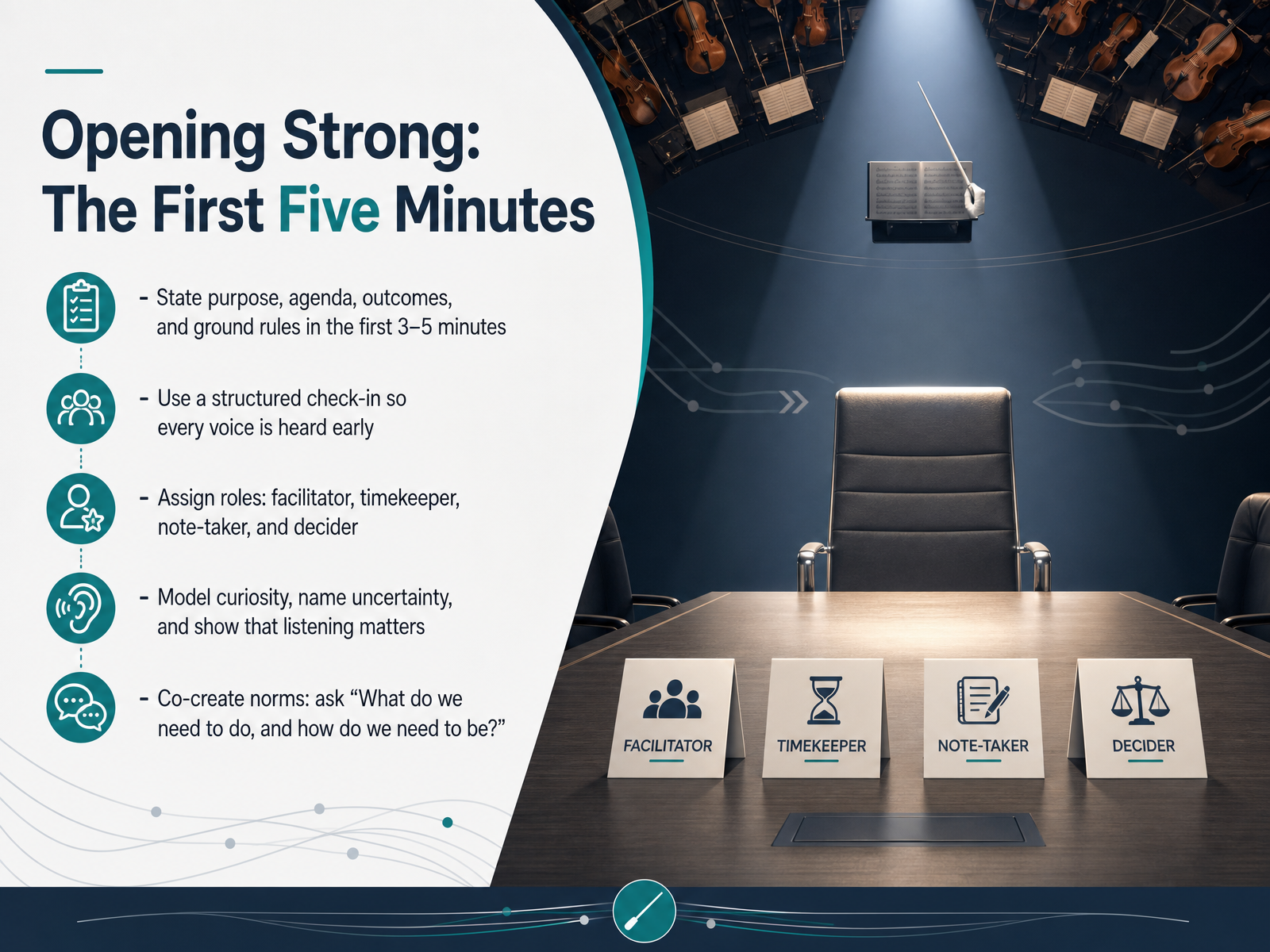
 - 04Opening Strong: The First Five MinutesNow, let's talk about opening strong. The first five minutes of your meeting set the tone for everything that follows. Psychological safety isn't built with a speech—it's built through small design choices that signal respect and curiosity from the start. Begin by stating the purpose, the agenda, the outcomes you're aiming for, and the ground rules you'll use. This clarity reduces ambiguity and helps people feel safe to contribute. Next, use a structured check-in. Evidence shows that when people speak early, the barrier to future participation drops dramatically. Try a simple question everyone can answer, like "What's one thing you hope we achieve today?" This gets every voice in the room within those first few minutes. Then, assign clear roles. You need a facilitator to guide the conversation, a timekeeper to protect the clock, a note-taker to capture decisions, and a decider to make the final call when needed. Finally, co-create the norms. Ask the group, "What do we need to do, and how do we need to be, for this discussion to succeed?" People honor what they help create. When you model curiosity, name uncertainty, and show that listening matters, the group learns that honesty won't be punished. Next, we'll explore how to keep building psychological safety from the start.
 psychsafety.compoints-of-you.comdoi.org+22 min
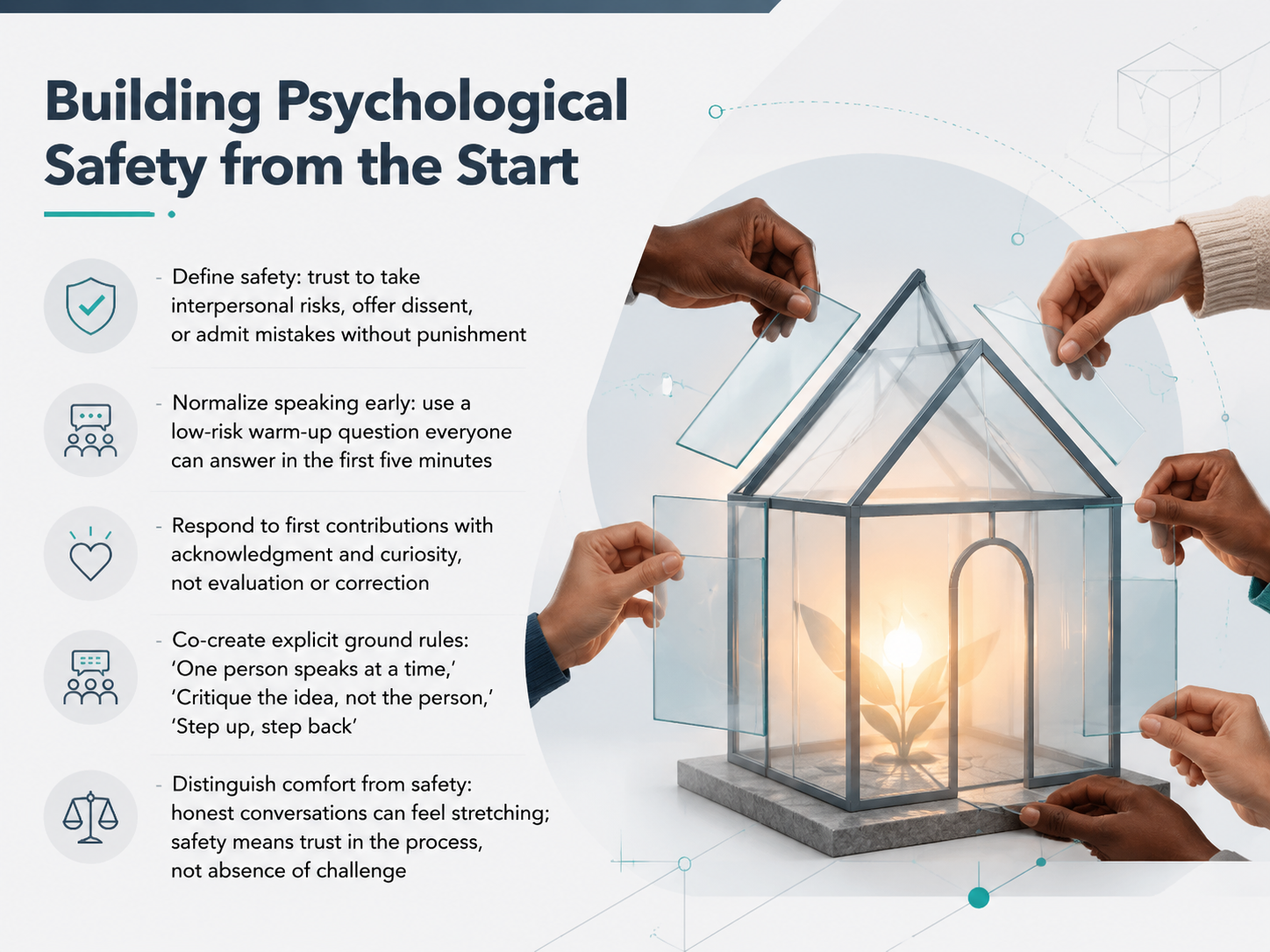
 - 05Building Psychological Safety from the StartNow, let’s build psychological safety right from the start. Safety is the trust that you can offer a dissenting view, admit a mistake, or ask a risky question without punishment. It is not about keeping everyone comfortable. Honest conversations can feel stretching, and that is okay. Safety means trusting the process, even when the topic is challenging. To make that real, begin by normalizing speaking early. In the first five minutes, use a low-risk warm-up question everyone can answer. When you hear those first contributions, respond with acknowledgment and curiosity, not evaluation. Then, co-create explicit ground rules as a group. For example: 'One person speaks at a time,' 'Critique the idea, not the person,' and 'Step up, step back.' When the team owns the norms, they hold each other accountable. Start with small, structured moments of participation, and watch trust grow. Next, we will explore guiding discussion with tools for balanced participation.
 psychsafety.compoints-of-you.comdoi.org+22 min
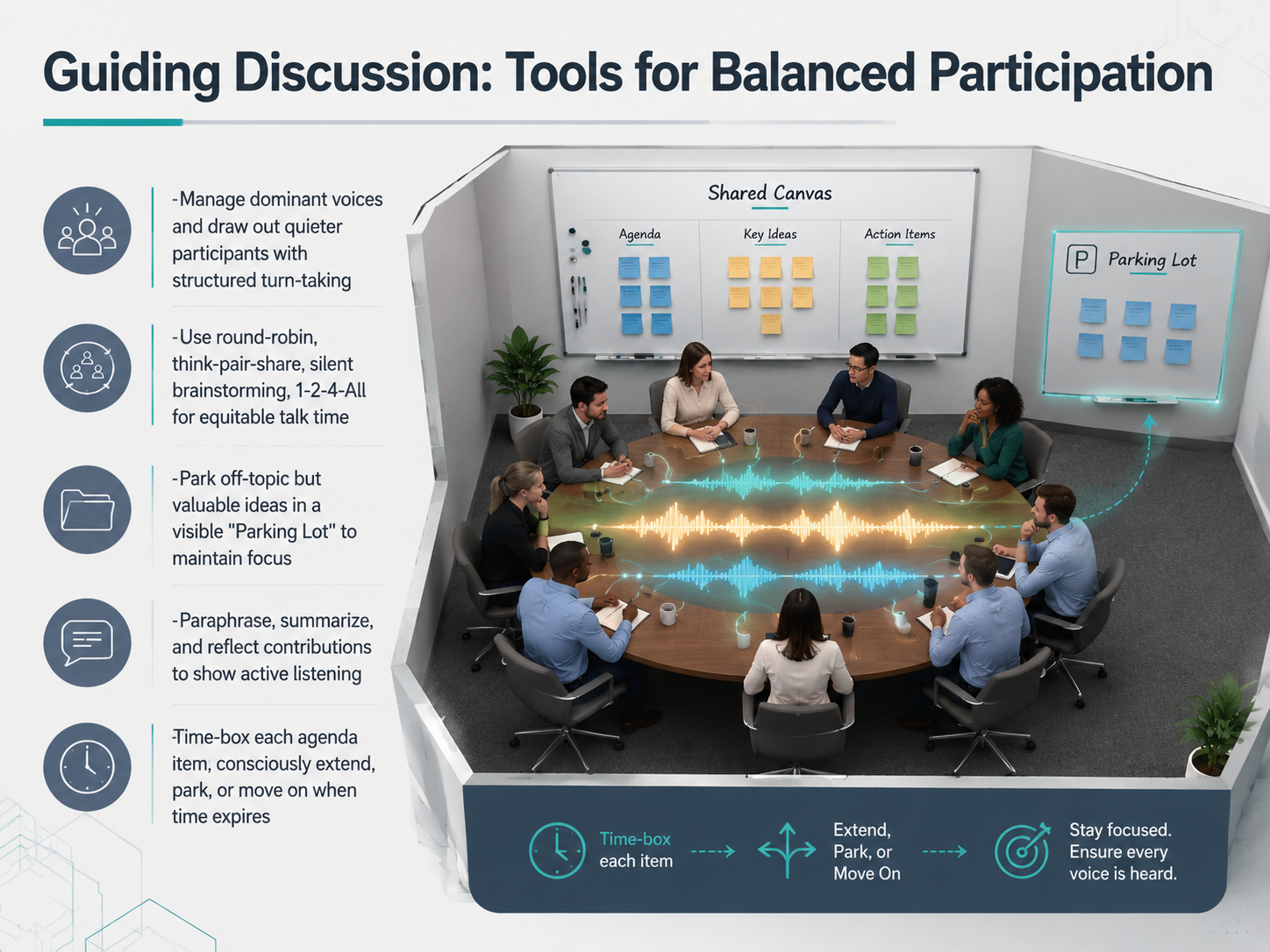
 - 06Guiding Discussion: Tools for Balanced ParticipationNow let's turn to the tools that keep your discussion balanced. In any meeting, you'll notice a few voices tend to dominate while others hold back. Your job is to create space for everyone. Structured turn-taking is your best friend here. Try a simple round-robin, where each person shares one thought in order. Or use think-pair-share: give everyone a moment to reflect alone, then discuss with a partner, and finally share with the whole group. For deeper reflection, silent brainstorming or the 1-2-4-All method scales the conversation up gradually and gives your quieter team members time to process. As you guide the conversation, you'll inevitably get valuable but off-topic ideas. Protect your agenda by parking those ideas in a visible 'parking lot'—a shared space on the board where you capture and revisit them later. Meanwhile, keep the discussion moving by paraphrasing what you hear. Say, 'What I'm hearing is...' to show you're listening and to confirm understanding. Finally, time-box every agenda item. When the clock runs out, make a conscious choice: extend the discussion, park the topic, or move on. These tools prevent the loudest voice from setting the entire agenda. Next, we'll dive deeper into the parking lot and other focus-keeping mechanisms.
 nngroup.comthefacilitationhub.comgembaacademy.com+22 min
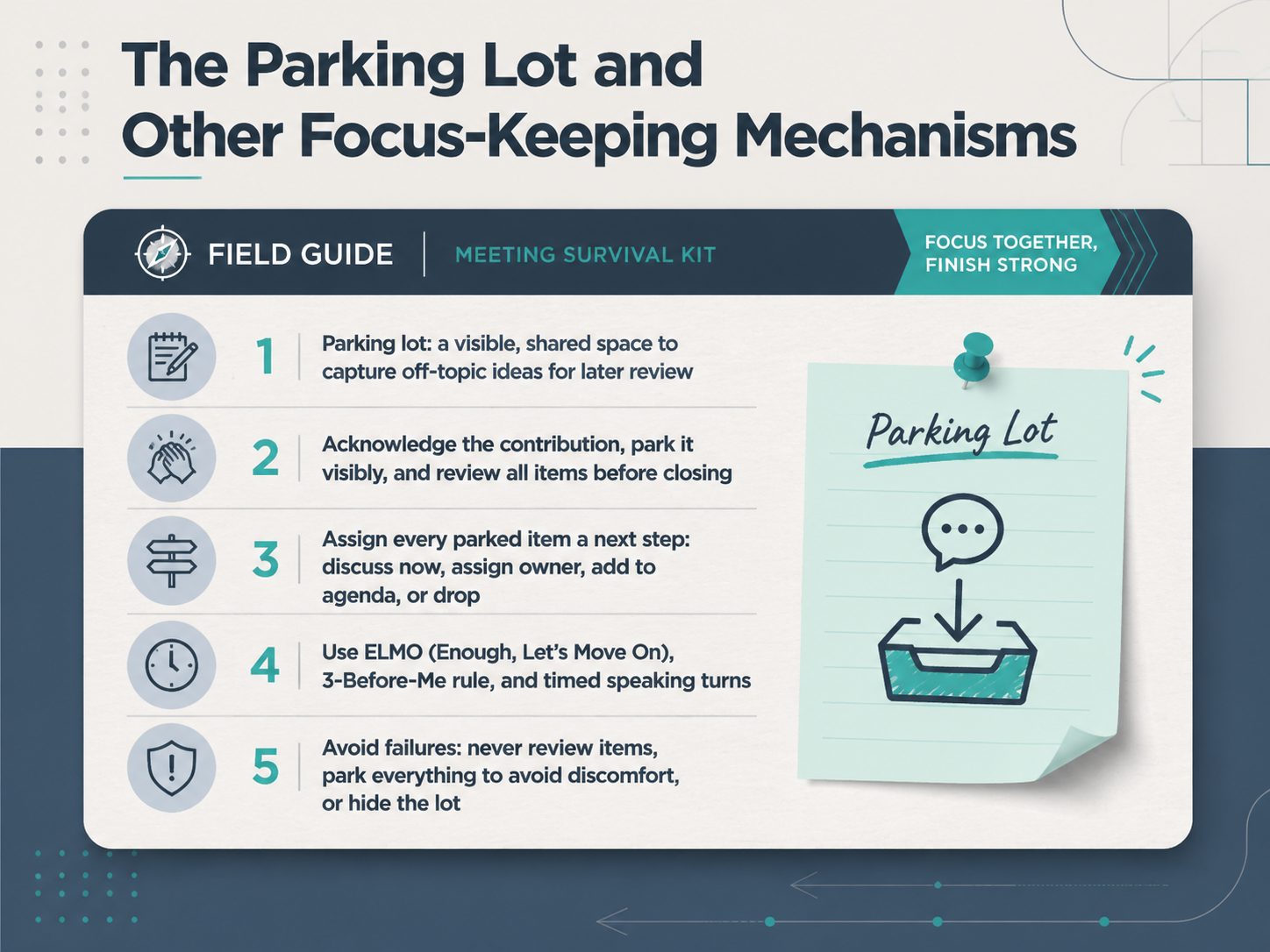
 - 07The Parking Lot and Other Focus-Keeping MechanismsNow, let's talk about a simple tool that saves meetings: the parking lot. It's a visible, shared space where you capture off-topic ideas so you can come back to them later without derailing the discussion. When someone raises a good point that isn't on today's agenda, acknowledge it quickly. Say something like, 'That's a fair point. Let's park it so we don't lose it, and we'll review it at the end.' Then, write it down where everyone can see. Before you close the meeting, always review the parking lot. Give every parked item a clear next step. You can discuss it now if it's quick, assign an owner to handle it after the meeting, add it to the next agenda, or agree to drop it. Never let the parking lot become a polite way to ignore people. You also have other tools to keep focus. Use E L M O, which stands for Enough, Let's Move On, when a discussion is going in circles. Try the three-before-me rule to make sure everyone gets a chance to speak. And use timed speaking turns to keep things moving. The goal is to protect the agenda without shutting anyone out. Next, we'll explore navigating conflict and difficult moments.
 nngroup.comthefacilitationhub.comgembaacademy.com+22 min
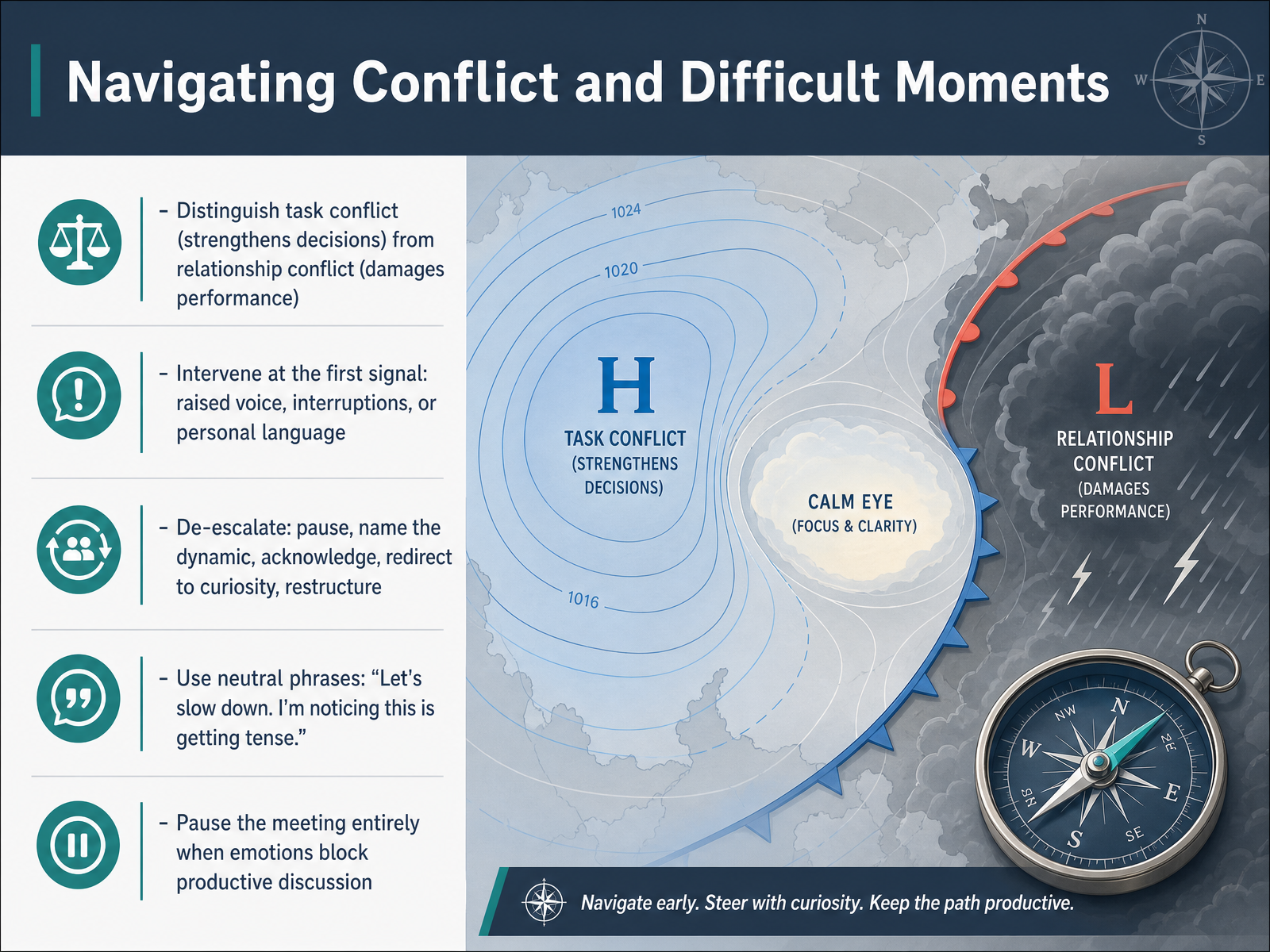
 - 08Navigating Conflict and Difficult MomentsNow let's talk about navigating conflict and those difficult moments that can surface in any meeting. Not all disagreement is bad. In fact, task conflict, where people push back on ideas, strategies, or priorities, can actually strengthen your team's decisions. The danger is when that tips into relationship conflict, where things get personal and performance suffers. Your job as a facilitator is to catch that shift early. Watch for the first signals: a raised voice, frequent interruptions, or language like 'you always' or 'you never.' That's your moment to intervene. Start by using a neutral phrase to slow things down. You might say, 'Let's slow down. I'm noticing this is getting tense.' Then, name the dynamic without taking sides, acknowledge the emotion in the room, and redirect the group toward curiosity. Ask, 'What's the shared outcome we're really trying to reach here?' If emotions are still blocking productive discussion, it's okay to pause the meeting entirely. A five-minute break can reset the room. Remember, your goal isn't to solve the conflict on the spot. It's to restore enough calm so the group can think clearly again. Next, we'll build on this by looking at reframing disagreement as shared problem-solving.
 2 min
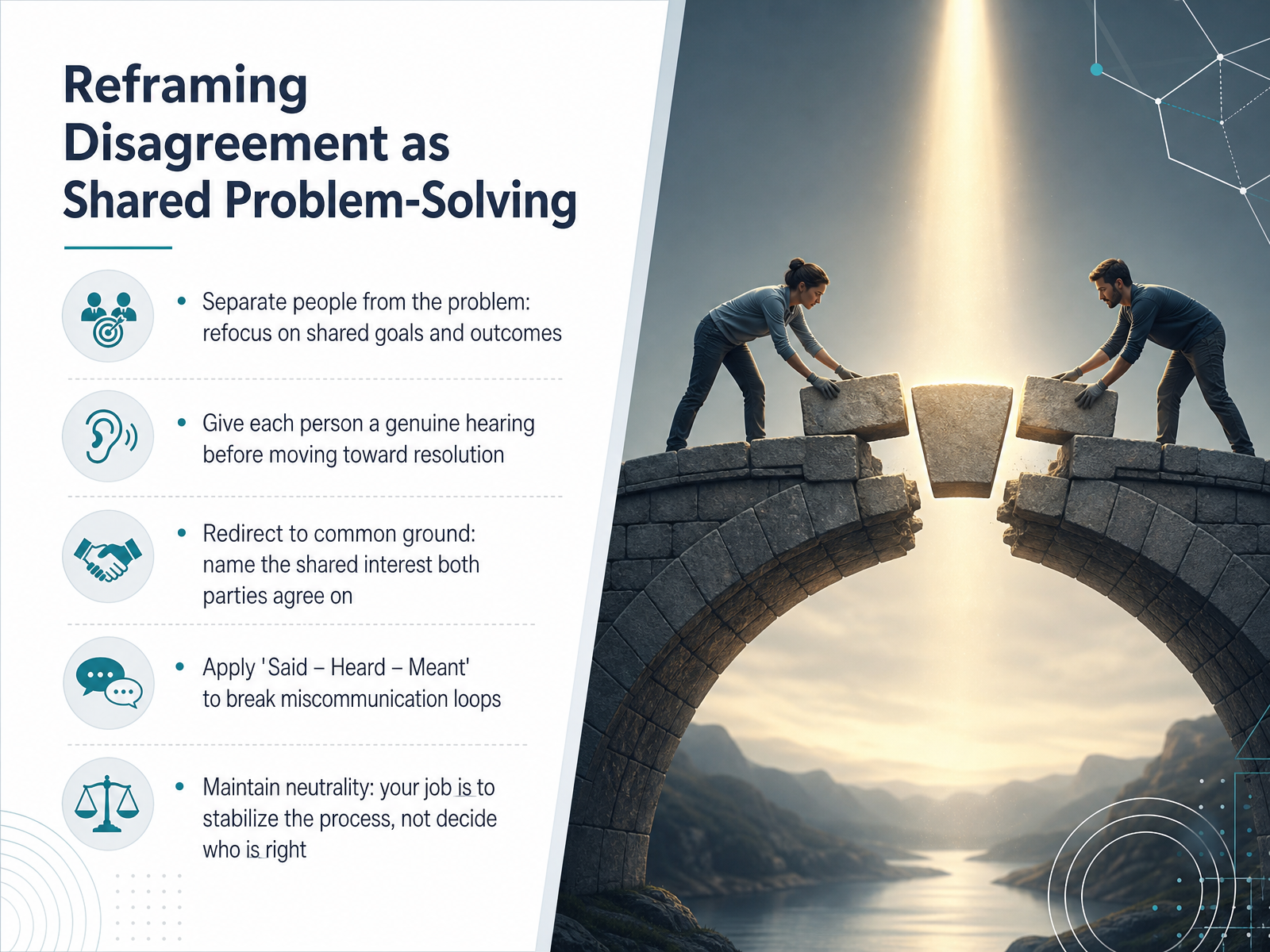
2 min - 09Reframing Disagreement as Shared Problem-SolvingNow, let's talk about reframing disagreement as shared problem-solving. When tension rises in a meeting, your first instinct might be to decide who is right. But your real job is to stabilize the process. Start by separating the people from the problem. Refocus everyone on the shared outcome you all want. Next, give each person a genuine hearing before you move toward resolution. This doesn't mean you agree with them. It means you slow the room down and let them feel heard. Then, redirect to common ground. Name the shared interest both parties agree on, like wanting the project to succeed. You can also apply a simple communication tool called 'Said, Heard, Meant' to break miscommunication loops. Have one person restate what they heard, and let the original speaker clarify what they actually meant. Throughout all of this, maintain neutrality. Your calm, steady language is what allows the group to think clearly again. Let's carry this forward into our next topic: decision-making, from talk to action.
 1 min
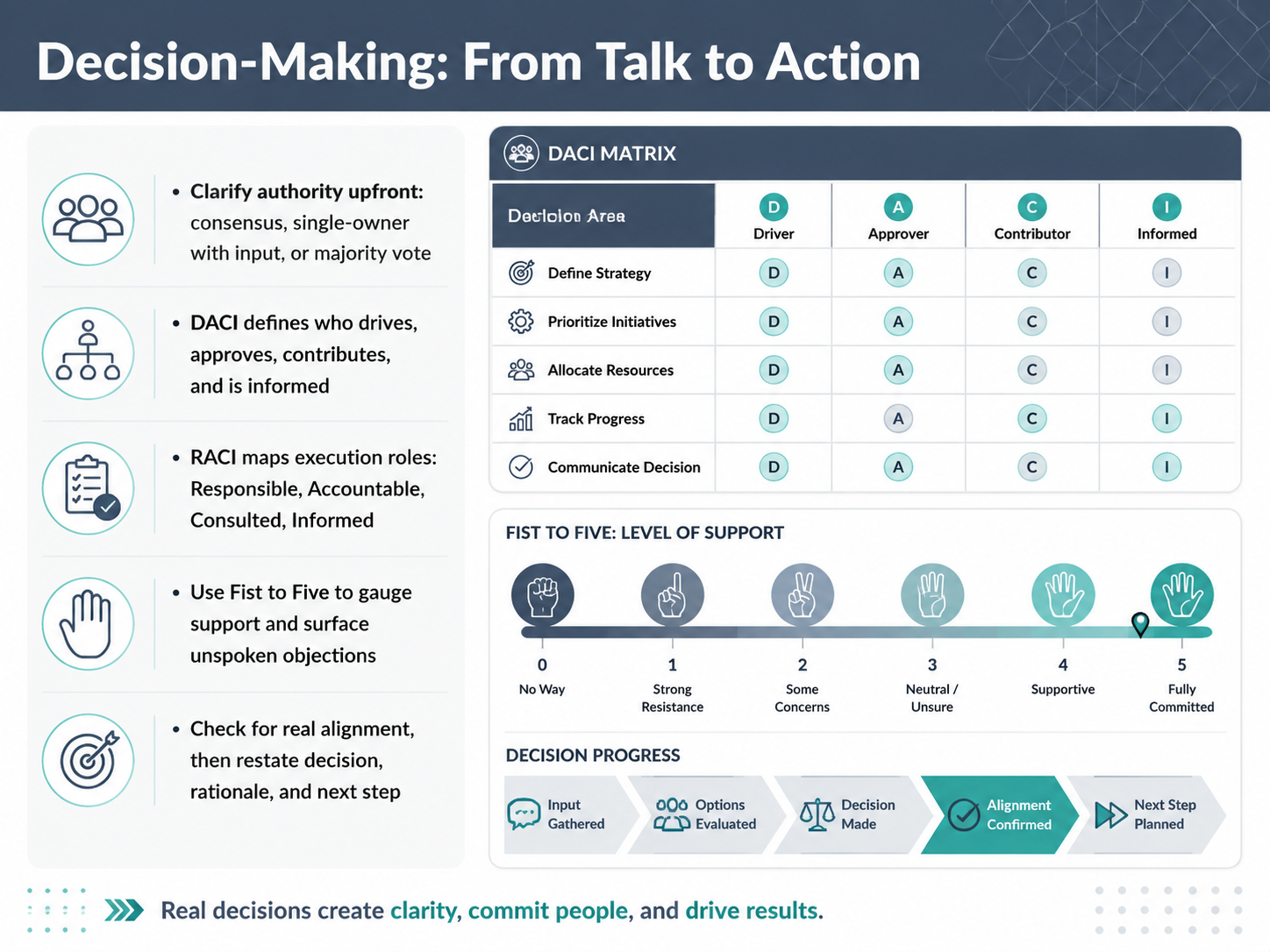
1 min - 10Decision-Making: From Talk to ActionSo, how do you actually turn a good discussion into a clear, binding decision? It starts by clarifying your decision-making authority upfront. Are you aiming for full consensus, or is one person making the call with input from the group? Maybe you’ll use a simple majority vote. Just say it out loud before you begin. Two frameworks can help here. DACI, which stands for Driver, Approver, Contributor, and Informed, is perfect for decisions. It identifies who drives the process and who has the final say. RACI, which stands for Responsible, Accountable, Consulted, and Informed, is better for execution. It maps out who does the work after the decision is made. When you’re ready to check for agreement, try the Fist to Five technique. Ask everyone to hold up a number of fingers, from a closed fist for a hard no, to five fingers for full enthusiasm. This quickly surfaces hidden objections you might otherwise miss. Before you close, confirm real alignment. Restate the final decision, the core reason you made it, and the very next step. This turns talk into action. Next, we’ll dive deeper into the Fist to Five technique and other consensus tools.
 2 min
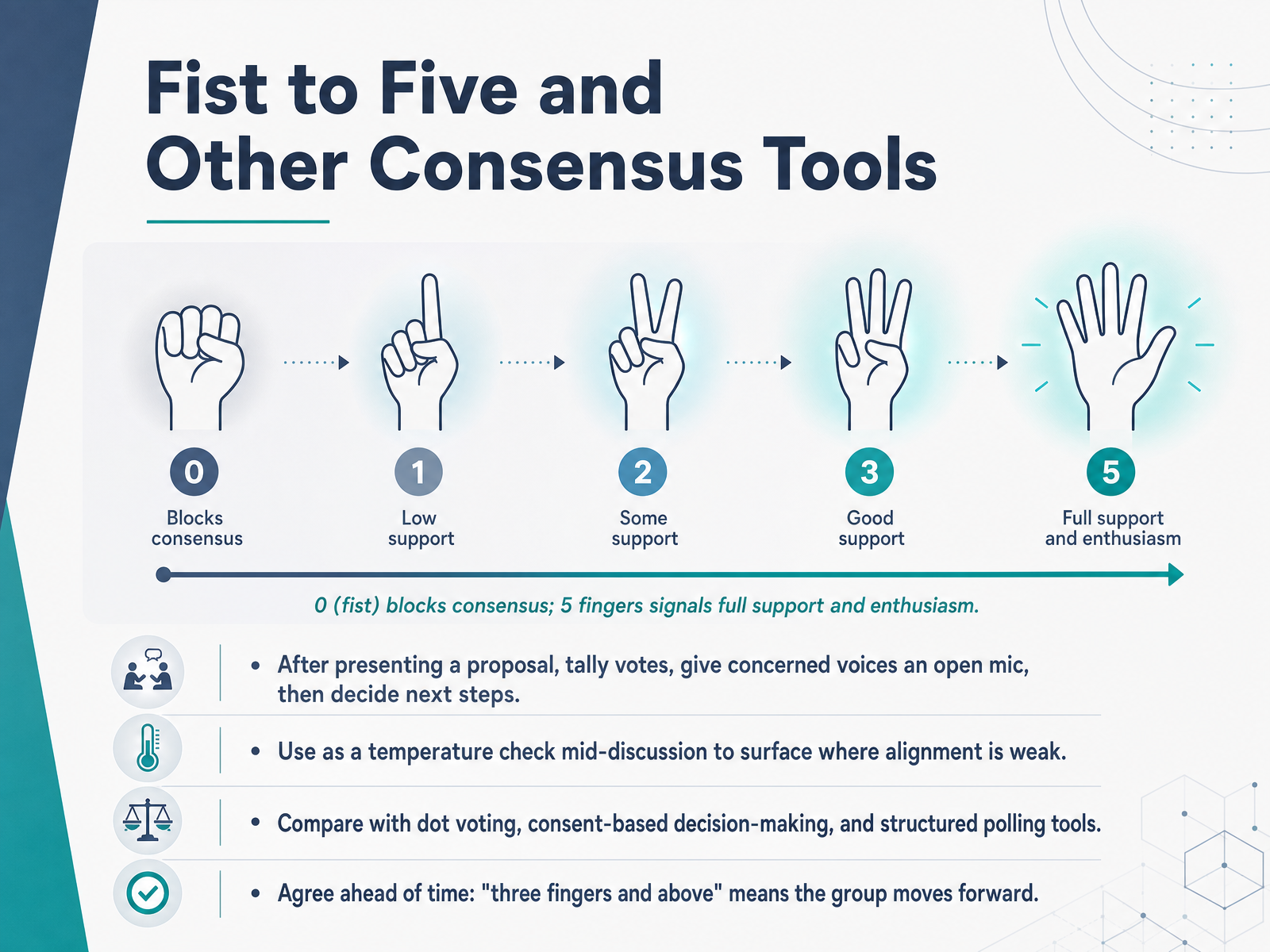
2 min - 11Fist to Five and Other Consensus ToolsLet's explore a tool that makes consensus visual and fast. It's called Fist to Five. Here's how it works. After you present a proposal, everyone shows their support by holding up fingers, from a closed fist up to five fingers. A fist means 'I completely disagree and want to block this decision.' Five fingers signals 'I'm all in, full enthusiasm.' The middle ground gives you nuance. One finger means major concerns, two fingers signals minor issues, and three fingers says 'I'm not in total agreement, but I'm comfortable enough to move forward.' You can also use this as a quick temperature check mid-discussion to surface where alignment is weak. The key step is what happens after you tally the votes. Give the people holding up fewer than three fingers an open mic to share their concerns. This isn't about silencing dissent; it's about addressing it directly. To make this work smoothly, agree on a clear rule ahead of time, for example, 'three fingers and above means we move forward.' This technique is different from dot voting or simple polling, because it focuses the group on a single proposal and the specific reasons behind any hesitation. Now, once you have a decision, you need to lock in the next steps. Up next, we'll cover closing with clarity, including actions, owners, and accountability.
 2 min
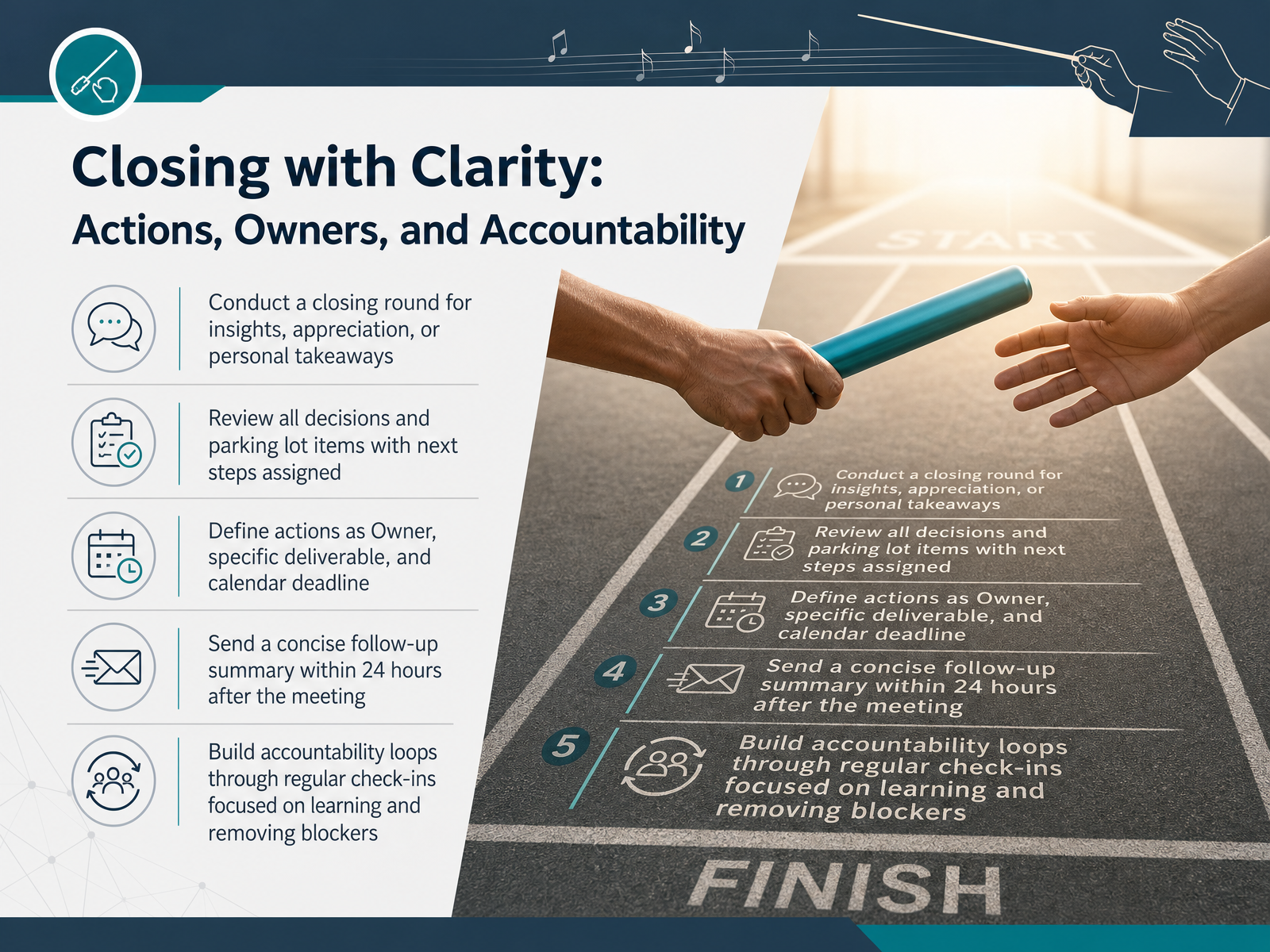
2 min - 12Closing with Clarity: Actions, Owners, and AccountabilityNow let's talk about the final critical moments of your meeting. Closing with clarity is what turns conversation into action. Before you end, run a quick round for final thoughts. Ask everyone for one insight, one takeaway, or a simple appreciation. This gets everyone aligned and ends on a positive, human note. Then, review all decisions and any parking lot items. For each one, define a crystal-clear action. This means naming a single owner, a specific deliverable, and a calendar deadline. Not 'the team will look into it,' but 'Jamie will draft the proposal by Thursday noon.' This one step alone prevents most follow-up confusion. After the meeting, send a concise summary within 24 hours. Keep it short, focused on decisions and owners, so it acts as a shared memory checkpoint. Finally, build accountability loops that don't feel like micromanagement. Use regular check-ins focused on learning and removing blockers. Ask 'What's in your way?' instead of 'Is it done yet?' This protects the standard you all agreed to, without hovering. Next, we'll look at the follow-up email that gets actions done.
 2 min
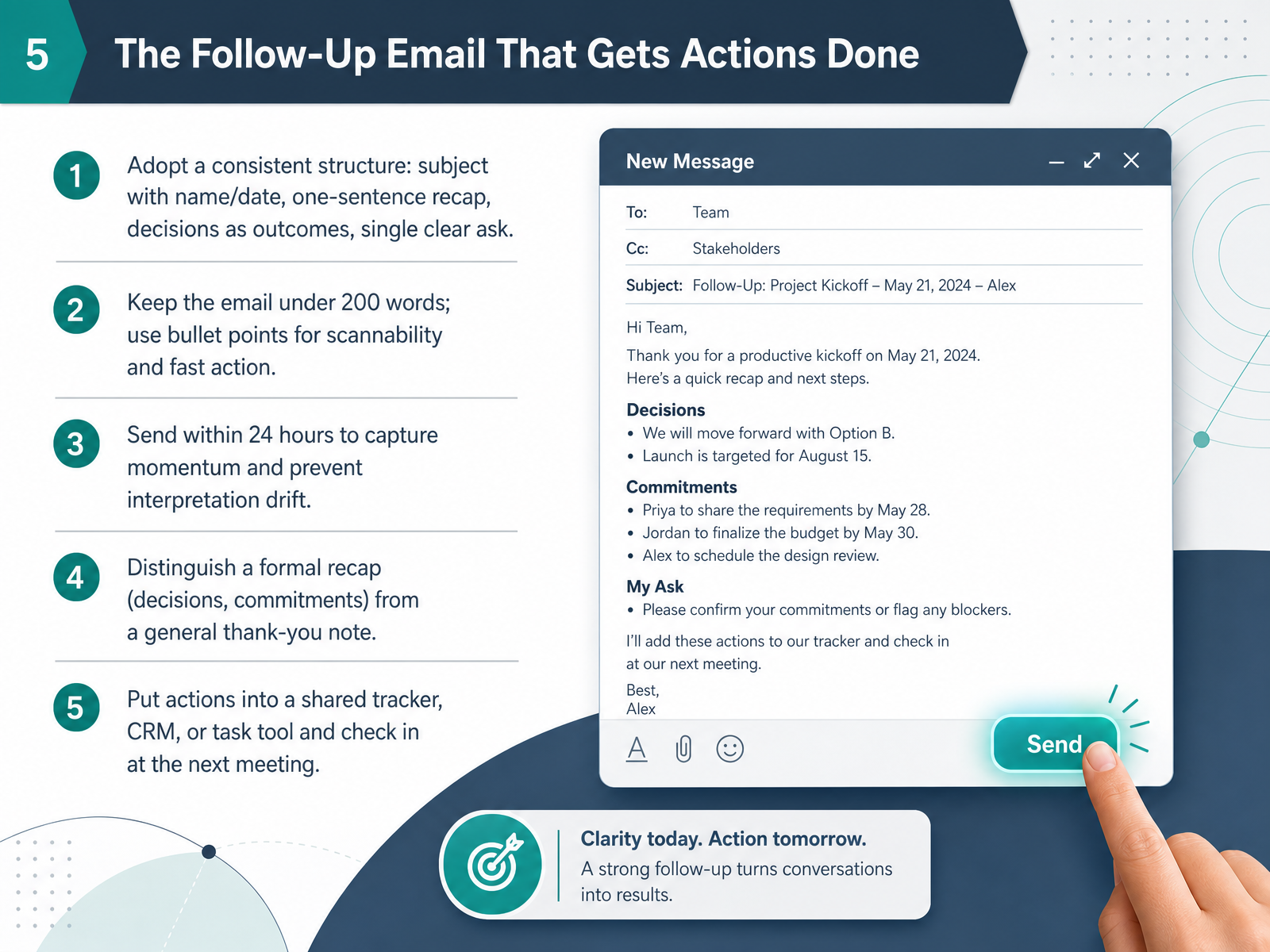
2 min - 13The Follow-Up Email That Gets Actions DoneNow let's move from the meeting itself to the moment that locks everything in place: the follow-up email. This is your tool for turning a good conversation into real action. The subject line is key. Always include the meeting name and the date so it's easy to find later. Open with a single sentence of thanks, then a one-sentence recap of the objective. List the decisions you made as complete outcomes, not just topics. For example, write 'Approved Q3 budget for the content campaign,' not 'Budget discussion.' Next, turn every next step into a clear action item with one owner and a hard deadline. Use bullet points so people can scan the list in seconds. Keep the whole email under 200 words. Send it within 24 hours while the momentum is still fresh. Remember, this is a formal recap of decisions and commitments, not a simple thank-you note. Finally, put those actions into your shared tracker, project tool, or CRM right away. Don't let them live only in someone's inbox. Schedule a quick check-in at your next meeting to close the loop. This predictable rhythm builds trust without micromanaging. Next, let's explore how to apply these same principles when you're not all in the same room, with Virtual and Hybrid Meeting Essentials.
 2 min
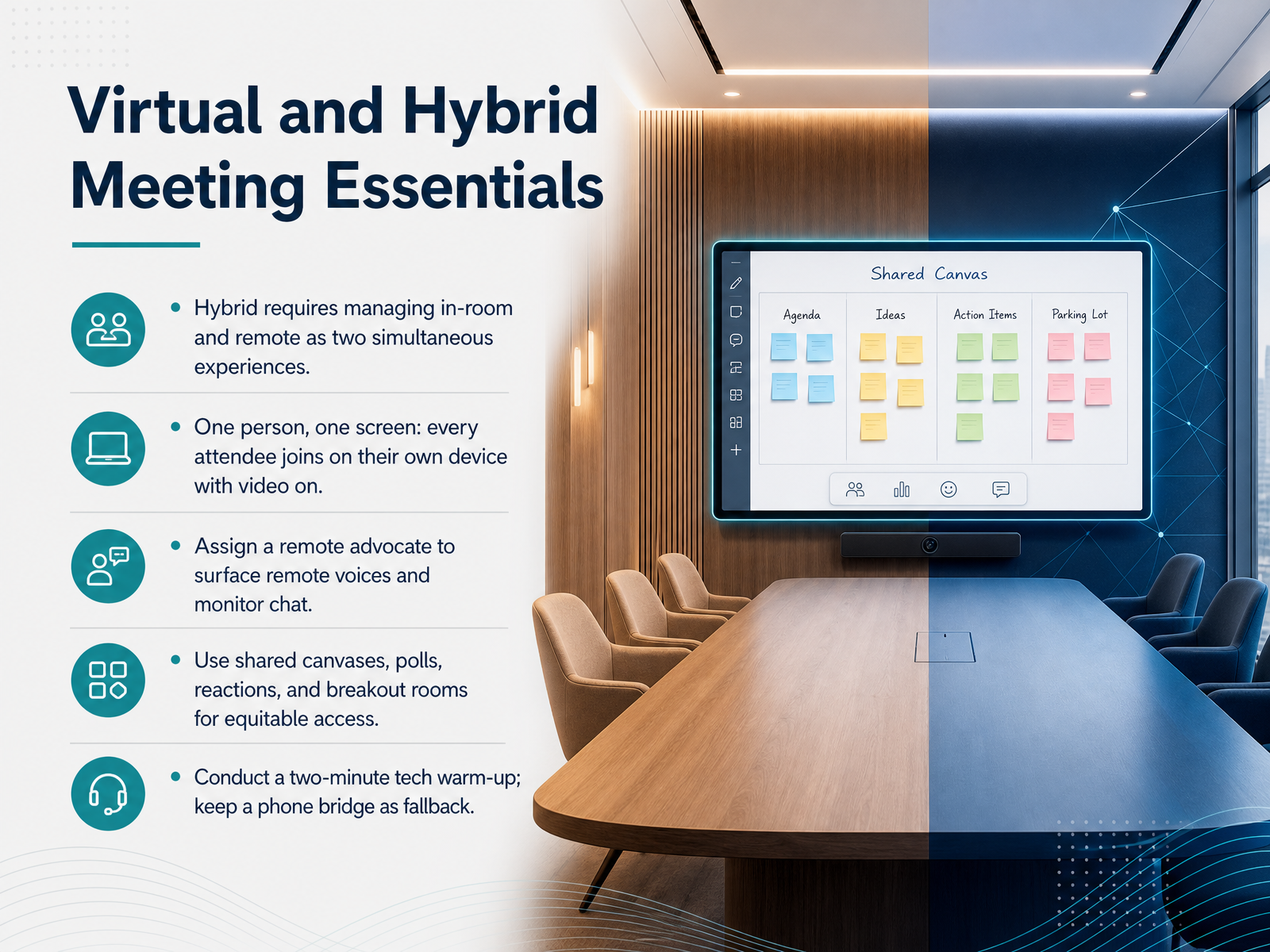
2 min - 14Virtual and Hybrid Meeting EssentialsNow, let's get into the essentials for virtual and hybrid meetings. Think of a hybrid meeting as running two simultaneous experiences—one for the people in the room, and one for everyone joining remotely. Your main job is to prevent the in-room group from becoming the default, dominant voice. A powerful, simple rule to follow is one person, one screen. Even if six people are in a conference room, everyone should join the call from their own laptop, with their camera on. This levels the playing field instantly. Next, assign a remote advocate. This person’s sole focus is to watch the chat, spot raised hands, and actively bring remote voices into the conversation so you don't miss anything. Use tools that give everyone equal access, like shared canvases for real-time collaboration, quick polls, and reactions. That way, a remote participant adding a sticker carries the same weight as someone speaking in the room. Finally, always start with a two-minute tech warm-up to test mics and cameras, and keep a phone bridge ready as a fallback. Master these essentials, and you’ll create a space where every participant, wherever they are, can contribute fully. Let's carry this forward into our next topic, keeping remote attendees engaged and included.
 2 min
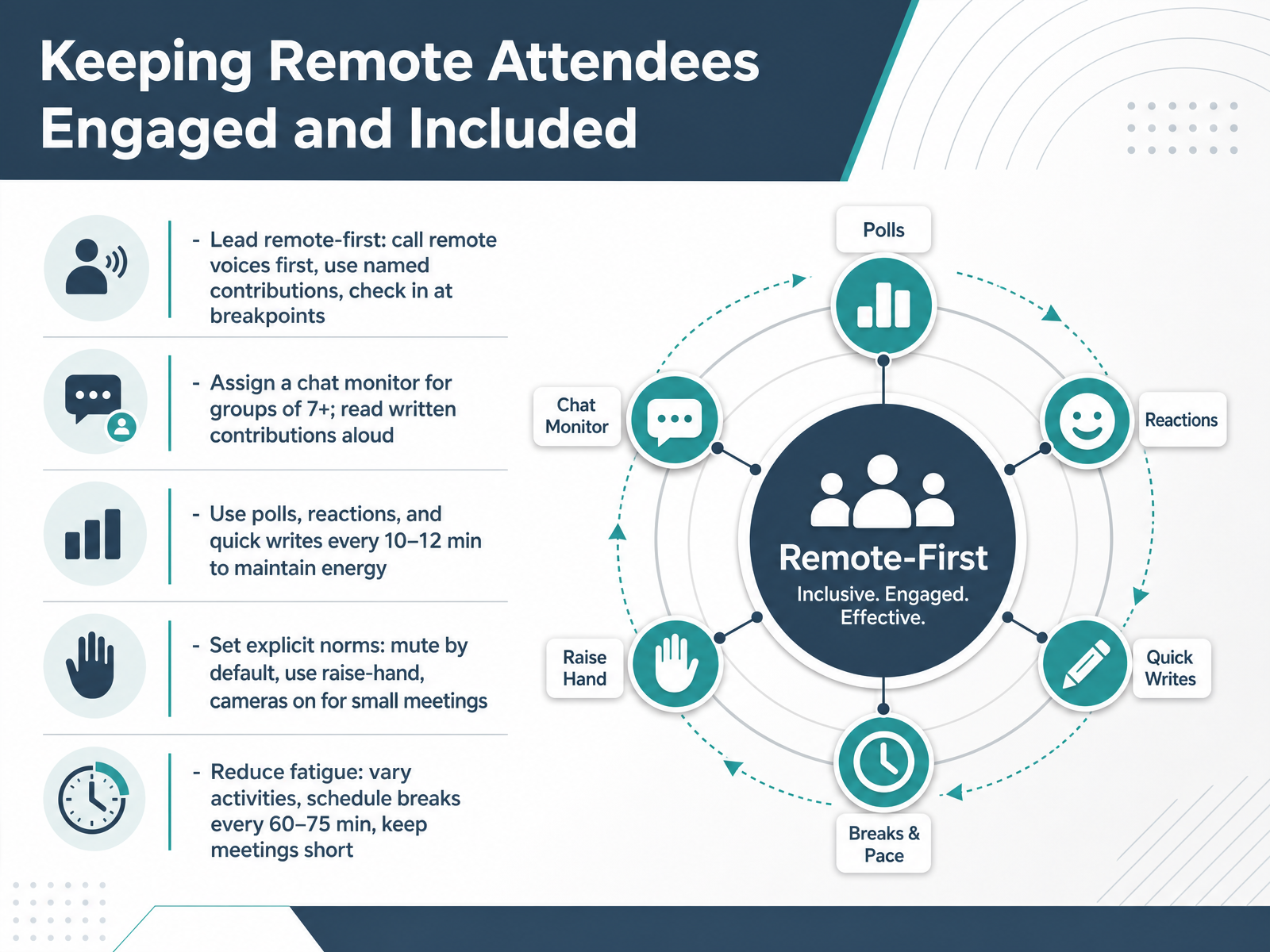
2 min - 15Keeping Remote Attendees Engaged and IncludedNow let's talk about keeping your remote attendees engaged and included. The most effective approach is to lead remote-first. Call on remote voices by name before opening the floor to the room. At natural breakpoints, pause to check in with them directly. For groups of seven or more, assign a dedicated chat monitor. That person reads written contributions aloud so those ideas stay visible to everyone. To keep energy high, use a quick poll, a reaction, or a silent quick write every ten to twelve minutes. These small interactions break up passive listening and give everyone a way to contribute. Set explicit norms up front. Mute by default, use the raise-hand feature, and keep cameras on for smaller meetings. And to reduce fatigue, vary your activities and schedule a real break every sixty to seventy-five minutes. Shorter, structured meetings work better for everyone. Next, we'll explore building a culture of accountability without micromanaging.
 2 min
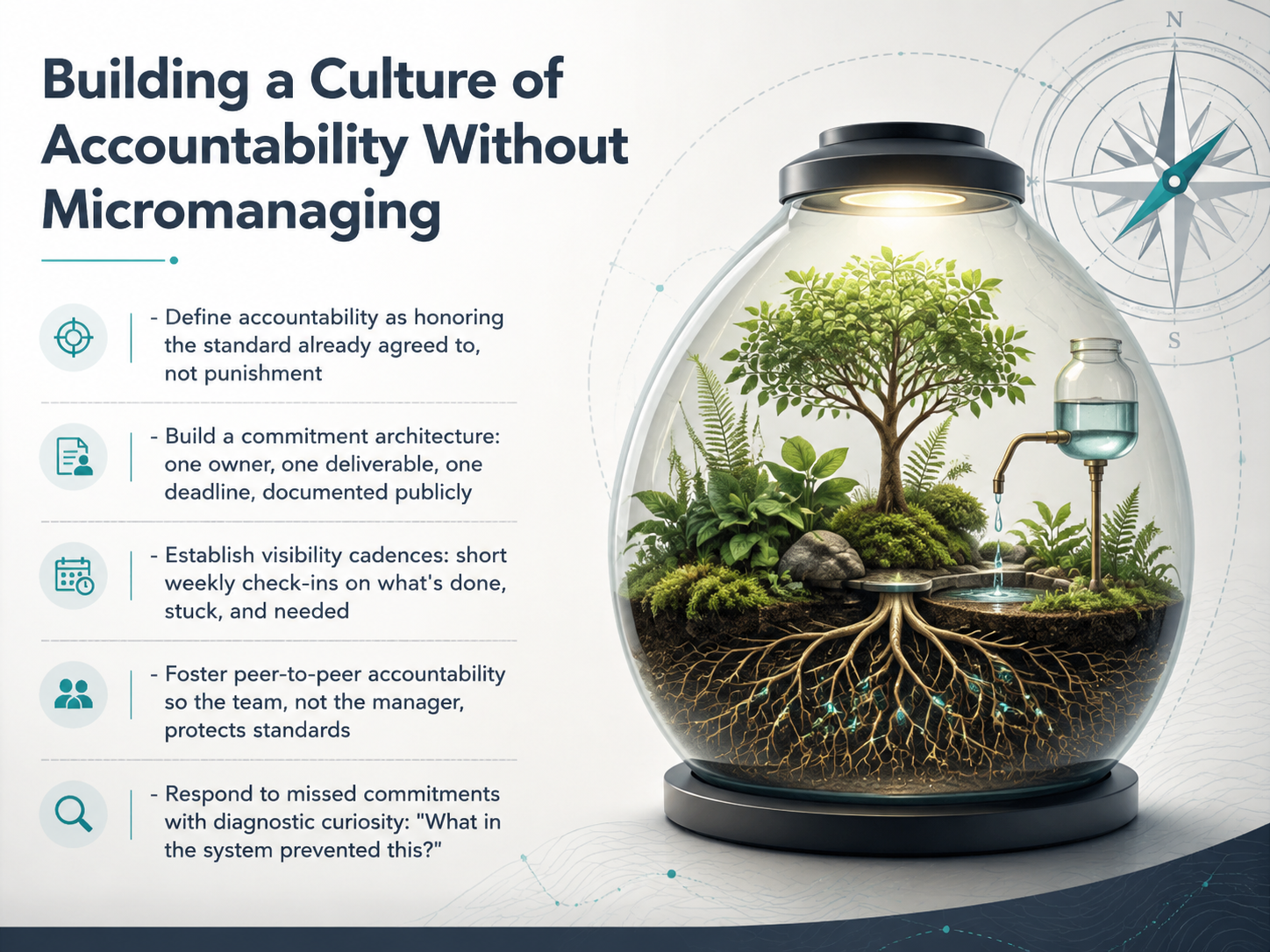
2 min - 16Building a Culture of Accountability Without MicromanagingLet's talk about building a culture of accountability without turning into a micromanager. First, redefine accountability. It's not about punishment. It's about honoring the standard the team already agreed to. Next, build what we call a commitment architecture. That means every task gets one clear owner, one specific deliverable, and one deadline. And document it publicly so everyone can see it. Then, establish a visibility cadence. A short weekly check-in where each person answers three questions: What is done? What is stuck? What do you need? This isn't a manager chase-down. It's peer-to-peer transparency. When the whole team sees the updates, they naturally hold each other accountable. If a commitment is missed, respond with diagnostic curiosity, not blame. Ask, "What in the system prevented this?" This surfaces the real root cause and keeps the conversation safe and productive. Over time, these habits create a self-reinforcing culture where accountability runs horizontally, not just from the top down. Now, let's take everything we've covered and build your personal action plan in our final slide, "Putting It All Together: Your Facilitation Action Plan."
 2 min
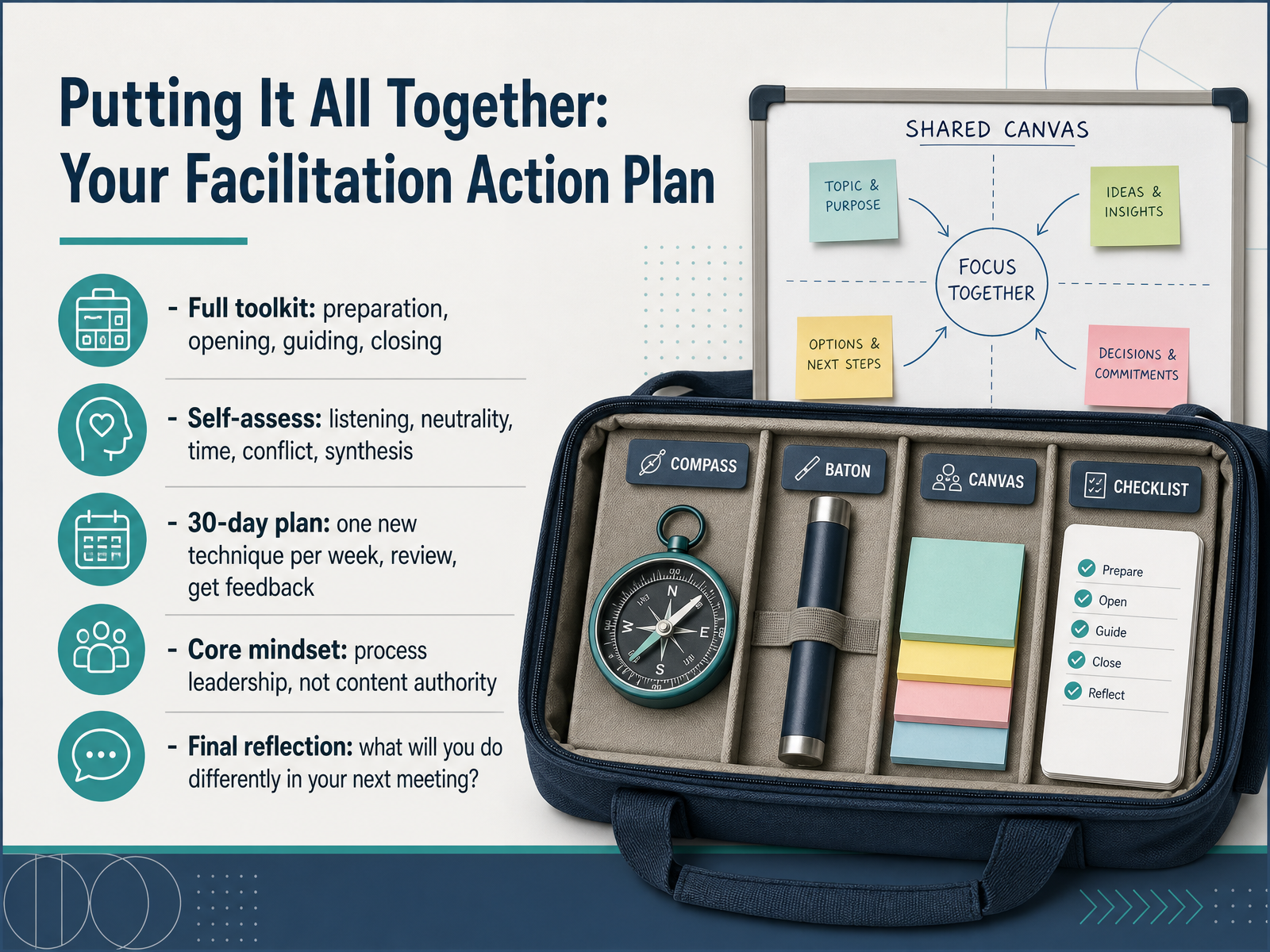
2 min - 17Putting It All Together: Your Facilitation Action PlanLet's bring everything together into your personal facilitation action plan. You now have a full toolkit covering preparation, opening, guiding, and closing. Start by self-assessing on the key skills: active listening, neutrality, time management, conflict navigation, and synthesis. Be honest about where you are strong and where you need practice. Then commit to a thirty-day plan. Pick one new technique each week, try it in a real meeting, and ask a colleague for feedback. Small, deliberate practice compounds quickly. Remember the core mindset: your role is process leadership, not content authority. Your job is to shape the conversation so the group's collective intelligence produces a better outcome. As a final reflection, I want you to ask yourself one question: what will you do differently in your next meeting? Take that single commitment and act on it. Thank you for investing this time to become a more effective facilitator. Your meetings can now be a place where decisions stick, people feel heard, and time is well spent. Go make your next meeting your best one yet.
 psychsafety.compoints-of-you.comdoi.org+22 min
Take the deck with you
Download this course as a file — free, no sign-up needed.
- PDF handoutEvery slide page, ready to print or share.18 pages · 4.7 MBDownload
- Narrated PowerPointThe deck that presents itself — every slide carries the digital human's narration video.18 pages · 22.4 MBDownload
- PowerPoint slidesThe full deck as a .pptx — open it in PowerPoint, Keynote, or Google Slides.18 pages · 4.6 MBDownload
Free to use in your own training — please keep the PersonWise credit page at the end.
Have your own deck? Turn it into a course
Sources consulted
Web sources consulted while building this course.
- How to Run Psychologically Safe Meetings - Psych Safety — psychsafety.com
- How to Create Safer Dialogue in Meetings - Points of You® — points-of-you.com
- Smart questions instead of smart answers. Fostering psychological safety with facilitation techniques — doi.org
- Helga Svendsen | Ideas to Action blog — helgasvendsen.com.au
- Advanced Tactic. The Psychological Safety Warm-Up — facilitatorscafe.substack.com
- Async vs Sync Team Communication Framework — assign.cloud
- Synchronous vs Asynchronous Decision Rules - Live vs Offline — workmate.com
- Synchronous vs. Asynchronous Work: How to Choose | Slack — slack.com
- "Async Communication: When to Slack, When to Doc, When to Meet" — resources.rework.com
- Async vs Live Meetings: A Decision Framework — meetings.top
- Meeting Agenda Template: Free, Customizable Formats (2026) — monday.com
- Meeting Agenda Templates & Examples for Better Meetings [2026] • Asana — asana.com
- 8 Meeting Agenda Examples + Templates | Zoom — zoom.com
- How to Write a Meeting Agenda: A Complete Guide for 2026 — prialto.com
- Meeting Agenda Examples and Templates for Every Meeting Type (2026) — rock.so
- Parking Lots in UX Meetings and Workshops - NN/G — nngroup.com
- The Parking Lot Facilitation Technique - Method and Outcome — thefacilitationhub.com
- How to Use a Parking Lot to Stay On Track | Gemba Academy — gembaacademy.com
- 10 Ways to Use a Parking Lot to Improve Meeting Productivity — fellow.ai
- What Actually Is a Parking Lot in a Meeting? | Ludi — ludi.co