Begin
14 pages · ~28 min
Digital Accessibility Plan: Goals to Execution
This training guides teams in turning digital accessibility goals into actionable plans. Participants will learn to execute accessibility initiatives effectively.
A digital instructor presents all 14 pages. Hold “Ask” at any point and ask out loud — the answer comes from this course. No sign-up needed.
What you’ll learn
- 01Digital Accessibility Plan: From Goals to ExecutionWelcome. Over the next few minutes, we'll work through one problem: turning accessibility commitments into a plan your teams can actually deliver. Most organizations are compliant on paper and immature in execution. The policy exists; the delivery discipline does not. So we'll focus on planning discipline, not policy language. Think of this as a path: assess where you are, set measurable goals, align stakeholders, execute remediations, then sustain the result. Across the deck, you'll get concrete steps for each stage, with owners, milestones, acceptance criteria, and remediation cycles attached. Here's the framing I'd ask you to hold. You likely have competing priorities and limited engineering capacity. That's expected. The goal is not perfection this quarter. The goal is a sequenced plan that reduces risk and moves real users from blocked to functional. By the end, you should be able to draft that plan for your own product or content portfolio. Let's start with why these plans stall.accessible.orgaccessible.orgnextpageit.com+22 min
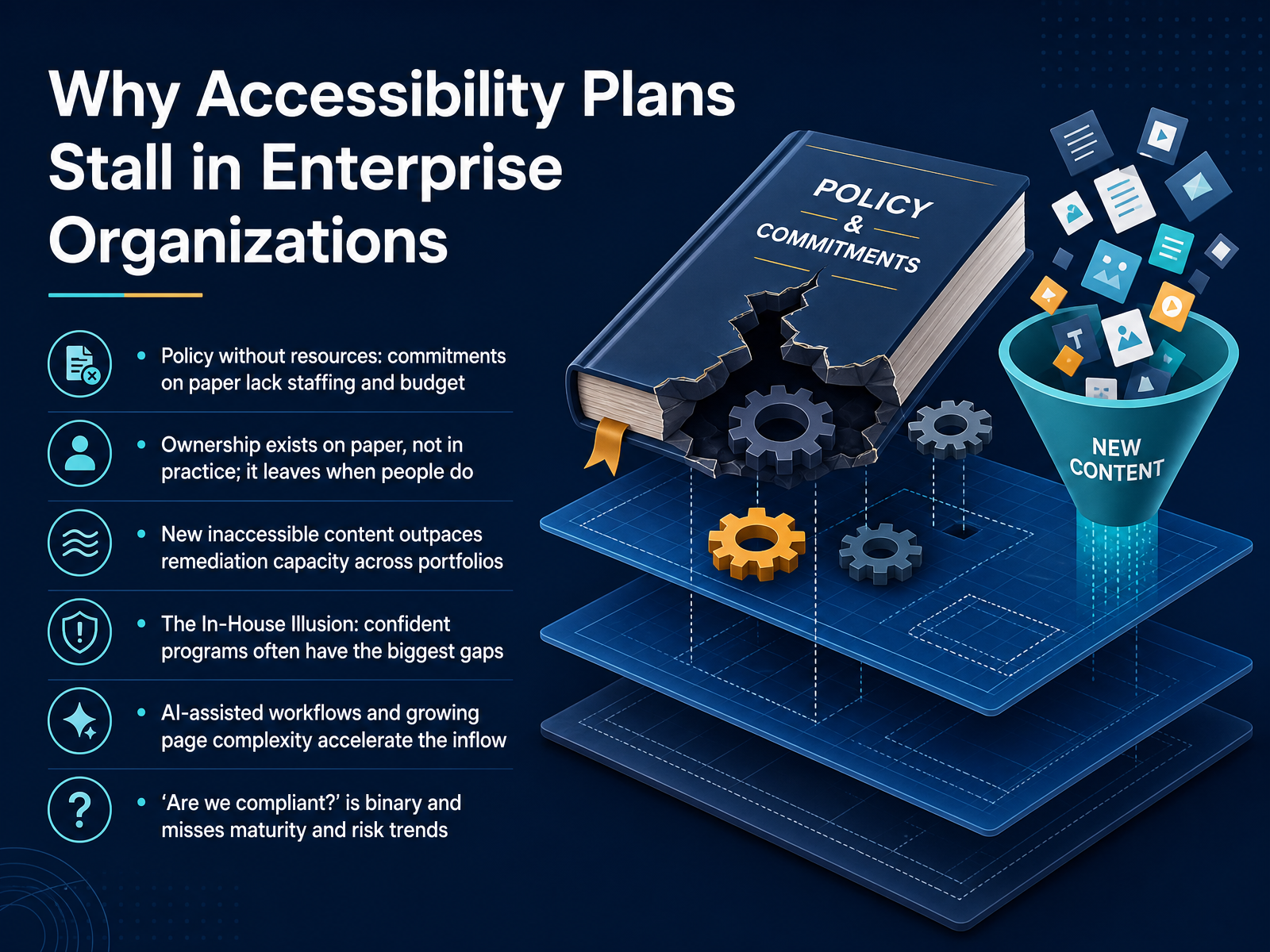
- 02Why Accessibility Plans Stall in Enterprise OrganizationsLet's talk about why accessibility plans stall in enterprise organizations. First, policy without resources. Commitments live on paper, but staffing and budget never follow. Second, ownership exists on paper, not in practice. When the named owner moves on, the accountability leaves with them. Third, new inaccessible content outpaces remediation capacity across portfolios. Fourth, the In-House Illusion. The most confident programs often carry the biggest gaps. Fifth, AI-assisted workflows and growing page complexity accelerate the inflow of new issues. And sixth, the question, are we compliant, is binary. It misses maturity and risk trends entirely. Takeaway: name the pressure point you can actually control this quarter. Next, we look at assessing current maturity and risk.
 levelaccess.compivotalaccessibility.comforbes.com+22 min
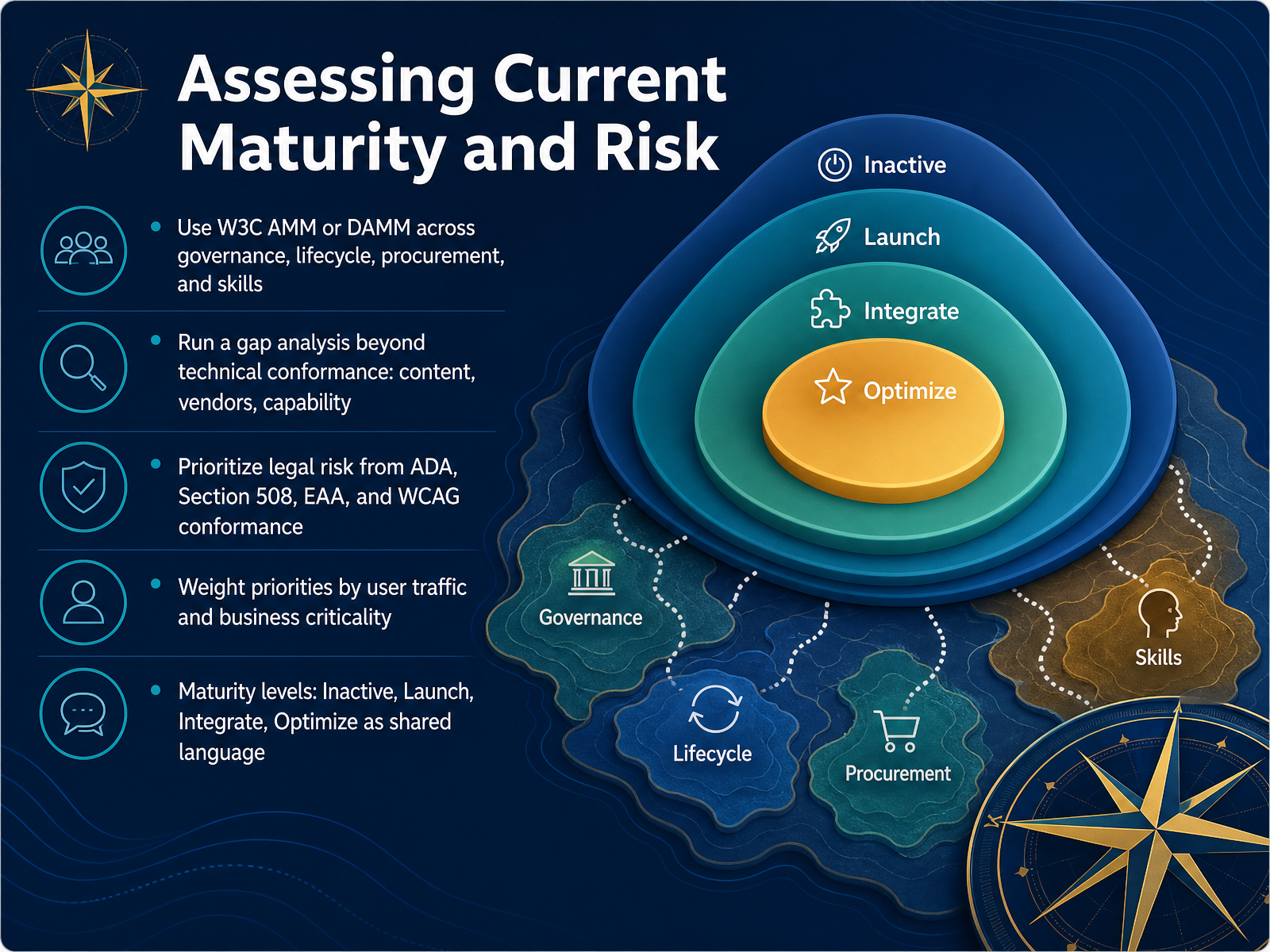
 - 03Assessing Current Maturity and RiskNow let's assess where your program actually stands, and where the risk sits. Start with a recognized framework. Use the W3C Accessibility Maturity Model, or the Digital Accessibility Maturity Model, across four areas: governance, lifecycle, procurement, and skills. Then run a gap analysis that goes beyond technical conformance. Look at content quality, vendor contracts, and team capability. Every audit we have seen finds programs are less mature than leaders believe. Next, prioritize legal risk. The ADA, Section 508, the European Accessibility Act, and WCAG conformance all carry exposure. Weight that by user traffic and business criticality. A high-traffic payment flow outranks an archived PDF. Finally, adopt the maturity levels as shared language. Inactive, Launch, Integrate, and Optimize. They let legal, product, and engineering argue from the same baseline instead of competing definitions. From Audit Findings to a Prioritized Remediation Backlog.
 w3.orglevelaccess.comw3.org+22 min
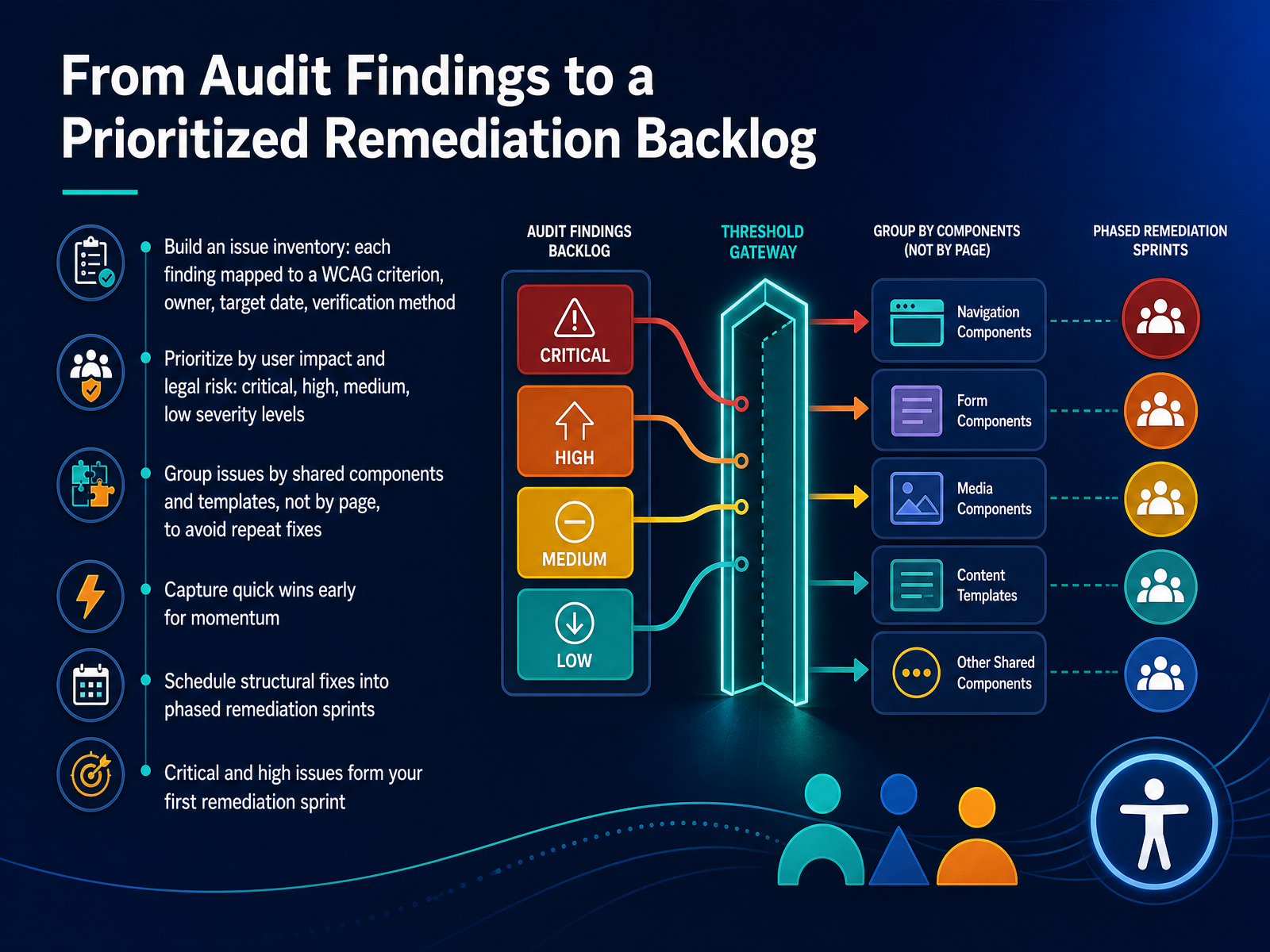
 - 04From Audit Findings to a Prioritized Remediation BacklogNow let's turn that audit into a backlog your team can actually execute. Start with an issue inventory. Map every finding to a WCAG criterion, a named owner, a target date, and a verification method. Remember, a name, not a team. Then prioritize by user impact and legal risk, using critical, high, medium, and low severity. Group issues by shared components and templates, not by page. Fix the header once and you resolve it everywhere. Capture quick wins early for momentum, like missing form labels or empty link text. Schedule structural fixes into phased remediation sprints. Critical and high issues form your first sprint. Next, we'll look at defining measurable accessibility goals.
 accessible.orgaccessible.orgnextpageit.com+21 min
 - 05Defining Measurable Accessibility GoalsNow, let's make your goals measurable. Vague commitments like "improve accessibility" never survive a backlog review. Convert them into SMART goals with a metric, a named owner, and a deadline. For example, "reduce critical checkout barriers by half this quarter, owned by the payments team." Track trends, not raw totals. Watch your health score, and separate new issues from reopened ones, because reopened issues mean fixes did not hold. Set goals by product area, content type, team, and critical journey. Balance leading indicators, like design review and CI pass rates, with production outcomes. And frame every goal as a user outcome, not a tool score. Executive reporting works best in plain language, like "critical issues in checkout cut in half," not "two hundred tickets closed." Next, we will look at aligning stakeholders and securing ownership.
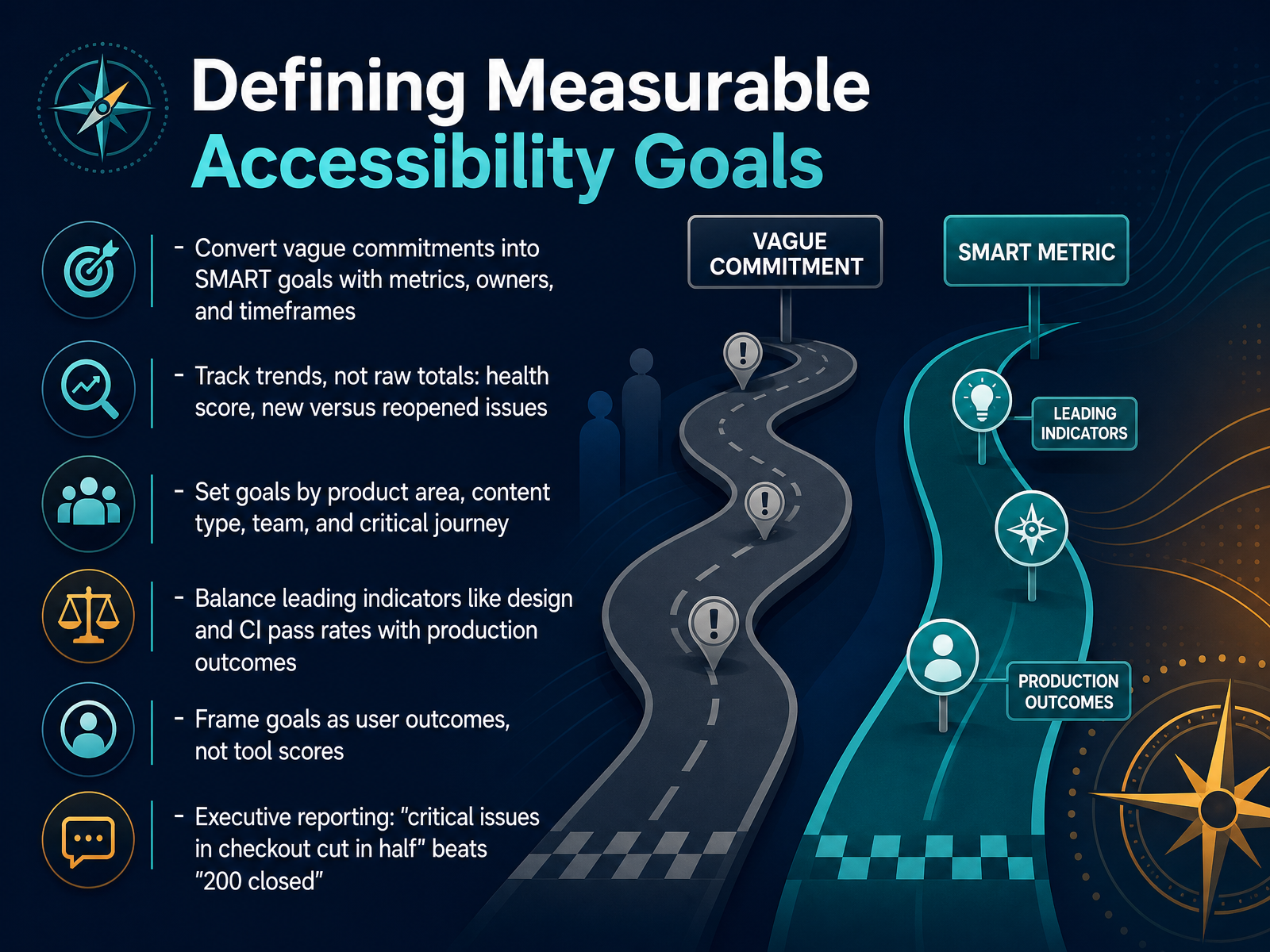 accessibility.buildthebookonaccessibility.comsiteimprove.com+21 min
 - 06Aligning Stakeholders and Securing OwnershipLet's talk about a mistake that shows up in almost every accessibility program. Ownership exists on paper, but not in practice. So the first tool here is a RACI map. Product, engineering, content, design, QA, legal, and procurement each get named roles. Accessible means one accountable owner per decision, not a shared feeling of responsibility. Then translate the work for executives. Frame accessibility in the language they already use: legal risk, revenue exposure, and operational efficiency. Fewer late fixes means more predictable releases. Next, embed it into the systems that shape behavior. Put accessibility duties in job descriptions, in team OKRs, and in performance reviews. Accountability that lives only in a policy document fades within two quarters. Finally, hold the structure. Keep a centralized owner or governance council that owns standards, exceptions, and reporting. Distribute implementation to the delivery teams closest to the work. That federated model is what scales without creating a bottleneck. Next, we look at designing an execution roadmap that teams can follow.
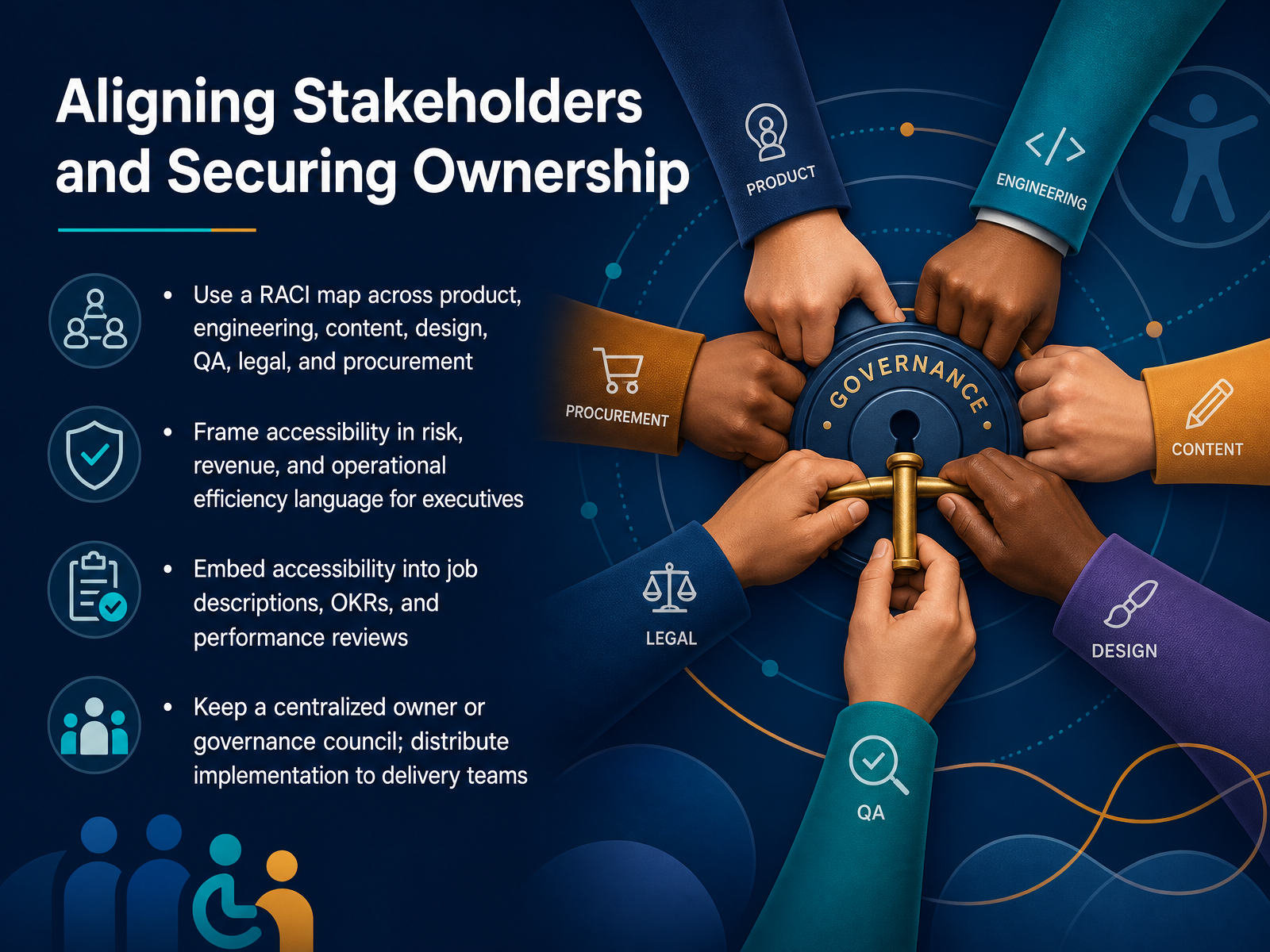 levelaccess.compivotalaccessibility.comforbes.com+22 min
 - 07Designing an Execution Roadmap That Teams Can FollowNow let's talk about the roadmap itself. A roadmap teams can follow sequences work in phases and connects each phase to a trackable item on your delivery board. Concretely: phase critical blockers in high-traffic flows first, then move into systemic design-system work. For example, a keyboard trap in checkout outranks a contrast tweak on an archived page. Next, separate quick content fixes from code, template, and design-system changes. Content owners can clear alt text and heading issues without engineering. Shared component failures belong in the design system, fixed once upstream instead of across dozens of tickets. Then set release gates. Define what blocks launch and what ships with documented follow-up. Every exception needs an owner, a rationale, and a due date. Critically, require evidence for critical journeys: keyboard walkthroughs, screen reader results, and verified focus order. Finally, break the work into two-week sprints. Each sprint should measurably reduce your backlog and show a lower critical issue count. Next, we look at embedding accessibility across the delivery lifecycle.
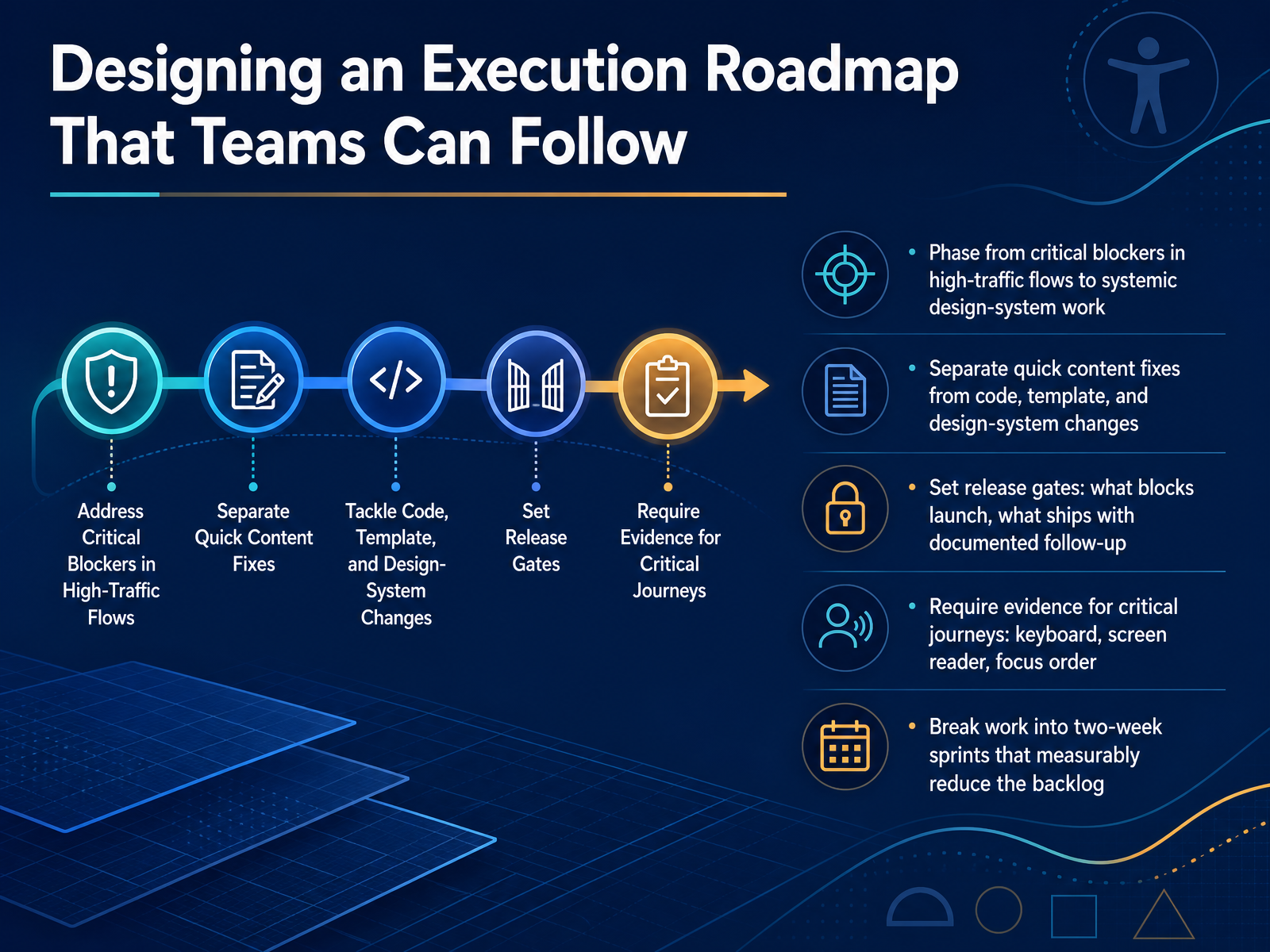 accessible.orgaccessible.orgnextpageit.com+21 min
 - 08Embedding Accessibility Across the Delivery LifecycleLet's talk about where accessibility actually lives in delivery, because the answer is everywhere, not just at the end. Shift left. Check accessibility in design review, in authoring, in story acceptance, and in code review. That means an acceptance criterion like keyboard operable, stated up front, and verified before the story closes. In your pipeline, run axe-core, Pa11y, or Lighthouse scans in CI/CD. The key detail is baselines and thresholds. Tools like Pa11y CI support a threshold flag, so you permit a known count of issues and fail only when you cross it. Without a baseline, every pipeline turns red on day one and someone deletes the step. Then keep the manual layer. Keyboard, screen readers, zoom and reflow, reduced motion. Verify states and interactions, not just the initial load. A checkout can pass empty and fail once an inline error appears. And be honest about coverage. Automated tools catch roughly thirty to fifty-seven percent of WCAG issues. Manual testing is required for conformance. So treat automation as the fast, cheap gate, and human testing as the evidence. Next, we look at Content and Design Accountability.
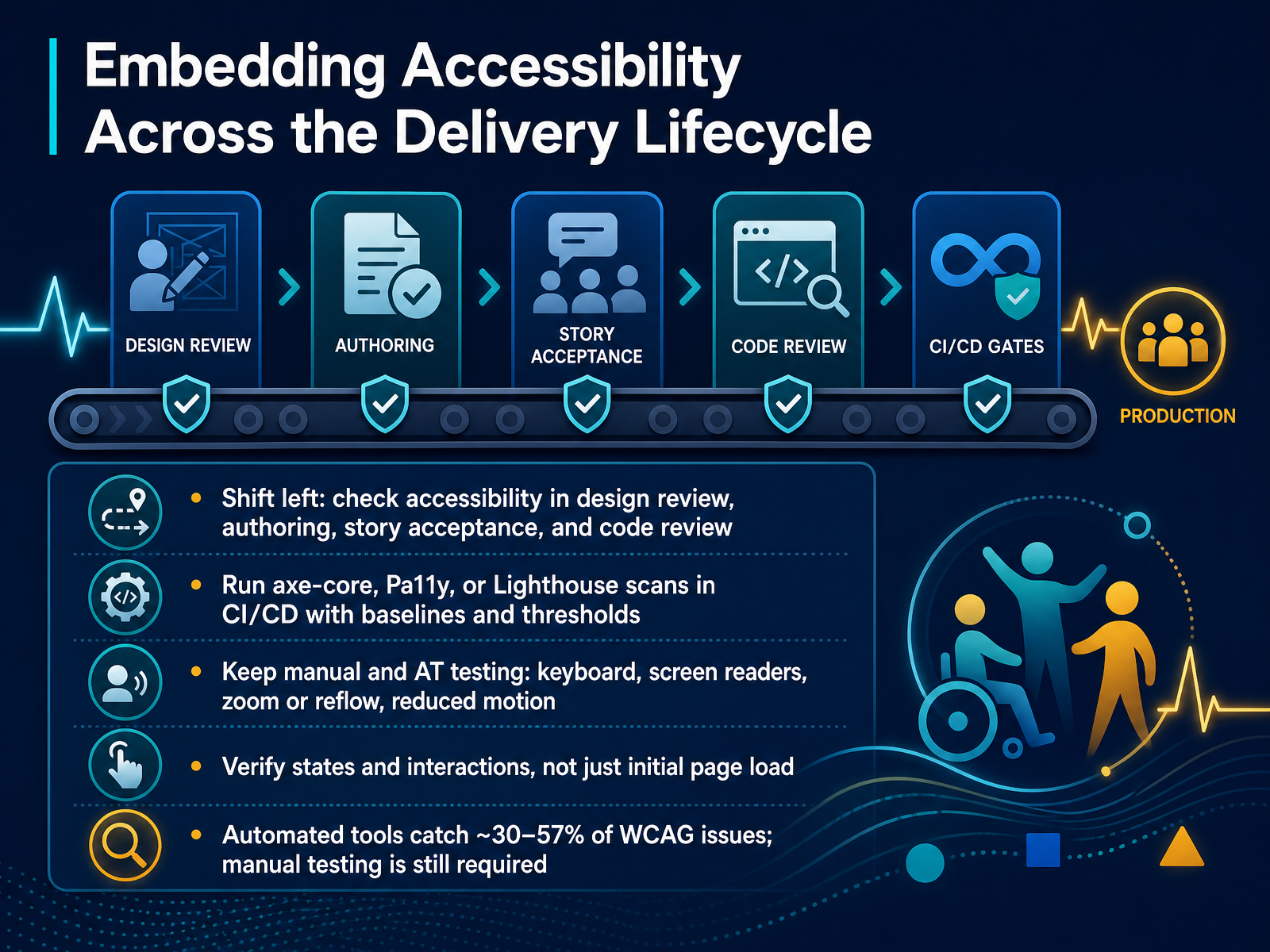 github.comaccessibility.buildthebookonaccessibility.com+22 min
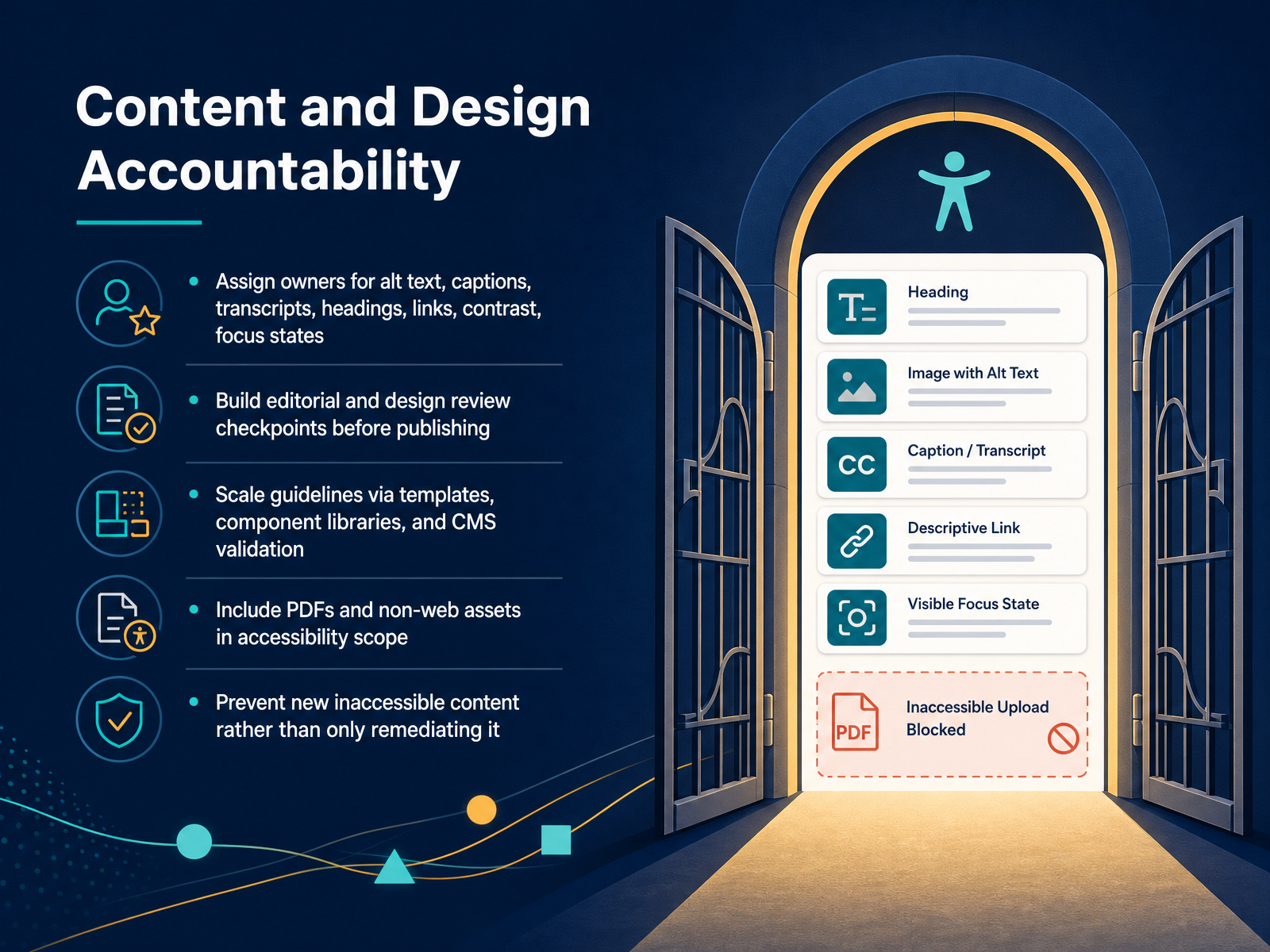
 - 09Content and Design AccountabilityLet's talk about content and design accountability. This is where prevention actually lives. First, assign named owners for alt text, captions, transcripts, headings, links, contrast, and focus states. Ownership on paper is not enough. People change roles, and accountability disappears with them. Second, build editorial and design review checkpoints before publishing, not after. A caption check belongs in the workflow, not in a quarterly audit. Third, scale through templates, component libraries, and CMS validation. Fix one component, and you fix every page using it. Fourth, include PDFs and non-web assets in your scope. Documents are where most programs get caught. The core shift is this: stop only remediating old content, and start preventing new barriers at the point of creation. Otherwise, your backlog grows faster than your fixes. Next, we look at Training and Enablement at Scale.
 levelaccess.compivotalaccessibility.comforbes.com+22 min
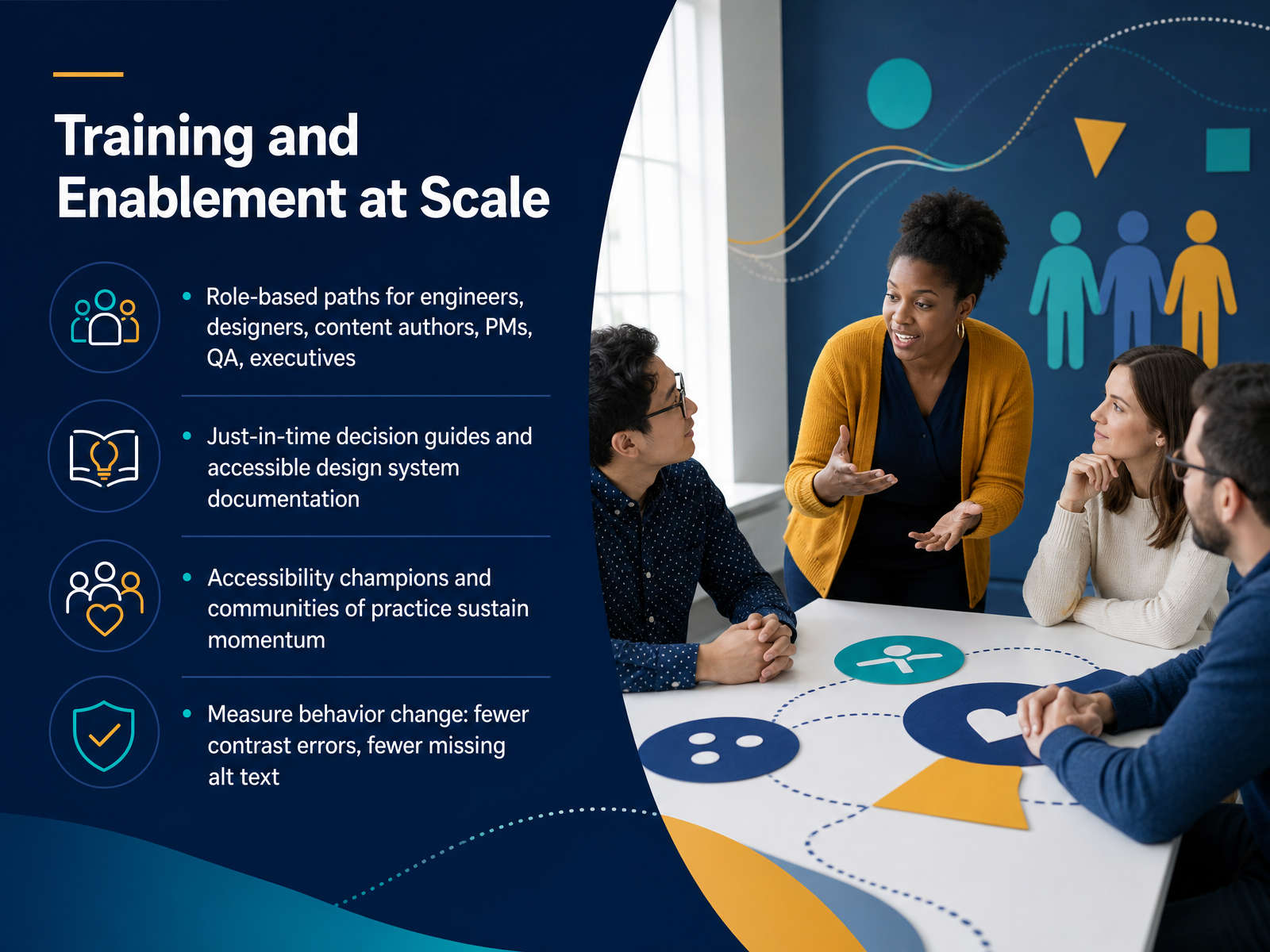
 - 10Training and Enablement at ScaleWith the plan in place, we now turn to Training and Enablement at Scale. Role-based paths matter more than generic awareness. Engineers, designers, content authors, product managers, QA, and executives each need decisions framed for their daily work. Designers get contrast and semantics. Developers get ARIA and keyboard handling. Content authors get alt text and heading structure. Pair that with just-in-time decision guides and accessible design system documentation, so people get the answer at the moment they need it, not months after a course. Then ask a question: do you have accessibility champions and a community of practice? These are the people who sustain momentum between releases. Finally, measure behavior change. Fewer contrast errors. Fewer missing alt text. That is your acceptance criteria, not course completion. Next, Measuring, Reporting, and Adjusting.
 1 min
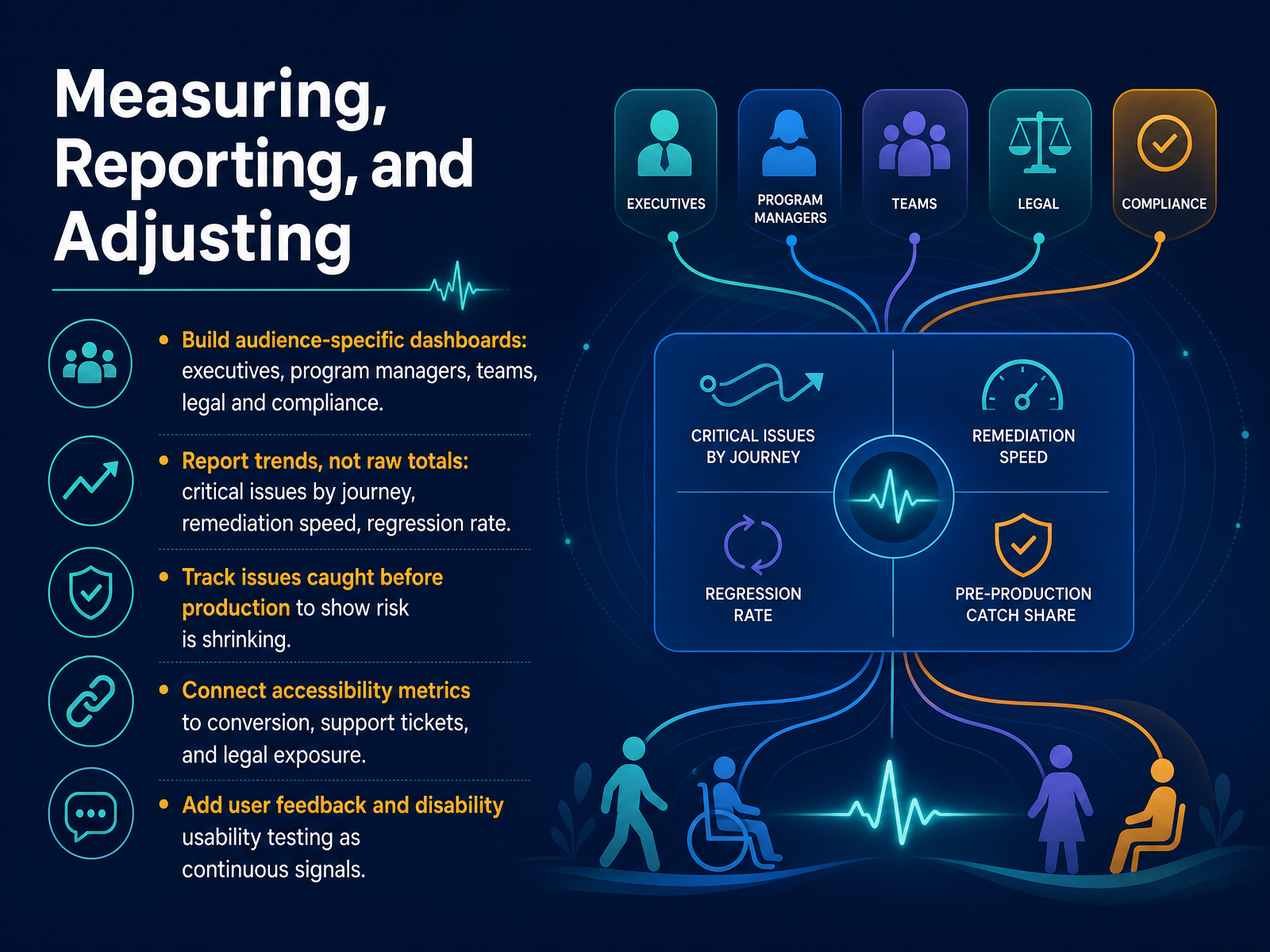
1 min - 11Measuring, Reporting, and AdjustingNow let's talk about measuring, reporting, and adjusting. Dashboards should be audience-specific. Executives need trend and risk. Program managers need team-level progress. Engineers need their backlog. Legal needs exposure. Report trends, not raw totals. Critical issues by journey, remediation speed, and regression rate tell the real story. Track issues caught before production, because that number shows risk is shrinking. Connect accessibility metrics to conversion, support tickets, and legal exposure. That is the language your funders speak. And add user feedback and disability usability testing as continuous signals, not one-time events. Pick two or three metrics per audience, set a cadence, and adjust your plan from what the data shows. Next, we look at preventing regressions through governance and automation.
 levelaccess.comaccessibility.buildthebookonaccessibility.com+21 min
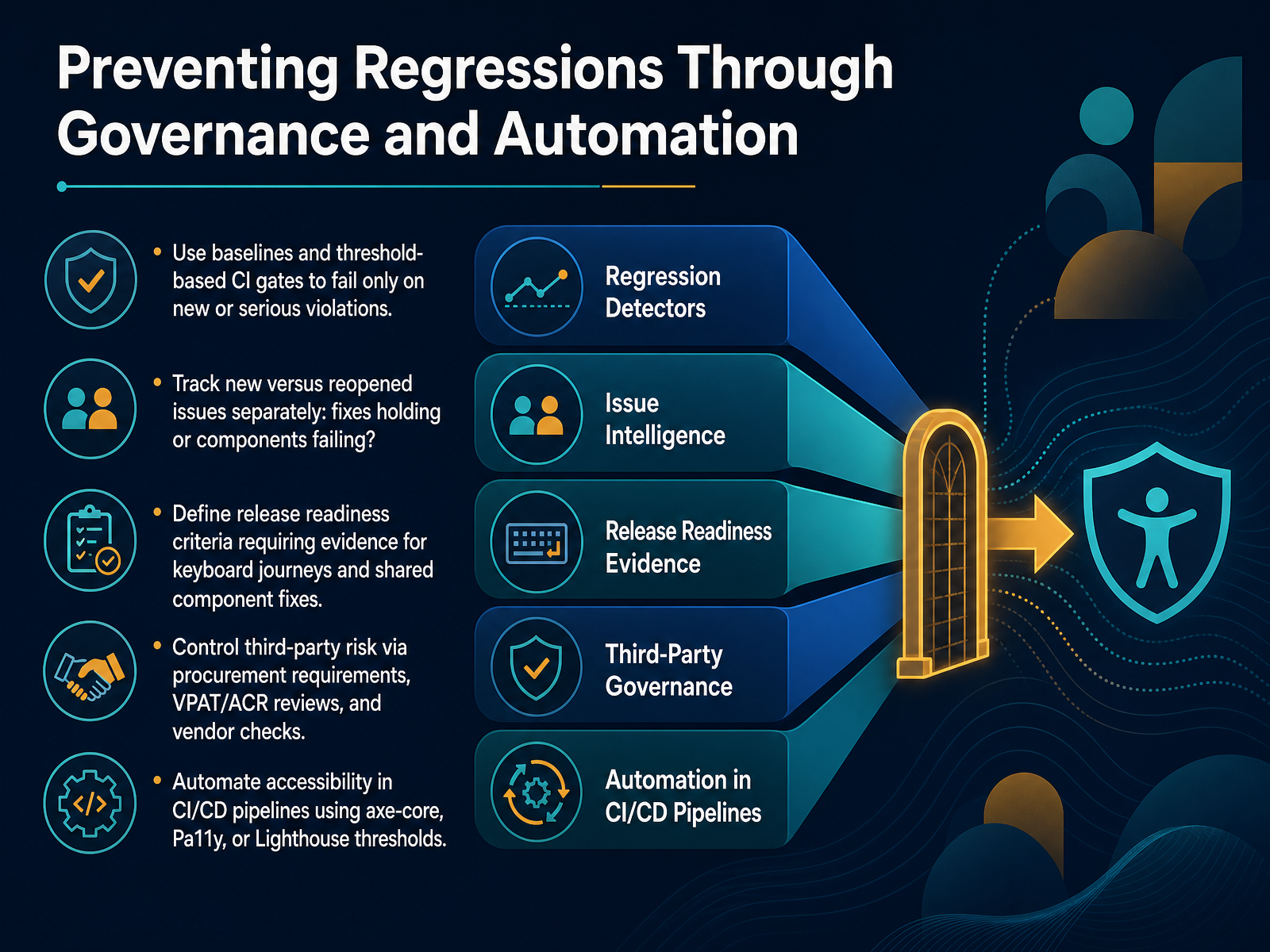
 - 12Preventing Regressions Through Governance and AutomationLet's talk about preventing regressions through governance and automation. The goal is not fixing everything at once, but stopping new problems from shipping. Start with baselines and threshold-based gates in continuous integration, so the build fails only on new or serious violations. Then track new versus reopened issues separately. That tells you whether your fixes are holding or specific components keep failing. Next, define release readiness criteria that require evidence for keyboard journeys and shared component fixes. Control third-party risk through procurement requirements, VPAT and ACR reviews, and vendor checks. Finally, automate accessibility in your pipelines using axe-core, Pa11y, or Lighthouse thresholds. The takeaway is simple. Govern the process, automate the gate, and let new regressions fail early. Now let's look at managing enterprise scale and sustained practice.
 github.comaccessibility.buildthebookonaccessibility.com+21 min
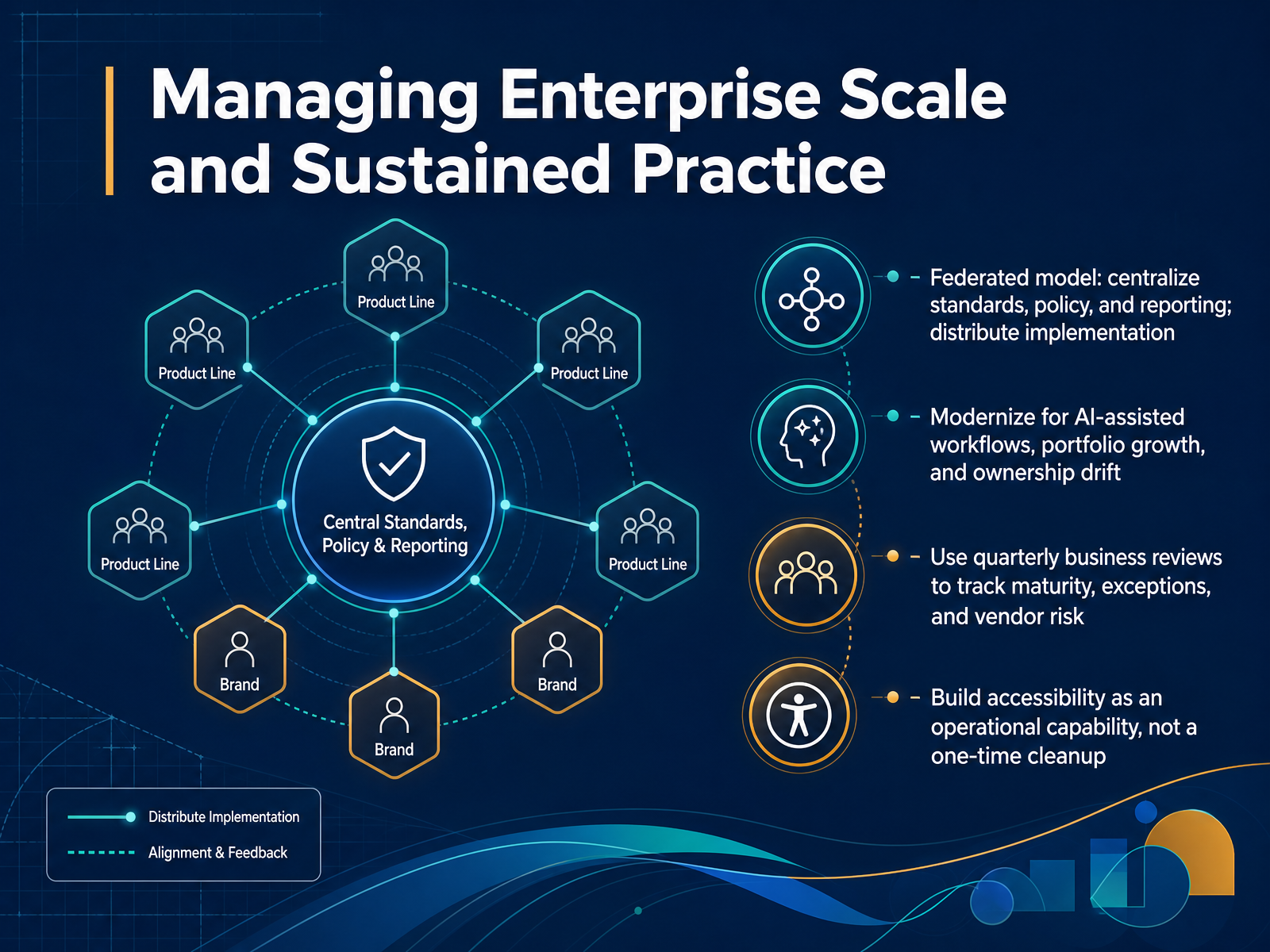
 - 13Managing Enterprise Scale and Sustained PracticeEnterprise scale is where good programs start to crack. The model that holds is federated: centralize standards, policy, and reporting; distribute implementation into product lines, design systems, and content operations. Then modernize for three pressures: AI-assisted workflows, portfolio growth, and ownership drift. When a product owner leaves, accountability shouldn't leave with them. So use quarterly business reviews for substance, not theater. Review maturity trends by business unit, exception backlog, and open vendor risk. Name the divisions shipping repeat regressions. Treat accessibility as an operational capability with owners, milestones, and acceptance criteria, not a one-time cleanup. Start with one decision this quarter: assign a named owner per portfolio and put exception review on the quarterly agenda. From Plan to 30-60-90 Day Action.
 levelaccess.compivotalaccessibility.comforbes.com+21 min
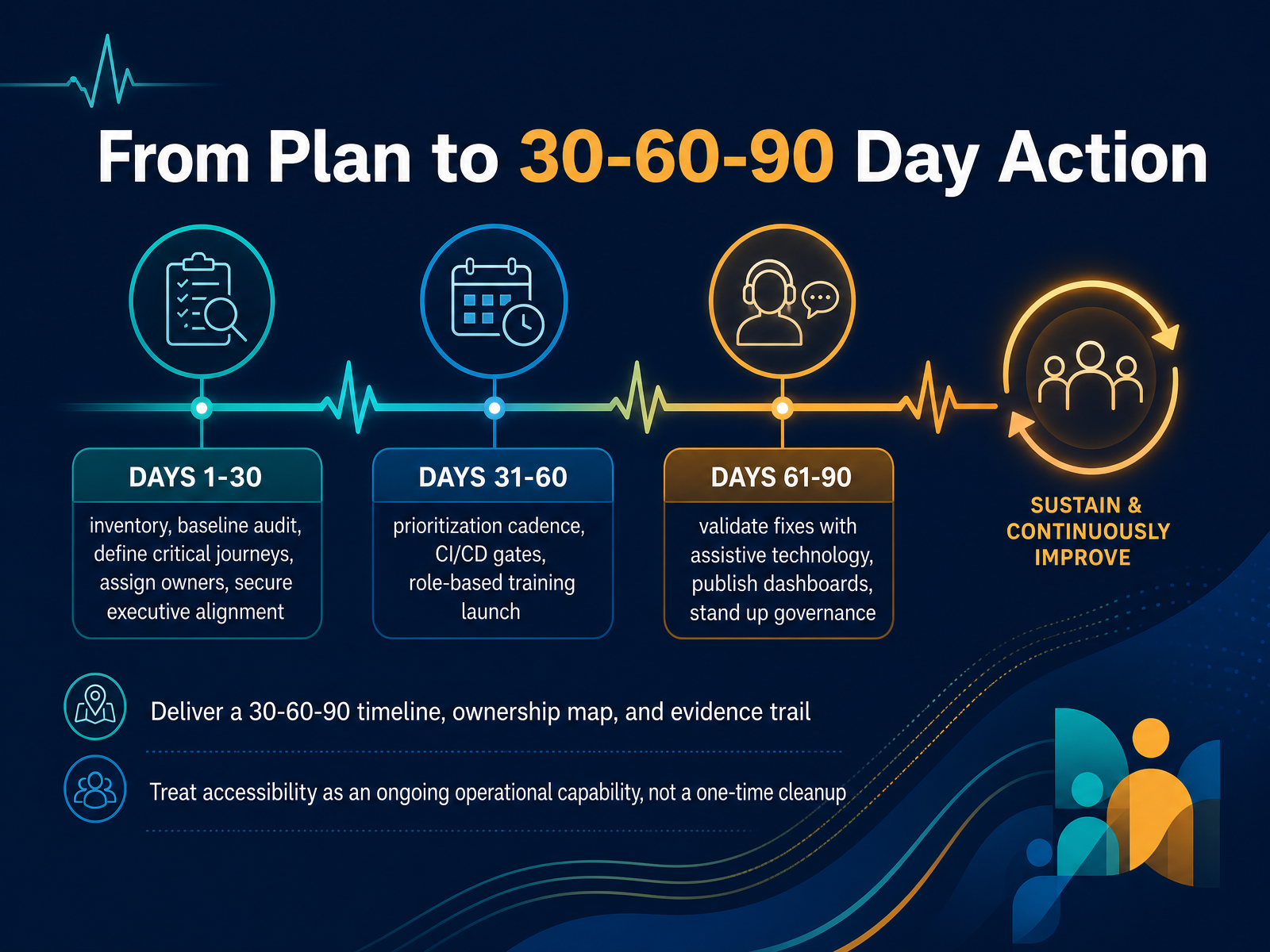
 - 14From Plan to 30-60-90 Day ActionLet's close with the part that turns this plan into work you can actually schedule.
Days one to thirty: build the inventory, run a baseline audit, define your critical journeys, assign a named owner to every issue, and secure executive alignment. Remember, ownership goes to a person, not a team.
Days thirty-one to sixty: stand up a prioritization cadence, wire accessibility checks into your build gates, and launch role-based training. Now fixes stop competing with features and start shipping with them.
Days sixty-one to ninety: validate fixes with assistive technology, publish your dashboards, and stand up governance. Fresh eyes on every fix, not just the developer who wrote it.
Three deliverables anchor all of this: a thirty-sixty-ninety timeline, an ownership map, and an evidence trail. Without evidence, you have confidence, not proof.
The mindset matters most. Accessibility is an ongoing operational capability, not a one-time cleanup. New code and content will introduce new issues, so build the loop that catches them early.
Thank you for working through this with me. You have the sequence and the owners. Now pick one deliverable this week and start the clock. You've got this.
 accessible.orgaccessible.orgnextpageit.com+22 min
Take the deck with you
Download this course as a file — free, no sign-up needed.
- PDF handoutEvery slide page, ready to print or share.15 pages · 4.0 MBDownload
- Narrated PowerPointThe deck that presents itself — every slide carries the digital human's narration video.15 pages · 24.6 MBDownload
- PowerPoint slidesThe full deck as a .pptx — open it in PowerPoint, Keynote, or Google Slides.15 pages · 3.9 MBDownload
Free to use in your own training — please keep the PersonWise credit page at the end.
Have your own deck? Turn it into a course
Sources consulted
Web sources consulted while building this course.
- How to Build an Accessibility Remediation Plan From an Audit Report | Accessible.org — accessible.org
- Building an Accessibility Roadmap Your Team Can Execute | Accessible.org — accessible.org
- Accessibility Remediation Roadmap For Web And Mobile Apps: WCAG 2.2, EAA, Testing, And Release Gates — nextpageit.com
- How to Decide What Accessibility Issues to Fix First | Accessible.org — accessible.org
- Accessibility remediation roadmap template - Digital Accessibility Toolkit — a11y.canada.ca
- Common Digital Accessibility Pitfalls for Enterprise Organizations | Level Access — levelaccess.com
- ADA Title II Deadline Extension Reveals Gaps in Scaling Accessibility Implementation | Pivotal Accessibility — pivotalaccessibility.com
- The In-House Illusion: Why Trying To Manage Accessibility Isn't The Same As Solving It — forbes.com
- Optimizing your 2026 accessibility roadmap - Deque — deque.com
- States are moving on accessibility but struggling, say digital officers | StateScoop — statescoop.com
- Accessibility Maturity Model - W3C — w3.org
- Digital Accessibility Maturity Model (DAMM) | Level Access — levelaccess.com
- Accessibility Maturity Model — w3.org
- Building an Enterprise Accessibility Program & Governance Model — audioeye.com
- Accessibility Observability for Production Teams | Accessibility.build — accessibility.build
- Product owner accessibility KPIs - The Book on Accessibility — thebookonaccessibility.com
- Map Accessibility to User Journeys: Beyond WCAG Checklists — siteimprove.com
- Digital Accessibility Metrics: A Quick Guide for Program Leaders — levelaccess.com
- ADA Compliance KPIs That Reduce Risk & Barriers — know-the-ada.com
- pa11y/pa11y-ci — github.com