Begin
14 pages · ~28 min
Technical Writing Process Essentials
This training introduces the technical writing process, covering key stages, roles, and deliverables for professionals seeking to create clear, structured documentation.
A digital instructor presents all 14 pages. Hold “Ask” at any point and ask out loud — the answer comes from this course. No sign-up needed.
What you’ll learn
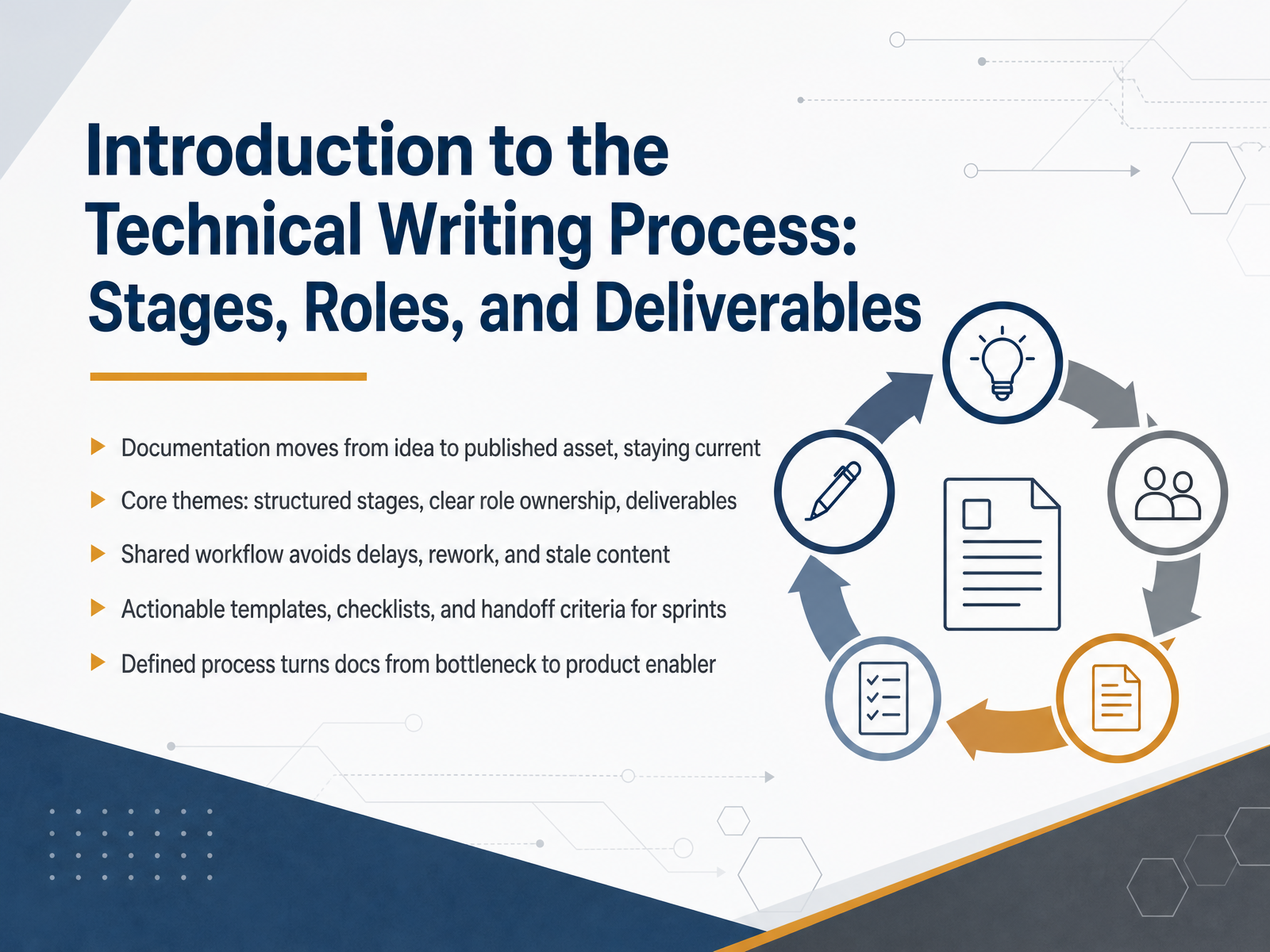
- 01Introduction to the Technical Writing Process: Stages, Roles, and DeliverablesWelcome. If you are a technical writer or part of a cross-functional product team, you know the pain of documentation that stalls in review or goes stale after launch. This course fixes that. Today we are aligning on the technical writing process: the stages, the roles, and the deliverables that keep documentation moving from idea to published asset. The core themes are structured stages, clear role ownership, and defined deliverables. A shared workflow prevents delays, rework, and stale content. Think of this as your playbook. We will give you actionable templates, checklists, and handoff criteria you can use in your sprints. When a defined process is in place, documentation stops being a bottleneck and becomes a product enabler. By the end, your team will know exactly who does what, when, and what gets handed off. Let us start with a key question. Why does a structured workflow matter for your business goals?technicalwriterhq.comclickhelp.comarchbee.com+21 min
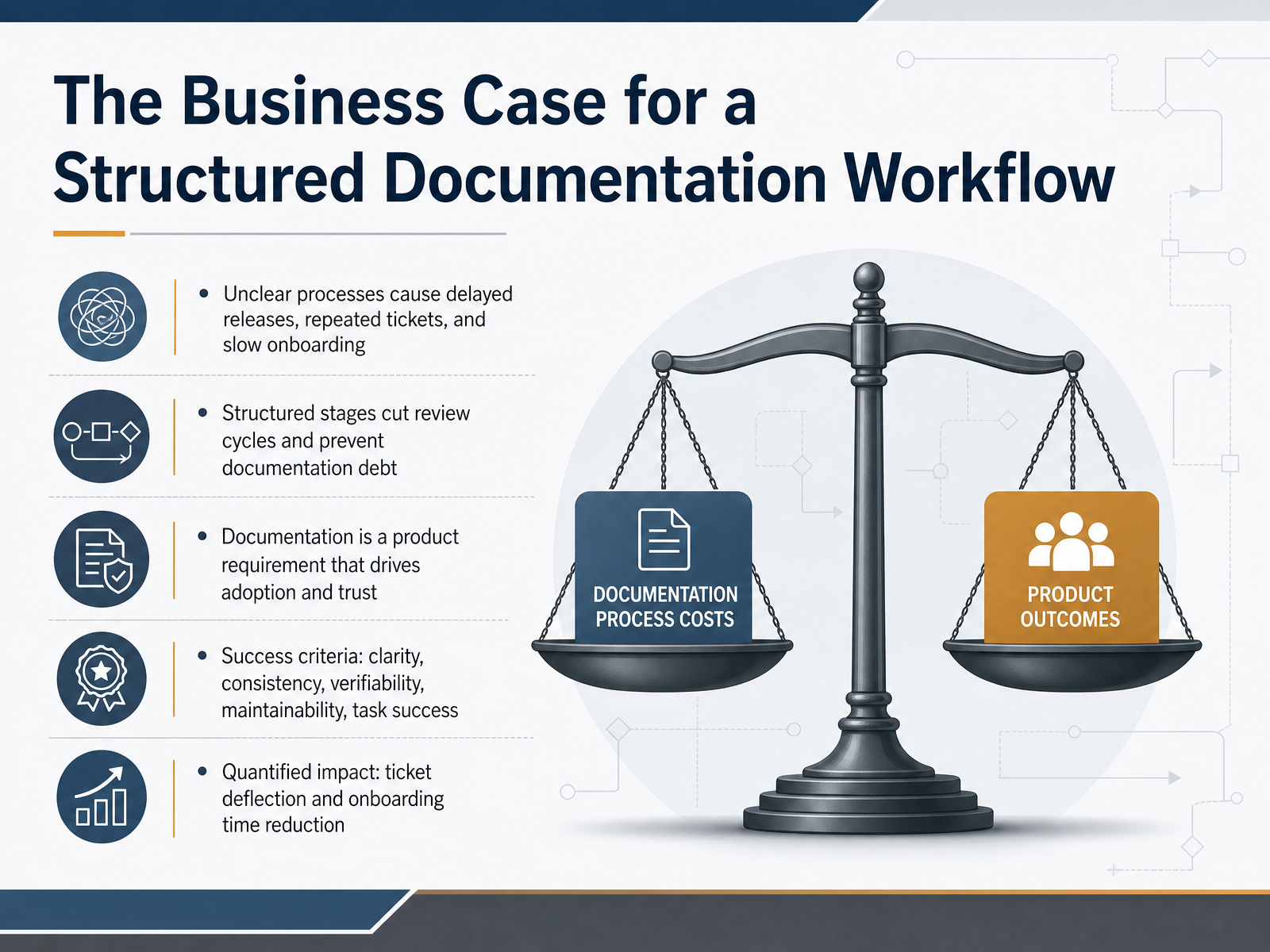
- 02The Business Case for a Structured Documentation WorkflowLet’s be direct about why a structured documentation workflow matters. Unclear processes cost you in real, measurable ways: delayed releases, repeated support tickets, and slow onboarding for everyone who touches the product. Structured stages change that. They cut review cycles, prevent documentation debt from compounding, and keep your content aligned with what actually ships. Treat documentation as a product requirement, not an afterthought. It drives adoption and builds trust with every user and buyer who reads it. Your success criteria should be clear: clarity, consistency, verifiability, and maintainability that lead to task success. And you can quantify the impact. Teams with strong documentation see significant ticket deflection and faster onboarding. A single well-maintained troubleshooting page can cut repeated questions. A clear quickstart can shorten time to first value. That’s the business case. When you measure these outcomes, you justify the investment and prove the workflow works. Now let’s turn to the core stages of the document development life cycle, or DDLC.
 ekline.ioekline.iotwocents.software+21 min
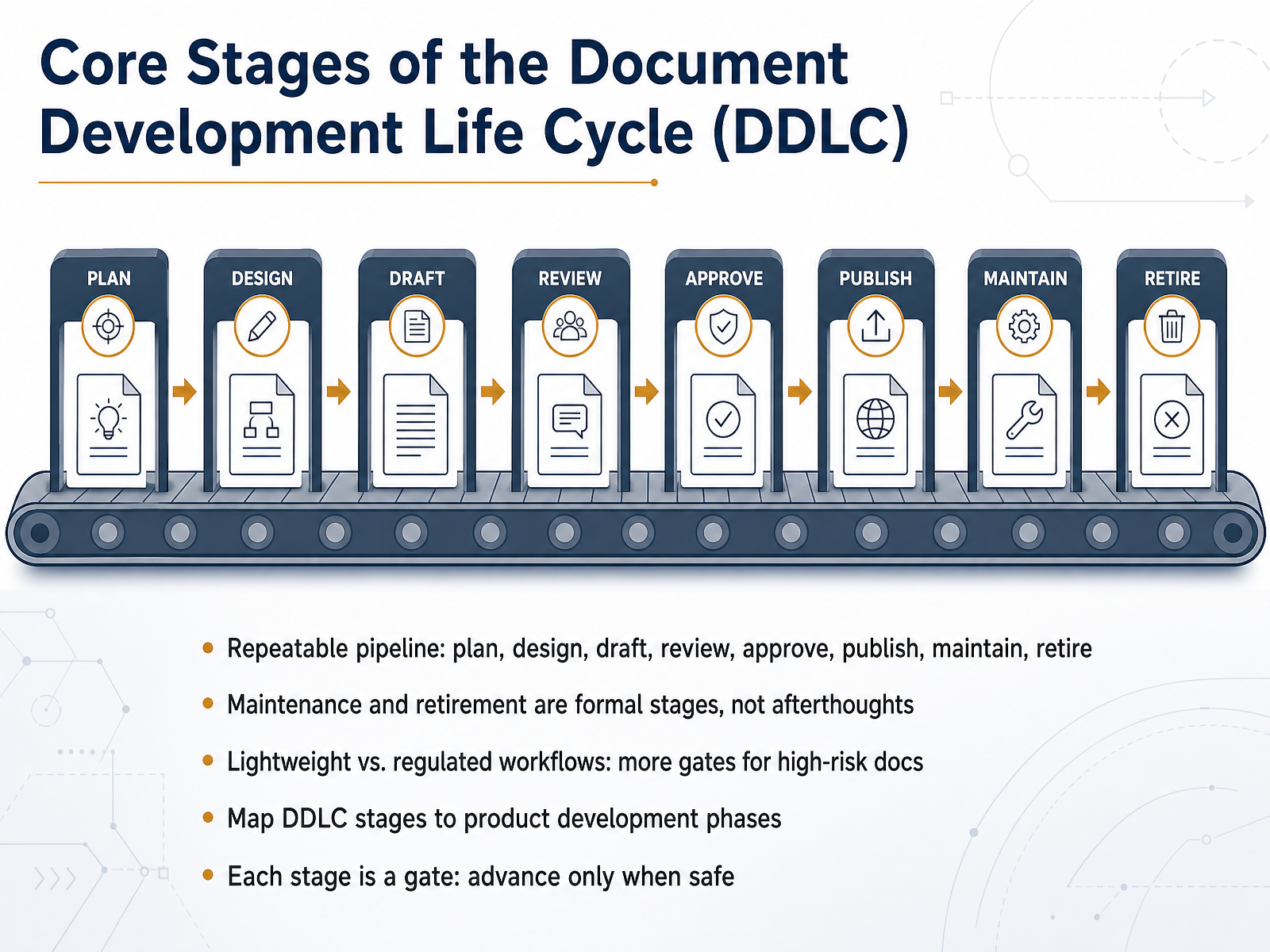
 - 03Core Stages of the Document Development Life Cycle (DDLC)Let’s map the core stages of the Document Development Life Cycle, or DDLC. It’s a repeatable pipeline: plan, design, draft, review, approve, publish, maintain, and retire. Notice that maintenance and retirement are formal stages, not afterthoughts. Treat them that way, or your docs decay and conflict. Here’s the key: each stage is a gate. You advance only when it’s safe. If the answer to “is this ready to move forward?” is no, you fix it before pushing the mess downstream. You can tune the weight of each gate based on your environment. A lightweight workflow for internal wiki pages can be fast. But regulated or high-risk docs need more gates—compliance checks, legal sign-off, explicit approval. Finally, map your DDLC stages to product development phases. When engineering ships a feature, docs should enter update review. When a product enters beta, your docs should be in final review. This alignment keeps documentation from becoming the release blocker. The pipeline is your safety rail. Ownership, stage by stage, is where we go next: planning, and translating audience need into documentation scope.
 technicalwriterhq.comclickhelp.comarchbee.com+22 min
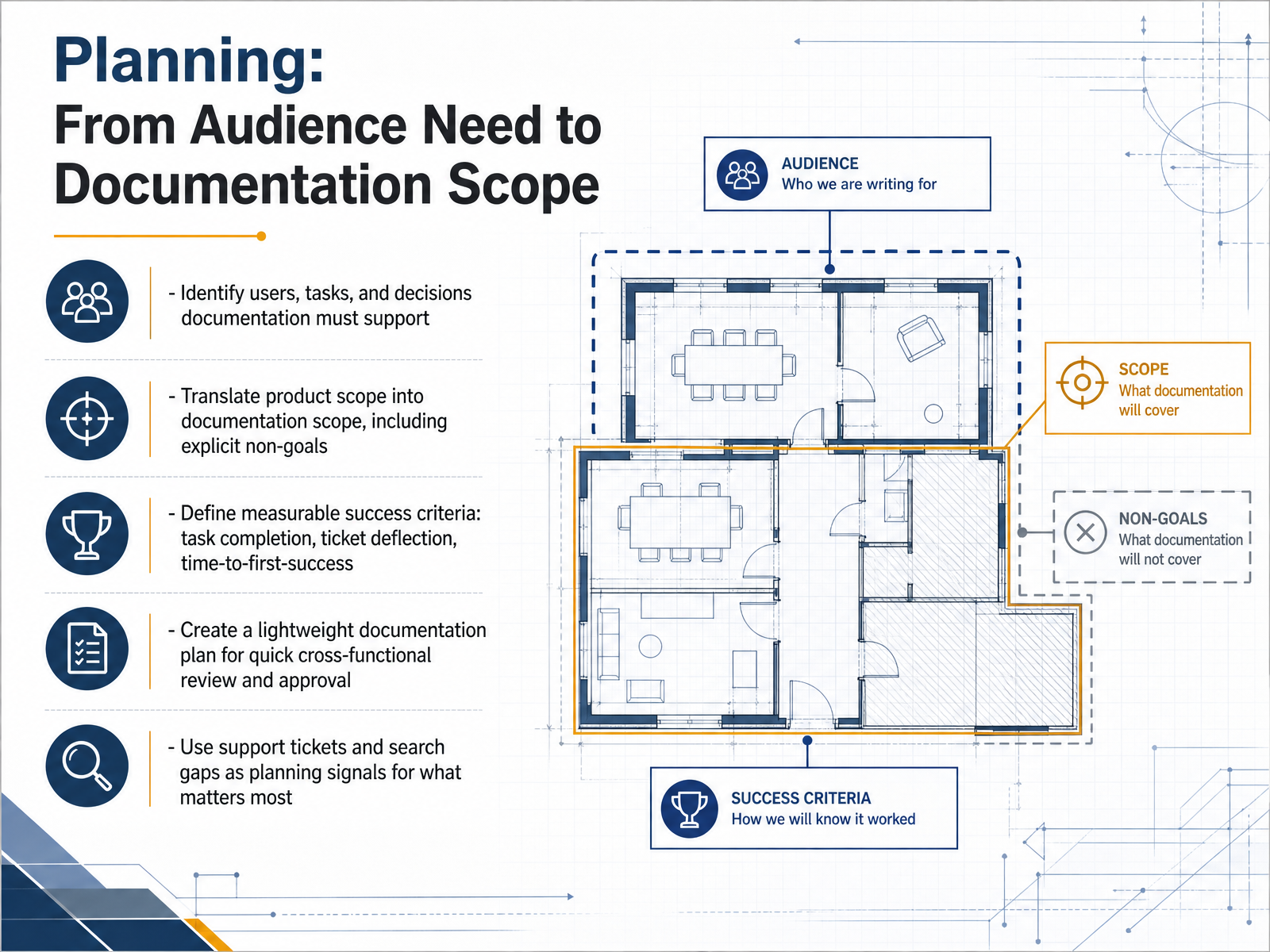
 - 04Planning: From Audience Need to Documentation ScopeNow let's move from the big picture into the planning stage. This is where we turn audience needs into a clear documentation scope. Start by identifying who your users are, what tasks they need to complete, and which decisions your documentation must support. Then translate the product scope into a documentation scope, and be explicit about what you are not covering. Non-goals prevent scope creep later. Next, define measurable success criteria. Things like task completion rates, support ticket deflection, and time to first success. These give you a way to prove the documentation is working. Create a lightweight documentation plan. It should be short enough for quick cross-functional review and approval. Keep it focused on audience, scope, success criteria, and timeline. Finally, use support tickets and search gaps as planning signals. If users keep asking the same question or searching for a term that doesn't exist, that's a gap your documentation should fill. In short, plan with intent, define success, and stay aligned. Next, we'll cover who owns each part of the process.
 ihearttechnicalwriting.comidratherbewriting.comdocsmith.aigne.io+22 min
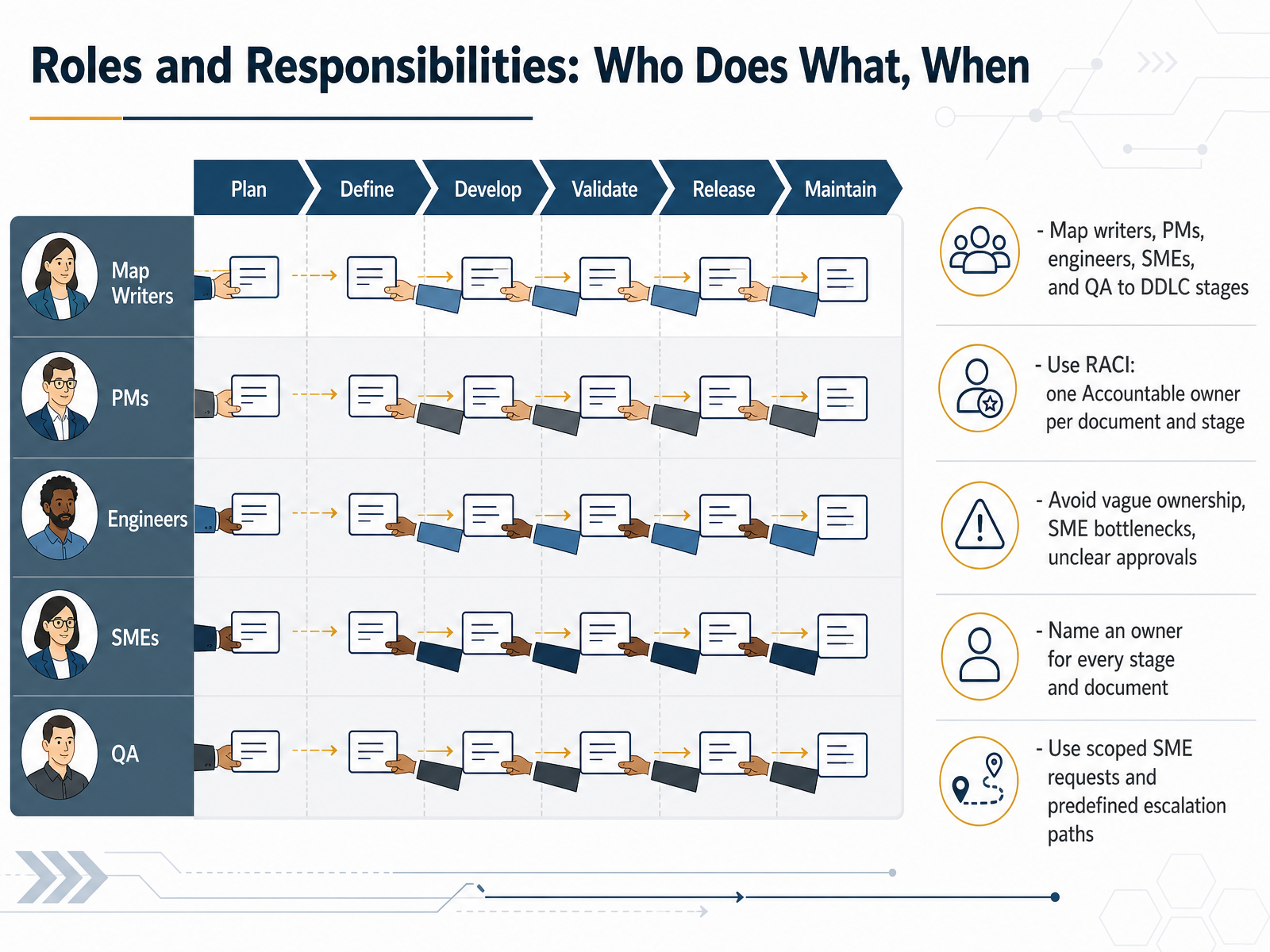
 - 05Roles and Responsibilities: Who Does What, WhenLet's talk about who does what, and when. Every document and every stage in the lifecycle needs a named owner. The RACI model keeps this simple. Responsible does the work. Accountable owns the outcome, and there is only one per document or stage. Consulted provides input before you proceed. Informed gets updated after the fact. Map your writers, project managers, engineers, subject matter experts, and QA to each stage. You will spot gaps fast. Avoid vague ownership. That is how SME reviews become bottlenecks. Keep your SME requests scoped and time-boxed. Define an escalation path before you need it. Name an owner for every document and every stage. One accountable person per row. If two people are accountable, nobody is. Walk through the matrix with the team, get explicit agreement, and embed it in your workflow. RACI is not a wall decoration. It drives handoffs and approvals. With clear roles, reviews move faster and sign-offs do not stall. Next, we will look at the artifacts that move work forward: handoffs and reviews.
 edilec.commoxo.comblog.processology.net+22 min
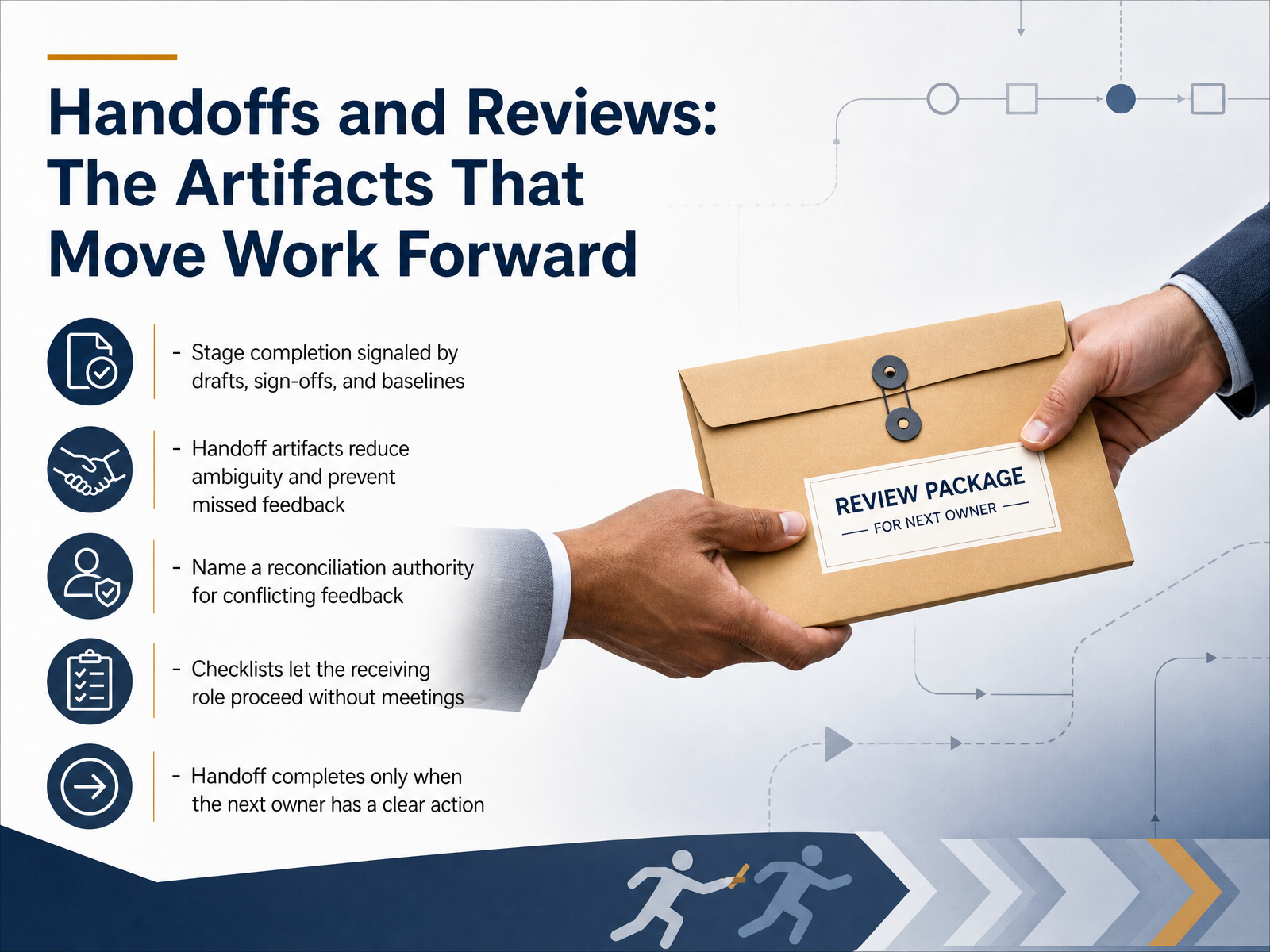
 - 06Handoffs and Reviews: The Artifacts That Move Work ForwardNow let's talk about handoffs and reviews, because this is where progress either moves cleanly or stalls. Stage completion is signaled by tangible artifacts: drafts, sign-offs, and baselines. These artifacts reduce ambiguity and prevent missed feedback. When experts disagree, name a reconciliation authority upfront. That person resolves conflicts decisively, so the review doesn't loop. Checklists are your friend here. They let the receiving role proceed without a meeting. Remember, a handoff is only complete when the next owner has a clear action. So, checklists and named owners keep work flowing. That leads us into deliverables at each stage, from plans to published docs.
 edilec.commoxo.comblog.processology.net+21 min
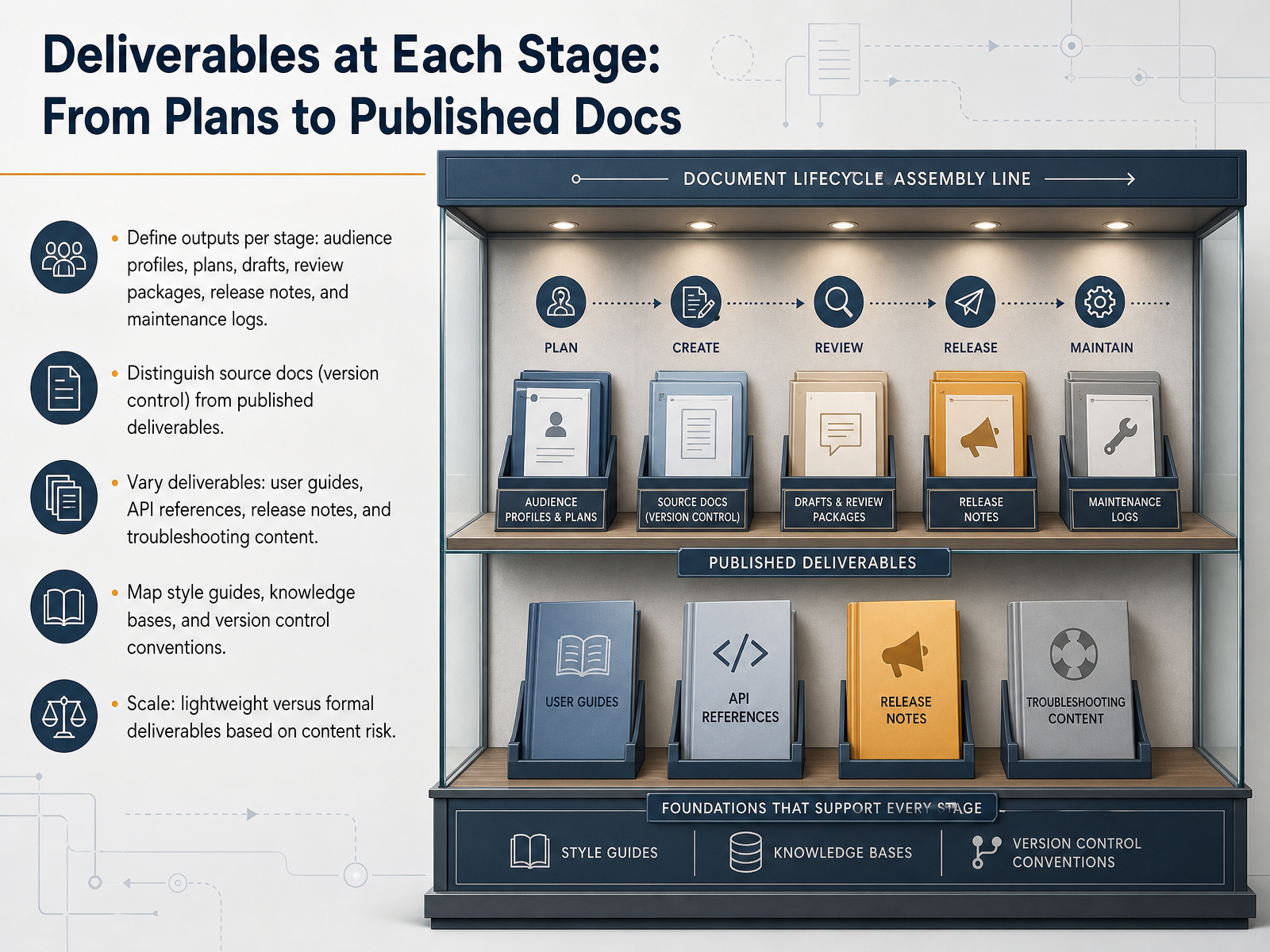
 - 07Deliverables at Each Stage: From Plans to Published DocsNow let's talk about what you actually produce at each stage. Every phase has a defined deliverable, from audience profiles and documentation plans in the early stages, to drafts and review packages in the middle, and finally release notes and maintenance logs once the product ships. A key distinction here is between source docs and published deliverables. Your source files live in version control, tracked and reviewed. Published deliverables are the final formats your users consume. And those deliverables will vary. User guides for workflows, API references for developers, release notes for what changed, and troubleshooting content for when things go wrong. Consistency comes from mapping your style guides, knowledge bases, and version control conventions early. Then you can scale your approach. A lightweight process works for low-risk content. Formal deliverables with full reviews are for high-impact, high-risk documentation. Match the rigor to the risk. Up next, we'll look at review workflows and how to separate accuracy, clarity, and compliance.
 technicalwriterhq.comclickhelp.comarchbee.com+21 min
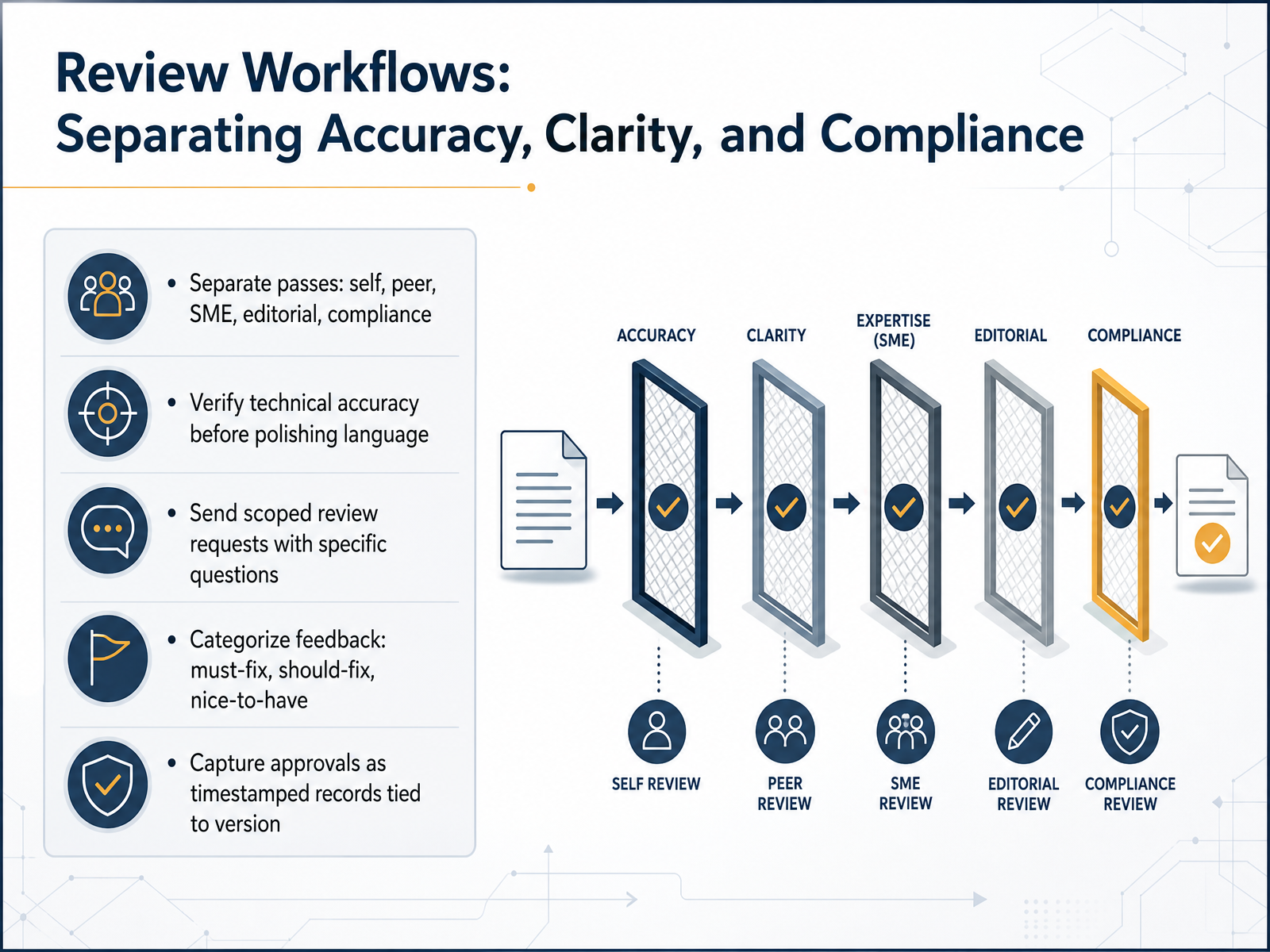
 - 08Review Workflows: Separating Accuracy, Clarity, and ComplianceNow let's talk about how to structure the review workflow itself. The key is to separate the passes: self, peer, subject matter expert, editorial, and compliance. Each pass has a different job. Verify technical accuracy before you polish language. If the subject matter expert changes a procedure after the editorial pass, the editor will have to review the same section twice. That is wasted time. Send scoped review requests with specific questions. Do not send a full document and ask for feedback. Point them to the exact sections and ask something like, can you confirm these three steps work on a paid plan? That turns a thirty minute open ended task into a ten minute check. Categorize feedback as must fix, should fix, or nice to have. Must fix blocks publishing. Should fix gets handled this cycle. Nice to have gets logged for the next revision. Finally, capture approvals as timestamped records tied to the version. A verbal looks good will not satisfy an auditor six months from now. This gives you a clear audit trail. That discipline is what keeps the review stage from becoming the bottleneck. Now let's look at managing the subject matter expert review bottleneck specifically.
 2 min
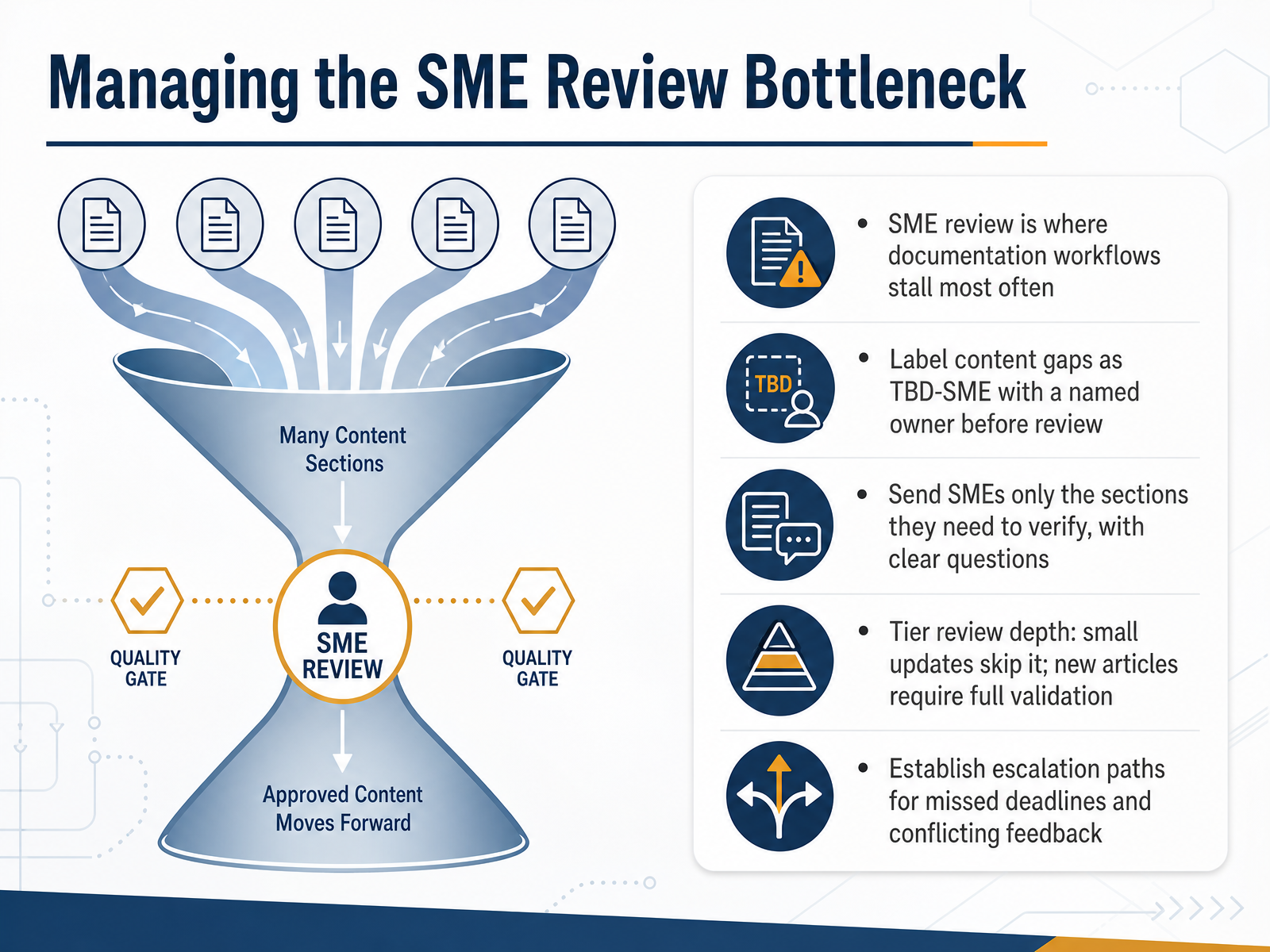
2 min - 09Managing the SME Review BottleneckSME review is where documentation workflows stall most often. Let's fix that with four practical moves. First, never send a blank space for review. Label every content gap as TBD-SME with a named owner before the review starts. That way, the expert knows exactly what they're responsible for verifying. Second, send scoped requests. Don't attach the whole document and ask for feedback. Send only the sections each SME needs to verify, with clear, specific questions. For example, ask them to confirm the three API parameters on page four match production. That's a ten-minute task. Third, tier your review depth. A typo fix skips the SME entirely, the writer verifies against the live product. But a new article or major rewrite requires full validation. Make that decision explicit, not lazy. Fourth, establish escalation paths before you need them. When deadlines slip or feedback conflicts, the documentation lead owns escalation. Writers should never be stuck chasing reviewers. Align conflicting experts in a quick call, log the resolution, and move on. A governed SME review turns the biggest bottleneck into a gate that protects accuracy instead of delaying releases. Next, we'll look at what happens after approval: publication, versioning, and release readiness.
 edilec.commoxo.comblog.processology.net+22 min
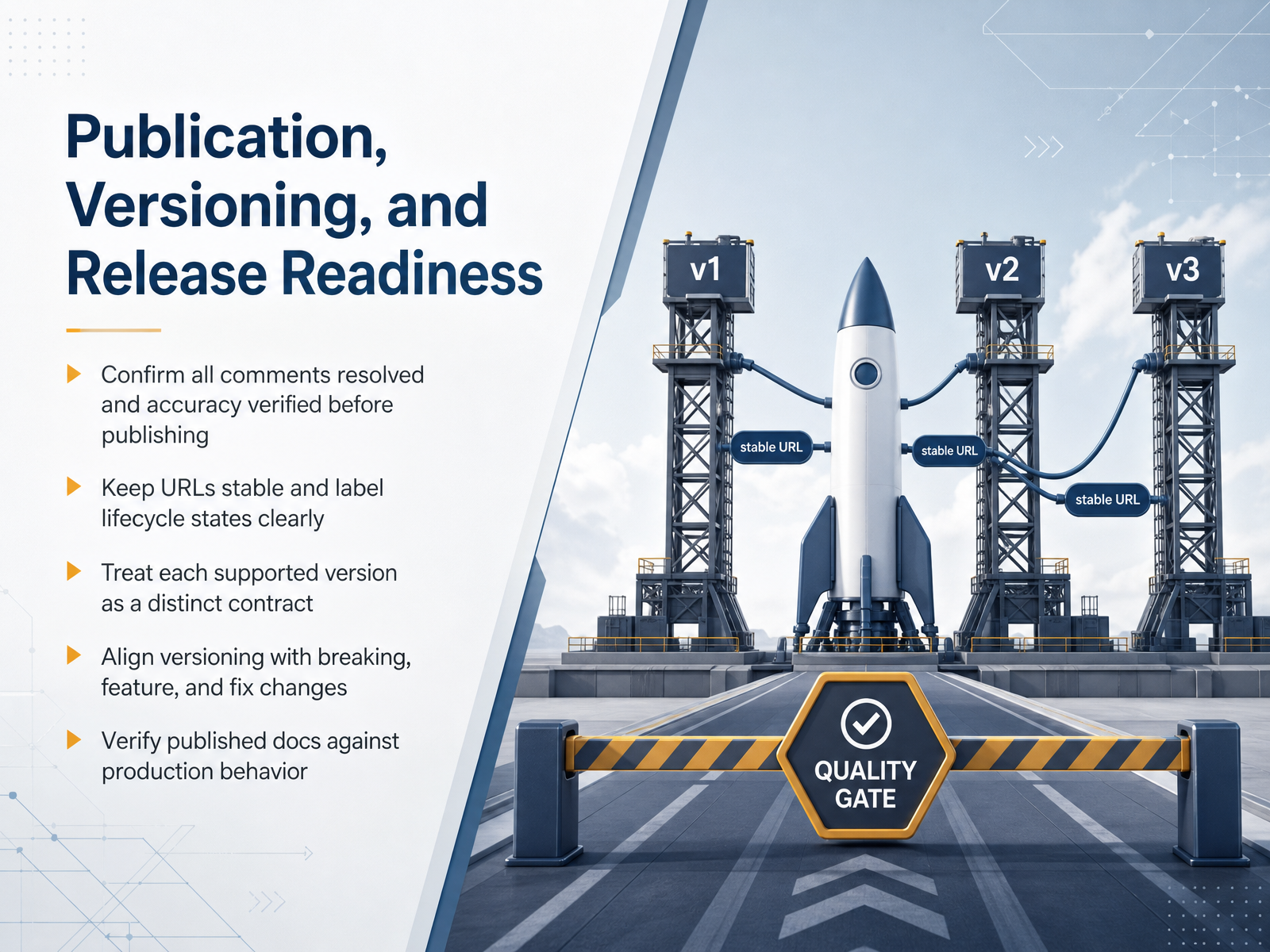
 - 10Publication, Versioning, and Release ReadinessLet's move to publication, versioning, and release readiness. Before anything goes live, confirm that every comment is resolved and accuracy has been verified. This is your gate. Once published, keep URLs stable. A developer should be able to bookmark and share a link that always resolves to the same contract. Never reuse a URL for a different version. Label lifecycle states clearly: preview, current, supported, deprecated, retired. These labels show up in the header, navigation, and search results. Treat each supported version as a distinct contract with its own reference, examples, and changelog. Never quietly rewrite one set of pages. Align your versioning with the type of change. Major versions for breaking changes, minor for new features, patch for fixes. Use semantic versioning so users can anticipate impact. Finally, verify published docs against production behavior. Run automated checks that send documented requests to a test environment and validate responses against the contract. If the docs say one thing and the API does another, you have a trust problem. Get this right, and release becomes routine. Next, we'll cover maintenance, deprecation, and retirement as first-class stages.
 technicalwriterhq.comclickhelp.comarchbee.com+22 min
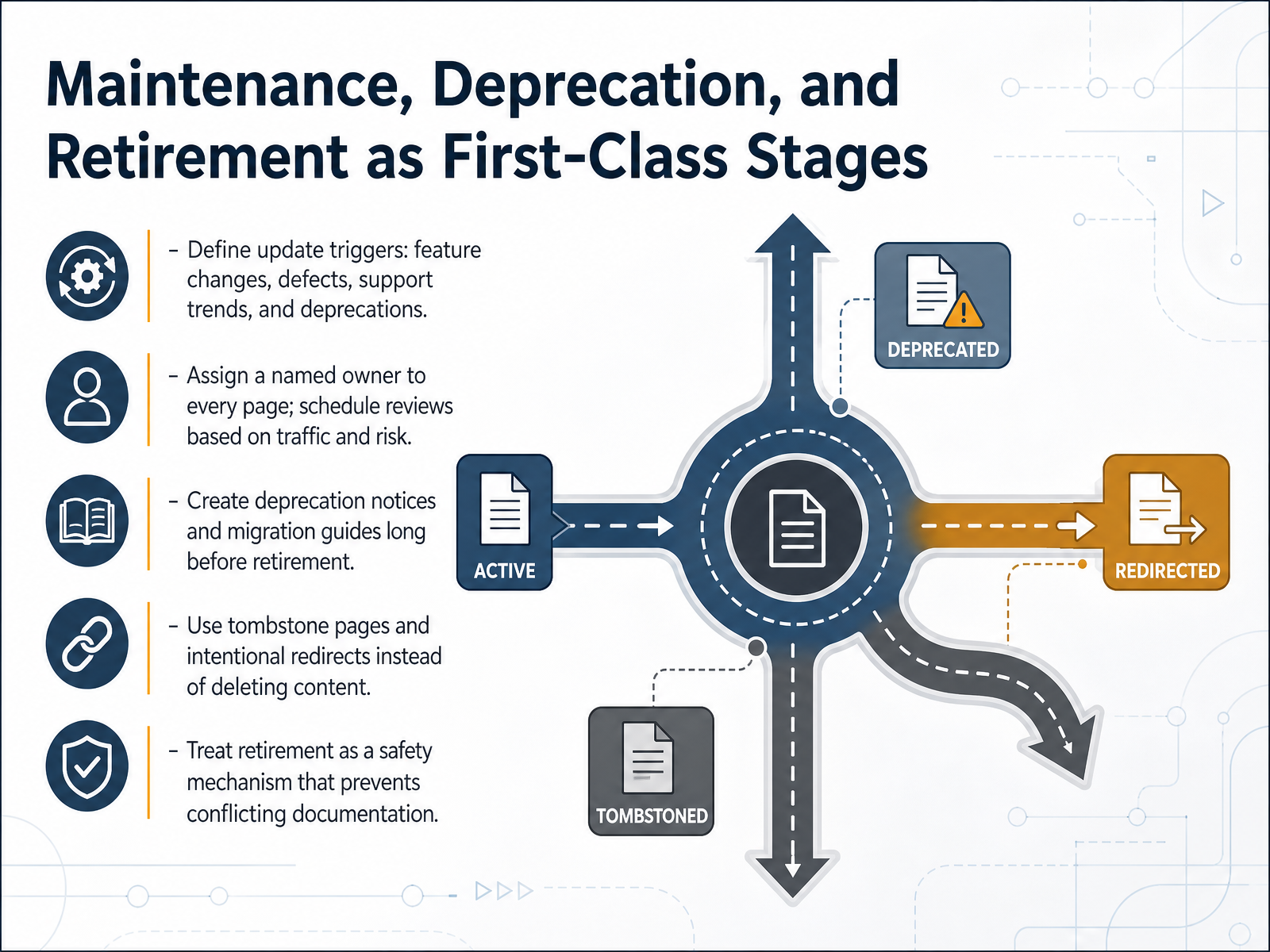
 - 11Maintenance, Deprecation, and Retirement as First-Class StagesLet’s talk about what happens after publication. Maintenance, deprecation, and retirement should be first-class stages, not afterthoughts. Start by defining your update triggers. Feature changes, defects, support trends, and deprecations should kick off a docs review automatically. Assign a named owner to every page. No orphan docs. Schedule review cadence based on traffic and risk: quarterly for high-traffic pages, annually for the rest, and always on every release. When a feature is on its way out, create the deprecation notice and migration guide long before retirement. Users need time and a clear path. And when a page does retire, never just delete it. Use a tombstone page at the established URL, with a status label, a sunset date, and an intentional redirect to the successor. That prevents dead links and, more importantly, prevents conflicting documentation. Treat retirement as a safety mechanism. If two pages disagree, users will trust the wrong one. Retiring the old version keeps the system clean and keeps your docs credible. Next, let’s look at aligning documentation with agile and product team workflows.
 technicalwriterhq.comclickhelp.comarchbee.com+21 min
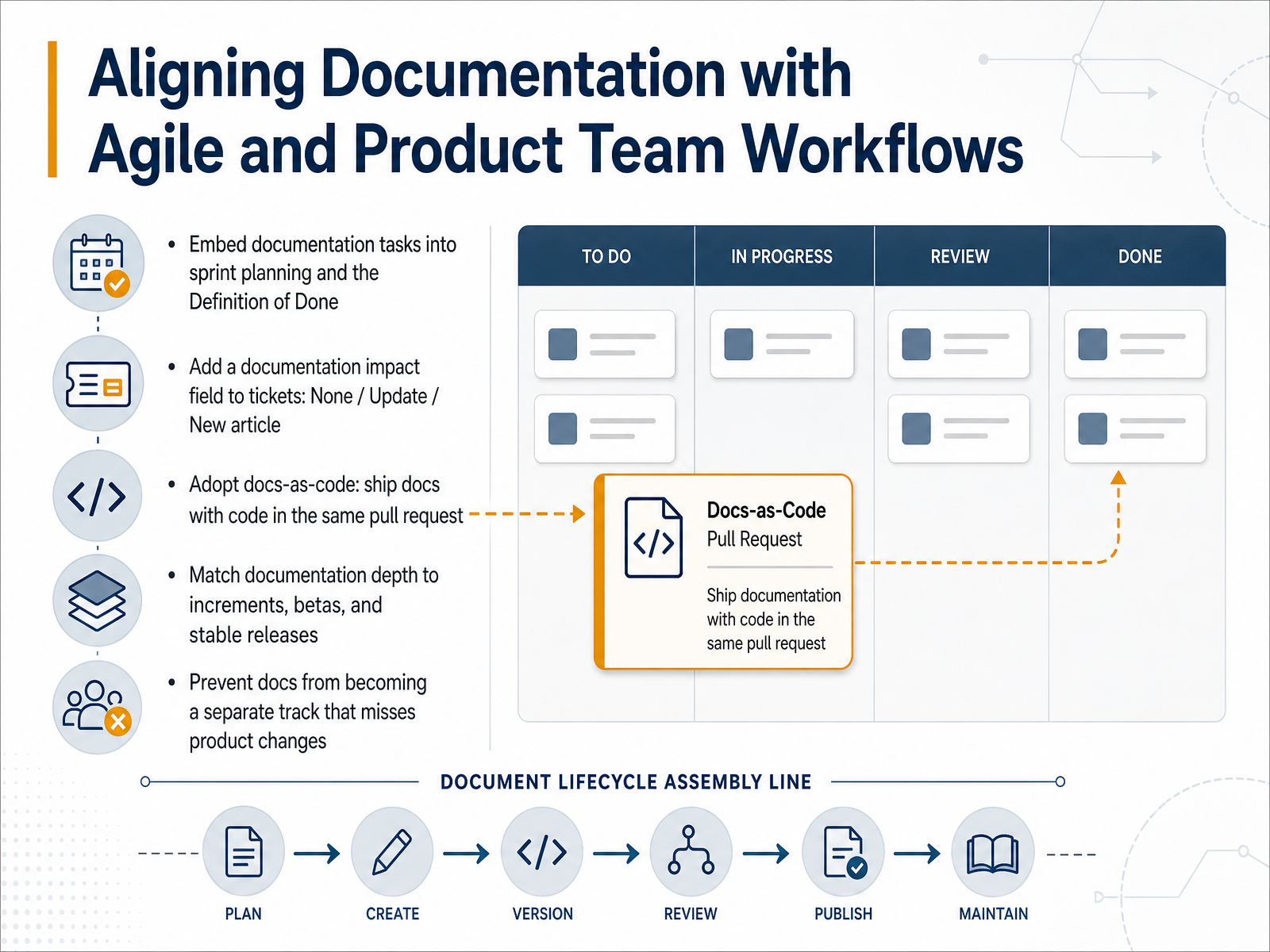
 - 12Aligning Documentation with Agile and Product Team WorkflowsNow let's talk about aligning documentation with agile workflows. The goal is simple: docs ship with the product, not after it. Start by embedding documentation tasks into sprint planning and the Definition of Done. A story isn't done until the docs impact is assessed. Add a documentation impact field to every ticket. Three options: none, update, or new article. This takes thirty seconds during planning and gives the writer a triaged list of work. Next, adopt docs-as-code. Ship docs with code in the same pull request. This eliminates the context switch and keeps docs in sync with the feature. Match documentation depth to the release type. Increments might need release notes, betas might need draft articles, and stable releases need full help center updates. The real risk is docs becoming a separate track that misses product changes. Prevent that by making documentation a natural part of each sprint, not an addition to it. When docs are part of the definition of done, the workflow stays current by default. Next, let's look at the metrics that prove this process is working.
 technicalwriterhq.comclickhelp.comarchbee.com2 min
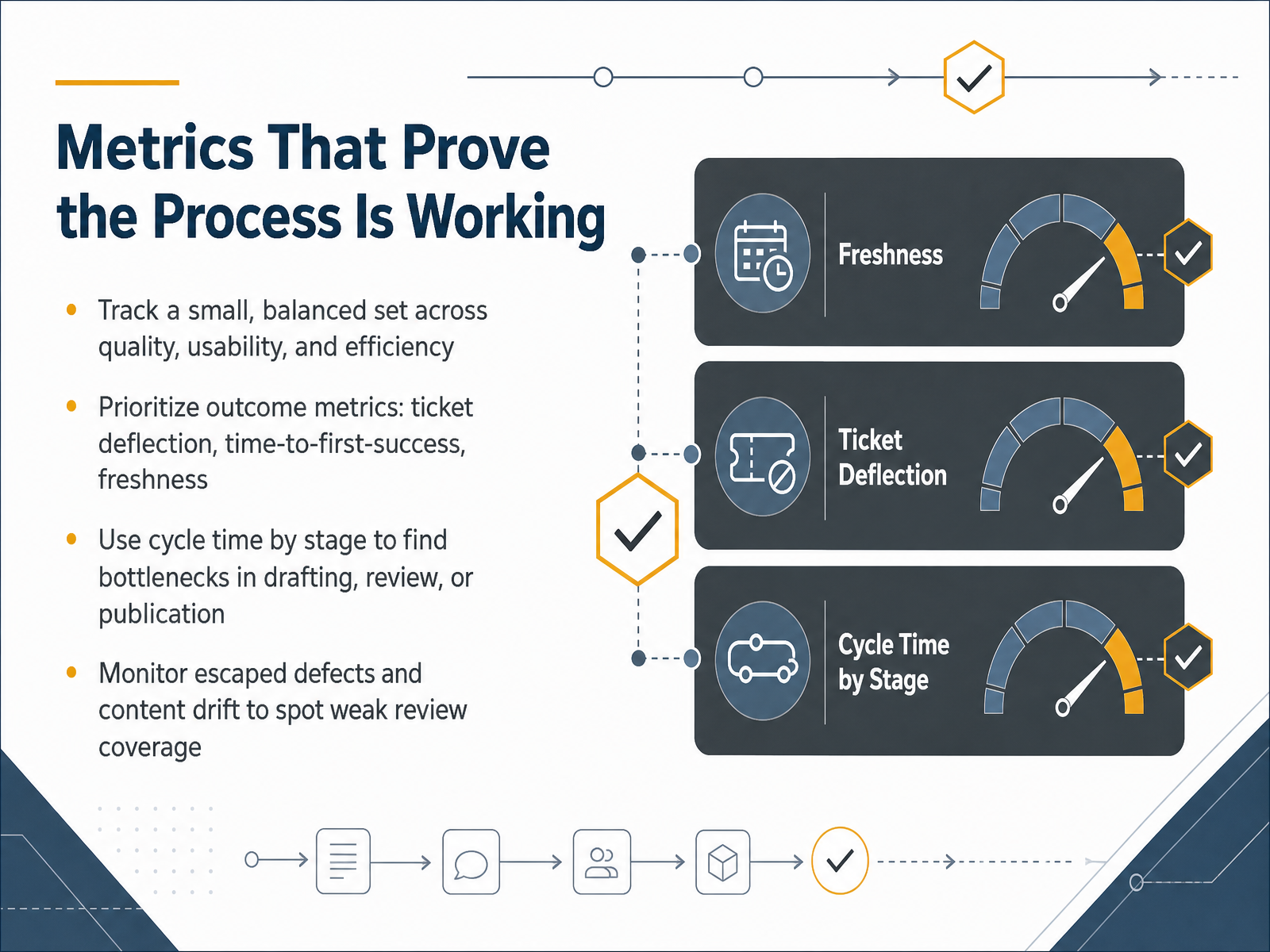
 - 13Metrics That Prove the Process Is WorkingNow let's talk about metrics that prove the process is working. Track a small, balanced set across quality, usability, and efficiency. Prioritize outcome metrics like ticket deflection, time-to-first-success, and freshness. These show whether docs actually help users and stay current. Also use cycle time by stage to find bottlenecks in drafting, review, or publication. Monitor escaped defects and content drift to spot weak review coverage. If defects slip through, review needs tightening. Together, these four signals keep the process honest and guide improvements. Next, we'll turn this framework into team practice.
 ekline.ioekline.iotwocents.software+21 min
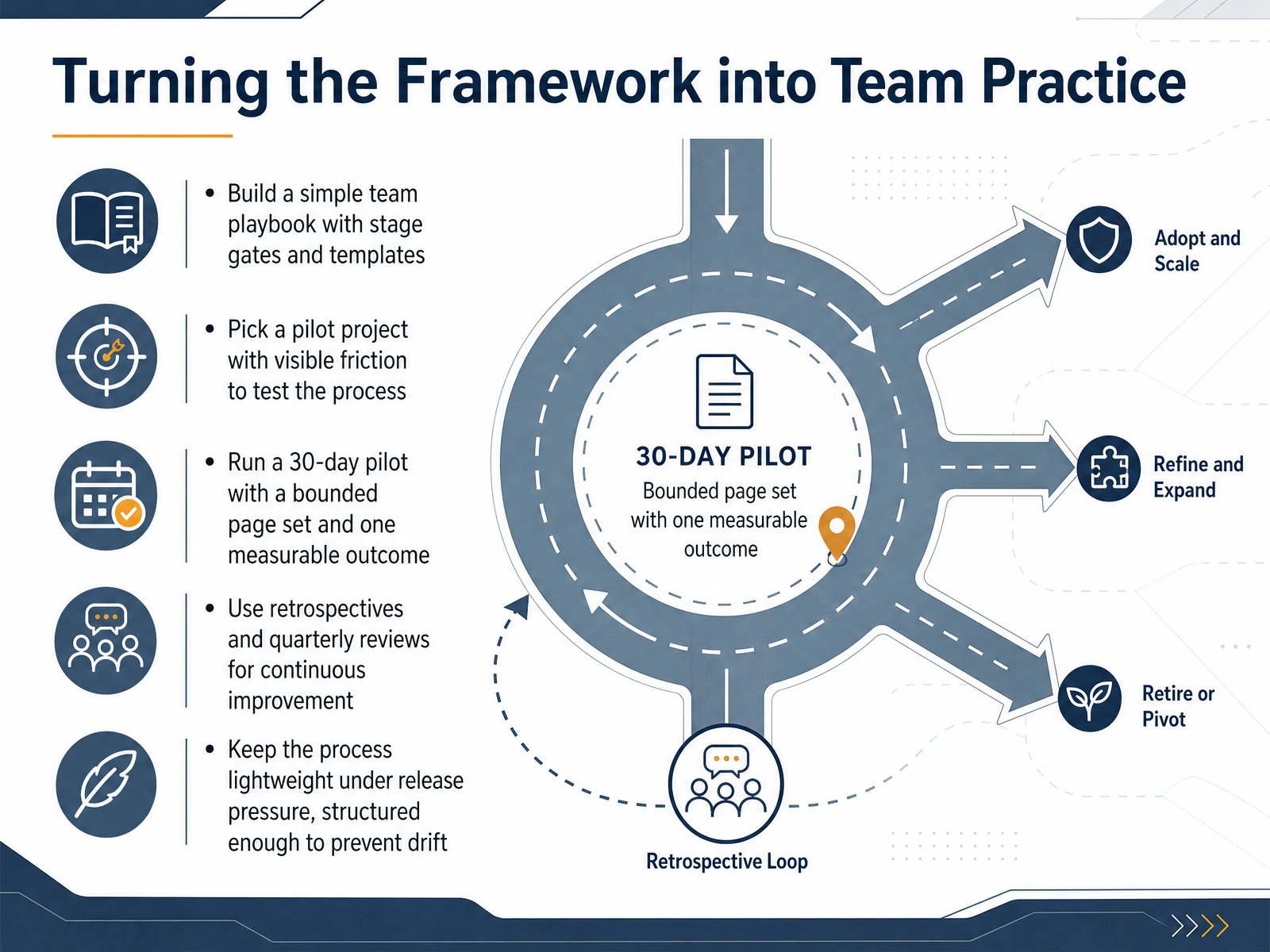
 - 14Turning the Framework into Team PracticeWe’ve covered the stages, the roles, and the deliverables. Now it’s time to make this framework a daily habit. Start with a simple team playbook. Define your stage gates and reuse a few templates. Don’t overbuild. Pick a pilot project with visible friction—maybe a page that always causes confusion or a feature with constant support tickets. Run a 30-day pilot on a bounded page set. Choose one measurable outcome, like cycle time or ticket deflection. During the pilot, hold retrospectives. Ask what moved and what didn’t. Quarterly reviews keep the loop going. And when release pressure hits, keep the process light. Structure enough to prevent drift, but not so heavy it slows you down. Remember: every page needs an owner, every stage needs a checkpoint, and every metric should point back to user success. You’ve got the framework. Now go test it. Thanks for joining, and good luck making your docs work as hard as your product does.
 technicalwriterhq.comclickhelp.comarchbee.com2 min
Take the deck with you
Download this course as a file — free, no sign-up needed.
- PDF handoutEvery slide page, ready to print or share.15 pages · 3.7 MBDownload
- Narrated PowerPointThe deck that presents itself — every slide carries the digital human's narration video.15 pages · 16.3 MBDownload
- PowerPoint slidesThe full deck as a .pptx — open it in PowerPoint, Keynote, or Google Slides.15 pages · 3.6 MBDownload
Free to use in your own training — please keep the PersonWise credit page at the end.
Have your own deck? Turn it into a course
Sources consulted
Web sources consulted while building this course.
- What Is the Document Development Life Cycle? My simple (but complete) guide for 2026 — technicalwriterhq.com
- Document Development Life Cycle (DDLC) for Technical Writers — clickhelp.com
- Document Development Life Cycle (DDLC) for Technical Documentation — archbee.com
- 2.3: Technical Writing Research and Writing Process — human.libretexts.org
- DDLC Phases In Technical Writing Explained — writerstable.in
- Documentation Release Blockers: Why Docs Delay Shipping and How to Remove the Bottlenecks — ekline.io
- Troubleshooting Documentation and Support Cost: What Missing Guides Cost and How to Fix the Gap — ekline.io
- Technical Documentation Debt: The Hidden Business Cost — twocents.software
- Documentation Debt vs Technical Debt: Which Costs More? — happysupport.ai
- The Real Cost of Outdated Docs in 2026 (Complete Breakdown) — pushpen.dev
- Technical Documentation Plan (MS Word) – Technical Writing Tools — ihearttechnicalwriting.com
- My documentation project plan template | I'd Rather Be Writing Blog and API doc course — idratherbewriting.com
- Docs Plan Template — docsmith.aigne.io
- https://jaegis.gitbook.io/JAEGIS/jaegis-method-v2.0-v2.1.1-jaegis-jaegis-method-jaegis-agent-templates-documentation-specification — jaegis.gitbook.io
- Documents | Technical Writing | Google for Developers — developers.google.com
- Developer handoff documentation: a practical guide for enterprise teams | Edilec — edilec.com
- The complete RACI matrix guide for cross-functional teams | Moxo — moxo.com
- RACI Chart vs. Handoff Agreement: Which is Better for Project Clarity? — blog.processology.net
- cross-department-translation/references/meeting_notes_and_handoffs.md — github.com
- RACI Matrix: How to ensure clear responsibilities | GBTEC — gbtec.com