Begin
15 pages · ~30 min
DevOps Pipeline Fundamentals
This training introduces DevOps pipeline concepts, purposes, and real-world examples, helping learners understand how to build and optimize CI/CD workflows.
A digital instructor presents all 15 pages. Hold “Ask” at any point and ask out loud — the answer comes from this course. No sign-up needed.
What you’ll learn
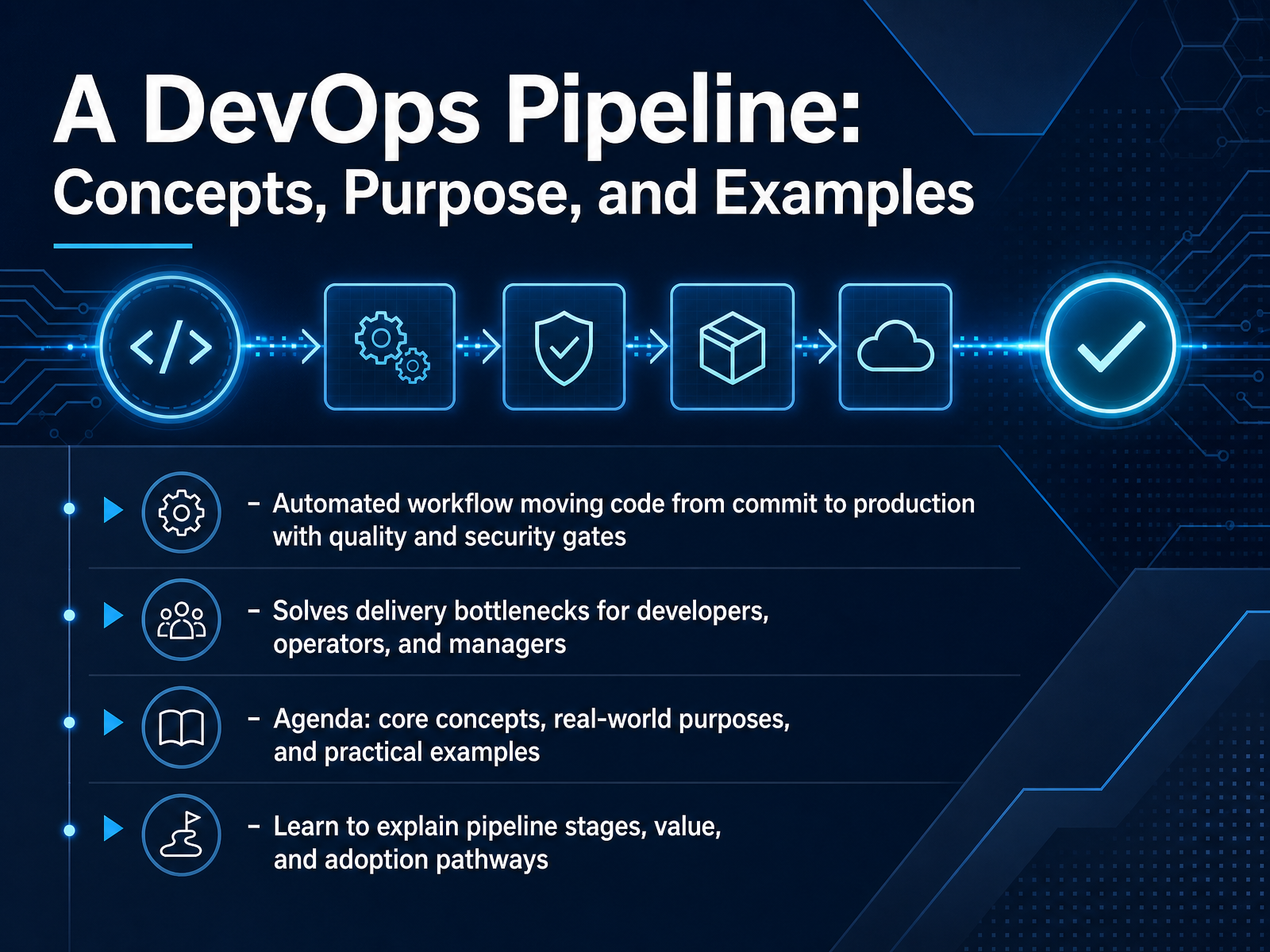
- 01A DevOps Pipeline: Concepts, Purpose, and ExamplesWelcome. In this course, we are going to talk about the DevOps pipeline, a concept that sits at the heart of modern software delivery. If your team is struggling with slow releases, painful handoffs, or that last mile between code and users, this is for you. A DevOps pipeline is an automated workflow that moves code from a single commit all the way to production. It applies build, test, and security checks along the way. Think of it as an automated assembly line for software, designed to catch problems early and enforce quality gates before anything reaches your customers. The goal here is simple. We want to help you and your team remove delivery bottlenecks, improve collaboration between developers and operations, and make releases reliable instead of stressful. Today, we will cover the core concepts, the real world reasons teams adopt pipelines, and practical examples you can map to your own environment. By the end, you will be able to explain the stages of a pipeline, the value it brings, and how to start adopting it. Let us begin by looking at the problem this automation is meant to solve.atlassian.comeastgate-software.comjellyfish.co+21 min
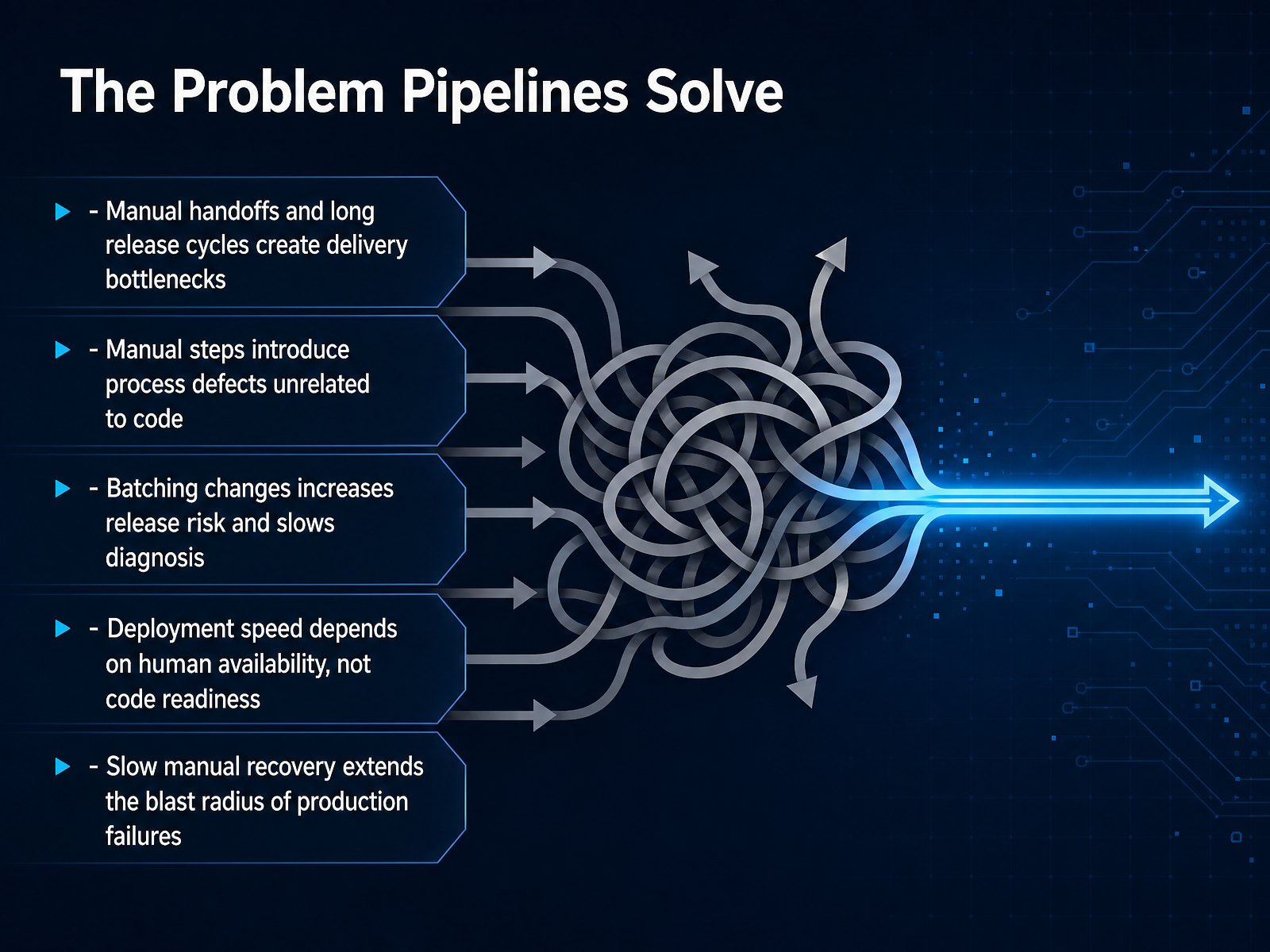
- 02The Problem Pipelines SolveSo why do we even need a pipeline? Let's look at the problems they solve. When you rely on manual handoffs, you create bottlenecks. A person has to be available to click a button, run a script, or shepherd the release to production. That means your deployment speed depends on human availability, not on whether the code is actually ready. Manual steps also introduce process defects. These are bugs that have nothing to do with your code. Someone runs a migration in the wrong order, or forgets to update a config file, and now production is broken. Because manual deployments are slow and risky, teams batch changes. Instead of shipping one small commit, you ship thirty at once. When something breaks, you have to dig through those thirty changes to find the culprit. That slows down diagnosis and increases risk. Finally, slow manual recovery extends the blast radius. If your rollback is just another manual deployment, you are stuck with a long, stressful outage. A pipeline aims to fix all of this by making the process repeatable and fast. Up next, let's look at pipeline thinking as a cultural shift.
 beyond.minimumcd.orgthoughtworks.cominfoq.com+21 min
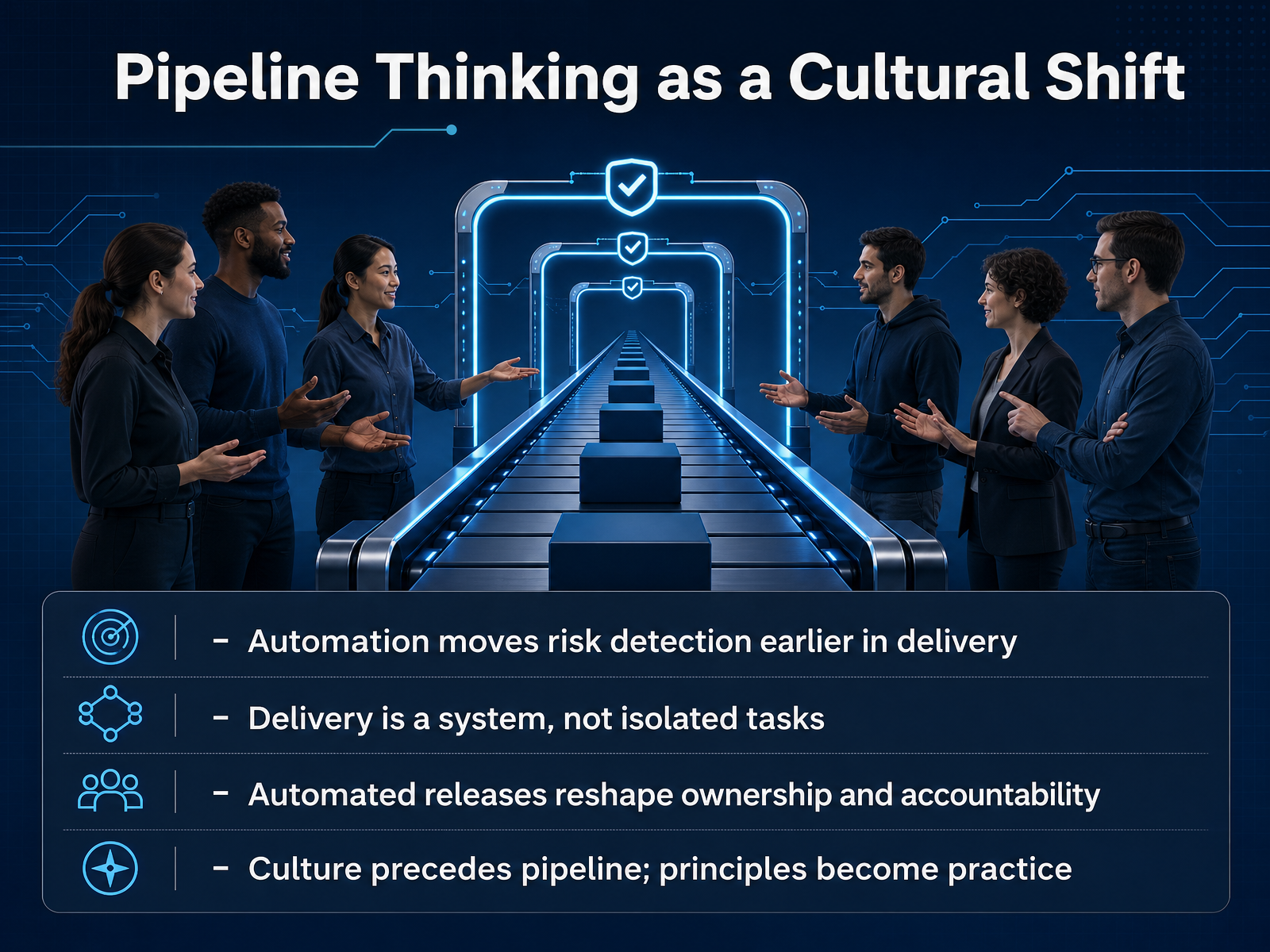
 - 03Pipeline Thinking as a Cultural ShiftMoving from a technical tool to a mindset, let's talk about pipeline thinking as a cultural shift. The deeper change here is about moving risk detection earlier. Instead of discovering a configuration error during a stressful Friday night deployment, automation catches it minutes after a developer commits code. You start to see delivery as a whole system, not a set of isolated tasks. A build passing while deployment remains a manual afterthought isn't a pipeline; it's a bottleneck. This shift also changes ownership. When the process is automated, the team owns the outcome, not just the code. The pipeline becomes a shared responsibility. It's important to remember that culture precedes the pipeline. The tools enable the practice, but your team's principles come first. The technology simply puts those principles into action. This foundation prepares us to define the specific mechanics. Next, we'll unpack the core concepts of continuous integration, continuous delivery, and continuous deployment.
 beyond.minimumcd.orgthoughtworks.cominfoq.com+21 min
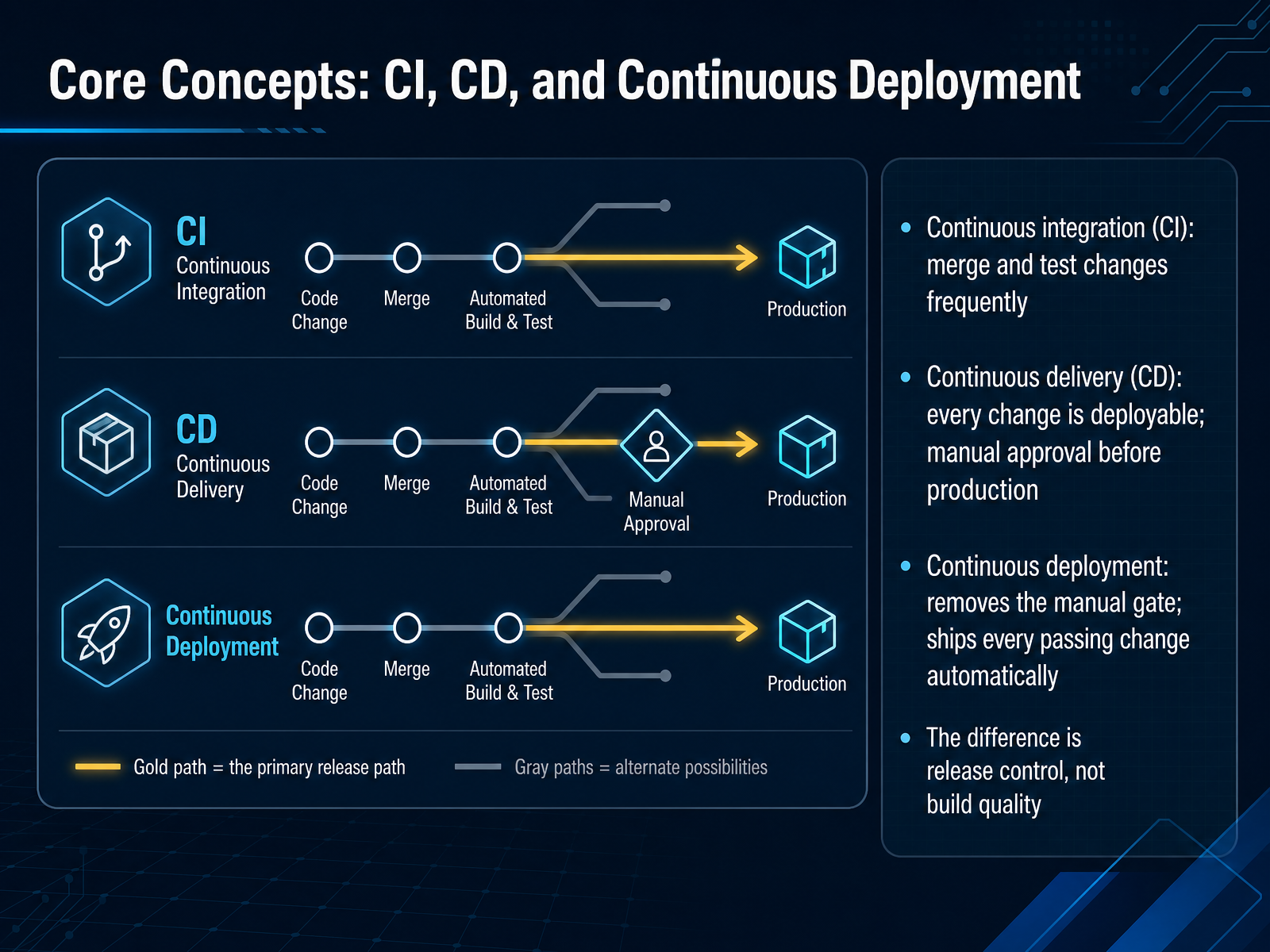
 - 04Core Concepts: CI, CD, and Continuous DeploymentLet's get clear on three terms that often get mixed up: continuous integration, continuous delivery, and continuous deployment. Continuous integration, or CI, means your team merges code changes frequently, and every merge triggers automated tests. The goal is simple: catch integration problems early, when they are small and cheap to fix. Continuous delivery, or CD, goes one step further. Every change that passes the tests is packaged and ready to release. But before anything reaches production, a human approves the deploy. Think of it as a safety checkpoint you control. Continuous deployment removes that manual checkpoint entirely. If a change passes all automated gates, it ships to production automatically. No approval step, no waiting. Now, here is the key point. The difference between these approaches is not build quality. The code has passed the same automated checks in every model. The real difference is release control: who, or what, decides when a change goes live. Your team chooses the model that matches your risk tolerance and trust in automation. With that distinction in mind, let's move on to the concrete stages, gates, and feedback loops that make these pipelines work.
 helpmetest.comezdevops.cloudtotalshiftleft.ai+22 min
 - 05Stages, Gates, and Feedback LoopsNow let's look at how those stages actually enforce quality. Think of a pipeline as a series of gates. Each one asks a specific question. Does the source code meet branch rules? Does the build compile and package cleanly? Do tests pass? Does the security scan find any high severity vulnerabilities? Is the artifact tracked and immutable? Does staging pass smoke and acceptance checks? And after production, does monitoring confirm the release is healthy? Every gate has a clear pass or fail result. If a gate fails, the pipeline stops immediately. Developers get notified while the change is still fresh in their minds. That matters because a bug caught at commit time takes minutes to fix. The same bug caught in production can take hours. Automated gates also remove human review from objective checks. Coverage thresholds, security findings, and test results are enforced the same way every time, with no exceptions unless your team makes a deliberate overridden decision. And each failed gate becomes a feedback loop, telling you exactly where the change broke, so recovery is faster and the next change learns from it. That brings us to what a pipeline is actually for.
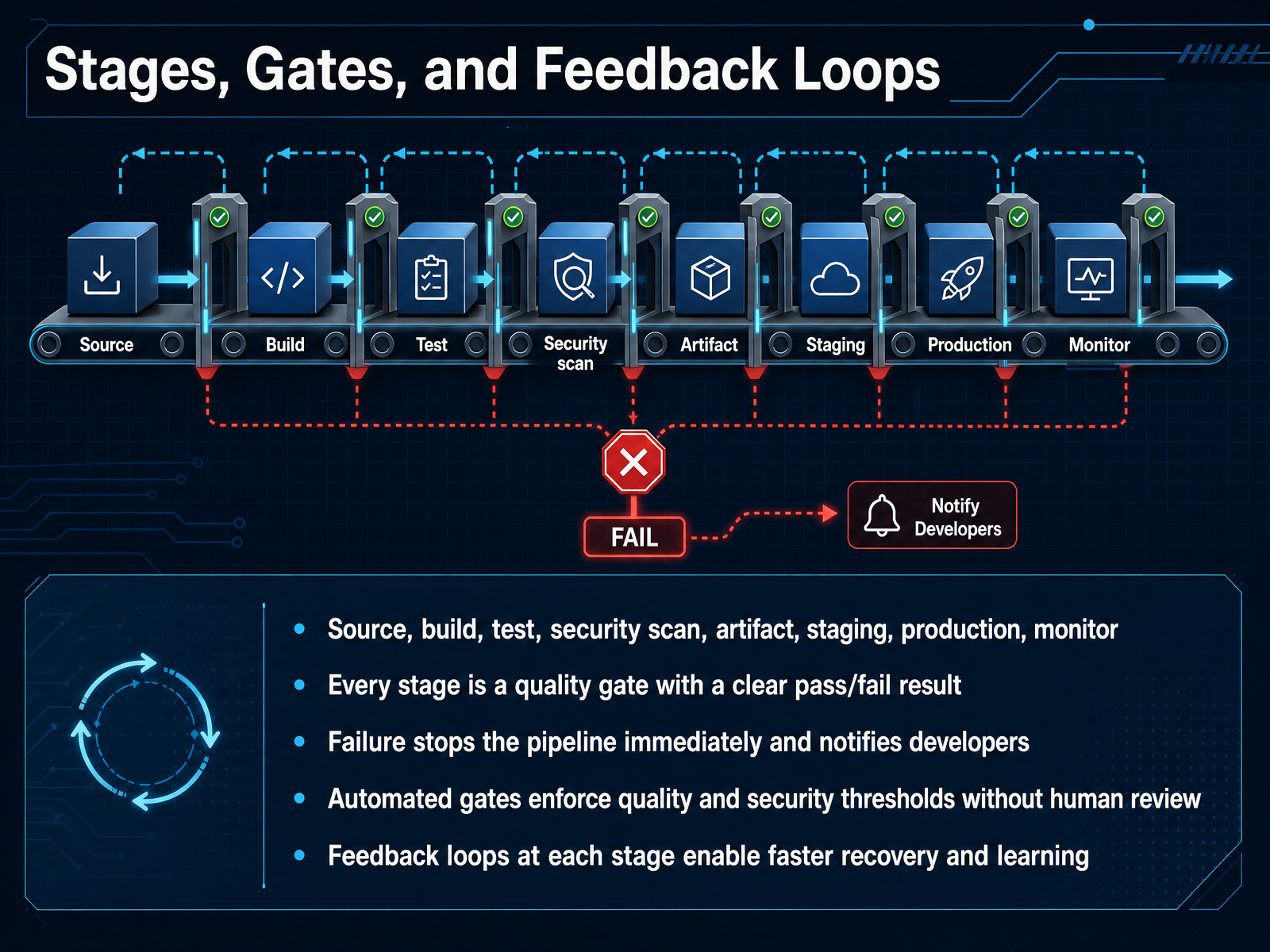 helpmetest.comezdevops.cloudtotalshiftleft.ai+21 min
 - 06What a Pipeline Is Actually ForA pipeline is not just a faster conveyor belt for code. Its real purpose is controlled, repeatable delivery. Think of it as a safety system first. It lets your team ship quickly while still enforcing checks at every stage. That means the same build, test, and deploy steps run the same way for development, staging, and production. You remove environment drift and reduce those it worked on my machine problems. The pipeline also moves quality and security checks earlier. Instead of finding integration issues days after a commit, you catch them in minutes, while the change is still fresh and cheap to fix. And this is where measurement becomes practical. The DORA research gives you clear signals: throughput metrics like change lead time and deployment frequency, alongside instability metrics like change fail rate. Together, they tell you if you are delivering faster without making production less stable. Next, we will look at how to read those DORA metrics as a system.
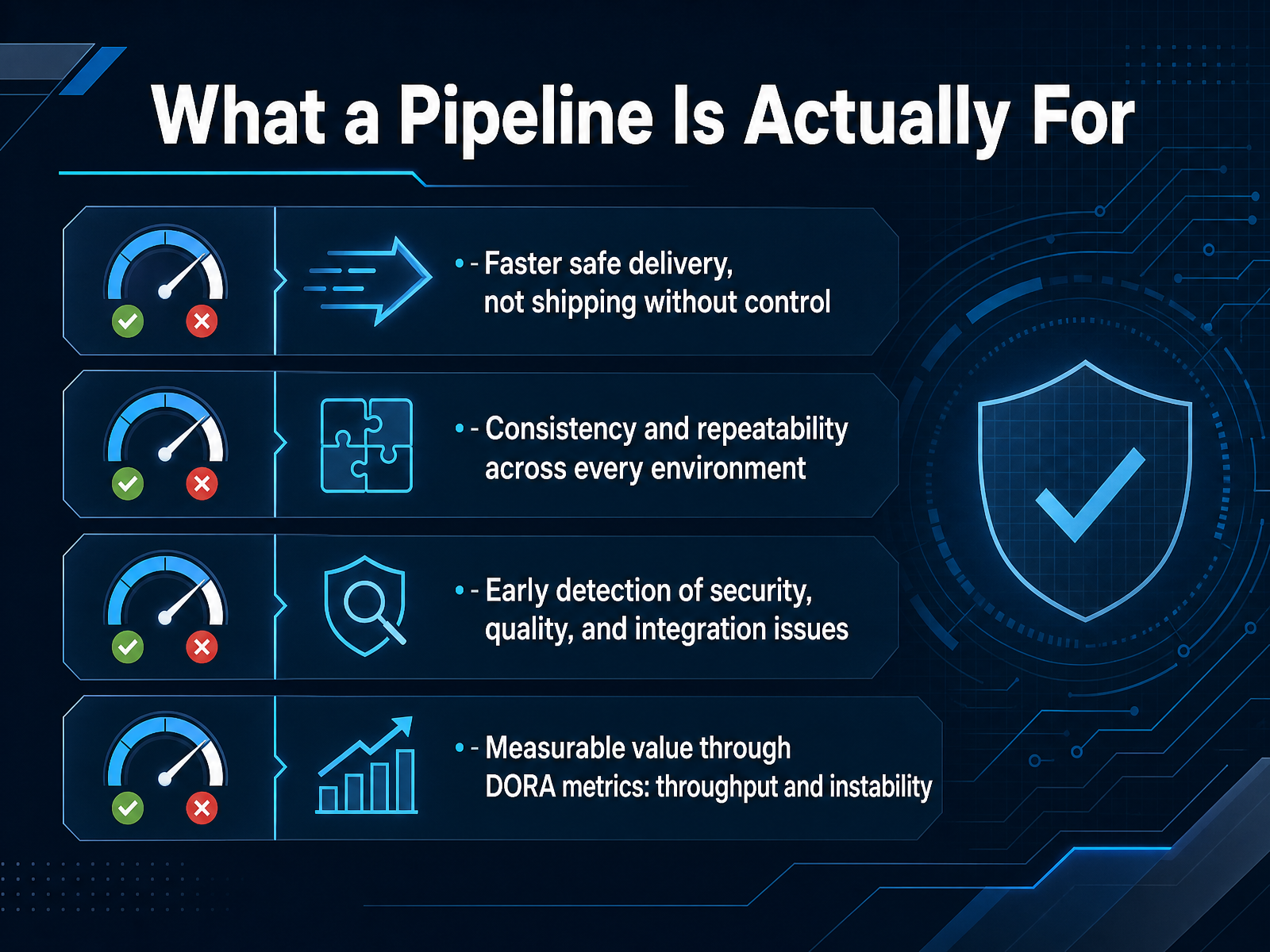 dora.devdora.devdora.dev+22 min
 - 07Measuring Pipeline Value with DORA MetricsNow that you have a pipeline in place, the next question is how to tell whether it is actually helping. This is where DORA metrics come in, and the current model uses five of them, grouped into two categories: throughput and instability. Throughput measures how many changes move through the system. It includes change lead time, which is the time from code committed to code running in production. It also includes deployment frequency, or how often you deploy, and failed deployment recovery time, or how fast you can restore service after a problematic deployment. Instability, on the other hand, measures how well deployments go. Here we have change fail rate, which is the percentage of deployments requiring immediate intervention, and a newer metric called deployment rework rate, which tracks the unplanned follow-up work caused by those failures. A key point here is that these metrics work best when you read them together as a system, not as isolated targets. For example, if you push for higher deployment frequency without watching your fail rate, you are just shipping bugs faster. Next, let's look at a simple working example to see how these ideas fit together in practice.
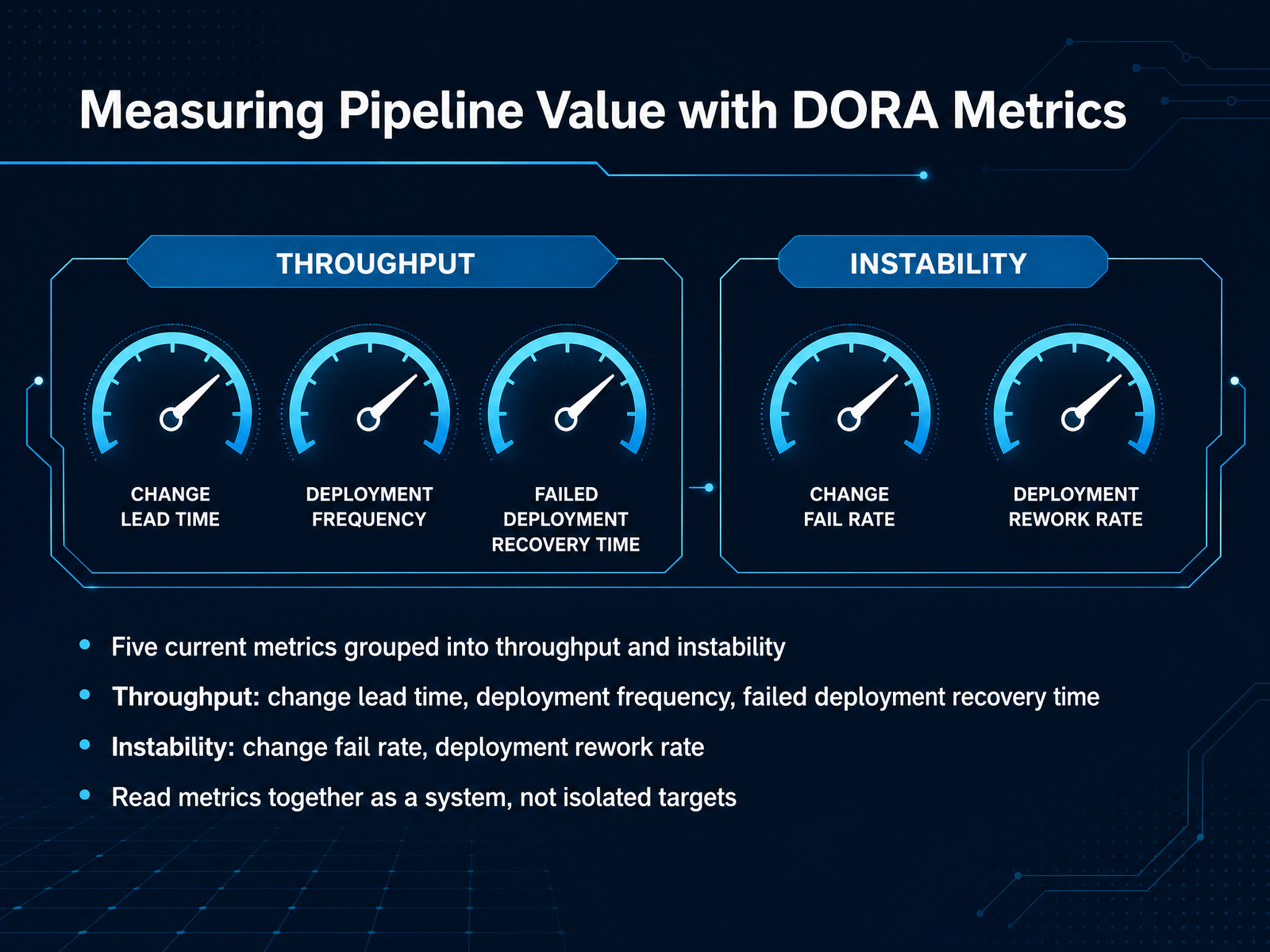 dora.devdora.devdora.dev+21 min
 - 08A Simple Working ExampleNow let's look at what this looks like in practice with a simple, working example. Imagine a small service, like a basic web API. When a developer pushes code, the pipeline runs a clear sequence: it builds the code, runs the unit tests, packages it into a container image, deploys it to an environment, and finally runs a smoke test to verify that the service is actually up and responding. If a unit test fails, or the build has an error, the pipeline stops right there. A security scan might also flag a new vulnerability in a dependency and block the image from being published. For developers, this means fast feedback. They see the failure directly in the pull request and in the pipeline view, without having to ask anyone. For operators, the benefit is just as clear. They can see the deployment status, watch health checks pass after a rollout, and have a rollback option ready if something goes wrong. This is the heart of the value: one pipeline gives different teams the information they need, when they need it. Next, we'll move into pipeline architecture in practice, where we'll look at how these stages are actually structured and scaled.
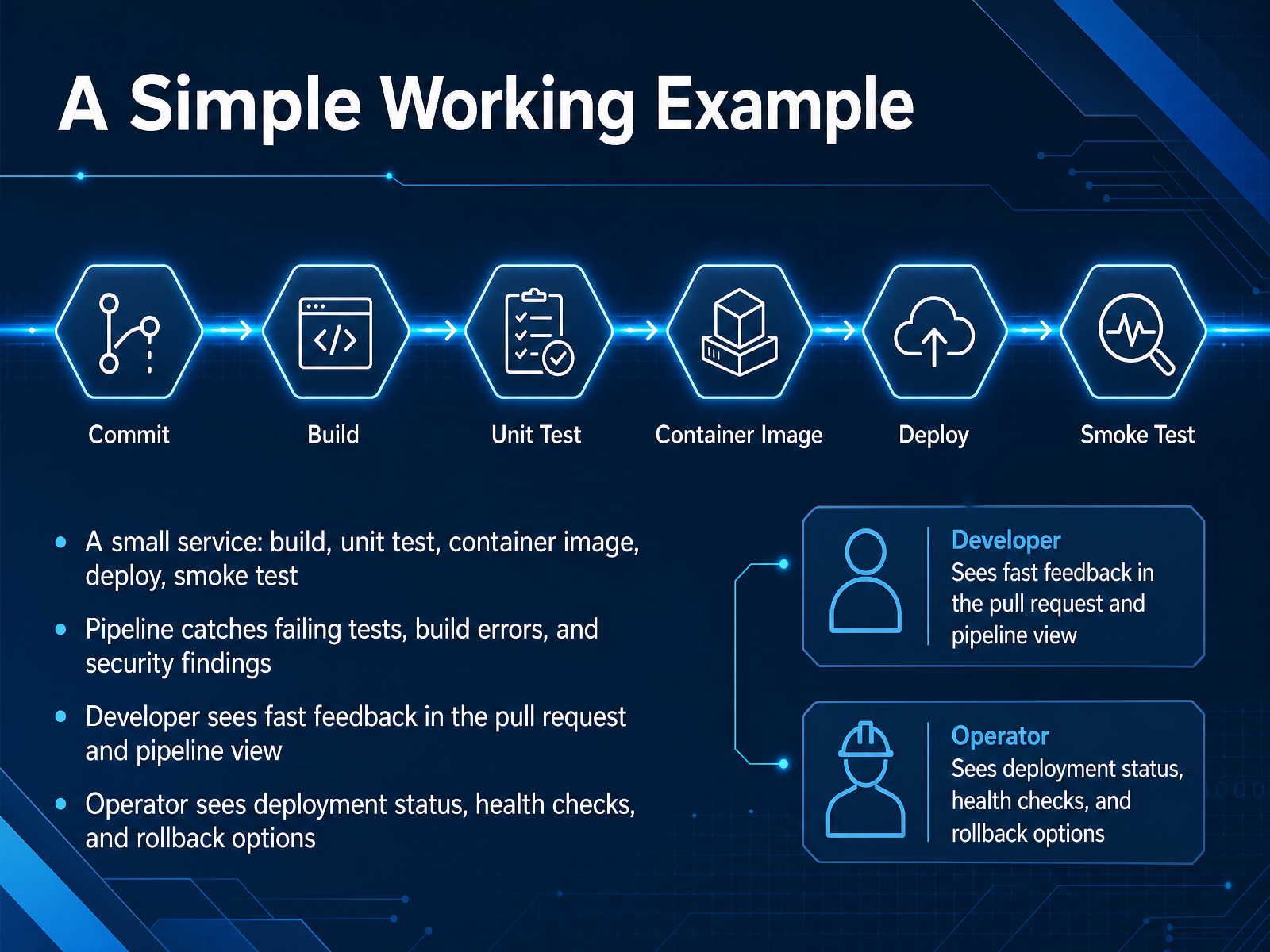 2 min
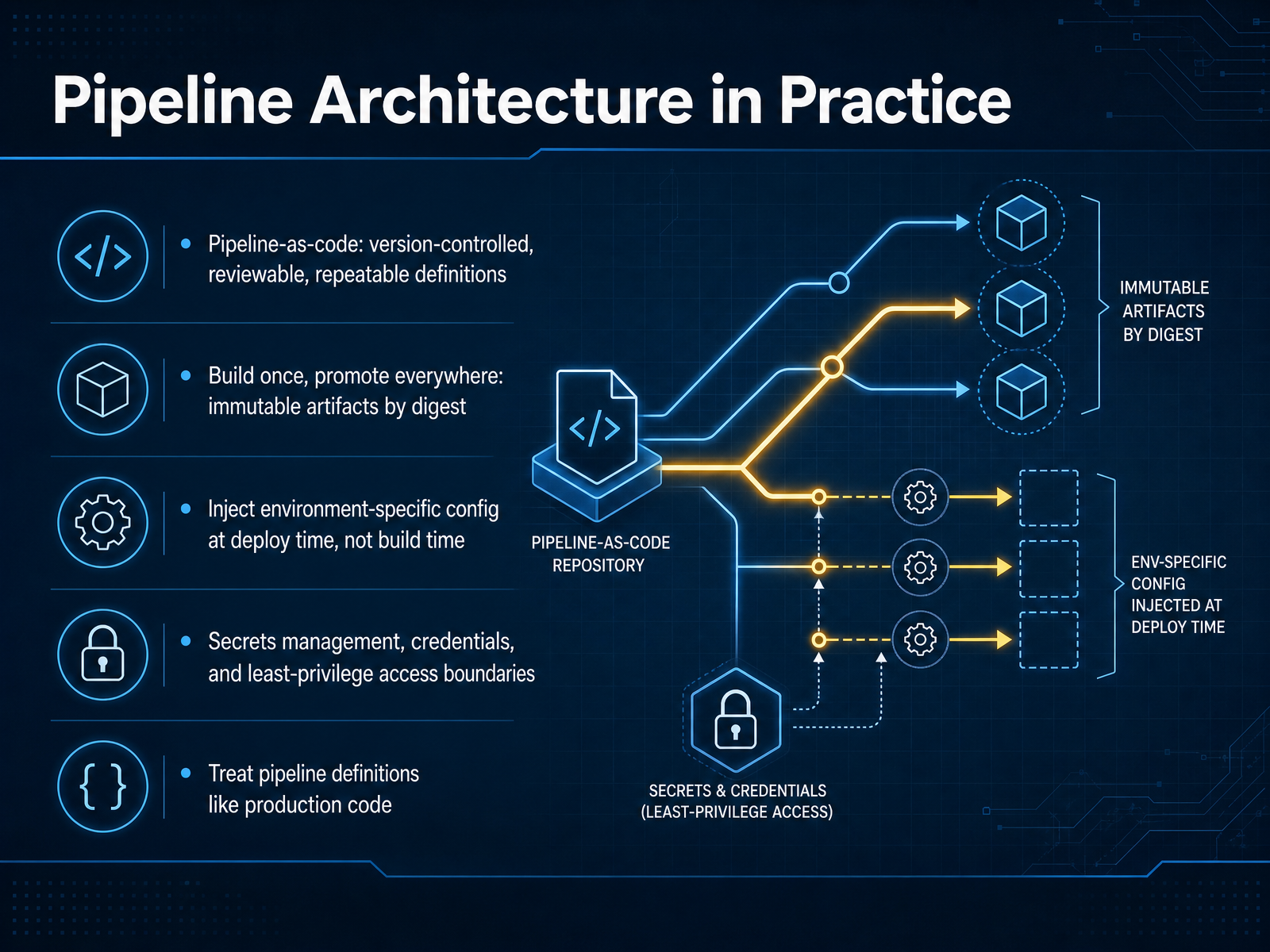
2 min - 09Pipeline Architecture in PracticeSo let's turn those principles into a working architecture. The first rule is pipeline as code. Your pipeline definition should live in version control, get reviewed like any other change, and be fully repeatable. If it is not in Git, it does not exist. Next, build once and promote everywhere. You create one immutable artifact, reference it by digest, and move that exact binary through every environment. Rebuilding for production is how you get drift, and drift is how you get three AM incidents. Environment-specific configuration should be injected at deploy time, never baked into the build. That keeps the artifact clean and portable. Secrets and credentials need their own boundaries. Use a vault or a secret manager, and enforce least-privilege access so a staging job cannot touch production credentials. Finally, treat pipeline definitions like production code. Review them carefully, test them, and understand the blast radius of every change. Next, we will look at how platform teams turn this architecture into self-service delivery.
 1 min
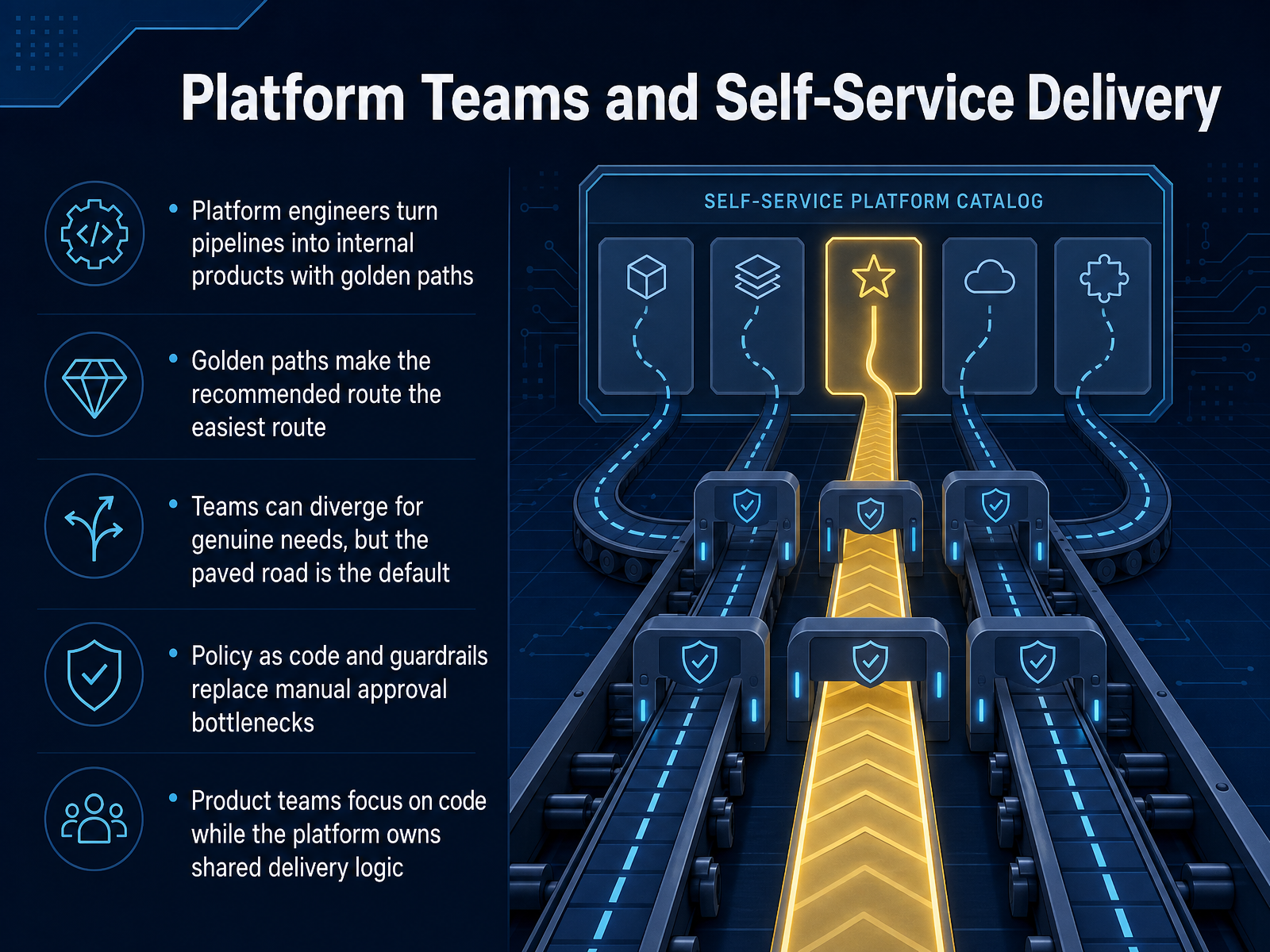
1 min - 10Platform Teams and Self-Service DeliveryNow let's talk about how platform teams turn pipelines into a product your team can actually use. The key idea is the golden path. That's the recommended route for shipping software in your organization. The platform team builds that route so carefully that it becomes the easiest option, not just the official one. They encode security scanning, deployment rules, and rollback logic right into the template. That means your team gets safety by default, without having to configure everything yourself. Teams can still diverge when they have a genuine need, but the paved road handles the common case. Policy as code replaces those manual approval bottlenecks. Checks run automatically and explain clearly what needs to change, so you are not waiting on a ticket for a low-risk change. The result is a clean split. Product teams focus on application code, while the platform owns the shared delivery logic. But seeing this pattern in action across different tools makes it much more concrete, which is exactly what we will cover next with real-world examples across toolchains.
 1 min
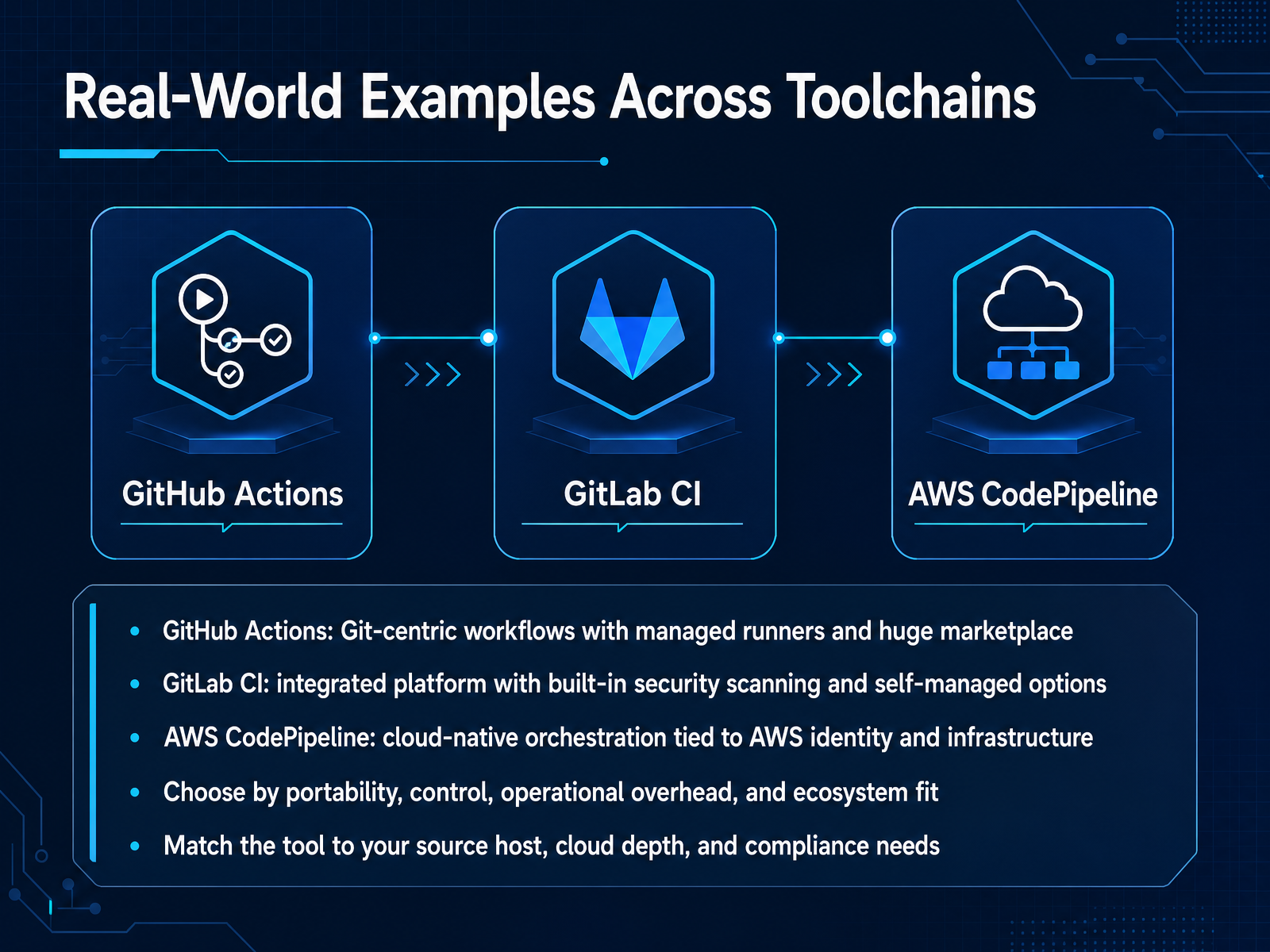
1 min - 11Real-World Examples Across ToolchainsNow let's look at how these pipeline concepts show up in real toolchains. GitHub Actions works best when your team already lives in GitHub. The workflow sits right next to the code, and the marketplace gives you a massive library of ready-made actions for testing, building, and deploying. GitLab CI takes a different approach. It's one integrated platform, with built-in security scanning and a clearer path to self-managed runners when you need tighter control. AWS CodePipeline is strongest when your infrastructure is already deep inside AWS. Every stage runs with IAM roles, so identity and permissions stay inside your cloud boundary. When you compare these tools, don't just look at features. Weigh portability, operational overhead, and ecosystem fit. Match the tool to where your source code lives, how deep your cloud footprint goes, and what your compliance requirements demand. There is no single best option. The right choice reduces friction for your actual delivery path today. Up next, we'll look at the common failure modes that break pipelines regardless of the tool you pick.
 1 min
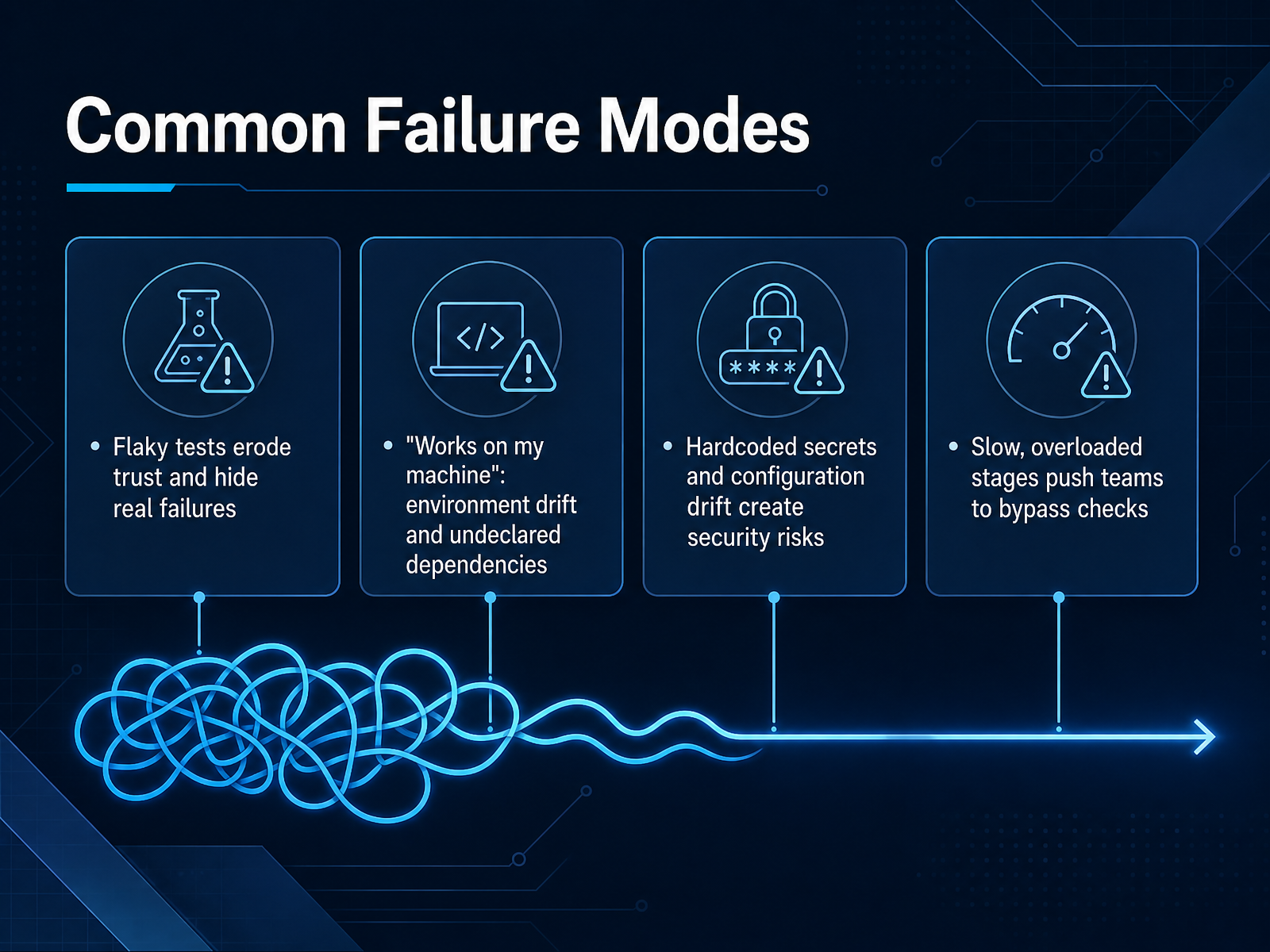
1 min - 12Common Failure ModesNext, let's look at the failure modes that quietly undermine a pipeline. The first is flaky tests. They pass one run, fail the next, and every rerun teaches your team to ignore red builds. That erodes trust and hides real failures. The second is the classic "works on my machine" problem. A clean CI environment exposes undeclared dependencies and environment drift that a developer laptop hides. Treat CI as the source of truth, not a nuisance. Third, hardcoded secrets and configuration drift create both reliability and security risks. Use a secrets vault and immutable infrastructure, and if a pipeline cannot be rerun reliably from scratch, that is a sign of drift. Finally, slow or overloaded stages push teams to bypass checks. Reverting, skipping, or rubber stamping is not a fix. It is a process failure. These are rarely just technical problems. They usually signal ownership gaps and missing guardrails. Fix them before they become normal. Next, we'll look at preventing and catching pipeline deterioration.
 1 min
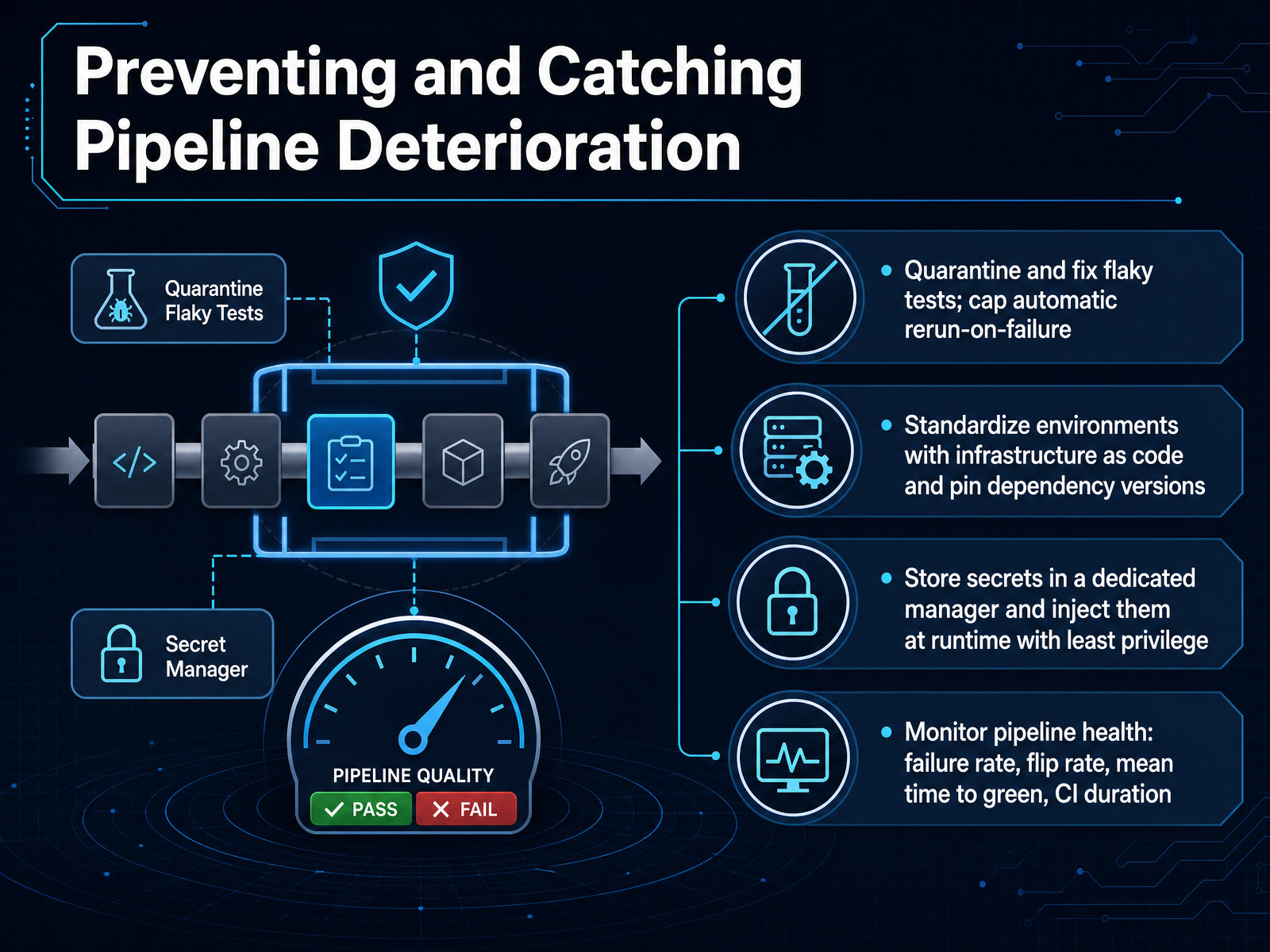
1 min - 13Preventing and Catching Pipeline DeteriorationLet's look at how to prevent pipeline deterioration and catch it early when it happens. The first line of defense is tests. Flaky tests erode trust, so quarantine them, assign an owner, and cap automatic reruns. A hidden retry loop can turn a red build into a rubber stamp. Next, standardize environments. Use infrastructure as code and pin dependency versions with lock files. This removes the mismatch between local machines, CI, and production. For secrets, keep them in a dedicated manager and inject them at runtime with least privilege. Never hardcode credentials in pipeline files. Finally, monitor pipeline health itself. Track failure rate, flip rate, mean time to green, and CI duration. A rising flip rate points to flakiness, while slow duration signals resource or complexity problems. Treat the pipeline as a product that needs care, not a set-and-forget script. Up next, we'll talk about getting started incrementally.
 2 min
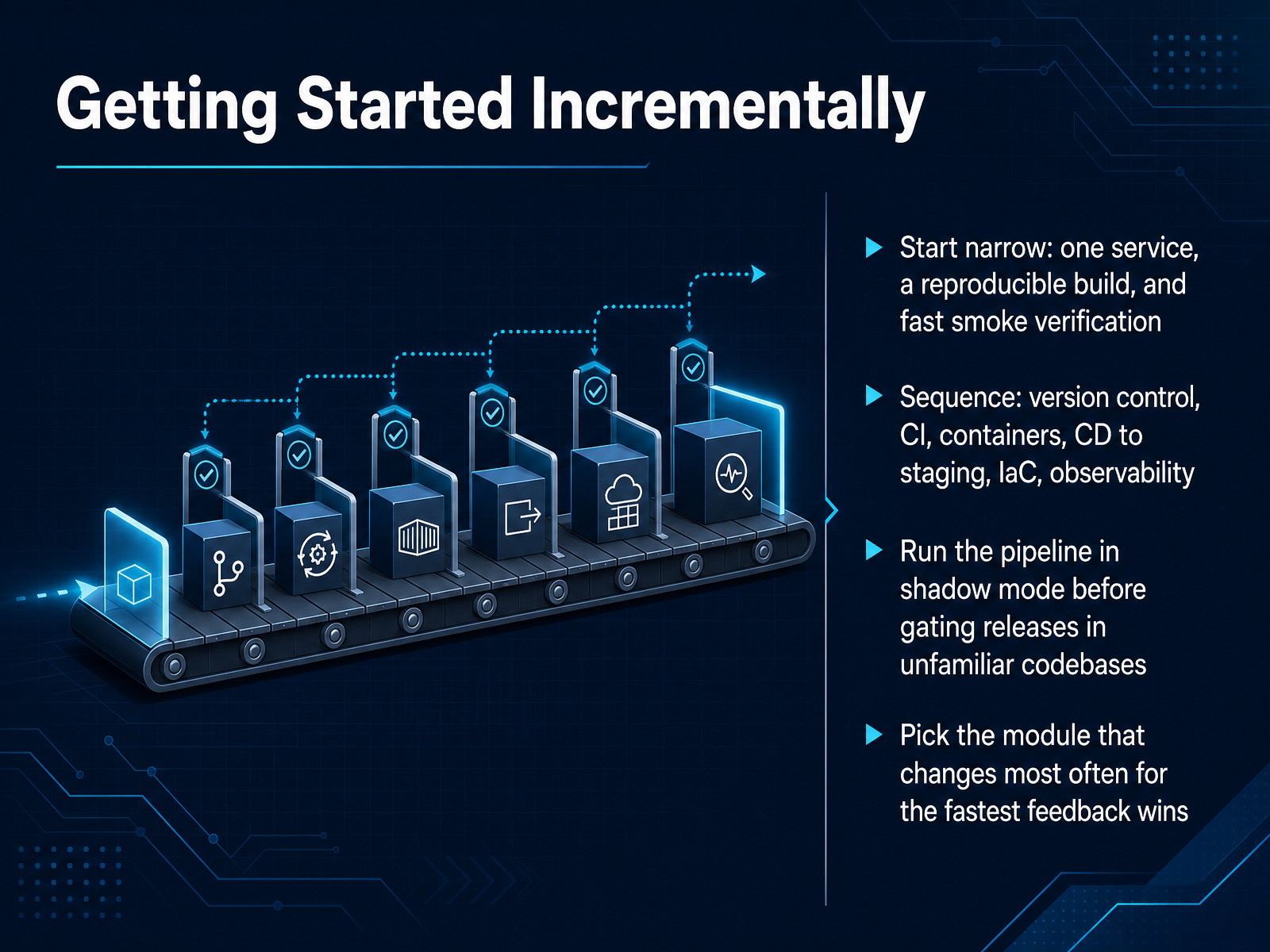
2 min - 14Getting Started IncrementallySo how do you actually get started without boiling the ocean? The advice here is refreshingly practical: start narrow. Pick one service, ideally one your team touches all the time. Give it a reproducible build and a fast smoke test that tells you in minutes whether a change is safe. From there, follow a sequence. Solid version control first. Then continuous integration. Then containers. Then automated delivery to staging. Then infrastructure as code. Observability comes after deployment is automated, not before. And here is a technique that saves a lot of trust-building pain. Run your pipeline in shadow mode first. That means it runs alongside your manual process on every commit, but it does not block anything yet. Compare the results for a sprint or two before you let it gate a release. It earns credibility before it gets authority. Finally, pick the module that changes most often. Not the riskiest one. The one with the most churn. That gives you the fastest feedback and the most visible wins. So, start narrow, prove value, then widen. Next, let us talk about measuring progress and supporting adoption.
 1 min
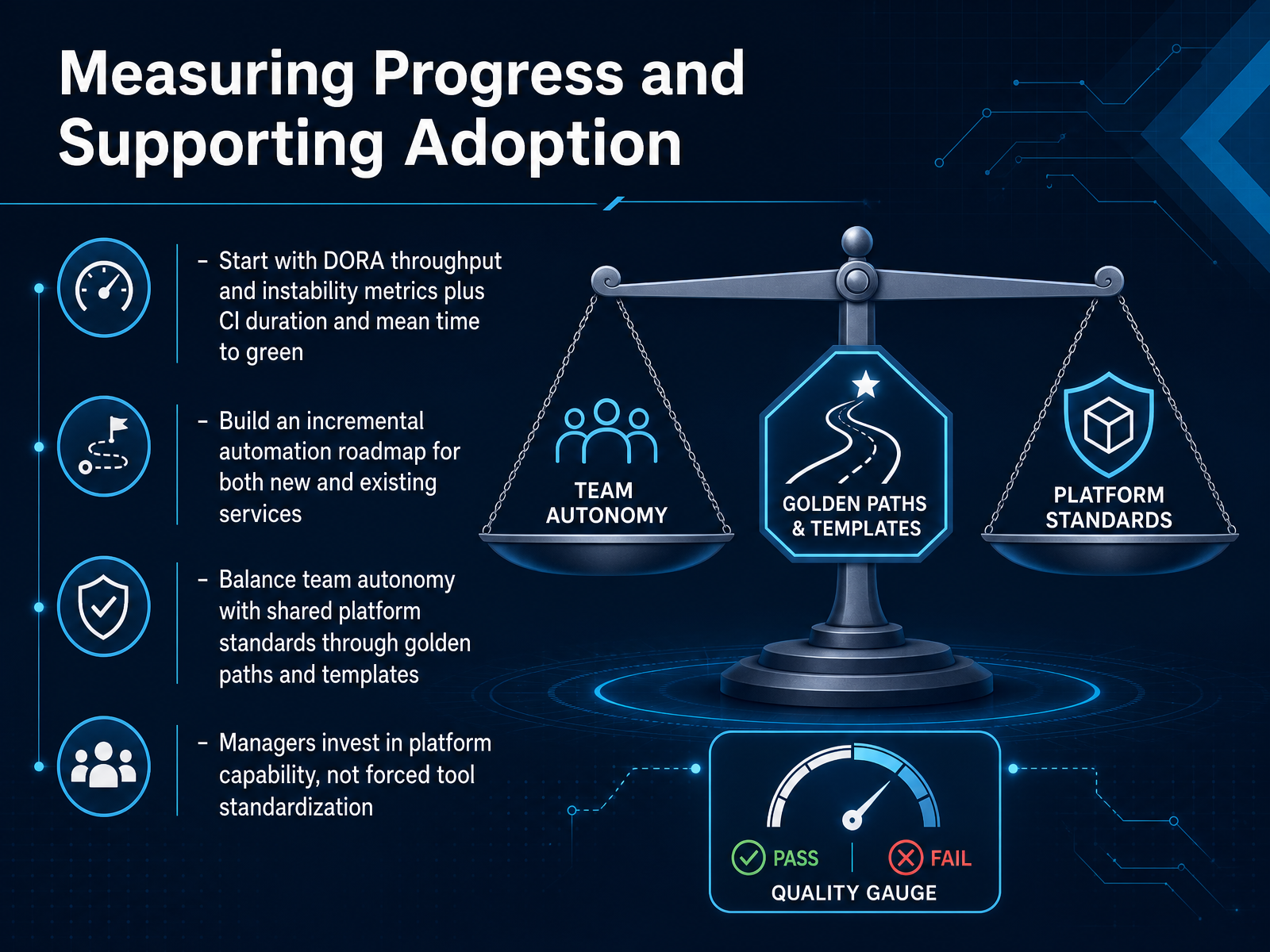
1 min - 15Measuring Progress and Supporting AdoptionLet's wrap up with how you actually measure progress and sustain adoption. Start with DORA's throughput and instability metrics, plus CI duration and mean time to green. Throughput covers change lead time, deployment frequency, and failed deployment recovery time. Instability covers change fail rate and deployment rework rate. Together they tell you whether you're shipping faster without breaking production more often. Then build an incremental automation roadmap. Pick one service, automate its build and test, get a repeatable path to staging, and let that first win show other teams what's possible. Balance team autonomy with shared platform standards. Golden paths and templates make the secure, reliable way also the easiest way. Teams can diverge, but the default should be so good that most don't want to. And for managers, the job is investing in platform capability, not forcing everyone onto the same tool. Fund the paved road. Support the teams that build it. Measure adoption and fix the gaps they report. That's where real progress comes from. Thank you for working through this course with me, and good luck improving how your team delivers software.
 dora.devdora.devdora.dev+22 min
Take the deck with you
Download this course as a file — free, no sign-up needed.
- PDF handoutEvery slide page, ready to print or share.16 pages · 3.9 MBDownload
- Narrated PowerPointThe deck that presents itself — every slide carries the digital human's narration video.16 pages · 16.2 MBDownload
- PowerPoint slidesThe full deck as a .pptx — open it in PowerPoint, Keynote, or Google Slides.16 pages · 3.8 MBDownload
Free to use in your own training — please keep the PersonWise credit page at the end.
Have your own deck? Turn it into a course
Sources consulted
Web sources consulted while building this course.
- DevOps Pipeline | Atlassian — atlassian.com
- What Is A DevOps Pipeline? Stages, Tools & How To Build One — eastgate-software.com
- What is a DevOps Pipeline? Key Components & Stages — jellyfish.co
- What Is A DevOps Pipeline? A Complete 2026 Guide — cloudzero.com
- What is a DevOps pipeline? A complete guide — github.com
- Manual Deployments | MinimumCD Practice Guide — beyond.minimumcd.org
- Challenges in implementing Enterprise Continuous Delivery | Thoughtworks United States — thoughtworks.com
- Continuous Delivery: Huge Benefits, but Challenges Too - InfoQ — infoq.com
- Continuous Deployment — thoughtworks.com
- Manual Regression Testing Gates | MinimumCD Practice Guide — beyond.minimumcd.org
- CI/CD Pipeline Testing Guide: Continuous Testing & Quality Gates (2026) — helpmetest.com
- CI/CD Pipeline Stages — 7-Stage Guide 2026 | ezdevops.cloud — ezdevops.cloud
- How to Build a CI/CD Testing Pipeline (2026) — totalshiftleft.ai
- Automated Testing in CI/CD: Complete Guide (2026) — totalshiftleft.ai
- What is a CI/CD pipeline? A complete guide (2026) - Vercel — vercel.com
- DORA's software delivery performance metrics — dora.dev
- DORA | Get Better at Getting Better — dora.dev
- A history of DORA's software delivery metrics — dora.dev
- DORA metrics | Technology Radar | Thoughtworks — thoughtworks.com
- DORA Metrics in Practice 2026 · Stride Research — stride.page