Begin
14 pages · ~28 min
AI-Powered Web App Development
Learn to leverage AI development tools to build and enhance web applications faster, covering setup, integration, and best practices for modern workflows.
A digital instructor presents all 14 pages. Hold “Ask” at any point and ask out loud — the answer comes from this course. No sign-up needed.
What you’ll learn
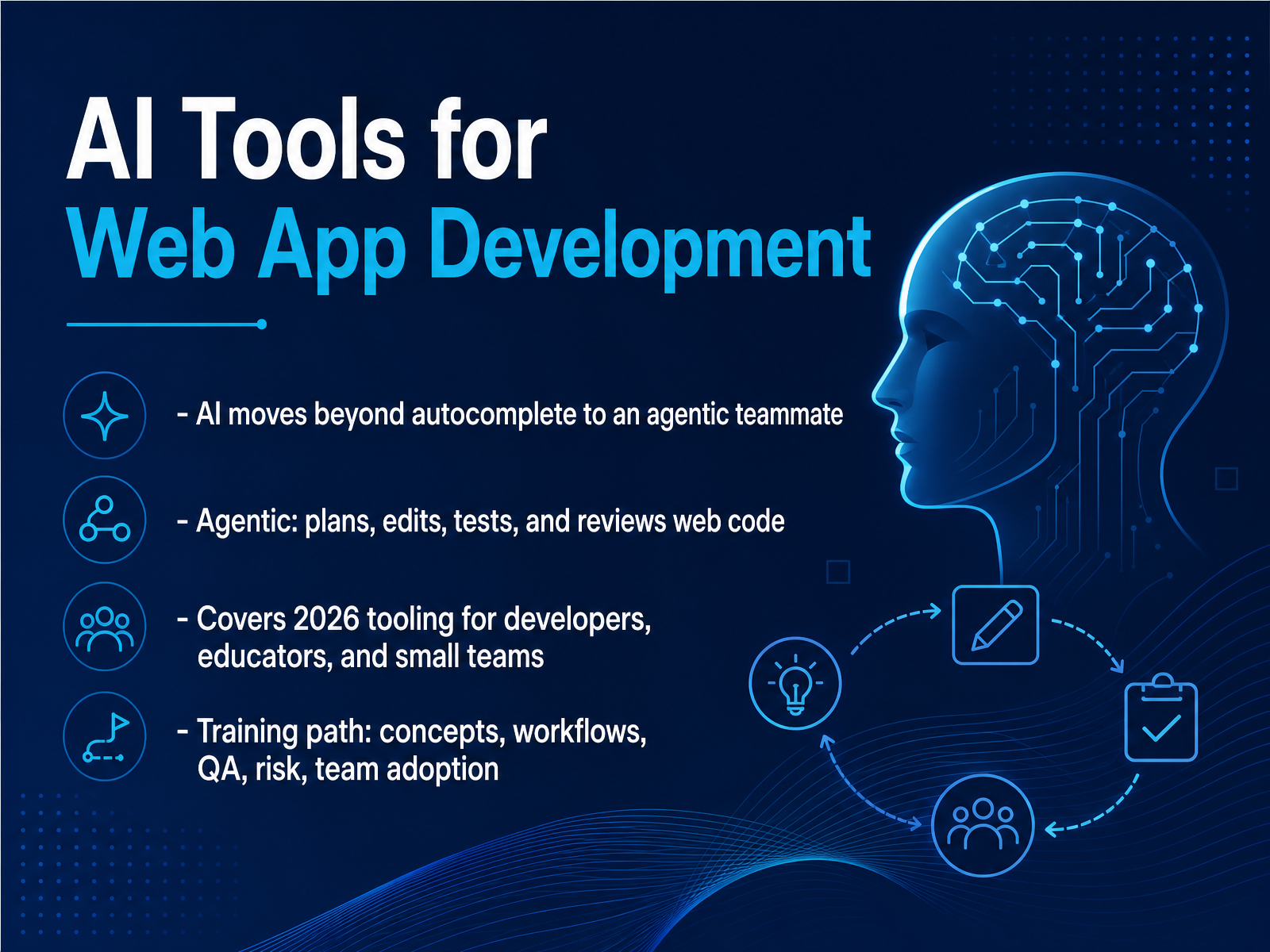
- 01AI Tools for Web App DevelopmentWelcome. If you build for the web, you already know the autocomplete era is over. We're now working with agentic teammates that can plan, edit, test, and review code across your stack. This course is about the 2026 tooling landscape for developers, technical educators, and small product teams. We'll cover core concepts, practical workflows, quality assurance, risk management, and how to adopt these tools on your team. The goal here isn't hype. It's trade-offs. We'll look at where these agents shine, where they fall flat, and how to keep your codebase clean, testable, and reviewable. From context windows to handoffs, from MCP to compaction, you'll get a working vocabulary and a clear set of practices you can apply today. So, let's start with the big picture—the modern landscape of AI-assisted development.tskamath.comibm.comlection.app+21 min
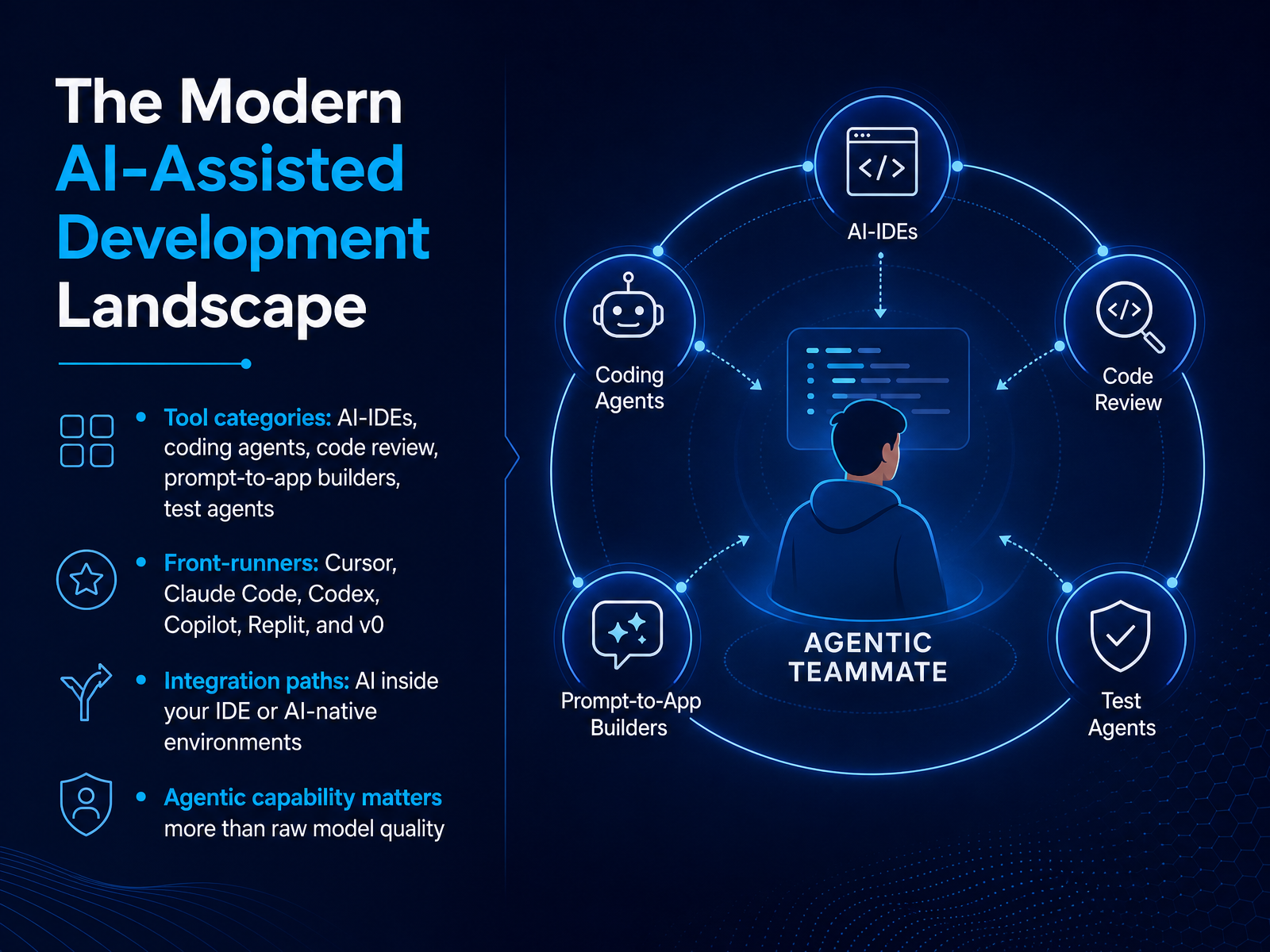
- 02The Modern AI-Assisted Development LandscapeLet's map the landscape, because the tooling has matured fast. The categories are now distinct: AI-native IDEs, standalone coding agents, automated code review, prompt-to-app builders, and test agents. Each solves a different problem. Cursor remains the baseline for everyday shipping—it's a fork of VS Code with agentic mode built in. Claude Code is your escalation path for gnarly debugging and large codebases. Codex handles delegation well. Copilot is the pragmatic default if your team lives inside GitHub. And Replit or v0? They collapse the path from prompt to prototype. The key integration decision is whether you stay in your existing IDE or move into AI-native environments. But here's what matters most: agentic capability now outweighs raw model quality. Two tools can wrap the same model and feel completely different based on their harness—how they handle context, permissions, and tool calls. So evaluate workflows, not benchmark scores. With that framing, we'll dig into the core concepts and terminology you need to evaluate these tools critically.
 tskamath.comibm.comlection.app+21 min
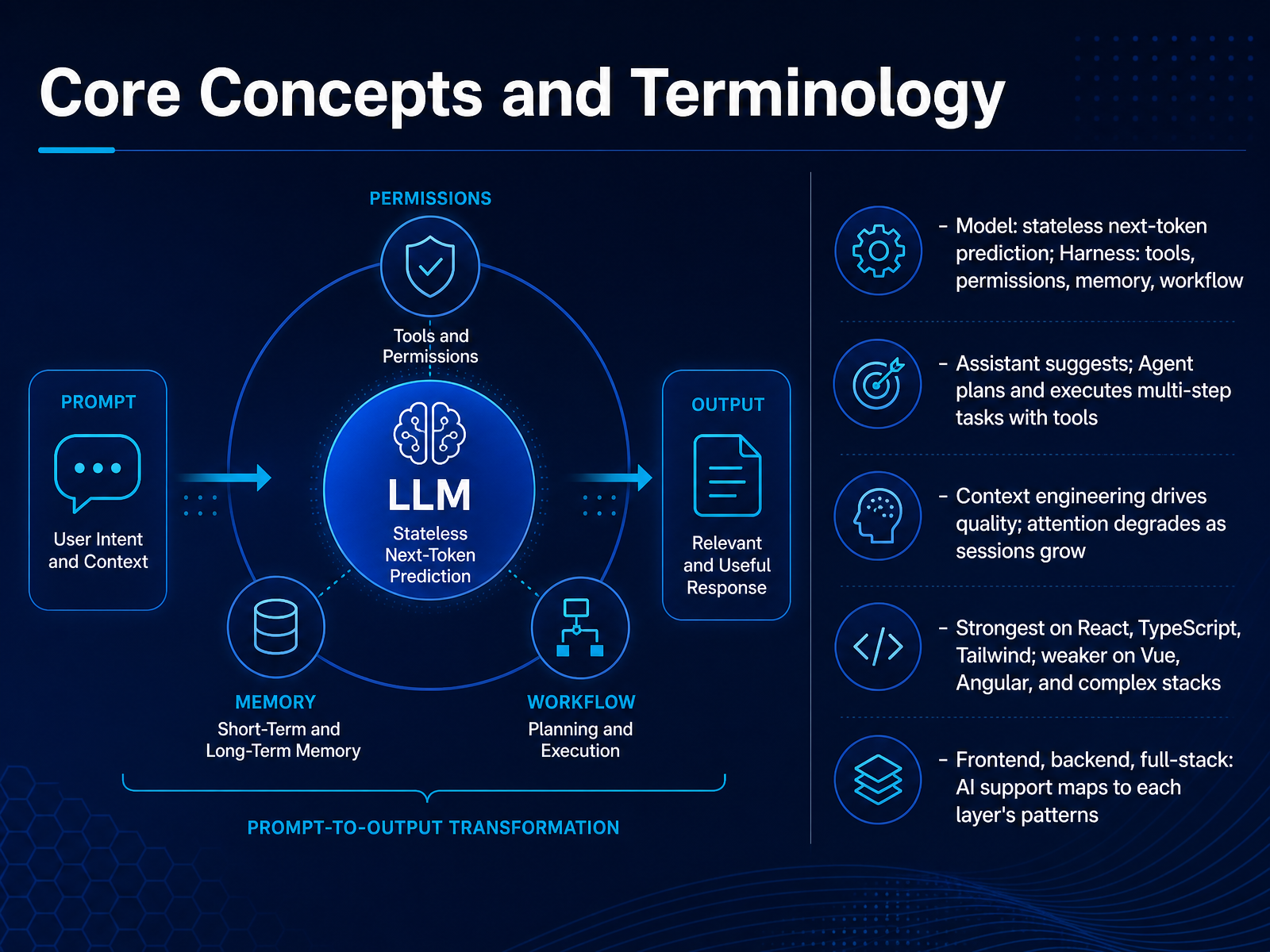
 - 03Core Concepts and TerminologyLet’s lock in the terminology, because the difference between what you ask for and what you get often comes down to vocabulary. At the base, you have the model. It is stateless, frozen, and purely does next-token prediction. It doesn’t see your filesystem, and it doesn’t remember you. Everything else — the tools it calls, the permissions you grant, the memory it carries — that’s the harness. Think of the model as the engine, and the harness as the steering wheel and pedals. An assistant suggests. An agent plans and executes multi-step tasks, calling tools like Read, Write, or Bash to actually change your repo. That distinction isn’t about marketing — it’s about scope of action. Now, the hard part. Context engineering drives quality. Your system prompt, project conventions, and how you structure instructions matter more than model selection. But attention is finite. Sessions degrade as context grows, so plan for compaction or handoffs to keep the agent sharp. On framework fit — expect strong output on React, TypeScript, and Tailwind, because that stack dominates training data. Vue, Angular, and complex legacy stacks will be noticeably shakier. Match your expectations accordingly, and don’t let the agent run unguarded in areas it’s less fluent in. Next up, we’ll map this to code generation, autocomplete, and where framework fit really bites.
 tskamath.comibm.comlection.app+22 min
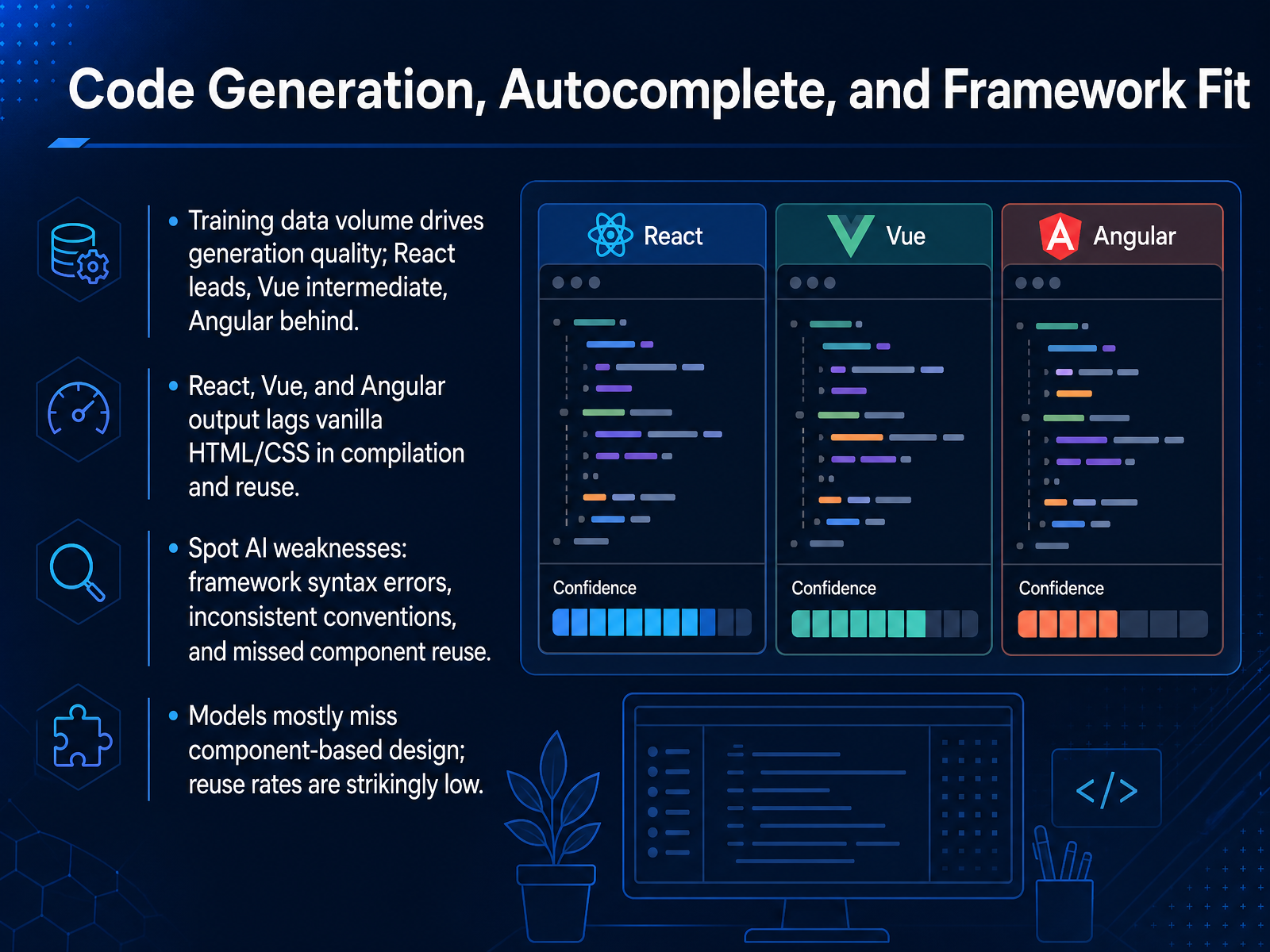
 - 04Code Generation, Autocomplete, and Framework FitLet's talk about what the models actually output, because the quality differences are measurable and they matter. Training data volume drives everything. React leads by a wide margin, Vue sits in the middle, and Angular trails. That gap shows up in compilation rates, where Angular dips below seventy percent for even the top models, while React and Vue stay above eighty. But here's the catch: all framework output lags vanilla HTML and CSS. The syntactic overhead of JSX, templates, and TypeScript architecture costs the models accuracy. So what do you actually see in code review? Framework syntax errors, inconsistent conventions, and missing component reuse. The benchmarks are stark here. Models adopt component-based design at strikingly low rates, averaging under five percent for React and Vue. That means duplicate markup, repeated logic, and bloated files. For a small team, that's technical debt you will feel. Treat generated code as a strong first draft, then refactor aggressively to extract components. The models are getting better, but your architectural discipline is still the bottleneck. Up next, we'll look at how AI performs when things break, in debugging and code review.
 arxiv.orgagentbrisk.comgithub.com+21 min
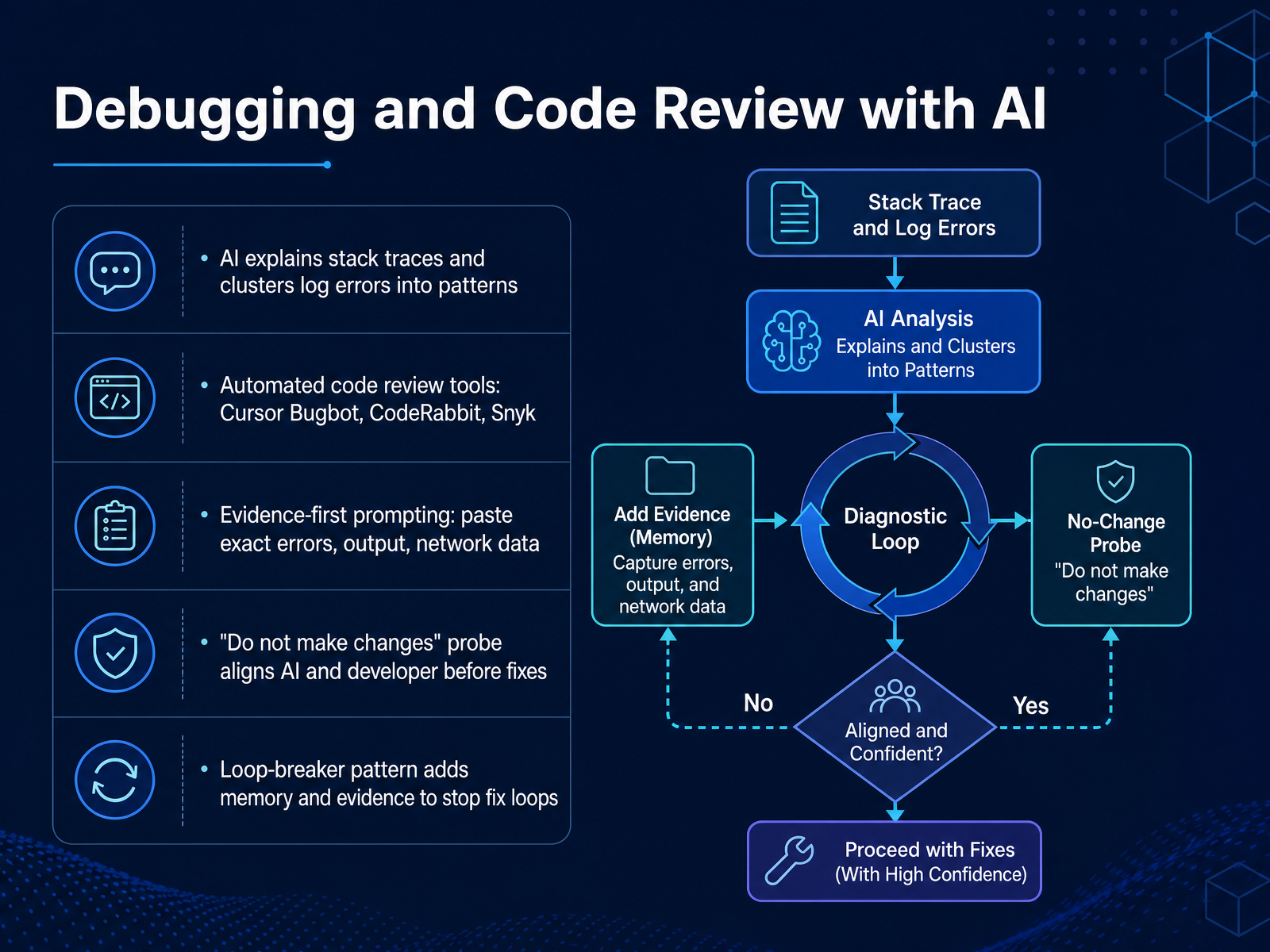
 - 05Debugging and Code Review with AILet's talk about using AI for debugging and code review, because this is where these tools either earn their keep or waste your entire afternoon. The core shift is from asking AI to guess to asking AI to analyze. Modern tools can parse stack traces, cluster log errors into semantic patterns, and point you to likely fault boundaries. Cursor's Bugbot, CodeRabbit, and Snyk all automate parts of the review process, catching missing null checks or missing error handling before they hit your main branch. But here's the rule that separates the pros from the chaos: evidence-first prompting. Paste the exact error message, the network response, the request payload. Never say "the button is broken." That's useless to a model. Say what you observed, what you expected, and what the console actually reported. The single most powerful pattern is what I call the do-not-make-changes probe. You tell the AI to analyze the problem and align on root cause without touching a single line of code. This forces it to review its own logic, confirming your evidence matches its understanding before it proposes a fix. And when you get stuck in that familiar fix-it loop where the AI oscillates between equally wrong solutions, use the loop-breaker pattern. You hand it memory of what it just changed, evidence of the new failure, and again, the do-not-make-changes guardrail. This stops the guessing and starts actual analysis of why its last change failed. Treat AI output as a hypothesis, not a conclusion, and you will cut your debugging time in half. Now let's shift to where these tools really shine: generating the UI and frontend itself.
 debugg.aidev.toblog.logrocket.com+22 min
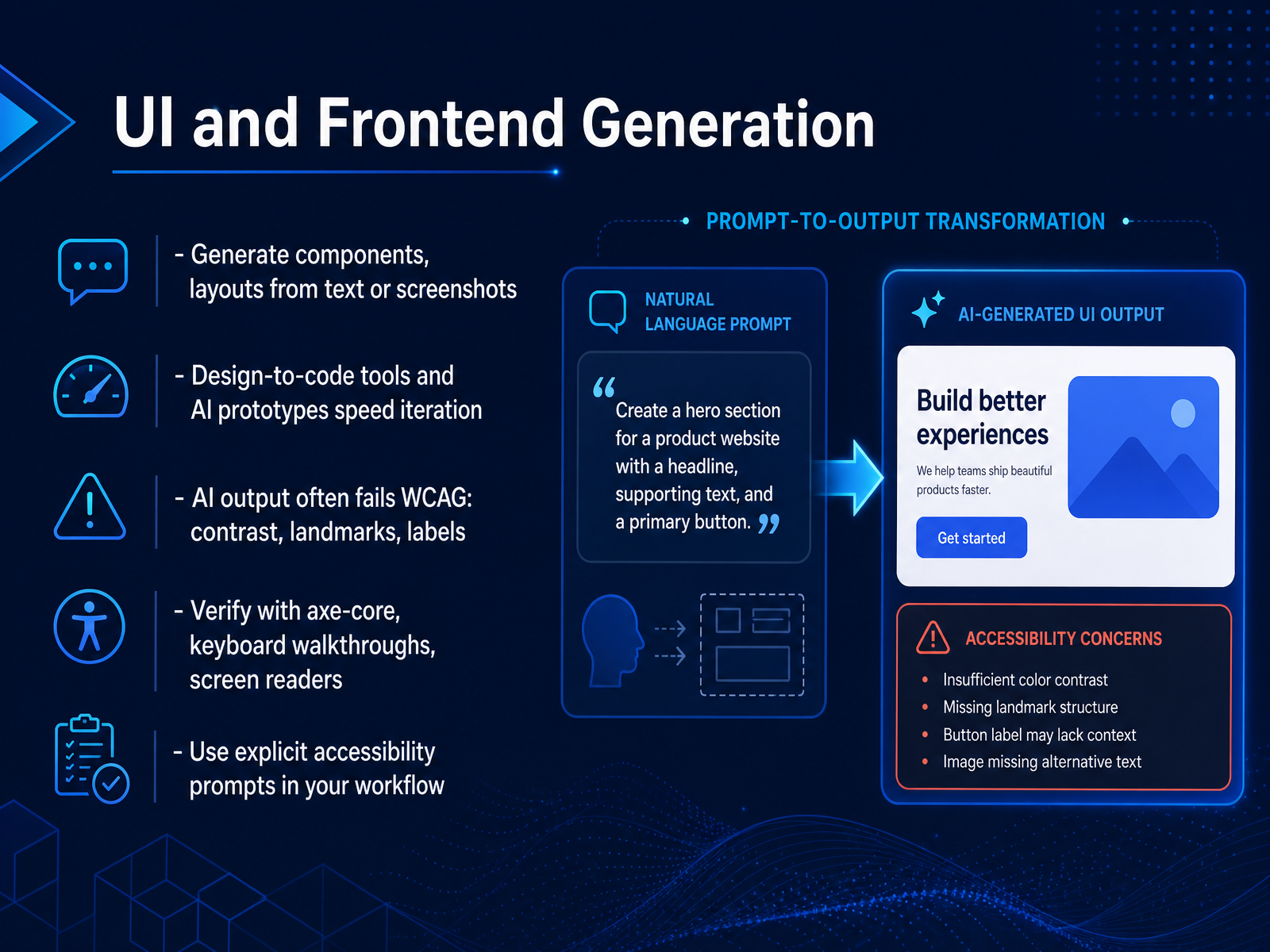
 - 06UI and Frontend GenerationLet's talk about generating UI and frontend code with AI. You can scaffold components or entire layouts from a text description or even a screenshot. Design-to-code tools are fast — genuinely useful for iterating on prototypes. But here's the trade-off you need to respect: AI output frequently fails accessibility checks. The models replicate flaws from their training data. In one study, six AI-generated websites produced over three hundred distinct errors, with contrast problems, missing labels, and broken landmarks topping the list. The fix isn't to avoid these tools; it's to build verification into your workflow. Run axe-core on every generated page, do a manual keyboard walkthrough — tab through every interactive element — and spot-check with a screen reader. Also, push back on the model itself. Explicit accessibility prompts work. Tell it to use semantic HTML over ARIA, to ensure every input has a label, and that color contrast meets WCAG AA minimums. The generated code you ship is still your responsibility. Verify it like you would any dependency. And with that, let's move on to how AI assists with backend and API development.
 arxiv.orgdoi.orgrationalgo.ai+21 min
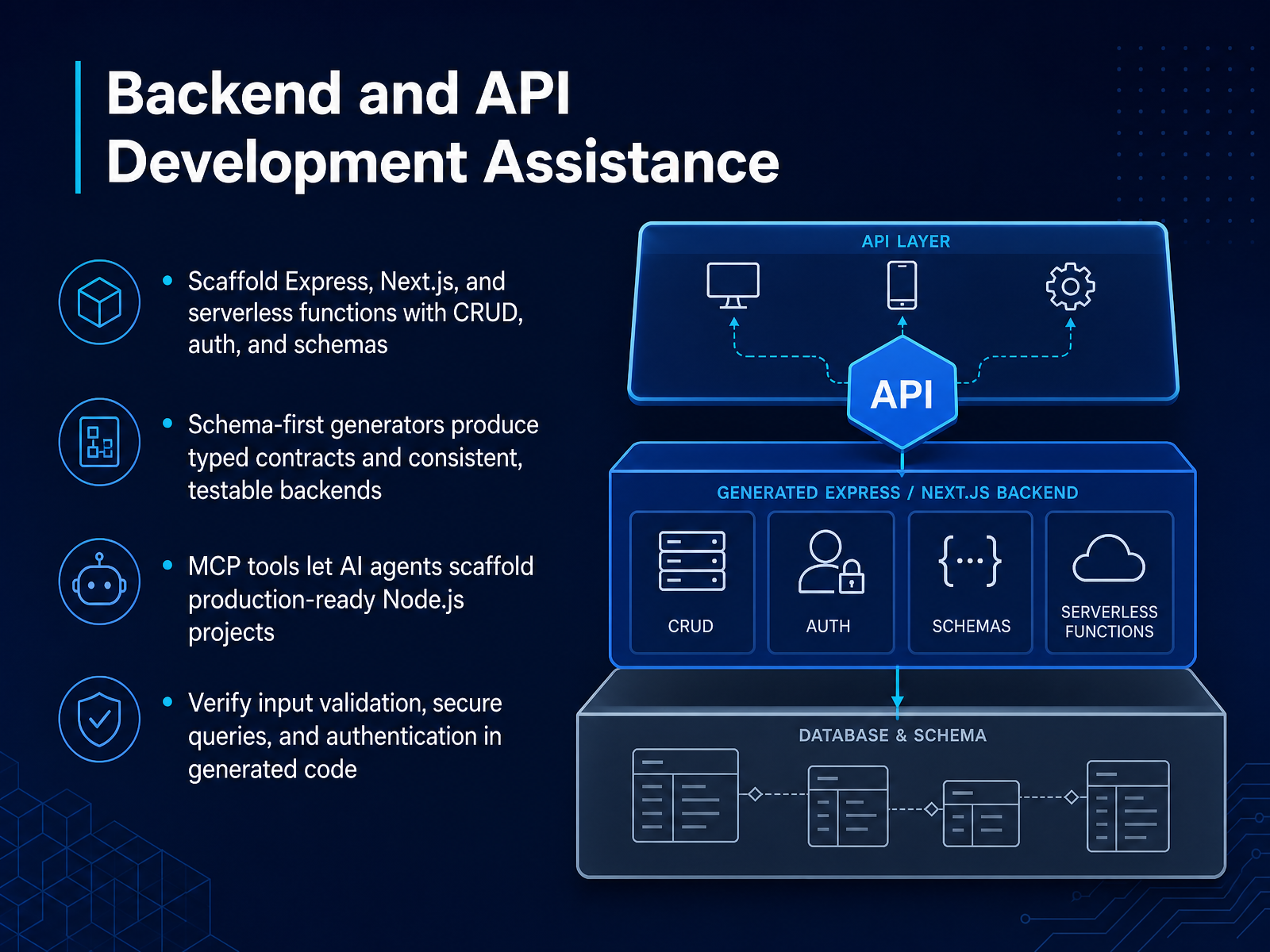
 - 07Backend and API Development AssistanceLet's talk about the backend, where scaffolding tools and MCP servers really shine. Modern CLI generators now produce production-ready Express, Next.js, and serverless functions with CRUD operations, authentication, and schemas baked in. Think of tools that scaffold an Express and TypeScript project with Prisma or Drizzle, complete with JWT auth, rate limiting, and Swagger docs out of the box. The real advantage is the schema-first approach. You define a typed contract once, and the generator produces consistent, testable backends—and often a typed SDK for your frontend, so the types are never out of sync. MCP tools push this further. An AI agent can call a scaffold tool, pass your requirements, and spin up a hardened project with health checks and Docker config without you typing a single command. Here's the catch, and it's a big one: treat generated code as a first draft from a junior dev, not a final merge. You must verify input validation, check for secure queries, and confirm the authentication flow. Scrutinize those generated routes before they hit production. Now, once you have a working API, how do you keep it honest? That brings us to testing and quality assurance.
 tskamath.comibm.comlection.app+22 min
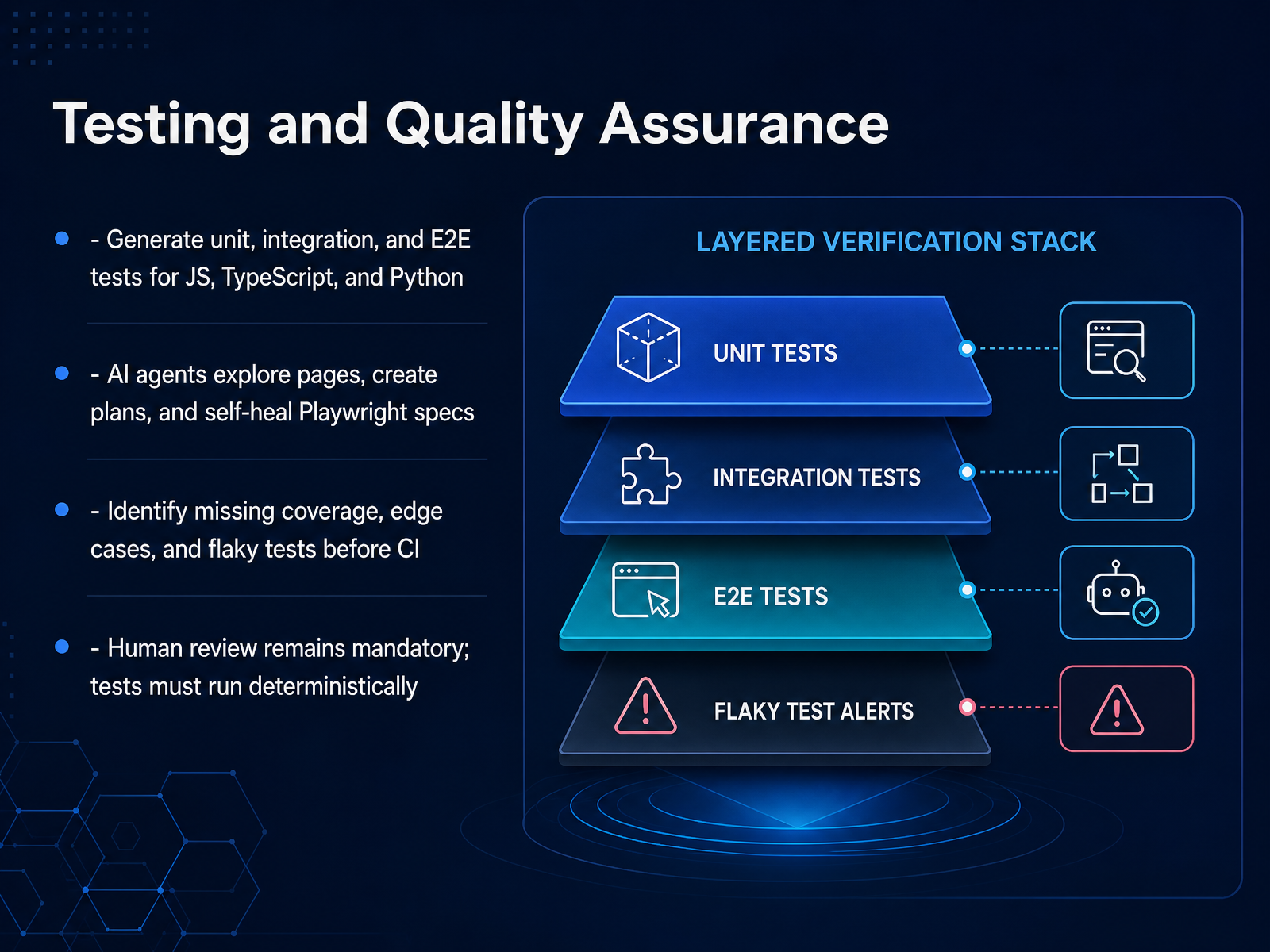
 - 08Testing and Quality AssuranceNow let's talk about testing and quality assurance, where AI is reshaping the day-to-day. Modern tooling can draft unit, integration, and end-to-end tests across JavaScript, TypeScript, and Python in seconds, not sprint cycles. For E2E work, agents take it further. They explore your actual pages, map critical user flows, and generate Playwright specs with selectors verified against the live DOM. When a test breaks because a selector changed or a timing issue appears, a healer agent can step in, classify the failure, and patch the spec—sometimes to the point of self-healing. But the real value isn't raw generation. It's coverage intelligence. Good tools flag untested branches, surface edge cases you'd miss, and catch flaky tests before they ever hit your CI pipeline. That's where the time savings compound. Here's the non-negotiable, though: human review stays mandatory. AI-generated tests are hypotheses about your app's behavior. They hallucinate, they overfit, and they can encode assumptions that don't hold. You must read the test plan, sanity-check the assertions, and ensure every generated spec runs deterministically. No randomness, no network-dependent magic, no hidden state. Bottom line: use AI to draft aggressively, review carefully, and keep your suite deterministic. Treat the output as a strong first pass, not a final sign-off. That discipline is exactly what we'll lean into next as we look at wiring these tools into your real-world workflow integration.
 debugg.aidev.toblog.logrocket.com+22 min
 - 09Practical Workflow IntegrationNow, let's talk about getting this integrated into your actual workflow, without turning your repo into a free-for-all. Rule one, configure these tools with least privilege. An AI agent does not need your production credentials, access to your email, or the ability to push directly to main. Treat it like a new contractor: give it a sandbox, deny network egress by default, and approve every shell command until it proves trustworthy against a low-risk repo. You also need to harden your rules files — treat CLAUDE.md or AGENTS.md as executable code, because a malicious PR can overwrite them and steer the agent. Second, write a one-page team policy in plain English. Not a legal document — a clear yes/no list. Which tools are approved, what data never goes into a prompt, and who owns the code when it merges. Keep it honest and enforceable. Third, rely on verification loops, automated checks, and approval gates. A PR should run linting, typechecking, unit tests, and secret scans before any human even looks at it. Never accept agent output on faith; use your CI as the objective referee. Finally, prove it out. Start on two or three low-risk repos like internal tools or documentation, measure the diff quality and cycle time, and only expand to core product code after the numbers hold up. Build the guardrails first, expand later, and always keep a human on the merge. Next, we'll look at the actual security risks and how prompt injection can turn your helpful agent into a liability.
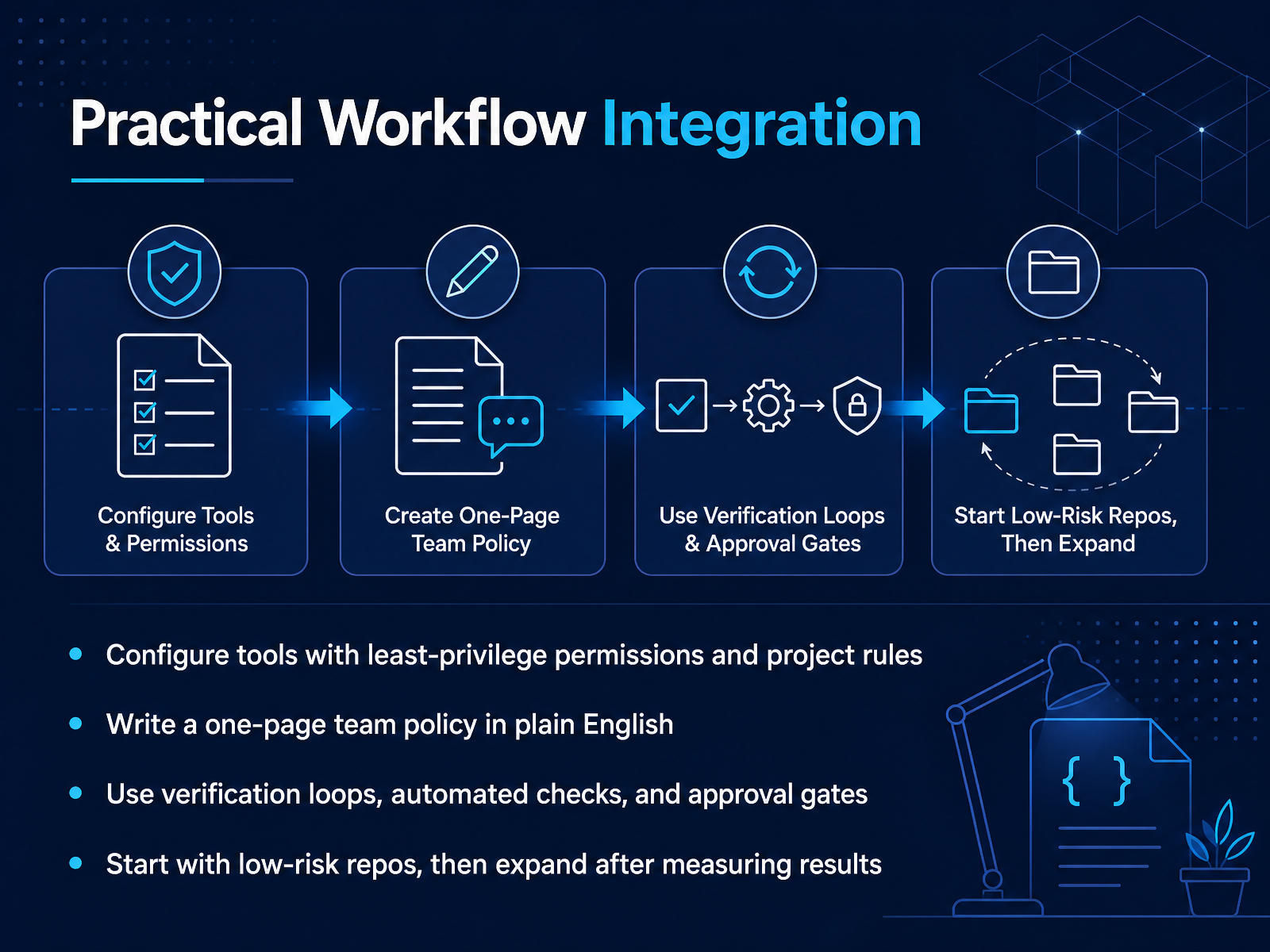 tskamath.comibm.comlection.app+22 min
 - 10Security Risks and Prompt InjectionNow let's talk about the security model shift. These AI agents read your source, run shell commands, and write code that ships to production. That means every piece of untrusted content they ingest becomes a potential attack vector. Issue bodies, pull request descriptions, even README files can carry hidden instructions aimed at the agent, not at you. This is indirect prompt injection applied directly to your development workflow. And there's a newer twist: slopsquatting. The agent hallucinates a plausible but nonexistent package name, and an attacker registers that exact name on a package registry with malware preloaded. Your next install pulls it in. So what do you do? Enforce least privilege. Scope the agent's credentials to only what the current task needs. Exclude secrets from its file access entirely. Run high-risk work in sandboxed environments, containers, or ephemeral workspaces. And keep audit logs of every command it runs. Treat the agent like a privileged CI runner, not a chat window. That mindset will carry you through what comes next, because we're about to look at the failure modes when these guardrails aren't in place.
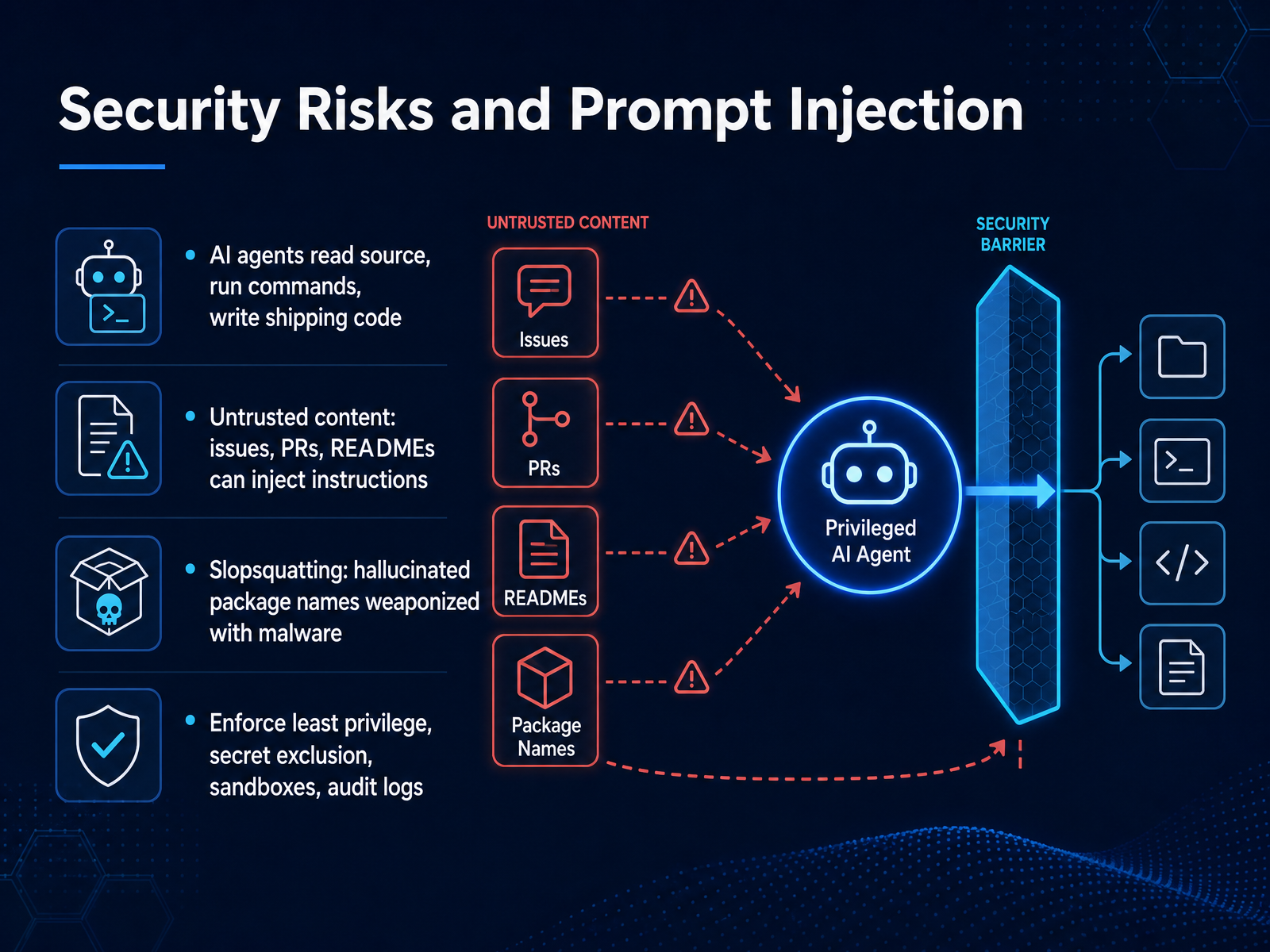 2 min
2 min - 11Risks, Limitations, and Failure ModesLet's be clear-eyed about failure modes before you scale AI-assisted development. The data on AI-generated code security is sobering. Across controlled studies, up to forty-five percent of generated tasks introduced a known, detectable vulnerability. And here's the uncomfortable part — newer, larger models don't inherently fix this. Security performance stays largely flat, even as functional correctness improves. That gap is where your review process comes in. Add to that the degradation that happens inside long sessions. As context fills, attention drifts. Earlier constraints fade, especially after automatic compaction summarizes—or silently drops—your original requirements. Hallucinations and stale training data compound this. The model isn't being malicious; it's confidently predicting tokens based on training patterns that may not match your current stack. The practical takeaway: treat every generated diff as a first draft from a brilliant but reckless junior. Run static analysis. Verify security constraints, especially around sanitization and query construction. And remember, you sign the commit. You own the code. The model generates probability; you own responsibility. That's the real mitigation—not a bigger model, but a disciplined review. Up next, let's talk about team governance and policy, because individual diligence scales only when the organization enforces it.
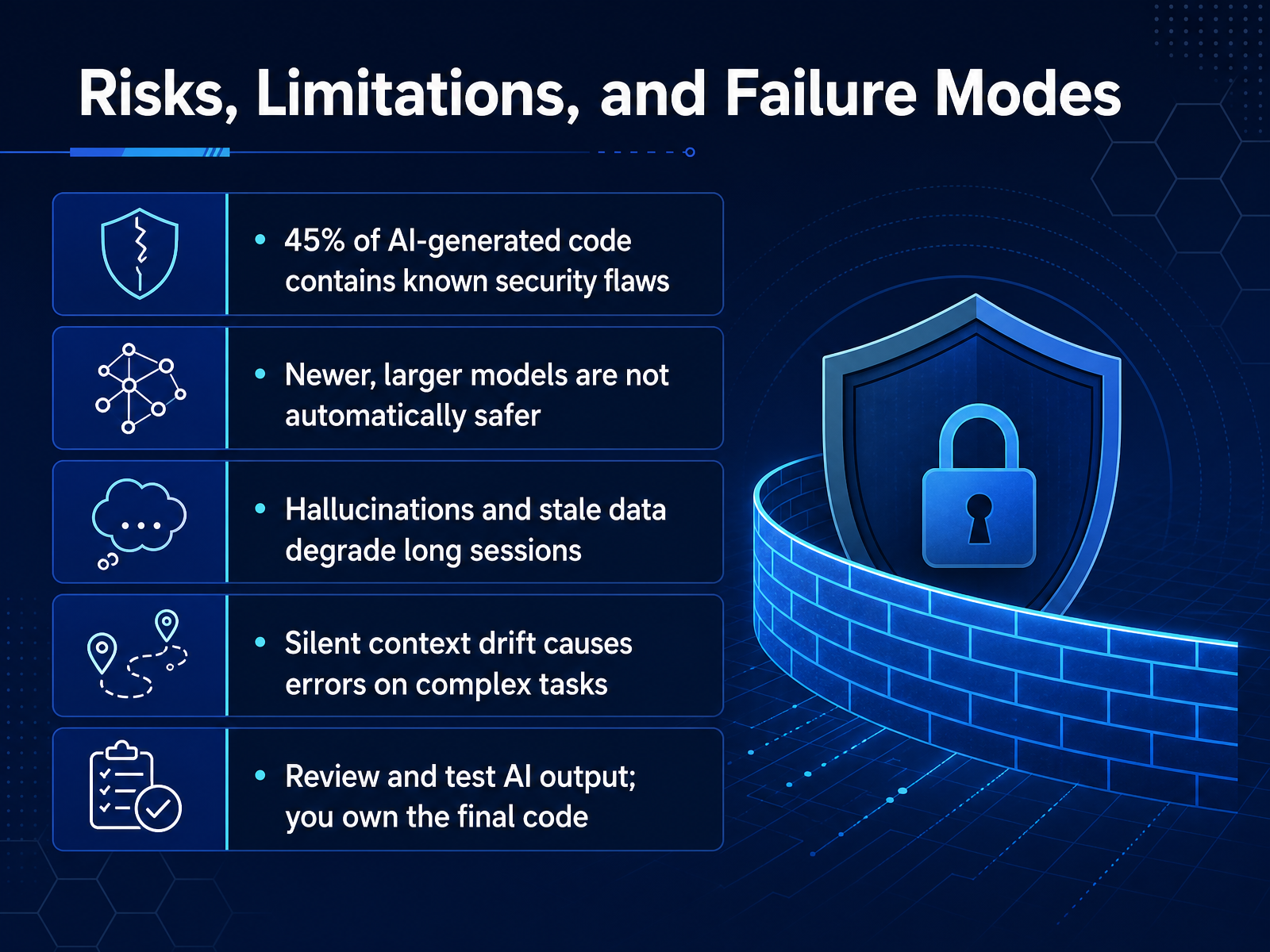 debugg.aidev.toblog.logrocket.com+22 min
 - 12Team Governance and PolicyNow let's talk about governance at the team level. This is where good intentions become enforceable policy. The core idea is simple: treat every AI-assisted change with the same rigor you'd apply to code from a new contractor. Start with tiered repository access. A docs site is not an auth service. Your AI tools should have broad freedom in low-risk repos, but for anything touching payments, authentication, or regulated systems, access should be read-heavy and sandbox-first. Next, treat rules files like security-critical config. Files like AGENTS.md or .cursorrules silently steer every generation. A malicious PR can modify them to embed persistent instructions. So require peer review on those files, just like you would for a CI/CD pipeline change. And never let AI merge its own code. Human approval and CI gates are mandatory before every merge. This is non-negotiable. Enforce least privilege everywhere. That means scoped credentials, denying access to secret stores, and running agents in ephemeral sandboxes. Finally, be incident-ready. If an agent generates noisy, bad diffs, you need a rollback plan. Know exactly how to revoke access, rotate exposed secrets, and revert changes quickly. Remember, your job is to make the system fail safely, not to trust the tool. Up next, we'll get hands-on with the recommended tooling to implement these controls.
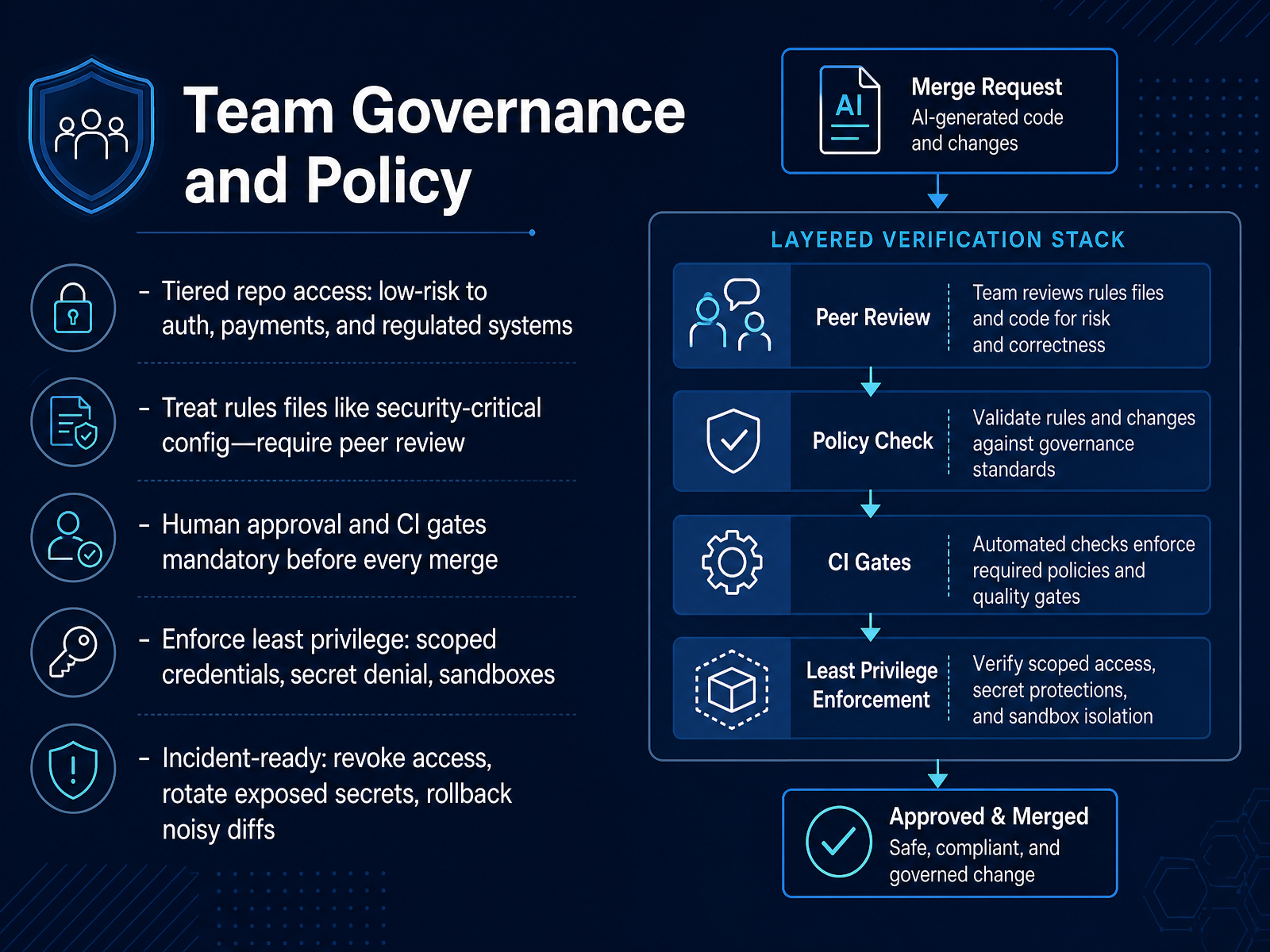 2 min
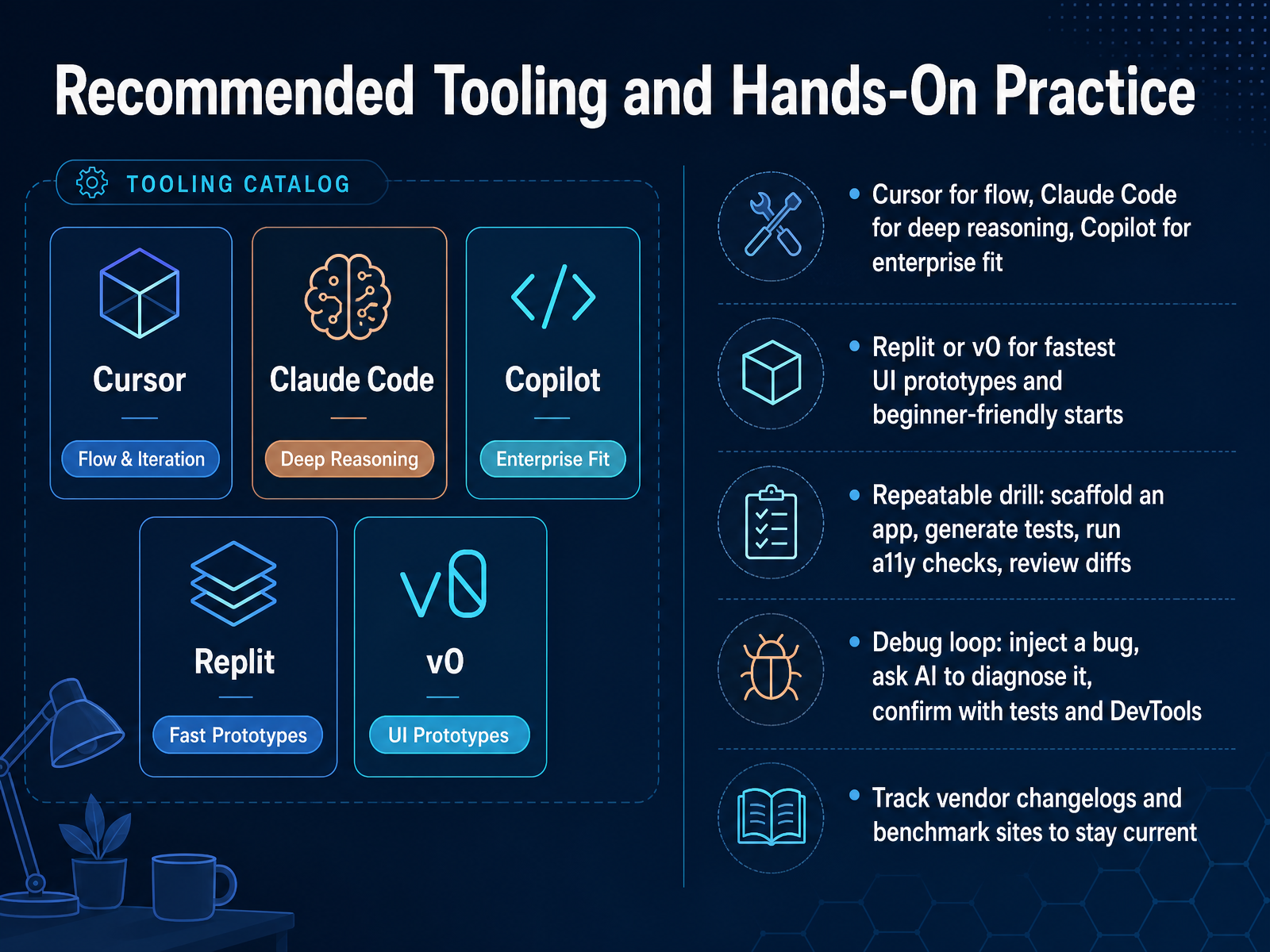
2 min - 13Recommended Tooling and Hands-On PracticeNow, the practical takeaway. Match the tool to the job. Cursor for flow, when you're shipping day to day. Claude Code for deep reasoning on gnarly architectural problems. And GitHub Copilot when you need the enterprise fit, the one that's already approved and integrated. For fastest UI prototypes, especially if you're exploring ideas with stakeholders, Replit or v0 will get you a polished front end in minutes, not days. But here's the drill that builds real skill. Scaffold an app, generate its tests, run accessibility checks, and review the diffs as if a junior dev wrote them. That review habit is what keeps AI code from becoming tech debt. Then close the loop on debugging. Inject a bug, ask the AI to diagnose it, and verify its fix against your test suite and DevTools. This separates assistants you trust from ones you just tolerate. Finally, stay current. Tools shift fast, so track vendor changelogs and benchmark sites to keep your picks sharp. Up next, we'll turn this into an action plan you can start Monday morning.
 arxiv.orgagentbrisk.comgithub.com+21 min
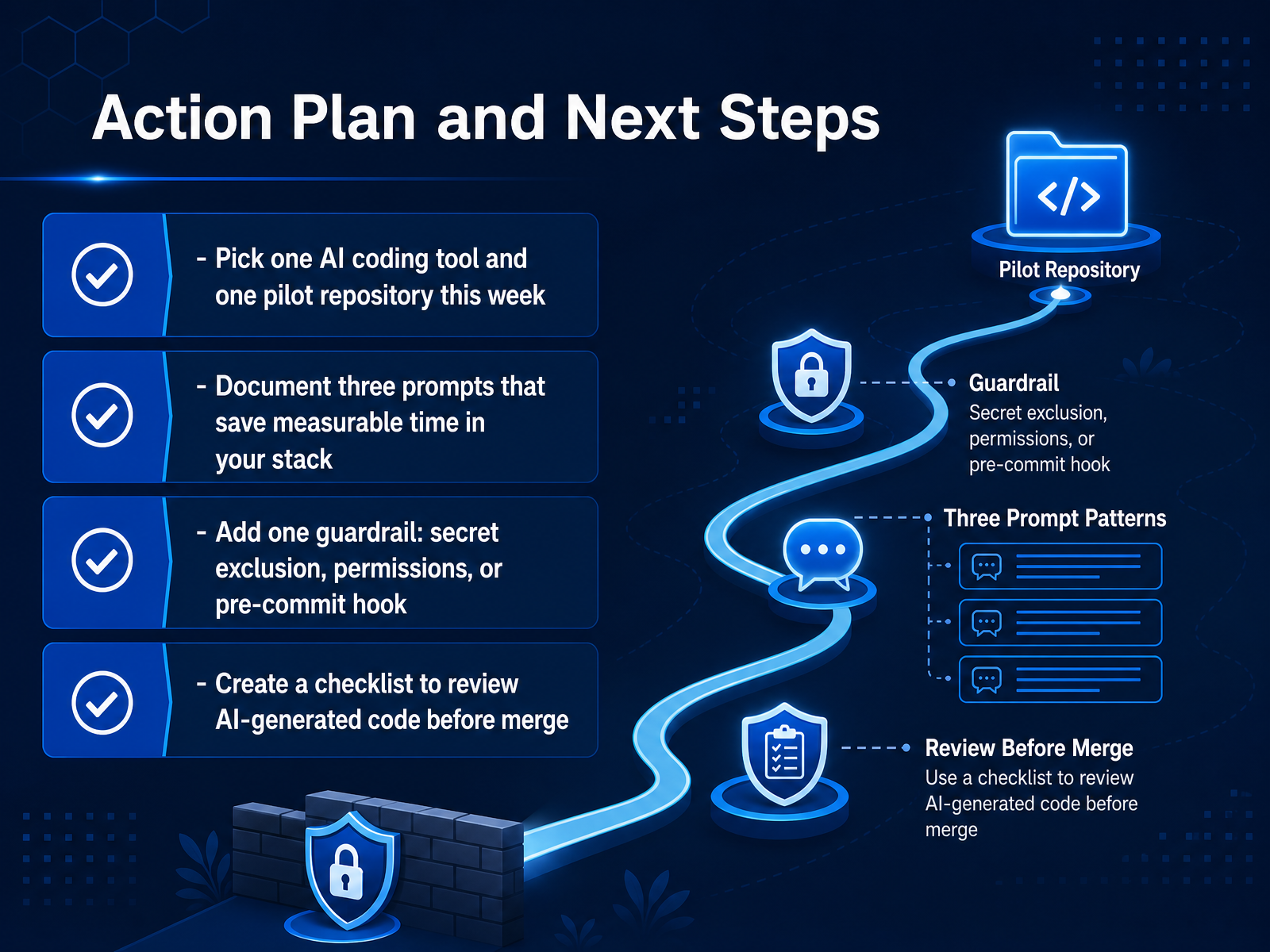
 - 14Action Plan and Next StepsThis week, commit to one concrete pilot. Pick a single AI coding tool and one repository where the risk is low and the payoff is measurable. Don't boil the ocean. Start contained.
Document three prompts that actually save time in your stack. Not the impressive ones. The ones you reach for again and again. Those become your team's shared playbook.
Now, add one guardrail. Secret exclusion is the fastest win. Gitleaks pre-commit, or a simple deny rule for your dotenv files. Permissions scoping works too. The point is to treat your agent like the privileged automation it is.
Finally, build a review checklist for AI-generated code before merge. Diff-aware review. Dependency diffs read, not trusted. No approving based on the PR description alone. Every AI-assisted change needs a human owner who reviewed it and owns it.
That's the loop. Tool, prompts, guardrail, review. Run it for two weeks, then measure. What you learn will shape your rollout. Thanks for your time, and go ship something that holds up in production.
 debugg.aidev.toblog.logrocket.com+22 min
Take the deck with you
Download this course as a file — free, no sign-up needed.
- PDF handoutEvery slide page, ready to print or share.15 pages · 3.5 MBDownload
- Narrated PowerPointThe deck that presents itself — every slide carries the digital human's narration video.15 pages · 15.7 MBDownload
- PowerPoint slidesThe full deck as a .pptx — open it in PowerPoint, Keynote, or Google Slides.15 pages · 3.4 MBDownload
Free to use in your own training — please keep the PersonWise credit page at the end.
Have your own deck? Turn it into a course
Sources consulted
Web sources consulted while building this course.
- Dictionary of AI Coding: A Complete Guide to Agentic Terms — tskamath.com
- What Are AI Coding Assistants? — ibm.com
- Vibe Coding Glossary: 30+ AI Terms | Lection Blog — lection.app
- Basic AI Tooling Terminology — rhuaridh.co.uk
- https://code.claude.com/docs/en/glossary — code.claude.com
- DesignBench: A Comprehensive Benchmark for MLLM-based Front-end Code Generation — arxiv.org
- React vs Vue: Which Framework Do AI Coding Agents Handle Better? | Agentbrisk — agentbrisk.com
- WebPAI/DesignBench — github.com
- The AI Code Generation Framework Wars: How to Pick the Right Model for React vs Angular vs Vue in 2024 — No Semicolons — nosemicolons.com
- VSA:Visual-Structural Alignment for UI-to-Code — doi.org
- How to Debug Modern Web Apps: A Practical, Tool-Driven Guide | DebuggAI Resources — debugg.ai
- A Practical Guide to Debugging AI-Built Applications - DEV Community — dev.to
- AI-first debugging: Tools and techniques for faster root cause analysis - LogRocket Blog — blog.logrocket.com
- The Ultimate Guide to Modern Web Debugging: From Localhost to Distributed Production | DevConsole Blog — devconsole.dev
- Debug Your AI-Built App in 5 Easy Steps | Opichi AI Articles — opichi.com
- https://arxiv.org/pdf/2510.13914 — arxiv.org
- Can Generative AI Create Accessible Websites? — doi.org
- Build App with AI: Accessibility-First Design | RationalGo | RationalGo — rationalgo.ai
- syncfusion/react-ui-builder — github.com
- Agentic UI Builder – Generate Enterprise UI Apps with AI | Syncfusion — syncfusion.com