Begin
13 pages · ~26 min
Instructional Design Tools: Selection and Workflow
This training helps instructional designers select the right tools and build efficient workflows for creating effective learning content.
A digital instructor presents all 13 pages. Hold “Ask” at any point and ask out loud — the answer comes from this course. No sign-up needed.
What you’ll learn
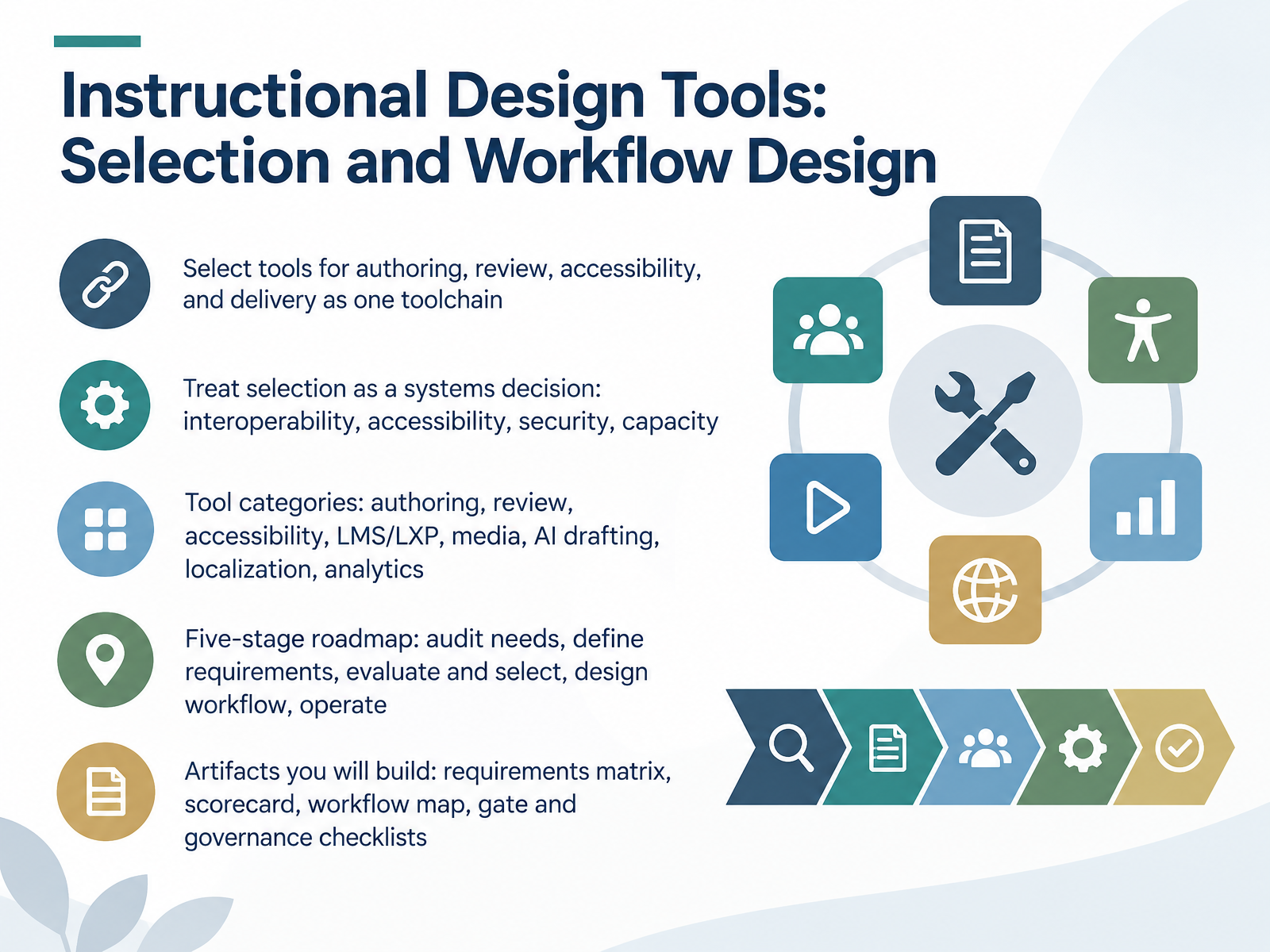
- 01Instructional Design Tools: Selection and Workflow DesignWelcome. I'm glad you're here. Over the next several slides, we'll work through selecting instructional design tools and designing the workflow around them. Here's our goal. Pick tools for authoring, review, accessibility, and delivery as one toolchain, not four separate purchases. Treat selection as a systems decision. That means interoperability, accessibility, security, and team capacity. You already know the categories. Authoring, review, accessibility, the LMS or LXP, media, AI drafting, localization, and analytics. What we'll add is the connective tissue. On a real project, this looks like two designers shortlisting authoring tools, then discovering the review tool doesn't export comments worth reading. So we start with a five stage roadmap. Audit needs. Define requirements. Evaluate and select. Design the workflow. Then operate and maintain it. Along the way, you'll build five artifacts. A requirements matrix. A scorecard. A workflow map. And gate and governance checklists. Those are what you take back to your team. Quick takeaway before we move on. Budget, IT approval, and accessibility requirements are selection criteria. Put them in the matrix on day one, not after the pilot. Next, let's look at how the ID tool stack evolved.gartner.comd2l.comcomplementlearning.ai+22 min
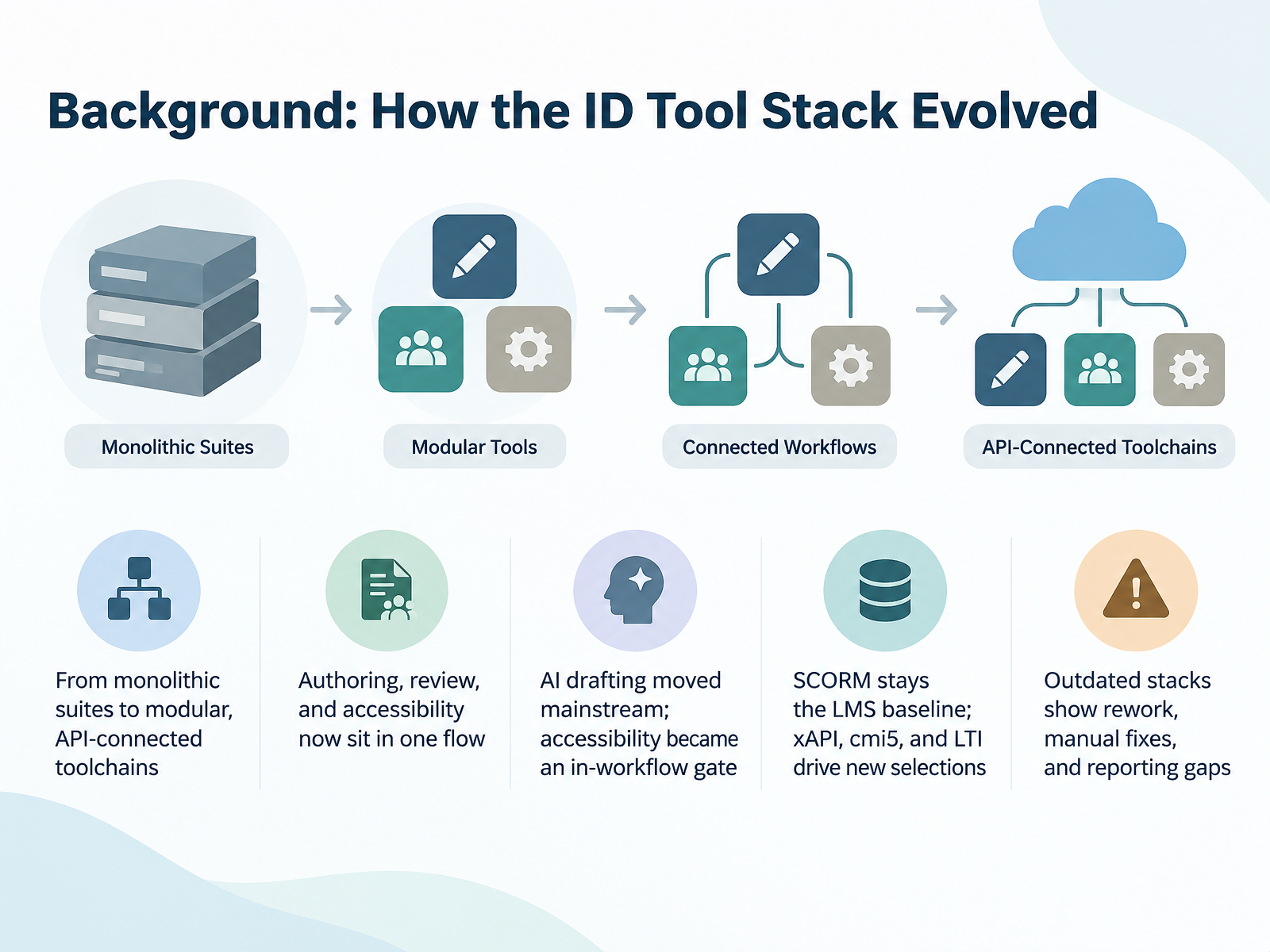
- 02Background: How the ID Tool Stack EvolvedLet's set the context. For years, most teams bought one suite and built everything inside it. Now, we work in modular, API-connected toolchains.
 gartner.comd2l.comcomplementlearning.ai+21 min
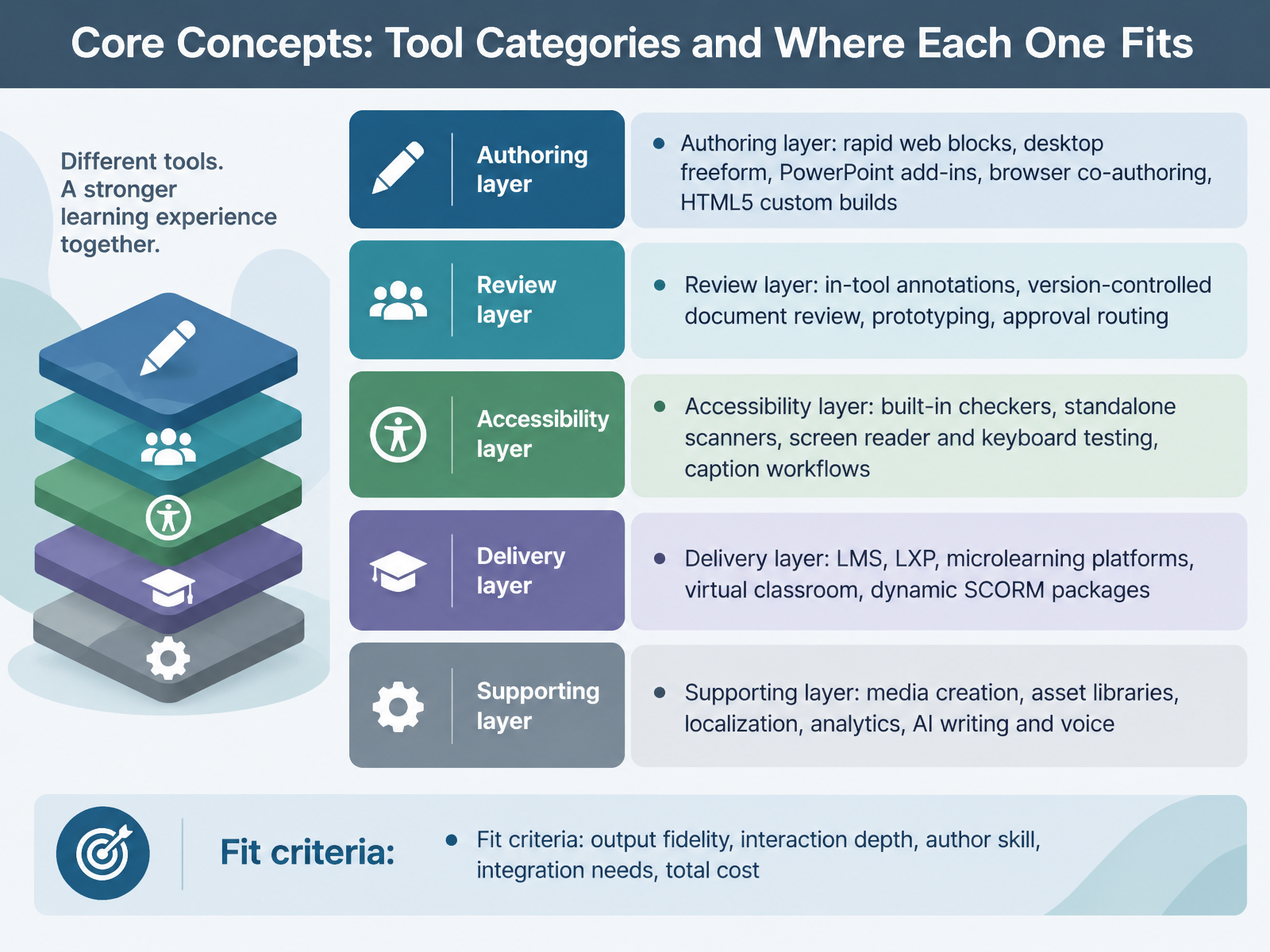
 - 03Core Concepts: Tool Categories and Where Each One FitsLet's map the tool landscape into five layers, so you can see where each product actually sits. First, the authoring layer. That's rapid web blocks like Rise, desktop freeform like Storyline or Captivate, PowerPoint add-ins like iSpring, browser co-authoring, and custom HTML5 builds. Second, the review layer. Think in-tool annotations, version-controlled document review, prototyping, and formal approval routing. Third, accessibility. You've got built-in checkers, standalone scanners, screen reader and keyboard testing, and caption workflows. Fourth, delivery. LMS, LXP, microlearning platforms, virtual classrooms, and dynamic SCORM packages that update without a fresh upload. Fifth, the supporting layer. Media creation, asset libraries, localization, analytics, and AI writing and voice. Now, how do you decide what fits? Weigh six criteria. Output fidelity. Interaction depth. Author skill. Integration needs. Total cost, including localization and review seats. And don't forget IT approval and security review, because those can stall a pilot for months. Here's what this looks like on a real project. A compliance team picks Lectora for accessibility-first authoring. A sales enablement group picks Rise for speed, then adds Storyline only where branching matters. One practical takeaway. Match the tool to the layer it owns, not the layer it claims. Next, we'll look at requirements first: auditing needs before shopping.
 gartner.comd2l.comcomplementlearning.ai+22 min
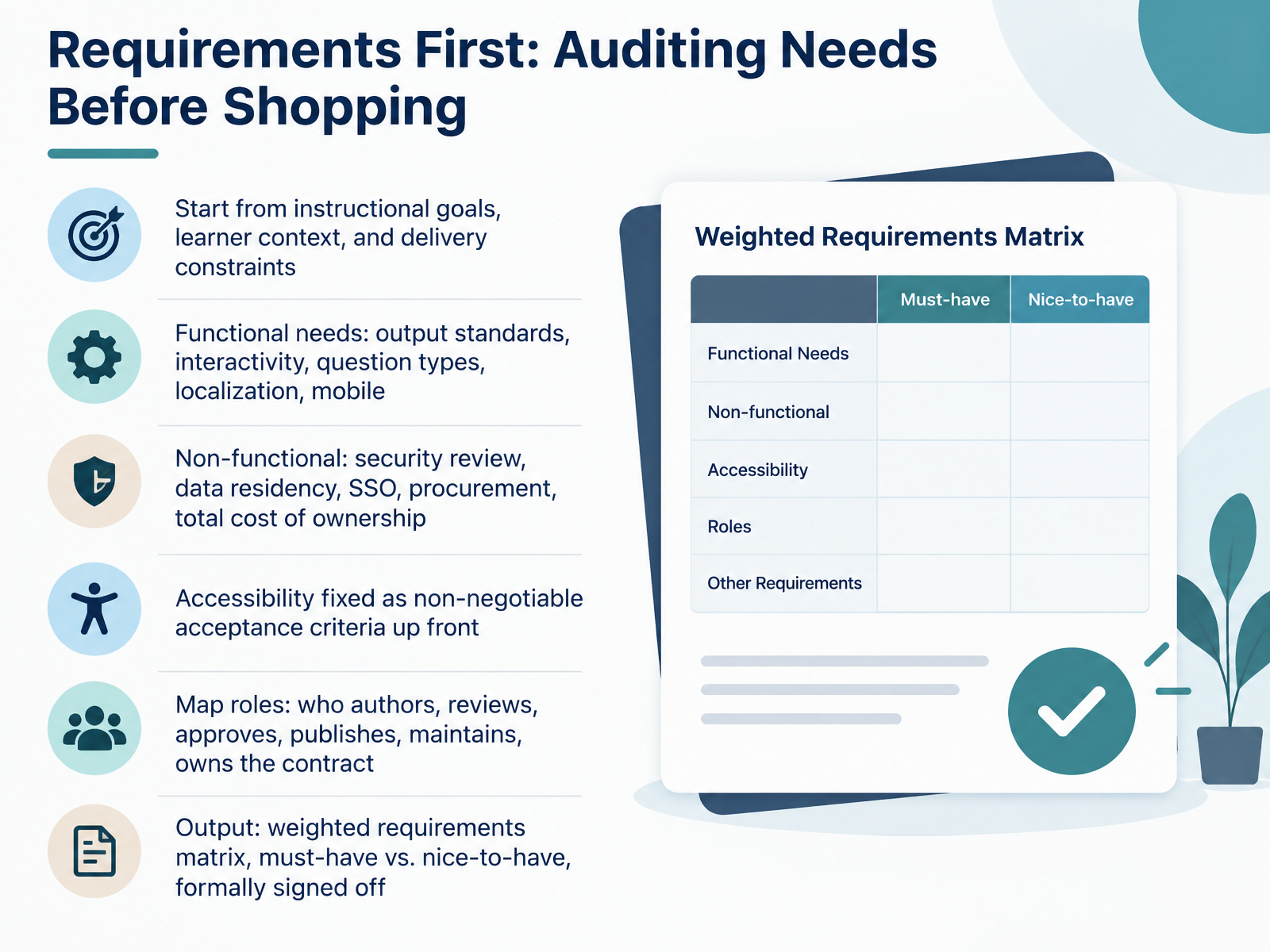
 - 04Requirements First: Auditing Needs Before ShoppingRequirements first, before shopping. Start from your instructional goals, your learner context, and your delivery constraints. Then split your needs in two. Functional needs cover output standards, interactivity, question types, localization, and mobile. Non-functional needs cover security review, data residency, single sign-on, procurement, and total cost of ownership. On a real project this is where you ask IT for a security review early, because that timeline often runs longer than the pilot itself. Next, treat accessibility as a fixed, non-negotiable acceptance criterion up front. For software you are buying, ask for a current Accessibility Conformance Report and name the standard you will hold the vendor to. Then map roles on one page. Who authors, who reviews, who approves, who publishes, who maintains, and who owns the contract. With a clear role map, review rounds shrink and feedback stops conflicting. Your output is a weighted requirements matrix, separating must-have from nice-to-have, formally signed off. That signed matrix becomes your scorecard. Evaluating and Selecting Tools: A Practical Scorecard.
 ecofel.orgknowledgeworker.cominstructionaldesign.buffalostate.edu+21 min
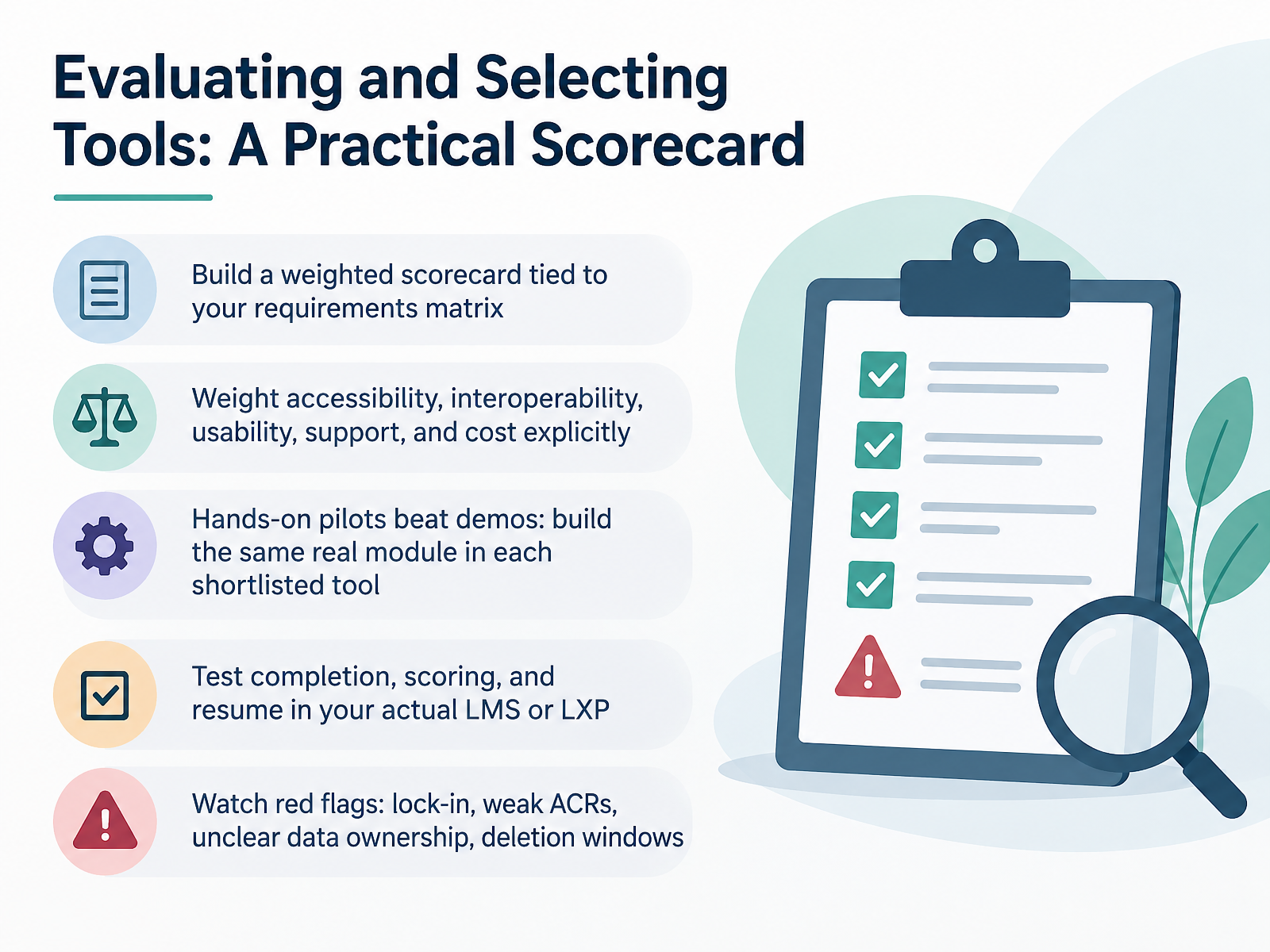
 - 05Evaluating and Selecting Tools: A Practical ScorecardLet's talk about how to actually score these tools once you've got a shortlist. Build a weighted scorecard tied directly to your requirements matrix. Don't score in a vacuum. Weight the criteria that matter to your organization: accessibility, interoperability, usability, support, and cost. Make those weights explicit, and defend them with your stakeholders before you score anything.
Here's where most teams go wrong. They rely on vendor demos. Demos are staged. They're optimized. Instead, run hands-on pilots. Build the same real module in each shortlisted tool. Same content, same interactions, same assessment. Then compare the actual effort. You'll learn more in two days of building than in two weeks of demos.
Next, test the whole chain. Publish to your actual LMS or LXP. Verify completion tracking, scoring, and resume behavior. Those are the failure points that surface after launch, not before.
Finally, watch for red flags. Hard lock-in with no export path. Weak or missing accessibility conformance reports. Unclear data ownership. Short deletion windows after contract end. If a vendor can't answer those clearly, that's your answer.
Score it, pilot it, test it, and check the exit. That's a scorecard you can defend. Next, let's look at designing the workflow, from intake to delivery.
 gartner.comd2l.comcomplementlearning.ai+22 min
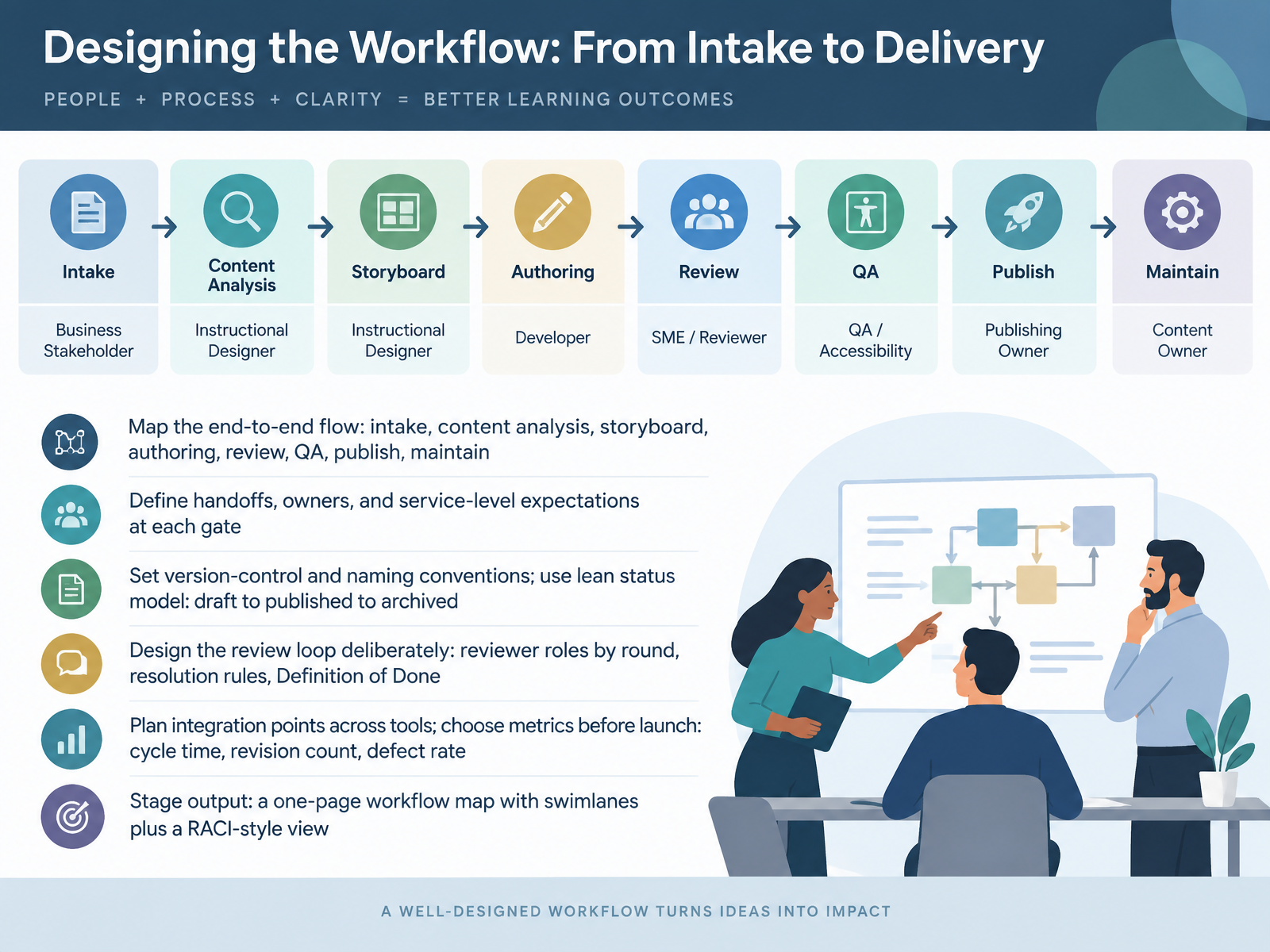
 - 06Designing the Workflow: From Intake to DeliveryNow let's design the workflow itself, from intake to delivery. Map the end-to-end flow first: intake, content analysis, storyboard, authoring, review, QA, publish, maintain. Then define handoffs, owners, and service-level expectations at each gate. Keep it concrete. The storyboard gate has a named approver and a two-day turnaround. Set version-control and naming conventions early. Use a lean status model: draft, in review, revised, approved, published, archived. Design the review loop deliberately. Assign reviewer roles by round. For example, subject matter experts review content, not visuals. Write resolution rules, and a Definition of Done for each round. Plan your integration points across tools, and choose metrics before launch: cycle time, revision count, defect rate. Your main output is a one-page workflow map with swimlanes, plus a RACI-style view showing who is responsible, accountable, consulted, and informed. That single page prevents most of the confusion. Next, let's look at integrating accessibility into the tool workflow.
 ecofel.orgknowledgeworker.cominstructionaldesign.buffalostate.edu+22 min
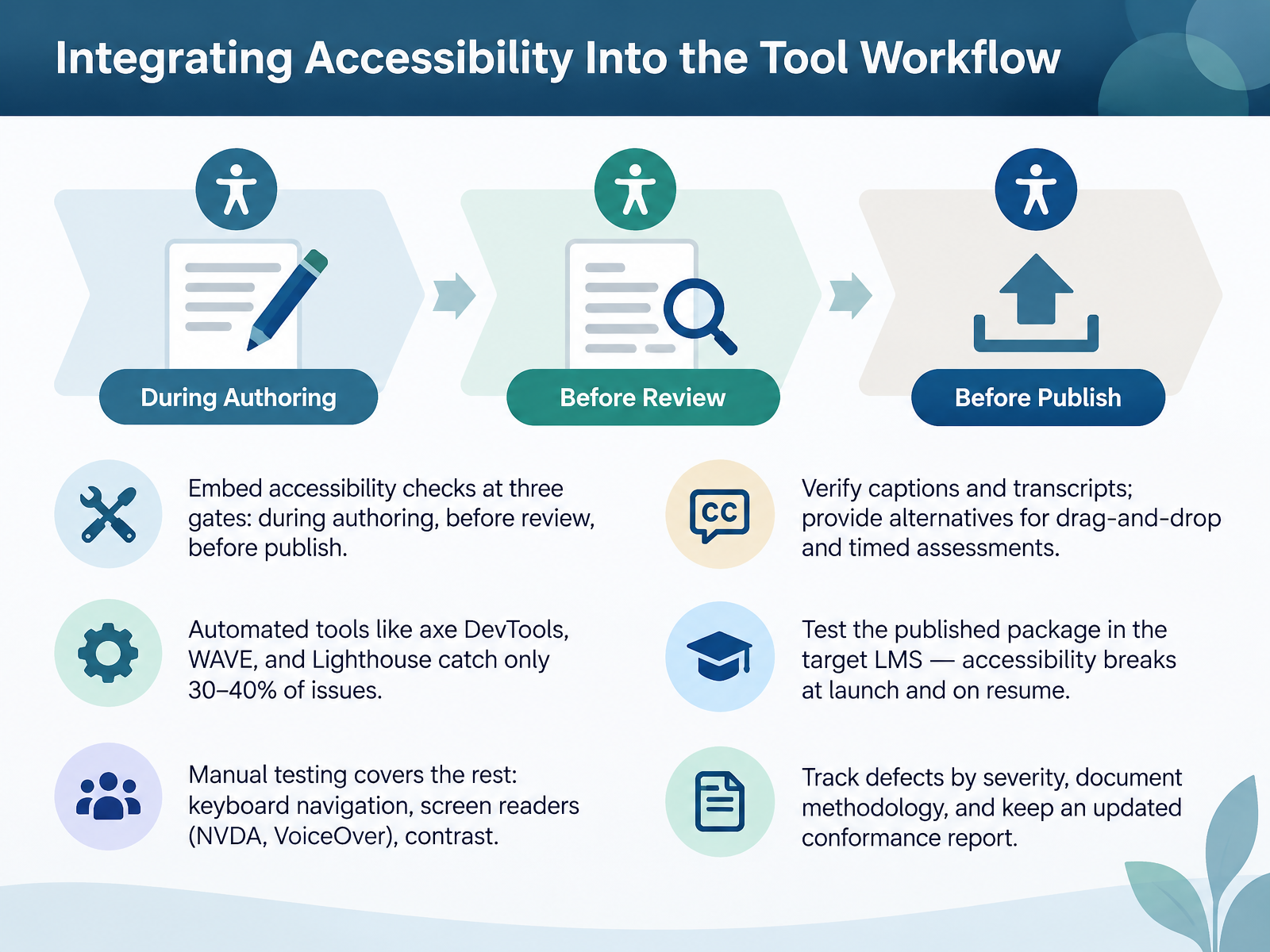
 - 07Integrating Accessibility Into the Tool WorkflowNext, let us integrate accessibility into the tool workflow itself. Build checks at three gates: during authoring, before review, and before publish. Automated tools like axe DevTools, WAVE, and Lighthouse catch only thirty to forty percent of issues, so budget manual testing. Unplug the mouse and tab through every interaction. Then test with NVDA or VoiceOver, and verify contrast. Check captions and transcripts, and give alternatives for drag and drop and timed assessments. Here is the step people skip: test the published package in the target LMS. Accessibility often breaks at launch or on resume. Track defects by severity, document your methodology, and keep an updated conformance report. That report becomes your evidence when procurement or legal asks. Next, selection implications, accessibility in vendor evaluation.
 a11y-collective.comweb.devw3.org+21 min
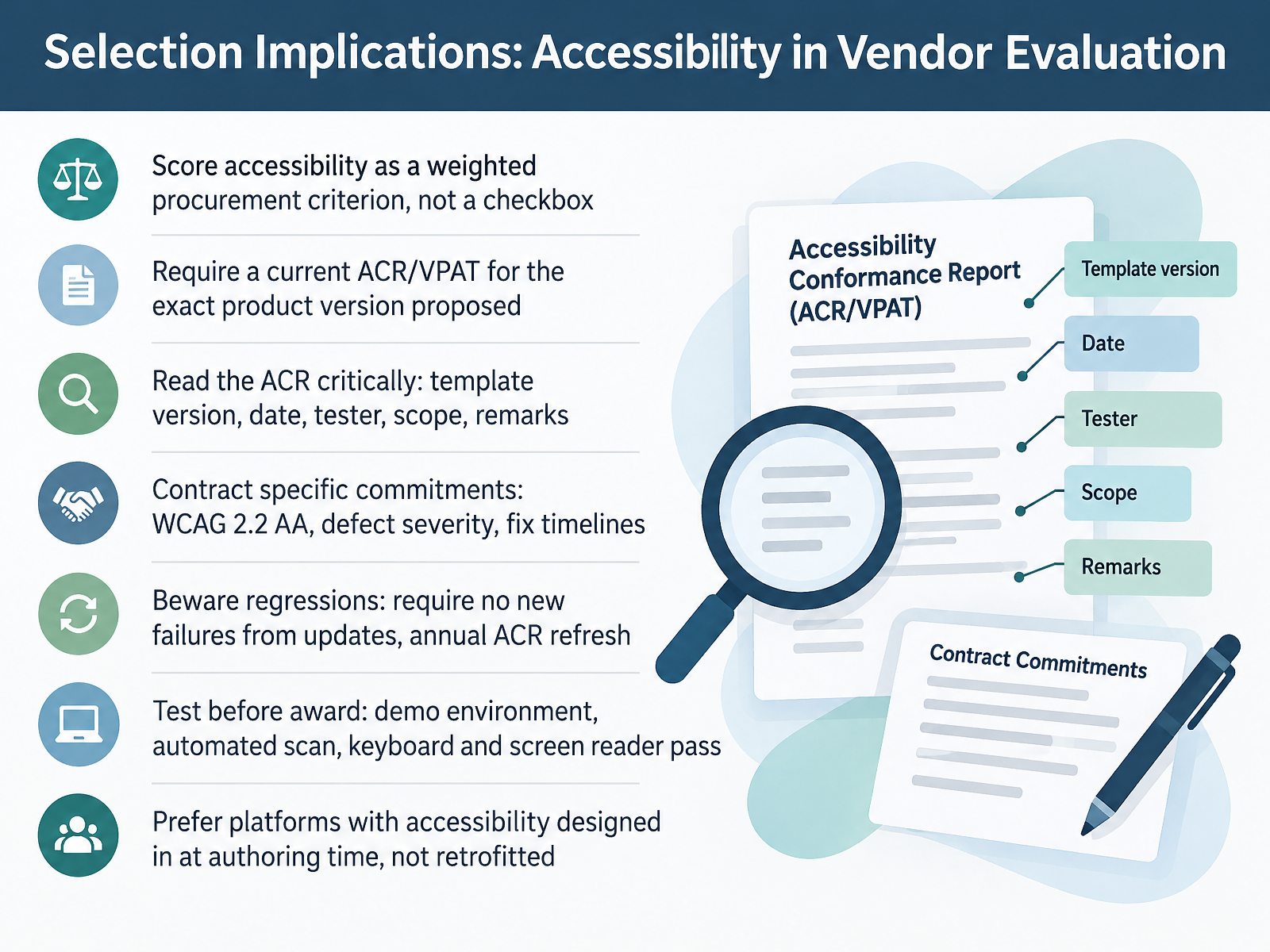
 - 08Selection Implications: Accessibility in Vendor EvaluationNow let's talk vendor evaluation, specifically where accessibility fits into scoring. Treat accessibility as a weighted procurement criterion, not a checkbox. So if your total score is a hundred points, consider giving accessibility twenty to thirty of them. Next, require a current ACR or VPAT for the exact product version proposed. Then read that ACR critically. Which template version? When was it dated? Who tested? Was it the vendor's marketing team or an independent specialist? What's the scope, and do the remarks actually explain the partially supports entries? Push those commitments into the contract: WCAG 2.2 double A, defect severity levels, and fix timelines. Beware regressions. Require no new failures from updates, and an annual ACR refresh. Test before you award. Ask for a demo environment. Run an automated scan. Do a keyboard pass and a screen reader pass on the core flows. And prefer platforms with accessibility designed in at authoring time, not retrofitted later. That is the difference between a tool your learners can use and one your team has to apologize for. Next up, AI-assisted authoring, and governance before scale.
 acquisition.govmn.govplanisware.com+22 min
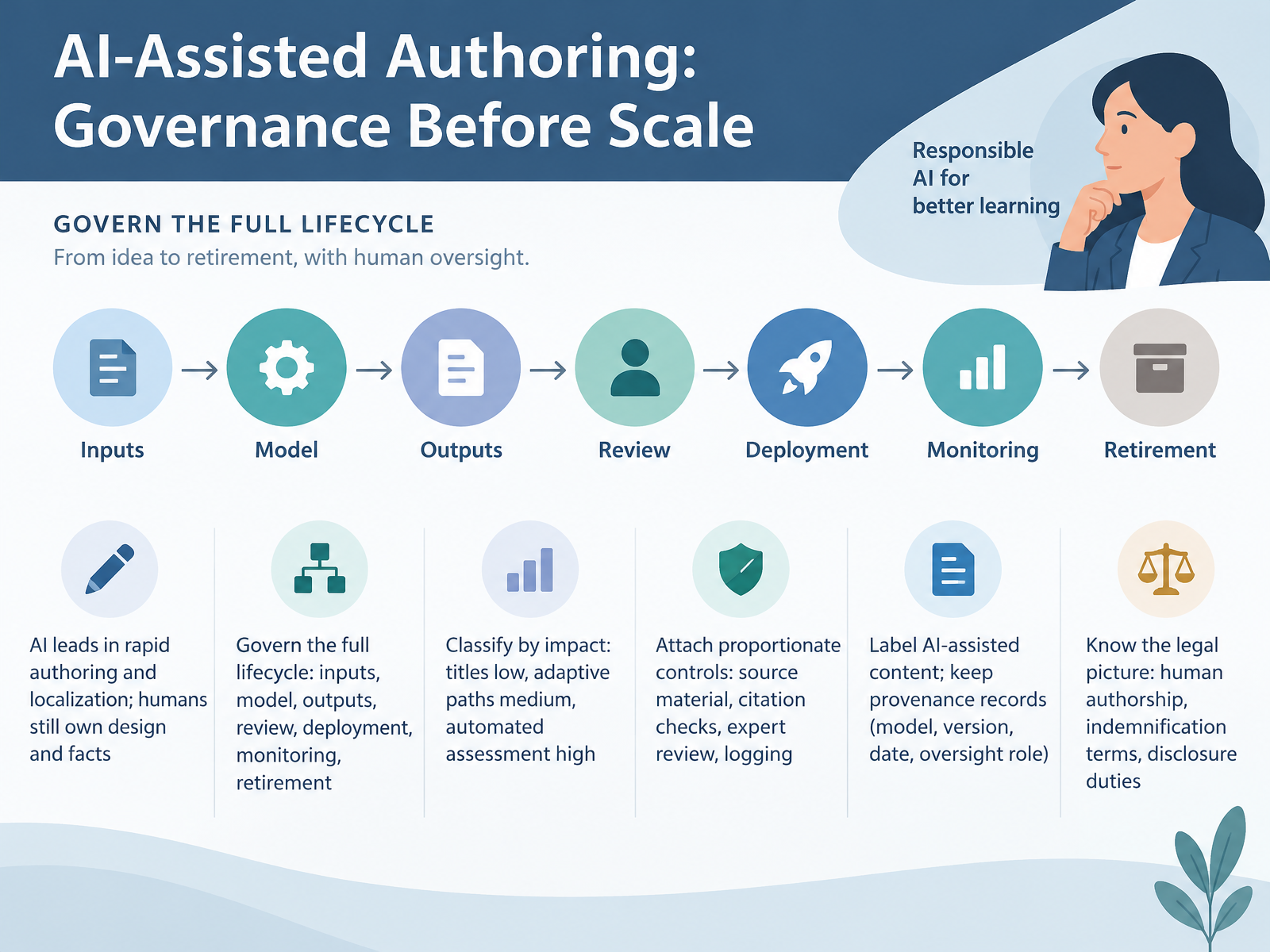
 - 09AI-Assisted Authoring: Governance Before ScaleNow let's talk governance before scale. AI leads in rapid authoring and localization. Humans still own design and facts. So govern the full lifecycle, not just the prompt. That means inputs, model, outputs, review, deployment, monitoring, and retirement. Classify use by impact. Generating course titles is low. Adaptive paths are medium. Automated assessment is high. Then attach proportionate controls. Approved source material. Citation checks. Expert review. Prompt and output logging. Label AI-assisted content, and keep provenance records. Model, version, date, and oversight role. Reviewing every output becomes a rubber stamp. Reviewing none shifts risk onto learners. On the legal side, remember three things. Copyright needs human authorship. Read the indemnification clause before you buy. And know your disclosure duties. Scale AI only after you can answer who owns the risk. Next, we'll look at scaling responsibly: governance, licenses, and maintenance.
 2 min
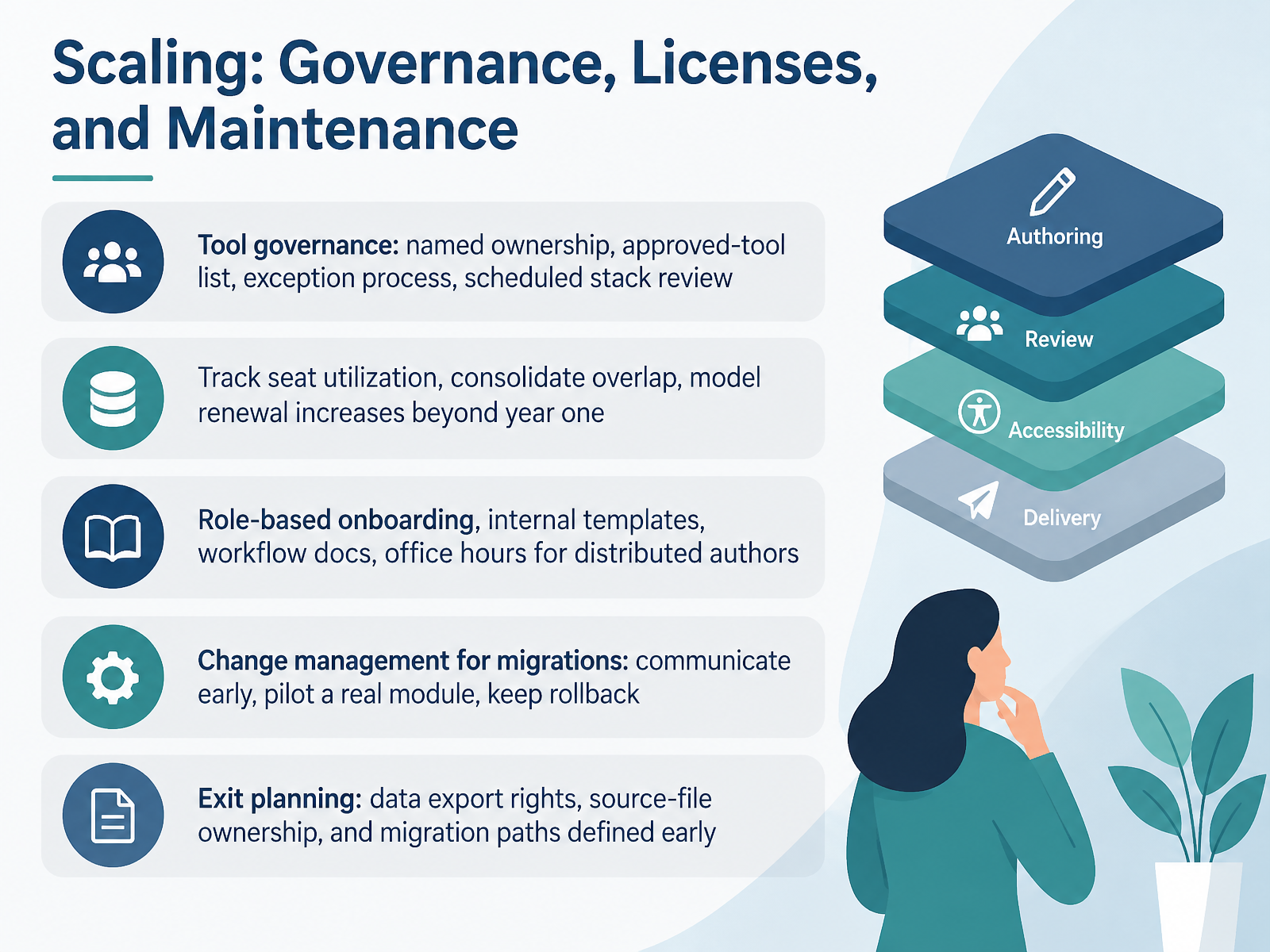
2 min - 10Scaling: Governance, Licenses, and MaintenanceLet's talk about scaling what you've already chosen. Governance first. Name an owner for every tool. Publish an approved-tool list, and define how someone requests an exception. Then schedule a stack review, maybe twice a year. Next, manage the money. Track seat utilization, because unused licenses are your easiest savings. Consolidate overlap. And model renewal increases beyond year one, since a price that fits today may not fit in year three. For your authors, build onboarding by role, keep internal templates current, write down the workflow, and run office hours for distributed teams. Migrations need change management. Communicate early, pilot with one real module, and keep a rollback option. Finally, plan your exit before you sign. Confirm data export rights, who owns source files, and your migration path. Do that early, while you still have leverage. Next, we'll look at risk, compliance, and emerging tool considerations.
 ecofel.orgknowledgeworker.cominstructionaldesign.buffalostate.edu+22 min
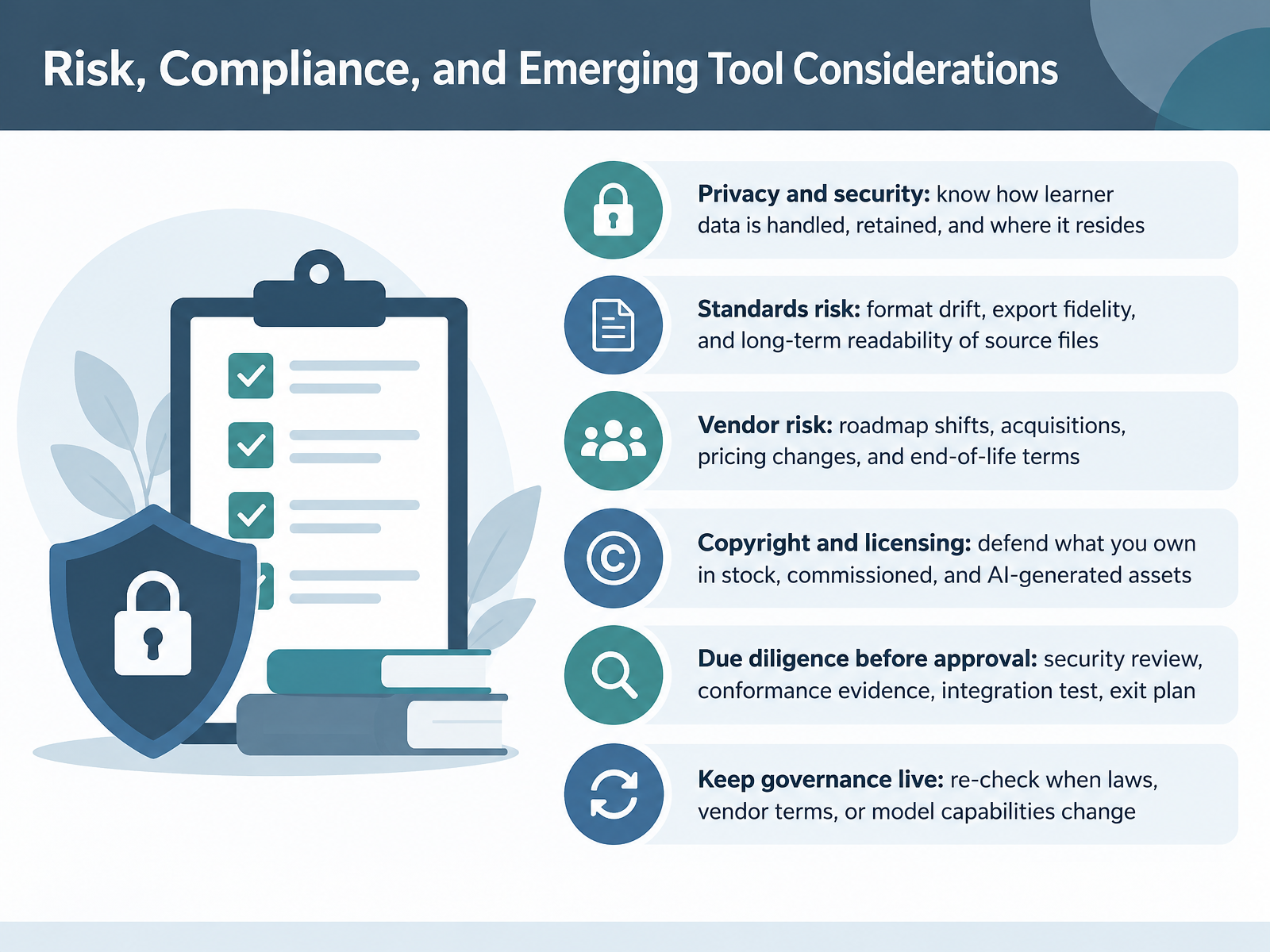
 - 11Risk, Compliance, and Emerging Tool ConsiderationsLet's talk about risk, compliance, and emerging tools. Four risk areas deserve your attention before you approve anything. First, privacy and security. Know how learner data is handled, how long it's retained, and where it resides. Second, standards risk. Watch for format drift, export fidelity, and whether your source files stay readable years from now. If a vendor disappears, can you still open your content? Third, vendor risk. Roadmaps shift, acquisitions happen, pricing changes, and end-of-life terms arrive. Fourth, copyright and licensing. Defend what you own in stock, commissioned, and AI-generated assets. Remember that purely machine-generated work may not be protectable. So run due diligence before approval. Ask for a security review, conformance evidence like an updated accessibility conformance report, a working integration test, and a real exit plan. Then keep governance live. Re-check whenever laws, vendor terms, or model capabilities change. Build a quarterly review into your calendar. Next, we'll look at common failure modes and how to avoid them.
 acquisition.govmn.govplanisware.com+22 min
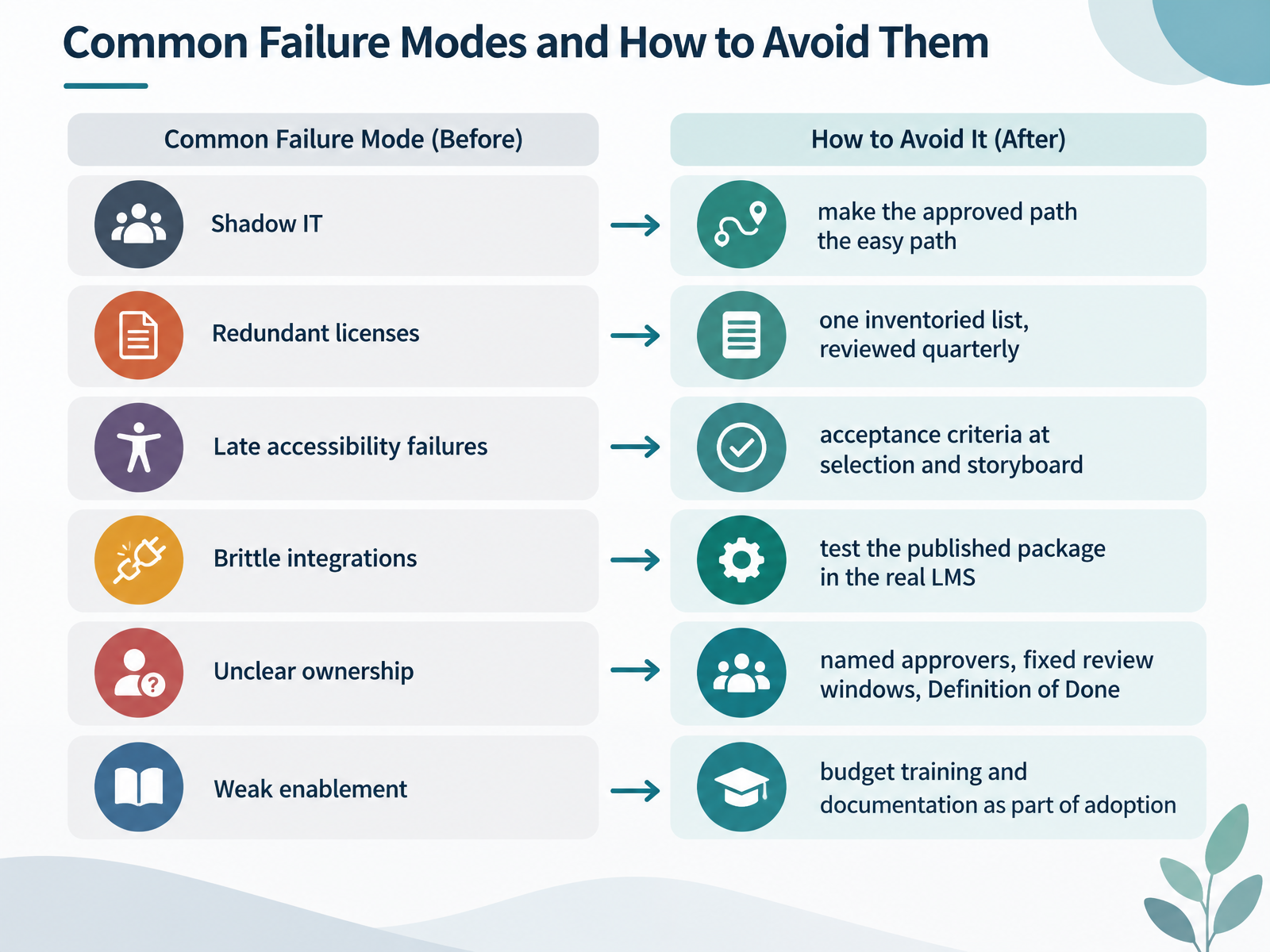
 - 12Common Failure Modes and How to Avoid ThemLet's talk about the failure modes that quietly break a tool stack, and how to prevent them. First, shadow IT. When the approved path is slow or painful, people route around it. So make the approved path the easy one. Pre-cleared tools, a fast intake form, a named owner who responds quickly. Next, redundant licenses. Keep one inventoried list of every tool, who owns it, and when the contract renews. Review that list quarterly. You will usually find two tools doing the same job, and one of them is unused. Third, late accessibility failures. Put accessibility acceptance criteria in your selection checklist and your storyboard review, not at the end. Retrofitting reading order and captions after build costs several times more. Fourth, brittle integrations. Test the published package in the real LMS, including completion and score reporting. Preview mode lies. Fifth, unclear ownership. Name your approvers, set fixed review windows, and agree on a Definition of Done for each gate. Finally, weak enablement. Budget training and documentation as part of adoption, not after it. Pick two of these to fix this quarter. That's how you avoid all six. Next, we'll pull this together into an action plan. Action Plan: Applying Selection and Workflow Design.
 ecofel.orgknowledgeworker.cominstructionaldesign.buffalostate.edu+22 min
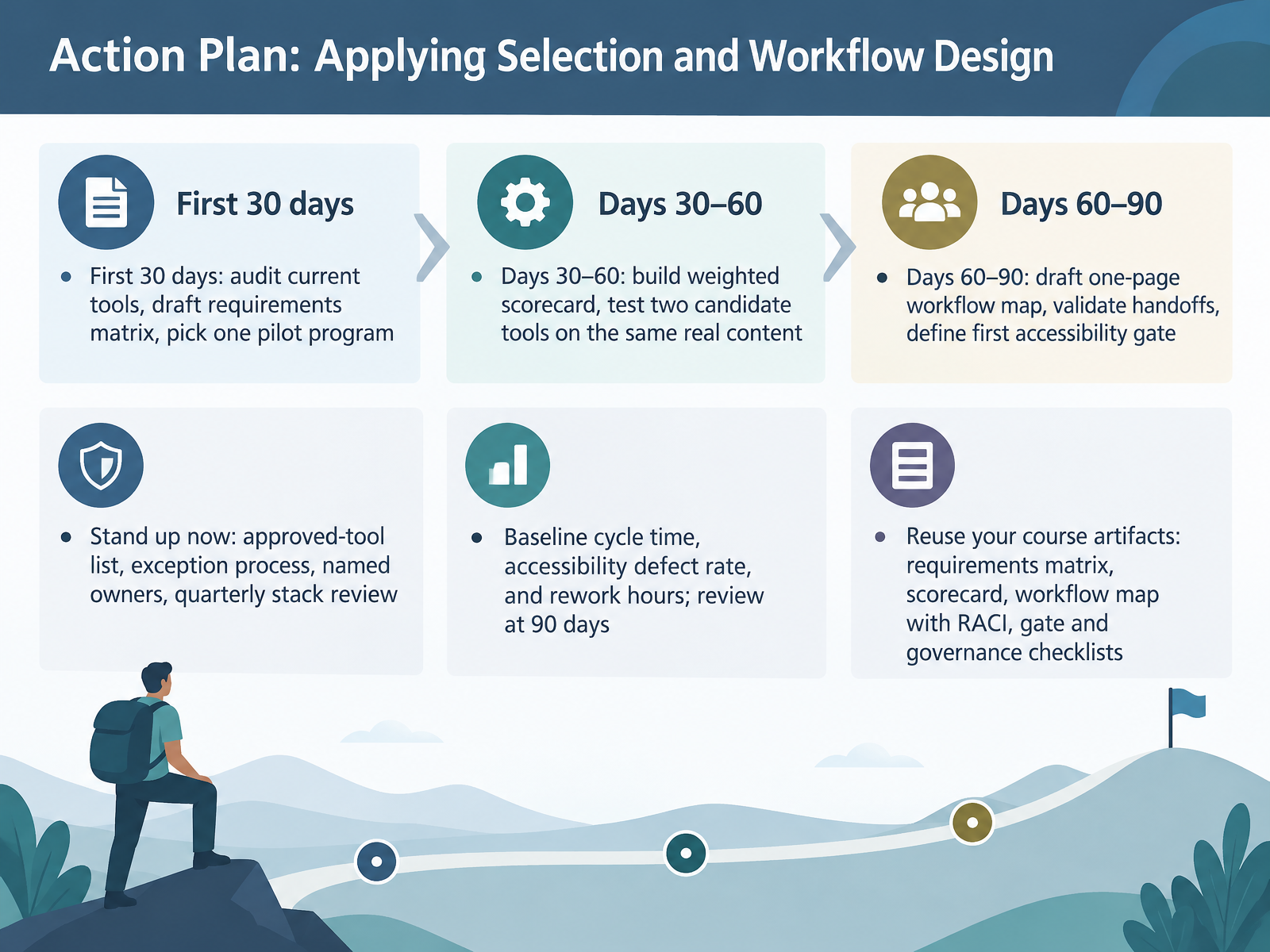
 - 13Action Plan: Applying Selection and Workflow DesignLet's close with a plan you can actually run. In the first thirty days, audit the tools you already have, draft your requirements matrix, and pick one pilot program. From thirty to sixty days, build a weighted scorecard, then test two candidate tools on the same real content. By day ninety, draft a one-page workflow map, validate your handoffs, and define that first accessibility gate. Stand up governance now: an approved-tool list, an exception process, named owners, and a quarterly stack review. Baseline your cycle time, accessibility defect rate, and rework hours, then review at ninety days. And reuse your artifacts: the requirements matrix, scorecard, workflow map with RACI, and your gate and governance checklists. That's your roadmap. Thanks for working through this with me. Start with the audit, pick one pilot, and build from there. You've got this.
 ecofel.orgknowledgeworker.cominstructionaldesign.buffalostate.edu+21 min
Take the deck with you
Download this course as a file — free, no sign-up needed.
- PDF handoutEvery slide page, ready to print or share.14 pages · 3.0 MBDownload
- Narrated PowerPointThe deck that presents itself — every slide carries the digital human's narration video.14 pages · 24.5 MBDownload
- PowerPoint slidesThe full deck as a .pptx — open it in PowerPoint, Keynote, or Google Slides.14 pages · 3.0 MBDownload
Free to use in your own training — please keep the PersonWise credit page at the end.
Have your own deck? Turn it into a course
Sources consulted
Web sources consulted while building this course.
- Best eLearning Authoring Tools Reviews 2026 — gartner.com
- eLearning Authoring Tools 2026: Uncover the Top 8 Options — d2l.com
- E-learning authoring tools compared 2026 | Complement Learning — complementlearning.ai
- Top 10 eLearning Authoring Tools in 2026 | Smartcat — smartcat.com
- Best SCORM Authoring Tools Compared in 2026 | ScormStack — scormstack.io
- eLearning course development — ecofel.org
- How Does an E-Learning Review Process Work? — knowledgeworker.com
- Course Design Review with OSCQR | Instructional Design and Distance Learning | SUNY Buffalo State University — instructionaldesign.buffalostate.edu
- The Instructional Design Project Checklist — devlinpeck.com
- ISDP-016 ILT Course Development Process 11-0512 - National ... — yumpu.com
- Effective Methods to Test Accessibility in eLearning — a11y-collective.com
- Automated accessibility testing — web.dev
- Understanding Test Rules for WCAG 2.2 Success Criteria — w3.org
- Accessible eLearning: WCAG 2.2 Guide for Course Creators — elearningsolutionslab.com
- How to apply WCAG accessibility standards in eLearning — learnstudios.com.au
- 2952.239-70 Section 508 Requirements. — acquisition.gov
- VPAT Guidance for Vendors v. 3.0 — mn.gov
- Voluntary Product Accessibility v.26Q2 — planisware.com
- § 2.2-3503. Procurement requirements — law.lis.virginia.gov
- Mentimeter ACR Evaluation, May 2026 — uvm.edu