Begin
14 pages · ~28 min
Building a Web Development Portfolio
Learn to build a professional web development portfolio that showcases your skills and projects, helping you attract employers and clients.
A digital instructor presents all 14 pages. Hold “Ask” at any point and ask out loud — the answer comes from this course. No sign-up needed.
What you’ll learn
- 01Building a Web Development PortfolioWelcome. If you're an aspiring or early-career web developer, this session is for you. In 2026, your portfolio is the single most important asset you own. Resumes list skills, but portfolios prove them. Hiring has shifted. Reviewers don't just look for what you know; they look for evidence of problem-solving and growth. They want to see projects that work, decisions you made, and how you recover from challenges. Today, we'll cover positioning, selecting the right projects, writing case studies that matter, building the actual site, and reaching out to opportunities. You'll leave with a clear path to a portfolio that opens doors. So let's start with the bar you're aiming for: the 2026 portfolio standard.mfc-portfolio.vercel.appmiddlehost.comweb-developer-portfolio-delta.vercel.app+21 min
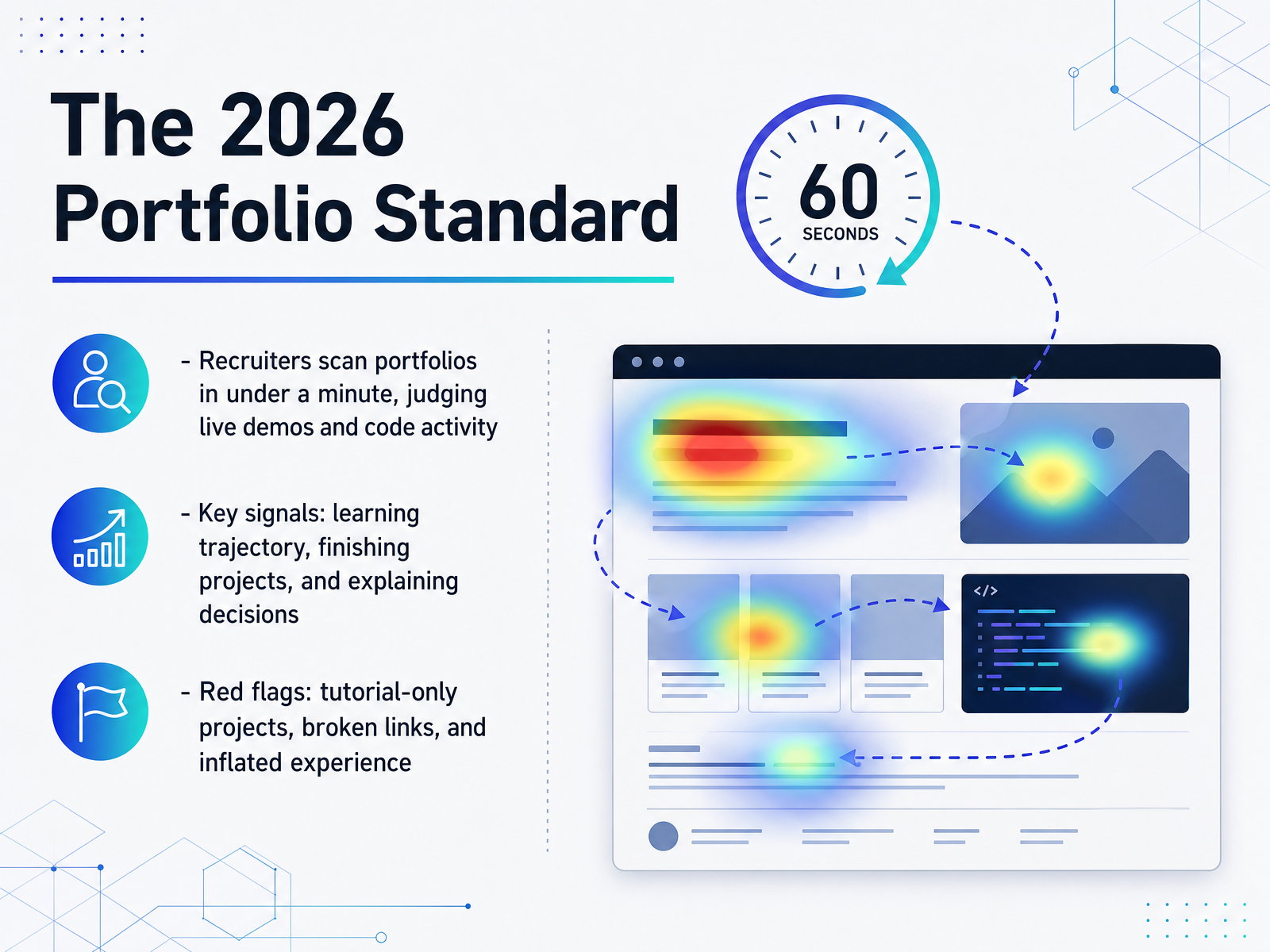
- 02The 2026 Portfolio StandardLet's talk about what your portfolio is actually up against in 2026. Hiring managers and recruiters are looking at dozens, sometimes hundreds, of applicants. They don't read your portfolio like a book. They scan it, often in under a minute. In that time, they're checking for two things: live demos that work, and evidence you're a real developer. That means they look for clues like a steady commit history on GitHub. It shows you code consistently, not just during a bootcamp. What really sets you apart is your learning trajectory. They want to see projects get progressively more complex, showing you can tackle harder problems. Finishing matters too. A deployed project, even a small one, proves you can take something from idea to launch. But the biggest signal? Your ability to explain trade-offs, like why you chose one database over another. This shows you think, not just follow. Now, a few red flags will kill your chances fast. Tutorial clones are everywhere. They signal you can follow along, not that you can build. Broken links scream carelessness. And inflated experience will always surface in an interview, so be honest about where you are. Your job is to make scanning easy. Lead with your best work, make sure every link works, and let your project history tell a story of growth. There's a difference between showing you can code and proving you can solve problems. We'll look at how to position yourself for a niche next.
 techversions.comscrimba.comstudentperks.dev+22 min
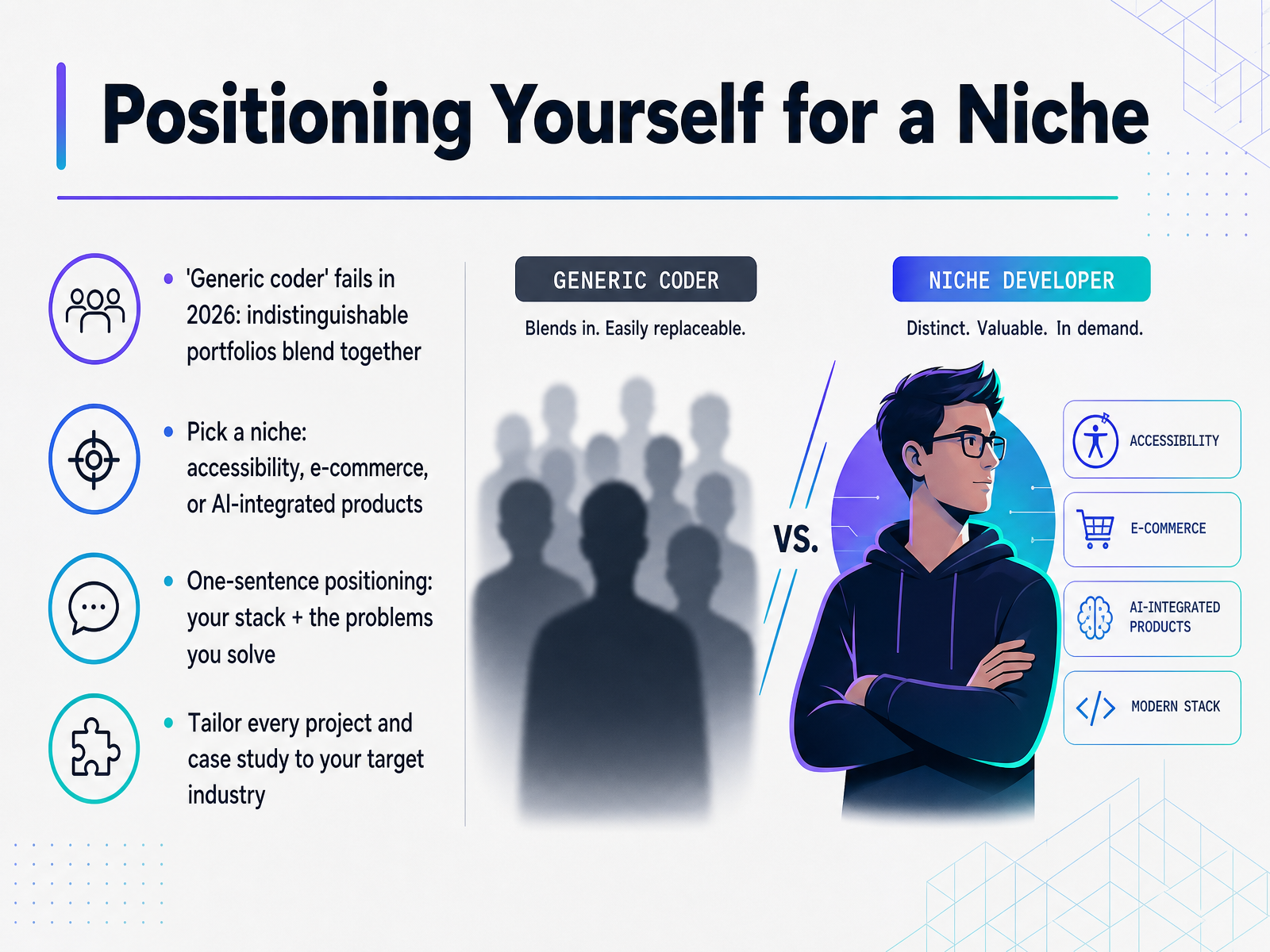
 - 03Positioning Yourself for a NicheLet's talk about positioning. In 2026, a generic coder portfolio is nearly invisible. When every candidate shows the same three tutorial projects, hiring managers can't tell you apart. Choosing a niche changes that. You might focus on accessibility, e-commerce, or AI-integrated products. That focus is your signal. It tells a hiring manager what problems you can solve before they even read your resume. Craft a one-sentence positioning statement. Something like, I build accessible React interfaces for healthcare teams, or I develop e-commerce stores with Next.js. Your stack is your tool, and the problem is your value. Then make every project in your portfolio support that story. If you say you care about accessibility, your case studies should highlight semantic HTML and keyboard navigation. If you target e-commerce, show a project with real checkout flow. Your niche narrows your audience, but it deepens your impact. A focused portfolio beats a scattered one every time. Next, let's talk about choosing projects that prove your ability.
 mfc-portfolio.vercel.appmiddlehost.comweb-developer-portfolio-delta.vercel.app+21 min
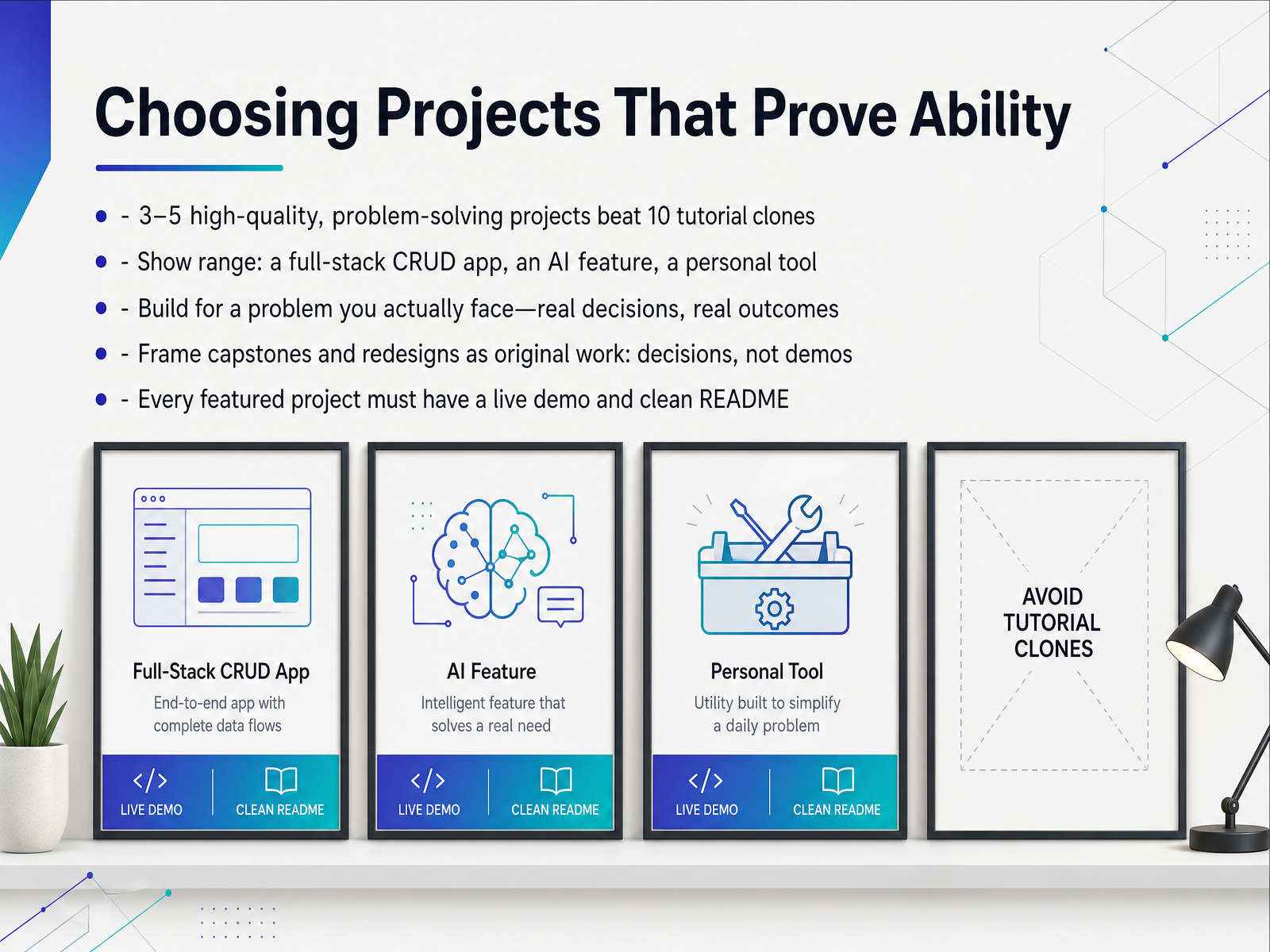
 - 04Choosing Projects That Prove AbilityLet's talk about which projects actually earn a spot in your portfolio, because this is where quality truly beats quantity. Hiring managers spend only minutes on a first review, so three to five well-crafted, problem-solving projects will always outperform ten tutorial clones. The goal is to show range. Include a full-stack CRUD app to demonstrate database and auth skills, something with an AI feature to show you understand modern tooling, and a personal tool that scratches your own itch. That last one is important, because real problems create real decisions, and real decisions are exactly what interviewers want to discuss. If you have a bootcamp capstone, you can absolutely include it, but frame it as original work by explaining the technical choices you made. The same goes for redesigns. Present the decisions, not just the final screens. Now, a non-negotiable rule: every featured project needs a working live demo and a clean README that explains the why behind your architecture. Next, let's look at structuring a compelling case study for each one.
 techversions.comscrimba.comstudentperks.dev+22 min
 - 05Structuring a Compelling Case StudyNow let's get into the heart of your portfolio: the case study. Because that's what separates a list of links from a genuine proof of work. The structure to remember is this: problem, constraints, approach, tradeoffs, outcome, and reflection. When you lay it out this way, you're doing two things at once. You're showing a hiring manager your technical depth, while keeping it readable for someone non-technical who might review your application first. And don't hide the messy parts. Document the edge case that broke your app, or the database choice you regretted. That self-awareness is the signal of senior-level thinking. You should always explain the 'why' behind your choices, not just describe what you built. This matters because a reviewer can read your code, but they can't read your mind. Your case study is where that thinking comes to life. If your only projects are bootcamp capstones, that's fine. Frame them as original, decision-driven work. Drop the classroom language, lead with the problem you solved, and show how your judgment shaped the final product. Now let's look at designing the page for that crucial first impression in the 55-second scan.
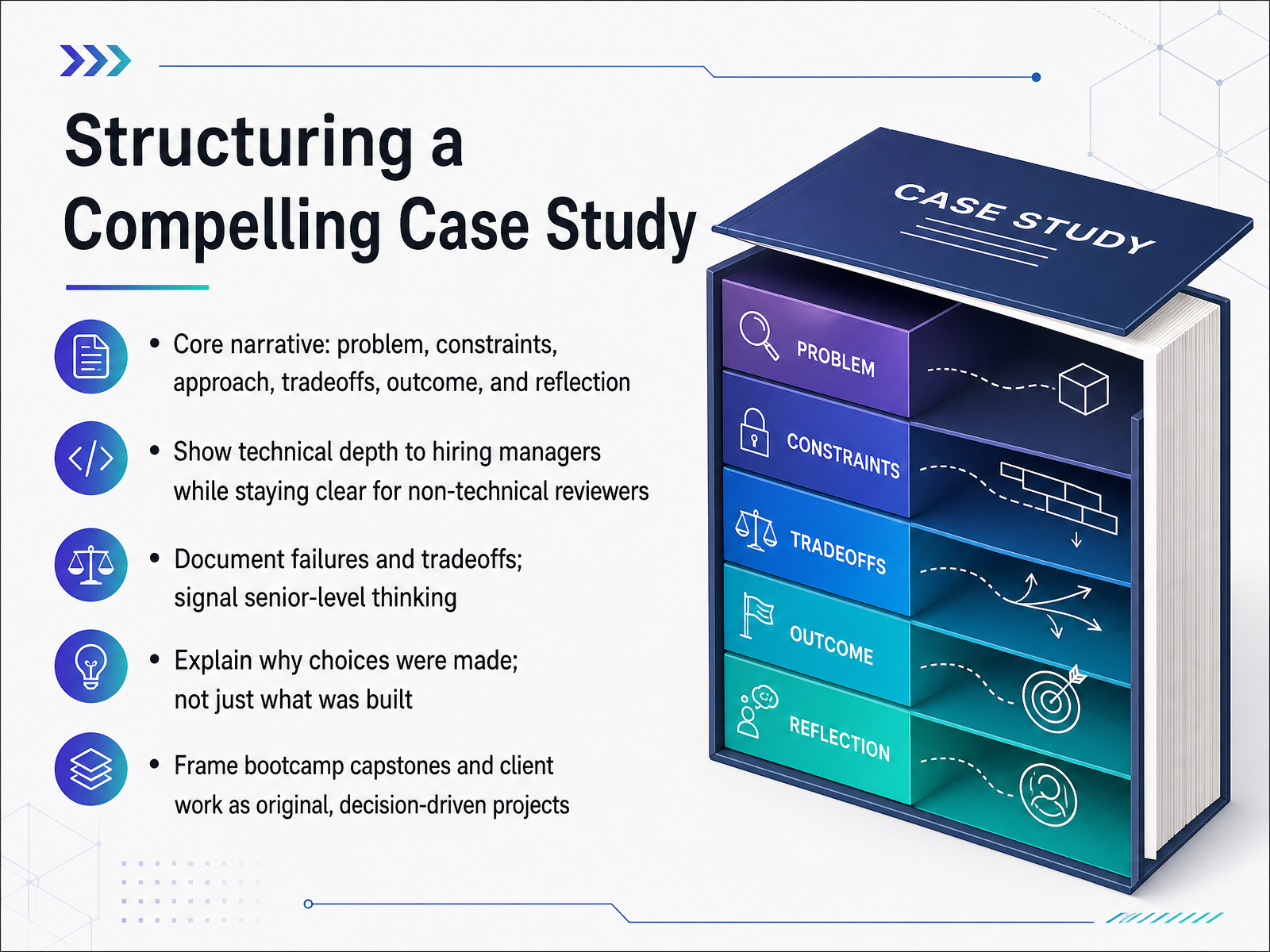 techversions.comscrimba.comstudentperks.dev+21 min
 - 06Designing for the 55-Second ScanNow let's talk about the reality of how your portfolio gets read. Most reviewers will spend about fifty-five seconds on their first pass. That means your design has to communicate instantly. Simple, fast, and legible will always beat creative flair, because clarity is the signal that you respect the reviewer's time. Lead with your best two or three projects right at the top. Don't make them hunt for your strongest work. Before you publish, test on a real phone, not just the browser resize. Run through the whole page with keyboard only, and check your contrast. Your goal is a Lighthouse score of ninety or higher, with an LCP under two and a half seconds, and zero layout shift. For accessibility, target a perfect hundred, and confirm it with the Axe DevTools. These numbers are not vanity metrics. A reviewer who opens DevTools and sees a low score on your own site will doubt everything else you claim. Think of this as a live technical interview with a machine. Every millisecond and every accessibility violation is evidence of how you build. Next, we'll walk through the actual stack and tools you can use to hit these targets when you build and deploy the site.
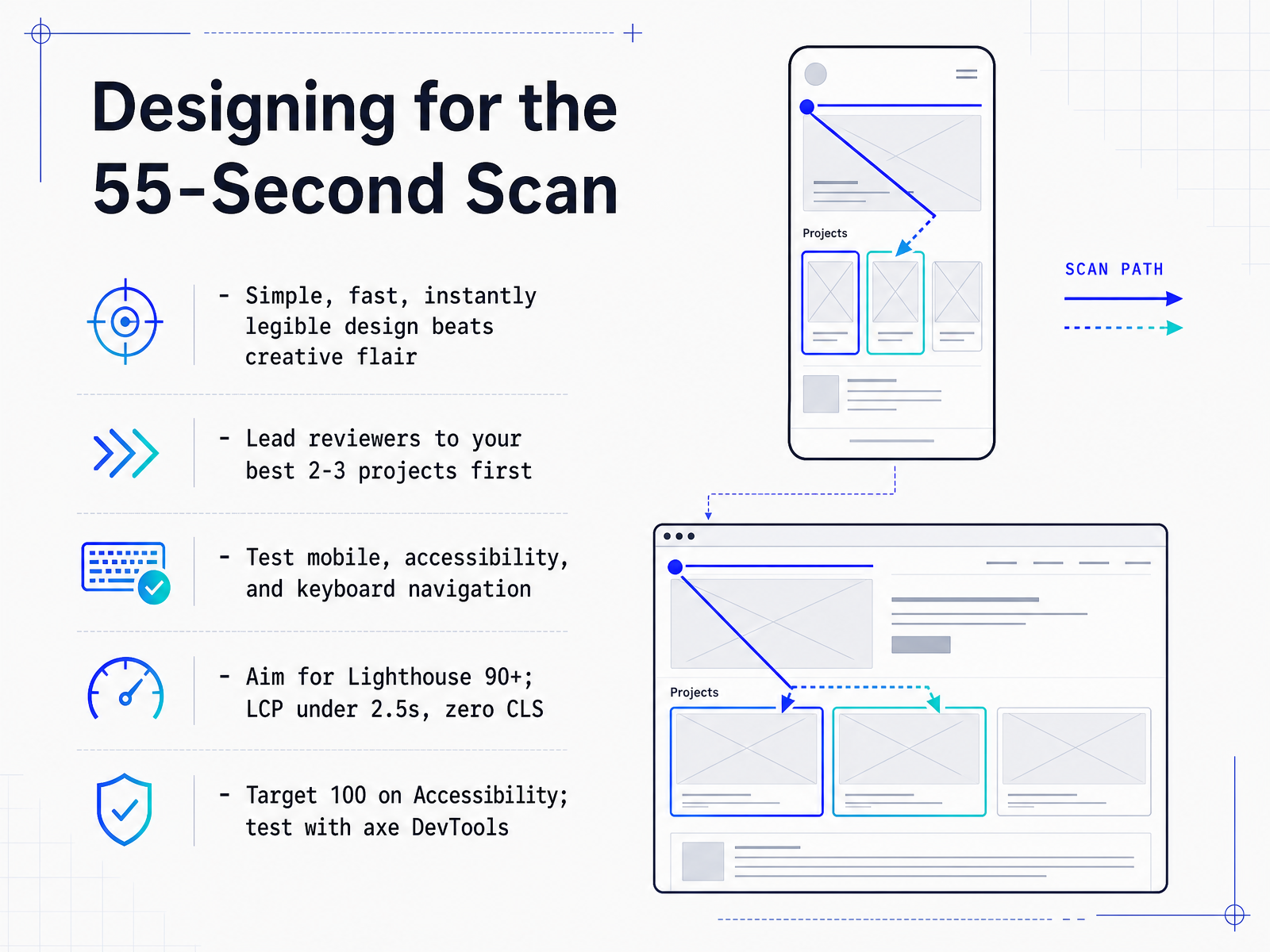 showproof.iopopout.pagemonotonomo.com+22 min
 - 07Building and Deploying the SiteNow let’s talk about getting your work out there. You want a stack that matches the job you’re aiming for. If it’s a front-end role, a static site or a lightweight framework like Next.js or Astro shows you care about performance. The good news is hosting is free on Vercel, Netlify, GitHub Pages, or Cloudflare Pages, so you have no excuse to keep that work hidden. Connect a custom domain—it looks far more professional to a recruiter than a long default URL, and your host provides the HTTPS for free. Add a form through something like Formspree so people can actually reach you, and keep an eye on your Core Web Vitals. Lazy-load images, compress everything, and ship as little JavaScript as you can. A fast site is a silent testimonial to how you build things. Remember, a polished, quick-loading portfolio beats an overloaded one every single time. Up next, we’ll look at making GitHub work for you.
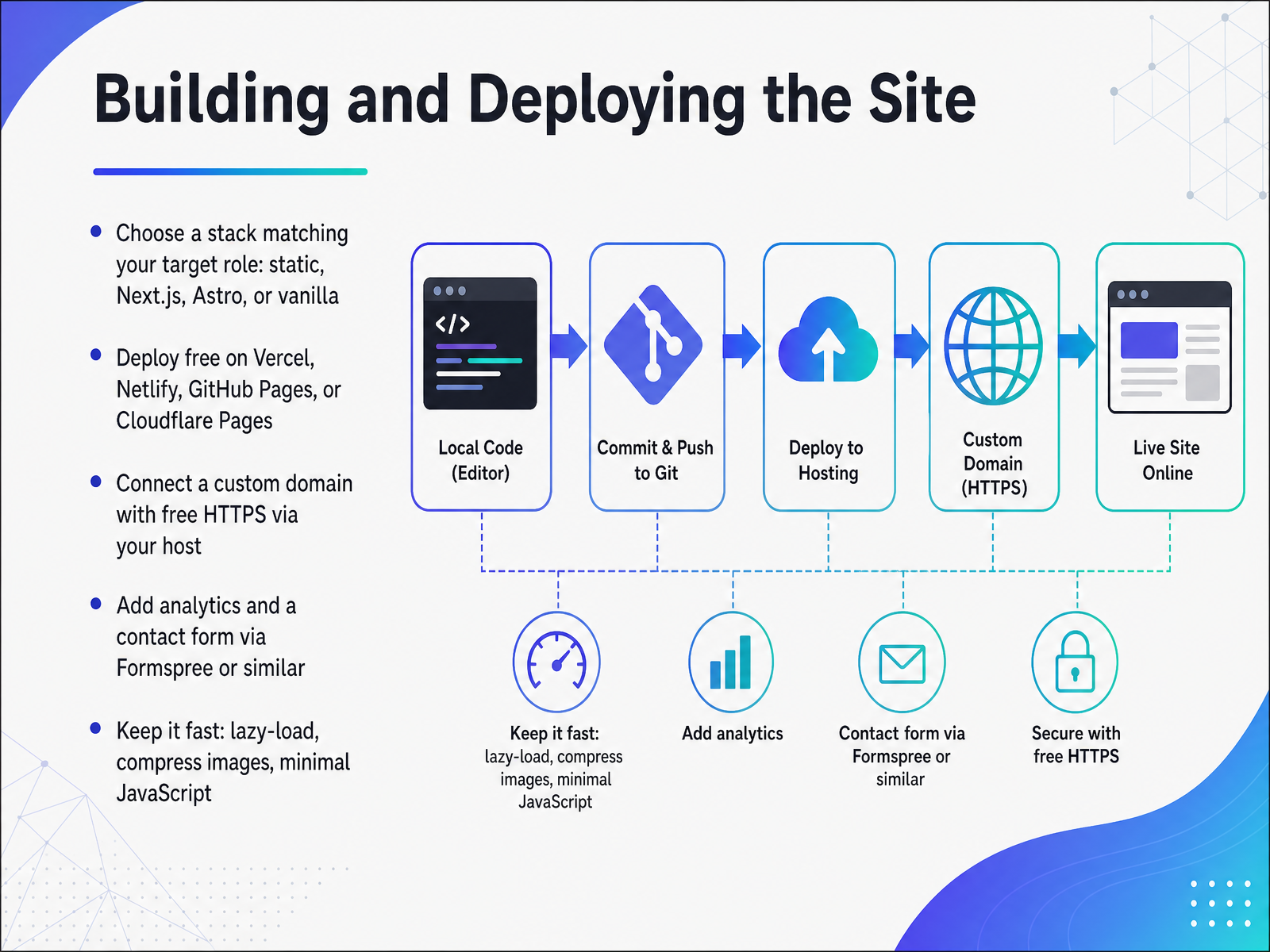 showproof.iopopout.pagemonotonomo.com+22 min
 - 08Making GitHub Work for YouNow let's make sure GitHub is actually working for you. Here's what recruiters see when they click that link. First: your pinned repos. That's your highlight reel, so pin only your best work. Six strong projects beat forty abandoned ones, every time. And each README needs a real problem statement plus a live demo link. That demo is the single biggest credibility boost, because it proves the thing actually runs. Next, check your commit history. Clean, incremental commits show consistency and care. One giant initial commit dump tells a different story. And don't forget your profile README: the repo named after your username. Treat it like a recruiter-facing cover letter. Say what you build, link to your best work, and keep it short. One more tip: if any repo is a tutorial clone or an unfinished experiment, archive it or unpin it. Recruiters do notice. Now with GitHub polished, let's look at how your About page can build trust with the same readers.
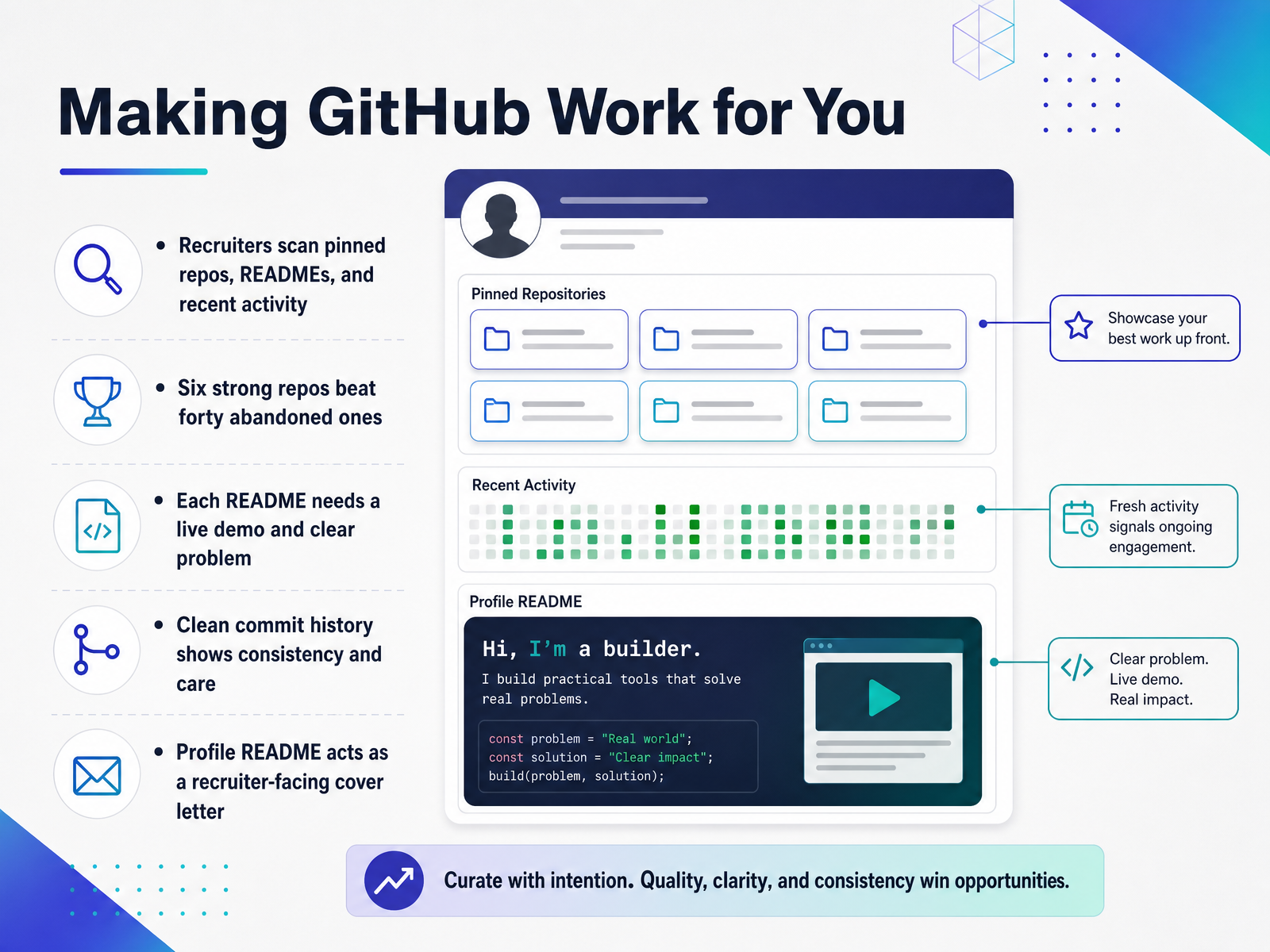 deploypages.comklausbuilds.hashnode.devmagic-self.dev+21 min
 - 09Writing an About Page That Builds TrustNow let's talk about the About page, because this is where a lot of portfolios lose momentum. Keep it tight: two to three sentences. Who you are, what you focus on, and what you are looking for. That is it. Think of it as the opening line of a conversation, not your full life story. Show trajectory, not perfection. If your first project was a static site and your latest is a full-stack app with authentication, say that. It signals you are learning and shipping. Trying to sound like a senior developer when you are not will only backfire in the interview. Hiring managers expect juniors to be honest about their level. Mention your current stack and the specific problems you like solving. For example, I build React frontends that connect to Node APIs. That tells someone if you fit their team before they even look at your code. And keep your contact simple: email, GitHub, and LinkedIn. A contact form is an extra barrier that rarely gets checked, so skip it. Finally, end with a clear call to action. Something like, I'm currently open to junior developer roles and would love to chat about your team's projects. That makes the next step obvious. So, an About page that is short, honest, and direct will do more for you than a long biography ever will. Next, we will look at how to use your portfolio when you start reaching out to companies and applying for roles.
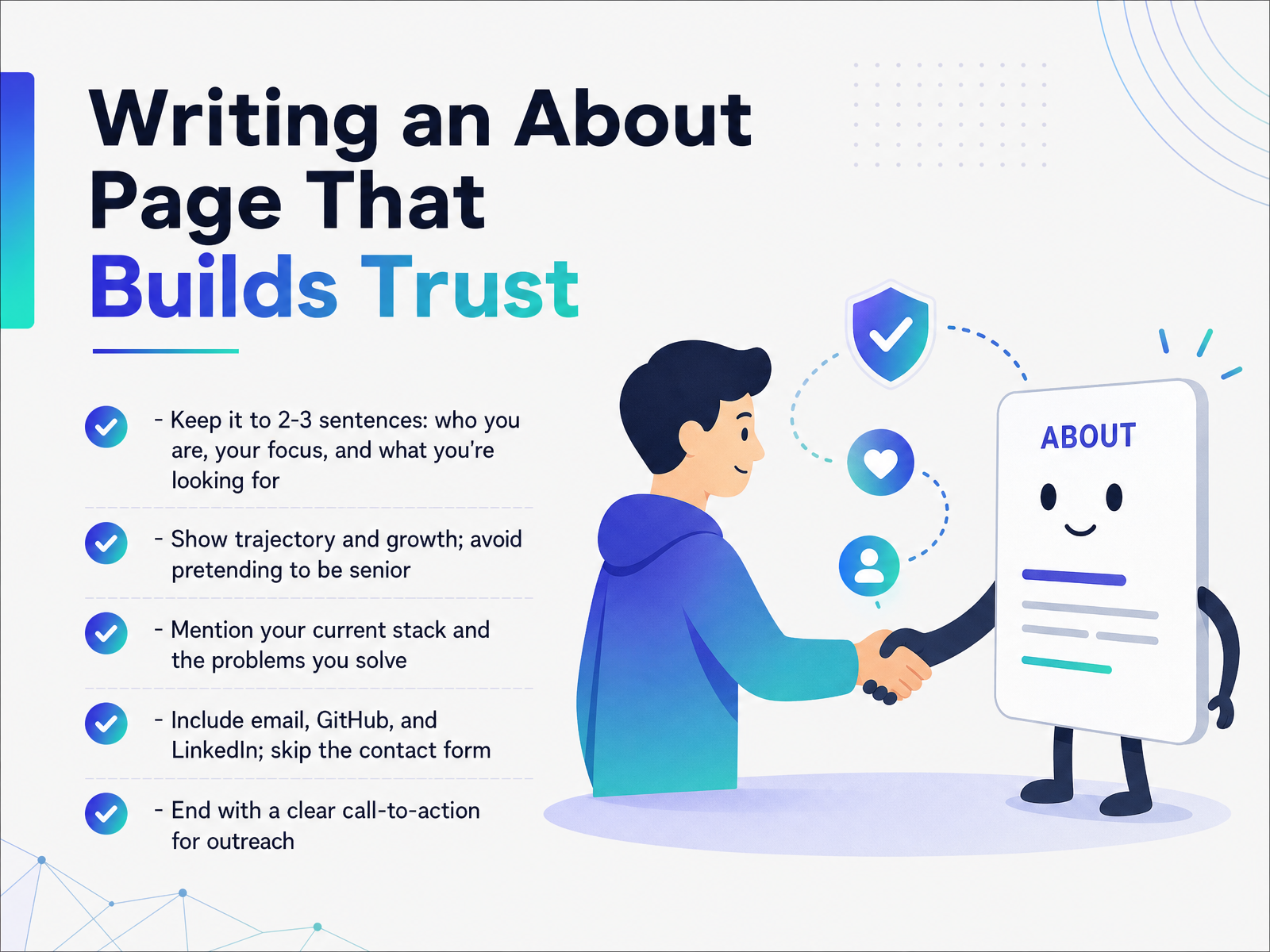 techversions.comscrimba.comstudentperks.dev+22 min
 - 10Outreach and Applying with a PortfolioOutreach and applying with your portfolio. That's where the real work starts. Your portfolio URL belongs at the top of your resume, right next to your email, and on your LinkedIn profile. Don't bury it. Make it impossible to miss. And when you send a cover letter, name two or three specific projects that match the role. Don't make a recruiter guess which ones matter. Say something like, 'The full-stack app I built with authentication and live deployment is exactly what you're asking for.' That directs their attention where it counts. If you get silence or feedback, treat it as data. Maybe the demo link was broken, or the project wasn't relevant enough. Fix it and keep going. And a small thing that builds trust: keep project titles and URLs identical everywhere. Your resume says 'Task Tracker,' your LinkedIn says 'the task manager,' and your GitHub says 'todo-app' — that inconsistency makes a recruiter pause. Consistency signals care. So before you hit send on any application, open your resume, LinkedIn, and portfolio side by side. Make sure the story is one story. Now, let's talk about reviewing and improving your portfolio over time — because it's never really finished.
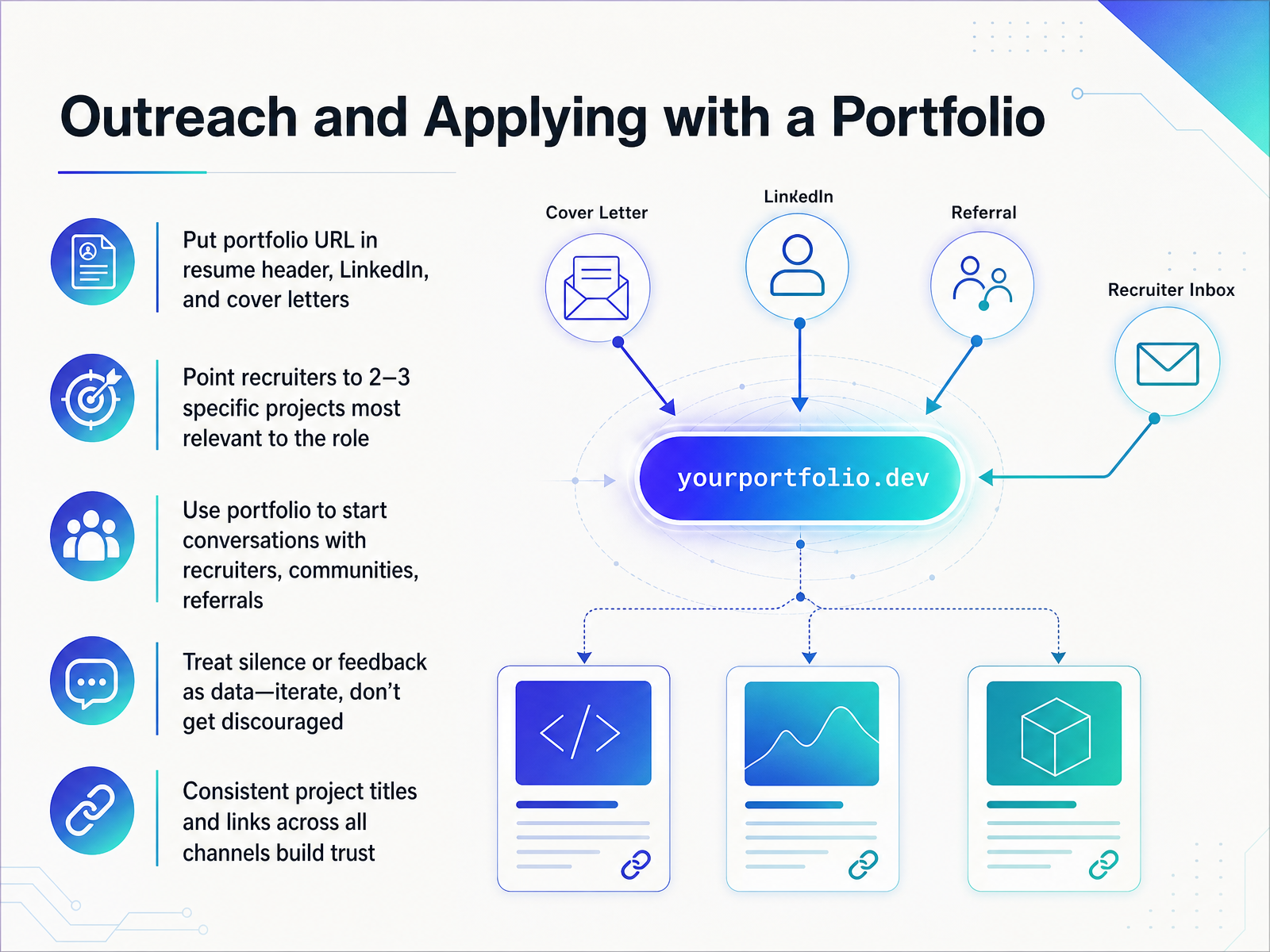 studentperks.devshowproof.ioscrimba.com+11 min
 - 11Reviewing and Improving Over TimeLet’s talk about keeping your portfolio alive, because a stale one quietly undermines you. Hiring managers notice when your last commit was six months ago. So, treat your portfolio like a product you maintain, not a project you finished. Put a monthly review on your calendar. Check your live demos, click every link, and look at your analytics. See which case studies people actually read. If a project is being skipped, ask yourself why. Maybe the title is vague, or the demo is slow. Small fixes beat redesigns every time. Update a case study, fix a broken link, refresh a demo. Watch for stale warnings too. Outdated skills, dormant projects, or a tech stack you no longer use. A full redesign is only worth it when your portfolio fails to represent your current skills. Otherwise, you are just rearranging furniture. Remember, a portfolio that shows active, incremental improvement signals you are still learning. That trajectory is often more important than the projects themselves. Now, let’s bring everything together with a final checklist you can use before you hit send.
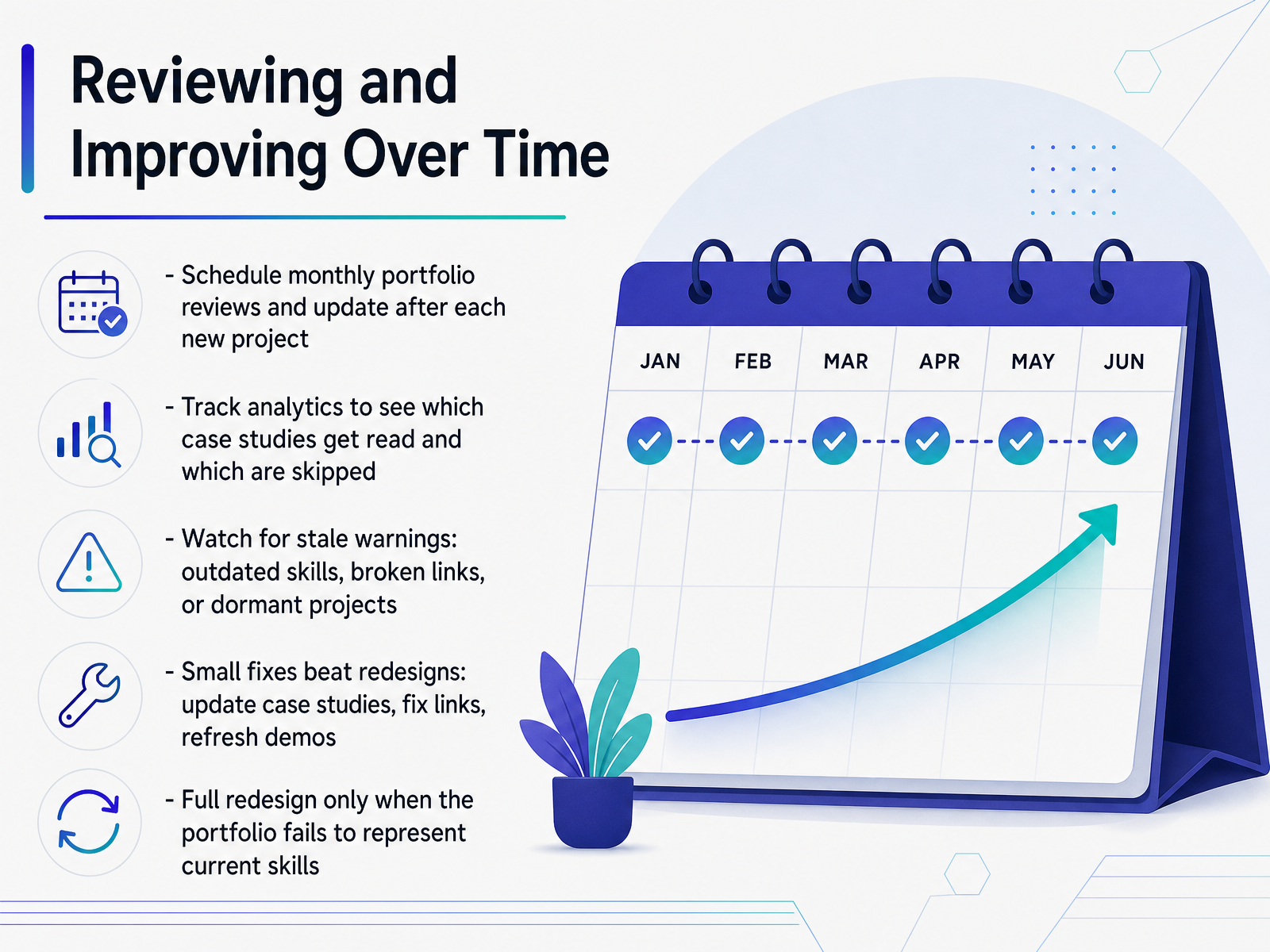 techversions.comscrimba.comstudentperks.dev+21 min
 - 12Putting It All Together: Your Portfolio ChecklistLet's bring everything together with a final audit. Before you share your portfolio anywhere, verify every live demo, README link, and contact method actually works. A broken link on your featured project is an instant dealbreaker. Next, test performance, mobile responsiveness, and accessibility. Run a Lighthouse check, open DevTools, and tab through your site using only your keyboard. Recruiters will test this, so beat them to it. Now try the thirty-second self-scan. Hand your phone to a friend or open an incognito window. Can a stranger find your best project and understand what you built within half a minute? If not, simplify your layout and write clearer headings. For each featured project, confirm the live URL matches the repository, and both are current. Nothing erodes trust faster than demos pointing to outdated versions. Finally, put your portfolio link on your LinkedIn profile and your resume. Don't bury it. Make it impossible to miss. One last thing: a portfolio is a live product, so revisit it monthly. Broken links appear, content goes stale, and new projects deserve a spot. Check it before every application, not just once.
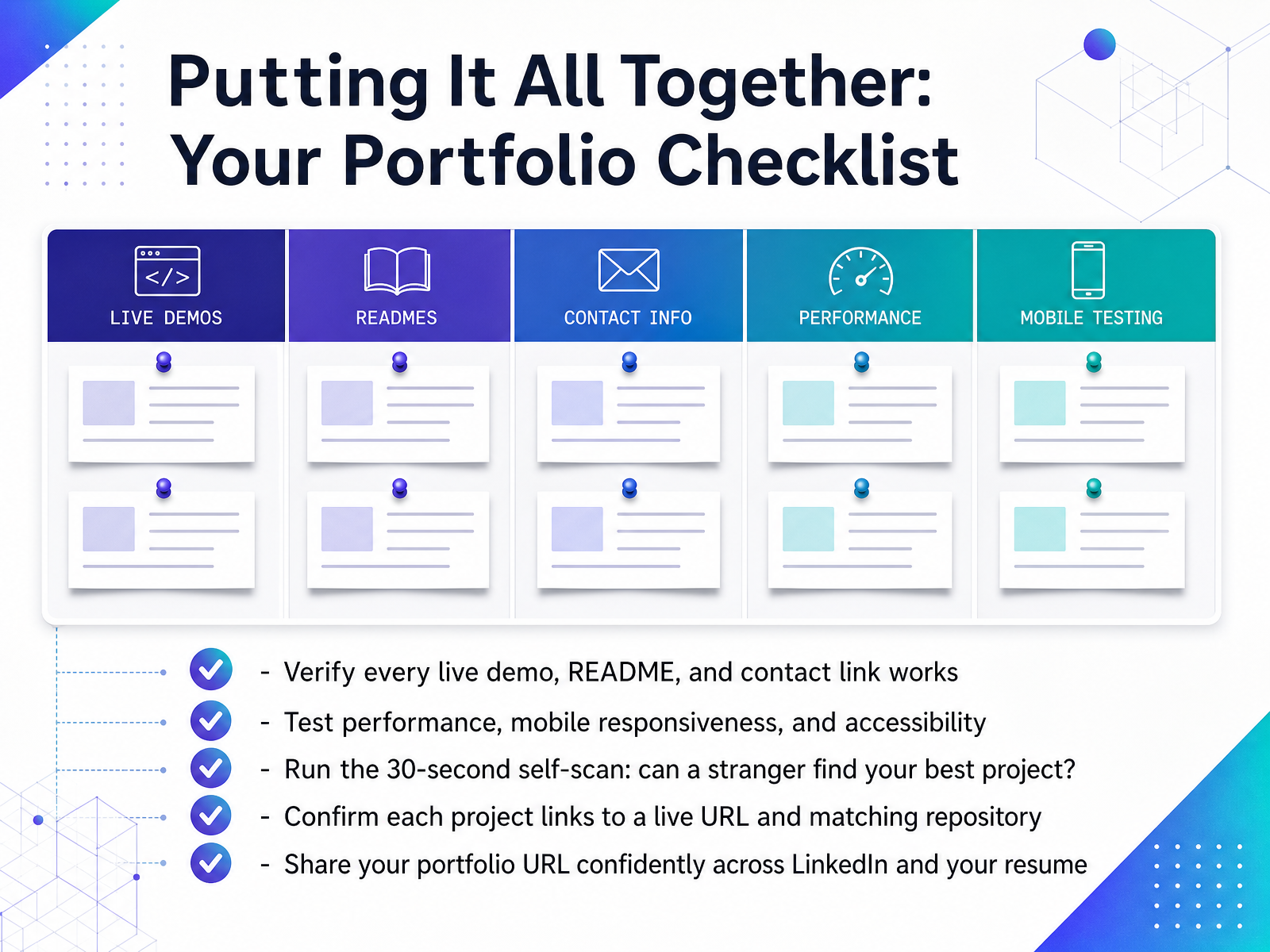 showproof.iopopout.pagemonotonomo.com+21 min
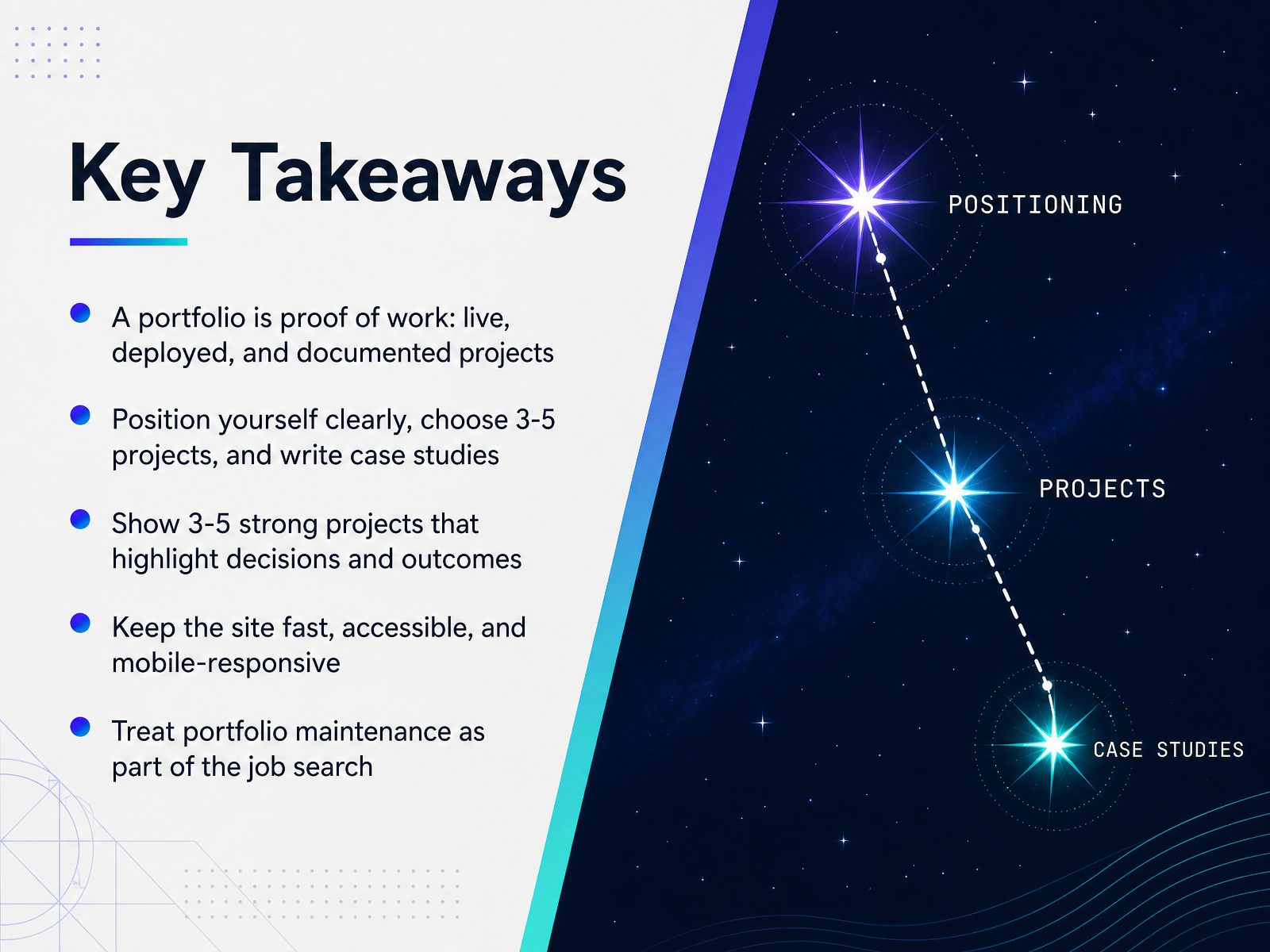
 - 13Key TakeawaysLet’s pull the thread through everything we’ve covered. Your portfolio is proof of work, not a collection of screenshots. It needs to be live, deployed, and documented so a hiring manager can click, explore, and judge for themselves. Position yourself clearly. Choose three to five projects and write real case studies for each. Explain the problem you solved, the technical decisions you made, and the outcome. That depth is what separates a junior portfolio from one that gets interviews. Keep the site fast, accessible, and mobile responsive. Run Lighthouse, test on a real phone, and make sure every link works. And treat maintenance as part of the job search. Add a new project every couple of months, update your GitHub, and keep your commit history active while you’re applying. A portfolio is never finished; it’s a living record of how you think and grow. Now let’s turn this into a concrete plan of action and next steps.
 techversions.comscrimba.comstudentperks.dev+22 min
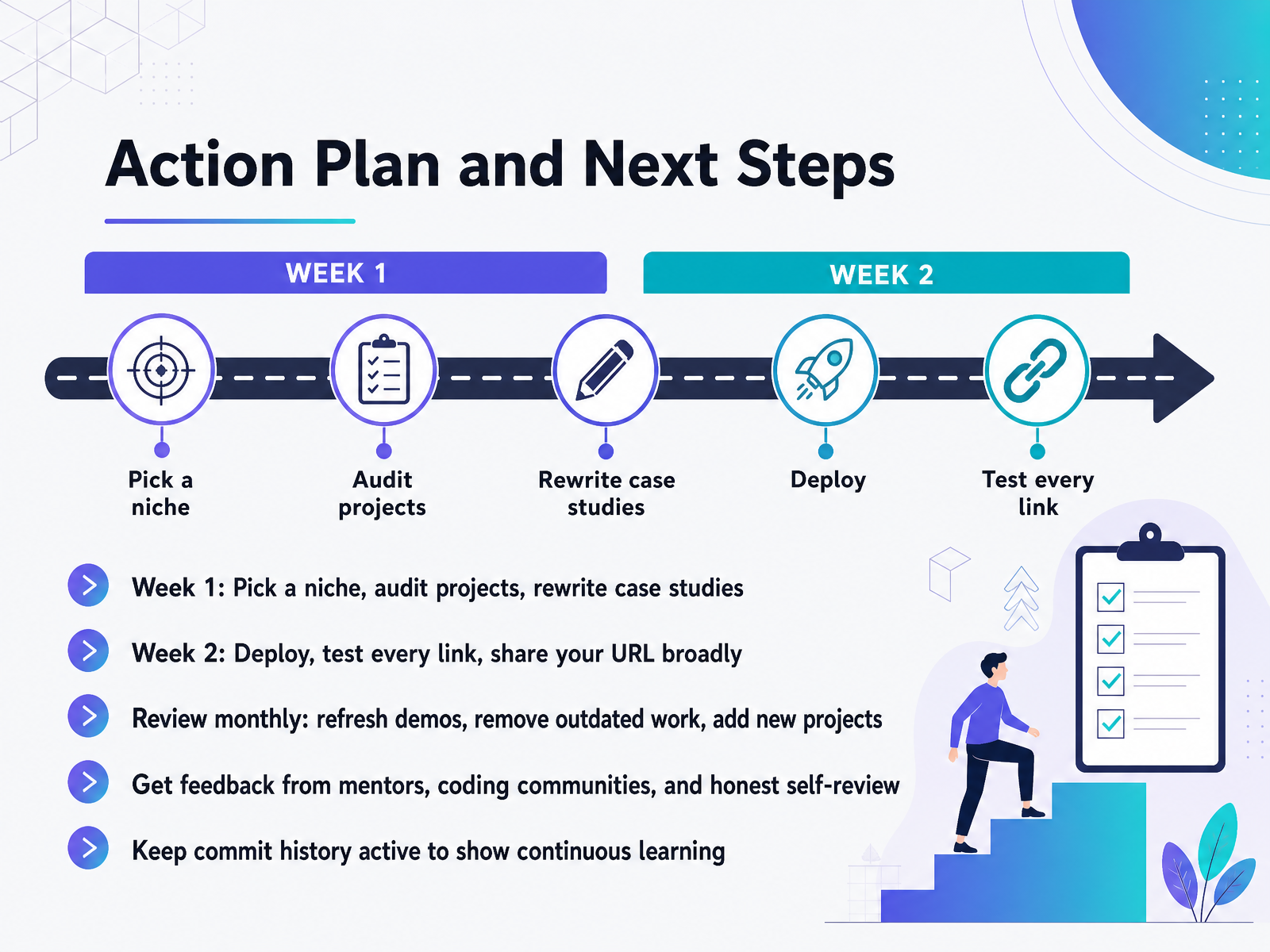
 - 14Action Plan and Next StepsHere is your action plan. Week one: pick a niche and audit what you have. Rewrite your case studies so they tell the story of your decisions, not just your features. This matters because a clear narrative shows reviewers how you think. Week two: deploy everything, test every single link, and then share your URL broadly. Post it on LinkedIn, in coding communities, anywhere you feel a bit brave. A portfolio that isn't seen is just a local file. Then, shift to maintenance. Add a monthly review to your calendar. Refresh demos, remove outdated work, and ship new projects every couple of months. A stale portfolio quietly tells reviewers you have stopped learning. Keep asking for feedback from mentors and honest peers, and do a brutal self-review. Finally, keep your commit history active. Consistent, meaningful commits prove you are building this week, not just six months ago. This is your path. One focused week now, then steady upkeep after. Get that link in front of people, and keep shipping. You have built the foundation; now it's time to show the world what you can do.
 techversions.comscrimba.comstudentperks.dev+22 min
Take the deck with you
Download this course as a file — free, no sign-up needed.
- PDF handoutEvery slide page, ready to print or share.15 pages · 3.3 MBDownload
- Narrated PowerPointThe deck that presents itself — every slide carries the digital human's narration video.15 pages · 14.1 MBDownload
- PowerPoint slidesThe full deck as a .pptx — open it in PowerPoint, Keynote, or Google Slides.15 pages · 3.2 MBDownload
Free to use in your own training — please keep the PersonWise credit page at the end.
Have your own deck? Turn it into a course
Sources consulted
Web sources consulted while building this course.
- Mark Florence Chavez Portfolio — mfc-portfolio.vercel.app
- Web developer portfolio examples: 12 styles you can copy ... — middlehost.com
- Dincher Selimov - Web Developer — web-developer-portfolio-delta.vercel.app
- Full Stack Developer Portfolio | Nikhil Chavan — nikchavan.com
- Jopher Joe Ribo - Web Developer Portfolio — jopherjoeribo.vercel.app
- What Hiring Managers Actually Expect from Beginner Web Development Portfolios in 2026 — techversions.com
- How to Build a Web Developer Portfolio [2026 Guide] — scrimba.com
- How to Build a Developer Portfolio That Gets You Hired (2026) | StudentPerks — studentperks.dev
- Junior Developer Portfolio: What to Show (Even With No Experience) — showproof.io
- Building a Developer Portfolio in 2026: What Actually Gets Attention — hyperskill.org
- Frontend Developer Portfolio: What to Show in 2026 — showproof.io
- Developer Portfolio 2026: Build One That Gets Interviews — popout.page
- Core Web Vitals for Portfolio Sites in 2026: A Pass-Fail Playbook for LCP, INP, and CLS — Monotonomo — monotonomo.com
- How I Built and Optimised my Portfolio to Score 100 on Lighthouse & Page Speed Insight - DEV Community — dev.to
- Developer Portfolio: Showcase Best Practices — topperblog.hashnode.dev
- Free Static Site Hosting | DeployPages — deploypages.com
- Launch a Free Portfolio Site in 30 Minutes — klausbuilds.hashnode.dev
- Best Free Portfolio Websites for Developers in 2026 — magic-self.dev
- matscode/no-code-portfolio — github.com
- Build a Free Portfolio Site with Antigravity and GitHub Pages — A Beginner's Guide | Antigravity Lab — antigravitylab.net