Begin
13 pages · ~26 min
AI Graphic Design Tool Selection
Learn to evaluate and integrate AI tools into graphic design workflows, selecting the right solutions to streamline creative processes and boost productivity.
A digital instructor presents all 13 pages. Hold “Ask” at any point and ask out loud — the answer comes from this course. No sign-up needed.
What you’ll learn
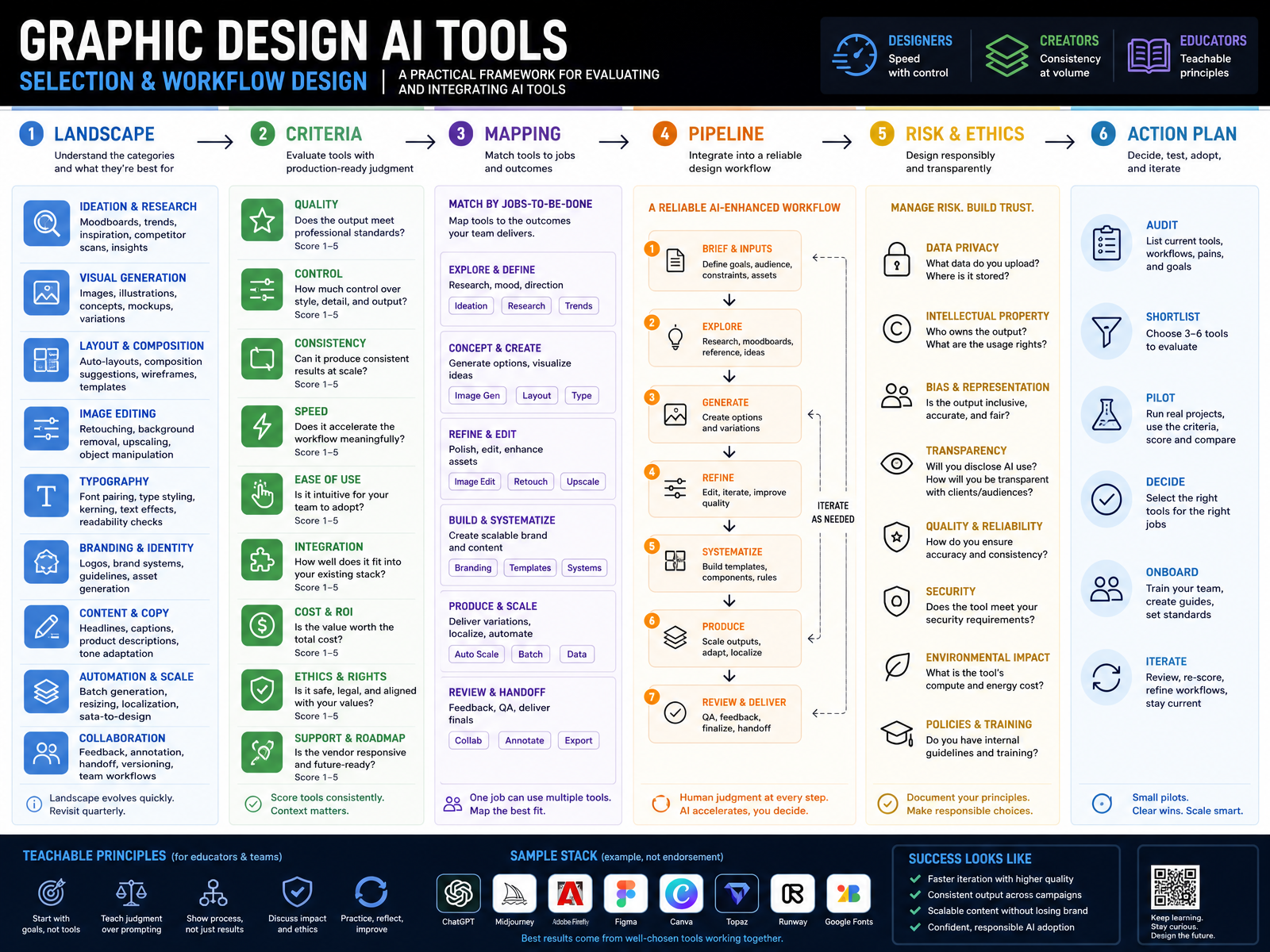
- 01Graphic Design AI Tools: Selection and Workflow DesignWelcome to this session on Graphic Design AI Tools: Selection and Workflow Design. This is not a tool demo. The goal is to give you a practical framework for evaluating and integrating AI into real production work. We will focus on judgment: where these tools genuinely save time, where they introduce risk, and where human direction still carries the load. The lenses we will use map to your different pressures. Designers tend to ask how to gain speed without losing control. Creators working at volume prioritize consistency across hundreds of assets. Educators need principles that transfer, not just prompt recipes. Today's arc moves from the current landscape, through evaluation criteria, then into mapping tools to tasks, building pipelines, managing risk, and ending with an action plan you can take back to your team. To ground us, much of the framework draws on production case studies, including brand-safe generative workflows built within Adobe Firefly and pre-visualization pipelines in Runway. Let's begin by looking at the terrain. Up next: the AI Design Tool Landscape.monks.comrunway.combusiness.adobe.com+22 min
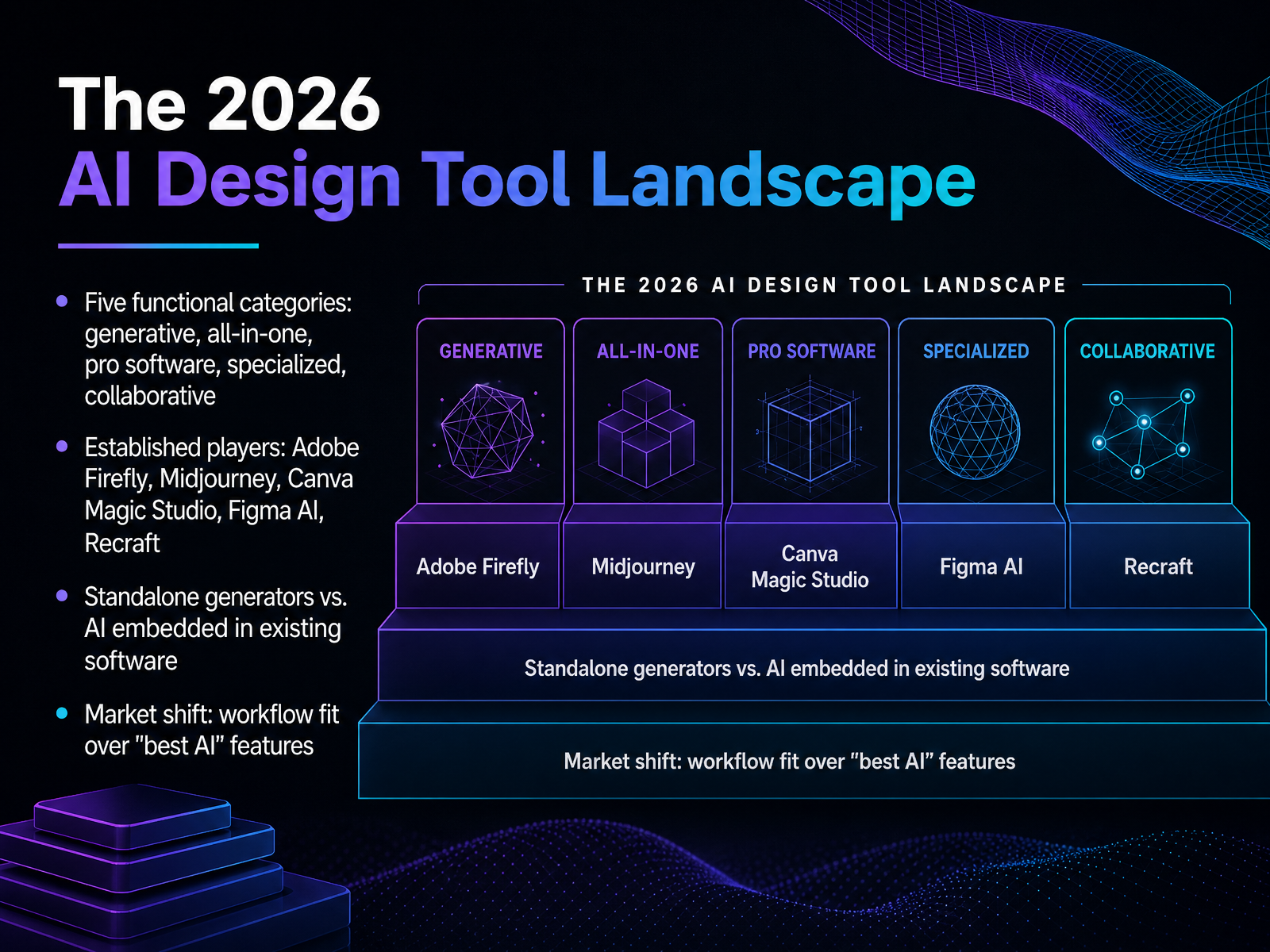
- 02The 2026 AI Design Tool LandscapeLet's zoom out and look at the landscape as a whole. In 2026, AI design tools have settled into five functional categories. There are generative platforms like Midjourney, built for producing standalone images. There are all-in-one suites like Canva Magic Studio, where AI sits inside a template-driven editor. Then you have AI-enhanced professional software, where Adobe Firefly integrates directly into tools like Photoshop and Illustrator. We also see specialized tools like Recraft, which is notable for actually handing you editable vector files rather than flat raster images. And finally, collaborative environments like Figma AI, where generation happens inside the same file your team already works in. The important shift is this: the market has largely moved past the question of which tool has the best model. Multi-model access is becoming standard, so the real differentiator is workflow fit. Are you generating raw assets, or are you producing finished, publish-ready work? That question matters more than any feature spec. Up next, we'll break down these tool categories and their real-world roles in more detail.
 axis-intelligence.compresenc.aiideaplan.io+21 min
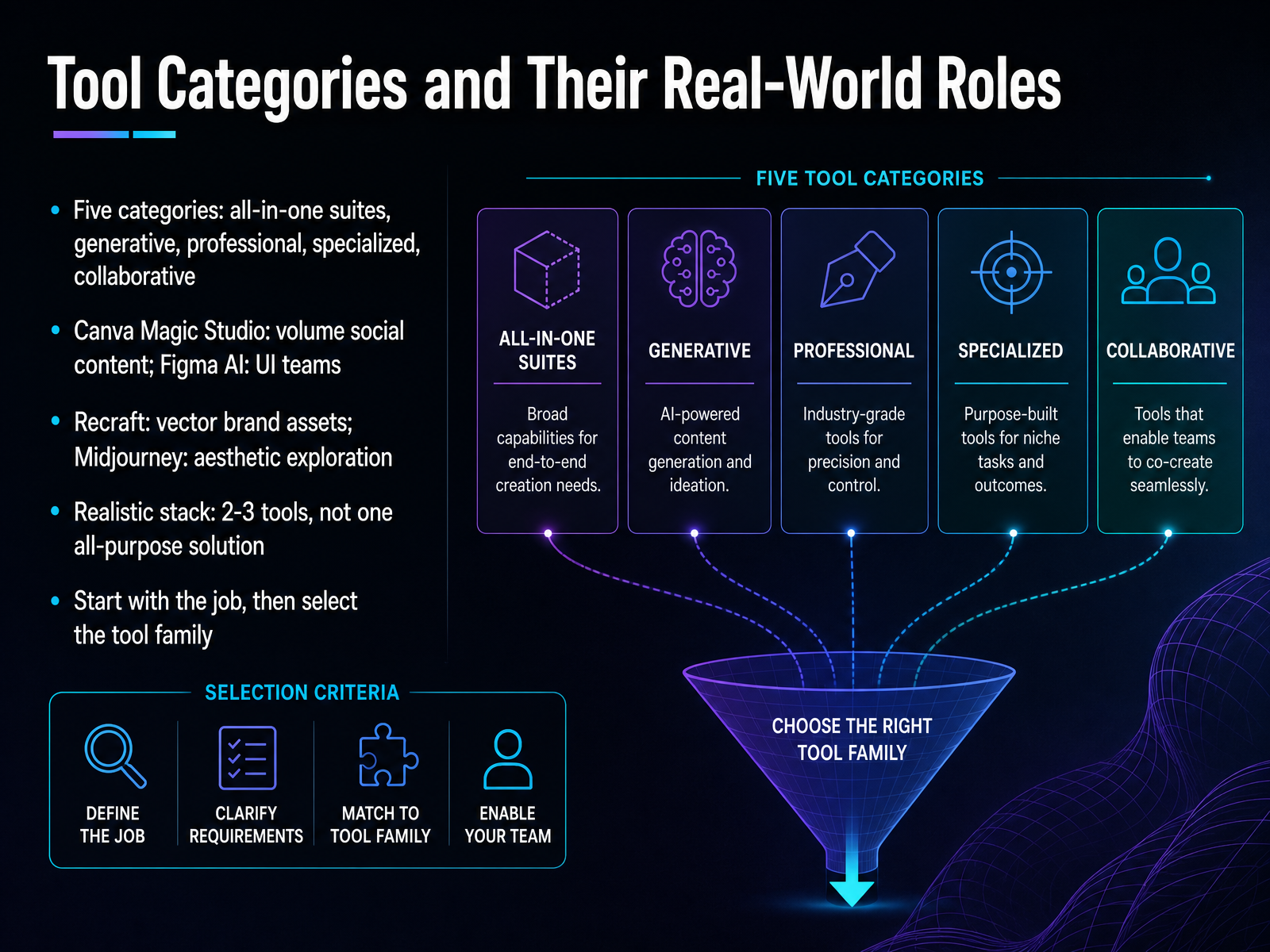
 - 03Tool Categories and Their Real-World RolesNow let's look at the five tool categories and where they actually earn their place. All-in-one suites like Canva Magic Studio handle volume social content and quick branded assets. They're built for speed, not deep craft. Collaborative environments like Figma AI serve product and UI teams, because AI output stays inside the same file your engineers already use. Then you have specialized tools. Recraft is the one that hands you a real editable vector file, which matters the moment a design has to scale for print or packaging. And generative platforms like Midjourney are for aesthetic exploration, mood boards, and hero imagery where visual quality is the deliverable. The point is not to chase one all-purpose solution. A realistic stack is two or three tools, each mapped to a specific job. Start with the work you actually ship every week, then select the tool family that matches it. That decision framing carries directly into our next topic, the selection criteria that separate production-ready tools from everything else.
 axis-intelligence.compresenc.aiideaplan.io+21 min
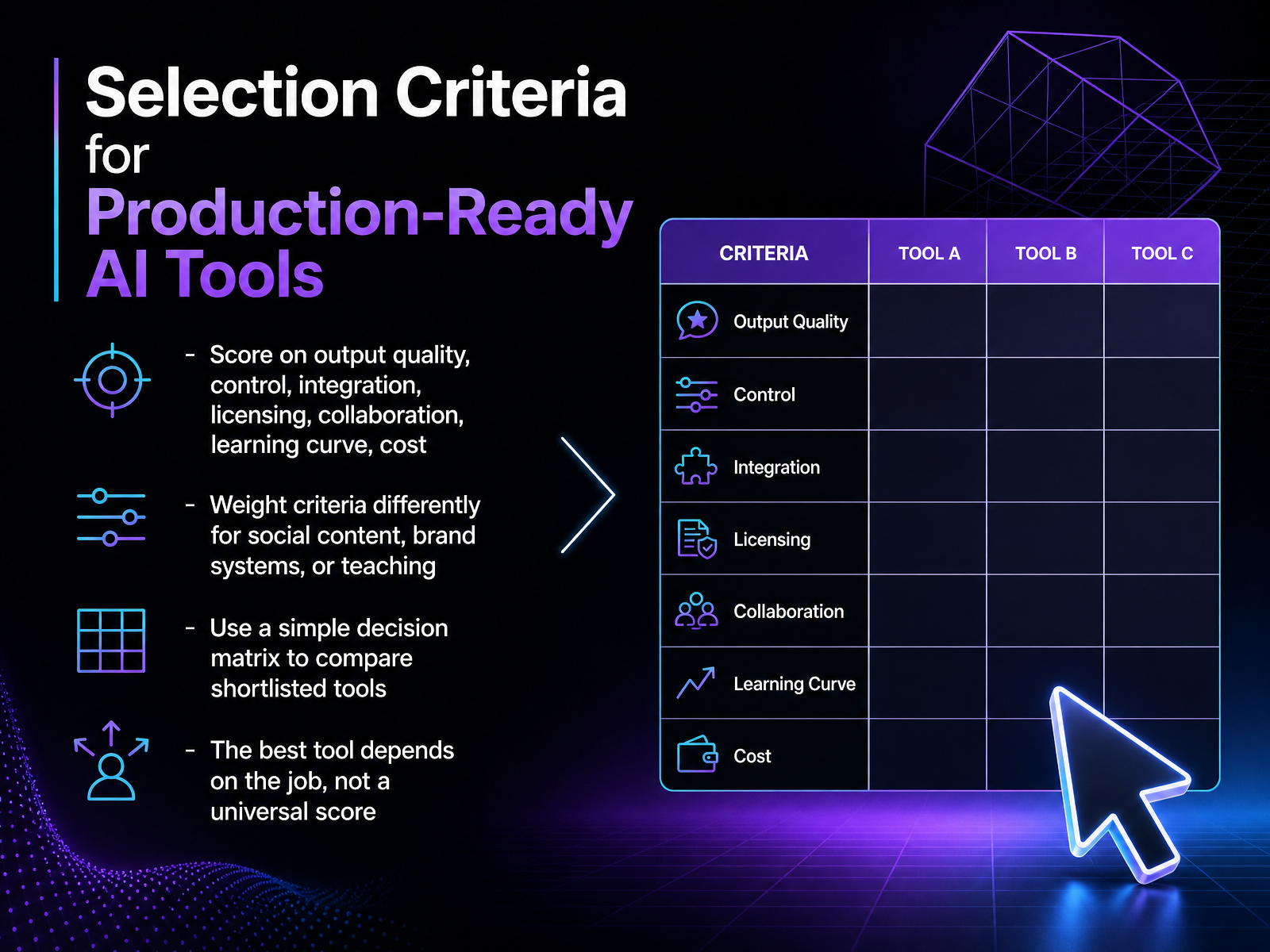
 - 04Selection Criteria for Production-Ready AI ToolsSo how do you actually decide what is production-ready? A single overall score won't help you, because the job changes the requirements. Let's look at seven criteria we can use: output quality, control, integration, licensing, collaboration, learning curve, and cost. The trick is to weight them differently depending on the task. For fast-moving social content, speed and integration might matter most. For a brand system that will live for years, licensing and control become non-negotiable. And for teaching, you might prioritize a gentle learning curve and predictable outputs. A simple decision matrix is your best tool here. List your shortlist down one side, your weighted criteria across the top, and score each. Don't chase a universal winner. Ask instead: which tool scores highest for this specific job. A tool that is perfect for a one-off illustration might be wrong for a quarterly campaign engine. Now, one of those criteria deserves a deeper look on its own. Next, we'll talk about licensing, copyright, and commercial safety.
 recraft.aiideogram.aiadobe.com+21 min
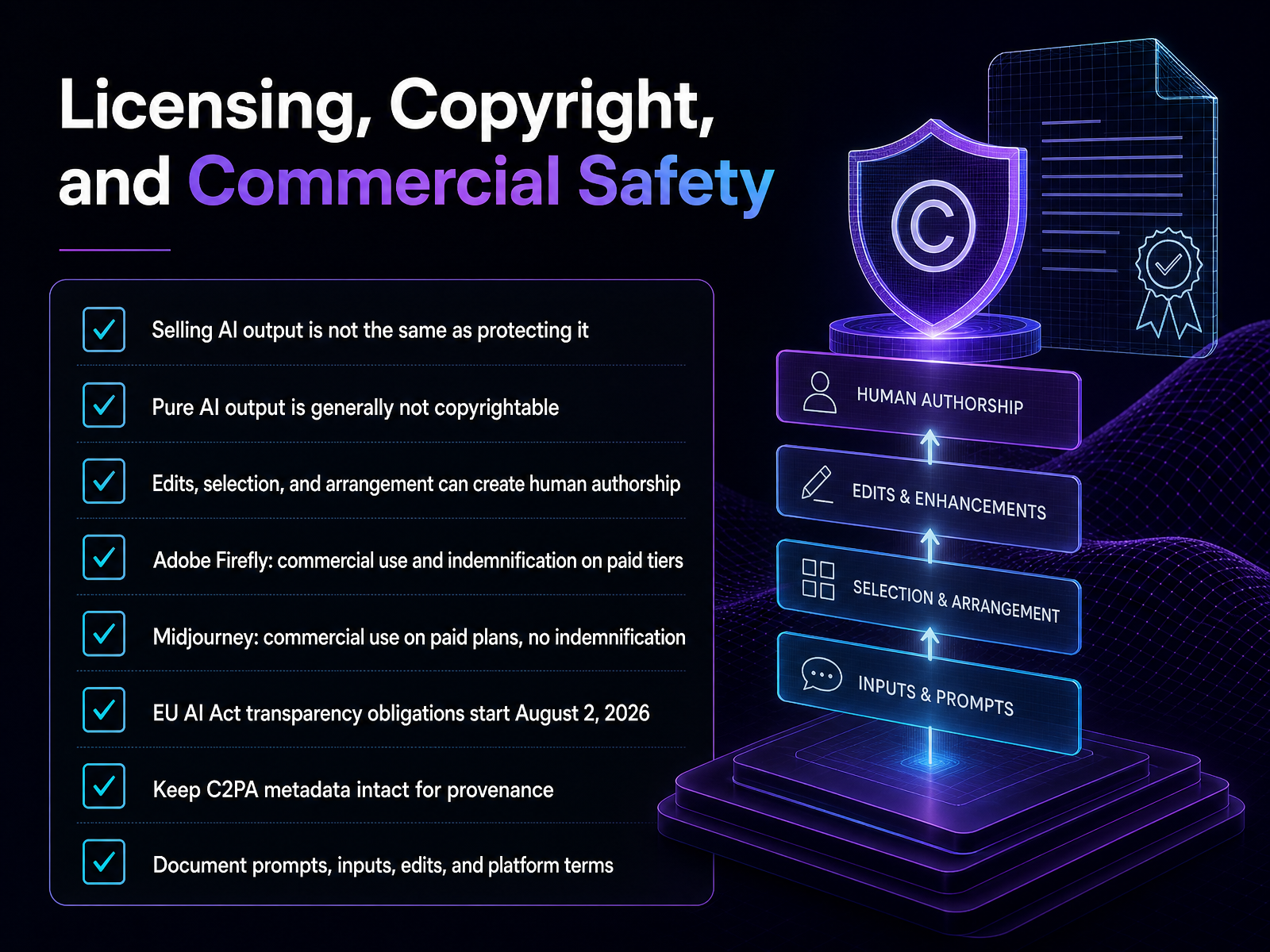
 - 05Licensing, Copyright, and Commercial SafetySo let's move from choosing tools to the less exciting part that still determines whether you can actually ship the work. Selling AI output is not the same as protecting it. Pure prompt-to-image output is generally not copyrightable on its own. But your edits, your selection, and your arrangement can create human authorship. That distinction matters most for flagship brand assets where exclusivity is a real requirement. On the platform side, Adobe Firefly offers commercial use and indemnification on paid tiers. Midjourney allows commercial use on paid plans, but without that indemnification. And if you ship work into Europe, remember the EU AI Act transparency obligations start August second, twenty twenty-six. From a workflow perspective, keep C two P A metadata intact whenever a platform embeds it. And document your prompts, inputs, edits, and the platform terms you relied on. That record is your practical insurance. Next, we'll map these tools to the actual graphic design workflow.
 recraft.aiideogram.aiadobe.com+21 min
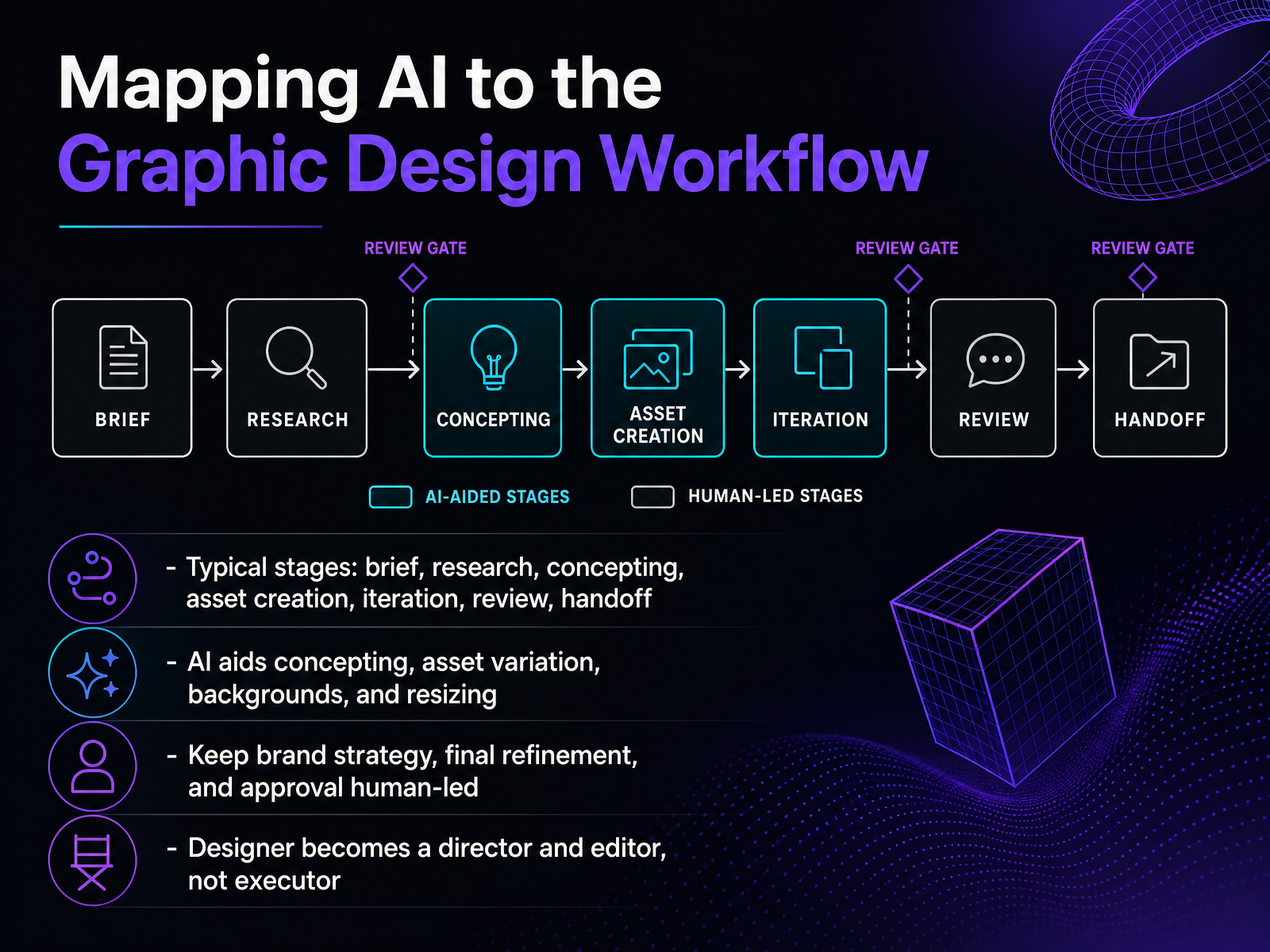
 - 06Mapping AI to the Graphic Design WorkflowLet's map these tools to the workflow we already know. The typical stages are brief, research, concepting, asset creation, iteration, review, and handoff. AI doesn't replace that sequence, it compresses parts of it. During concepting, when you need to explore visual directions quickly, tools like Firefly can generate dozens of variations in minutes instead of days. For asset creation, custom models trained on brand guidelines can produce on-brand backdrops or product pairings at scale. Think of Elmer's using Firefly Custom Models to generate hundreds of slime product backdrops, then pairing those with approved product images. Resizing and reformatting for different channels is another strong fit. What stays human-led is equally important. Brand strategy, final refinement, and approval decisions remain ours. The designer's role shifts from executing every asset to directing and editing what the system produces. You set the brief, define the style lock, evaluate the output, and make the final call. That's the distinction between using AI and being used by it. Let's look next at how to structure a hybrid human-AI production pipeline around that principle.
 monks.comrunway.combusiness.adobe.com+22 min
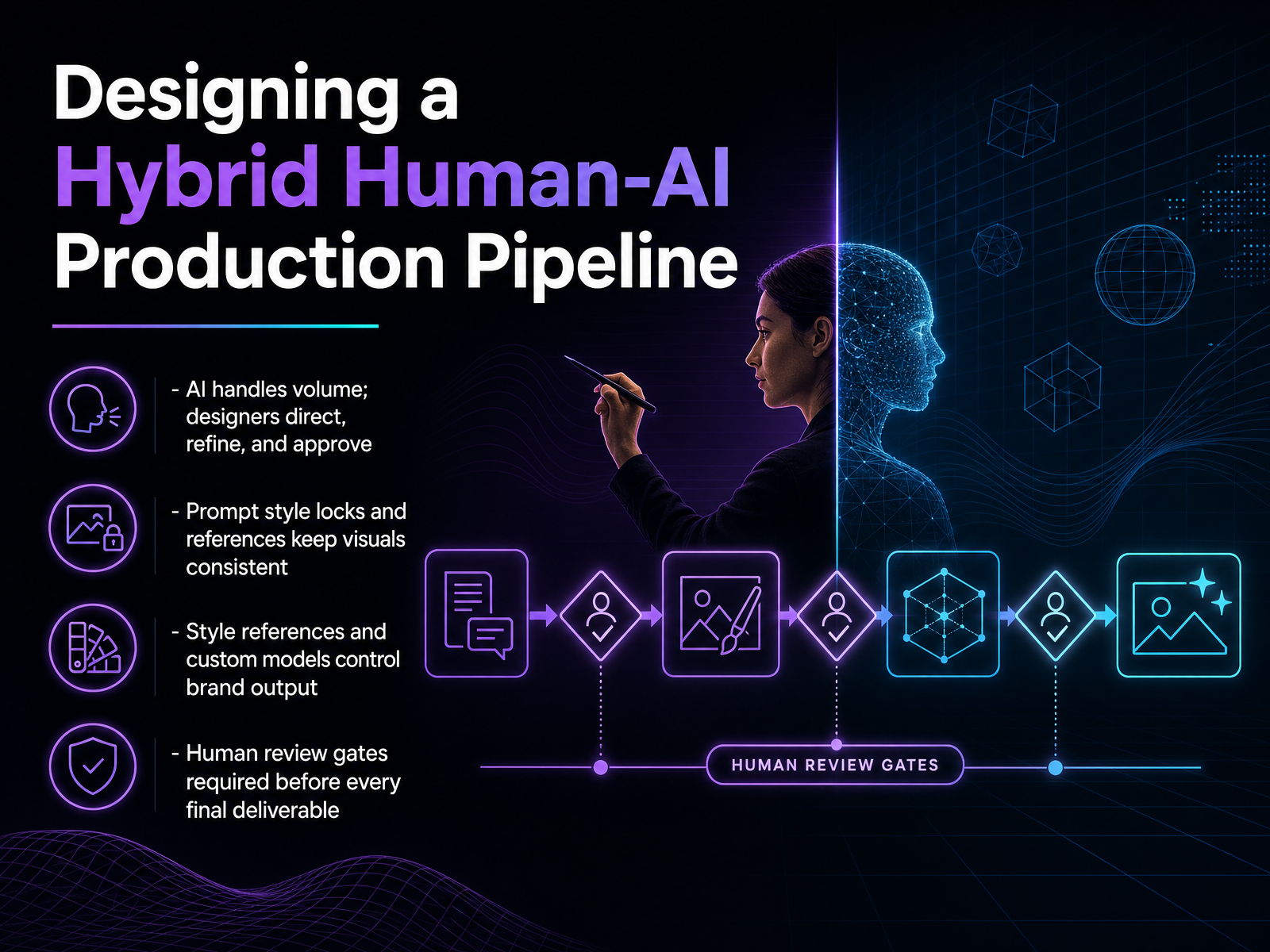
 - 07Designing a Hybrid Human-AI Production PipelineSo now we get to the part where this becomes a real production system, not just a series of experiments. Let's talk about how you design a hybrid pipeline that keeps humans in control while AI handles the volume. The first principle is clean: AI generates at scale, and designers direct, refine, and approve. Think of it like art direction on a shoot. The model produces many options, but your judgment decides what ships. To make that work, consistency is everything. Prompt style locks are your baseline. When you lock down a prompt structure, you prevent drift across dozens or hundreds of assets. References do the same for visual language. If you need a campaign to feel exactly like Lipton's bright yellows against rich blues, a style reference keeps every generation anchored. Custom models take this further. When you train a model on approved brand assets, like TSB did with their Tiny mascot, you turn your visual identity into a reusable constraint. That reduces the back and forth dramatically. But none of this removes the final gate. Human review is mandatory before any deliverable goes out. The AI speeds up production. It does not replace the design decision. Up next, we will look at case studies in AI production workflows, to see these principles working at scale.
 monks.comrunway.combusiness.adobe.com+22 min
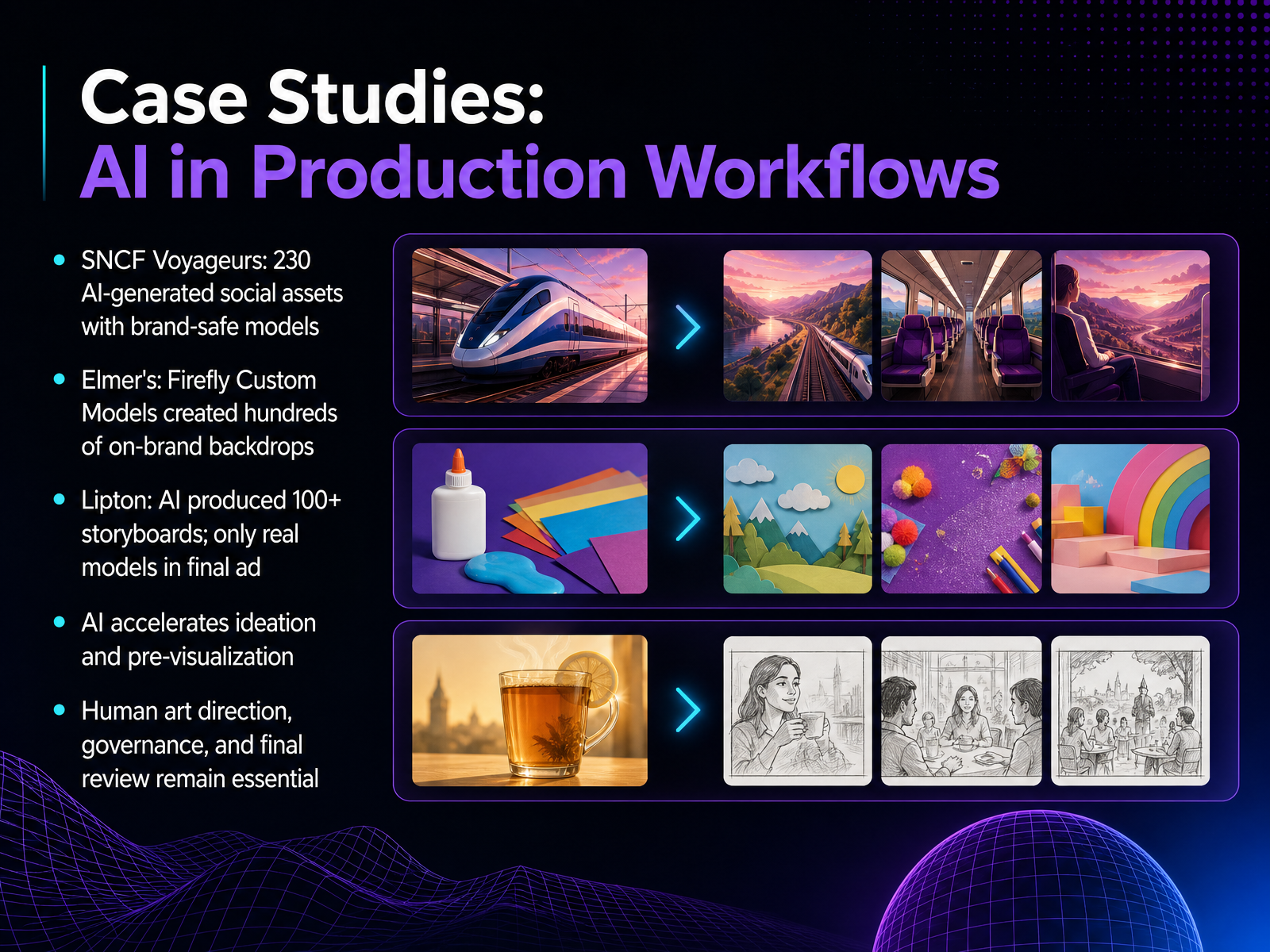
 - 08Case Studies: AI in Production WorkflowsLet's look at how these tools perform inside real production pipelines. These aren't theoretical demos; they are workflows where scale and speed mattered. SNCF Voyageurs needed a high volume of social assets without months of planning. Using custom models with Stable Diffusion, they generated two hundred thirty brand-safe visuals. This shifted the focus from repetitive production to curation and art direction. Elmer's took a similar approach with Firefly Custom Models. By training the model on brand assets, the team created hundreds of on-brand backdrops in days, a process that normally took a month. Here, the AI handled the volume, while designers focused on pairing the generated backdrops with the correct product shots. The Lipton case highlights a different boundary. The team used Firefly to develop over one hundred storyboards for a multi-country launch. They worked through composition and casting direction quickly, but they made a specific call: AI guided the vision, while only real models appeared in the final campaign. The common thread is clear. AI accelerates ideation and pre-visualization, but human judgment still governs the final output and brand safety. Next, we need to address how you manage the risks that come with this speed. Let's move into quality control, ethics, and risk management.
 monks.comrunway.combusiness.adobe.com+22 min
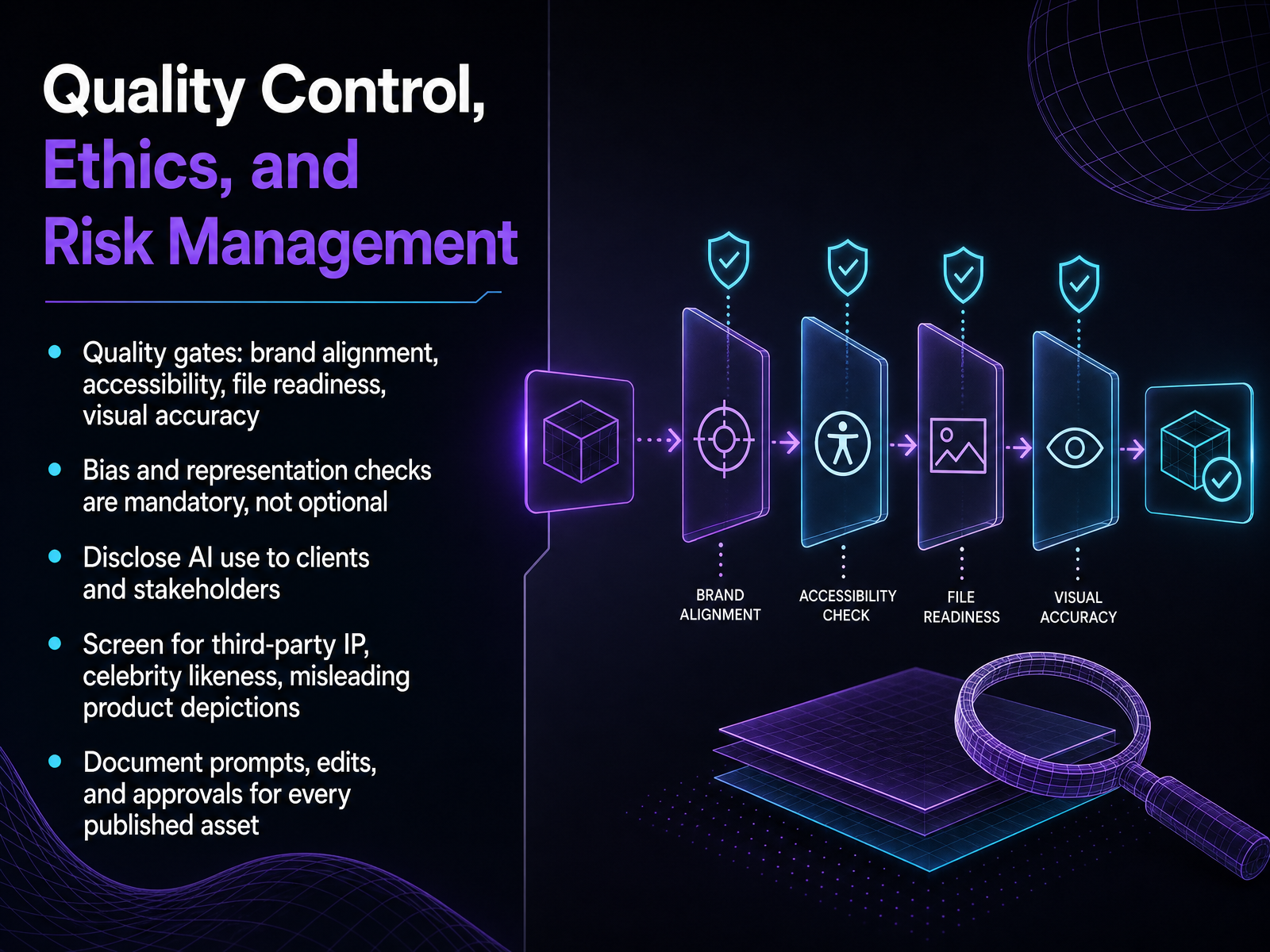
 - 09Quality Control, Ethics, and Risk ManagementNow let's talk about the layer that keeps us out of trouble: quality control and risk management. This isn't about limiting creativity. It is about protecting the work and the brand. First, your quality gates. Every AI output needs to pass brand alignment, accessibility, file readiness, and visual accuracy. These are the same standards you would apply to a junior designer's first draft. Second, bias and representation checks are mandatory. This is not an optional review. Look at who is depicted, how they are depicted, and whether the image reinforces assumptions you do not want associated with your client. Third, disclose AI use to clients and stakeholders. It is simply professional practice. Be direct about how the image was made. Fourth, screen for third party IP, celebrity likeness, and misleading product depictions. AI models are trained on vast datasets, and they can reproduce distinctive styles or faces without you realizing it. A quick check saves you from a copyright dispute or a false advertising claim later. Finally, document everything. Log your prompts, your edits, and your approvals for every published asset. That audit trail is your defense if ownership is ever questioned. Think of this as your production insurance. Now, let's test these decision muscles in a hands-on tool evaluation exercise.
 recraft.aiideogram.aiadobe.com+21 min
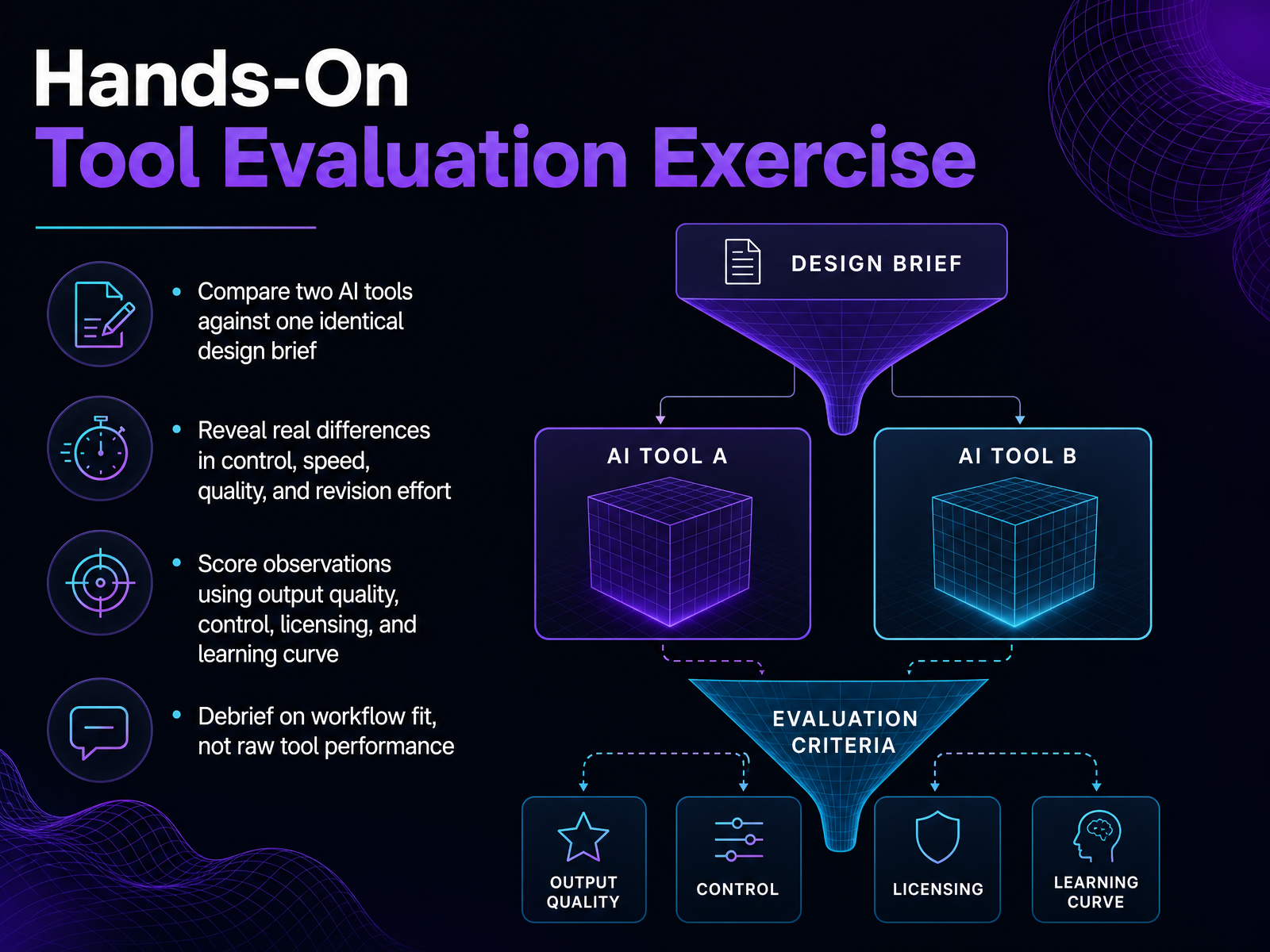
 - 10Hands-On Tool Evaluation ExerciseNow, let's put that evaluation thinking into practice with a focused exercise. The goal here is not to declare a winner, but to see what each tool's strengths feel like in your own hands. So, take one design brief, a real one if you have it, and push it through two different AI tools. Maybe you pair a generalist like Canva Magic Studio against a vector specialist like Recraft. As you work, pay attention to four things: output quality, the level of control you have, the licensing terms for commercial use, and how much effort revision actually takes. You might find one tool gives you a great first draft in seconds, while the other gives you editable structure but a steeper learning curve. Capture those observations. Then, in the debrief, shift the conversation from which tool is better to which tool fits which workflow. That distinction usually matters more. In the next slide, we'll look at how to bring this same evaluation mindset into the classroom.
 resources.rework.comaxis-intelligence.comtoolchase.com+21 min
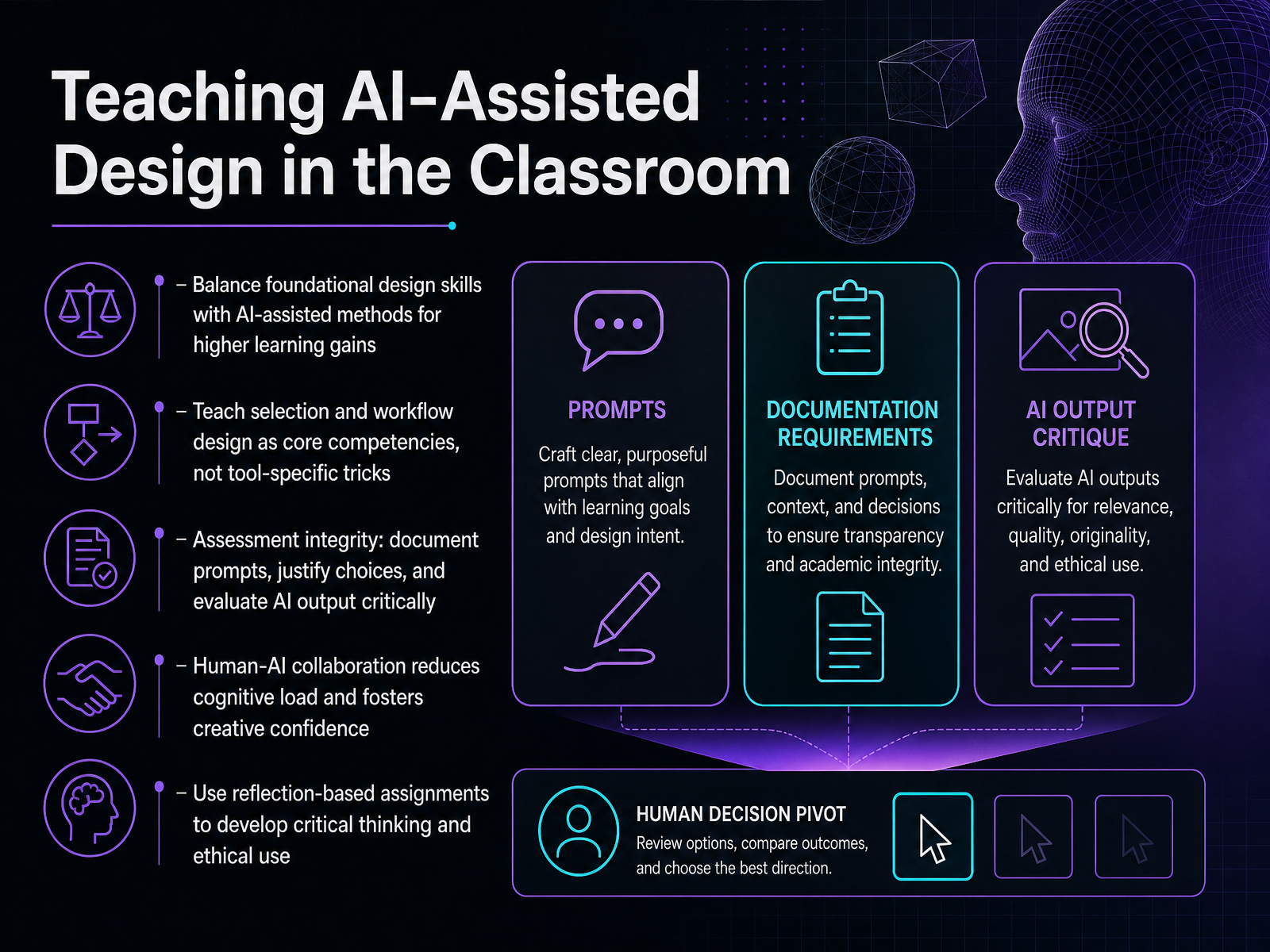
 - 11Teaching AI-Assisted Design in the ClassroomWhen we bring these tools into the classroom, the goal is not to replace fundamentals but to amplify them. Research shows that a human-AI collaborative workflow actually reduces cognitive load and builds creative confidence, as long as students still own the core design decisions. So instead of teaching a specific tool, teach selection and workflow as a core competency. Have students document their prompts, justify their choices, and evaluate the output critically. That process is the real skill. To keep assessment honest, use reflection-based assignments. Ask students to explain what the AI handled well, where it failed, and how they corrected it. This builds the critical thinking and ethical judgment they will need professionally. It also prevents over-reliance and keeps the emphasis on design reasoning, not prompt engineering alone. Next, we will look at how to build your own AI selection and workflow plan.
 journals.inmanifest.comdl.designresearchsociety.orgdl.acm.org1 min
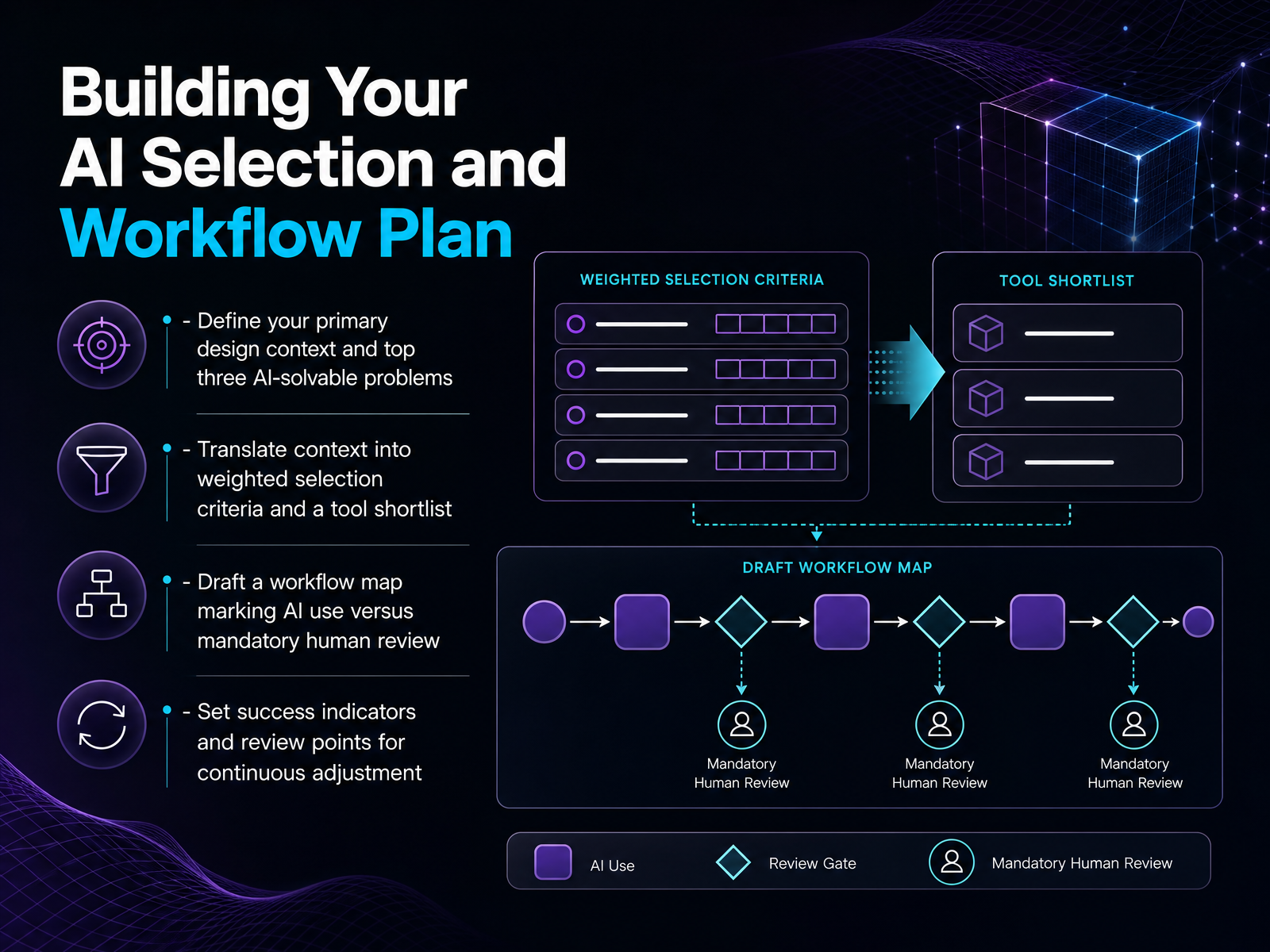
 - 12Building Your AI Selection and Workflow PlanLet's turn all of this into a concrete plan you can act on. Start by defining your primary design context and pin down the top three problems AI can actually solve for you. Be specific. For example, is it volume social graphics that drain your week, or is it generating hero imagery that feels on-brand? Once you know the problems, translate them into weighted selection criteria. If commercial safety matters more than raw aesthetics, that weights Adobe Firefly over Midjourney. Use those weights to build a shortlist of two or three tools, not ten. Then, draft a workflow map. Mark clearly where AI handles generation and where mandatory human review comes in. Brand voice, legal checks, final polish. Those stay yours. Finally, set success indicators and set review points. Output speed is one metric, but also track brand consistency and editability after generation. Review the plan every quarter. The tool market shifts fast, and your workflow should shift with it. That brings us to our final piece: building an action plan and staying current.
 axis-intelligence.compresenc.aiideaplan.io+21 min
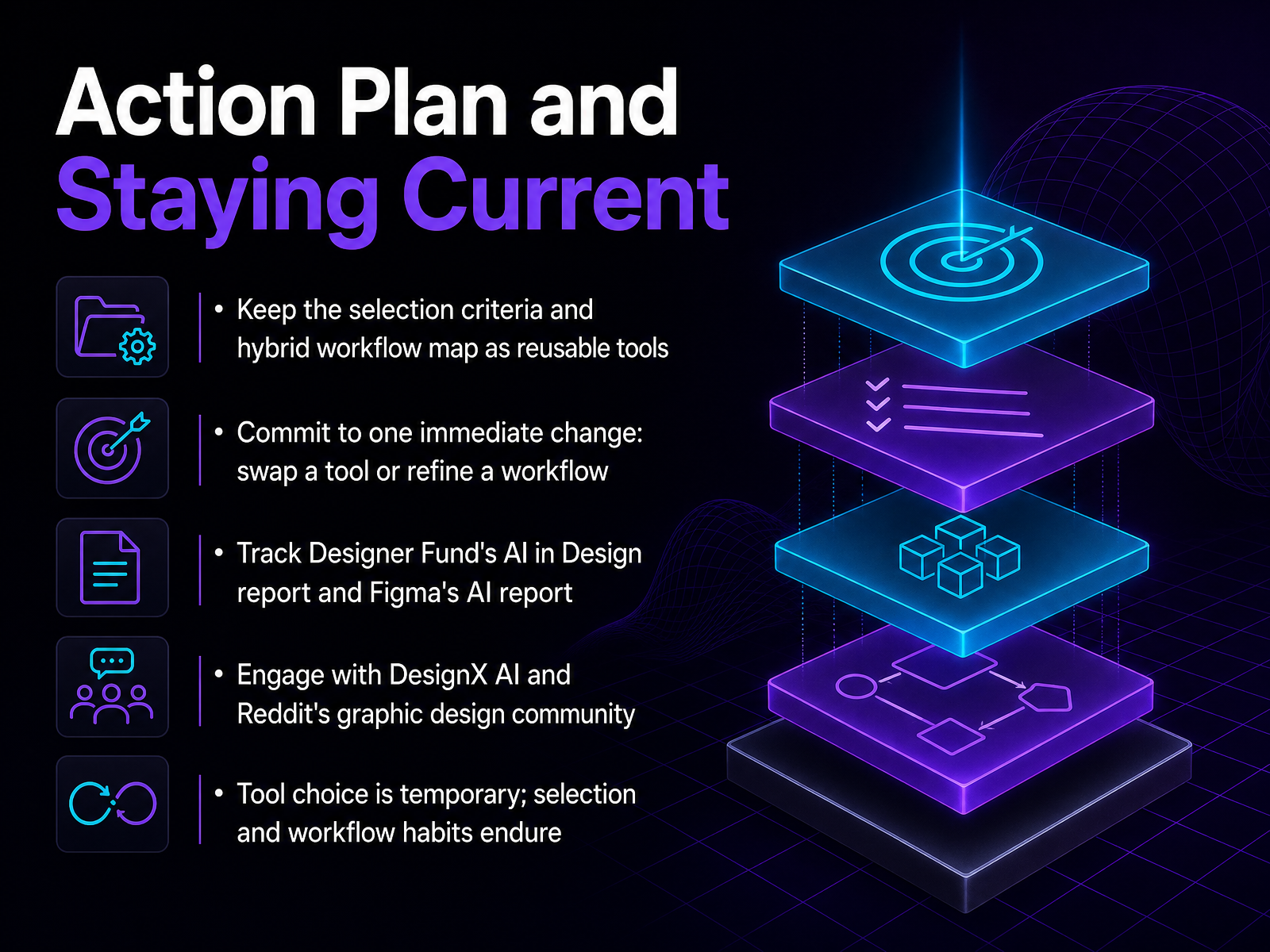
 - 13Action Plan and Staying CurrentLet's wrap up with an action plan. First, keep your selection criteria and hybrid workflow map as living documents. They're your decision filters when the next tool launches. Second, commit to one immediate change this week. Swap one tool in your production layer, or refine a single handoff in your workflow. Don't overhaul everything at once. Third, track reliable signals. Designer Fund's AI in Design report and Figma's AI report both provide solid data without hype. Check them quarterly. Fourth, learn from peers. Communities like DesignX AI and Reddit's graphic design space surface real workflows and honest tradeoffs faster than any vendor demo. Remember the key point from the data: AI is shifting production tasks, not replacing strategic judgment. Tool choice is temporary. The habits of evaluation and workflow design are what endure. Thanks for joining. Now go make one change.
 2 min
2 min
Take the deck with you
Download this course as a file — free, no sign-up needed.
- PDF handoutEvery slide page, ready to print or share.14 pages · 3.8 MBDownload
- Narrated PowerPointThe deck that presents itself — every slide carries the digital human's narration video.14 pages · 16.1 MBDownload
- PowerPoint slidesThe full deck as a .pptx — open it in PowerPoint, Keynote, or Google Slides.14 pages · 3.7 MBDownload
Free to use in your own training — please keep the PersonWise credit page at the end.
Have your own deck? Turn it into a course
Sources consulted
Web sources consulted while building this course.
- Generative AI Content Production Case | SNCF Voyageurs | Monks — monks.com
- Runway News | How Skyscanner Eliminated Pre-Production Guesswork with Runway — runway.com
- Newell Brands produces more creative assets for less with AI and Adobe Firefly — business.adobe.com
- AI for a Branding Agency | Depot × Phygital+ — phygital.plus
- How Lipton and Critical Mass Crushed Advertising Targets with Generative AI - Omnicom Adobe Practice — adobe.omc.com
- Best AI Graphic Design Tools 2026: Independent Market Analysis and Comparative Guide - Axis Intelligence — axis-intelligence.com
- Design AI Tools Landscape 2026: Figma Make, Adobe Firefly, Galileo, Magic Patterns | Presenc AI — presenc.ai
- The AI Design Tool Landscape Is a Mess (2026 | IdeaPlan — ideaplan.io
- How to Choose an AI Design Tool: A Decision Framework for 2026 | Krumzi — krumzi.com
- "Best AI Graphic Design Tools in 2026: 13 Tools Ranked by Use Case" — resources.rework.com
- Recraft Enterprise - AI Image Generation & Editing for Teams — recraft.ai
- Enterprise AI Image Generation for Teams | Ideogram — ideogram.ai
- Adobe Creative Cloud Pro Plus for teams — adobe.com
- AI Image Licensing Explained: A Practical Guide — pippit.ai
- Generative AI by Getty Images | Getty Images API — developers.gettyimages.com
- 9 Best AI Design Tools in 2026, Ranked and Tested | ToolChase — toolchase.com
- 15 best AI design tools in 2026 (free & paid options ... — guideflow.com
- Applications of Invisible and Generative Artificial Intelligence in Developing and Assessing Visual Projects in Higher Education | Revista Romaneasca pentru Educatie Multidimensionala — journals.inmanifest.com
- Can AI assess design studentsâ•Ž projects? Discussing the future of assessments with a proof of concept — dl.designresearchsociety.org
- AI-Powered Creative Generation and Intelligent Assessment System for Visual Design Education | Proceedings of the 2026 3rd International Conference on Informatics Education and Computer Technology Applications — dl.acm.org