Begin
14 pages · ~28 min
Technical Writing Sentence Structure Guide
This training helps technical writers craft clear, effective sentences by exploring common structure patterns, their strengths, and pitfalls. Ideal for professionals seeking to improve documentation clarity.
A digital instructor presents all 14 pages. Hold “Ask” at any point and ask out loud — the answer comes from this course. No sign-up needed.
What you’ll learn
- 01Technical Writing Sentence Structure Examples: Patterns, Strengths, and PitfallsWelcome. I am glad you are here. This course is about sentence structure in technical writing, and our goal is simple. We want sharper editorial judgment, not basic grammar review. Every sentence you draft or review carries a job: to make technical content accurate, usable, and safe to act on. So we will balance clarity, precision, and scannability against completeness and safety caution. You will see core sentence patterns, their best uses, common pitfalls, and domain examples from procedures, explanations, and review comments. Then we will practise revision strategies you can apply immediately. Throughout, judge every sample by three questions. What task is the reader doing? What function does this sentence serve? And what is the risk of ambiguity if the structure fails? Good structure is a deliberate choice, not an accident. Let us begin with why sentence structure drives technical clarity.documentation.suse.comiso.orgbsmd.moic.gov.bh+21 min
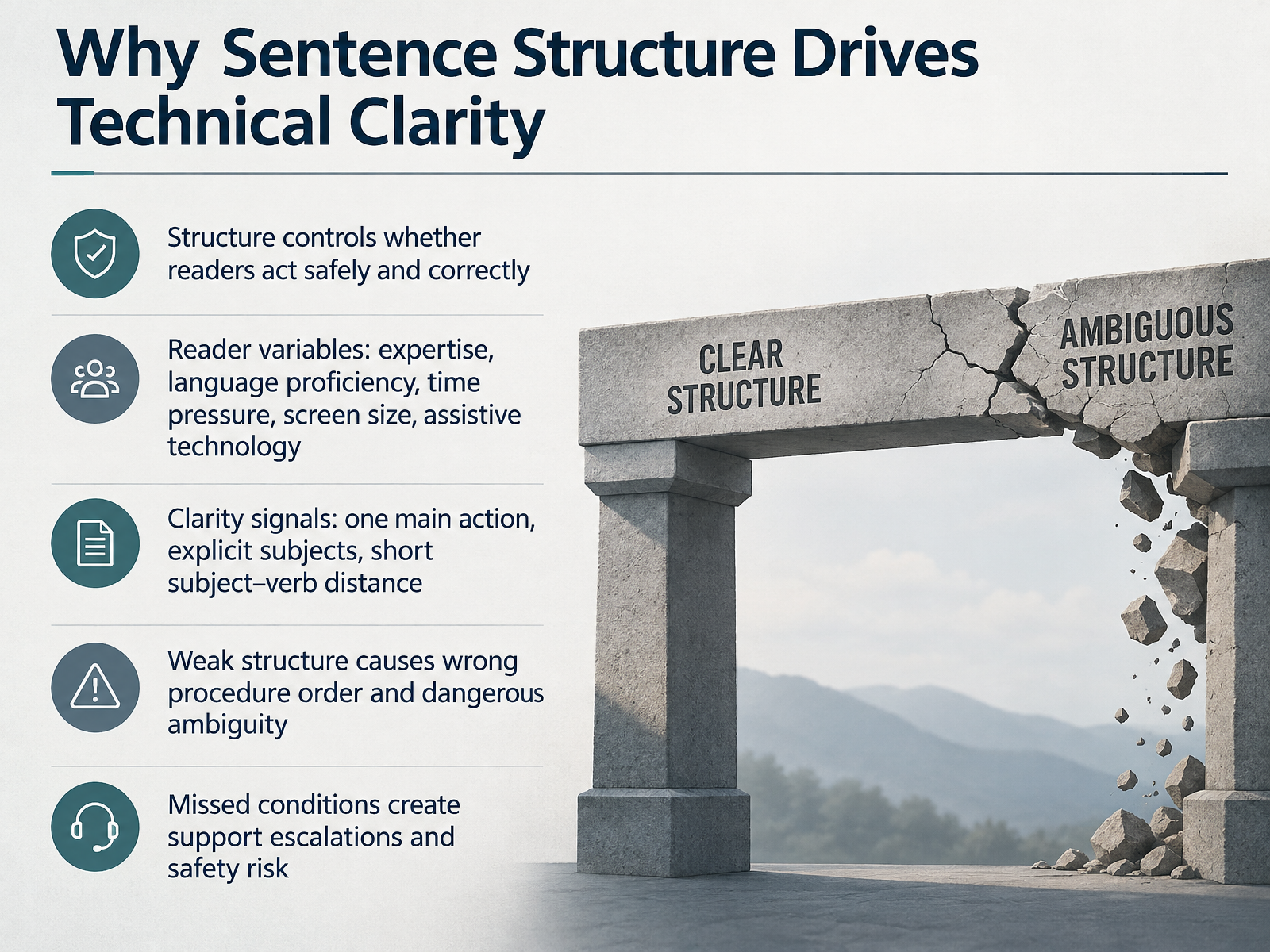
- 02Why Sentence Structure Drives Technical ClarityLet's talk about why sentence structure drives technical clarity. This is not a style preference. Structure controls whether readers act safely and correctly. Your readers vary widely. They differ in expertise, language proficiency, time pressure, screen size, and the assistive technology they use. So clarity must be built in, not assumed. Three signals do most of that work. Write one main action per sentence. Name the subject explicitly. Keep the subject and verb close together. Weak structure fails in predictable ways. Steps land in the wrong order. Conditions get missed. A missed condition can trigger a support escalation, or worse, a safety risk. Treat these as drafting traps you can catch in review. Strengthen the signals, and readers follow the procedure the first time. Next, we look closely at how a technical sentence is built.
 documentation.suse.comiso.orgbsmd.moic.gov.bh+22 min
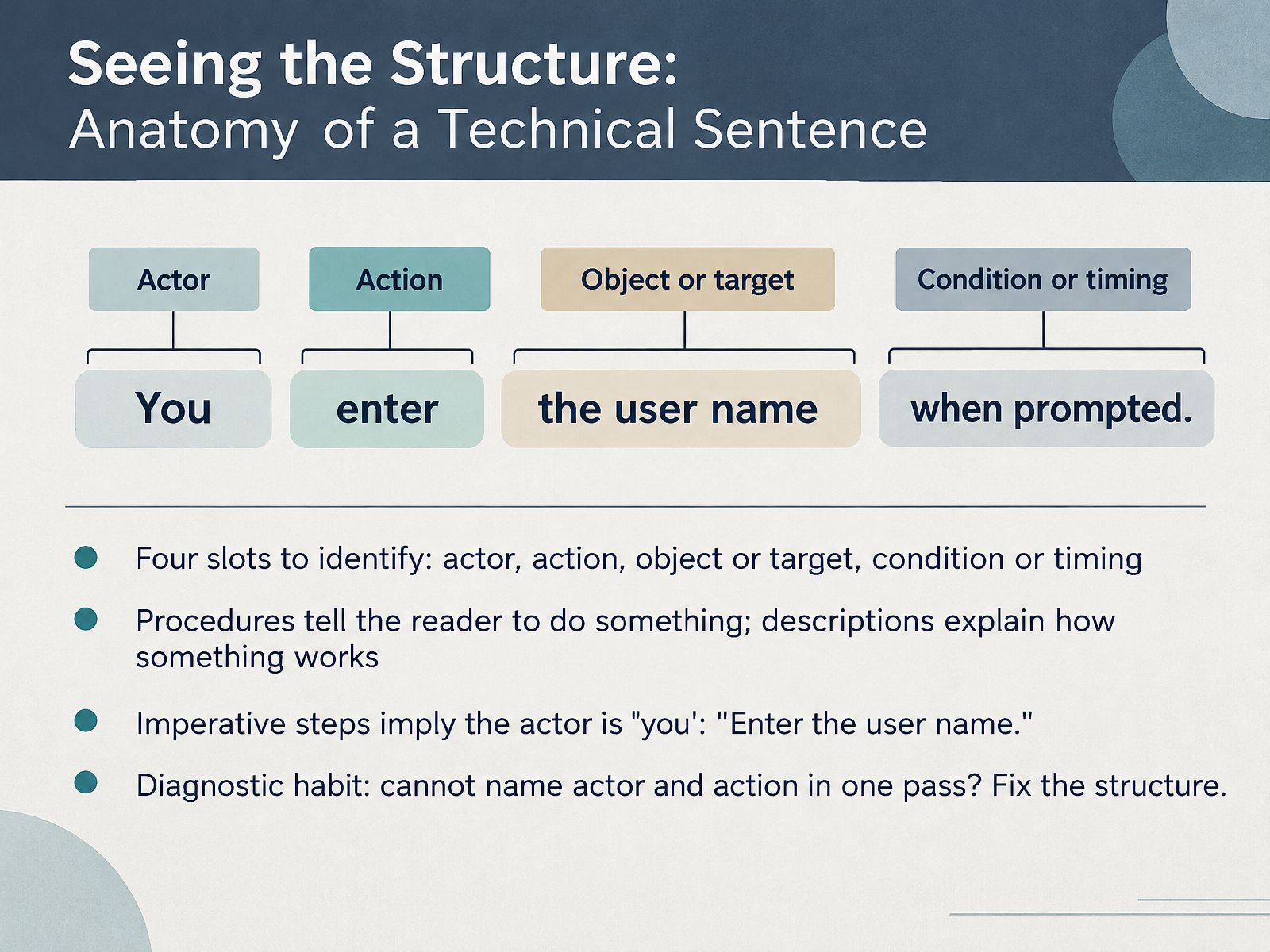
 - 03Seeing the Structure: Anatomy of a Technical SentenceLet's look at the anatomy of a technical sentence. Every clear sentence has four slots you can identify: the actor, the action, the object or target, and the condition or timing. Procedures tell the reader to do something. Descriptions explain how something works. In an imperative step, the actor is implied: "Enter the user name." The actor is you. That is efficient, but only when the action is unmistakable. Here is a diagnostic habit worth building. Read the sentence once. Can you name the actor and the action in one pass? If not, fix the structure before you fix the wording. Do not hunt for a better verb yet. Rebuild the sentence around a clear actor and a clear action first. Everything else follows from that frame. Coming up next: core sentence patterns for instructions and explanations.
 documentation.suse.comiso.orgbsmd.moic.gov.bh+21 min
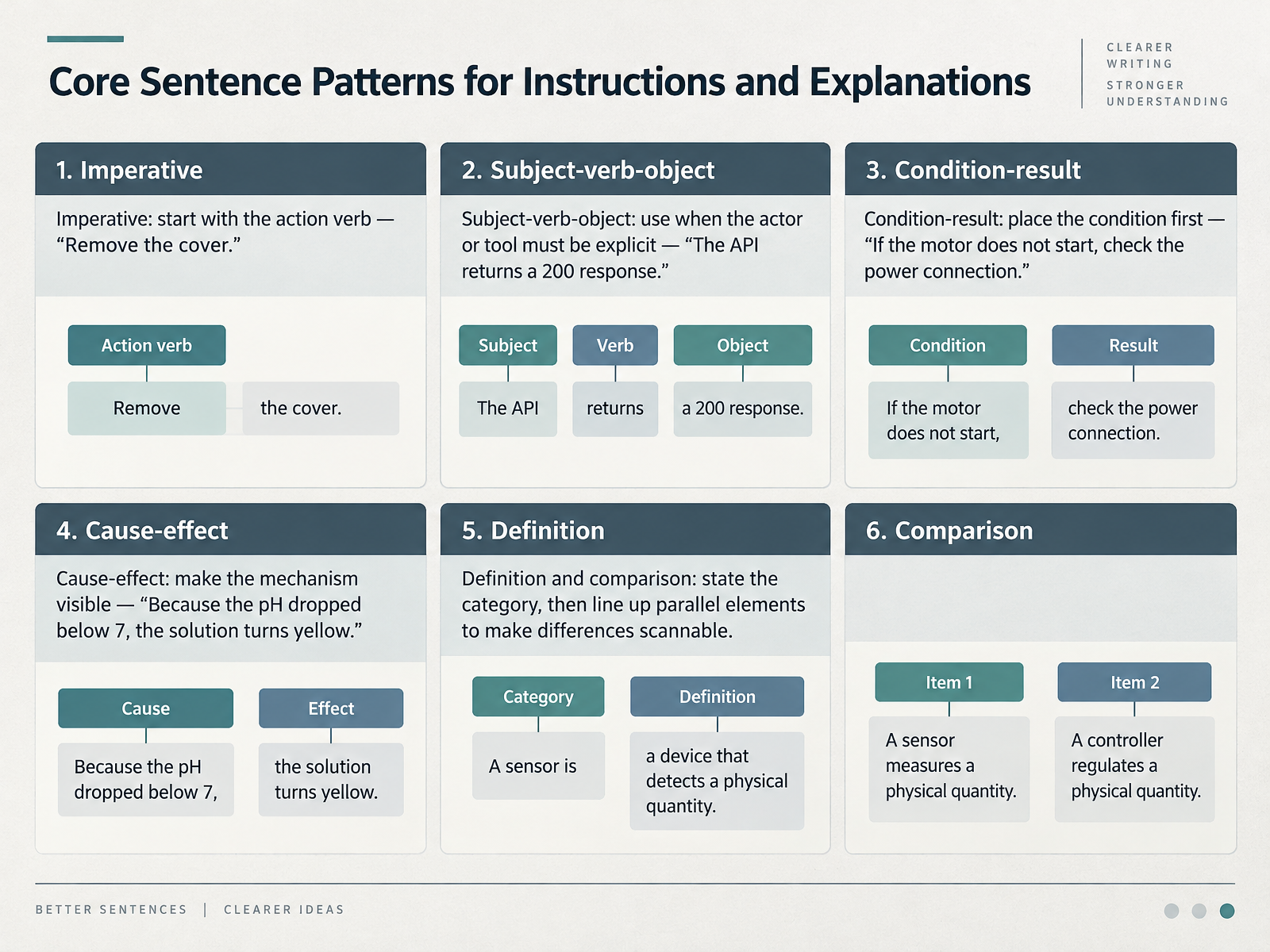
 - 04Core Sentence Patterns for Instructions and ExplanationsLet's look at the core sentence patterns you will reuse most often in instructions and explanations. First, the imperative. Start with the action verb: Remove the cover. One action per sentence, and the implied subject is always you. Second, subject-verb-object. Use it when the actor or tool must be explicit: The API returns a 200 response. Here the reader needs to know exactly what produces the result. Third, condition-result. Place the condition first: If the motor does not start, check the power connection. Readers decide whether to act before they read the action. Fourth, cause-effect. Make the mechanism visible: Because the pH dropped below seven, the solution turns yellow. The connector tells readers this is explanation, not instruction. Fifth, definition and comparison. State the category first, then line up parallel elements so differences are scannable. Keep those parallel parts in the same grammatical shape, or the comparison breaks down. Notice the pattern across all five: the pattern you choose signals what readers should pay attention to. Next, we will look at how to choose among these patterns based on reader task, risk, and content type.
 human.libretexts.orgwritingcenter.unc.educoderslingo.com+22 min
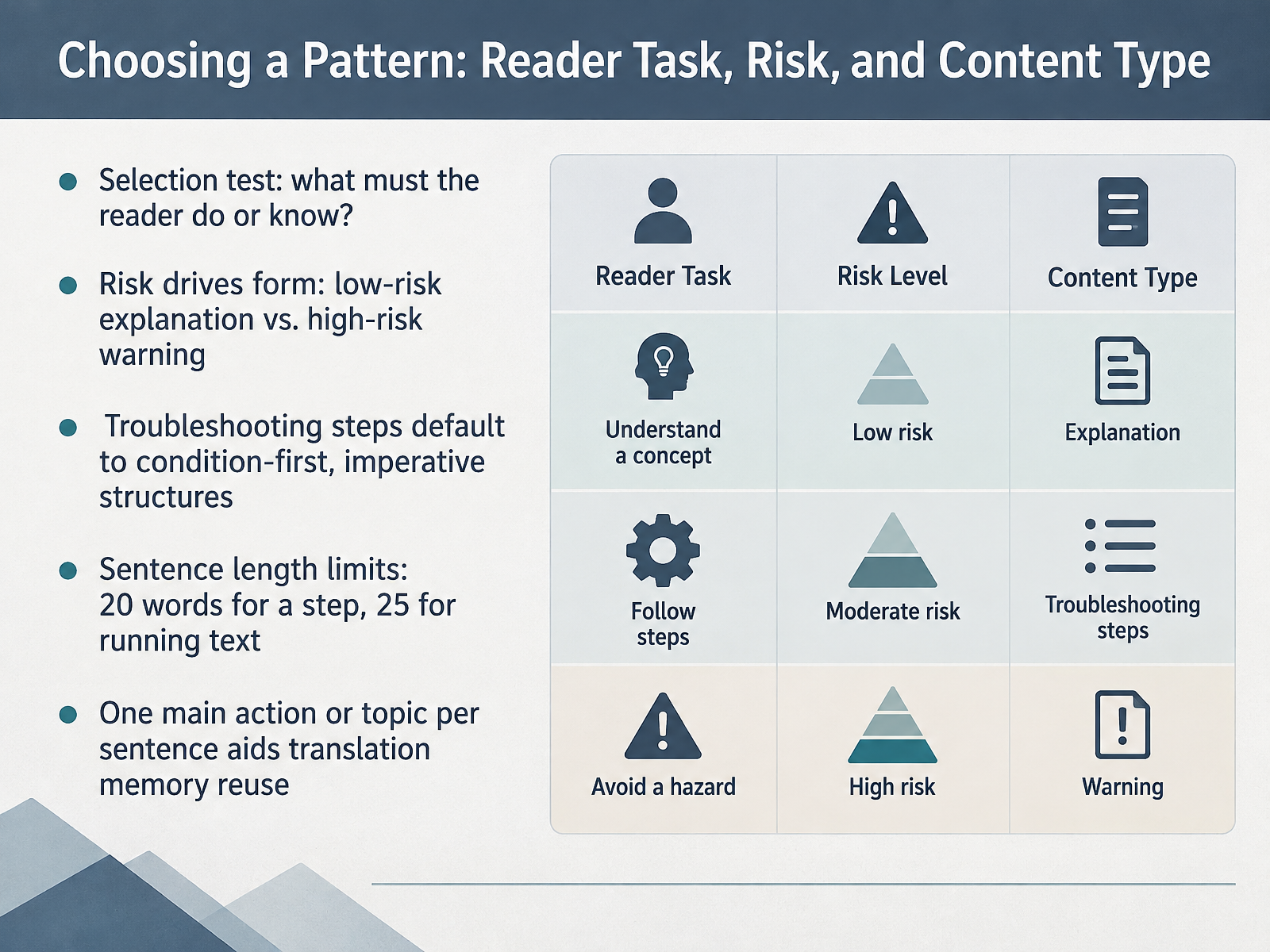
 - 05Choosing a Pattern: Reader Task, Risk, and Content TypeLet's move from individual patterns to the decision itself: choosing a pattern. Start with one test question. What must the reader do or know? That answer tells you whether you write an instruction, an explanation, or a warning.
Risk then drives form. A low-risk explanation can carry a longer descriptive sentence. A high-risk warning cannot. It needs a short condition first, then the action. For example, "Hot parts can cause burns. Turn off the machine and wait thirty minutes before removing the cover."
Troubleshooting follows the same logic. Default to condition first, then the imperative: "If the motor does not start, check the power connection." That order lets a reader scan, find their condition, and act.
Then apply your limits. Twenty words for a step. Twenty-five for running text. And one main action or topic per sentence, which keeps translation memory reusable and translation costs down.
Next, we look at strengths of specific structures: when they work best.
 documentation.suse.comiso.orgbsmd.moic.gov.bh+22 min
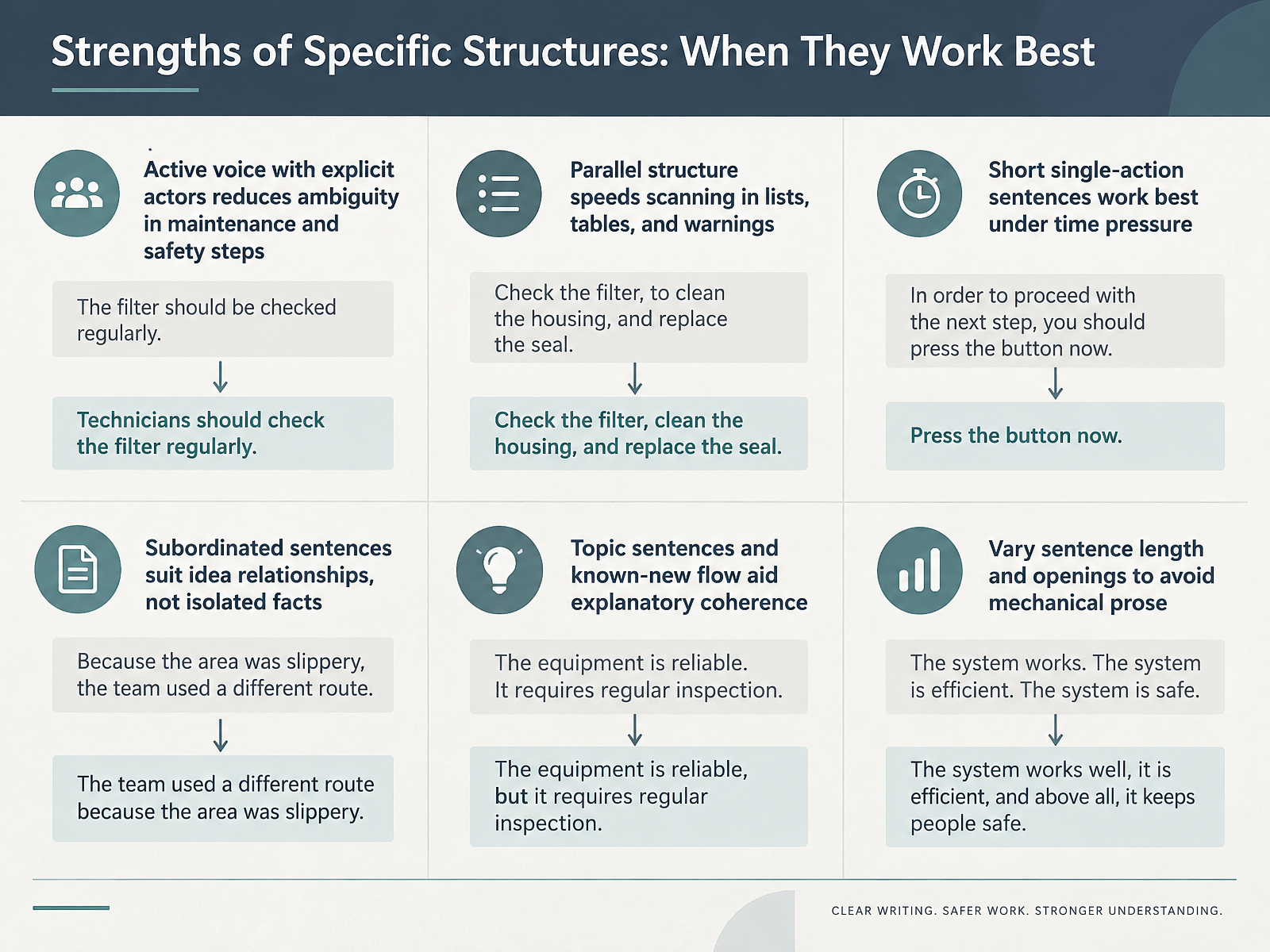
 - 06Strengths of Specific Structures: When They Work BestLet's look at when each structure actually works best, because these are choices you can reuse immediately. Active voice with explicit actors reduces ambiguity in maintenance and safety steps. Compare 'The valve is closed before service' with 'The technician closes the valve before service' — the second version names who acts. Parallel structure speeds scanning in lists, tables, and warnings, so keep every item in one grammatical shape. Short, single-action sentences work best under time pressure; a technician reading in glances needs one action per step. Subordinated sentences suit idea relationships, not isolated facts — use them to show cause, condition, or sequence. Topic sentences and known-new flow aid explanatory coherence, linking what readers already know to what comes next. And vary sentence length and openings to avoid mechanical prose. All short reads like a telegram; all long exhausts working memory. Match the structure to the job, then check it in review. Next, we will make the case for passive voice and its legitimate uses in technical content.
 developers.google.comdevelopers.google.commintlify.com+22 min
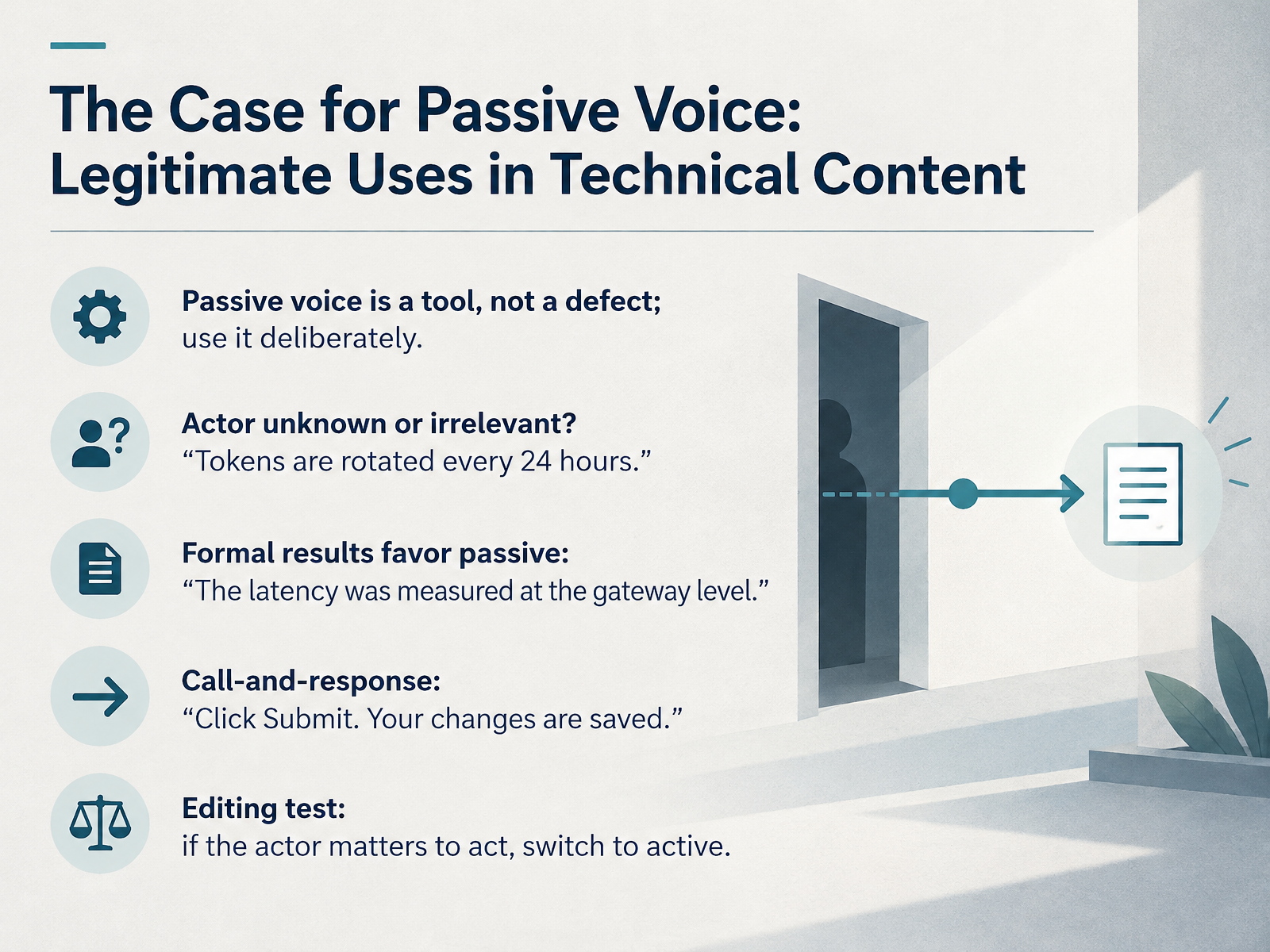
 - 07The Case for Passive Voice: Legitimate Uses in Technical ContentLet's correct a common misconception: passive voice is a tool, not a defect. The skill is using it deliberately. Consider four legitimate cases. First, when the actor is unknown or irrelevant: Tokens are rotated every twenty four hours. Who rotates them matters less than the fact that rotation happens. Second, formal results often favor passive: The latency was measured at the gateway level. The measurement, not the measurer, carries the meaning. Third, call and response. Click Submit, then Your changes are saved. Active command, passive confirmation. That contrast tells users what they do versus what the system does. Fourth, run this editing test: if the actor matters to the action, switch to active. The database was deleted becomes The automated cleanup job deleted the production database. Same event, but now ownership is visible. Keep passive voice for system behavior, formal measurement, and agentless results. Reach for active voice when responsibility, accountability, or instruction clarity is the point. That single test resolves most debates at review time. Next, we turn to the traps that catch even experienced writers: Common Pitfalls, Ambiguity, Misplaced Modifiers, and Nominalizations.
 developers.google.comdevelopers.google.commintlify.com+22 min
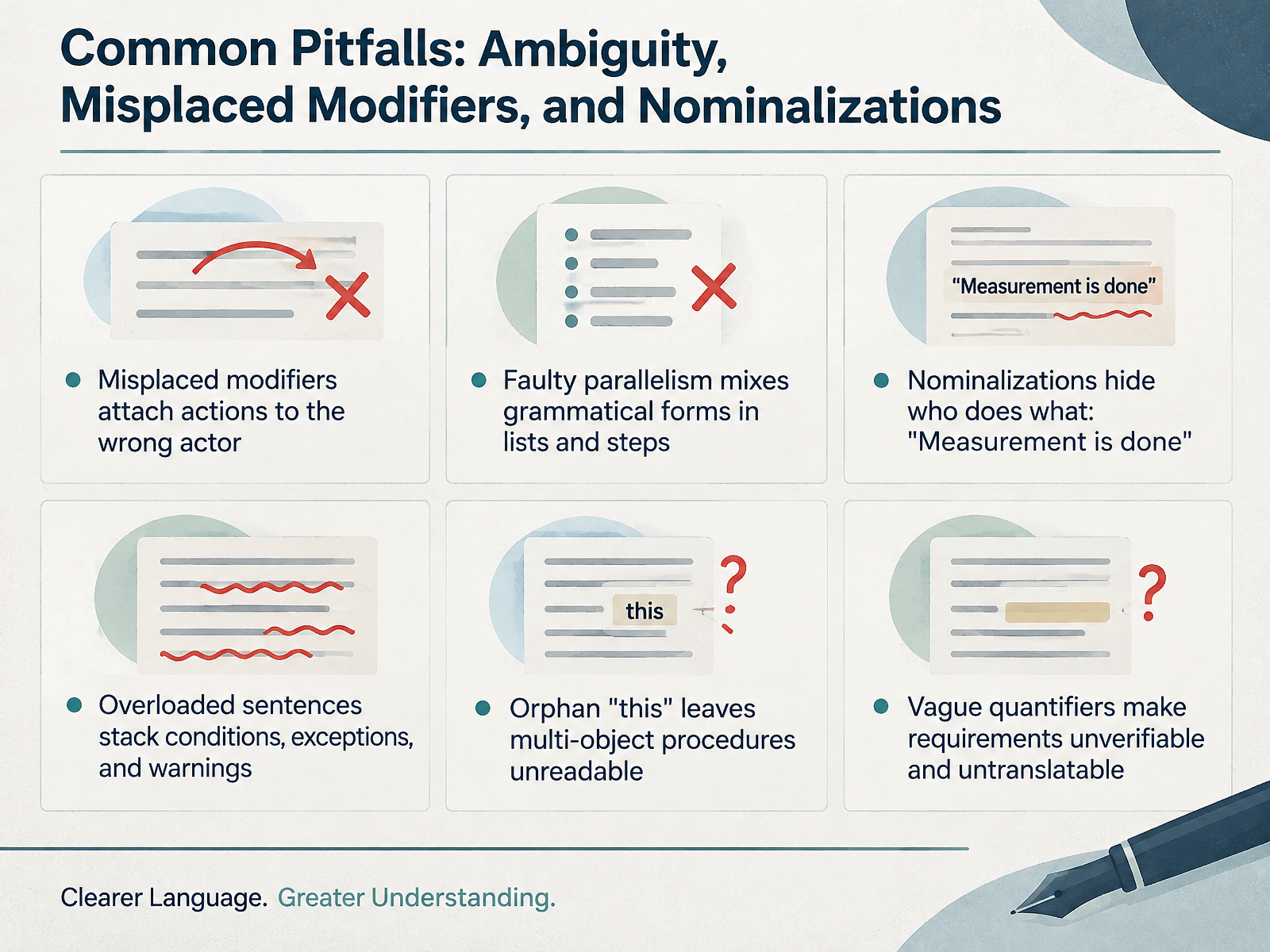
 - 08Common Pitfalls: Ambiguity, Misplaced Modifiers, and NominalizationsLet's look at the six most common sentence-level pitfalls, and how to recognize each one fast. First, misplaced and dangling modifiers attach an action to the wrong actor. In "Having finished the assignment, the TV was turned on," the TV did not finish anything. Name the actor instead: "Having finished the assignment, I turned on the TV." Second, faulty parallelism mixes grammatical forms in lists and steps. Rewrite "Remove the cover, unscrewing the bolts, then check the seal" as "Remove the cover, unscrew the bolts, then check the seal." Third, nominalizations hide who does what. "Measurement of temperature is done" becomes "Measure the temperature" or "The sensor measures temperature." Fourth, overloaded sentences stack conditions, exceptions, and warnings. One action per sentence, and move the warning out. Fifth, the orphan this leaves multi-object procedures unreadable. Force a noun after every this: "this step," "this value." Sixth, vague quantifiers make requirements unverifiable. Replace "several," "fast," and "as needed" with numbers or a clear condition. Here is your takeaway. Treat these six as a checklist. Run each pass separately, name the defect, then apply its fix. Next, we move to safety-critical sentences, where conditions, consequences, and prohibitions carry the most weight.
 learn.microsoft.comoer.pressbooks.pubmcmassociates.io+22 min
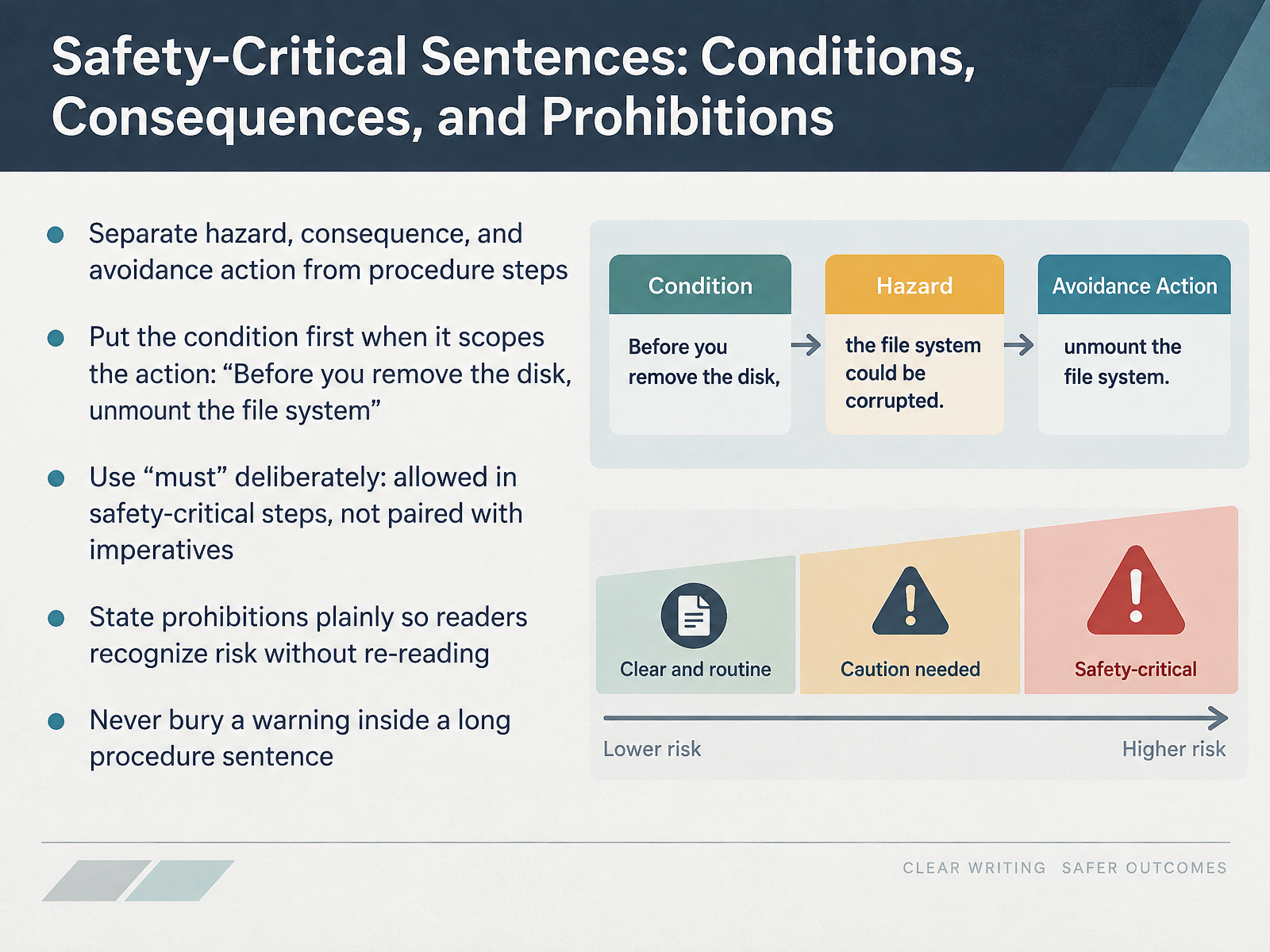
 - 09Safety-Critical Sentences: Conditions, Consequences, and ProhibitionsNow let's focus on sentences where the stakes are highest: safety-critical instructions. Keep three things apart: the hazard, the consequence, and the avoidance action. Do not fold them into a procedure step. For example, a warning should name the hazard, state what happens, and tell the reader how to avoid it. Next, put the condition first when it scopes the action. Write: Before you remove the disk, unmount the file system. Now consider must. In general, do not pair must with an imperative. But in a safety-critical step, must is allowed, because it signals that the instruction is important. State prohibitions plainly. Do not bury a warning inside a long procedure sentence. Readers must recognize the risk on the first pass, not after re-reading. So, separate hazards from steps, lead with the condition, use must deliberately, and state prohibitions plainly. Next, we look at domain examples across software, hardware, and scientific writing.
 documentation.suse.comiso.orgbsmd.moic.gov.bh+22 min
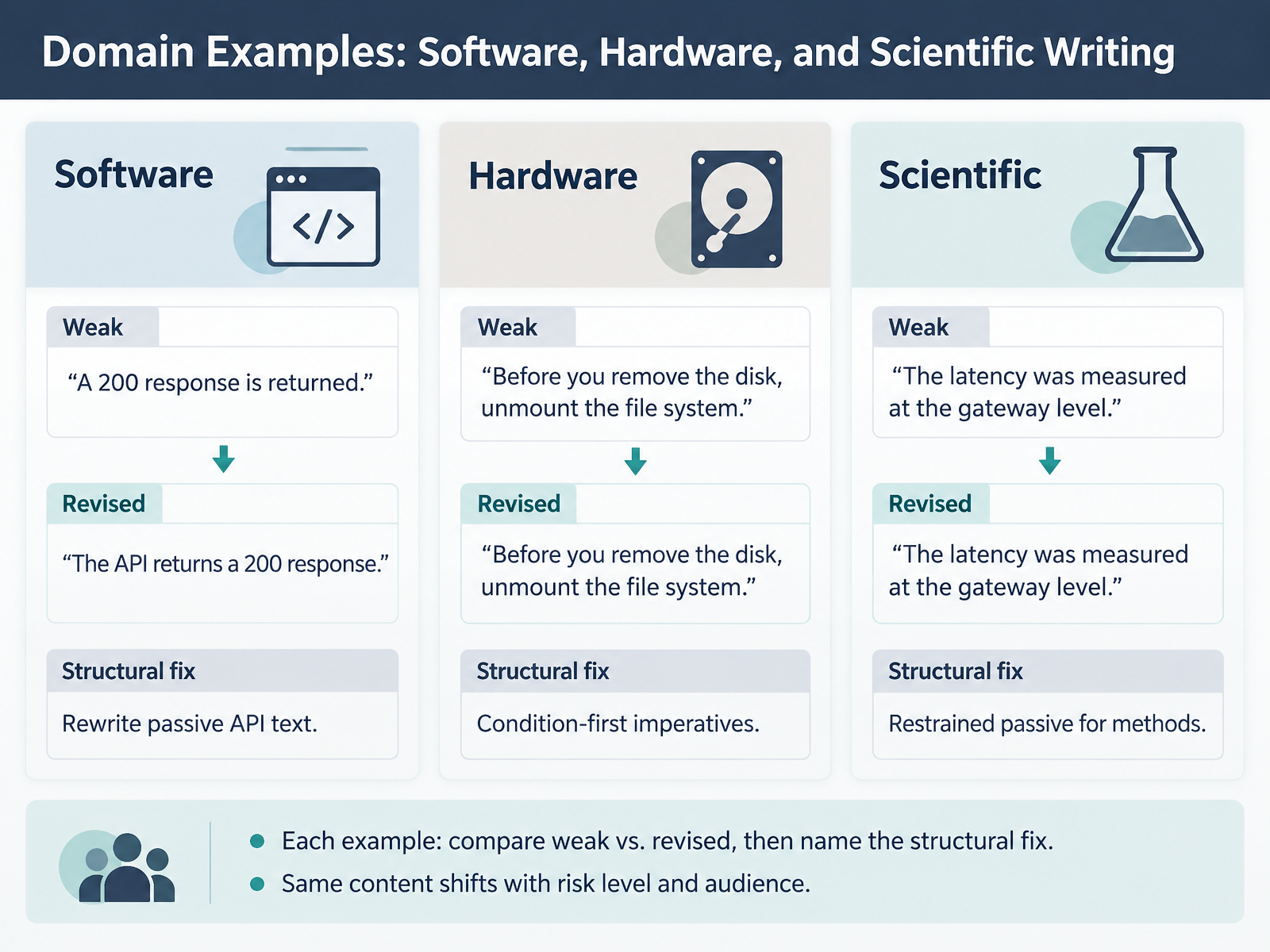
 - 10Domain Examples: Software, Hardware, and Scientific WritingNow let's apply these patterns across three domains, because the right structure shifts with risk and audience. In software, weak API text says, "A 200 response is returned." The revision names the actor: "The API returns a 200 response." The structural fix is agent-first active voice, so the reader instantly knows who acts. In hardware, instructions depend on order and safety, so condition-first imperatives work best: "Before you remove the disk, unmount the file system." The fix puts the precondition first. The reader checks the condition, then acts. In scientific writing, restrained passive belongs in methods, where the actor genuinely does not matter. Write, "The latency was measured at the gateway level." The fix here is deliberate passive for objectivity, not habit. Notice the pattern. Each domain compares a weak version against a revised one, then names the structural fix. Software favors active agency. Hardware favors condition-first imperatives. Science allows restrained passive for methods. And the same content shifts with risk level and audience. Next, we move into revision strategies, editing sentences without losing meaning.
 developers.google.comdevelopers.google.commintlify.com+22 min
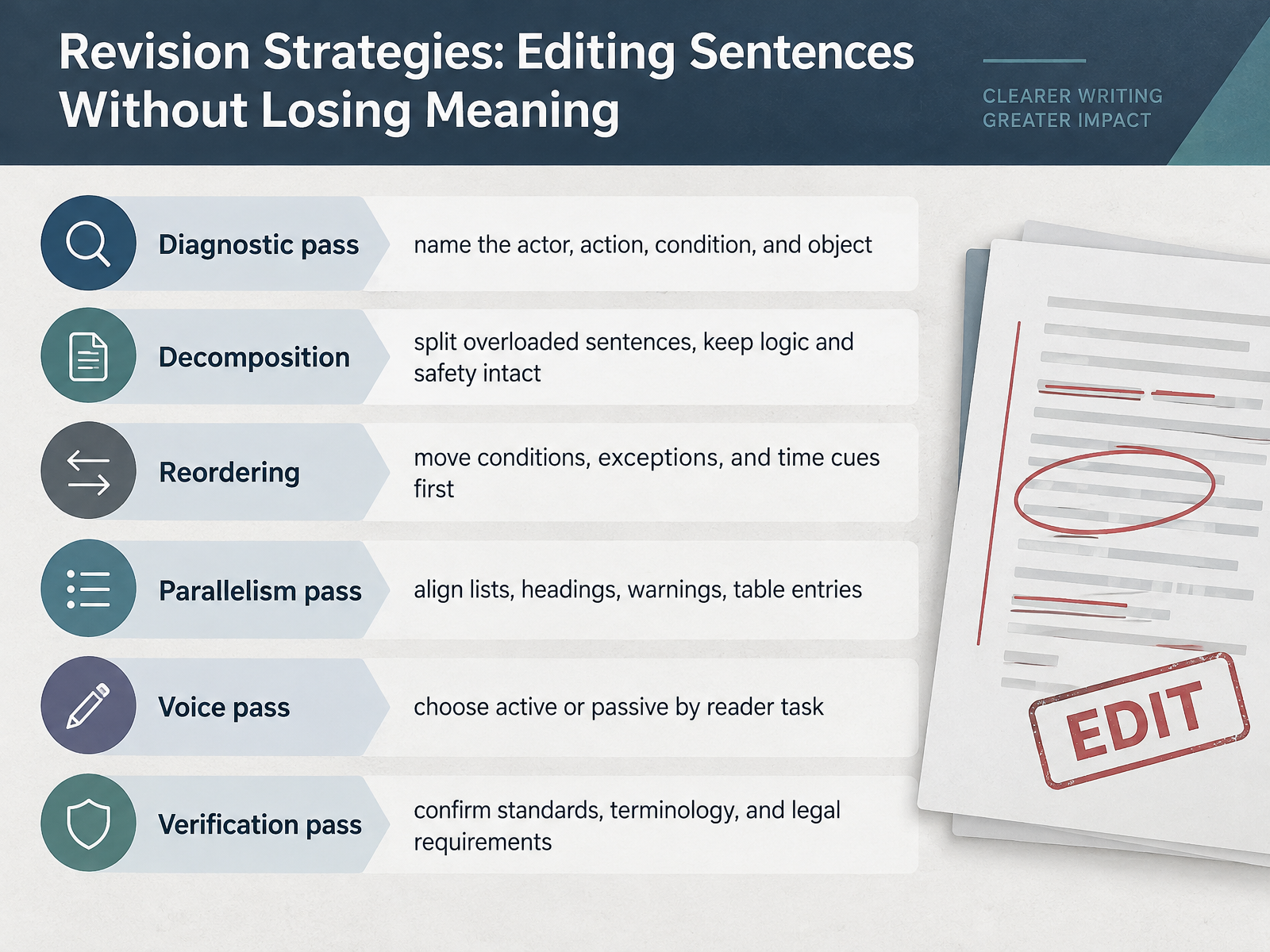
 - 11Revision Strategies: Editing Sentences Without Losing MeaningNow let's turn to revision strategies, six passes you can run on any draft. Start with the diagnostic pass. Name the actor, the action, the condition, and the object. If any of the four is missing, the sentence is not finished yet. Next, decomposition. Split overloaded sentences, but keep logic and safety intact. Here is the principle. State the decision condition clearly. Write, if the pressure is below zero point two megapascals, replace the filter. Then reorder. Move conditions, exceptions, and time cues first. Before replacing the battery, turn off the device. That places the prerequisite before the action. Follow with the parallelism pass. Align lists, headings, warnings, and table entries so they share one grammatical shape. Consistency makes structure visible. Next, the voice pass. Choose active or passive by the reader's task. Use active voice when the reader performs the step. Use passive only when the actor is unknown or irrelevant. Finally, the verification pass. Confirm standards, terminology, and legal requirements. Every unconfirmed item becomes a corrective action before localization begins. Six passes, one purpose: sharper sentences without losing meaning. Let's see these passes in action with six before-and-after rewrites.
 learn.microsoft.comoer.pressbooks.pubmcmassociates.io+22 min
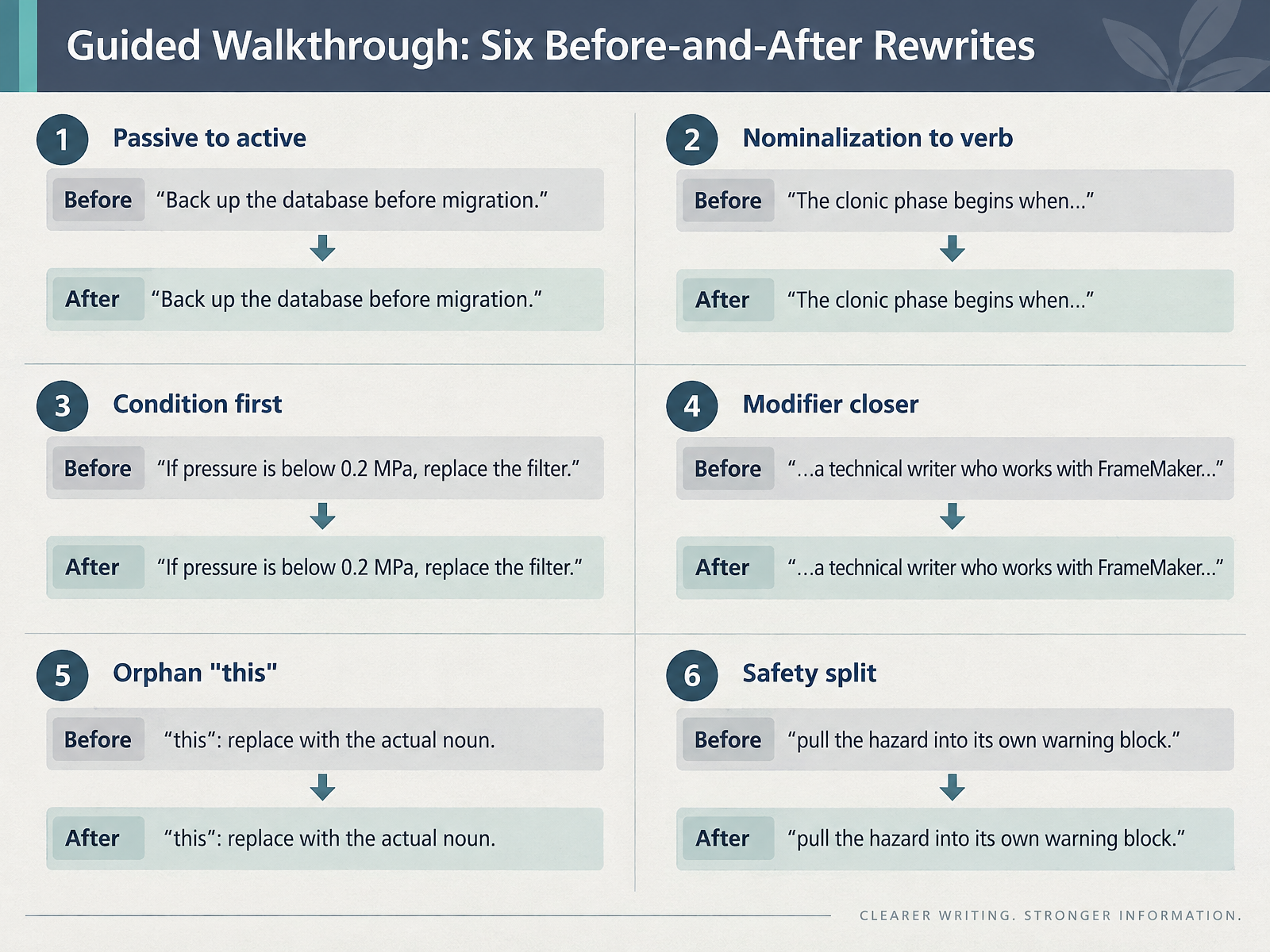
 - 12Guided Walkthrough: Six Before-and-After RewritesNow let's put these patterns into practice with six quick before-and-after rewrites. First, passive to active. Instead of the database should be backed up before migration, write back up the database before migration. Second, nominalization to verb. Replace the beginning of the clonic phase is when with the clonic phase begins when. Third, condition first. Move the condition ahead of the action, so readers act on the right cue. Fourth, modifier closer. Keep who works with FrameMaker right after technical writer, not after the team. Fifth, fix the orphan this. Replace it with the actual noun so the reference is unmistakable. And sixth, safety split. Pull the hazard out of the procedure and give it its own warning block. Name the error, rewrite the sentence, and the fix transfers to your next draft. Next, in the practice lab, you will rewrite and evaluate real sentences.
 learn.microsoft.comoer.pressbooks.pubmcmassociates.io+21 min
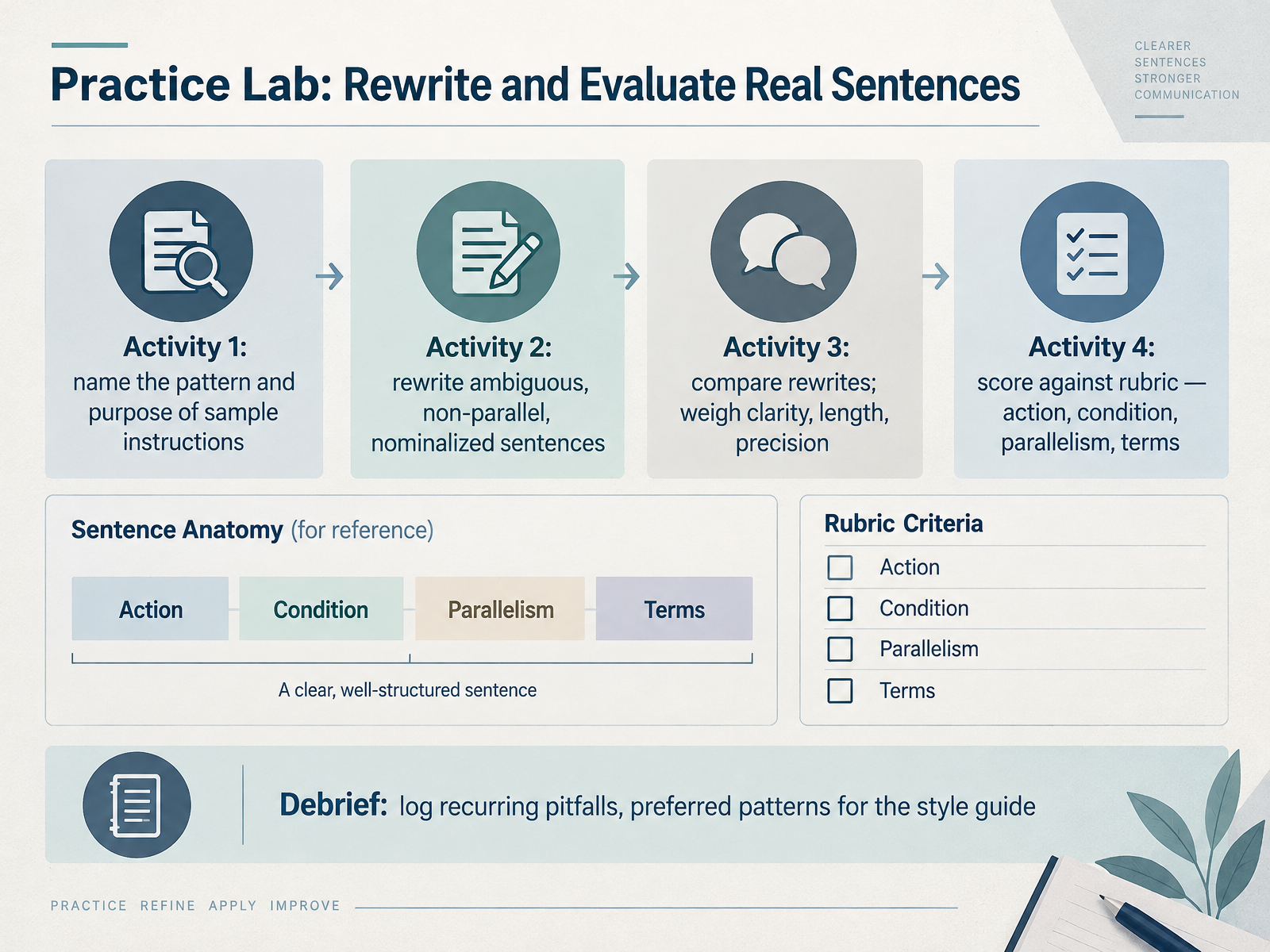
 - 13Practice Lab: Rewrite and Evaluate Real SentencesNow it is time to apply everything. This is your practice lab, and it runs in four short activities.
First, take a set of sample instructions and name the pattern and purpose behind each one. Is it a condition before an action, a single imperative step, or a description?
Second, rewrite. You will fix sentences that are ambiguous, non parallel, or buried in nominalizations. For example, the phrase "the cleaning of the filter should be performed" becomes "clean the filter."
Third, compare your rewrites with a partner. Weigh clarity, length, and precision. A shorter sentence is not automatically better. Ask which version a tired reader could follow without guessing.
Fourth, score each rewrite against the rubric. Four checks: does it name the action, state the condition, keep items parallel, and use approved terms?
In the debrief, log the pitfalls that keep appearing, and note the preferred patterns your team should adopt in the style guide.
Next, we will pull the course together in Takeaways, Standards, and Next Steps.
 documentation.suse.com2 min
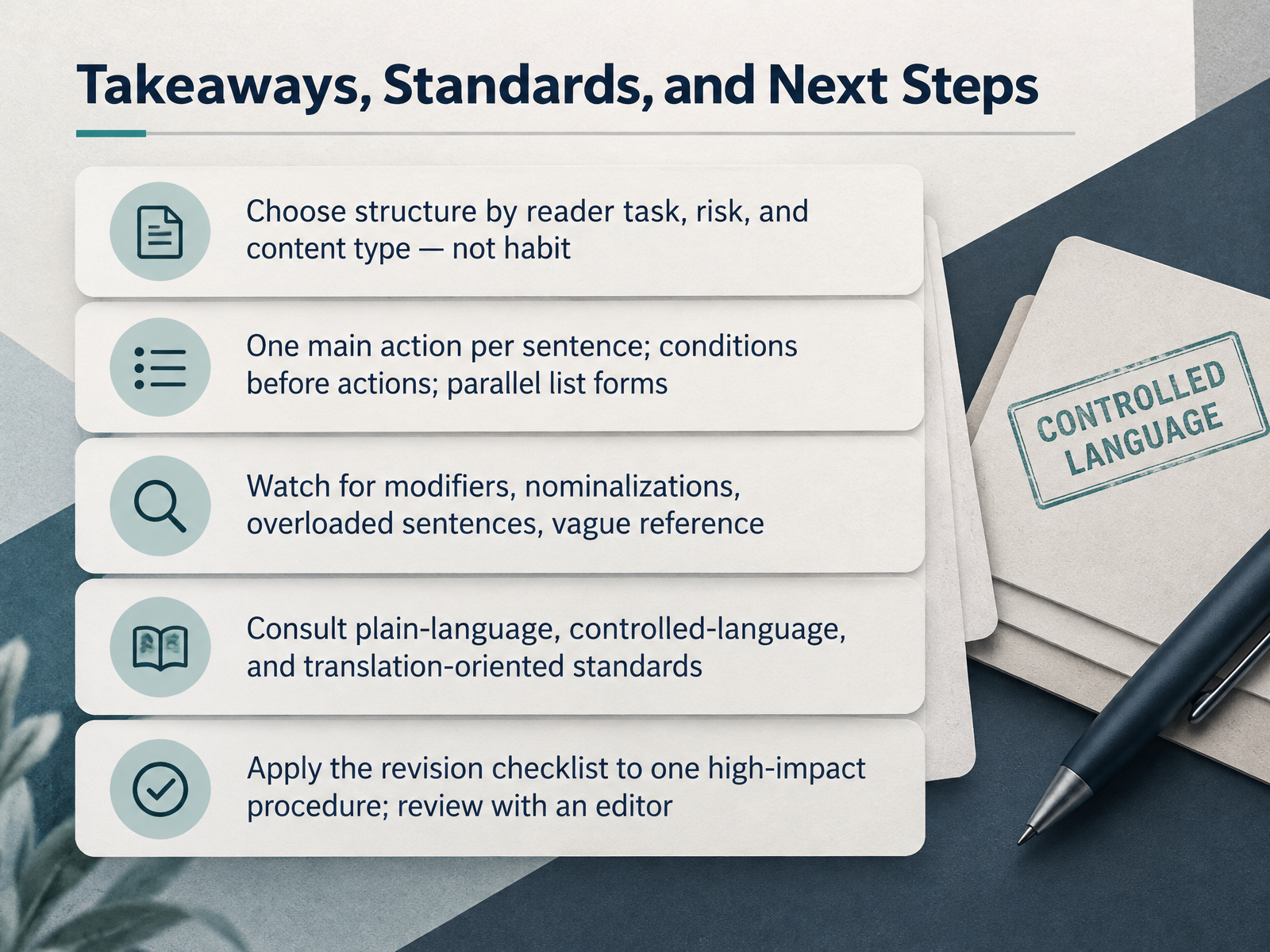
 - 14Takeaways, Standards, and Next StepsLet's pull the threads together. Choose sentence structure by reader task, risk, and content type, not by habit. Keep one main action per sentence, put conditions before actions, and keep list items parallel. Stay alert for the predictable traps: dangling modifiers, nominalizations, overloaded sentences, and vague references like this or it. Ground your choices in standards. Plain-language guidance sets principles for understandable text. Controlled language, such as Simplified Technical English, caps sentences at twenty words in procedures and twenty-five in descriptions. Translation-oriented writing standards show you how to build source text that translates cleanly. Here is your next step. Pick one high-impact procedure. Apply the revision checklist to it, sentence by sentence, then review it with an editor. That single pass will sharpen your judgment faster than any rule list. Thank you for working through this course. You now have the patterns, the vocabulary, and the standards to make every sentence earn its place. Go revise something that matters.
 documentation.suse.comiso.orgbsmd.moic.gov.bh+22 min
Take the deck with you
Download this course as a file — free, no sign-up needed.
- PDF handoutEvery slide page, ready to print or share.15 pages · 4.0 MBDownload
- Narrated PowerPointThe deck that presents itself — every slide carries the digital human's narration video.15 pages · 14.3 MBDownload
- PowerPoint slidesThe full deck as a .pptx — open it in PowerPoint, Keynote, or Google Slides.15 pages · 3.9 MBDownload
Free to use in your own training — please keep the PersonWise credit page at the end.
Have your own deck? Turn it into a course
Sources consulted
Web sources consulted while building this course.
- SUSE Documentation Style Guide (AsciiDoc) — documentation.suse.com
- ISO/IEC 23859:2023 - Information technology — User interfaces — Requirements and recommendations on making written text easy to read and understand — iso.org
- ISO 18968:2026 - Standards Store - Ministry of Industry & Commerce - Kingdom of Bahrain — bsmd.moic.gov.bh
- Content guideline | UAE design system 2.0 — designsystem.gov.ae
- ISO 24495-3:2026 - Plain language — Part 3: Science writing — iso.org
- 2.6: Instructions - Humanities LibreTexts — human.libretexts.org
- Sentence Patterns – The Writing Center — writingcenter.unc.edu
- Grammar for Conditional Sentences in Tech Docs: If, When and Unless — English for IT — coderslingo.com
- Semantic sentence patterns — English Writing — englishwriting.how
- Mastering sentence of process structure clarity and precision — tradeuk2.houseofmarbles.com
- Active voice vs. passive voice | Technical Writing | Google for Developers — developers.google.com
- Active voice | Google developer documentation style guide | Google for Developers — developers.google.com
- https://www.mintlify.com/docs/guides/style-and-tone.md — mintlify.com
- What Is Active Voice Vs Passive Voice in Technical Writing — upistudy.com
- Grammar: Using Passive Voice Correctly in Technical Documentation — English for IT — coderslingo.com
- https://learn.microsoft.com/en-us/style-guide/grammar/dangling-misplaced-modifiers — learn.microsoft.com
- 2.2 Sentence-Level Revision: Nominals, Noun Stacks, Redundancy, Expletives, Passive Voice, Readability – Technical Communication Across the Professions — oer.pressbooks.pub
- Online Technical Writing Textbook--Common Grammar, Usage, and Spelling Problems: part 2 — mcmassociates.io
- Dangling or Misplaced Modifier — papyr.com
- Dangling Modifiers and How To Correct Them - Purdue OWL® - Purdue University — owl.purdue.edu