Begin
16 pages · ~32 min
Python Functions and Data Structures
Learn to write reusable Python functions and work with key data structures like lists, dictionaries, and tuples to organize and manipulate data effectively.
A digital instructor presents all 16 pages. Hold “Ask” at any point and ask out loud — the answer comes from this course. No sign-up needed.
What you’ll learn
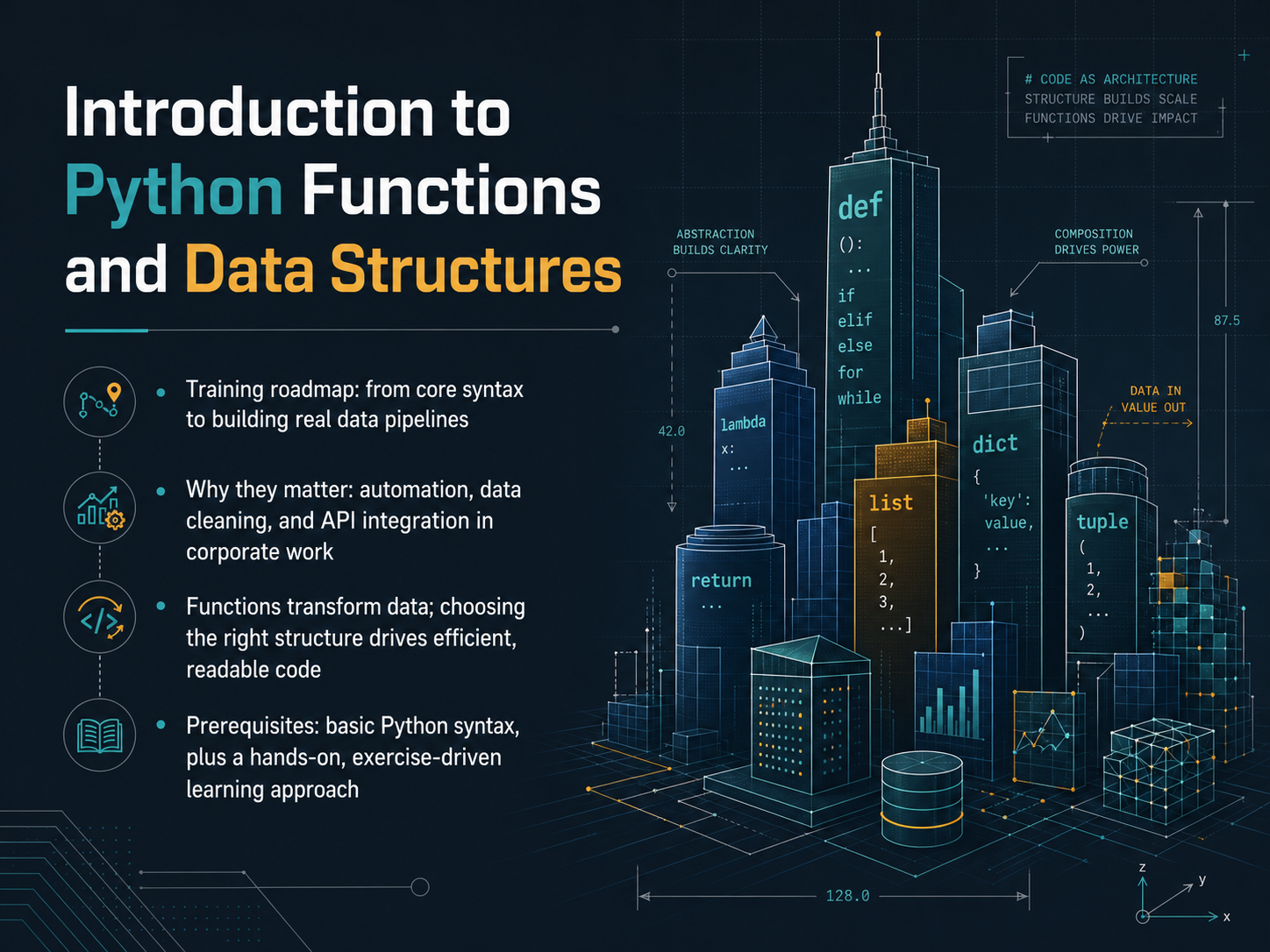
- 01Introduction to Python Functions and Data StructuresWelcome. I'm glad you're here. Today we're starting a journey into Python functions and data structures. The goal is straightforward: we'll move from core syntax all the way to building real data pipelines that you can use in your daily work. In a corporate setting, these skills power automation, data cleaning, and API integrations. Think of functions as small machines that transform data, and think of data structures as the containers that keep everything organized and fast. Choosing the right container makes your code much easier to read and maintain. You don't need to be an expert; we'll build on basic Python syntax and learn through hands-on exercises. Let's get started. Next, we'll explore defining and calling functions.asmorix.innexacu.com.auultimahub.com+21 min
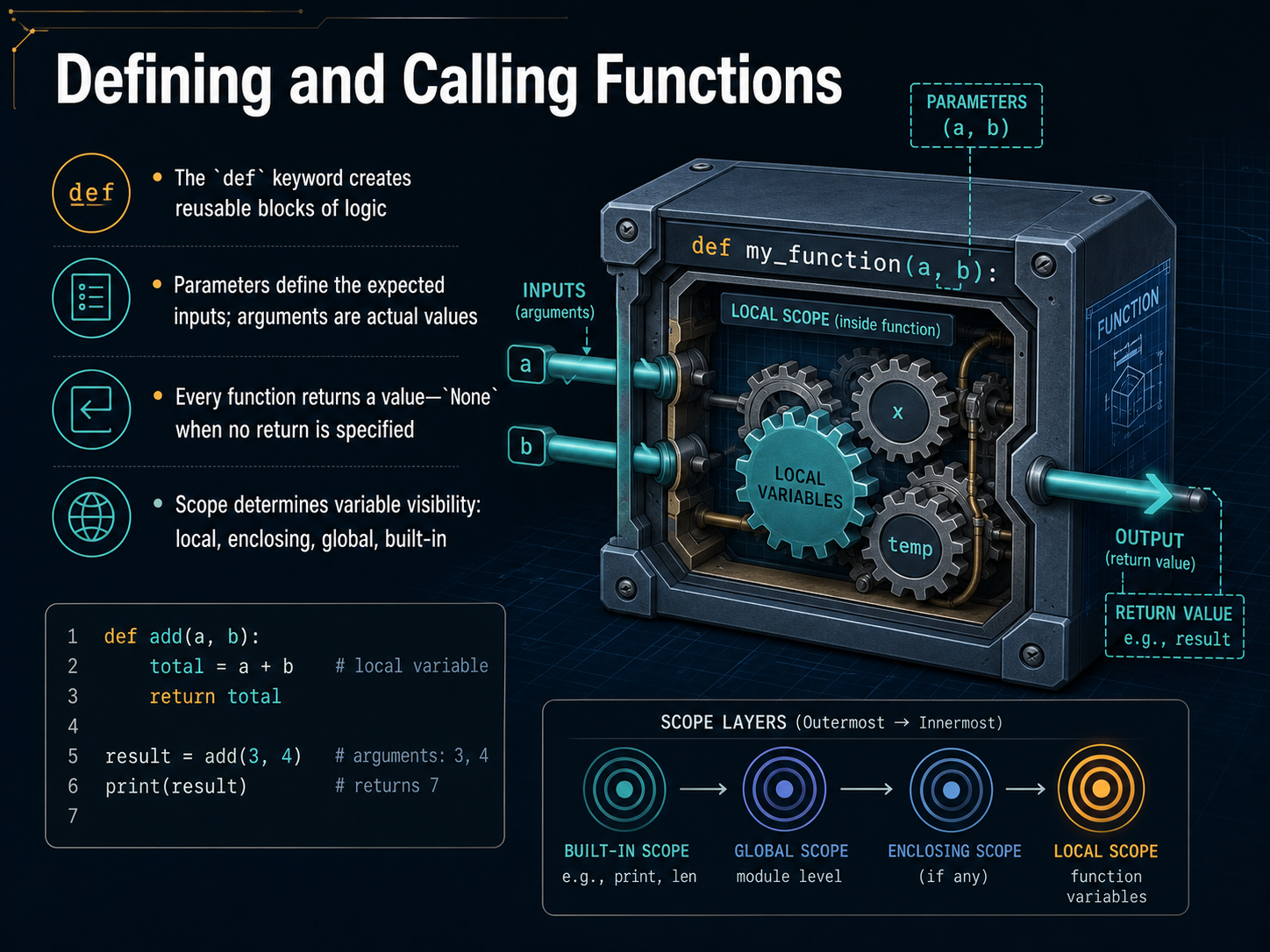
- 02Defining and Calling FunctionsNow let's talk about defining and calling your own functions. This is where you start creating reusable blocks of logic in your code. You begin with the word 'def', short for define, followed by a name and parentheses. Inside the parentheses, you can list parameters, which are like placeholders for the information your function expects to receive. When you actually use the function, the real values you give it are called arguments. Think of parameters as the labels on an order form, and arguments as the specific details you fill in. Every function also returns a value. If you don't specify one, Python automatically returns the special object None. It's a common pitfall to forget that a function gives back None unless you explicitly return something else. Finally, let's touch on scope, which controls where a variable is visible. Python looks for names in a specific order: local to the function, then any enclosing function, then the global level, and finally the built-in names. This keeps your variables organized and prevents accidental mix-ups. A practical takeaway is to always be intentional about what your function receives and what it gives back. Next, we'll explore function design patterns and how to write them even more effectively.
 2 min
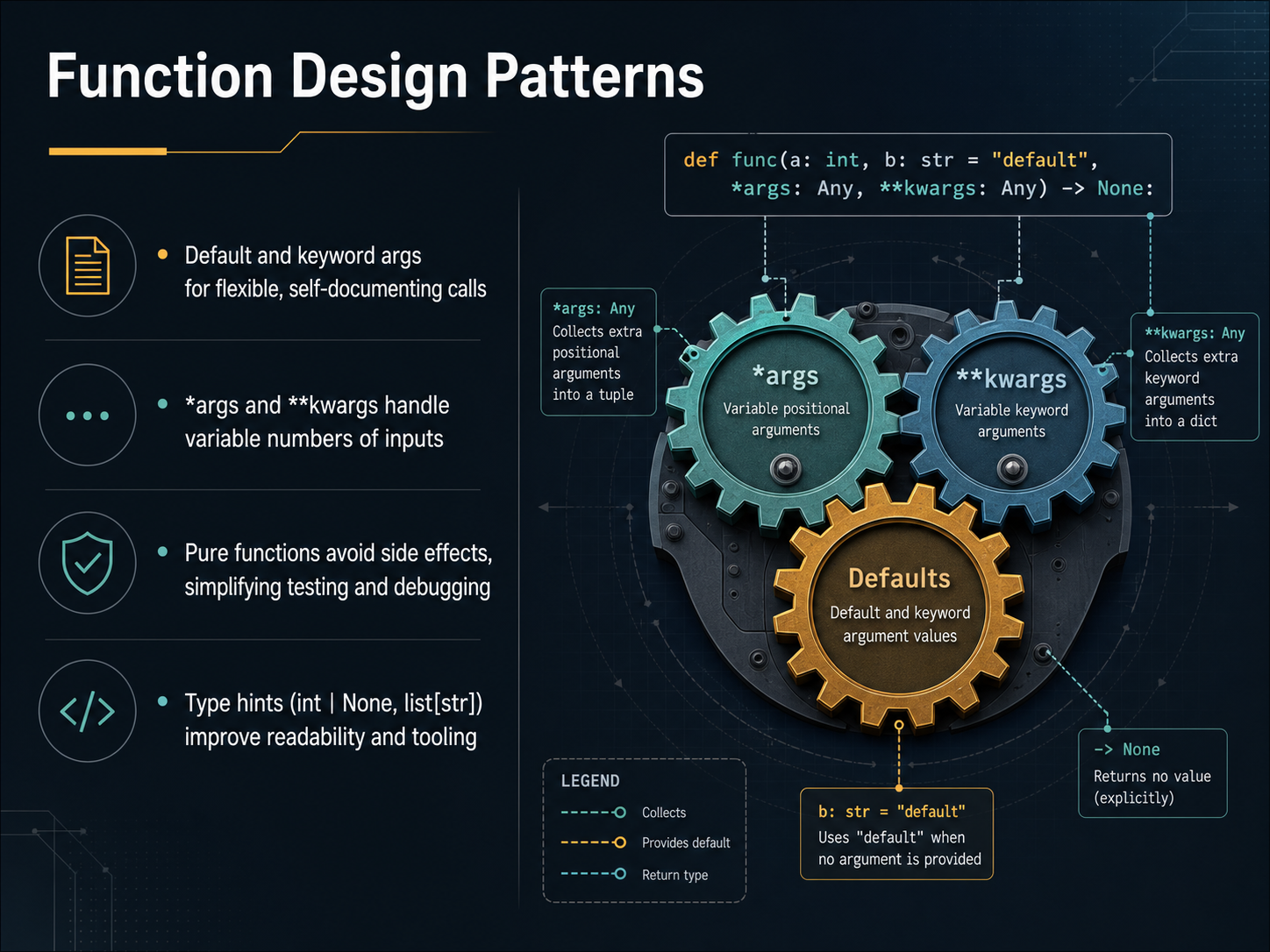
2 min - 03Function Design PatternsNow let's go a step further and look at some design patterns that make functions easier to work with. First, think about default and keyword arguments. They let you set sensible fallback values, so when you call a function, you only need to pass what's different. This makes your code more flexible and practically self-documenting. Next, when you truly don't know how many inputs you'll get, Python gives you the star args and double-star kwargs syntax. Star args collects extra positional arguments into a tuple, and double-star kwargs gathers extra named arguments into a dictionary. It's a clean way to handle variable-length inputs without overcomplicating your function signature. We also want to highlight pure functions. A pure function relies only on its inputs and produces a return value, without changing anything outside itself. This avoidance of side effects makes testing and debugging much simpler, because you can trust the function to behave the same way every time. Finally, type hints. Adding a hint like int or none, or list of strings, doesn't change how your code runs, but it dramatically improves readability and gives your editor better autocompletion and error checking. It's like leaving a helpful note for your future self and your teammates. Coming up next, we'll dive deeper into Type Hints in Practice.
 2 min
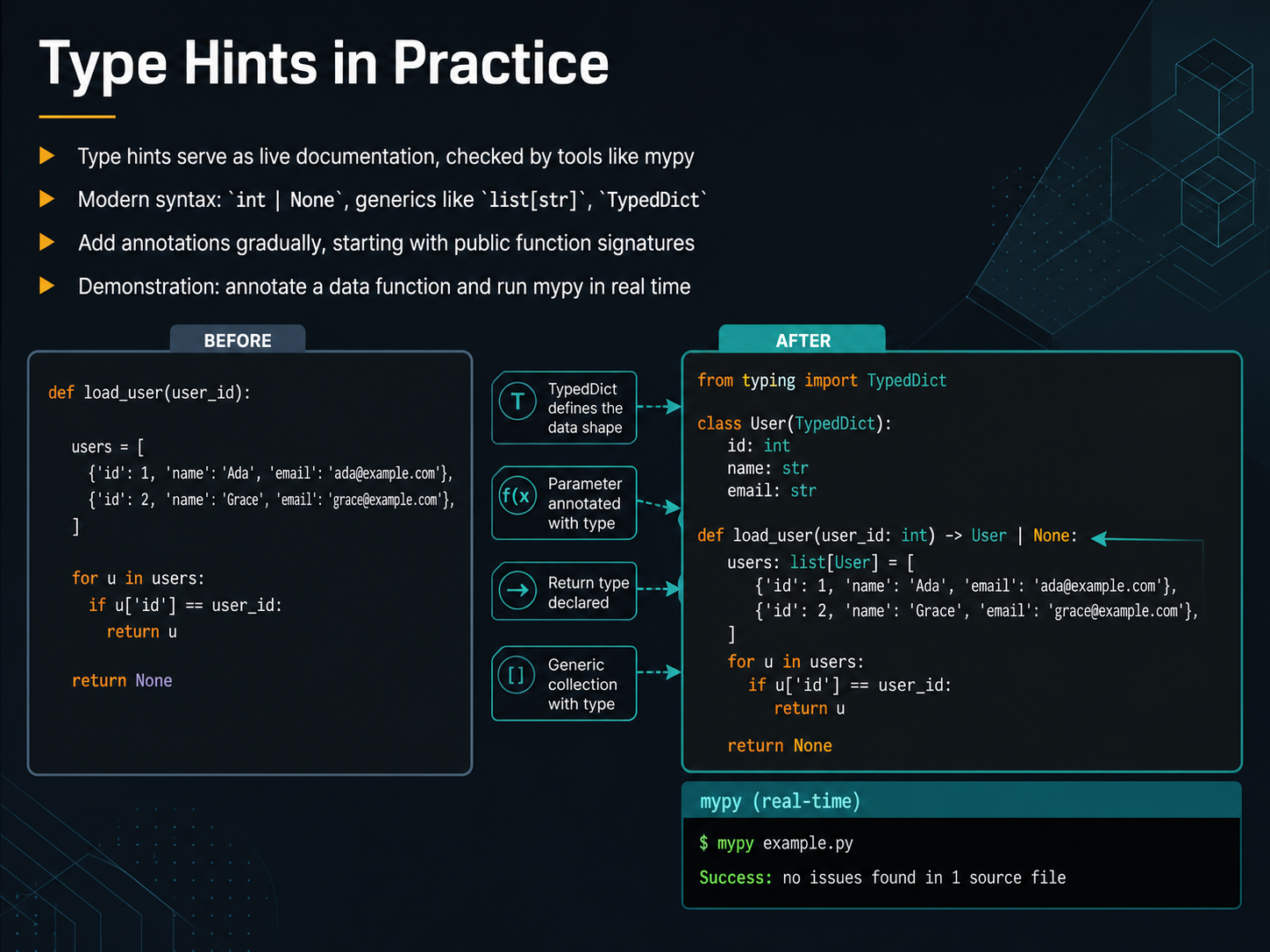
2 min - 04Type Hints in PracticeNow that we understand why type hints are helpful, let's see how they actually work in our code. Think of type hints as small, live notes right next to your variables and functions, little reminders that tools like mypy can read and check for you. In modern Python, the syntax has become quite clean. For example, you can write int pipe None to say a value might be an integer or might be missing. For lists of strings, you just write list of string inside square brackets. There is even a TypedDict for shaping dictionaries more clearly. The key is not to annotate everything at once. Start with your public function signatures, the ones other parts of the program call. That gives you the most benefit with the least effort. Let's look at a quick demo. I'll take a simple function that processes data and add a few type hints. Then I'll run mypy on it right here. You'll see exactly how it catches a small mismatch before it becomes a runtime bug. It's a fast feedback loop that fits right into your workflow. Next, we'll move on to two core data structures that you'll use every day, lists and tuples.
 2 min
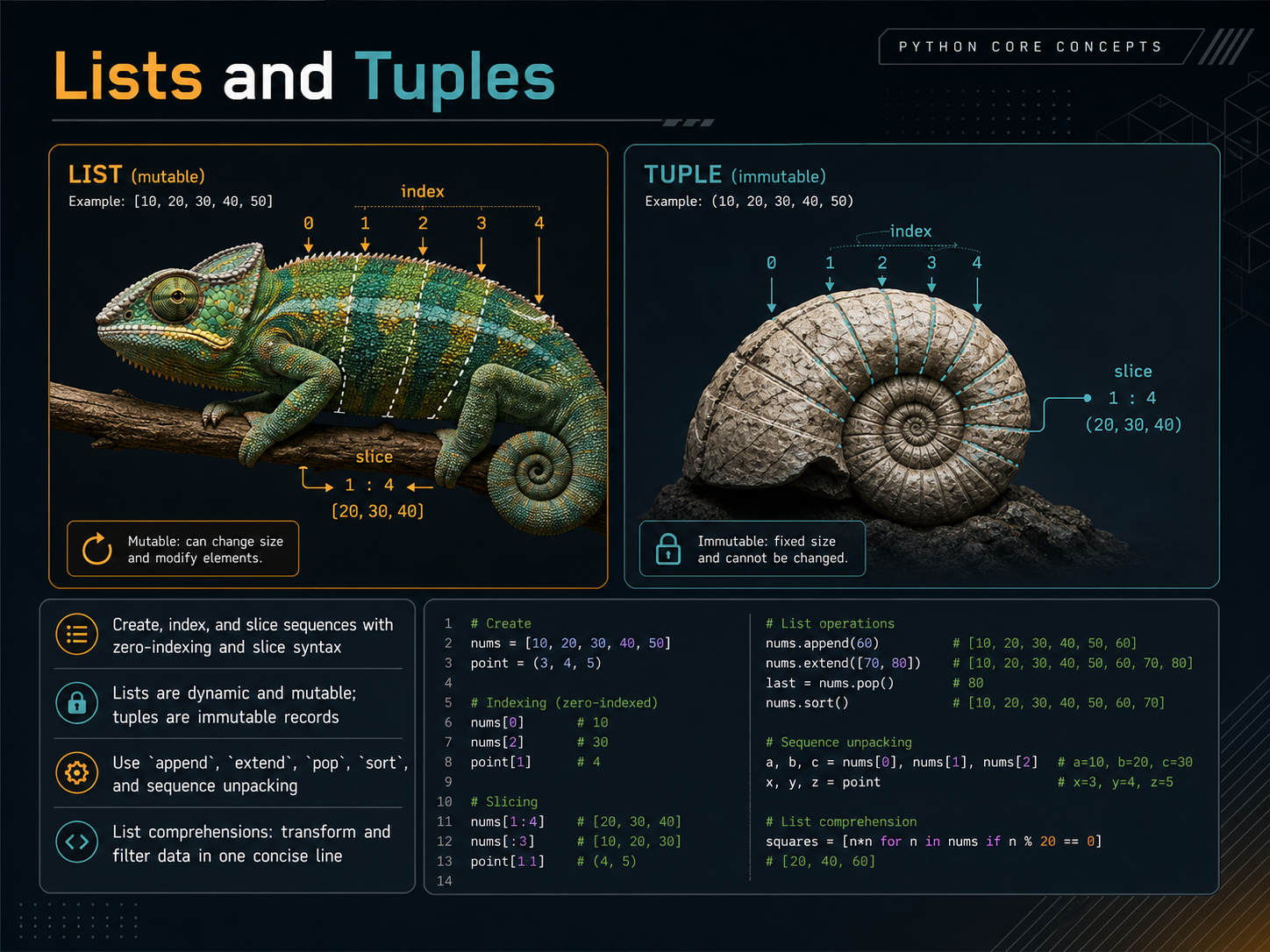
2 min - 05Lists and TuplesNow, let's look at two of the most common collections in Python: lists and tuples. Think of them as containers for keeping related items together. The first thing to remember is how we count positions. Python uses zero-indexing, meaning the first item is at position zero, the second is at position one, and so on. To grab a slice of items, like the second through fourth, you use a colon inside the square brackets. The big difference between lists and tuples is flexibility. A list is dynamic and mutable, so you can change its contents anytime. You can add items with the append method, merge another list with extend, or remove the last item with pop. Need to put things in order? Just call sort. A tuple, on the other hand, is an immutable record. Once you create it, it stays exactly as is, which makes it perfect for fixed data like coordinates or a person's name and birthdate. Both support a neat trick called sequence unpacking, where you can assign each item in a list or tuple directly to its own variable in a single line. Finally, let's touch on a powerful shortcut called a list comprehension. It lets you write a loop, a condition, and a result all in one concise line to transform and filter data quickly. Up next, we'll explore dictionaries and sets, which handle data in a slightly different way.
 2 min
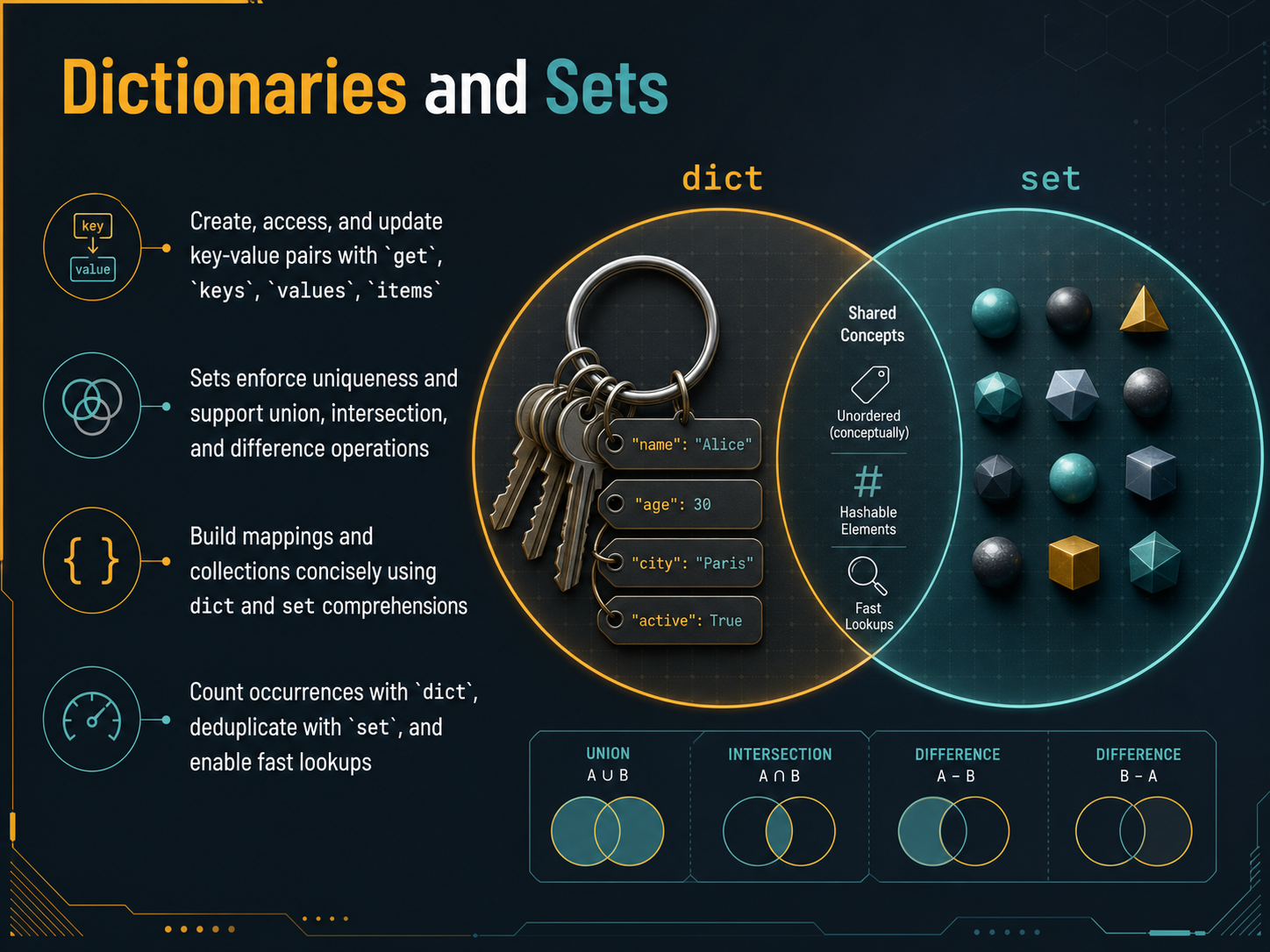
2 min - 06Dictionaries and SetsLet's move on to two incredibly useful Python structures: dictionaries and sets. Think of a dictionary as a real-world dictionary, where you look up a word, the key, to find its meaning, the value. You create them with curly braces, pairing keys and values with a colon. To access a value safely, use the `get` method, which avoids an error if a key is missing. You can also retrieve all keys, all values, or both as pairs using the `keys`, `values`, and `items` methods. Sets, on the other hand, are like bags of unique items. They automatically discard duplicates, which is perfect for deduplication. You can also perform set operations like union to combine, intersection to find common elements, and difference to see what's in one but not the other. For building these quickly, you can use comprehensions. A dict comprehension constructs a mapping in a single line, and a set comprehension builds a unique collection. Common real-world tasks become simple: use a dictionary to count how many times each item appears, and a set to get a list of unique elements. Both provide incredibly fast lookups, so you can check membership instantly. Now, that we have our data organized, let's look at how to efficiently iterate and transform it.
 1 min
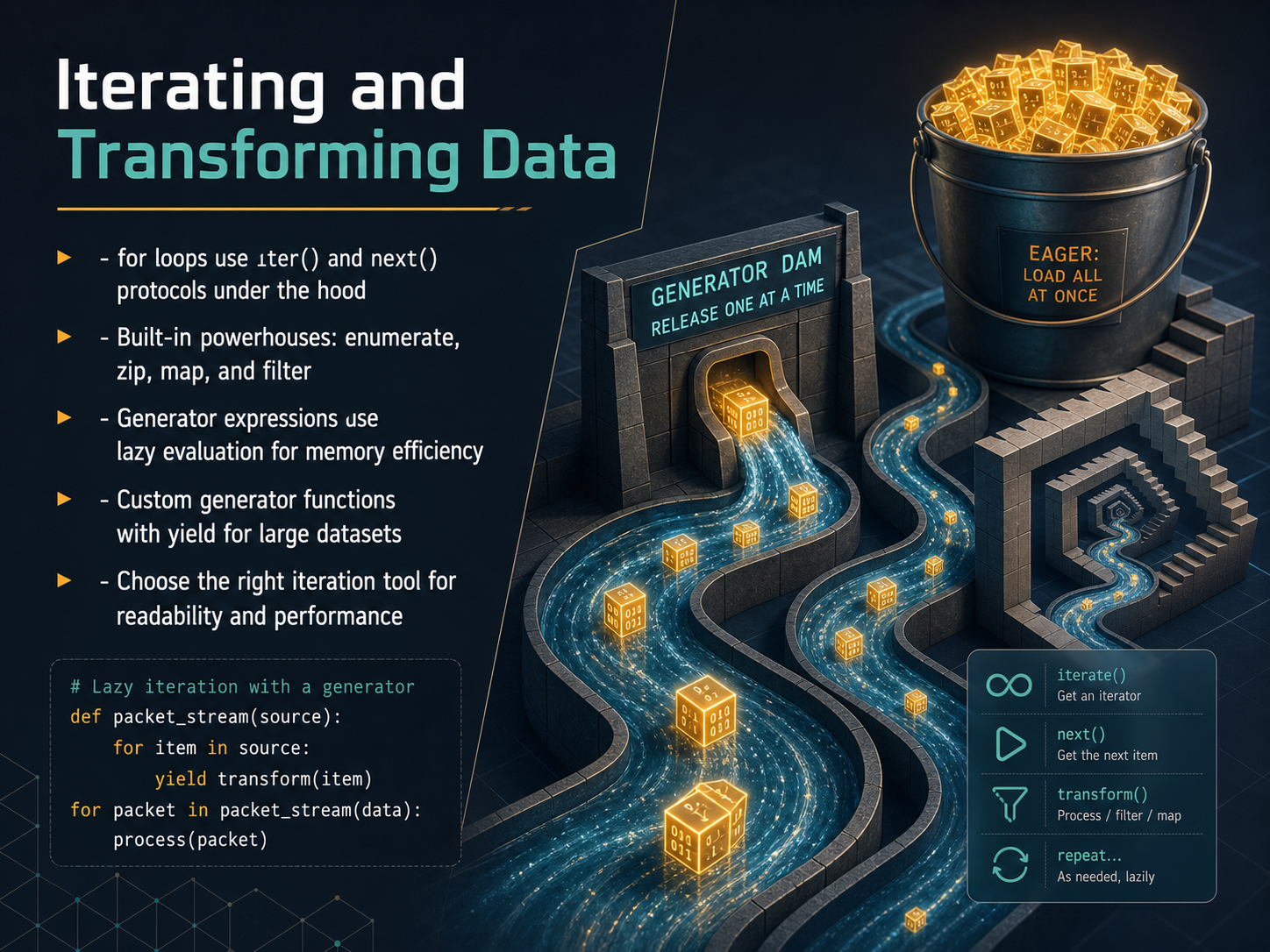
1 min - 07Iterating and Transforming DataLet's look at what's happening behind the scenes when we iterate, and some powerful tools that make transforming data much easier. When you write a for loop, Python calls two special methods under the hood, iter and next, to walk through each item one at a time. But you rarely need to think about that. Instead, you can reach for built-in powerhouses that do the heavy lifting. Enumerate gives you an automatic counter alongside your items. Zip lets you pair up multiple lists element by element. Map applies a function to every item in a collection, and filter keeps only the items that match a condition. For truly large datasets, you'll want generator expressions. They use lazy evaluation, creating values on the fly instead of all at once, which saves a ton of memory. You can also write your own custom generator functions using the yield keyword, perfect for processing huge files or data streams. The key is to choose the right tool for the job. Pick the approach that makes your code readable and keeps performance in check. Next, we'll see how to combine these iteration techniques with the data structures you already know.
 2 min
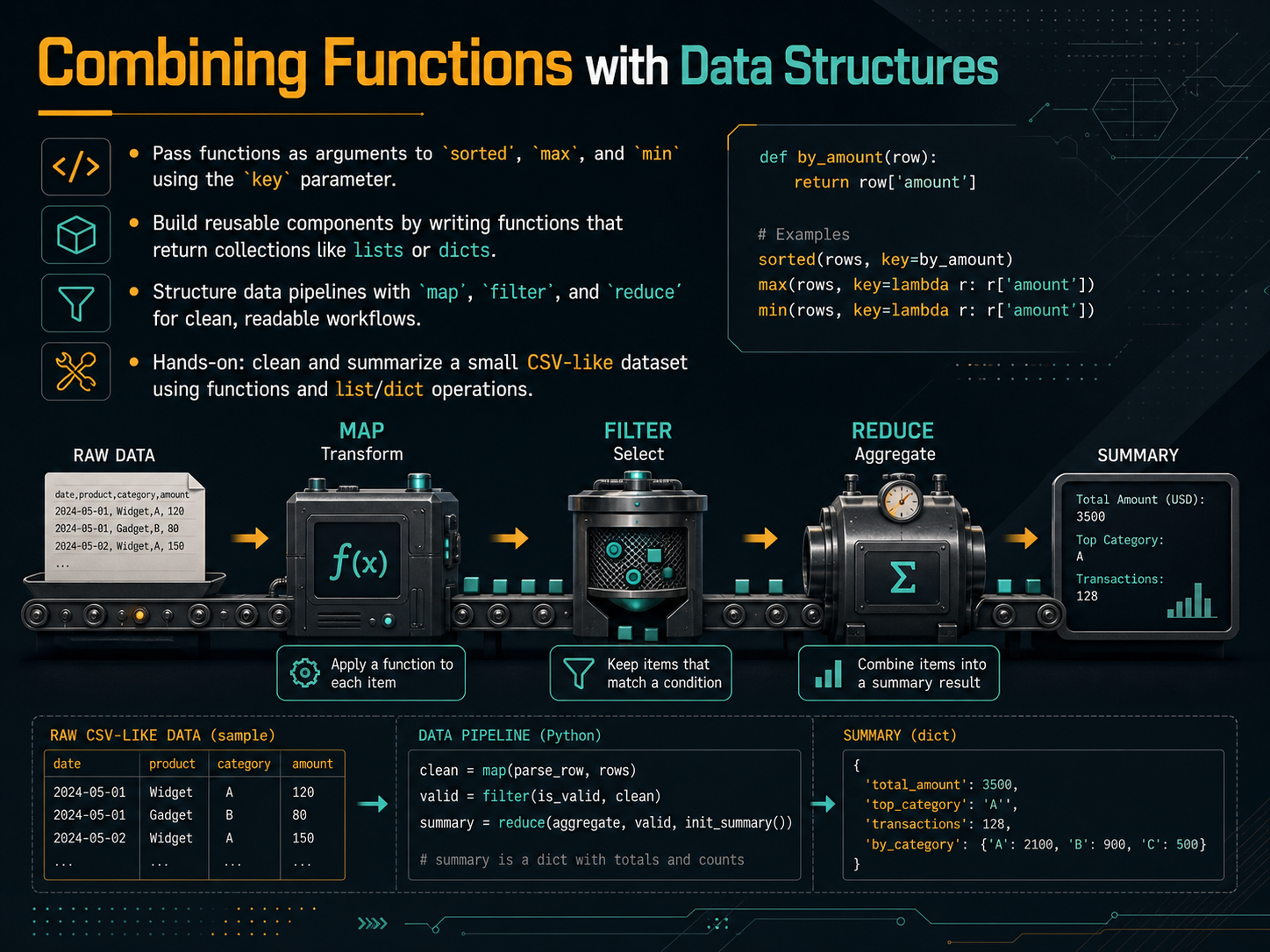
2 min - 08Combining Functions with Data StructuresNow, let's bring functions and data structures together to write cleaner, more flexible code. First, think about the built-in functions sorted, max, and min. You can pass your own function to their key parameter to control exactly how they compare items. For example, sorting a list of names by length instead of alphabetically is as simple as passing the len function as the key. Next, get in the habit of writing functions that return collections, like lists or dictionaries. This turns your function into a reusable building block that you can chain with other logic. We also have powerful tools like map, filter, and reduce to build clear data pipelines. Use map to transform every item in a list, filter to keep only the items that match a condition, and reduce to combine items into a single result. For our hands-on practice, you'll clean and summarize a small CSV-like dataset. You'll apply exactly these patterns—using functions and list and dictionary operations to turn messy data into meaningful insights. Coming up next, we'll explore advanced data structures from the collections module.
 2 min
2 min - 09Advanced Data Structures from the `collections` ModuleNow let's look at a few advanced data structures from Python's collections module that can really clean up your code. First, there's namedtuple. Think of it as a simple, lightweight object where you can access fields by name instead of just by position. Once you create it, you can't change it, which helps prevent accidental bugs. Next, meet defaultdict and Counter. defaultdict lets you set a default value for missing keys, so you avoid those annoying KeyError exceptions. Counter is perfect for counting things, like how many times each word appears in a text. Then there's deque, pronounced deck. It's a double-ended queue that lets you add or remove items quickly from either end. If you need a stack or a queue, deque is often much faster than a regular list. When choosing a structure, remember that each has trade-offs. Lists are great for order, but searching is slow. Dicts and sets give you fast lookups, while these collections types add clarity and safe defaults. In the next slide, we'll explore error handling and defensive programming to keep your code running smoothly.
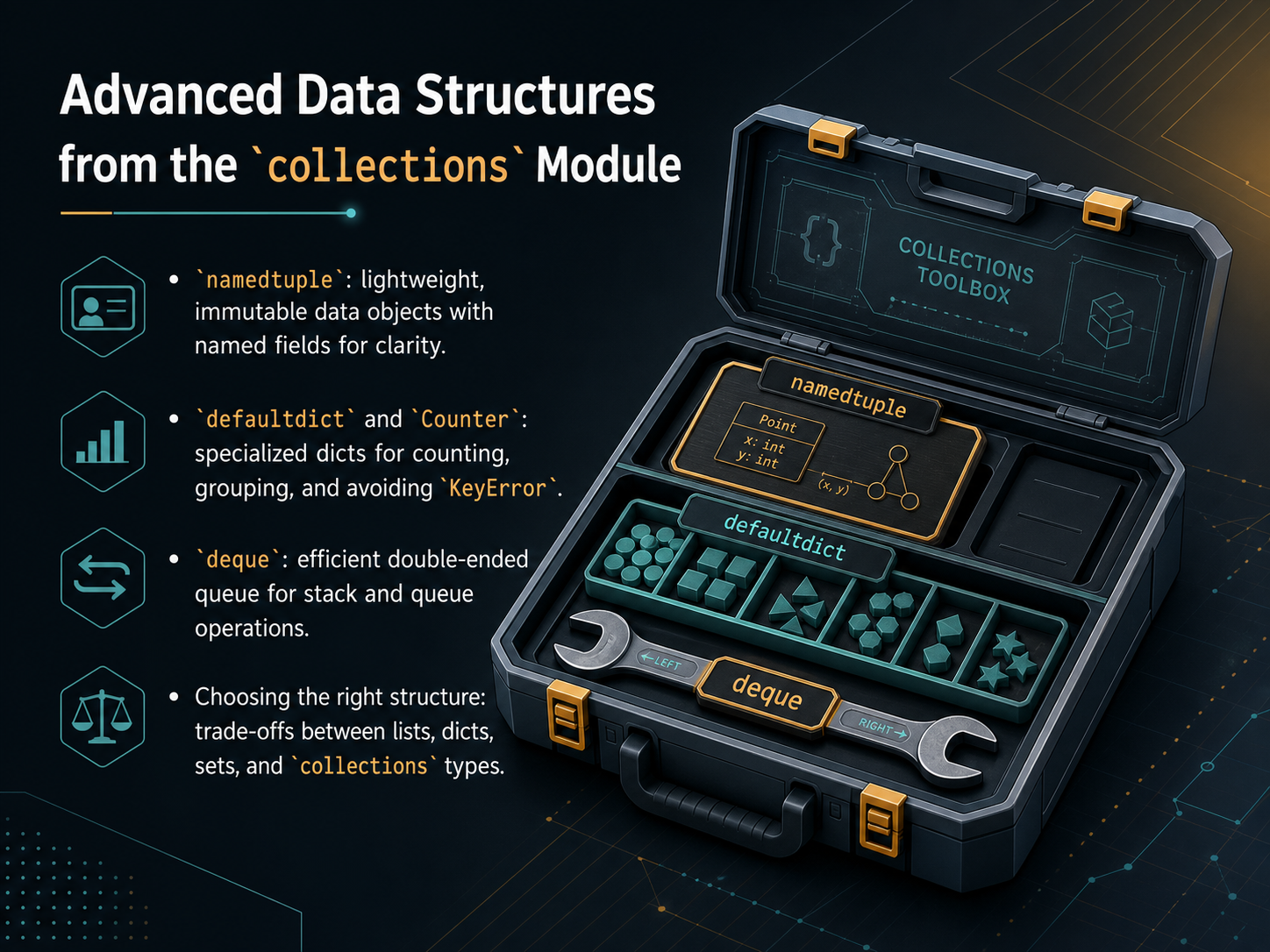 2 min
2 min - 10Error Handling and Defensive ProgrammingNow let's talk about something that separates a fragile script from a reliable one: error handling and defensive programming. The goal is to write code that not only works when things go right, but also fails gracefully when something unexpected happens. In Python, we use try and except blocks to catch specific errors, like a KeyError when a dictionary key is missing, instead of letting the program crash. You can also add an else clause that runs only if no error occurred, and a finally clause that always runs, which is perfect for cleaning up resources like closing a file. Another key habit is to validate inputs and check your data structures early. If a function expects a list of numbers, verify that right at the start and raise a clear, descriptive error if it's wrong. This fail-fast approach makes bugs much easier to find. For domain-specific problems, you can even create your own custom exception classes. Instead of a generic error, you can raise a clear message like InvalidCustomerIdError, which makes your code easier to understand and maintain. Finally, I want to replace the common habit of using print statements for debugging. In production, use the logging module instead. It lets you control the level of detail, like debug or info, and write messages to a file without cluttering your output. This gives you a permanent record to monitor your code's health. Up next, we'll apply these ideas by building a data cleaning pipeline, starting with loading and profiling your dataset.
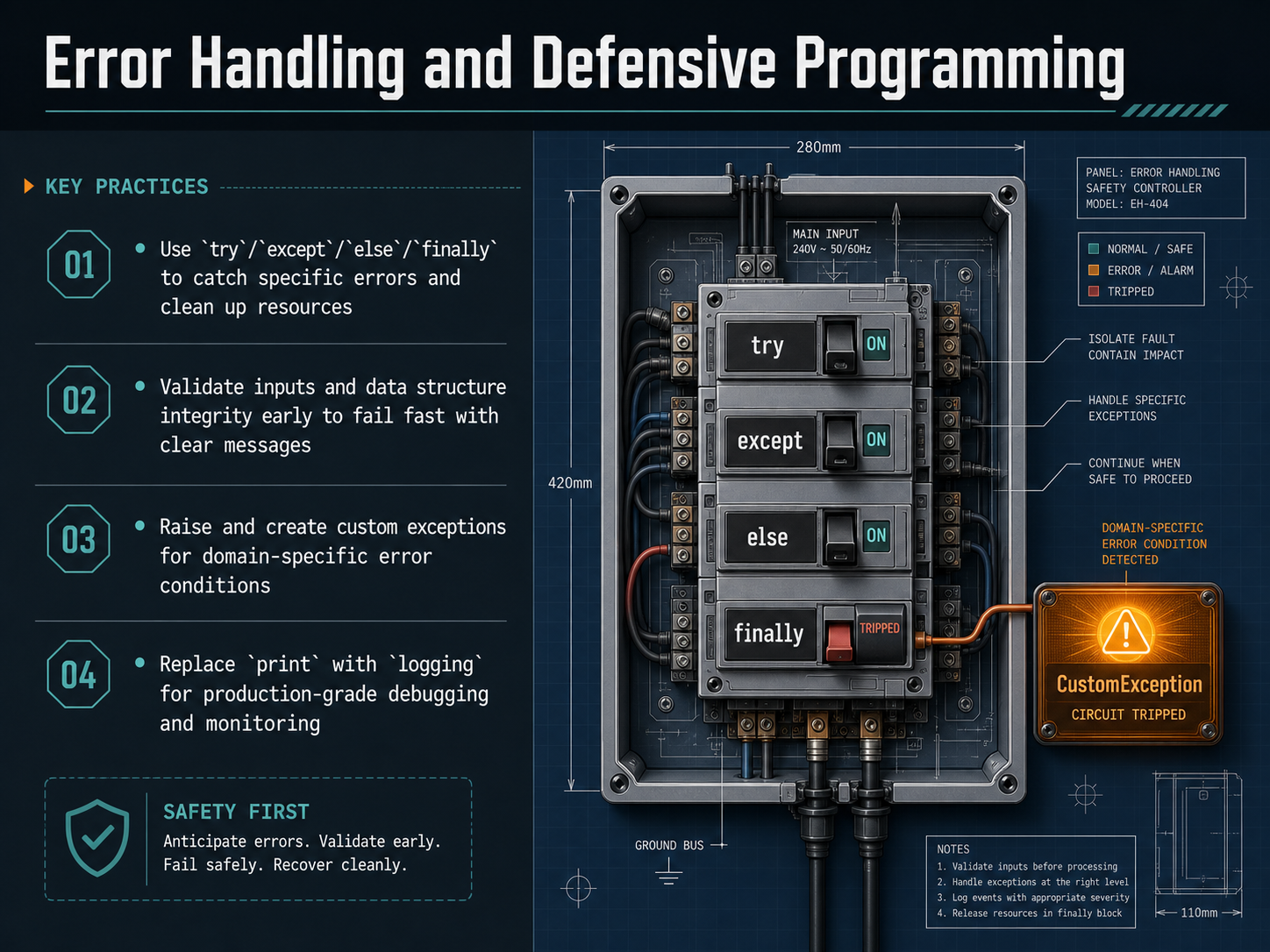 2 min
2 min - 11Building a Data Cleaning Pipeline – Part 1: Load and ProfileNow let's put our knowledge to work. We're going to start building a real data cleaning pipeline for a messy e-commerce transactions file. Think of this as the initial inspection phase, where your job is to understand exactly what you're working with before you change anything. First, we load the CSV with pandas and check its raw shape, how many rows and columns we have. That tells us the scale of the task. Next, we profile the data. We look at the data types, count nulls in every column, and check value ranges. This is like a health check, revealing issues like text in a number column or missing dates. After profiling, we standardize the column names. We use dot rename to make them all lowercase with underscores, a style called snake case. Consistent names prevent errors later. Finally, we run a real validation step. We define a Pandera schema model that describes exactly what our input should look like, and we test the raw data against it before we clean. This catches critical problems early. Once we have a solid understanding of our data, we can move on to the actual cleaning and transformation.
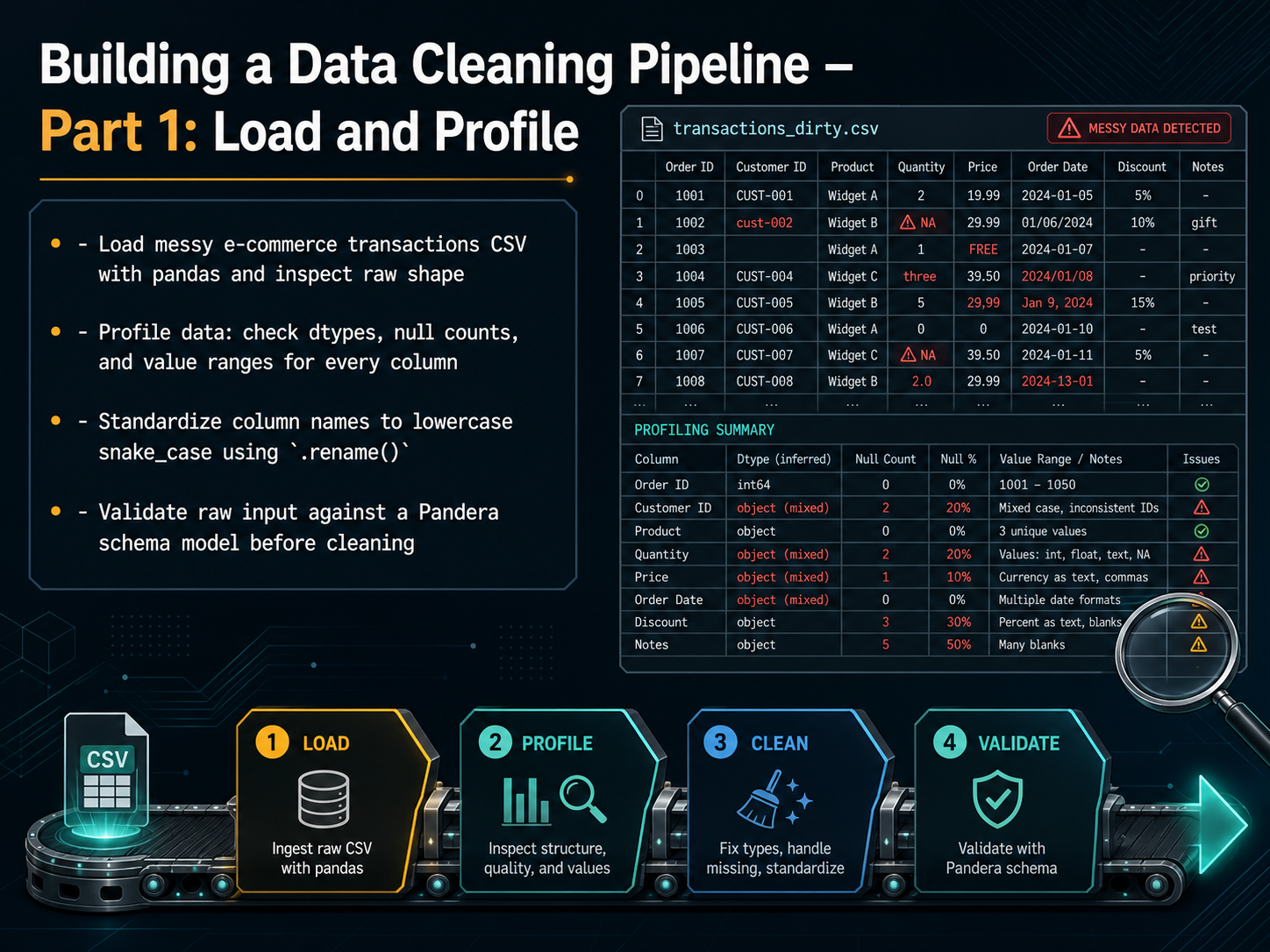 pythondatabench.comoneuptime.compythoncompiler.io+22 min
 - 12Building a Data Cleaning Pipeline – Part 2: Clean and TransformNow we are ready to move from just looking at our data to actually cleaning and transforming it. Think of this as the hands-on fix-it stage. First, we tackle missing values. For numeric columns like an amount or a price, we can fill those gaps with the median, which is a safer choice than the average when your data has outliers. For categorical columns, like a product type or a region, we can fill in the gaps with the most frequent value, or a constant placeholder like 'Unknown'. Next, we coerce data types. This means fixing columns that should be numbers but are stored as text, or parsing a messy mix of date formats into a single, sortable datetime column. Then, we clean up the text itself. We remove exact duplicate rows so they don't double-count in our analysis. We also normalize text by stripping extra spaces, converting to lowercase, and standardizing category labels. Finally, we clip outliers. A common method is the IQR rule. We calculate the upper and lower bounds and then clip any extreme values to those very limits, so one massive purchase doesn't skew your entire report. Up next, we will complete our pipeline by validating the cleaned data, exporting it, and generating an audit trail.
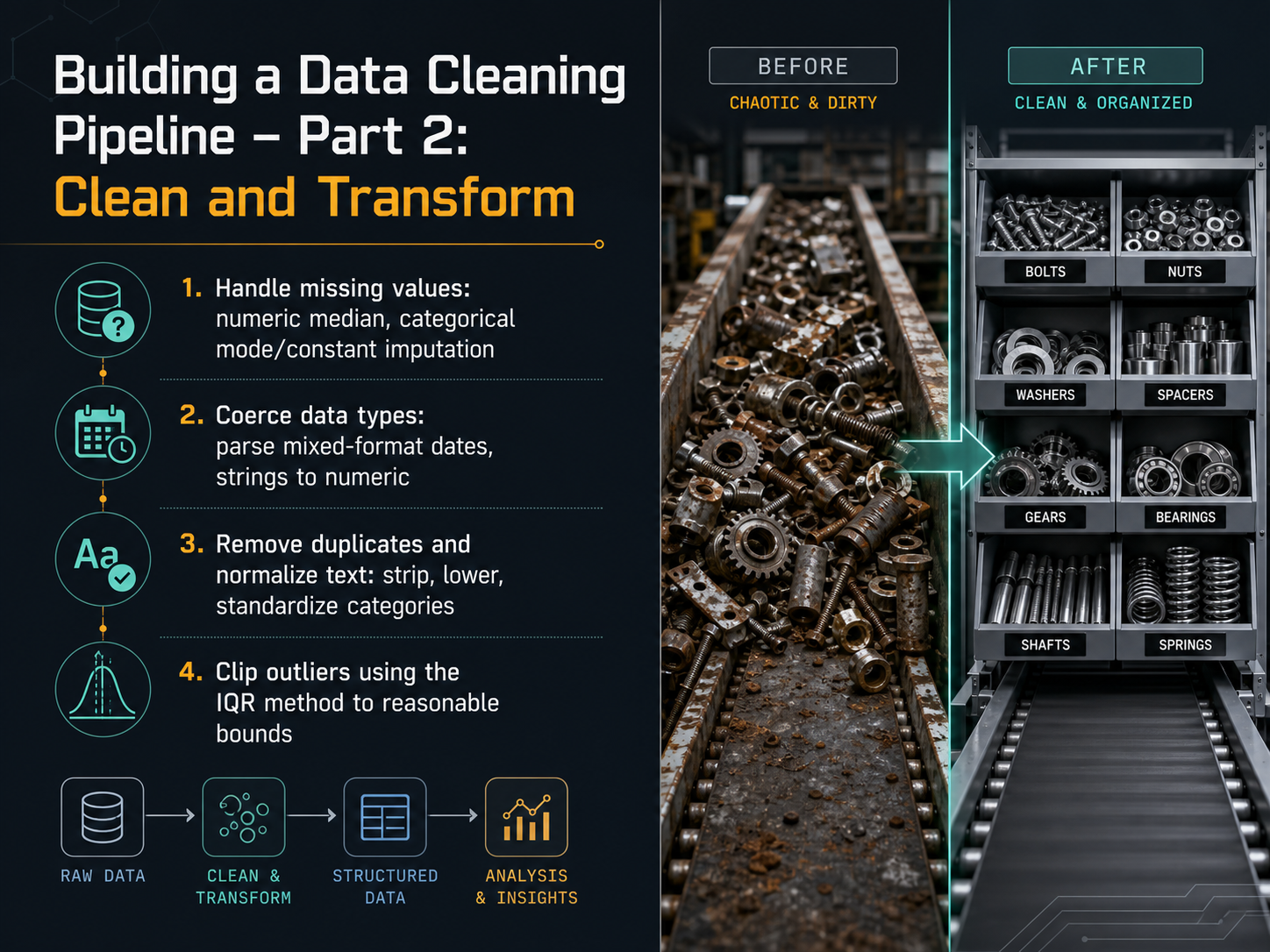 pythondatabench.comoneuptime.compythoncompiler.io+22 min
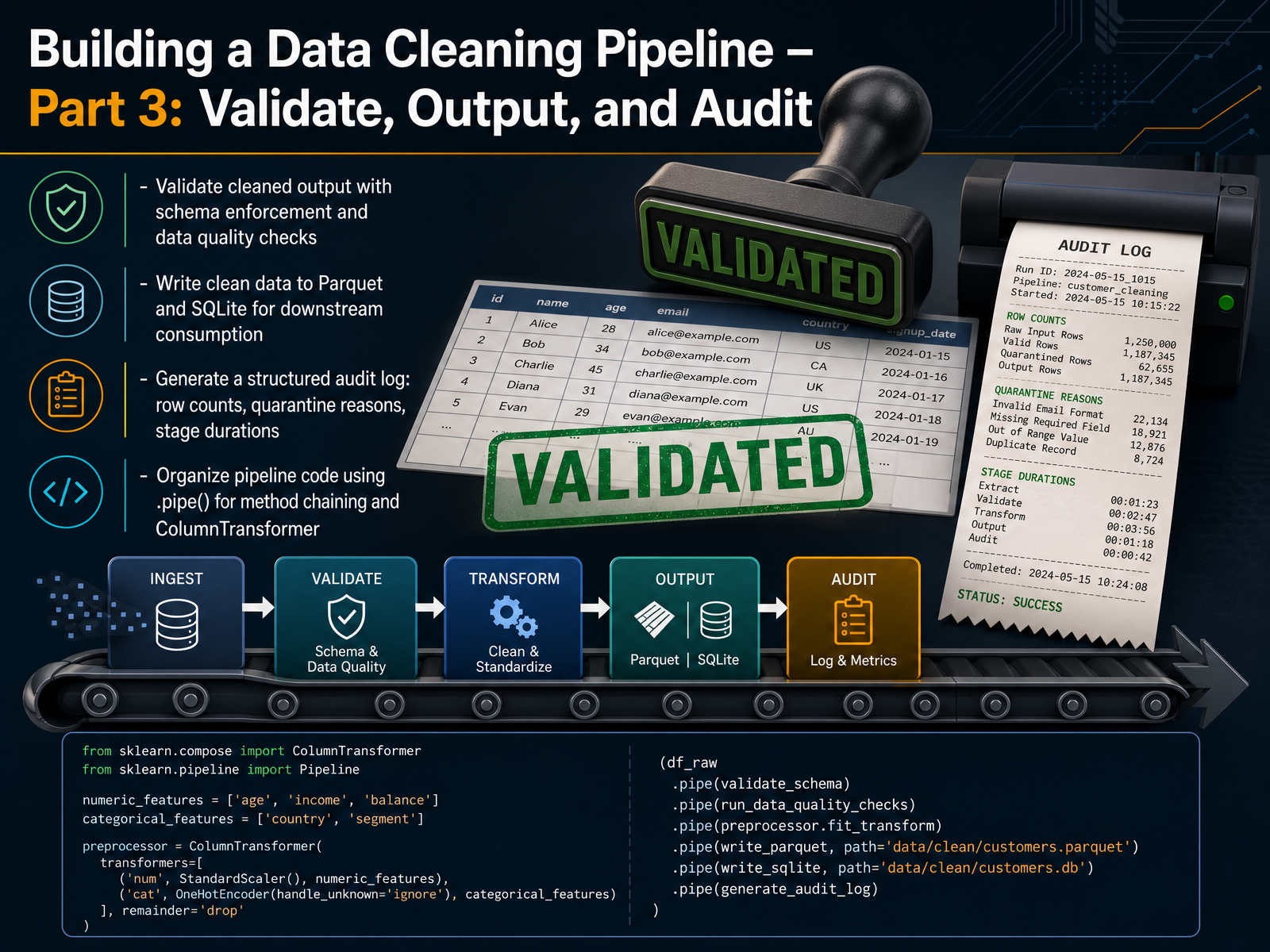
 - 13Building a Data Cleaning Pipeline – Part 3: Validate, Output, and AuditNow we need to confirm that our cleaned data is actually clean, and then get it ready for other teams to use. Validation means enforcing a schema, which is just a contract that says each column must have the right type and rules. For example, a transaction ID should never be missing, and an amount should always be a positive number. In practice, we use a library like Pandera to check every row. If a row fails, we might quarantine it and log the exact reason, such as an invalid category code. After validation, we write the good data out. Parquet is a great choice for analysts because it is fast and keeps column types safe. We also write to SQLite when someone needs a quick database. Both formats are ready for downstream consumption. Finally, we generate a structured audit log. This log captures row counts, quarantine reasons, and how long each stage took. It is the first place you look when a report seems off. To keep the pipeline readable, we organize our code using the dot pipe method for chaining steps, and we use ColumnTransformer when different columns need different treatments, like scaling numbers while encoding text. In the next slide, we will explore functional programming patterns and itertools to make our transformations even cleaner and more memory efficient.
 pythondatabench.comoneuptime.compythoncompiler.io+22 min
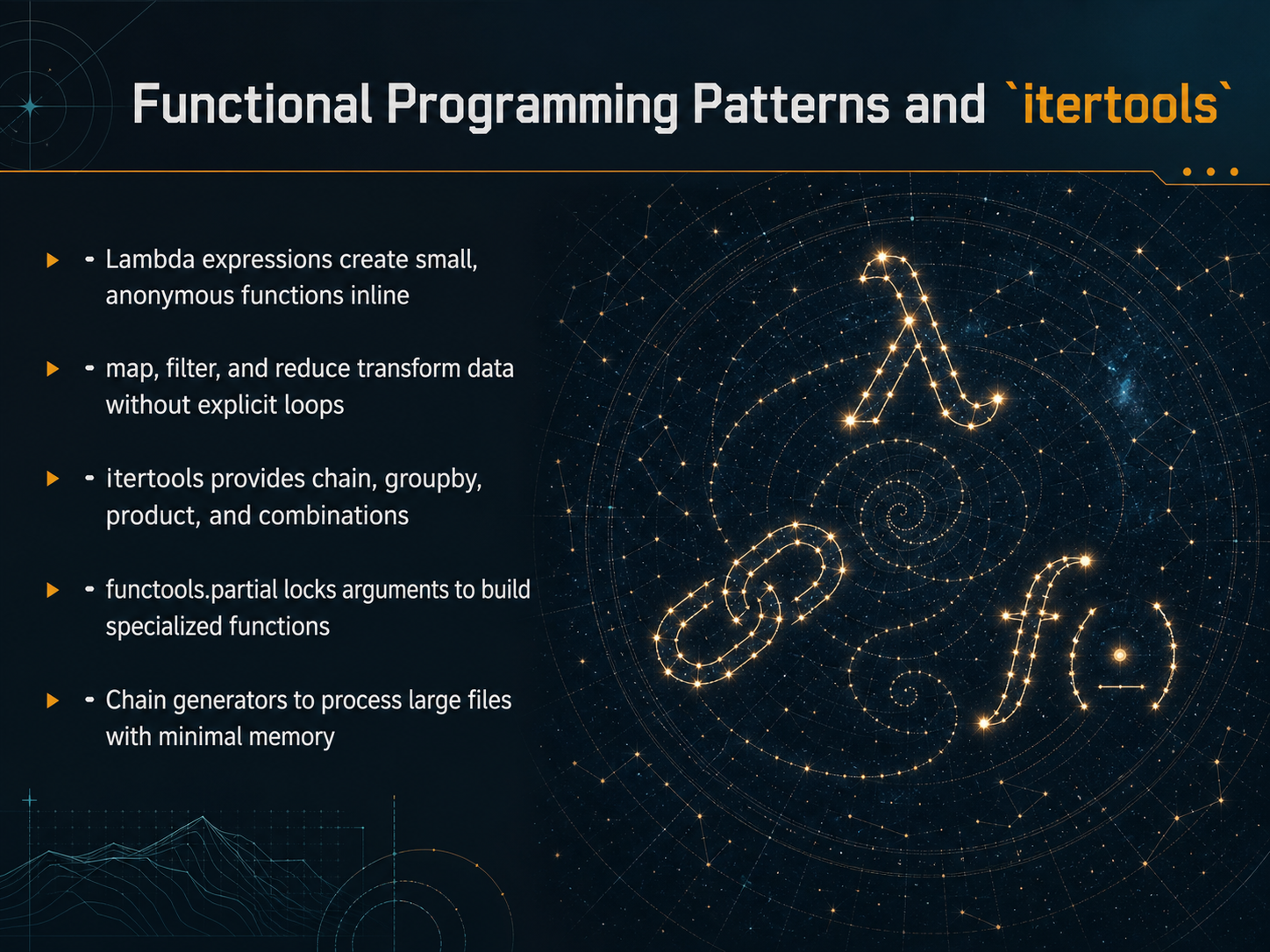
 - 14Functional Programming Patterns and `itertools`Now, let's look at some functional programming patterns that can really clean up your code, along with a handy library called itertools. First, lambda expressions. Think of these as tiny, throwaway functions you can write right where you need them, without giving them a name. They're great for simple, one-line operations. Building on that, we have map, filter, and reduce. These let you transform, select, and combine data in a list without writing a traditional for loop. For example, you can use map to apply a function to every item in a list in one clean step. Next, the itertools module is full of useful tools. You can use chain to link several lists together, groupby to cluster similar items, and product or combinations to generate all possible pairings or groupings from your data. Another powerful tool is functools dot partial. This lets you take a function with several arguments and lock in some of them, creating a new, specialized function for a specific task. Finally, a fantastic real-world pattern is chaining generators. You can connect these tools to process a massive file piece by piece, keeping your memory usage incredibly low while you transform the data. In the next slide, we'll shift gears and dive into testing and debugging your code.
 2 min
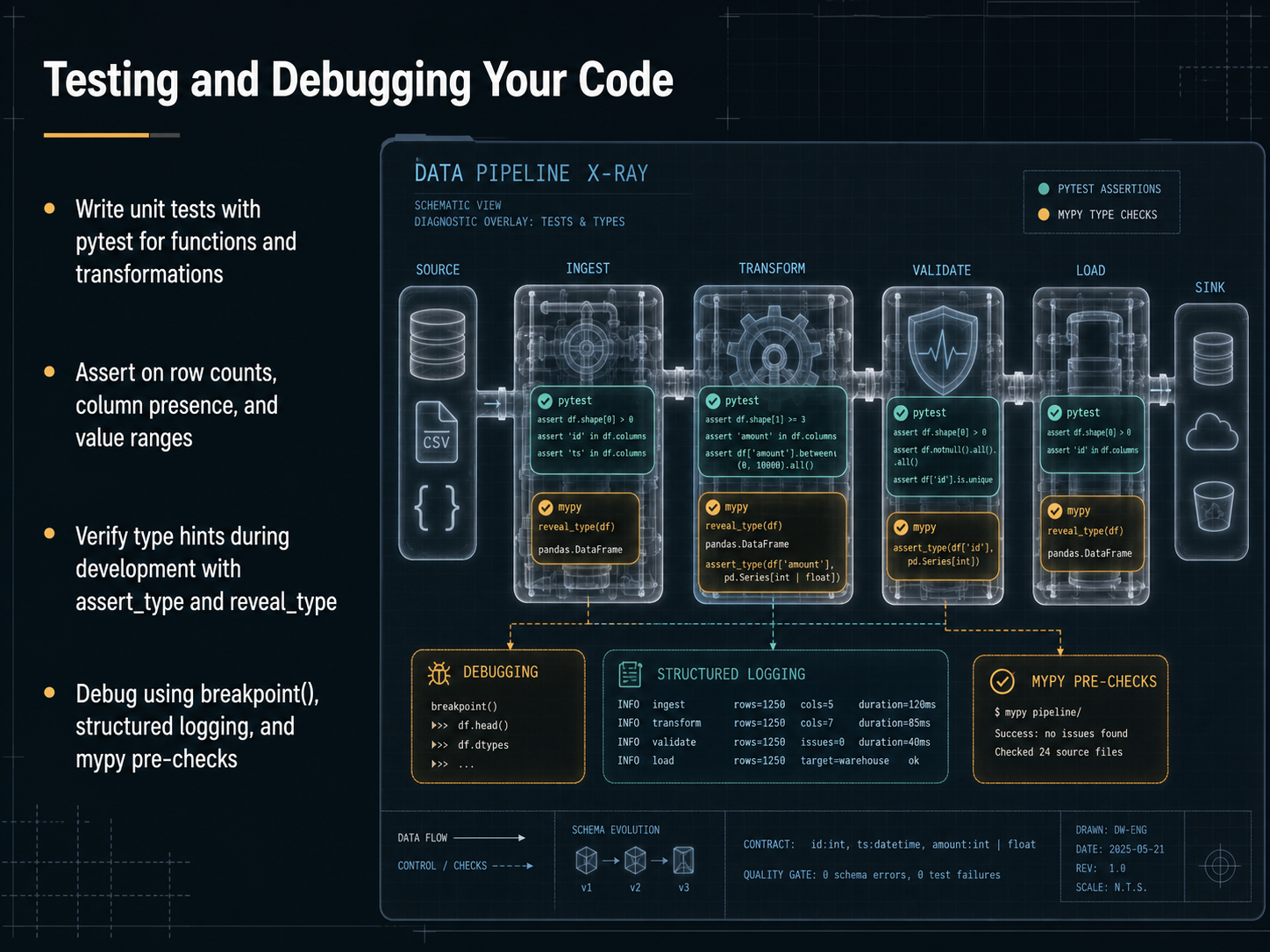
2 min - 15Testing and Debugging Your CodeNow let's talk about testing and debugging, which are real superpowers once you start building anything beyond a quick script. Think of unit tests as little safety nets that catch problems before they reach your analysis. With a tool like pytest, you can write short tests that check your functions and data transformations automatically. For example, you might assert that the number of rows hasn't changed after a merge, or that a critical column is still present. You can also test that values fall inside expected ranges, like making sure a discount percentage never goes below zero. While you're developing, you can use assert_type and reveal_type to check that your type hints match what the code actually does, which helps catch subtle mistakes early. When something does go wrong, you have a few great tools. You can drop a breakpoint right into your code to pause and inspect what's happening step by step. Structured logging lets you write out useful messages as your code runs, so you can trace the flow without print statements everywhere. And running mypy before you even execute the code can catch type errors silently. These habits make your code more reliable and save you a lot of debugging time down the road. Next, we'll bring everything together in a real-world application and talk about your next steps.
 2 min
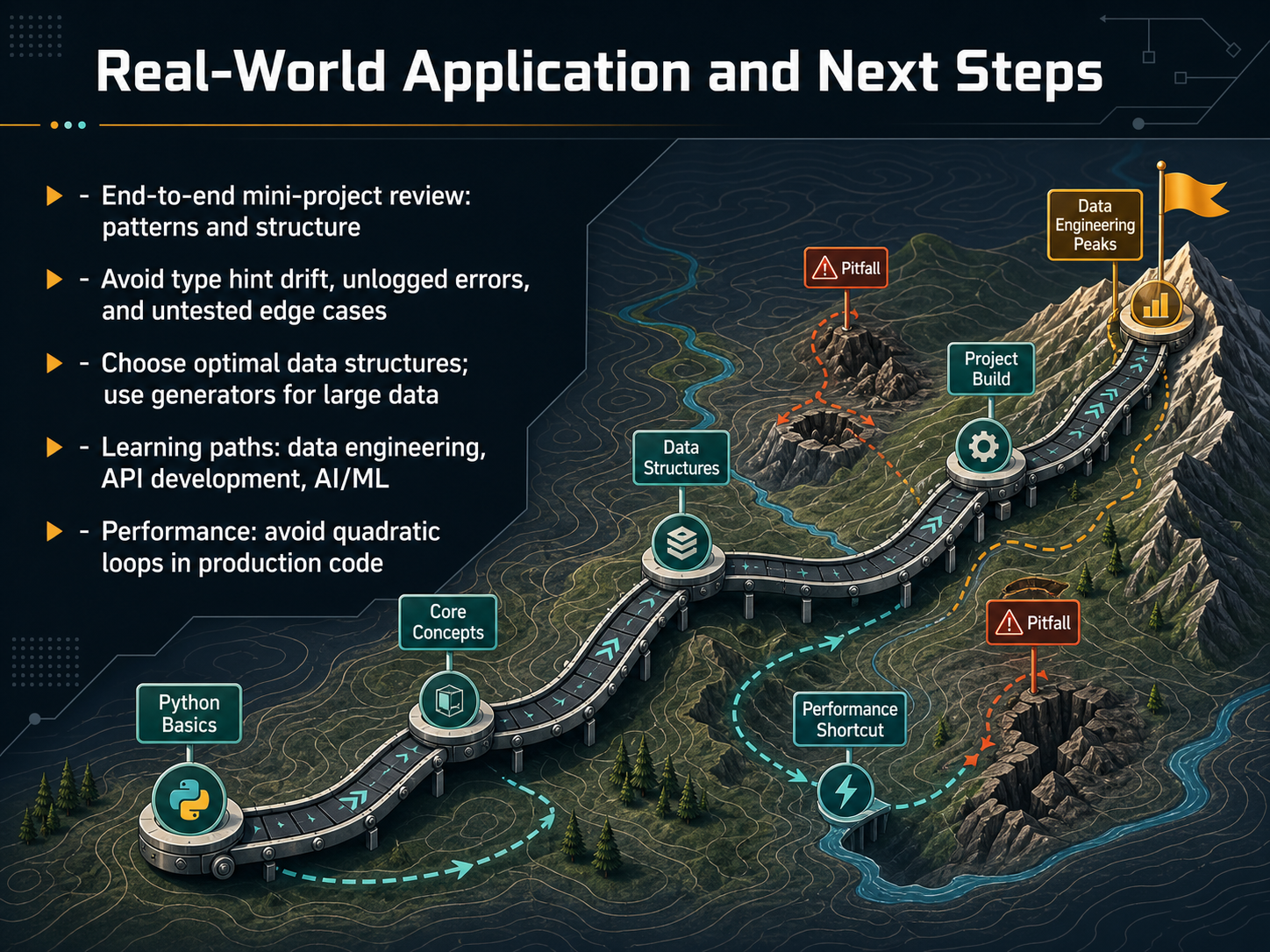
2 min - 16Real-World Application and Next StepsLet's bring everything together and look at the real world. We've walked through a mini project, and you've seen how patterns and structure keep your code organized. As you move forward, watch out for a few things. Avoid type hint drift, where your hints slowly become wrong. Always log your errors, and test those tricky edge cases, so surprises don't show up in production. Choose the right data structure for the job. For example, use a generator when you're dealing with a huge dataset, so you don't load everything into memory at once. And here's a performance tip, avoid nested loops that create quadratic complexity. That can really slow down your code. Now, where can you go from here? You have solid foundations for data engineering, building APIs, or even stepping into AI and machine learning. You've built a powerful toolkit. Thank you for joining me, and keep building, keep coding, and most importantly, have fun with it.
 1 min
1 min
Take the deck with you
Download this course as a file — free, no sign-up needed.
- PDF handoutEvery slide page, ready to print or share.17 pages · 5.0 MBDownload
- Narrated PowerPointThe deck that presents itself — every slide carries the digital human's narration video.17 pages · 19.2 MBDownload
- PowerPoint slidesThe full deck as a .pptx — open it in PowerPoint, Keynote, or Google Slides.17 pages · 4.9 MBDownload
Free to use in your own training — please keep the PersonWise credit page at the end.
Have your own deck? Turn it into a course
Sources consulted
Web sources consulted while building this course.
- Python Course Syllabus — Complete 8-Week Curriculum (2026) | Asmorix Technologies — asmorix.in
- Python Training Courses | Corporate Training | Nexacu — nexacu.com.au
- Python Programming – 4 days Professional Training Course - Corporate Skills & Language Training Asia | Ultimahub — ultimahub.com
- Python Programming Essentials: Technical Leadership and Rapid Prototyping - Growth Pro Asia — growthpro.asia
- https://www.corporatetrainingsolutions.co/portfolio/software-development-engineering-corporate-training-courses/python-development-training-corporate-courses-enterprise — corporatetrainingsolutions.co
- Python Data Cleaning Pipelines Tutorial… | Python Data Bench — pythondatabench.com
- How to Create Data Cleansing — oneuptime.com
- Build an Automated Data Cleaning Pipeline | ThePythonBook — pythoncompiler.io
- Mastering Data Cleaning Automation in 2026 | Nerd Level Tech — nerdleveltech.com
- OnerGit/data-quality-etl-starter — github.com