Begin
14 pages · ~28 min
SQL Database Access Workflow
Learn the practical workflow for accessing SQL databases, from connection setup to running queries. Ideal for beginners and professionals seeking hands-on database access skills.
A digital instructor presents all 14 pages. Hold “Ask” at any point and ask out loud — the answer comes from this course. No sign-up needed.
What you’ll learn
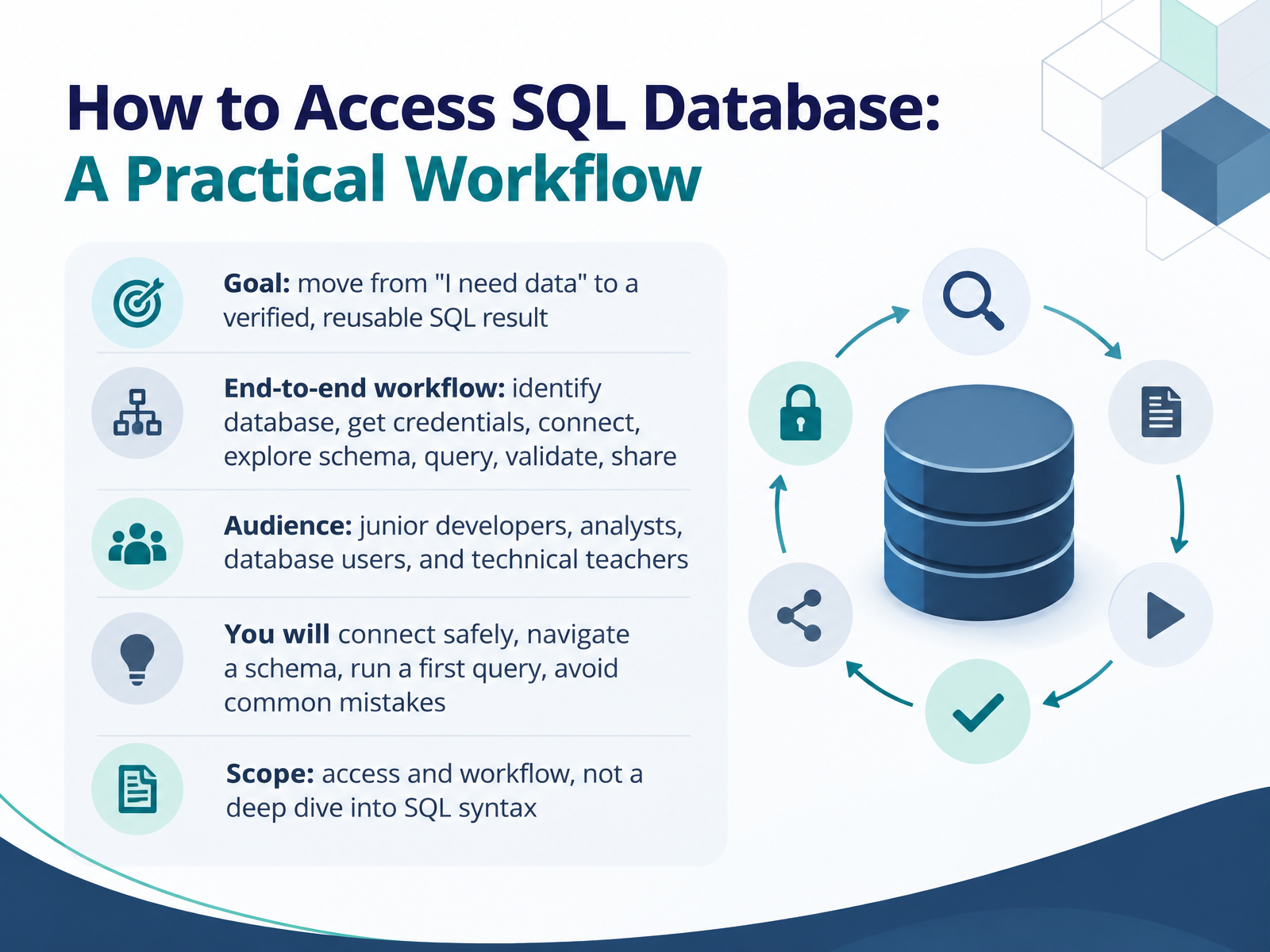
- 01How to Access SQL Database: A Practical WorkflowWelcome. This session is about accessing a SQL database in a practical, repeatable way. Our goal is simple. We move from saying I need data to producing a verified, reusable SQL result. You will follow one end to end workflow. Identify the database, get credentials, connect, explore the schema, query, validate, and share. This is written for junior developers, analysts, database users, and technical teachers. By the end, you will know how to connect safely, navigate a schema, run a first query, and avoid common mistakes. One note on scope. We focus on access and workflow, not a deep dive into SQL syntax. So keep that practical goal in mind. Next, let us know your target by looking at engines and connection details.1 min
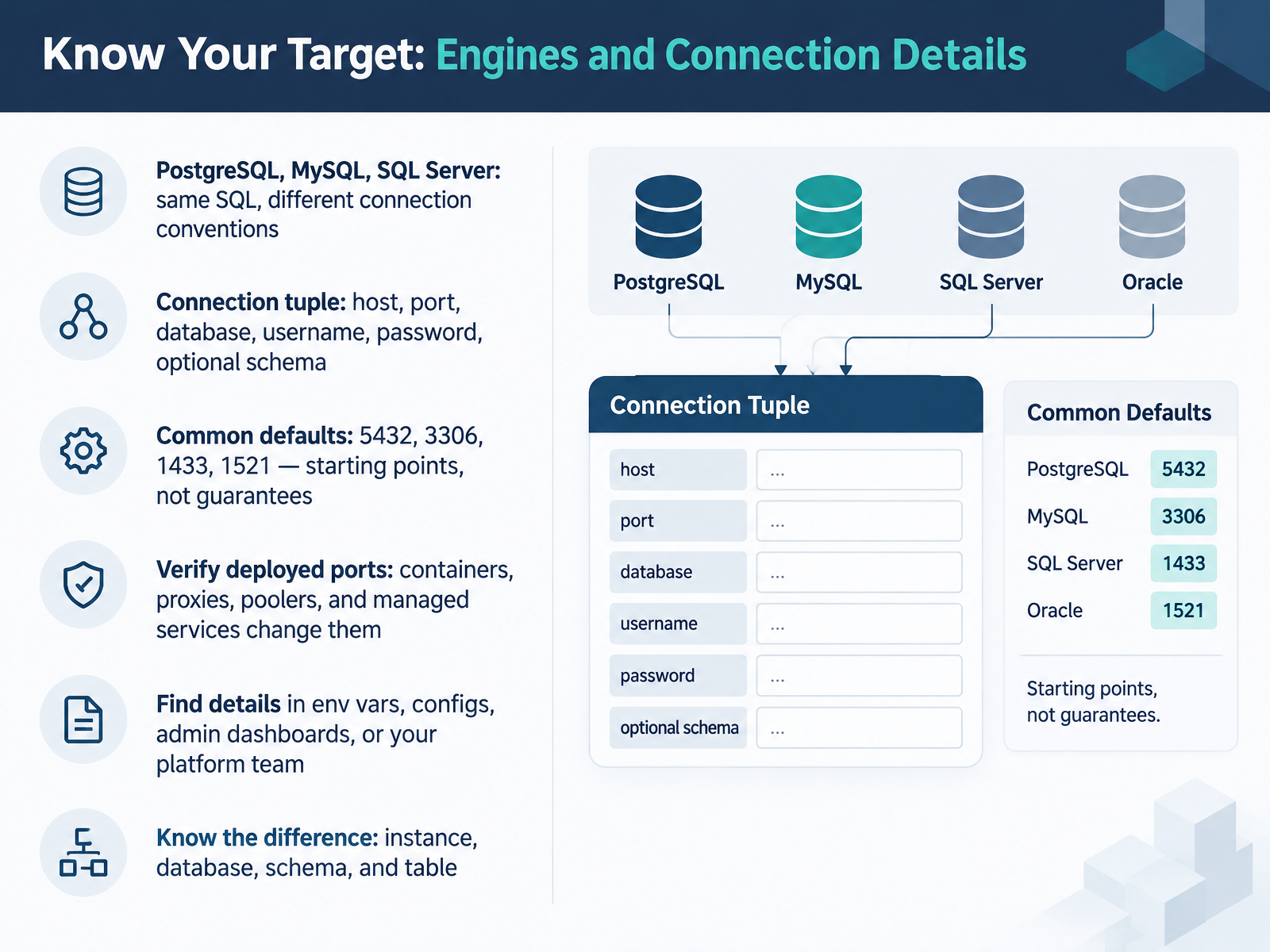
- 02Know Your Target: Engines and Connection DetailsLet's start by identifying what you're connecting to. PostgreSQL, MySQL, and SQL Server all speak SQL, but each has its own connection conventions. A connection needs a tuple: host, port, database, username, and password, plus an optional schema. Common defaults are 5432 for PostgreSQL, 3306 for MySQL, 1433 for SQL Server, and 1521 for Oracle. Treat these as starting points, not guarantees. Containers, proxies, connection poolers, and managed services often change the deployed port, so verify it. You can find the real details in environment variables, config files, admin dashboards, or from your platform team. Also know the difference between an instance, a database, a schema, and a table. Next, we'll look at getting access safely with credentials and permissions.
 qoredb.combytebase.comlearn.microsoft.com+21 min
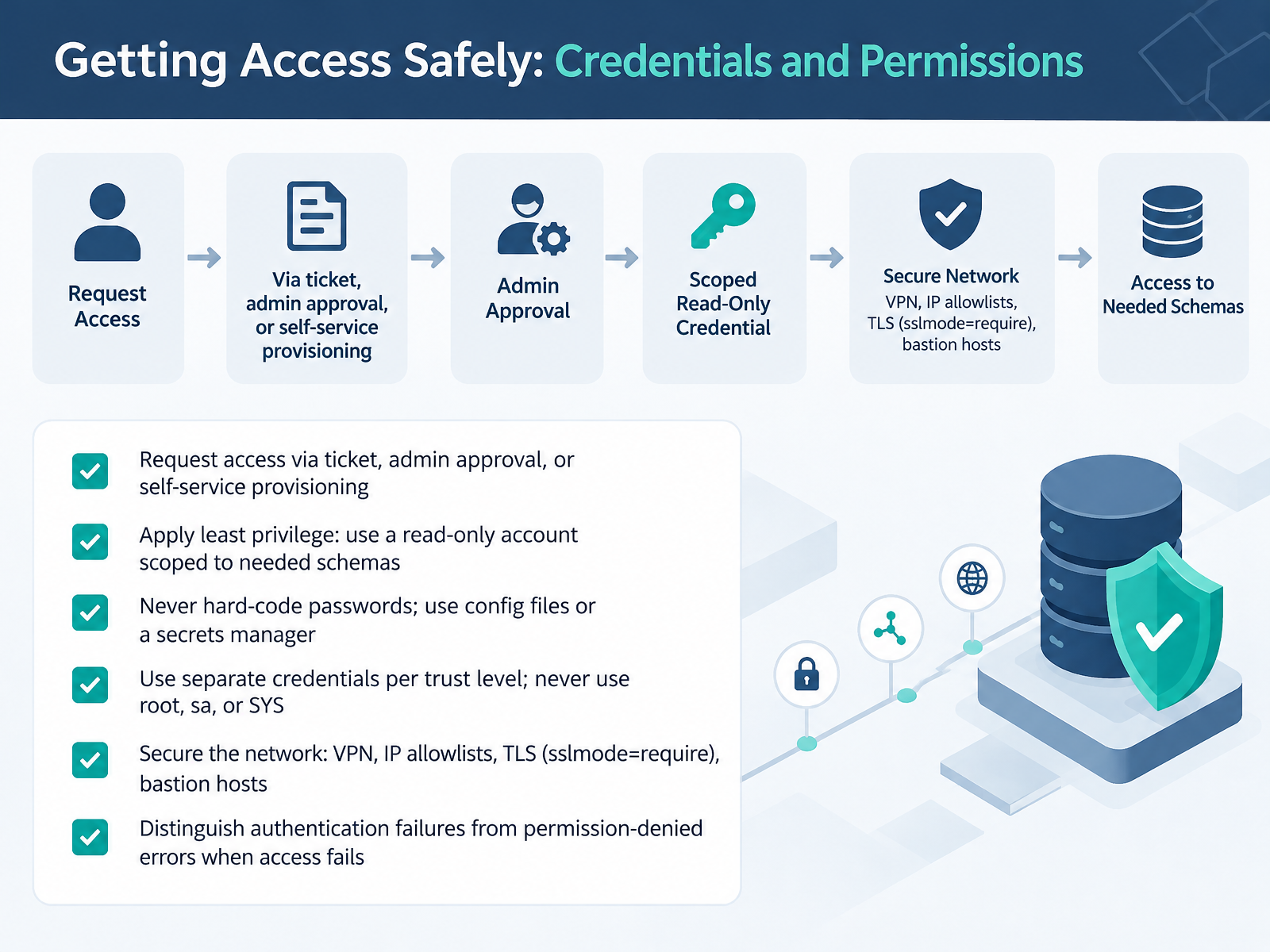
- 03Getting Access Safely: Credentials and PermissionsNow let's talk about getting access safely. This covers credentials and permissions, and it starts before you ever connect.
First, request access through the proper channel. That might be a ticket, an admin approval, or self-service provisioning. This creates a record of who has access and why.
Next, apply least privilege. If you only need to read data, use a read-only account scoped to the schemas you actually need. You do not need write or admin rights to explore a table.
Then, handle passwords carefully. Never hard-code them in your code. Put them in a configuration file or a secrets manager. Use separate credentials for each trust level, and never use root, sa, or SYS.
Secure the network too. Use a VPN, IP allowlists, and TLS with sslmode set to require. A bastion host adds another layer.
At this point, one practical tip. When access fails, check whether it is an authentication failure or a permission-denied error. They point to different fixes.
Next, we'll look at choosing and configuring your SQL client.
 devguide.owasp.orgcheatsheetseries.owasp.orglearn.microsoft.com+22 min
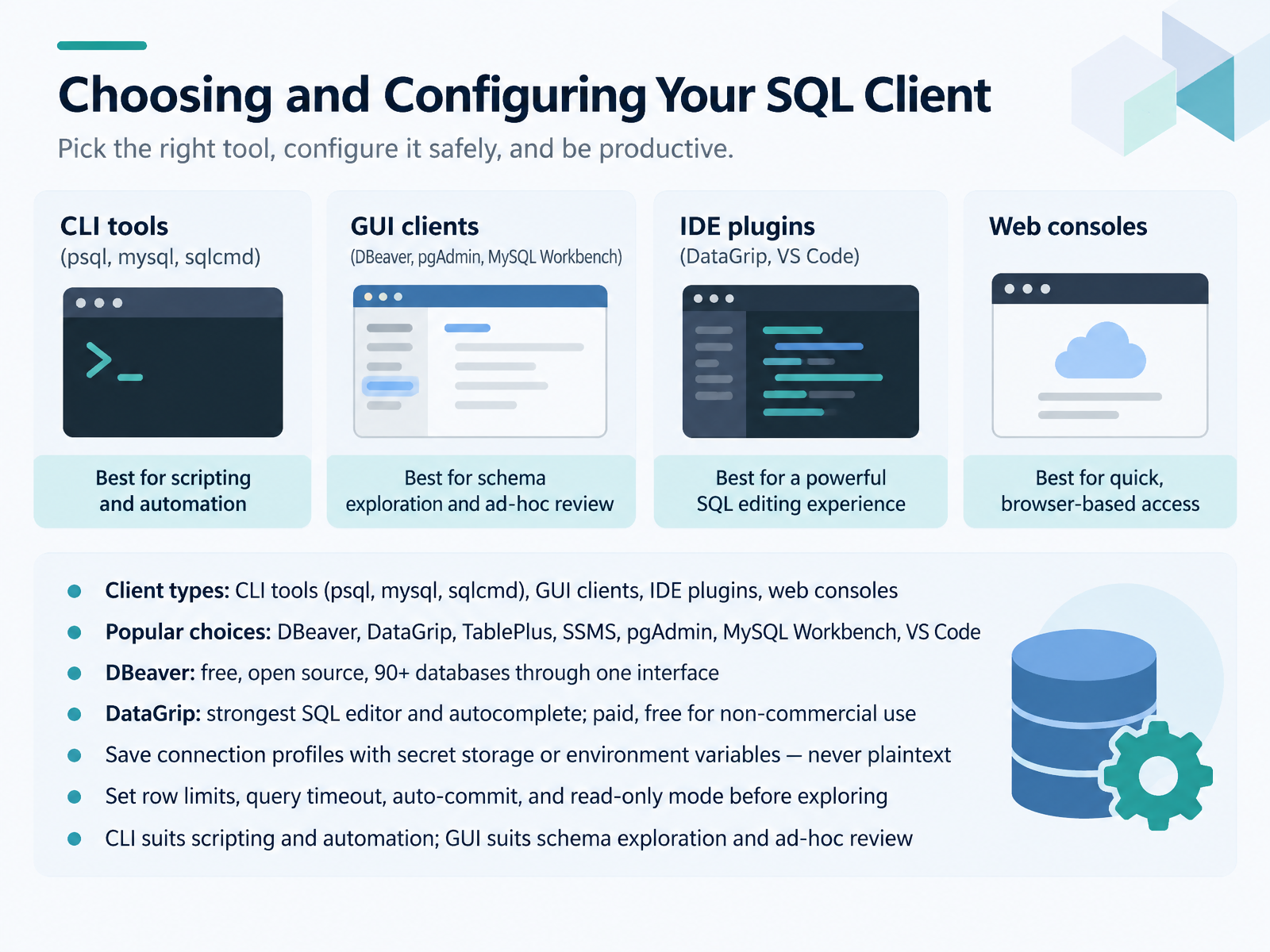
- 04Choosing and Configuring Your SQL ClientNow let's talk about choosing and configuring your SQL client. You have four main types: command line tools like psql, mysql, and sqlcmd, GUI clients, IDE plugins, and web consoles. Popular options include DBeaver, DataGrip, TablePlus, SSMS, pgAdmin, MySQL Workbench, and VS Code. DBeaver is free and open source, and it reaches over ninety databases through one interface. DataGrip has the strongest SQL editor and autocomplete, and it's free for non-commercial use. Whichever you pick, save your connection profiles in secret storage or environment variables, never in plaintext. Before you explore data, set your row limits, query timeout, auto-commit, and read-only mode. As a rule of thumb, the command line suits scripting and automation, while a GUI suits schema exploration and ad-hoc review. Next, we'll look at orienting yourself by exploring schemas and metadata.
 devtoolreviews.comdbgate.iomako.ai+22 min
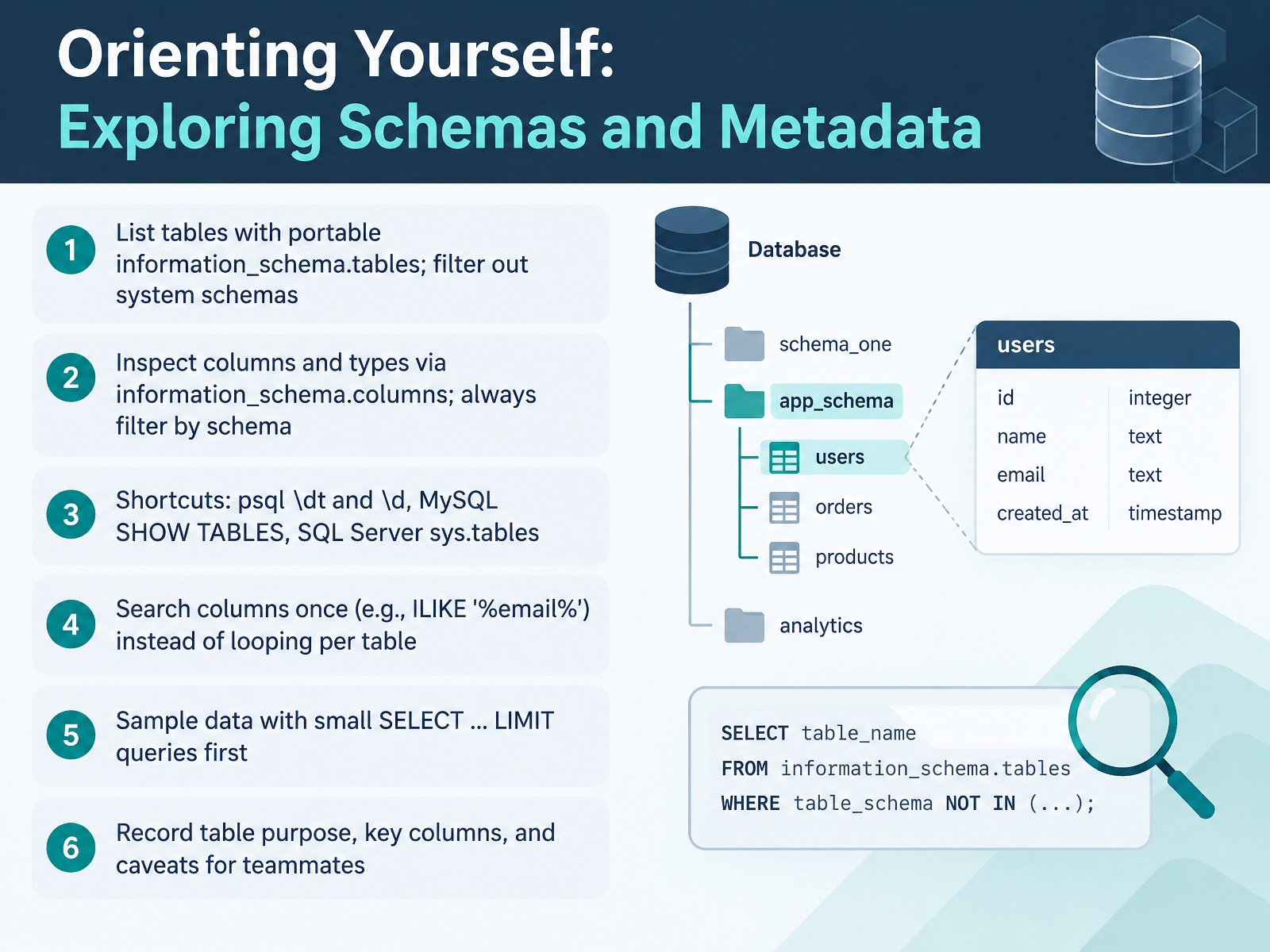
- 05Orienting Yourself: Exploring Schemas and MetadataNow let's orient ourselves. Before you query any data, take a few minutes to understand the schema. Start by listing tables with information_schema.tables, and filter out system schemas like pg_catalog and information_schema. Next, inspect columns and types with information_schema.columns. Always filter by schema name so you don't mix up tables with the same name. Many tools give you shortcuts. In psql, use backslash d t and backslash d. In MySQL, run SHOW TABLES. On SQL Server, query sys.tables. Here's a useful habit. Search for a column once with a pattern like ILIKE percent email percent, instead of looping through every table. That single query is much lighter on the server. At this point, sample a little data with small SELECT queries that use LIMIT. Finally, record each table's purpose, key columns, and any caveats for your teammates. Good notes save hours later. Next, we move on to writing your first query, from SELECT to a verified result.
 dbsyntax.comdbsyntax.comnotes.kolkhis.dev+22 min
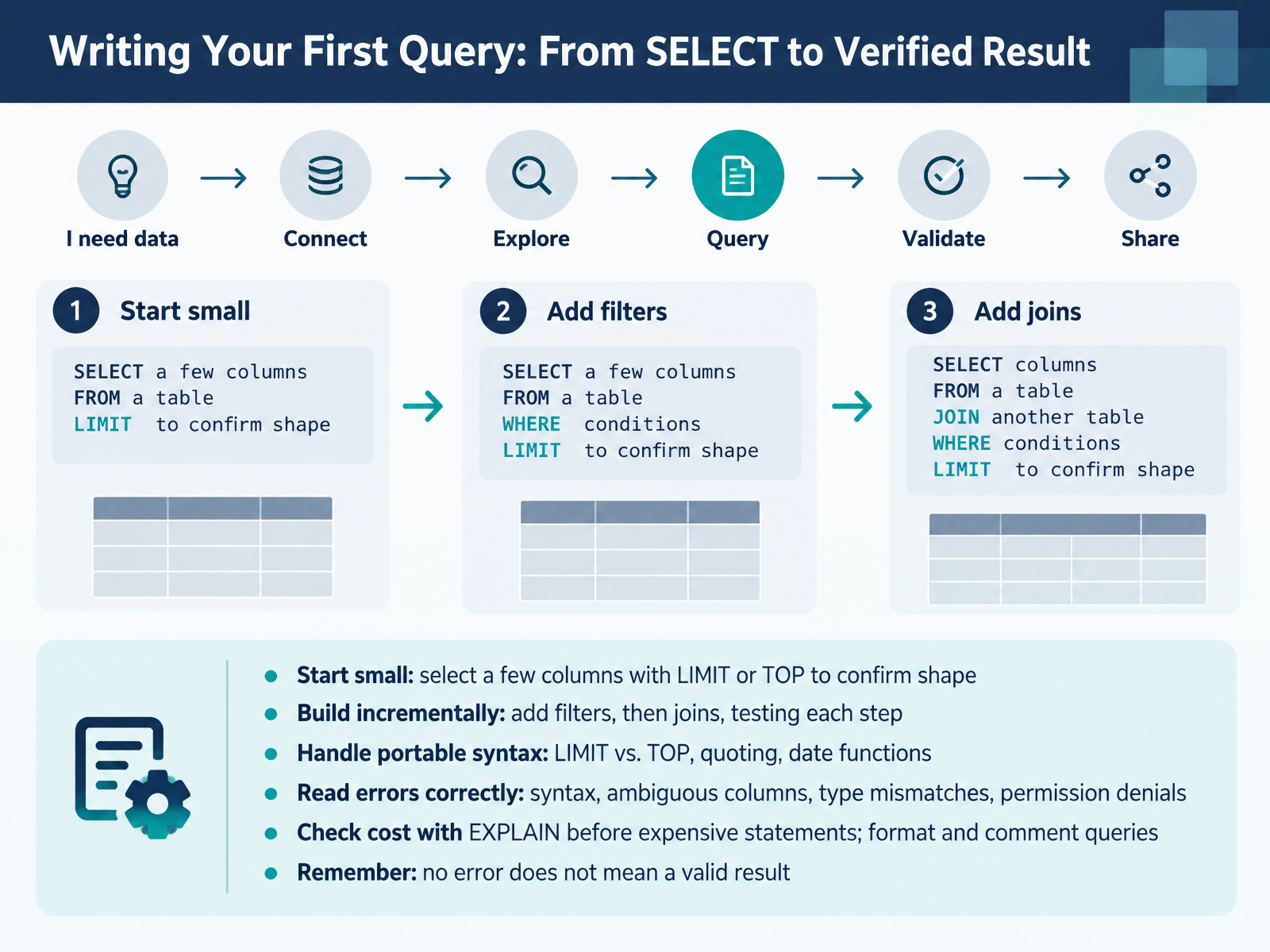
- 06Writing Your First Query: From SELECT to Verified ResultNow let's write your first query. Start small. Select a few columns and add a LIMIT or TOP clause, just to confirm the table's shape. Then build incrementally. Add filters first, test the result, then add joins and test again. Next, watch for portability. LIMIT versus TOP, quoting rules, and date functions differ between engines, so check what your database supports. At this point, learn to read errors correctly. Syntax errors point to typos. Ambiguous columns mean two tables share a name, so qualify it with a table alias. Type mismatches mean you're comparing incompatible values. Permission denials mean your account lacks access. Before any expensive statement, run EXPLAIN to check the cost. Then format and comment your query so others can read it. And remember, no error does not mean a valid result. A query can run cleanly and still return the wrong rows. Next, we'll look at validating results and avoiding common mistakes.
 dbsyntax.comdbsyntax.comnotes.kolkhis.dev+21 min
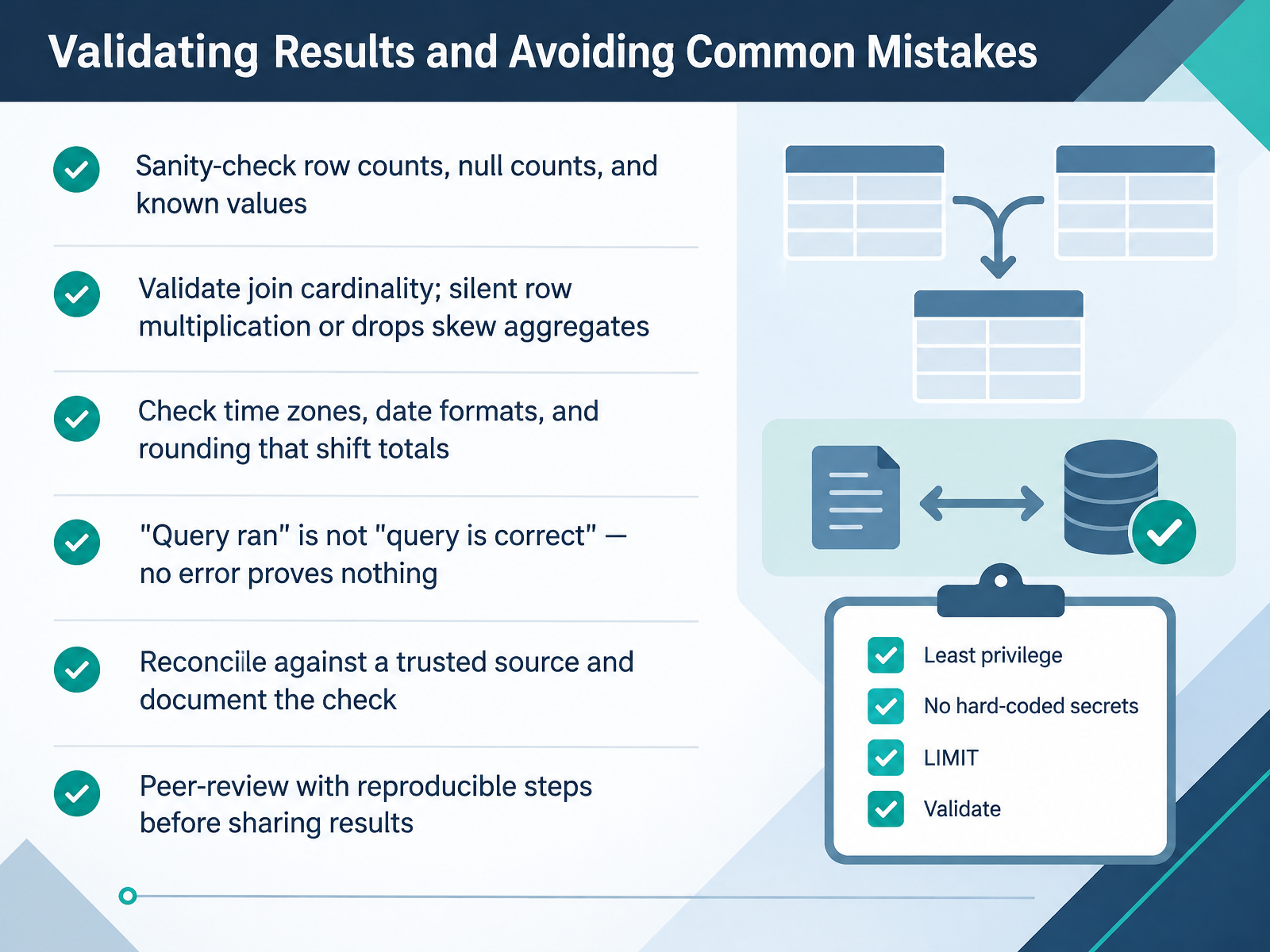
- 07Validating Results and Avoiding Common MistakesNext, let's talk about validating results, and the common mistakes that quietly break them. Start with simple sanity checks. Confirm your row counts, your null counts, and a few known values. If you expect ten rows and you get a thousand, stop and investigate. Next, validate join cardinality. A join can silently multiply rows or drop them, and both skew your aggregates. Check the counts before and after the join. At this point, also check time zones, date formats, and rounding. Small shifts there can move your totals. Here is the key idea. Query ran is not the same as query is correct. No error proves nothing. Reconcile your output against a trusted source, and write down the check you used. Finally, get a peer review with reproducible steps before you share results. That catches mistakes you cannot see yourself. So validate before you trust, and next, let's look at saving, sharing, and automating your workflow.
 1 min
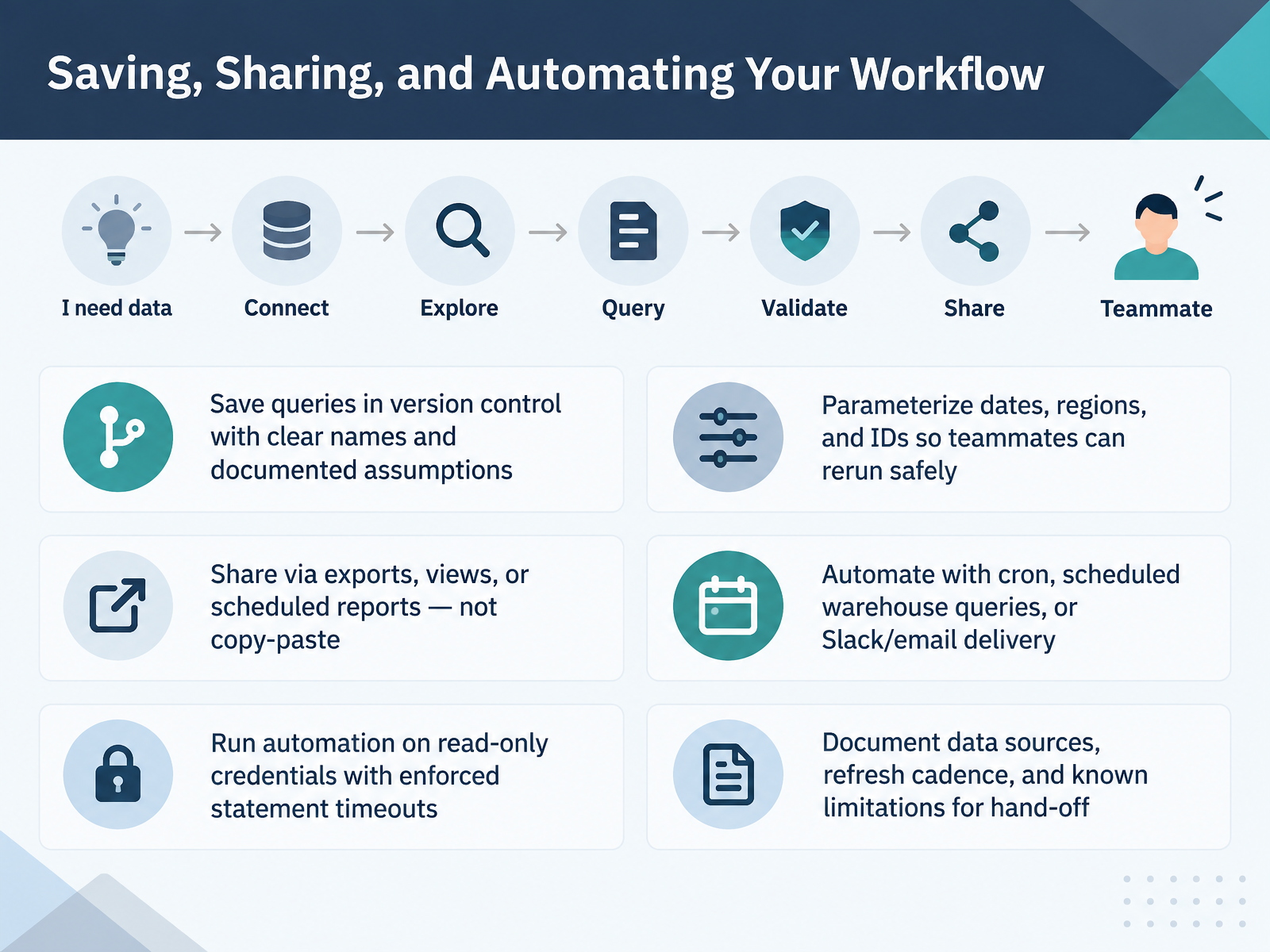
- 08Saving, Sharing, and Automating Your WorkflowNext, let's talk about saving, sharing, and automating your workflow. First, save your queries in version control. Use clear names, and document your assumptions right in the file. Second, parameterize dates, regions, and IDs. That way, a teammate can rerun the query safely without editing your SQL. Third, share through exports, views, or scheduled reports, not by copy-pasting results into a chat. At this point, automation becomes simple. Schedule with cron, built-in warehouse queries, or delivery to Slack or email. But run automation on read-only credentials, and enforce statement timeouts so a slow query cannot run forever. Finally, document your data sources, refresh cadence, and known limitations, so the hand-off is clean. To sum up, a workflow you can share is a workflow you can trust. Next, we'll walk through a guided practice with a complete access workflow.
 devguide.owasp.orgcheatsheetseries.owasp.orglearn.microsoft.com+22 min
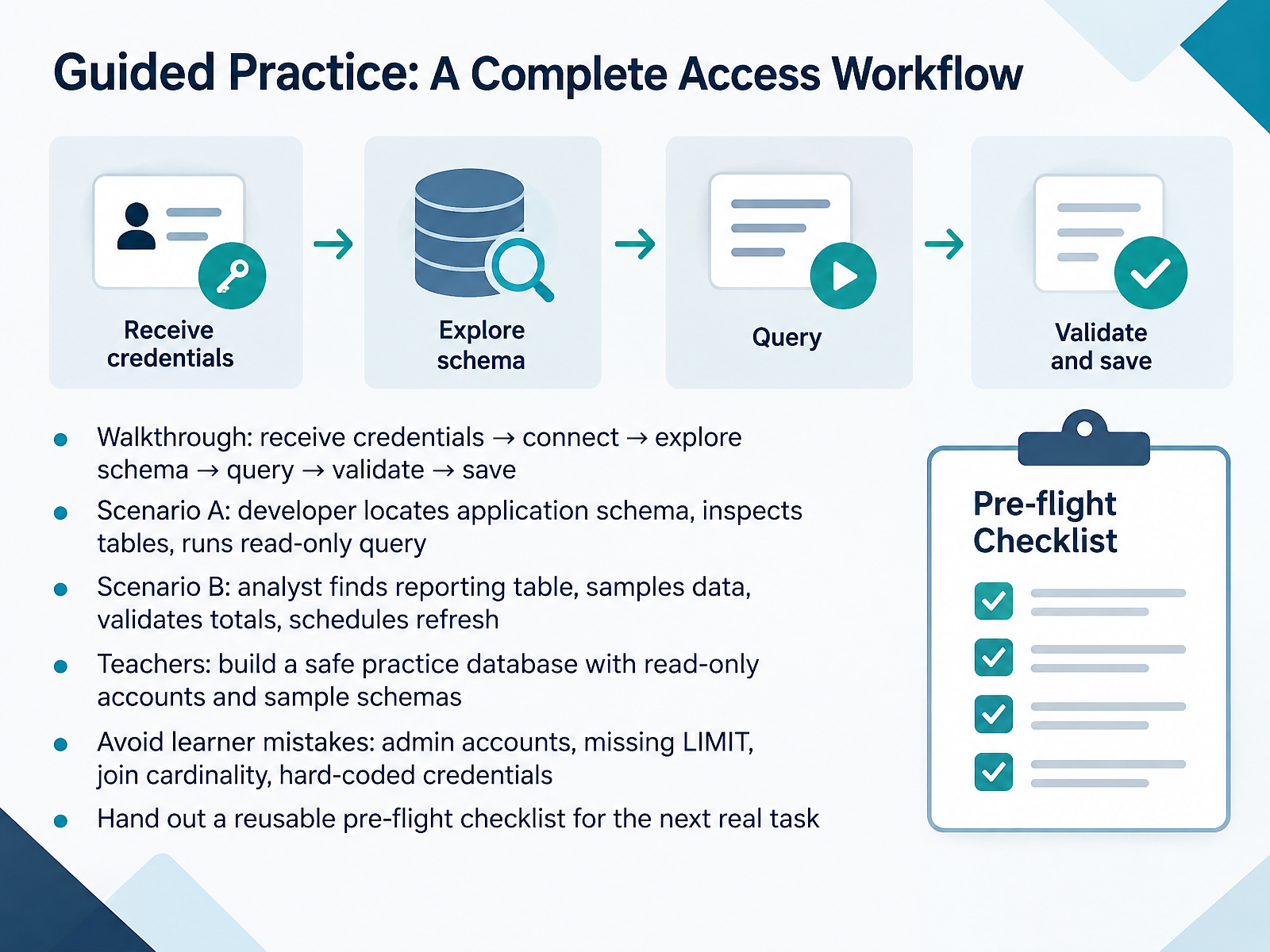
- 09Guided Practice: A Complete Access WorkflowNow let's put it all together. Here is a complete access workflow you can practice. First, receive credentials. Next, connect to the database. Then explore the schema. After that, run your query. Finally, validate the results and save your work. In Scenario A, a developer locates the application schema, inspects the tables, and runs a read-only query. In Scenario B, an analyst finds the reporting table, samples the data, validates the totals, and schedules a refresh. If you teach, build a safe practice database with read-only accounts and sample schemas. While learners practice, watch for four common mistakes: using admin accounts, missing a LIMIT clause, getting join cardinality wrong, and hard coding credentials. Hand out a reusable pre-flight checklist for the next real task. That checklist keeps the workflow consistent. Next, we will look at troubleshooting connection and permission problems.
 devguide.owasp.orgcheatsheetseries.owasp.orglearn.microsoft.com+22 min
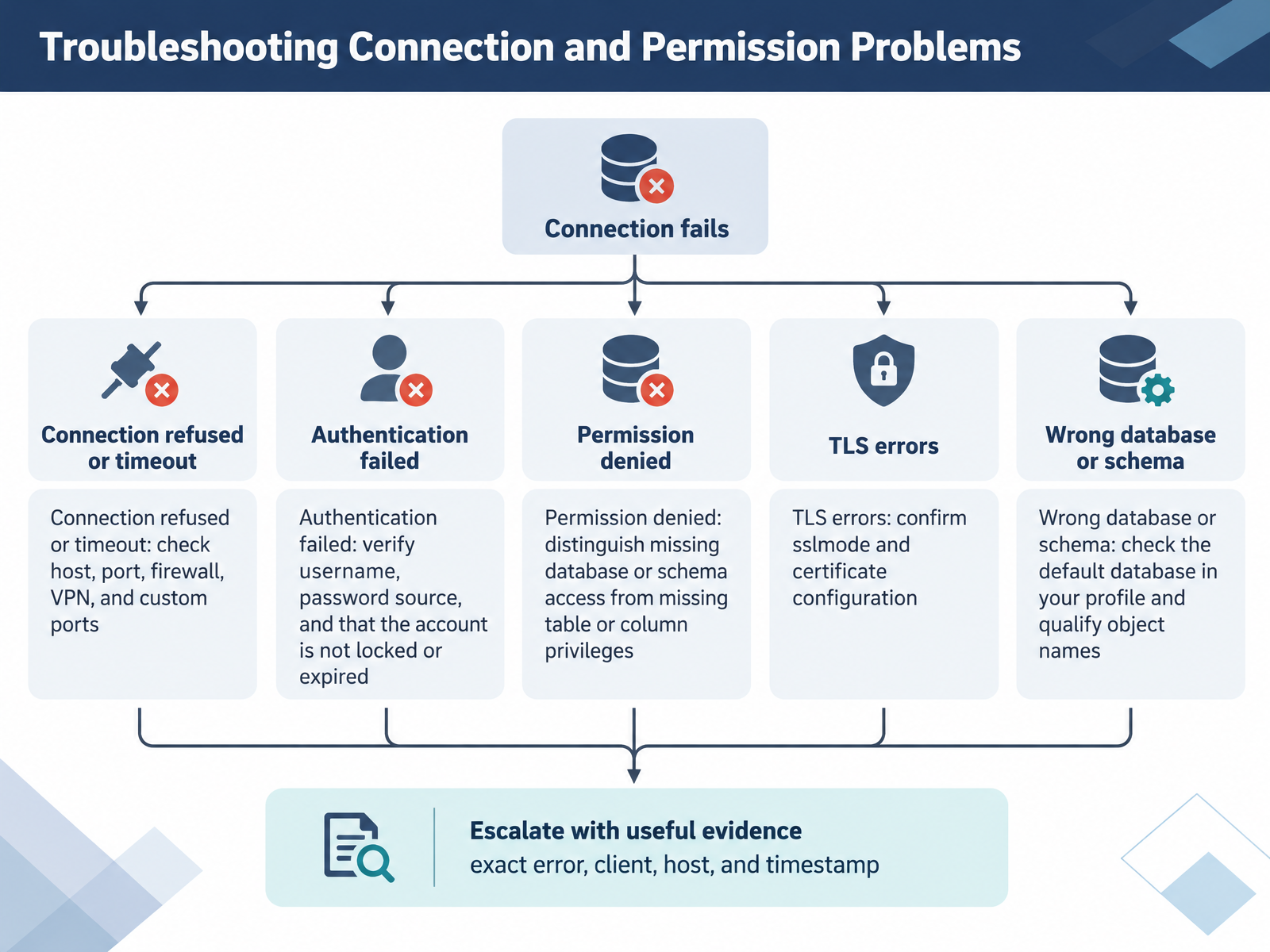
- 10Troubleshooting Connection and Permission ProblemsNow let's walk through troubleshooting connection and permission problems. These errors look intimidating, but each one usually points to a small, specific cause.
First, connection refused or a timeout. Check the host and port. Common defaults are five four three two for PostgreSQL, three three zero six for MySQL, and one four three three for SQL Server. Remember that custom ports, firewalls, and VPNs can change what you reach.
Next, authentication failed. Verify the username, confirm where the password comes from, and check that the account is not locked or expired.
Then, permission denied. Distinguish missing database or schema access from missing table or column privileges. They produce similar messages but have different fixes.
For TLS errors, confirm your sslmode setting and certificate configuration. At this point, also check the wrong database or schema. Confirm the default database in your profile, and qualify object names with the schema.
Finally, escalate with useful evidence: the exact error, the client, the host, and a timestamp. That helps your DBA resolve it quickly.
Next, we'll look at safety habits and anti-patterns.
 qoredb.combytebase.comlearn.microsoft.com+22 min
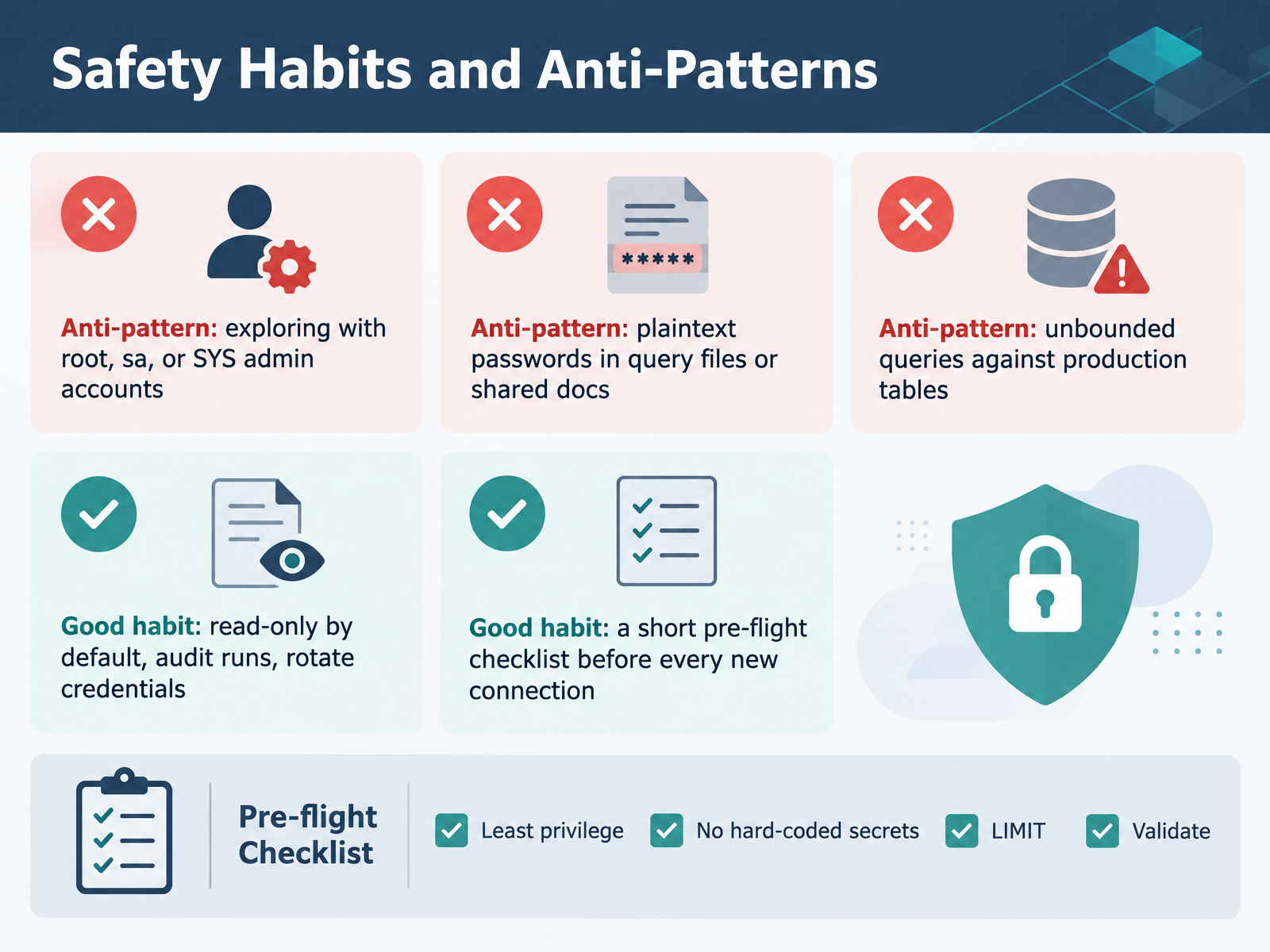
- 11Safety Habits and Anti-PatternsLet's look at safety habits and anti-patterns. The first anti-pattern is exploring with root, s a, or S Y S admin accounts. Admin credentials widen the blast radius of any mistake. Use a scoped account instead. The second is plaintext passwords in query files or shared docs. If the password sits in a file, treat it as already leaked. Store credentials in a secrets manager, and rotate them.
The third anti-pattern is unbounded queries against production tables. A SELECT with no WHERE clause and no row limit can lock resources on a busy table. Always add a limit and a time filter.
Now the good habits. Default to read-only access. Schedule audits of who ran what, and rotate credentials regularly. Finally, keep a short pre-flight checklist before every new connection. Confirm the environment, the account, and the limit. That checklist takes under a minute and prevents most incidents.
Next, we'll see how these habits shift by role, in Role-Specific Paths: Developers versus Analysts versus Teachers.
 devguide.owasp.orgcheatsheetseries.owasp.orglearn.microsoft.com+22 min
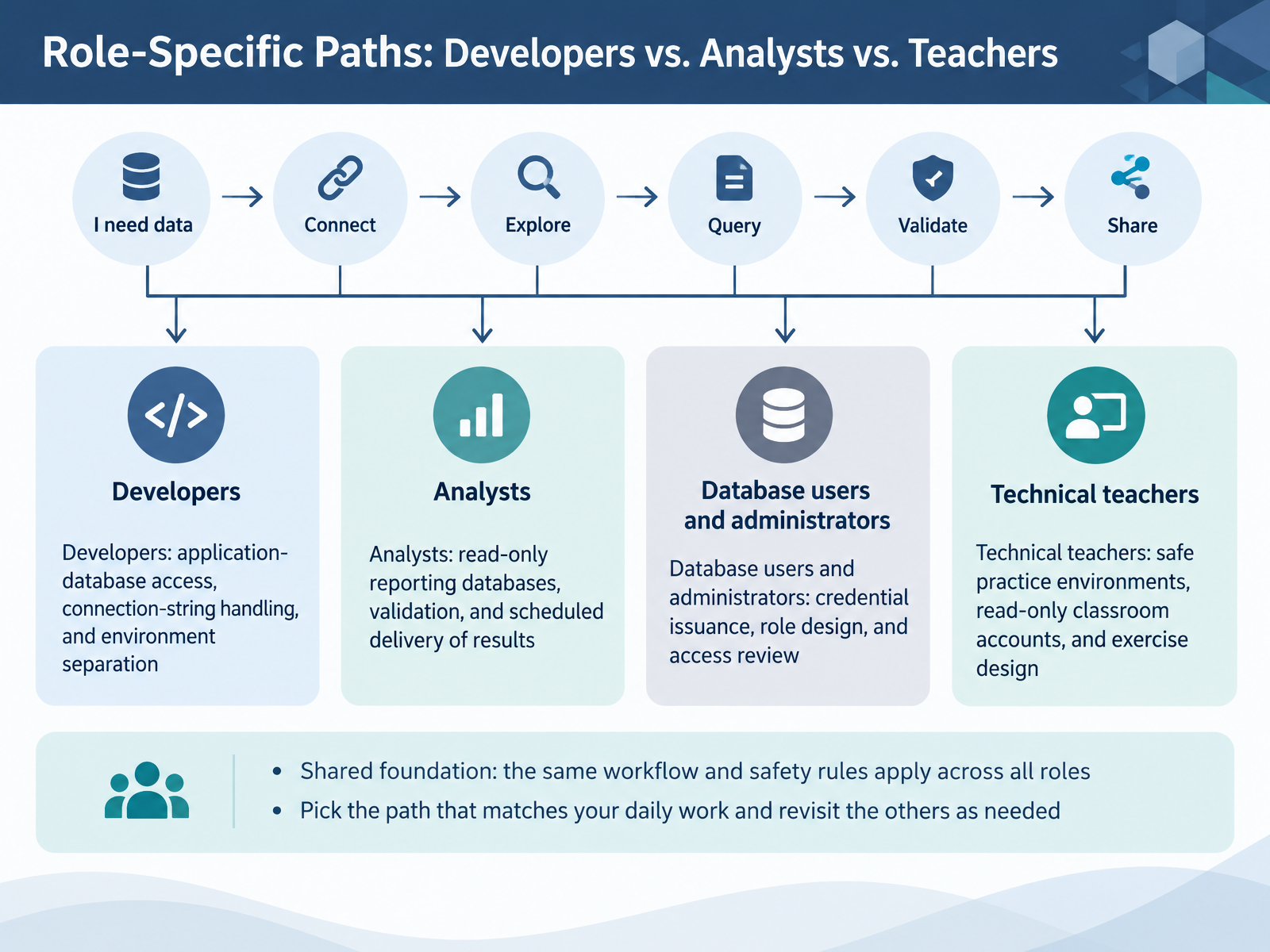
- 12Role-Specific Paths: Developers vs. Analysts vs. TeachersNow that you have the shared workflow, let's look at how it applies to your role. Developers connect applications to the database. That means managing connection strings carefully, keeping credentials out of source code, and separating development, test, and production environments. Analysts usually work against read-only reporting databases. Validate your query results before you share them, and use scheduled delivery for recurring reports so no one runs the same export by hand every week. Database users and administrators own credential issuance, role design, and access review. Grant the least privilege needed, and review those grants regularly. Technical teachers need safe practice environments. Use read-only classroom accounts, and design exercises that cannot touch real data. The shared foundation is the same for everyone: the same workflow and the same safety rules. Pick the path that matches your daily work, and revisit the others when your responsibilities change. Next, we'll move on to self-assessment and knowledge check.
 devtoolreviews.comdbgate.iomako.ai+22 min
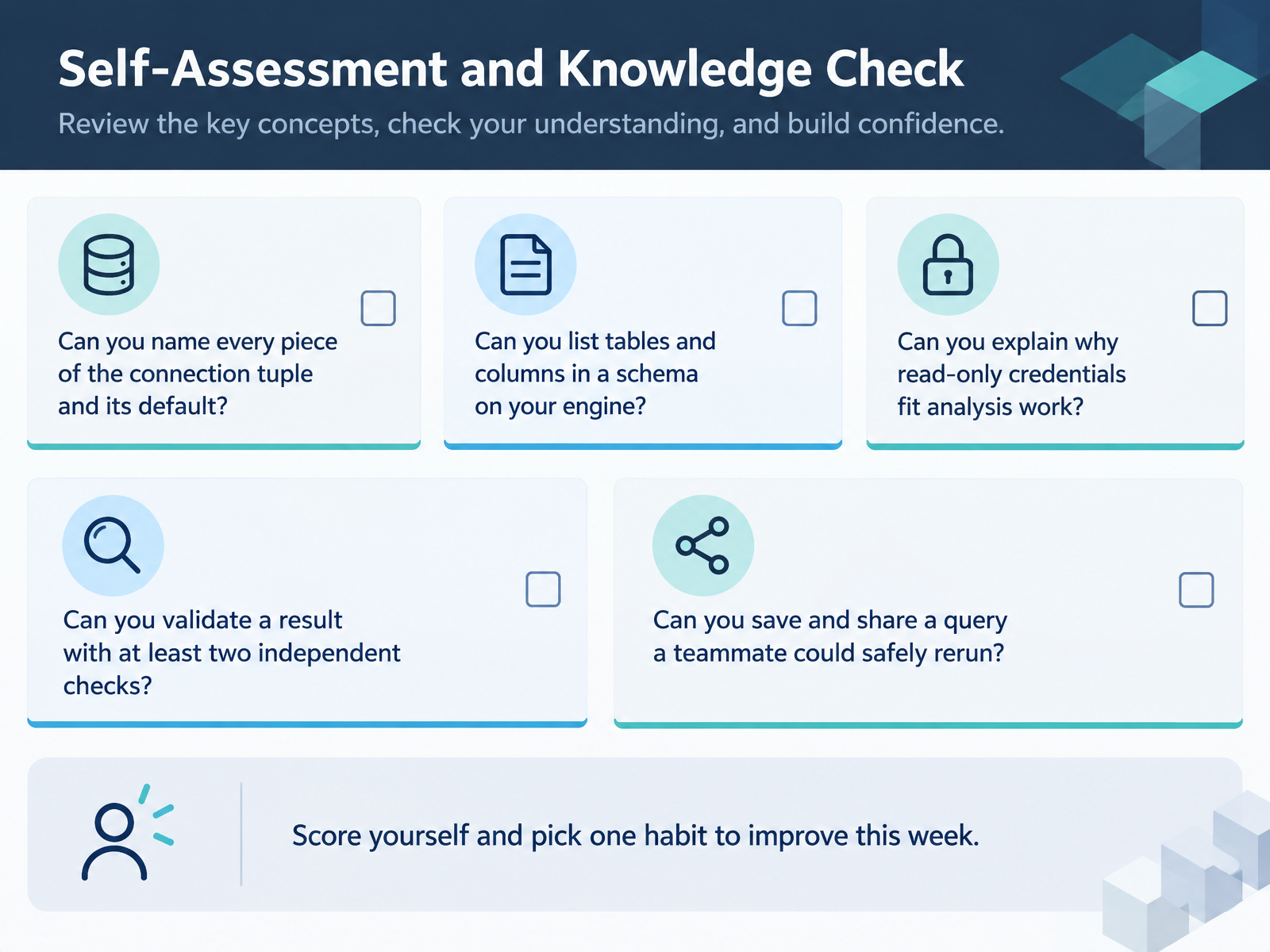
- 13Self-Assessment and Knowledge CheckLet's pause here and check your own progress. Ask yourself six questions. Can you name every piece of the connection tuple, including its default value? Can you list the tables and columns in a schema on your engine, using something like the information schema views? Can you explain why read-only credentials fit analysis work, rather than write access? Can you validate a result with at least two independent checks? And can you save and share a query that a teammate could safely rerun? Score yourself honestly on each one. Then pick a single habit to improve this week. One habit, not five. Small, steady improvements add up quickly. Now let's move on to the key takeaways and next steps.
 devguide.owasp.orgcheatsheetseries.owasp.orglearn.microsoft.com+21 min
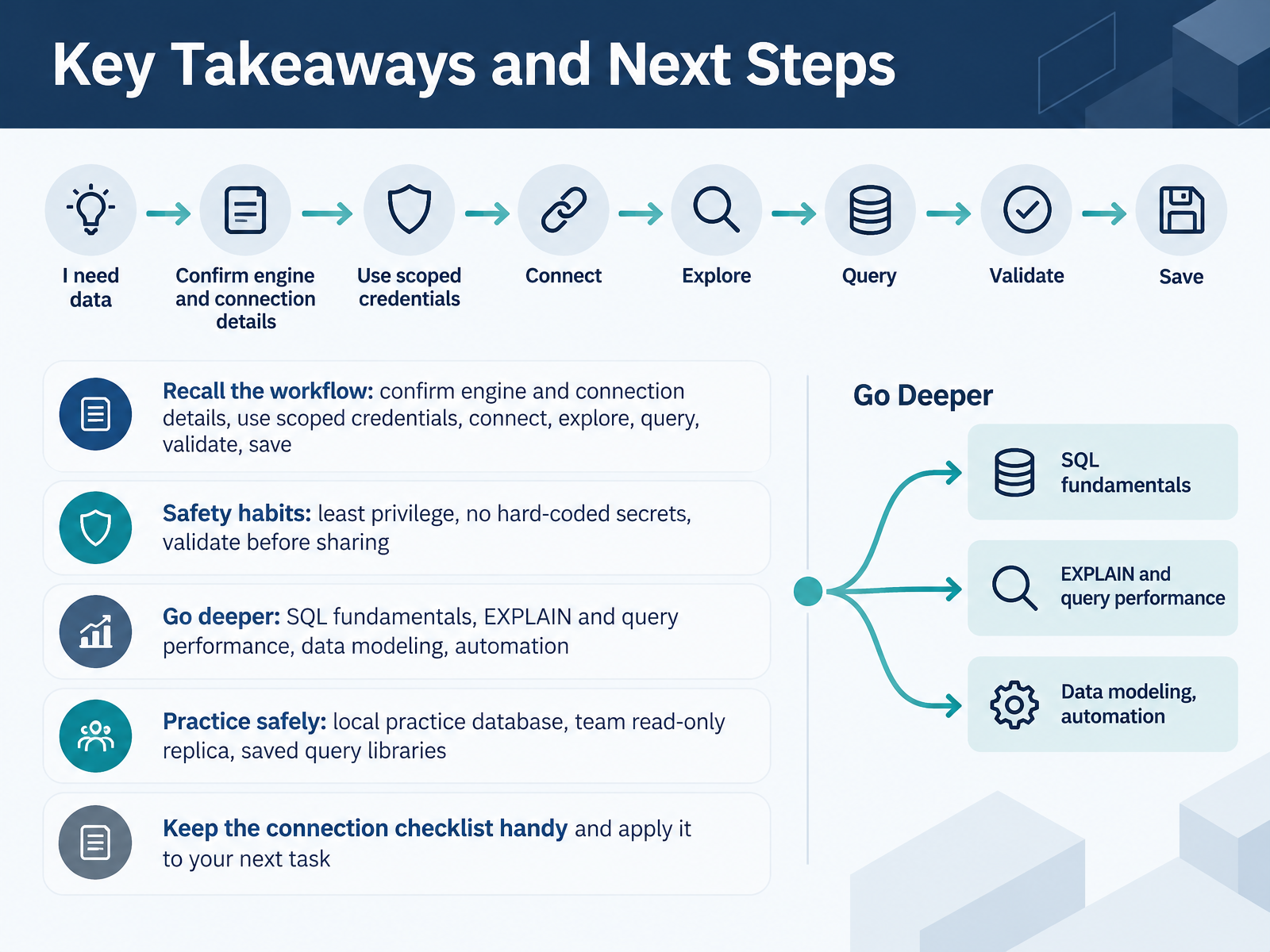
- 14Key Takeaways and Next StepsLet's bring the workflow together. Recall the steps: confirm the database engine and connection details, use scoped credentials, connect, explore, query, validate your results, and save your work. Keep those safety habits close. Use least privilege, so a read-only task gets a read-only role. Never hard-code secrets. And validate your results before you share them. When you are ready to go deeper, start with SQL fundamentals, then EXPLAIN and query performance, data modeling, and automation. To practice safely, use a local practice database, a team read-only replica, or a saved query library. Keep your connection checklist handy, and apply it to your next task. Thank you for following along. You now have a repeatable workflow, so pick one task this week and walk through it step by step. You've got this.
 devguide.owasp.orgcheatsheetseries.owasp.orglearn.microsoft.com+22 min
Take the deck with you
Download this course as a file — free, no sign-up needed.
- PDF handoutEvery slide page, ready to print or share.15 pages · 3.1 MBDownload
- Narrated PowerPointThe deck that presents itself — every slide carries the digital human's narration video.15 pages · 13.4 MBDownload
- PowerPoint slidesThe full deck as a .pptx — open it in PowerPoint, Keynote, or Google Slides.15 pages · 3.0 MBDownload
Free to use in your own training — please keep the PersonWise credit page at the end.
Have your own deck? Turn it into a course
Sources consulted
Web sources consulted while building this course.
- Connection URLs | QoreDB — qoredb.com
- Common Database Port Numbers in 2025 | Bytebase — bytebase.com
- Connect to the SQL Server Database Engine - SQL Server | Microsoft Learn — learn.microsoft.com
- MySQL :: MySQL Port Reference :: 3 MySQL Port Reference Tables — dev.mysql.com
- Connection strings for every database, with a checker · Inlet — inletdb.com
- Secure Database Access - OWASP Developer Guide — devguide.owasp.org
- Database Security - OWASP Cheat Sheet Series — cheatsheetseries.owasp.org
- https://learn.microsoft.com/en-us/azure/azure-sql/database/security-best-practice?view=azuresql — learn.microsoft.com
- Database Credential Security Best Practices (2026) — safeguard.sh
- Database Access Control (DAC) Best Practices | Bytebase — bytebase.com
- TablePlus vs DBeaver vs DataGrip (2026): Best Database GUI | DevToolReviews — devtoolreviews.com
- Database Tools Feature Comparison - DbGate — dbgate.io
- Best PostgreSQL GUI Clients in 2026 — Mako — mako.ai
- Use database CLI tools | DataGrip Documentation — jetbrains.com
- Best SQL Clients in 2026: 8 Tools Compared | DevToolLab Blog — devtoollab.com
- INFORMATION_SCHEMA recipes — SQL Reference | dbSyntax — dbsyntax.com
- List all tables in a database — SQL Reference | dbSyntax — dbsyntax.com
- Exploring a Pre-existing Database with SQL - Tech Notes by Kolkhis — notes.kolkhis.dev
- Getting list of tables, and fields in each, in a database — stackoverflow.com
- COLUMNS (Transact-SQL) - SQL Server | Microsoft Learn — learn.microsoft.com