Begin
13 pages · ~26 min
Evaluating UX Design Quality
This training teaches UX designers and researchers how to evaluate the quality of UX design, covering key criteria and methods for assessing usability and user experience.
A digital instructor presents all 13 pages. Hold “Ask” at any point and ask out loud — the answer comes from this course. No sign-up needed.
What you’ll learn
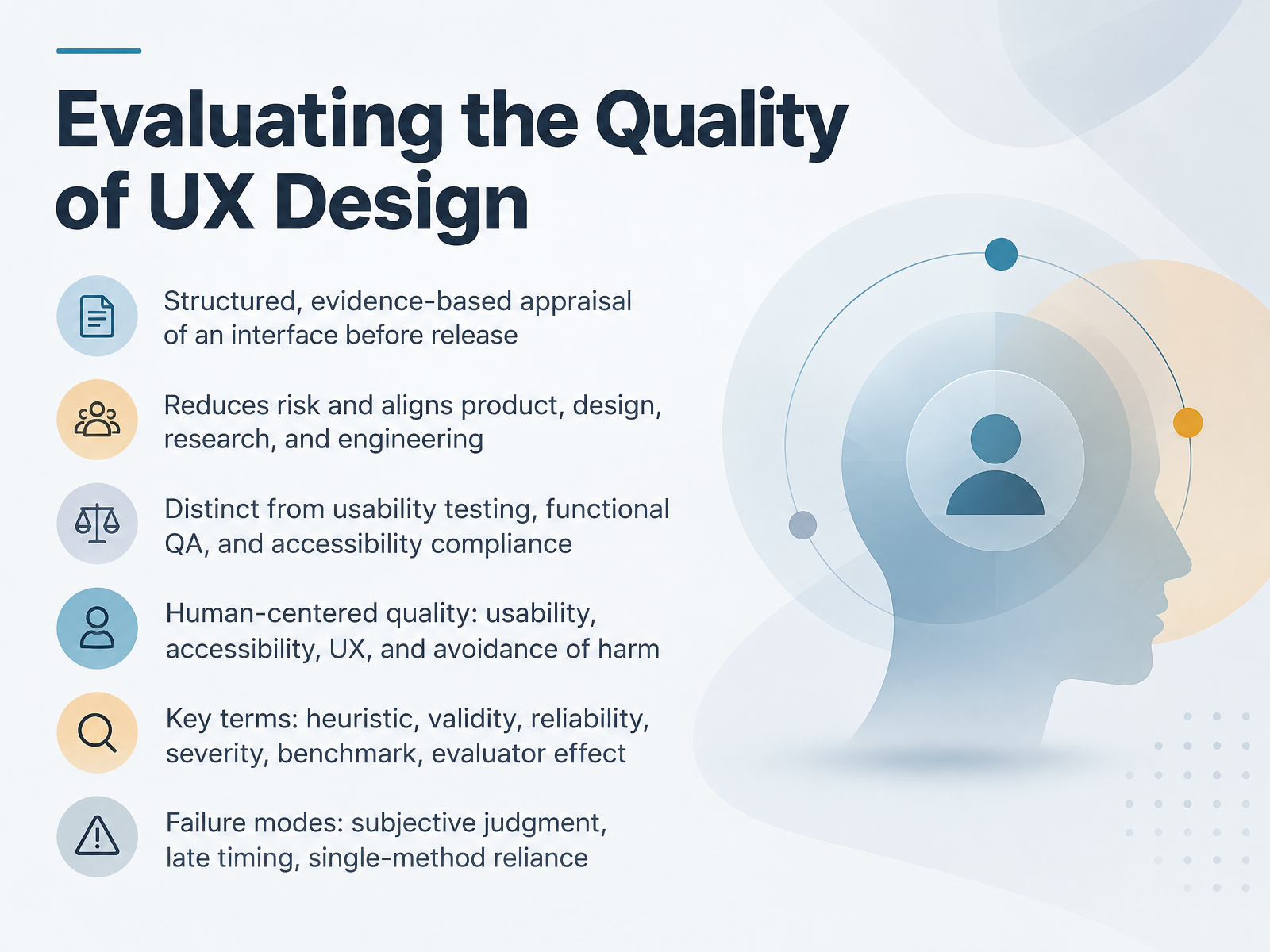
- 01Evaluating the Quality of UX DesignWelcome. This course is about evaluating the quality of UX design before release. Our goal is simple. You'll learn to appraise an interface in a structured, evidence-based way, so problems surface early, when they're cheap to fix. First, a clear definition. This kind of evaluation is not usability testing, not functional QA, and not accessibility compliance. Those are separate activities. What we're covering is a human-centered review of usability, accessibility, and the overall experience, including avoidance of harm. Get this distinction right, and your critiques carry more weight. Keep six terms in mind. Heuristic. Validity. Reliability. Severity. Benchmark. And evaluator effect. You'll use all of them when you judge findings. Now the failure modes to avoid. Subjective judgment, late timing, and reliance on a single method. Check whether your review has clear criteria and evidence. Check whether it happens before release, not after. And check whether you combined expert review with other signals. That's the foundation. Next, we'll look at why pre-release UX evaluation pays off.handbook.gitlab.comoverlayqa.comfeeds.yesyesknow.co+22 min
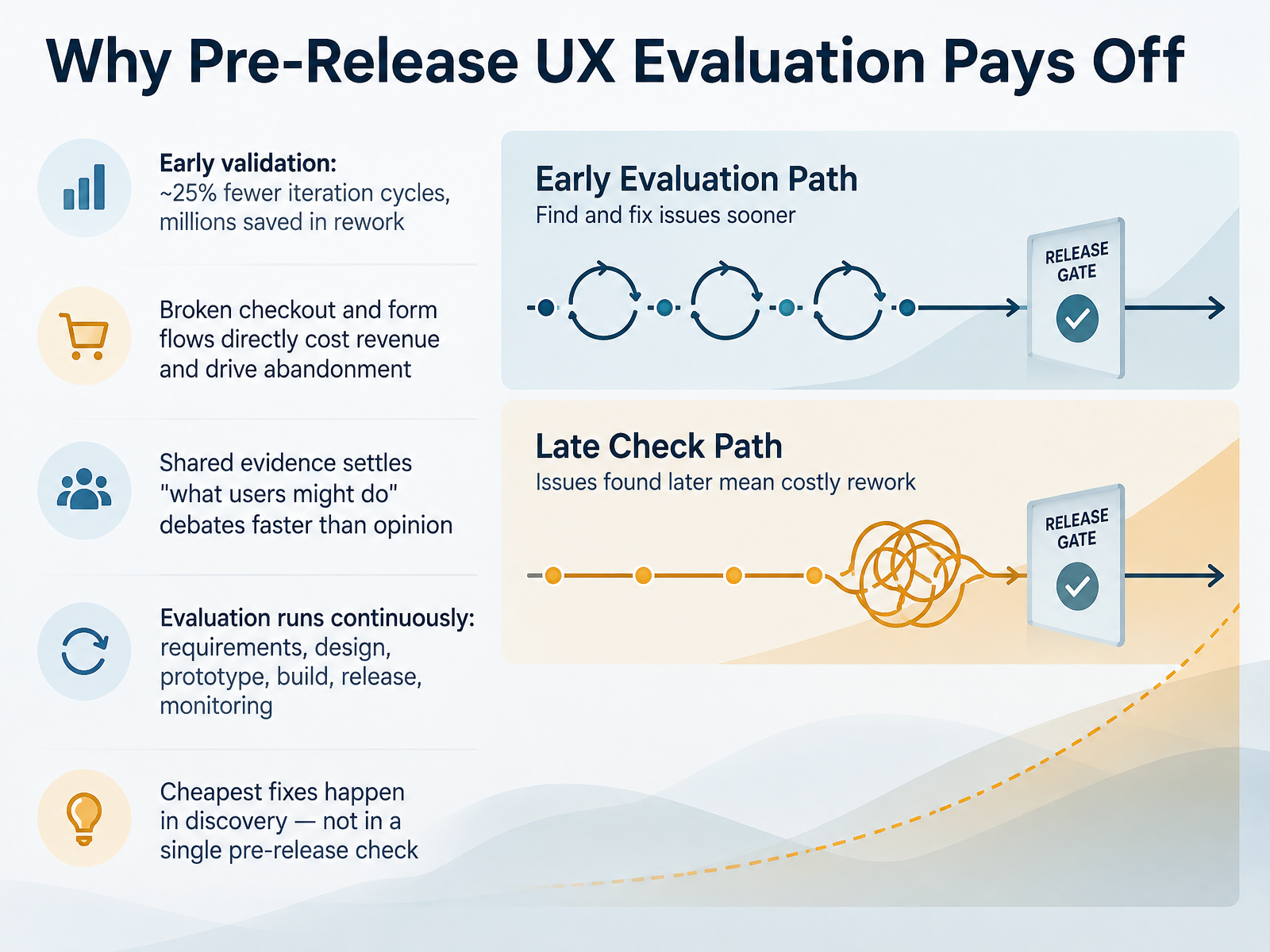
- 02Why Pre-Release UX Evaluation Pays OffLet's look at why pre-release UX evaluation pays off. Early validation can cut iteration cycles by roughly twenty-five percent, and that translates into millions saved in rework. Check whether your team is testing assumptions before the build locks them in. Payment and form flows are a good example. A broken checkout doesn't just frustrate users. It costs revenue and drives abandonment. So when stakeholders debate what users might do, shared evidence from a quick test settles the question faster than opinion. That's the real value. You'll also want to treat evaluation as continuous. It runs across requirements, design, prototype, build, release, and monitoring. Not a single checkpoint at the end. And remember, the cheapest fixes happen in discovery. Catching a hierarchy or affordance problem in a sketch costs far less than fixing it after launch. Next, we'll break down the quality dimensions and criteria you can apply to any interface.
 1 min
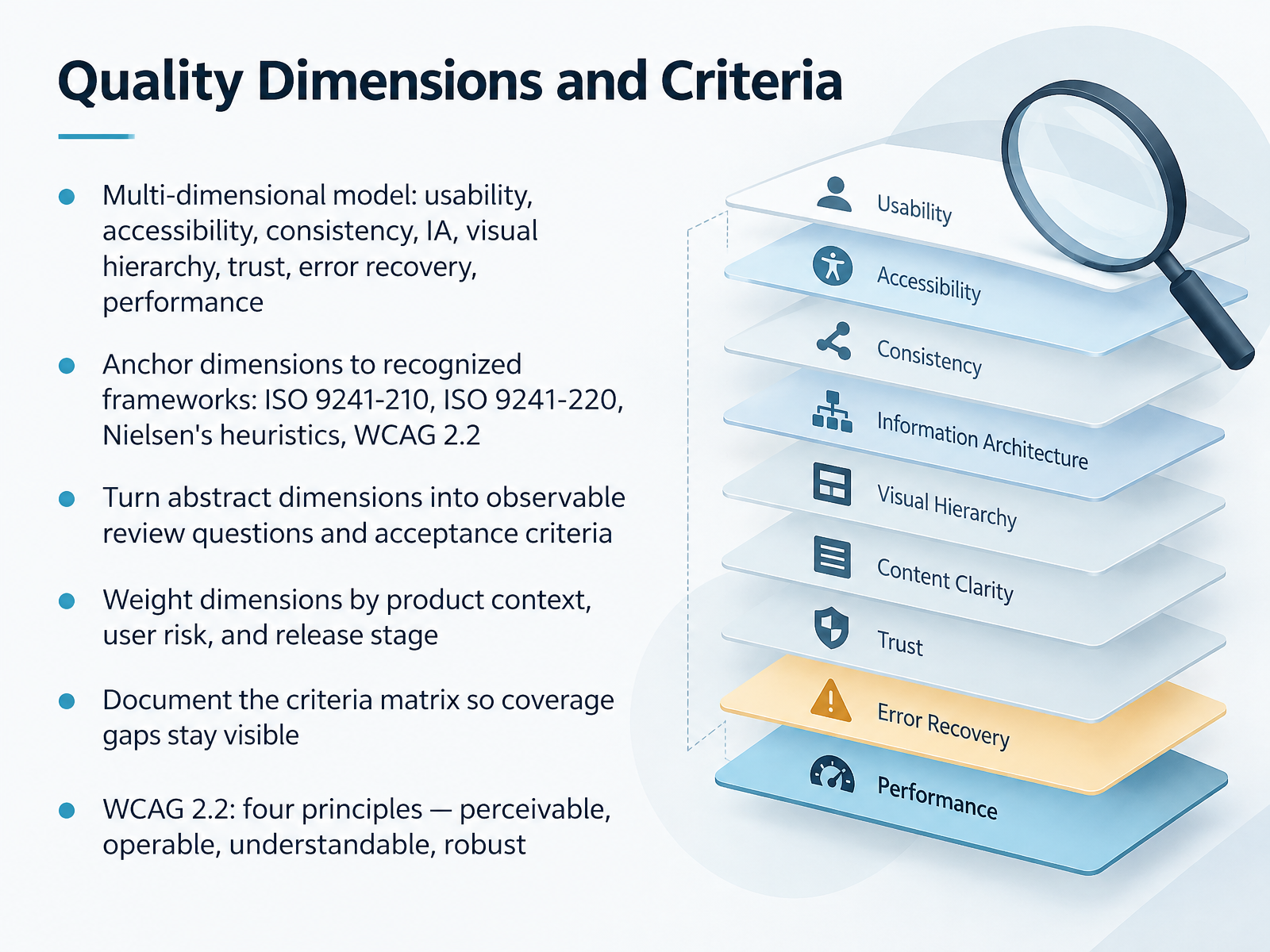
1 min - 03Quality Dimensions and CriteriaNow let's look at the dimensions you'll actually evaluate. Quality is multi-dimensional. Usability, accessibility, consistency, information architecture, visual hierarchy, trust, error recovery, and performance. Don't treat these as opinions. Anchor each one to a recognized framework. ISO 9241-210 and 220 for human-centered design. Nielsen's heuristics for interaction. And WCAG 2.2 for accessibility. Under WCAG 2.2, four principles apply: perceivable, operable, understandable, and robust. Next, turn each abstract dimension into observable review questions and acceptance criteria. So instead of asking whether the design feels consistent, check whether primary actions use the same label, position, and visual weight. Check whether keyboard focus is never hidden, a WCAG 2.2 requirement. Then weight dimensions by product context, user risk, and release stage. A pre-release audit for a banking app should weight error recovery and trust higher than visual polish. Finally, document the matrix. Keep your coverage gaps visible. If no one owns performance this sprint, write that down. The matrix protects you during stakeholder demos, because you can show exactly what was tested and what wasn't. Next, we'll move from criteria to methods: expert review, testing, and audits.
 w3.orgw3.orgw3.org+22 min
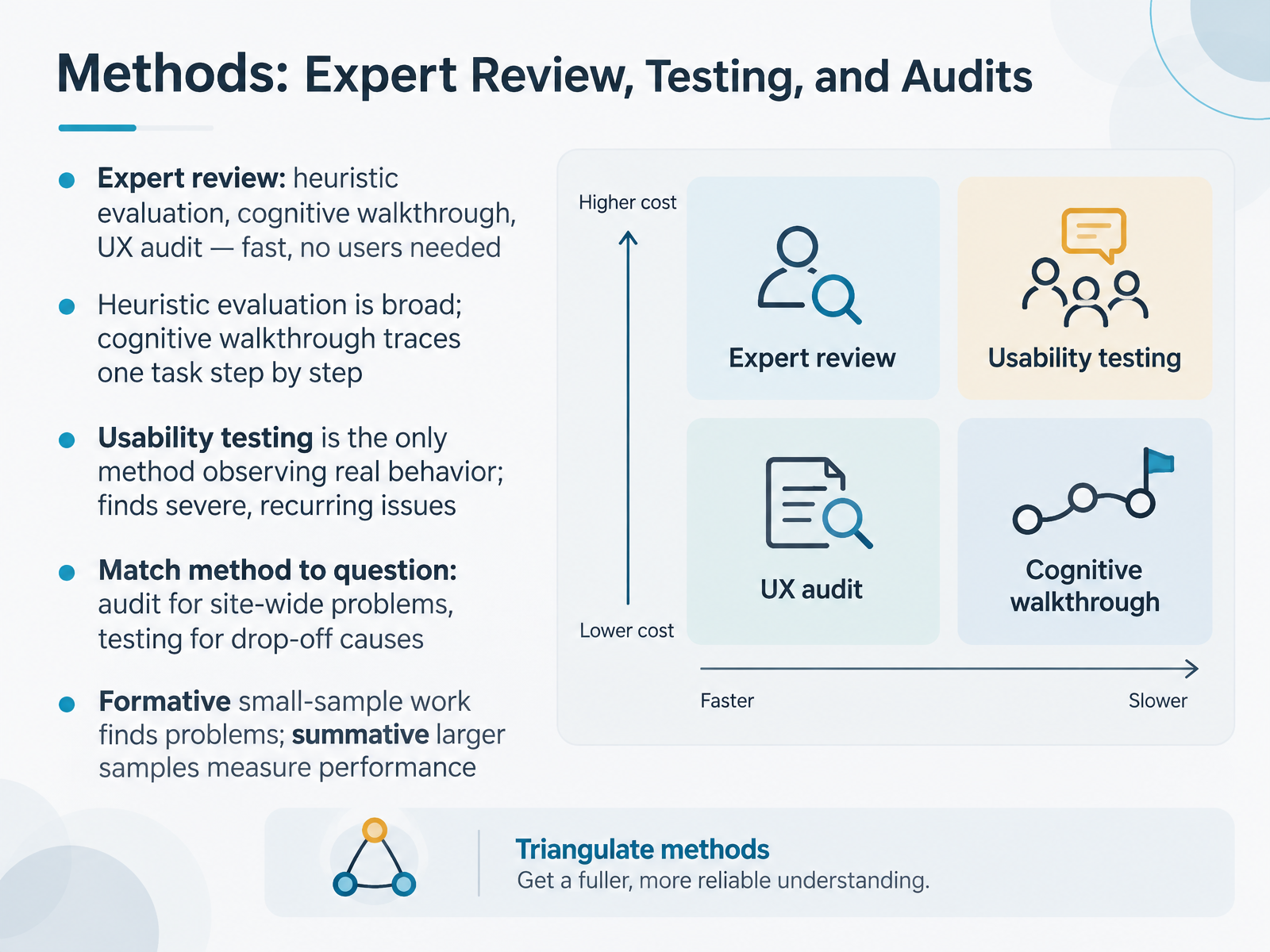
 - 04Methods: Expert Review, Testing, and AuditsLet's look at the methods you can choose from, and when each one earns its place. Expert review covers heuristic evaluation, cognitive walkthrough, and the UX audit. It's fast, and it needs no users. Heuristic evaluation is broad. It scans the whole interface against known principles. A cognitive walkthrough is narrower. It traces one task, step by step, asking whether each action is clear and reachable. Usability testing is different in kind. It is the only method that observes real behavior, so it surfaces severe and recurring issues you would otherwise miss. The real skill is matching method to question. Check whether your problem is site-wide. Then an audit fits. Check whether users drop off mid-task. Then testing will explain why. Formative work with a small sample finds problems early. Summative work with larger samples measures performance. So before you pick a method, name the question first. Next, we'll look at evidence strength and triangulation.
 1 min
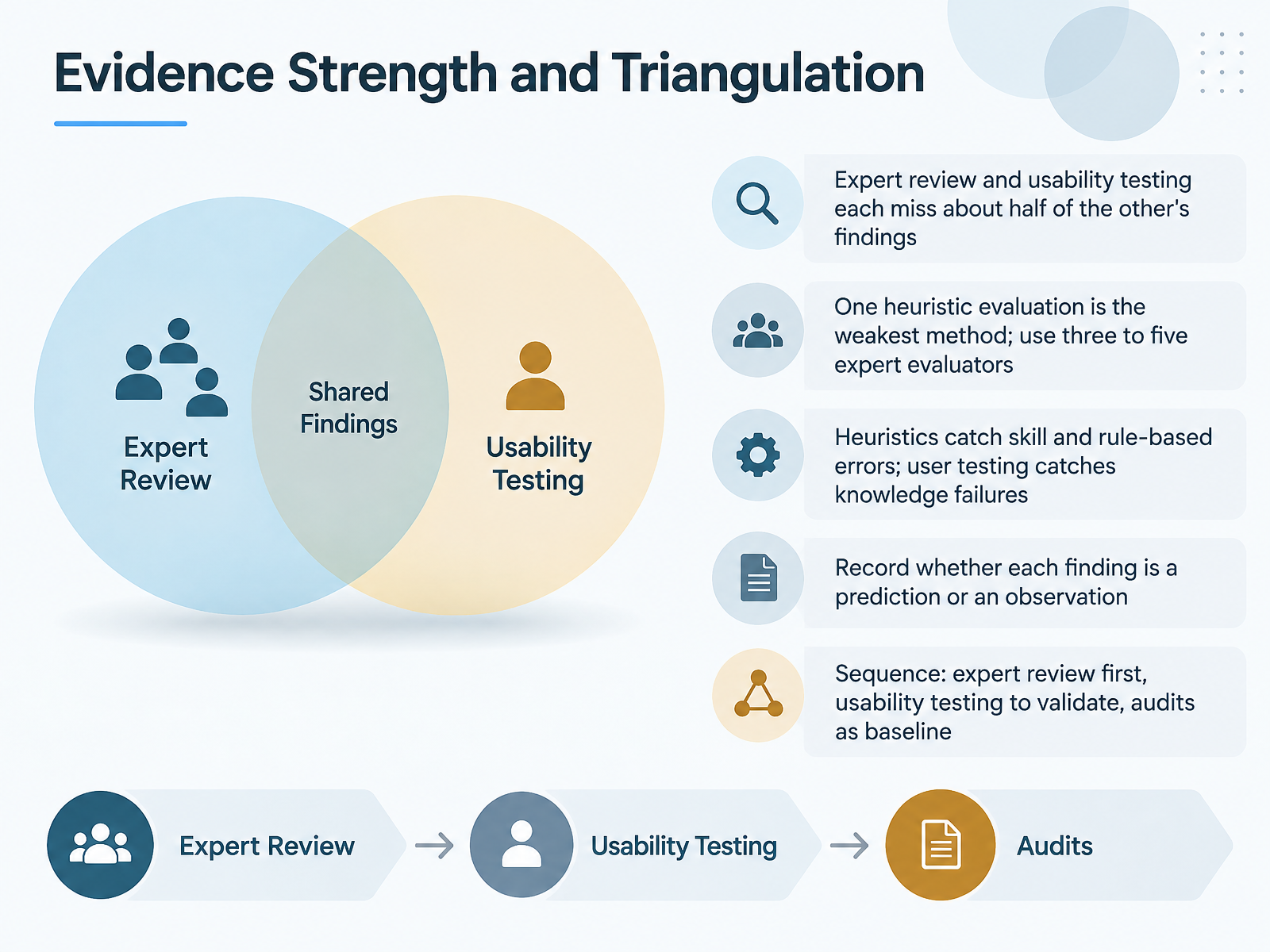
1 min - 05Evidence Strength and TriangulationLet's turn to evidence strength and triangulation. No single method gives you the full picture. Expert review and usability testing each miss roughly half of what the other method finds. So you'll want to combine them, not choose between them. One heuristic evaluation is the weakest option. It reflects one person's judgment. Instead, use three to five expert evaluators and reconcile their findings. Each method also catches different errors. Heuristics tend to catch skill and rule based errors, while user testing surfaces knowledge failures. That distinction helps you interpret what you find. As you log findings, record whether each one is a prediction or an observation. A heuristic issue is often a prediction. A user struggle is an observation. Then sequence your work. Run expert review first, use usability testing to validate, and treat audits as your baseline. Check whether your evidence set covers both predicted and observed problems before you sign off. Next, we'll look at evaluating accessibility and inclusion.
 2 min
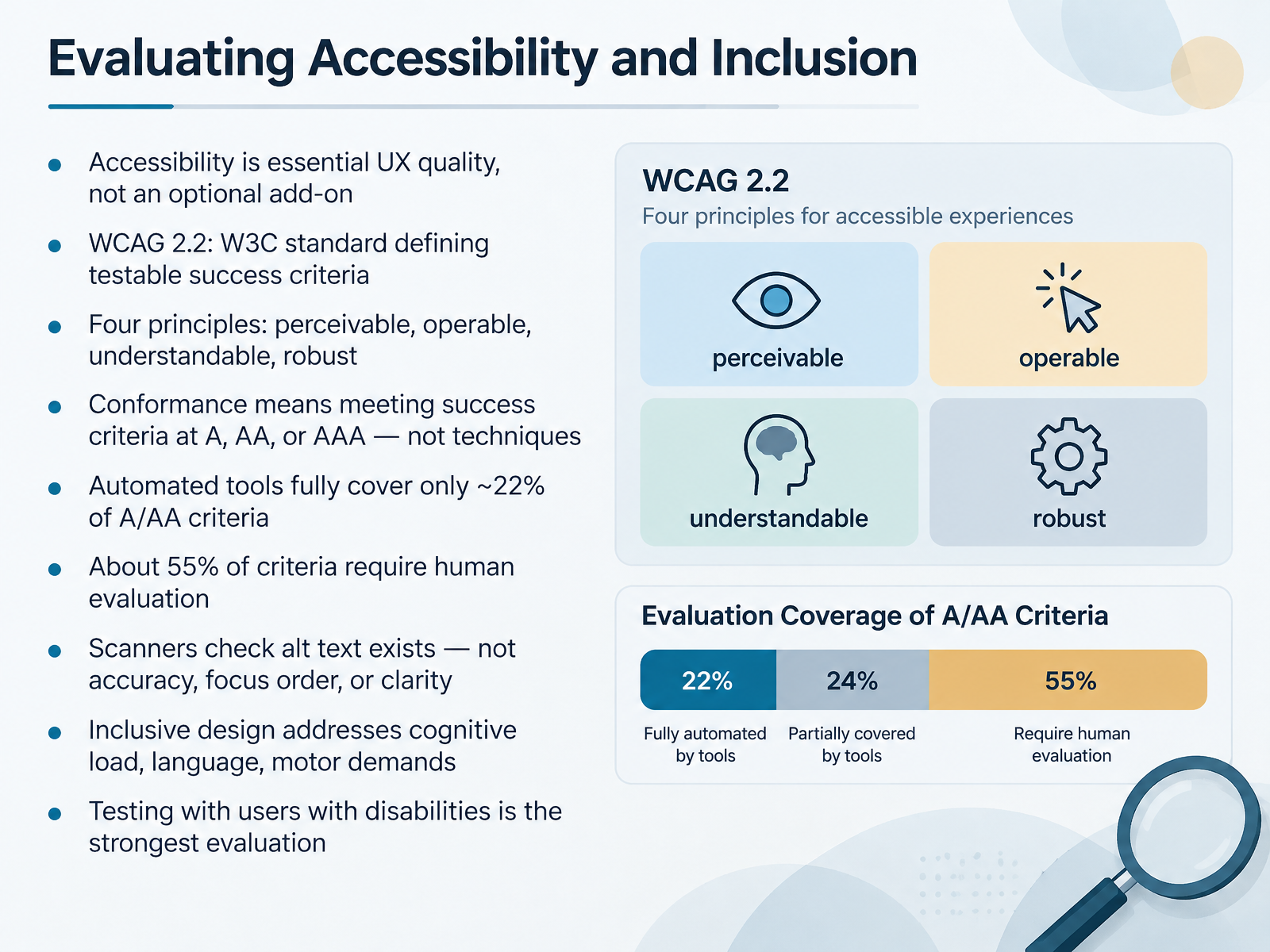
2 min - 06Evaluating Accessibility and InclusionLet's turn to accessibility and inclusion. Treat accessibility as essential UX quality, not an optional add-on. The benchmark here is WCAG 2.2, from the W3C. It defines testable success criteria, not vague intentions. Four principles guide it: perceivable, operable, understandable, and robust. Conformance means meeting success criteria at Level A, double A, or triple A. It does not mean you applied a particular technique. So check whether your design truly satisfies the criteria, not just the method. Automated tools fully cover only about twenty-two percent of A and double A criteria. Roughly fifty-five percent require human evaluation. Scanners can confirm alt text exists. They cannot judge accuracy, focus order, or clarity. Inclusive design also addresses cognitive load, language, and motor demands. And the strongest evaluation is testing with users with disabilities. Next, we'll look at severity, prioritization, and scoring.
 2 min
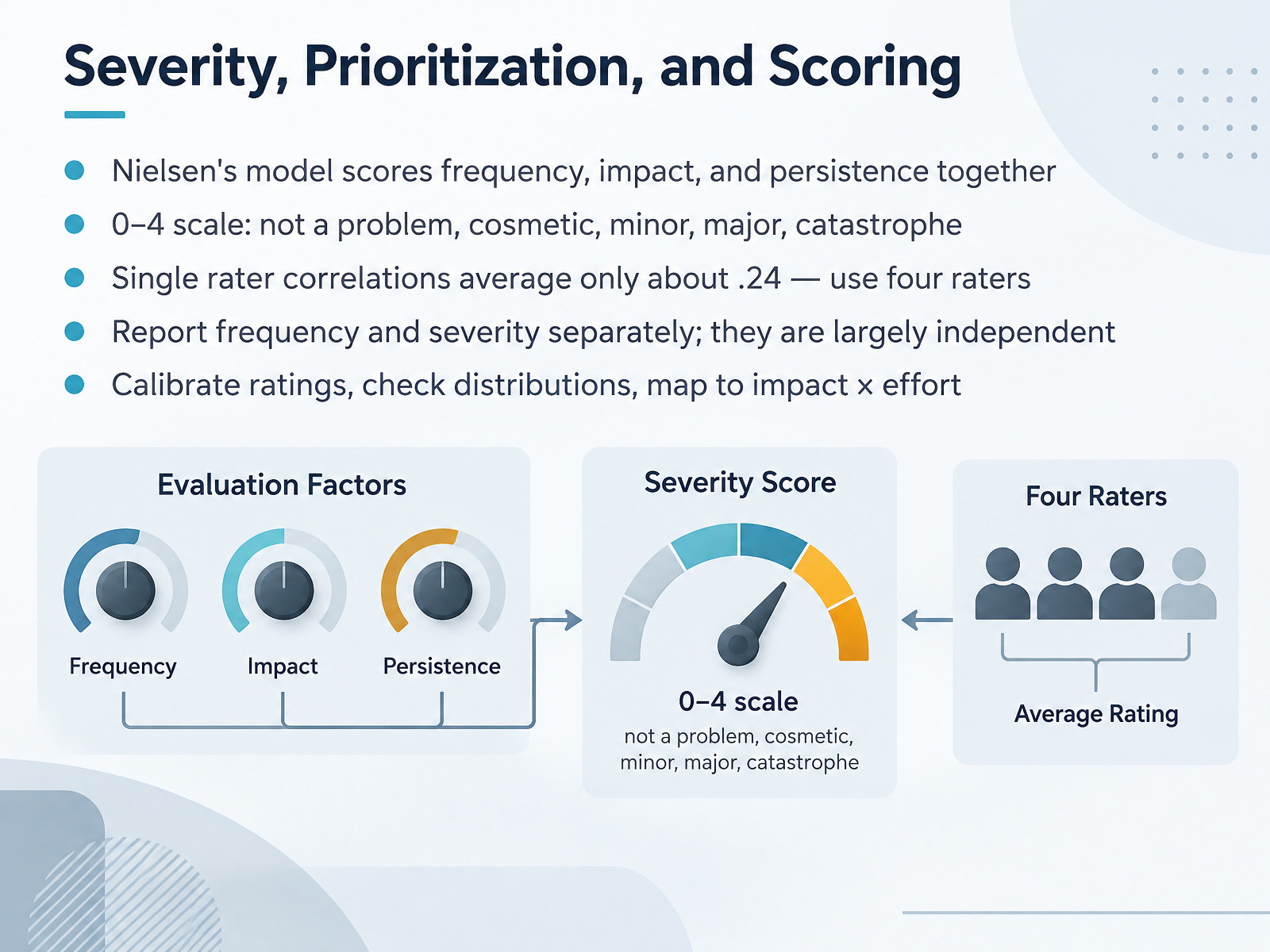
2 min - 07Severity, Prioritization, and ScoringNow let's talk about severity, prioritization, and scoring. Start with Nielsen's model. It scores frequency, impact, and persistence together, so a rare problem that blocks a task still outranks a frequent cosmetic one. The scale runs from zero to four: not a problem, cosmetic, minor, major, catastrophe. Here's the catch. Single rater correlations average only about point two four. So use four raters, then reconcile their scores. Check whether your panel agrees. Report frequency and severity separately, because they are largely independent. A bug can hit everyone and still be minor. Another can hit few users and be catastrophic. Calibrate ratings before every audit. Check your distributions for clustering or outliers. Then map severity against impact and effort. That tells you what to fix first. Keep in mind, these judgments guide priority, not replace it. Next, we'll look at metrics and benchmarks.
 2 min
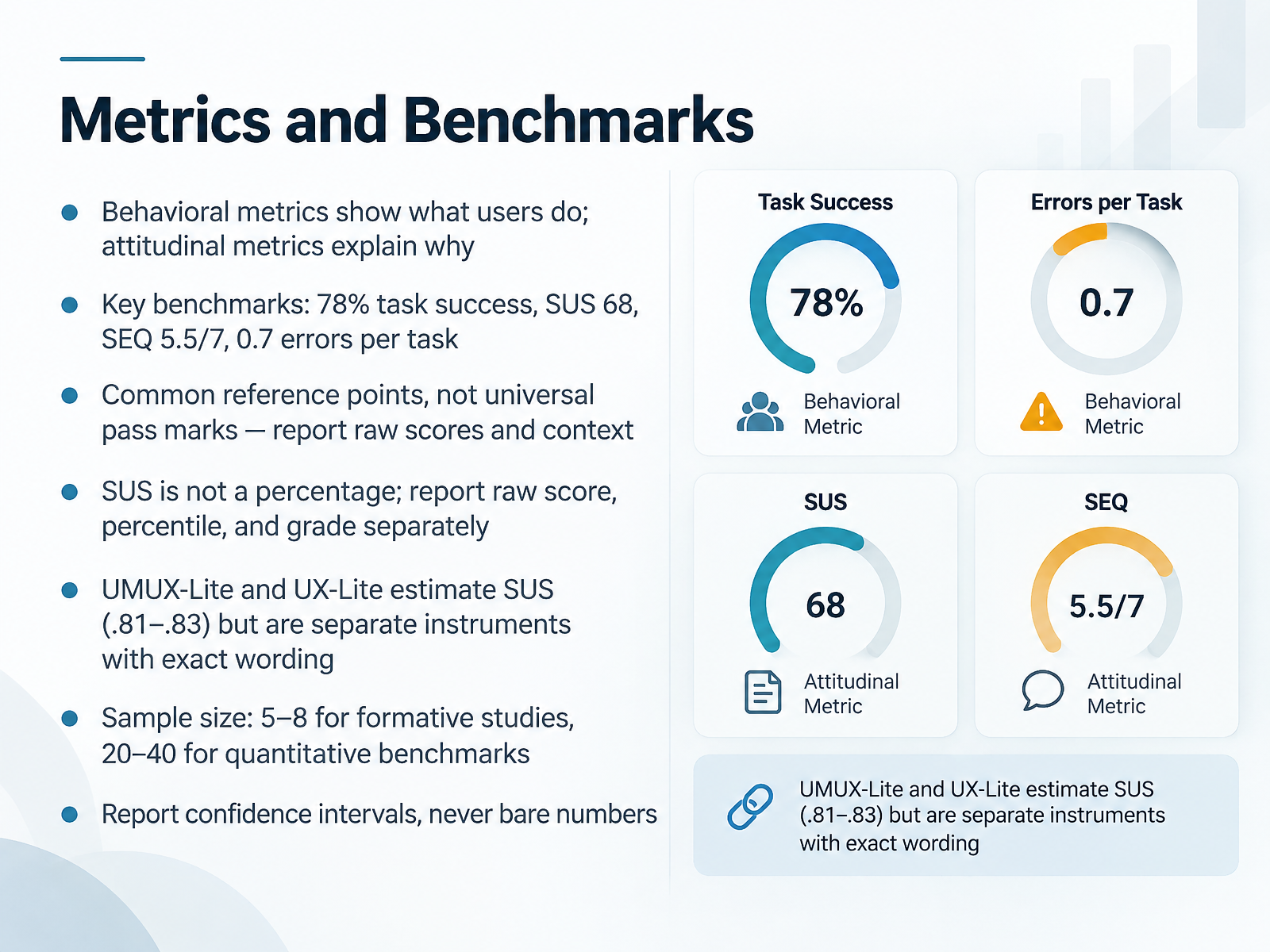
2 min - 08Metrics and BenchmarksLet's talk about metrics and benchmarks. Behavioral metrics show what users do. Attitudinal metrics explain why. You'll want both. For benchmarks, keep these reference points handy. Task success around seventy-eight percent. A System Usability Scale score of sixty-eight. A Single Ease Question score of five point five out of seven. And roughly zero point seven errors per task. Now, check whether you're treating these as universal pass marks. They're not. They're common reference points. Report raw scores and context instead. And remember, the System Usability Scale is not a percentage. Report the raw score, percentile, and grade separately. UMUX-Lite and UX-Lite estimate the System Usability Scale at correlations of point eight one to point eight three, but they are separate instruments with exact wording. For sample size, use five to eight participants for formative studies, and twenty to forty for quantitative benchmarks. Always report confidence intervals. Never bare numbers. Next, we'll look at behavioral data like analytics, heatmaps, and replays.
 2 min
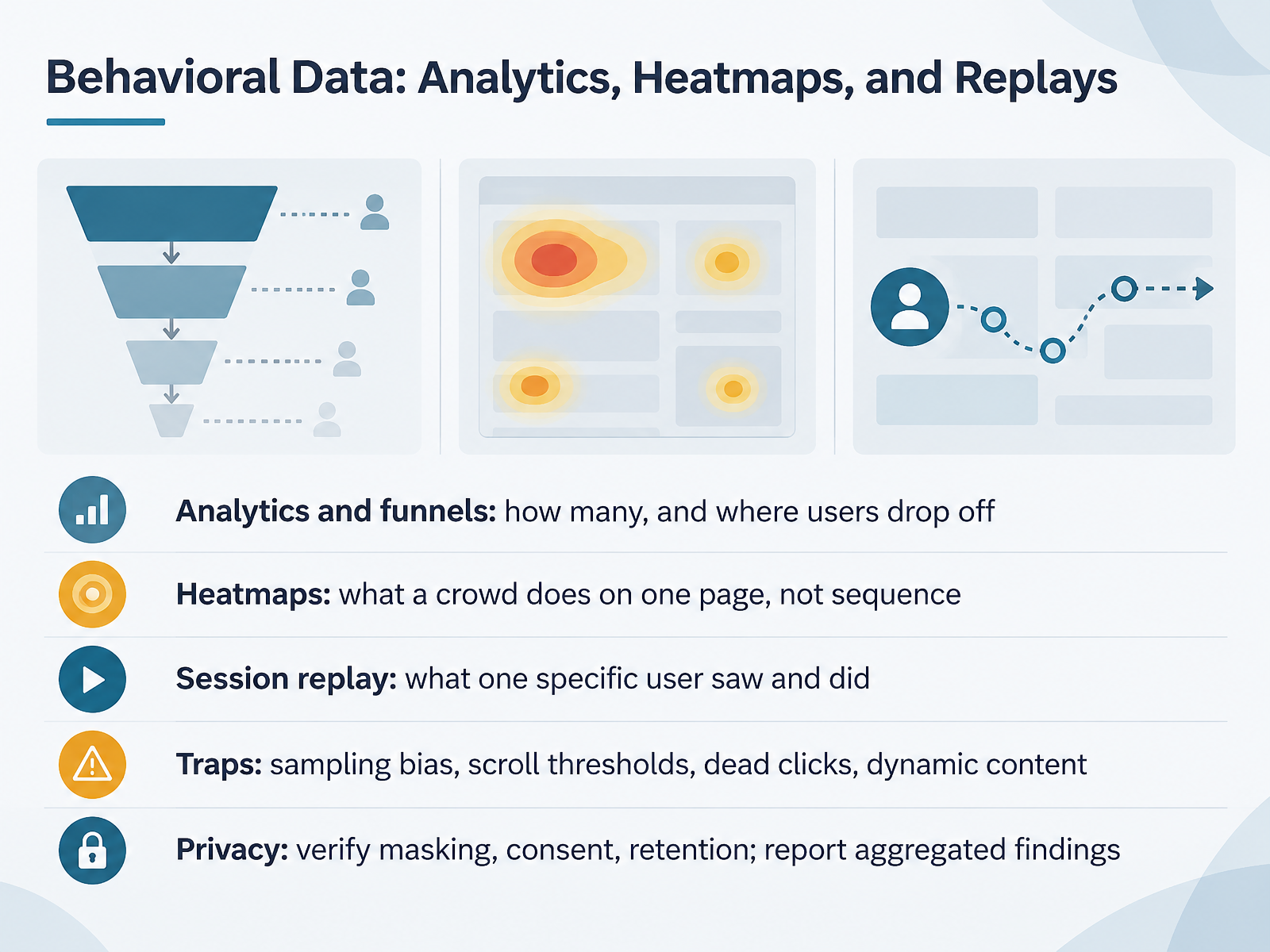
2 min - 09Behavioral Data: Analytics, Heatmaps, and ReplaysLet's look at behavioral data now. Three sources, three different questions. Analytics and funnels answer how many, and where users drop off. So if your funnel shows a sharp fall between cart and checkout, you'll want to check whether that step adds friction. Heatmaps show what a crowd does on one page, not sequence. They reveal attention and neglect, but not the path users took to get there. Session replay shows what one specific user saw and did. It's rich for diagnosis, but a single replay is not proof. Watch for traps. Sampling bias, scroll thresholds that count a partial view, dead clicks, and dynamic content that shifts mid-recording. Before you report anything, verify privacy. Confirm masking is on, consent is in place, and retention limits are set. Then report aggregated findings, not raw recordings. Behavioral data tells you what happened. It rarely tells you why. Keep that distinction clear when you share results. Next, we'll look at reviewer calibration and bias control.
 1 min
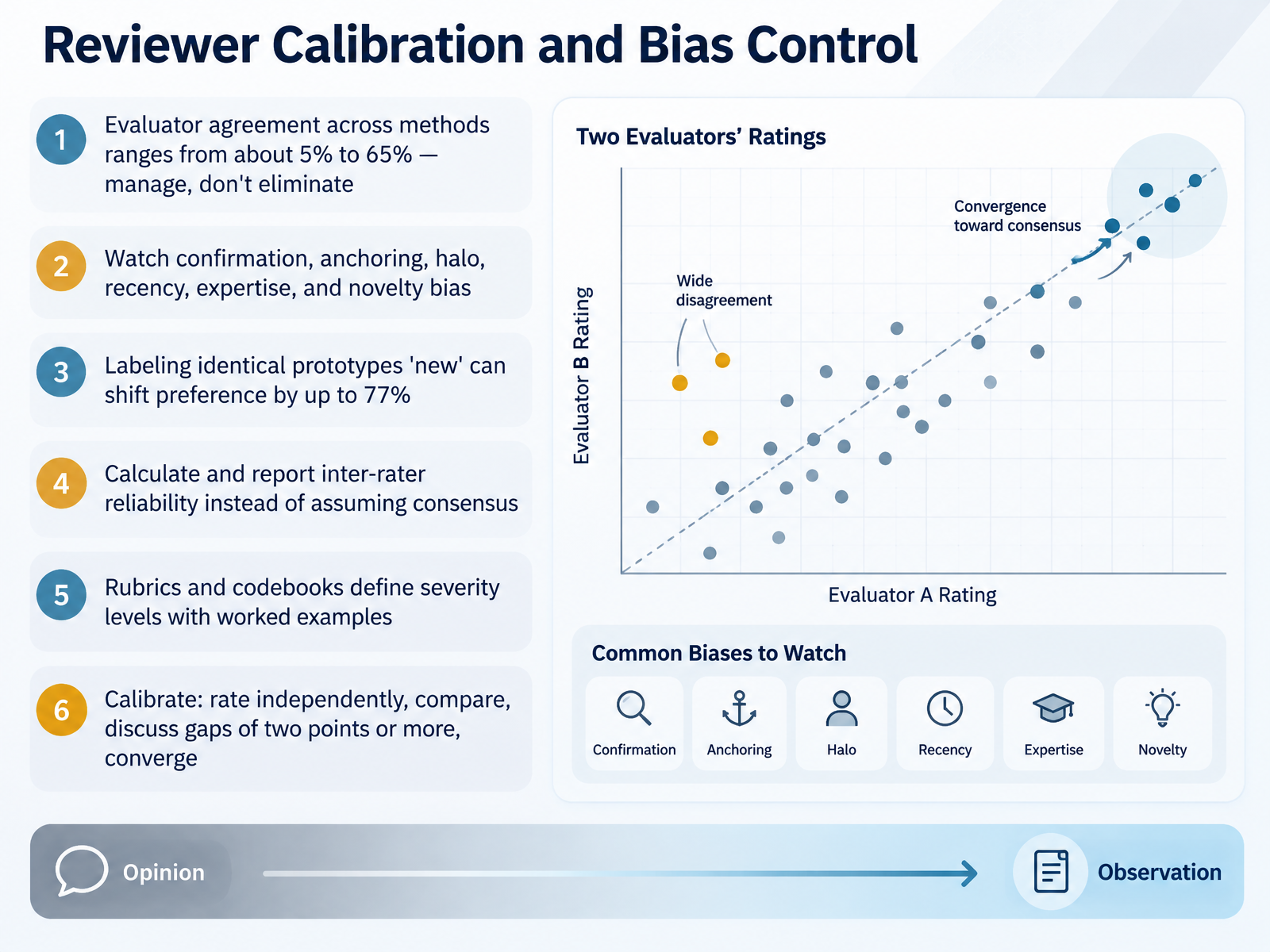
1 min - 10Reviewer Calibration and Bias ControlNow let's talk about reviewer calibration and bias control. This matters because even experienced evaluators disagree, and that disagreement is real. Across methods, evaluator agreement ranges from about five percent to sixty-five percent. You'll want to manage that variance, not try to eliminate it. Watch for six common biases: confirmation, anchoring, halo, recency, expertise, and novelty. Check whether a first impression is pulling every later judgment with it. Here is a striking example. Labeling identical prototypes as new can shift preference by up to seventy-seven percent. So calculate and report inter-rater reliability instead of assuming consensus. Use rubrics and codebooks that define severity levels with worked examples. Then calibrate. Rate independently, compare scores, discuss any gap of two points or more, and converge on a shared standard. That turns subjective impressions into defensible evidence. Next, we will look at documenting findings and reporting.
 2 min
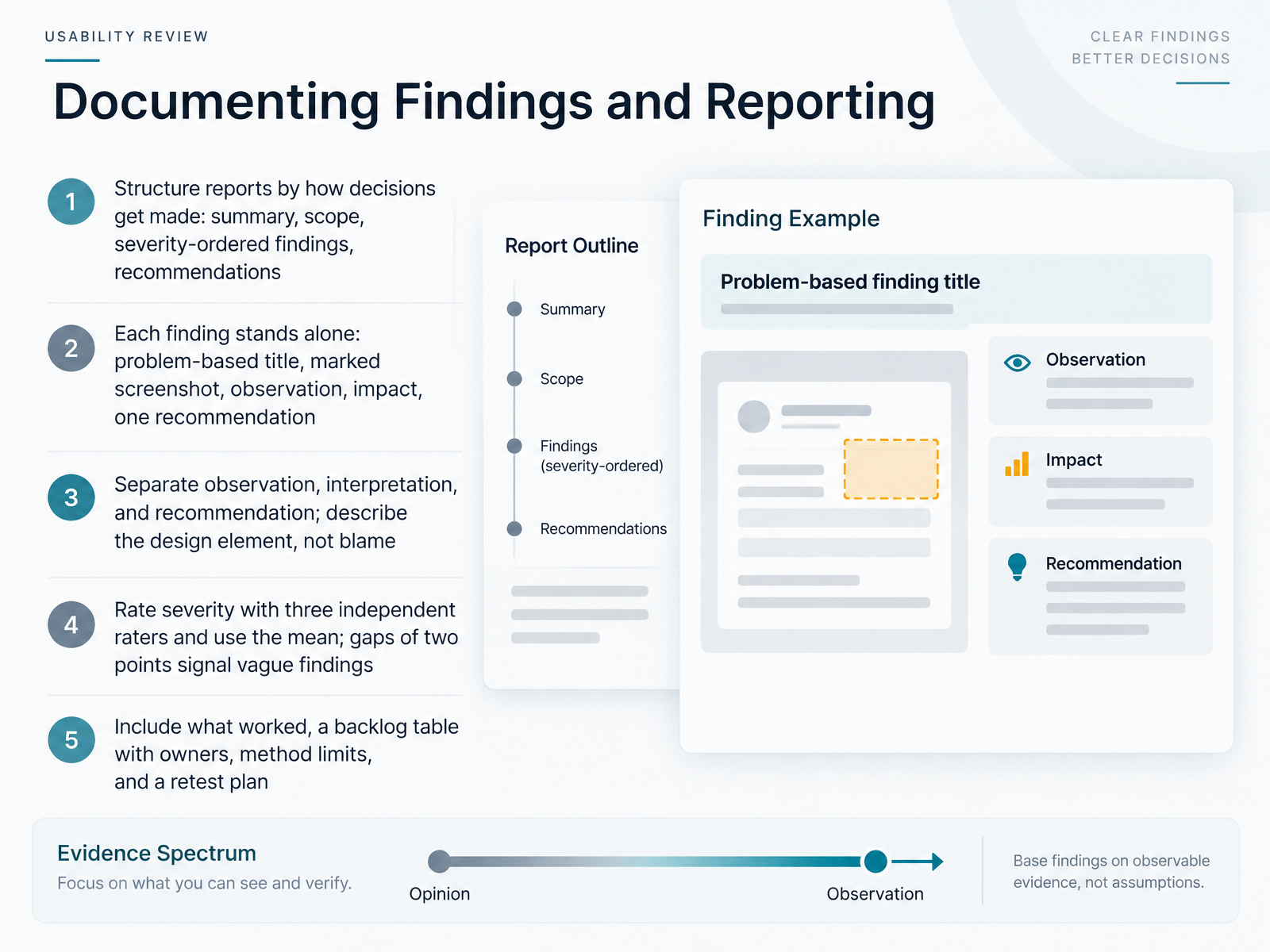
2 min - 11Documenting Findings and ReportingLet's talk about documenting findings and reporting. Good reports follow the way decisions actually get made. You'll want a clear summary, scope, findings ordered by severity, and recommendations your stakeholders can act on. After each criterion, pause and check your own draft against it. Each finding should stand alone: a problem-based title, a marked screenshot, the observation, the impact, and one recommendation. Keep observation, interpretation, and recommendation separate. Describe the design element rather than blaming a person. That keeps critique productive. For severity, use three independent raters and take the mean. If two raters differ by two points or more, that gap signals a vague finding. Tighten the wording before you publish it. Also include what worked, a backlog table with owners, the limits of your method, and a retest plan. That package turns evaluation into action. Next, we'll look at embedding evaluation into release workflows.
 1 min
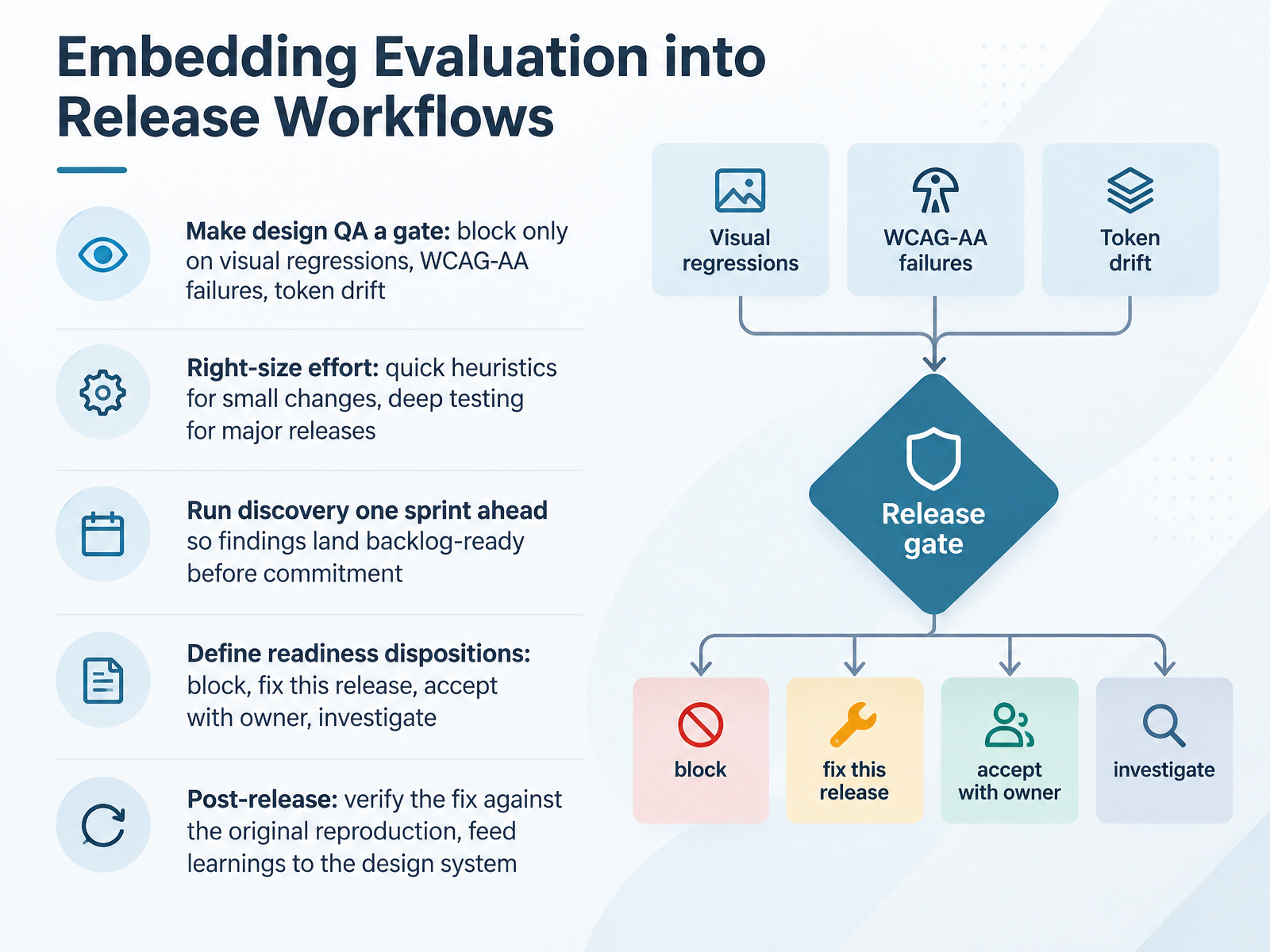
1 min - 12Embedding Evaluation into Release WorkflowsLet's focus now on embedding evaluation into your release workflows. The goal is simple. Quality checks should be part of the process, not an afterthought. So start by making design Q A a gate. Block a release only on visual regressions, W C A G double A failures, and token drift. Everything else gets a disposition, not a debate. Next, right size the effort. Small changes call for quick heuristics. Major releases call for deep testing. Check whether your process matches the risk. Run discovery one sprint ahead. That way, findings land backlog ready before commitment. Define readiness dispositions clearly. Block. Fix this release. Accept with a named owner. Or investigate further. After release, verify the fix against the original reproduction. Then feed those learnings back into the design system. That closes the loop. Next, let's look at putting it together into a repeatable evaluation practice.
 2 min
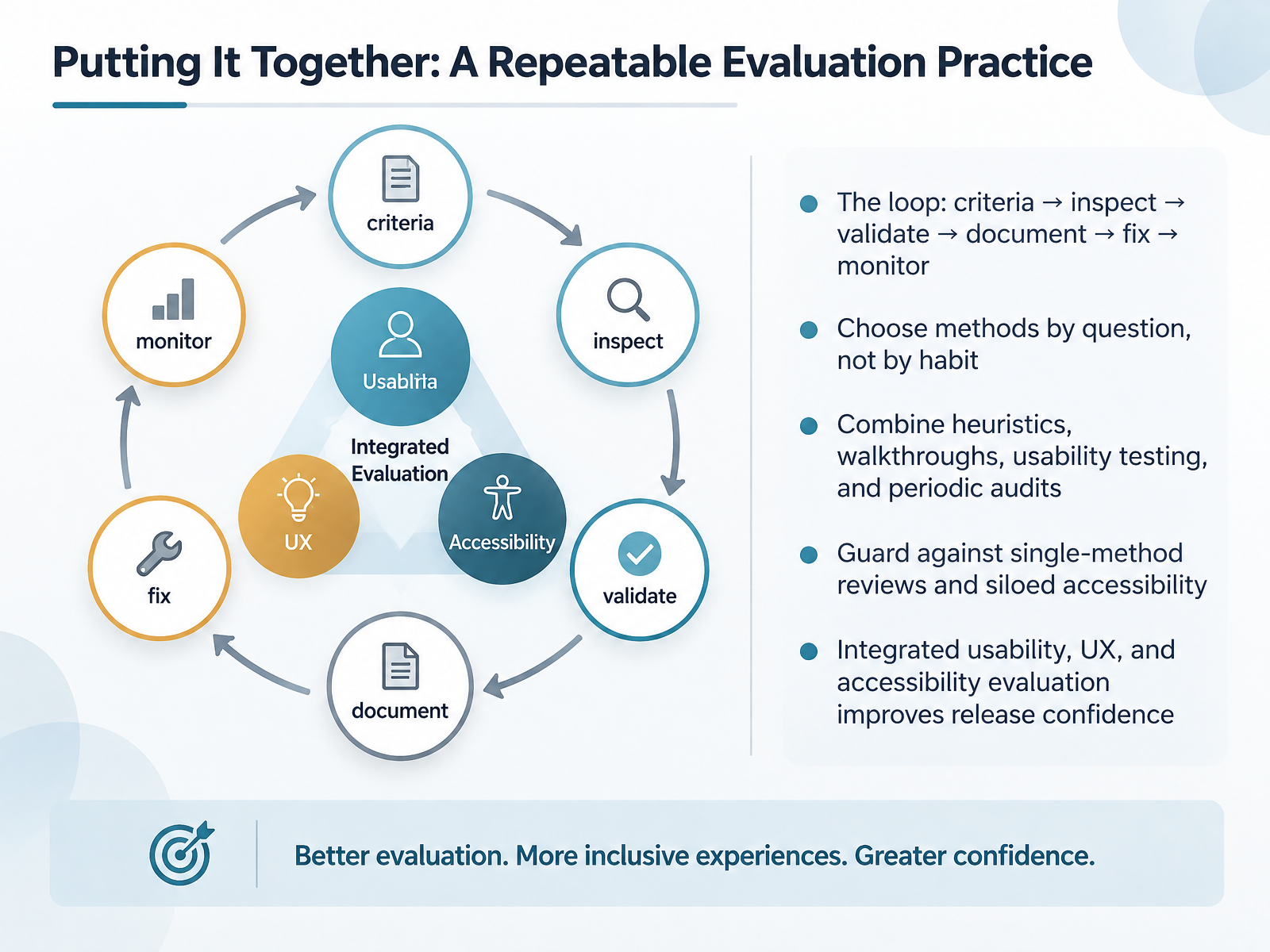
2 min - 13Putting It Together: A Repeatable Evaluation PracticeLet's bring this together into a repeatable practice. The loop is simple: criteria, inspect, validate, document, fix, monitor. Run it the same way each time, so your reviews stay consistent. Choose methods by question, not by habit. If you need to know whether users can complete a task, run a usability test. If you need to catch layout and hierarchy issues early, start with heuristics. Check whether you're relying on a single method. One review type rarely catches everything. Combine heuristics, walkthroughs, usability testing, and periodic audits. Also check whether accessibility is siloed. Integrated usability, UX, and accessibility evaluation improves release confidence, because you're testing the experience real people actually have. So keep the loop tight, match the method to the question, and evaluate together. That habit will make your critiques sharper and your releases more dependable. Thank you for your attention, and keep evaluating with intent.
 1 min
1 min
Take the deck with you
Download this course as a file — free, no sign-up needed.
- PDF handoutEvery slide page, ready to print or share.14 pages · 2.9 MBDownload
- Narrated PowerPointThe deck that presents itself — every slide carries the digital human's narration video.14 pages · 14.6 MBDownload
- PowerPoint slidesThe full deck as a .pptx — open it in PowerPoint, Keynote, or Google Slides.14 pages · 2.8 MBDownload
Free to use in your own training — please keep the PersonWise credit page at the end.
Have your own deck? Turn it into a course
Sources consulted
Web sources consulted while building this course.
- UX Quality Metrics Framework | The GitLab Handbook — handbook.gitlab.com
- UX QA: Quality-Checking UX Before Launch | OverlayQA — overlayqa.com
- https://feeds.yesyesknow.co/blog/ux-quality-assurance — feeds.yesyesknow.co
- Pre-Launch UX Checklist: 9 Things to Test Before You Ship | Swarm — useswarm.co
- Design QA: review the behavior, not just the screen | UX Advantage — uxadvantage.com
- Understanding Techniques for WCAG 2.2 Success Criteria | WAI | W3C — w3.org
- How to Meet WCAG (Quick Reference) — w3.org
- Understanding Conformance | WAI | W3C — w3.org
- Introduction to Understanding WCAG 2.2 | WAI | W3C — w3c.github.io
- WCAG 2 Overview | Web Accessibility Initiative (WAI) | W3C — w3.org