Begin
13 pages · ~26 min
Instructional Design Models: Types and Examples
Explore instructional design models, their types, patterns, and real-world examples to effectively create and evaluate learning experiences.
A digital instructor presents all 13 pages. Hold “Ask” at any point and ask out loud — the answer comes from this course. No sign-up needed.
What you’ll learn
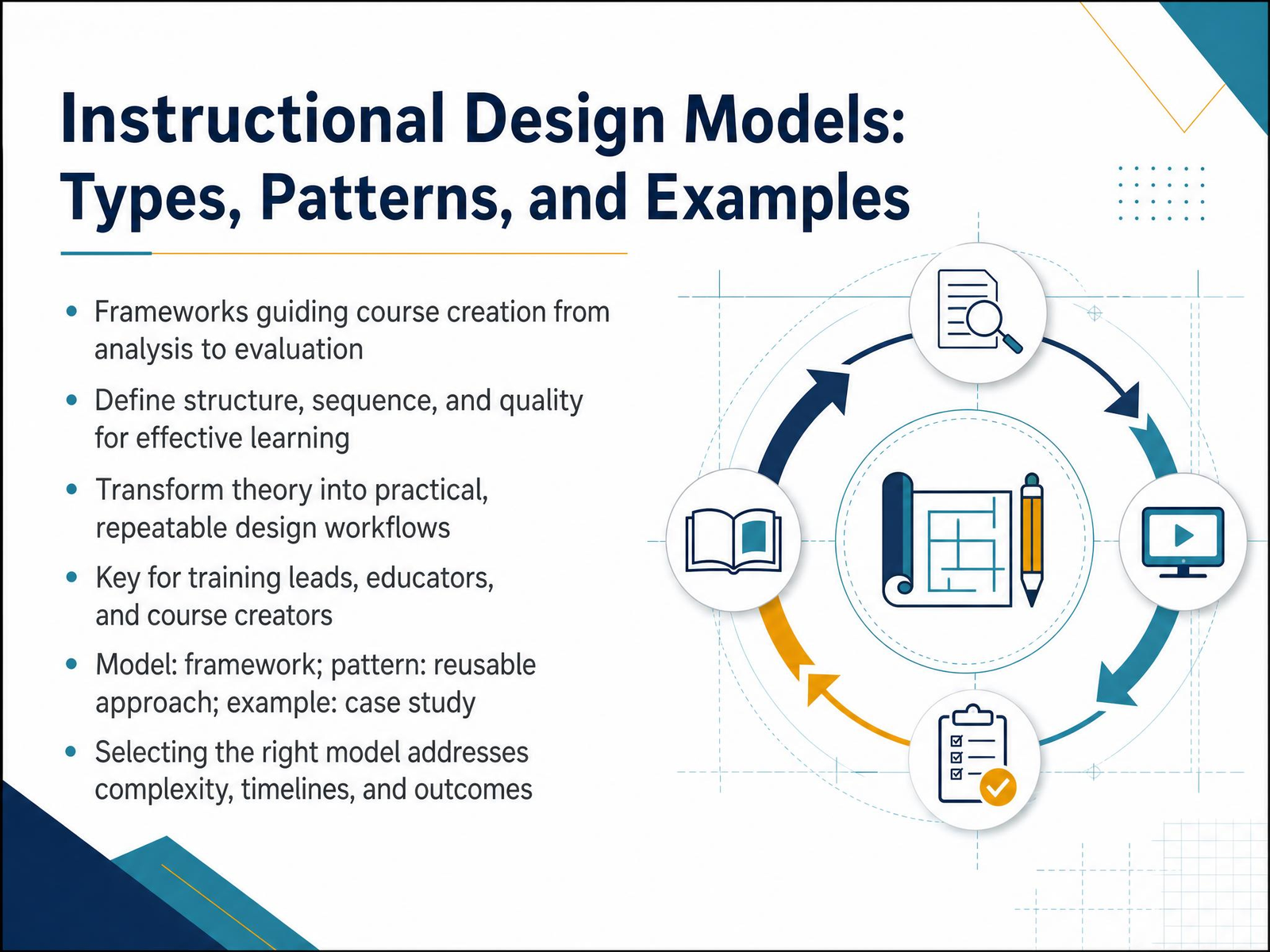
- 01Instructional Design Models: Types, Patterns, and ExamplesWelcome, everyone. If you're responsible for building courses, planning curriculum, or training others, you know the drill. You have a pile of content, a tight deadline, and a room full of learners who need real results. That's exactly why we're here. This session is about instructional design models. Not as academic theories, but as practical toolkits you can use tomorrow. Think of a model as your blueprint. It gives you a repeatable workflow from the initial analysis all the way to final evaluation. It helps you structure content, define the sequence, and protect quality when things get messy. In this overview, we'll break down the core types, the common patterns, and real examples of each. We'll clarify the difference between a model, which is your framework, and a pattern, which is the reusable approach you apply within it. And you'll see why choosing the right model is the fastest way to solve for complexity, timelines, and outcomes. By the end, you'll have a decision-making lens, not just a list of names. So let's jump in. Next, we'll look at why a structured design process beats just dumping content on your learners.gsdcouncil.orgwhatfix.comresearch.com+22 min
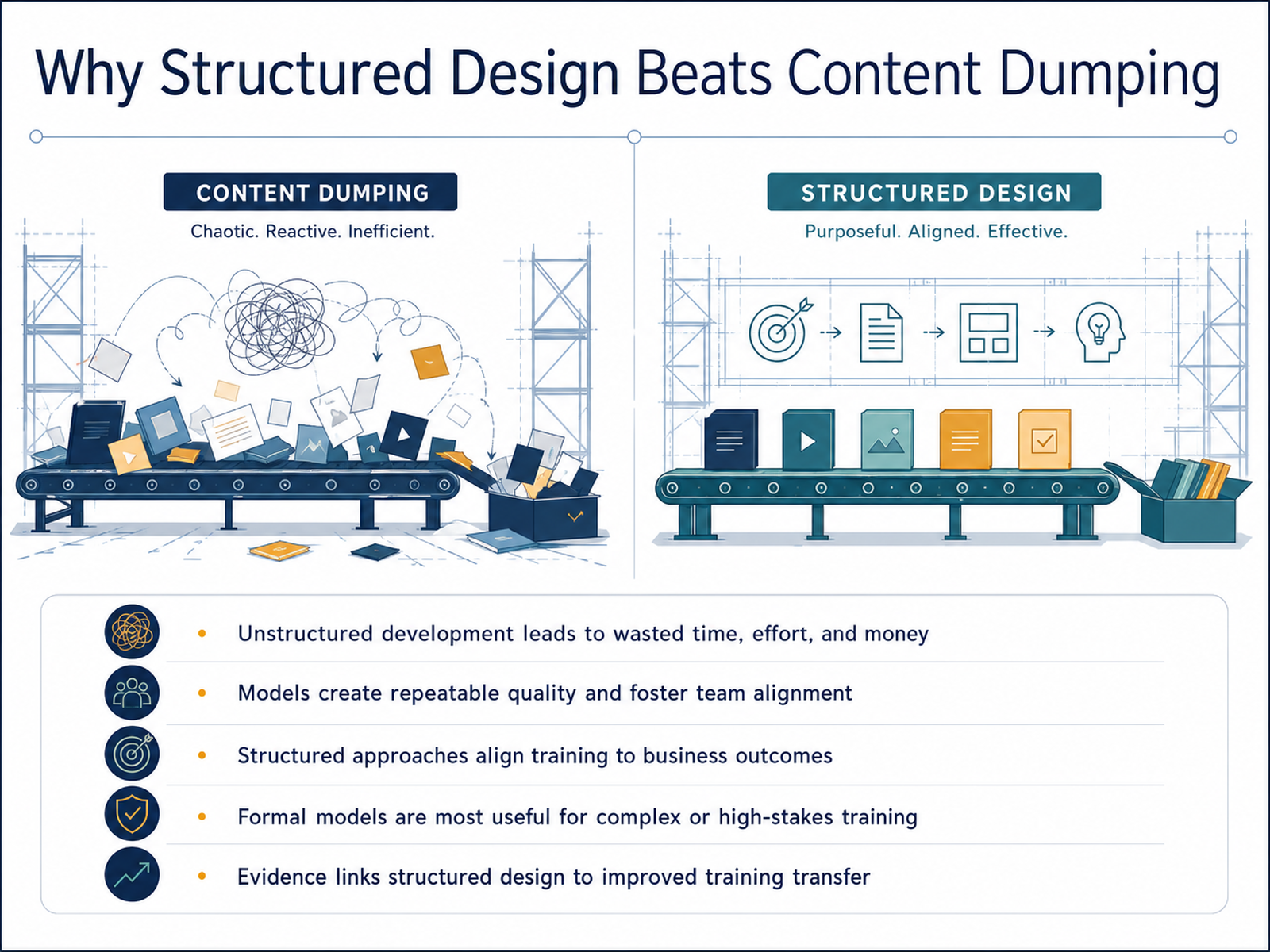
- 02Why Structured Design Beats Content DumpingLet’s be honest. A lot of training fails before a single slide is shown. Why? Because someone dumped content into a deck and called it a course. Unstructured development wastes time, effort, and money. You know it, and you’ve probably cleaned up the mess. Models change that. They give you repeatable quality. When your team uses a shared framework, you stop relying on one person’s good instincts and start building on a dependable process. That consistency matters. It also gets you aligned with business outcomes. A structured approach forces you to ask, “What does this training actually need to achieve?” before you build anything. Now, do you need a formal model for every piece of training? No. A quick job aid doesn’t need a full analysis phase. But for complex, high-stakes training, the evidence is clear. Structured design improves training transfer. Learners actually apply what they learned. So think of models as tools, not red tape. They give you a roadmap that pays for itself. And you’ll see why from analysis to evaluation, every step has a clear job to do.
 digitallearninginstitute.comnic.pressbooks.pubwww1.udel.edu+21 min
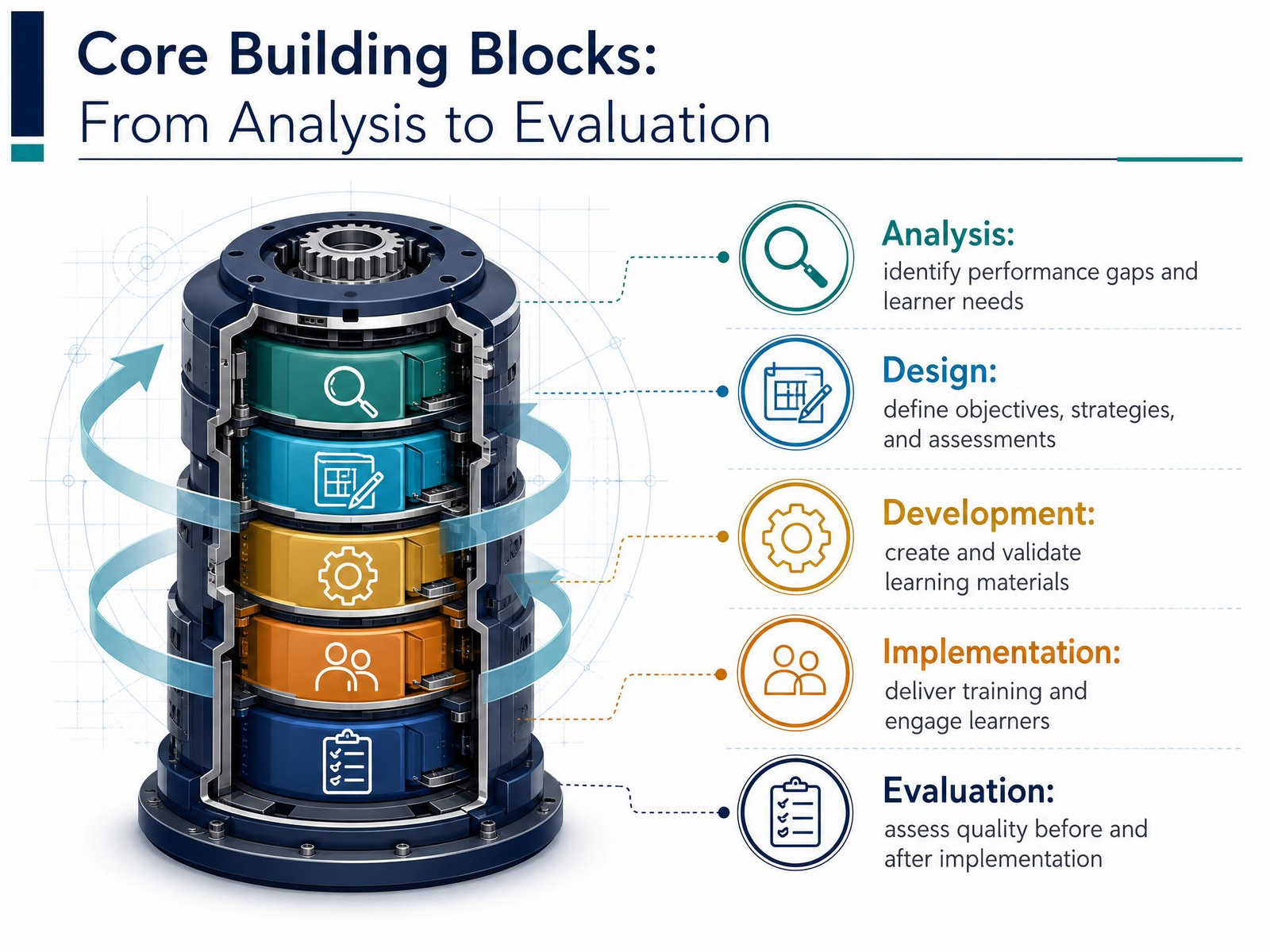
 - 03Core Building Blocks: From Analysis to EvaluationLet’s zoom out and look at the skeleton that holds every instructional design model together. You’ll see the same five building blocks again and again: analysis, design, development, implementation, and evaluation. Think of them as a workflow, not a rigid checklist. Analysis is where you identify the real performance gap and get clear on who your learners are and what they actually need. Design is where you turn that analysis into a plan: objectives, strategies, and the assessments that will prove learning happened. Development is where you build the materials, whether it’s an eLearning module, a job aid, or a slide deck, and you test them before they go live. Implementation is the delivery itself: launching the course, engaging learners, and handling the logistics. And evaluation wraps around everything. You assess quality before launch and again after, using learner feedback and performance data to decide what to revise. Here’s the practical takeaway: don’t treat these as five separate silos. Every model you’ll see today is just a different way of sequencing and emphasizing these same blocks. Keep them in mind, and you’ll be able to compare any model on its merits. Next, we’ll look at a simple taxonomy: linear, iterative, and systemic models.
 digitallearninginstitute.comnic.pressbooks.pubwww1.udel.edu+22 min
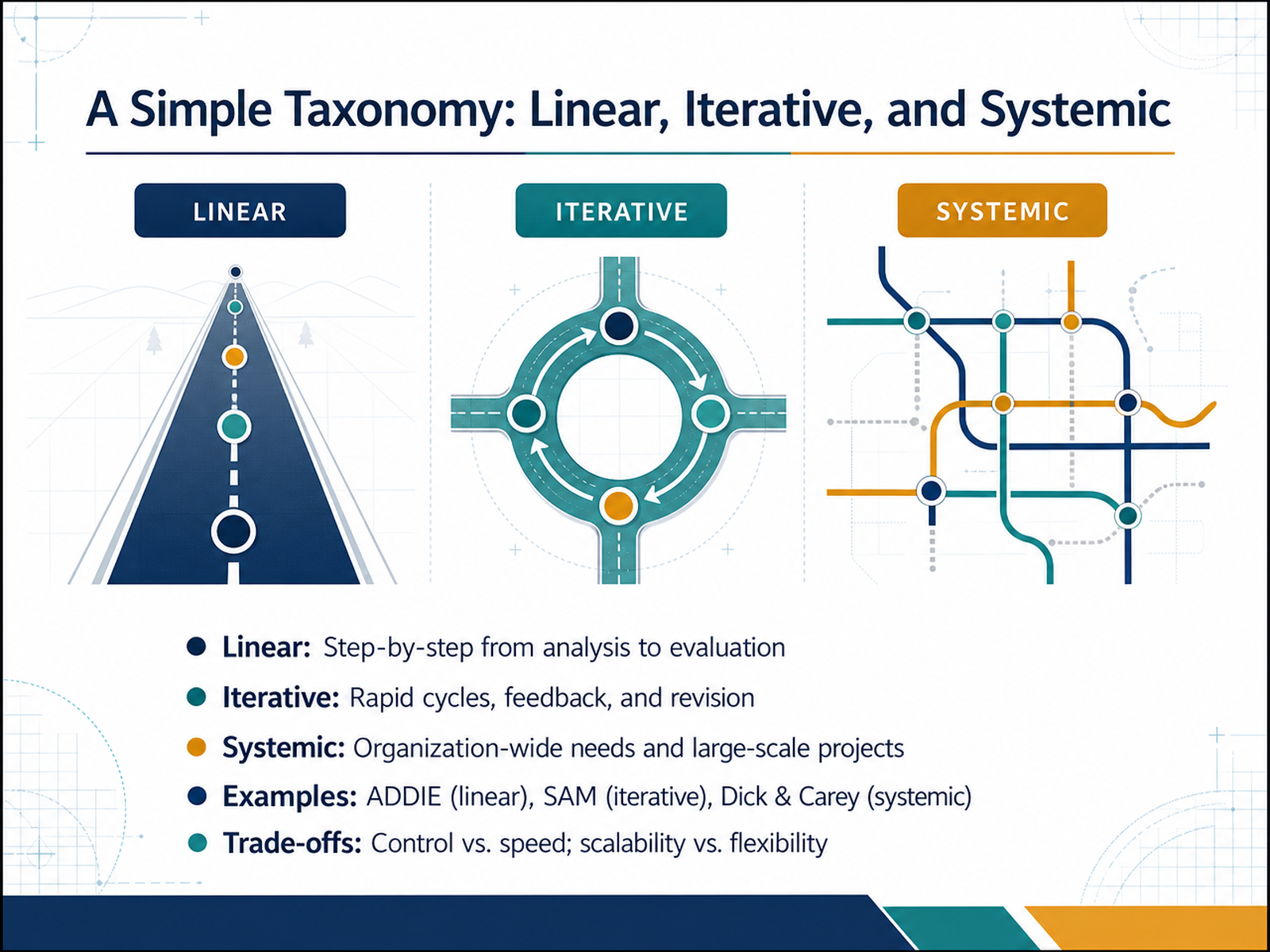
 - 04A Simple Taxonomy: Linear, Iterative, and SystemicLet’s step back and see how these models actually differ in practice. The simplest way to categorize them is by their workflow. Some are linear. You move through clear stages—analysis, design, development, implementation, evaluation—in order, without skipping steps. ADDIE is the classic example. It gives you control and clarity, which is great when requirements are fixed and stakeholders want a predictable process. Then you have iterative models. These work in rapid cycles, building quick versions, testing them, and fixing what doesn’t work based on real feedback. SAM is the well-known one here. It trades a bit of control for speed and flexibility, which pays off when you’re developing something new and the details need to evolve. And then there are systemic models, like Dick and Carey. These treat the whole organization as the context. You’re aligning instruction with broad performance goals, often for large-scale projects. They’re powerful but heavy, so they require more resources and buy-in. The real trade-off throughout is simple. Do you want predictability, or adaptability? Start with your constraints. If you have a tight deadline, lean iterative. If you’re rolling out enterprise-wide training, go systemic. Keep this distinction in mind, because we’ll now look closely at the most widely used model, ADDIE, and how it’s being updated for the AI era.
 eric.ed.govdergipark.org.trbrill.com+22 min
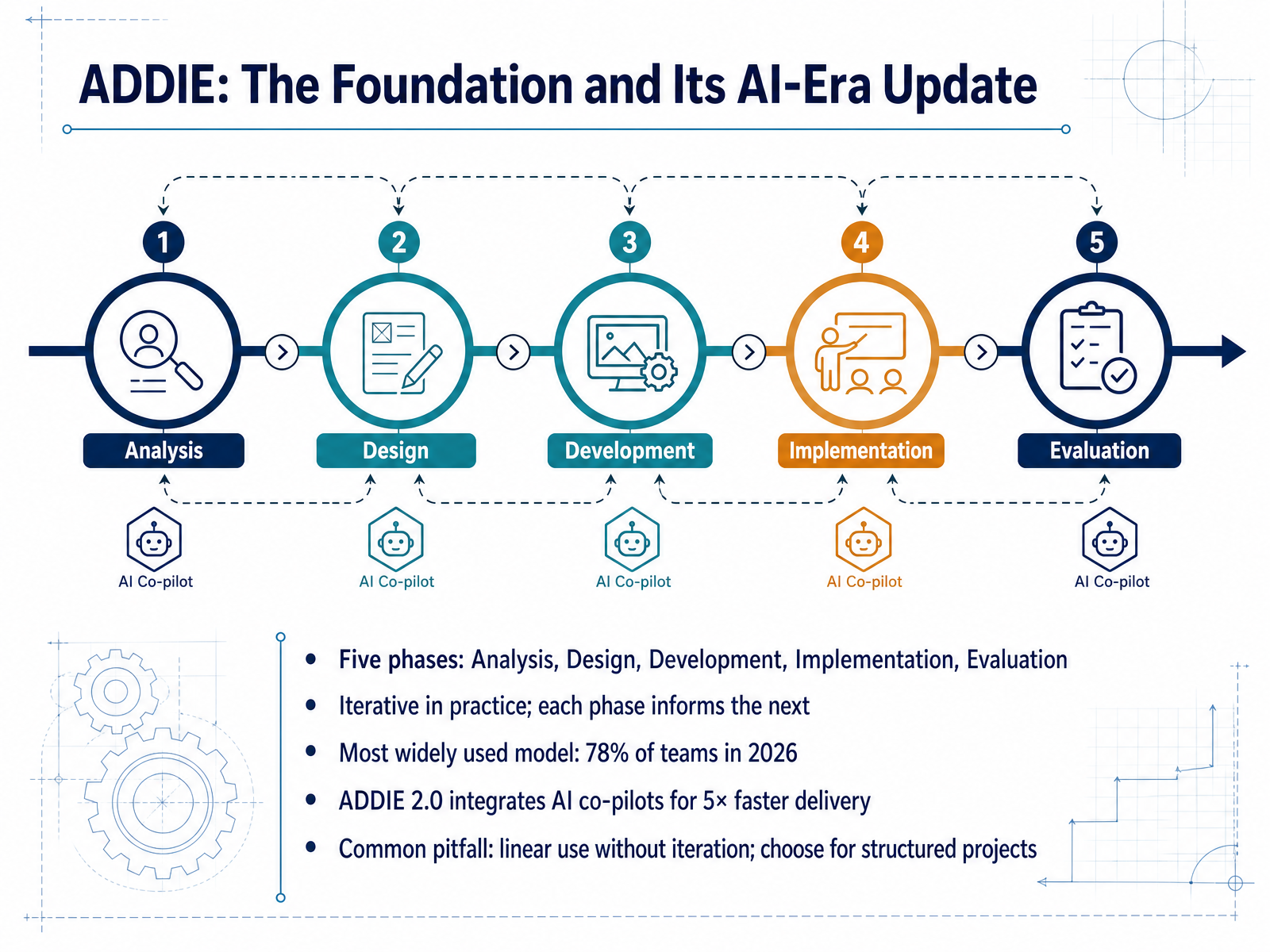
 - 05ADDIE: The Foundation and Its AI-Era UpdateLet’s talk about the model you’ll probably use more than any other: ADDIE. It stands for Analysis, Design, Development, Implementation, and Evaluation. Now, on paper, it looks like a straight line, but in practice, each phase feeds back into the others. You analyze the problem, design the solution, build it, roll it out, and then evaluate what worked. That’s its real power: it’s a disciplined process that still allows for adjustments as you go. It’s also the industry standard — around seventy-eight percent of L&D teams use it in some form. And in its updated version, ADDIE 2.0, AI co-pilots handle a lot of the heavy lifting in each phase, which means teams are shipping courses up to five times faster than before. The catch? Don’t treat it like a rigid checklist. The most common mistake is using it linearly and skipping the iteration. You’ll want to apply this when you have a structured, large-scale project with clear requirements and stakeholders who expect formal sign-offs. For those situations, it gives you both the framework and the documentation you need. Up next, we’ll look at the faster, more agile alternatives: SAM, Dick & Carey, and Backward Design.
 gsdcouncil.orgwhatfix.comresearch.com+22 min
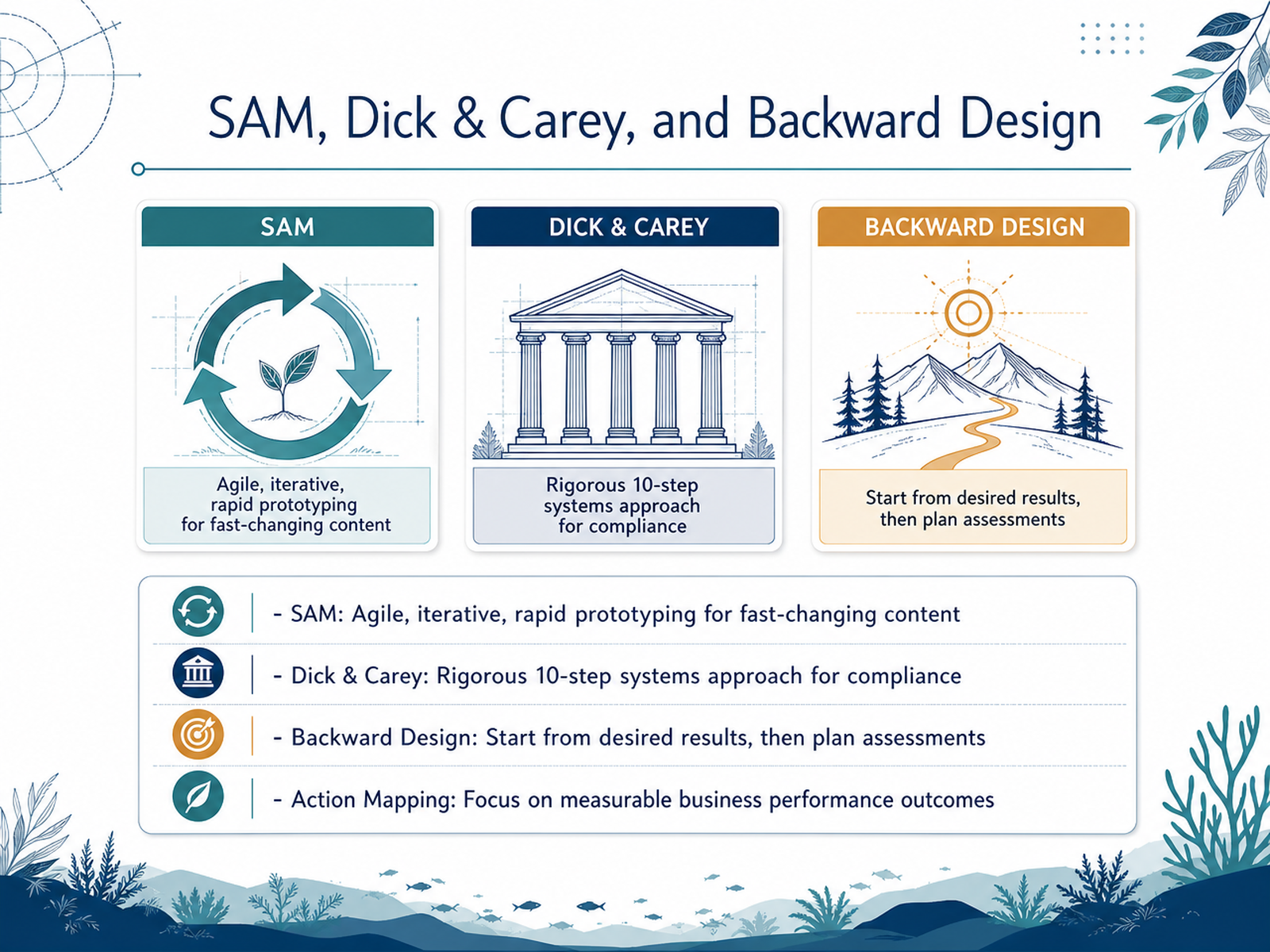
 - 06SAM, Dick & Carey, and Backward DesignLet's look at four models you'll likely encounter. First, SAM. Think agile, rapid prototyping, and constant iteration. It's your go-to when content changes fast and you need a working prototype quickly. Next is Dick and Carey. This is the rigorous, ten-step systems approach. Every component—objectives, assessments, content—is tightly aligned. You'll apply this for high-stakes compliance or certification programs where failure is expensive and documentation is non-negotiable. Then there's Backward Design. You start with the desired results, then plan assessments, and only then design the instruction. Teachers use this constantly, but it works for any course where the end goal is crystal clear. Finally, Action Mapping. This flips the focus from content delivery to measurable business outcomes. You start with a business goal, identify the necessary behaviors, and cut all the fluff. Apply this when leadership asks for training but actually needs a performance fix. Quick takeaway: none of these are silver bullets. Match the model to your constraints—timeline, stakes, and content stability—and you'll be fine. Now, let's talk about choosing the right model for the job.
 gsdcouncil.orgwhatfix.comresearch.com+21 min
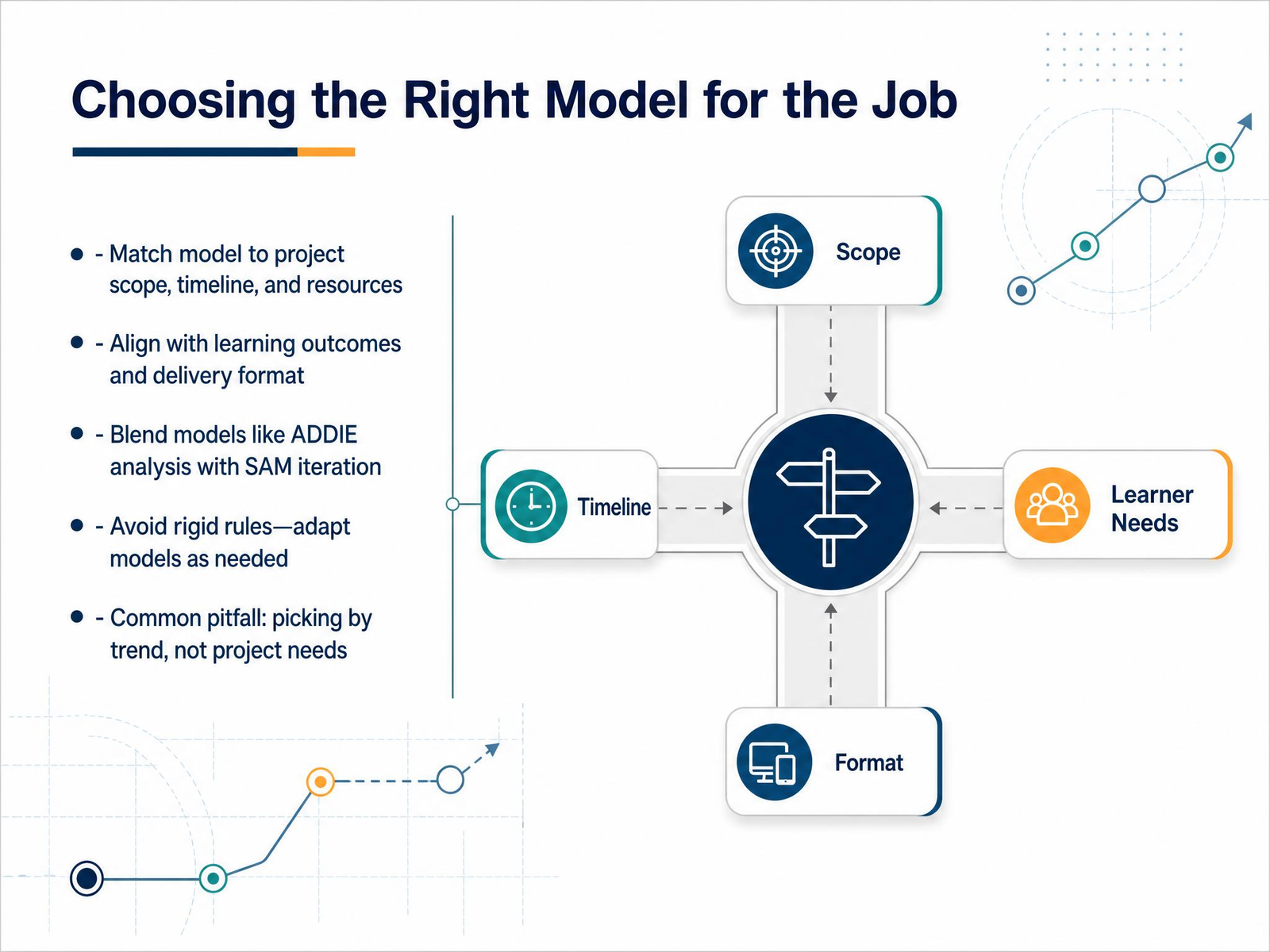
 - 07Choosing the Right Model for the JobSo, how do you actually pick the right model? It comes down to matching the model to the job at hand. Look at your project scope, your timeline, and your resources. A quick just-in-time training for a software rollout is a different beast than a full compliance curriculum. That's where a model like ADDIE shines—it gives you structure and documentation when you need it. But for tight deadlines and evolving content, SAM's iterative cycles will save you. And here's the honest truth: you don't have to marry one model. Many of us blend them. Use ADDIE's analysis phase to nail down the problem, then switch to SAM's rapid prototyping to build fast. The golden rule is to treat these models as flexible guides, not rigid rulebooks. Adapt them. The biggest pitfall? Picking a model because it's trendy, not because it fits your project. That's a recipe for wasted effort. Next, let's look at the patterns that support business training, which is where the rubber really meets the road.
 rlmlearningdesign.comelearningindustry.comlekb.org+22 min
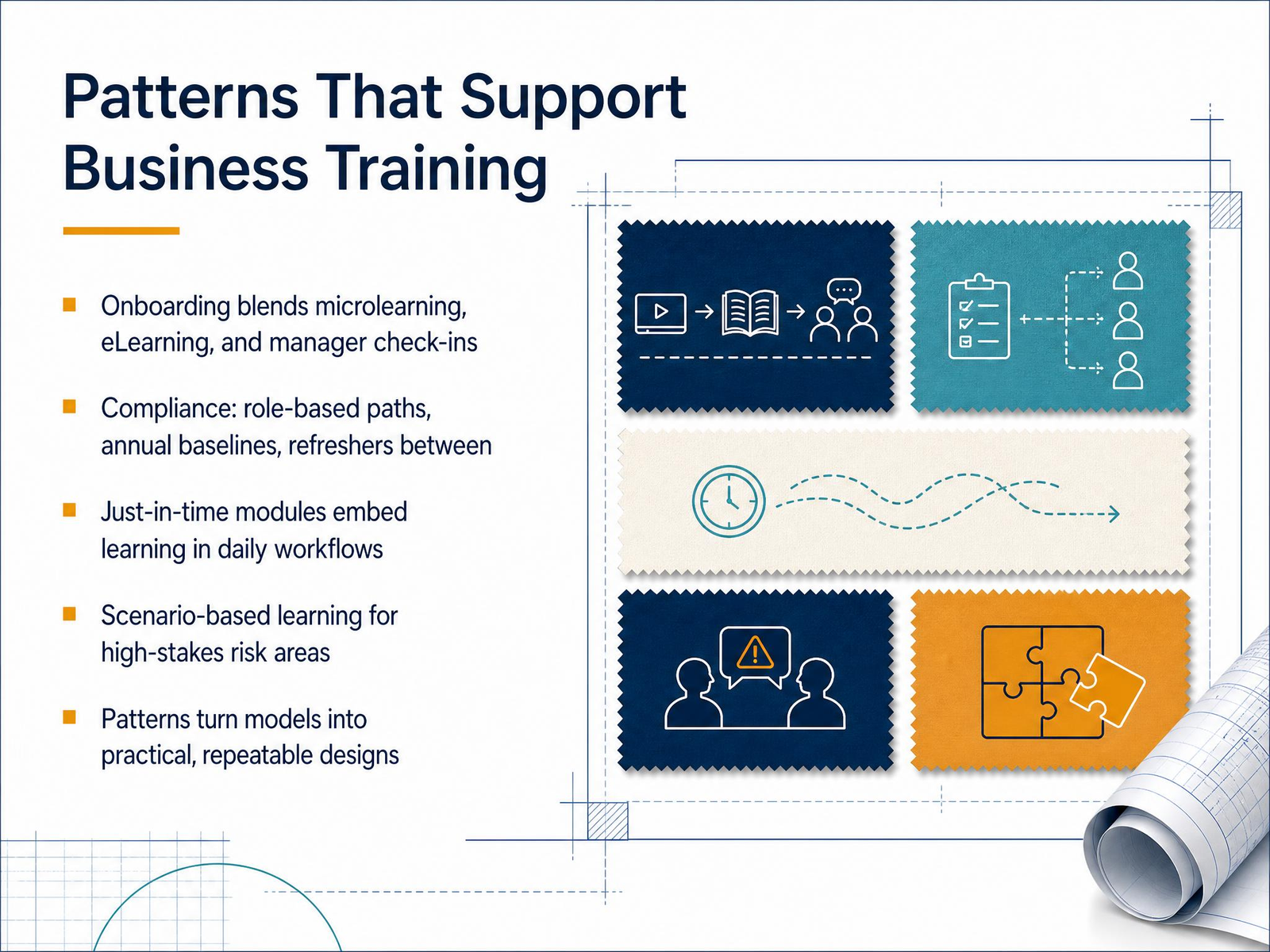
 - 08Patterns That Support Business TrainingPatterns are where models become practical. Take onboarding: blend microlearning with eLearning, and add structured manager check-ins. That mix covers quick facts, deeper context, and human support. Compliance works differently. You’ll use role-based paths, an annual baseline, then refreshers between cycles. Short modules on data privacy or code of conduct updates keep the rules fresh. For just-in-time training, embed modules right into the daily workflow. Think a three-minute GDPR refresher before someone submits a report. And for high-stakes risk areas like bribery or data security, scenario-based learning lets people practice decisions safely. These patterns aren’t rigid templates—they’re repeatable approaches you adapt to each context. That’s the real value: they turn a model into a design you can deliver consistently, again and again. Next, we’ll walk through applying a model to a real course project.
 1 min
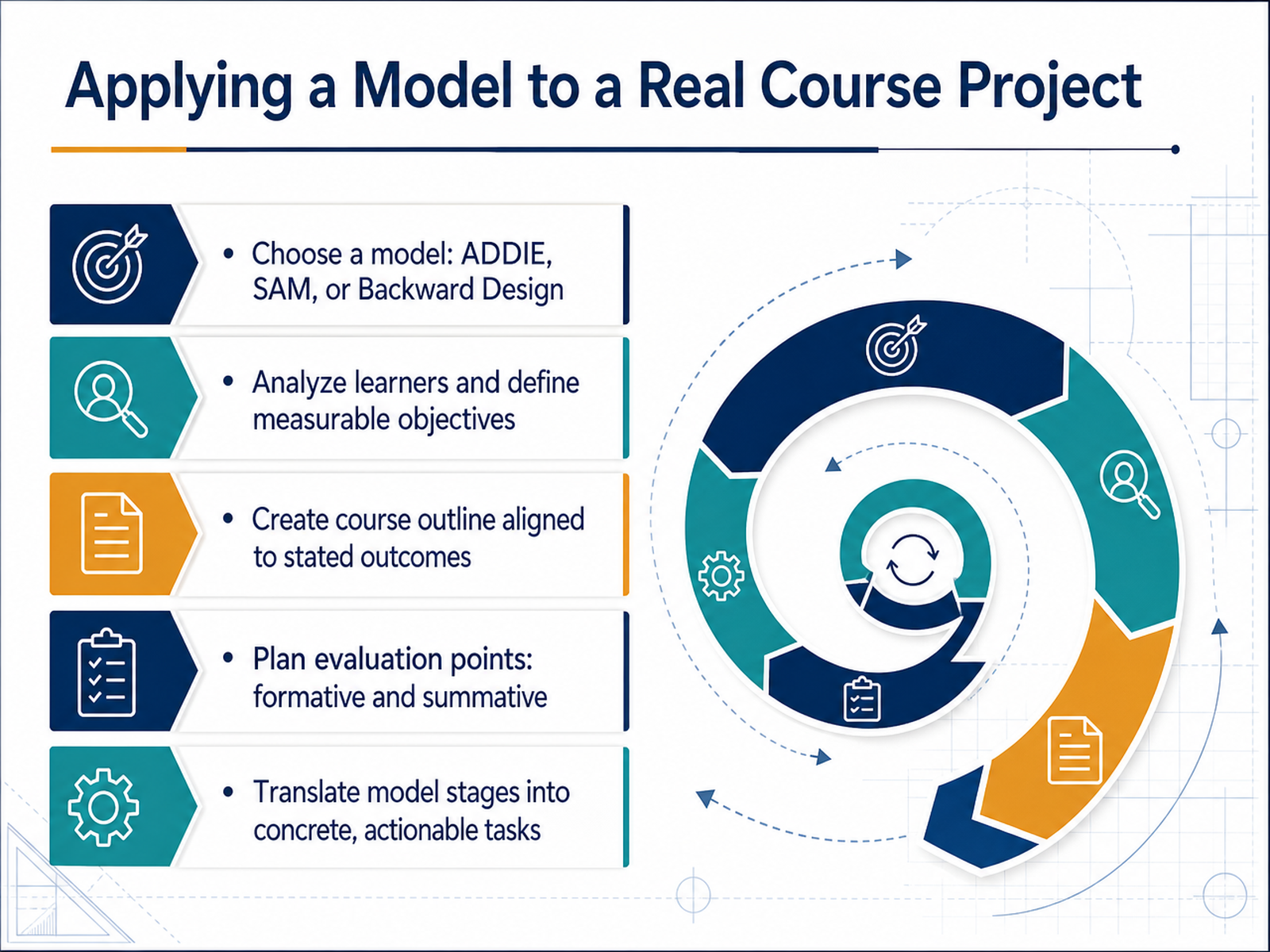
1 min - 09Applying a Model to a Real Course ProjectLet’s make this concrete. Pick a model—ADDIE, SAM, or Backward Design—and commit to it. Start with your learners. Who are they, what do they already know, and what do they need to do differently by the end? From there, write measurable objectives. Not vague intentions, but outcomes you can actually assess. Then build your course outline, making sure every module, every activity, points back to those objectives. If something doesn’t support the outcome, cut it. Now plan your evaluation points. Formative checks during the course, like quizzes or peer feedback, so you can adjust on the fly. And a summative assessment at the end to measure overall achievement. Finally, translate each model stage into tasks. For ADDIE, that means analysis for learner data, design for storyboarding, development for creating materials, implementation for piloting, and evaluation for reviewing results. SAM? Use its iterative cycles to prototype quickly. Backward Design? Identify desired results first, then plan assessments and activities. The key is to move from theory to a task list with owners and deadlines. That’s how a model becomes a tool, not just a diagram. Up next, we’ll dive deeper into formative and summative evaluation and what comes beyond them.
 2 min
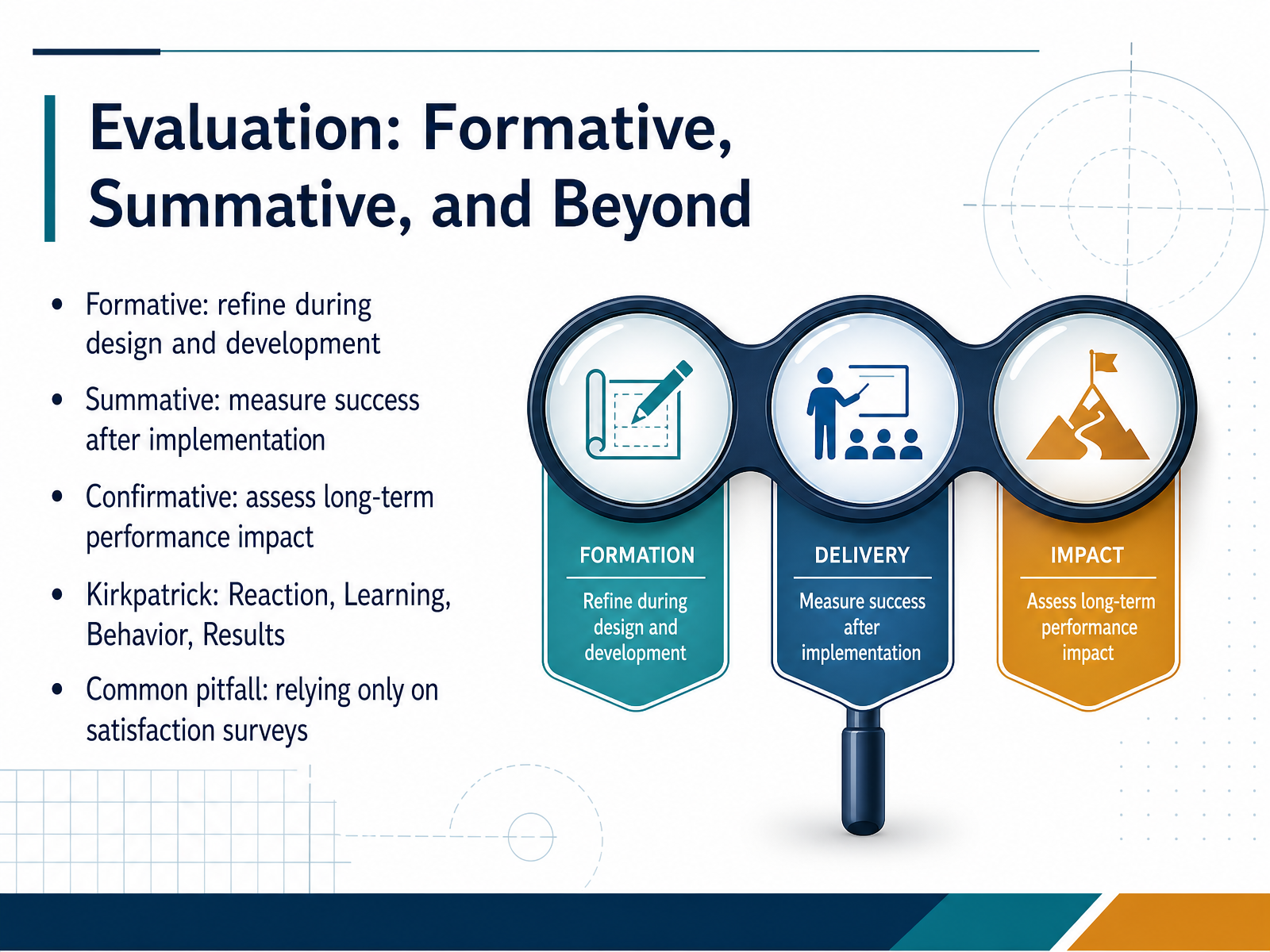
2 min - 10Evaluation: Formative, Summative, and BeyondNow let's talk about evaluation. You've designed and built your course, but how do you know it actually works? Think of it as three checkpoint stages. Formative evaluation is your early warning system. You pilot test, you gather feedback, you refine before you launch. Summative evaluation measures what happened after implementation. Did learners meet the objectives? But don't stop there. Confirmative evaluation looks at the long game, whether that learning actually sticks and changes performance months down the road. And then there's Kirkpatrick's model. Level one, reaction. Did they like it? Level two, learning. Did they gain knowledge? Level three, behavior. Did they apply it? And level four, results. Did it move a business metric? Here's the common trap. If you rely only on satisfaction surveys, you're collecting smile sheets. They tell you people were happy, but they don't tell you if anyone learned anything or changed anything on the job. So balance your evaluation toolkit. Measure knowledge gains with pre and post tests, track on the job behavior, and connect results to business outcomes. Your evaluation should loop back into the design. That's how you make your next course even better. Now let's look at the metrics that really matter, moving from smile sheets to business results.
 1 min
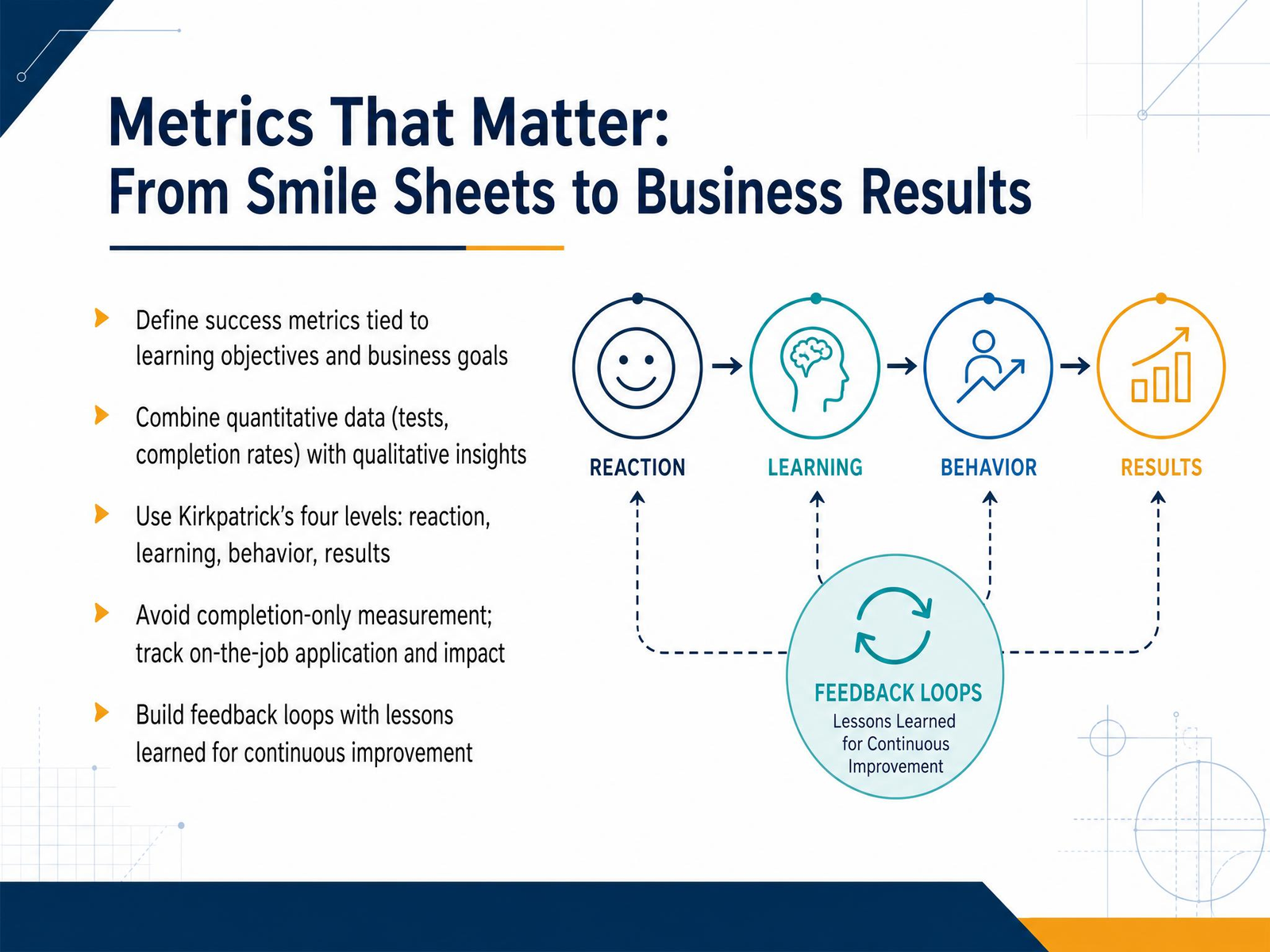
1 min - 11Metrics That Matter: From Smile Sheets to Business ResultsLet’s talk about metrics that actually matter. If your evaluation stops at the smile sheet, you’re only seeing the tip of the iceberg. Satisfaction is nice, but it doesn’t tell you if anyone learned anything. Pair those reactions with real learning data: pre-tests and post-tests, scored activities, completion rates. Numbers tell you what changed. But don’t stop there. Qualitative insight, like open-ended survey responses or manager feedback, tells you why it changed. That combination gives you the full picture. Kirkpatrick’s four levels are your map here. Level one, reaction. Level two, learning. Level three, behavior change back on the job. Level four, business results. Most teams measure levels one and two, then stop. That’s a mistake. The real value shows up in levels three and four. Are your people applying the skills? Sales up? Errors down? That’s the impact your stakeholders care about. Also, build a feedback loop. Document what worked, what flopped, and why. Feed those lessons into your next design cycle. That’s how you get better every time, not just once. Keep your metrics tied to business goals, and you’ll turn evaluation into your strongest improvement tool. Next, let’s look at building a repeatable design workflow.
 2 min
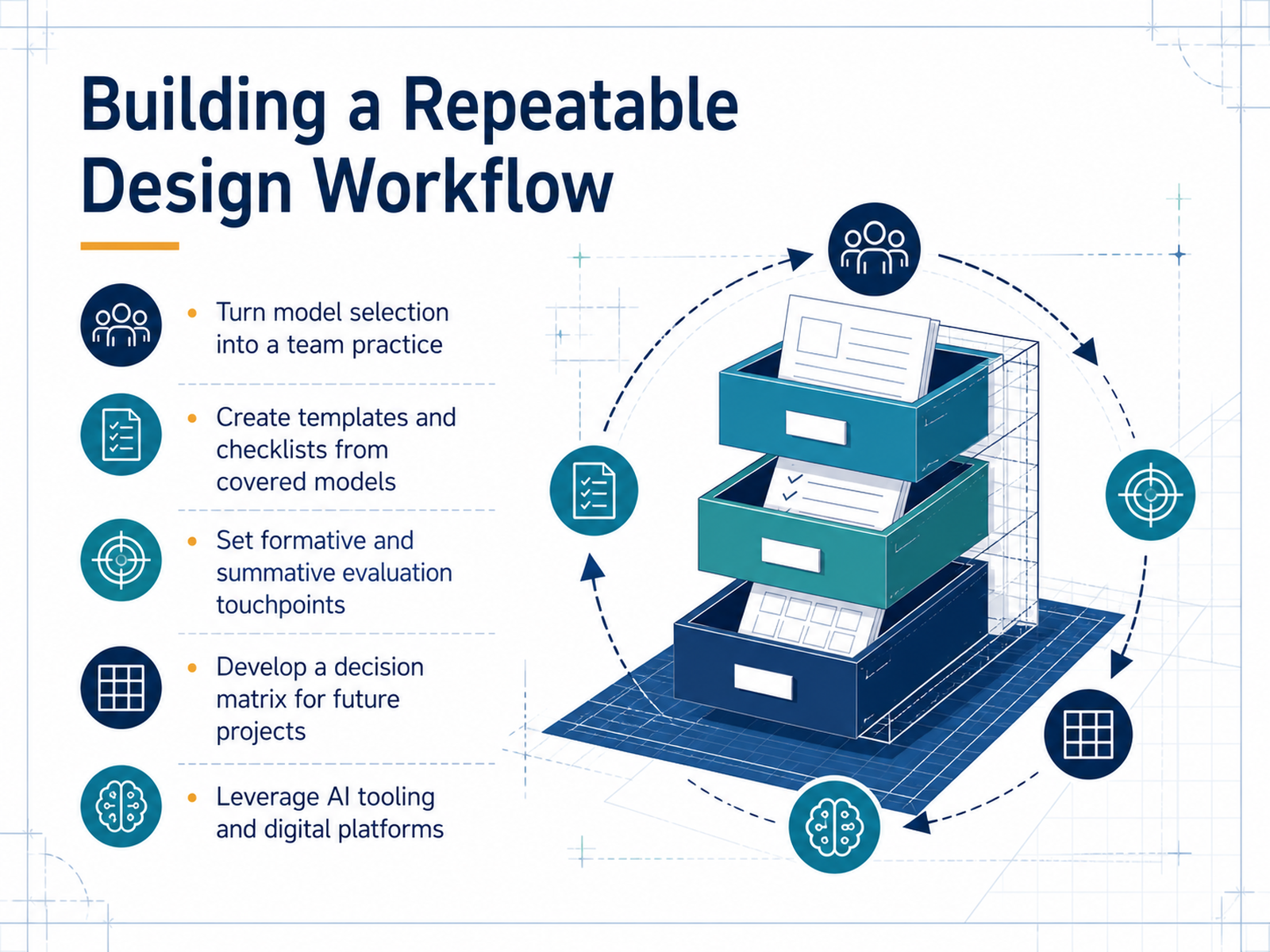
2 min - 12Building a Repeatable Design WorkflowNow let's talk about making this repeatable. You've got a toolkit full of models, but the real win is turning that knowledge into a team practice. Start by creating templates and checklists from the models we've covered. If ADDIE gives you structure, build a project intake form from its five phases. If you're using SAM, create a rapid prototyping review checklist. These artifacts become your team's shared language. Next, bake in your evaluation touchpoints. Set formative checks during design and development, and summative reviews after launch. This is where you'll catch problems early, not after you've built the whole thing. And build a decision matrix for future projects. A simple table that maps project type, timeline, and content stability to a recommended model. When the next request lands, you're not debating models, you're just checking the grid. Also, leverage AI tooling and digital platforms where they genuinely speed things up. Use AI for drafting analysis summaries or generating storyboard variations, not as a replacement for your judgment. The goal is an efficient workflow, but not at the cost of rigor.
 gsdcouncil.orgwhatfix.comresearch.com+21 min
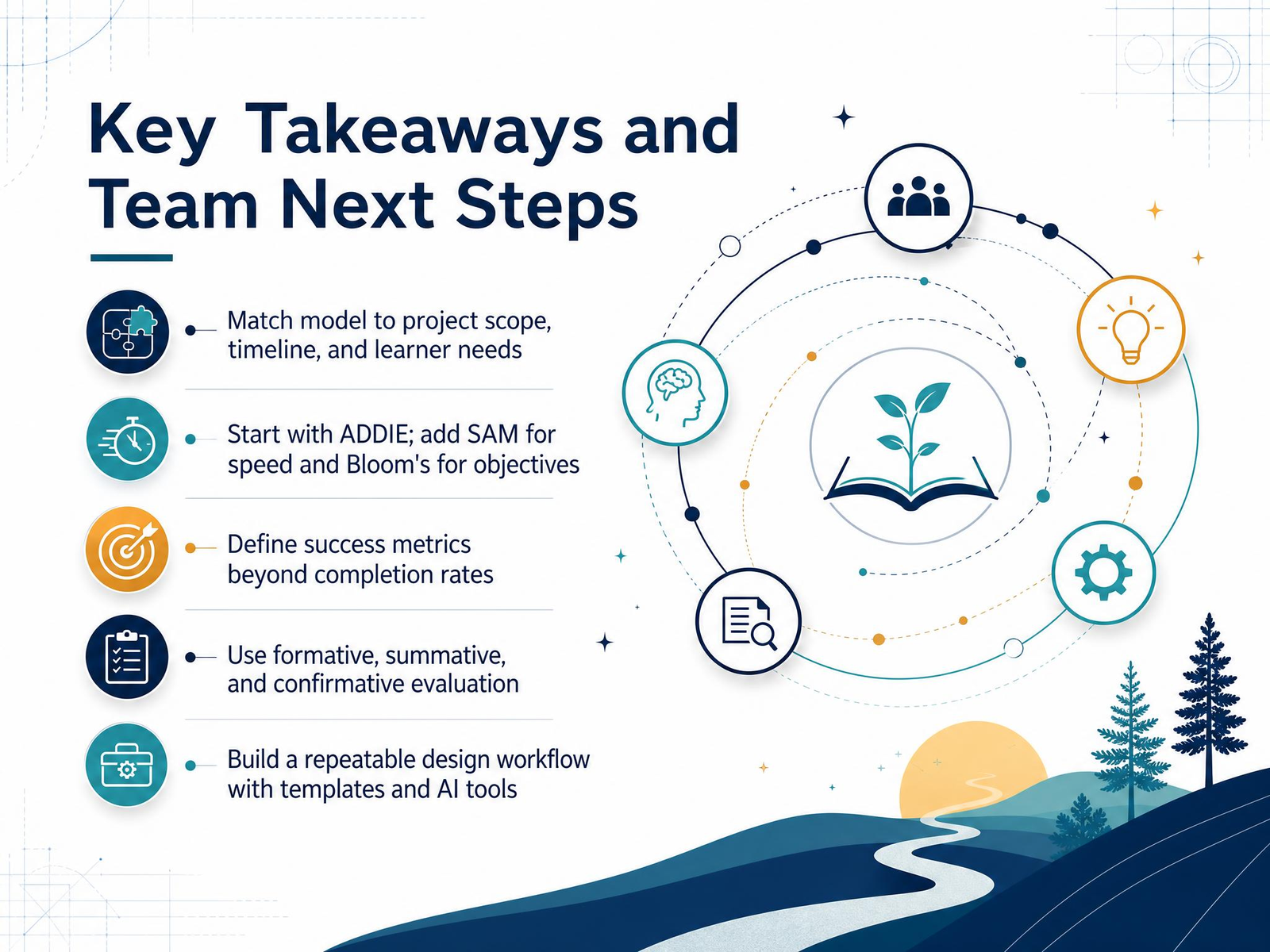
 - 13Key Takeaways and Team Next StepsLet’s wrap this up. The models are just tools, and the right one depends on the project. Match your model to scope, timeline, and learner needs. Start with ADDIE for structure, add SAM when speed matters, and use Bloom’s to sharpen your objectives. Define success beyond completion rates. Measure behavior change and business impact. Use formative checks during design, summative tests after launch, and confirmative reviews to see if the skills stuck. Finally, build a repeatable workflow. Templates and AI tools save you time, but the judgment stays with your team. Thanks for your focus today. You have everything you need to design with intention — now go apply it.
 gsdcouncil.orgwhatfix.comresearch.com+21 min
Take the deck with you
Download this course as a file — free, no sign-up needed.
- PDF handoutEvery slide page, ready to print or share.14 pages · 3.3 MBDownload
- Narrated PowerPointThe deck that presents itself — every slide carries the digital human's narration video.14 pages · 14.3 MBDownload
- PowerPoint slidesThe full deck as a .pptx — open it in PowerPoint, Keynote, or Google Slides.14 pages · 3.2 MBDownload
Free to use in your own training — please keep the PersonWise credit page at the end.
Have your own deck? Turn it into a course
Sources consulted
Web sources consulted while building this course.
- ADDIE vs SAM vs Gagné: AI-Era Instructional Design | GSDC — gsdcouncil.org
- 8 Effective Instructional Design Models in 2026 — whatfix.com
- Instructional Design Models for 2026: ADDIE, Gagne's, ... — research.com
- Instructional Design Models — instructionaldesigncentral.com
- Stop Boring Your Learners! 8 Viral Instructional Models for 2026! — hurix.com
- What are the core instructional design models? - Digital Learning Institute — digitallearninginstitute.com
- Instructional Design Models – Foundations of Learning and Instructional Design Technology — nic.pressbooks.pub
- Instructional Design — www1.udel.edu
- Overview of the Systematic Design Process – Instructional System Design — pressbooks.online.ucf.edu
- What Is the ADDIE Model of Instructional Design (2026 Update) — d2l.com
- ERIC - ED477517 - Survey of Instructional Development Models. Fourth Edition., 2002 — eric.ed.gov
- A Roadmap for Instructional Designers: A Comparison of Instructional Design Models - Ankara University Journal of Faculty of Educational Sciences (JFES) — dergipark.org.tr
- Survey of Instructional Design Models – Sixth Edition | Brill — brill.com
- A Review and Categorization of Instructional Design Models — open.metu.edu.tr
- ERIC - ED411778 - Survey of Instructional Development Models. ERIC Digest., 1997-Sep — eric.ed.gov
- Choosing the Right Instructional Design Model: What to Consider – RLM Learning Design — rlmlearningdesign.com
- 8 Tips for Choosing the Best Instructional Design Model — elearningindustry.com
- Choosing a model of design - The Learning Engineer's Knowledgebase — lekb.org
- Comparing the Best Instructional Design Models — business.udemy.com
- Instructional Design Models: A Complete Guide — lemonlearning.com