Begin
14 pages · ~28 min
Instructional Design Portfolio Analysis
Explore instructional design portfolio examples to identify effective patterns, strengths, and common pitfalls—helping aspiring instructional designers create standout portfolios.
A digital instructor presents all 14 pages. Hold “Ask” at any point and ask out loud — the answer comes from this course. No sign-up needed.
What you’ll learn
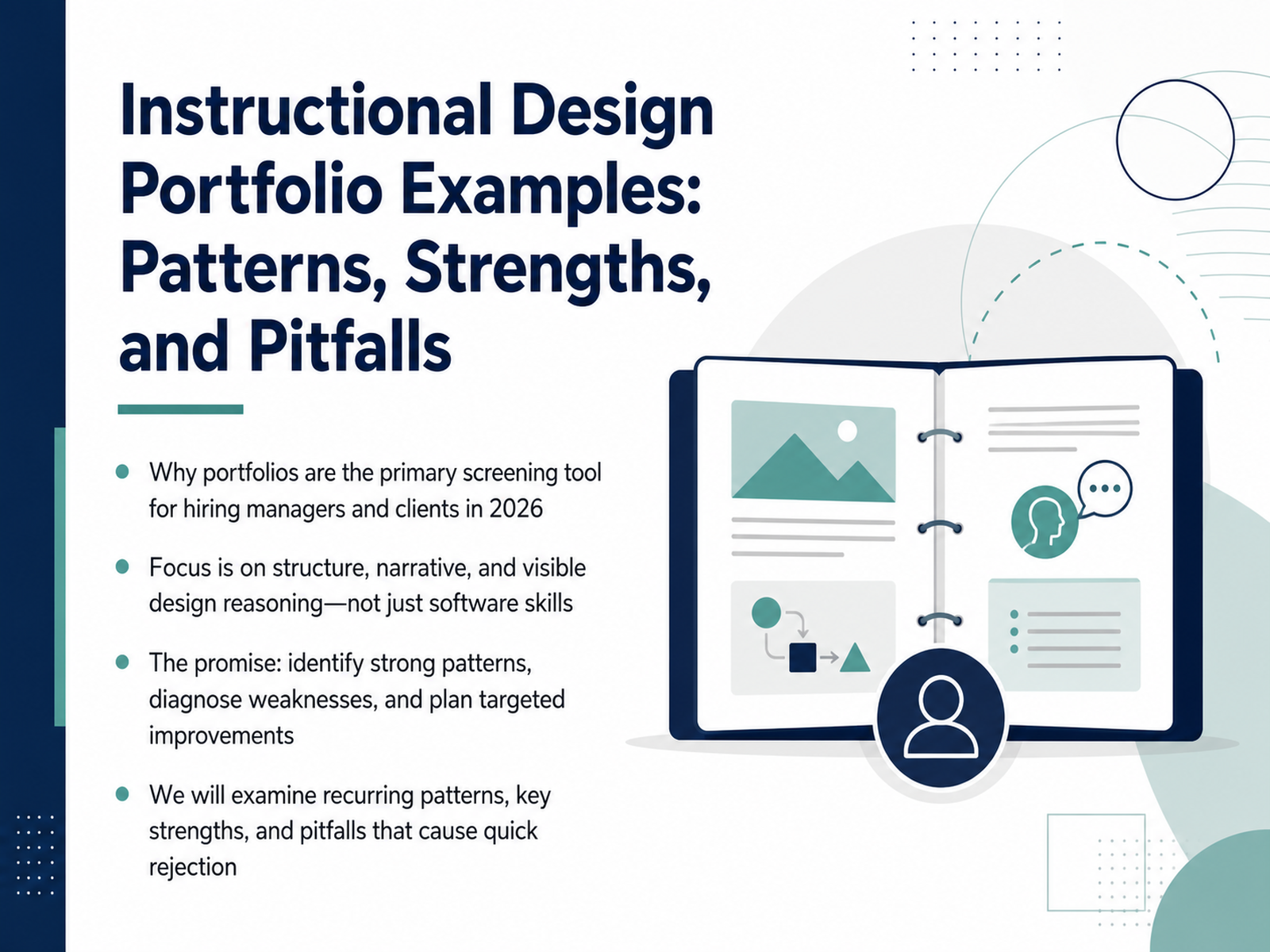
- 01Instructional Design Portfolio Examples: Patterns, Strengths, and PitfallsWelcome, everyone. We're going to talk about something that matters more than any resume or certification: your instructional design portfolio. In 2026, it's the first thing hiring managers and clients look at, and often the deciding factor. But here's the good news: we're not going to focus on software tricks. Instead, we'll dig into the structure, the narrative, and the visible design reasoning that make a portfolio truly compelling. Over the next few minutes, we'll examine recurring patterns we see in successful examples, identify the strengths that make them stand out, and, just as importantly, unpack the pitfalls that cause quick rejection. Think of this as a peer review session. Bring your own projects, your storyboards, your prototypes, and let's figure out what's working, what's not, and where you can make targeted improvements. Let's get started.theelearningcoach.comeportfolio.ursularkoranteng.commelanielxd.com+21 min
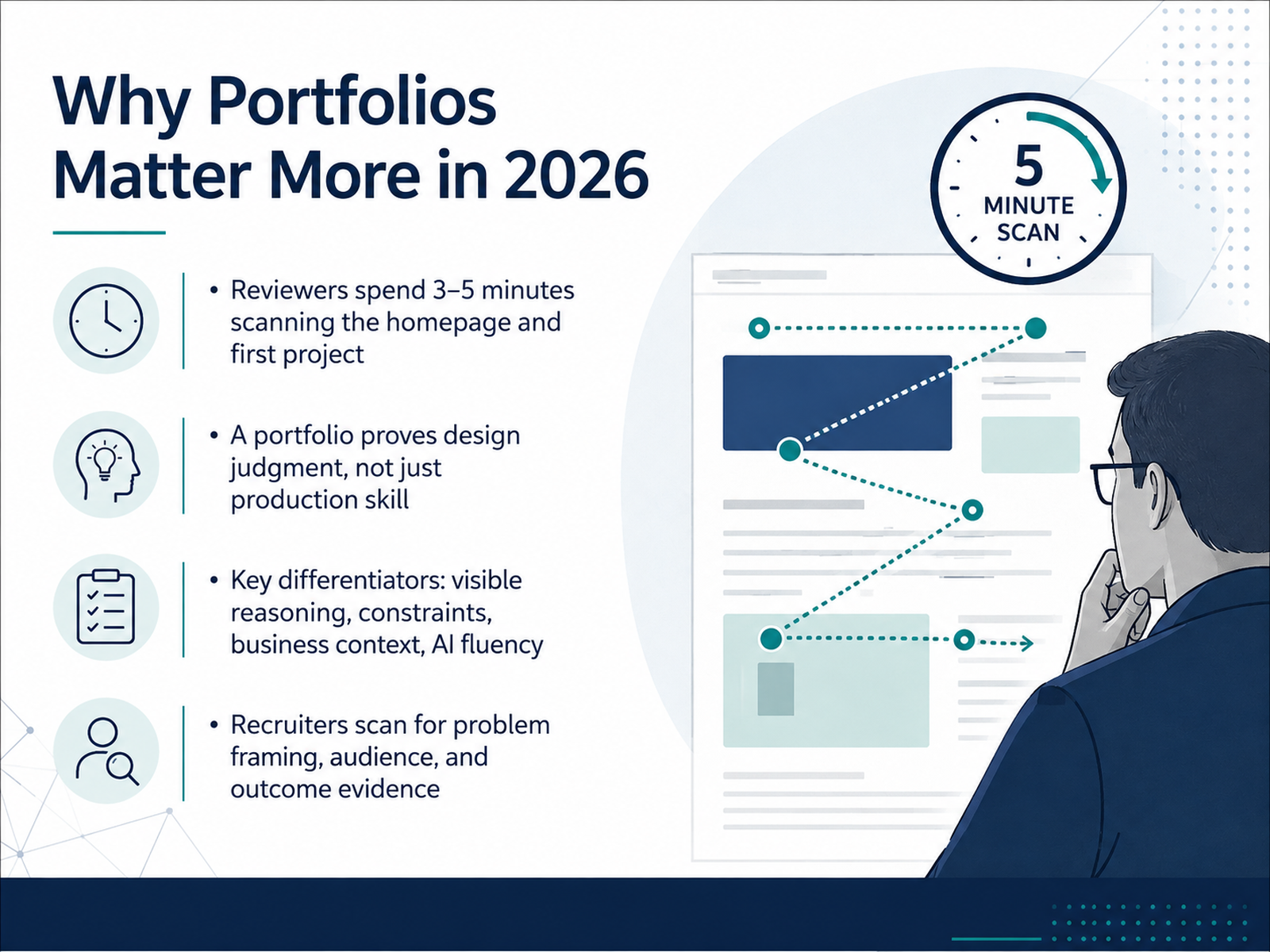
- 02Why Portfolios Matter More in 2026Let's be honest about what your portfolio is up against. When a hiring manager lands on your site, you have roughly three to five minutes — sometimes less — to prove you're worth a conversation. That's not a lot of time to show that you're more than someone who can click through Articulate. In 2026, your portfolio needs to prove design judgment, not just production skill. Reviewers are scanning for visible reasoning: the constraints you navigated, the business context you worked within, and how you're thinking about AI fluency. They want to see how you frame the problem, who the audience really was, and what evidence you have that your solution made a difference. It's a shift from showcasing artifacts to showcasing thinking. Remember, tools are expected. Thinking is rare. Now, let's think about the different purposes a portfolio can serve and who you're really designing it for.
 zenithperformancesolutions.comcareers.wgu.edudevlinpeck.com+21 min
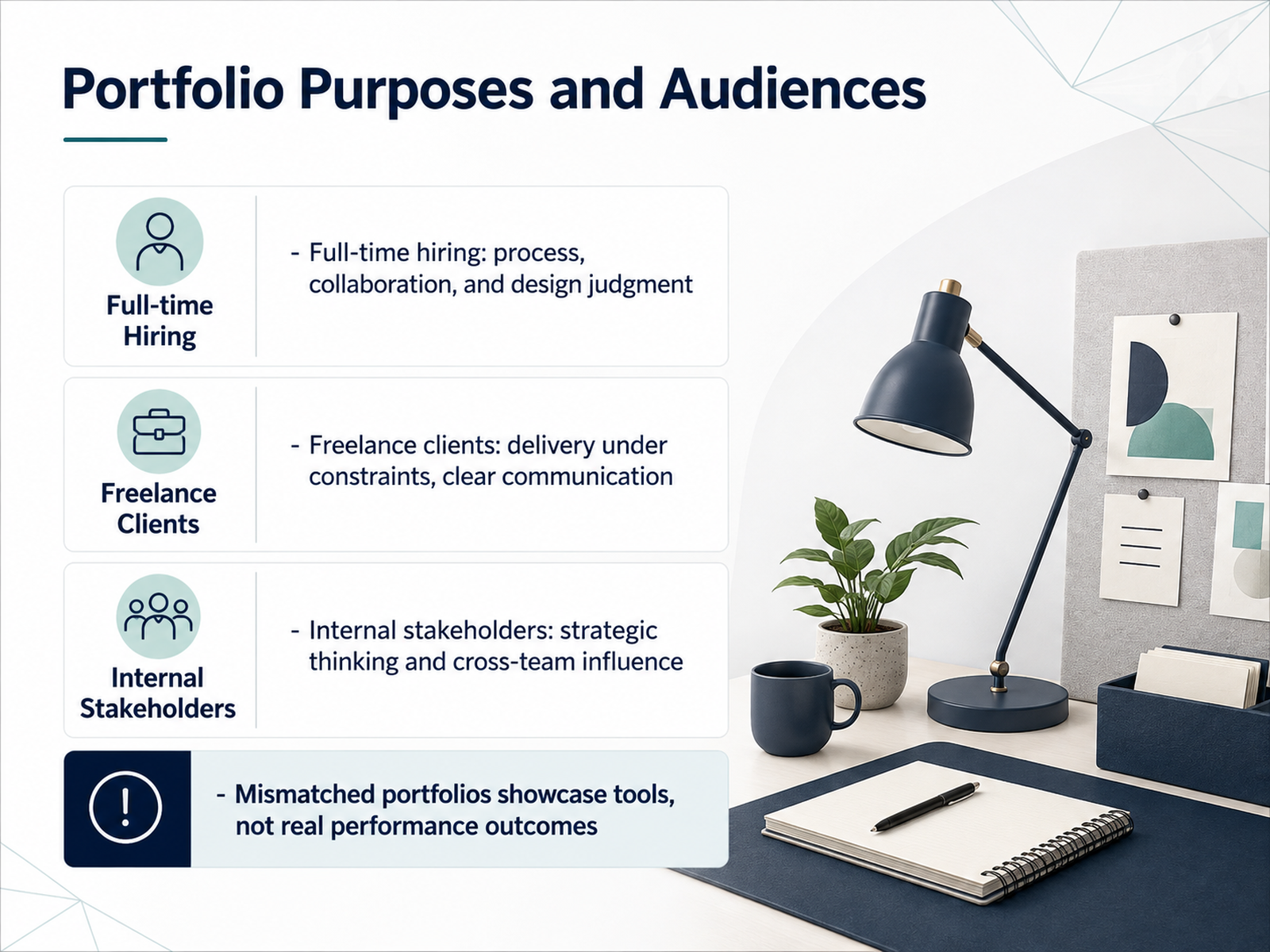
 - 03Portfolio Purposes and AudiencesLet’s talk about why you’re actually building this portfolio, because that answer changes everything. The same project can be framed three different ways depending on who’s looking. For a full-time hiring manager, you’re proving process, collaboration, and design judgment. They want to see how you navigate ambiguity and work with stakeholders. For a freelance client, the story shifts. They care about delivery under real constraints and how clearly you communicate scope, timeline, and trade-offs. And when you’re presenting internally, say to your own leadership, they’re looking for strategic thinking and your ability to influence cross-functional teams. Here’s the pitfall we see most often. Designers build one portfolio that showcases tools, not performance. A gallery of Rise modules and Storyline interactions with no context. That might impress a peer, but it won’t answer the question every reviewer is actually asking, which is, did this solve a real problem? Match your evidence to the audience. And remember, depth of thinking always beats a wall of polished artifacts. Next, let’s look at what strong portfolios have in common.
 zenithperformancesolutions.comcareers.wgu.edudevlinpeck.com+21 min
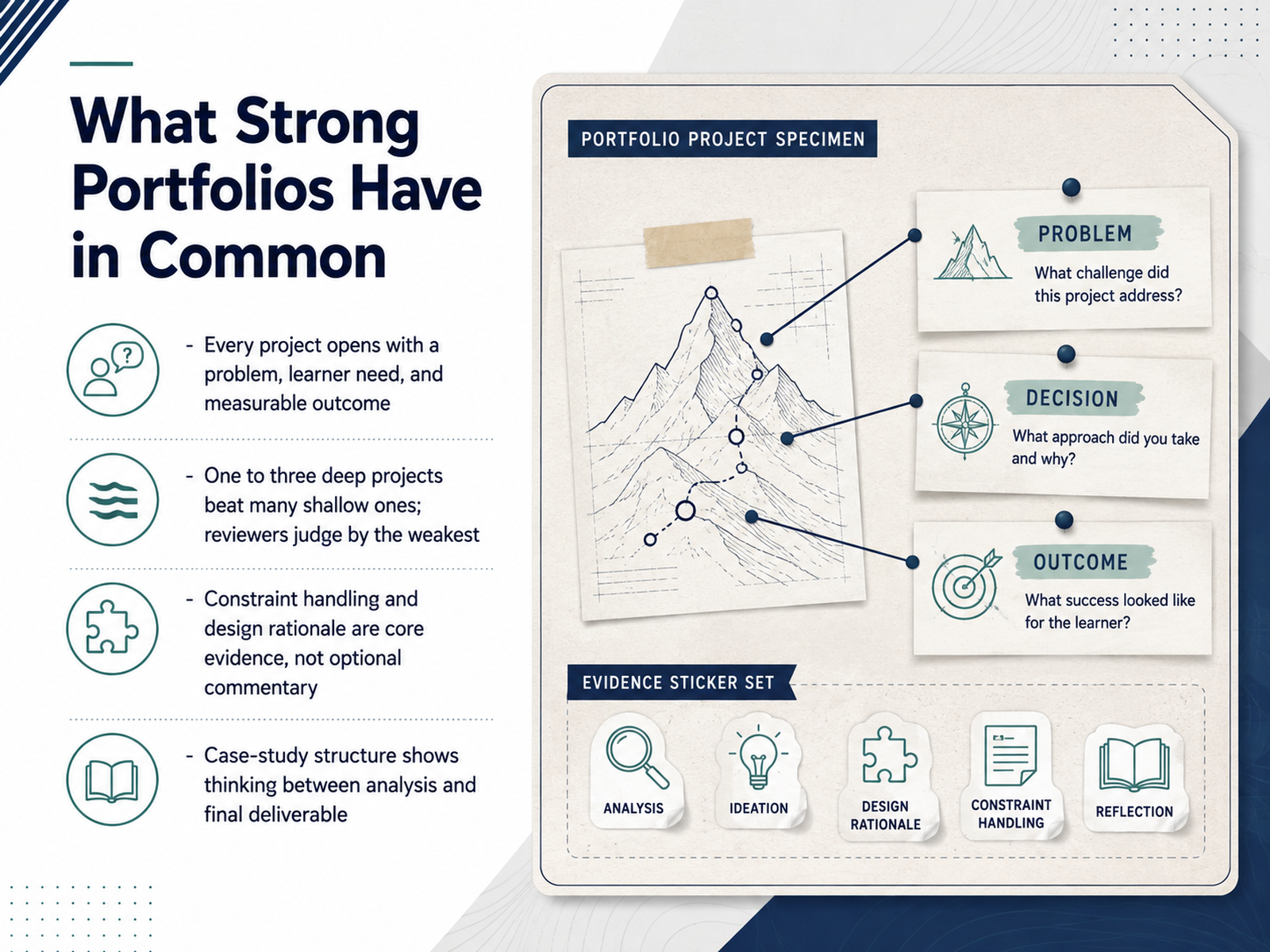
 - 04What Strong Portfolios Have in CommonLet’s step back and look at the patterns that actually separate strong portfolios from the rest. Strong work doesn’t just show what you built. Every project opens with a problem, a learner need, and a measurable outcome. Reviewers scan quickly, so clarity matters. Next, depth beats volume. One to three deep projects consistently outperform a gallery of shallow samples. Reviewers judge you by your weakest piece, so curate ruthlessly. Most importantly, show how you handled constraints and made design decisions. Your rationale for why you chose one interaction over another is core evidence of your judgment. And finally, structure every project as a case study. Show the thinking between your initial needs analysis and the final deliverable, the storyboards, the action maps, the prototypes, and the revisions. That is the story that tells a reviewer you solve real performance problems.
 theelearningcoach.comeportfolio.ursularkoranteng.commelanielxd.com+21 min
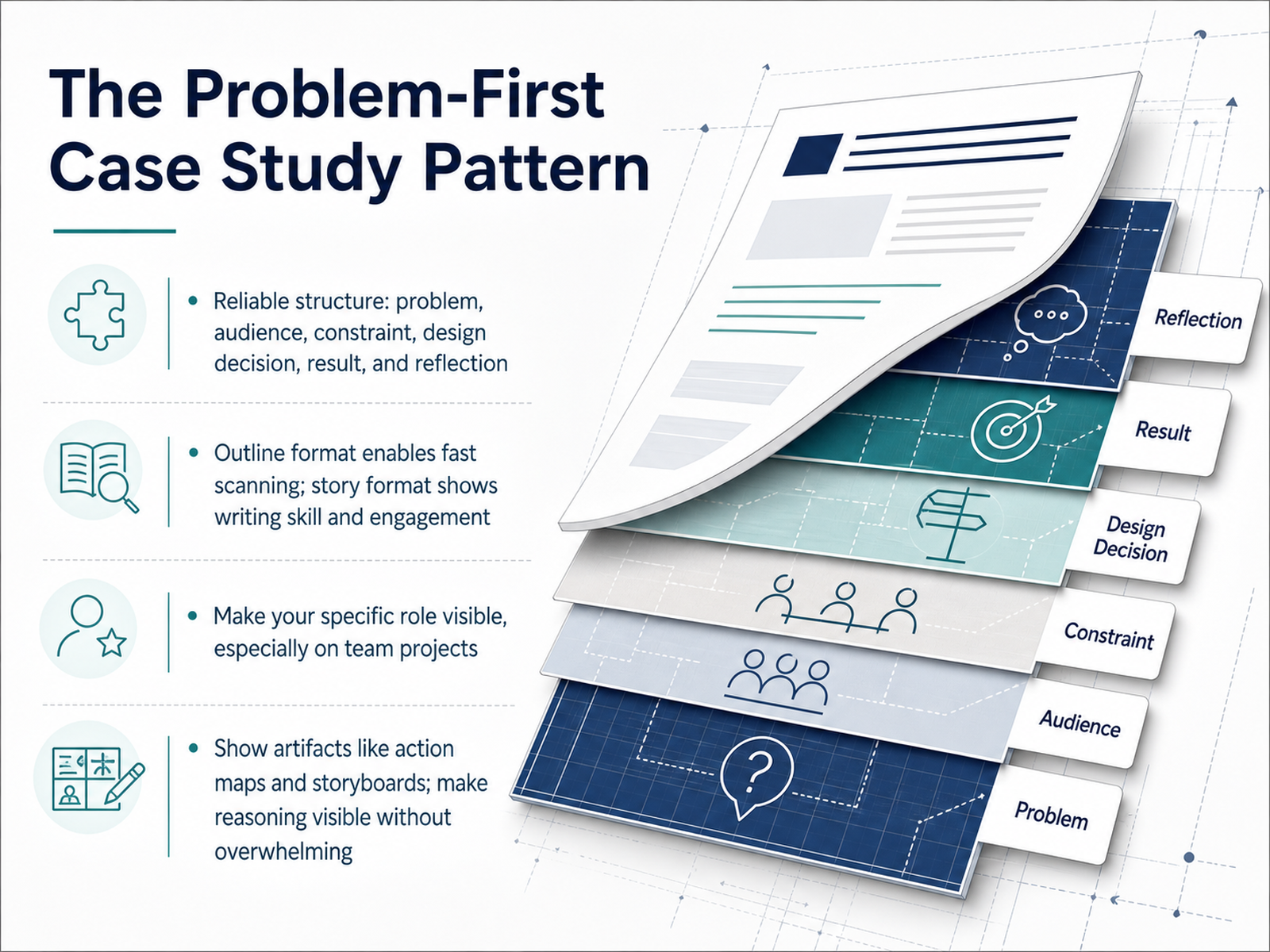
 - 05The Problem-First Case Study PatternLet's talk about the problem-first case study pattern. This is the workhorse of strong portfolios. The structure is reliable because it mirrors how we actually think: the problem, the audience, the constraints you faced, the design decision you made, the result, and your honest reflection. You have two format options here. The outline format lets a busy reviewer scan your key points in seconds. It's efficient and clear. The story format, on the other hand, shows your writing skill and can pull a reader into the narrative. Both work. Just pick one and stay consistent. Here's what really matters: make your specific role visible. If you were one of four designers on a team project, say exactly what you owned. Hiring managers want to know if you led the analysis, built the storyboard, or developed the final module. And don't hide your process. Include artifacts like action maps and storyboards. Make your reasoning visible. Remember, they are not just looking at what you built, they are looking at how you think. So show them the decisions, without overwhelming the page. Next, let's look at strengths worth emphasizing in your case studies.
 theelearningcoach.comeportfolio.ursularkoranteng.commelanielxd.com+22 min
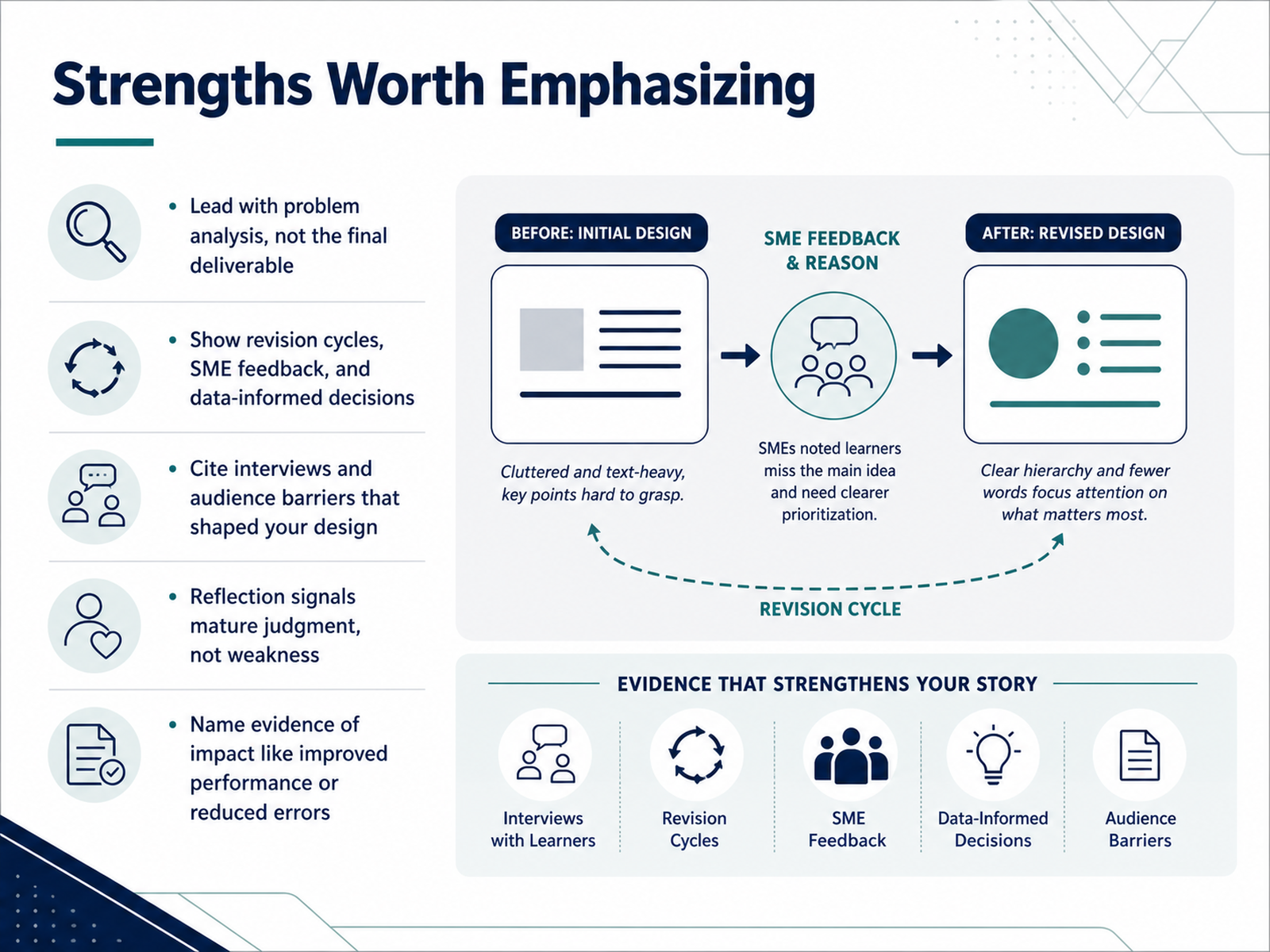
 - 06Strengths Worth EmphasizingLet’s talk about what actually makes a portfolio memorable. The strongest ones don’t lead with the deliverable. They lead with the problem. Instead of opening with, here’s a Storyline module, you open with, warehouse injuries were climbing, and leadership needed a targeted fix. That framing changes everything. Then, make your thinking visible. Show the revision cycles. Include the SME feedback that reshaped your storyboard. Reference the interviews that revealed your audience’s real barriers. That’s the evidence of design judgment. And don’t shy away from reflection. Saying you’d restructure an assessment or dig deeper into the needs analysis isn’t weakness — it signals maturity. Finally, name your impact. Did error rates drop? Did time-to-competency improve? Even small results, like managers reporting better confidence, carry weight. Remember, hiring managers aren't just scanning for polished screens. They're looking for proof you can solve a performance problem. Keep that front and center. Now, let’s look at the frequent pitfalls that cost interviews.
 zenithperformancesolutions.comcareers.wgu.edudevlinpeck.com+21 min
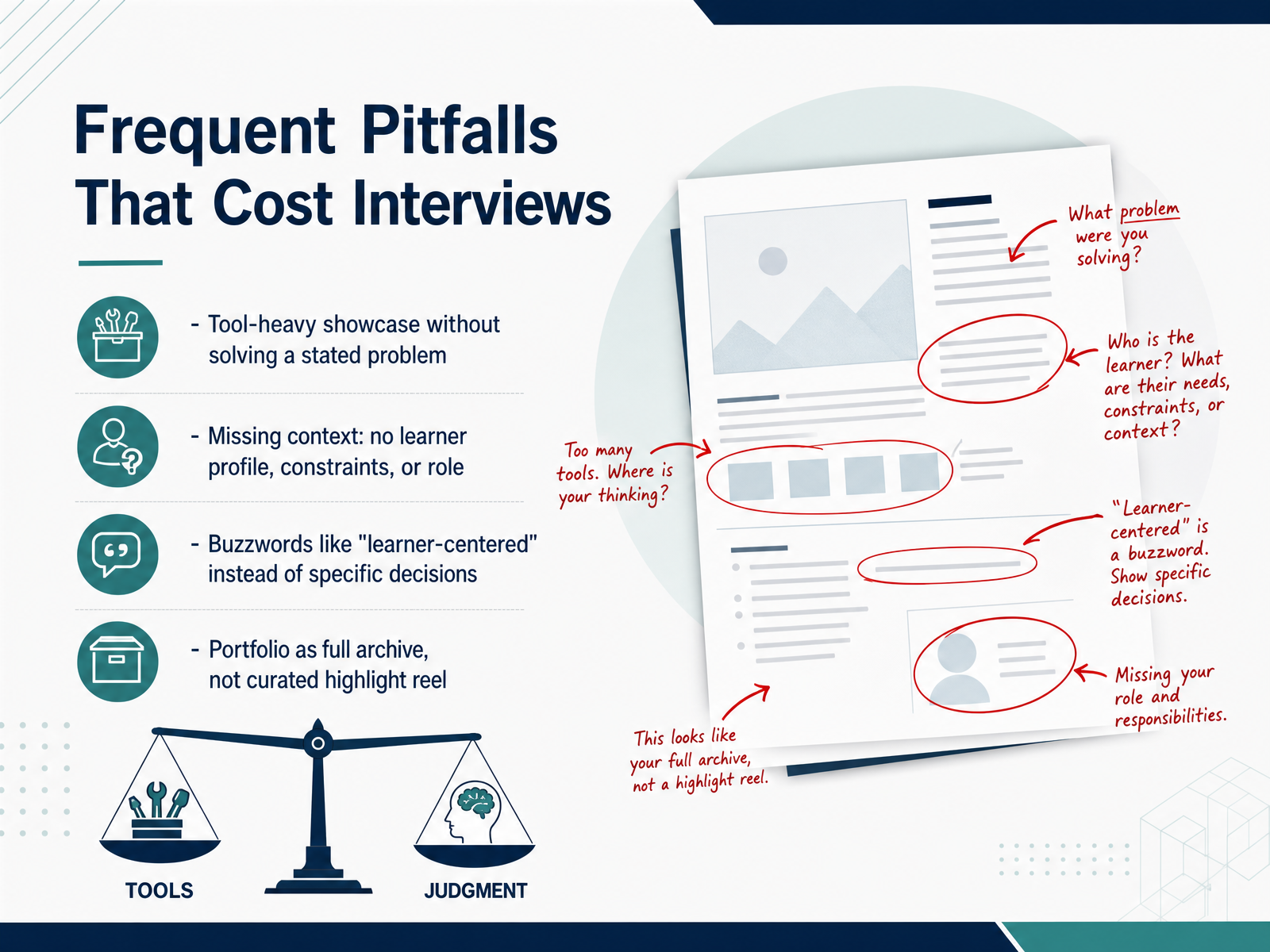
 - 07Frequent Pitfalls That Cost InterviewsLet's talk about the pitfalls that cost interviews. These are the patterns we see again and again when reviewing portfolios. First, a tool-heavy showcase without a stated problem. We've all seen it—a Storyline module with impressive triggers, but no explanation of what performance gap it solved. Hiring managers don't want a demo reel; they want evidence of problem-solving. Next, missing context. No learner profile, no constraints, no clarity on your role. That polished course floats in a vacuum. We need to know who you designed for, what their barriers were, and what you personally owned. Then there are the buzzwords—"learner-centered," "engaging," "interactive." They signal nothing. Replace them with specific decisions. Show us why you chose branching scenarios for skeptical field employees under tight deadlines. Finally, the archive trap. A portfolio is a curated highlight reel, not a full archive. Three strong, well-documented projects will always beat ten average ones. Remember, hiring managers scan for clarity and design thinking. Now, let's look at how to choose the right format for your portfolio site and your projects.
 td.orgdevlinpeck.comzenithperformancesolutions.com+21 min
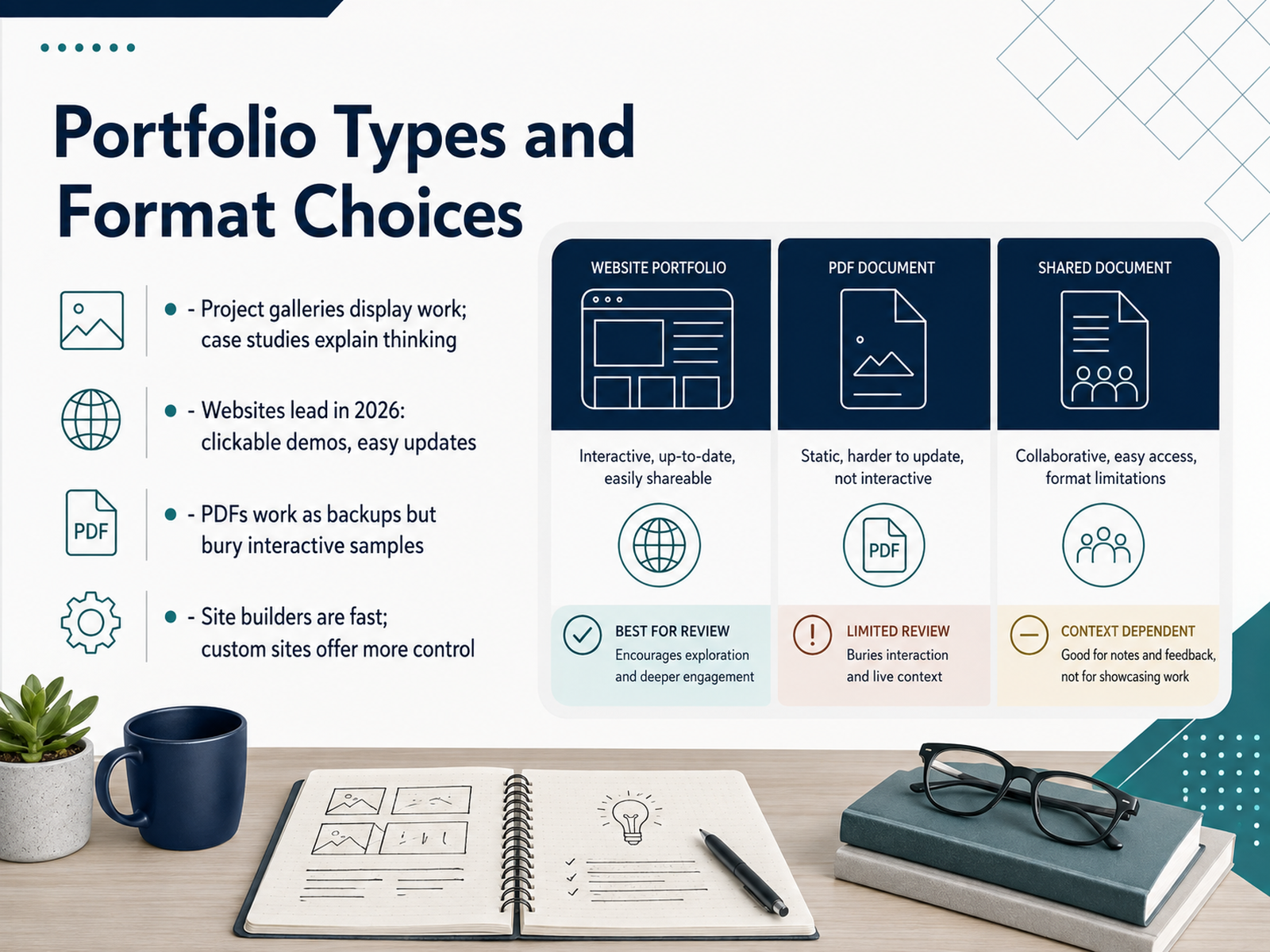
 - 08Portfolio Types and Format ChoicesLet's talk about format, because this is where a lot of portfolios quietly lose momentum. The core distinction is simple: a gallery displays your work, but a case study explains your thinking. Galleries are fine for visual polish, yet hiring managers are really evaluating your judgment, so structure every project as a case study that walks through the problem, your decisions, and the outcome. For delivery, a website is the clear winner in 2026. It hosts clickable demos, allows easy updates, and looks like a professional deliverable. A PDF version can be a useful backup for offline sharing, but it buries interactive samples and forces reviewers to imagine how your Storyline project actually feels. As for building the site, modern site builders get you live in a weekend with minimal fuss, while custom code gives you full control and shows front-end skills, but it is the slowest path by far. My honest advice: pick whatever gets you live fastest, because managers judge your projects, not your platform. Keep the site minimal: a hero section, your featured projects, and clear contact info. Now let's look at some real portfolio examples together.
 devlinpeck.comonlinedegrees.sandiego.eduispringsolutions.com+22 min
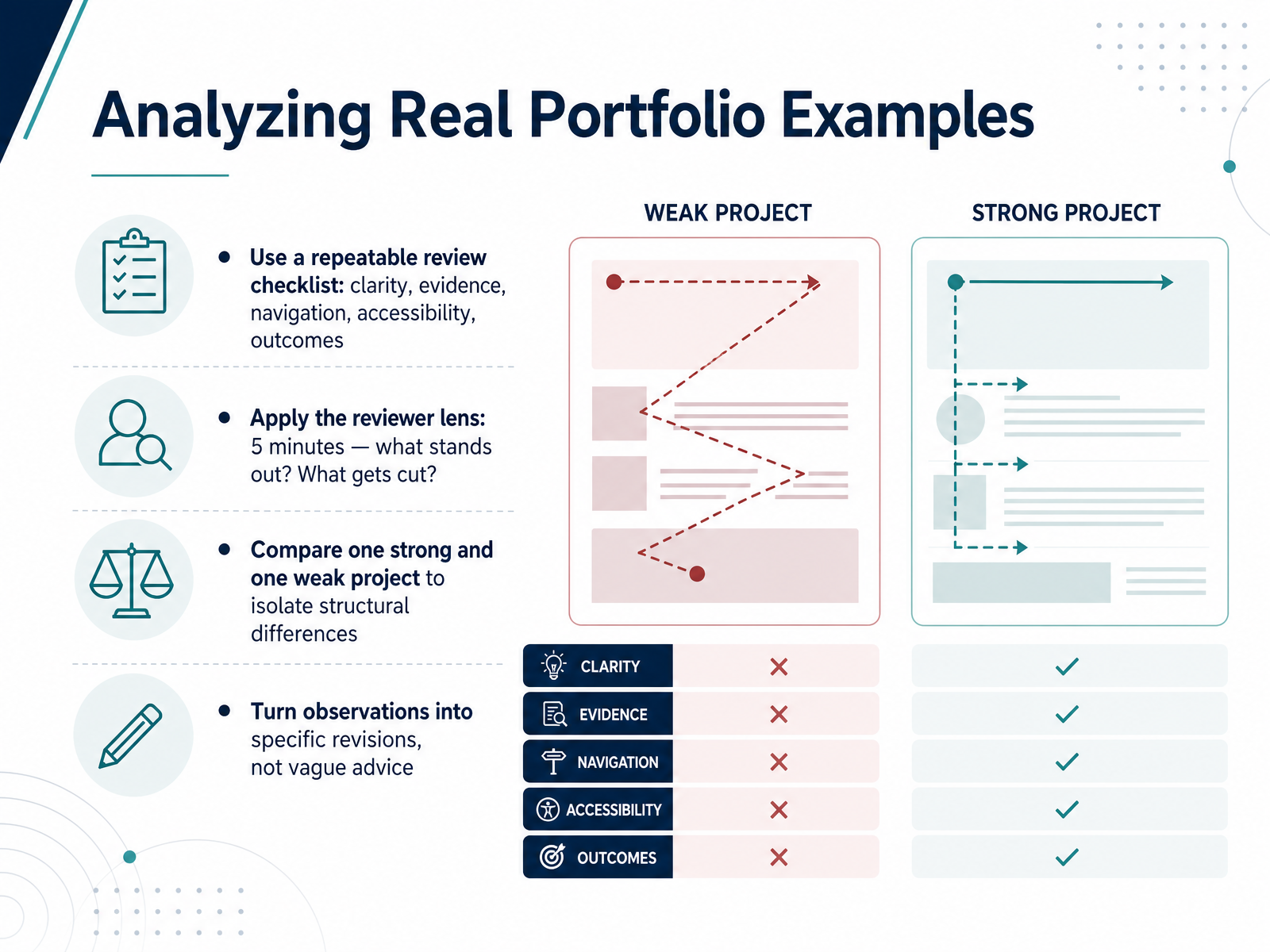
 - 09Analyzing Real Portfolio ExamplesSo let's actually look at some portfolios with a reviewer's eye. Don't just browse them, evaluate them. Use a repeatable checklist: clarity, evidence, navigation, accessibility, and outcomes. Clarity, can you tell who the audience was and what problem you solved within seconds? Evidence, is there a real artifact, a storyboard, a prototype, a finished module? Navigation, can you reach that sample within two clicks? Accessibility, is the work itself inclusive? And outcomes, what changed because of your design? Now put on the reviewer lens. Remember, a hiring manager might spend five minutes, maybe ninety seconds on your site. In that time, what stands out, and what would they cut? To sharpen that judgment, try a side-by-side comparison. Take one strong project and one weak one, and isolate the structural differences. You'll likely find the strong one leads with the performance problem while the weak one leads with the tools. The strong one shows decision-making under real constraints, while the weak one just lists features. Then, turn those observations into specific revisions. Don't settle for, it needs more visual interest. Instead, commit to, I will replace the first two slides with a scenario that shows the learner's stakes. That distinction moves you from critique to craft.
 td.orgdevlinpeck.comzenithperformancesolutions.com+21 min
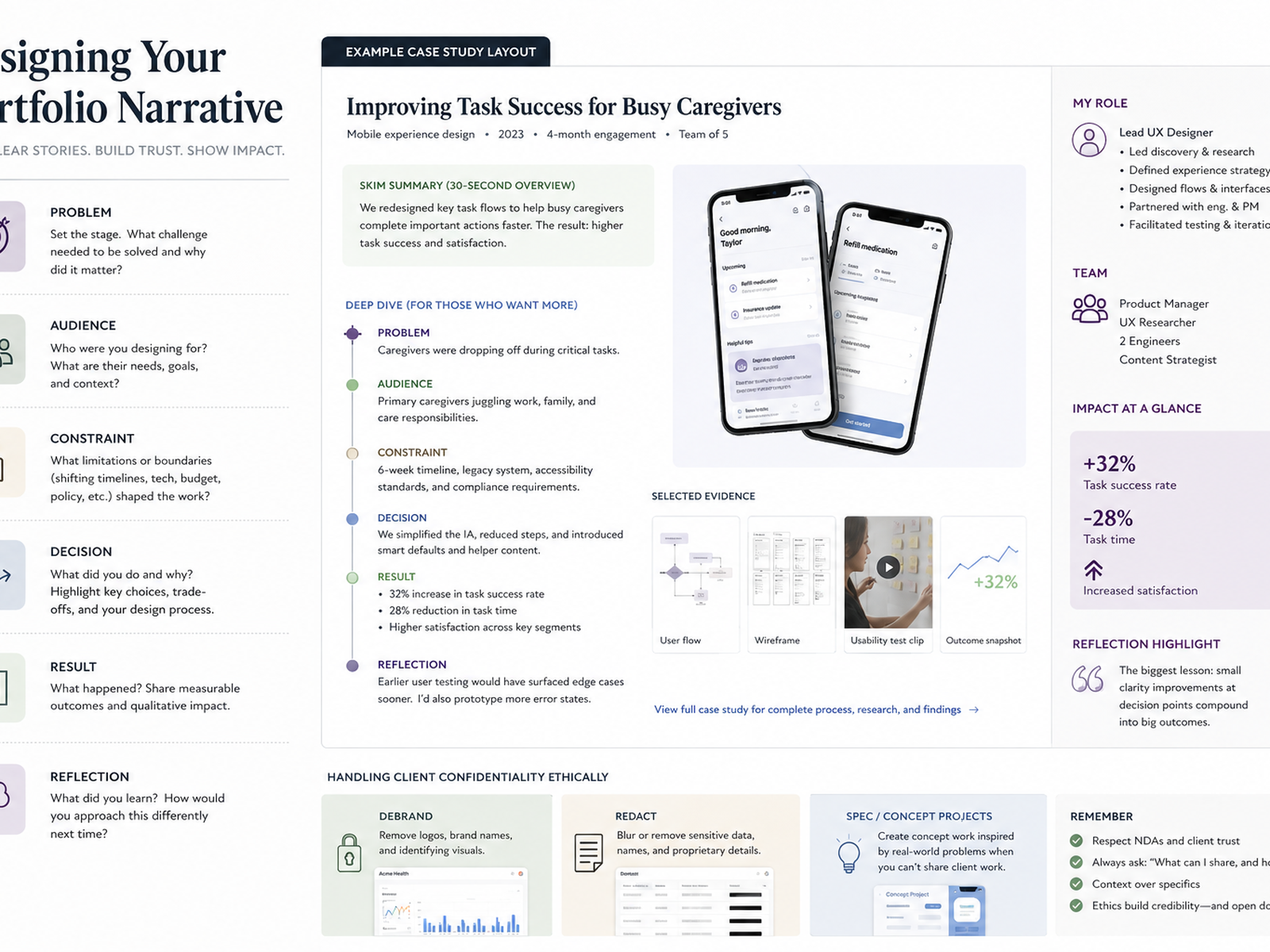
 - 10Designing Your Portfolio NarrativeNow let's talk about tying it all together into a narrative. The strongest portfolios we've seen share a clear throughline. Think of it as: problem, audience, constraint, decision, result, reflection. That sequence respects the reviewer's time and shows your judgment at every turn. Use layered summaries. Lead with a crisp, scannable overview for the skimmer, then layer in the full evidence—your storyboards, prototypes, evaluation reports—for whoever wants to go deep. And be scrupulously honest about your role on team projects. Say exactly what you owned. Accurate attribution builds trust faster than any polished visual. Finally, handle confidentiality like the professional you are. If a project is under NDA, debrand it, redact sensitive data, or rebuild it as a spec project that mirrors your process. It's completely acceptable to describe a client generically, like a national healthcare company. What matters is showing the thinking, not leaking the content. Coming up next: more on handling NDAs and confidential work with confidence.
 ixdf.orglinkedin.comlinkedin.com+22 min
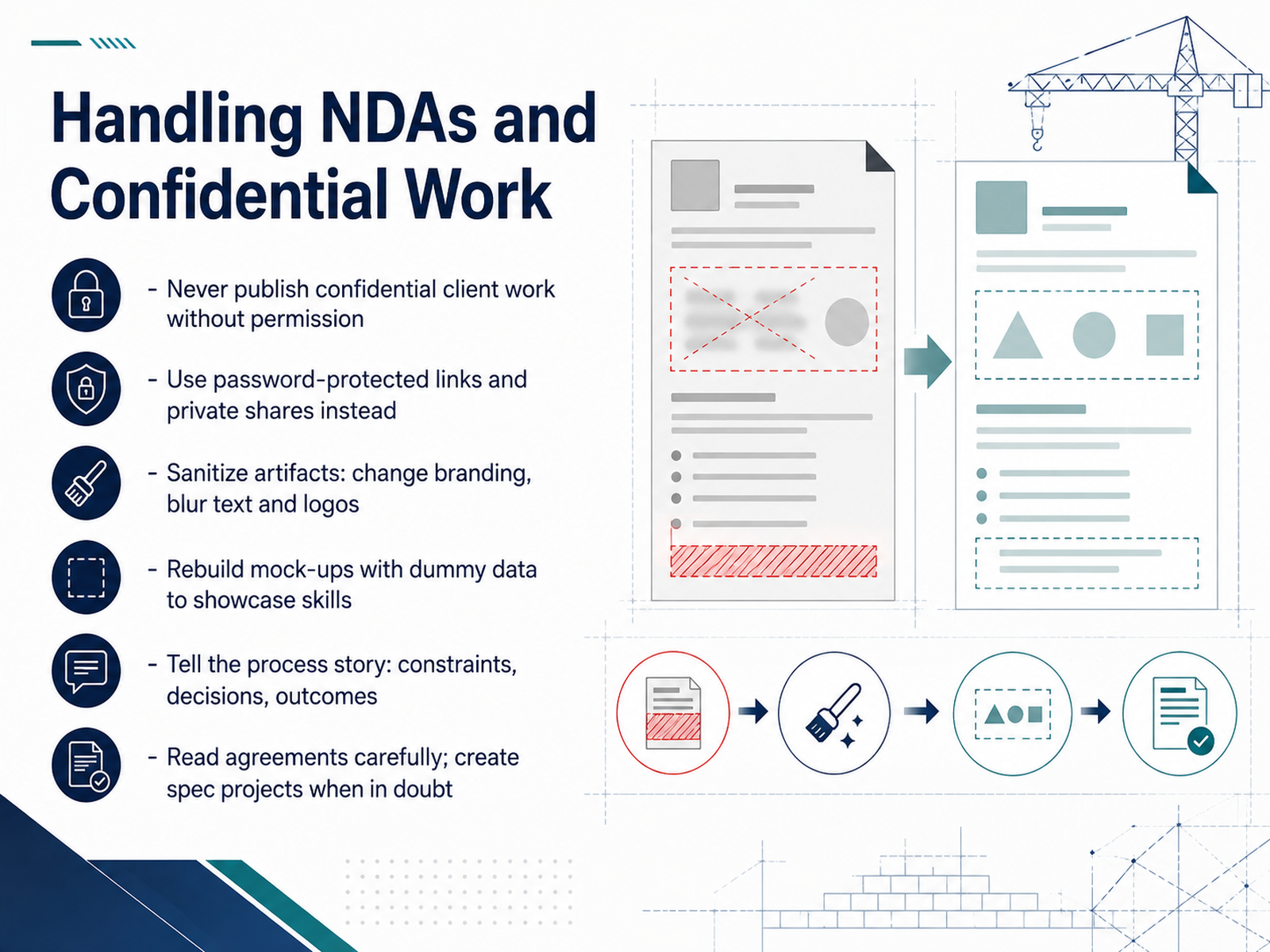
 - 11Handling NDAs and Confidential WorkNow let's talk about the elephant in the room: NDAs. It's the most common frustration I hear from designers, and honestly, it's a fair one. You do your best work behind closed doors, and then you can't show it. But here's the reframe. Hiring managers actually respect a designer who handles confidentiality well. It signals trustworthiness. So never publish confidential work without permission. Instead, use password-protected links or private shares. Sanitize your artifacts by changing branding and blurring logos. Rebuild key mock-ups with dummy data so your skills still shine. And most importantly, tell the process story. Talk about the constraints you navigated, the decisions you made, and the outcomes you measured. That narrative is often more revealing than a screenshot anyway. It shows how you think. If you're ever unsure, read your agreements carefully, and when in doubt, build a spec project that mirrors the work. Up next, we'll look at a practical improvement checklist and the reviewer lens you can apply to your own portfolio.
 ixdf.orglinkedin.comlinkedin.com+21 min
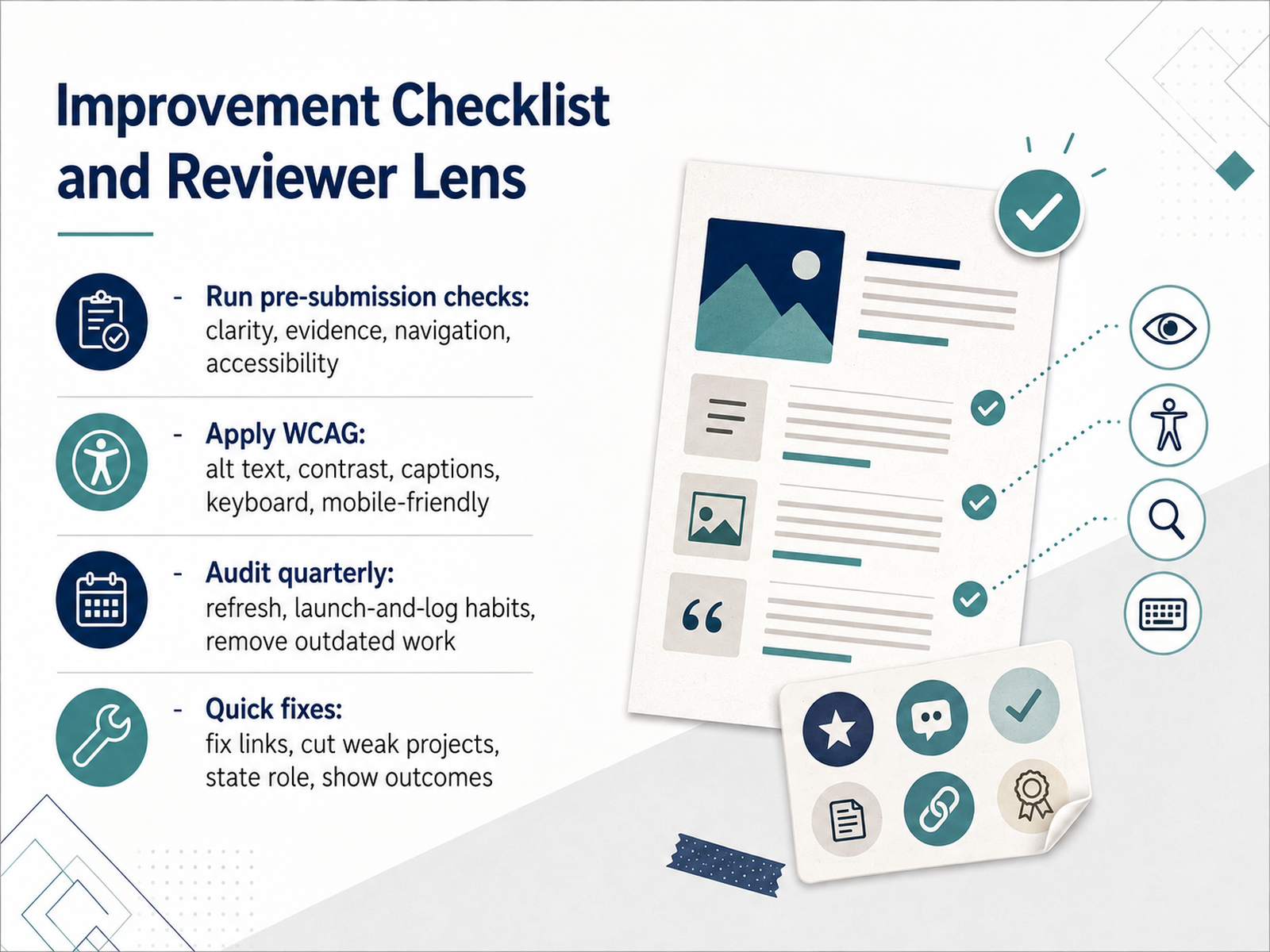
 - 12Improvement Checklist and Reviewer LensBefore you share your portfolio, run it through a proper pre-flight check. Clarity, evidence, navigation, accessibility. Four lenses. If a reviewer can't tell what you did within ten seconds, or what role you played, that's a clarity flag. Make your scope explicit on every case study. Evidence means showing outcomes, not just screenshots. Navigation is about reachability — every interactive sample, every demo link should load in two clicks or less, and work on a phone. Then go further with WCAG. Alt text, real contrast ratios, captions, and keyboard operability. Unplug your mouse and try to complete a module. If you get stuck, a learner who relies on a keyboard will too. Here's the discipline part: audit quarterly. Book two hours every few months. Fix dead links, refresh outdated work. And build a launch-and-log habit — capture results at project close, while they're still fresh. Then, the quick fixes: cut weak projects, tighten your writing, and make sure every artifact says what you did and what changed. Do that, and you'll walk into any review confident. Next, let's turn all this into an action plan and next steps.
 careers.wgu.eduonlinedegrees.sandiego.edudevlinpeck.com+22 min
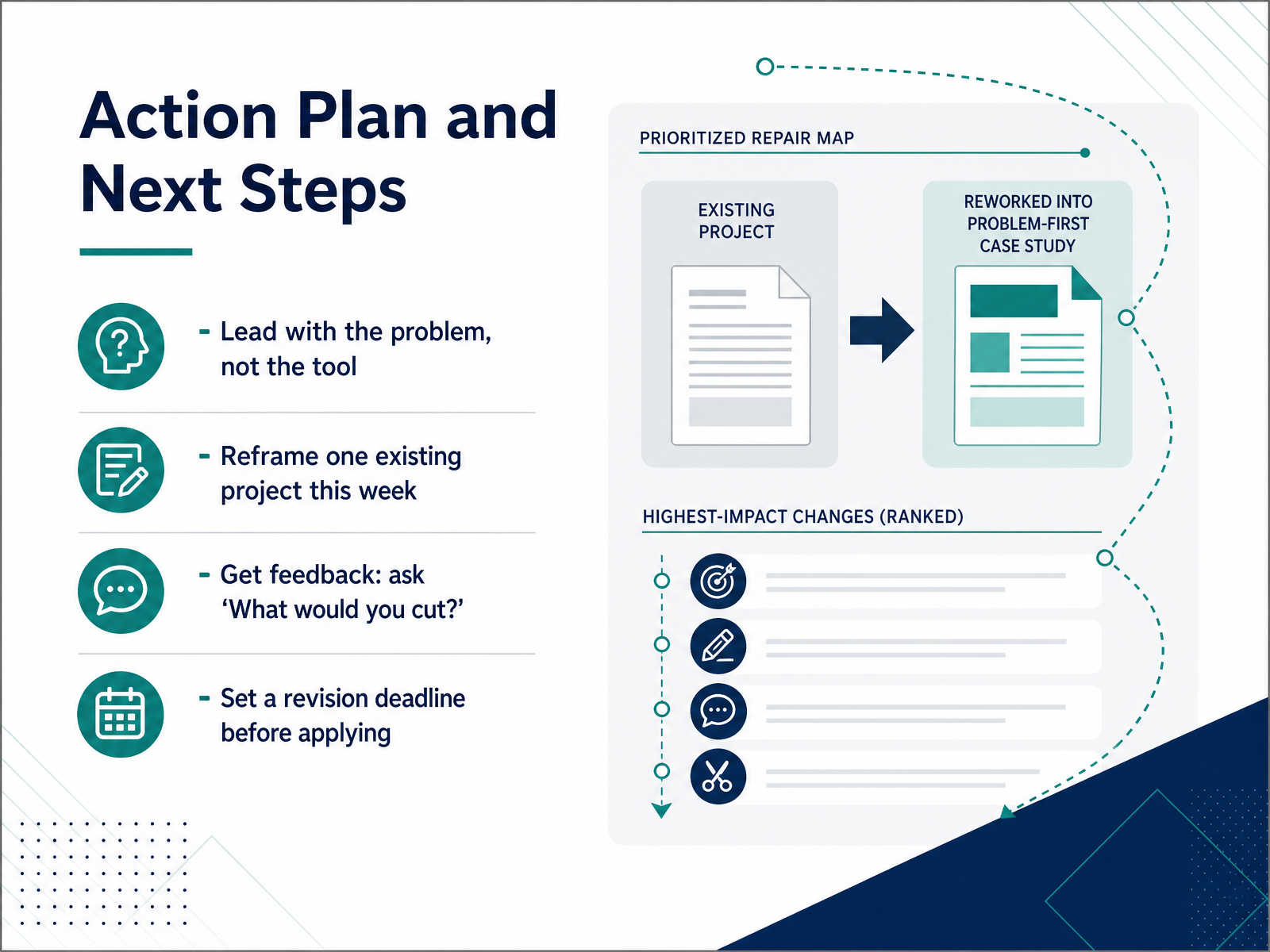
 - 13Action Plan and Next StepsLet's turn all of this into a plan you can actually act on. Four moves, starting this week. First, lead with the problem, not the tool. When you revisit any project page, ask yourself if a hiring manager understands the performance gap before they ever see a tool name. If the first line mentions Storyline, rewrite it. Second, pick one existing project and reframe it this week. Just one. Apply the problem-first structure we've been discussing, and notice how much stronger it reads. Third, get feedback, but ask the question that actually helps. Not 'what do you like?', but 'what would you cut?' That question forces honest critique and fast clarity. Finally, set a revision deadline before you apply anywhere. A date on the calendar turns good intentions into a finished portfolio. Block the time, do the pass, then send it out. Your portfolio is never finished, it just gets sharper with every cycle. Next, let's summarize the patterns and lock in your revision commitments.
 devlinpeck.comzenithperformancesolutions.comlearningonline.cloud+21 min
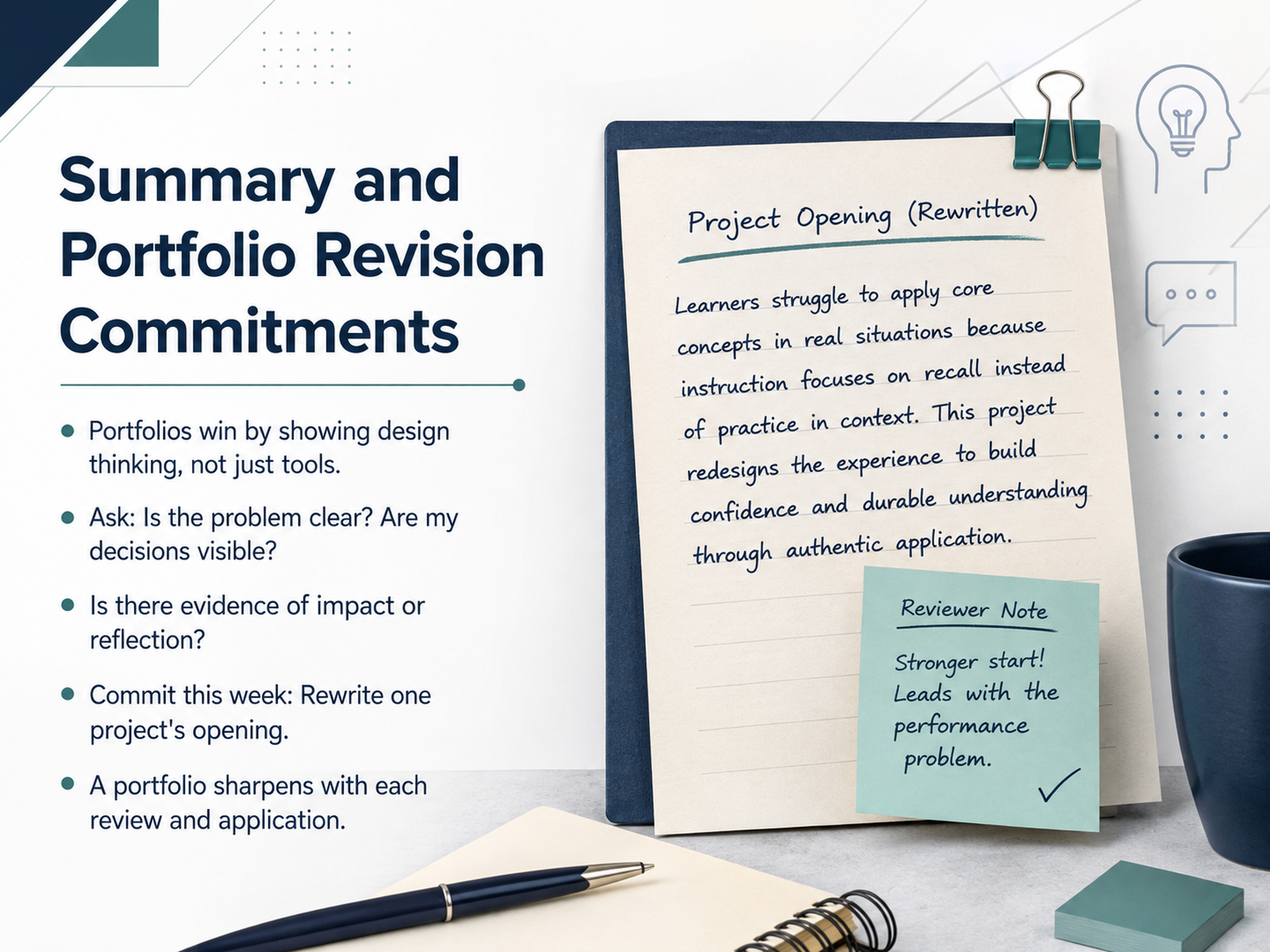
 - 14Summary and Portfolio Revision CommitmentsSo here's where we land. Portfolios win by showing design thinking, not just tools. If someone asks why you made a choice and you can't answer, that's your signal to revise. Ask yourself three things. Is the problem clear? Are my decisions visible? Is there evidence of impact or honest reflection? If any answer is no, you know exactly where to focus. And here's your commitment for this week. Rewrite one project's opening. Just the opening. Lead with the problem, not the deliverable. That single change can shift how a hiring manager reads everything that follows. Remember, your portfolio is never finished. It sharpens with every review and every application you send. So take one small step today. Future you will be glad you did. Thanks for being here, and happy designing.
 devlinpeck.comcareers.wgu.eduzenithperformancesolutions.com+22 min
Take the deck with you
Download this course as a file — free, no sign-up needed.
- PDF handoutEvery slide page, ready to print or share.15 pages · 3.4 MBDownload
- Narrated PowerPointThe deck that presents itself — every slide carries the digital human's narration video.15 pages · 13.3 MBDownload
- PowerPoint slidesThe full deck as a .pptx — open it in PowerPoint, Keynote, or Google Slides.15 pages · 3.3 MBDownload
Free to use in your own training — please keep the PersonWise credit page at the end.
Have your own deck? Turn it into a course
Sources consulted
Web sources consulted while building this course.
- How to Write Instructional Design Case Studies for Your ... — theelearningcoach.com
- Perfect Sub Case Study - ePortfolio — eportfolio.ursularkoranteng.com
- Scenario-based eLearning — Melanie Adkison Learning Experience Designer — melanielxd.com
- Scenario-Based Elearning – Instructional Design Professional — lucyaguilar.com
- Madalina Manolache - Multimedia eLearning Development — madalina-manolache.com
- The 5 Elements Every Instructional Design Portfolio Needs - Zenith Performance Solutions — zenithperformancesolutions.com
- Instructional Design Portfolio Checklist - WGU Career Services — careers.wgu.edu
- How to Create an Instructional Design Portfolio in 2026 — devlinpeck.com
- How to Build an Instructional Design Portfolio — theelearningcoach.com
- When hiring managers review instructional design portfolios, they usually spend 3–5 minutes scanning them. | Robin Sargent, Ph.D. Instructional Designer-Online Learning — linkedin.com
- Instructional Design Portfolios: 3 Common Challenges and How to Solve Them — td.org
- Tips On Creating An Instructional Design Portfolio - eLearning Industry — elearningindustry.com
- Instructional Design Portfolio: Must Haves, Tips & Examples — onlinedegrees.sandiego.edu
- How to Create an Instructional Design Portfolio (+ Examples) — ispringsolutions.com
- Build an Interactive Portfolio for Instructional Designers — learningonline.cloud
- How to Build an ID Portfolio You’ll Be Proud to Share - Teamed — teamedforlearning.com
- How to Showcase Your NDA-Protected Design Work - IxDF — ixdf.org
- Last week, I happened to review an instructional designer's portfolio. — linkedin.com
- What NDA projects taught me about working without a portfolio | Nadya Osipova — linkedin.com
- Portfolio Page | TyTaughtMe - Lead Instructional Designer — tytaughtme.com